
IRIS QA Network Reports Evaluating Issues Tools to
- Slides: 17
IRIS QA Network Reports Evaluating Issues Tools to better understand what the metrics are telling us
QA Reports – A Brief Outline Now that we have a list of issues… 1. Cover some common issues and the thresholds that find them • Knowing what issues arise from certain thresholds can make the evaluation process quicker 2. Go over the GUI used to keep track of issues • This was created as a mechanism to simplify the evaluation process, allowing easy access to tools like PDFs and MUSTANG metrics 3. Delve into the code so that you can adapt it where necessary • Adapting the code to your own network and own needs can make it a more useful tool 4. A quick look at the ticketing system we use at the DMC • While we use our own ticketing system, you may want to include similar information
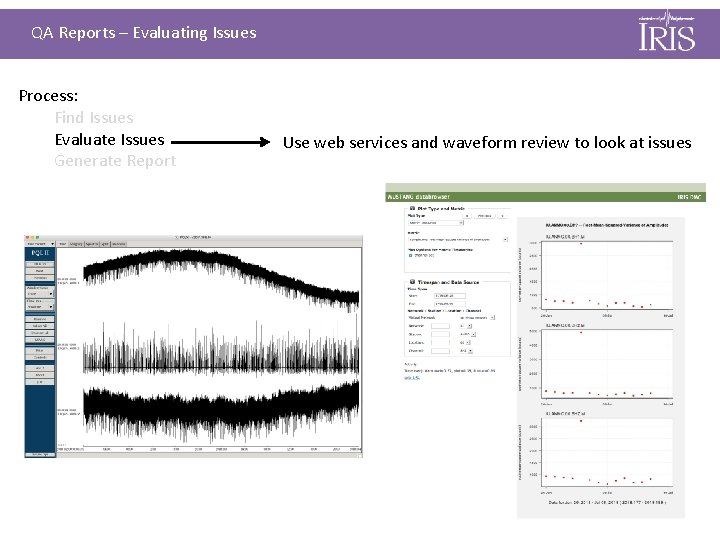
QA Reports – Evaluating Issues Process: Find Issues Evaluate Issues Generate Report Use web services and waveform review to look at issues
QA Reports – Evaluating Issues Common Issues Some issues come up more frequently – dependent on network, environmental difficulties, instrumentation, telemetry setups, etc. Completeness: • Gaps and outages Amplitudes: • Masses off center, re-centering, or hitting stops • Shifting vaults and seasonal fluctuations • Metadata issues • Instrument damage • Signal fluctuations and losses • Power cycles
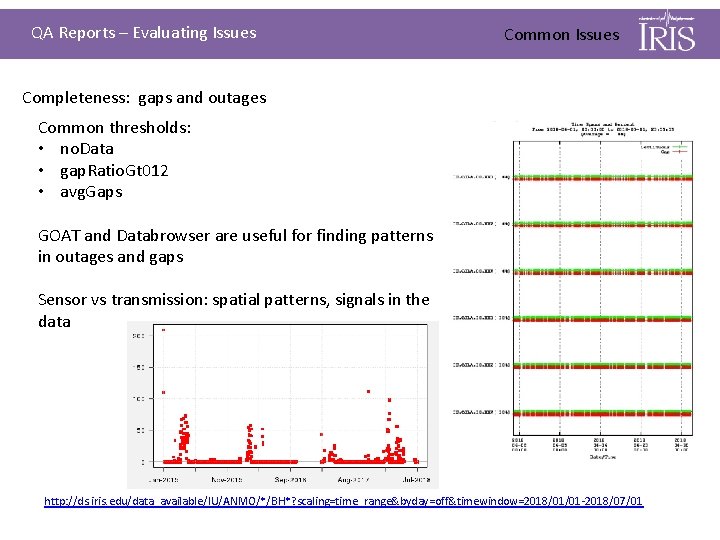
QA Reports – Evaluating Issues Common Issues Completeness: gaps and outages Common thresholds: • no. Data • gap. Ratio. Gt 012 • avg. Gaps GOAT and Databrowser are useful for finding patterns in outages and gaps Sensor vs transmission: spatial patterns, signals in the data http: //ds. iris. edu/data_available/IU/ANMO/*/BH*? scaling=time_range&byday=off&timewindow=2018/01/01 -2018/07/01
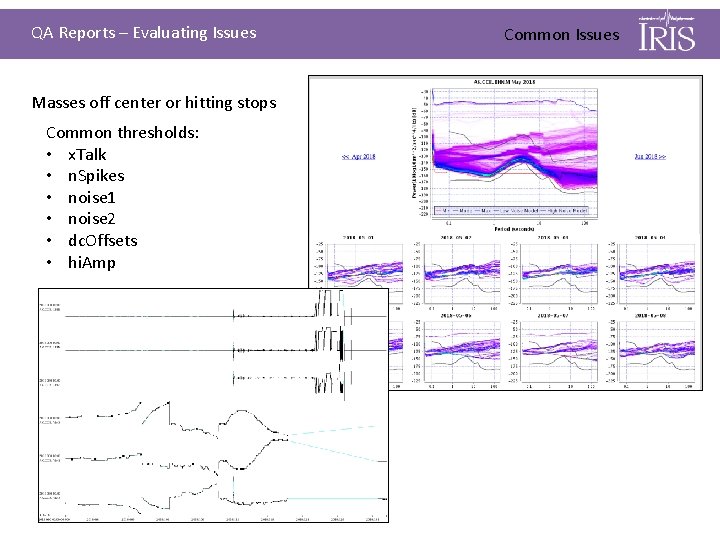
QA Reports – Evaluating Issues Masses off center or hitting stops Common thresholds: • x. Talk • n. Spikes • noise 1 • noise 2 • dc. Offsets • hi. Amp Common Issues
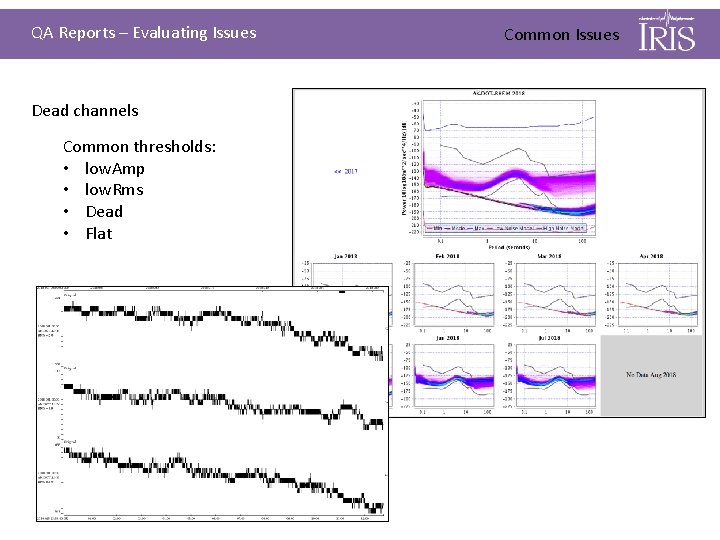
QA Reports – Evaluating Issues Dead channels Common thresholds: • low. Amp • low. Rms • Dead • Flat Common Issues
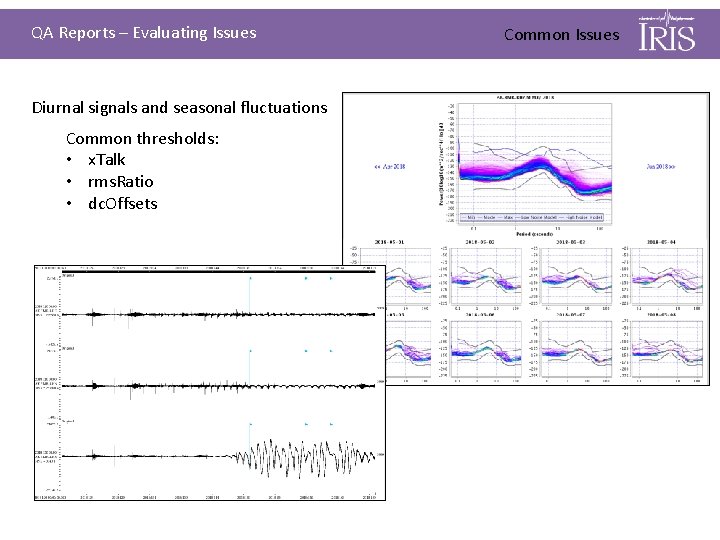
QA Reports – Evaluating Issues Diurnal signals and seasonal fluctuations Common thresholds: • x. Talk • rms. Ratio • dc. Offsets Common Issues
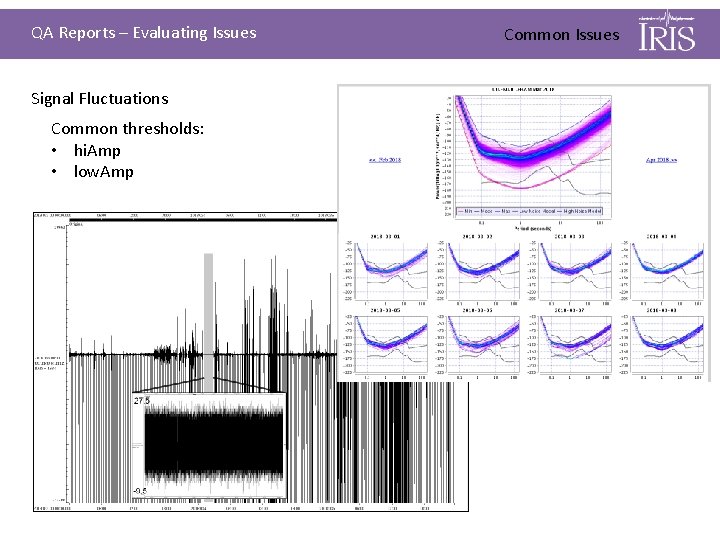
QA Reports – Evaluating Issues Signal Fluctuations Common thresholds: • hi. Amp • low. Amp Common Issues
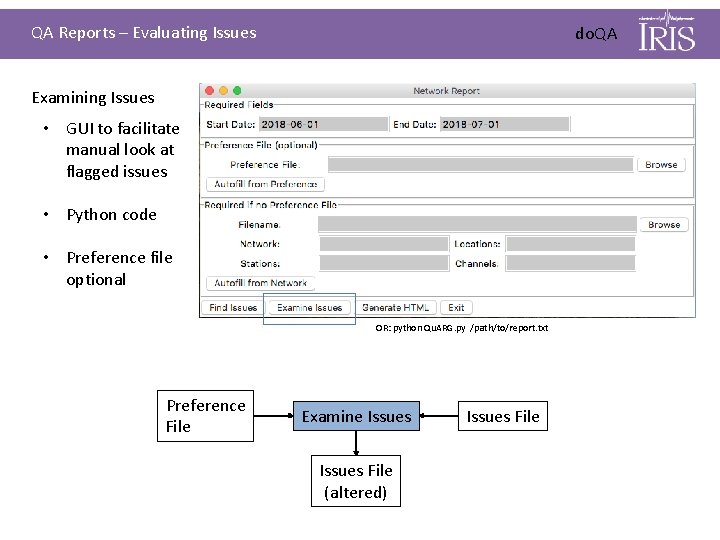
QA Reports – Evaluating Issues do. QA Examining Issues • GUI to facilitate manual look at flagged issues • Python code • Preference file optional OR: python Qu. ARG. py /path/to/report. txt Preference File Examine Issues File (altered) Issues File
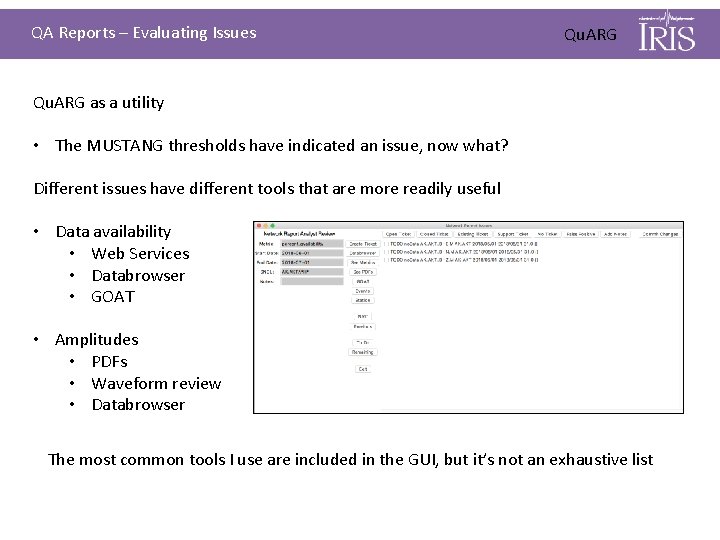
QA Reports – Evaluating Issues Qu. ARG as a utility • The MUSTANG thresholds have indicated an issue, now what? Different issues have different tools that are more readily useful • Data availability • Web Services • Databrowser • GOAT • Amplitudes • PDFs • Waveform review • Databrowser The most common tools I use are included in the GUI, but it’s not an exhaustive list
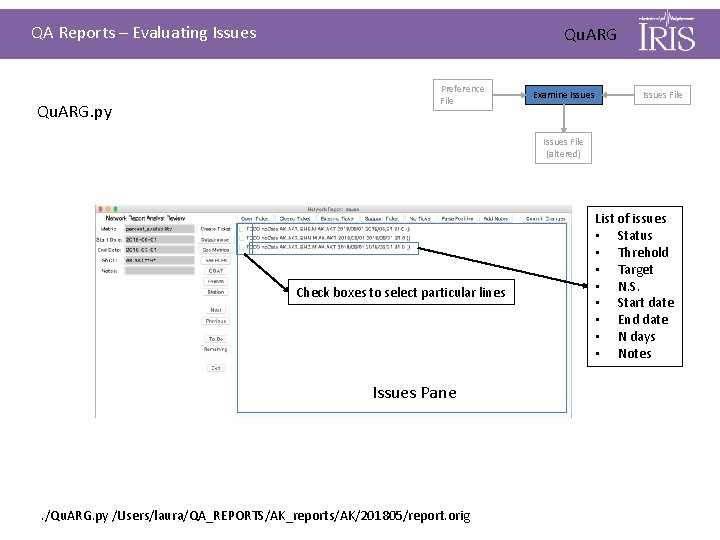
QA Reports – Evaluating Issues Qu. ARG. py Qu. ARG Preference File Examine Issues File (altered) Check boxes to select particular lines Issues Pane . /Qu. ARG. py /Users/laura/QA_REPORTS/AK_reports/AK/201805/report. orig List of issues • Status • Threhold • Target • N. S. • Start date • End date • N days • Notes
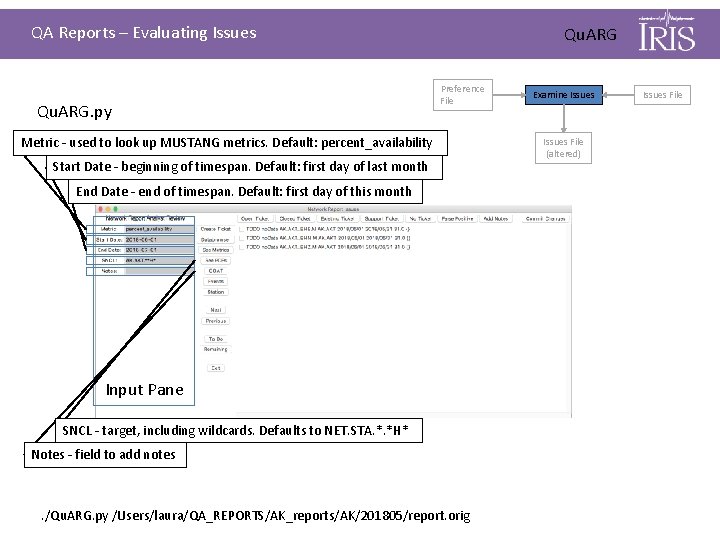
QA Reports – Evaluating Issues Qu. ARG. py Qu. ARG Preference File Metric – used to look up MUSTANG metrics. Default: percent_availability Start Date – beginning of timespan. Default: first day of last month End Date – end of timespan. Default: first day of this month Input Pane SNCL – target, including wildcards. Defaults to NET. STA. *. *H* Notes – field to add notes . /Qu. ARG. py /Users/laura/QA_REPORTS/AK_reports/AK/201805/report. orig Examine Issues File (altered) Issues File
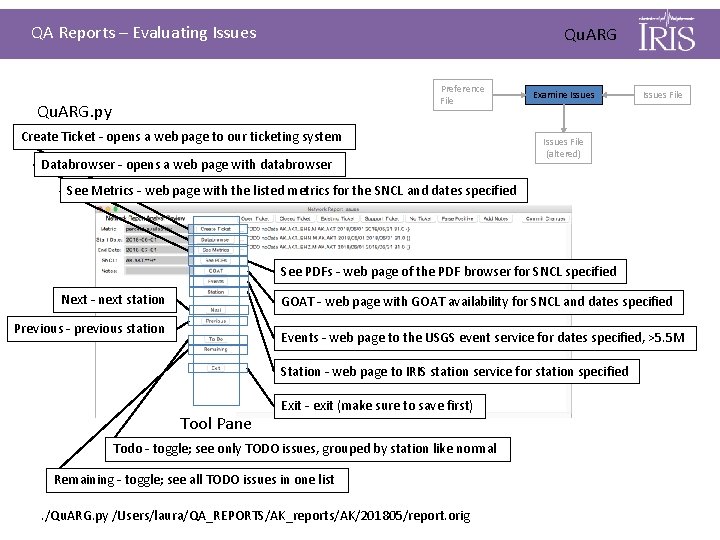
QA Reports – Evaluating Issues Qu. ARG Preference File Qu. ARG. py Create Ticket – opens a web page to our ticketing system Databrowser – opens a web page with databrowser Examine Issues File (altered) See Metrics – web page with the listed metrics for the SNCL and dates specified See PDFs – web page of the PDF browser for SNCL specified Next – next station GOAT – web page with GOAT availability for SNCL and dates specified Previous – previous station Events – web page to the USGS event service for dates specified, >5. 5 M Station – web page to IRIS station service for station specified Tool Pane Exit – exit (make sure to save first) Todo – toggle; see only TODO issues, grouped by station like normal Remaining – toggle; see all TODO issues in one list. /Qu. ARG. py /Users/laura/QA_REPORTS/AK_reports/AK/201805/report. orig
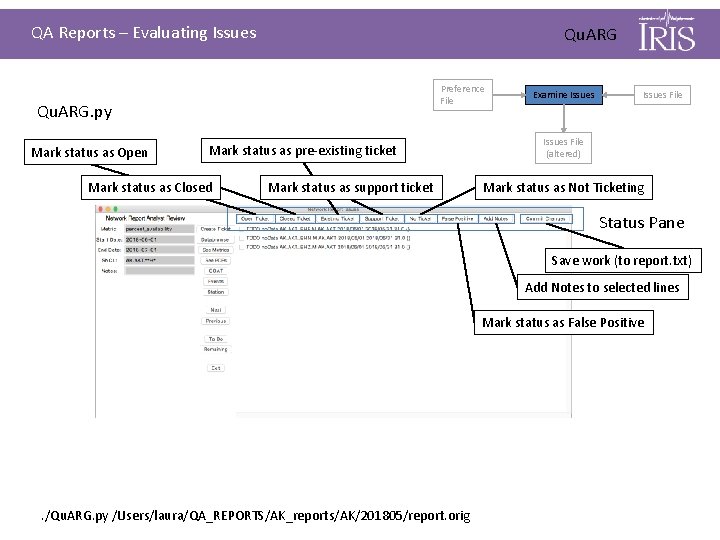
QA Reports – Evaluating Issues Qu. ARG Preference File Qu. ARG. py Mark status as Open Mark status as pre-existing ticket Mark status as Closed Mark status as support ticket Examine Issues File (altered) Mark status as Not Ticketing Status Pane Save work (to report. txt) Add Notes to selected lines Mark status as False Positive . /Qu. ARG. py /Users/laura/QA_REPORTS/AK_reports/AK/201805/report. orig
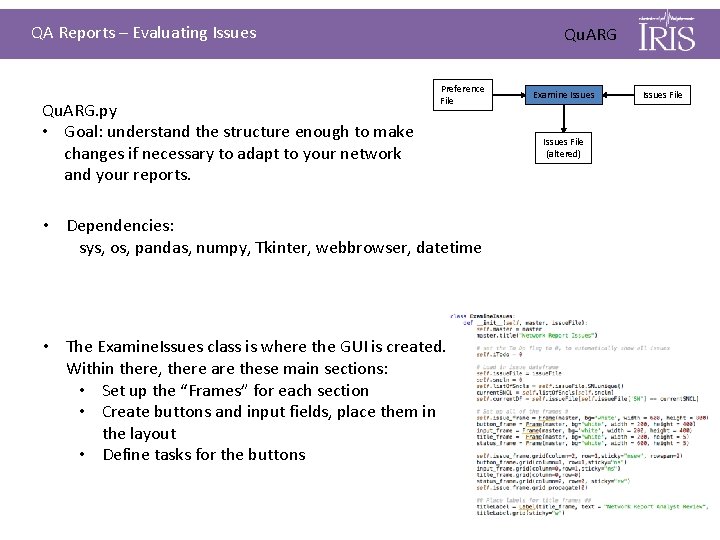
QA Reports – Evaluating Issues Qu. ARG. py • Goal: understand the structure enough to make changes if necessary to adapt to your network and your reports. Qu. ARG Preference File • Dependencies: sys, os, pandas, numpy, Tkinter, webbrowser, datetime • The Examine. Issues class is where the GUI is created. Within there, there are these main sections: • Set up the “Frames” for each section • Create buttons and input fields, place them in the layout • Define tasks for the buttons Examine Issues File (altered) Issues File
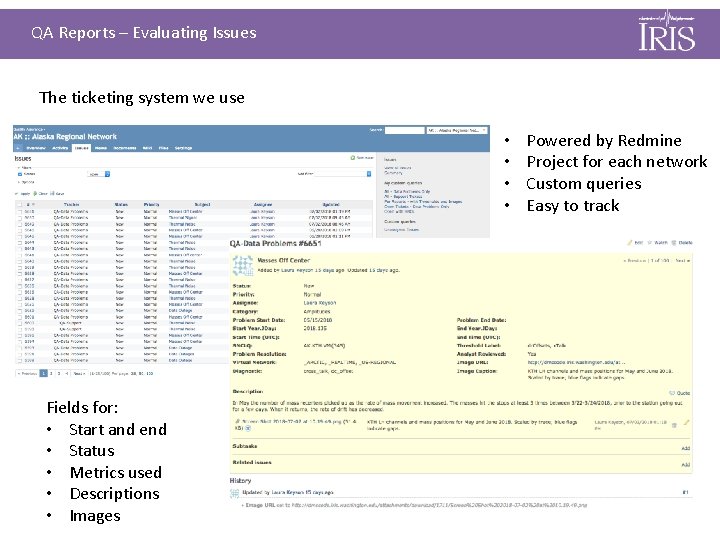
QA Reports – Evaluating Issues The ticketing system we use • • Fields for: • Start and end • Status • Metrics used • Descriptions • Images Powered by Redmine Project for each network Custom queries Easy to track