
IPv 6 router configuration Overview Basic connectivity configuration
IPv 6 router configuration
Overview • Basic connectivity configuration for IPv 6 • Configuration for IPv 6 tunnel • Configuration of static route • Configuration of OSPF • Configuration of BGP

Basic connectivity configuration • How to implement – Configure IPv 6 and enable IPv 6 routing – Configure the prefixes • Manually • Based on a 6 to 4 interface • Dynamic prefix delegation • Interface dual stacks support

Basic connectivity configuration • Manually – Defines the prefixes for an IPv 6 address • Need to specify both IPv 6 prefix and prefix length ipv 6 general-prefix-name {ipv 6 -prefix/prefix-length | 6 to 4 interface-type interface-number} Example: Router(config)# ipv 6 general-prefix my-prefix 2001: 0 DB 8: 2222: : /48
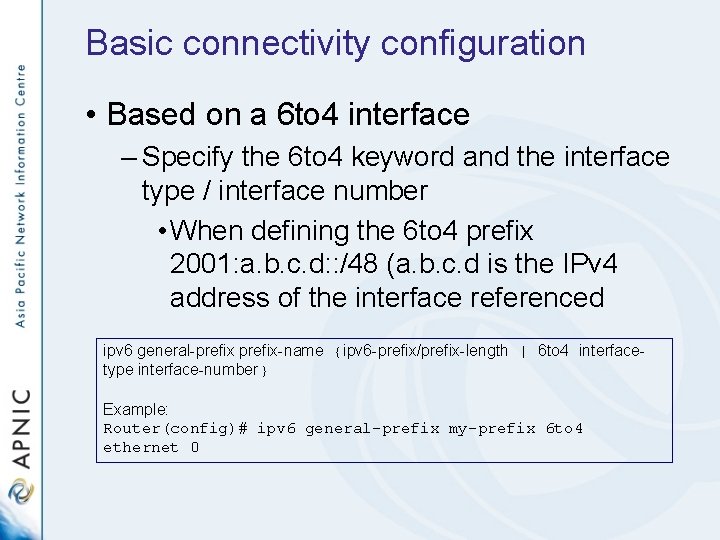
Basic connectivity configuration • Based on a 6 to 4 interface – Specify the 6 to 4 keyword and the interface type / interface number • When defining the 6 to 4 prefix 2001: a. b. c. d: : /48 (a. b. c. d is the IPv 4 address of the interface referenced ipv 6 general-prefix-name {ipv 6 -prefix/prefix-length | 6 to 4 interfacetype interface-number} Example: Router(config)# ipv 6 general-prefix my-prefix 6 to 4 ethernet 0

Basic connectivity configuration • Dynamic prefix delegation – Specify the interface type and number – Configure IPv 6 prefix name for an IPv 6 address then enable to process on the interface ipv 6 address {ipv 6 -address/prefix-length | prefix-name sub-bits/prefixlength} Example: Router(config-if) ipv 6 address my-prefix 2001: 0 DB 8: 0: 7272: : /64

Basic connectivity configuration • Interface dual stacks support – Enable unicast datagram forwarding – Specify the interface type and number – Define the IPv 4 address of the interface – Define the IPv 6 address of the interface and enable IPv 6 process on the interface ipv 6 unicast-routing Example: Router(config)# ipv 6 unicast routing ip address ip-address mask Example: Router(config-if)# ip address 192. 168. 99. 1 255. 0 ipv 6 address ipv 6 -prefix/prefix-length [eui-64] Example: Router(config-if)# ipv 6 address 2001: 0 DB 8: c 18: 1: : 3/64

Configuration for IPv 6 tunnel • Tunnel configuration – Manually – 6 to 4

Configuration for IPv 6 tunnel • Manually – Specify the IPv 6 network assigned for the interface and enable the process – Specify the IPv 4 sources address or the interface – Specify the IPv 4 destination address or the host for the tunnel interface – Create a manual IPv 6 tunnel

Configuration for IPv 6 tunnel interface tunnel-number Example: Router(config)# interface tunnel 0 ipv 6 address ipv 6 -prefix/prefix-length [eui-64] Example: Router(config-if)# ipv 6 address 3 ffe: b 00: c 18: 1: : 3/64 tunnel source {ip-address | interface-type interface-number} Example: Router(config-if)# tunnel source ethernet 0 tunnel destination ip-address Example: Router(config-if)# tunnel destination 192. 168. 30. 1 tunnel mode ipv 6 ip Example: Router(config-if)# tunnel mode ipv 6 ip

Configuration for IPv 6 tunnel • 6 to 4 – Specify a tunnel interface and number – Specify the IPv 6 address assigned to the interface and enable process on the interface – Specify the source interface type and number for the tunnel interface – Specify the IPv 6 overlay tunnel using 6 to 4 address – Configure a static route for the IPv 6 6 to 4 prefix 2002: : /16 to the specified tunnel interface

Configuration for IPv 6 tunnel interface tunnel-number Example: Router(config)# interface tunnel 0 ipv 6 address ipv 6 -prefix/prefix-length [eui-64] Example: Router(config-if)# ipv 6 address 2002: c 0 a 8: 6301: 1: : 1/64 tunnel source {ip-address | interface-type interface-number} Example: Router(config-if)# tunnel source ethernet 0 tunnel mode ipv 6 ip 6 to 4 Example: Router(config-if)# tunnel mode ipv 6 ip 6 to 4 ipv 6 route ipv 6 -prefix/prefix-length tunnel-number Example: Router(config)# ipv 6 route 2002: : /16 tunnel 0

Configuration of static route • Static configuration ipv 6 route ipv 6 -prefix/prefix-length {ipv 6 -address | interface-type interface-number [ipv 6 -address]} [administrative-distance] [administrative-multicast-distance | unicast | multicast] [tag tag] Example: Router(config)# ipv 6 route : : /0 serial 2/0 Router(config)# ipv 6 route 2001: 0 DB 8: : /32 serial 0 Router(config)# ipv 6 route 2001: 0 DB 8: : /32 2001: 0 DB 8: 2002: 1

Configuration of OSPF • Required to enable OSPF for IPV 6 on an interface • Specify the interface type and number • Enable OSPF router configuration mode • Define the area range interface type number Example: Router(config)# interface ethernet 0/0 ipv 6 ospf process-id area-id [instance-id] Example: Router(config-if)# ipv 6 ospf 1 area 0

Configuration of OSPF ipv 6 router ospf process-id Example: Router(config)# ipv 6 router ospf 1 area-id range ipv 6 -prefix/prefix-length [advertise | not-advertise] [cost] Example: Router(config-rtr)# area range 1 2001: 0 DB 8: : /48

Configuration of BGP • Required configuration – BGP routing process and router ID – Multiprotocol BGP peer – Advertised routes • Optional configuration – Peering with the use of link-local address – Peer Group configuration – Redistribution of prefixes – Advertising IPv 4 between IPv 6 peers

Configuration of BGP • Configuring BGP routing process – Configure BGP routing process – Disable IPv 4 unicast address family router bgp as-number Example: Router(config)# router bgp 65000 no bgp default ipv 4 -unicast Example: Router(config-router)# no bgp default ipv 4 -unicast

Configuration of BGP • Multiprotocol peering – Configure the neighbor {ip-address | ipv 6 -address |peer-group-name} remote-as asnumber Example: Router(config-router)# neighbor 2001: 0 DB 8: 0: CC 00: : 1 remote-as 64600

Configuration of BGP • Advertised routes – Configure the network statement address-family ipv 6 [unicast | multicast] Example: Router(config-router)# address-family ipv 6 unicast network {network-number [mask network-mask] | nsap-prefix} [routemap map-tag] Example: Router(config-router-af)# network 2001: 0 DB 8: : /32

Network diagram F 0/1 R 2 R 1 F 0/0 F 0/1 F 0/0 R 2 R 1 interface Tunnel 0 no ip address ipv 6 address 3 FF 3: B 00: C 18: 1: : 3/64 ipv 6 enable tunnel source Fast. Ethernet 0/1 tunnel destination 192. 168. 1. 2 tunnel mode ipv 6 ip ! interface Fast. Ethernet 0/0 ip address 192. 168. 0. 1 255. 0 duplex auto speed auto ipv 6 address 2001: DB 8: C 18: 1: : 3/64 ipv 6 enable ! interface Fast. Ethernet 0/1 ip address 192. 168. 1. 1 255. 252 duplex auto speed auto ipv 6 enable ! ipv 6 route 2001: DB 8: C 19: 1: : /64 Tunnel 0 interface Tunnel 0 no ip address ipv 6 address 3 FF 3: B 00: C 18: 1: : 1/64 ipv 6 enable tunnel source Fast. Ethernet 0/1 tunnel destination 192. 168. 1. 1 tunnel mode ipv 6 ip ! interface Fast. Ethernet 0/0 no ip address duplex auto speed auto ipv 6 address 2001: DB 8: C 19: 1: : 3/64 ipv 6 enable no keepalive ! interface Fast. Ethernet 0/1 ip address 192. 168. 1. 2 255. 252 duplex auto speed auto ipv 6 enable ! ip route 0. 0 Fast. Ethernet 0/1 ! ipv 6 route 2001: DB 8: C 18: 1: : /64 Tunnel 0

Questions?
- Slides: 21