
IPtables Objectives to learn the basics of iptables
IPtables • Objectives – to learn the basics of iptables • Contents – – – – Start and stop IPtables Checking IPtables status Input and Output chain Pre and Post routing Forward of address and port Firewall standard rules Lading/Unloading kernel driver modules Connection tracking modules • Practicals – working with iptables • Summary
What Is iptables? • Stateful packet inspection. The firewall keeps track of each connection passing through it, This is an important feature in the support of active FTP and Vo. IP. • Filtering packets based on a MAC address IPv 4 / IPv 6 Very important in WLAN’s and similar enviroments. • Filtering packets based the values of the flags in the TCP header Helpful in preventing attacks using malformed packets and in restricting access. • Network address translation and Port translating NAT/NAPT Building DMZ and more flexible NAT enviroments to increase security. • Source and stateful routing and failover functions Route traffic more efficiant and faster than regular IP routers. • System logging of network activities Provides the option of adjusting the level of detail of the reporting • A rate limiting feature Helps to block some types of denial of service (Do. S) attacks. • Packet manipulation (mangling) like altering the TOS/DSCP/ECN bits of the IP header Mark and classify packets dependent on rules. First step in Qo. S.
Download And Install The Iptables Package • Most Linux dialects already have iptables Usally iptables is classified by and dependent on kernel versions: Pre 2. 4 lack some modern functionality, still popular in soho routers 2. 4 mainstream of iptables, most popular and well tested 2. 6 latest versions • Download from: http: //www. netfilter. org/downloads. html • Documentation: http: //www. netfilter. org/documentation/index. html • Install from sources or rpm: # rpm –ivh iptables-1. 2. 9 -1. 0. i 386. rpm # tar xvfz iptables-1. 2. 9. tar. gz ; . /configure ; make install • Modules to add functionallity to IPtables: Variour proxy modules, for example ftp and h 323 Modules must be loaded into kernel # modprobe module # insmod module • Patch-o-Matic (updated and modules) http: //ftp. netfilter. org/pub/patch-o-matic-ng/snapshot/
How To Start iptables • You can start, stop, and restart iptables after booting by using the commands: – Starting IP tables service iptables start – Stopping IP tables service iptables stop – Restaring IP tables service iptables restart – Checking IP tables status (rulechains) service iptables status • To get iptables configured to start at boot, use the chkconfig command: chkconfig iptables on • iptables itself is a command which we will see soon. • To show all current rule chains: iptables –-list • To drop all current rule chains: iptables –-flush
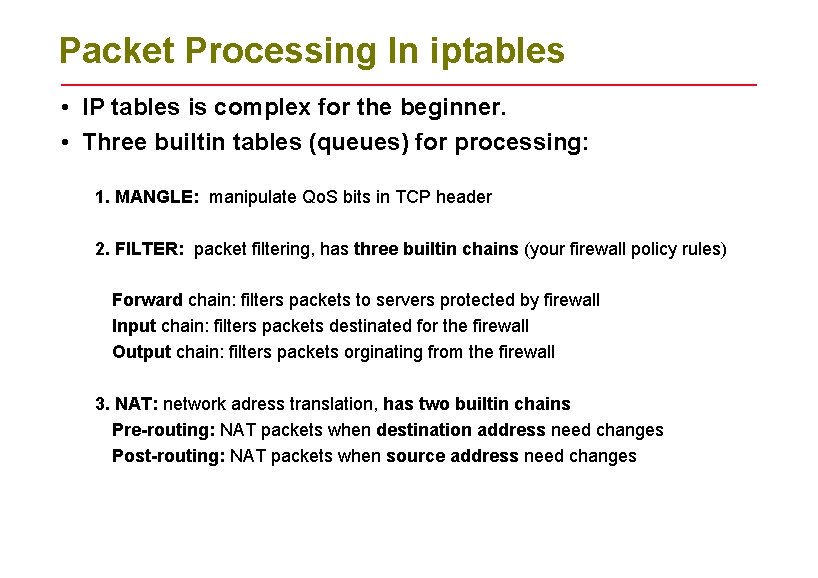
Packet Processing In iptables • IP tables is complex for the beginner. • Three builtin tables (queues) for processing: 1. MANGLE: manipulate Qo. S bits in TCP header 2. FILTER: packet filtering, has three builtin chains (your firewall policy rules) Forward chain: filters packets to servers protected by firewall Input chain: filters packets destinated for the firewall Output chain: filters packets orginating from the firewall 3. NAT: network adress translation, has two builtin chains Pre-routing: NAT packets when destination address need changes Post-routing: NAT packets when source address need changes
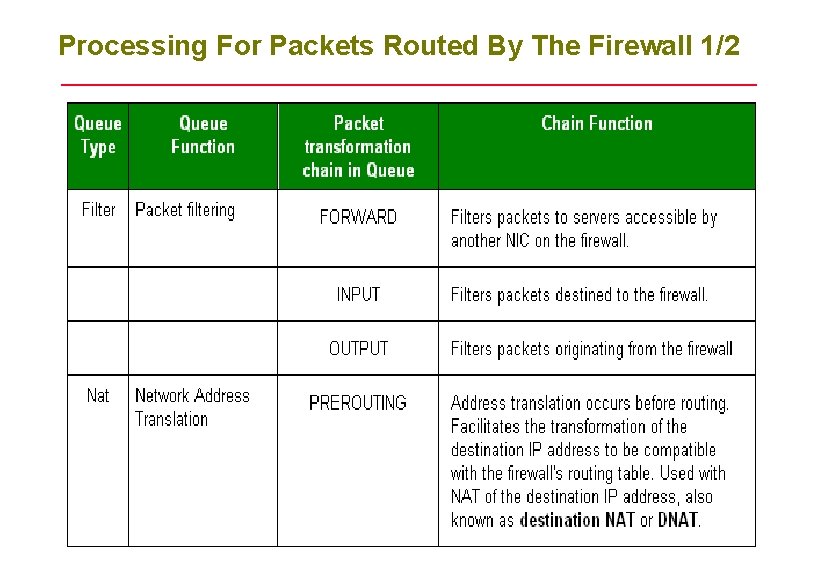
Processing For Packets Routed By The Firewall 1/2
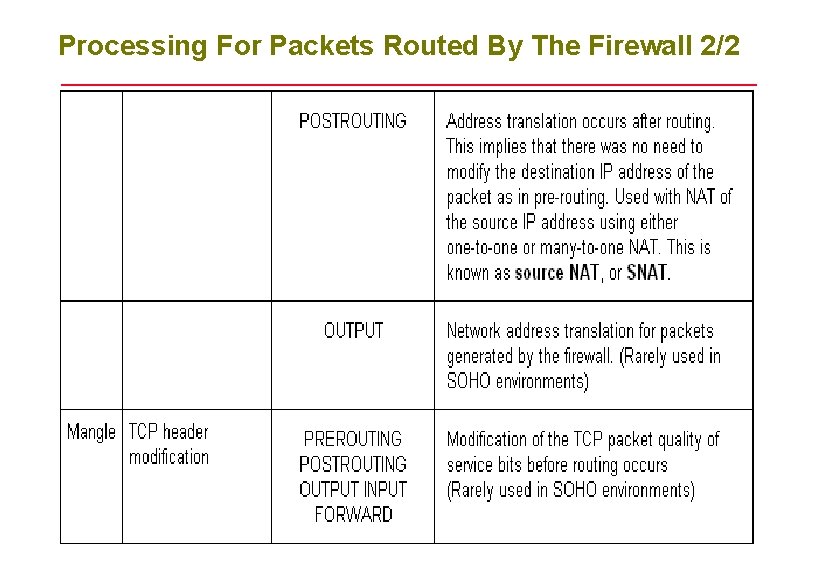
Processing For Packets Routed By The Firewall 2/2
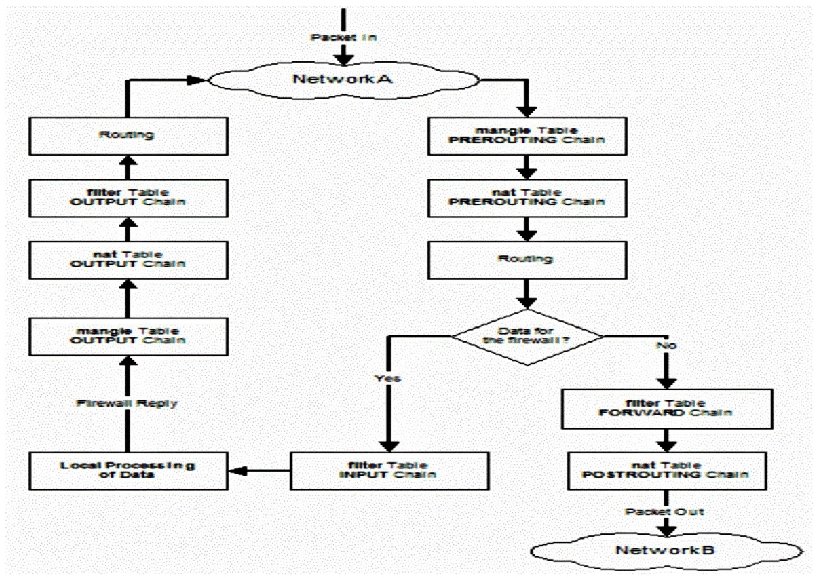
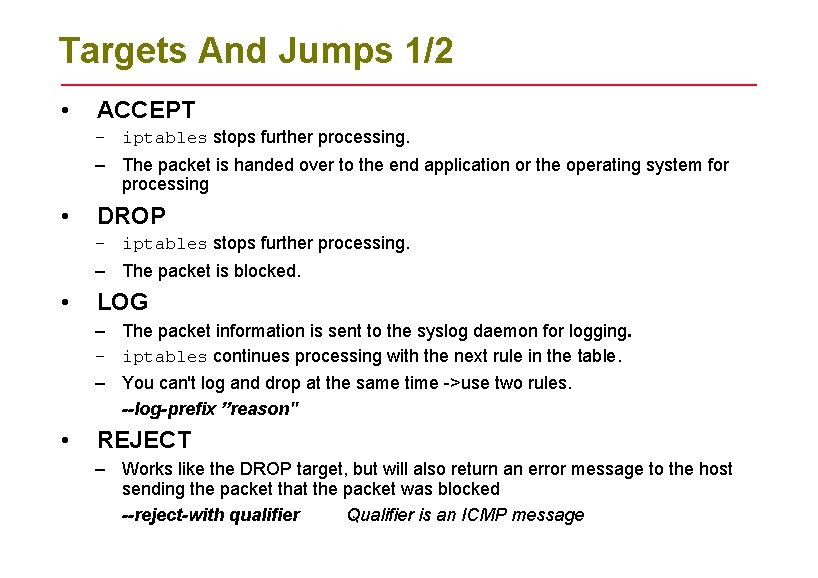
Targets And Jumps 1/2 • ACCEPT – iptables stops further processing. – The packet is handed over to the end application or the operating system for processing • DROP – iptables stops further processing. – The packet is blocked. • LOG – The packet information is sent to the syslog daemon for logging. – iptables continues processing with the next rule in the table. – You can't log and drop at the same time ->use two rules. --log-prefix ”reason" • REJECT – Works like the DROP target, but will also return an error message to the host sending the packet that the packet was blocked --reject-with qualifier Qualifier is an ICMP message
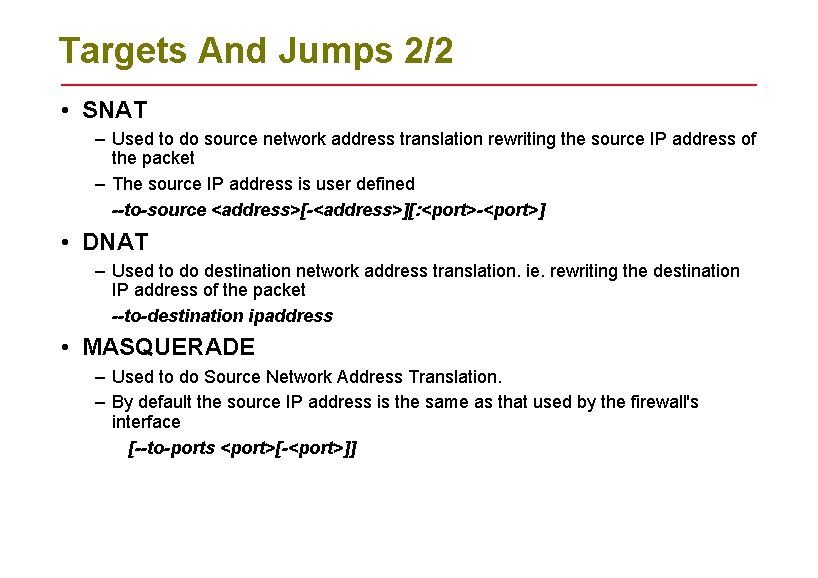
Targets And Jumps 2/2 • SNAT – Used to do source network address translation rewriting the source IP address of the packet – The source IP address is user defined --to-source <address>[-<address>][: <port>-<port>] • DNAT – Used to do destination network address translation. ie. rewriting the destination IP address of the packet --to-destination ipaddress • MASQUERADE – Used to do Source Network Address Translation. – By default the source IP address is the same as that used by the firewall's interface [--to-ports <port>[-<port>]]
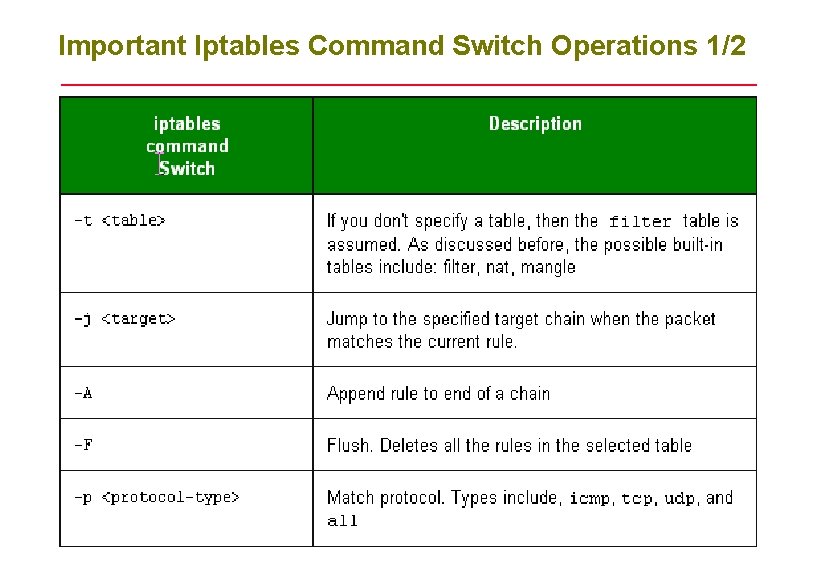
Important Iptables Command Switch Operations 1/2
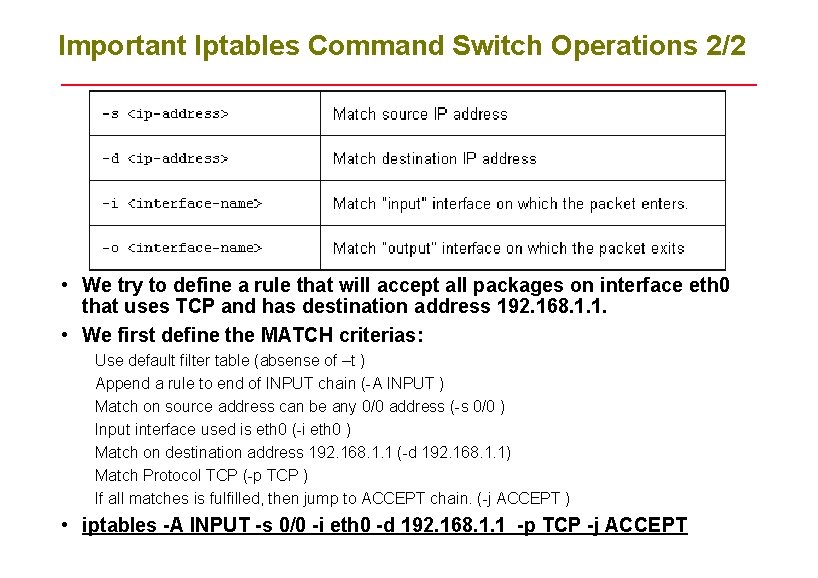
Important Iptables Command Switch Operations 2/2 • We try to define a rule that will accept all packages on interface eth 0 that uses TCP and has destination address 192. 168. 1. 1. • We first define the MATCH criterias: Use default filter table (absense of –t ) Append a rule to end of INPUT chain (-A INPUT ) Match on source address can be any 0/0 address (-s 0/0 ) Input interface used is eth 0 (-i eth 0 ) Match on destination address 192. 168. 1. 1 (-d 192. 168. 1. 1) Match Protocol TCP (-p TCP ) If all matches is fulfilled, then jump to ACCEPT chain. (-j ACCEPT ) • iptables -A INPUT -s 0/0 -i eth 0 -d 192. 168. 1. 1 -p TCP -j ACCEPT
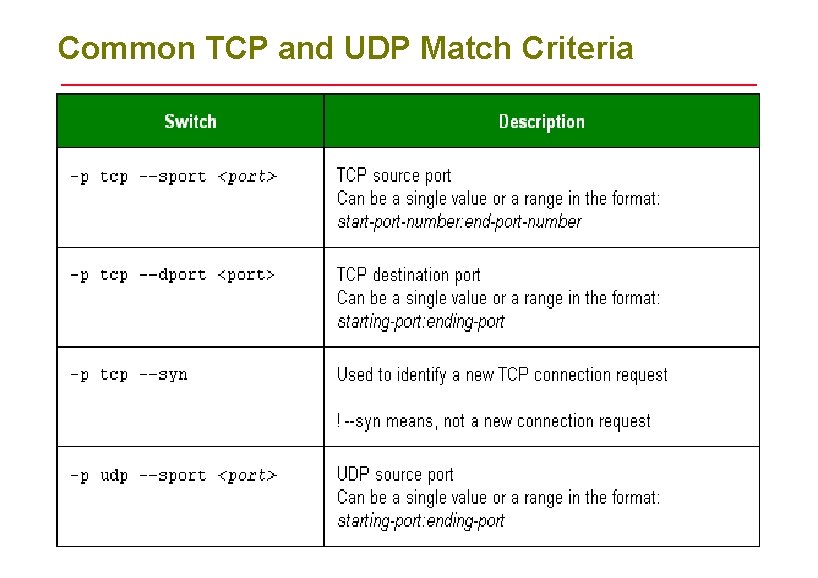
Common TCP and UDP Match Criteria
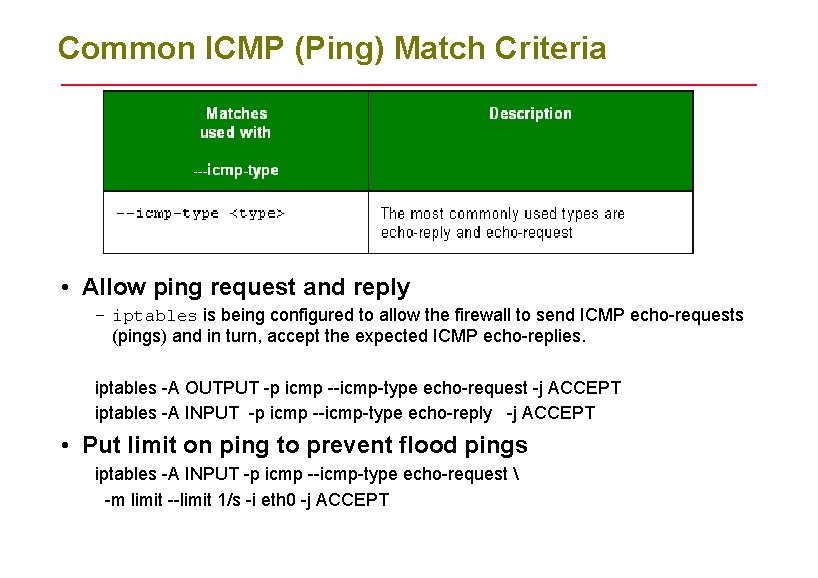
Common ICMP (Ping) Match Criteria • Allow ping request and reply – iptables is being configured to allow the firewall to send ICMP echo-requests (pings) and in turn, accept the expected ICMP echo-replies. iptables -A OUTPUT -p icmp --icmp-type echo-request -j ACCEPT iptables -A INPUT -p icmp --icmp-type echo-reply -j ACCEPT • Put limit on ping to prevent flood pings iptables -A INPUT -p icmp --icmp-type echo-request -m limit --limit 1/s -i eth 0 -j ACCEPT
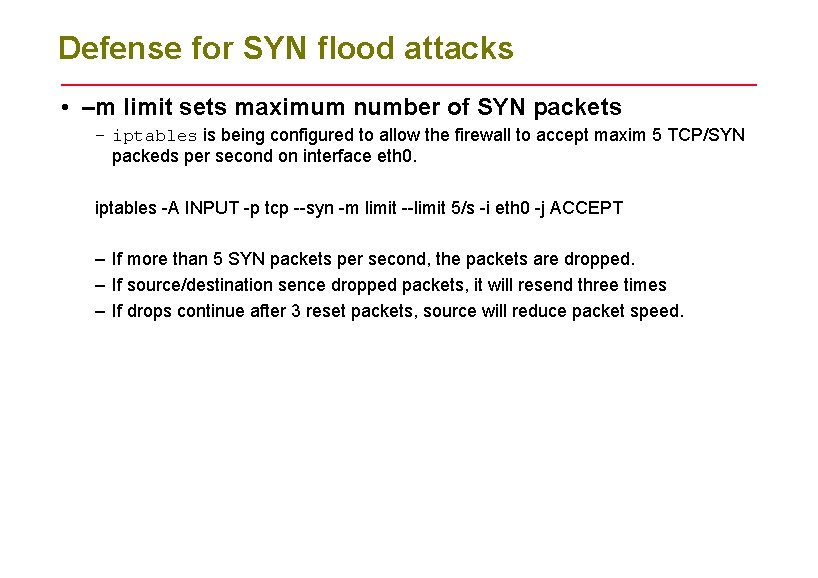
Defense for SYN flood attacks • –m limit sets maximum number of SYN packets – iptables is being configured to allow the firewall to accept maxim 5 TCP/SYN packeds per second on interface eth 0. iptables -A INPUT -p tcp --syn -m limit --limit 5/s -i eth 0 -j ACCEPT – If more than 5 SYN packets per second, the packets are dropped. – If source/destination sence dropped packets, it will resend three times – If drops continue after 3 reset packets, source will reduce packet speed.
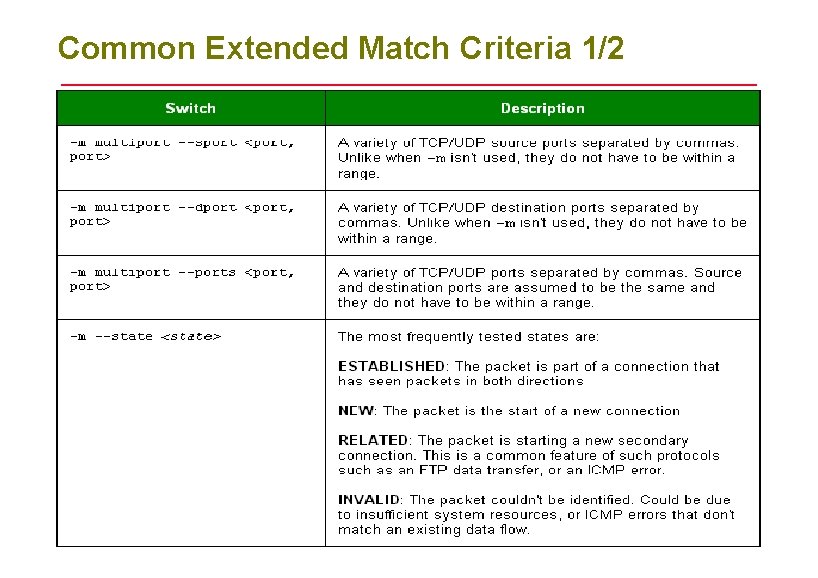
Common Extended Match Criteria 1/2
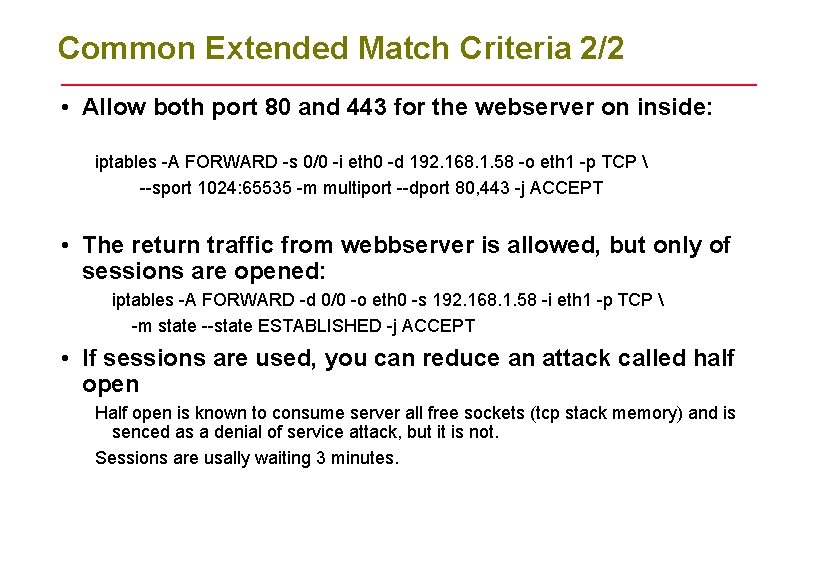
Common Extended Match Criteria 2/2 • Allow both port 80 and 443 for the webserver on inside: iptables -A FORWARD -s 0/0 -i eth 0 -d 192. 168. 1. 58 -o eth 1 -p TCP --sport 1024: 65535 -m multiport --dport 80, 443 -j ACCEPT • The return traffic from webbserver is allowed, but only of sessions are opened: iptables -A FORWARD -d 0/0 -o eth 0 -s 192. 168. 1. 58 -i eth 1 -p TCP -m state --state ESTABLISHED -j ACCEPT • If sessions are used, you can reduce an attack called half open Half open is known to consume server all free sockets (tcp stack memory) and is senced as a denial of service attack, but it is not. Sessions are usally waiting 3 minutes.
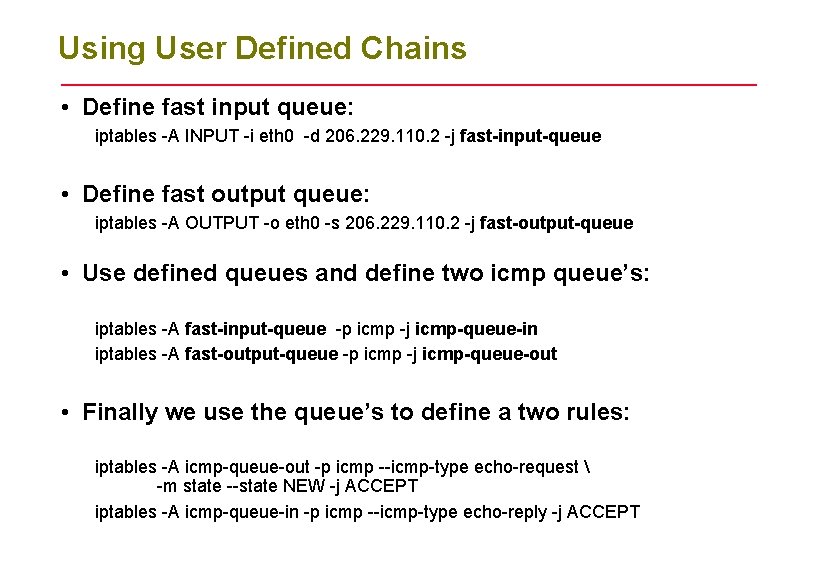
Using User Defined Chains • Define fast input queue: iptables -A INPUT -i eth 0 -d 206. 229. 110. 2 -j fast-input-queue • Define fast output queue: iptables -A OUTPUT -o eth 0 -s 206. 229. 110. 2 -j fast-output-queue • Use defined queues and define two icmp queue’s: iptables -A fast-input-queue -p icmp -j icmp-queue-in iptables -A fast-output-queue -p icmp -j icmp-queue-out • Finally we use the queue’s to define a two rules: iptables -A icmp-queue-out -p icmp --icmp-type echo-request -m state --state NEW -j ACCEPT iptables -A icmp-queue-in -p icmp --icmp-type echo-reply -j ACCEPT
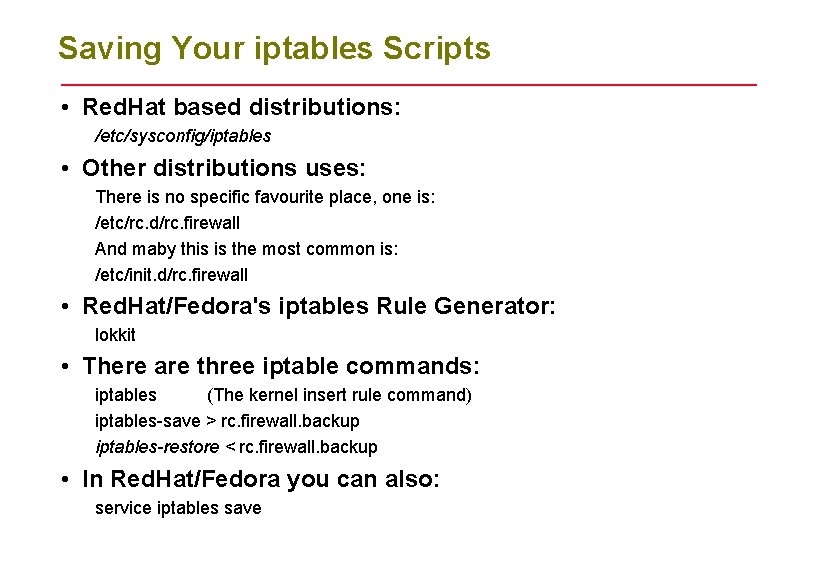
Saving Your iptables Scripts • Red. Hat based distributions: /etc/sysconfig/iptables • Other distributions uses: There is no specific favourite place, one is: /etc/rc. d/rc. firewall And maby this is the most common is: /etc/init. d/rc. firewall • Red. Hat/Fedora's iptables Rule Generator: lokkit • There are three iptable commands: iptables (The kernel insert rule command) iptables-save > rc. firewall. backup iptables-restore < rc. firewall. backup • In Red. Hat/Fedora you can also: service iptables save
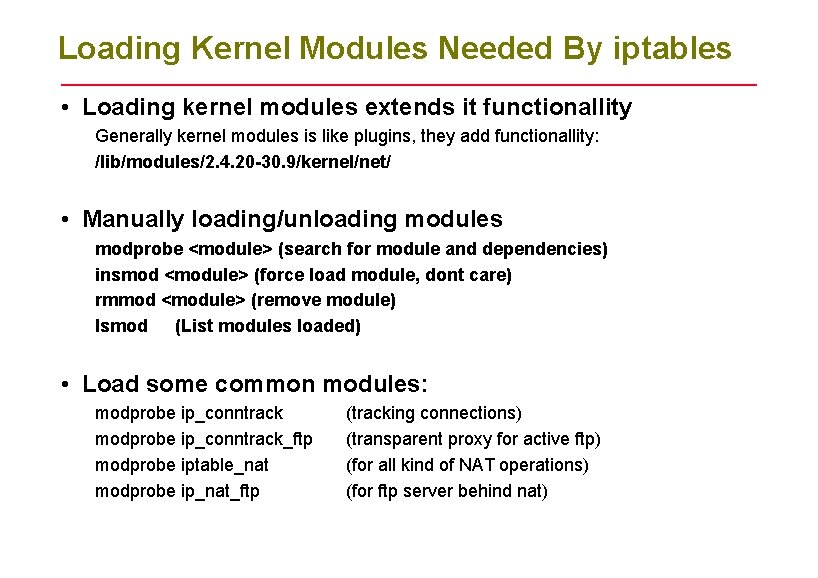
Loading Kernel Modules Needed By iptables • Loading kernel modules extends it functionallity Generally kernel modules is like plugins, they add functionallity: /lib/modules/2. 4. 20 -30. 9/kernel/net/ • Manually loading/unloading modules modprobe <module> (search for module and dependencies) insmod <module> (force load module, dont care) rmmod <module> (remove module) lsmod (List modules loaded) • Load some common modules: modprobe ip_conntrack_ftp modprobe iptable_nat modprobe ip_nat_ftp (tracking connections) (transparent proxy for active ftp) (for all kind of NAT operations) (for ftp server behind nat)
- Slides: 20