
IPDP The Educators Roadmap to Increased Student Achievement
- Slides: 30
IPDP The Educator’s Roadmap to Increased Student Achievement Directions for Professional Growth Initiating your IPDP Online
What is your IPDP? The Individual Professional Development Plan (IPDP) is your plan for how you will grow as a professional during the school year. FLDOE Professional Development Protocol Standard 1. 1. 3. Individual Professional Development Plan: The educator’s IPDP specifies the professional learning needs related to identified student achievement goals for those students to which the educator is assigned; aligned with the educator’s level of development; and contains: a) clearly defined professional learning goals that specify measurable improvement in student achievement; b) changes in the educator’s practices resulting from professional learning; and c) an evaluation plan that determines the effectiveness of the professional learning. (Results Question: How students improved as a result…)
Individual Professional Development Plan (IPDP) The IPDP is a component of the DCPS CAST multi-metric evaluation system. All 2016 -17 IPDPs will be initiated and documented through the district CAST portal system by October 28, 2016. Two formats are provided: Experienced and MINT.
Getting Started Before writing your IPDP consider the following: • Your current classroom-level disaggregated student achievement data • Your previous year IPDP and CAST data • School Improvement Plan (SIP) • Current school initiatives Consider using the IPDP planning template, which is available on the Professional Development webpage. The online version may “time out” if you spend extended time without entering information.
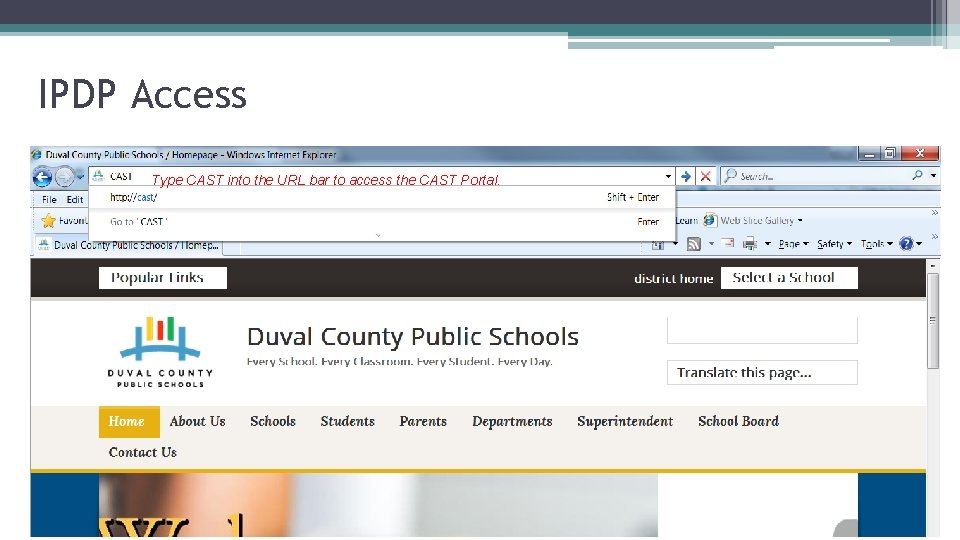
IPDP Access Type CAST into the URL bar to access the CAST Portal.
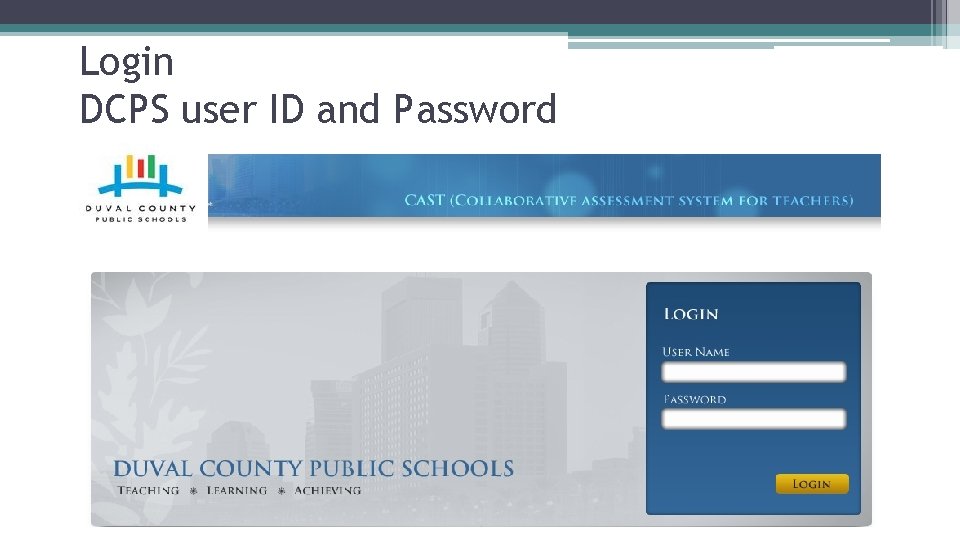
Login DCPS user ID and Password
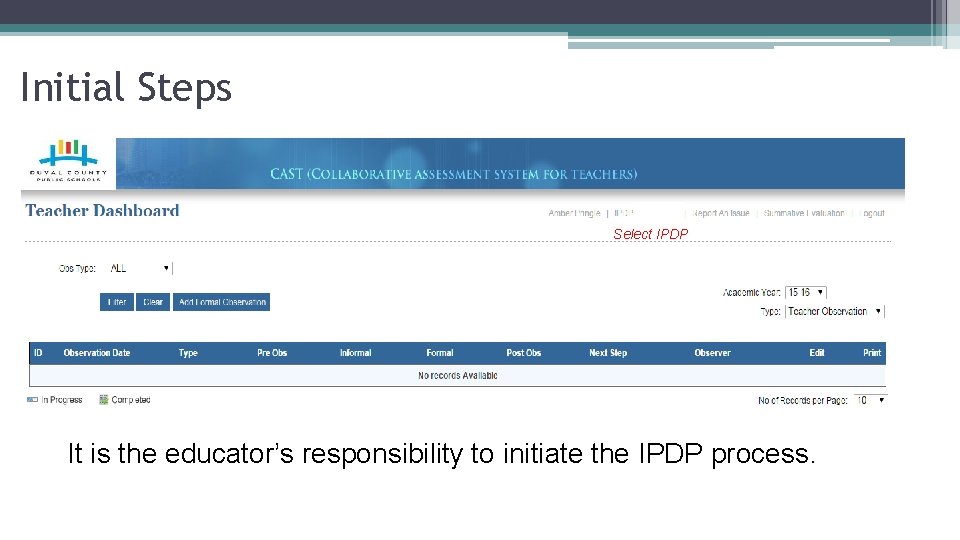
Initial Steps Select IPDP It is the educator’s responsibility to initiate the IPDP process.
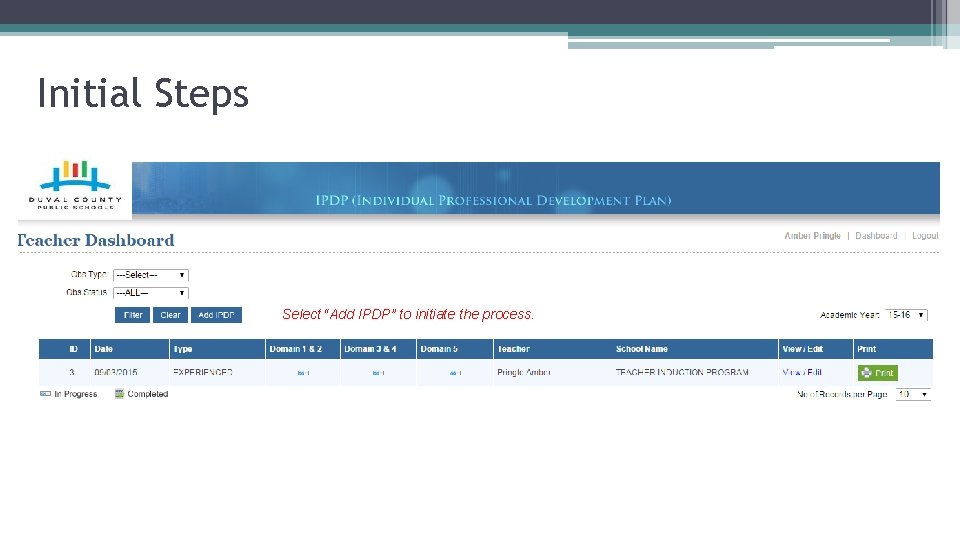
Initial Steps Select “Add IPDP” to initiate the process.
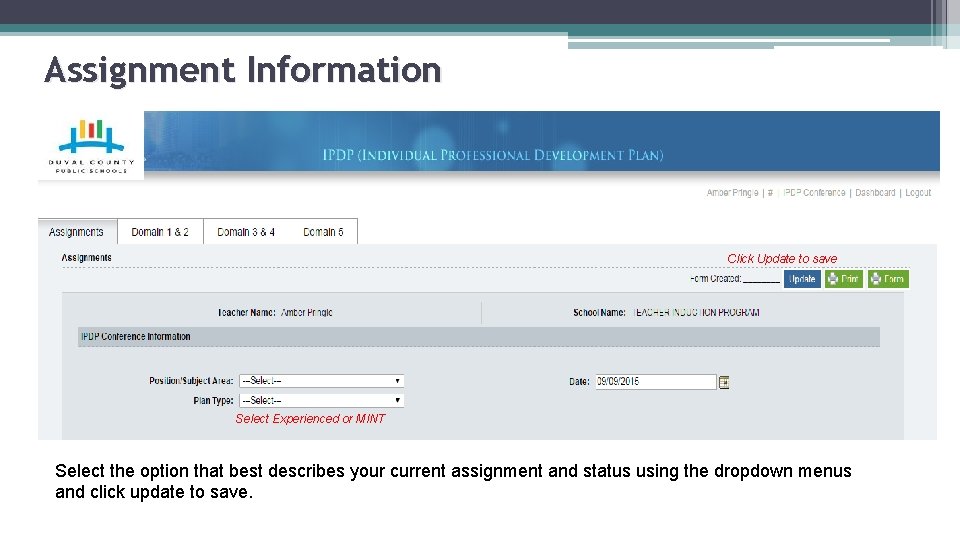
Assignment Information Click Update to save Select Experienced or MINT Select the option that best describes your current assignment and status using the dropdown menus and click update to save.
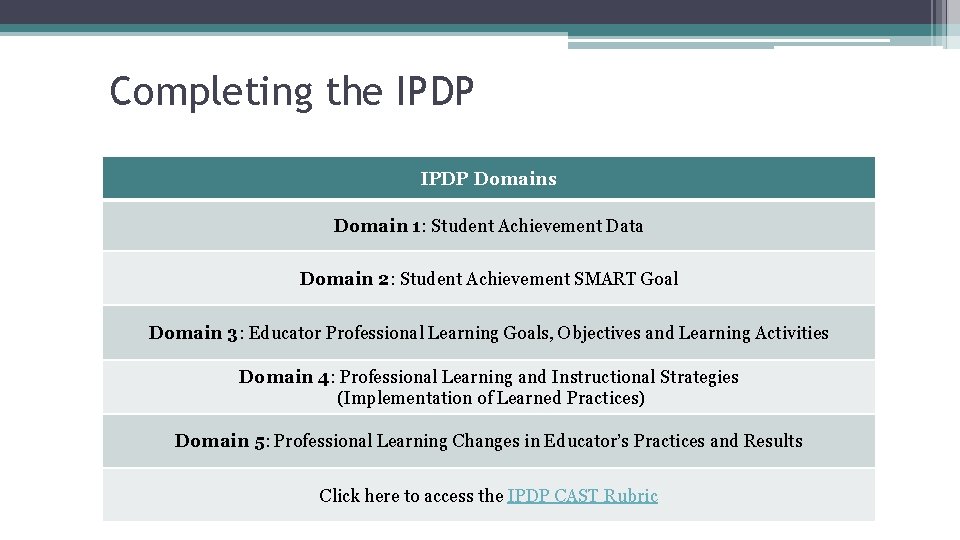
Completing the IPDP Domains Domain 1: Student Achievement Data Domain 2: Student Achievement SMART Goal Domain 3: Educator Professional Learning Goals, Objectives and Learning Activities Domain 4: Professional Learning and Instructional Strategies (Implementation of Learned Practices) Domain 5: Professional Learning Changes in Educator’s Practices and Results Click here to access the IPDP CAST Rubric
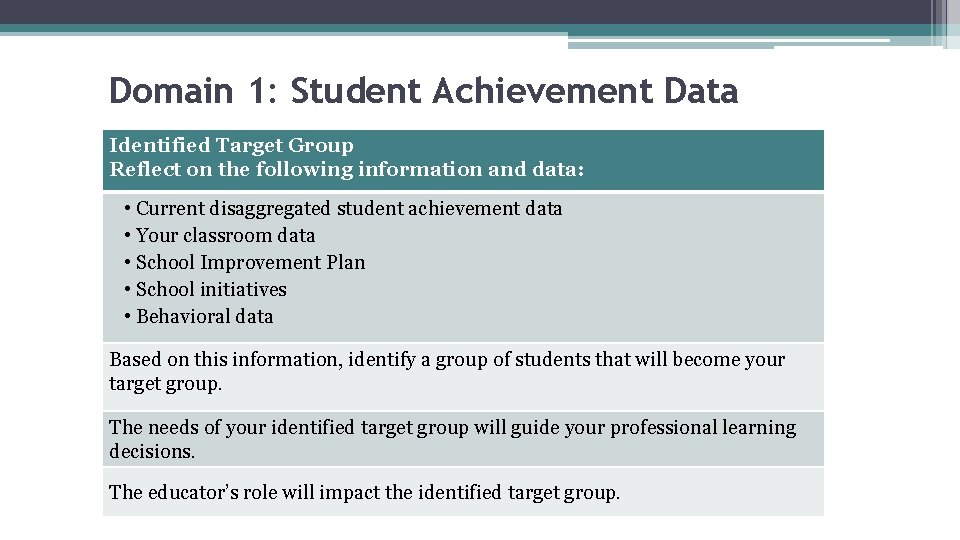
Domain 1: Student Achievement Data Identified Target Group Reflect on the following information and data: • Current disaggregated student achievement data • Your classroom data • School Improvement Plan • School initiatives • Behavioral data Based on this information, identify a group of students that will become your target group. The needs of your identified target group will guide your professional learning decisions. The educator’s role will impact the identified target group.
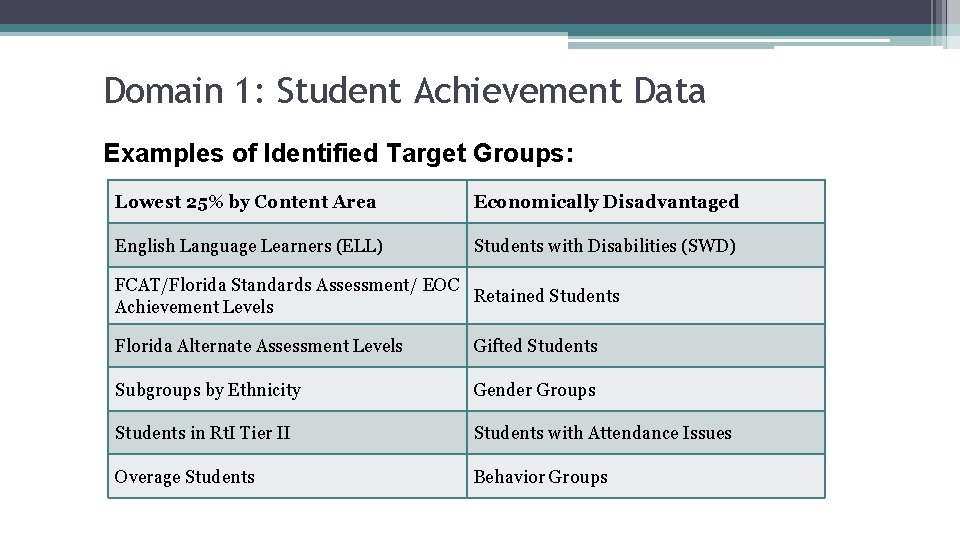
Domain 1: Student Achievement Data Examples of Identified Target Groups: Lowest 25% by Content Area Economically Disadvantaged English Language Learners (ELL) Students with Disabilities (SWD) FCAT/Florida Standards Assessment/ EOC Retained Students Achievement Levels Florida Alternate Assessment Levels Gifted Students Subgroups by Ethnicity Gender Groups Students in Rt. I Tier II Students with Attendance Issues Overage Students Behavior Groups
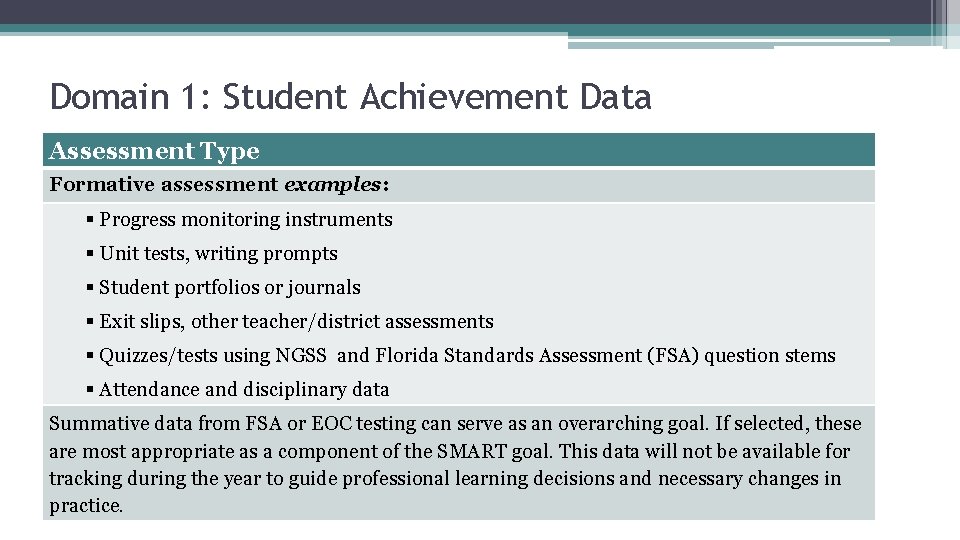
Domain 1: Student Achievement Data Assessment Type Formative assessment examples: § Progress monitoring instruments § Unit tests, writing prompts § Student portfolios or journals § Exit slips, other teacher/district assessments § Quizzes/tests using NGSS and Florida Standards Assessment (FSA) question stems § Attendance and disciplinary data Summative data from FSA or EOC testing can serve as an overarching goal. If selected, these are most appropriate as a component of the SMART goal. This data will not be available for tracking during the year to guide professional learning decisions and necessary changes in practice.
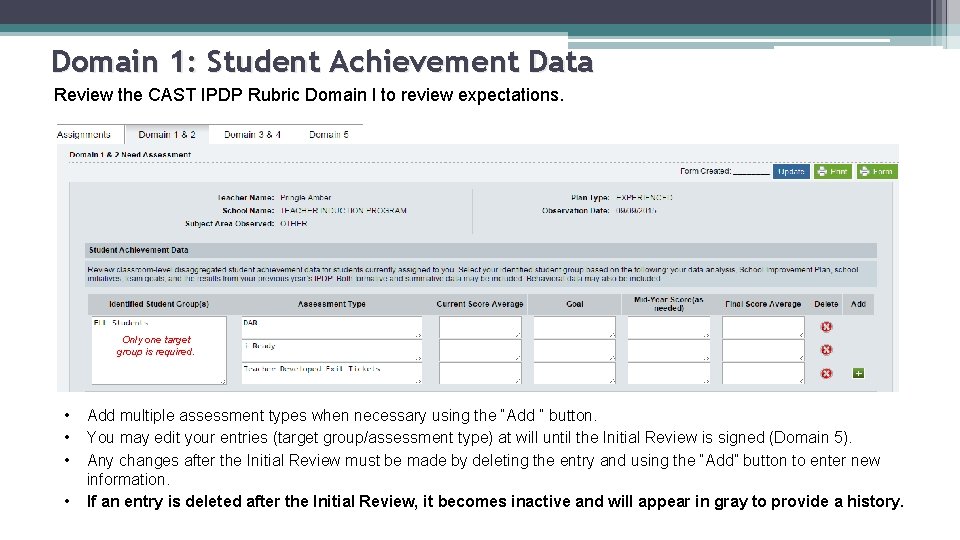
Domain 1: Student Achievement Data Review the CAST IPDP Rubric Domain l to review expectations. Only one target group is required. • • Add multiple assessment types when necessary using the “Add ” button. You may edit your entries (target group/assessment type) at will until the Initial Review is signed (Domain 5). Any changes after the Initial Review must be made by deleting the entry and using the “Add” button to enter new information. If an entry is deleted after the Initial Review, it becomes inactive and will appear in gray to provide a history.
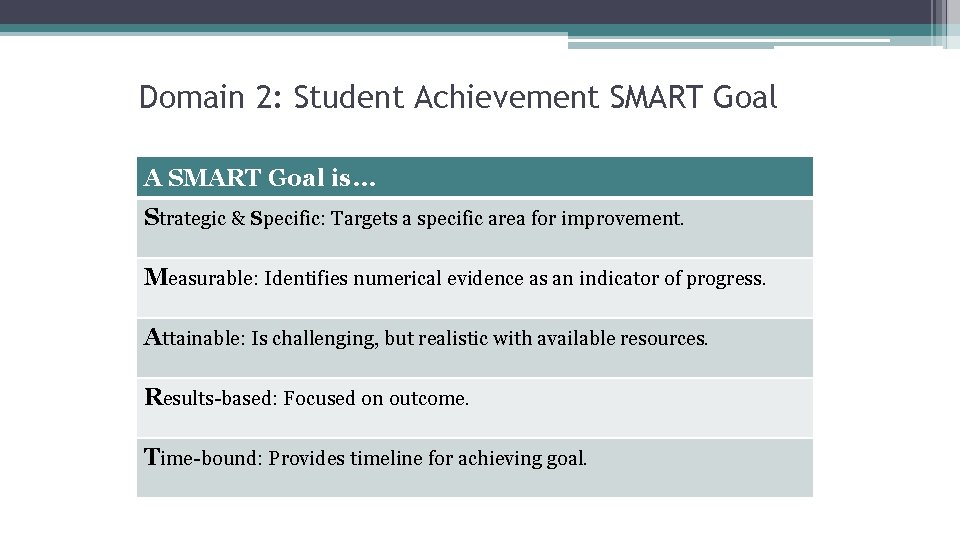
Domain 2: Student Achievement SMART Goal A SMART Goal is… Strategic & Specific: Targets a specific area for improvement. Measurable: Identifies numerical evidence as an indicator of progress. Attainable: Is challenging, but realistic with available resources. Results-based: Focused on outcome. Time-bound: Provides timeline for achieving goal.
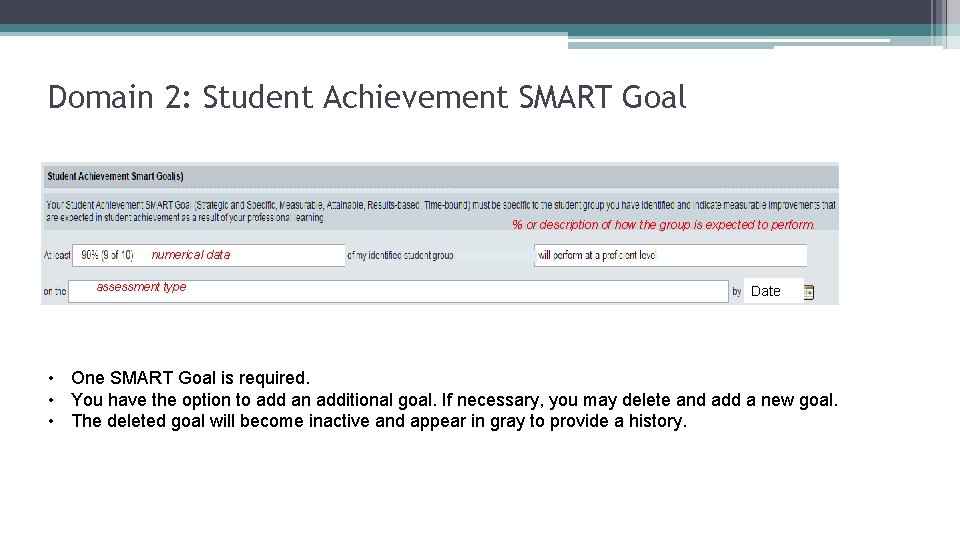
Domain 2: Student Achievement SMART Goal % or description of how the group is expected to perform. numerical data assessment type Date • One SMART Goal is required. • You have the option to add an additional goal. If necessary, you may delete and add a new goal. • The deleted goal will become inactive and appear in gray to provide a history.
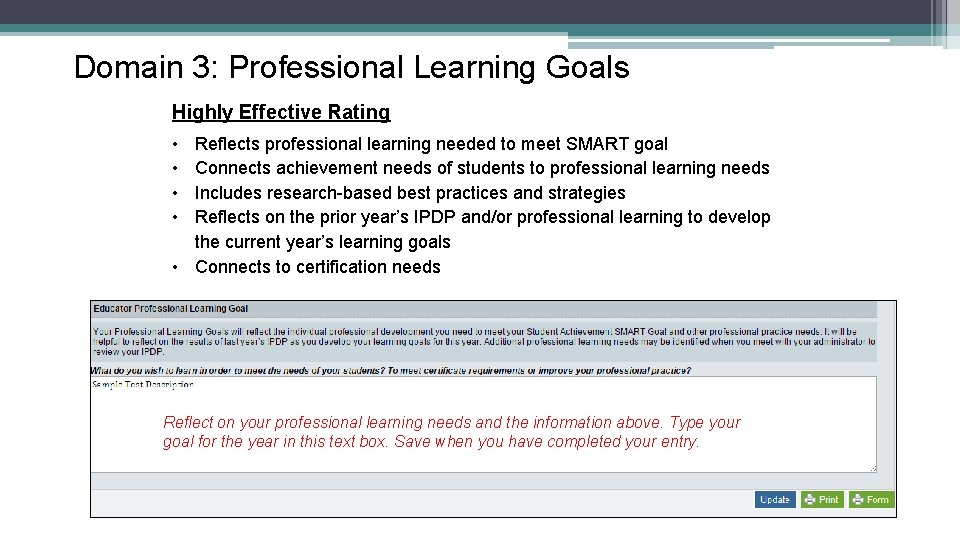
Domain 3: Professional Learning Goals Highly Effective Rating • • Reflects professional learning needed to meet SMART goal Connects achievement needs of students to professional learning needs Includes research-based best practices and strategies Reflects on the prior year’s IPDP and/or professional learning to develop the current year’s learning goals • Connects to certification needs Reflect on your professional learning needs and the information above. Type your goal for the year in this text box. Save when you have completed your entry.
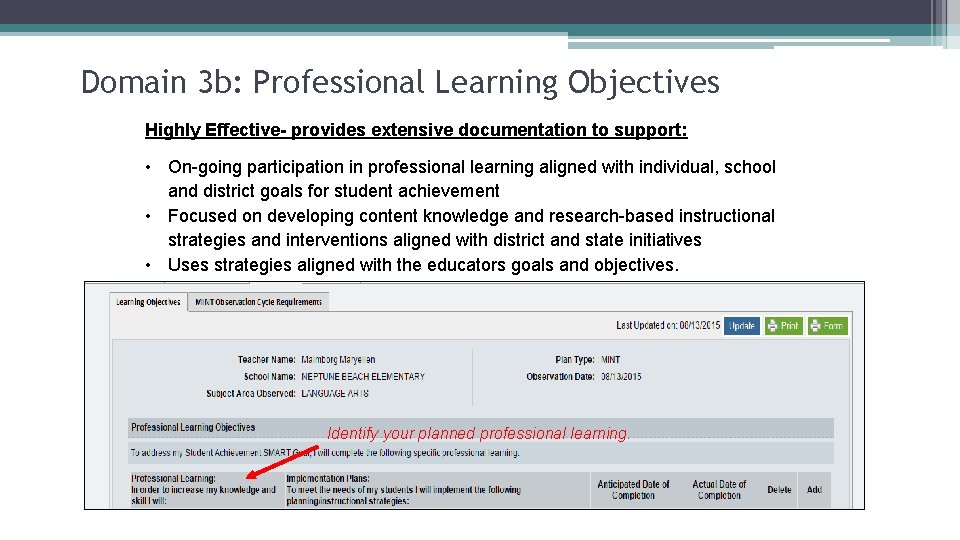
Domain 3 b: Professional Learning Objectives Highly Effective- provides extensive documentation to support: • On-going participation in professional learning aligned with individual, school and district goals for student achievement • Focused on developing content knowledge and research-based instructional strategies and interventions aligned with district and state initiatives • Uses strategies aligned with the educators goals and objectives. Identify your planned professional learning.
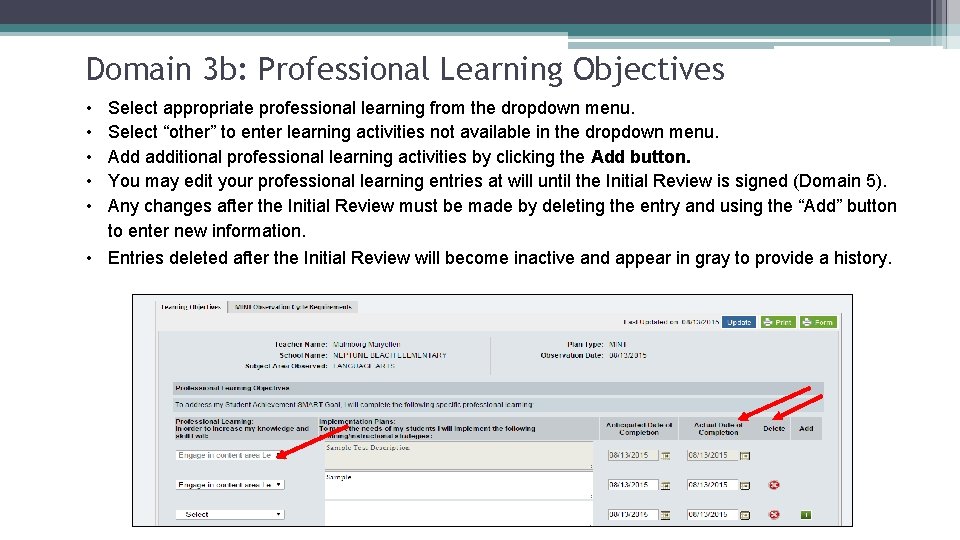
Domain 3 b: Professional Learning Objectives • • • Select appropriate professional learning from the dropdown menu. Select “other” to enter learning activities not available in the dropdown menu. Add additional professional learning activities by clicking the Add button. You may edit your professional learning entries at will until the Initial Review is signed (Domain 5). Any changes after the Initial Review must be made by deleting the entry and using the “Add” button to enter new information. • Entries deleted after the Initial Review will become inactive and appear in gray to provide a history.
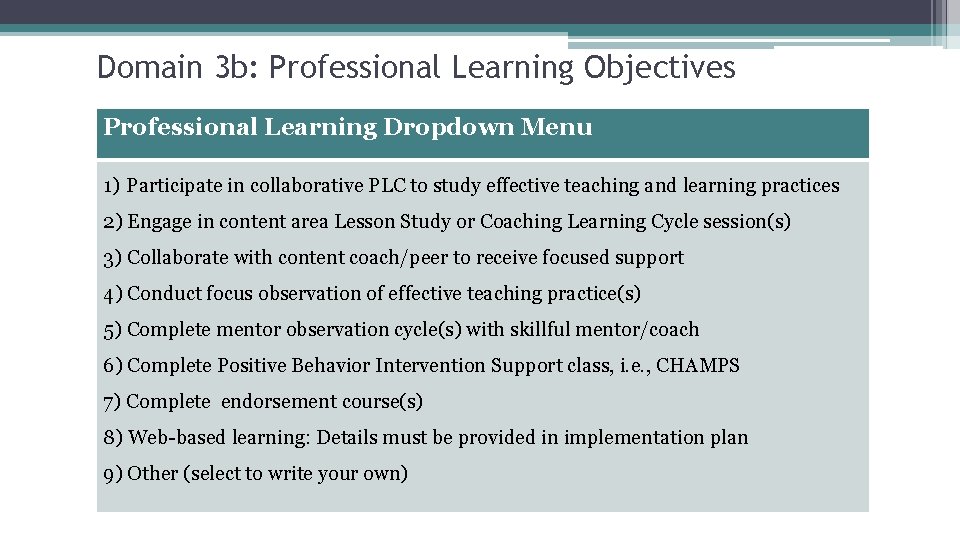
Domain 3 b: Professional Learning Objectives Professional Learning Dropdown Menu 1) Participate in collaborative PLC to study effective teaching and learning practices 2) Engage in content area Lesson Study or Coaching Learning Cycle session(s) 3) Collaborate with content coach/peer to receive focused support 4) Conduct focus observation of effective teaching practice(s) 5) Complete mentor observation cycle(s) with skillful mentor/coach 6) Complete Positive Behavior Intervention Support class, i. e. , CHAMPS 7) Complete endorsement course(s) 8) Web-based learning: Details must be provided in implementation plan 9) Other (select to write your own)
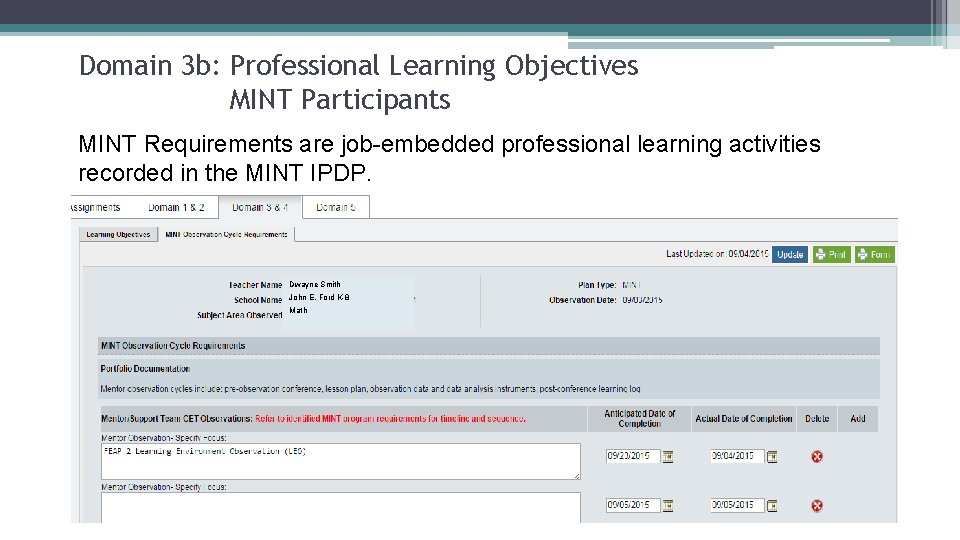
Domain 3 b: Professional Learning Objectives MINT Participants MINT Requirements are job-embedded professional learning activities recorded in the MINT IPDP. Dwayne Smith John E. Ford K-8 Math
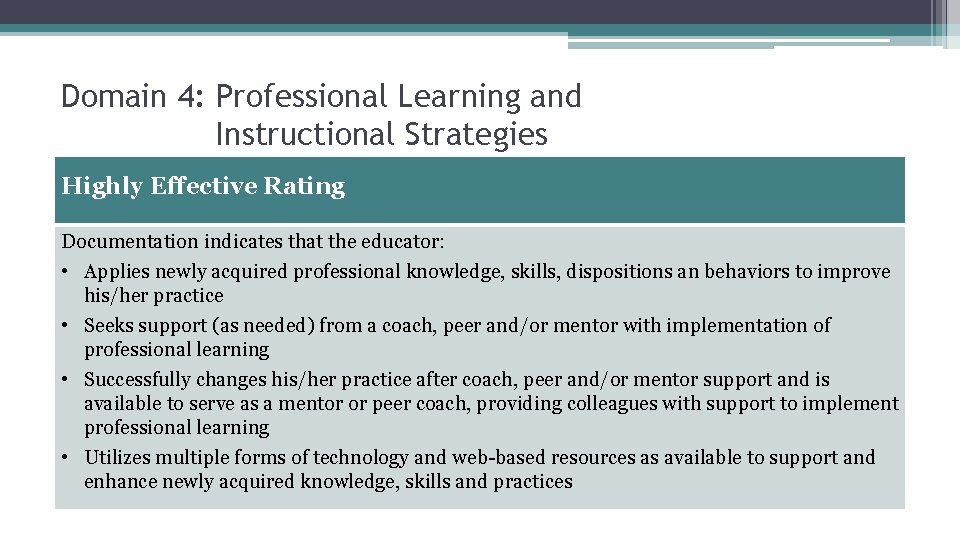
Domain 4: Professional Learning and Instructional Strategies Highly Effective Rating Documentation indicates that the educator: • Applies newly acquired professional knowledge, skills, dispositions an behaviors to improve his/her practice • Seeks support (as needed) from a coach, peer and/or mentor with implementation of professional learning • Successfully changes his/her practice after coach, peer and/or mentor support and is available to serve as a mentor or peer coach, providing colleagues with support to implement professional learning • Utilizes multiple forms of technology and web-based resources as available to support and enhance newly acquired knowledge, skills and practices
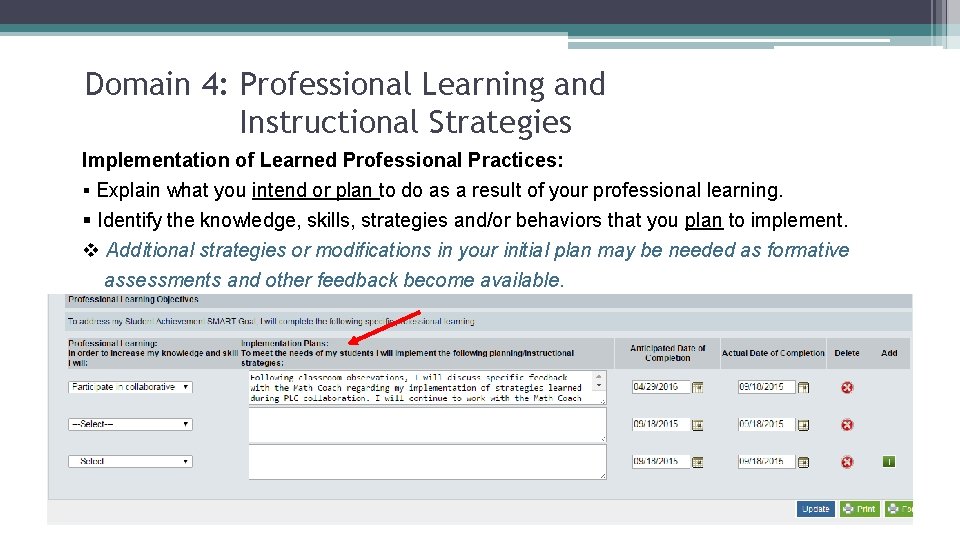
Domain 4: Professional Learning and Instructional Strategies Implementation of Learned Professional Practices: § Explain what you intend or plan to do as a result of your professional learning. § Identify the knowledge, skills, strategies and/or behaviors that you plan to implement. v Additional strategies or modifications in your initial plan may be needed as formative assessments and other feedback become available.
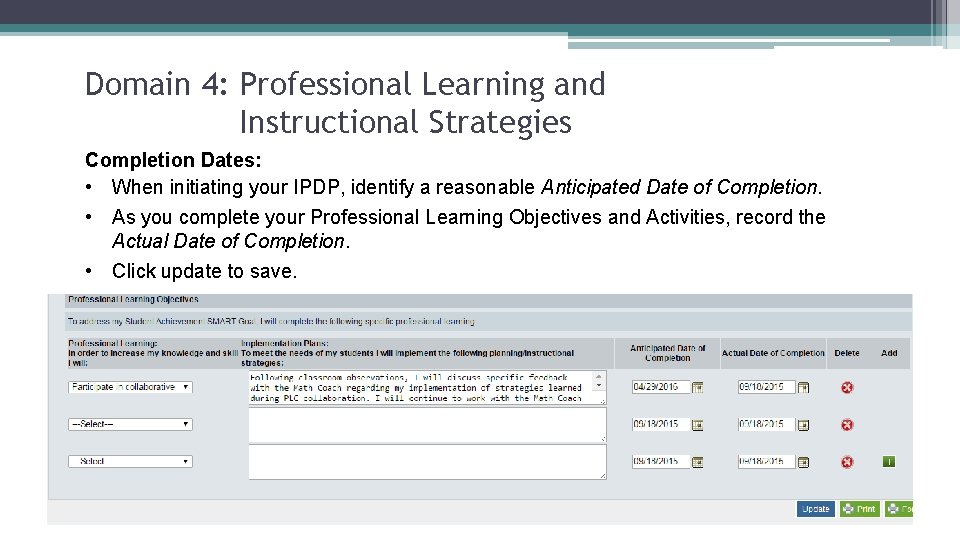
Domain 4: Professional Learning and Instructional Strategies Completion Dates: • When initiating your IPDP, identify a reasonable Anticipated Date of Completion. • As you complete your Professional Learning Objectives and Activities, record the Actual Date of Completion. • Click update to save.
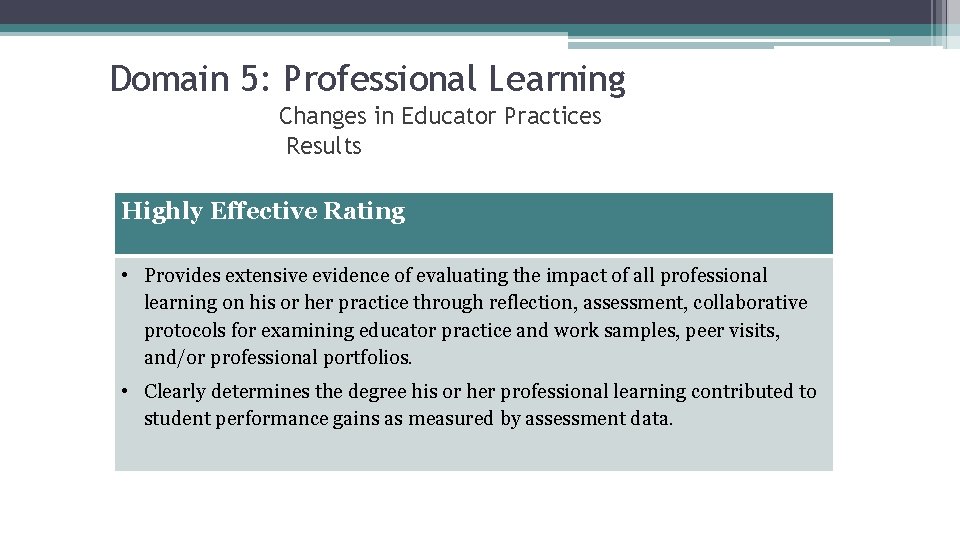
Domain 5: Professional Learning Changes in Educator Practices Results Highly Effective Rating • Provides extensive evidence of evaluating the impact of all professional learning on his or her practice through reflection, assessment, collaborative protocols for examining educator practice and work samples, peer visits, and/or professional portfolios. • Clearly determines the degree his or her professional learning contributed to student performance gains as measured by assessment data.
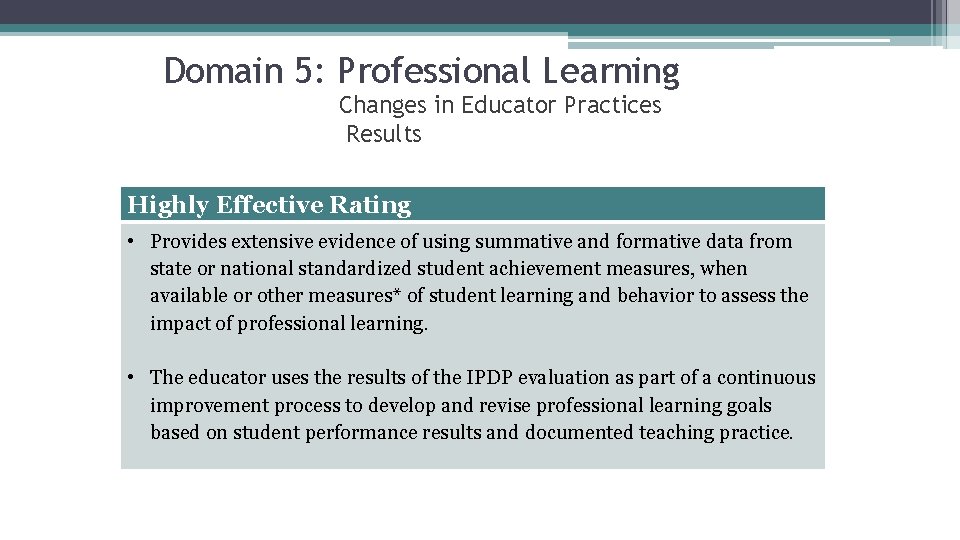
Domain 5: Professional Learning Changes in Educator Practices Results Highly Effective Rating • Provides extensive evidence of using summative and formative data from state or national standardized student achievement measures, when available or other measures* of student learning and behavior to assess the impact of professional learning. • The educator uses the results of the IPDP evaluation as part of a continuous improvement process to develop and revise professional learning goals based on student performance results and documented teaching practice.
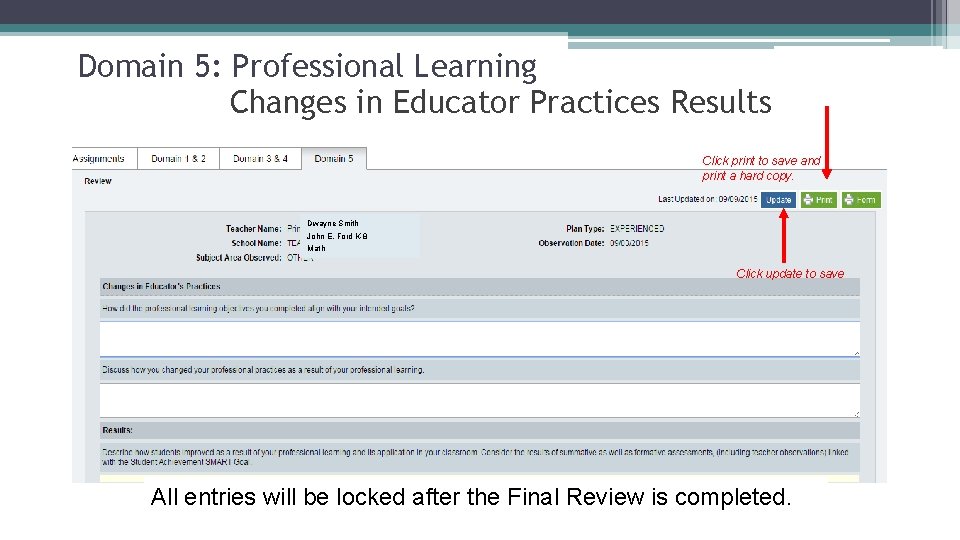
Domain 5: Professional Learning Changes in Educator Practices Results Click print to save and print a hard copy. Dwayne Smith John E. Ford K-8 Math Click update to save All entries will be locked after the Final Review is completed.
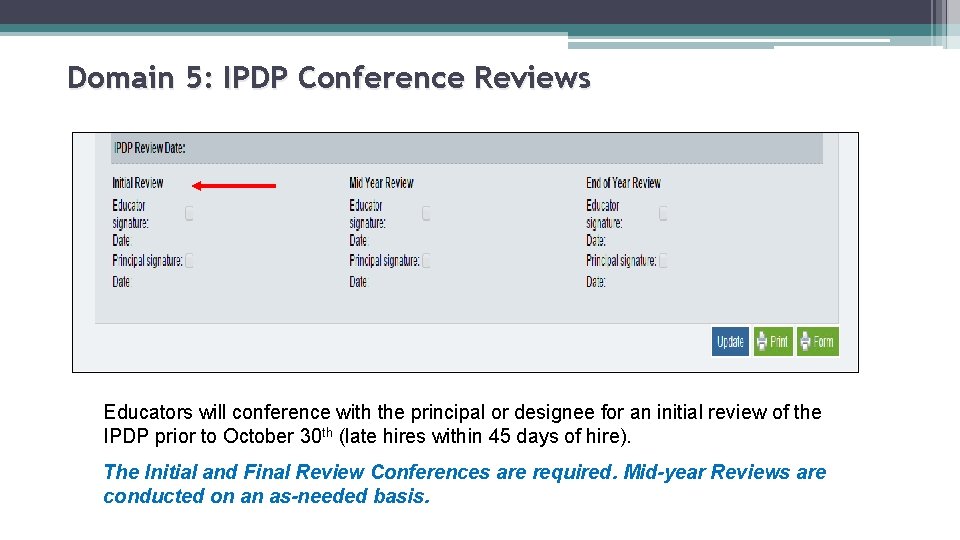
Domain 5: IPDP Conference Reviews Educators will conference with the principal or designee for an initial review of the IPDP prior to October 30 th (late hires within 45 days of hire). The Initial and Final Review Conferences are required. Mid-year Reviews are conducted on an as-needed basis.
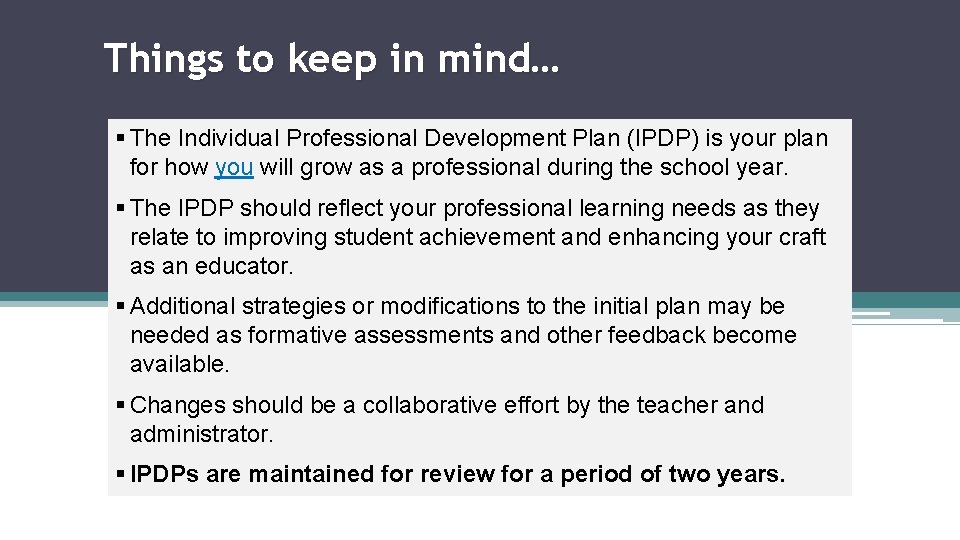
Things to keep in mind… § The Individual Professional Development Plan (IPDP) is your plan for how you will grow as a professional during the school year. § The IPDP should reflect your professional learning needs as they relate to improving student achievement and enhancing your craft as an educator. § Additional strategies or modifications to the initial plan may be needed as formative assessments and other feedback become available. § Changes should be a collaborative effort by the teacher and administrator. § IPDPs are maintained for review for a period of two years.
Contact Information For CAST and evaluation questions contact: Jeremy Boatright boatrightj@duvalschools. org Crystal Timmons timmonsc@duvalschools. org Cecile Wallace harperc 2@duvalschools. org For technical assistance with Teacher Support and Development questions contact: Jennifer White whitej 5@duvalschools. org