
IPAD 101 PRESENTED BY AARP MENTOR UP 4
IPAD 101 PRESENTED BY: AARP MENTOR UP 4 -H TECH WIZARDS
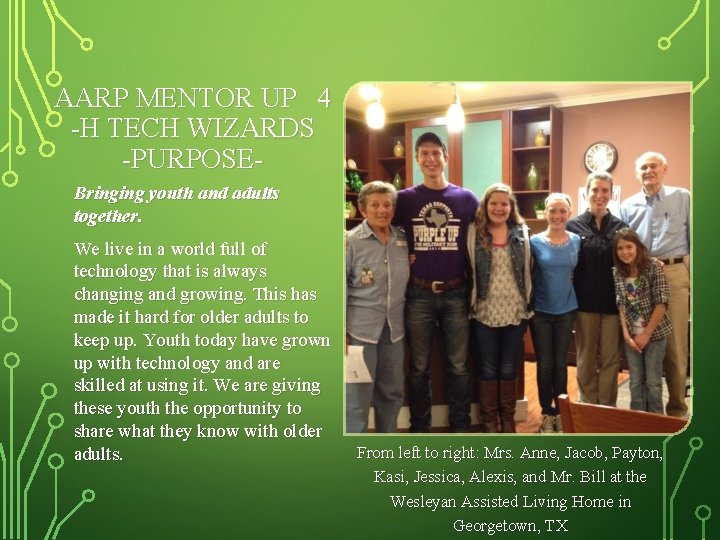
AARP MENTOR UP 4 -H TECH WIZARDS -PURPOSEBringing youth and adults together. We live in a world full of technology that is always changing and growing. This has made it hard for older adults to keep up. Youth today have grown up with technology and are skilled at using it. We are giving these youth the opportunity to share what they know with older adults. From left to right: Mrs. Anne, Jacob, Payton, Kasi, Jessica, Alexis, and Mr. Bill at the Wesleyan Assisted Living Home in Georgetown, TX
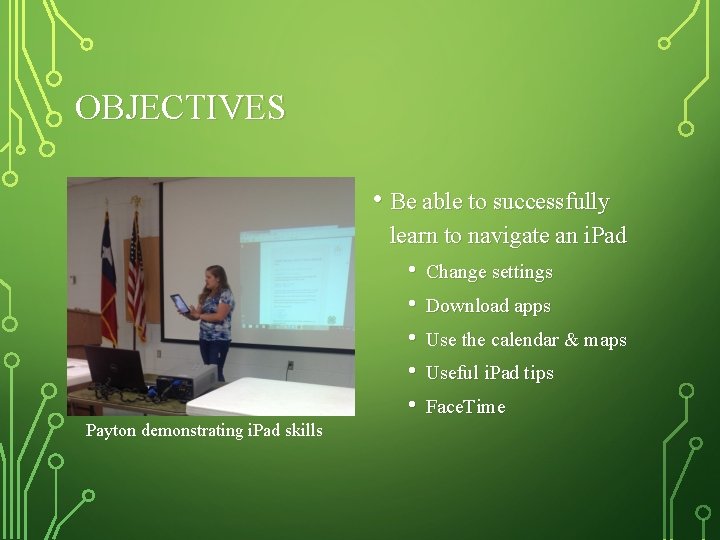
OBJECTIVES • Be able to successfully learn to navigate an i. Pad • • • Payton demonstrating i. Pad skills Change settings Download apps Use the calendar & maps Useful i. Pad tips Face. Time
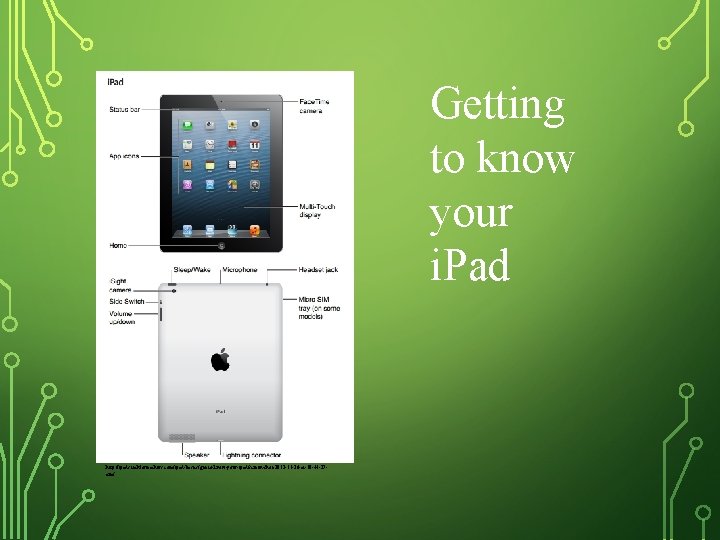
Getting to know your i. Pad http: //ipads. techforteachers. com/ipad-basics/get-to-know-your-ipad/screen-shot-2012 -11 -26 -at-10 -44 -37 am/
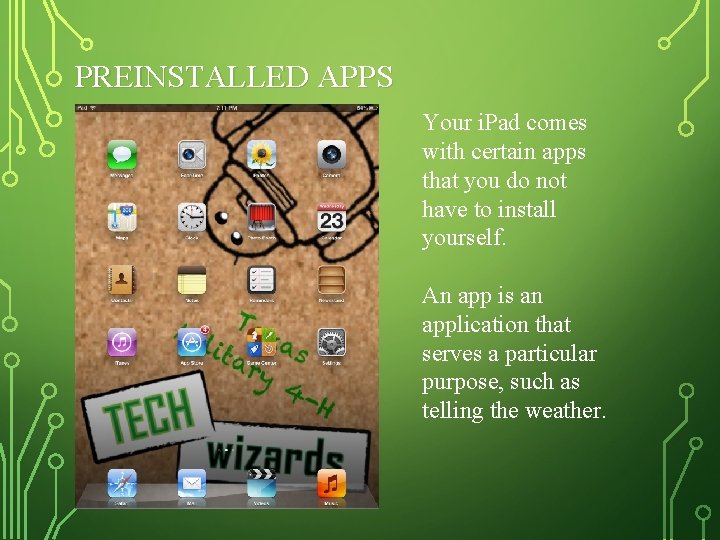
PREINSTALLED APPS Your i. Pad comes with certain apps that you do not have to install yourself. An app is an application that serves a particular purpose, such as telling the weather.
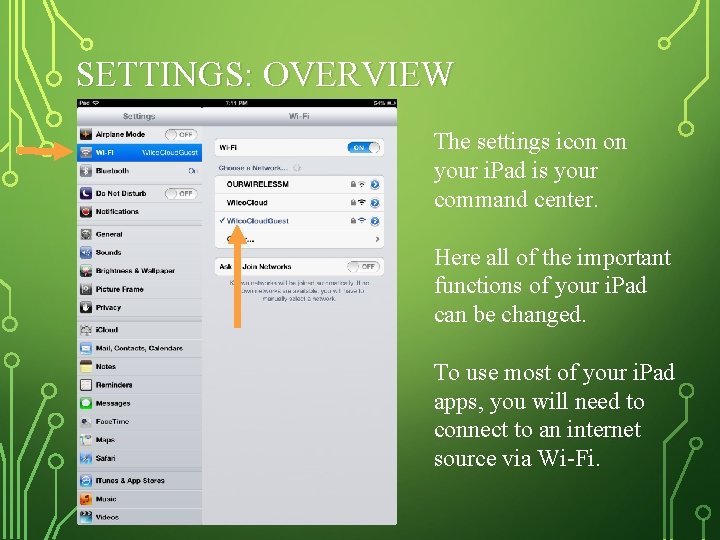
SETTINGS: OVERVIEW The settings icon on your i. Pad is your command center. Here all of the important functions of your i. Pad can be changed. To use most of your i. Pad apps, you will need to connect to an internet source via Wi-Fi.
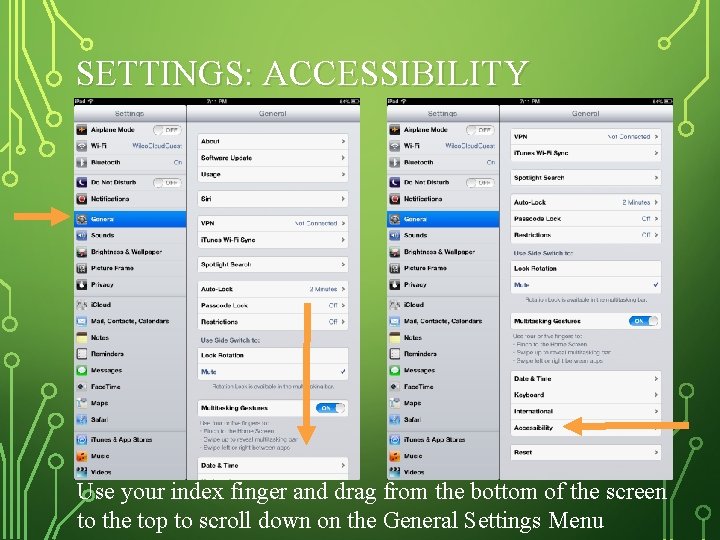
SETTINGS: ACCESSIBILITY Use your index finger and drag from the bottom of the screen to the top to scroll down on the General Settings Menu
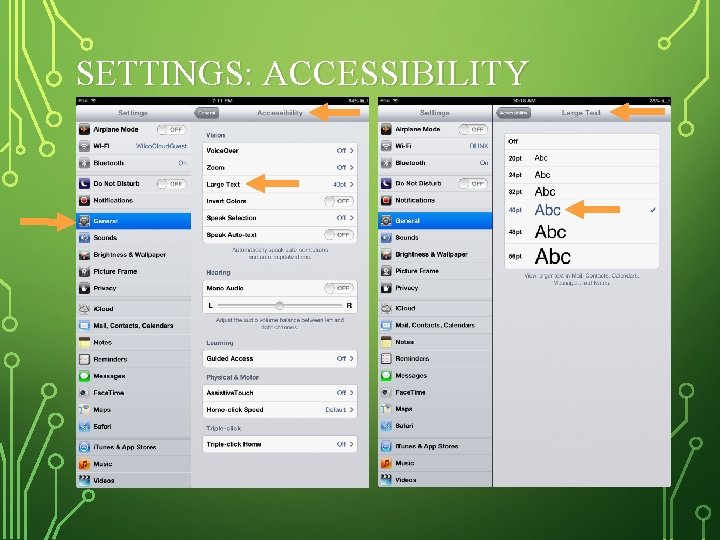
SETTINGS: ACCESSIBILITY
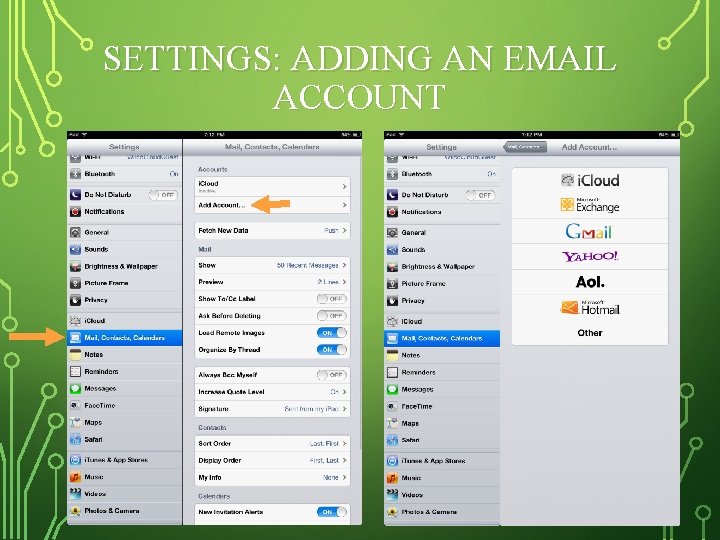
SETTINGS: ADDING AN EMAIL ACCOUNT
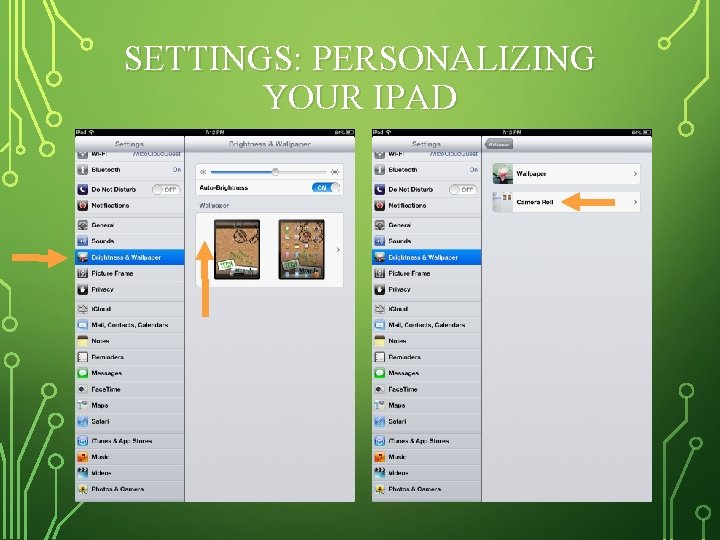
SETTINGS: PERSONALIZING YOUR IPAD
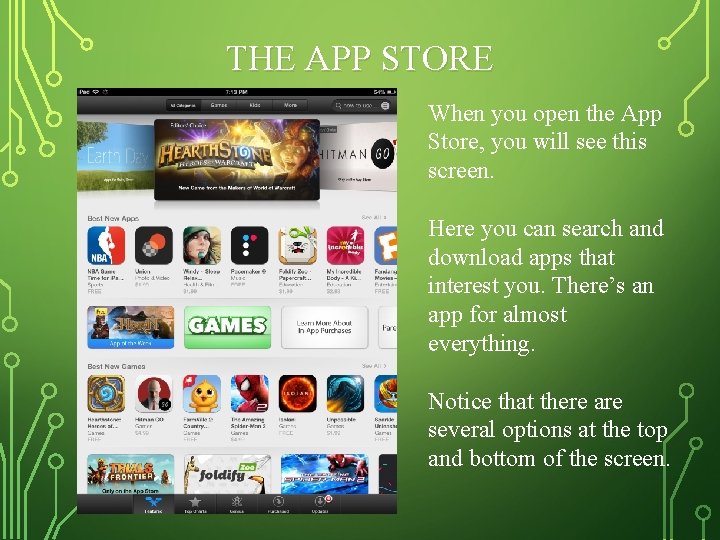
THE APP STORE When you open the App Store, you will see this screen. Here you can search and download apps that interest you. There’s an app for almost everything. Notice that there are several options at the top and bottom of the screen.
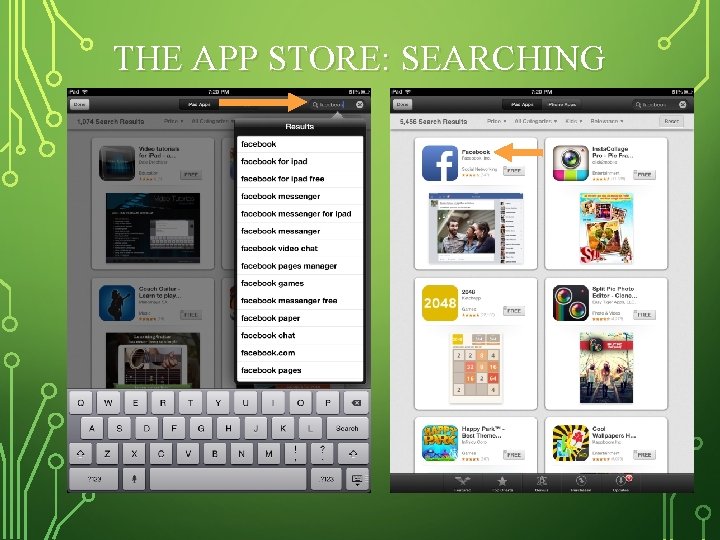
THE APP STORE: SEARCHING
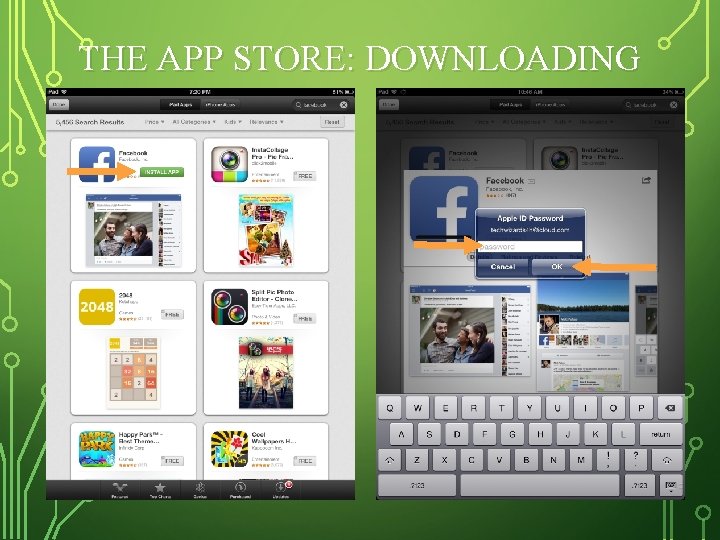
THE APP STORE: DOWNLOADING
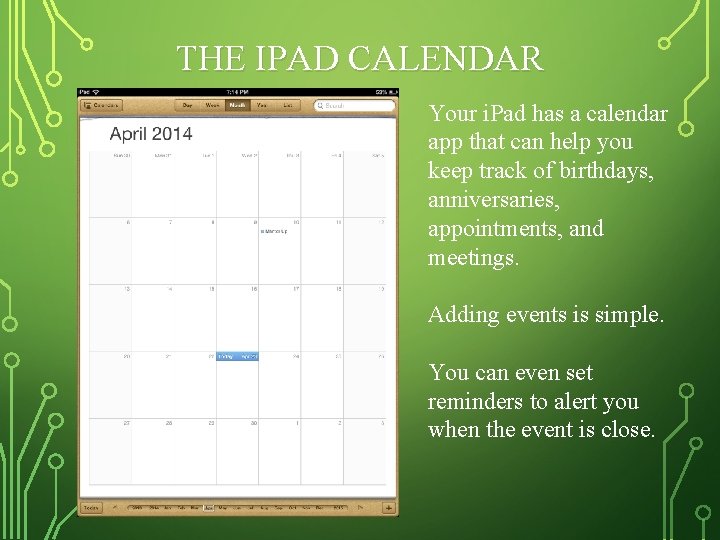
THE IPAD CALENDAR Your i. Pad has a calendar app that can help you keep track of birthdays, anniversaries, appointments, and meetings. Adding events is simple. You can even set reminders to alert you when the event is close.
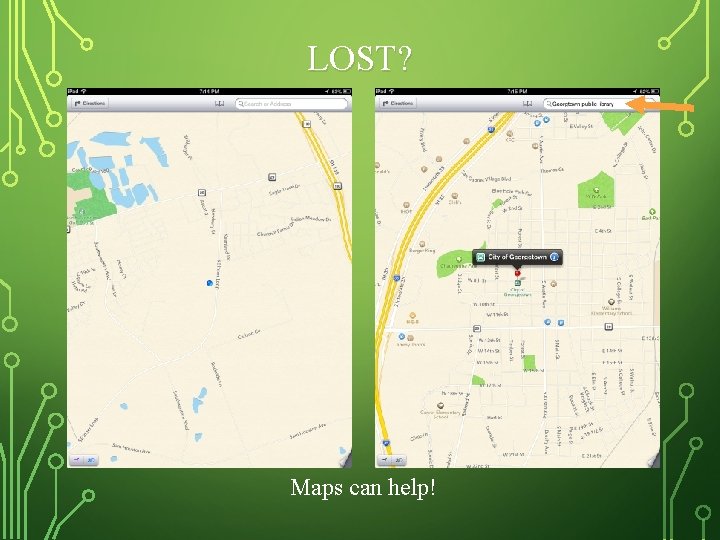
LOST? Maps can help!
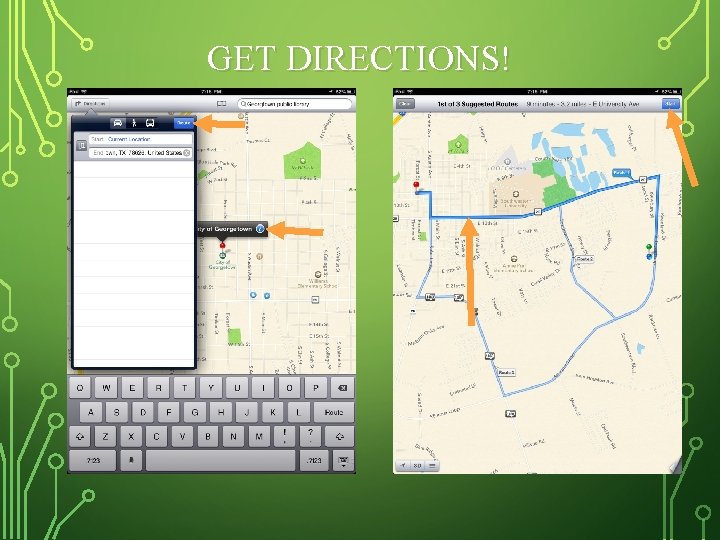
GET DIRECTIONS!
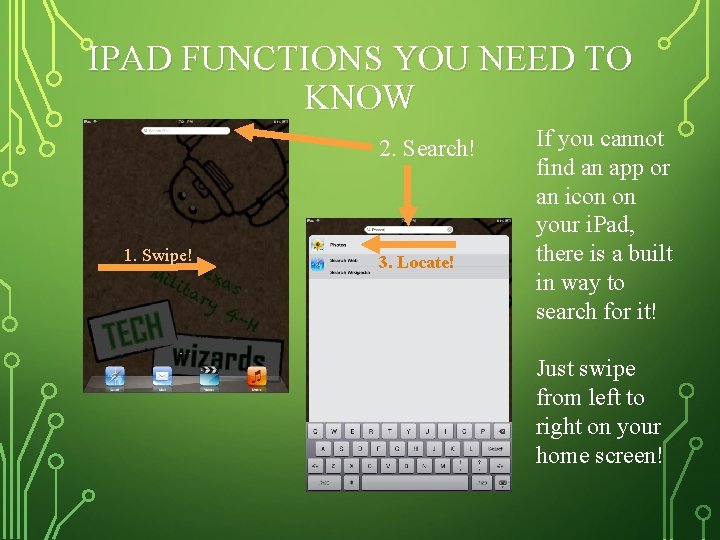
IPAD FUNCTIONS YOU NEED TO KNOW 2. Search! 1. Swipe! 3. Locate! If you cannot find an app or an icon on your i. Pad, there is a built in way to search for it! Just swipe from left to right on your home screen!
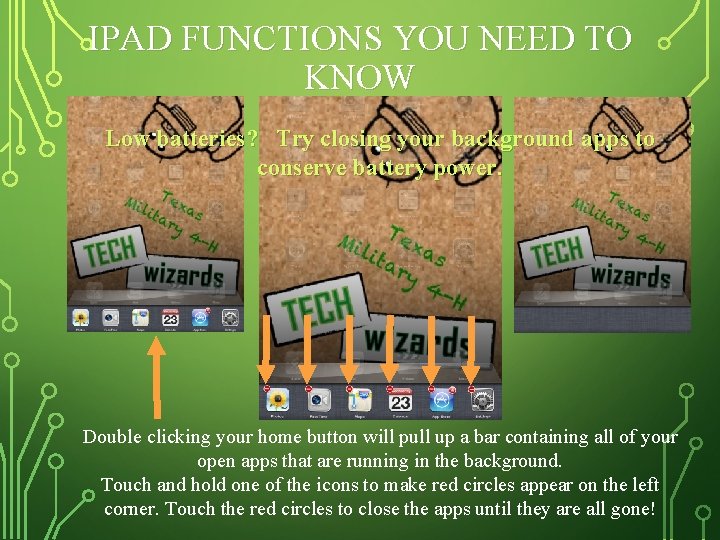
IPAD FUNCTIONS YOU NEED TO KNOW Low batteries? Try closing your background apps to conserve battery power. Double clicking your home button will pull up a bar containing all of your open apps that are running in the background. Touch and hold one of the icons to make red circles appear on the left corner. Touch the red circles to close the apps until they are all gone!
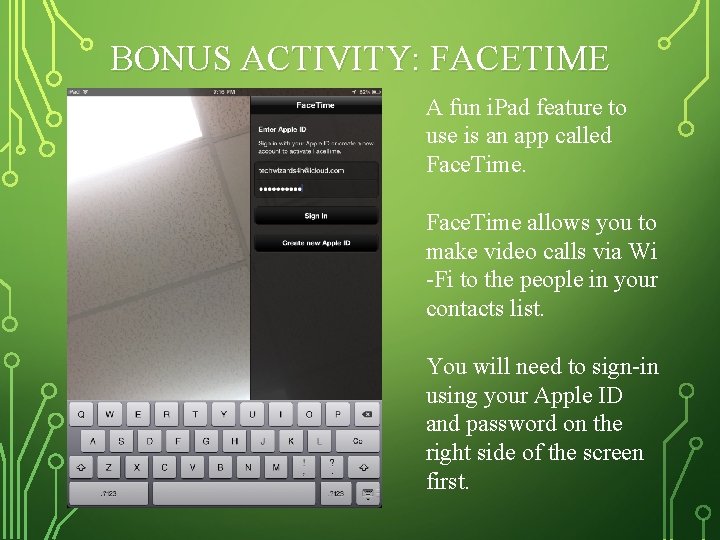
BONUS ACTIVITY: FACETIME A fun i. Pad feature to use is an app called Face. Time allows you to make video calls via Wi -Fi to the people in your contacts list. You will need to sign-in using your Apple ID and password on the right side of the screen first.

THANK YOU! QUESTIONS? Educational programs of the Texas A&M Agri. Life Extension Service are open to all people without regard to race, color, religion, sex, national origin, age, disability, genetic information or veteran status. The Texas A&M University System, U. S. Department of Agriculture, and the County Commissioners Courts of Texas Cooperating
- Slides: 20