
IP Routing Static Route vs Dynamic Route Static
![Static Route ip route [destination_network ][mask ][next_hop_address or exitinterface ] [administrative_distance ][permanent ] ip](https://slidetodoc.com/presentation_image_h2/bfa87e17b4f90b08b3ef767cc4eec1ca/image-2.jpg "Static Route ip route [destination_network ][mask ][next_hop_address or exitinterface ] [administrative_distance ][permanent ] ip")
- Slides: 21
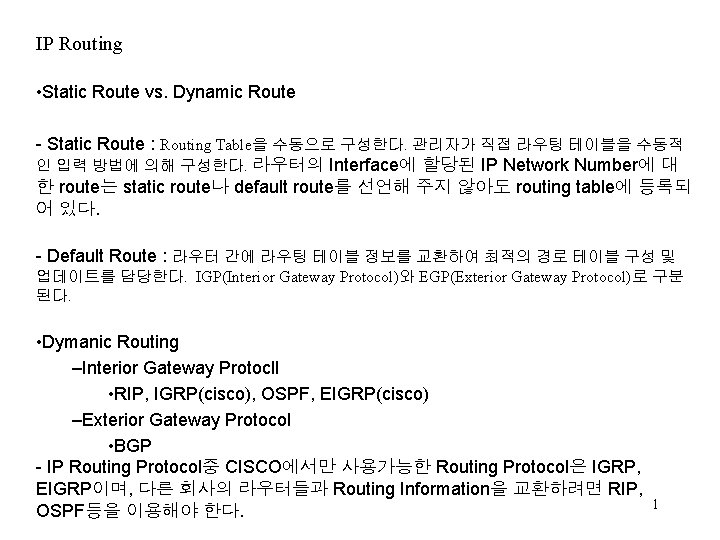
IP Routing • Static Route vs. Dynamic Route - Static Route : Routing Table을 수동으로 구성한다. 관리자가 직접 라우팅 테이블을 수동적 인 입력 방법에 의해 구성한다. 라우터의 Interface에 할당된 IP Network Number에 대 한 route는 static route나 default route를 선언해 주지 않아도 routing table에 등록되 어 있다. - Default Route : 라우터 간에 라우팅 테이블 정보를 교환하여 최적의 경로 테이블 구성 및 업데이트를 담당한다. IGP(Interior Gateway Protocol)와 EGP(Exterior Gateway Protocol)로 구분 된다. • Dymanic Routing –Interior Gateway Protocll • RIP, IGRP(cisco), OSPF, EIGRP(cisco) –Exterior Gateway Protocol • BGP - IP Routing Protocol중 CISCO에서만 사용가능한 Routing Protocol은 IGRP, EIGRP이며, 다른 회사의 라우터들과 Routing Information을 교환하려면 RIP, OSPF등을 이용해야 한다. 1
Static Route ip route [destination_network ][mask ][next_hop_address or exitinterface ] [administrative_distance ][permanent ] ip route The command used to create the static route. destination network The network you are placing in the routing table. mask Indicates the subnet mask being used on the network. next hop address The address of the next hop router that will receive the packet and forward it to the remote network. This is a router interface that is on a directly connected network. You must be able to ping the router interface before you add the route. exit interface Used in place of the next hop address if desired. Must be on a point-to-point link, such as a WAN. This command does not work on a LAN; for example, Ethernet. administrative distance By default, static routes have an adminis-trative distance of 1. You can change the default value by adding an administrative weight at the end of the command. permanent If the interface is shut down or the router cannot communi-cate to the next hop router, the route is automatically discarded from the routing table. Choosing the permanent option keeps the entry in the routing 2
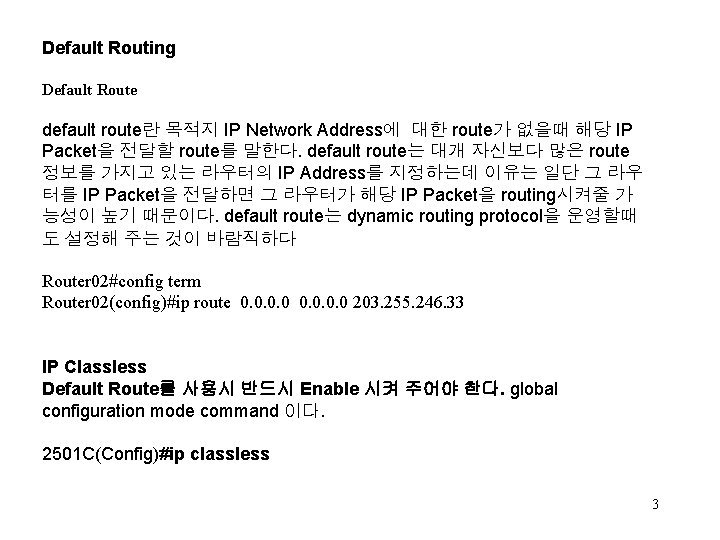
Default Routing Default Route default route란 목적지 IP Network Address에 대한 route가 없을때 해당 IP Packet을 전달할 route를 말한다. default route는 대개 자신보다 많은 route 정보를 가지고 있는 라우터의 IP Address를 지정하는데 이유는 일단 그 라우 터를 IP Packet을 전달하면 그 라우터가 해당 IP Packet을 routing시켜줄 가 능성이 높기 때문이다. default route는 dynamic routing protocol을 운영할때 도 설정해 주는 것이 바람직하다 Router 02#config term Router 02(config)#ip route 0. 0 203. 255. 246. 33 IP Classless Default Route를 사용시 반드시 Enable 시켜 주어야 한다. global configuration mode command 이다. 2501 C(Config)#ip classless 3
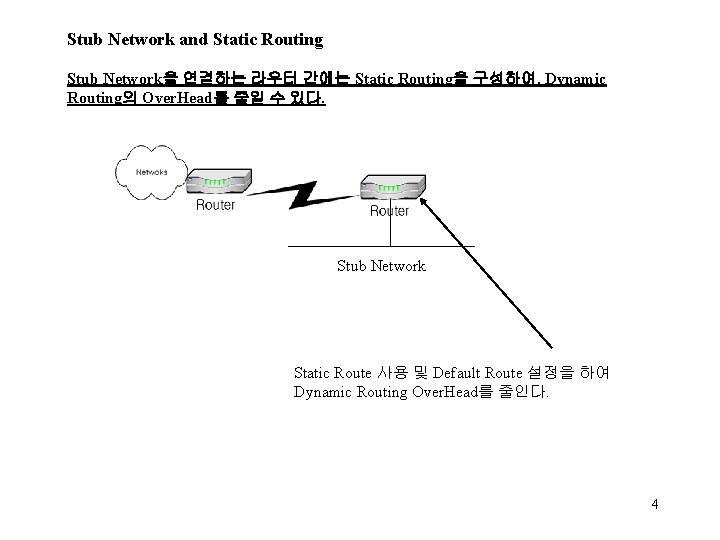
Stub Network and Static Routing Stub Network을 연결하는 라우터 간에는 Static Routing을 구성하여, Dynamic Routing의 Over. Head를 줄일 수 있다. Stub Network Static Route 사용 및 Default Route 설정을 하여 Dynamic Routing Over. Head를 줄인다. 4
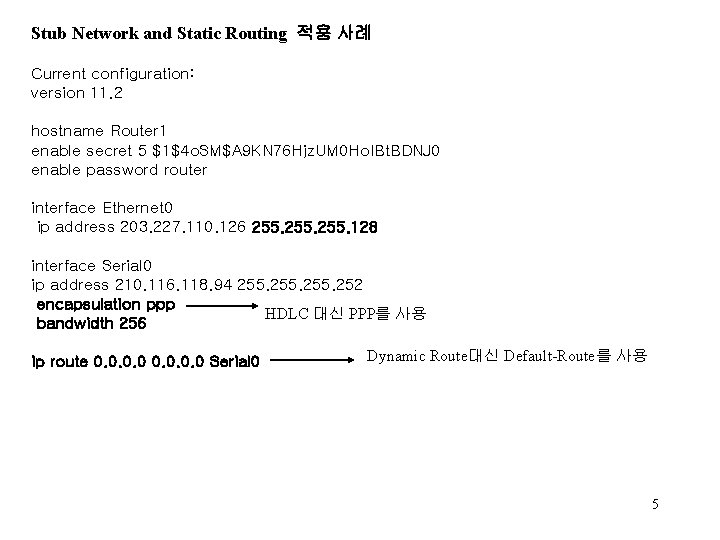
Stub Network and Static Routing 적용 사례 Current configuration: version 11. 2 hostname Router 1 enable secret 5 $1$4 o. SM$A 9 KN 76 Hjz. UM 0 Ho. IBt. BDNJ 0 enable password router interface Ethernet 0 ip address 203. 227. 110. 126 255. 128 interface Serial 0 ip address 210. 116. 118. 94 255. 252 encapsulation ppp HDLC 대신 PPP를 사용 bandwidth 256 ip route 0. 0 Serial 0 Dynamic Route대신 Default-Route를 사용 5
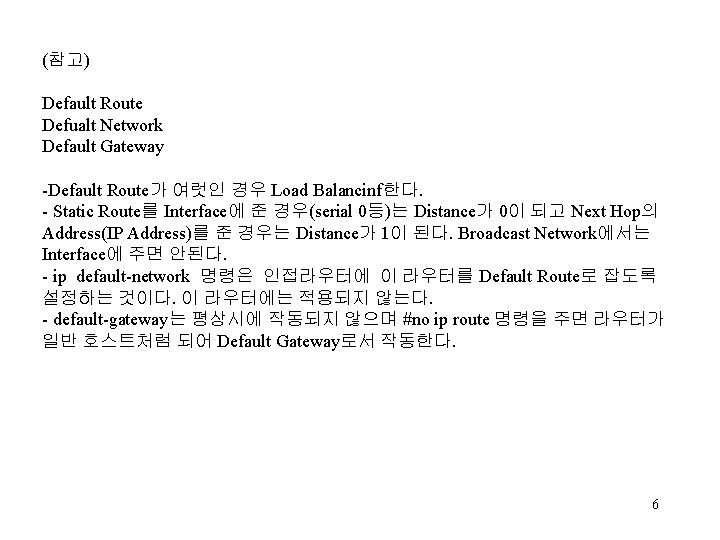
(참고) Default Route Defualt Network Default Gateway -Default Route가 여럿인 경우 Load Balancinf한다. - Static Route를 Interface에 준 경우(serial 0등)는 Distance가 0이 되고 Next Hop의 Address(IP Address)를 준 경우는 Distance가 1이 된다. Broadcast Network에서는 Interface에 주면 안된다. - ip default-network 명령은 인접라우터에 이 라우터를 Default Route로 잡도록 설정하는 것이다. 이 라우터에는 적용되지 않는다. - default-gateway는 평상시에 작동되지 않으며 #no ip route 명령을 주면 라우터가 일반 호스트처럼 되어 Default Gateway로서 작동한다. 6
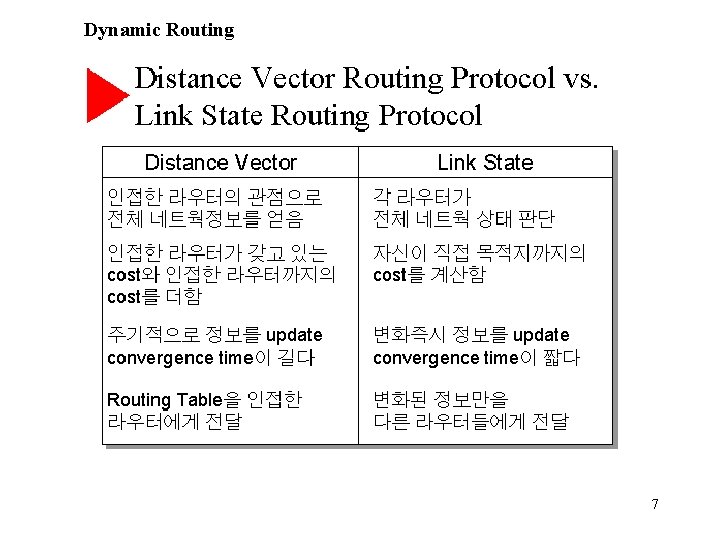
Dynamic Routing 7
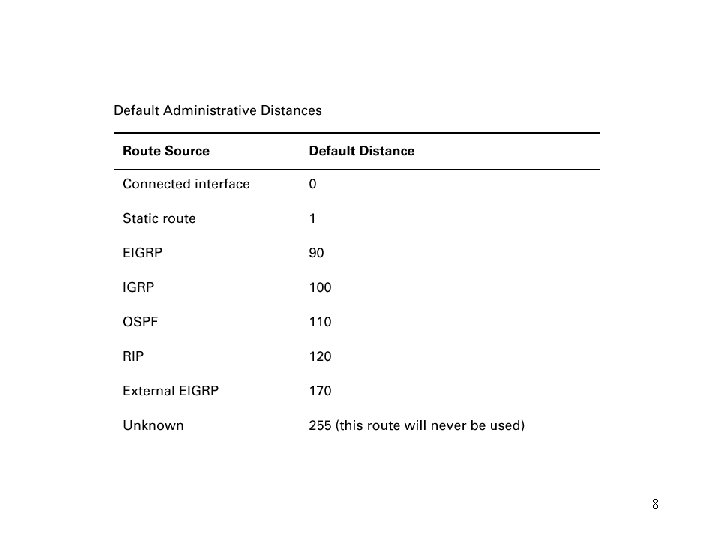
8
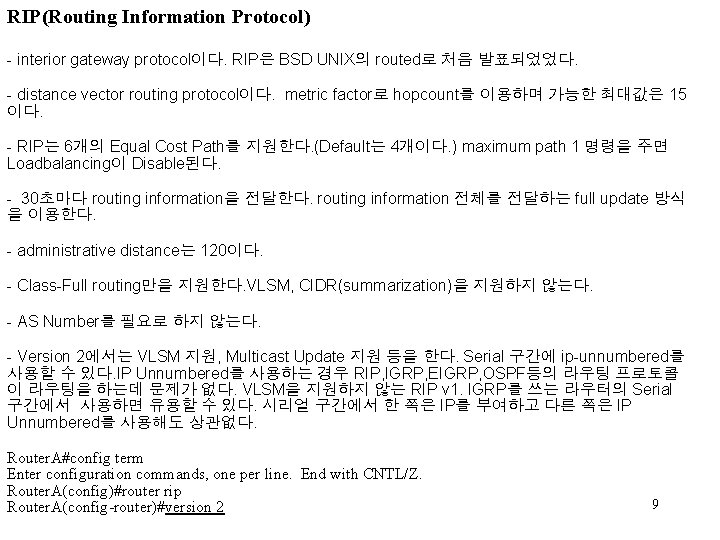
RIP(Routing Information Protocol) - interior gateway protocol이다. RIP은 BSD UNIX의 routed로 처음 발표되었었다. - distance vector routing protocol이다. metric factor로 hopcount를 이용하며 가능한 최대값은 15 이다. - RIP는 6개의 Equal Cost Path를 지원한다. (Default는 4개이다. ) maximum path 1 명령을 주면 Loadbalancing이 Disable된다. - 30초마다 routing information을 전달한다. routing information 전체를 전달하는 full update 방식 을 이용한다. - administrative distance는 120이다. - Class-Full routing만을 지원한다. VLSM, CIDR(summarization)을 지원하지 않는다. - AS Number를 필요로 하지 않는다. - Version 2에서는 VLSM 지원, Multicast Update 지원 등을 한다. Serial 구간에 ip-unnumbered를 사용할 수 있다. IP Unnumbered를 사용하는 경우 RIP, IGRP, EIGRP, OSPF등의 라우팅 프로토콜 이 라우팅을 하는데 문제가 없다. VLSM을 지원하지 않는 RIP v 1. IGRP를 쓰는 라우터의 Serial 구간에서 사용하면 유용할 수 있다. 시리얼 구간에서 한 쪽은 IP를 부여하고 다른 쪽은 IP Unnumbered를 사용해도 상관없다. Router. A#config term Enter configuration commands, one per line. End with CNTL/Z. Router. A(config)#router rip Router. A(config-router)#version 2 9
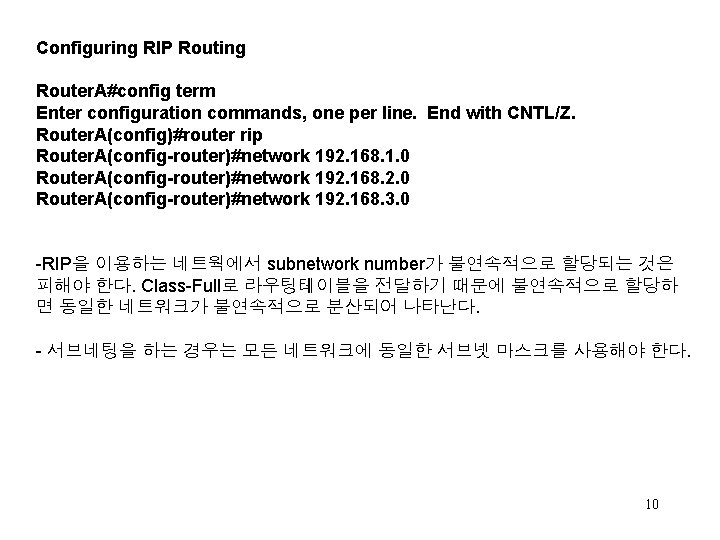
Configuring RIP Routing Router. A#config term Enter configuration commands, one per line. End with CNTL/Z. Router. A(config)#router rip Router. A(config-router)#network 192. 168. 1. 0 Router. A(config-router)#network 192. 168. 2. 0 Router. A(config-router)#network 192. 168. 3. 0 -RIP을 이용하는 네트웍에서 subnetwork number가 불연속적으로 할당되는 것은 피해야 한다. Class-Full로 라우팅테이블을 전달하기 때문에 불연속적으로 할당하 면 동일한 네트워크가 불연속적으로 분산되어 나타난다. - 서브네팅을 하는 경우는 모든 네트워크에 동일한 서브넷 마스크를 사용해야 한다. 10
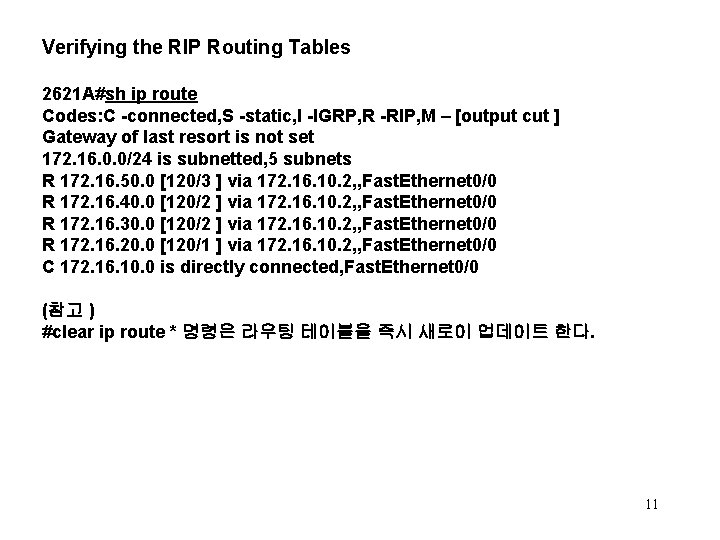
Verifying the RIP Routing Tables 2621 A#sh ip route Codes: C -connected, S -static, I -IGRP, R -RIP, M – [output cut ] Gateway of last resort is not set 172. 16. 0. 0/24 is subnetted, 5 subnets R 172. 16. 50. 0 [120/3 ] via 172. 16. 10. 2, , Fast. Ethernet 0/0 R 172. 16. 40. 0 [120/2 ] via 172. 16. 10. 2, , Fast. Ethernet 0/0 R 172. 16. 30. 0 [120/2 ] via 172. 16. 10. 2, , Fast. Ethernet 0/0 R 172. 16. 20. 0 [120/1 ] via 172. 16. 10. 2, , Fast. Ethernet 0/0 C 172. 16. 10. 0 is directly connected, Fast. Ethernet 0/0 (참고 ) #clear ip route * 명령은 라우팅 테이블을 즉시 새로이 업데이트 한다. 11
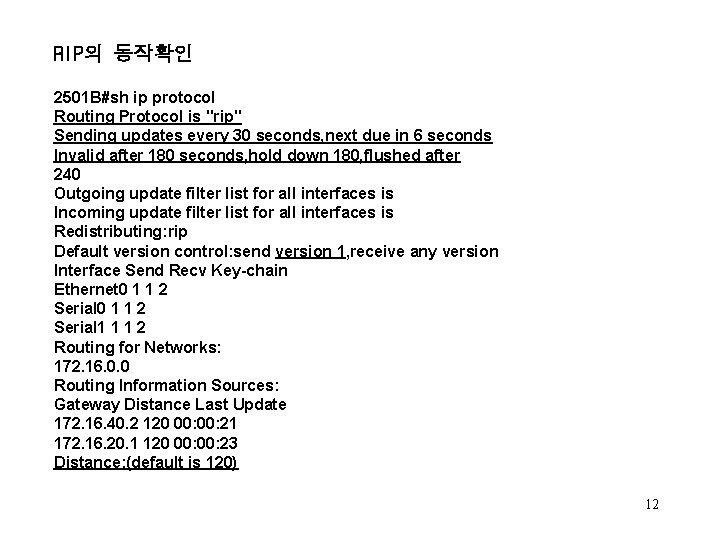
RIP의 동작확인 2501 B#sh ip protocol Routing Protocol is "rip" Sending updates every 30 seconds, next due in 6 seconds Invalid after 180 seconds, hold down 180, flushed after 240 Outgoing update filter list for all interfaces is Incoming update filter list for all interfaces is Redistributing: rip Default version control: send version 1, receive any version Interface Send Recv Key-chain Ethernet 0 1 1 2 Serial 1 1 1 2 Routing for Networks: 172. 16. 0. 0 Routing Information Sources: Gateway Distance Last Update 172. 16. 40. 2 120 00: 21 172. 16. 20. 1 120 00: 23 Distance: (default is 120) 12
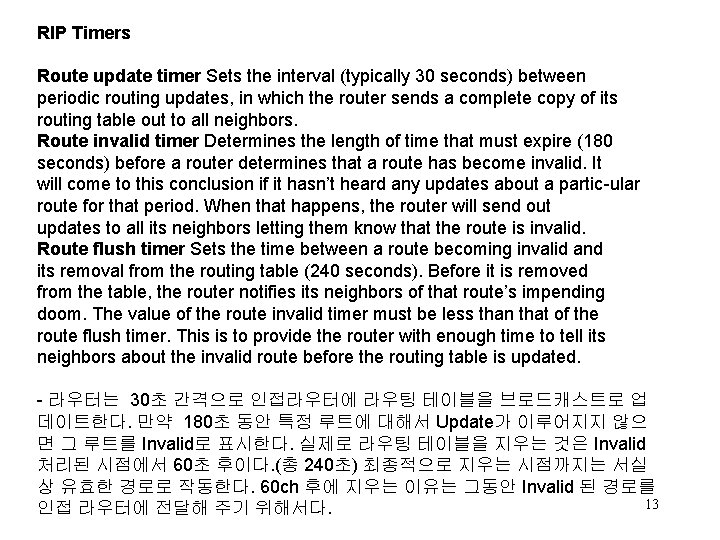
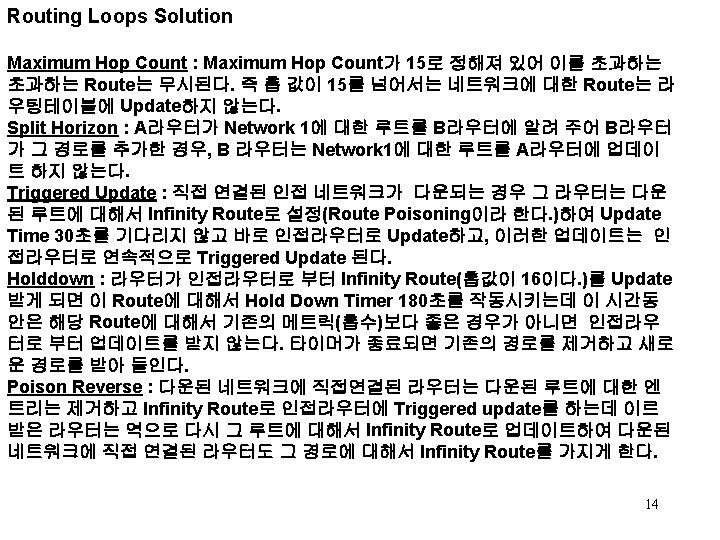
RIP Timers Route update timer Sets the interval (typically 30 seconds) between periodic routing updates, in which the router sends a complete copy of its routing table out to all neighbors. Route invalid timer Determines the length of time that must expire (180 seconds) before a router determines that a route has become invalid. It will come to this conclusion if it hasn’t heard any updates about a partic-ular route for that period. When that happens, the router will send out updates to all its neighbors letting them know that the route is invalid. Route flush timer Sets the time between a route becoming invalid and its removal from the routing table (240 seconds). Before it is removed from the table, the router notifies its neighbors of that route’s impending doom. The value of the route invalid timer must be less than that of the route flush timer. This is to provide the router with enough time to tell its neighbors about the invalid route before the routing table is updated. - 라우터는 30초 간격으로 인접라우터에 라우팅 테이블을 브로드캐스트로 업 데이트한다. 만약 180초 동안 특정 루트에 대해서 Update가 이루어지지 않으 면 그 루트를 Invalid로 표시한다. 실제로 라우팅 테이블을 지우는 것은 Invalid 처리된 시점에서 60초 후이다. (총 240초) 최종적으로 지우는 시점까지는 서실 상 유효한 경로로 작동한다. 60 ch 후에 지우는 이유는 그동안 Invalid 된 경로를 13 인접 라우터에 전달해 주기 위해서다.
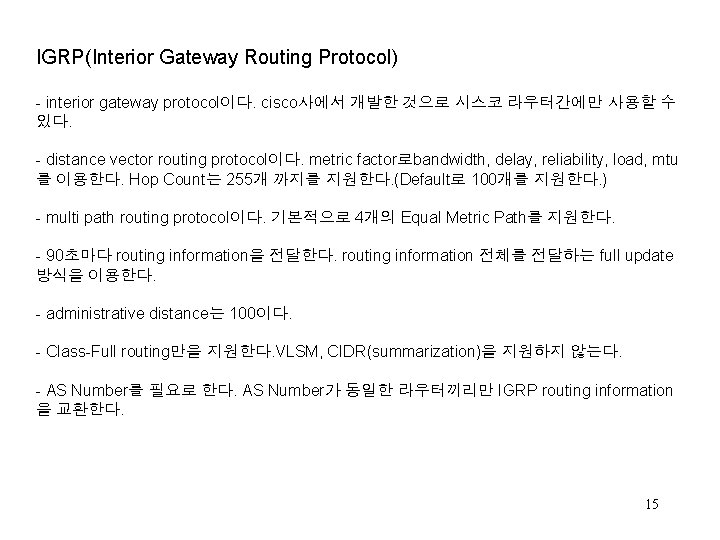
IGRP(Interior Gateway Routing Protocol) - interior gateway protocol이다. cisco사에서 개발한 것으로 시스코 라우터간에만 사용할 수 있다. - distance vector routing protocol이다. metric factor로bandwidth, delay, reliability, load, mtu 를 이용한다. Hop Count는 255개 까지를 지원한다. (Default로 100개를 지원한다. ) - multi path routing protocol이다. 기본적으로 4개의 Equal Metric Path를 지원한다. - 90초마다 routing information을 전달한다. routing information 전체를 전달하는 full update 방식을 이용한다. - administrative distance는 100이다. - Class-Full routing만을 지원한다. VLSM, CIDR(summarization)을 지원하지 않는다. - AS Number를 필요로 한다. AS Number가 동일한 라우터끼리만 IGRP routing information 을 교환한다. 15
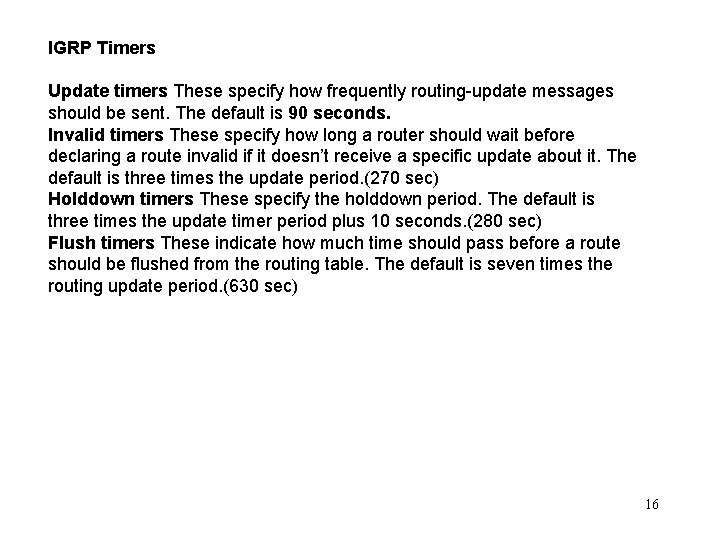
IGRP Timers Update timers These specify how frequently routing-update messages should be sent. The default is 90 seconds. Invalid timers These specify how long a router should wait before declaring a route invalid if it doesn’t receive a specific update about it. The default is three times the update period. (270 sec) Holddown timers These specify the holddown period. The default is three times the update timer period plus 10 seconds. (280 sec) Flush timers These indicate how much time should pass before a route should be flushed from the routing table. The default is seven times the routing update period. (630 sec) 16
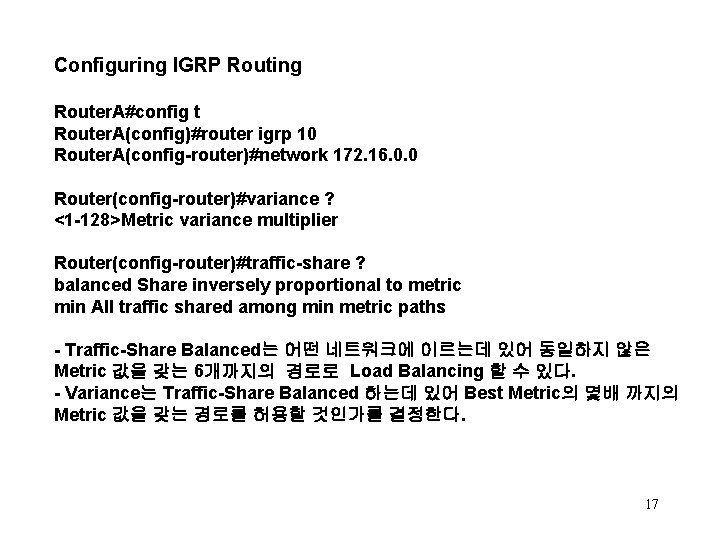
Configuring IGRP Routing Router. A#config t Router. A(config)#router igrp 10 Router. A(config-router)#network 172. 16. 0. 0 Router(config-router)#variance ? <1 -128>Metric variance multiplier Router(config-router)#traffic-share ? balanced Share inversely proportional to metric min All traffic shared among min metric paths - Traffic-Share Balanced는 어떤 네트워크에 이르는데 있어 동일하지 않은 Metric 값을 갖는 6개까지의 경로로 Load Balancing 할 수 있다. - Variance는 Traffic-Share Balanced 하는데 있어 Best Metric의 몇배 까지의 Metric 값을 갖는 경로를 허용할 것인가를 결정한다. 17
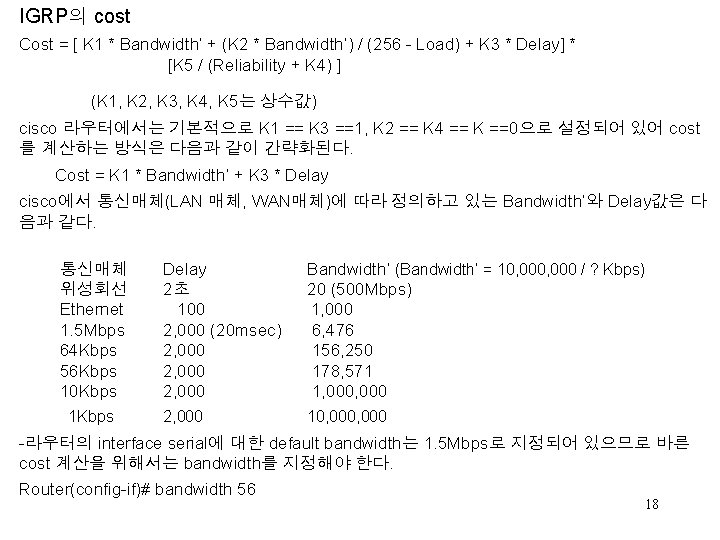
IGRP의 cost Cost = [ K 1 * Bandwidth’ + (K 2 * Bandwidth’) / (256 - Load) + K 3 * Delay] * [K 5 / (Reliability + K 4) ] (K 1, K 2, K 3, K 4, K 5는 상수값) cisco 라우터에서는 기본적으로 K 1 == K 3 ==1, K 2 == K 4 == K ==0으로 설정되어 있어 cost 를 계산하는 방식은 다음과 같이 간략화된다. Cost = K 1 * Bandwidth’ + K 3 * Delay cisco에서 통신매체(LAN 매체, WAN매체)에 따라 정의하고 있는 Bandwidth’와 Delay값은 다 음과 같다. 통신매체 위성회선 Ethernet 1. 5 Mbps 64 Kbps 56 Kbps 10 Kbps 1 Kbps Delay 2초 100 2, 000 (20 msec) 2, 000 Bandwidth’ (Bandwidth’ = 10, 000 / ? Kbps) 20 (500 Mbps) 1, 000 6, 476 156, 250 178, 571 1, 000 2, 000 10, 000 -라우터의 interface serial에 대한 default bandwidth는 1. 5 Mbps로 지정되어 있으므로 바른 cost 계산을 위해서는 bandwidth를 지정해야 한다. Router(config-if)# bandwidth 56 18
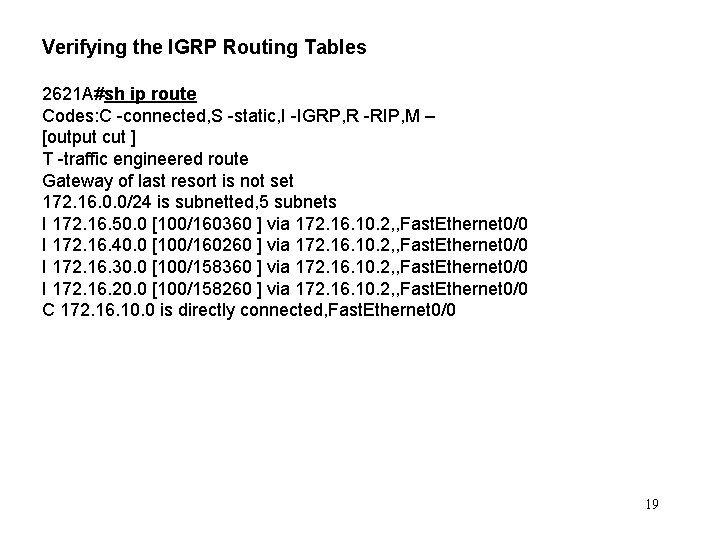
Verifying the IGRP Routing Tables 2621 A#sh ip route Codes: C -connected, S -static, I -IGRP, R -RIP, M – [output cut ] T -traffic engineered route Gateway of last resort is not set 172. 16. 0. 0/24 is subnetted, 5 subnets I 172. 16. 50. 0 [100/160360 ] via 172. 16. 10. 2, , Fast. Ethernet 0/0 I 172. 16. 40. 0 [100/160260 ] via 172. 16. 10. 2, , Fast. Ethernet 0/0 I 172. 16. 30. 0 [100/158360 ] via 172. 16. 10. 2, , Fast. Ethernet 0/0 I 172. 16. 20. 0 [100/158260 ] via 172. 16. 10. 2, , Fast. Ethernet 0/0 C 172. 16. 10. 0 is directly connected, Fast. Ethernet 0/0 19
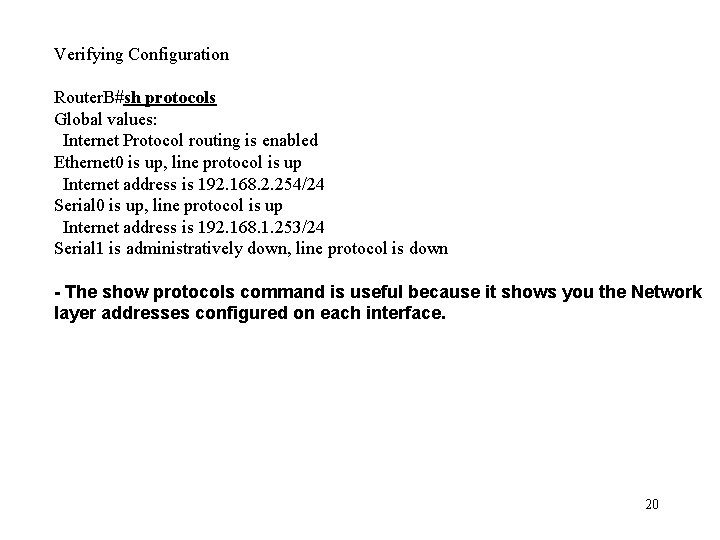
Verifying Configuration Router. B#sh protocols Global values: Internet Protocol routing is enabled Ethernet 0 is up, line protocol is up Internet address is 192. 168. 2. 254/24 Serial 0 is up, line protocol is up Internet address is 192. 168. 1. 253/24 Serial 1 is administratively down, line protocol is down - The show protocols command is useful because it shows you the Network layer addresses configured on each interface. 20
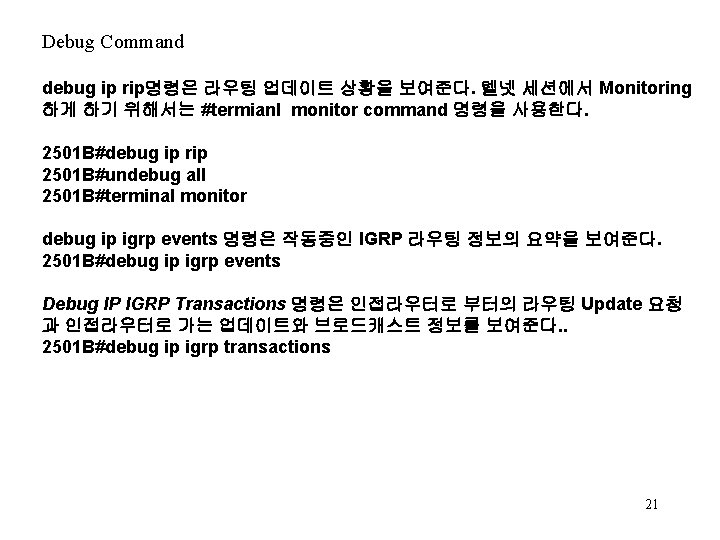
Debug Command debug ip rip명령은 라우팅 업데이트 상황을 보여준다. 텔넷 세션에서 Monitoring 하게 하기 위해서는 #termianl monitor command 명령을 사용한다. 2501 B#debug ip rip 2501 B#undebug all 2501 B#terminal monitor debug ip igrp events 명령은 작동중인 IGRP 라우팅 정보의 요약을 보여준다. 2501 B#debug ip igrp events Debug IP IGRP Transactions 명령은 인접라우터로 부터의 라우팅 Update 요청 과 인접라우터로 가는 업데이트와 브로드캐스트 정보를 보여준다. . 2501 B#debug ip igrp transactions 21