
IP addresses Chapter 4 outline 4 1 introduction



- Slides: 9
IP addresses
Chapter 4: outline 4. 1 introduction 4. 2 virtual circuit and datagram networks 4. 3 what’s inside a router 4. 4 IP: Internet Protocol • • datagram format IPv 4 addressing ICMP IPv 6 4. 5 routing algorithms • link state • distance vector • hierarchical routing 4. 6 routing in the Internet • RIP • OSPF • BGP 4. 7 broadcast and multicast routing Network Layer 4 -2
IP addressing: introduction • IP address: 32 -bit 223. 1. 1. 1 223. 1. 2. 1 identifier for host, router 223. 1. 1. 2 interface 223. 1. 1. 4 223. 1. 2. 9 • interface: connection between host/router and physical link 223. 1. 3. 27 223. 1. 1. 3 223. 1. 2. 2 • routers typically have multiple interfaces • host typically has one active interface (e. g. , wired Ethernet, wireless 802. 11) • one IP address associated with each interface 223. 1. 3. 2 223. 1. 1. 1 = 11011111 00000001 223 Network Layer 1 1 1 4 -3
IP addressing: introduction Q: how are interfaces actually connected? A: we’ll learn about that 223. 1. 1. 2 in chapter 5, 6. 223. 1. 1. 1 223. 1. 2. 1 223. 1. 1. 4 223. 1. 1. 3 223. 1. 2. 9 223. 1. 3. 27 223. 1. 2. 2 A: wired Ethernet interfaces connected by Ethernet switches 223. 1 For now: don’t need to worry about how one interface is connected to another (with no intervening router) 223. 1. 3. 2 A: wireless Wi. Fi interfaces connected by Wi. Fi base station Network Layer 4 -4
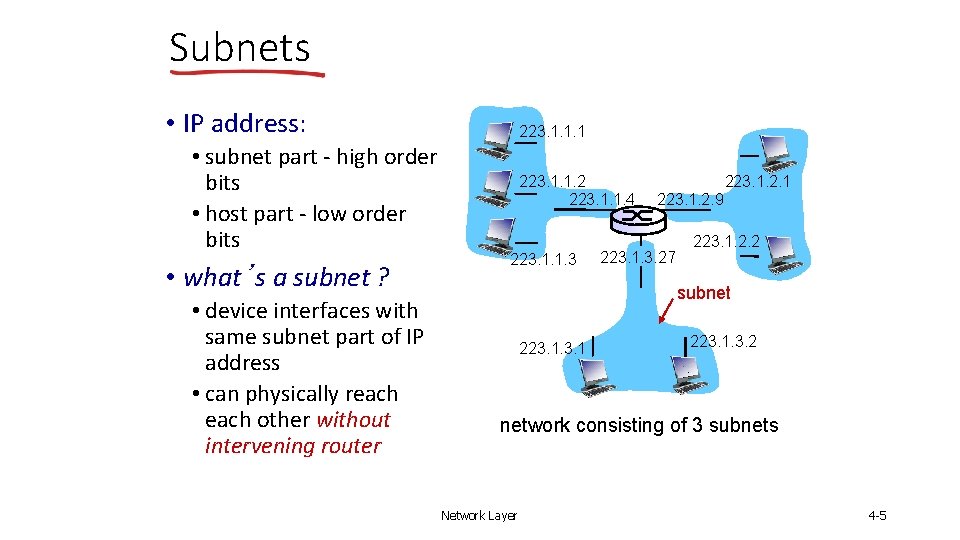
Subnets • IP address: • subnet part - high order bits • host part - low order bits • what’s a subnet ? • device interfaces with same subnet part of IP address • can physically reach other without intervening router 223. 1. 1. 1 223. 1. 1. 2 223. 1. 1. 4 223. 1. 1. 3 223. 1. 2. 1 223. 1. 2. 9 223. 1. 3. 27 223. 1. 2. 2 subnet 223. 1. 3. 2 network consisting of 3 subnets Network Layer 4 -5
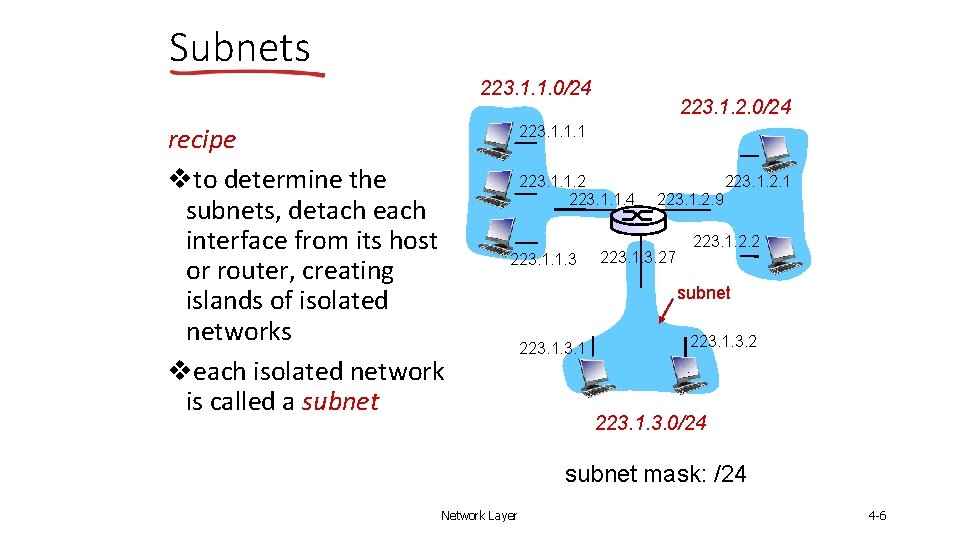
Subnets 223. 1. 1. 0/24 recipe vto determine the subnets, detach each interface from its host or router, creating islands of isolated networks veach isolated network is called a subnet 223. 1. 2. 0/24 223. 1. 1. 1 223. 1. 1. 2 223. 1. 1. 4 223. 1. 1. 3 223. 1. 2. 1 223. 1. 2. 9 223. 1. 3. 27 223. 1. 2. 2 subnet 223. 1. 3. 2 223. 1. 3. 0/24 subnet mask: /24 Network Layer 4 -6
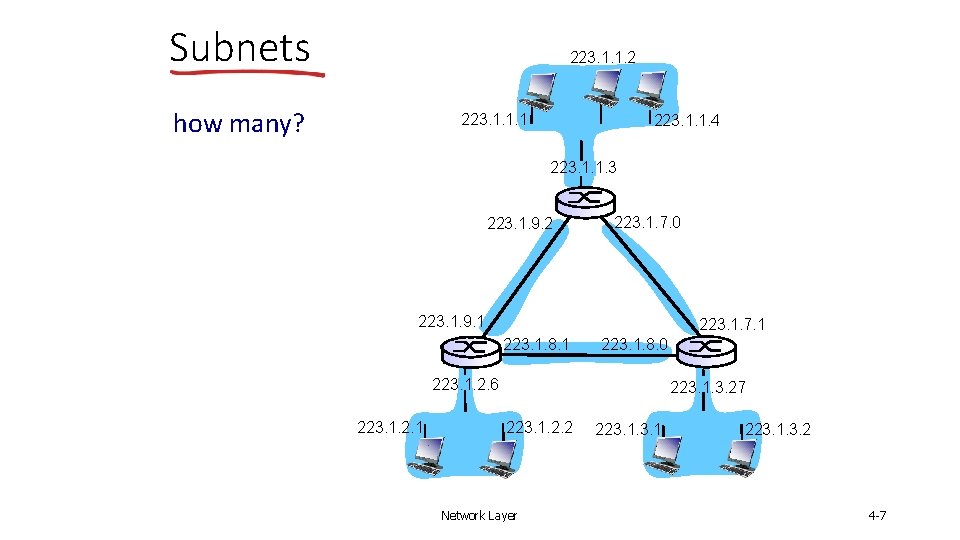
Subnets 223. 1. 1. 2 how many? 223. 1. 1. 1 223. 1. 1. 4 223. 1. 1. 3 223. 1. 9. 2 223. 1. 7. 0 223. 1. 9. 1 223. 1. 7. 1 223. 1. 8. 0 223. 1. 2. 6 223. 1. 2. 1 223. 1. 3. 27 223. 1. 2. 2 Network Layer 223. 1. 3. 2 4 -7
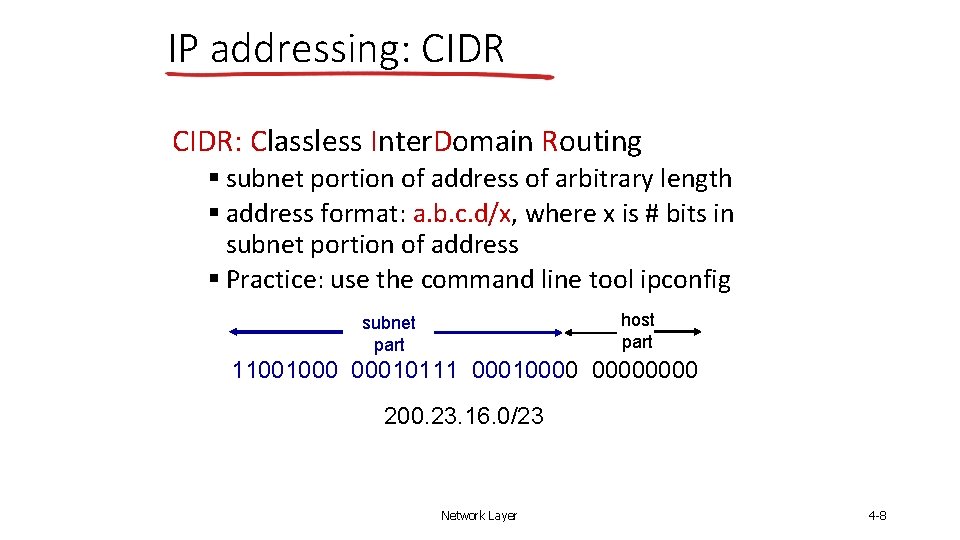
IP addressing: CIDR: Classless Inter. Domain Routing § subnet portion of address of arbitrary length § address format: a. b. c. d/x, where x is # bits in subnet portion of address § Practice: use the command line tool ipconfig host part subnet part 11001000 00010111 00010000 200. 23. 16. 0/23 Network Layer 4 -8
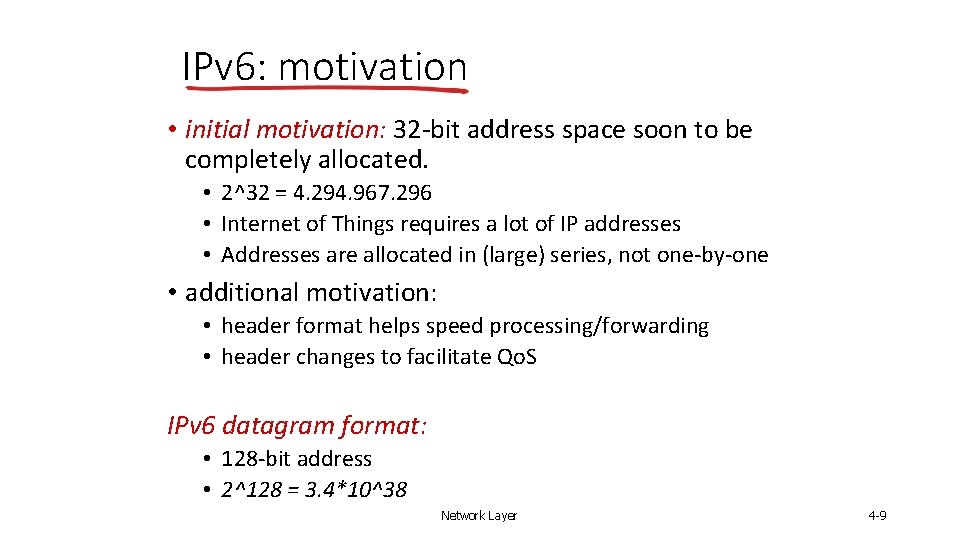
IPv 6: motivation • initial motivation: 32 -bit address space soon to be completely allocated. • 2^32 = 4. 294. 967. 296 • Internet of Things requires a lot of IP addresses • Addresses are allocated in (large) series, not one-by-one • additional motivation: • header format helps speed processing/forwarding • header changes to facilitate Qo. S IPv 6 datagram format: • 128 -bit address • 2^128 = 3. 4*10^38 Network Layer 4 -9