
IO Basics Streams Java programs perform IO through
I/O Basics
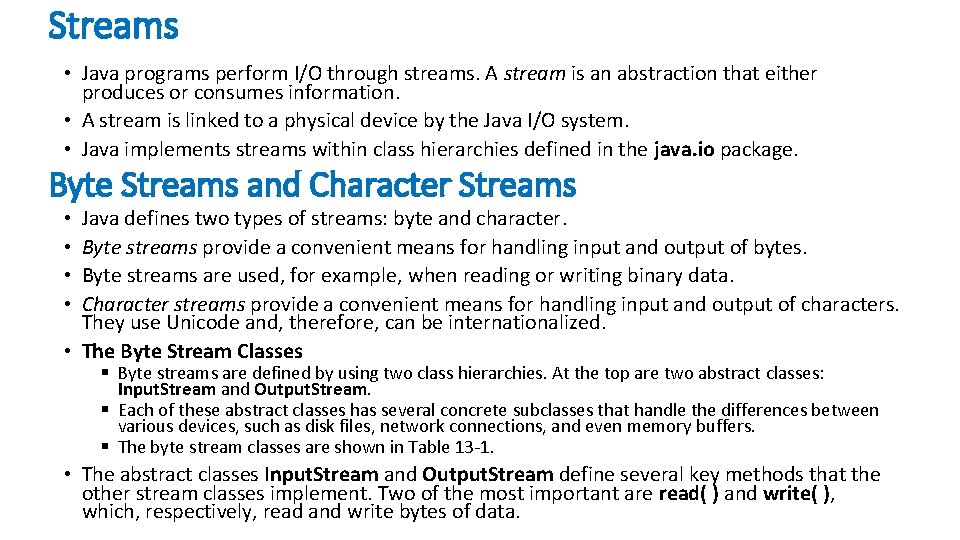
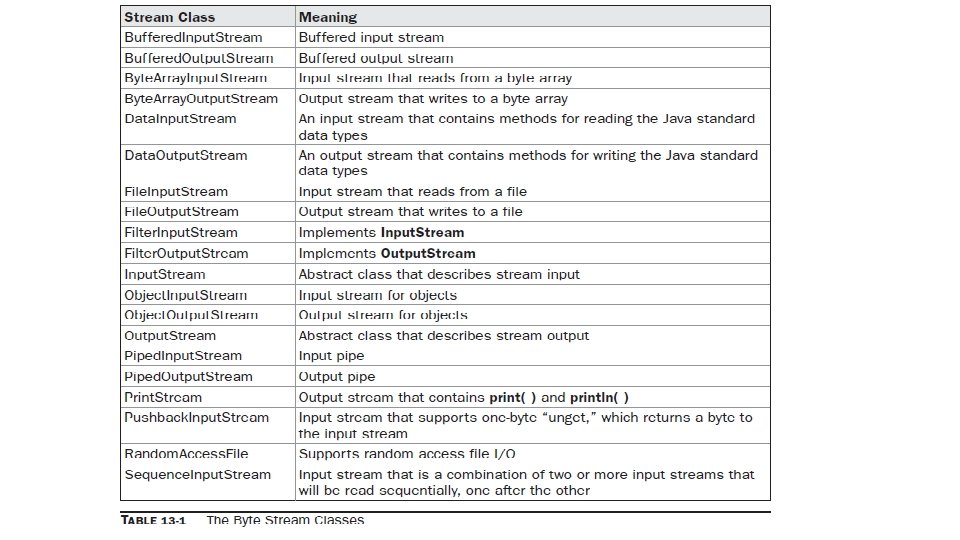
Streams • Java programs perform I/O through streams. A stream is an abstraction that either produces or consumes information. • A stream is linked to a physical device by the Java I/O system. • Java implements streams within class hierarchies defined in the java. io package. Byte Streams and Character Streams Java defines two types of streams: byte and character. Byte streams provide a convenient means for handling input and output of bytes. Byte streams are used, for example, when reading or writing binary data. Character streams provide a convenient means for handling input and output of characters. They use Unicode and, therefore, can be internationalized. • The Byte Stream Classes • • § Byte streams are defined by using two class hierarchies. At the top are two abstract classes: Input. Stream and Output. Stream. § Each of these abstract classes has several concrete subclasses that handle the differences between various devices, such as disk files, network connections, and even memory buffers. § The byte stream classes are shown in Table 13 -1. • The abstract classes Input. Stream and Output. Stream define several key methods that the other stream classes implement. Two of the most important are read( ) and write( ), which, respectively, read and write bytes of data.
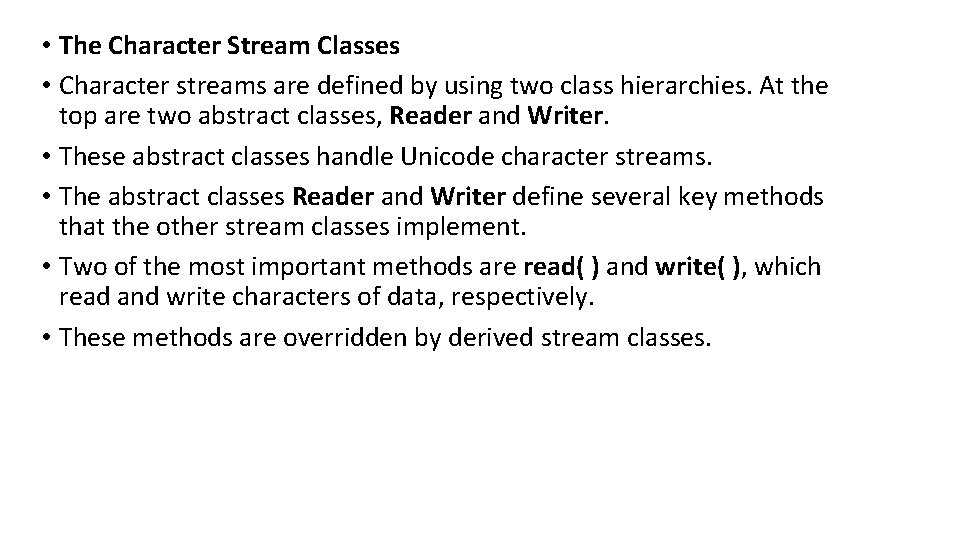
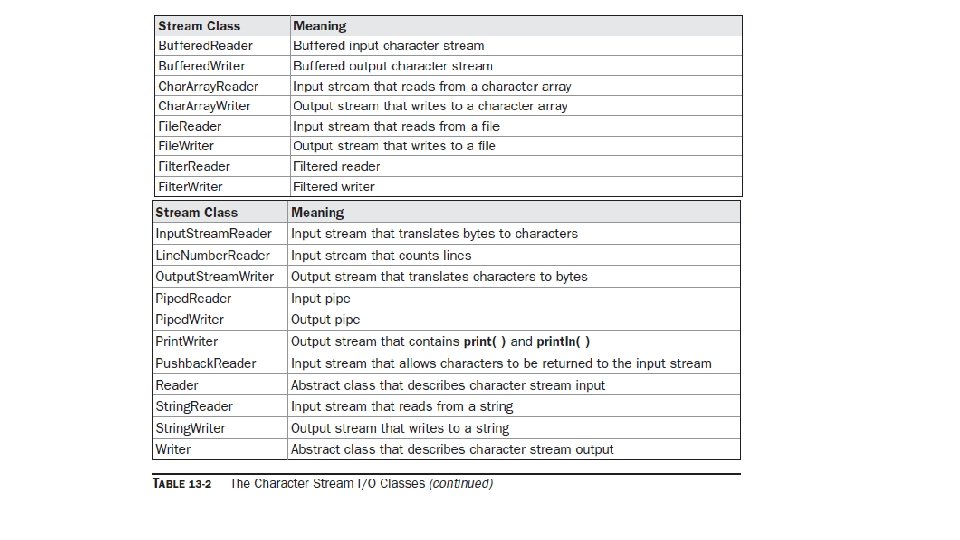
• The Character Stream Classes • Character streams are defined by using two class hierarchies. At the top are two abstract classes, Reader and Writer. • These abstract classes handle Unicode character streams. • The abstract classes Reader and Writer define several key methods that the other stream classes implement. • Two of the most important methods are read( ) and write( ), which read and write characters of data, respectively. • These methods are overridden by derived stream classes.
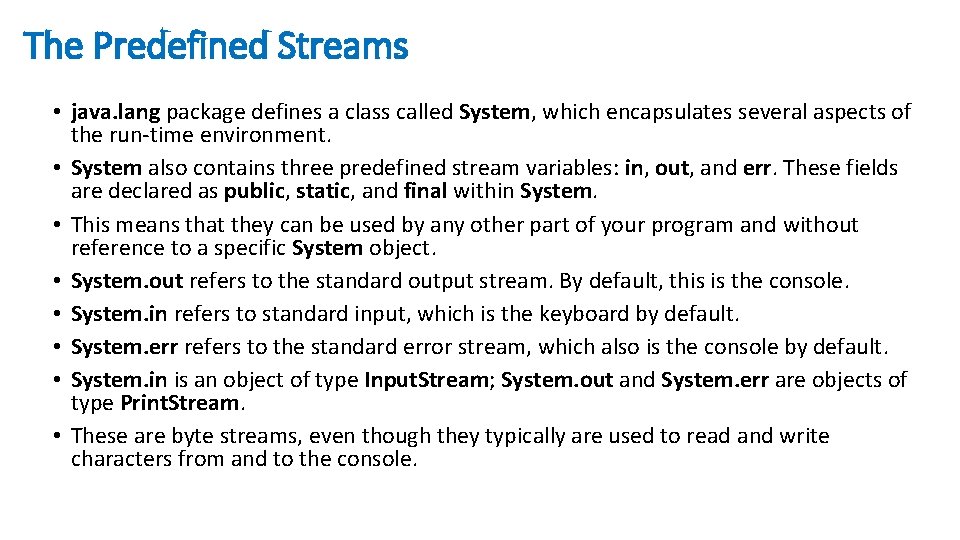
The Predefined Streams • java. lang package defines a class called System, which encapsulates several aspects of the run-time environment. • System also contains three predefined stream variables: in, out, and err. These fields are declared as public, static, and final within System. • This means that they can be used by any other part of your program and without reference to a specific System object. • System. out refers to the standard output stream. By default, this is the console. • System. in refers to standard input, which is the keyboard by default. • System. err refers to the standard error stream, which also is the console by default. • System. in is an object of type Input. Stream; System. out and System. err are objects of type Print. Stream. • These are byte streams, even though they typically are used to read and write characters from and to the console.
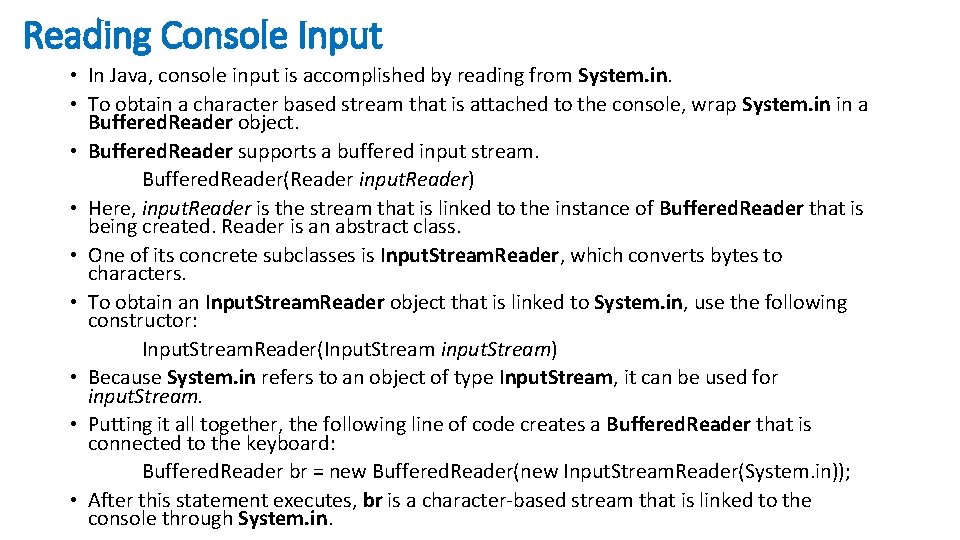
Reading Console Input • In Java, console input is accomplished by reading from System. in. • To obtain a character based stream that is attached to the console, wrap System. in in a Buffered. Reader object. • Buffered. Reader supports a buffered input stream. Buffered. Reader(Reader input. Reader) • Here, input. Reader is the stream that is linked to the instance of Buffered. Reader that is being created. Reader is an abstract class. • One of its concrete subclasses is Input. Stream. Reader, which converts bytes to characters. • To obtain an Input. Stream. Reader object that is linked to System. in, use the following constructor: Input. Stream. Reader(Input. Stream input. Stream) • Because System. in refers to an object of type Input. Stream, it can be used for input. Stream. • Putting it all together, the following line of code creates a Buffered. Reader that is connected to the keyboard: Buffered. Reader br = new Buffered. Reader(new Input. Stream. Reader(System. in)); • After this statement executes, br is a character-based stream that is linked to the console through System. in.
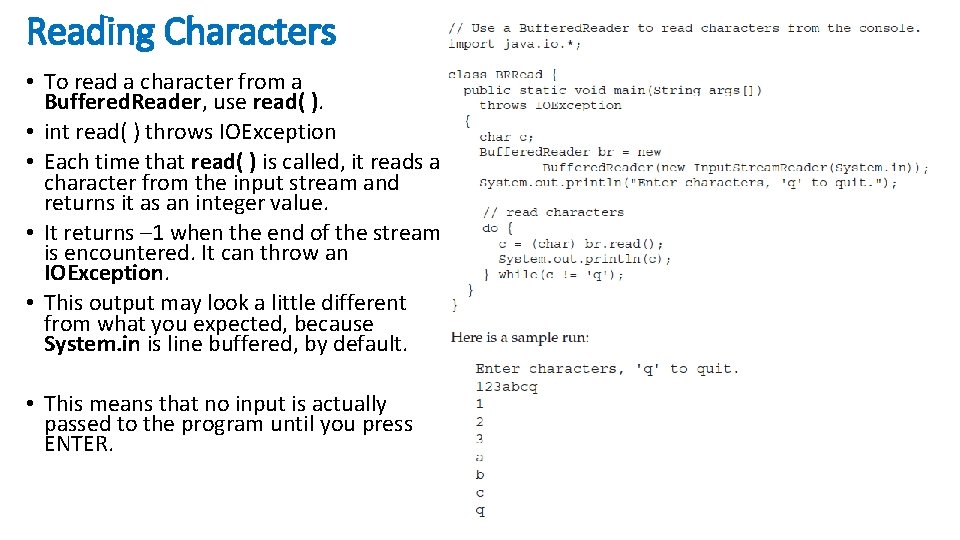
Reading Characters • To read a character from a Buffered. Reader, use read( ). • int read( ) throws IOException • Each time that read( ) is called, it reads a character from the input stream and returns it as an integer value. • It returns – 1 when the end of the stream is encountered. It can throw an IOException. • This output may look a little different from what you expected, because System. in is line buffered, by default. • This means that no input is actually passed to the program until you press ENTER.
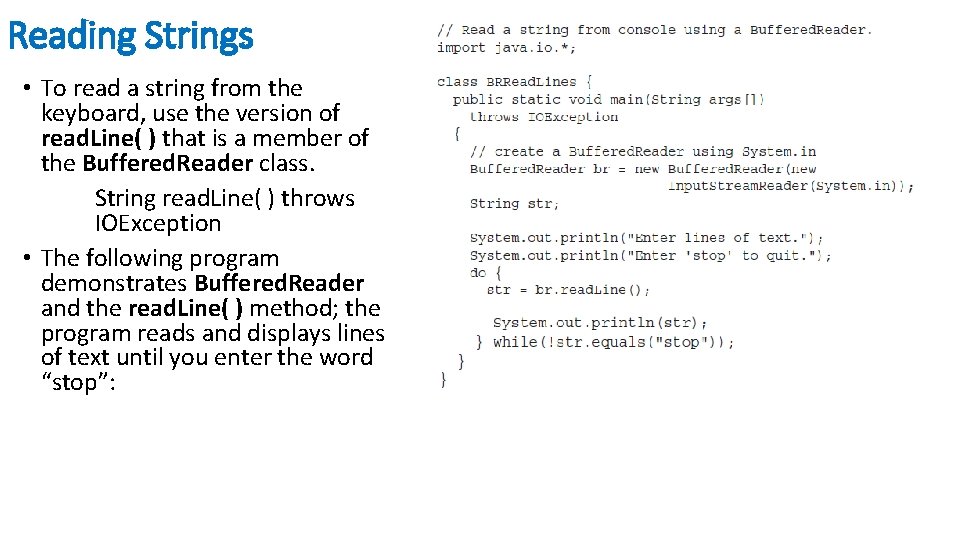
Reading Strings • To read a string from the keyboard, use the version of read. Line( ) that is a member of the Buffered. Reader class. String read. Line( ) throws IOException • The following program demonstrates Buffered. Reader and the read. Line( ) method; the program reads and displays lines of text until you enter the word “stop”:
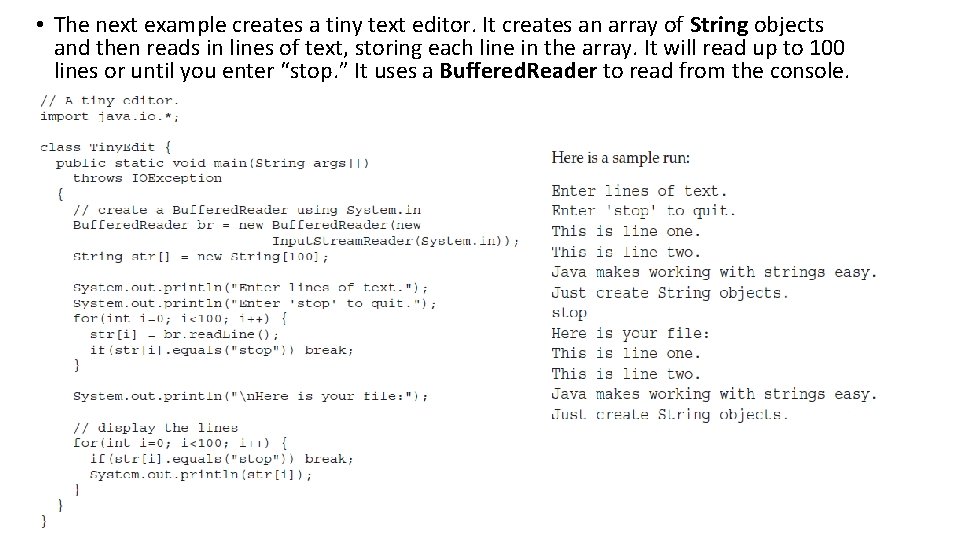
• The next example creates a tiny text editor. It creates an array of String objects and then reads in lines of text, storing each line in the array. It will read up to 100 lines or until you enter “stop. ” It uses a Buffered. Reader to read from the console.
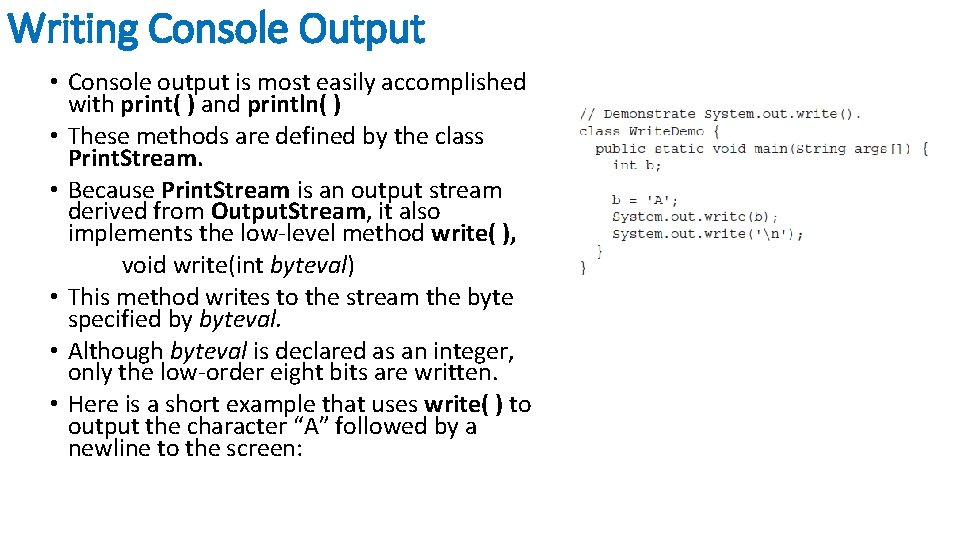
Writing Console Output • Console output is most easily accomplished with print( ) and println( ) • These methods are defined by the class Print. Stream. • Because Print. Stream is an output stream derived from Output. Stream, it also implements the low-level method write( ), void write(int byteval) • This method writes to the stream the byte specified by byteval. • Although byteval is declared as an integer, only the low-order eight bits are written. • Here is a short example that uses write( ) to output the character “A” followed by a newline to the screen:
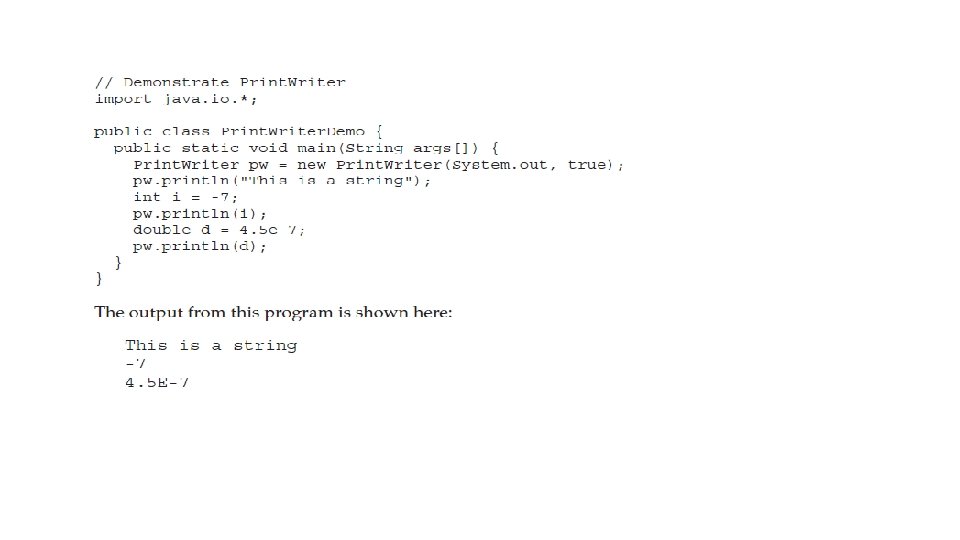
The Print. Writer Class • For real-world programs, the recommended method of writing to the console when using Java is through a Print. Writer stream. • Print. Writer is one of the character-based classes. • Print. Writer defines several constructors. The one we will use is shown here: Print. Writer(Output. Stream output. Stream, boolean flush. On. Newline) • Here, output. Stream is an object of type Output. Stream, and flush. On. Newline controls whether Java flushes the output stream every time a println( ) method is called. • If flush. On. Newline is true, flushing automatically takes place. If false, flushing is not automatic. • Print. Writer supports the print( ) and println( ) methods for all types including Object. • To write to the console by using a Print. Writer, specify System. out for the output stream and flush the stream after each newline. For example, Print. Writer pw = new Print. Writer(System. out, true);
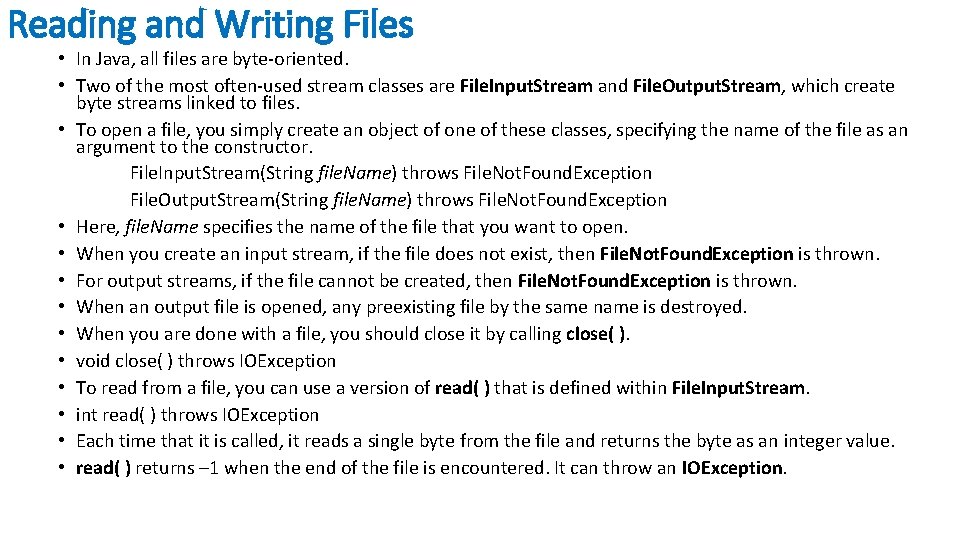
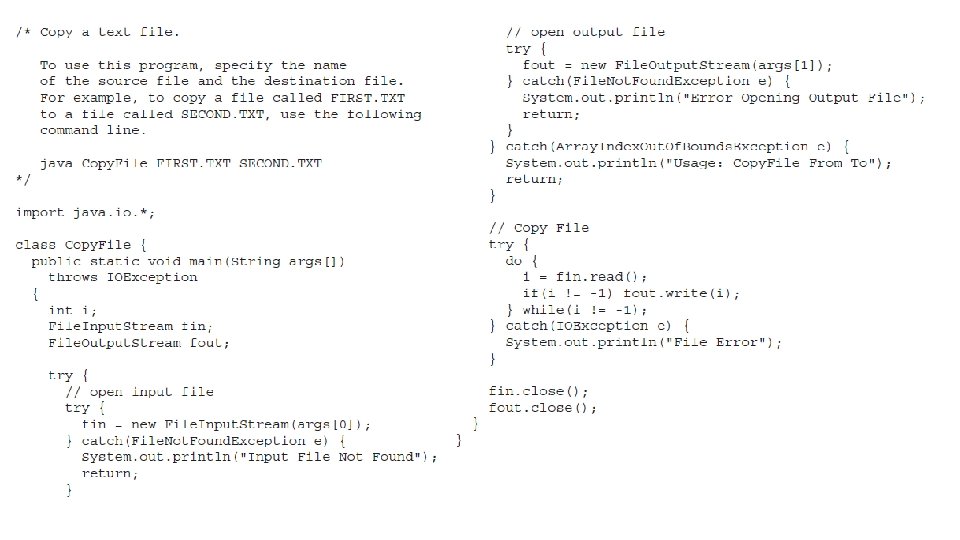
Reading and Writing Files • In Java, all files are byte-oriented. • Two of the most often-used stream classes are File. Input. Stream and File. Output. Stream, which create byte streams linked to files. • To open a file, you simply create an object of one of these classes, specifying the name of the file as an argument to the constructor. File. Input. Stream(String file. Name) throws File. Not. Found. Exception File. Output. Stream(String file. Name) throws File. Not. Found. Exception • Here, file. Name specifies the name of the file that you want to open. • When you create an input stream, if the file does not exist, then File. Not. Found. Exception is thrown. • For output streams, if the file cannot be created, then File. Not. Found. Exception is thrown. • When an output file is opened, any preexisting file by the same name is destroyed. • When you are done with a file, you should close it by calling close( ). • void close( ) throws IOException • To read from a file, you can use a version of read( ) that is defined within File. Input. Stream. • int read( ) throws IOException • Each time that it is called, it reads a single byte from the file and returns the byte as an integer value. • read( ) returns – 1 when the end of the file is encountered. It can throw an IOException.
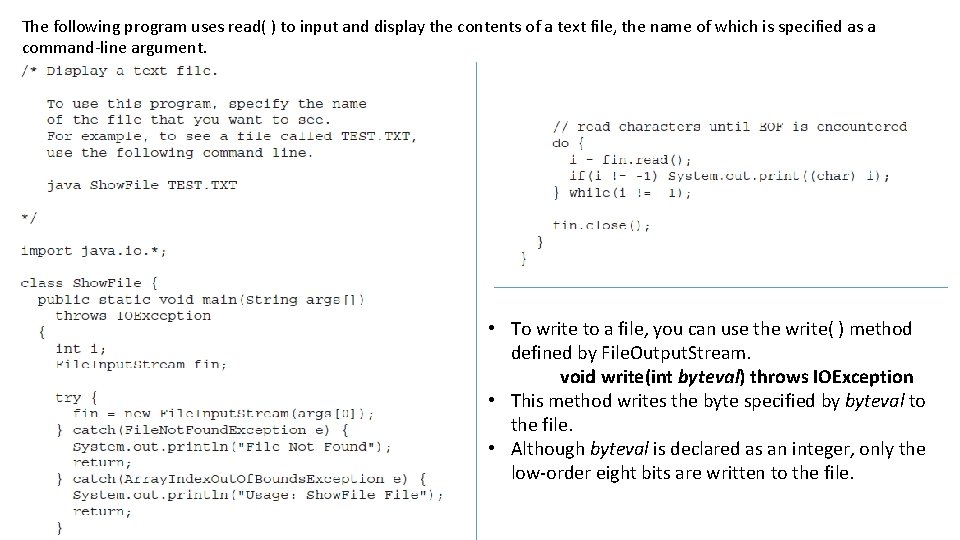
The following program uses read( ) to input and display the contents of a text file, the name of which is specified as a command-line argument. • To write to a file, you can use the write( ) method defined by File. Output. Stream. void write(int byteval) throws IOException • This method writes the byte specified by byteval to the file. • Although byteval is declared as an integer, only the low-order eight bits are written to the file.
- Slides: 16