
Intrusion detection provides the best chance for peace
“ Intrusion detection. . provides the best chance for peace in an otherwise turbulent online world. ” -- Paul E. Proctor in his book “The practical Intrusion Detection Handbook”, 2001, pp. xvii 1
tcpdump Analysis 1. See the Server port numbers to find the process that is running. If the process is not supposed to be running => Someone has maliciously installed some application without the knowledge of the system administrator. Use of telnet (port number 23) may mean that the intruder wants to get hold of password fields, trusted host lists etc. . Example: 15: 35: 23: 830000 eth 0 > srchost. 51200> dsthost. www: S 252 392 488: 252 392 488 (0) win 2048 <mss 1024, nop, timestamp 1562755, 0> (DF) (ttl 64, id 5328) 2
tcpdump Analysis …. . continued 2. Number of exchanges and the number of bytes exchanged give an idea of the damage caused by the intruder. (Did the intruder bring a moving van or a motorcycle to carry away the booty? ) 3. Who initiated and who ended the conversation? 4. Repeated SYN attempts without a successful connection. (The intruder is pushing at various doors to make an entry. ) Note: Flags (13 th byte of the header): CWR, ECE, URG, ACK, PSH, RST, SYN, FIN 3
tcpdump Analysis …. . Continued 2 5. ACK scan Continuous tcp segments with no data and with only acknowledgement with destinations as hosts in a network can discover live hosts in the network. A live host will respond with a RESET, since no connection has been established. A filter, which allows messages between established socket connections only to go through, by identifying messages with ACK flag set, will fail to filter such messages. 4
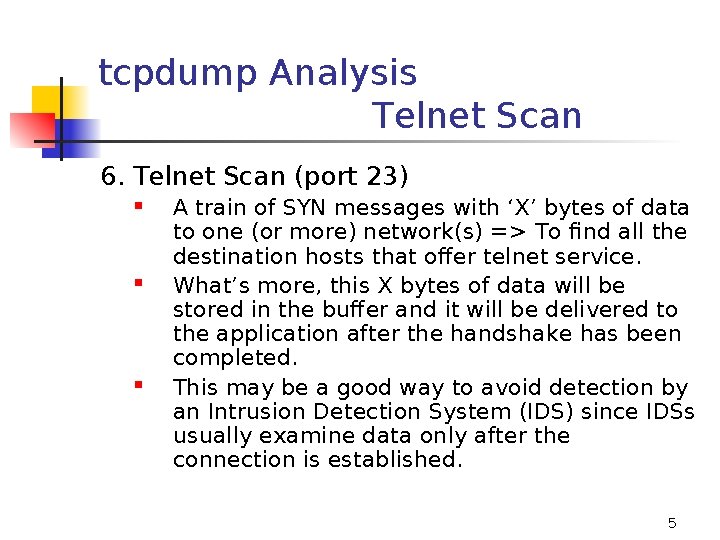
tcpdump Analysis Telnet Scan 6. Telnet Scan (port 23) A train of SYN messages with ‘X’ bytes of data to one (or more) network(s) => To find all the destination hosts that offer telnet service. What’s more, this X bytes of data will be stored in the buffer and it will be delivered to the application after the handshake has been completed. This may be a good way to avoid detection by an Intrusion Detection System (IDS) since IDSs usually examine data only after the connection is established. 5
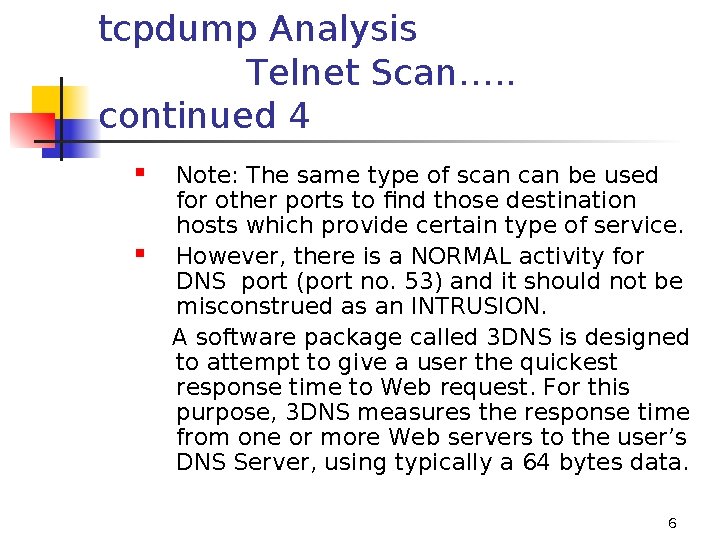
tcpdump Analysis Telnet Scan…. . continued 4 Note: The same type of scan be used for other ports to find those destination hosts which provide certain type of service. However, there is a NORMAL activity for DNS port (port no. 53) and it should not be misconstrued as an INTRUSION. A software package called 3 DNS is designed to attempt to give a user the quickest response time to Web request. For this purpose, 3 DNS measures the response time from one or more Web servers to the user’s DNS Server, using typically a 64 bytes data. 6
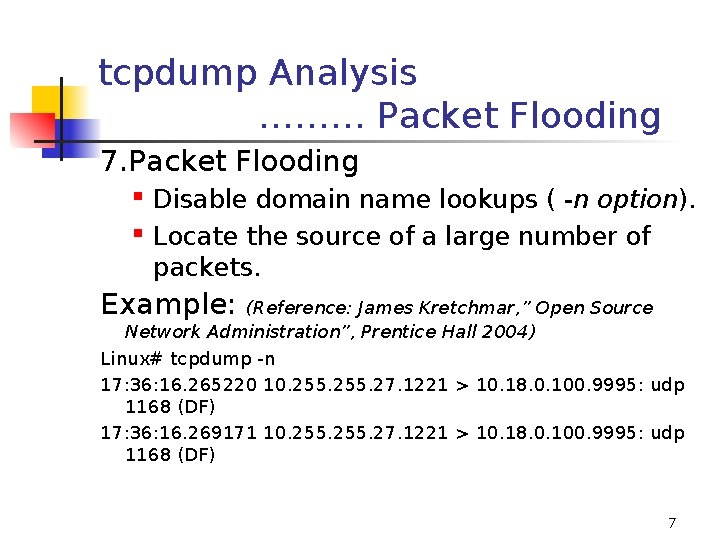
tcpdump Analysis ……… Packet Flooding 7. Packet Flooding Disable domain name lookups ( -n option). Locate the source of a large number of packets. Example: (Reference: James Kretchmar, ” Open Source Network Administration”, Prentice Hall 2004) Linux# tcpdump -n 17: 36: 16. 265220 10. 255. 27. 1221 > 10. 18. 0. 100. 9995: udp 1168 (DF) 17: 36: 16. 269171 10. 255. 27. 1221 > 10. 18. 0. 100. 9995: udp 1168 (DF) 7
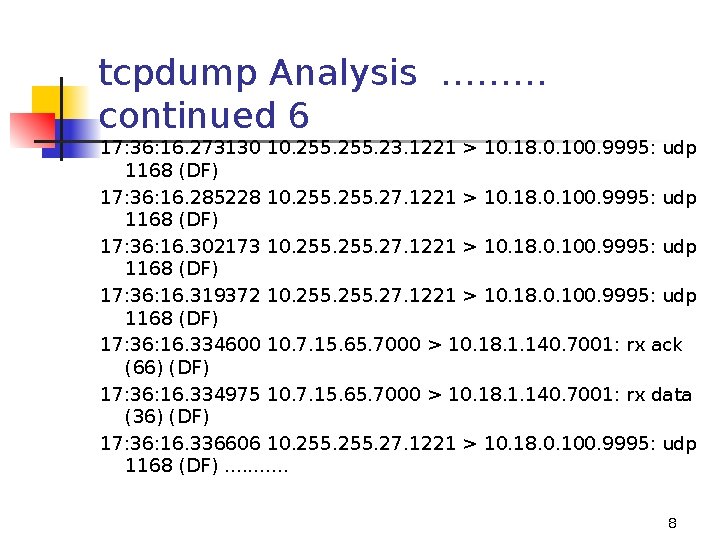
tcpdump Analysis ……… continued 6 17: 36: 16. 273130 10. 255. 23. 1221 > 10. 18. 0. 100. 9995: udp 1168 (DF) 17: 36: 16. 285228 10. 255. 27. 1221 > 10. 18. 0. 100. 9995: udp 1168 (DF) 17: 36: 16. 302173 10. 255. 27. 1221 > 10. 18. 0. 100. 9995: udp 1168 (DF) 17: 36: 16. 319372 10. 255. 27. 1221 > 10. 18. 0. 100. 9995: udp 1168 (DF) 17: 36: 16. 334600 10. 7. 15. 65. 7000 > 10. 18. 1. 140. 7001: rx ack (66) (DF) 17: 36: 16. 334975 10. 7. 15. 65. 7000 > 10. 18. 1. 140. 7001: rx data (36) (DF) 17: 36: 16. 336606 10. 255. 27. 1221 > 10. 18. 0. 100. 9995: udp 1168 (DF). . . 8
tcpdump Analysis ……… continued 7 Conclusion: Large traffic from 10. 255. 27 port 1221, directed at 10. 18. 0. 100. Each packet: a UDP datagram with 1168 bytes of UDP payload data. The small difference in time stamps between packets the high speed with which they are being sent. 9
tcpdump Analysis ……… continued 8 8. Reported Problem: Several hosts on a net start having trouble accessing a Web server. The Web browser just hangs. Network manager: has been able to connect to the web server from his workstation. Tests of connectivity show that the connection is there. To solve: Use a machine running tcpdump 10
tcpdump Analysis ……… continued 9 First Test: Look at the Web traffic originating from a workstation exhibiting the problem. Start tcpdump. Configure it to monitor port 80 (the port used for HTTP transactions). Try to open the page in a Web browser: # tcpdump host client. example. com and port 80 Reading: No traffic. Conclusion: The problem is not at the Web server. If no traffic is sent to the Web server, there cannot be a response. 11
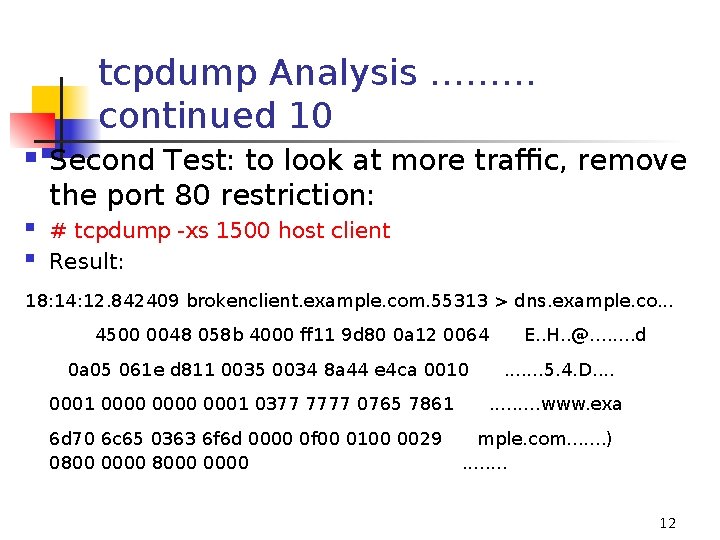
tcpdump Analysis ……… continued 10 Second Test: to look at more traffic, remove the port 80 restriction: # tcpdump -xs 1500 host client Result: 18: 14: 12. 842409 brokenclient. example. com. 55313 > dns. example. co. . . 4500 0048 058 b 4000 ff 11 9 d 80 0 a 12 0064 0 a 05 061 e d 811 0035 0034 8 a 44 e 4 ca 0010 0001 0000 0001 0377 7777 0765 7861 6 d 70 6 c 65 0363 6 f 6 d 0000 0 f 00 0100 0029 0800 0000 8000 0000 E. . H. . @. . . . d. . . . 5. 4. D. . . www. exa mple. com. . . . ). . . . 12
tcpdump Analysis ……… continued 11 Analysis: A message is sent to DNS server. But it is not responding. Those hosts, who had the address of the web server, before the DNS server went down, are able to connect to the web server. Solution: Make the DNS server work. 13

“There is no security on this earth, there is only opportunity. ” - General Douglas Mac. Arthur 14
TOOLS 15
TCP Session Hijacking Sniffers snoop clear-text data such as User ID, passwords. Similarly, sniffers can find out IP numbers and port numbers of a connection Sequence Numbers and the aggregate number of bytes already exchanged Acknowledgement Numbers And hijack the session, at one end, from the authorized user to an evil host. Two software packages do this job: - Hunt - Juggernant 16
Intrusion Detection Tool: nmap Network Mapper Open source utility for network exploration or for security auditing. Designed for rapid scan of large networks (can be used for single hosts also). Used To determine what hosts are available on the network. To find what services(ports) the hosts are offering. To find the OS and its version on a host. To find the type of packet filter/firewall in use. 17
Scanning methods by nmap 1. TCP Connect() scanning: The system call connect() used to open a connection to every interesting port on the target m/c. If the port is listening, the connection succeeds. Otherwise PORT UNREACHABLE message. Advantage: the fastest scanning method. Option: nmap –t Disadvantage: the scan is easily detectable and filterable. 18
Scanning methods by nmap (continued) 2. TCP SYN (Half-Open) scanning: Send a SYN segment as if to open a connection. A response of SYN/ACK means the port is listening. RST indicates a non-listener port. Advantage: Less number of sites log it. Disadvantage: Need root privileges to build the custom SYN segments. Programs like synlogger, Courtney, tcplog and netstat detect such scannings. Option: nmap -s 19
Scanning methods by nmap Stealth Scanning 3. Stealth scanning or TCP FIN scanning: Send segment with FIN and ACK flags on. Open ports ignore the packet. But closed ports send RST. (Windows responds with RST in both the cases. ) Option: nmap –u Disadvantages: Root privilege required to build the custom-built package. Not reliable since different OS and architectures respond in different ways. Windows may respond with a RST in both the cases. 20
Scanning methods by nmap Stealth Scanning (continued) Advantages: Difficult to log; Does not show up on netstat. Can circumvent firewalls. Another Variant of stealth scanning: Send only an ACK segment. If the port is listening, the TTL of the returning RST packet may be lower or the window advertisement may be non-zero. If the port is not listening, again a RST is received. But TTL would not be lower or the window advertisement may be zero. 21
Scanning methods by nmap Stealth Scanning (continued) Disadvantage: TTL bug is only on Linux. Non-zero window bug is on all BSD-based systems. But if these bugs are removed, the method may not work. 22
IP Fragmentation Some IDS and packet-filtering devices do not support packet reassembly. So if the hacker’s program is divided into multiple packets, using fragmentation, such IDS or packet filtering devices may not be able to help. nmap can send a fragmented tcp segment to perform a stealth-scan to discover the ports that are open on a desthost. The fragmented packets may elude detection by IDS. 23
Scanning methods by nmap (continued) 4. Fragmentation scanning: Split the TCP header into tiny segments so that packet-filters will not be able to detect the scan, unless they are willing to pay the penalty of queuing all the fragments. Option: The option -f instructs the specified SYN or FIN scan to use tiny fragmented packets. 24
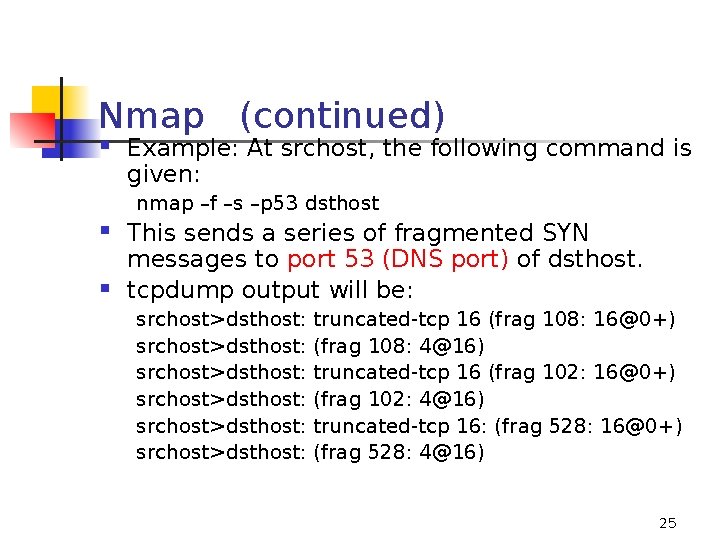
Nmap (continued) Example: At srchost, the following command is given: nmap –f –s –p 53 dsthost This sends a series of fragmented SYN messages to port 53 (DNS port) of dsthost. tcpdump output will be: srchost>dsthost: srchost>dsthost: truncated-tcp 16 (frag 108: 16@0+) (frag 108: 4@16) truncated-tcp 16 (frag 102: 16@0+) (frag 102: 4@16) truncated-tcp 16: (frag 528: 16@0+) (frag 528: 4@16) 25
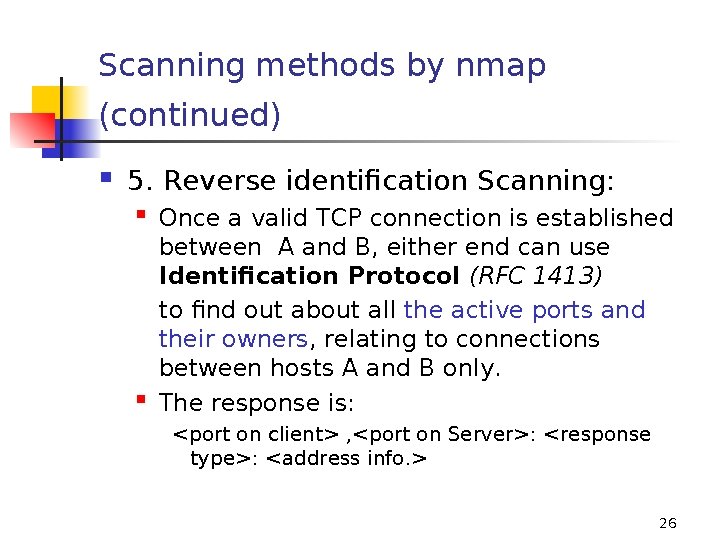
Scanning methods by nmap (continued) 5. Reverse identification Scanning: Once a valid TCP connection is established between A and B, either end can use Identification Protocol (RFC 1413) to find out about all the active ports and their owners, relating to connections between hosts A and B only. The response is: <port on client> , <port on Server>: <response type>: <address info. > 26
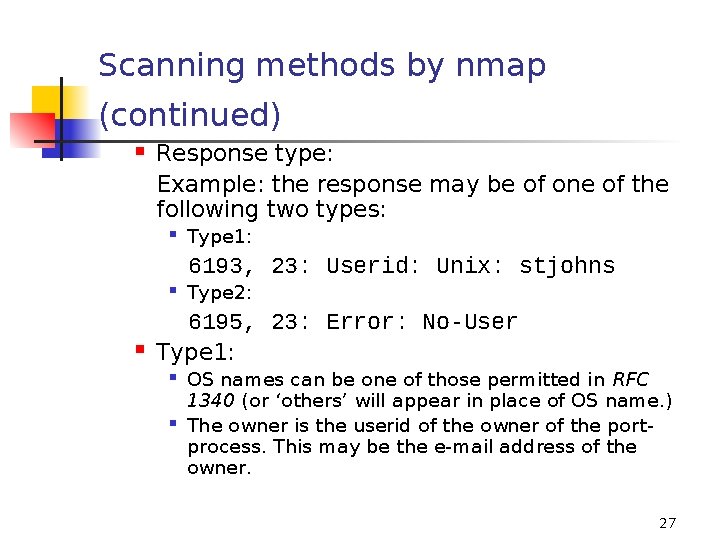
Scanning methods by nmap (continued) Response type: Example: the response may be of one of the following two types: Type 1: 6193, 23: Userid: Unix: stjohns Type 2: 6195, 23: Error: No-User Type 1: OS names can be one of those permitted in RFC 1340 (or ‘others’ will appear in place of OS name. ) The owner is the userid of the owner of the portprocess. This may be the e-mail address of the owner. 27
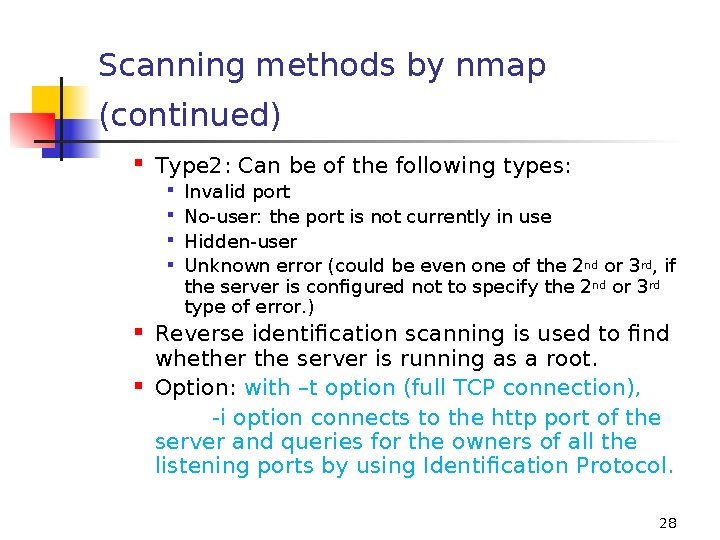
Scanning methods by nmap (continued) Type 2: Can be of the following types: Invalid port No-user: the port is not currently in use Hidden-user Unknown error (could be even one of the 2 nd or 3 rd, if the server is configured not to specify the 2 nd or 3 rd type of error. ) Reverse identification scanning is used to find whether the server is running as a root. Option: with –t option (full TCP connection), -i option connects to the http port of the server and queries for the owners of all the listening ports by using Identification Protocol. 28
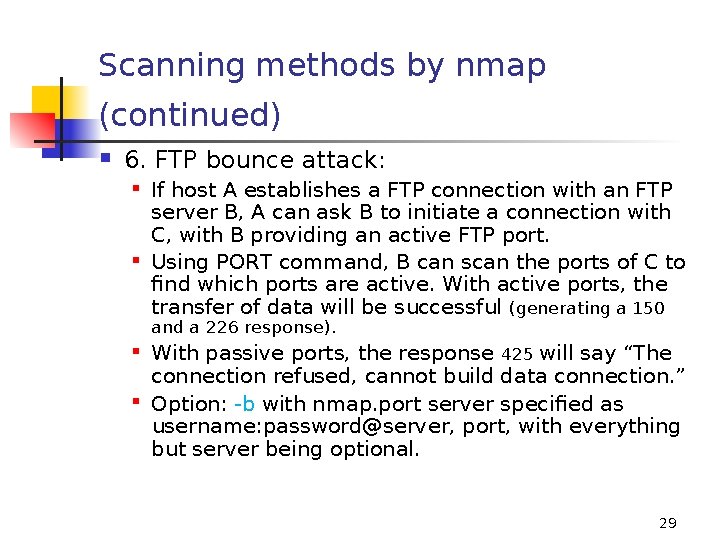
Scanning methods by nmap (continued) 6. FTP bounce attack: If host A establishes a FTP connection with an FTP server B, A can ask B to initiate a connection with C, with B providing an active FTP port. Using PORT command, B can scan the ports of C to find which ports are active. With active ports, the transfer of data will be successful (generating a 150 and a 226 response). With passive ports, the response 425 will say “The connection refused, cannot build data connection. ” Option: -b with nmap. port server specified as username: password@server, port, with everything but server being optional. 29
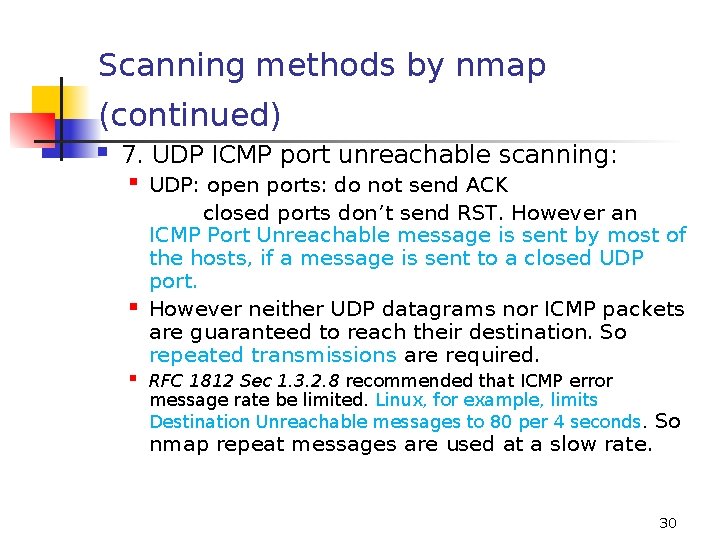
Scanning methods by nmap (continued) 7. UDP ICMP port unreachable scanning: UDP: open ports: do not send ACK closed ports don’t send RST. However an ICMP Port Unreachable message is sent by most of the hosts, if a message is sent to a closed UDP port. However neither UDP datagrams nor ICMP packets are guaranteed to reach their destination. So repeated transmissions are required. RFC 1812 Sec 1. 3. 2. 8 recommended that ICMP error message rate be limited. Linux, for example, limits Destination Unreachable messages to 80 per 4 seconds. So nmap repeat messages are used at a slow rate. 30
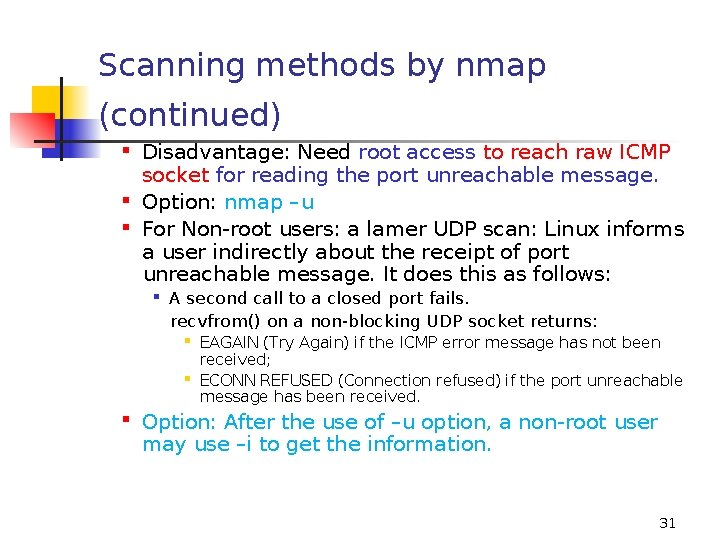
Scanning methods by nmap (continued) Disadvantage: Need root access to reach raw ICMP socket for reading the port unreachable message. Option: nmap –u For Non-root users: a lamer UDP scan: Linux informs a user indirectly about the receipt of port unreachable message. It does this as follows: A second call to a closed port fails. recvfrom() on a non-blocking UDP socket returns: EAGAIN (Try Again) if the ICMP error message has not been received; ECONN REFUSED (Connection refused) if the port unreachable message has been received. Option: After the use of –u option, a non-root user may use –i to get the information. 31
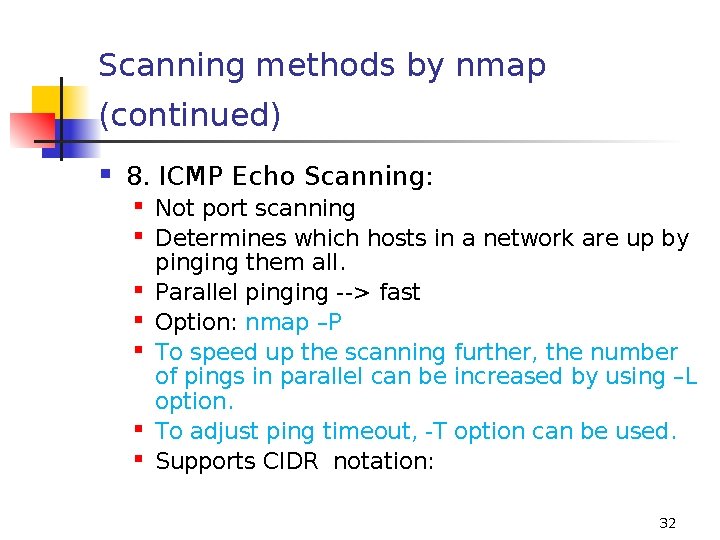
Scanning methods by nmap (continued) 8. ICMP Echo Scanning: Not port scanning Determines which hosts in a network are up by pinging them all. Parallel pinging --> fast Option: nmap –P To speed up the scanning further, the number of pings in parallel can be increased by using –L option. To adjust ping timeout, -T option can be used. Supports CIDR notation: 32
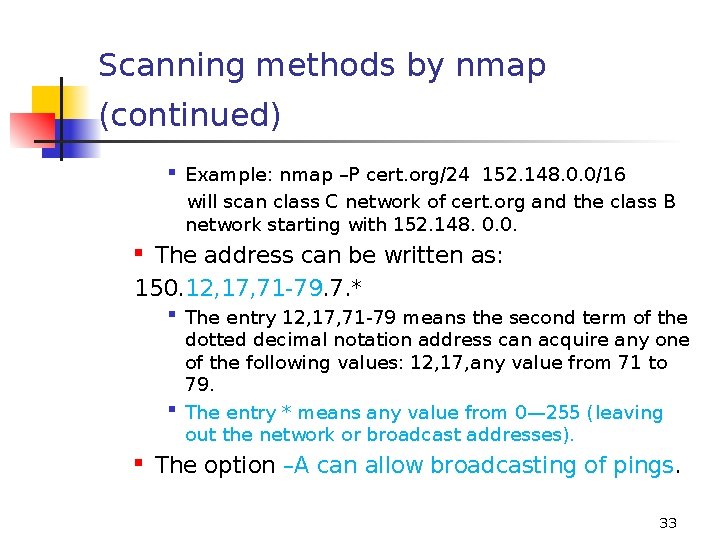
Scanning methods by nmap (continued) Example: nmap –P cert. org/24 152. 148. 0. 0/16 will scan class C network of cert. org and the class B network starting with 152. 148. 0. 0. The address can be written as: 150. 12, 17, 71 -79. 7. * The entry 12, 17, 71 -79 means the second term of the dotted decimal notation address can acquire any one of the following values: 12, 17, any value from 71 to 79. The entry * means any value from 0— 255 (leaving out the network or broadcast addresses). The option –A can allow broadcasting of pings. 33
Scanning methods by nmap (continued) General 1. Parallel port scanning in both TCP and UDP modes is used. The number of parallel scans can be adjusted by –M option. 2. A) Selective port scanning: Example: nmap –p 21 -25, 80, 113, 60000 - means that the following ports will be scanned: 21 to 25, 80, 113, 60000 to 65535. 2. B) Selective port scanning: -F option scans all the ports in your /etc/services file. 3. nmap find out the IP address of your machine and uses it. If you want to give it, use –S option. 34
Scanning methods by nmap (continued) General 1. Parallel port scanning in both TCP and UDP modes is used. The number of parallel scans can be adjusted by –M option. 2. A) Selective port scanning: Example: nmap –p 21 -25, 80, 113, 60000 - means that the following ports will be scanned: 21 to 25, 80, 113, 60000 to 65535. 2. B) Selective port scanning: -F option scans all the ports in your /etc/services file. 3. nmap find out the IP address of your machine and uses it. If you want to give the address yourself, use –S option. 35
Scanning methods by nmap (continued) 4. –v option: verbose 5. –r option: randomizes the target hosts port numbers for scanning 6. –h option: for a summary of all options 7. –R option: resolve all hosts, even down ones. 36
Despoof: freeware open-source Unix utility (based on an idea by Donald Malachlan) It tries to determine whether the packet is spoofed by looking at TTL values. 37
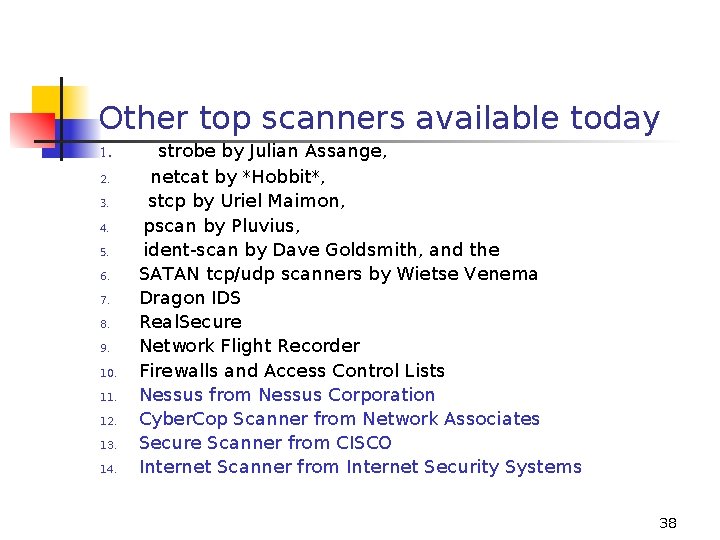
Other top scanners available today 1. 2. 3. 4. 5. 6. 7. 8. 9. 10. 11. 12. 13. 14. strobe by Julian Assange, netcat by *Hobbit*, stcp by Uriel Maimon, pscan by Pluvius, ident-scan by Dave Goldsmith, and the SATAN tcp/udp scanners by Wietse Venema Dragon IDS Real. Secure Network Flight Recorder Firewalls and Access Control Lists Nessus from Nessus Corporation Cyber. Cop Scanner from Network Associates Secure Scanner from CISCO Internet Scanner from Internet Security Systems 38
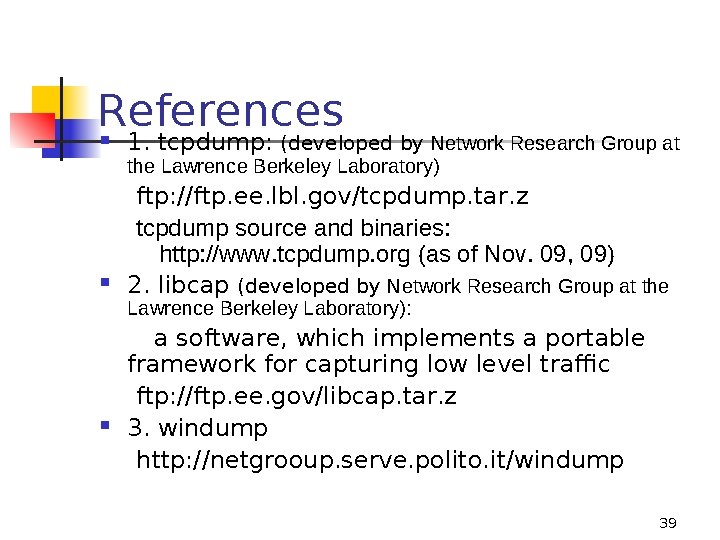
References 1. tcpdump: (developed by Network Research Group at the Lawrence Berkeley Laboratory) ftp: //ftp. ee. lbl. gov/tcpdump. tar. z tcpdump source and binaries: http: //www. tcpdump. org (as of Nov. 09, 09) 2. libcap (developed by Network Research Group at the Lawrence Berkeley Laboratory): a software, which implements a portable framework for capturing low level traffic ftp: //ftp. ee. gov/libcap. tar. z 3. windump http: //netgrooup. serve. polito. it/windump 39
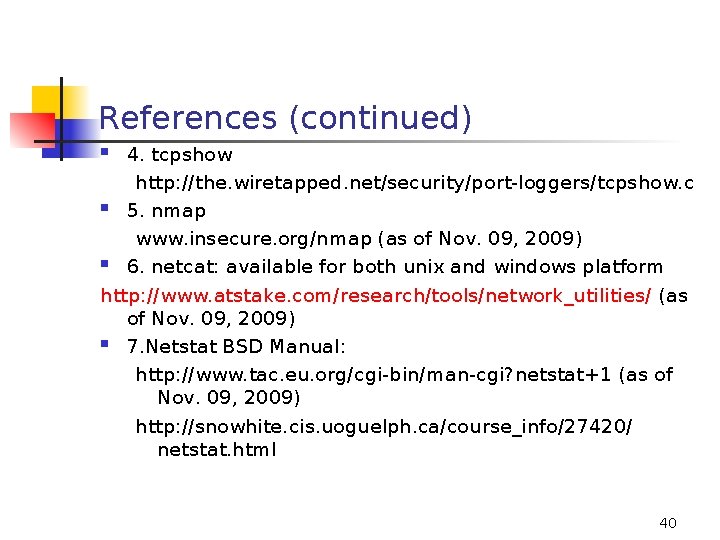
References (continued) 4. tcpshow http: //the. wiretapped. net/security/port-loggers/tcpshow. c 5. nmap www. insecure. org/nmap (as of Nov. 09, 2009) 6. netcat: available for both unix and windows platform http: //www. atstake. com/research/tools/network_utilities/ (as of Nov. 09, 2009) 7. Netstat BSD Manual: http: //www. tac. eu. org/cgi-bin/man-cgi? netstat+1 (as of Nov. 09, 2009) http: //snowhite. cis. uoguelph. ca/course_info/27420/ netstat. html 40
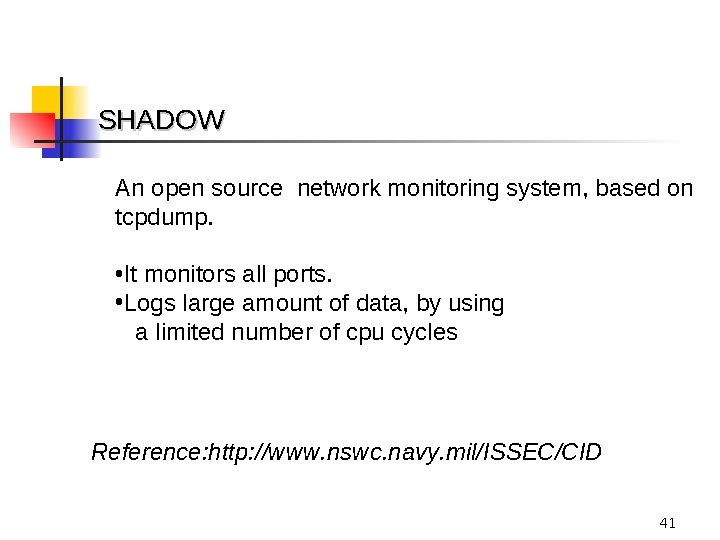
SHADOW An open source network monitoring system, based on tcpdump. • It monitors all ports. • Logs large amount of data, by using a limited number of cpu cycles Reference: http: //www. nswc. navy. mil/ISSEC/CID 41
A shadow system To set up a shadow system: 2 Unix workstations, PC Pentiums running Linux or Free BSD are preferred At least 9 Gigabyte disk per system SHADOW software (FREE) 42
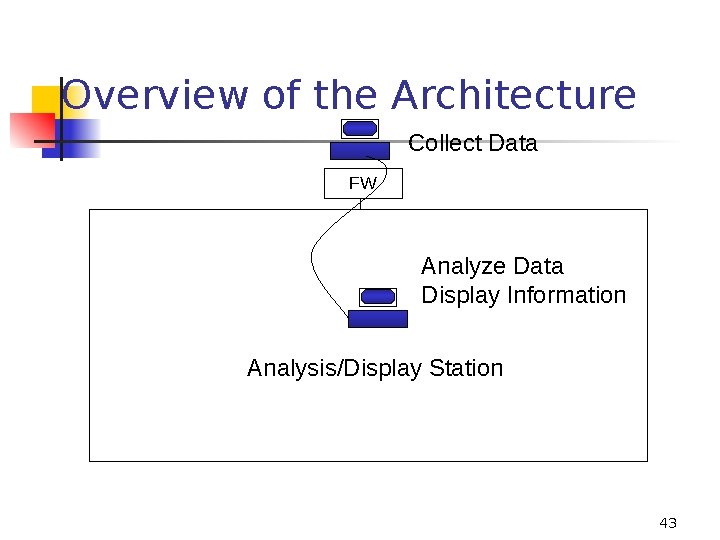
Overview of the Architecture Collect Data FW Analyze Data Display Information Analysis/Display Station 43

“…countries such as Russia, the United States and China are developing advanced offensive capabilities. “ “The idea of a global cyber-arms race has become a reality. …Today, the weapons are not nuclear, but virtual” ---Dave De. Walt President and CEO, Mc. Afee, Inc. in fifth annual Virtual Criminology Report, 17 th November 2009 http: //img. en 25. com/Web/Mc. Afee/VCR_2009_EN_VIRTUAL_CRIMINOLOGY_RPT_NOREG. pdf 44
Multiple IDSs and Multiple Sensors 45
Why Multiple ID Systems No ID system is capable of detecting all existing attacks Some are better at detecting certain types of attacks Example: RF Protect does not detect a Xmas tree scan where as Snort would detect an Xmas tree scan; If we use both ID systems, then the attacks covered by both of them can be detected An ID system, deployed to monitor traffic in the network, can decide about intrusions only on the basis of data, which it can capture. Example: IDS sensors, if not deployed carefully, may miss the data at the periphery of a wireless network. 46
Multiple Sensors for IDSs In Ad Hoc networks, intrusion may be detected by using the observations of a distributed set of nodes. In such networks: Each node can observe only a part of the traffic. The degree of trustworthiness of an observer node may be determined by noting its external behavior by the neighboring nodes. For intrusion into a Wireless Network: Hackers may use powerful antennas, which could detect wireless networks from a very far distance: Easily available. 47
Multiple Sensors 1. 2. 3. Snort sensor using the Snort IDS Ethereal sensor Real. Secure by ISS acquired by IBM. http: //www-935. ibm. com/services/us/index. wss/offerfamily/ iss/a 1029097 Whether a network sensor is available from IBM is not very clear Hardware sensors 48
Snort Sensor & Ethereal Sensor Snort Sensor - Snort is a free open source intrusion detection system capable of performing real time traffic analysis on IP networks: use one computer that’s configured to run snort which monitors a wireless network in promiscuous mode. Ethereal Sensor - Ethereal is a powerful network protocol analyzer used by industry professionals to troubleshoot and analyze network problems: use one computer that’s configured to run Ethereal which monitors a wireless network in promiscuous mode. 49
Hardware Sensors Orca. Flow®-EE sensors: for Ethernet (probably not for wireless) http: //www. orcaflow. ca/orcaflow-ca/products/sensors Air. Defense Solutions which has sensors and IDs in the same product: rated highly in the market http: //www. airdefense. net/products/index. php http: //www. scmagazineus. com/Air. Defense-Enterprisev 73/Review/1165/ AP 70 50
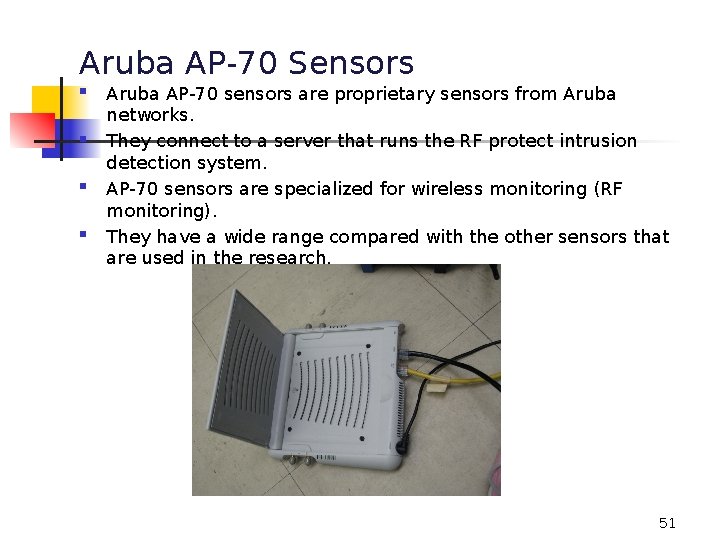
Aruba AP-70 Sensors Aruba AP-70 sensors are proprietary sensors from Aruba networks. They connect to a server that runs the RF protect intrusion detection system. AP-70 sensors are specialized for wireless monitoring (RF monitoring). They have a wide range compared with the other sensors that are used in the research. 51
Aruba AP-70 …. 2 an Access Point: “indoor wireless access point capable of supporting a wide range of functions including WLAN access, air monitoring/wireless intrusion detection and prevention, and secure enterprise mesh across the 2. 4 -2. 5 GHz and 5 GHz RF spectrums. ” – from Aruba website works with RF Protect by Network Chemistry http: //www. networkchemistry. com/products/system. php RF Protect consists of the following modules. RFprotect Sensors - Monitor the air waves over a physical environment RFprotect Server Engine - Performs centralized detection analysis RFprotect Client Console - Provides GUI for the system RFprotect Third Party Integration SDK - Facilitates easy integration with third party security and network operations systems 52
Sensing ID through multiple sensors Distributed Sensors/ IDSs & a Central Server: Each sensor may be able to inform a central server about the data, that it is able to see. Each IDS may inform the central server about the alerts, it is able to generate, using its own algorithm. NEED: to combine the information from sensors and IDSs in a distributed network to optimize the information about intrusions ( to reduce the number of false positives and false negatives) 53
Dempster-Shafer Theory (D-S theory) Theory of Evidence - Theory of Evidence is a branch of mathematics that is concerned with using evidence to calculate the probability of an event. Dempster-Shafer Theory (D-S theory) – a theory of evidence used to fuse together multiple pieces of evidence from multiple observers, who differ in their trustworthiness. to estimate the likelihood of an intrusion. 54

Definitions 55

The Frame of Discernment or Universe of Discourse (Θ) A complete (exhaustive) set describing all of the sets in the hypothesis space. Generally, the frame is denoted as Θ. The elements in the frame must be mutually exclusive. Power Set: The set of all subsets of a given set is called the Power Set: called P(Θ ). If the number of the elements in the set is n, then the power set (set of all subsets of (Θ) will have 2 n elements. (Empty set is a member of all sets. ) 56
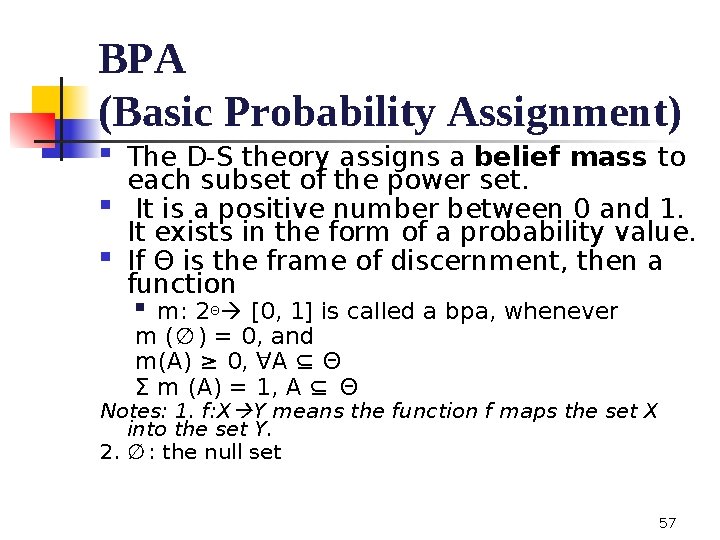
BPA (Basic Probability Assignment) The D-S theory assigns a belief mass to each subset of the power set. It is a positive number between 0 and 1. It exists in the form of a probability value. If Θ is the frame of discernment, then a function m: 2Θ [0, 1] is called a bpa, whenever m (∅ ) = 0, and m(A) ≥ 0, ∀A ⊆ Θ Σ m (A) = 1, A ⊆ Θ Notes: 1. f: X Y means the function f maps the set X into the set Y. 2. ∅ : the null set 57
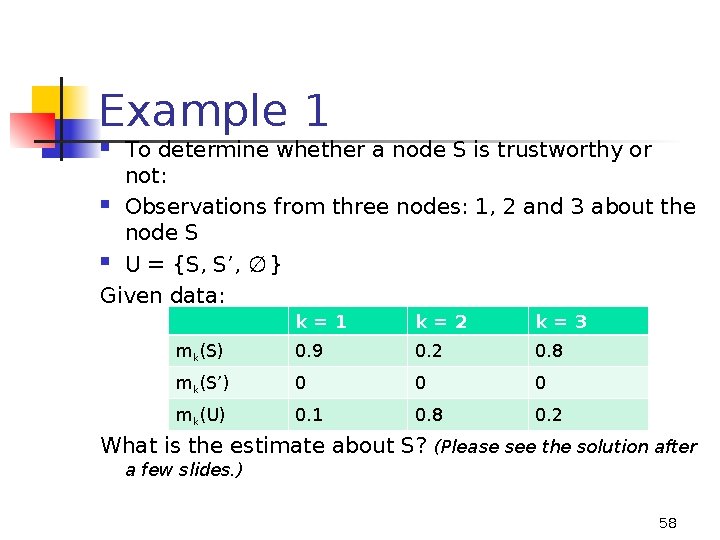
Example 1 To determine whether a node S is trustworthy or not: Observations from three nodes: 1, 2 and 3 about the node S U = {S, S’, ∅ } Given data: k=1 k=2 k=3 mk(S) 0. 9 0. 2 0. 8 mk(S’) 0 0 0 mk(U) 0. 1 0. 8 0. 2 What is the estimate about S? (Please see the solution after a few slides. ) 58

Dempster’s Combination Rule: for a fusion of two observations, with less than 100% reliability The combination called the joint mass (m ) 12 is calculated from the two sets of masses m 1 and m 2. Σ m 1(B) m 2(C) for all B ⋂ C = A m 12 (A) = -----------------------1 - [Σ m 1(B) m 2(C) for all B ⋂ C = ∅ ] m 12 (A) = Combined belief in the hypothesis A m 1(B) = Belief committed to B as seen by the first observer m 2(C) = Belief committed to C as seen by the second observer 59
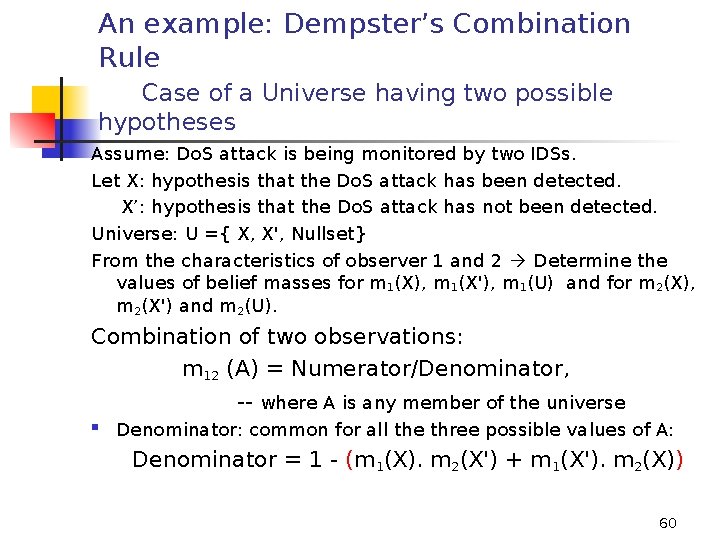
An example: Dempster’s Combination Rule Case of a Universe having two possible hypotheses Assume: Do. S attack is being monitored by two IDSs. Let X: hypothesis that the Do. S attack has been detected. X’: hypothesis that the Do. S attack has not been detected. Universe: U ={ X, X', Nullset} From the characteristics of observer 1 and 2 Determine the values of belief masses for m 1(X), m 1(X'), m 1(U) and for m 2(X), m 2(X') and m 2(U). Combination of two observations: m 12 (A) = Numerator/Denominator, -- where A is any member of the universe Denominator: common for all the three possible values of A: Denominator = 1 - (m 1(X). m 2(X') + m 1(X'). m 2(X)) 60

An example: Dempster’s Combination Rule Case of a Universe having two possible hypotheses… 2 Numerator of the fusion for A: sum of all the (components of the "product of a member from observer 1" and "a member from observer 2" such that the two members have an intersection equal to A, where A is any member of the universe. Finally, m 12(X) = (m 1(X). m 2(X) + m 1(X). m 2(U) + m 2(X). m 1(U))/D m 12(X') = (m 1(X'). m 2(X') + m 1(X'). m 2(U) + m 2(X'). m 1(U))/D m 12(U) = (m 1(U). m 2(U) )/D 61
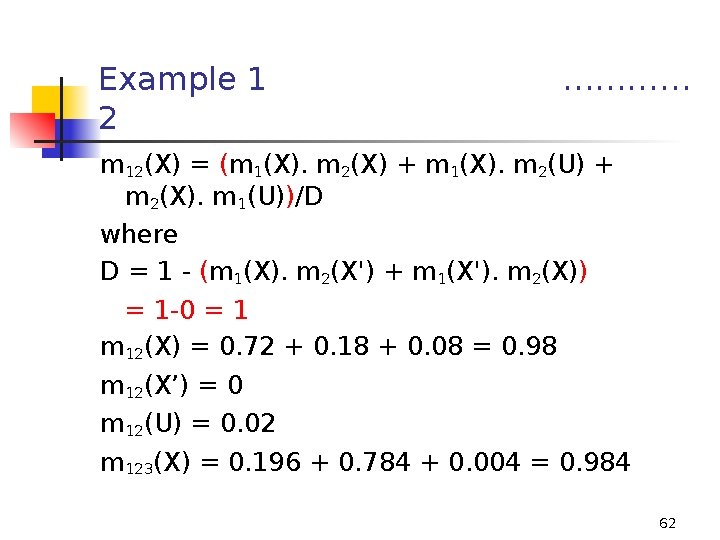
Example 1 2 ………… m 12(X) = (m 1(X). m 2(X) + m 1(X). m 2(U) + m 2(X). m 1(U))/D where D = 1 - (m 1(X). m 2(X') + m 1(X'). m 2(X)) = 1 -0 = 1 m 12(X) = 0. 72 + 0. 18 + 0. 08 = 0. 98 m 12(X’) = 0 m 12(U) = 0. 02 m 123(X) = 0. 196 + 0. 784 + 0. 004 = 0. 984 62
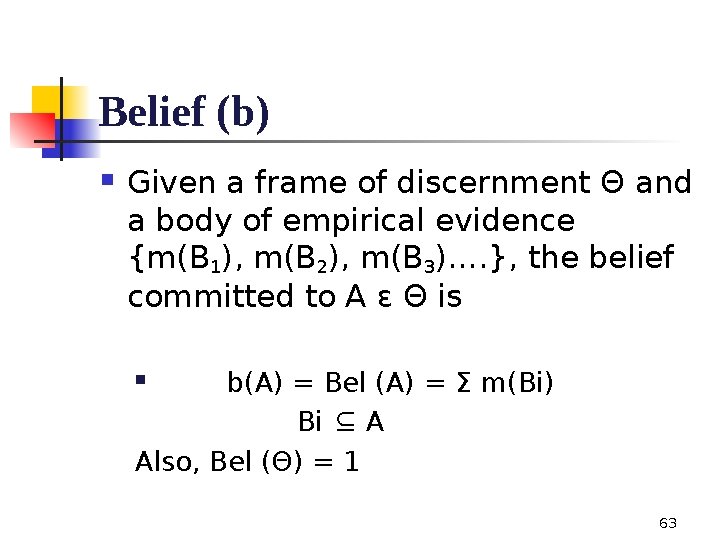
Belief (b) Given a frame of discernment Θ and a body of empirical evidence {m(B 1), m(B 2), m(B 3)…. }, the belief committed to A ε Θ is b(A) = Bel (A) = Σ m(Bi) Bi ⊆ A Also, Bel (Θ) = 1 63
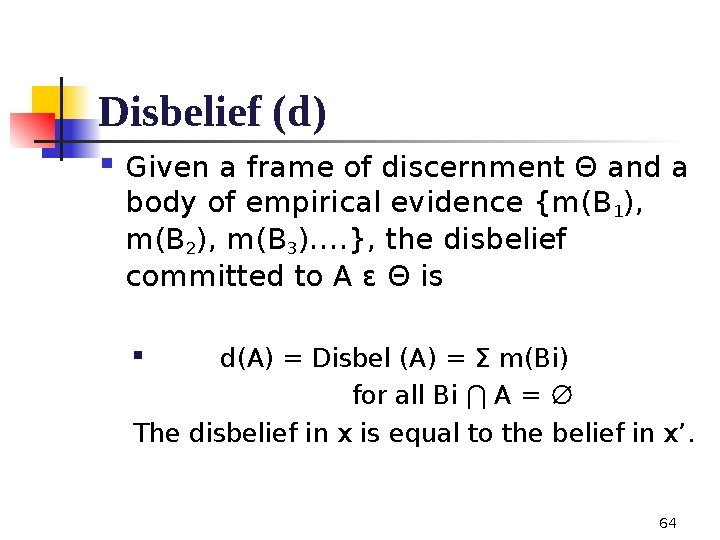
Disbelief (d) Given a frame of discernment Θ and a body of empirical evidence {m(B 1), m(B 2), m(B 3)…. }, the disbelief committed to A ε Θ is d(A) = Disbel (A) = Σ m(Bi) for all Bi ⋂ A = ∅ The disbelief in x is equal to the belief in x’. 64

Plausibility/ Uncertainty Function (Pl) The plausibility (Pl) is the sum of all the masses of the sets B that intersect the set of interest A: u(A)= Pl (A) = Σ m (Bi) , Bi | Bi ⋂ A ≠ ∅ and Bi is not a subset of B and is not equal to B. 65
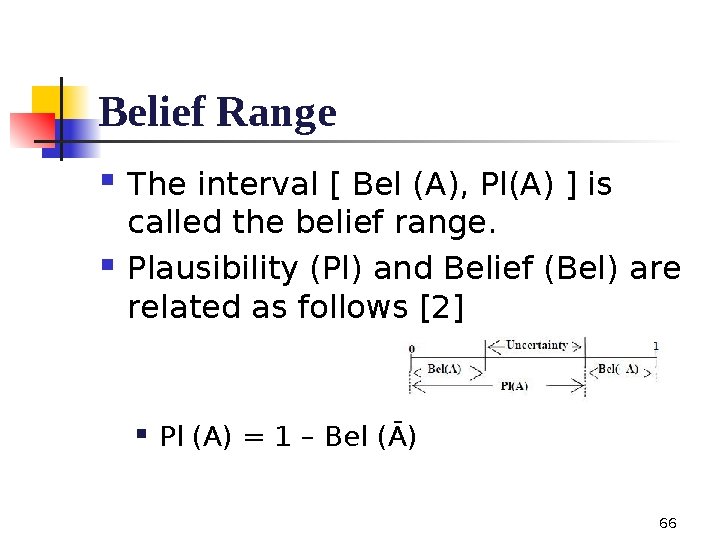
Belief Range The interval [ Bel (A), Pl(A) ] is called the belief range. Plausibility (Pl) and Belief (Bel) are related as follows [2] Pl (A) = 1 – Bel (Ᾱ) 66

Atomicity Relative Atomicity of x to y is defined as: Notes: If y be the universe, it is called a(x). If intersection of x and y be null, a(x/y) = 0. If y be a subset of x or be equal to x, a(x/y) = 1 ω = (b, d, u, a) is the tuple, which characterizes a set. 67
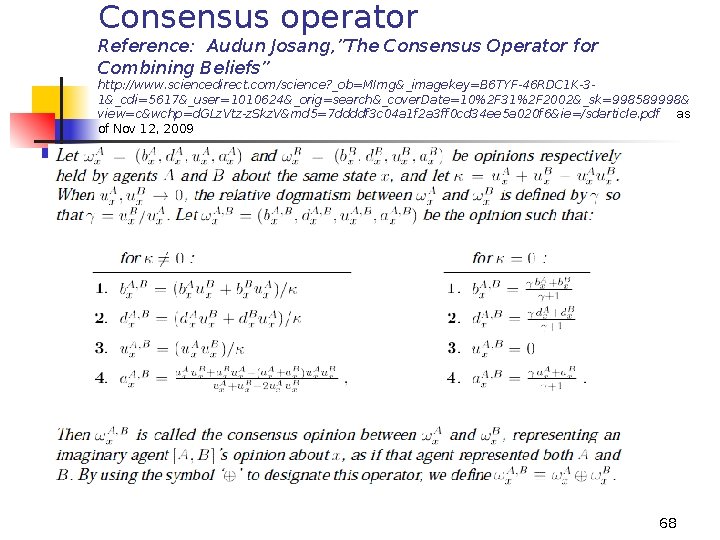
Consensus operator Reference: Audun Josang, ”The Consensus Operator for Combining Beliefs” http: //www. sciencedirect. com/science? _ob=MImg&_imagekey=B 6 TYF-46 RDC 1 K-31&_cdi=5617&_user=1010624&_orig=search&_cover. Date=10%2 F 31%2 F 2002&_sk=998589998& view=c&wchp=d. GLz. Vtz-z. Skz. V&md 5=7 ddddf 3 c 04 a 1 f 2 a 3 ff 0 cd 34 ee 5 a 020 f 6&ie=/sdarticle. pdf as of Nov 12, 2009 68
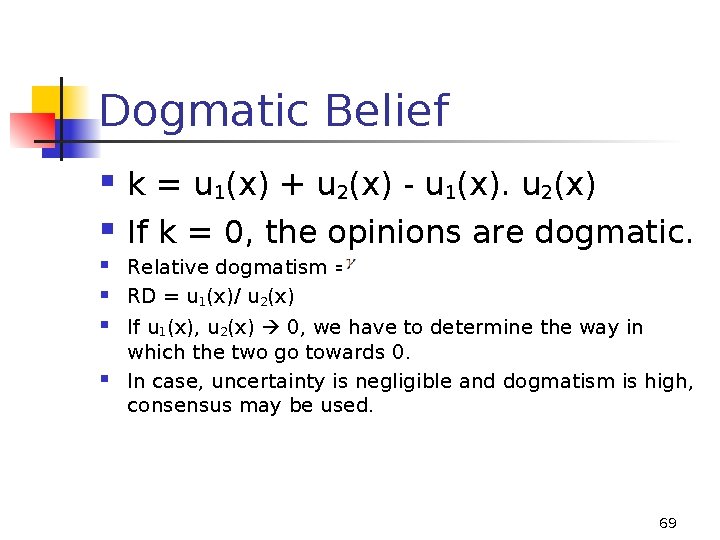
Dogmatic Belief k = u 1(x) + u 2(x) - u 1(x). u 2(x) If k = 0, the opinions are dogmatic. Relative dogmatism = RD = u 1(x)/ u 2(x) If u 1(x), u 2(x) 0, we have to determine the way in which the two go towards 0. In case, uncertainty is negligible and dogmatism is high, consensus may be used. 69
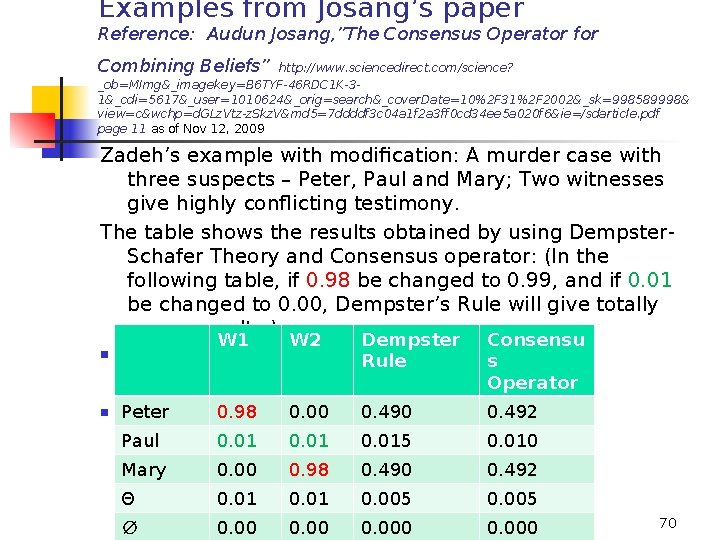
Examples from Josang’s paper Reference: Audun Josang, ”The Consensus Operator for Combining Beliefs” http: //www. sciencedirect. com/science? _ob=MImg&_imagekey=B 6 TYF-46 RDC 1 K-31&_cdi=5617&_user=1010624&_orig=search&_cover. Date=10%2 F 31%2 F 2002&_sk=998589998& view=c&wchp=d. GLz. Vtz-z. Skz. V&md 5=7 ddddf 3 c 04 a 1 f 2 a 3 ff 0 cd 34 ee 5 a 020 f 6&ie=/sdarticle. pdf page 11 as of Nov 12, 2009 Zadeh’s example with modification: A murder case with three suspects – Peter, Paul and Mary; Two witnesses give highly conflicting testimony. The table shows the results obtained by using Dempster. Schafer Theory and Consensus operator: (In the following table, if 0. 98 be changed to 0. 99, and if 0. 01 be changed to 0. 00, Dempster’s Rule will give totally wrong results. ) W 1 W 2 Dempster Rule Consensu s Operator Peter 0. 00 0. 98 0. 00 0. 492 Paul 0. 015 0. 010 Mary 0. 00 0. 98 0. 490 0. 492 Θ 0. 01 0. 005 ∅ 0. 000 70
Files: Netstat was distributed free along with BSD 4. 2. Microsoft has also provided it in Windows. “Netstat is a program that accesses network related data structures within the kernel, then provides an ASCII format at the terminal. ” RFC on Internet Tool Catalog 71
Netstat The Netstat utility provides statistics on the following network components: Foreign Socket Address The IP address and port number of the remote computer to which the socket is connected. The name corresponding to the IP address is shown instead of the number, if the Hostsfile contains an entry for the IP address. In cases where the port is not yet established, the port number is shown as an asterisk (*). 72
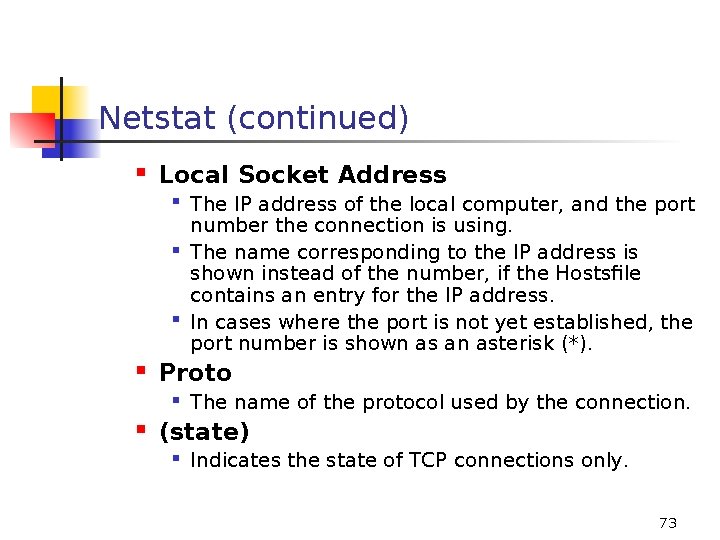
Netstat (continued) Local Socket Address Proto The IP address of the local computer, and the port number the connection is using. The name corresponding to the IP address is shown instead of the number, if the Hostsfile contains an entry for the IP address. In cases where the port is not yet established, the port number is shown as an asterisk (*). The name of the protocol used by the connection. (state) Indicates the state of TCP connections only. 73
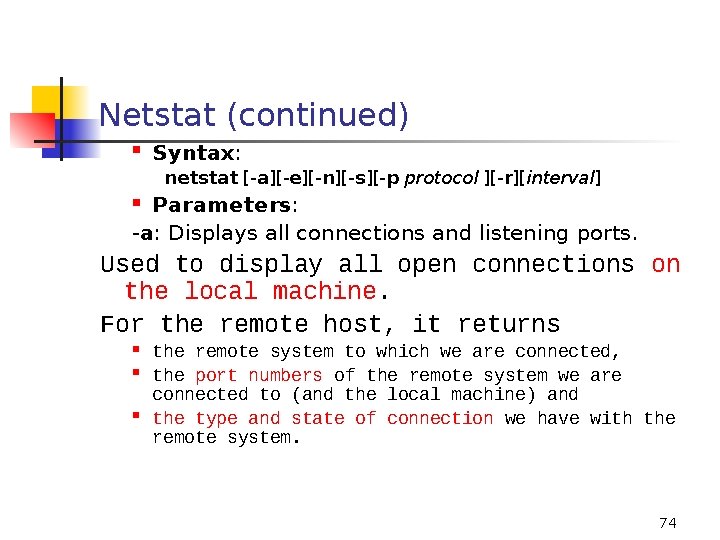
Netstat (continued) Syntax: netstat [-a][-e][-n][-s][-p protocol ][-r][interval] Parameters: -a: Displays all connections and listening ports. Used to display all open connections on the local machine. For the remote host, it returns the remote system to which we are connected, the port numbers of the remote system we are connected to (and the local machine) and the type and state of connection we have with the remote system. 74
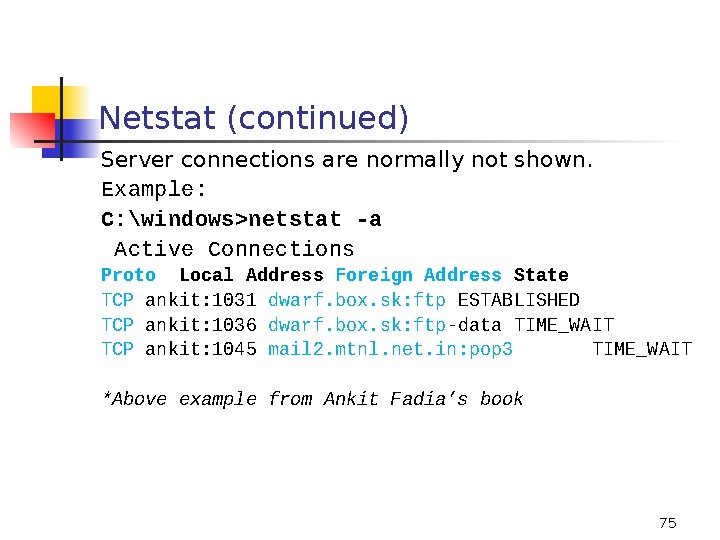
Netstat (continued) Server connections are normally not shown. Example: C: windows>netstat -a Active Connections Proto Local Address Foreign Address State TCP ankit: 1031 dwarf. box. sk: ftp ESTABLISHED TCP ankit: 1036 dwarf. box. sk: ftp-data TIME_WAIT TCP ankit: 1045 mail 2. mtnl. net. in: pop 3 TIME_WAIT *Above example from Ankit Fadia’s book 75
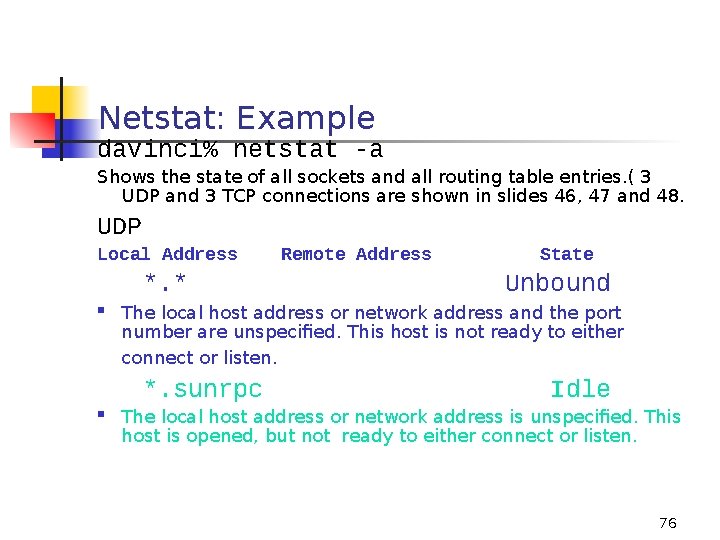
Netstat: Example davinci% netstat -a Shows the state of all sockets and all routing table entries. ( 3 UDP and 3 TCP connections are shown in slides 46, 47 and 48. UDP Local Address *. * State Unbound The local host address or network address and the port number are unspecified. This host is not ready to either connect or listen. *. sunrpc Remote Address Idle The local host address or network address is unspecified. This host is opened, but not ready to either connect or listen. 76
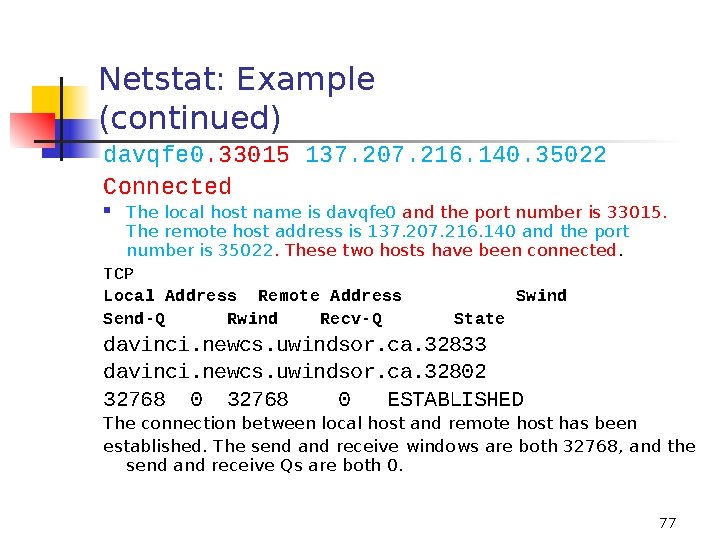
Netstat: Example (continued) davqfe 0. 33015 137. 207. 216. 140. 35022 Connected The local host name is davqfe 0 and the port number is 33015. The remote host address is 137. 207. 216. 140 and the port number is 35022. These two hosts have been connected. TCP Local Address Remote Address Swind Send-Q Rwind Recv-Q State davinci. newcs. uwindsor. ca. 32833 davinci. newcs. uwindsor. ca. 32802 32768 0 ESTABLISHED The connection between local host and remote host has been established. The send and receive windows are both 32768, and the send and receive Qs are both 0. 77
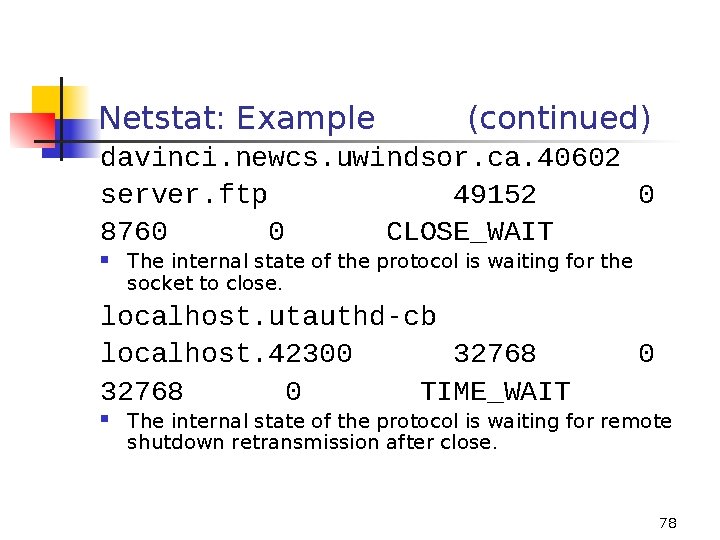
Netstat: Example (continued) davinci. newcs. uwindsor. ca. 40602 server. ftp 49152 0 8760 0 CLOSE_WAIT The internal state of the protocol is waiting for the socket to close. localhost. utauthd-cb localhost. 42300 32768 0 TIME_WAIT 0 The internal state of the protocol is waiting for remote shutdown retransmission after close. 78
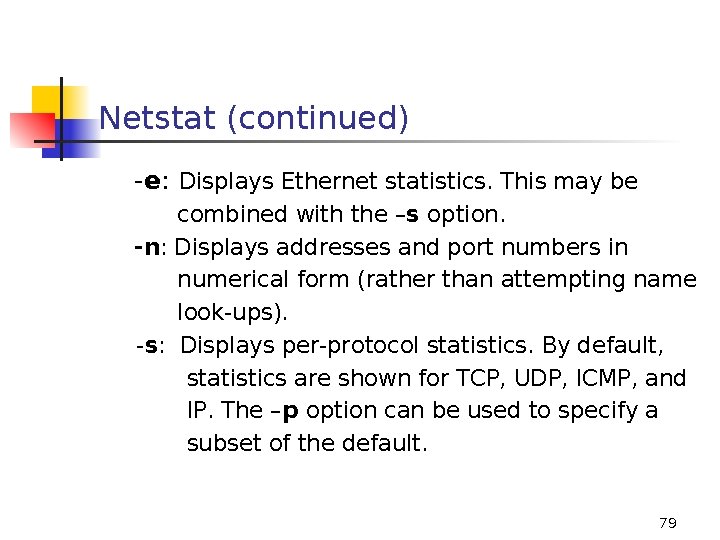
Netstat (continued) -e: Displays Ethernet statistics. This may be combined with the –s option. -n: Displays addresses and port numbers in numerical form (rather than attempting name look-ups). -s: Displays per-protocol statistics. By default, statistics are shown for TCP, UDP, ICMP, and IP. The –p option can be used to specify a subset of the default. 79
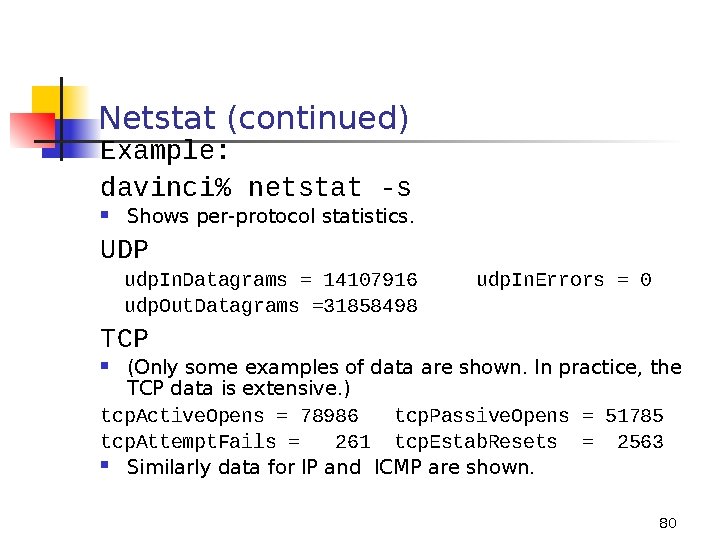
Netstat (continued) Example: davinci% netstat -s Shows per-protocol statistics. UDP udp. In. Datagrams = 14107916 udp. Out. Datagrams =31858498 udp. In. Errors = 0 TCP (Only some examples of data are shown. In practice, the TCP data is extensive. ) tcp. Active. Opens = 78986 tcp. Passive. Opens = 51785 tcp. Attempt. Fails = 261 tcp. Estab. Resets = 2563 Similarly data for IP and ICMP are shown. 80
Netstat (continued) -p protocol: Shows connections for the protocol specified by protocol; protocol can be tcp or udp. If used with the –s option to display per-protocol statistics, protocol can be tcp, udp, icmp, or ip. Example: davinci% netstat -p tcp Limit display of statistics or state of all sockets to TCP protocol. TCP Local Address Remote Address Rwind Recv-Q State Swind Send-Q 81
Netstat (continued) davinci. newcs. uwindsor. ca. 139 davinci. newcs. uwindsor. ca. 33073 32768 0 ESTABLISHED davinci. newcs. uwindsor. ca. 32830 davinci. newcs. uwindsor. ca. 32799 32768 0 ESTABLISHED -r: Displays the contents of the routing table. interval: redisplays selected statistics, pausing interval seconds between each display. Press CTRL+B to stop redisplaying statistics. If this parameter is omitted, netstat prints the current configuration information once. 82
Netstat (continued) ‘Netstat’: normally used, to get a list of open ports on your own system. This can be particularly useful to check and see whether your system has a Trojan installed or not. A sample list of Trojans and their ports: Port 12345(TCP) Netbus Port 31337(UDP) Back Orifice Use a Trojan Remover, if required. • Reference for a complete list of Trojans: http: //hackingtruths. box. sk/trojans. txt 83
- Slides: 83