
Intrusion detection and Prevention Systems IDPS Definitions Intrusion















- Slides: 65
Intrusion detection and Prevention Systems IDPS
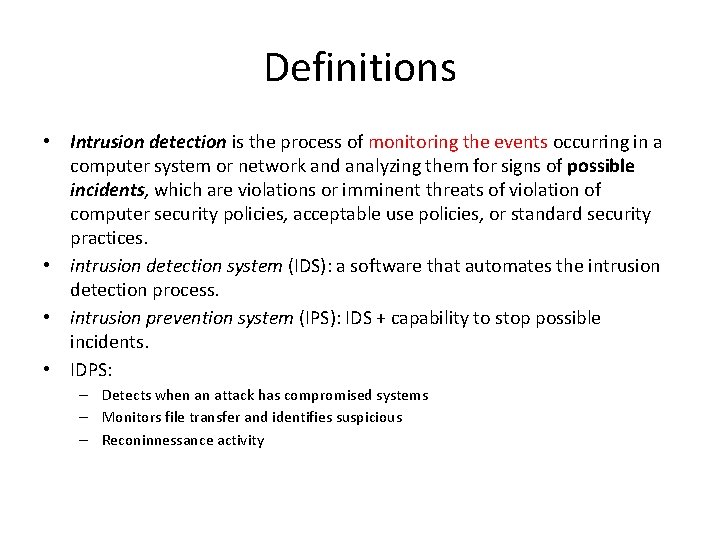
Definitions • Intrusion detection is the process of monitoring the events occurring in a computer system or network and analyzing them for signs of possible incidents, which are violations or imminent threats of violation of computer security policies, acceptable use policies, or standard security practices. • intrusion detection system (IDS): a software that automates the intrusion detection process. • intrusion prevention system (IPS): IDS + capability to stop possible incidents. • IDPS: – Detects when an attack has compromised systems – Monitors file transfer and identifies suspicious – Reconinnessance activity
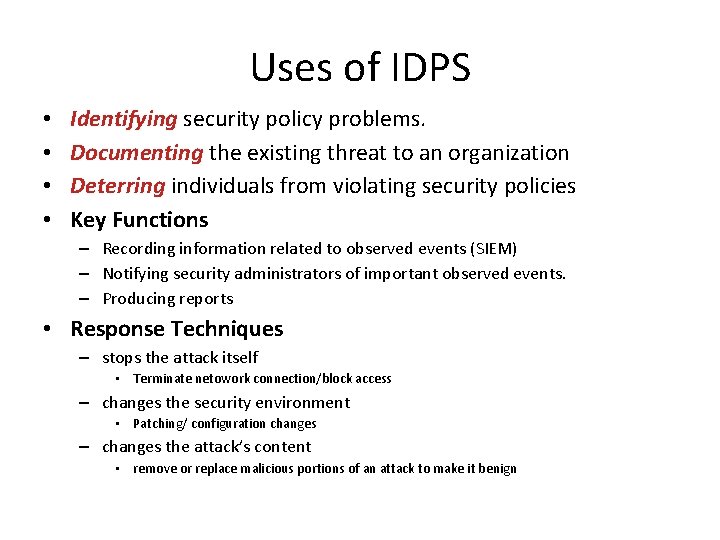
Uses of IDPS • • Identifying security policy problems. Documenting the existing threat to an organization Deterring individuals from violating security policies Key Functions – Recording information related to observed events (SIEM) – Notifying security administrators of important observed events. – Producing reports • Response Techniques – stops the attack itself • Terminate netowork connection/block access – changes the security environment • Patching/ configuration changes – changes the attack’s content • remove or replace malicious portions of an attack to make it benign
Caveat • DPS technologies cannot provide completely accurate detection • It is not possible to eliminate all false positives and negatives; in most cases, reducing the occurrences of one increases the occurrences of the other. • Evasion is modifying the format or timing of malicious activity so that its appearance changes but its effect is the same. – Ex: encoding
DETECTION TECHNOLOGIES
Signature Based • A signature is a pattern that corresponds to a known threat. • Signature-based detection is the process of comparing signatures against observed events to identify possible incidents. • Ex: – A telnet attempt with a username of “root”, which is a violation of an organization’s security policy – An e-mail with a subject of “Free pictures!” and an attachment filename of “freepics. exe”, which are characteristics of a known form of malware – An operating system log entry with a status code value of 645, which indicates that the host’s auditing has been disabled. • Unable to prevent unknown attacks
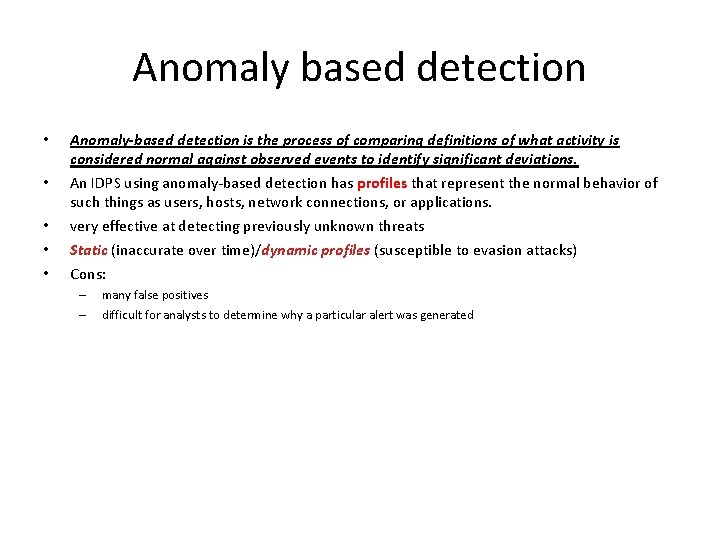
Anomaly based detection • • • Anomaly-based detection is the process of comparing definitions of what activity is considered normal against observed events to identify significant deviations. An IDPS using anomaly-based detection has profiles that represent the normal behavior of such things as users, hosts, network connections, or applications. very effective at detecting previously unknown threats Static (inaccurate over time)/dynamic profiles (susceptible to evasion attacks) Cons: – – many false positives difficult for analysts to determine why a particular alert was generated
Stateful Protocol analysis • Stateful protocol analysis is the process of comparing predetermined profiles of generally accepted definitions of benign protocol activity for each protocol state against observed events to identify deviations • Anomaly based ->uses host or network-specific profiles • Stateful protocol ->uses specific vendor profiles • An important part of understanding state is pairing requests with responses • Stateful protocol analysis can identify unexpected sequences of commands • Stateful protocol analysis methods use protocol models, which are typically based primarily on protocol standards from software vendors and standards bodies • Cons: – very resource-intensive – cannot detect attacks that do not violate the characteristics of generally acceptable protocol behavior
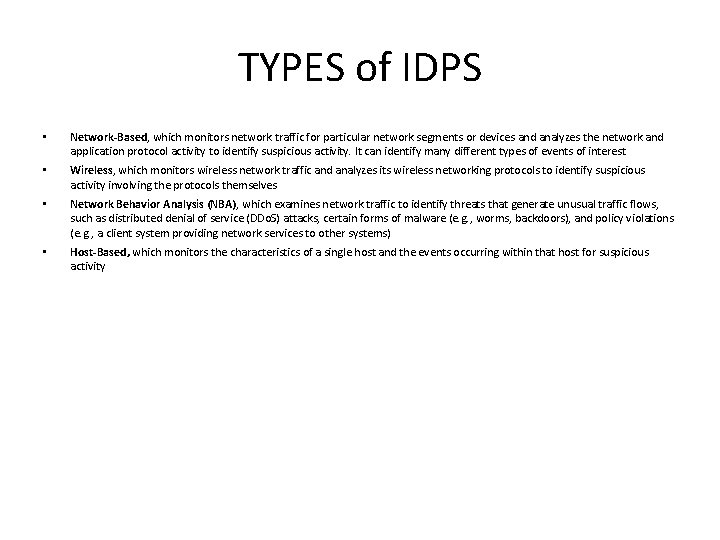
TYPES of IDPS • Network-Based, which monitors network traffic for particular network segments or devices and analyzes the network and application protocol activity to identify suspicious activity. It can identify many different types of events of interest • Wireless, which monitors wireless network traffic and analyzes its wireless networking protocols to identify suspicious activity involving the protocols themselves • Network Behavior Analysis (NBA), which examines network traffic to identify threats that generate unusual traffic flows, such as distributed denial of service (DDo. S) attacks, certain forms of malware (e. g. , worms, backdoors), and policy violations (e. g. , a client system providing network services to other systems) • Host-Based, which monitors the characteristics of a single host and the events occurring within that host for suspicious activity
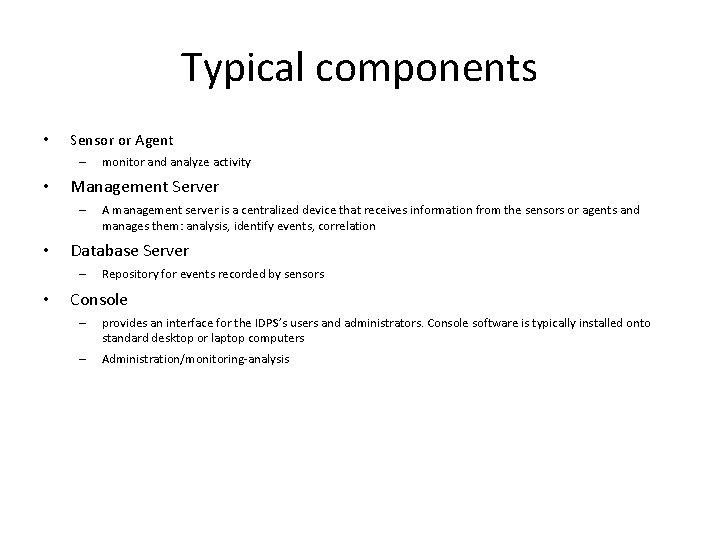
Typical components • Sensor or Agent – • Management Server – • A management server is a centralized device that receives information from the sensors or agents and manages them: analysis, identify events, correlation Database Server – • monitor and analyze activity Repository for events recorded by sensors Console – provides an interface for the IDPS’s users and administrators. Console software is typically installed onto standard desktop or laptop computers – Administration/monitoring-analysis
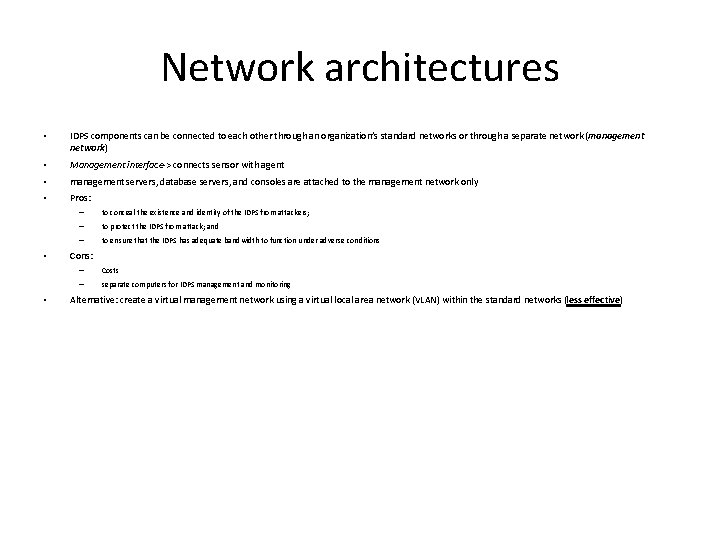
Network architectures • IDPS components can be connected to each other through an organization’s standard networks or through a separate network (management network) • Management interface-> connects sensor with agent • management servers, database servers, and consoles are attached to the management network only • Pros: • • – to conceal the existence and identity of the IDPS from attackers; – to protect the IDPS from attack; and – to ensure that the IDPS has adequate bandwidth to function under adverse conditions Cons: – Costs – separate computers for IDPS management and monitoring Alternative: create a virtual management network using a virtual local area network (VLAN) within the standard networks (less effective)
Security Capabilities • Information gathering • Logging • Detection – – Thresholds Black/white lists Alert settings Code viewing and editing • Prevention • Management • Implementation
NETWORK BASED IDPS
Intro • A network-based IDPS monitors network traffic for particular network segments or devices and analyzes network, transport, and application protocols to identify suspicious activity • A typical network-based IDPS is composed of sensors, one or more management servers, multiple consoles, and optionally one or more database servers (if the network-based IDPS supports their use). • A network-based IDPS sensor monitors and analyzes network activity on one or more network segments. • Sensors available in 2 formats: – – Appliance. An appliance-based sensor is comprised of specialized hardware and sensor software. Software Only. Some vendors sell sensor software without an appliance. May include a specialized OS
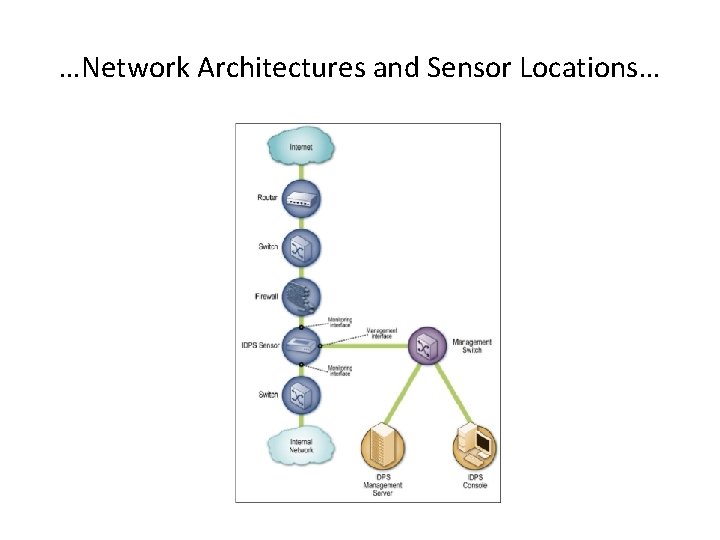
Network Architectures and Sensor Locations… Sensors can be deployed in one of two modes: • Inline: An inline sensor is deployed so that the network traffic it is monitoring must pass through it. – Hybrid firewall/IDPs – to stop attacks by blocking network traffic – Inline sensors that are not hybrid firewall/IDPS devices are often deployed on the more secure side of a network division so that they have less traffic to process • Sensors can also be placed on the less secure side of a network
…Network Architectures and Sensor Locations…
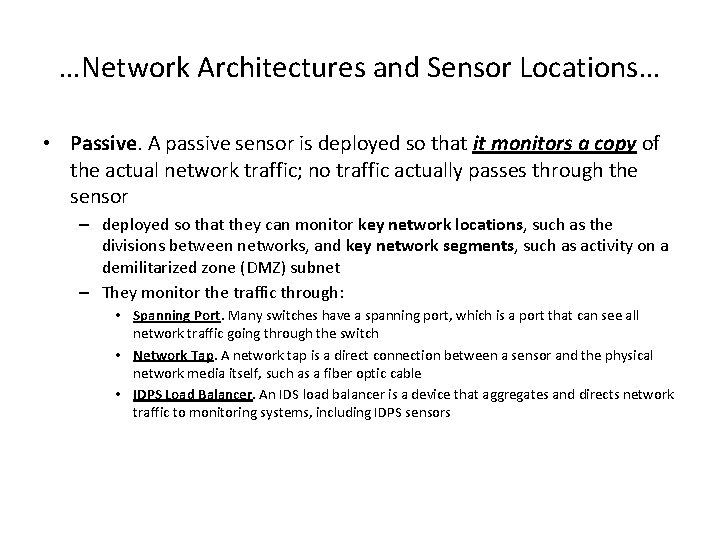
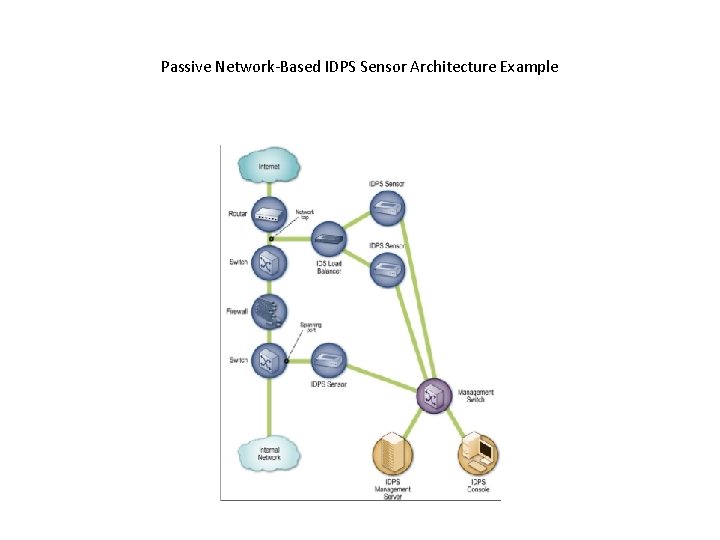
…Network Architectures and Sensor Locations… • Passive. A passive sensor is deployed so that it monitors a copy of the actual network traffic; no traffic actually passes through the sensor – deployed so that they can monitor key network locations, such as the divisions between networks, and key network segments, such as activity on a demilitarized zone (DMZ) subnet – They monitor the traffic through: • Spanning Port. Many switches have a spanning port, which is a port that can see all network traffic going through the switch • Network Tap. A network tap is a direct connection between a sensor and the physical network media itself, such as a fiber optic cable • IDPS Load Balancer. An IDS load balancer is a device that aggregates and directs network traffic to monitoring systems, including IDPS sensors
Load balancer • A load balancer can receive copies of network traffic from one or more spanning ports or network taps and aggregate traffic from different networks (e. g. , reassemble a session that was split between two networks). • The load balancer then distributes copies of the traffic to one or more listening devices, including IDPS sensors, based on a set of rules configured by an administrator. • The rules tell the load balancer which types of traffic to provide to each listening device. Common configurations include the following: – Send all traffic to multiple IDPS sensors. – Dynamically split the traffic among multiple IDPS sensors based on volume. – Split the traffic among multiple IDPS sensors based on IP addresses, protocols, or other characteristics.
Passive Network-Based IDPS Sensor Architecture Example
Information Gathering Capabilities • Identifying Hosts. create a list of hosts on the organization’s network arranged by IP address or MAC address. • Identifying Operating Systems. – track which ports are used on each host, which could indicate a particular OS or OS family (e. g. , Windows, Unix). – analyze packet headers for certain unusual characteristics or combinations of characteristics that are exhibited by particular OSs; this is known as passive fingerprinting. – identify application versions (as described below), which in some cases implies which OS is in use. • Identifying Applications. identify the application versions in use by keeping track of which ports are used and monitoring certain characteristics of application communications • Identifying Network Characteristics. Some IDPS sensors collect general information about network traffic related to the configuration of network devices and hosts, such as the number of hops between two devices. This information can be used to detect changes to the network configuration.
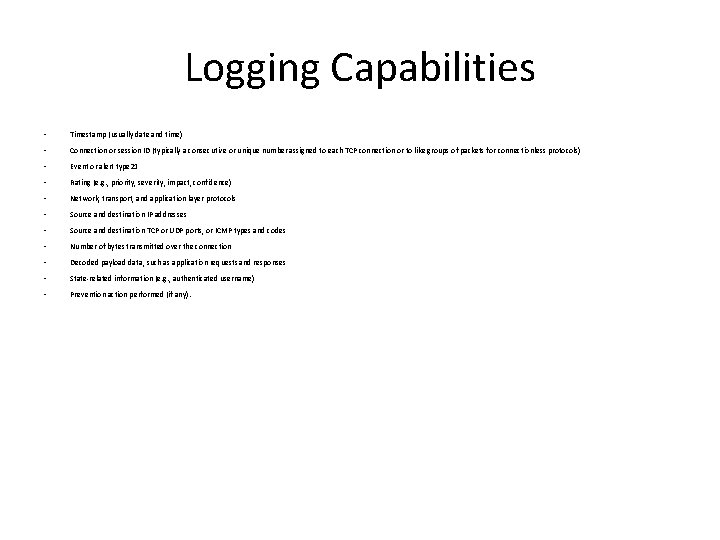
Logging Capabilities • Timestamp (usually date and time) • Connection or session ID (typically a consecutive or unique number assigned to each TCP connection or to like groups of packets for connectionless protocols) • Event or alert type 21 • Rating (e. g. , priority, severity, impact, confidence) • Network, transport, and application layer protocols • Source and destination IP addresses • Source and destination TCP or UDP ports, or ICMP types and codes • Number of bytes transmitted over the connection • Decoded payload data, such as application requests and responses • State-related information (e. g. , authenticated username) • Prevention action performed (if any).
Detection Capabilities • Types of events – Application layer reconnaissance and attacks (e. g. , banner grabbing, buffer overflows, format string attacks, password guessing, malware transmission). – Transport layer reconnaissance and attacks (e. g. , port scanning, unusual packet fragmentation, SYN floods). – Network layer reconnaissance and attacks (e. g. , spoofed IP addresses, illegal IP header values). – Unexpected application services (e. g. , tunneled protocols, backdoors, hosts running unauthorized application services). – Policy violations (e. g. , use of inappropriate Web sites, use of forbidden application protocols).
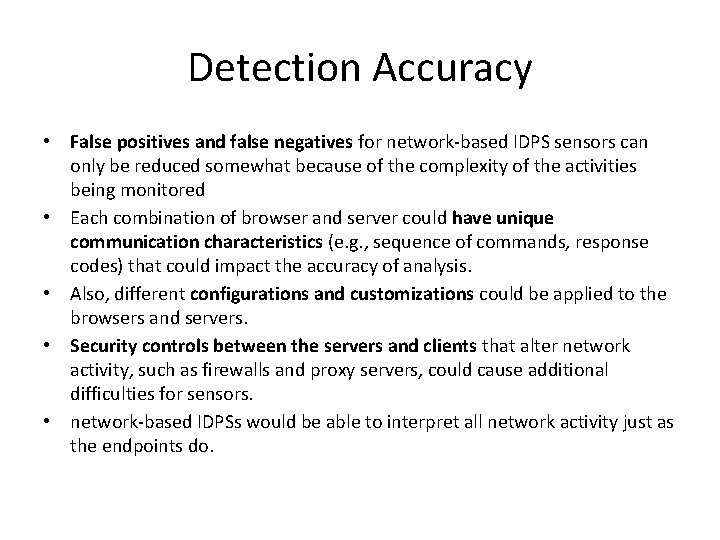
Detection Accuracy • False positives and false negatives for network-based IDPS sensors can only be reduced somewhat because of the complexity of the activities being monitored • Each combination of browser and server could have unique communication characteristics (e. g. , sequence of commands, response codes) that could impact the accuracy of analysis. • Also, different configurations and customizations could be applied to the browsers and servers. • Security controls between the servers and clients that alter network activity, such as firewalls and proxy servers, could cause additional difficulties for sensors. • network-based IDPSs would be able to interpret all network activity just as the endpoints do.
Tuning and Customization • Examples of tuning and customization capabilities are: – thresholds for port scans and application authentication attempts, – blacklists and whitelists for host IP addresses and usernames, and alert settings. – code editing features, which is usually limited to signatures but in some cases may allow access to additional code, such as programs used to perform stateful protocol analysis. • Some network-based IDPSs can use information regarding the organization’s hosts to improve detection accuracy. – For example, an IDPS might allow administrators to specify the IP addresses used by the organization’s Web servers, mail servers, and other common types of hosts, and also specify the types of services provided by each host (e. g. , the Web server application type and version run by each Web server).
Technology Limitations • Network-based IDPSs cannot detect attacks within encrypted network traffic , including virtual private network (VPN) connections, HTTP over SSL (HTTPS), and SSH sessions. • Network-based IDPSs may be unable to perform full analysis under high loads. Passive IDPS sensors might drop some packets, which could cause some incidents to go undetected, especially if stateful protocol analysis methods are in use • IDPS sensors are susceptible to various types of attacks. – unusually large volumes of traffic, such as distributed denial of service (DDo. S) attacks, and anomalous activity (e. g. , unusually fragmented packets) to attempt to exhaust a sensor’s resources or cause it to crash. – blinding, generating network traffic that is likely to trigger many IDPS alerts in a short period of time; typically, the network traffic is specially crafted to take advantage of typical configurations of IDPS sensors.
Prevention capabilities • Passive Only – Ending the Current TCP Session • Inline Only – Performing Inline Firewalling. – Throttling Bandwidth Usage. – Altering Malicious Content. • Both – Reconfiguring Other Network Security Devices – Running a Third-Party Program or Script
WIRELESS IDPS
Intro • A wireless IDPS monitors wireless network traffic • Most WLANs use the Institute of Electrical and Electronics Engineers (IEEE) 802. 11 family of WLAN standards. 26 • The most commonly used WLAN radio transmission standards are IEEE 802. 11 b and IEEE 802. 11 g, which use the 2. 4 gigahertz (GHz) band, and IEEE 802. 11 a, which uses the 5 GHz band. IEEE 802. 11 a, b, g include security features known collectively as Wired Equivalent Privacy (WEP). Unfortunately, WEP has several well-documented security problems. To overcome these, IEEE 802. 11 i was created; it specifies security components that work in conjunction with IEEE 802. 11 a, b, and g. • Another set of WLAN standards has been created by a non-profit industry consortium of WLAN equipment and software vendors called the Wi-Fi Alliance. While IEEE was working on finalizing the 802. 11 i standard, the Alliance created an interim solution called Wi-Fi Protected Access (WPA). Published in October 2002, WPA is essentially a subset of the draft IEEE 802. 11 i requirements available at that time. • WPA provides stronger security for WLAN communications than WEP
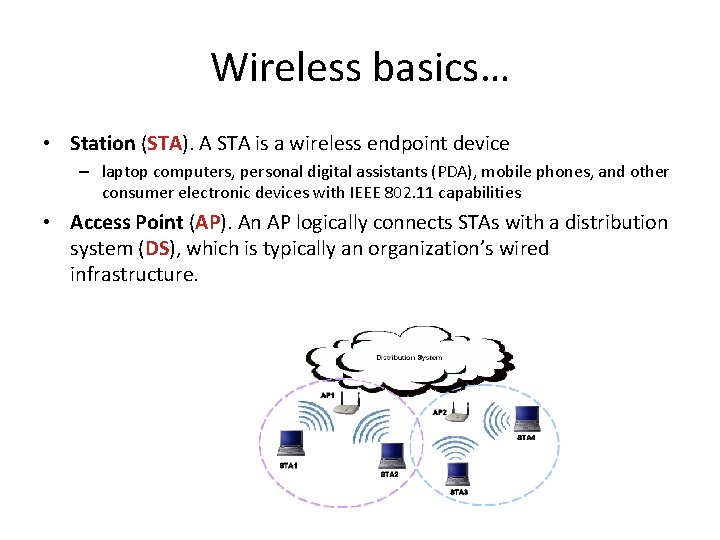
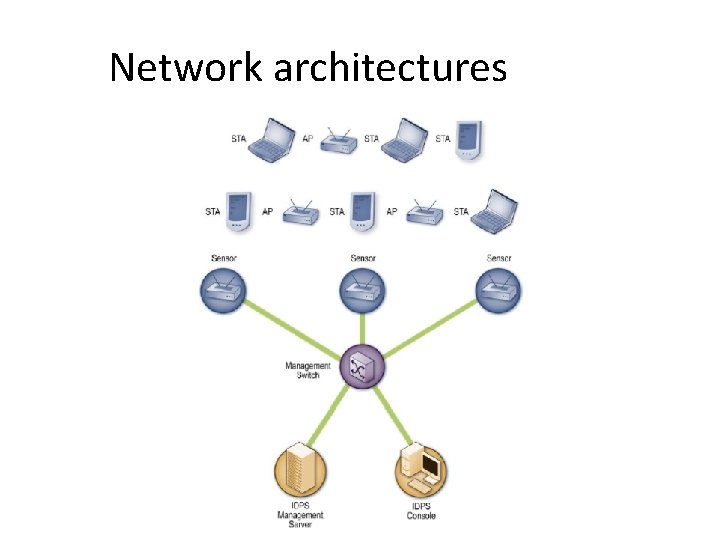
Wireless basics… • Station (STA). A STA is a wireless endpoint device – laptop computers, personal digital assistants (PDA), mobile phones, and other consumer electronic devices with IEEE 802. 11 capabilities • Access Point (AP). An AP logically connects STAs with a distribution system (DS), which is typically an organization’s wired infrastructure.
… Wireless basics • A wireless switch is a device that acts as an intermediary between APs and the DS • WLAN Architectures: – Ad Hoc Mode. • does not use APs. • also known as peer-to-peer mode, involves two or more STAs communicating directly with one another. – Infrastructure Mode. • an AP connects wireless STAs to a DS, typically a wired network. – Each AP and STA on a WLAN can be identified by its media access control (MAC) address, which is a unique 48 -bit value that is assigned to a wireless network interface card – Each AP in a WLAN has a name assigned to it called a service set identifier (SSID) • SSIDs are broadcast in plaintext by APs
Attacks to wireless • wireless attacks typically require the attacker or close physical proximity to the wireless network • many WLANs are configured so that they do not require any authentication or require only weak forms of authentication • Most WLAN threats involve an attacker with access to the radio link between a STA and an AP (or between two STAs, in ad hoc mode). • In a wired LAN, an attacker would have to gain physical access to the LAN or remotely compromise systems on the LAN
Typical components • consoles, database servers (optional), management servers, and sensors • Unlike a network-based IDPS, which can see all packets on the networks it monitors, a wireless IDPS works by sampling traffic. • There are two frequency bands to monitor (2. 4 GHz and 5 GHz)→ It is not currently possible for a sensor to monitor all traffic on a band simultaneously • sensors typically change channels frequently, which is known as channel scanning, so that they can monitor each channel a few times per second
Wireless sensors • specialized sensors are available that use several radios and high-power antennas, with each radio/antenna pair monitoring a different channel • Wireless sensors are available in multiple forms: – Dedicated: • completely passive, functioning in a radio frequency (RF) monitoring mode to sniff wireless network traffic. • Some dedicated sensors perform analysis of the traffic they monitor, while other sensors forward the network traffic to a management server for analysis • Tipically connected to the wired network.
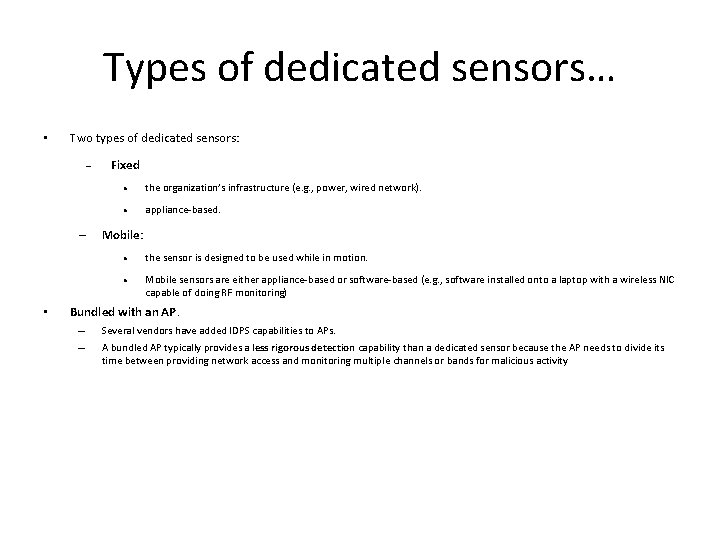
Types of dedicated sensors… • Two types of dedicated sensors: – Fixed the organization’s infrastructure (e. g. , power, wired network). appliance-based. Mobile: • the sensor is designed to be used while in motion. Mobile sensors are either appliance-based or software-based (e. g. , software installed onto a laptop with a wireless NIC capable of doing RF monitoring) Bundled with an AP. – – Several vendors have added IDPS capabilities to APs. A bundled AP typically provides a less rigorous detection capability than a dedicated sensor because the AP needs to divide its time between providing network access and monitoring multiple channels or bands for malicious activity
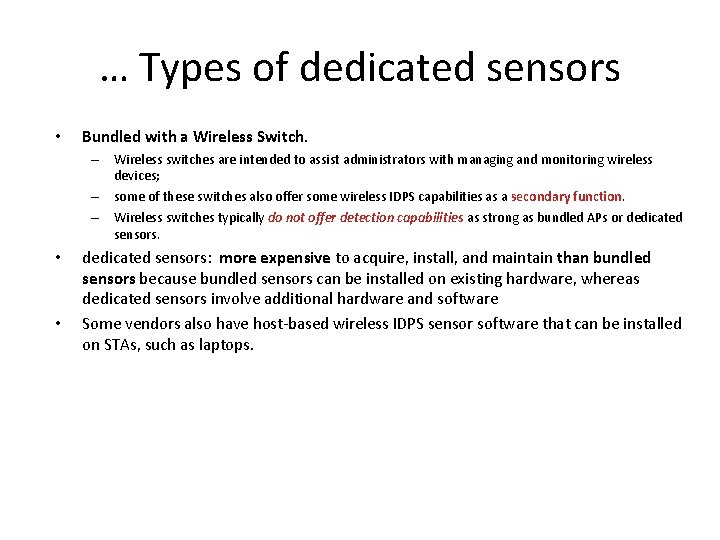
… Types of dedicated sensors • Bundled with a Wireless Switch. – Wireless switches are intended to assist administrators with managing and monitoring wireless devices; – some of these switches also offer some wireless IDPS capabilities as a secondary function. – Wireless switches typically do not offer detection capabilities as strong as bundled APs or dedicated sensors. • • dedicated sensors: more expensive to acquire, install, and maintain than bundled sensors because bundled sensors can be installed on existing hardware, whereas dedicated sensors involve additional hardware and software Some vendors also have host-based wireless IDPS sensor software that can be installed on STAs, such as laptops.
Network architectures
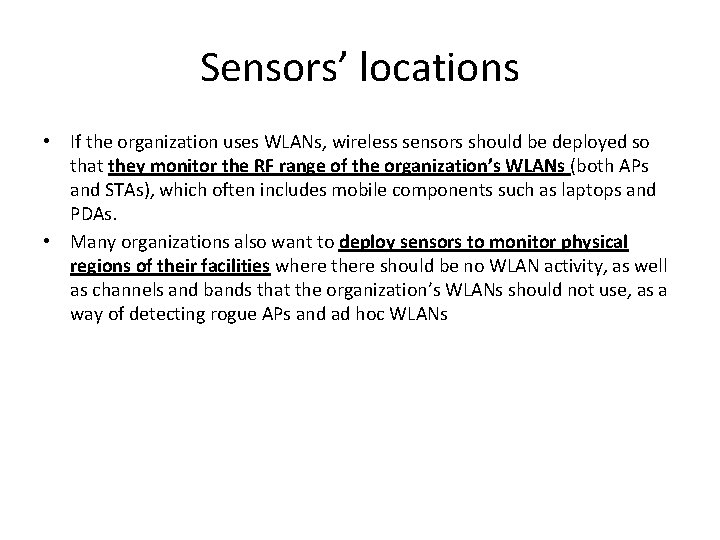
Sensors’ locations • If the organization uses WLANs, wireless sensors should be deployed so that they monitor the RF range of the organization’s WLANs (both APs and STAs), which often includes mobile components such as laptops and PDAs. • Many organizations also want to deploy sensors to monitor physical regions of their facilities where there should be no WLAN activity, as well as channels and bands that the organization’s WLANs should not use, as a way of detecting rogue APs and ad hoc WLANs
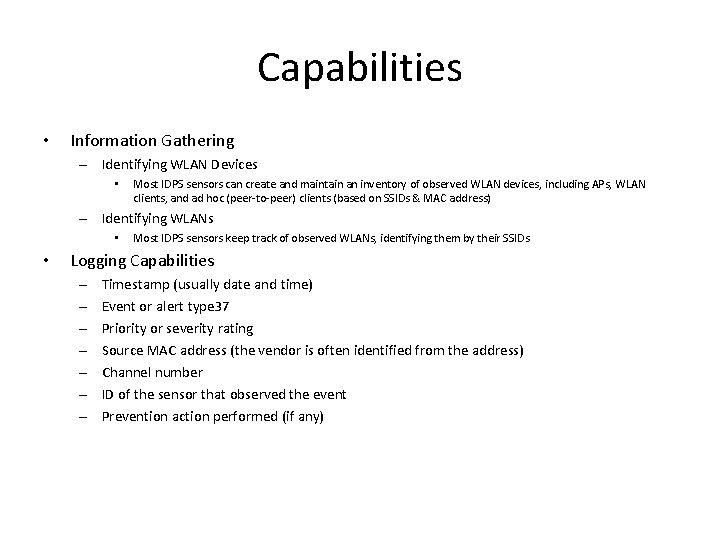
Capabilities • Information Gathering – Identifying WLAN Devices • Most IDPS sensors can create and maintain an inventory of observed WLAN devices, including APs, WLAN clients, and ad hoc (peer-to-peer) clients (based on SSIDs & MAC address) – Identifying WLANs • • Most IDPS sensors keep track of observed WLANs, identifying them by their SSIDs Logging Capabilities – – – – Timestamp (usually date and time) Event or alert type 37 Priority or severity rating Source MAC address (the vendor is often identified from the address) Channel number ID of the sensor that observed the event Prevention action performed (if any)
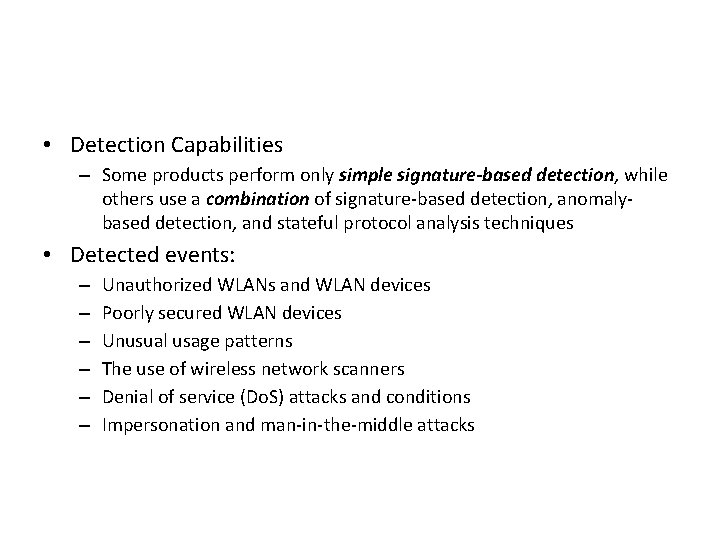
• Detection Capabilities – Some products perform only simple signature-based detection, while others use a combination of signature-based detection, anomalybased detection, and stateful protocol analysis techniques • Detected events: – – – Unauthorized WLANs and WLAN devices Poorly secured WLAN devices Unusual usage patterns The use of wireless network scanners Denial of service (Do. S) attacks and conditions Impersonation and man-in-the-middle attacks
• Most wireless IDPS sensors can identify the physical location of a detected threat by using triangulation—estimating the threat’s approximate distance from multiple sensors by the strength of the threat’s signal received by each sensor • Detection Accuracy • – Compared to other forms of IDPS, wireless IDPS is generally more accurate; this is largely due to its limited scope (analyzing wireless networking protocols). – False positives are most likely to be caused by anomaly-based detection methods, especially if threshold values are not properly maintained Tuning and Customization – The main effort is in specifying which WLANs, APs, and STAs are authorized, and in entering the policy characteristics into the wireless IDPS software – Wireless IDPSs offer some customization features. – Besides reviewing tuning and customizations periodically to ensure that they are still accurate, administrators should also ensure that changes to building plans are incorporated occasionally.
Technologies limitations • An attacker can passively monitor wireless traffic, which is not detectable by wireless IDPSs. • If weak security methods are being used (e. g. , WEP ), the attacker can then perform offline processing of that collected traffic for decyphering • Attackers can identify the wireless IDPS product in use by: • – a physical survey of the area in which the sensors are deployed, and – the use of fingerprinting techniques that can identify the product in use by the characteristics of its prevention actions-> use evasion techniques – An attacker could also launch attacks on two channels at the same time. If the wireless IDPS sensor detects the first attack, it cannot detect the second attack unless it scans away from the channel of the first attack. Another drawback of channel scanning is the impact it could have on network forensics. IDPS sensors susceptible to: DOS, physical attacks, jamming
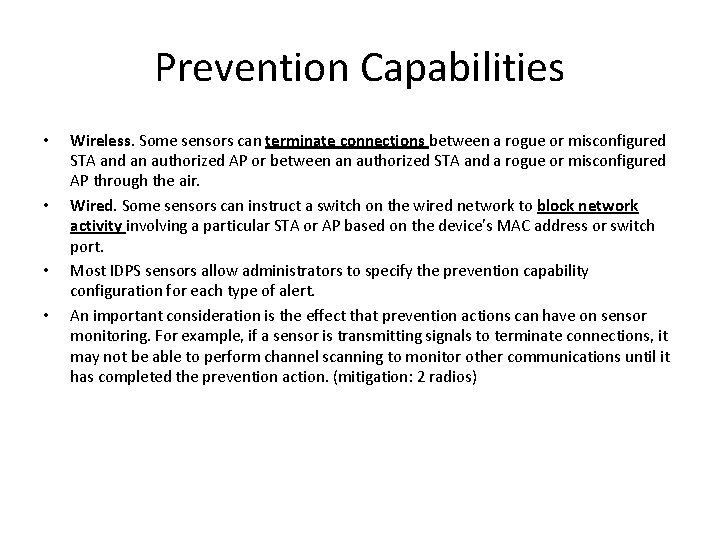
Prevention Capabilities • • Wireless. Some sensors can terminate connections between a rogue or misconfigured STA and an authorized AP or between an authorized STA and a rogue or misconfigured AP through the air. Wired. Some sensors can instruct a switch on the wired network to block network activity involving a particular STA or AP based on the device’s MAC address or switch port. Most IDPS sensors allow administrators to specify the prevention capability configuration for each type of alert. An important consideration is the effect that prevention actions can have on sensor monitoring. For example, if a sensor is transmitting signals to terminate connections, it may not be able to perform channel scanning to monitor other communications until it has completed the prevention action. (mitigation: 2 radios)
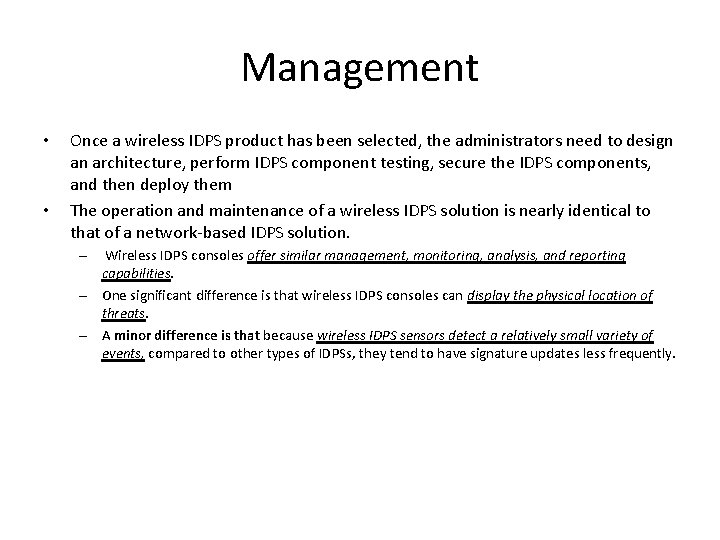
Management • • Once a wireless IDPS product has been selected, the administrators need to design an architecture, perform IDPS component testing, secure the IDPS components, and then deploy them The operation and maintenance of a wireless IDPS solution is nearly identical to that of a network-based IDPS solution. Wireless IDPS consoles offer similar management, monitoring, analysis, and reporting capabilities. – One significant difference is that wireless IDPS consoles can display the physical location of threats. – A minor difference is that because wireless IDPS sensors detect a relatively small variety of events, compared to other types of IDPSs, they tend to have signature updates less frequently. –
NETWORK BEHAVIOR ANALYSIS
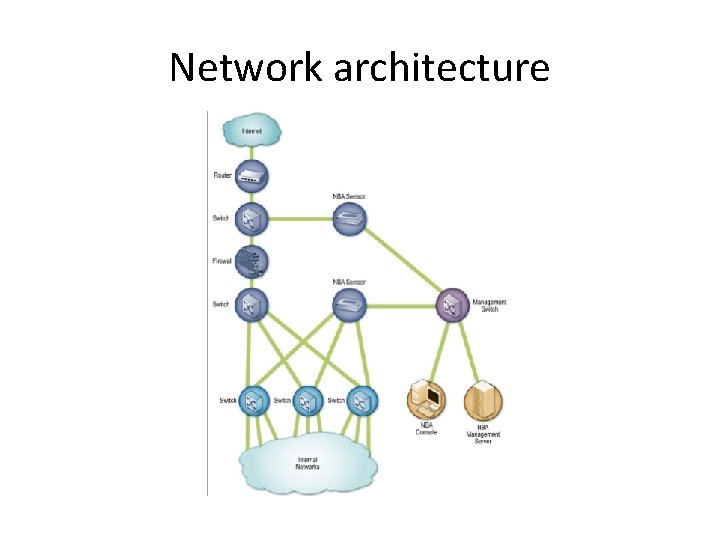
Intro • A network behavior analysis (NBA) system examines network traffic or statistics on network traffic to identify unusual traffic flows, such as distributed denial of service (DDo. S) attacks, certain forms of malware (e. g. , worms, backdoors), and policy violations (e. g. , a client system providing network services to other systems). • NBA solutions usually have sensors (as appliance) and consoles, with some products also offering management servers – Some sensors are similar to network-based IDPS sensors (sniffer) – Other NBA sensors do not monitor the networks directly, but instead rely on network flow information provided by routers and other networking devices – Flow data: • Source and destination IP addresses • Source and destination TCP or UDP ports or ICMP types and codes • Number of packets and number of bytes transmitted in the session • Timestamps for the start and end of the session.
Network architecture
Information gathering capabilities • NBA sensors can automatically create and maintain lists of hosts communicating on the organization’s monitored networks – monitor port usage, perform passive fingerprinting, and use other techniques to gather detailed information on the hosts • Information collected for each host: – IP address – Operating system – What services it is providing, including the IP protocols and TCP and UDP ports it uses to do so – Other hosts with which it communicates, and what services it uses and which IP protocols and TCP or UDP ports it contacts on each host.
• Logging Capabilities: Timestamp (usually date and time) Event or alert type Rating (e. g. , priority, severity, impact, confidence) Network, transport, and application layer protocols Source and destination IP addresses Source and destination TCP or UDP ports, or ICMP types and codes Additional packet header fields (e. g. , IP time-to-live [TTL]) Number of bytes and packets sent by the source and destination hosts for the connection – Prevention action performed (if any). – – – –
Threat Detection • Detection capabilities – • anomaly-based detection + some stateful protocol analysis techniques (analyze network flows). Types of events detected – Denial of service (Do. S) attacks – Scanning. – Worms – Unexpected application services – Policy violation • most accurate at detecting attacks that generate large amounts of network activity in a short period of time + attacks that have unusual flow patterns • Detection accuracy also varies over time – Based on anomaly detection – + sensitive + false positives – -sensitive + false negatives – False positives can also be caused by benign changes in the environment
Tuning • • • NBA technologies rely primarily on observing network traffic and developing baselines of expected flows and inventories of host characteristics. adjust thresholds periodically (per-host basis or for administrator-defined groups of hosts. ) whitelist and blacklist capabilities customization of each alert code editing features are generally not applicable to NBA products. A few NBA products offer limited signature-based detection capabilities ( generally simple) – can use the signatures to find and block attacks that a firewall or router might not be capable of blocking
Technology Limitations • Delay in detection attacks – Anomaly detection, – data sources, especially when they rely on flow data from routers and other network devices. • This delay can be avoided by using sensors that do their own packet captures and analysis instead of relying on flow data from other devices – much more resource-intensive than analyzing flow data.
Prevention Capabilities • Passive Only – • Inline Only – • Ending the Current TCP Session. A passive NBA sensor can attempt to end an existing TCP session by sending TCP reset packets to both endpoints. Performing Inline Firewalling. Most inline NBA sensors offer firewall capabilities that can be used to drop or reject suspicious network activity. Both Passive and Inline – Reconfiguring Other Network Security Devices. Many NBA sensors can instruct network security devices such as firewalls and routers to reconfigure themselves to block certain types of activity or route it elsewhere, such as a quarantine virtual local area network (VLAN). – Running a Third-Party Program or Script. Some NBA sensors can run an administrator-specified script or program when certain malicious activity is detected.
Operation & maintenance • NBA products are designed to be operated and maintained through consoles, which typically have very similar capabilities to the consoles for network-based IDPSs • NBA consoles usually offer visualization tools that can display the flow of attacks through an organization’s networks. • maintenance of NBA products is similar to network-based IDPSs – most NBA products do not use signatures, administrators only need to test and apply updates to the NBA software itself – NBA sensors are appliance-based, administrators should also acquire, test, and apply signature updates
HOST BASED IDPS
Intro • A host-based IDPS monitors the characteristics of a single host and the events occurring within that host for suspicious activity. • Monitors: – – – wired and wireless network traffic (only for that host), system logs, running processes, file access and modification, and system and application configuration changes.
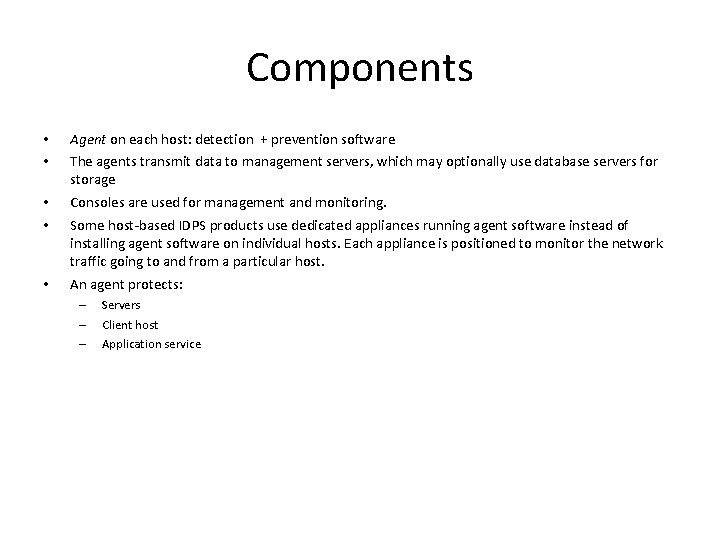
Components • • Agent on each host: detection + prevention software • • Consoles are used for management and monitoring. • An agent protects: The agents transmit data to management servers, which may optionally use database servers for storage Some host-based IDPS products use dedicated appliances running agent software instead of installing agent software on individual hosts. Each appliance is positioned to monitor the network traffic going to and from a particular host. – – – Servers Client host Application service
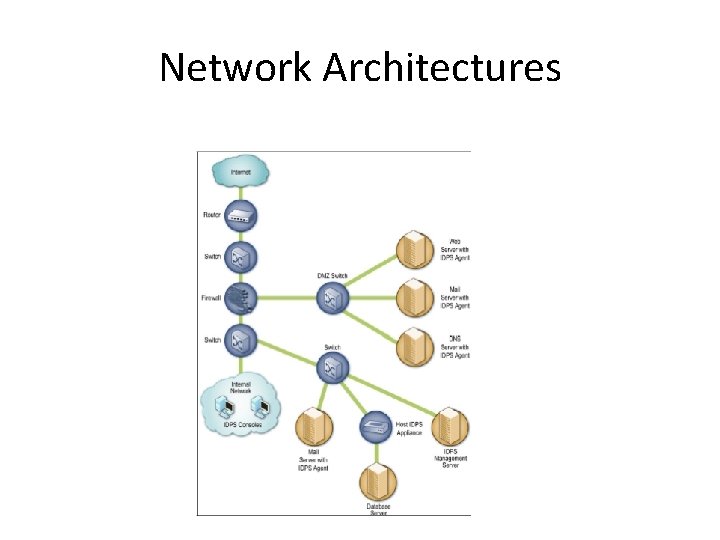
Network Architectures
• Agent Location – Host-based IDPS agents are most commonly deployed to critical hosts such as publicly accessible servers and servers containing sensitive information – Some organizations use host-based IDPS agents primarily to analyze activity that cannot be monitored by other security controls. • Encrypted networks,
Host architecture • • To provide intrusion prevention capabilities, most IDPS agents alter the internal architecture of the hosts on which they are installed A shim intercepts data at a point where it would normally be passed from one piece of code to another. The shim can then analyze the data and determine whether or not it should be allowed or denied. – • Some host-based IDPS agents do not alter the host architecture. – – • network traffic, filesystem activity, system calls, Windows registry activity, and common applications Analyze artefact of an aactivity (log entries and file modifications) -intrusive – effective no prevention One of the important decisions in selecting a host-based IDPS solution is whether to install agents on hosts or use agent-based appliances – – – installing agents on hosts is generally preferable Supports a few Oss On hosts agents affect host performances
Detection Capabilities… • Logging Capabilities Timestamp (usually date and time) Event or alert type Rating (e. g. , priority, severity, impact, confidence) Event details specific to the type of event, such as IP address and port information, application information, filenames and paths, and user IDs – Prevention action performed (if any). – – • Code Analysis – – Code behavior analysis. Buffer overflow detection System call monitoring Application and library lists
… Detection Capabilities • Network traffic analysis • Network traffic filtering • Filesystem monitoring – File integrity checking – File attributes checking – File access monitoring • Log analysis • Network Configuration Monitoring
Detection accuracy • the accuracy of detection is more challenging for host-based IDPSs because several of the possible detection techniques, such as log analysis and filesystem monitoring, do not have knowledge of the context under which detected events occurred. For example, a host may be rebooted, a new application installed, or a system file replaced. • Because each technique can monitor different aspects of a host, using more techniques allows agents to collect more information on the activities occurring.
Tuning • many rely on observing host activity and developing baselines or profiles of expected behavior. • Others need to be configured with detailed policies that define exactly how each application on a host should behave.