
Introductions n An SQL query walks into a

- Slides: 42
Introduction(s)
n An SQL query walks into a bar and sees two tables. He walks up to them and says: "Can I join you? “ n Then a waitress walks up and says "Nice view". Source: http: //it-and-fun. blogspot. com/2013/03/silly-sql-stuff-and-databasejokes. html
n Two My. SQL DBAs walk to a No. SQL bar, but they had to leave because they couldn't find any tables!
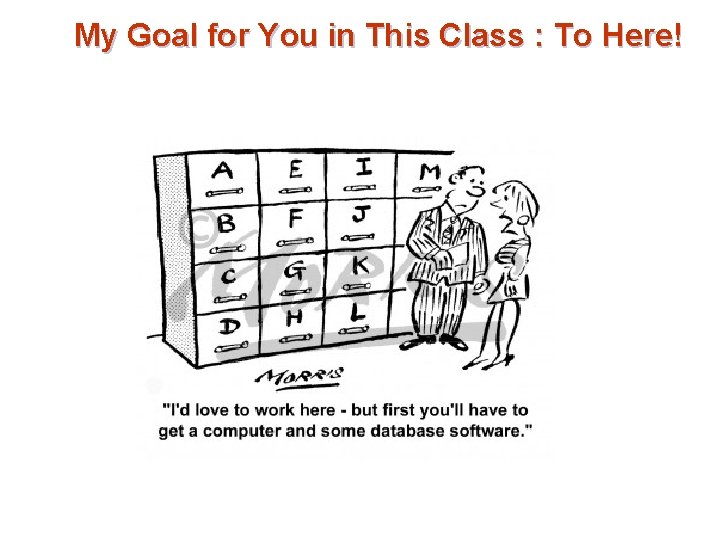
My Goal for You in This Class : To Here!
How prevalent do you think databases are at Temple? What kind of data do you think Temple is managing?
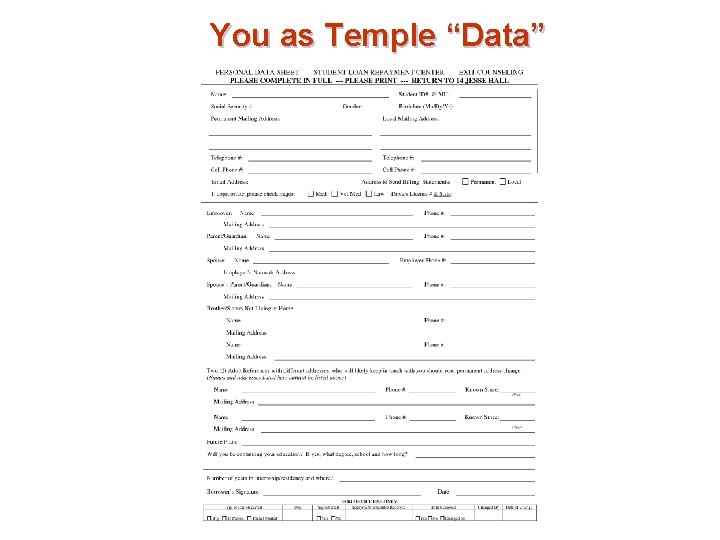
You as Temple “Data”
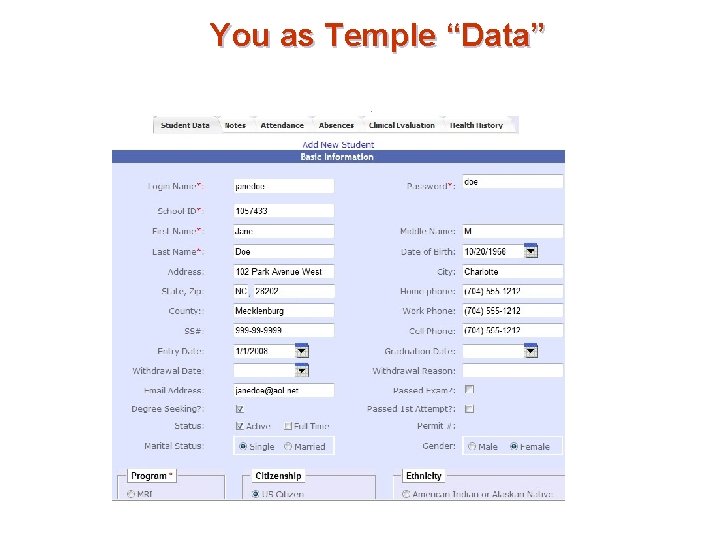
You as Temple “Data”
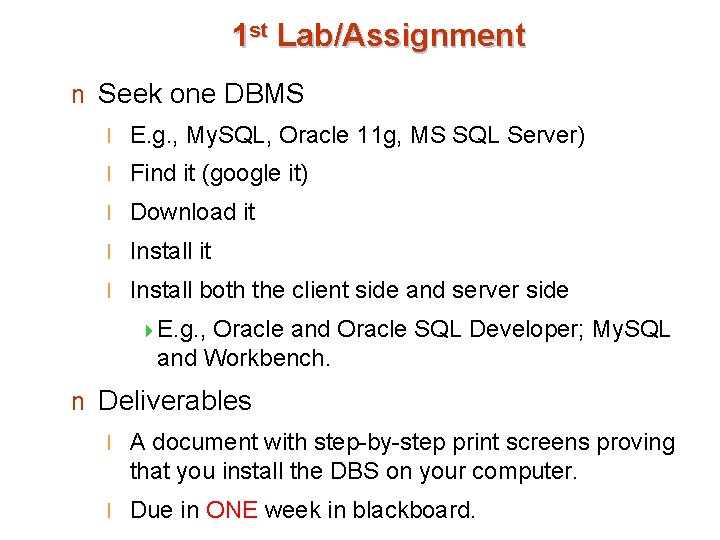
1 st Lab/Assignment n Seek one DBMS l E. g. , My. SQL, Oracle 11 g, MS SQL Server) l Find it (google it) l Download it l Install both the client side and server side 4 E. g. , Oracle and Oracle SQL Developer; My. SQL and Workbench. n Deliverables l A document with step-by-step print screens proving that you install the DBS on your computer. l Due in ONE week in blackboard.
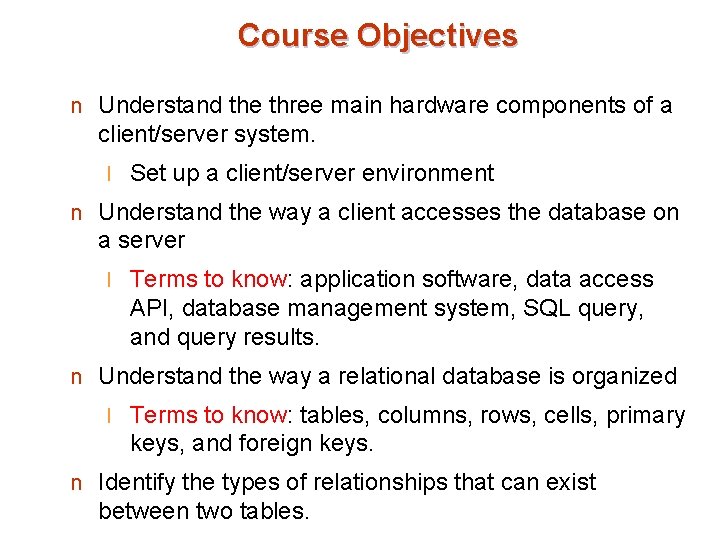
Course Objectives n Understand the three main hardware components of a client/server system. l Set up a client/server environment n Understand the way a client accesses the database on a server l Terms to know: application software, data access API, database management system, SQL query, and query results. n Understand the way a relational database is organized l Terms to know: tables, columns, rows, cells, primary keys, and foreign keys. n Identify the types of relationships that can exist between two tables.
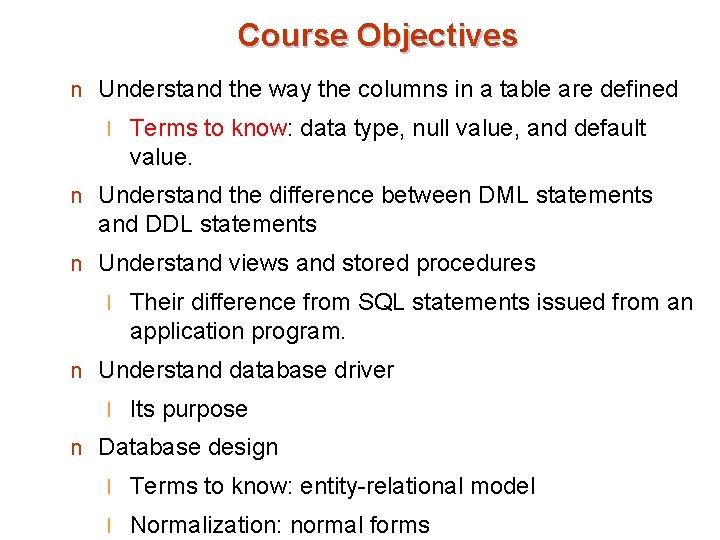
Course Objectives n Understand the way the columns in a table are defined l Terms to know: data type, null value, and default value. n Understand the difference between DML statements and DDL statements n Understand views and stored procedures l Their difference from SQL statements issued from an application program. n Understand database driver l Its purpose n Database design l Terms to know: entity-relational model l Normalization: normal forms
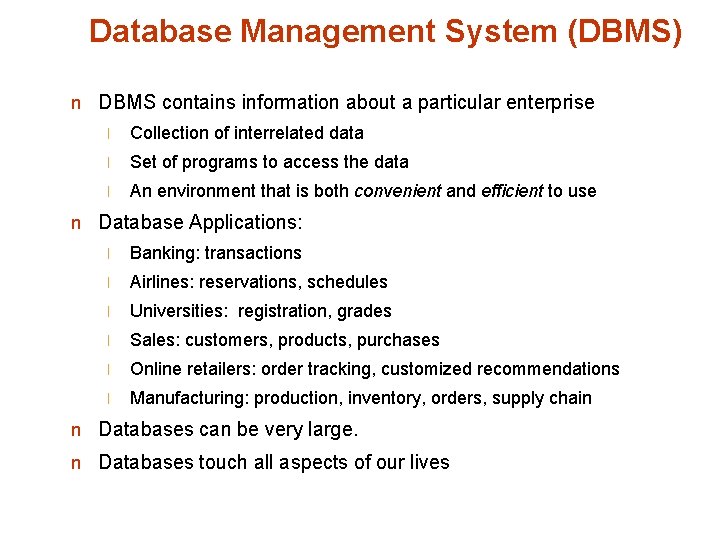
Database Management System (DBMS) n DBMS contains information about a particular enterprise l Collection of interrelated data l Set of programs to access the data l An environment that is both convenient and efficient to use n Database Applications: l Banking: transactions l Airlines: reservations, schedules l Universities: registration, grades l Sales: customers, products, purchases l Online retailers: order tracking, customized recommendations l Manufacturing: production, inventory, orders, supply chain n Databases can be very large. n Databases touch all aspects of our lives
University Database Example n Application program examples l Add new students, instructors, and courses l Register students for courses, and generate class rosters l Assign grades to students, compute grade point averages (GPA) and generate transcripts n In the early days, database applications were built directly on top of file systems l So, what wrong with that?
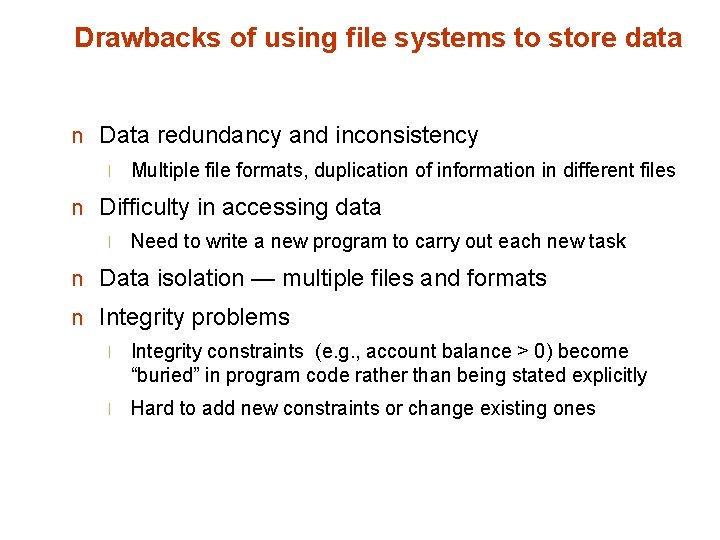
Drawbacks of using file systems to store data n Data redundancy and inconsistency l Multiple file formats, duplication of information in different files n Difficulty in accessing data l Need to write a new program to carry out each new task n Data isolation — multiple files and formats n Integrity problems l Integrity constraints (e. g. , account balance > 0) become “buried” in program code rather than being stated explicitly l Hard to add new constraints or change existing ones
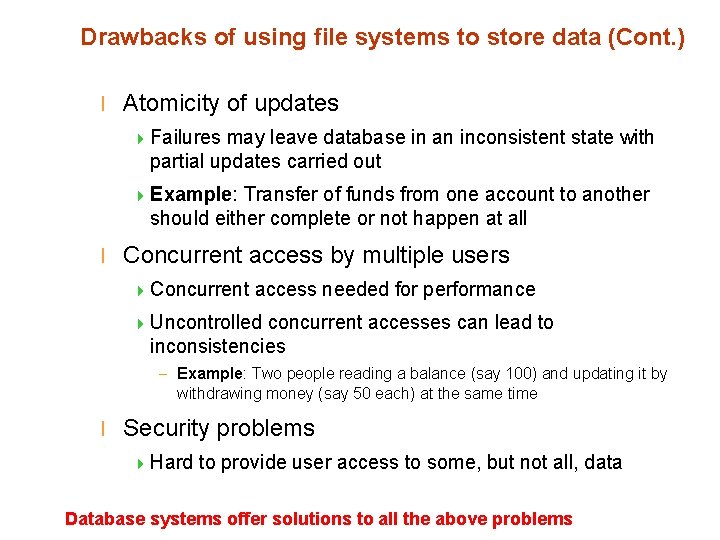
Drawbacks of using file systems to store data (Cont. ) l Atomicity of updates 4 Failures may leave database in an inconsistent state with partial updates carried out 4 Example: Transfer of funds from one account to another should either complete or not happen at all l Concurrent access by multiple users 4 Concurrent access needed for performance 4 Uncontrolled concurrent accesses can lead to inconsistencies – Example: Two people reading a balance (say 100) and updating it by withdrawing money (say 50 each) at the same time l Security problems 4 Hard to provide user access to some, but not all, data Database systems offer solutions to all the above problems
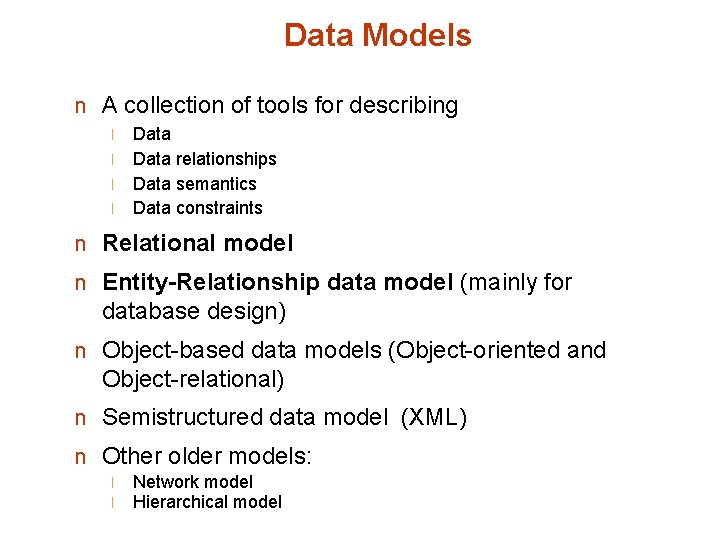
Data Models n A collection of tools for describing l l Data relationships Data semantics Data constraints n Relational model n Entity-Relationship data model (mainly for database design) n Object-based data models (Object-oriented and Object-relational) n Semistructured data model (XML) n Other older models: l l Network model Hierarchical model
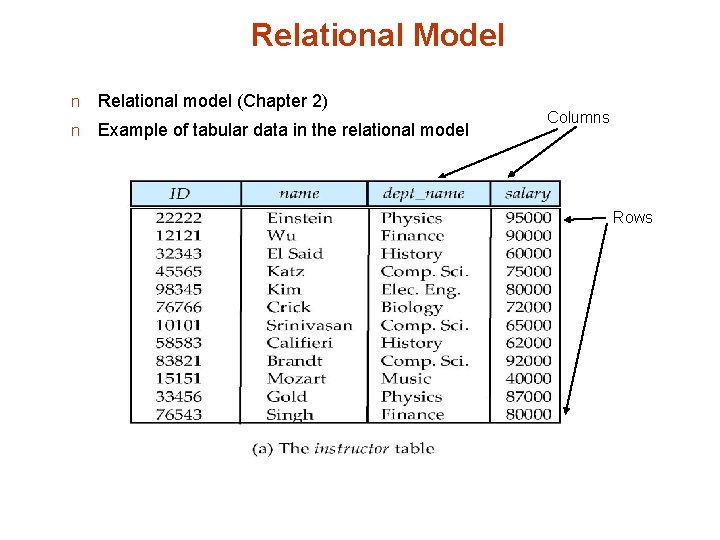
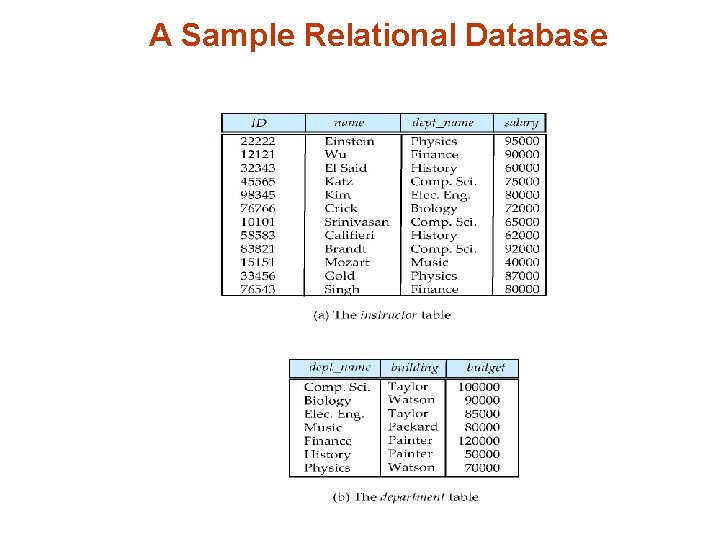
Relational Model n Relational model (Chapter 2) n Example of tabular data in the relational model Columns Rows
A Sample Relational Database
Data Manipulation Language (DML) n Language for accessing and manipulating the data organized by the appropriate data model l DML also known as query language n Two classes of languages l Procedural – user specifies what data is required and how to get those data l Declarative (nonprocedural) – user specifies what data is required without specifying how to get those data n SQL is the most widely used query language
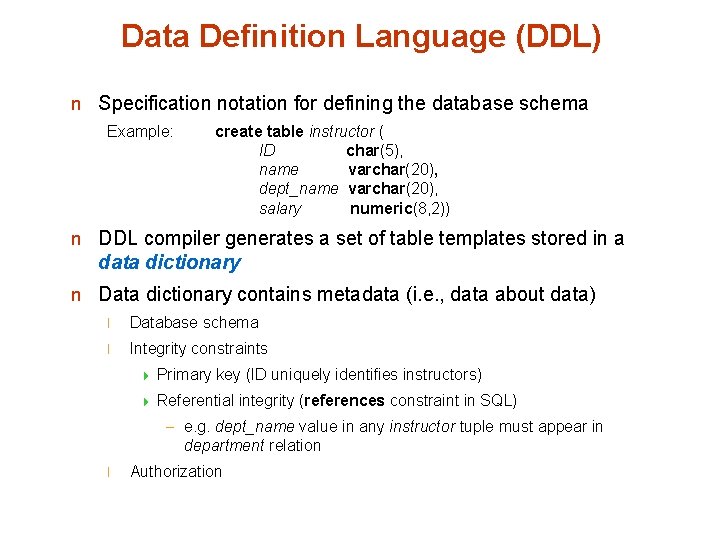
Data Definition Language (DDL) n Specification notation for defining the database schema Example: create table instructor ( ID char(5), name varchar(20), dept_name varchar(20), salary numeric(8, 2)) n DDL compiler generates a set of table templates stored in a data dictionary n Data dictionary contains metadata (i. e. , data about data) l Database schema l Integrity constraints 4 Primary key (ID uniquely identifies instructors) 4 Referential integrity (references constraint in SQL) – e. g. dept_name value in any instructor tuple must appear in department relation l Authorization
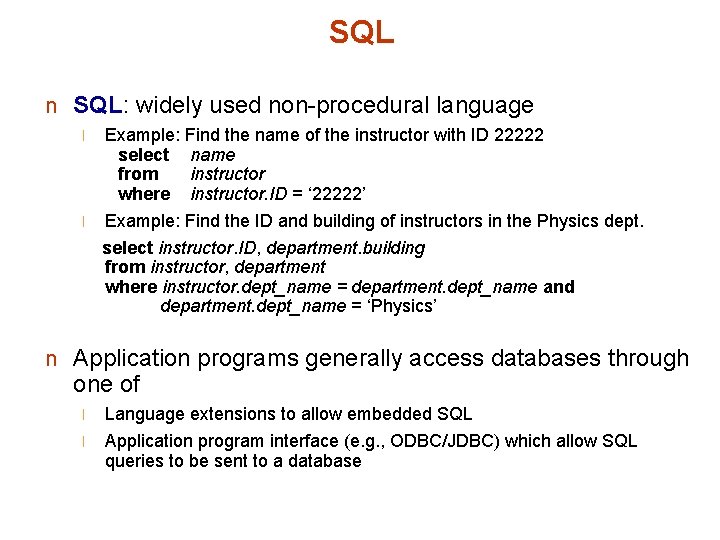
SQL n SQL: widely used non-procedural language l Example: Find the name of the instructor with ID 22222 select name from instructor where instructor. ID = ‘ 22222’ l Example: Find the ID and building of instructors in the Physics dept. select instructor. ID, department. building from instructor, department where instructor. dept_name = department. dept_name and department. dept_name = ‘Physics’ n Application programs generally access databases through one of l l Language extensions to allow embedded SQL Application program interface (e. g. , ODBC/JDBC) which allow SQL queries to be sent to a database
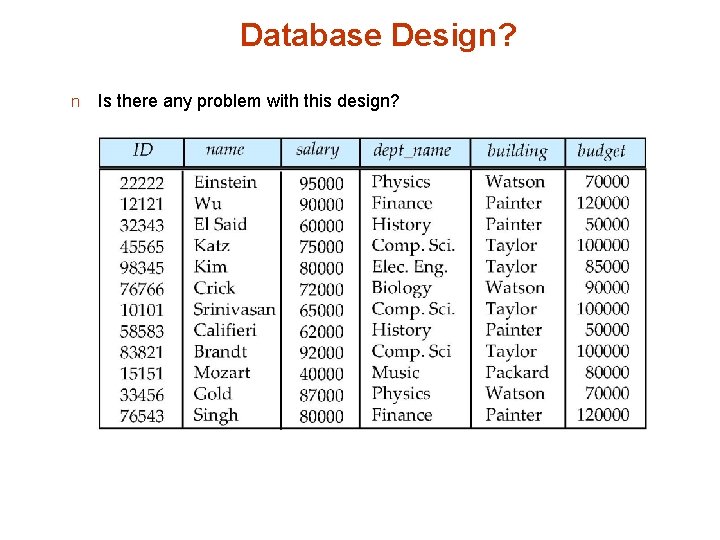
Database Design? n Is there any problem with this design?
Design Approaches n Normalization Theory l Formalize what designs are bad, and test for them n Entity Relationship Model l Models an enterprise as a collection of entities and relationships 4 Entity: a “thing” or “object” in the enterprise that is distinguishable from other objects – Described by a set of attributes 4 Relationship: l an association among several entities Represented diagrammatically by an entity-relationship diagram
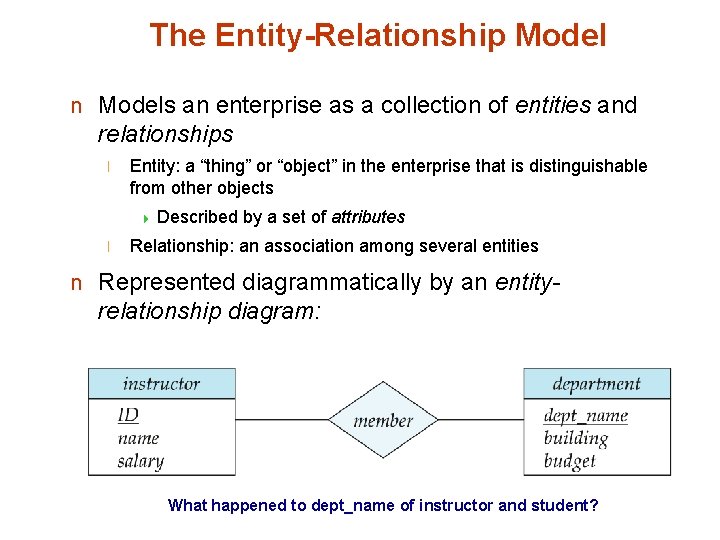
The Entity-Relationship Model n Models an enterprise as a collection of entities and relationships l Entity: a “thing” or “object” in the enterprise that is distinguishable from other objects 4 Described l by a set of attributes Relationship: an association among several entities n Represented diagrammatically by an entity- relationship diagram: What happened to dept_name of instructor and student?
Storage Management n Storage manager l is a program module that provides the interface between the low-level data stored in the database and the application programs and queries submitted to the system. l is responsible to the following tasks: 4 Interaction 4 Efficient with the file manager storing, retrieving and updating of data n Issues: l Storage access l File organization l Indexing
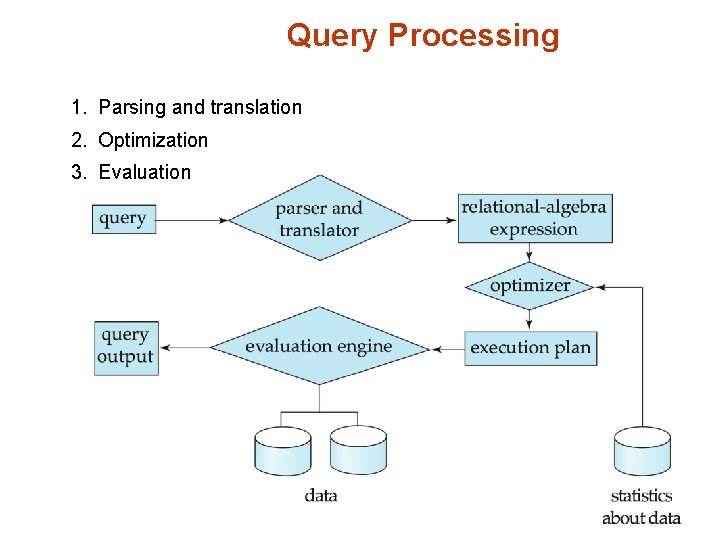
Query Processing 1. Parsing and translation 2. Optimization 3. Evaluation
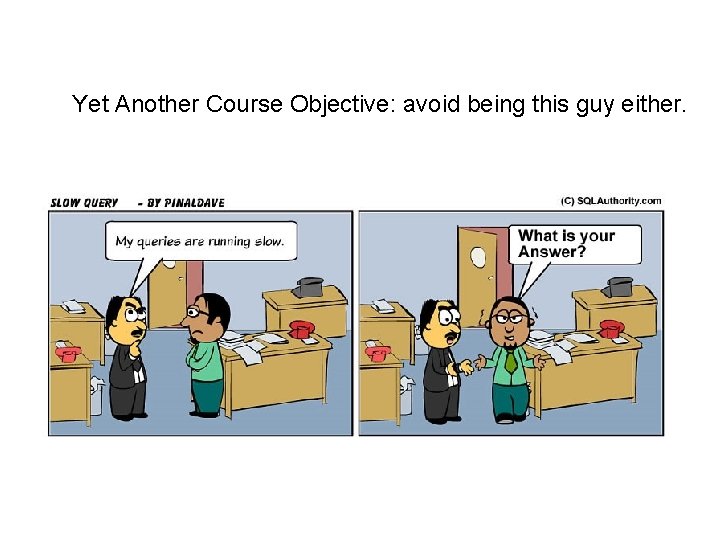
Yet Another Course Objective: avoid being this guy either.
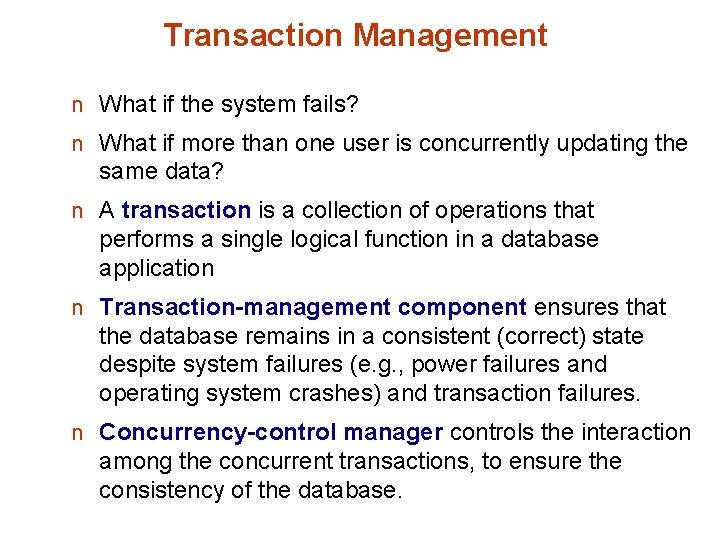
Transaction Management n What if the system fails? n What if more than one user is concurrently updating the same data? n A transaction is a collection of operations that performs a single logical function in a database application n Transaction-management component ensures that the database remains in a consistent (correct) state despite system failures (e. g. , power failures and operating system crashes) and transaction failures. n Concurrency-control manager controls the interaction among the concurrent transactions, to ensure the consistency of the database.
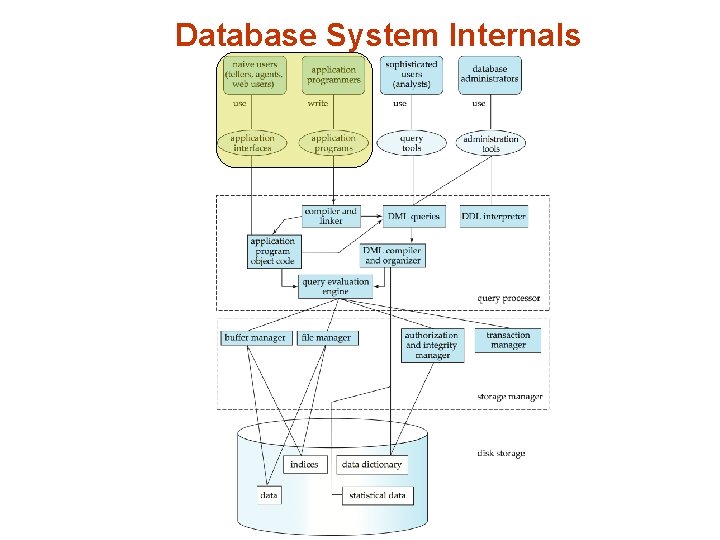
Database System Internals
Database Architecture The architecture of a database systems is greatly influenced by the underlying computer system on which the database is running: l Centralized l Client-server l Parallel (multi-processor) l Distributed
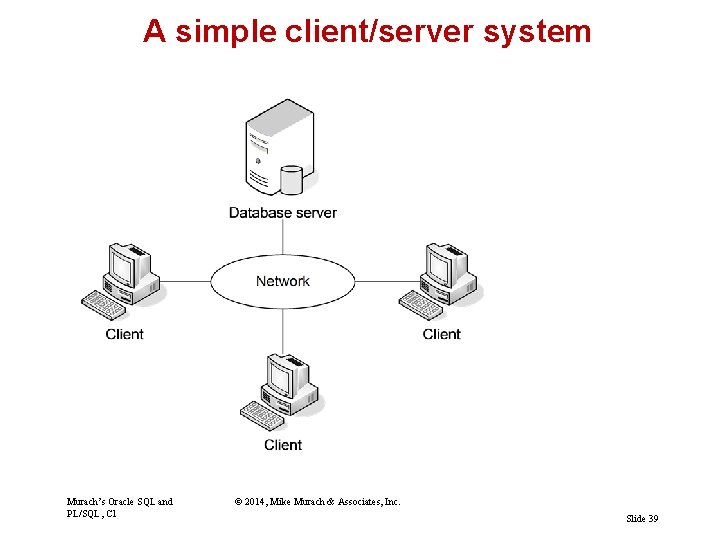
A simple client/server system Murach’s Oracle SQL and PL/SQL, C 1 © 2014, Mike Murach & Associates, Inc. Slide 39
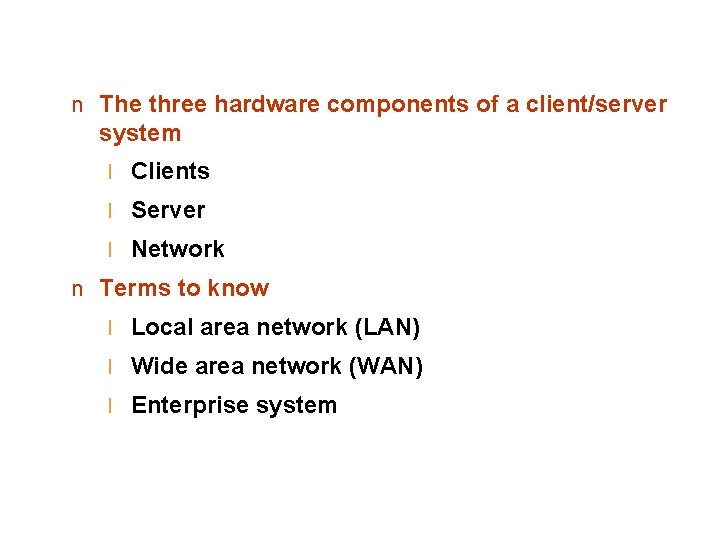
n The three hardware components of a client/server system l Clients l Server l Network n Terms to know l Local area network (LAN) l Wide area network (WAN) l Enterprise system
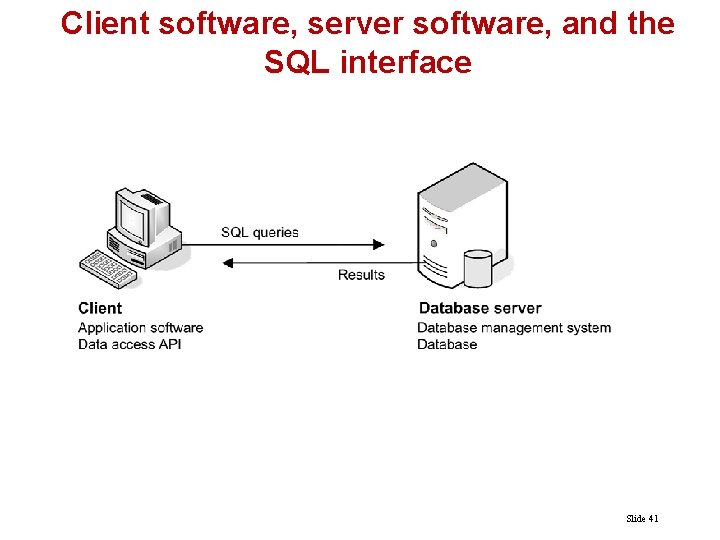
Client software, server software, and the SQL interface Slide 41
Server software l Database management system (DBMS) l The DBMS does the back-end processing Client software l Application software l Data access API (application programming interface) l The client software does the front-end processing The SQL interface l SQL queries l SQL stands for Structured Query Language
Client/server system l Processing is divided between client and server File-handling system l All processing is done by the clients
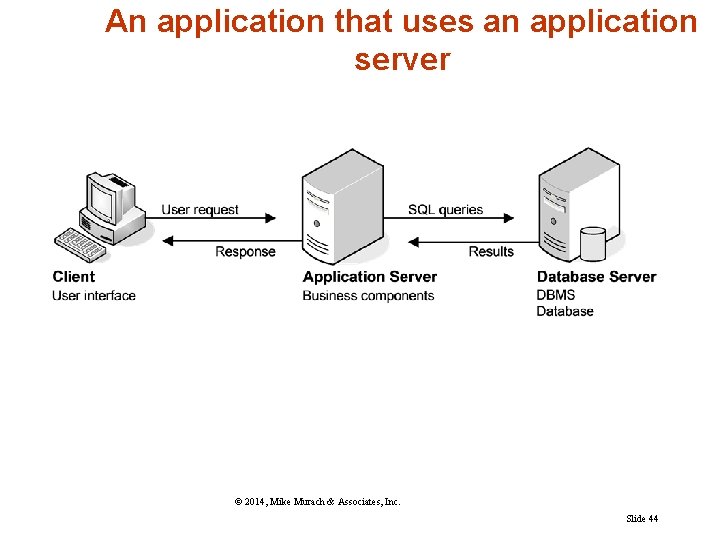
An application that uses an application server © 2014, Mike Murach & Associates, Inc. Slide 44
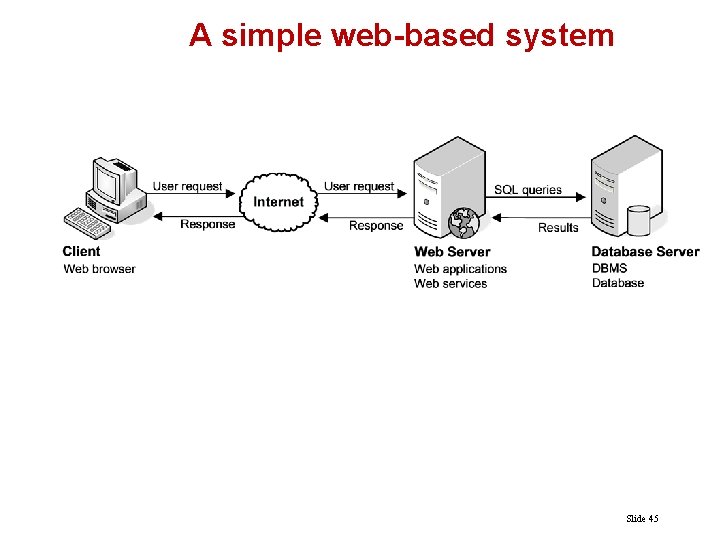
A simple web-based system Slide 45
Other client/server components n Application servers store business components n Web servers store web applications and web services
How web applications work n Web browser on a client sends a request to a web n n server. Web server processes the request. Web server passes any data requests to the database server. Database server returns results to web server. Web server returns a response to the browser.
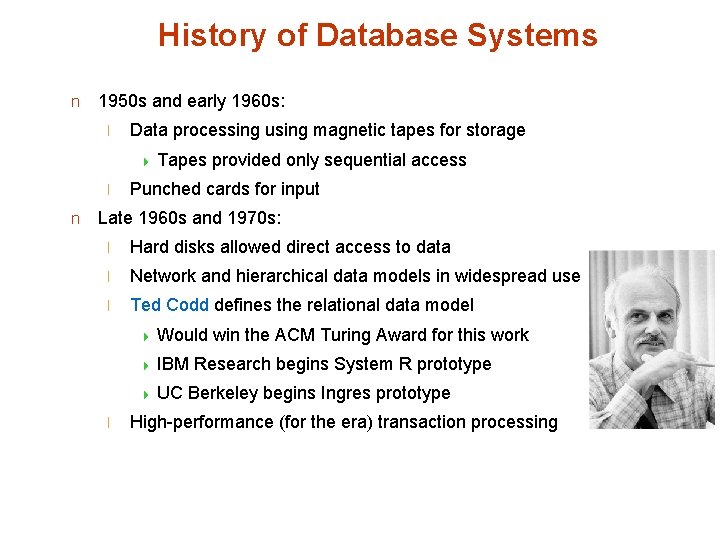
History of Database Systems n 1950 s and early 1960 s: l Data processing using magnetic tapes for storage 4 Tapes l n provided only sequential access Punched cards for input Late 1960 s and 1970 s: l Hard disks allowed direct access to data l Network and hierarchical data models in widespread use l Ted Codd defines the relational data model 4 Would 4 IBM 4 UC l win the ACM Turing Award for this work Research begins System R prototype Berkeley begins Ingres prototype High-performance (for the era) transaction processing
History (cont. ) n 1980 s: Research relational prototypes evolve into commercial systems 4 SQL becomes industrial standard l Parallel and distributed database systems l Object-oriented database systems n 1990 s: l Large decision support and data-mining applications l Large multi-terabyte data warehouses l Emergence of Web commerce l Early 2000 s: l XML and XQuery standards l Automated database administration n Later 2000 s: l Giant data storage systems 4 Google Big. Table, Yahoo PNuts, Amazon, . . n
End of Introduction(s)