
Introduction z Example model train controller Computers as
![Formatter class formatter current-train: integer current-speed[ntrains]: integer current-inertia[ntrains]: unsigned-integer current-estop[ntrains]: boolean send-command() panel-active() :](https://slidetodoc.com/presentation_image_h2/f154a945ecea372cb2032c63483ee928/image-30.jpg "Formatter class formatter current-train: integer current-speed[ntrains]: integer current-inertia[ntrains]: unsigned-integer current-estop[ntrains]: boolean send-command() panel-active() :")
![Controller class controller current-train: integer current-speed[ntrains]: integer current-direction[ntrains]: boolean current-inertia[ntrains]: unsigned-integer operate() issue-command() Computers](https://slidetodoc.com/presentation_image_h2/f154a945ecea372cb2032c63483ee928/image-36.jpg "Controller class controller current-train: integer current-speed[ntrains]: integer current-direction[ntrains]: boolean current-inertia[ntrains]: unsigned-integer operate() issue-command() Computers")
- Slides: 41
Introduction z. Example: model train controller. Computers as Components 3 e © 2012 Marilyn Wolf
Purposes of example z. Follow a design through several levels of abstraction. z. Gain experience with UML. Computers as Components 3 e © 2012 Marilyn Wolf
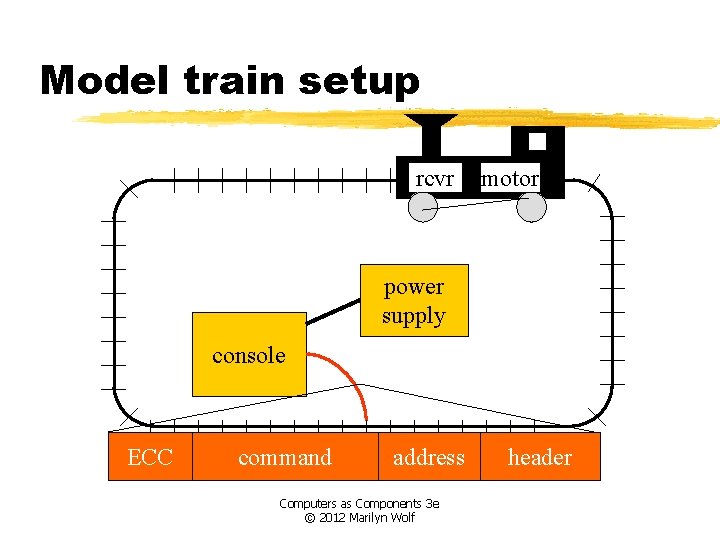
Model train setup rcvr motor power supply console ECC command address Computers as Components 3 e © 2012 Marilyn Wolf header
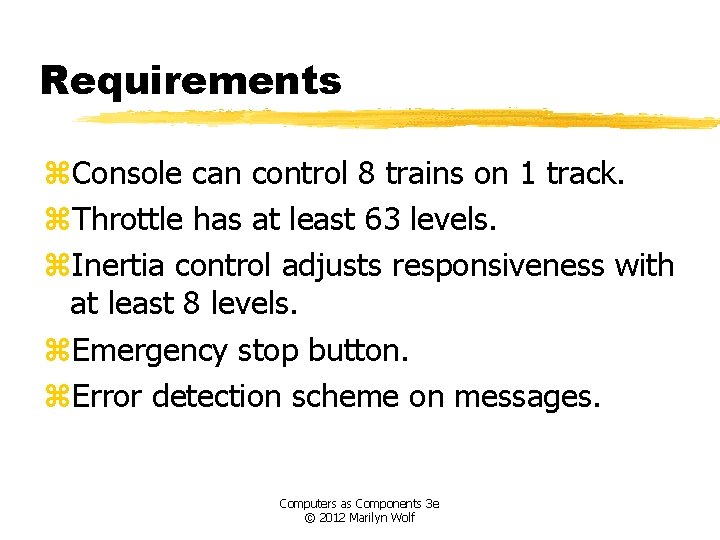
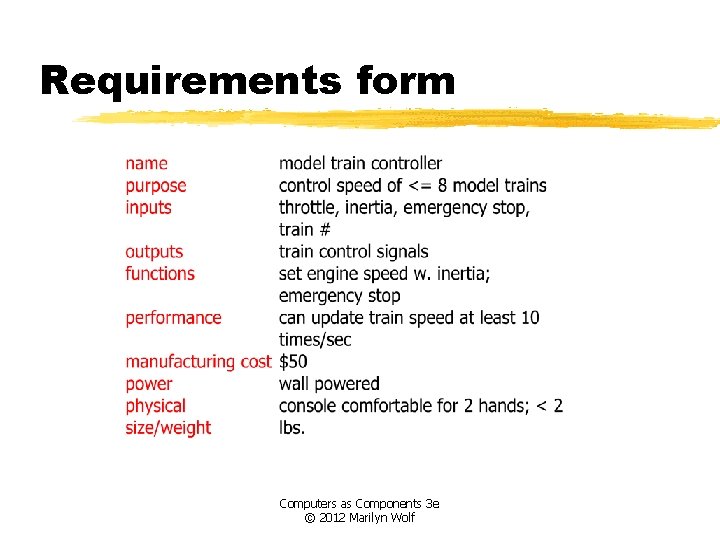
Requirements z. Console can control 8 trains on 1 track. z. Throttle has at least 63 levels. z. Inertia control adjusts responsiveness with at least 8 levels. z. Emergency stop button. z. Error detection scheme on messages. Computers as Components 3 e © 2012 Marilyn Wolf
Requirements form Computers as Components 3 e © 2012 Marilyn Wolf
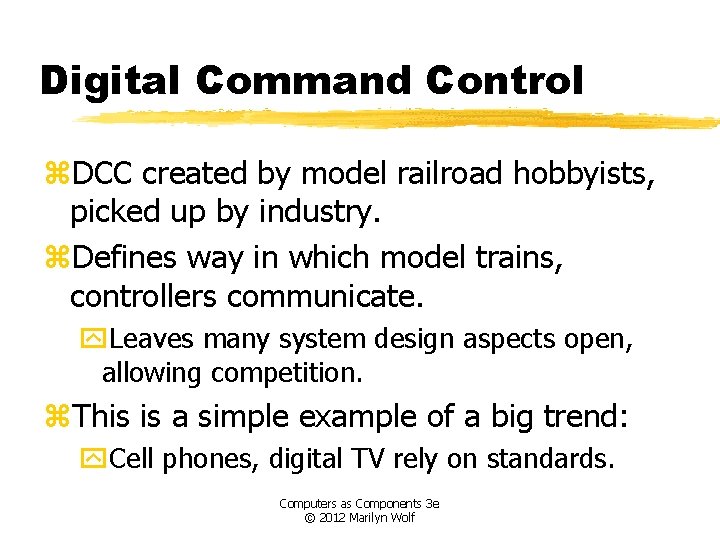
Digital Command Control z. DCC created by model railroad hobbyists, picked up by industry. z. Defines way in which model trains, controllers communicate. y. Leaves many system design aspects open, allowing competition. z. This is a simple example of a big trend: y. Cell phones, digital TV rely on standards. Computers as Components 3 e © 2012 Marilyn Wolf
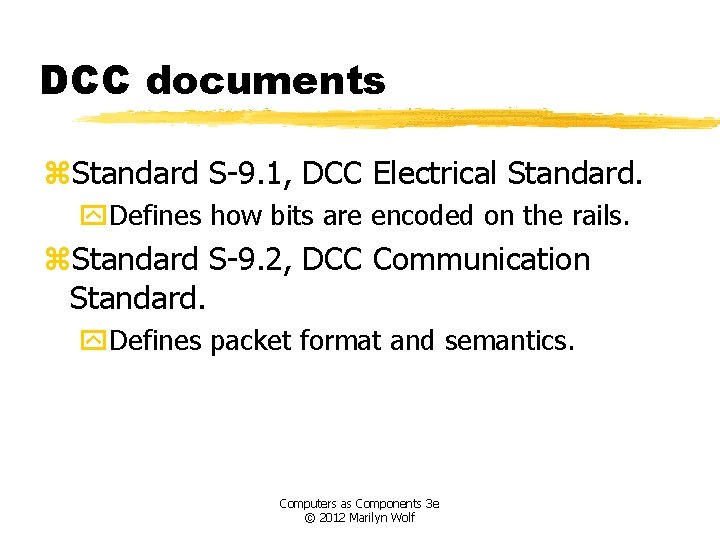
DCC documents z. Standard S-9. 1, DCC Electrical Standard. y. Defines how bits are encoded on the rails. z. Standard S-9. 2, DCC Communication Standard. y. Defines packet format and semantics. Computers as Components 3 e © 2012 Marilyn Wolf
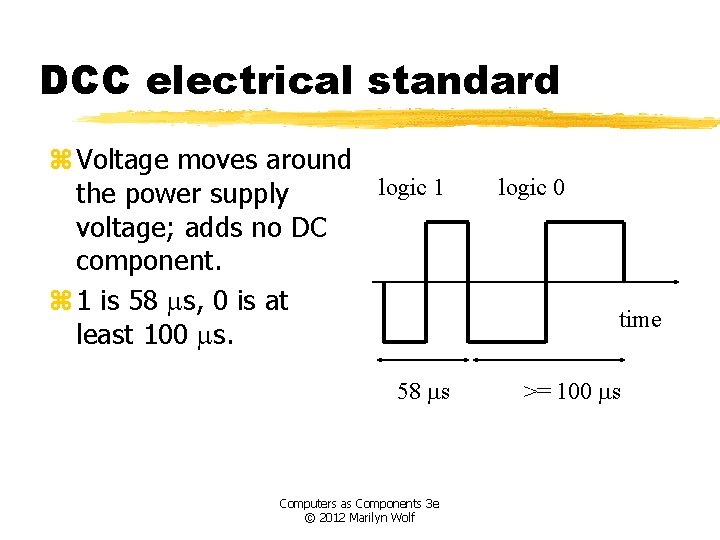
DCC electrical standard z Voltage moves around logic 1 the power supply voltage; adds no DC component. z 1 is 58 ms, 0 is at least 100 ms. 58 ms Computers as Components 3 e © 2012 Marilyn Wolf logic 0 time >= 100 ms
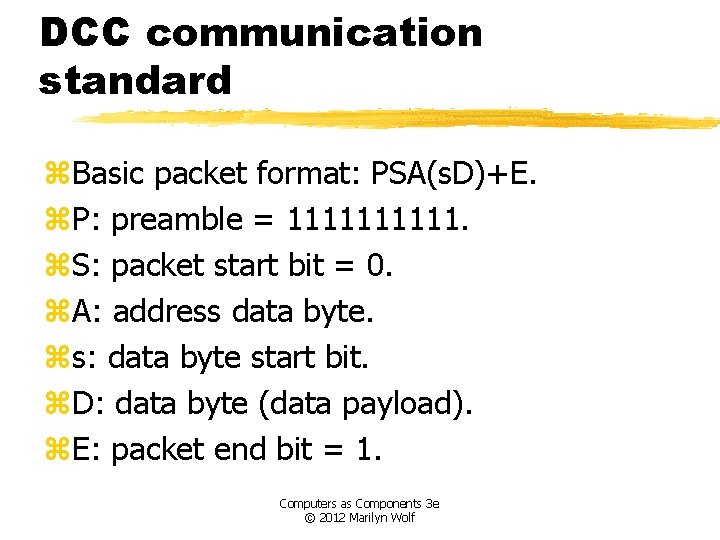
DCC communication standard z. Basic packet format: PSA(s. D)+E. z. P: preamble = 11111. z. S: packet start bit = 0. z. A: address data byte. zs: data byte start bit. z. D: data byte (data payload). z. E: packet end bit = 1. Computers as Components 3 e © 2012 Marilyn Wolf
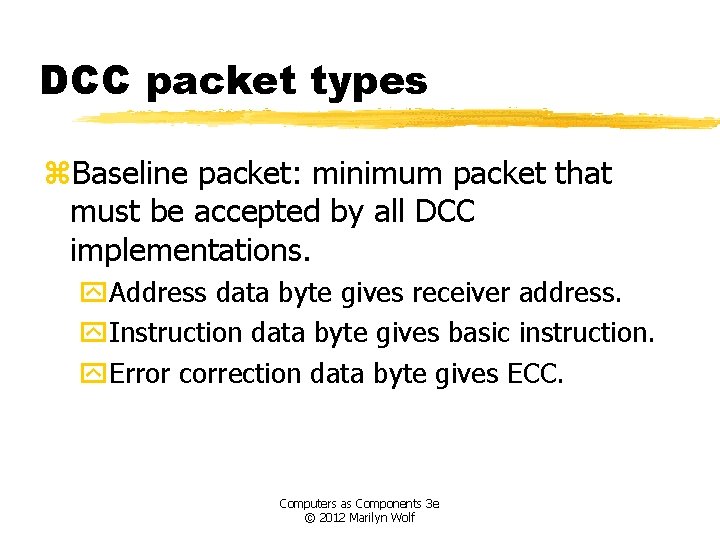
DCC packet types z. Baseline packet: minimum packet that must be accepted by all DCC implementations. y. Address data byte gives receiver address. y. Instruction data byte gives basic instruction. y. Error correction data byte gives ECC. Computers as Components 3 e © 2012 Marilyn Wolf
Conceptual specification z. Before we create a detailed specification, we will make an initial, simplified specification. y. Gives us practice in specification and UML. y. Good idea in general to identify potential problems before investing too much effort in detail. Computers as Components 3 e © 2012 Marilyn Wolf
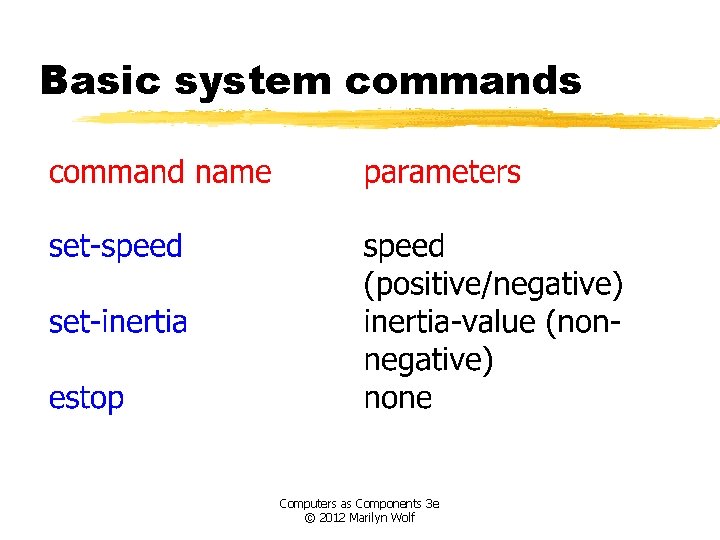
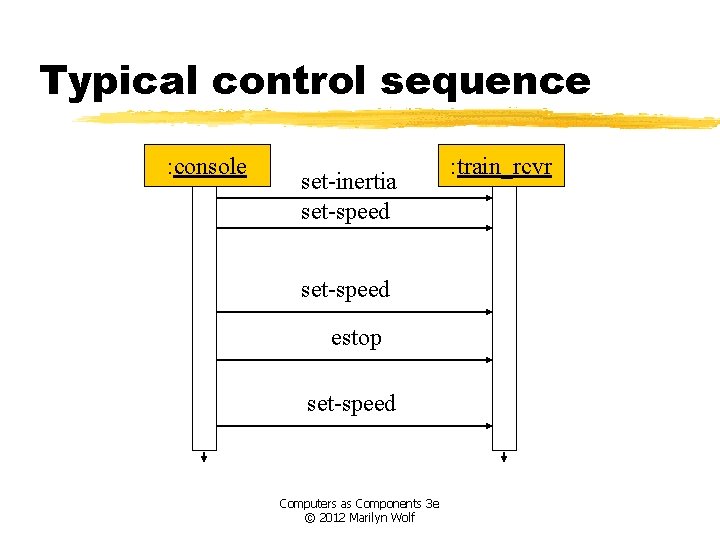
Basic system commands Computers as Components 3 e © 2012 Marilyn Wolf
Typical control sequence : console set-inertia set-speed estop set-speed Computers as Components 3 e © 2012 Marilyn Wolf : train_rcvr
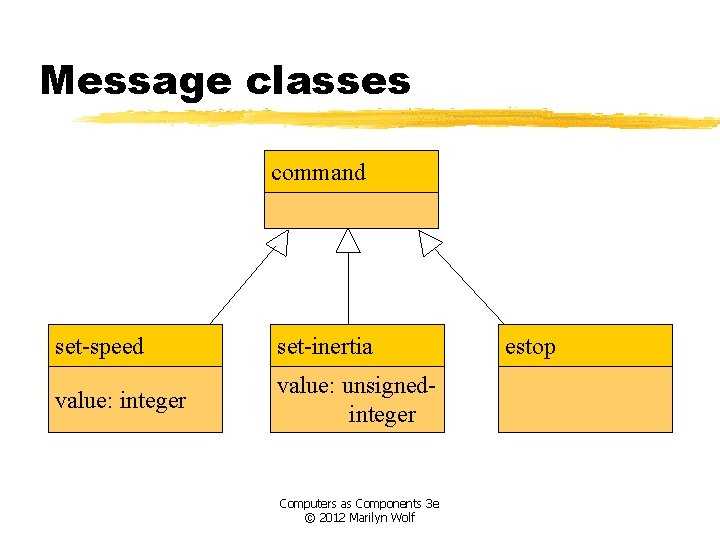
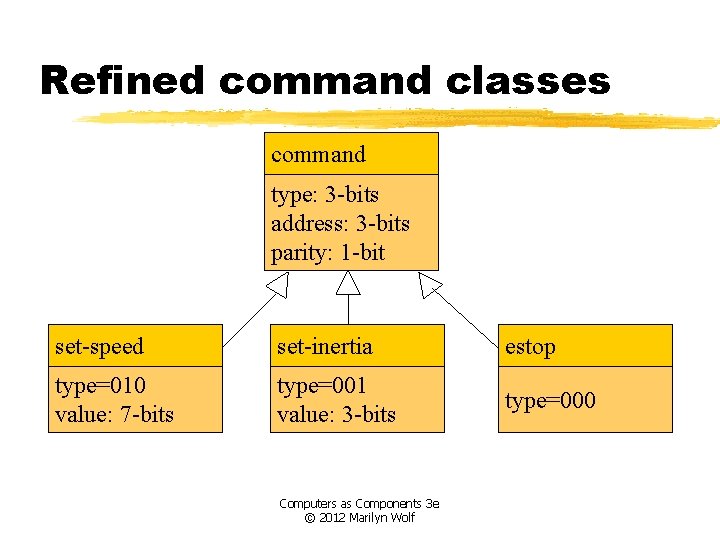
Message classes command set-speed set-inertia value: integer value: unsignedinteger Computers as Components 3 e © 2012 Marilyn Wolf estop
Roles of message classes z. Implemented message classes derived from message class. y. Attributes and operations will be filled in for detailed specification. z. Implemented message classes specify message type by their class. y. May have to add type as parameter to data structure in implementation. Computers as Components 3 e © 2012 Marilyn Wolf
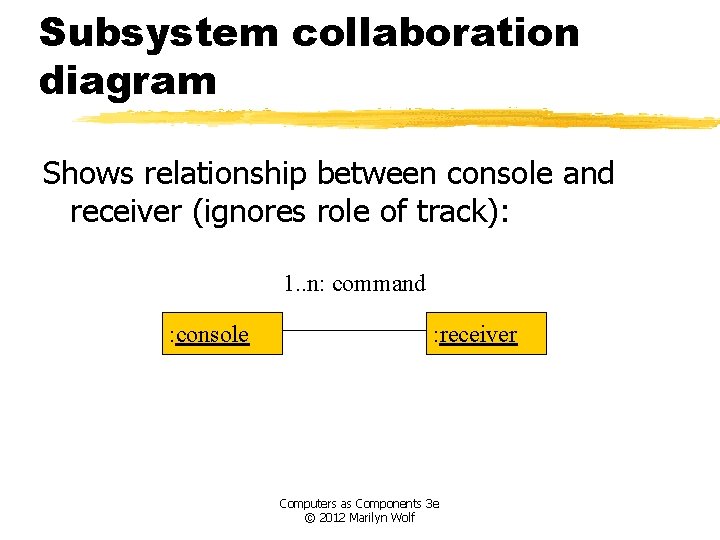
Subsystem collaboration diagram Shows relationship between console and receiver (ignores role of track): 1. . n: command : console : receiver Computers as Components 3 e © 2012 Marilyn Wolf
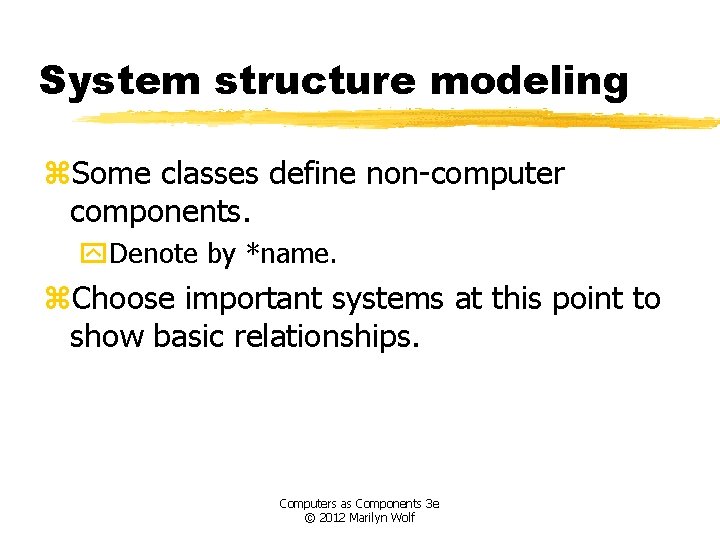
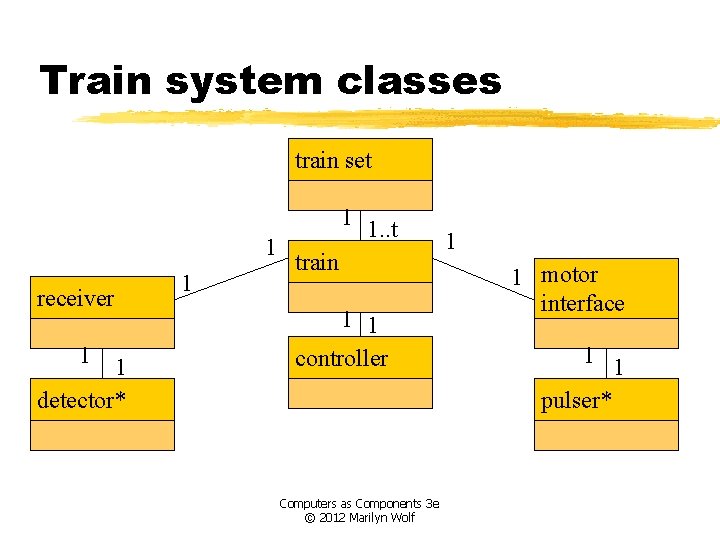
System structure modeling z. Some classes define non-computer components. y. Denote by *name. z. Choose important systems at this point to show basic relationships. Computers as Components 3 e © 2012 Marilyn Wolf
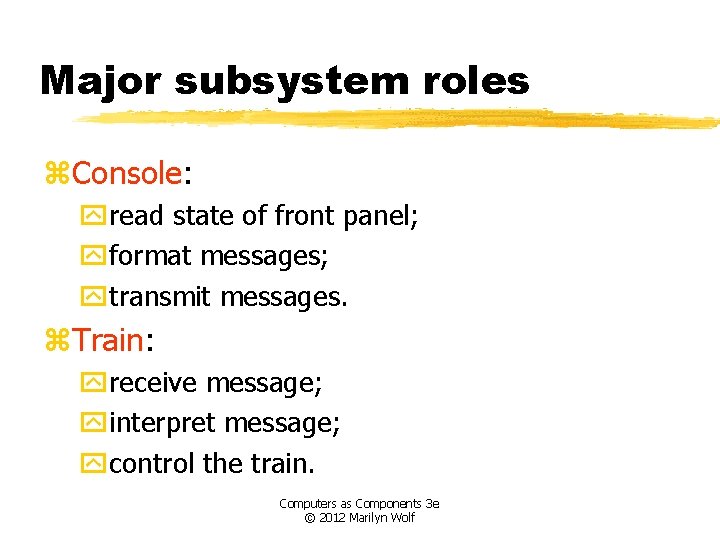
Major subsystem roles z. Console: yread state of front panel; yformat messages; ytransmit messages. z. Train: yreceive message; yinterpret message; ycontrol the train. Computers as Components 3 e © 2012 Marilyn Wolf
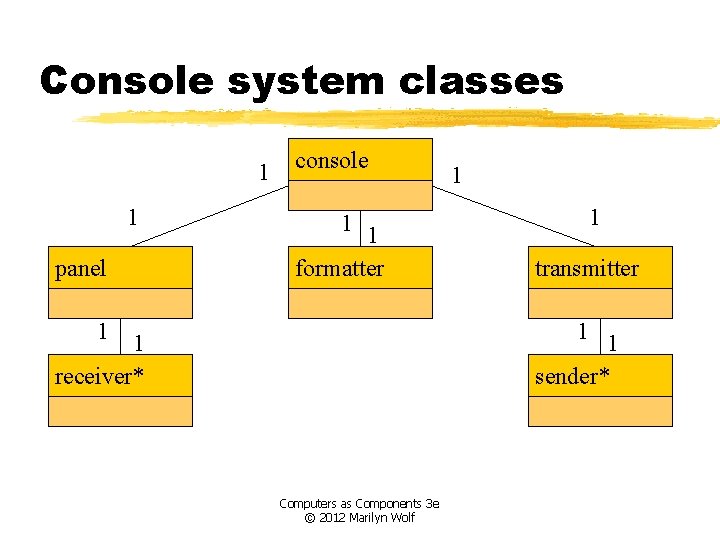
Console system classes 1 1 panel console 1 1 formatter 1 1 1 transmitter 1 1 sender* 1 receiver* Computers as Components 3 e © 2012 Marilyn Wolf
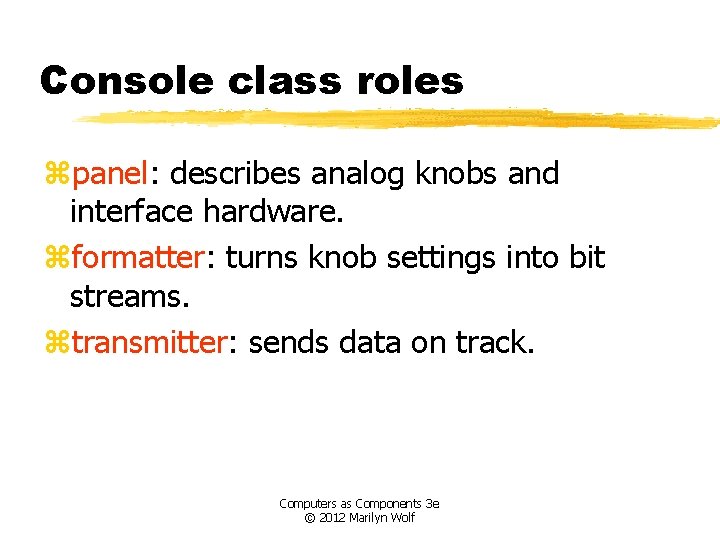
Console class roles zpanel: describes analog knobs and interface hardware. zformatter: turns knob settings into bit streams. ztransmitter: sends data on track. Computers as Components 3 e © 2012 Marilyn Wolf
Train system classes train set 1 receiver 1 1 detector* 1 1 1. . t train 1 1 controller Computers as Components 3 e © 2012 Marilyn Wolf 1 1 motor interface 1 1 pulser*
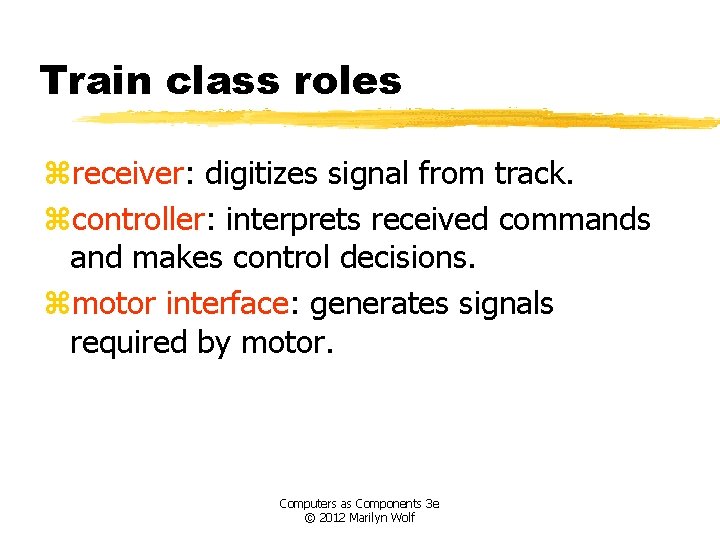
Train class roles zreceiver: digitizes signal from track. zcontroller: interprets received commands and makes control decisions. zmotor interface: generates signals required by motor. Computers as Components 3 e © 2012 Marilyn Wolf
Detailed specification z. We can now fill in the details of the conceptual specification: ymore classes; ybehaviors. z. Sketching out the spec first helps us understand the basic relationships in the system. Computers as Components 3 e © 2012 Marilyn Wolf
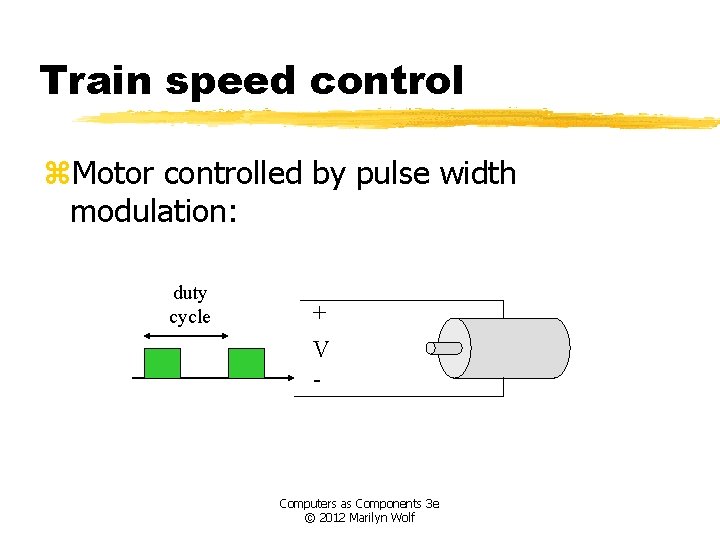
Train speed control z. Motor controlled by pulse width modulation: duty cycle + V - Computers as Components 3 e © 2012 Marilyn Wolf
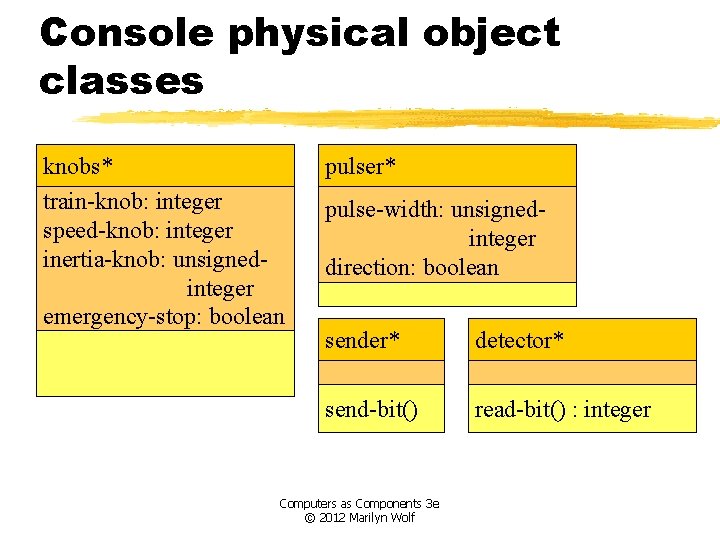
Console physical object classes knobs* train-knob: integer speed-knob: integer inertia-knob: unsignedinteger emergency-stop: boolean pulser* pulse-width: unsignedinteger direction: boolean sender* detector* send-bit() read-bit() : integer Computers as Components 3 e © 2012 Marilyn Wolf
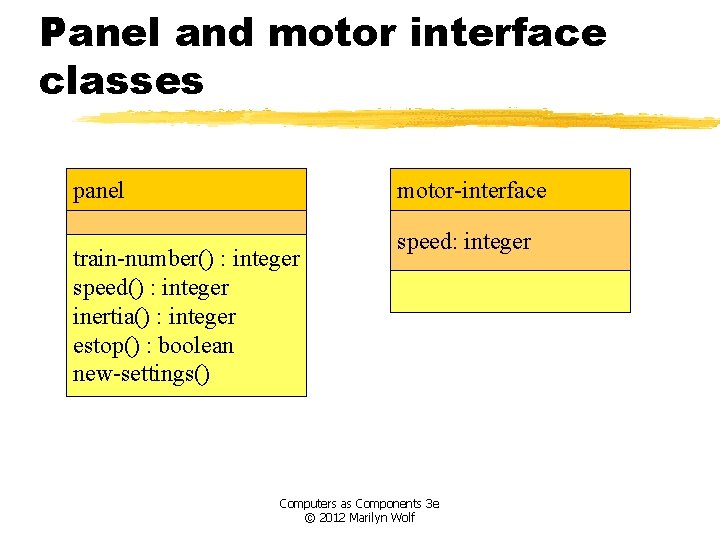
Panel and motor interface classes panel motor-interface train-number() : integer speed() : integer inertia() : integer estop() : boolean new-settings() speed: integer Computers as Components 3 e © 2012 Marilyn Wolf
Class descriptions zpanel class defines the controls. ynew-settings() behavior reads the controls. zmotor-interface class defines the motor speed held as state. Computers as Components 3 e © 2012 Marilyn Wolf
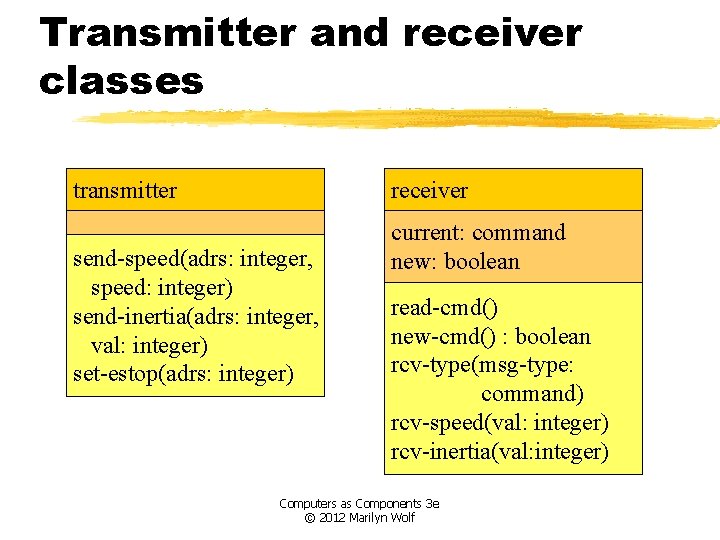
Transmitter and receiver classes transmitter receiver send-speed(adrs: integer, speed: integer) send-inertia(adrs: integer, val: integer) set-estop(adrs: integer) current: command new: boolean read-cmd() new-cmd() : boolean rcv-type(msg-type: command) rcv-speed(val: integer) rcv-inertia(val: integer) Computers as Components 3 e © 2012 Marilyn Wolf
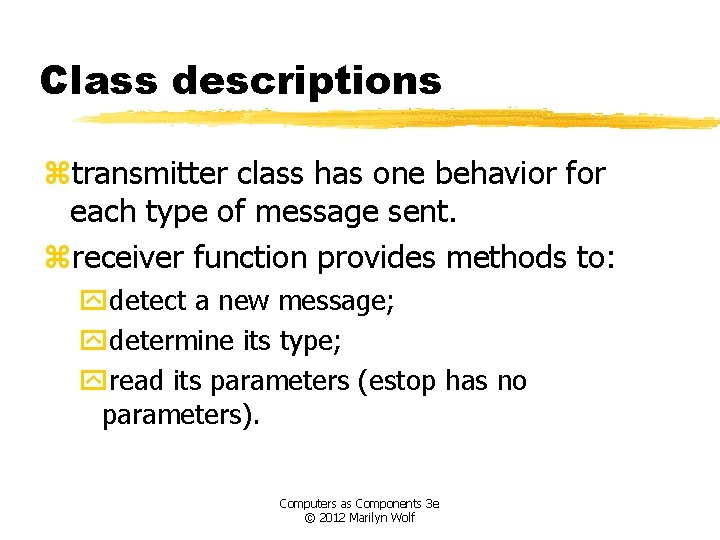
Class descriptions ztransmitter class has one behavior for each type of message sent. zreceiver function provides methods to: ydetect a new message; ydetermine its type; yread its parameters (estop has no parameters). Computers as Components 3 e © 2012 Marilyn Wolf
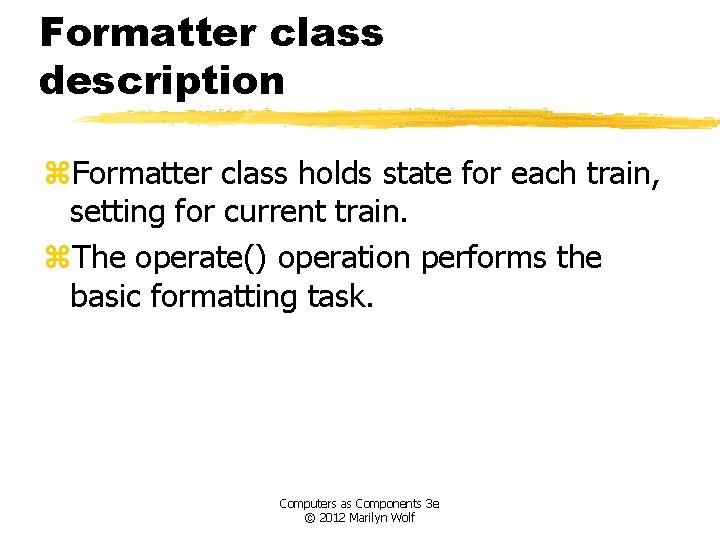
Formatter class formatter current-train: integer current-speed[ntrains]: integer current-inertia[ntrains]: unsigned-integer current-estop[ntrains]: boolean send-command() panel-active() : boolean operate() Computers as Components 3 e © 2012 Marilyn Wolf
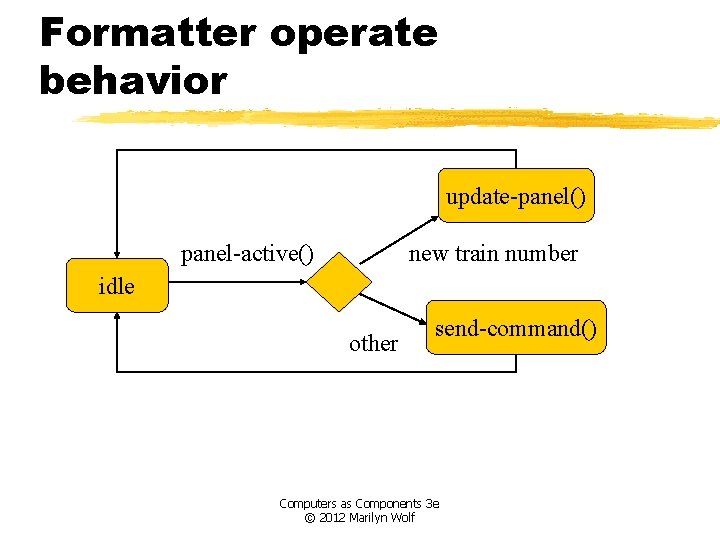
Formatter class description z. Formatter class holds state for each train, setting for current train. z. The operate() operation performs the basic formatting task. Computers as Components 3 e © 2012 Marilyn Wolf
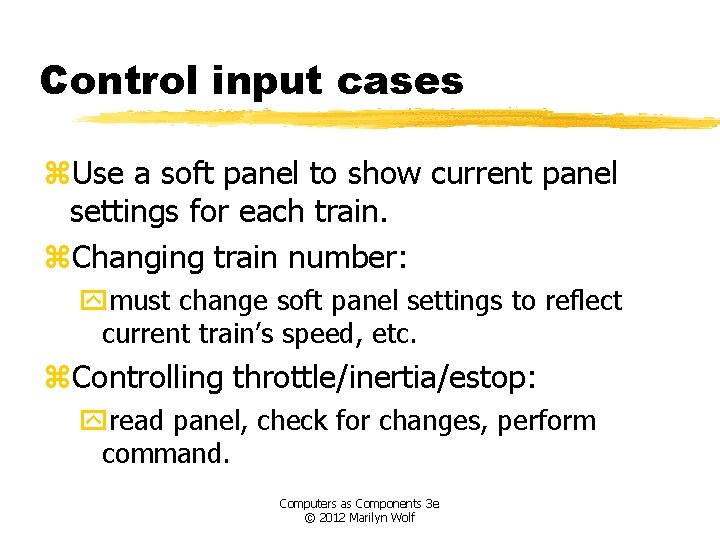
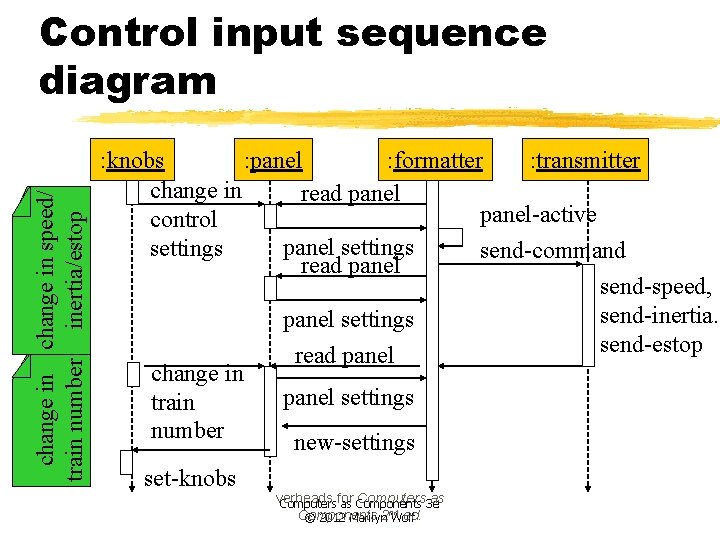
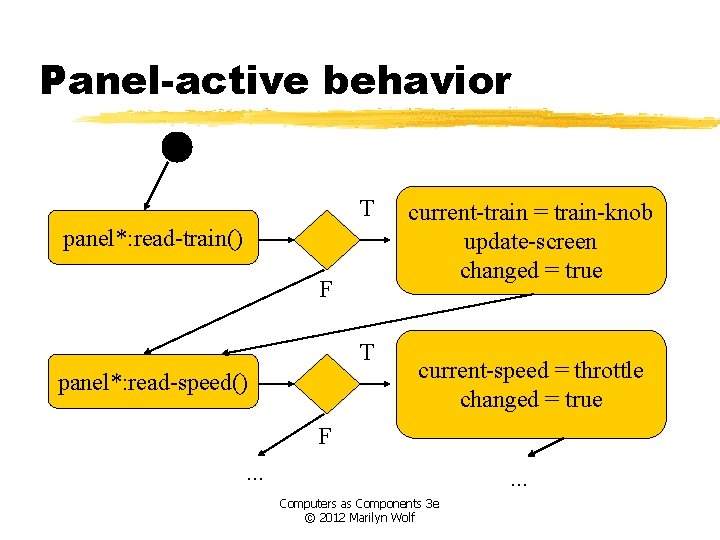
Control input cases z. Use a soft panel to show current panel settings for each train. z. Changing train number: ymust change soft panel settings to reflect current train’s speed, etc. z. Controlling throttle/inertia/estop: yread panel, check for changes, perform command. Computers as Components 3 e © 2012 Marilyn Wolf
change in speed/ train number inertia/estop Control input sequence diagram : knobs : panel : formatter : transmitter change in read panel-active control panel settings send-command read panel send-speed, send-inertia. panel settings send-estop read panel change in panel settings train number new-settings set-knobs verheads Computers 3 e as Computersfor as Components nd Components 2 Wolf ed. © 2012 Marilyn
Formatter operate behavior update-panel() panel-active() new train number idle other send-command() Computers as Components 3 e © 2012 Marilyn Wolf
Panel-active behavior T panel*: read-train() F T panel*: read-speed() current-train = train-knob update-screen changed = true current-speed = throttle changed = true F. . . Computers as Components 3 e © 2012 Marilyn Wolf
Controller class controller current-train: integer current-speed[ntrains]: integer current-direction[ntrains]: boolean current-inertia[ntrains]: unsigned-integer operate() issue-command() Computers as Components 3 e © 2012 Marilyn Wolf
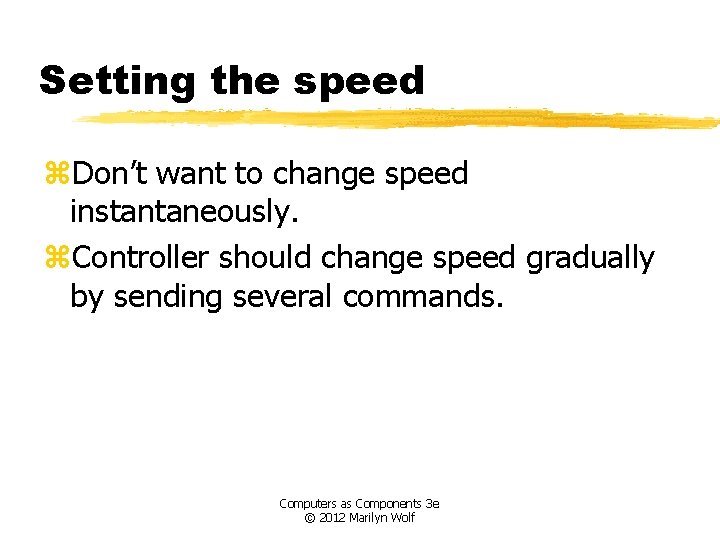
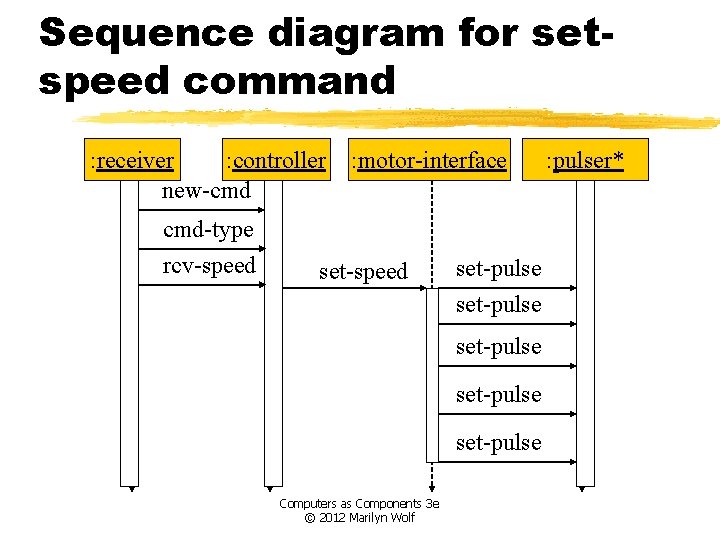
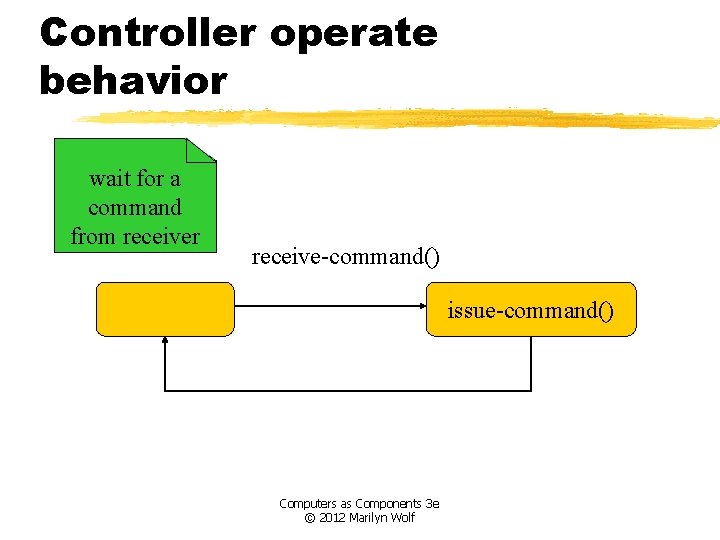
Setting the speed z. Don’t want to change speed instantaneously. z. Controller should change speed gradually by sending several commands. Computers as Components 3 e © 2012 Marilyn Wolf
Sequence diagram for setspeed command : receiver : controller new-cmd cmd-type rcv-speed : motor-interface set-speed set-pulse set-pulse Computers as Components 3 e © 2012 Marilyn Wolf : pulser*
Controller operate behavior wait for a command from receiver receive-command() issue-command() Computers as Components 3 e © 2012 Marilyn Wolf
Refined command classes command type: 3 -bits address: 3 -bits parity: 1 -bit set-speed set-inertia estop type=010 value: 7 -bits type=001 value: 3 -bits type=000 Computers as Components 3 e © 2012 Marilyn Wolf
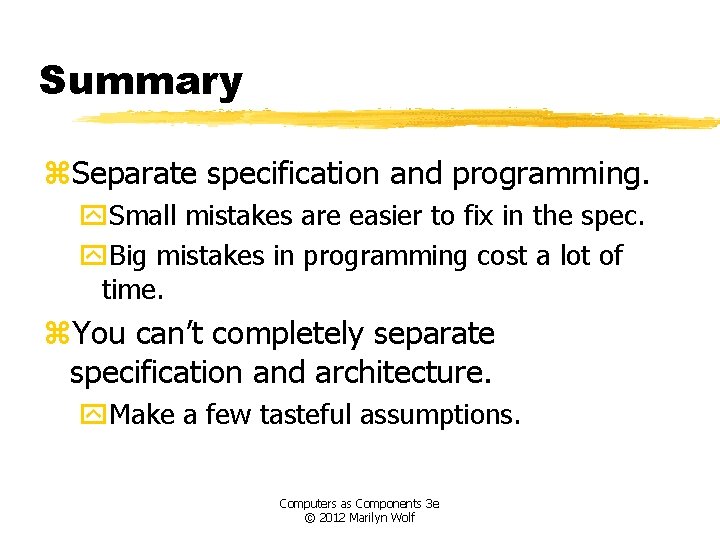
Summary z. Separate specification and programming. y. Small mistakes are easier to fix in the spec. y. Big mistakes in programming cost a lot of time. z. You can’t completely separate specification and architecture. y. Make a few tasteful assumptions. Computers as Components 3 e © 2012 Marilyn Wolf