
Introduction What is Subversion backup collaboration documentation versioning
Introduction What is Subversion? backup collaboration documentation versioning © Polarion Subtrain – SVN User training – 1
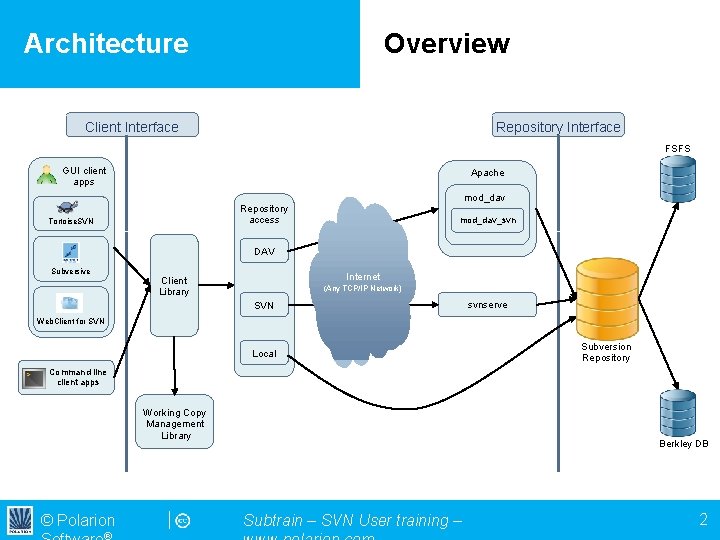
Architecture Overview Client Interface Repository Interface FSFS GUI client apps Apache mod_dav Repository access Tortoise. SVN mod_dav_svn DAV Subversive Internet Client Library (Any TCP/IP Network) SVN svnserve Web. Client for SVN Local Subversion Repository Command line client apps Working Copy Management Library © Polarion Berkley DB Subtrain – SVN User training – 2
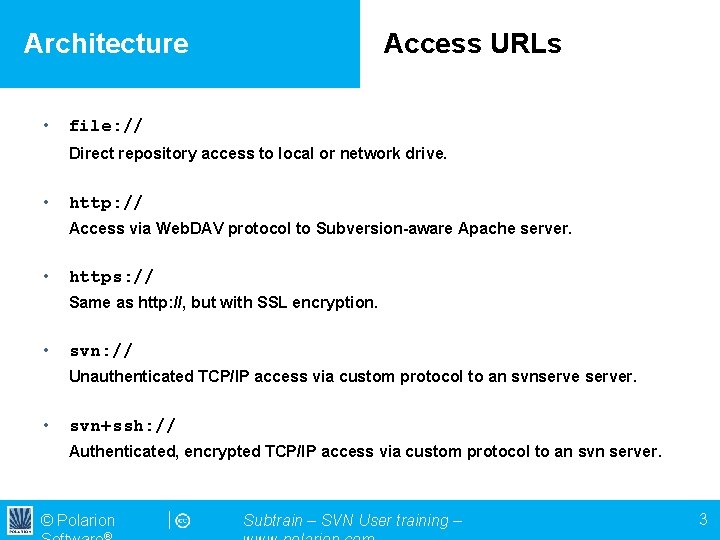
Architecture • Access URLs file: // Direct repository access to local or network drive. • http: // Access via Web. DAV protocol to Subversion-aware Apache server. • https: // Same as http: //, but with SSL encryption. • svn: // Unauthenticated TCP/IP access via custom protocol to an svnserver. • svn+ssh: // Authenticated, encrypted TCP/IP access via custom protocol to an svn server. © Polarion Subtrain – SVN User training – 3
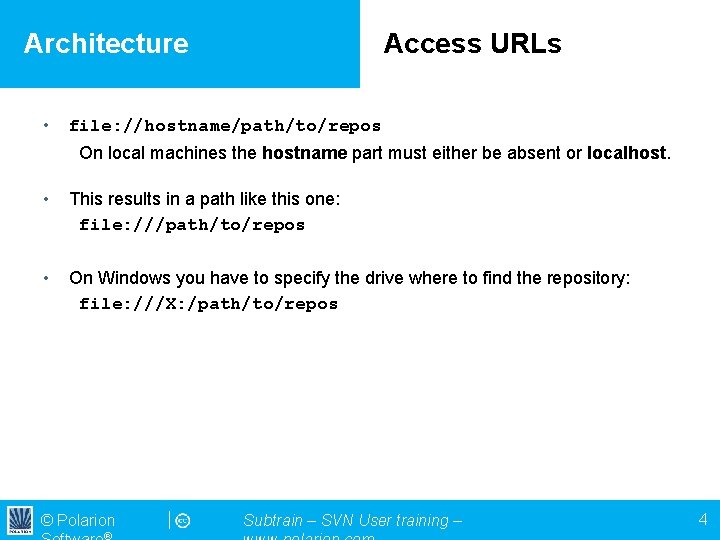
Architecture • Access URLs file: //hostname/path/to/repos On local machines the hostname part must either be absent or localhost. • This results in a path like this one: file: ///path/to/repos • On Windows you have to specify the drive where to find the repository: file: ///X: /path/to/repos © Polarion Subtrain – SVN User training – 4
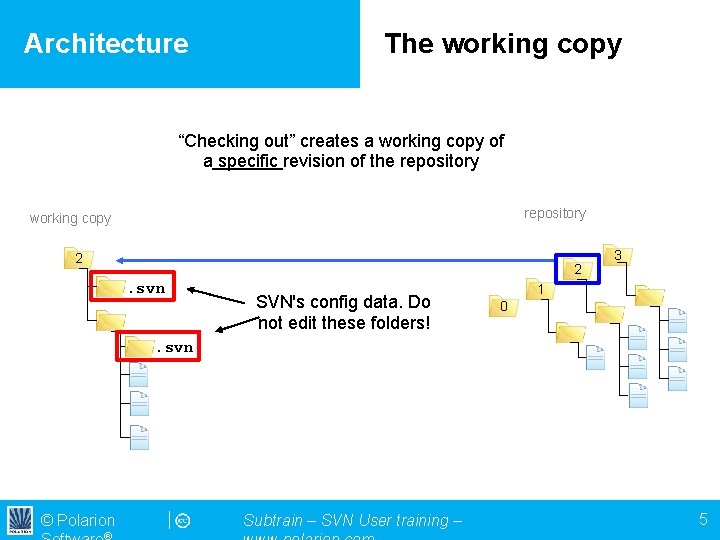
Architecture The working copy “Checking out” creates a working copy of a specific revision of the repository working copy 2 2 . svn SVN's config data. Do not edit these folders! 3 1 0 . svn © Polarion Subtrain – SVN User training – 5
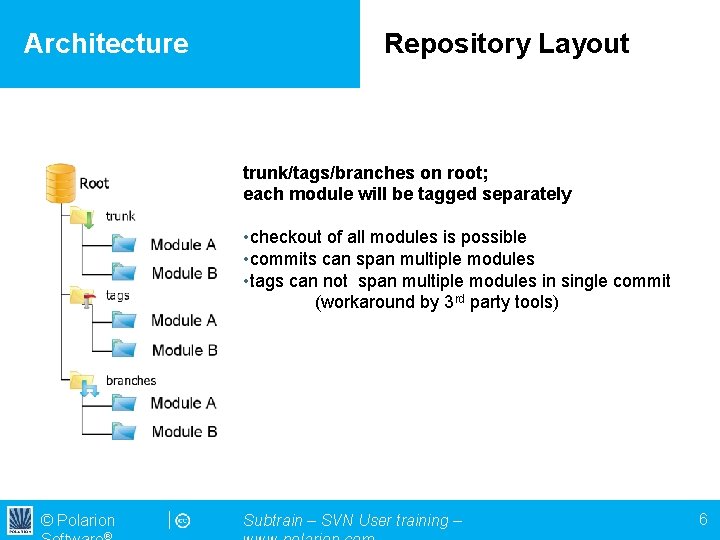
Architecture Repository Layout trunk/tags/branches on root; each module will be tagged separately • checkout of all modules is possible • commits can span multiple modules • tags can not span multiple modules in single commit (workaround by 3 rd party tools) © Polarion Subtrain – SVN User training – 6
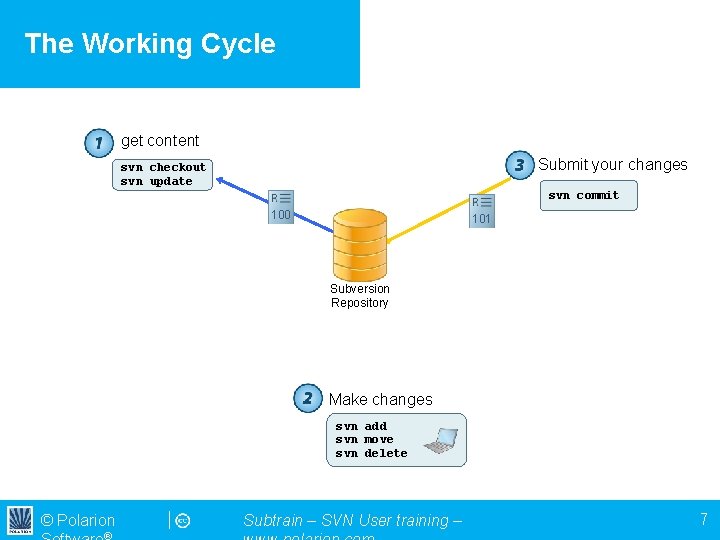
The Working Cycle get content Submit your changes svn checkout svn update svn commit 100 101 Subversion Repository Make changes svn add svn move svn delete © Polarion Subtrain – SVN User training – 7
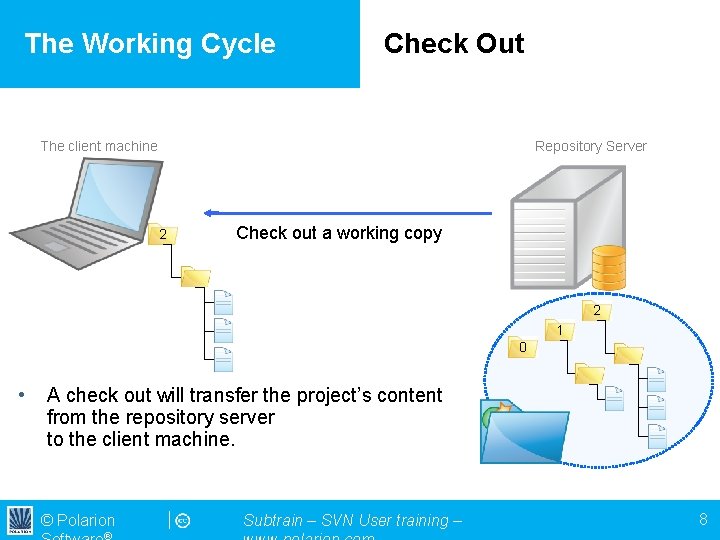
The Working Cycle Check Out The client machine Repository Server 2 Check out a working copy 2 1 0 • A check out will transfer the project’s content from the repository server to the client machine. © Polarion Subtrain – SVN User training – 8
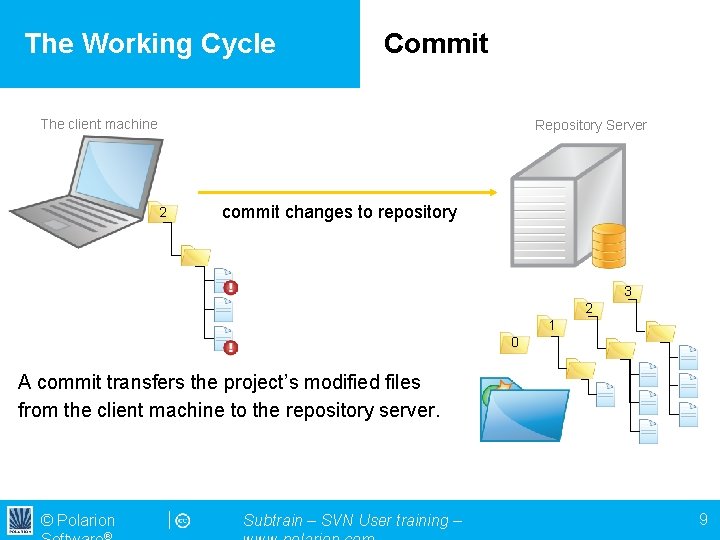
The Working Cycle Commit The client machine Repository Server 2 commit changes to repository 3 2 1 0 A commit transfers the project’s modified files from the client machine to the repository server. © Polarion Subtrain – SVN User training – 9
- Slides: 9