
Introduction What are routers Ponta Data Conversion Adrian













- Slides: 61
Introduction • • • What are routers (Ponta) Data Conversion (Adrian) Routing (Albert) Routers (Jordan) Router Architecture (Victor)
Routers vs. Computer • What is a computer? – A general purpose machine that takes an input translates the input under software control and gives an output. • A router is also a computer – not a “general purpose machine” – Main purpose is to route data
Networks • Today’s networks are large masses of routers • Routers take any form of data such as email, web-browser requests, and file transfers and deliver them to the appropriate destinations. • The internet is a large network of interconnected routers.
Routing in a nutshell • Routers work by reading the IP address of data packets and determines the correct source and destination for the packet. • The router can also discover the best way to get the packet to its destination.
Routing in a nutshell (cont. ) • Routers take requests from their local users and forward those requests to the appropriate host.
Routing • Routing is the process that allows data to travel from one host to another • Routing is responsible for the making the Internet work.
Without Routers • Every computer would have to be connected together • Users would need to know – the address of every website they wanted to visit – All the computers you would need to pass through to get to the destination computer.
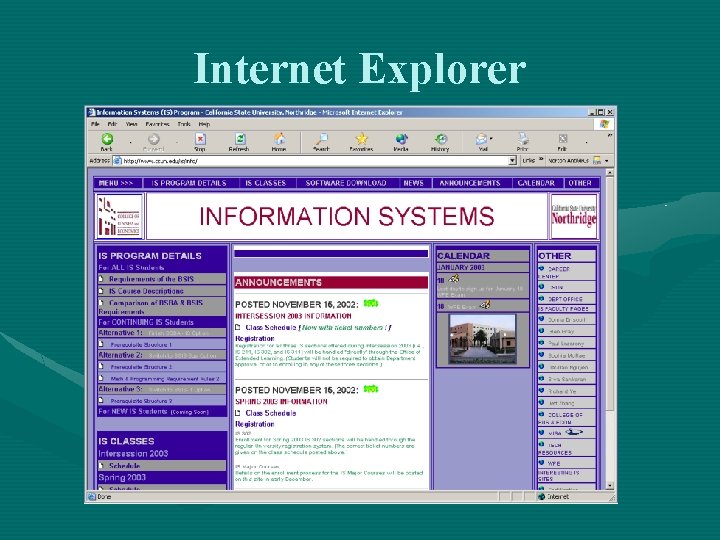
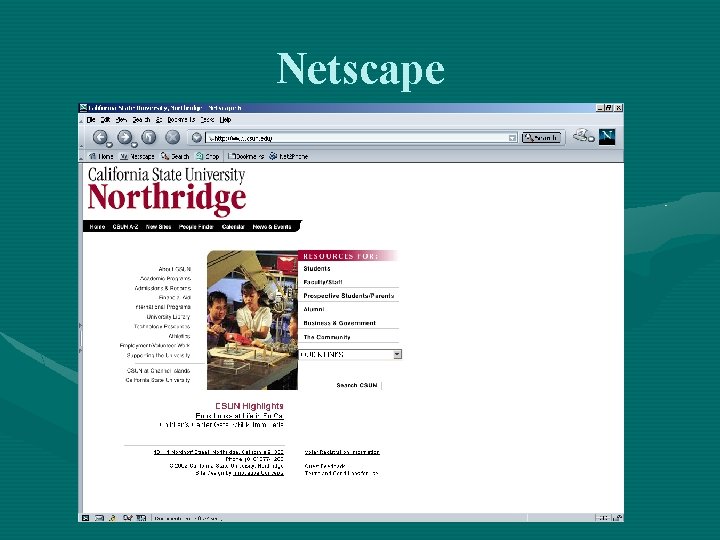
Accessing Websites • You enter a URL address in to your web browser (e. g. Internet Explorer, Netscape Navigator, etc. ), e. g, http: //www. csun. edu • The browser sends a message to the router • The message notifies that you want to see the information stored at www. csun. edu • The process begins
Internet Explorer
Netscape
Address Conversion • DNS servers translate the alphanumeric URL, www. csun. edu, address to an IP address: 130. 166. 1. 55 • Packets are sent to the routers that read this address
Routing Packets • Each router examines the packet – Determines the IP address – Matches the information against its own routing table. – Chooses which port to route it out of
Routing Table • A two column table • First column identifies each router in the network • Second column lists the router to which each router should send data to
Routing Table • Router examines packet • If exact match, forwards the message • If there is no match, it runs though table again, looking for a match • If still no match, router sends the packet out of the default next-hop address
Routing Table • Router sends an ICMP() “host unreachable” or “network unreachable” message back to sender ultimately if no match is found. • Difficult part of router’s job is not how it routes, but how it builds up its table
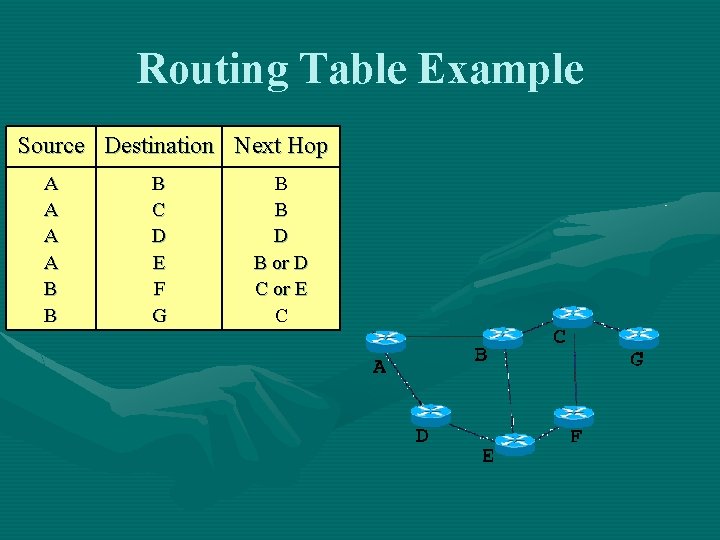
Routing Table Example Source Destination Next Hop A A B B B C D E F G B B D B or D C or E C
Routing Packets This process continues until the request finally reaches www. csun. edu
Routing • The routing tables have been keeping track of the path to the destination. • The routing path is now known by the initial router.
Routing Algorithms • Routing algorithm – complex set of rules that take into account a variety of factors • Determines what is the best via routing algorithm • Selects the best path between the source and destination machine
Routing Issues
Flooding the Network • Early routers were slow • The networks they ran on were equally lowpowered, with little bandwidth • Isolated in that they did not exchange routing tables • As a result routers forwarded data by flooding every path with packets
How can we solve this? • Backward learning-router remembers the source addresses of all incoming packets and notes the physical interface it came in on • Static Routing – Rely either on a human or host computer to make these decisions • Source routing-end hosts place information in every packet they place on the network
Centralized vs. Decentralized
Centralized Routing • All routing decisions are made by one central computer or router • Typically used in host computers • All computers are connected to the central computer
Decentralized Routing • All computer or routers in the network make their own routing decisions • In larger networks, routing table is developed by the network manager • In smaller networks, routing table is developed by one individual • Most decentralized routing protocols can automatically adapt to changes in the network configuration
Static vs. Dynamic Routing
Static Routing • Routing decisions are made in a decentralized manner • When new computers are added to network, they announce their presence • Commonly used in networks that have few routing options that seldom change
Dynamic Routing • Routing decisions are made in a decentralized manner by individual computers • Used when there are multiple routes through a network • Routes messages over the fastest possible route
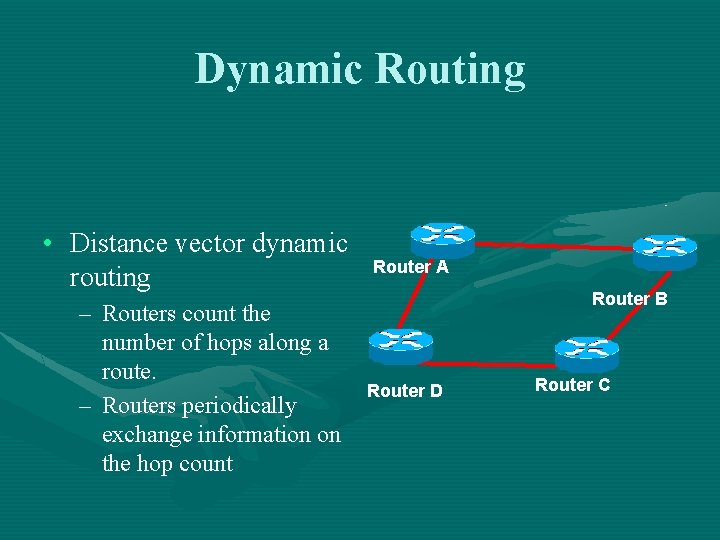
Dynamic Routing • Distance vector dynamic routing – Routers count the number of hops along a route. – Routers periodically exchange information on the hop count Router A Router B Router D Router C
Dynamic Routing • Link state dynamic routing – Rather than knowing a route’s distance, link state routing tries to determine how fast each possible route is – Routers periodically exchange this information to other routers in the network – Preferred over distance vector protocols because they converge quicker
Dynamic Routing-Drawbacks • Requires more processing by each computer or router in the network • Transmission of routing information wastes network capacity.
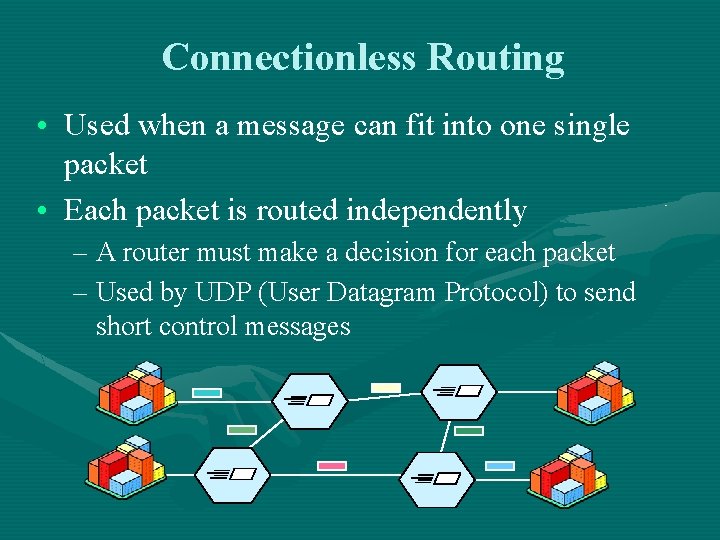
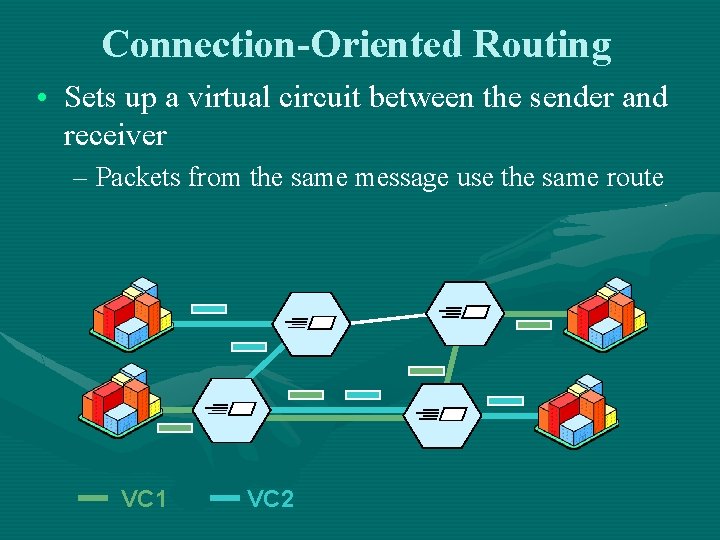
Connectionless Routing • Used when a message can fit into one single packet • Each packet is routed independently – A router must make a decision for each packet – Used by UDP (User Datagram Protocol) to send short control messages
Connection-Oriented Routing • Sets up a virtual circuit between the sender and receiver – Packets from the same message use the same route VC 1 VC 2
Router Types • • • Home Routers Small Organization and Office Routers High End Routers
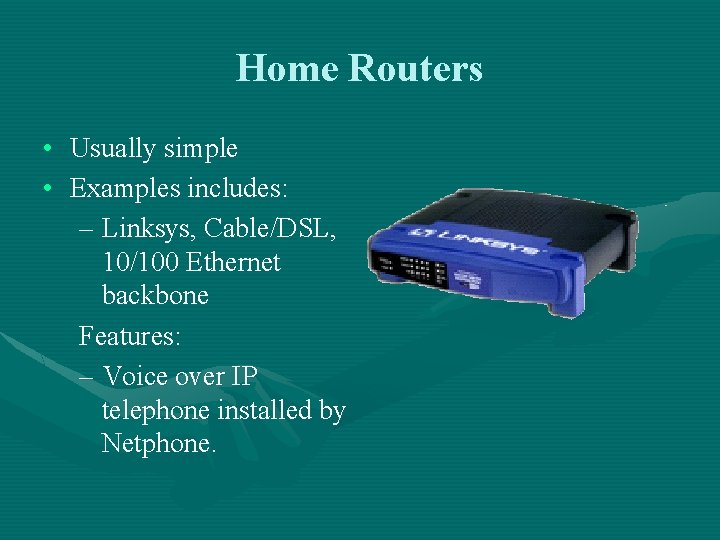
Home Routers • Usually simple • Examples includes: – Linksys, Cable/DSL, 10/100 Ethernet backbone Features: – Voice over IP telephone installed by Netphone.
D-LINK-614+ • 22 mbps “Air Plus” is twice as fast as the usual (11 -mbps) 802. 11 b connection – Utilizes Texas Instruments patented Digital Signal Processing • Offers 256 -bit encryption – the strongest available • Deep firewall configuration options. – Firewall features are easy to implement – Example: Can designate particular computers as WEB servers or FTP servers which are visible to the Internet
D-LINK-614+
Small Organization and Office Routers • • Slightly larger routers Do little more than home router – These routers enforce rules concerning security for the office network.
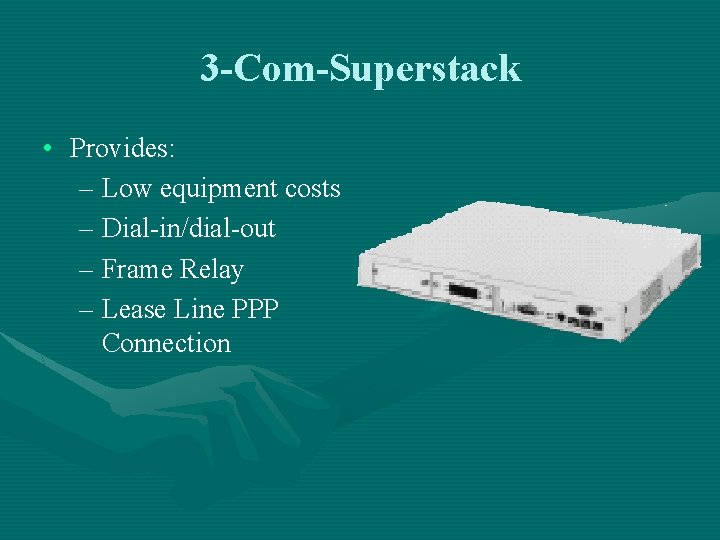
3 -Com-Superstack • Provides: – Low equipment costs – Dial-in/dial-out – Frame Relay – Lease Line PPP Connection
3 -Com Superstack cont. • Contains: – Three stackable components • That provides multi-protocol remote access server • Full function WAN router technology for small and medium sized business. – Offers secure access Authentication
3 -Com Superstack cont. • In addition: – it can proxy or relay IP address to another central server. – Simplifies network administration – Enhances the mobility of both remote and local users.
High-End Routers • • Largest routers Handle million of packets every second Work to configure the network efficiently Large stand alone systems
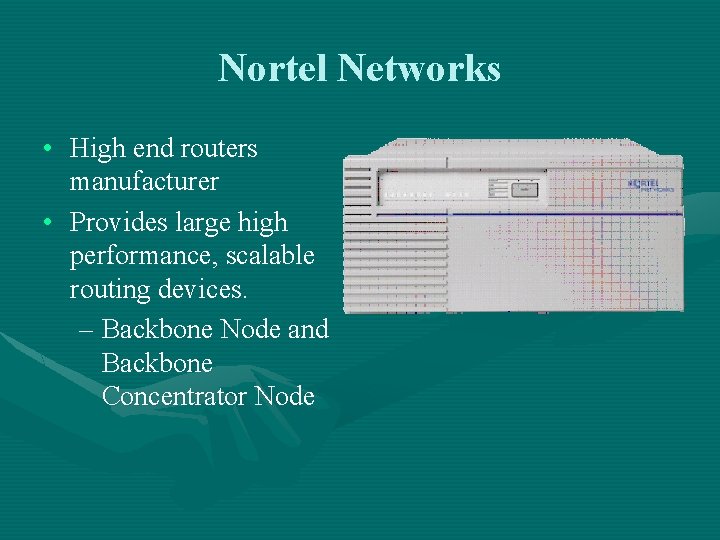
Nortel Networks • High end routers manufacturer • Provides large high performance, scalable routing devices. – Backbone Node and Backbone Concentrator Node
Benefits of the Nortel Networks • Enhance network performance • High Network availability • Network investment protection
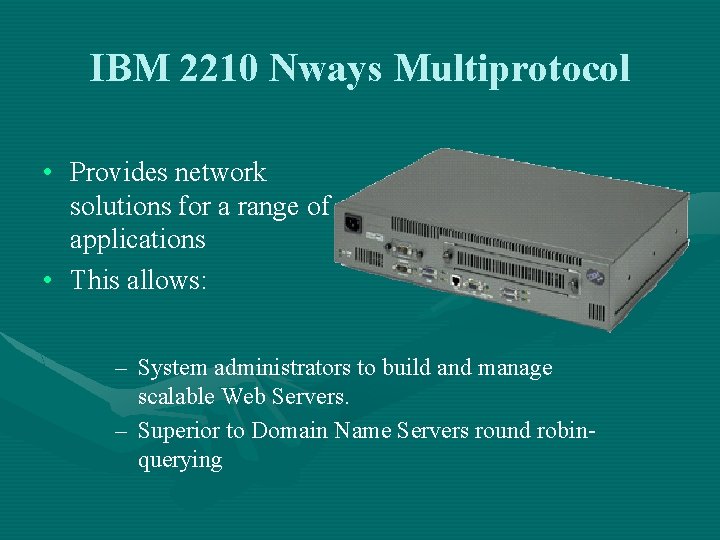
IBM 2210 Nways Multiprotocol • Provides network solutions for a range of applications • This allows: – System administrators to build and manage scalable Web Servers. – Superior to Domain Name Servers round robinquerying
Router Architecture
Router Memory • • Flash ROM Cache RAM
Router Memory • Flash – Location where the basic boot image is stored.
Router Memory • ROM – Initializes the processor hardware and boots the operating system software. – Runs when the router is powered up or reset
Router Memory • Cache – Primary • Primary cache is closest to the processor core and has the fastest access – Secondary • Secondary cache has slower access than primary cache, but faster access than tertiary cache. – Trietary • Slowest of all cache but faster than RAM
Router Memory • RAM Random Access Memory – SDRAM • Synchronous Dynamic Random-Access Memory • Runs at 133 MHz – DDR-SDRAM • Double Data Rate Synchronous Dynamic Random-Access Memory • Runs at 266 MHz – NVRAM • nonvolatile random-access memory – Uses lithium batteries to maintain its contents when power is removed
Router Memory • RAM Packaging – SIMM • Single In-line Memory Module – DIMM • Dual In-line Memory Module – SODIMM • Small Outline Dual In-line Memory Module.
Router Ports • Ethernet – refers to the family of local-area network (LAN) products covered by the IEEE 802. 3 standard – 10/1000 Mbps • ISDN – Integrated Service Digital Network • Communication protocol offered by telephone companies that permits telephone networks to carry data, voice, and other source traffic.
Router Ports • T 3 – Digital WAN carrier facility – Transmits DS-3 -formatted data at 44. 736 Mbps through the telephone switching network. • OC-3 – Operates at 155 Mbps – Provides the highest available interface bandwidth for packet-based traffic
Cisco 7200
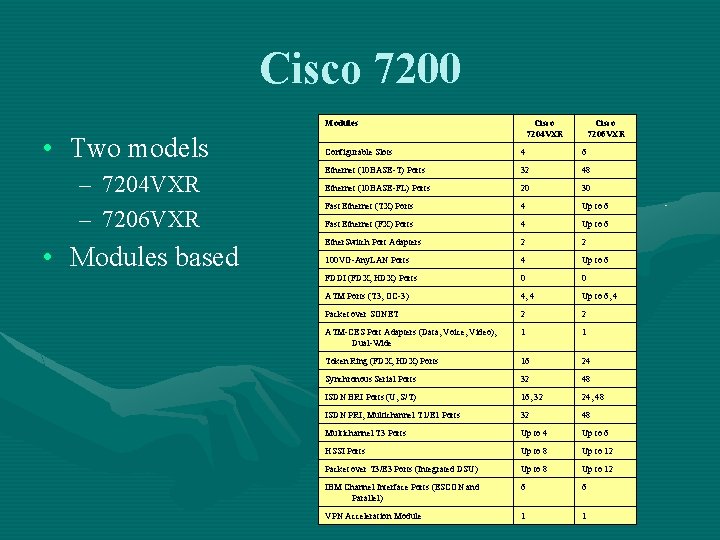
Cisco 7200 Modules • Two models – 7204 VXR – 7206 VXR • Modules based Cisco 7204 VXR Cisco 7206 VXR Configurable Slots 4 6 Ethernet (10 BASE-T) Ports 32 48 Ethernet (10 BASE-FL) Ports 20 30 Fast Ethernet (TX) Ports 4 Up to 6 Fast Ethernet (FX) Ports 4 Up to 6 Ether. Switch Port Adapters 2 2 100 VG-Any. LAN Ports 4 Up to 6 FDDI (FDX, HDX) Ports 0 0 ATM Ports (T 3, OC-3) 4, 4 Up to 6, 4 Packet over SONET 2 2 ATM-CES Port Adapters (Data, Voice, Video), Dual-Wide 1 1 Token Ring (FDX, HDX) Ports 16 24 Synchronous Serial Ports 32 48 ISDN BRI Ports (U, S/T) 16, 32 24, 48 ISDN PRI, Multichannel T 1/E 1 Ports 32 48 Multichannel T 3 Ports Up to 4 Up to 6 HSSI Ports Up to 8 Up to 12 Packet over T 3/E 3 Ports (Integrated DSU) Up to 8 Up to 12 IBM Channel Interface Ports (ESCON and Parallel) 6 6 VPN Acceleration Module 1 1
Cisco 7200 Processors • 4 types of processor units – – NPE 225 NPE 400 NSE-1 NPE-G 1
Cisco 7200 Processors • NPE 225 • NSE-1
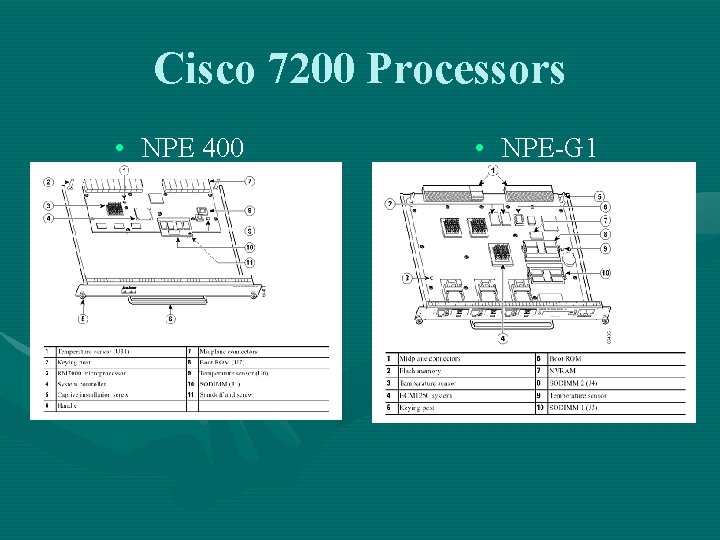
Cisco 7200 Processors • NPE 400 • NPE-G 1
Cisco 7200 Memory Configuration NPE-225 NSE-1 NPE-400 NPE-G 1 Microprocessor RM 5271 262 MHz RM 7000 350 MHz BCM 1250 700 MHz Memory SDRAM DIMM Max: 128 SDRAM DIMM Max: 256 MB SDRAM SODIMM Max: 512 MB Primary Cache 32 K Instr. 32 KB Data 16 KB Instr. 16 KB Data Secondary Cache 2 MB 256 KB Fixed 512 KB 2 MB Fixed 4 MB 512 KB Tertiary Cache Boot ROM 512 KB NVRAM Flash Memory 512 KB 16 MB
THE END