
Introduction to zOS Overview System Tasks and Address
- Slides: 55
Introduction to z/OS Overview System Tasks and Address Spaces Started (STC) TSO (TSU) Batch Job (JOB) © Copyright IBM Corp. , 2008. All rights reserved.
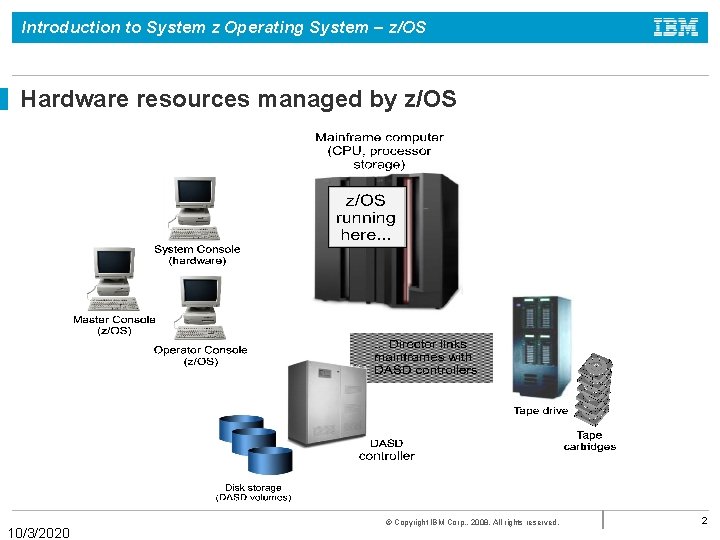
Introduction to System z Operating System – z/OS Hardware resources managed by z/OS 10/3/2020 © Copyright IBM Corp. , 2008. All rights reserved. 2
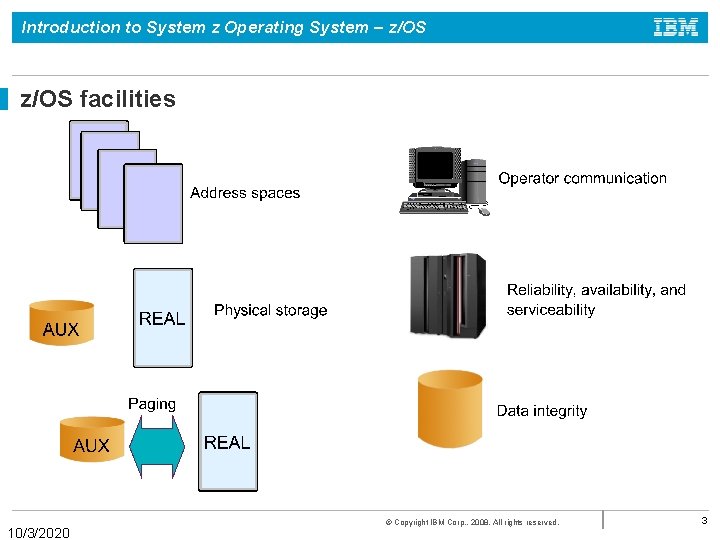
Introduction to System z Operating System – z/OS facilities 10/3/2020 © Copyright IBM Corp. , 2008. All rights reserved. 3
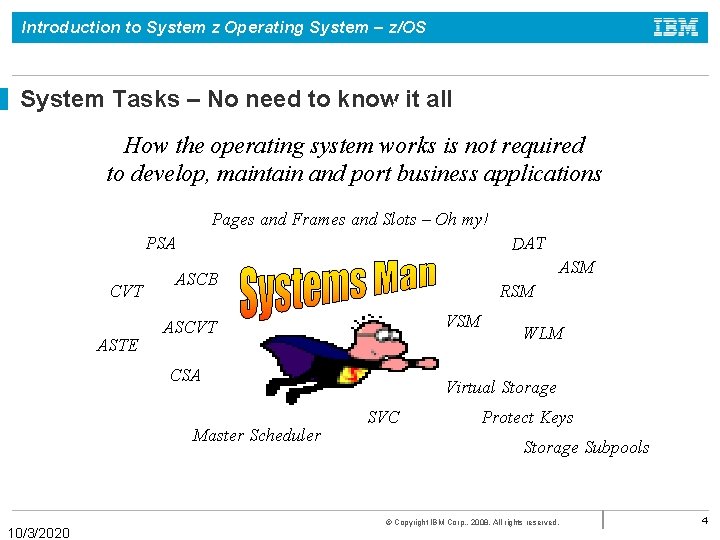
Introduction to System z Operating System – z/OS System Tasks – No need to know it all How the operating system works is not required to develop, maintain and port business applications Pages and Frames and Slots – Oh my! DAT PSA CVT ASTE ASM ASCB RSM VSM ASCVT CSA Master Scheduler 10/3/2020 WLM Virtual Storage SVC Protect Keys Storage Subpools © Copyright IBM Corp. , 2008. All rights reserved. 4
Introduction to System z Operating System – z/OS What is z/OS? The most widely used mainframe operating system 64 -bit operating system Ideally suited for processing large workloads for many concurrent users Designed for: 1) Serving 1000 s of users concurrently 2) I/O intensive computing 3) Processing very large workloads 4) Running mission critical applications securely 10/3/2020 © Copyright IBM Corp. , 2008. All rights reserved. 5
Introduction to System z Operating System – z/OS Overview of z/OS internals Comprised of modules, system programs (macros), system components Use of the program status word (PSW) Techniques of multiprogramming and multiprocessing Information about the system, resources, and tasks is contained in control blocks Management of physical storage: 1) Real storage 2) Auxiliary storage 3) Virtual storage The number of virtual storage pages of an address space equals the real + auxiliary storage pages used by address space 10/3/2020 © Copyright IBM Corp. , 2008. All rights reserved. 6
Introduction to System z Operating System – z/OS System Tasks are z/OS Address Spaces Ø z/OS and its related subsystems require address spaces of their own to provide a functioning operating system. Ø System address spaces are started after initialization of the master scheduler. These address spaces perform functions for all the other types of address spaces that start in z/OS. Ø Subsystem address spaces exist for major system functions and middleware such as DB 2, CICS, and Web. Sphere Application Server. Ø TSO/E address spaces are created for every user who logs on to z/OS Ø Address spaces are created for every batch job that runs on z/OS. 10/3/2020 © Copyright IBM Corp. , 2008. All rights reserved. 7
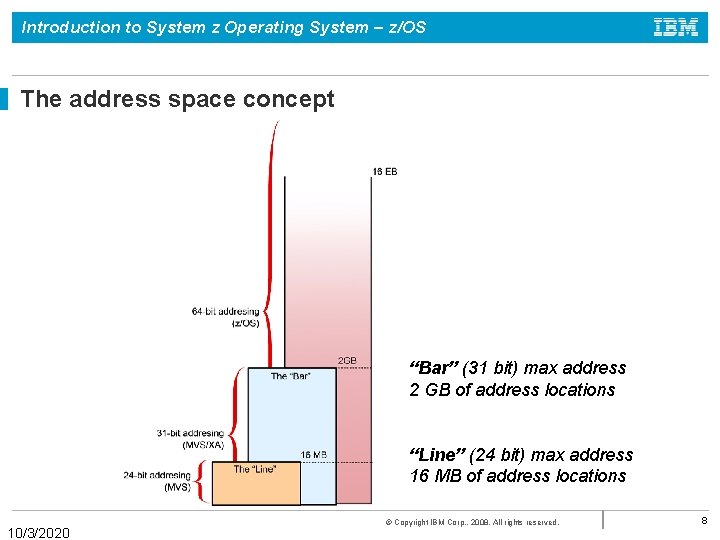
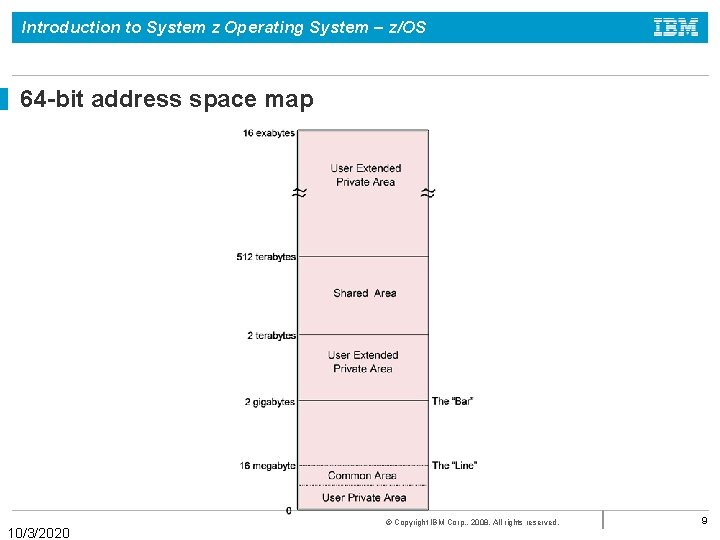
Introduction to System z Operating System – z/OS The address space concept “Bar” (31 bit) max address 2 GB of address locations “Line” (24 bit) max address 16 MB of address locations 10/3/2020 © Copyright IBM Corp. , 2008. All rights reserved. 8
Introduction to System z Operating System – z/OS 64 -bit address space map 10/3/2020 © Copyright IBM Corp. , 2008. All rights reserved. 9
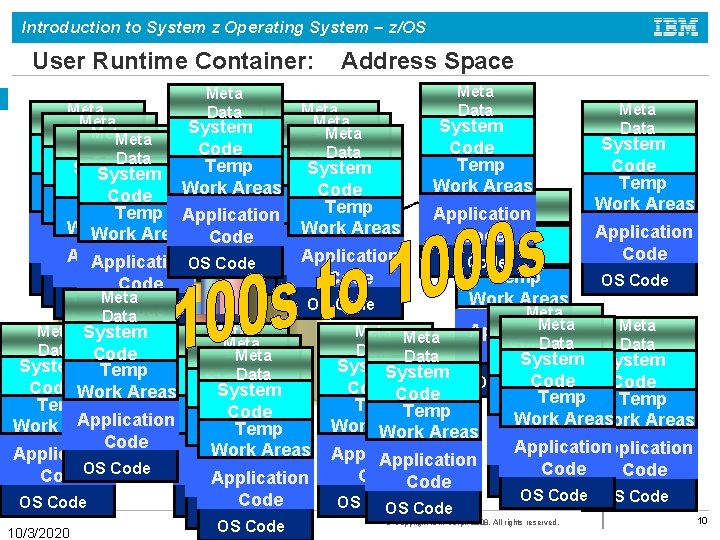
Introduction to System z Operating System – z/OS User Runtime Container: Meta Data System Data Meta Data Address Space Meta Data System Code Temp System Code Temp Work Areas Temp Code Work Temp Areas Temp Application. Work Areas Work Areas Application Work Areas Code Application Application. OS Code Code OS Code Meta OS OS Code Data Meta System Data Code OS Code Meta Data System Temp Code Work Areas Code System Code Temp Application Work Areas Work Temp Areas Work Areas Code Work Areas Application Code. OS Code Application Code OS Code 10/3/2020 OS Code Meta Data System Code Temp Work Areas Meta Application Data System Code OS Code Temp Work Areas Meta Data Application Data System Meta Data System Code Temp Work Areas Application Code OS Code Meta Data Code System Code OS Code Temp Work Areas Work Areas Application Code Application Code OS Code OS Code © Copyright IBM Corp. , 2008. All rights reserved. 10
Introduction to System z Operating System – z/OS How is peripheral storage managed? Ø Management of peripheral storage devices involves file allocation, placement, monitoring, migration, backup, recall, recovery, and deletion. Ø A typical z/OS production system includes both manual and automated processes for managing storage. Ø A user or program can directly control many aspects of z/OS storage use. Ø The primary means of managing storage in z/OS is through DFSMS. 10/3/2020 © Copyright IBM Corp. , 2008. All rights reserved. 11
Introduction to System z Operating System – z/OS Program products for z/OS Ø z/OS system usually contains additional program products (priced software) that are needed to create a practical working system: • security manager • database manager • compilers • utility programs • vendor products 10/3/2020 © Copyright IBM Corp. , 2008. All rights reserved. 12
Introduction to System z Operating System – z/OS Middleware for z/OS Ø Middleware is typically something between the operating system and an end user or end-user applications. Ø Middleware supplies major functions not provided by the operating system. Ø Typical z/OS middleware includes: • Database systems • Web servers • Message queuing and routing functions • Transaction managers • Java virtual machines • XML processing functions 10/3/2020 © Copyright IBM Corp. , 2008. All rights reserved. 13
Introduction to System z Operating System – z/OS A brief comparison of z/OS and UNIX… Quite a few concepts are common to both: Ø Boot the system versus IPL the system Ø Files versus data sets Ø Editors vi, ed, sed, and emacs (UNIX) versus ISPF (z/OS) Ø telnet (UNIX) versus TSO logon (z/OS) 10/3/2020 © Copyright IBM Corp. , 2008. All rights reserved. 14
Introduction to System z Operating System – z/OS Defining characteristics of z/OS Ø Ø Ø Ø Ø Uses address spaces to ensure isolation of private areas Ensures data integrity, regardless of how large the user population might be. Can process a large number of concurrent batch jobs, with automatic workload balancing Allows security to be incorporated into applications, resources, and user profiles. Allows multiple communications subsystems at the same time Provides extensive recovery, making unplanned system restarts very rare. Can manage mixed workloads Can manage large I/O configurations of 1000 s of disk drives, automated tape libraries, large printers, networks of terminals, etc. Can be controlled from one or more operator terminals, or from application programming interfaces (APIs) that allow automation of routine operator functions. 10/3/2020 © Copyright IBM Corp. , 2008. All rights reserved. 15
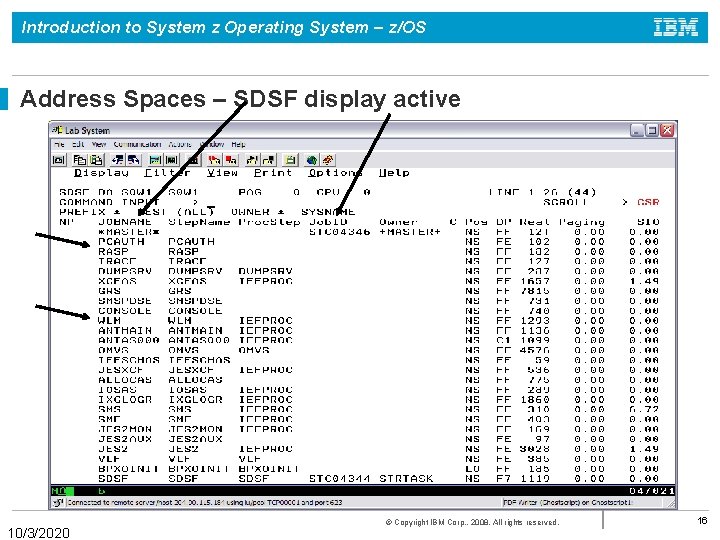
Introduction to System z Operating System – z/OS Address Spaces – SDSF display active 10/3/2020 © Copyright IBM Corp. , 2008. All rights reserved. 16
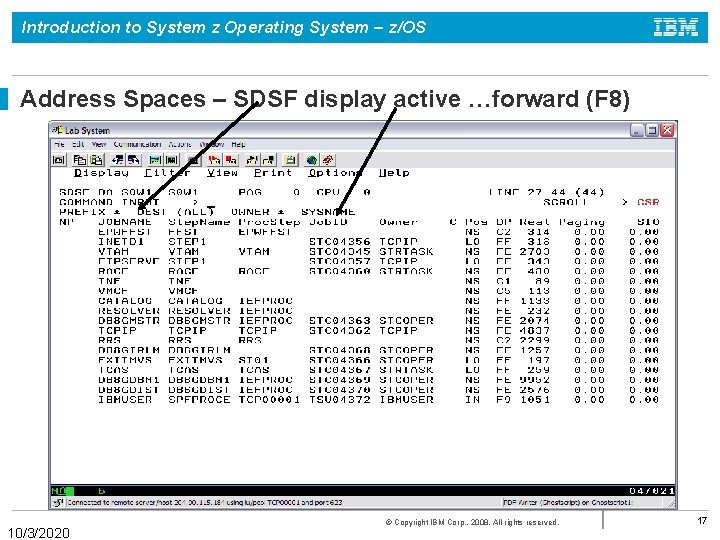
Introduction to System z Operating System – z/OS Address Spaces – SDSF display active …forward (F 8) 10/3/2020 © Copyright IBM Corp. , 2008. All rights reserved. 17
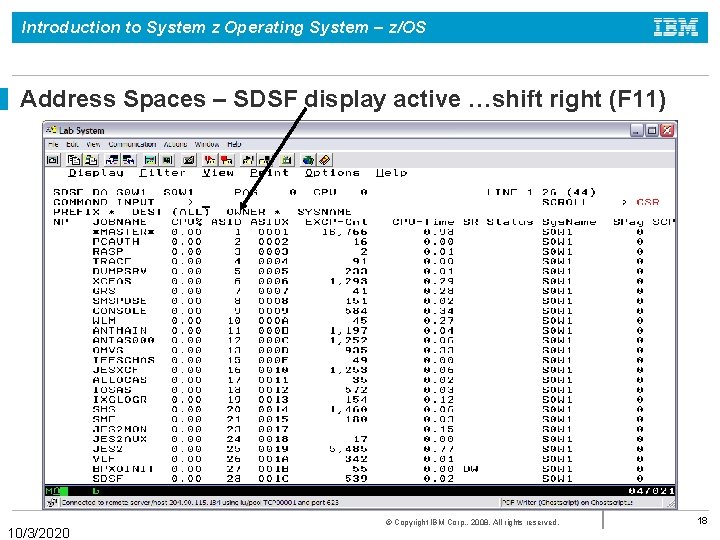
Introduction to System z Operating System – z/OS Address Spaces – SDSF display active …shift right (F 11) 10/3/2020 © Copyright IBM Corp. , 2008. All rights reserved. 18
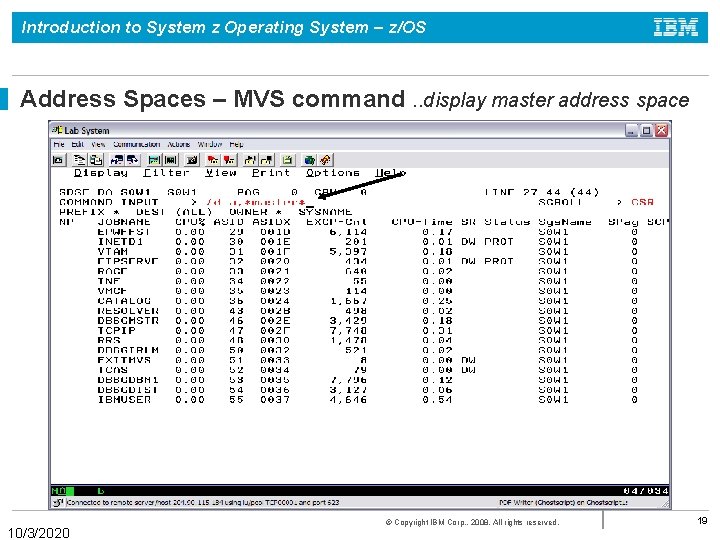
Introduction to System z Operating System – z/OS Address Spaces – MVS command. . display master address space 10/3/2020 © Copyright IBM Corp. , 2008. All rights reserved. 19
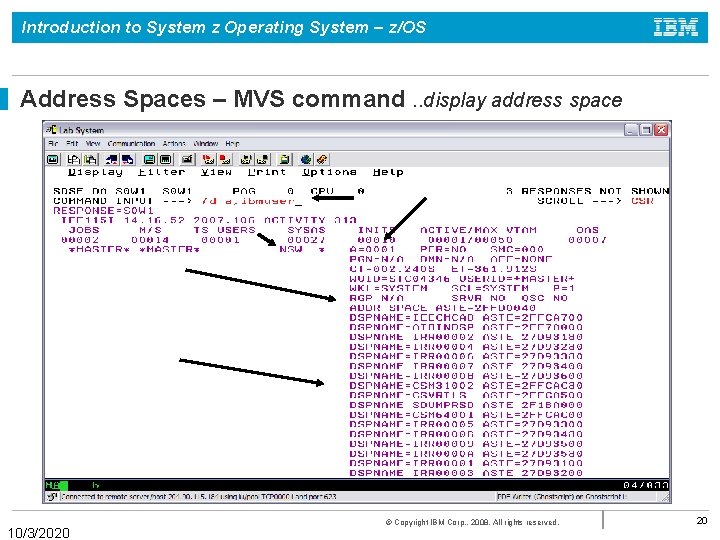
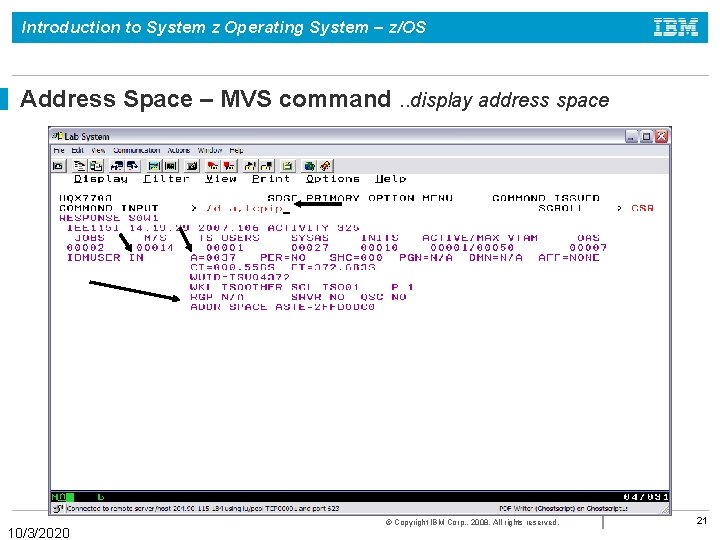
Introduction to System z Operating System – z/OS Address Spaces – MVS command. . display address space 10/3/2020 © Copyright IBM Corp. , 2008. All rights reserved. 20
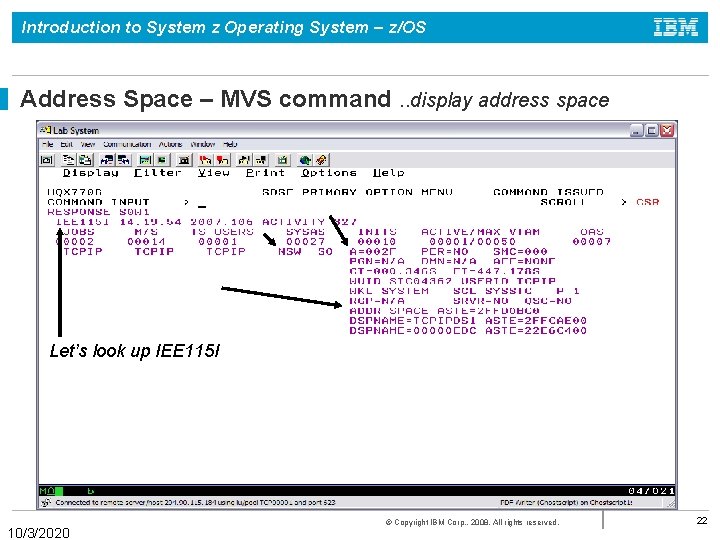
Introduction to System z Operating System – z/OS Address Space – MVS command. . display address space 10/3/2020 © Copyright IBM Corp. , 2008. All rights reserved. 21
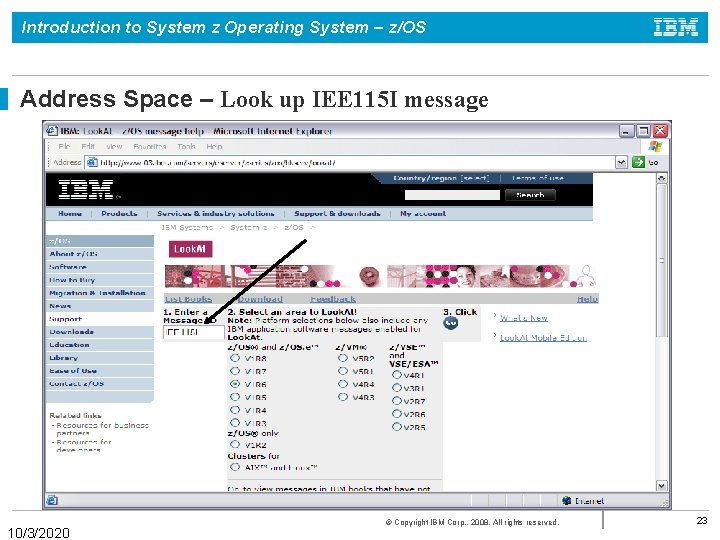
Introduction to System z Operating System – z/OS Address Space – MVS command. . display address space Let’s look up IEE 115 I 10/3/2020 © Copyright IBM Corp. , 2008. All rights reserved. 22
Introduction to System z Operating System – z/OS Address Space – Look up IEE 115 I message 10/3/2020 © Copyright IBM Corp. , 2008. All rights reserved. 23
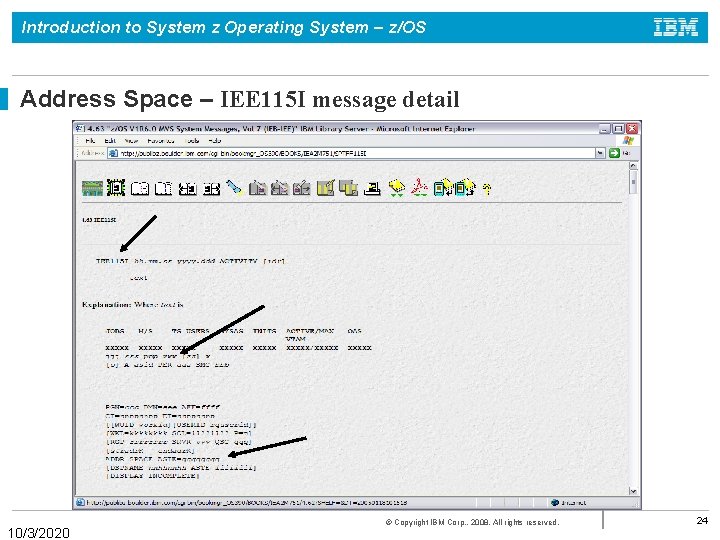
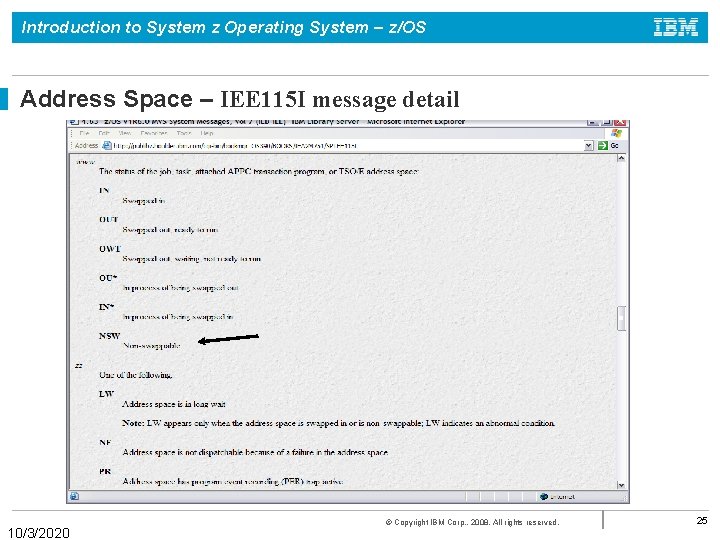
Introduction to System z Operating System – z/OS Address Space – IEE 115 I message detail 10/3/2020 © Copyright IBM Corp. , 2008. All rights reserved. 24
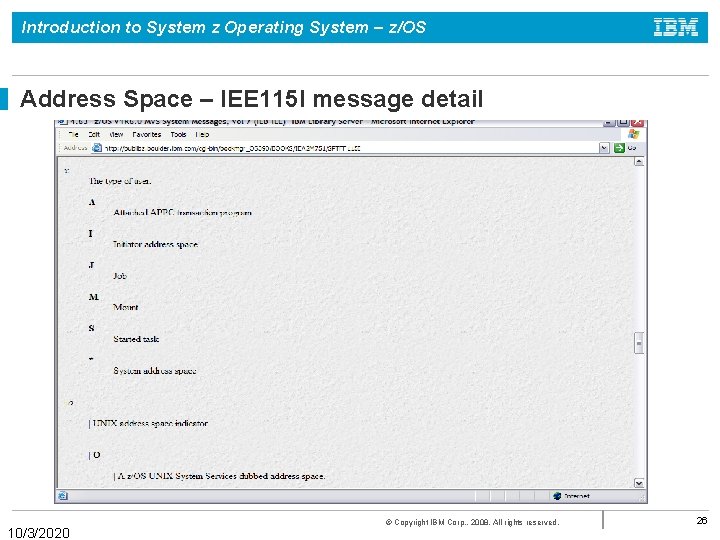
Introduction to System z Operating System – z/OS Address Space – IEE 115 I message detail 10/3/2020 © Copyright IBM Corp. , 2008. All rights reserved. 25
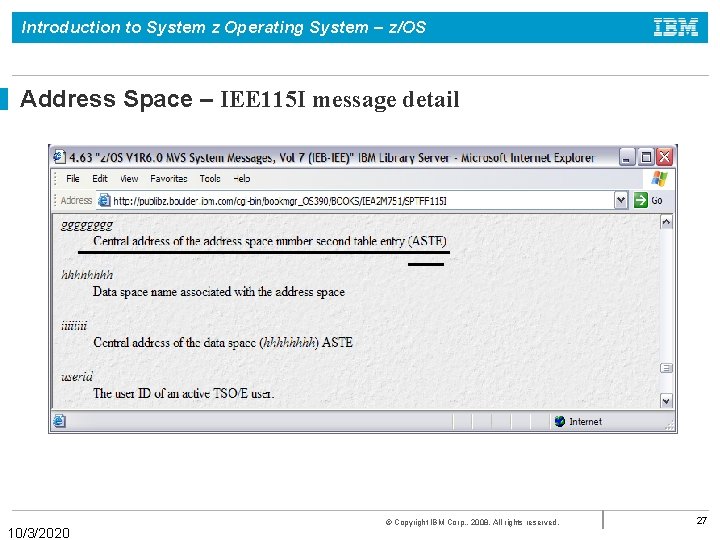
Introduction to System z Operating System – z/OS Address Space – IEE 115 I message detail 10/3/2020 © Copyright IBM Corp. , 2008. All rights reserved. 26
Introduction to System z Operating System – z/OS Address Space – IEE 115 I message detail 10/3/2020 © Copyright IBM Corp. , 2008. All rights reserved. 27
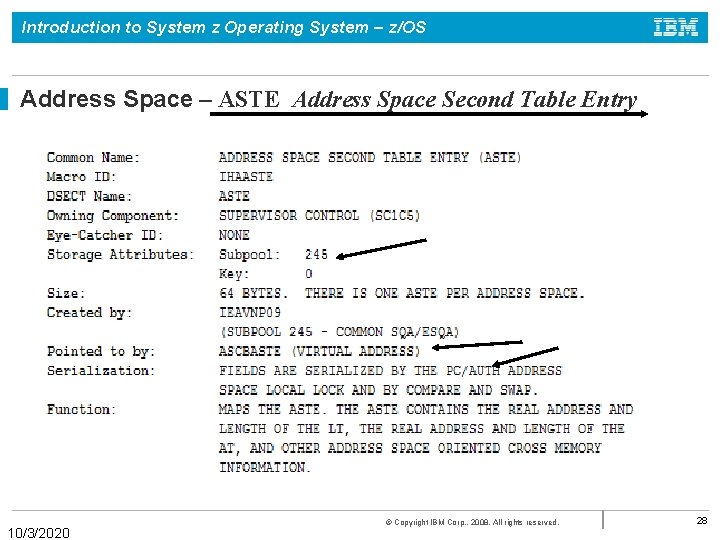
Introduction to System z Operating System – z/OS Address Space – ASTE Address Space Second Table Entry 10/3/2020 © Copyright IBM Corp. , 2008. All rights reserved. 28
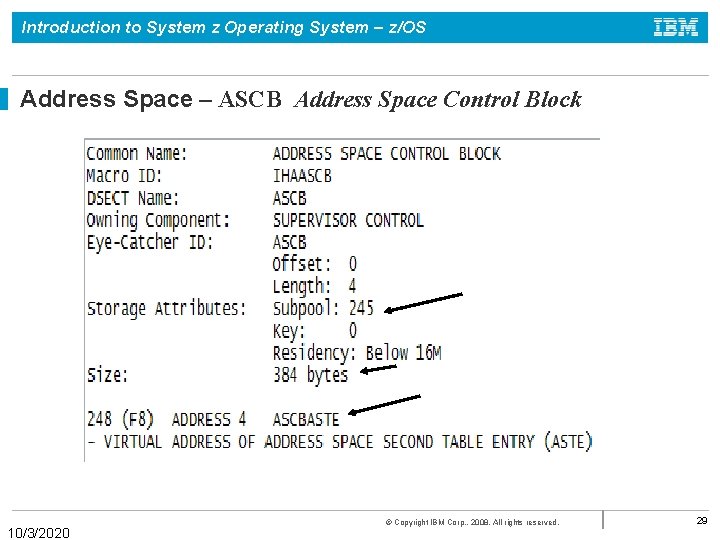
Introduction to System z Operating System – z/OS Address Space – ASCB Address Space Control Block 10/3/2020 © Copyright IBM Corp. , 2008. All rights reserved. 29
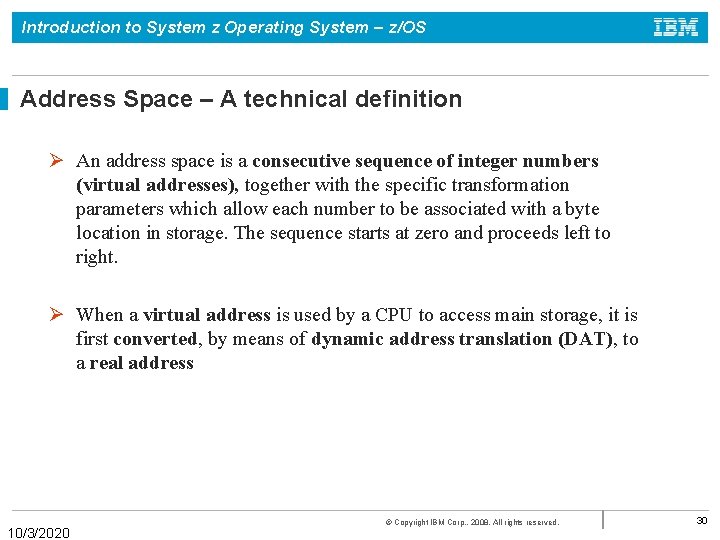
Introduction to System z Operating System – z/OS Address Space – A technical definition Ø An address space is a consecutive sequence of integer numbers (virtual addresses), together with the specific transformation parameters which allow each number to be associated with a byte location in storage. The sequence starts at zero and proceeds left to right. Ø When a virtual address is used by a CPU to access main storage, it is first converted, by means of dynamic address translation (DAT), to a real address 10/3/2020 © Copyright IBM Corp. , 2008. All rights reserved. 30
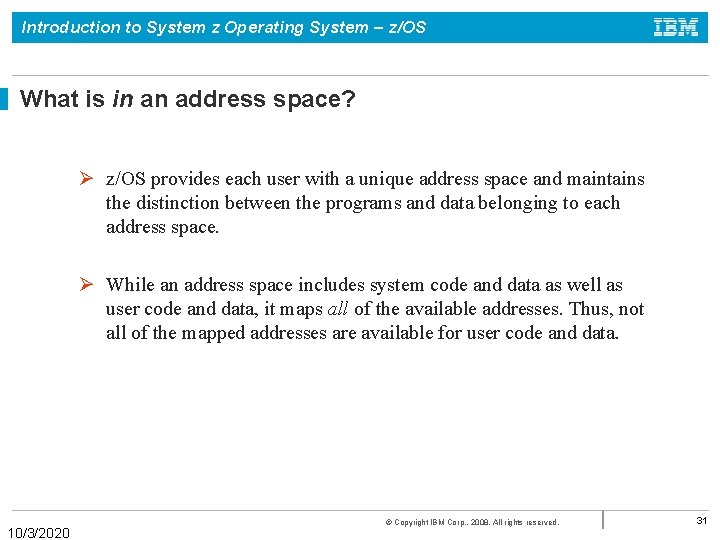
Introduction to System z Operating System – z/OS What is in an address space? Ø z/OS provides each user with a unique address space and maintains the distinction between the programs and data belonging to each address space. Ø While an address space includes system code and data as well as user code and data, it maps all of the available addresses. Thus, not all of the mapped addresses are available for user code and data. 10/3/2020 © Copyright IBM Corp. , 2008. All rights reserved. 31
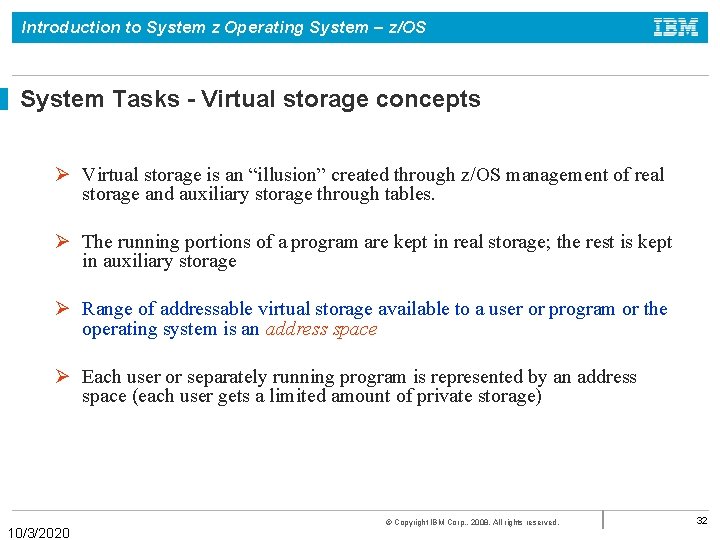
Introduction to System z Operating System – z/OS System Tasks - Virtual storage concepts Ø Virtual storage is an “illusion” created through z/OS management of real storage and auxiliary storage through tables. Ø The running portions of a program are kept in real storage; the rest is kept in auxiliary storage Ø Range of addressable virtual storage available to a user or program or the operating system is an address space Ø Each user or separately running program is represented by an address space (each user gets a limited amount of private storage) 10/3/2020 © Copyright IBM Corp. , 2008. All rights reserved. 32
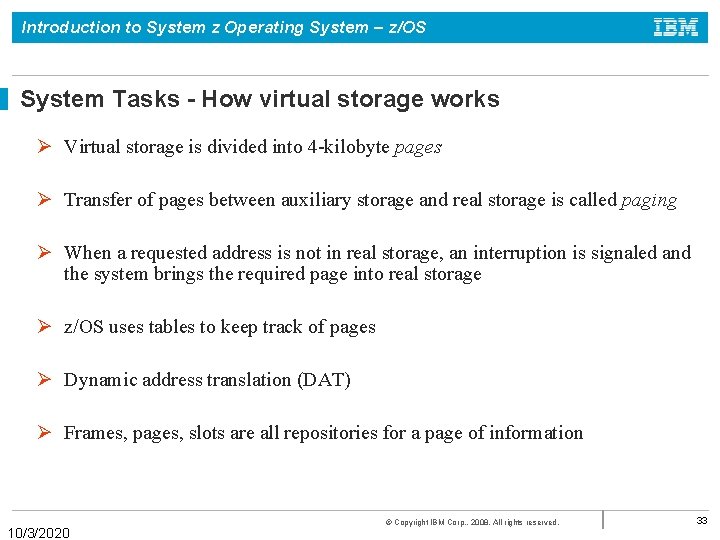
Introduction to System z Operating System – z/OS System Tasks - How virtual storage works Ø Virtual storage is divided into 4 -kilobyte pages Ø Transfer of pages between auxiliary storage and real storage is called paging Ø When a requested address is not in real storage, an interruption is signaled and the system brings the required page into real storage Ø z/OS uses tables to keep track of pages Ø Dynamic address translation (DAT) Ø Frames, pages, slots are all repositories for a page of information 10/3/2020 © Copyright IBM Corp. , 2008. All rights reserved. 33
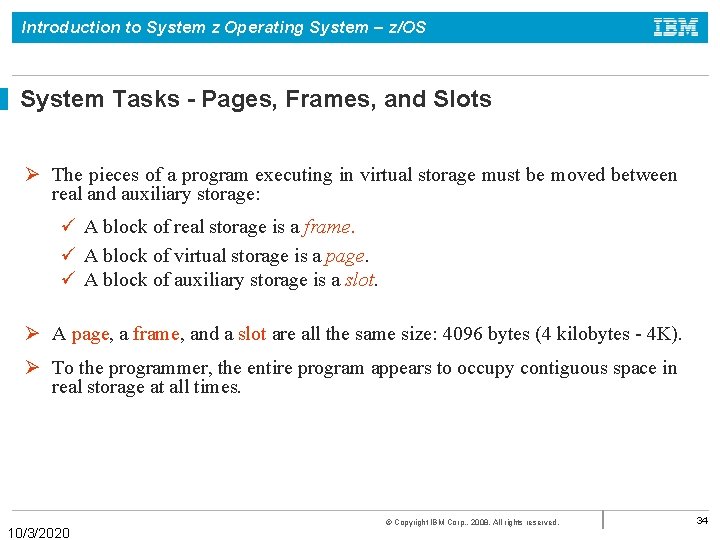
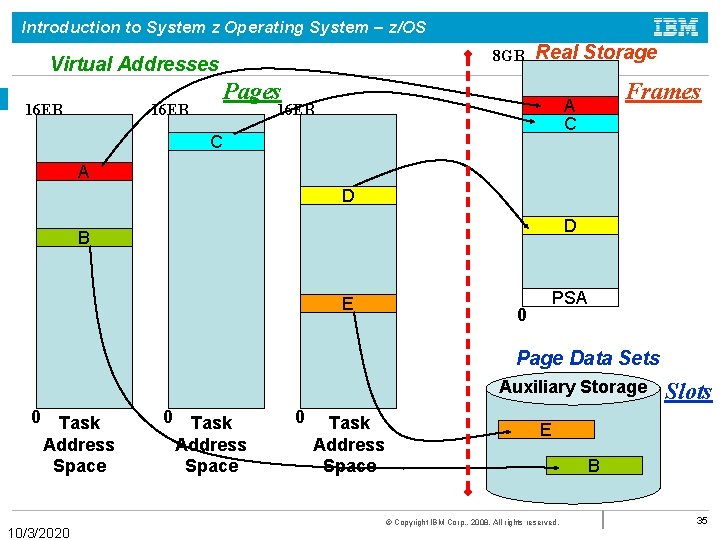
Introduction to System z Operating System – z/OS System Tasks - Pages, Frames, and Slots Ø The pieces of a program executing in virtual storage must be moved between real and auxiliary storage: ü A block of real storage is a frame. ü A block of virtual storage is a page. ü A block of auxiliary storage is a slot. Ø A page, a frame, and a slot are all the same size: 4096 bytes (4 kilobytes - 4 K). Ø To the programmer, the entire program appears to occupy contiguous space in real storage at all times. 10/3/2020 © Copyright IBM Corp. , 2008. All rights reserved. 34
Introduction to System z Operating System – z/OS 8 GB Virtual Addresses 16 EB Real Storage Pages 16 EB Frames A C 16 EB C A D D B E PSA 0 Page Data Sets Auxiliary Storage 0 Task Address Space 10/3/2020 0 Task Address Space Slots E B © Copyright IBM Corp. , 2008. All rights reserved. 35
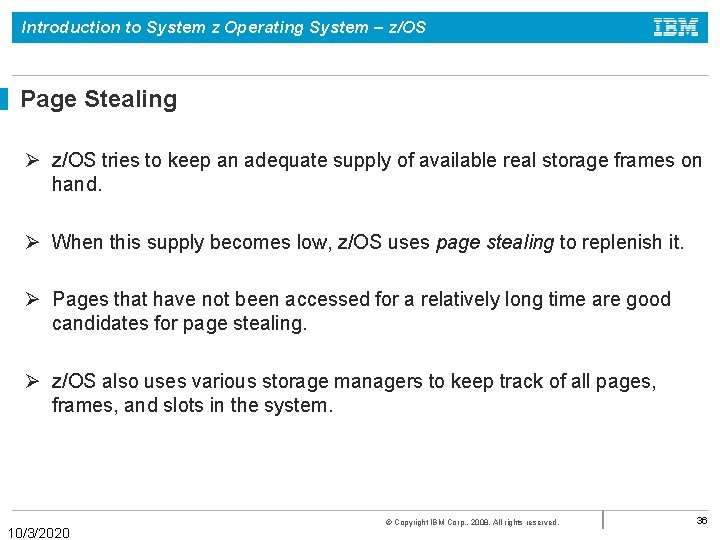
Introduction to System z Operating System – z/OS Page Stealing Ø z/OS tries to keep an adequate supply of available real storage frames on hand. Ø When this supply becomes low, z/OS uses page stealing to replenish it. Ø Pages that have not been accessed for a relatively long time are good candidates for page stealing. Ø z/OS also uses various storage managers to keep track of all pages, frames, and slots in the system. 10/3/2020 © Copyright IBM Corp. , 2008. All rights reserved. 36
Introduction to System z Operating System – z/OS Swapping Ø Swapping is one of several methods that z/OS uses to balance the system workload and ensure that an adequate supply of available real storage frames is maintained. Ø Swapping has the effect of moving an entire address space into, or out of, real storage: • A swapped-in address space is active, having pages in real storage frames and pages in auxiliary storage slots. • A swapped-out address space is inactive; the address space resides on auxiliary storage and cannot execute until it is swapped in. 10/3/2020 © Copyright IBM Corp. , 2008. All rights reserved. 37
Introduction to System z Operating System – z/OS Data Areas and Control Blocks 10/3/2020 © Copyright IBM Corp. , 2008. All rights reserved. 38
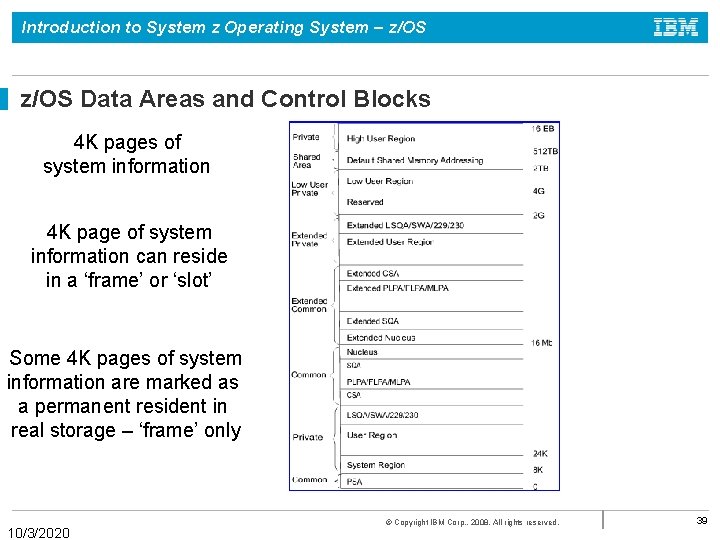
Introduction to System z Operating System – z/OS Data Areas and Control Blocks 4 K pages of system information 4 K page of system information can reside in a ‘frame’ or ‘slot’ Some 4 K pages of system information are marked as a permanent resident in real storage – ‘frame’ only 10/3/2020 © Copyright IBM Corp. , 2008. All rights reserved. 39
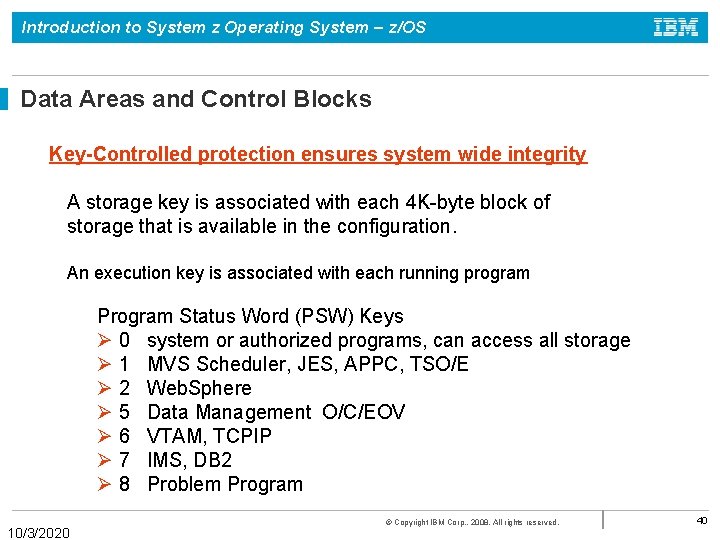
Introduction to System z Operating System – z/OS Data Areas and Control Blocks Key-Controlled protection ensures system wide integrity A storage key is associated with each 4 K-byte block of storage that is available in the configuration. An execution key is associated with each running program Program Status Word (PSW) Keys Ø 0 system or authorized programs, can access all storage Ø 1 MVS Scheduler, JES, APPC, TSO/E Ø 2 Web. Sphere Ø 5 Data Management O/C/EOV Ø 6 VTAM, TCPIP Ø 7 IMS, DB 2 Ø 8 Problem Program 10/3/2020 © Copyright IBM Corp. , 2008. All rights reserved. 40
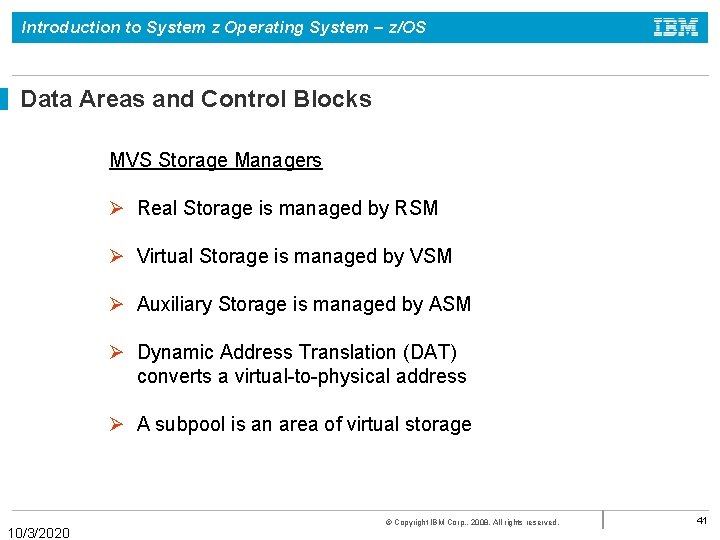
Introduction to System z Operating System – z/OS Data Areas and Control Blocks MVS Storage Managers Ø Real Storage is managed by RSM Ø Virtual Storage is managed by VSM Ø Auxiliary Storage is managed by ASM Ø Dynamic Address Translation (DAT) converts a virtual-to-physical address Ø A subpool is an area of virtual storage 10/3/2020 © Copyright IBM Corp. , 2008. All rights reserved. 41
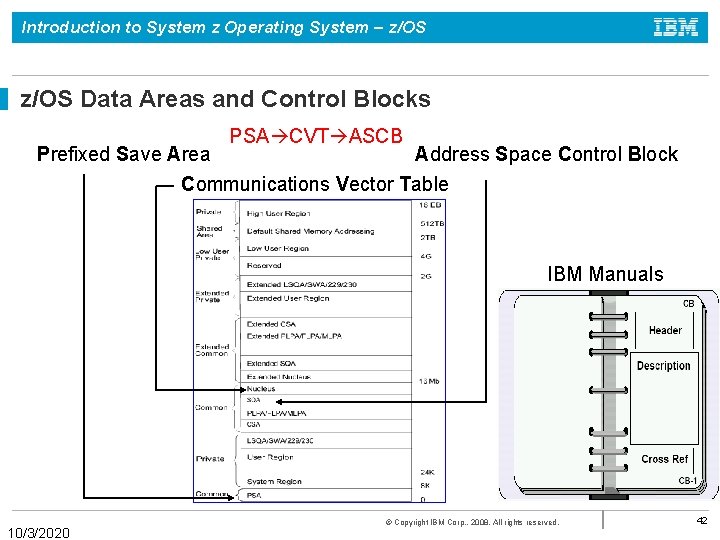
Introduction to System z Operating System – z/OS Data Areas and Control Blocks PSA CVT ASCB Prefixed Save Area Address Space Control Block Communications Vector Table IBM Manuals 10/3/2020 © Copyright IBM Corp. , 2008. All rights reserved. 42
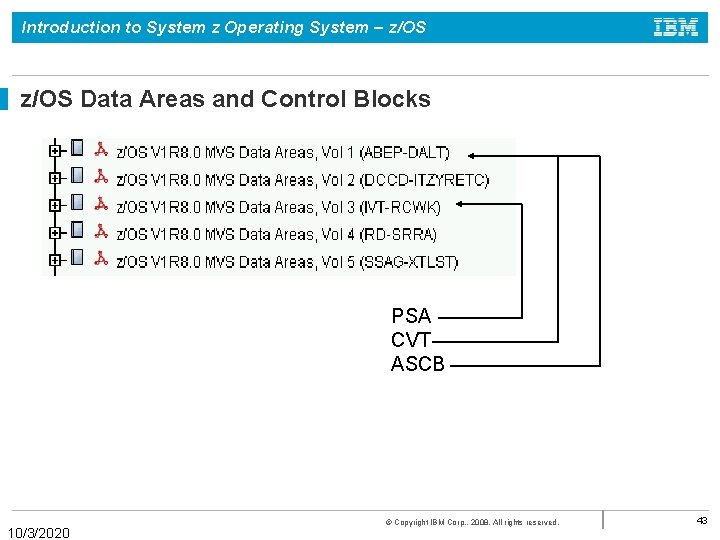
Introduction to System z Operating System – z/OS Data Areas and Control Blocks PSA CVT ASCB 10/3/2020 © Copyright IBM Corp. , 2008. All rights reserved. 43
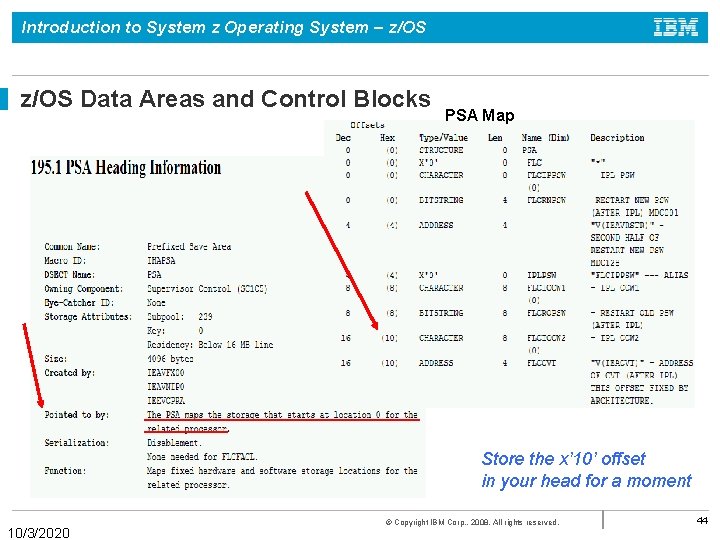
Introduction to System z Operating System – z/OS Data Areas and Control Blocks PSA Map Store the x’ 10’ offset in your head for a moment 10/3/2020 © Copyright IBM Corp. , 2008. All rights reserved. 44
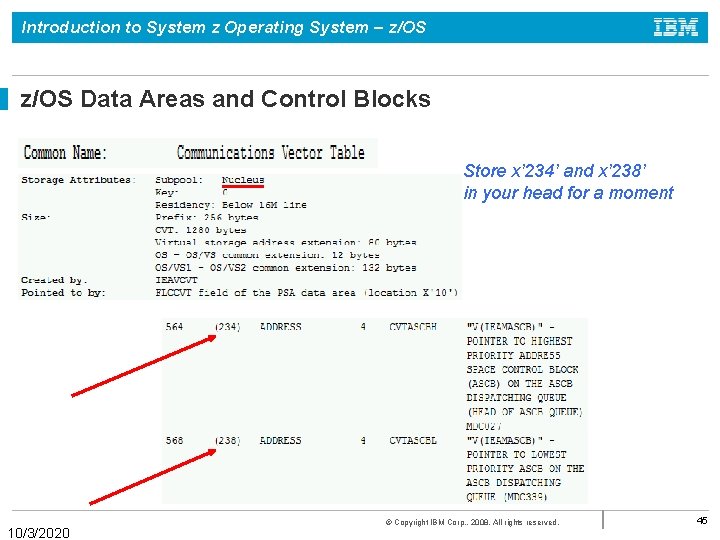
Introduction to System z Operating System – z/OS Data Areas and Control Blocks Store x’ 234’ and x’ 238’ in your head for a moment 10/3/2020 © Copyright IBM Corp. , 2008. All rights reserved. 45
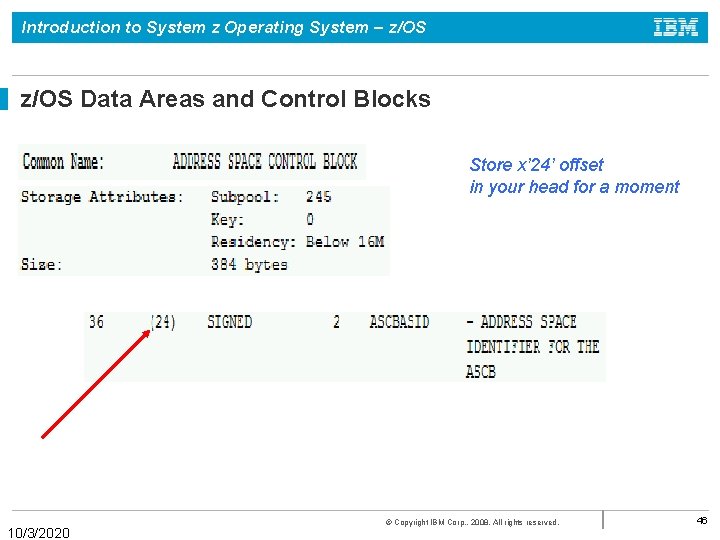
Introduction to System z Operating System – z/OS Data Areas and Control Blocks Store x’ 24’ offset in your head for a moment 10/3/2020 © Copyright IBM Corp. , 2008. All rights reserved. 46
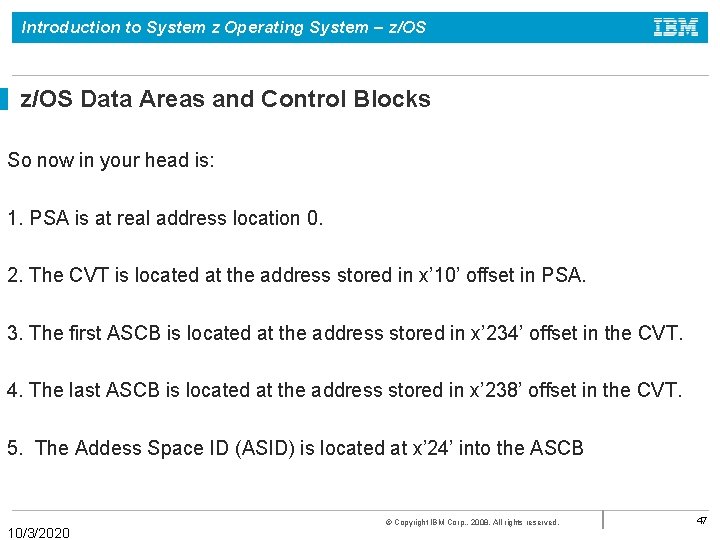
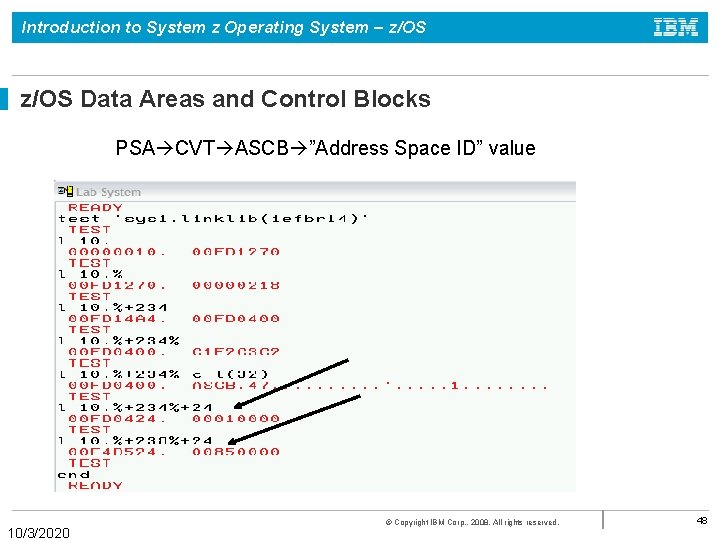
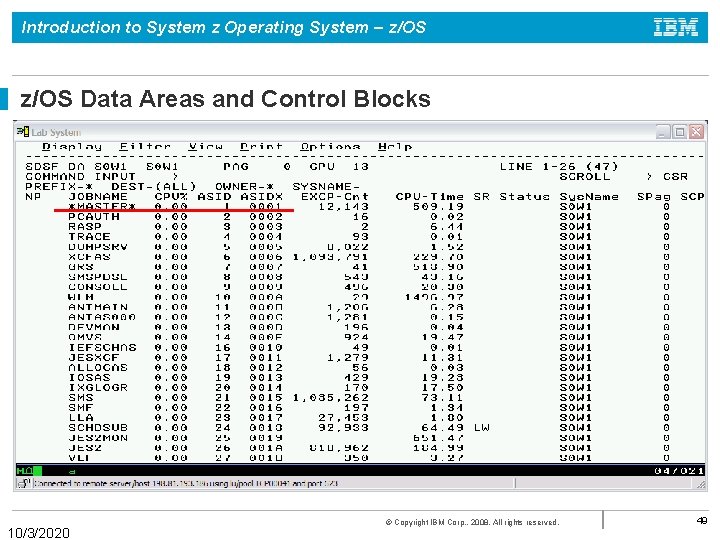
Introduction to System z Operating System – z/OS Data Areas and Control Blocks So now in your head is: 1. PSA is at real address location 0. 2. The CVT is located at the address stored in x’ 10’ offset in PSA. 3. The first ASCB is located at the address stored in x’ 234’ offset in the CVT. 4. The last ASCB is located at the address stored in x’ 238’ offset in the CVT. 5. The Addess Space ID (ASID) is located at x’ 24’ into the ASCB 10/3/2020 © Copyright IBM Corp. , 2008. All rights reserved. 47
Introduction to System z Operating System – z/OS Data Areas and Control Blocks PSA CVT ASCB ”Address Space ID” value 10/3/2020 © Copyright IBM Corp. , 2008. All rights reserved. 48
Introduction to System z Operating System – z/OS Data Areas and Control Blocks 10/3/2020 © Copyright IBM Corp. , 2008. All rights reserved. 49
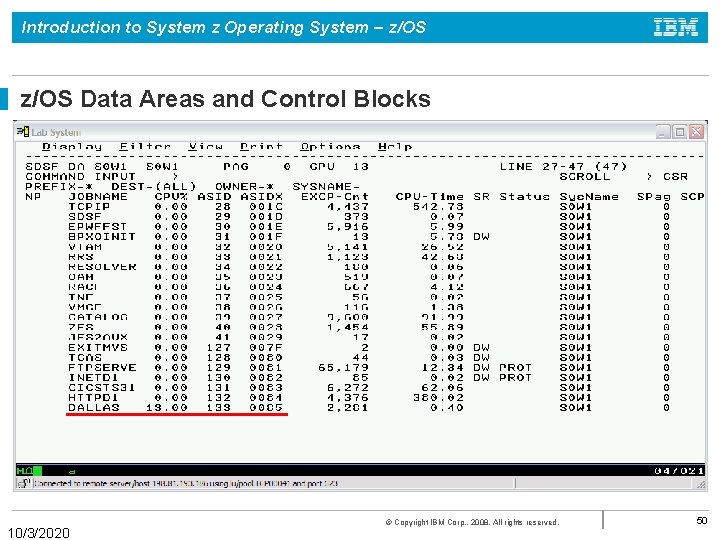
Introduction to System z Operating System – z/OS Data Areas and Control Blocks 10/3/2020 © Copyright IBM Corp. , 2008. All rights reserved. 50
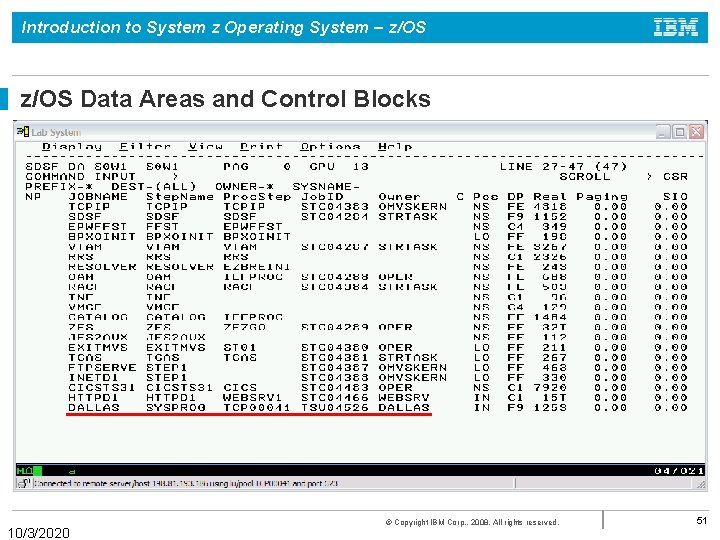
Introduction to System z Operating System – z/OS Data Areas and Control Blocks 10/3/2020 © Copyright IBM Corp. , 2008. All rights reserved. 51
Introduction to System z Operating System – z/OS Summary Ø Each Batch Job, TSO and Started Task are a separate address space Ø Types of Address Spaces 1. Batch Jobs – identified by JOBID JOB##### 2. Started Tasks – identified by JOBID STC##### 3. Time Sharing Tasks – identified by JOBID TSU##### where ##### is a uniquely assigned number Ø Address Space is a contiguous range of virtual addresses divided into blocks of 4 K pages. The pages are stored in both real and auxiliary storage. Paging is the movement of pages between real and auxiliary storage. 10/3/2020 © Copyright IBM Corp. , 2008. All rights reserved. 52
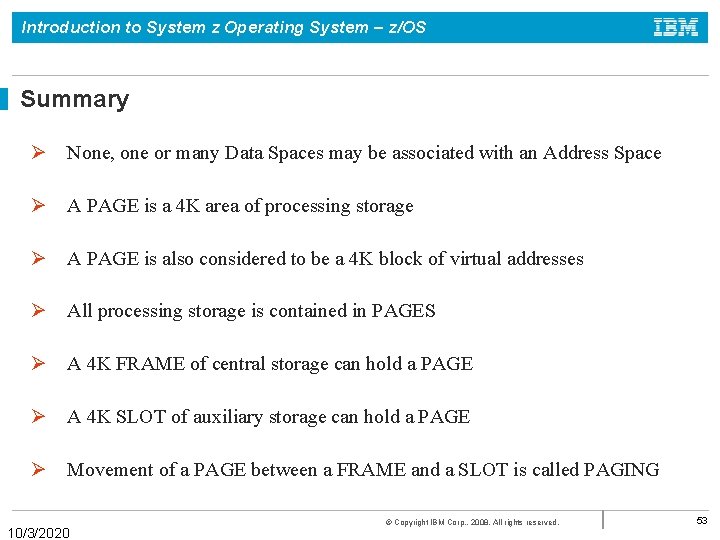
Introduction to System z Operating System – z/OS Summary Ø None, one or many Data Spaces may be associated with an Address Space Ø A PAGE is a 4 K area of processing storage Ø A PAGE is also considered to be a 4 K block of virtual addresses Ø All processing storage is contained in PAGES Ø A 4 K FRAME of central storage can hold a PAGE Ø A 4 K SLOT of auxiliary storage can hold a PAGE Ø Movement of a PAGE between a FRAME and a SLOT is called PAGING 10/3/2020 © Copyright IBM Corp. , 2008. All rights reserved. 53
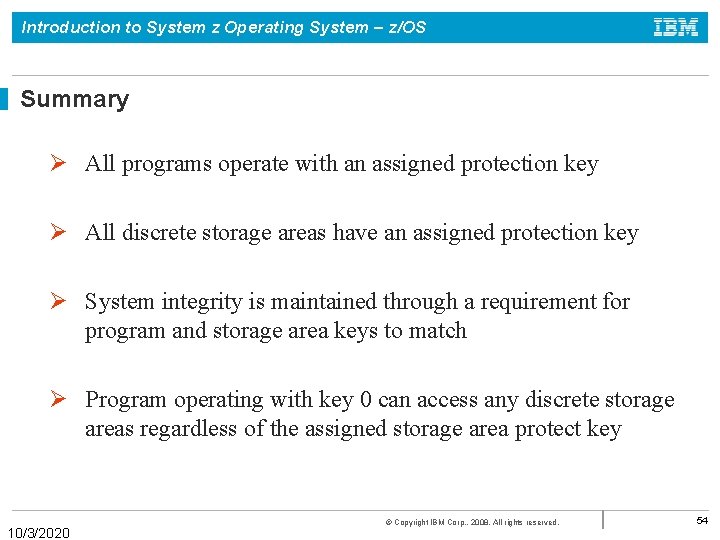
Introduction to System z Operating System – z/OS Summary Ø All programs operate with an assigned protection key Ø All discrete storage areas have an assigned protection key Ø System integrity is maintained through a requirement for program and storage area keys to match Ø Program operating with key 0 can access any discrete storage areas regardless of the assigned storage area protect key 10/3/2020 © Copyright IBM Corp. , 2008. All rights reserved. 54
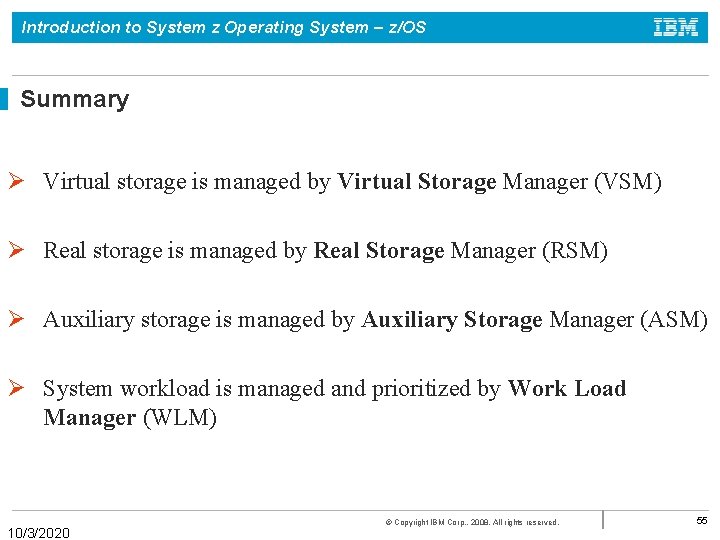
Introduction to System z Operating System – z/OS Summary Ø Virtual storage is managed by Virtual Storage Manager (VSM) Ø Real storage is managed by Real Storage Manager (RSM) Ø Auxiliary storage is managed by Auxiliary Storage Manager (ASM) Ø System workload is managed and prioritized by Work Load Manager (WLM) 10/3/2020 © Copyright IBM Corp. , 2008. All rights reserved. 55