
Introduction to WSU Accounting Presented by Tami Bidle
Introduction to WSU Accounting Presented by Tami Bidle Financial Reporting Manager, Business Services/Controller 5 -1202 tbidle@wsu. edu Updated November 2018 Slide 1
Objectives • Some history of WSU • WSU’s basic accounting framework, its systems and how they inter-relate • List the training classes that you can take to learn more about each of these systems • List the resources and people that you can go to when you have a question Please Ask Questions! Slide 2
Tell me a little about you • Where do you work? • What do you hope to learn from this class? Slide 3

Washington State University is Washington State’s Land Grant University • Morrill Acts of 1862 and 1890 • Hatch Act of 1887 • Smith-Lever Act of 1914 Slide 4
WSU is a public research university committed to its landgrant heritage and tradition of service to society. WSU has a long tradition of excellence. It has great plans for the future. If you’d like to share that vision, see the university’s mission statement and Strategic plan at the website below. In addition, Finance and Administration has a vision and mission statement as well. We are in the process of updating it now. https: //strategicplan. wsu. edu/ Slide 5
WSU is also an agency of the State of Washington, but…. A different kind of agency WSU doesn’t collect taxes like the Department of Revenue WSU doesn’t build roads like the Department of Transportation WSU sells education to students We operate more like a business enterprise. Slide 6
A competitive state agency • Must compete to attract students • Must compete to attract research • Result – very different expenses Sometimes our unique requirements make trying to fit into the state’s mold uncomfortable. But it can be done. Slide 7
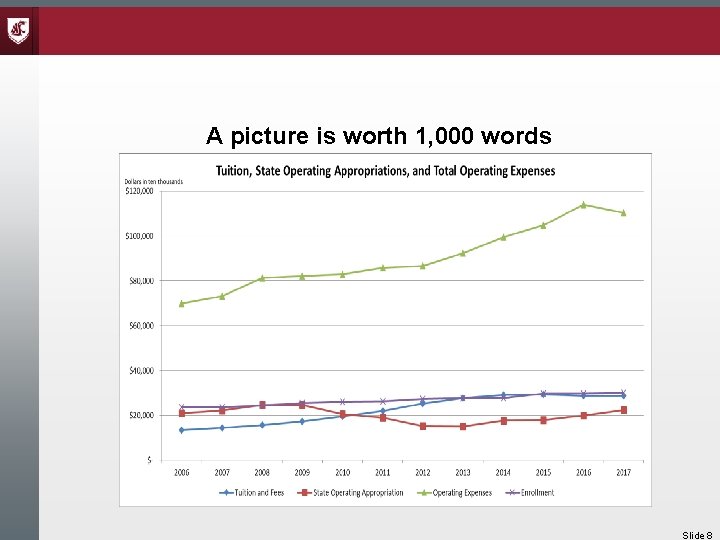
A picture is worth 1, 000 words Slide 8
WSU’s Business Policies and Procedures have their basis in the state’s laws and policies. • Washington State Constitution http: //www. leg. wa. gov/lawsandagencyrules/pages/constitution. aspx • Revised Code of Washington (RCWs) http: //apps. leg. wa. gov/rcw/ • Washington Administrative Code (WACs) http: //apps. leg. wa. gov/wac/ • WSU Business Policies and Procedures http: //www. wsu. edu/~forms/manuals. html • Office of Financial Management (OFM) State Administrative and Accounting Manual http: //www. ofm. wa. gov/policy/default. asp Slide 9
Why do we have all these rules? • These laws and regulations provide the guidance framework for how the State does business. When properly implemented and followed, they will safeguard our resources, protect our staff, and provide internal controls to ensure that we are careful stewards of our public funds. • These rules also guide us in how we track all of the business we’ve done. They define what our accounting systems need to track, how to record transactions to properly account for the financial resources we’ve received or used. Slide 10
But wait! There’s more! • Governmental Accounting Standards Board (GASB) Establishes the requirements for financial statement presentation and footnote disclosures for governments and public universities Currently we are on pronouncement 75 -which is for FY 18 (in the works up to 87) • National Association of College and University Business Officers (NACUBO) Provides detailed guidance to public and private colleges and universities on how to implement the guidance provided by GASB (and FASB) These rules apply to how we must account for transactions within our accounting systems. Slide 11
Brief History of College and University Accounting • NACUBO • FASB • GASB • Blank Slate Project Slide 12
University Accounting WSU uses fund accounting (“bucket accounting”) The source of the funds determines the bucket it goes into. • State appropriated funds • Self-sustaining funds • Grant funds • Federal appropriated funds • Donated funds
UNRESTRICTED or RESTRICTED • Unrestricted funds – can be expended for any lawful purpose • Restricted funds – can only be used for a specific purpose established by an outside person or entity Slide 14
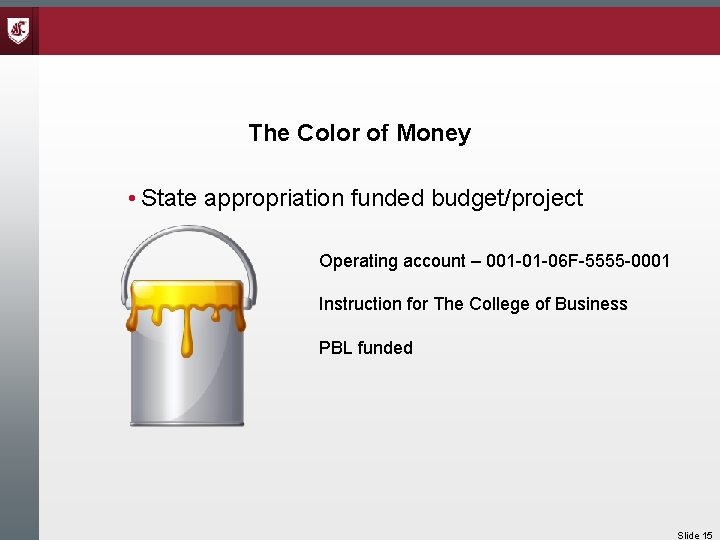
The Color of Money • State appropriation funded budget/project Operating account – 001 -01 -06 F-5555 -0001 Instruction for The College of Business PBL funded Slide 15
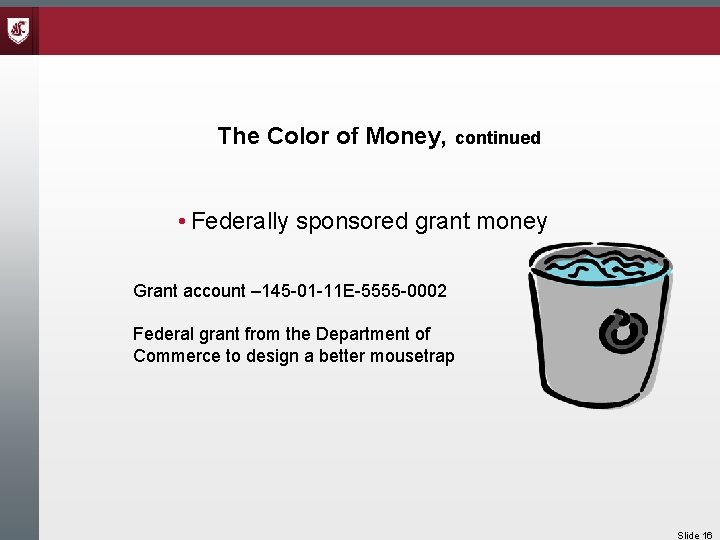
The Color of Money, continued • Federally sponsored grant money Grant account – 145 -01 -11 E-5555 -0002 Federal grant from the Department of Commerce to design a better mousetrap Slide 16
Your Dean wants to Support the Grant • Transfer money from our state account into the grant account so they can buy more cheese. • You send an email to General Accounting requesting them to transfer the funds. • They will tell you that you can’t do that. • Why? Yellow money + blue money= green money Slide 17
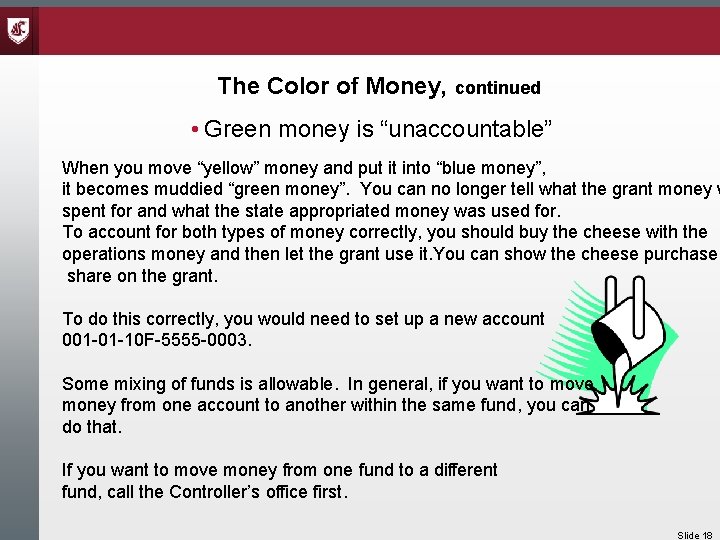
The Color of Money, continued • Green money is “unaccountable” When you move “yellow” money and put it into “blue money”, it becomes muddied “green money”. You can no longer tell what the grant money w spent for and what the state appropriated money was used for. To account for both types of money correctly, you should buy the cheese with the operations money and then let the grant use it. You can show the cheese purchase share on the grant. To do this correctly, you would need to set up a new account 001 -01 -10 F-5555 -0003. Some mixing of funds is allowable. In general, if you want to move money from one account to another within the same fund, you can do that. If you want to move money from one fund to a different fund, call the Controller’s office first. Slide 18
Donated Funds • Not considered “state” money • Fewer restrictions on spending than state money • Can’t move state funds into donated funds • Please read our 17 A policy BPPM 70. 33 Slide 19
What Color is My Money? You can tell by the fund number • • Unrestricted operating funds are: 001, 148, and 149 Unrestricted internal service & auxiliary funds are: 400’s & 500’s Restricted grant funds are: 143 & 145 Restricted donated funds are: 846 Slide 20
How do I know what my money is to be used for? You can tell by the program and subprogram • • • Instruction & Departmental Research (Programs 06 & 10) Sponsored Research (Programs 11, 12, 13, & 14) Public Service (Program 09) Student Services (Program 03) Academic Support (Programs 07 & 08) Institutional Support (Program 01) Operation & Maintenance of Plant (Program 04) Auxiliary Enterprises (Program 15) Scholarships, Financial Aid, Donations (Program 17) Slide 21
Who can I call if I have a question about how to account for the money in my buckets? • Tami Bidle 5 -1202 tbidle@wsu. edu • Jennifer Druffel 5 -2027 jennifer. reyes@wsu. edu • Rick Combs 5 -2028 combs@wsu. edu Slide 22
How do Funds and Programs fit into WSU’s Financial Reporting? • Revenues are summarized by source • Expenditures are summarized by object and by program • Required adjustments, accruals, and reclassifications are made • The result becomes the income statement on our financial statements WSU financial statements are available online at: http: //www. wsu. edu/genacct/finstat. htm Slide 23
Budgetary Sub-ledger and General Ledger • BALANCES • FACTS Slide 24
BALANCES • Cash basis • Revenues, Allocations, Encumbrances • Expenses Slide 25
FACTS • Balances transactions feed to it through control accounts, 7101 for revenue and 8101 for expenses • Offset is cash, 1103 • Facts records all balance sheet transactions and converts our accounting system to an accrual basis Slide 26
Chart of Accounts • An organization’s chart of accounts forms the structural framework for accounting for all the organization’s financial transactions. – Funds – Programs – Revenues – Expenditures – Other Slide 27
Funds • Follows the State’s accounting system – All WSU transactions are summarized and transmitted to the State monthly • State Operating Appropriations – 001 (Unrestricted) • State Capital Appropriations – 057 and 062 (Restricted) – 057 are monies provided by State budget for capital projects – 062 are monies earned on the land grant endowments and can only be spent for capital projects and debt service • Federal Operating Appropriations – 143 (Restricted) • Grants and Contracts – 145 (Restricted) Slide 28
Funds, continued • Self-sustaining Funds – 148 (Unrestricted) – Some are allocated • 148 -02 F&A Cost Recovery • 148 -05 Admin Fees and Interest – Others are managed by departments • These generate revenue • Their functions are education-related • They are set up as service centers • They are supposed to operate on a break-even basis Slide 29
Funds, continued • Tuition and Fees - 149 (Unrestricted) – All tuition revenue is deposited to these funds. The tuition revenue is then combined with the State operation appropriations and allocated to departments as part of their 001 allocation. Slide 30
Funds, continued • Local Construction Funds – 252 (Kind of restricted) – These funds are used to track construction projects that will be paid for with university funds or bond proceeds • Internal Service Funds – 4 XX (Unrestricted) – These funds are used by departments that perform services for all units of the university. Examples are: Central Stores, Motor Pool, Printing & Publications, and Facilities. Slide 31
Funds, continued • Auxiliary Funds – 5 XX (Unrestricted) – These are fully self-supporting business-type operations that provide services to customers of the university – students – Examples are: ASWSU, the CUB, the Student Recreation Center, Parking, and Housing and Dining. • Donated Funds – 846 (Restricted) – These funds contain monies donated to the university through the WSU Foundation. The monies may be used only for the purpose established by the donor. Slide 32
Funds, continued • Loan Funds – 849 & 860 (Restricted) – These funds track the various types of loans the university is authorized to issue to students. • Endowment Funds – 859 (Permanently Restricted) – The WSU Foundation holds most of the university endowments, but WSU does hold a few on our books. • Agency Funds – These are used for tracking money that WSU holds for others. Examples are: student clubs. Slide 33
Revenue Source Codes • Source and sub-source codes are used to identify the type of revenue received. – Revenue cannot be recorded in all types of funds. In general, self-sustaining, internal service, auxiliary, grant, and agency funds can receive revenue. – Before generating revenue, the department needs to submit a request to create a service center. Slide 34
Classifications of Source Codes • 3 xx-xx – Federal Revenue – These are generally only used by grant funds • 4 xx-xx – Miscellaneous – These record revenue from property rentals, fines, investment income, and sale of property and equipment • 420 -xx – Charges for Services – The codes are meant to track revenues for charges to other departments of the university. Slide 35
Classification of Source Codes, continued • 424 -xx Tuition and Fees – These codes are used to classify the types of tuition and fees charged to students. – 424 -9 x and 425 -xx record tuition waivers • 428 -xx Revenue from Sales within an Area – When a department sells something to another department within their area, these source codes are used. Using these codes tells accounting why there was no administrative service charge applied. Slide 36
Classification of Source Codes, continued • 430 -xx Dedicated Student Fees – These codes are used to classify course fees and other student fees. • 440 -xx F&A Cost Recovery – These codes are used by Sponsored Programs to record the F&A revenue received from grants. • 451 -xx Revenue from Sales to Students and Outside Customers – These codes are used to classify sales made to customers of the university – students or other universities, or outside businesses. -mirror 420 Slide 37
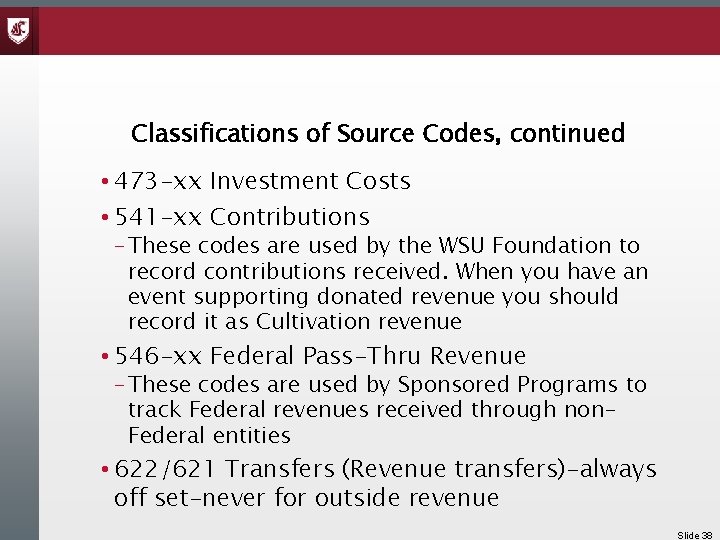
Classifications of Source Codes, continued • 473 -xx Investment Costs • 541 -xx Contributions – These codes are used by the WSU Foundation to record contributions received. When you have an event supporting donated revenue you should record it as Cultivation revenue • 546 -xx Federal Pass-Thru Revenue – These codes are used by Sponsored Programs to track Federal revenues received through non. Federal entities • 622/621 Transfers (Revenue transfers)-always off set-never for outside revenue Slide 38
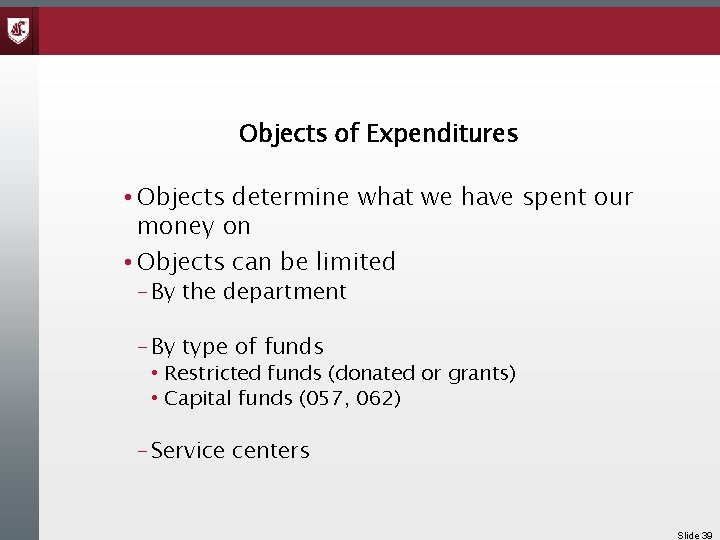
Objects of Expenditures • Objects determine what we have spent our money on • Objects can be limited – By the department – By type of funds • Restricted funds (donated or grants) • Capital funds (057, 062) – Service centers Slide 39
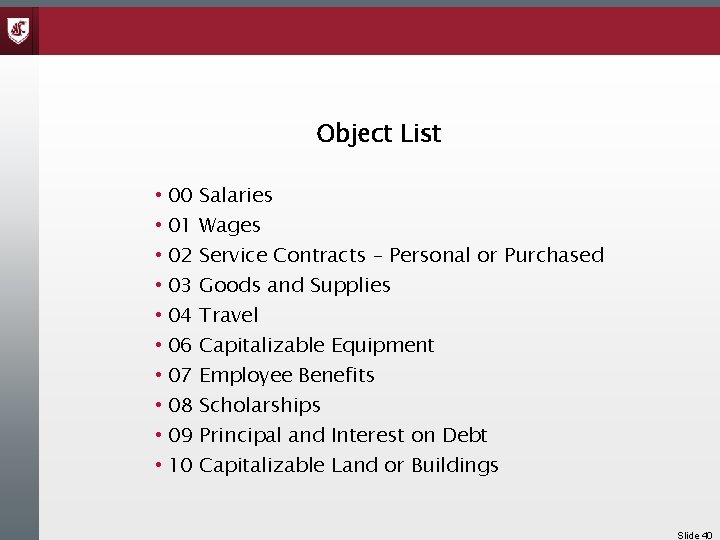
Object List • 00 • 01 • 02 • 03 • 04 • 06 • 07 • 08 • 09 • 10 Salaries Wages Service Contracts – Personal or Purchased Goods and Supplies Travel Capitalizable Equipment Employee Benefits Scholarships Principal and Interest on Debt Capitalizable Land or Buildings Slide 40
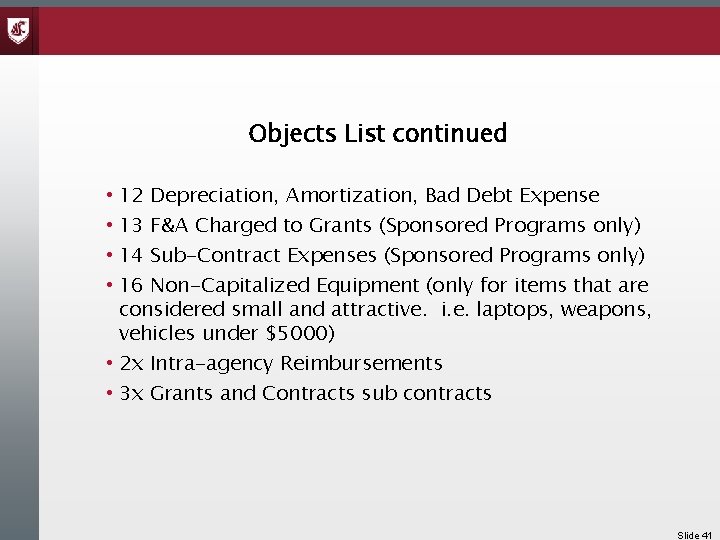
Objects List continued • 12 Depreciation, Amortization, Bad Debt Expense • 13 F&A Charged to Grants (Sponsored Programs only) • 14 Sub-Contract Expenses (Sponsored Programs only) • 16 Non-Capitalized Equipment (only for items that are considered small and attractive. i. e. laptops, weapons, vehicles under $5000) • 2 x Intra-agency Reimbursements • 3 x Grants and Contracts sub contracts Slide 41
WSU Accounting Systems AIS • PAPR – purchasing & accounts payable • DEPPS – payroll & position control • SCBAIMS – service center billing • BPS – budget system/PBL data-not in AIS-feeds the BALANCES system-contact the budget office for access Slide 42
Other Systems • • Purchasing Card/Central Travel SIS-My. WSU-Student receivables, general receivables Point of Sale cashiering Property Inventory Cost Share/Effort Reporting WSU Org Endowment Investment Tracking Slide 43
Financial Data Warehouse • Almost all data that goes into AIS Balances is exported to the financial data warehouse. • Using Business Objects as the query tool, you can write and run reports to gather all information about your budgets • The license is now free to all who need access. – https: //infotech. wsu. edu/Data. Warehouse/Financial. Data/Access. Procedure. aspx Slide 44
AIS HEPPS/DEPPS • Payroll processing system • This system contains information on employees, payroll and position control • Training is available through Human Resources • Payroll data is fed to the Financial data warehouse Slide 45
DEPTPAY • All departments must have two people who have been trained in inputting hours for hourly staff and reviewing gross pay for departmental employees. • You must attend training before you can use DEPTPAY. • You must have access to DEPPS before you can get training. • The training is offered through Human Resources. Slide 46
PERMS & TEMPS Personnel Action Forms must be completed using the PERMS system • Frequently asked questions about PERMS • http: //hrs. wsu. edu/wp-content/uploads/2015/08/PERMS-FAQ. pdf • • • Temporary Employee Personnel Actions must be processed using the TEMPS system TEMPS Training Manual http: //hrs. wsu. edu/wp-content/uploads/2015/08/TEMPS-Training-Manual. pdf BPPM 60. 26 Both PERMS and TEMPS training is available through Human Resources • http: //hrs. wsu. edu/ Slide 47
Fiscal Management Training • Human Resources offers a comprehensive selection of classes that will give you the knowledge you need to do your job well. • Some of the classes are online, others are instructor-led like this one. • See what is offered and the class schedules at: http: //hrs. wsu. edu/training/learning-programs/fiscal-managementtraining-resources/ Slide 48
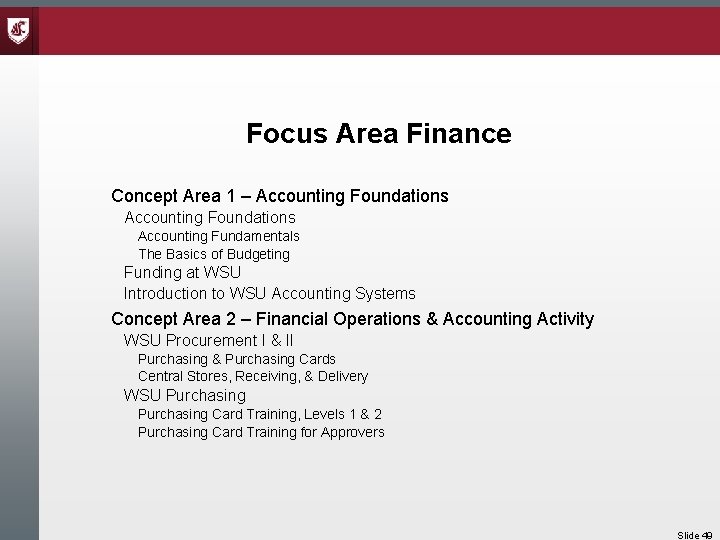
Focus Area Finance Concept Area 1 – Accounting Foundations Accounting Fundamentals The Basics of Budgeting Funding at WSU Introduction to WSU Accounting Systems Concept Area 2 – Financial Operations & Accounting Activity WSU Procurement I & II Purchasing & Purchasing Cards Central Stores, Receiving, & Delivery WSU Purchasing Card Training, Levels 1 & 2 Purchasing Card Training for Approvers Slide 49
Focus Area Finance, continued Revenue Management Cash Handling AIS Account Balances Business Objects: Financial Business Objects: Info. Burst AIS: DEPPS Department Pay Position Control Training, 1 & 2 Accruals, Allocation Adjustments and Reserve Accounts Travel Training Life Cycle of a Sponsored Program Slide 50
Focus Area Finance, continued Concept Area 3 – Fiscal Management Managing & Reconciling your Budget Financial Analysis Fiscal Audits and Internal Controls Slide 51
Receivables – Internal and External • Service centers & billing • Invoicing customers-My. WSU If your department bills for goods or services, refer to the BPPM 30. 56 and 30. 57 for policies and procedures to follow If you have questions about customer billing, call Debbie Stellyes in Student Accounts, 5 -1419, stellyes@wsu. edu If you have questions about Internal Requisitions & Invoices (IRIs) call Marilyn Dahmen, 5 -2042, dahmenm@wsu. edu If you have a question about service centers, call Karen Breese, 5 -2056, kbreese@wsu. edu Slide 52
Property Inventory All university property meeting certain criteria must be inventoried. It must be tagged and safeguarded and can only be disposed of through Surplus Stores. Who is the equipment inventory coordinator for your department or area? What property must be inventoried? – Weapons & Firearms – Laptop Computers – Licensed Vehicles and Trailers – Any item of equipment whose: Purchase cost is $5, 000 or more Useful life is more than one year If you have questions about property, call Tarryn Anderson, 5 -2057, tarryn. anderson@wsu. edu Or Robert Wright, 5 -2024, wrightrd@wsu. edu Slide 53
Sponsored Programs If you are responsible for grants, there a lot more regulations you need to be aware of: The grant will be subject to Facilities & Administrative costs The grant may require cost sharing & effort certification Human Resources offers training on both of these areas. • Effort Certification and Cost Sharing • Understanding Facilities & Administrative Costs Slide 54
Revenue Management Does your department ever receive cash or checks? Does your department ever receive electronic payments – wires or ach transfers? Take the cash handling course If you have questions about your revenue, contact, Emily Simmons 5 -2025, esimmons@wsu. edu If you think you should have received an electronic payment, but don’t see it in your account, call Robert Wright at 5 -1202. Questions about revenue source and what type of an account this revenue can be deposited into call Rick Combs at 52028 or Jennifer Druffel at 5 -2027 or me at 5 -1202 Slide 55
Treasury Management • New merchant numbers for POS • New transactions for POS • Endowment balance questions • Questions to Karen Kellerman at 5 -8165, karenk@wsu. edu or Jill Renna, 5 -2070, jill. renna@wsu. edu Slide 56
Recap • WSU – Land Grant Public University • WSU – State Agency • Fund (Bucket) Accounting • Funds, Programs, Revenue & Expense Codes • WSU Accounting Systems • WSU Training • WSU Helpful Contacts Questions? ? ? Slide 57
Email questions or let us know what other topics you would like to see covered. That’s All for Now, Folks! Tami’s email: tbidle@wsu. edu Slide 58
This has been a WSU Training Videoconference If you attended this live training session and wish to have your attendance documented in your training history, please notify Human Resource Services within 24 hours of today's date: hrstraining@wsu. edu 59
- Slides: 59