
Introduction to Windows 8 Development CXAML Objectives Introduction
Introduction to Windows 8 Development C#/XAML Objectives • Introduction to Windows 8 Operation System • Windows 8 Platform • Windows Store Apps Design Guidelines • Developing a Windows Store App Using C#/XAML • Windows 8 Contracts • Q&A www. netcomlearning. com
Introduction to XAML Extensible Application Markup Language is a declarative XML-based language used for initializing structured values and objects. The acronym originally stood for Extensible Avalon Markup Language - Avalon being the code-name for Windows Presentation Foundation (WPF)
Introduction to XAML is used in for Windows 8 Metro applications. XAML is also used extensively in. NET Framework 3. 0 &. NET Framework 4. 0 technologies, particularly Windows Presentation Foundation (WPF), Silverlight, Windows Workflow Foundation (WF) and Windows Runtime XAML Framework. www. netcomlearning. com
Introduction to XAML files can be created and edited with visual design tools like Microsoft Expression Blend, Microsoft Visual Studio, and the hostable Windows Workflow Foundation visual designer. www. netcomlearning. com
Windows Runtime XAML Framework XAML framework is a User Interface API that is part of the Windows Runtime that forms the backbone of the new Metro-style apps in Windows 8 operating system. www. netcomlearning. com
Introduction to Windows 8 Platform www. netcomlearning. com
Lesson 1: Introduction to Windows 8 Operating System • Windows 8 Platform Investments www. netcomlearning. com
Windows 8 Platform Investments New Windows Runtime (Win. RT) APIs New App Execution Environment New Windows 8 User Experience Windows Store www. netcomlearning. com
Lesson 2: Windows 8 Platform • Windows 8 Platform • Metro Style App APIs • Win. RT Language Projections www. netcomlearning. com
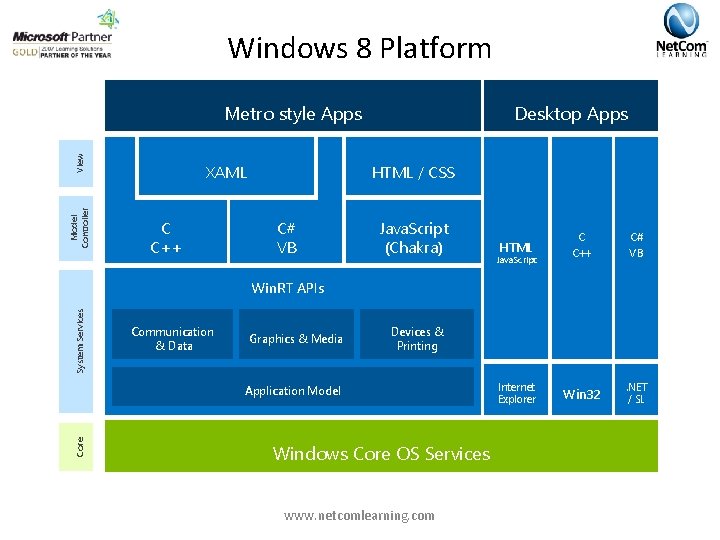
Windows 8 Platform Desktop Apps Model Controller View Metro style Apps HTML / CSS XAML C C++ C# VB Java. Script (Chakra) HTML Java. Script C C++ C# VB Internet Explorer Win 32 . NET / SL System Services Win. RT APIs Communication & Data Graphics & Media Devices & Printing Core Application Model Windows Core OS Services www. netcomlearning. com
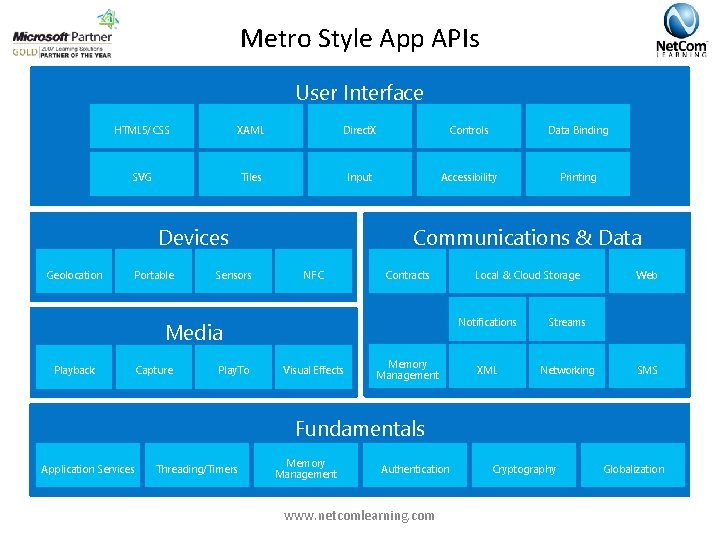
Metro Style App APIs User Interface HTML 5/CSS XAML Direct. X Controls Data Binding SVG Tiles Input Accessibility Printing Devices Geolocation Portable Sensors Communications & Data NFC Contracts Media Playback Capture Play. To Visual Effects Memory Management Local & Cloud Storage Notifications Streams XML Networking Web SMS Fundamentals Application Services Threading/Timers Memory Management Authentication www. netcomlearning. com Cryptography Globalization
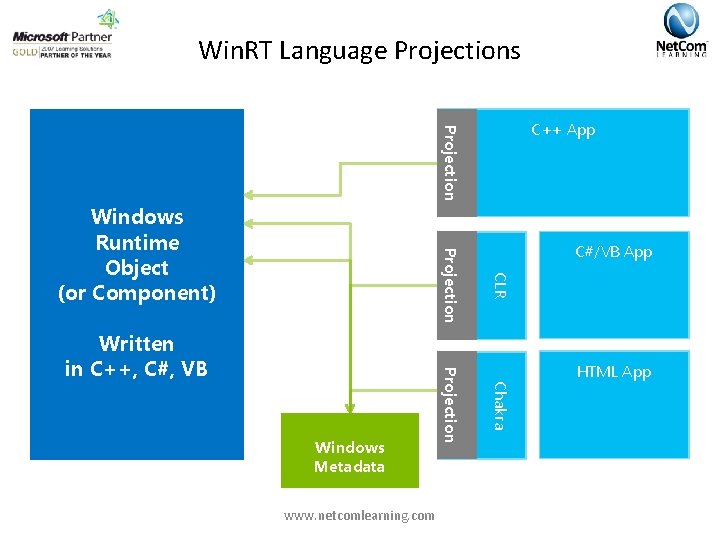
Win. RT Language Projections Projection C++ App www. netcomlearning. com HTML App Chakra Windows Metadata Projection Written in C++, C#, VB C#/VB App CLR Projection Windows Runtime Object (or Component)
• Metro Style App Principles www. netcomlearning. com
Metro Style App Principles • • Metro Style App Principles Fast and Fluid Snap and Scale Beautifully Contracts, Tiles, Notifications and Other Guidelines www. netcomlearning. com
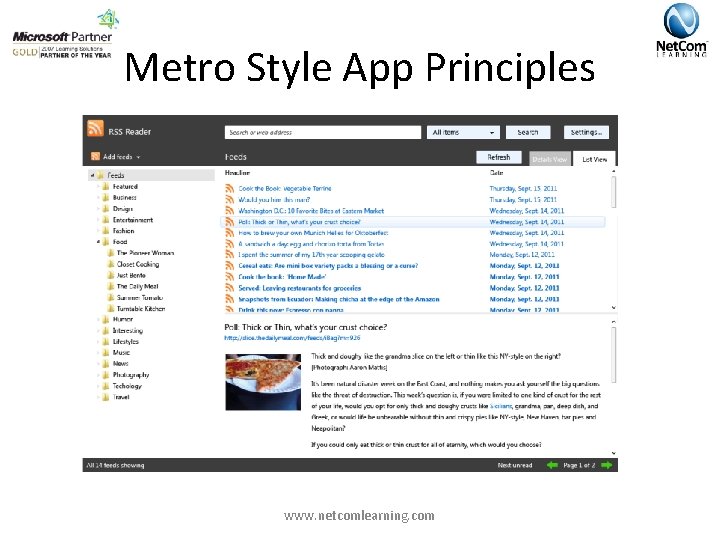
Metro Style App Principles www. netcomlearning. com
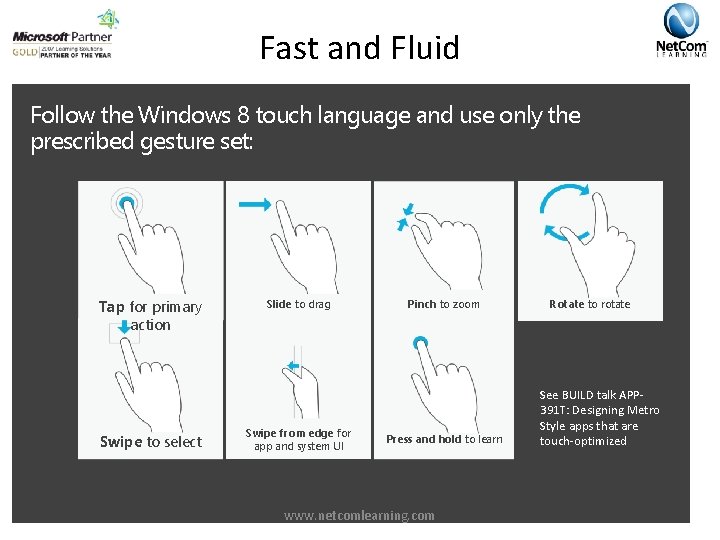
Fast and Fluid Follow the Windows 8 touch language and use only the prescribed gesture set: Tap for primary action Swipe to select Slide to drag Swipe from edge for app and system UI Pinch to zoom Press and hold to learn www. netcomlearning. com Rotate to rotate See BUILD talk APP 391 T: Designing Metro Style apps that are touch-optimized
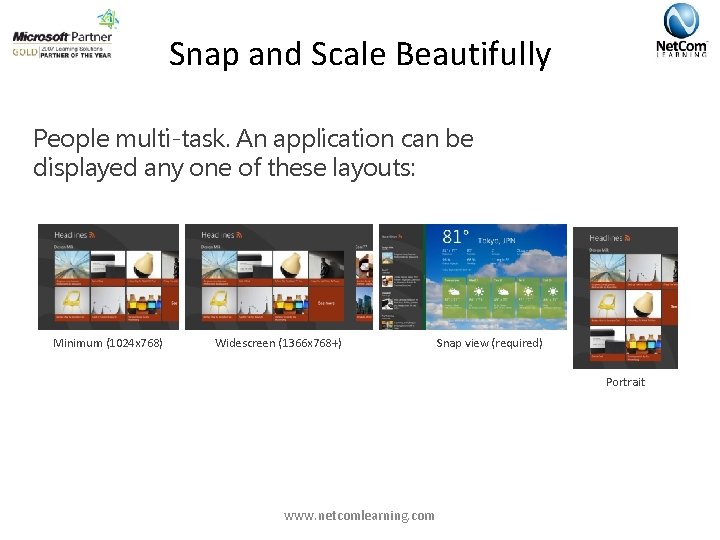
Snap and Scale Beautifully People multi-task. An application can be displayed any one of these layouts: Minimum (1024 x 768) Widescreen (1366 x 768+) Snap view (required) Portrait www. netcomlearning. com
Contracts, Tiles, Notifications and Other Guidelines Charms provide a consistent invocation model that users can always confidently rely on Share, Search and Settings Tiles are the “front door” to your app. Treat it as an extension of your app Toast notifications deliver transient messages outside the context of the app Show toast when your app is in the background Use it for real-time, personal content such as IM, Call, or Mail Provides quick navigation to contextually relevant location in your app www. netcomlearning. com
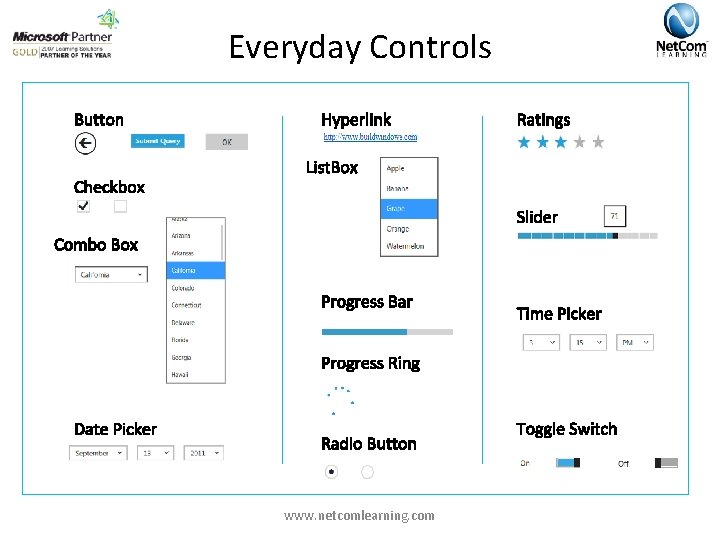
Everyday Controls www. netcomlearning. com
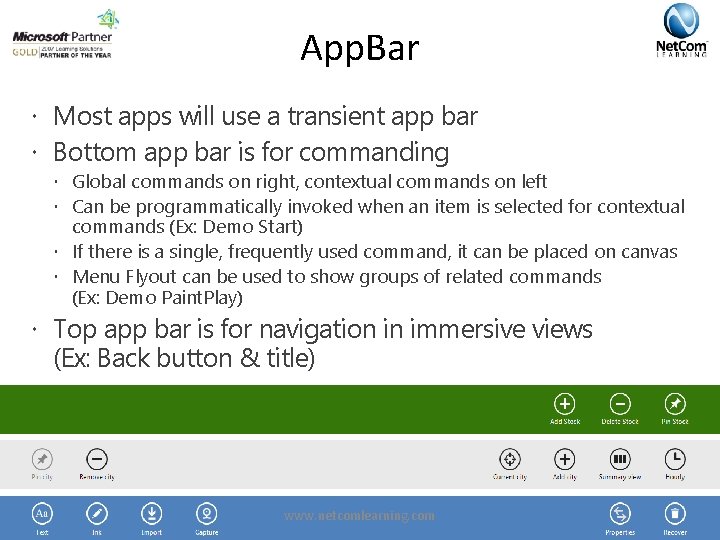
App. Bar Most apps will use a transient app bar Bottom app bar is for commanding Global commands on right, contextual commands on left Can be programmatically invoked when an item is selected for contextual commands (Ex: Demo Start) If there is a single, frequently used command, it can be placed on canvas Menu Flyout can be used to show groups of related commands (Ex: Demo Paint. Play) Top app bar is for navigation in immersive views (Ex: Back button & title) www. netcomlearning. com
Integrating with Windows 8 Experiences www. netcomlearning. com
Module Overview • Windows 8 Contracts • Implementing the Search and Share Contracts www. netcomlearning. com
Lesson 3: Windows 8 Contracts • The Charms Bar • Windows 8 Contracts www. netcomlearning. com
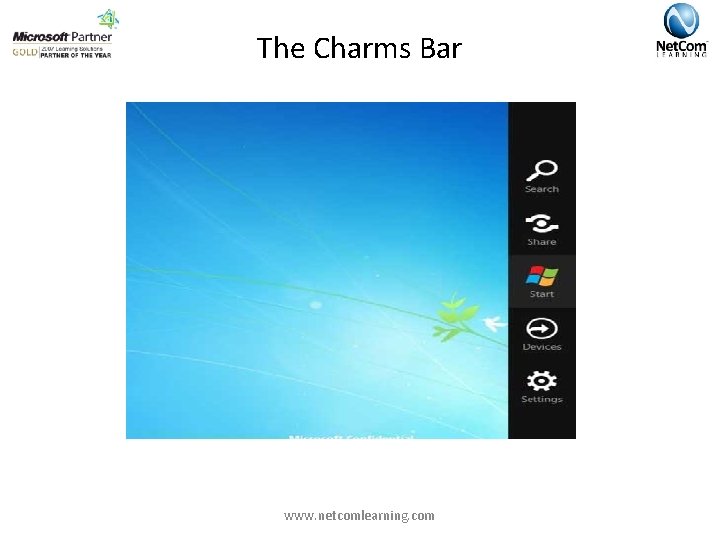
The Charms Bar www. netcomlearning. com
Windows 8 Contracts • 1+1=3. Leverage other apps to complete scenarios • Charms provide a consistent invocation model that users can always confidently rely on • Start with the VS Item Template (available for Search, Share, File Picker extension) www. netcomlearning. com
Lesson 4: Implementing the Search and Share Contracts • • Search Anatomy Search Settings & Events Sharing From Source to Target Adding Settings Flyout to Settings Charm www. netcomlearning. com
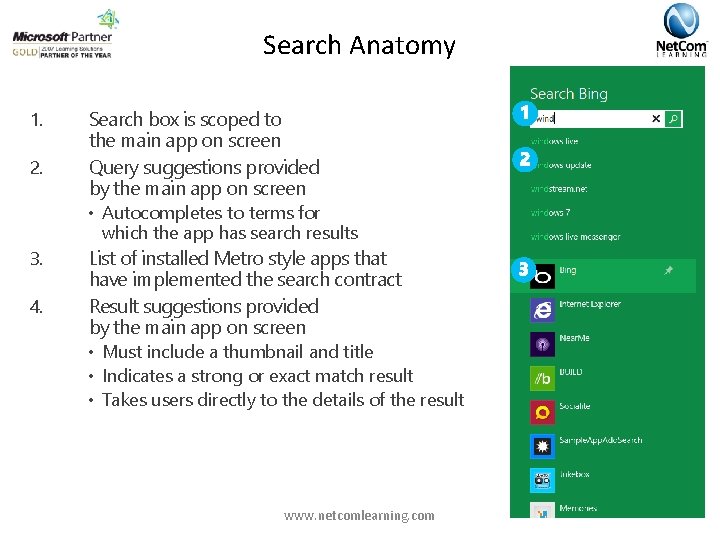
Search Anatomy 1. 2. Search box is scoped to the main app on screen Query suggestions provided by the main app on screen • Autocompletes to terms for which the app has search results 3. 4. List of installed Metro style apps that have implemented the search contract Result suggestions provided by the main app on screen • Must include a thumbnail and title • Indicates a strong or exact match result • Takes users directly to the details of the result www. netcomlearning. com
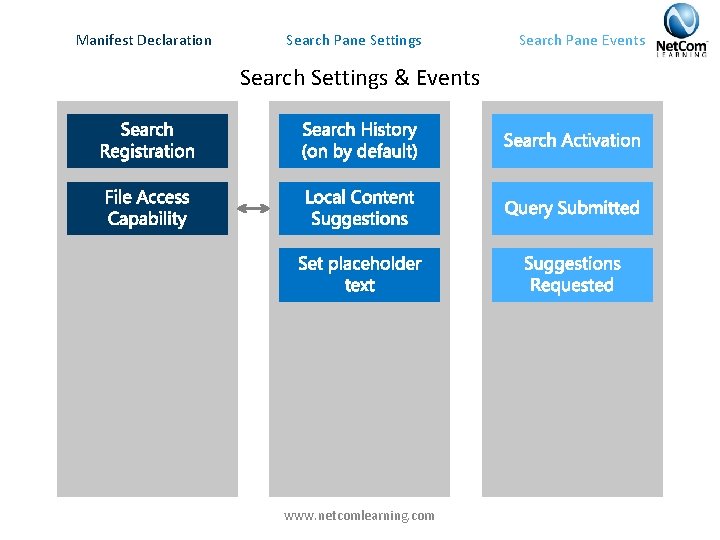
Manifest Declaration Search Pane Settings Search Settings & Events www. netcomlearning. com Search Pane Events
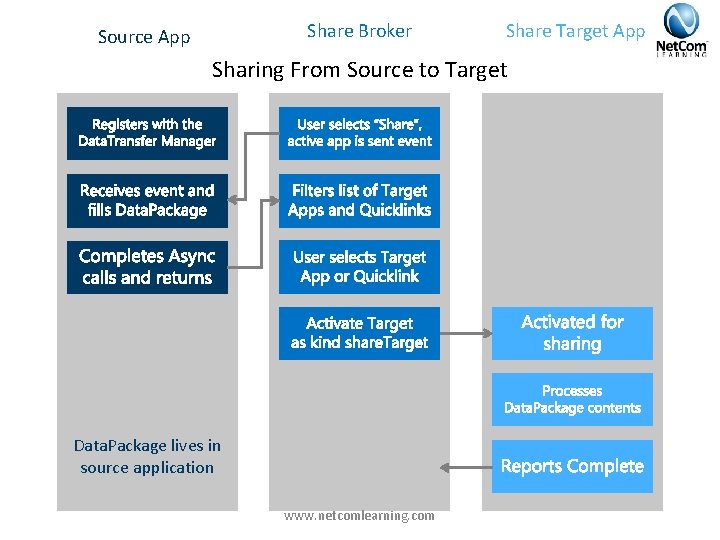
Share Broker Source App Share Target App Sharing From Source to Target Data. Package lives in source application www. netcomlearning. com
Implementing Tiles and Notifications www. netcomlearning. com
Module Overview • Using App Tiles in Windows 8 Metro Style apps • Using Notifications in Metro Style apps www. netcomlearning. com
Lesson 5: Using App Tiles in Windows 8 Metro Style apps • • App Tiles Basic App Tiles Live App Tiles Secondary App Tiles www. netcomlearning. com
App Tiles Represent your app to the user Rich and engaging view into your app Draw users back into your app over and over www. netcomlearning. com Alive with activity and continually updated
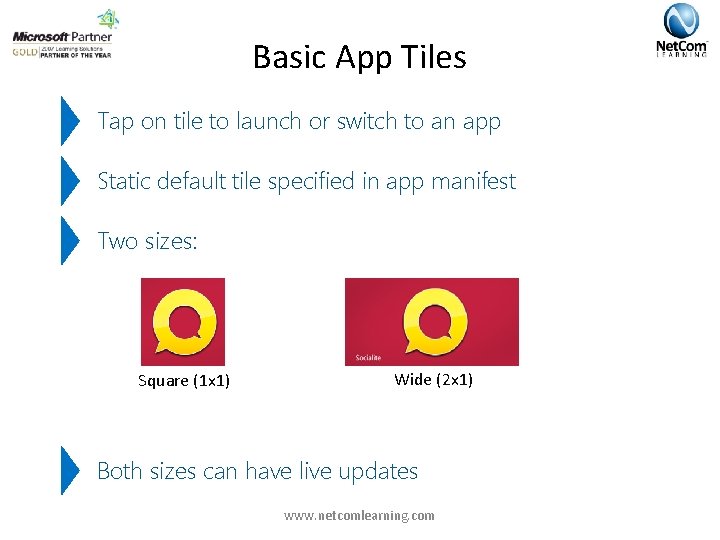
Basic App Tiles Tap on tile to launch or switch to an app Static default tile specified in app manifest Two sizes: Square (1 x 1) Wide (2 x 1) Both sizes can have live updates www. netcomlearning. com
Live App Tiles updated using predefined templates Templates provide rich rendering options Text-only, image-only or combination JPEG or PNG only, max size 150 KB Optional “peek” animation Local or cloud updates www. netcomlearning. com
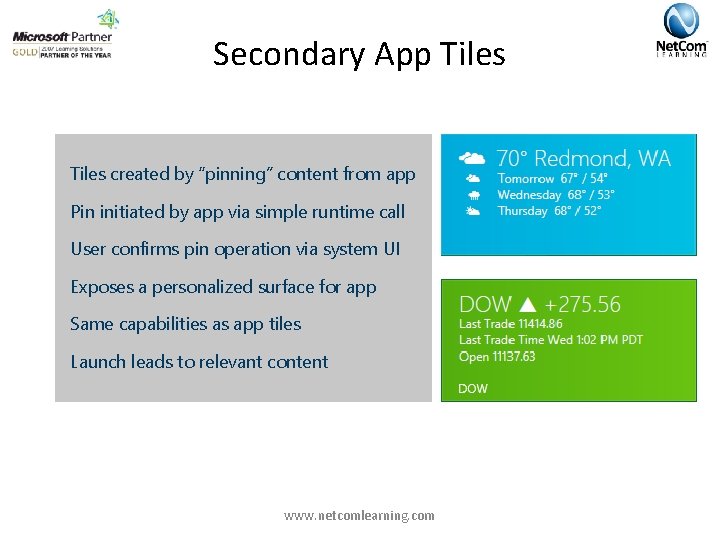
Secondary App Tiles created by “pinning” content from app Pin initiated by app via simple runtime call User confirms pin operation via system UI Exposes a personalized surface for app Same capabilities as app tiles Launch leads to relevant content www. netcomlearning. com
Lesson 6: Using Notifications in Metro Style apps • Toast Notifications • Toast Templates www. netcomlearning. com
Toast Notifications Toast notifications deliver transient messages outside the context of the app Use toast notifications to get user’s attention immediately User is in control and can permanently turn off toast notifications from your app Allows quick navigation to a contextually relevant location in your app Toast notifications are easy to invoke from your app or from the cloud www. netcomlearning. com
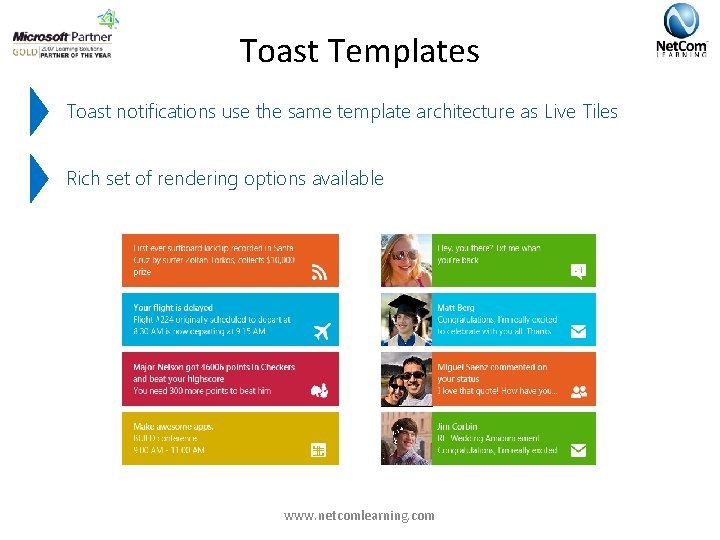
Toast Templates Toast notifications use the same template architecture as Live Tiles Rich set of rendering options available www. netcomlearning. com
Deploying to the Windows Store www. netcomlearning. com
Module Overview • The Windows Store • Monetizing Using the Windows Store www. netcomlearning. com
Lesson 7: The Windows Store • The Store www. netcomlearning. com
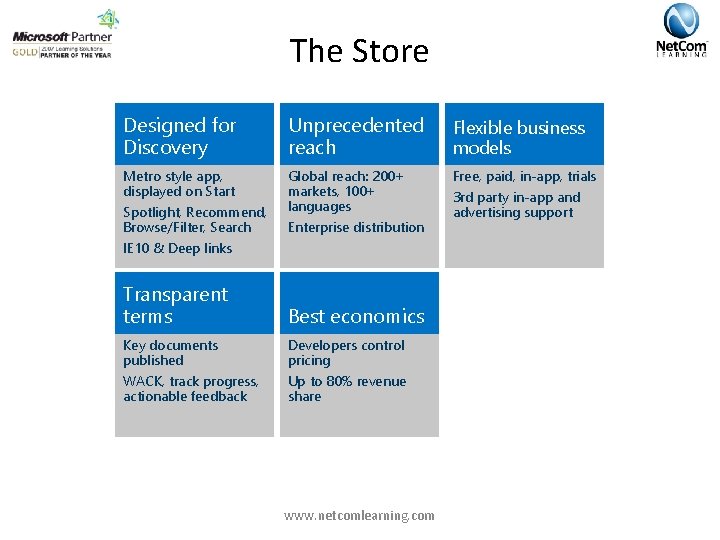
The Store Designed for Discovery Unprecedented reach Flexible business models Metro style app, displayed on Start Global reach: 200+ markets, 100+ languages Free, paid, in-app, trials Spotlight, Recommend, Browse/Filter, Search Enterprise distribution IE 10 & Deep links Transparent terms Best economics Key documents published Developers control pricing WACK, track progress, actionable feedback Up to 80% revenue share www. netcomlearning. com 3 rd party in-app and advertising support
Lesson 8: Monetizing Using the Windows Store • Trial apps in Windows 8 • In-App Purchase • Adding advertising to Windows 8 Apps www. netcomlearning. com
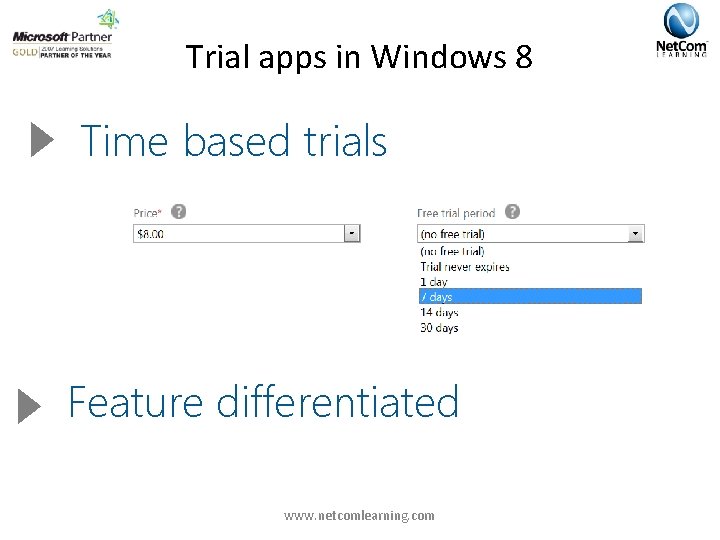
Trial apps in Windows 8 Time based trials Feature differentiated www. netcomlearning. com
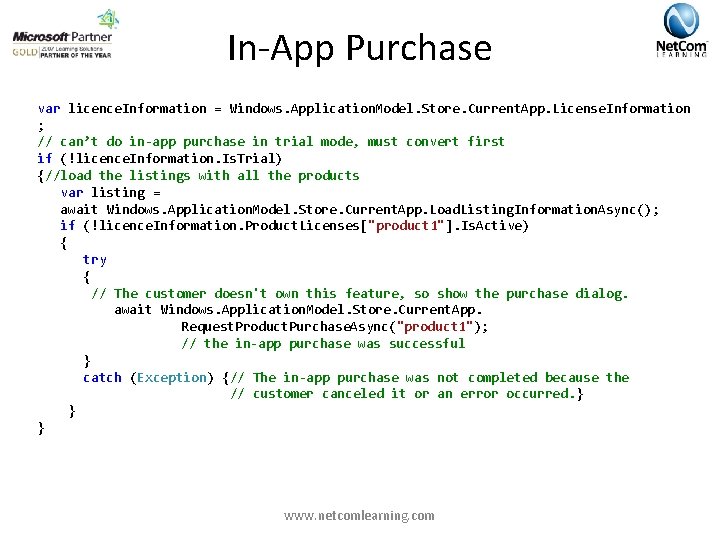
In-App Purchase var licence. Information = Windows. Application. Model. Store. Current. App. License. Information ; // can’t do in-app purchase in trial mode, must convert first if (!licence. Information. Is. Trial) {//load the listings with all the products var listing = await Windows. Application. Model. Store. Current. App. Load. Listing. Information. Async(); if (!licence. Information. Product. Licenses["product 1"]. Is. Active) { try { // The customer doesn't own this feature, so show the purchase dialog. await Windows. Application. Model. Store. Current. App. Request. Product. Purchase. Async("product 1"); // the in-app purchase was successful } catch (Exception) {// The in-app purchase was not completed because the // customer canceled it or an error occurred. } } } www. netcomlearning. com
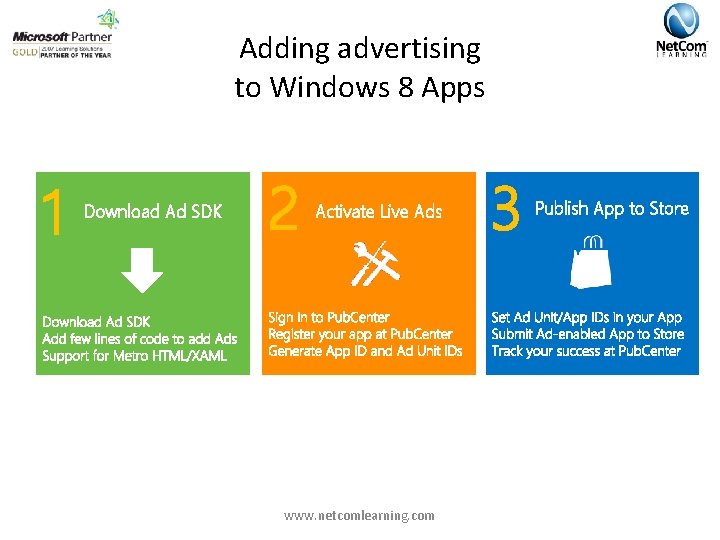
Adding advertising to Windows 8 Apps 1 Download Ad SDK 2 Activate Live Ads www. netcomlearning. com 3 Publish App to Store
Thank You! Back to Rinchen Stick around for Raffle & Q&As www. netcomlearning. com
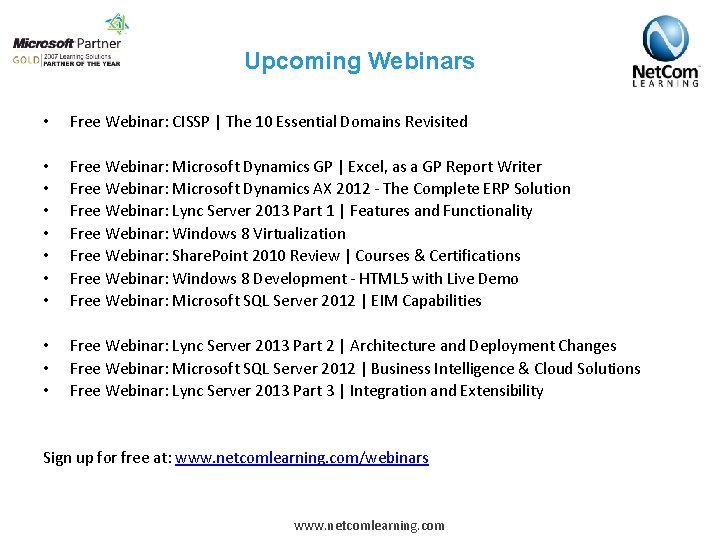
Upcoming Webinars • Free Webinar: CISSP | The 10 Essential Domains Revisited • • Free Webinar: Microsoft Dynamics GP | Excel, as a GP Report Writer Free Webinar: Microsoft Dynamics AX 2012 - The Complete ERP Solution Free Webinar: Lync Server 2013 Part 1 | Features and Functionality Free Webinar: Windows 8 Virtualization Free Webinar: Share. Point 2010 Review | Courses & Certifications Free Webinar: Windows 8 Development - HTML 5 with Live Demo Free Webinar: Microsoft SQL Server 2012 | EIM Capabilities • • • Free Webinar: Lync Server 2013 Part 2 | Architecture and Deployment Changes Free Webinar: Microsoft SQL Server 2012 | Business Intelligence & Cloud Solutions Free Webinar: Lync Server 2013 Part 3 | Integration and Extensibility Sign up for free at: www. netcomlearning. com/webinars www. netcomlearning. com
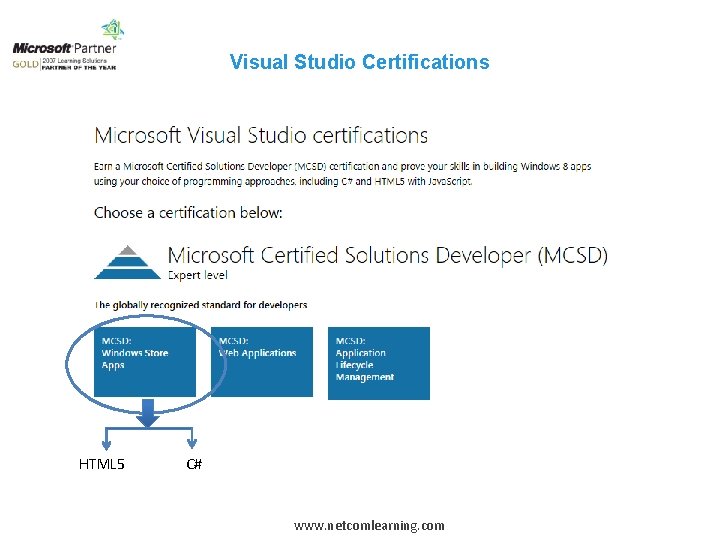
Visual Studio Certifications HTML 5 C# www. netcomlearning. com
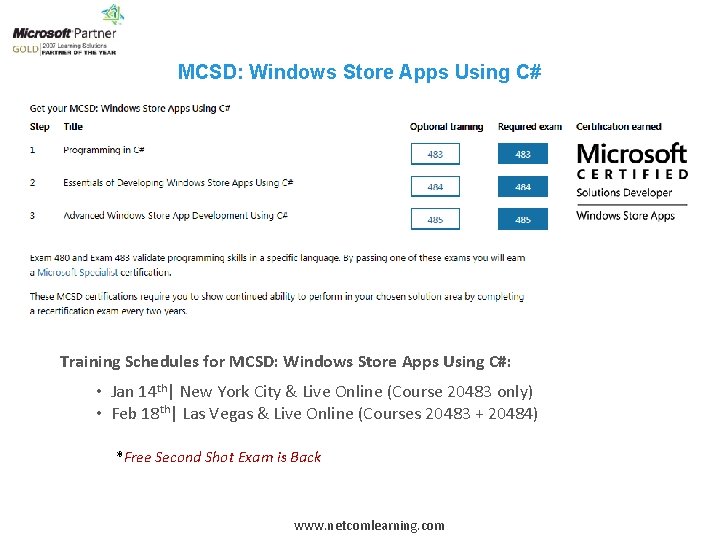
MCSD: Windows Store Apps Using C# Training Schedules for MCSD: Windows Store Apps Using C#: • Jan 14 th| New York City & Live Online (Course 20483 only) • Feb 18 th| Las Vegas & Live Online (Courses 20483 + 20484) *Free Second Shot Exam is Back www. netcomlearning. com
Q&A 1 -888 -5 -NETCOM (563 -8266) info@netcomlearning. com www. Net. Com. Learning. com
- Slides: 52