
Introduction to Web Programming SCSC Mentoring Special Class
Introduction to Web Programming SCSC Mentoring Special Class Made Harta Dwijaksara – 2014 -06 -24
Content � Introduction � 3 Tier Architectures � Web Server (Apache) � Client Side Programming � HTML, � Server � PHP CSS, and Java Script Side Programming and My. SQL 2
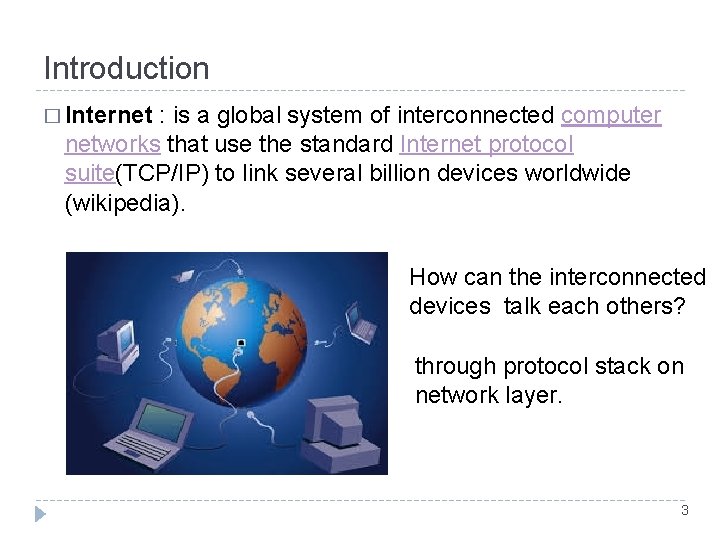
Introduction � Internet : is a global system of interconnected computer networks that use the standard Internet protocol suite(TCP/IP) to link several billion devices worldwide (wikipedia). How can the interconnected devices talk each others? through protocol stack on network layer. 3
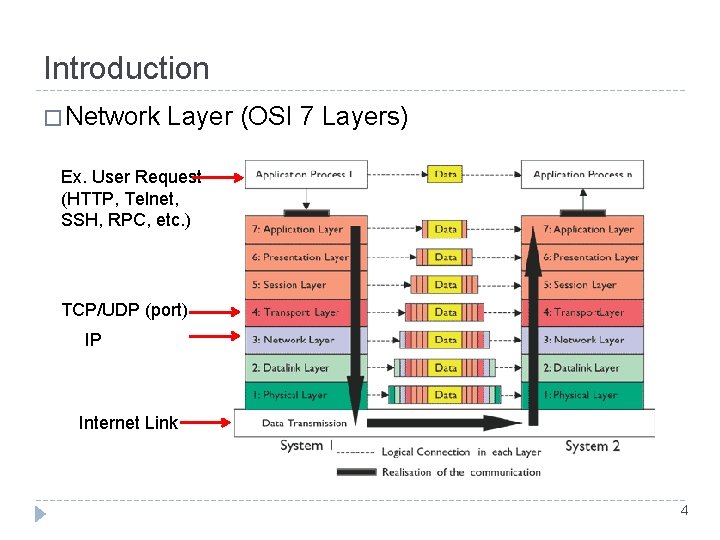
Introduction � Network Layer (OSI 7 Layers) Ex. User Request (HTTP, Telnet, SSH, RPC, etc. ) TCP/UDP (port) IP Internet Link 4
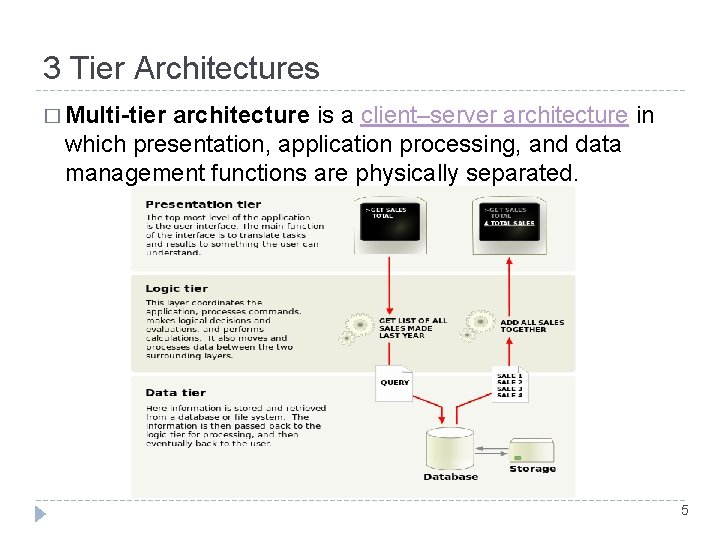
3 Tier Architectures � Multi-tier architecture is a client–server architecture in which presentation, application processing, and data management functions are physically separated. 5

3 Tier Architectures of Web � Comprise of : Web-Client, Web Server, Database Server 1. Web server running a service on port 80/8080 for HTTP (web) service 2. User Browsing (IE, Chrome, Opera , etc. ) HTTP(s) request to Web Server (http: //. . ) 3. Web server process the request and gives the HTTP response (web page content) 4. Web browser takes the response and display through web browser GUI 6
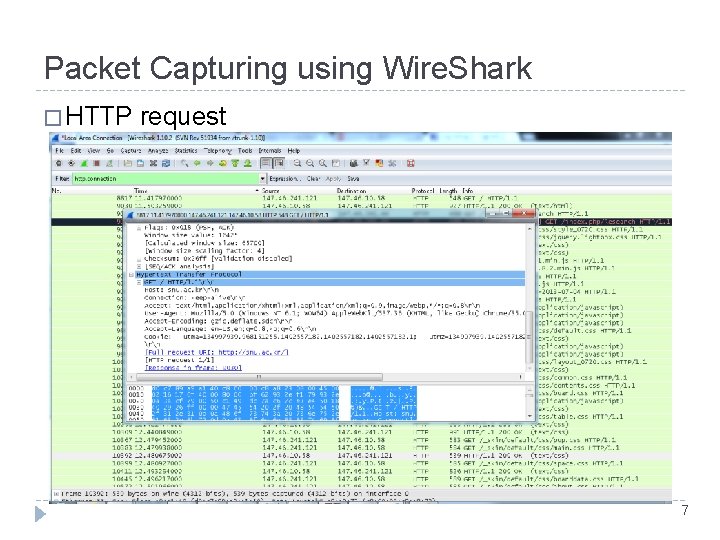
Packet Capturing using Wire. Shark � HTTP request 7
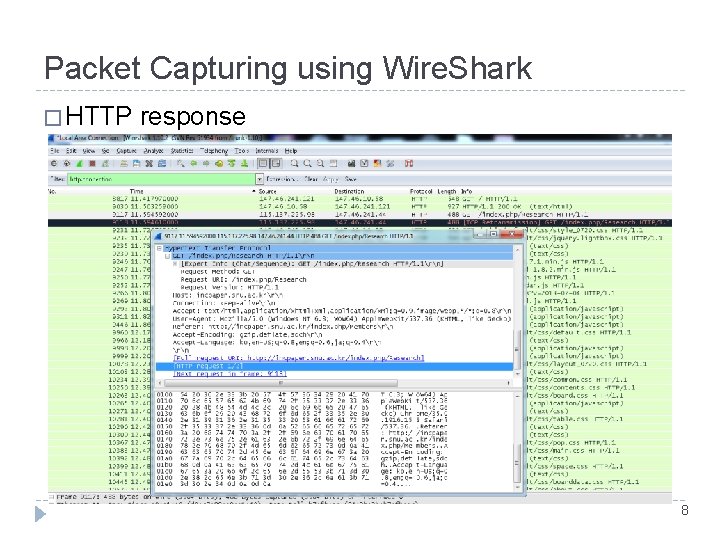
Packet Capturing using Wire. Shark � HTTP response 8
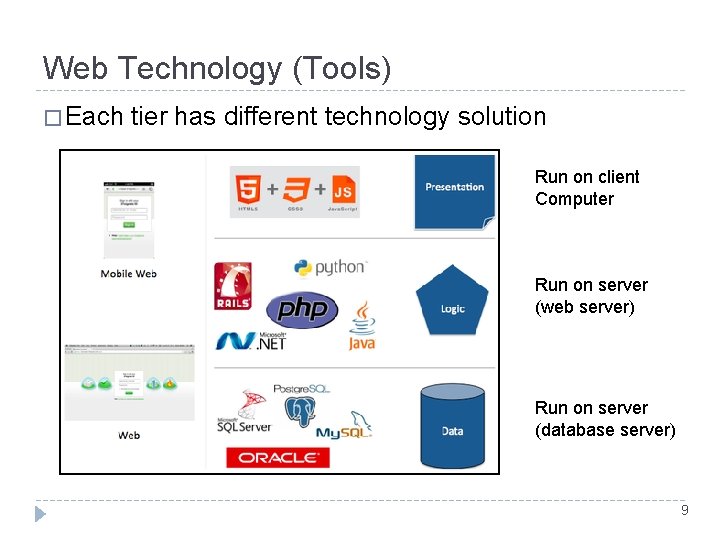
Web Technology (Tools) � Each tier has different technology solution Run on client Computer Run on server (web server) Run on server (database server) 9
Web Server (Apache HTTP Server) � Web server is a program that generate and transmit response to client request for web resource � Handling a client request consists of several key steps • Parsing the request message • Checking that the request is authorized associating the URL in the request with a file name • Constructing the response message • Transmitting the response message to the requesting client � Web • • Server vs Web Site Web-site consist of a collection of web-pages associated with a particular hostname Web server is a program to satisfy client request for web resource 10
Web Server (Apache HTTP Server) � The Apache HTTP Server • Freely Available Binaries and Source Code • Cross platform implementation • Became the #1 Web Server on the Internet in less than a year � Getting Started • • Download : http: //apache. mirror. cdnetworks. com//httpd/binaries/ Run the installer file. msi and follow the instruction Open port 80 (8080 in case you need to use HTTPS) Allow the httpd service to use the port 11
Web Server (Apache HTTP Server) � Little • Listen Port Listen 80 o • There a lot of modules can be added to apache Server. Name www. snu. ac. kr o • the port address where the httpd service should listen to request Load. Module php 5_module “php 5 apache 2_4. dll” o • Introduction to Configuration File The server name registered on DNS (can be changed with IP address) Document. Root “C: /file/WEB” o The location of your web page data (web page resource) 12
Setting Up Web Site (Apache HTTP) � Creating � Create Home Director a directory with the following structure � MYHOME Ex. D: /WWW/MYHOME or /usr/www/MYHOME � Change the configuration file � Setting the listening port to 80 � Set the Document. Root to the path of previously made home directory � Run the apache httpd service � Test your first server http: //127. 0. 0. 1/ If there is no error it will show “it works” 13
14
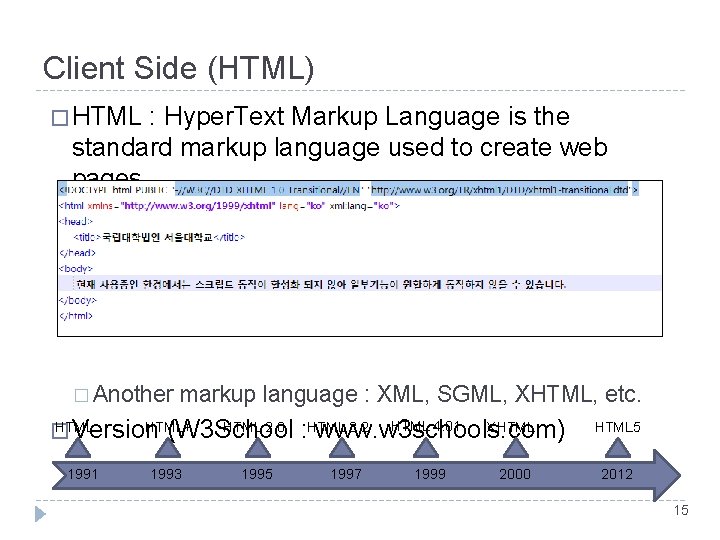
Client Side (HTML) � HTML : Hyper. Text Markup Language is the standard markup language used to create web pages. � Another markup language : XML, SGML, XHTML, etc. HTML+ HTML 2. 0 � Version (W 3 School 1991 1993 1995 HTML 4. 01 3. 2 XHTML : HTML www. w 3 schools. com) 1997 1999 2000 HTML 5 2012 15
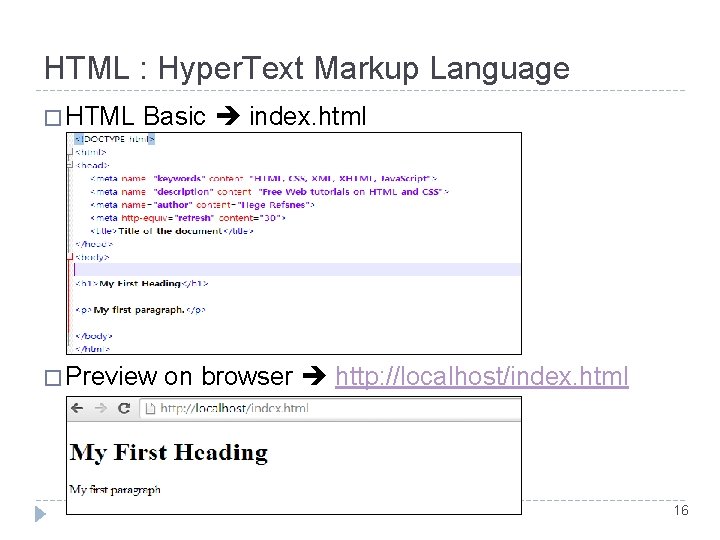
HTML : Hyper. Text Markup Language � HTML Basic index. html � Preview on browser http: //localhost/index. html 16
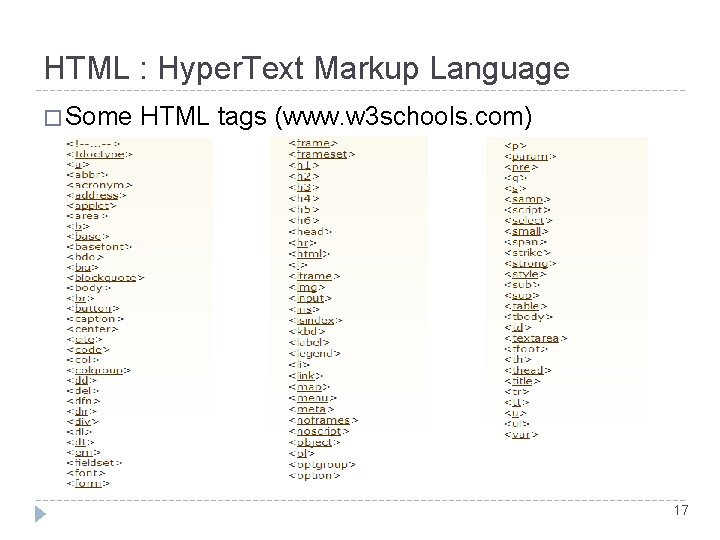
HTML : Hyper. Text Markup Language � Some HTML tags (www. w 3 schools. com) 17
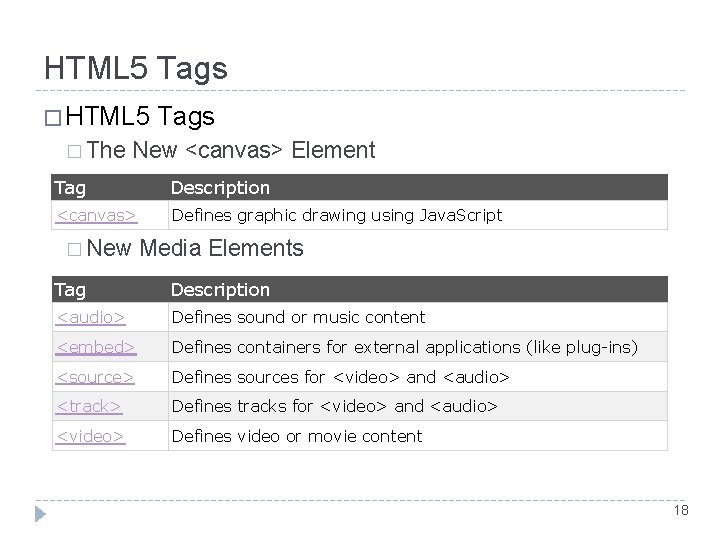
HTML 5 Tags � HTML 5 � The Tags New <canvas> Element Tag Description <canvas> Defines graphic drawing using Java. Script � New Media Elements Tag Description <audio> Defines sound or music content <embed> Defines containers for external applications (like plug-ins) <source> Defines sources for <video> and <audio> <track> Defines tracks for <video> and <audio> <video> Defines video or movie content 18
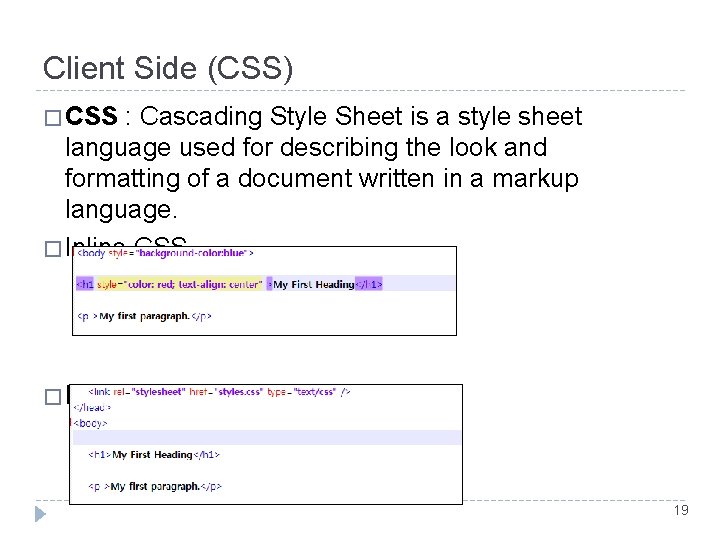
Client Side (CSS) � CSS : Cascading Style Sheet is a style sheet language used for describing the look and formatting of a document written in a markup language. � Inline CSS � External CSS 19
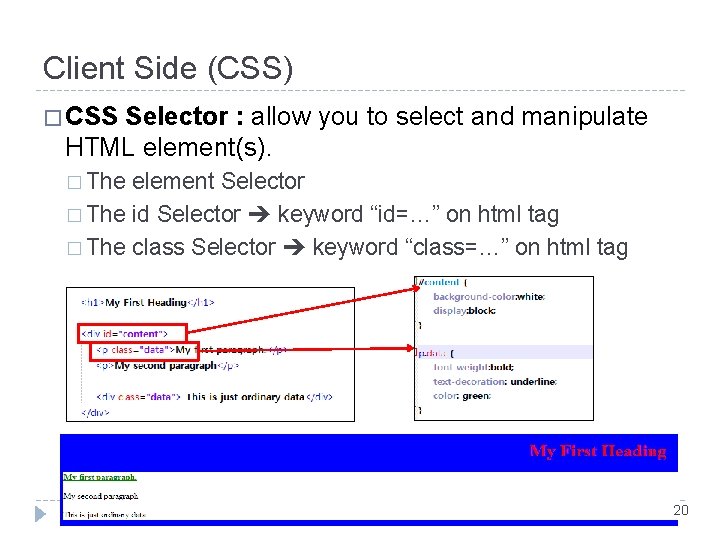
Client Side (CSS) � CSS Selector : allow you to select and manipulate HTML element(s). � The element Selector � The id Selector keyword “id=…” on html tag � The class Selector keyword “class=…” on html tag 20
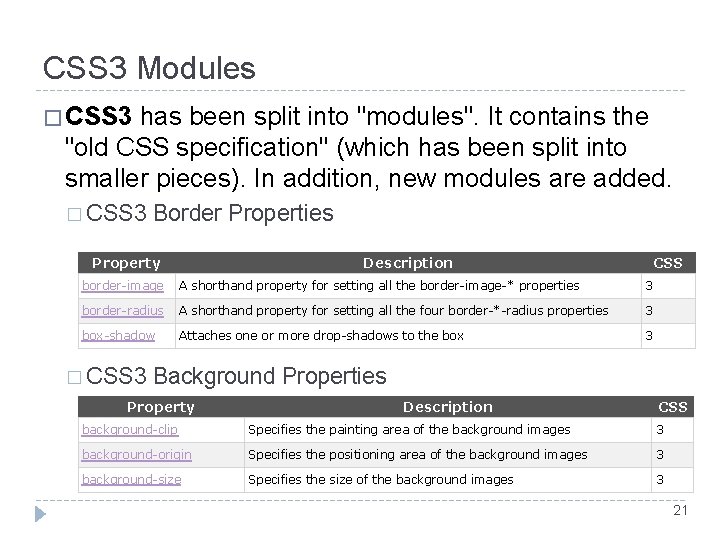
CSS 3 Modules � CSS 3 has been split into "modules". It contains the "old CSS specification" (which has been split into smaller pieces). In addition, new modules are added. � CSS 3 Border Properties Property Description CSS border-image A shorthand property for setting all the border-image-* properties 3 border-radius A shorthand property for setting all the four border-*-radius properties 3 box-shadow Attaches one or more drop-shadows to the box 3 � CSS 3 Background Properties Property Description CSS background-clip Specifies the painting area of the background images 3 background-origin Specifies the positioning area of the background images 3 background-size Specifies the size of the background images 3 21
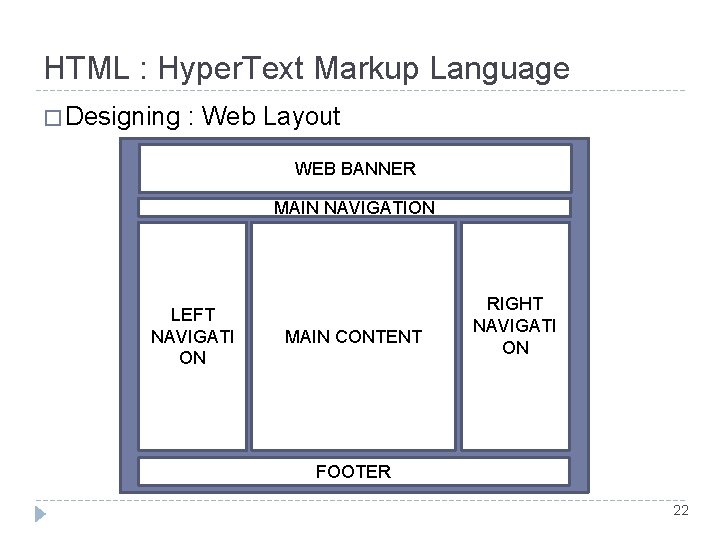
HTML : Hyper. Text Markup Language � Designing : Web Layout WEB BANNER MAIN NAVIGATION LEFT NAVIGATI ON MAIN CONTENT RIGHT NAVIGATI ON FOOTER 22
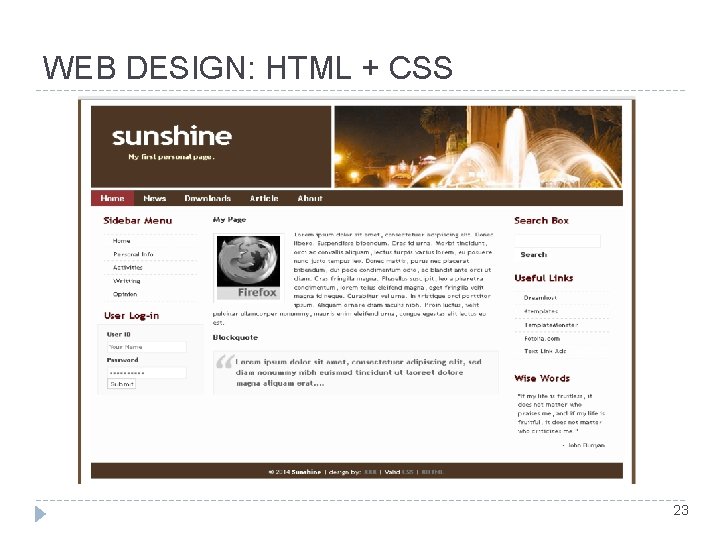
WEB DESIGN: HTML + CSS 23
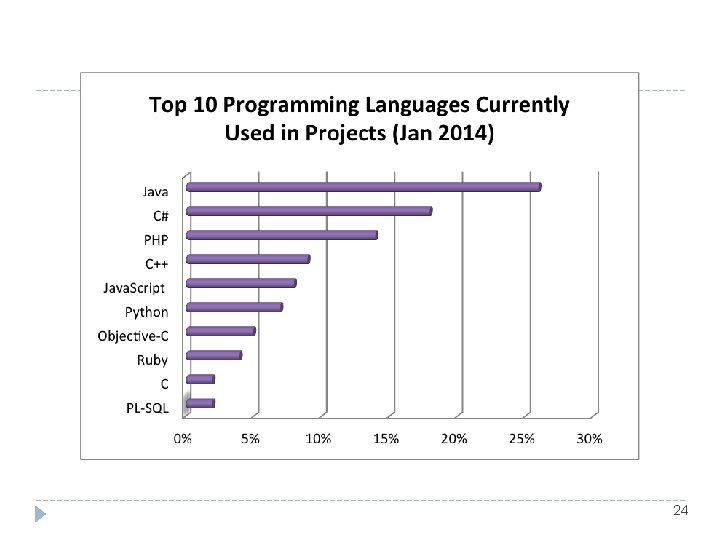
24
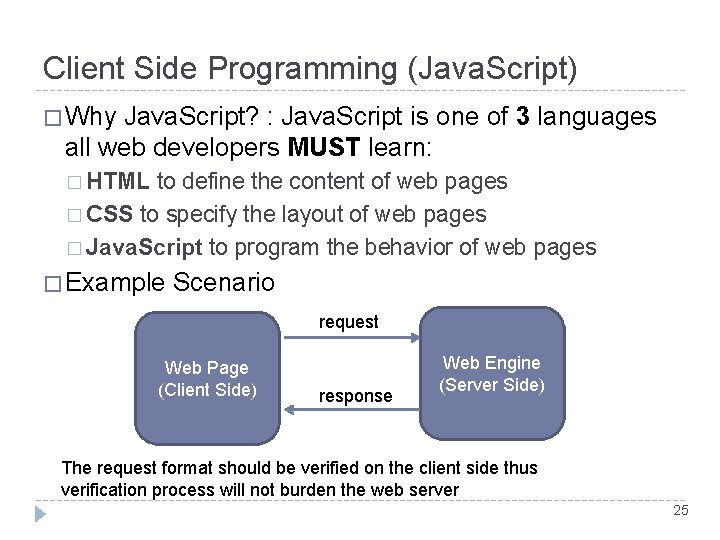
Client Side Programming (Java. Script) � Why Java. Script? : Java. Script is one of 3 languages all web developers MUST learn: � HTML to define the content of web pages � CSS to specify the layout of web pages � Java. Script to program the behavior of web pages � Example Scenario request Web Page (Client Side) response Web Engine (Server Side) The request format should be verified on the client side thus verification process will not burden the web server 25
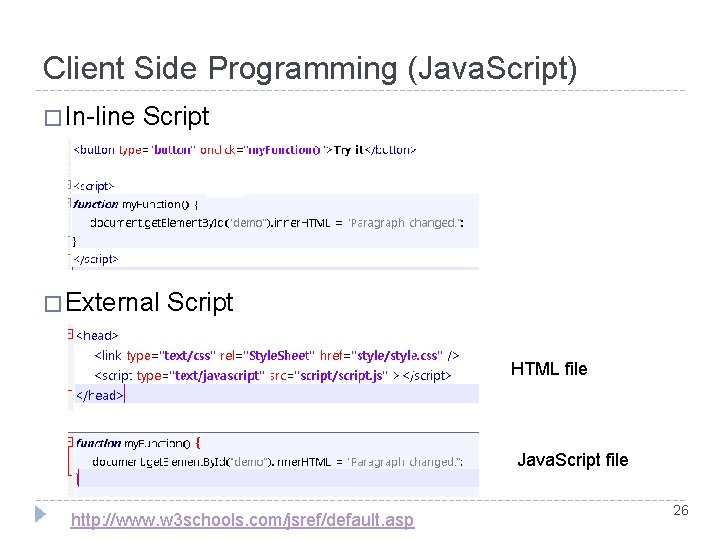
Client Side Programming (Java. Script) � In-line Script � External Script HTML file Java. Script file http: //www. w 3 schools. com/jsref/default. asp 26
Server Side Programming (PHP) � What is PHP? PHP is an acronym for "PHP Hypertext Preprocessor" � PHP is a widely-used, open source scripting language � PHP scripts are executed on the server � PHP costs nothing, it is free to download and use � � Why is PHP? Runs on various platforms (Windows, Linux, Unix, Mac OS X) � Compatible with almost all servers used today (Apache, IIS, etc. ) � PHP supports a wide range of databases � PHP is free. Download it from the official PHP resource: www. php. net � PHP is easy to learn and runs efficiently on the server side � � PHP test : phpinfo() 27
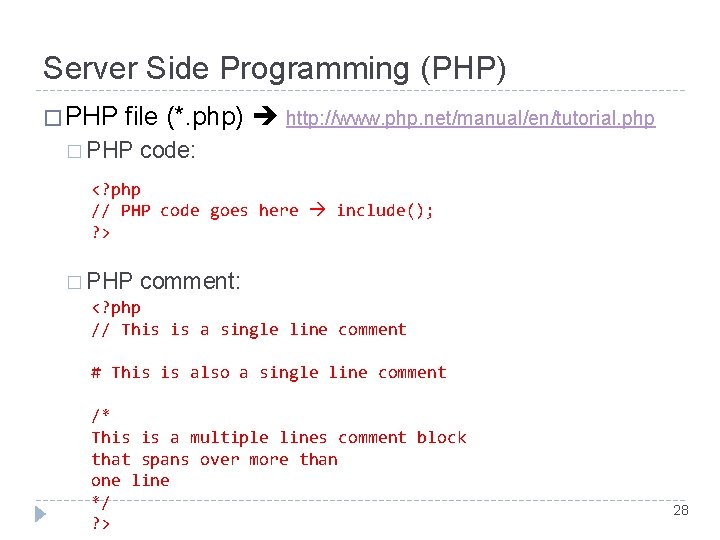
Server Side Programming (PHP) � PHP file (*. php) http: //www. php. net/manual/en/tutorial. php � PHP code: <? php // PHP code goes here include(); ? > � PHP comment: <? php // This is a single line comment # This is also a single line comment /* This is a multiple lines comment block that spans over more than one line */ ? > 28
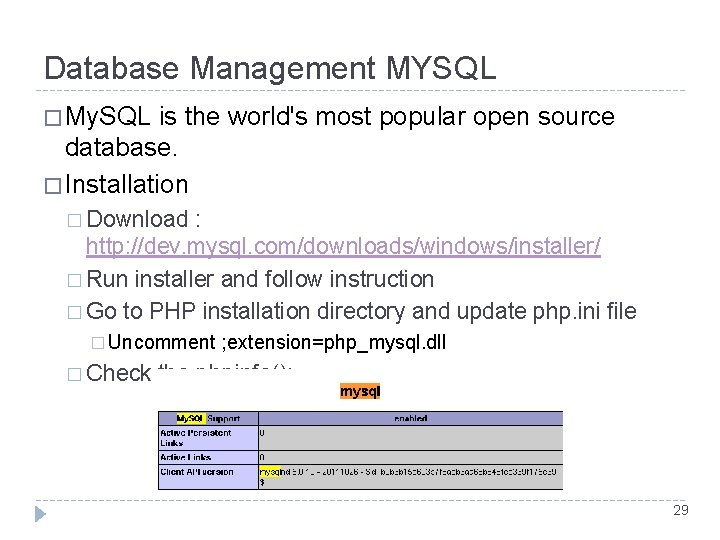
Database Management MYSQL � My. SQL is the world's most popular open source database. � Installation � Download : http: //dev. mysql. com/downloads/windows/installer/ � Run installer and follow instruction � Go to PHP installation directory and update php. ini file � Uncomment � Check ; extension=php_mysql. dll the phpinfo(); 29
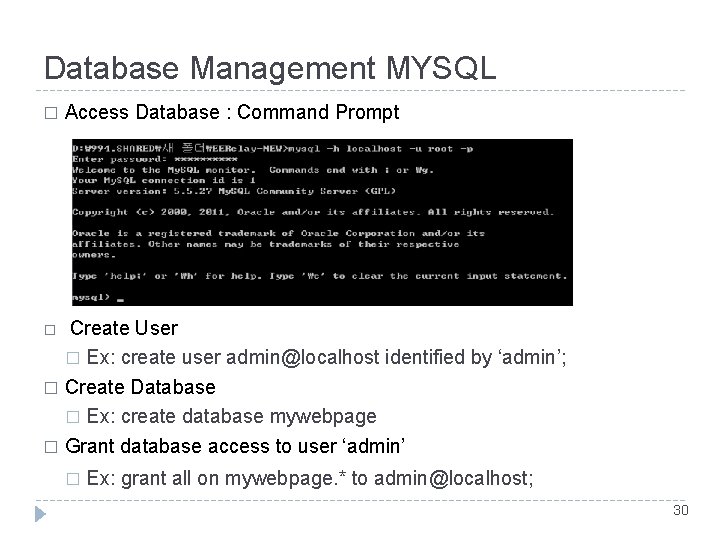
Database Management MYSQL � Access Database : Command Prompt Create User � Ex: create user admin@localhost identified by ‘admin’; � Create Database � Ex: create database mywebpage � Grant database access to user ‘admin’ � � Ex: grant all on mywebpage. * to admin@localhost; 30
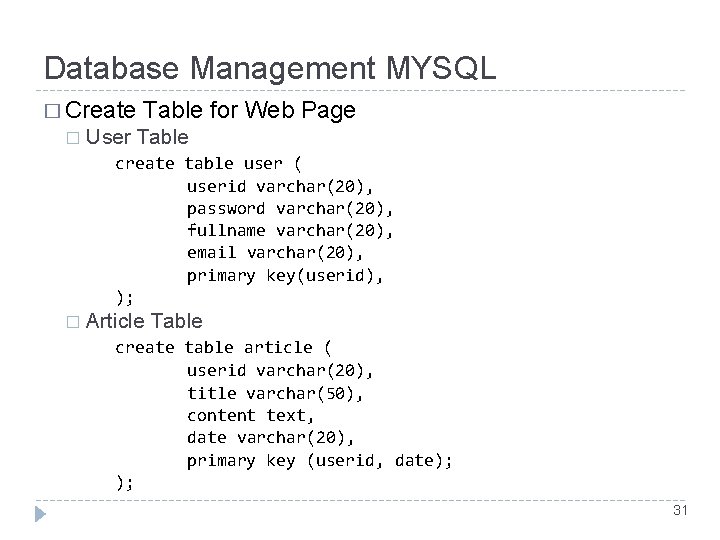
Database Management MYSQL � Create � Table for Web Page User Table create table user ( userid varchar(20), password varchar(20), fullname varchar(20), email varchar(20), primary key(userid), ); � Article Table create table article ( userid varchar(20), title varchar(50), content text, date varchar(20), primary key (userid, date); ); 31
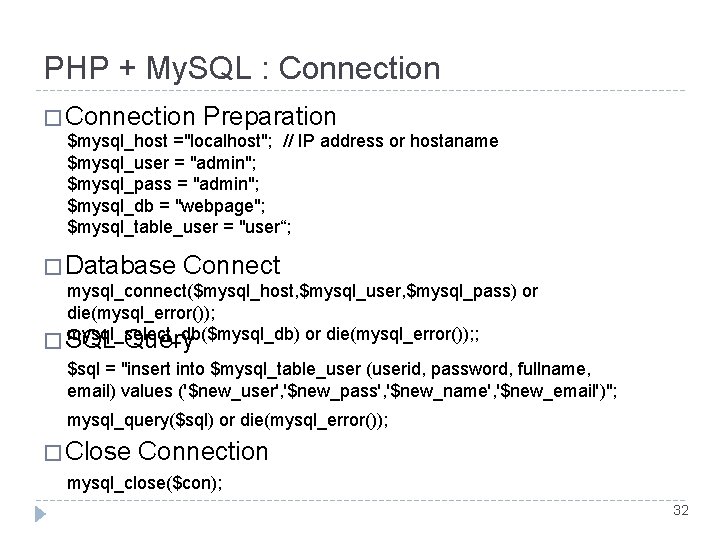
PHP + My. SQL : Connection � Connection Preparation $mysql_host ="localhost"; // IP address or hostaname $mysql_user = "admin"; $mysql_pass = "admin"; $mysql_db = "webpage"; $mysql_table_user = "user“; � Database Connect mysql_connect($mysql_host, $mysql_user, $mysql_pass) or die(mysql_error()); mysql_select_db($mysql_db) or die(mysql_error()); ; � SQL Query $sql = "insert into $mysql_table_user (userid, password, fullname, email) values ('$new_user', '$new_pass', '$new_name', '$new_email')"; mysql_query($sql) or die(mysql_error()); � Close Connection mysql_close($con); 32
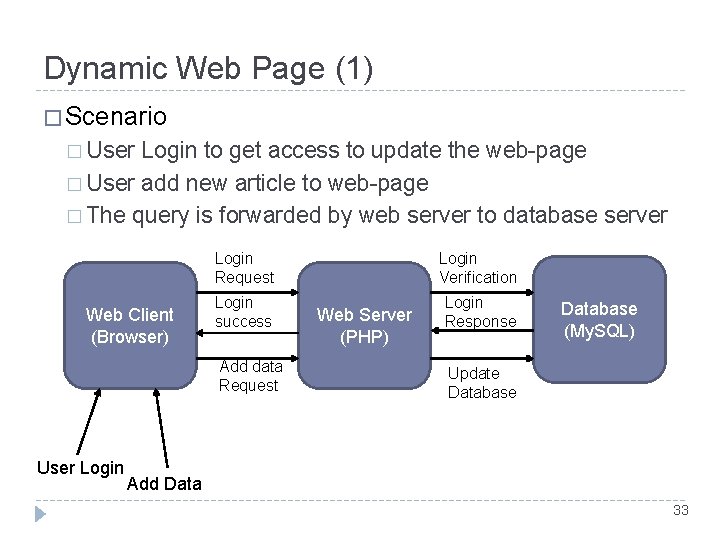
Dynamic Web Page (1) � Scenario � User Login to get access to update the web-page � User add new article to web-page � The query is forwarded by web server to database server Web Client (Browser) Login Request Login Verification Login success Login Response Add data Request User Login Web Server (PHP) Database (My. SQL) Update Database Add Data 33
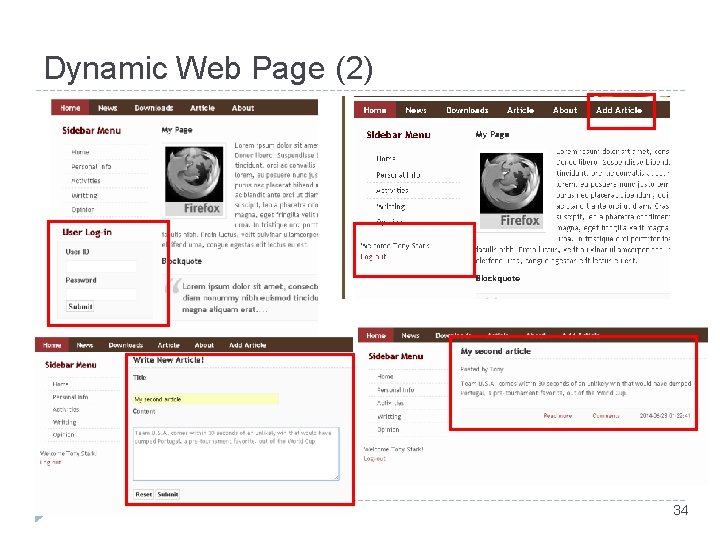
Dynamic Web Page (2) 34
Thank you! 35
- Slides: 35