
Introduction to Web Development In 1990 and 1991

Introduction to Web Development In 1990 and 1991, Tim Berners-Lee created the World Wide Web at the European Laboratory for Particle Physics (CERN) in Geneva, Switzerland The original purpose of the World Wide Web (WWW) was to provide easy access to crossreferenced documents that existed on the CERN computer network Hypertext linking allows you to quickly open other Web pages 2
Client/Server Architecture Server (“back end”): A database from which a client requests information Fulfills a request for information by managing the request or serving the requested information to the client Responsible for data storage and management A system consisting of a client and a server is known as a two-tier system 3
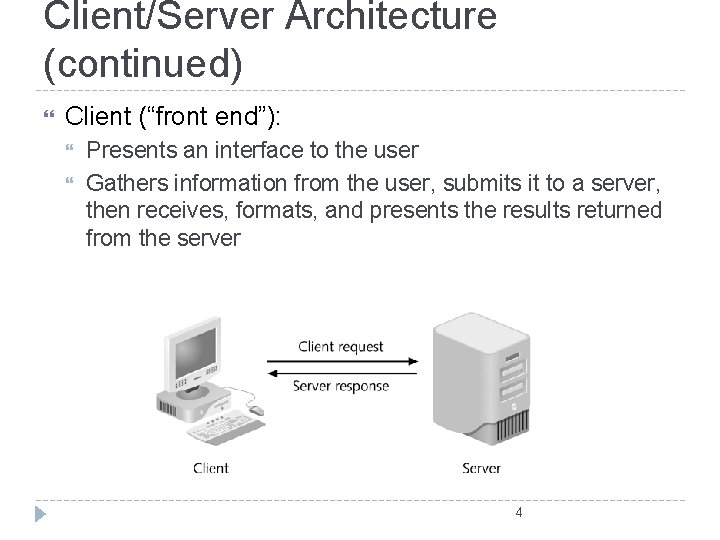
Client/Server Architecture (continued) Client (“front end”): Presents an interface to the user Gathers information from the user, submits it to a server, then receives, formats, and presents the results returned from the server 4
Client/Server Architecture (continued) A three-tier, or multi-tier, client/server system consists of three distinct pieces: Client tier, or user interface tier, is the Web browser Processing tier, or middle tier, handles the interaction between the Web browser client and the data storage tier Performs necessary processing or calculations based on the request from the client tier Handles the return of any information to the client tier 5
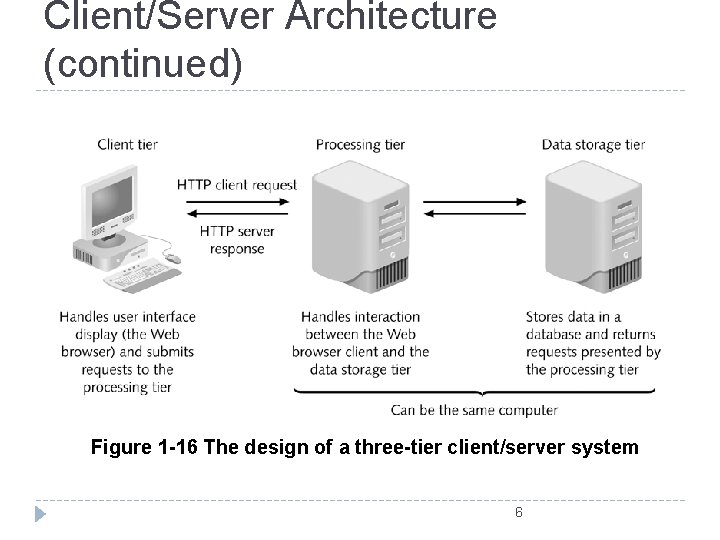
Client/Server Architecture (continued) Figure 1 -16 The design of a three-tier client/server system 6
Java. Script and Client-Side Scripting Java. Script is: A client-side scripting language that allows Web page authors to develop interactive Web pages and sites Used in most Web browsers including Firefox and Internet Explorer Client-side scripting is a language that runs on a local browser (on the client tier) instead of on a Web server (on the processing tier) 7
Java. Script and Client-Side Scripting (continued) Java. Script allows you to: Turn static Web pages into applications such as games or calculators Change the contents of a Web page after a browser has rendered it Create visual effects such as animation Control the Web browser window itself 8
Server-Side Scripting and PHP Server-side scripting refers to a scripting language that is executed from a Web server Hypertext Preprocessor (PHP) is a server-side scripting language that is used to develop interactive Web sites Is easy to learn Includes object-oriented programming capabilities Supports many types of databases (My. SQL, Oracle, Sybase, ODBC-compliant) 9
Server-Side Scripting and PHP (continued): PHP is an open source programming language Open source refers to software where source code can be freely used and modified Can’t access or manipulate a Web browser like Java. Script Exists and executes solely on a Web server, where it performs various types of processing or accesses databases 10
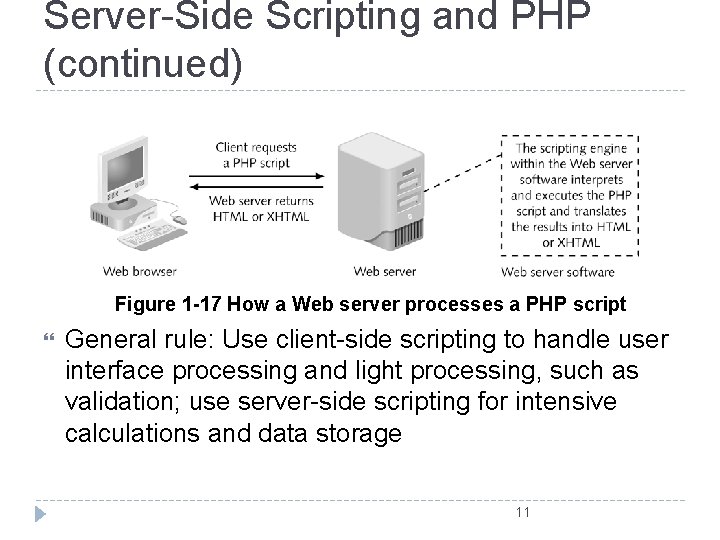
Server-Side Scripting and PHP (continued) Figure 1 -17 How a Web server processes a PHP script General rule: Use client-side scripting to handle user interface processing and light processing, such as validation; use server-side scripting for intensive calculations and data storage 11
��������� Linear Structure Augmented Structure Hierarchy Structure Mixed Structures
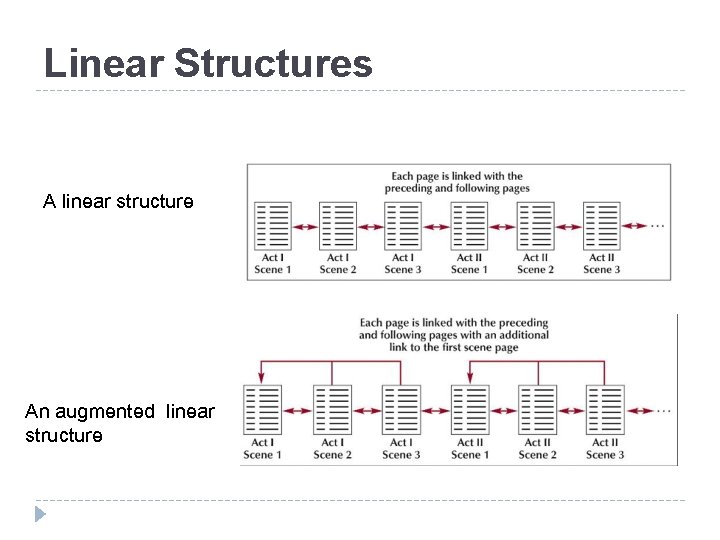
Linear Structures A linear structure An augmented linear structure
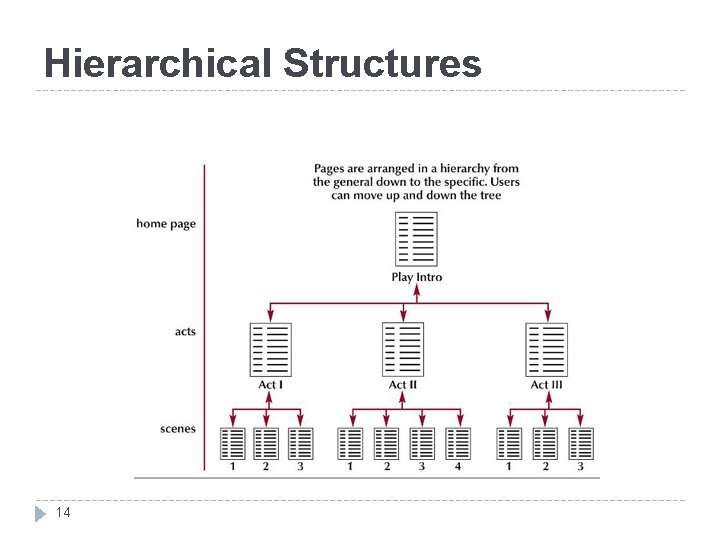
Hierarchical Structures 14
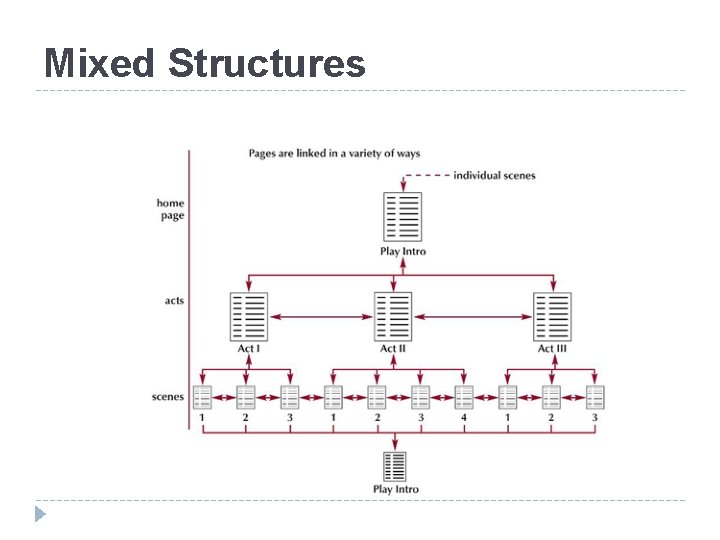
Mixed Structures
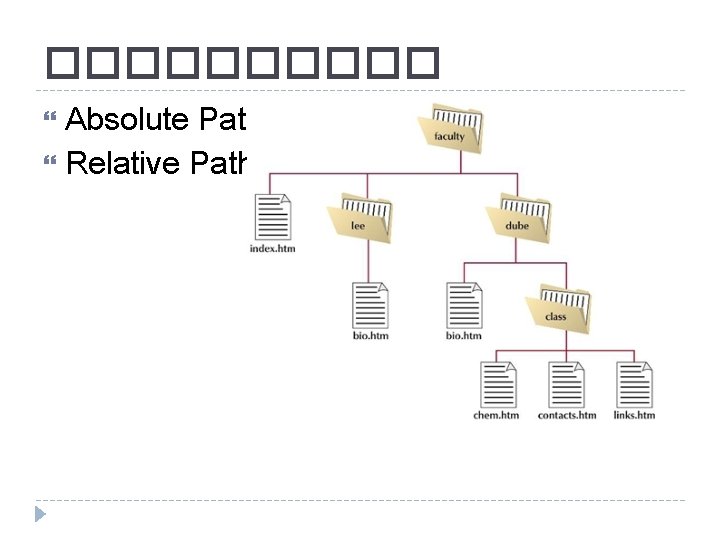
����� Absolute Path Relative Path
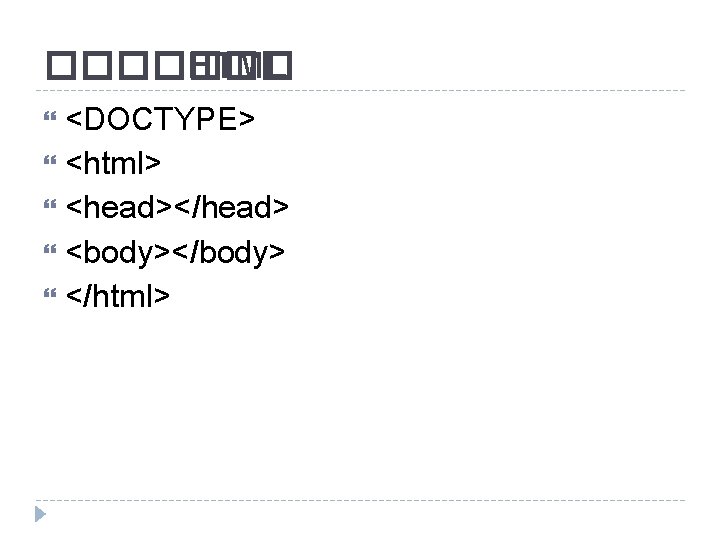
������� HTML <DOCTYPE> <html> <head></head> <body></body> </html>
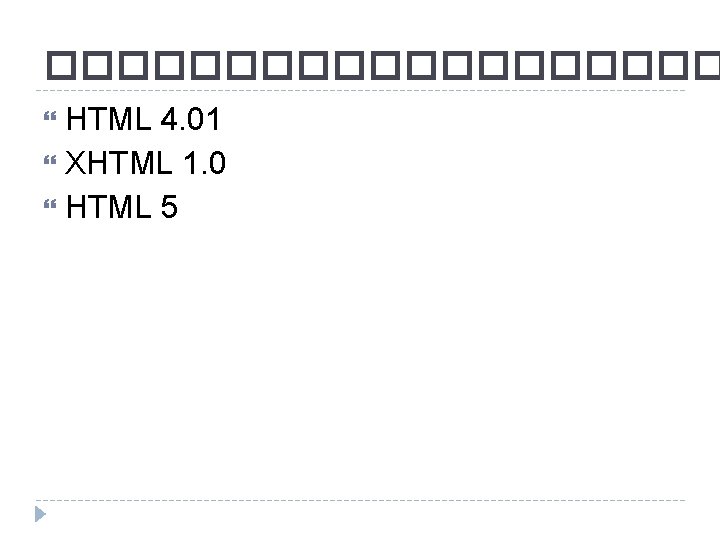
���������� HTML 4. 01 XHTML 1. 0 HTML 5
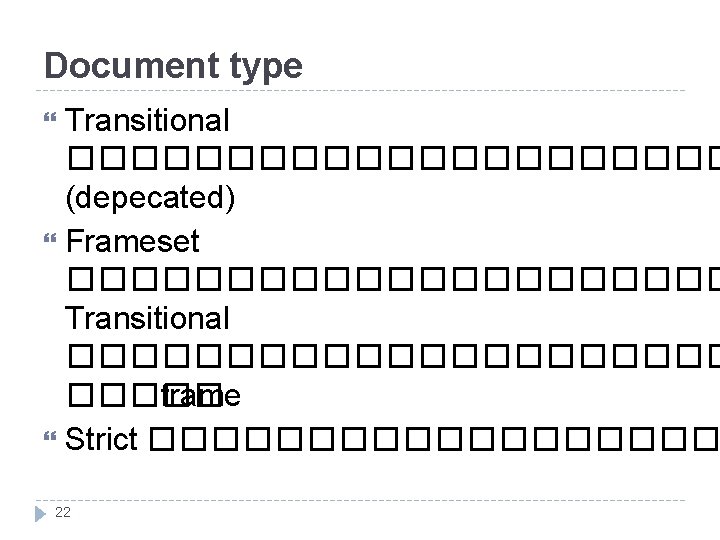
Document type Transitional ����������� (depecated) Frameset ����������� Transitional ����������� frame Strict ��������� 22
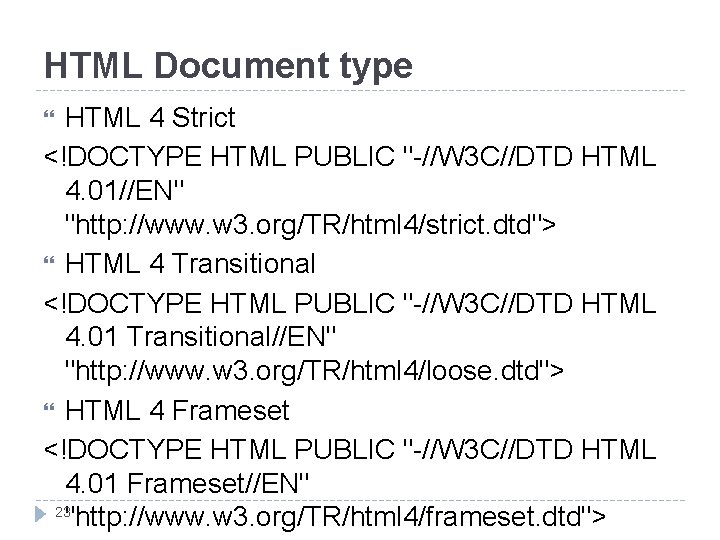
HTML Document type HTML 4 Strict <!DOCTYPE HTML PUBLIC "-//W 3 C//DTD HTML 4. 01//EN" "http: //www. w 3. org/TR/html 4/strict. dtd"> HTML 4 Transitional <!DOCTYPE HTML PUBLIC "-//W 3 C//DTD HTML 4. 01 Transitional//EN" "http: //www. w 3. org/TR/html 4/loose. dtd"> HTML 4 Frameset <!DOCTYPE HTML PUBLIC "-//W 3 C//DTD HTML 4. 01 Frameset//EN" 23 "http: //www. w 3. org/TR/html 4/frameset. dtd">
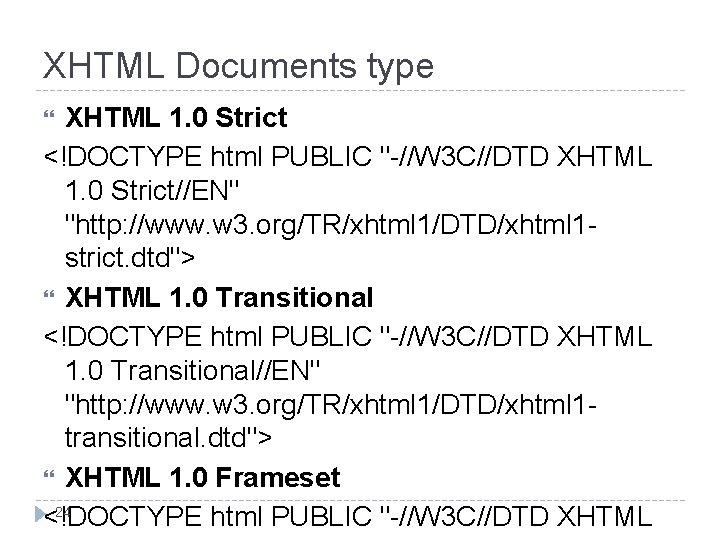
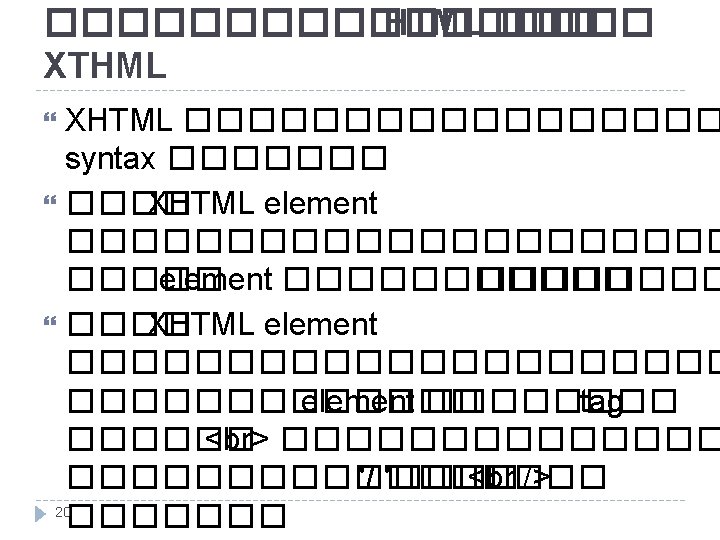
XHTML Documents type XHTML 1. 0 Strict <!DOCTYPE html PUBLIC "-//W 3 C//DTD XHTML 1. 0 Strict//EN" "http: //www. w 3. org/TR/xhtml 1/DTD/xhtml 1 strict. dtd"> XHTML 1. 0 Transitional <!DOCTYPE html PUBLIC "-//W 3 C//DTD XHTML 1. 0 Transitional//EN" "http: //www. w 3. org/TR/xhtml 1/DTD/xhtml 1 transitional. dtd"> XHTML 1. 0 Frameset 24 <!DOCTYPE html PUBLIC "-//W 3 C//DTD XHTML
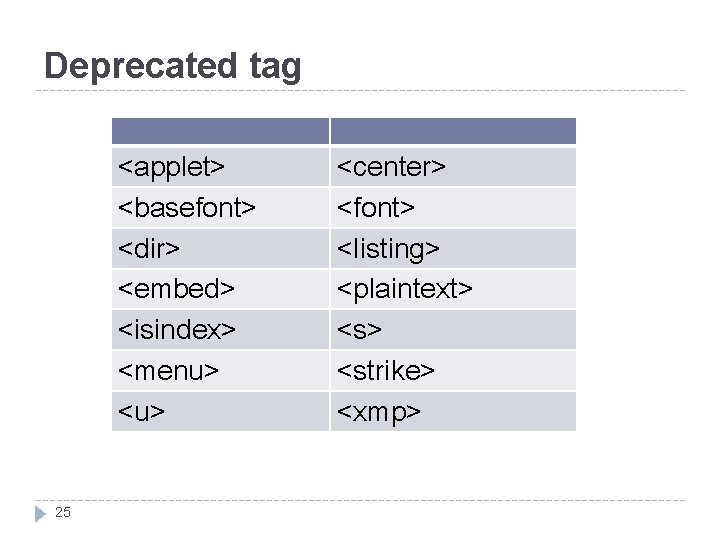
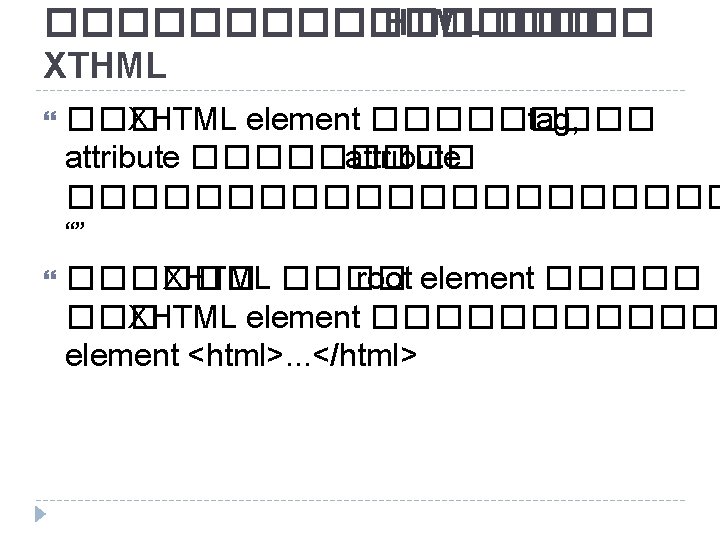
Deprecated tag <applet> <basefont> <dir> <embed> <isindex> <menu> <u> 25 <center> <font> <listing> <plaintext> <strike> <xmp>
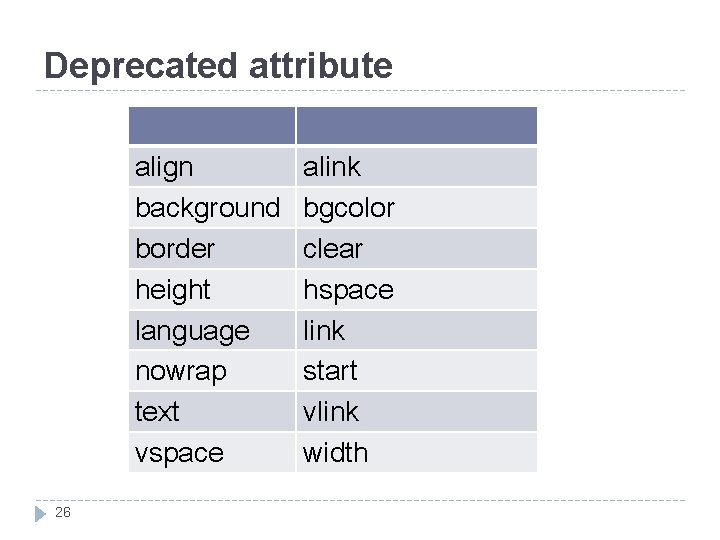
Deprecated attribute align background border height language nowrap text vspace 26 alink bgcolor clear hspace link start vlink width
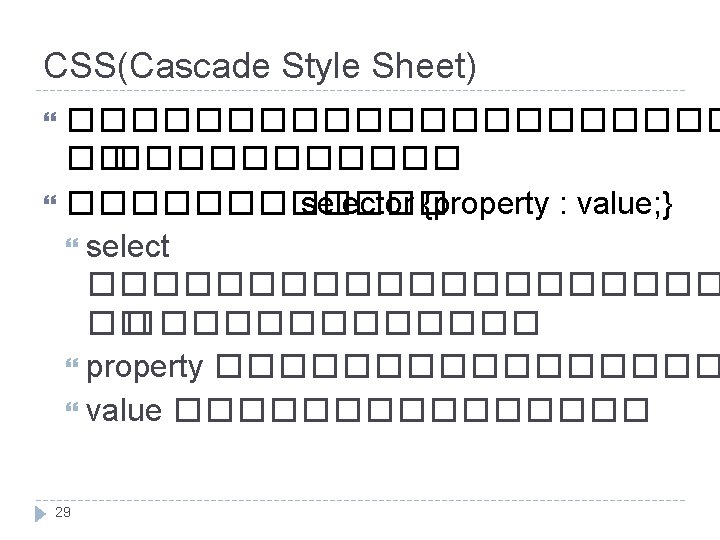
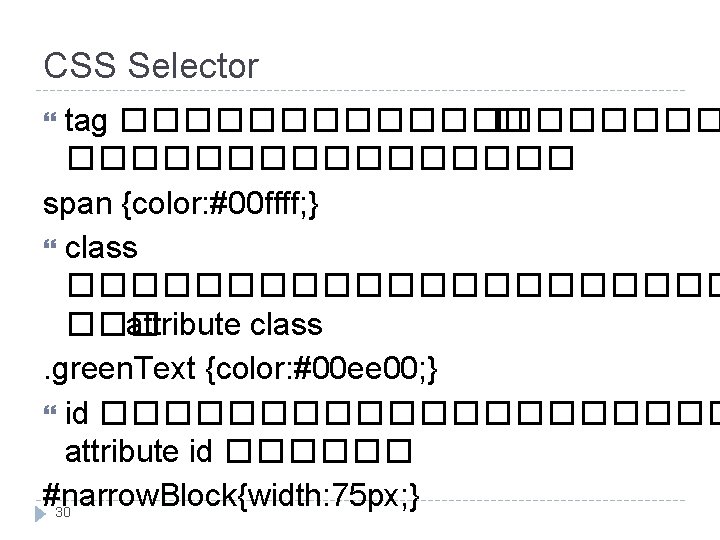
CSS Selector tag ���������� � �������� span {color: #00 ffff; } class ����������� ��� attribute class. green. Text {color: #00 ee 00; } id ���������� attribute id ������ #narrow. Block{width: 75 px; } 30
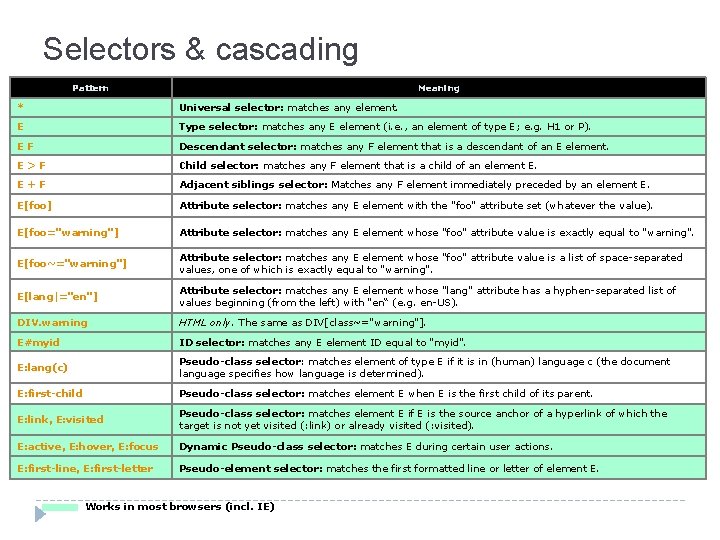
Selectors & cascading Pattern Meaning * Universal selector: matches any element. E Type selector: matches any E element (i. e. , an element of type E; e. g. H 1 or P). EF Descendant selector: matches any F element that is a descendant of an E element. E>F Child selector: matches any F element that is a child of an element E. E+F Adjacent siblings selector: Matches any F element immediately preceded by an element E. E[foo] Attribute selector: matches any E element with the "foo" attribute set (whatever the value). E[foo="warning"] Attribute selector: matches any E element whose "foo" attribute value is exactly equal to "warning". E[foo~="warning"] Attribute selector: matches any E element whose "foo" attribute value is a list of space-separated values, one of which is exactly equal to "warning". E[lang|="en"] Attribute selector: matches any E element whose "lang" attribute has a hyphen-separated list of values beginning (from the left) with "en“ (e. g. en-US). DIV. warning HTML only. The same as DIV[class~="warning"]. E#myid ID selector: matches any E element ID equal to "myid". E: lang(c) Pseudo-class selector: matches element of type E if it is in (human) language c (the document language specifies how language is determined). E: first-child Pseudo-class selector: matches element E when E is the first child of its parent. E: link, E: visited Pseudo-class selector: matches element E if E is the source anchor of a hyperlink of which the target is not yet visited (: link) or already visited (: visited). E: active, E: hover, E: focus Dynamic Pseudo-class selector: matches E during certain user actions. E: first-line, E: first-letter Pseudo-element selector: matches the first formatted line or letter of element E. Works in most browsers (incl. IE)
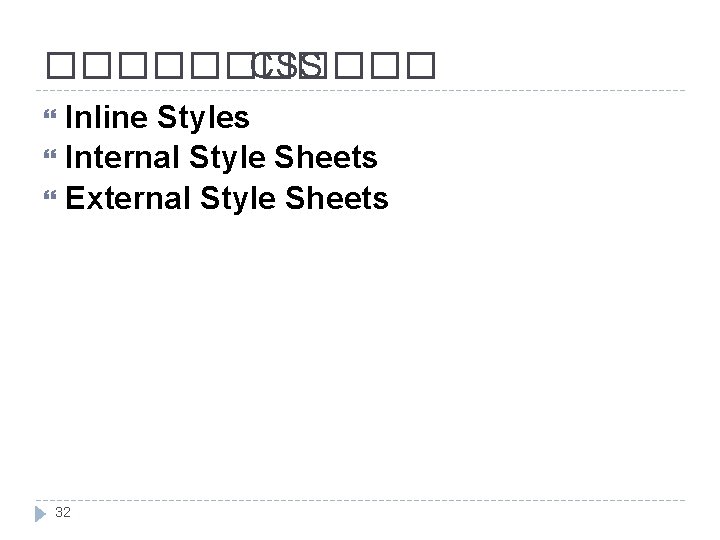
������ CSS Inline Styles Internal Style Sheets External Style Sheets 32
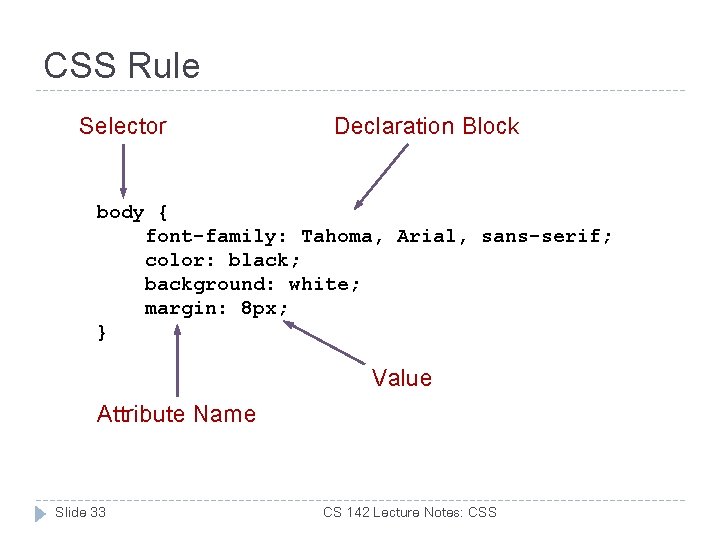
CSS Rule Selector Declaration Block body { font-family: Tahoma, Arial, sans-serif; color: black; background: white; margin: 8 px; } Value Attribute Name Slide 33 CS 142 Lecture Notes: CSS
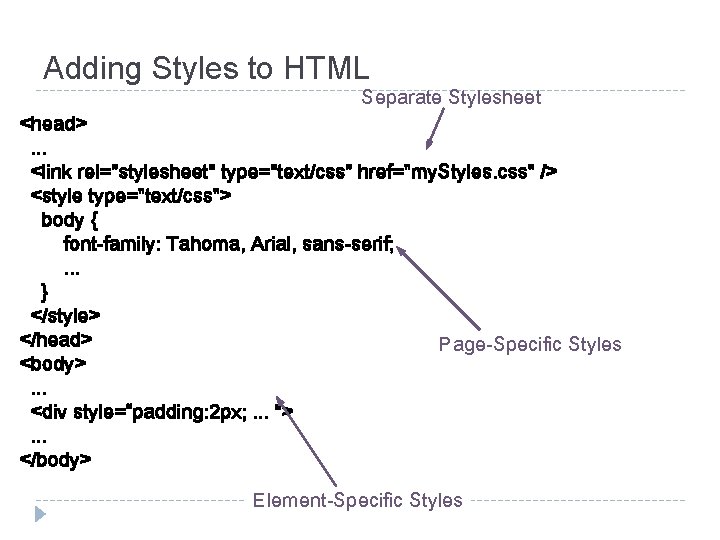
Adding Styles to HTML Separate Stylesheet <head>. . . <link rel="stylesheet" type="text/css" href="my. Styles. css" /> <style type="text/css"> body { font-family: Tahoma, Arial, sans-serif; . . . } </style> </head> Page-Specific Styles <body>. . . <div style=“padding: 2 px; . . . ">. . . </body> Element-Specific Styles
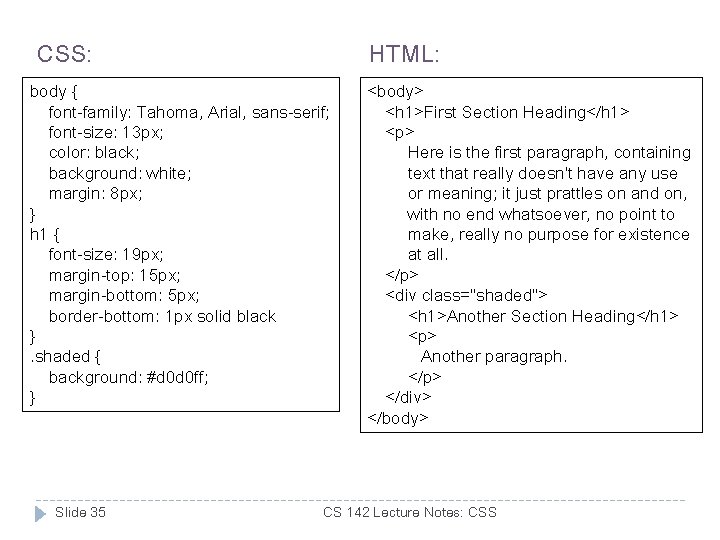
CSS: HTML: body { font-family: Tahoma, Arial, sans-serif; font-size: 13 px; color: black; background: white; margin: 8 px; } h 1 { font-size: 19 px; margin-top: 15 px; margin-bottom: 5 px; border-bottom: 1 px solid black }. shaded { background: #d 0 d 0 ff; } Slide 35 <body> <h 1>First Section Heading</h 1> <p> Here is the first paragraph, containing text that really doesn't have any use or meaning; it just prattles on and on, with no end whatsoever, no point to make, really no purpose for existence at all. </p> <div class="shaded"> <h 1>Another Section Heading</h 1> <p> Another paragraph. </p> </div> </body> CS 142 Lecture Notes: CSS
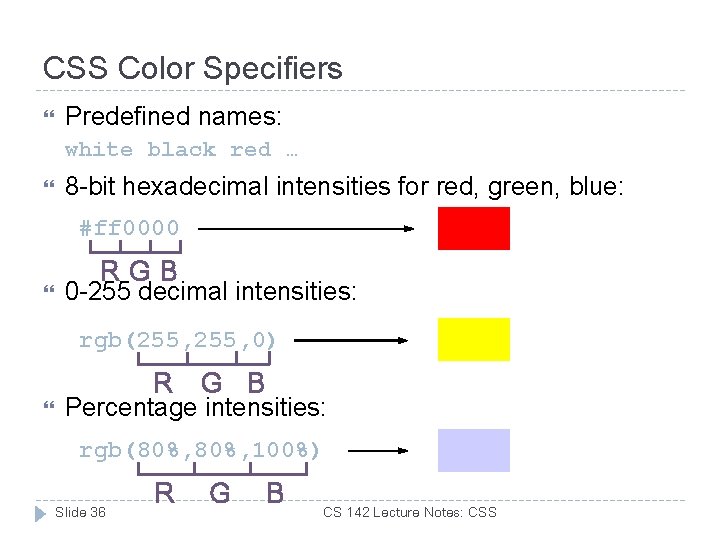
CSS Color Specifiers Predefined names: white black red … 8 -bit hexadecimal intensities for red, green, blue: #ff 0000 RGB 0 -255 decimal intensities: rgb(255, 0) R G B Percentage intensities: rgb(80%, 100%) Slide 36 R G B CS 142 Lecture Notes: CSS
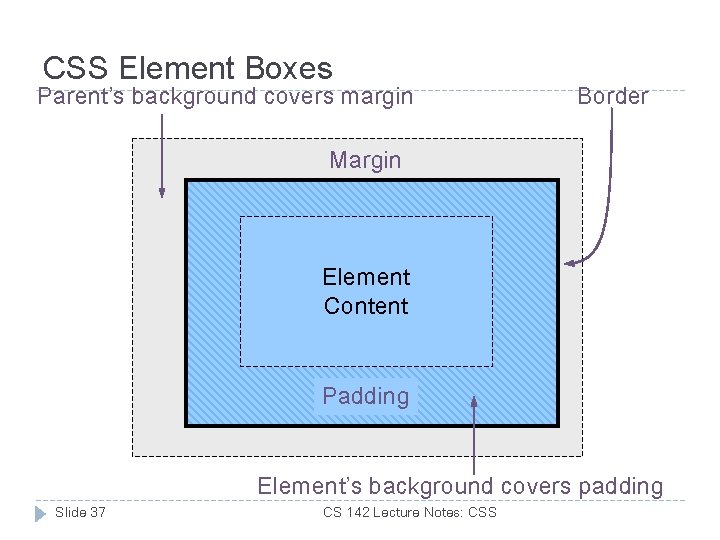
CSS Element Boxes Parent’s background covers margin Border Margin Element Padding Content Padding Element’s background covers padding Slide 37 CS 142 Lecture Notes: CSS
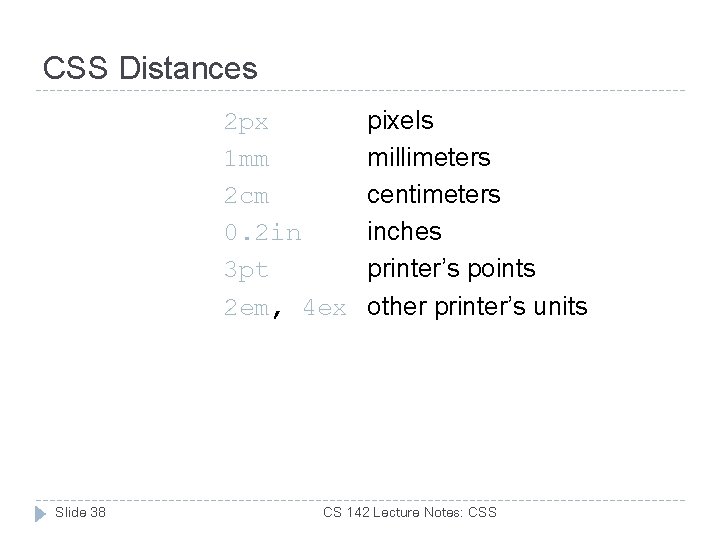
CSS Distances 2 px 1 mm 2 cm 0. 2 in 3 pt 2 em, 4 ex Slide 38 pixels millimeters centimeters inches printer’s points other printer’s units CS 142 Lecture Notes: CSS
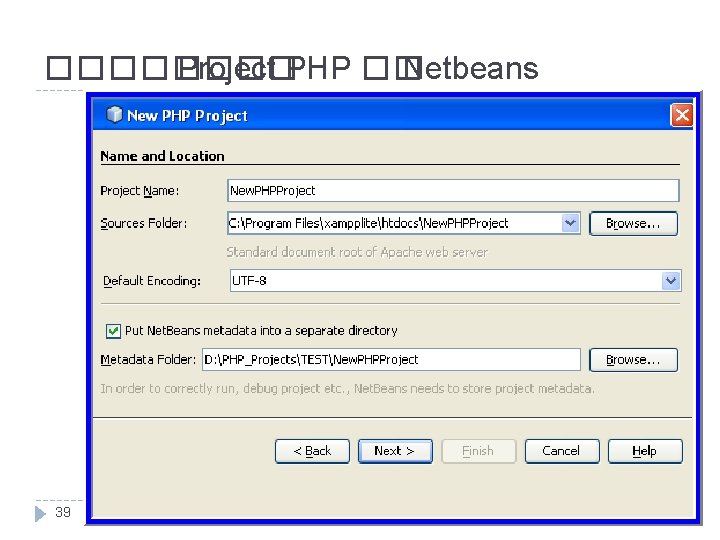
���� Project PHP �� Netbeans 39
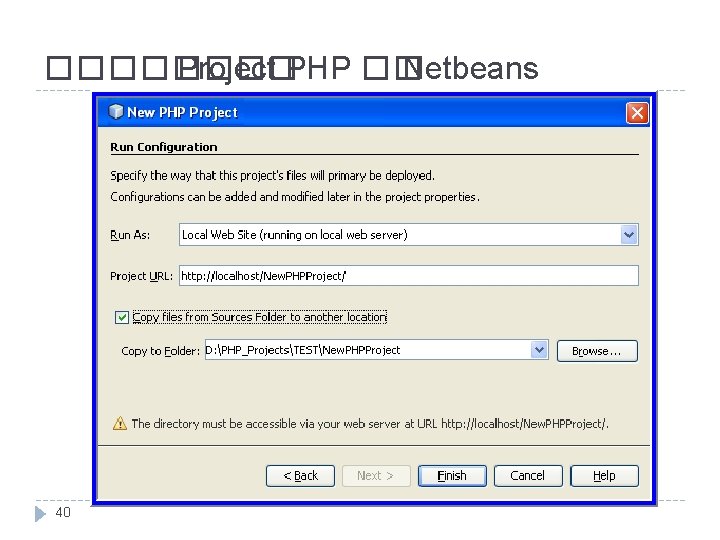
���� Project PHP �� Netbeans 40
- Slides: 40