
Introduction to Waste and the 7 Step Problem
Introduction to Waste and the 7 Step Problem Solving Model Michele Cronin and Mike Lee City of Fredericton
Workshop Objectives • Understand the basics of Lean and Six Sigma Waste Walks. • Understand the 7 step problem-solving methodology • Understand identify waste. • Understand what is a process.
What is Waste? • Any activity or step in a process that does not contribute to customer satisfaction. • The use of any resources above the minimum required to deliver the service. • Anything that can be left out without affecting the value to the customer.
So…what is value-added? Value-Added Activity: 1. Any activity that changes a product or thing. 2. Any activity that is done right the first time. 3. Any activity that is valued by the customer.
So…what is “incidental” waste? Anything that does not directly contribute to the delivery of a product or service to the customer but is required by the business, by regulation or by circumstances, such as: • • Troubleshooting software problems Completing a form for an external party Logging into a computer with a log-in and password Holding onto records for a specific period of time until they can be destroyed Cleaning up a spill Unpacking a box of supplies Installing a printer cartridge in a photocopier or printer
Why Bother Looking for Waste? ü Waste costs money! ü Under-estimating the cost of waste is very common. ü Eliminating it can help us reduce costs and reduce resource demand. ü Waste is all around us! ü Waste creeps into a process and is significant whether you realize it or not. ü Waste is a “hidden” cost; it doesn’t necessarily show up in the accounts.
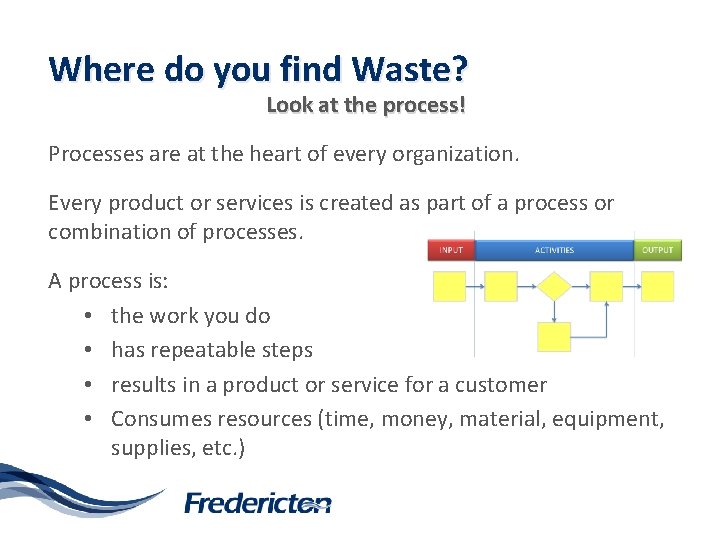
Where do you find Waste? Look at the process! Processes are at the heart of every organization. Every product or services is created as part of a process or combination of processes. A process is: • the work you do • has repeatable steps • results in a product or service for a customer • Consumes resources (time, money, material, equipment, supplies, etc. )
What is a Waste Walk? • a walk around the workplace or a “walk” through a process to… • gain an overview of the work process… • with the intent of identifying rapid no/low cost improvements… • to save money and improve efficiency
Why do a Waste Walk? • Creates a culture of continuous improvement. • Reduces costs. • Allows us to focus on quality, cost and service delivery. • Reduces time. • Minimizes impact of reduced workforce. • Minimizes inventory. • Helps us meet increased demand for service. • Produces only what is required. • Maximizes flow of work. • Empowers employees.
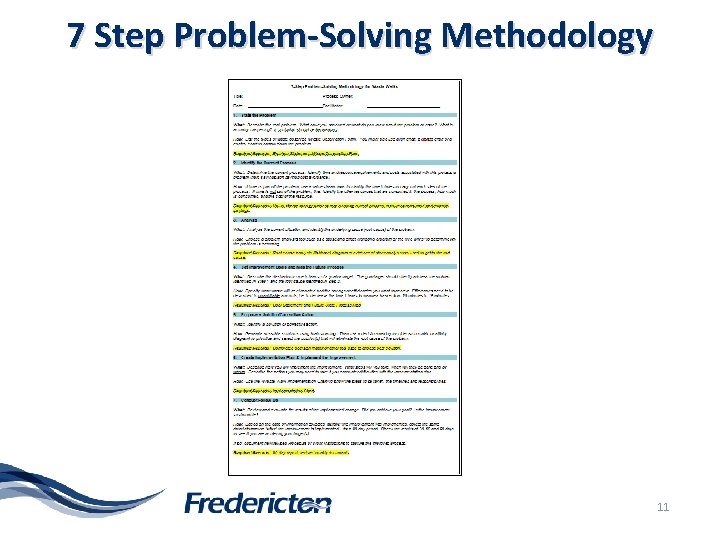
7 Step Problem-Solving Methodology 11
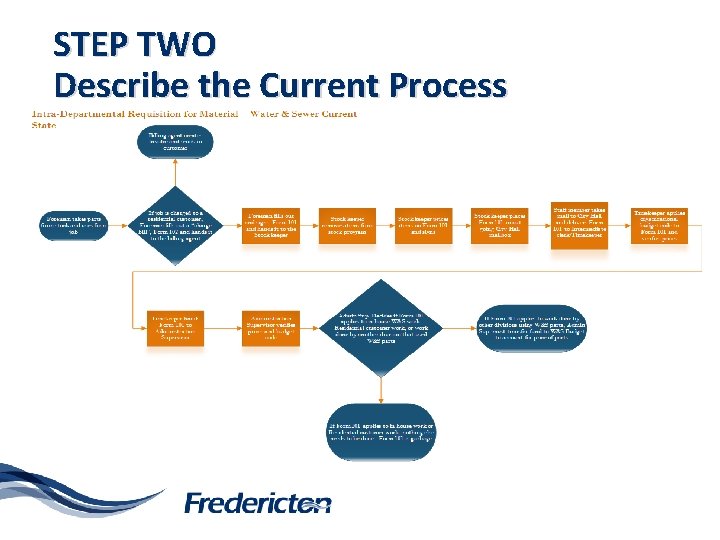
Case Study: Intra-departmental Requisition for Materials A Foreman at the Pleasantville Water & Sewer Division requires parts to complete a job for a residential customer. The Foremen takes the parts from the stockroom and fills out an intra-departmental requisition form (Form 101). The Foreman signs the form and then gives the completed form to the Stock keeper. The Foreman will also be responsible for filling out a “charge sheet” in the form of a bill to the residential customer that contains the same information. (Form 102) The Stock keeper opens a modified spreadsheet and removes the items from stock. The stock keeper then assigns a price to each item taken from stock listed on form 101 and then initials the form as a sign of review completion. Form 101 is then placed in the outgoing City Hall mail box. Every one to three days a staff person will take all the completed Form 101’s and deliver them to the Intermediate Clerk/Timekeeper at City hall. The Timekeeper sorts and codes the forms with the correct organizational budget code and verifies the price assigned to the items. If the form is not signed by the Foreman or initialed by the Stock keeper, the form is sent back to the shop to be completed. If signed and initialed, the Timekeeper delivers the forms to the Administration Supervisor.
Case Study: Intra-departmental Requisition for Materials The Administration Supervisor reviews and makes any changes to the form. Then they check the forms for chargeable and non-chargeable items. Chargeable items refer to items used by other divisions within our department that they are financially responsible for paying. If chargeable, the Supervisor fills out a Water & Sewer Charge sheet in excel. Finally, the supervisor charges out through a journal entry, transferring funds from another division back to the Water & Sewer Division.
STEP ONE Describe the problem • Describe the real problem. • What is happening…what do you observe? • Not what you think should be happening. • Write a problem statement.
Case Study Intra-departmental Requisition for Materials Problem Statement: There are intra-departmental requisition for material sheets being filled out and processed for no reason and then handed off to the administration group for further handling and processing.
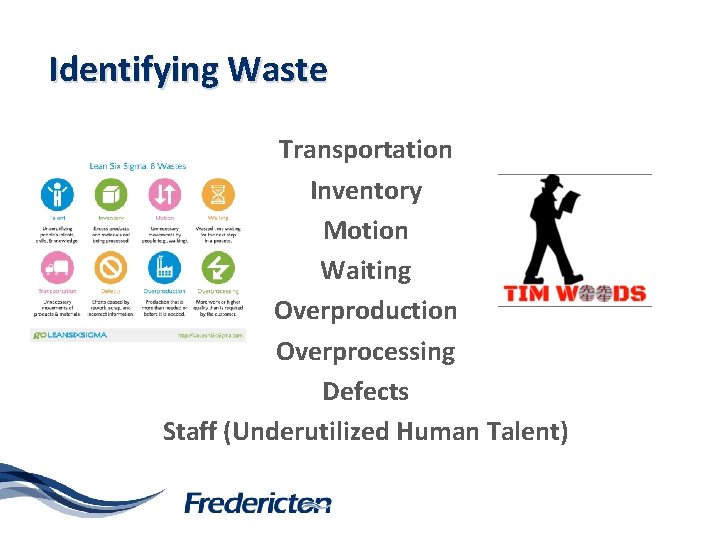
Identifying Waste Transportation Inventory Motion Waiting Overproduction Overprocessing Defects Staff (Underutilized Human Talent)
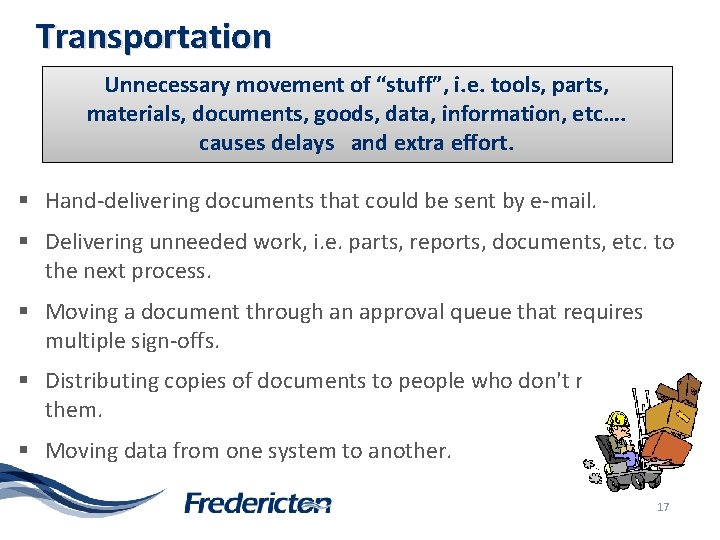
Transportation Unnecessary movement of “stuff”, i. e. tools, parts, materials, documents, goods, data, information, etc…. causes delays and extra effort. § Hand-delivering documents that could be sent by e-mail. § Delivering unneeded work, i. e. parts, reports, documents, etc. to the next process. § Moving a document through an approval queue that requires multiple sign-offs. § Distributing copies of documents to people who don't really need them. § Moving data from one system to another. 17
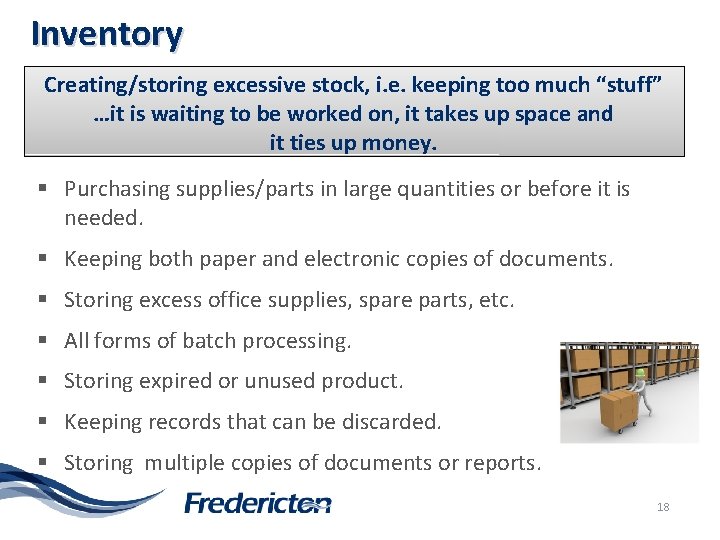
Inventory Creating/storing excessive stock, i. e. keeping too much “stuff” …it is waiting to be worked on, it takes up space and it ties up money. § Purchasing supplies/parts in large quantities or before it is needed. § Keeping both paper and electronic copies of documents. § Storing excess office supplies, spare parts, etc. § All forms of batch processing. § Storing expired or unused product. § Keeping records that can be discarded. § Storing multiple copies of documents or reports. 18
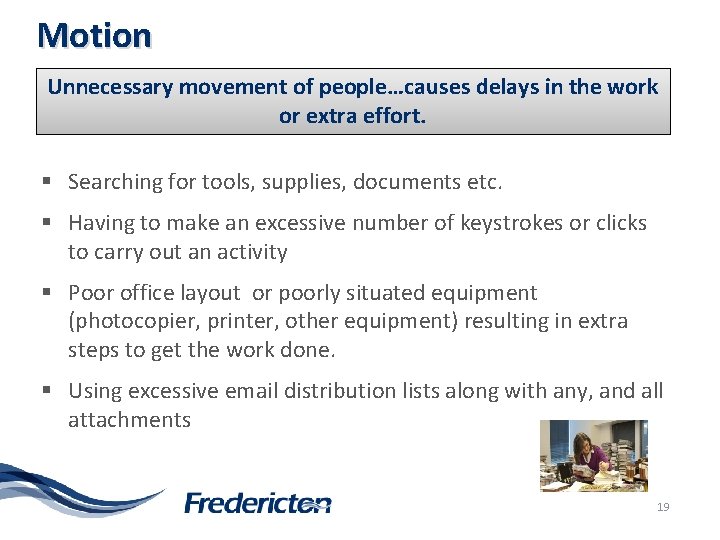
Motion Unnecessary movement of people…causes delays in the work or extra effort. § Searching for tools, supplies, documents etc. § Having to make an excessive number of keystrokes or clicks to carry out an activity § Poor office layout or poorly situated equipment (photocopier, printer, other equipment) resulting in extra steps to get the work done. § Using excessive email distribution lists along with any, and all attachments 19
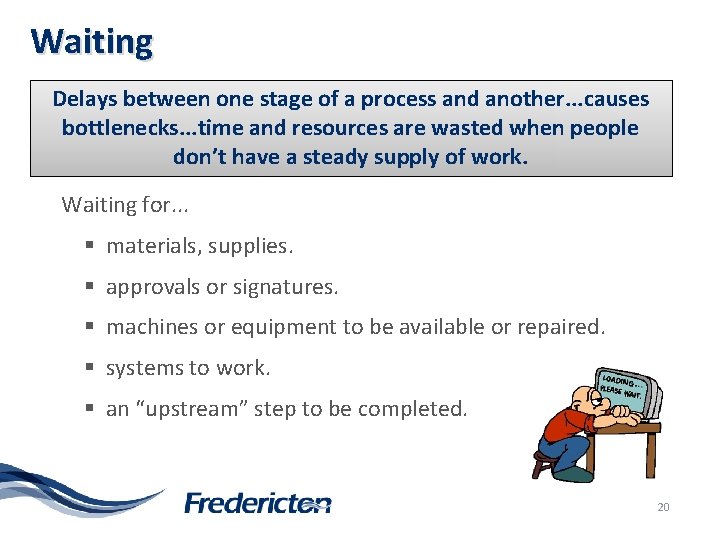
Waiting Delays between one stage of a process and another. . . causes bottlenecks. . . time and resources are wasted when people don’t have a steady supply of work. Waiting for. . . § materials, supplies. § approvals or signatures. § machines or equipment to be available or repaired. § systems to work. § an “upstream” step to be completed. 20
Over-Production Producing more than what is needed by the customer, producing work too soon so it is waiting to be used in the next step, or producing work that is not necessary. § Printing information that is already available electronically. § Any work done on a routine/repetitive schedule - regardless of demand. § Continuing to produce a product or deliver a service regardless of customer demand or not knowing when the product/service is needed. Printing extra copies of documents/reports. § Producing reports that aren’t used by recipients. 21
Over-processing Doing more work than is necessary, i. e. performing extra steps that are not necessary or don’t add value to the process. § Documents requiring multiple approvals. § Multiple inspections or checking. § Entering data into multiple systems (can create data discrepancies, which is the correct one? ). § Over-resourcing a process to meet “peak demand" rather than investigating work leveling opportunities. § Adding more features to a service or product than what is required by the customer. § Unnecessary complexity to the work. § Excessive revision of documents. 22
Defects Errors that require fixing, re-work or scrapping a product or service. § No standard work/process to follow. § Work that is not done right the first time. § Miscommunication. § Any product or service that does not meet customer’s needs. § Discrepancies in data/information as it is stored in multiple systems. § Lost information (needs to be re-created. § Employee turnover (have to do training over again with new employee). 23
Under-Utilized Employees Not maximizing the knowledge, skills and abilities of your employee’s. § Not engaging or listening to employees for ideas to improve § Lacking balanced work within the work group § High absenteeism § Not matching the right skills to the work required § Lack of cross-training § Employees not trained to “best practices” § Unclear expectations § Ineffective meetings (waste time/no solutions) § Not giving an employee feedback so they can improve 24
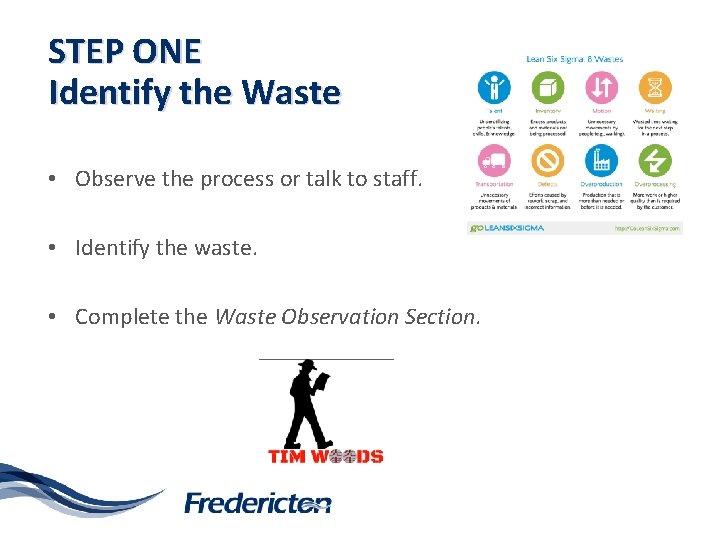
STEP ONE Identify the Waste • Observe the process or talk to staff. • Identify the waste. • Complete the Waste Observation Section.
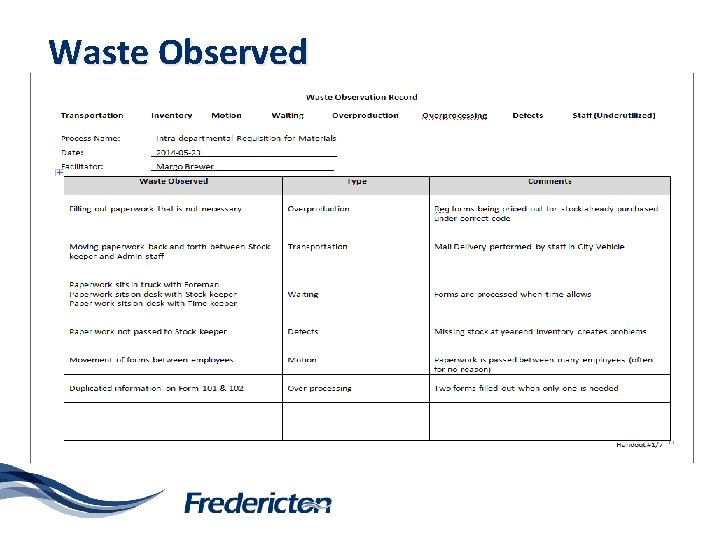
Waste Observed
STEP TWO Describe the Current Process Purpose of these types of tools are. . . ü visually documents the process, ü provides fact-based process description as basis for understating the current problems and opportunities, ü enables teams to quickly see improvement opportunities within the process and begin defining the causes, ü helps team see how a process should work (future state) once they eliminate waste, and ü help communicate inside and outside the organization.

Basic Shapes of a Process Map Symbol Key Tasks Oval Shows the materials, information, or action (inputs) that start he process, and the results (output) at the end of the process. Box Shows and activity performed in the process. Although multiple arrows may come into each box, usually one arrow leaves each box. Diamond Shows those points in the process where a yes/no question is being asked or a decision is required. Circle with a letter or number Indentifies a break in the Flowchart that is continues elsewhere on the same page or another page. A Arrow Shows the flow of the process.
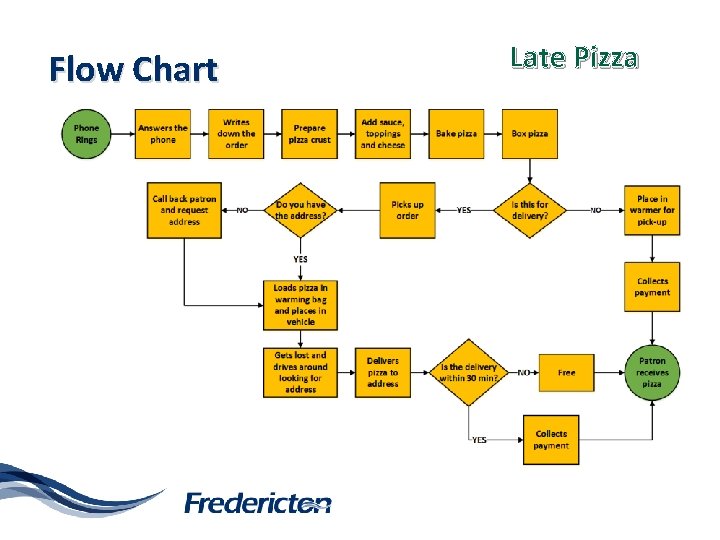
Flow Chart Late Pizza
STEP TWO Describe the Current Process • Section 3 on wall chart. • Use the sticky notes and markers provided, only one step per sticky note. • Draw a flow chart or a process map of the current process for the Case Study. 30
STEP TWO Describe the Current Process
Time • Cycle / Tack / Elapsed / Actual time – all different types of time that can be captured during a Waste Walk. • Decisions in Waste Walks are based on facts. • How long a process or step takes, how many people complete the process, lags in time or waiting… • all important to capture the data to identify savings.
Case Study: Intra-departmental Requisition for Materials Time Figures: The Foreman signs the form and then gives the completed Form 101 to the Stockkeeper. This takes 5 to 15 minutes to complete the forms but could wait to be delivered at the end of day or up to 3 days to be given to the Stock keeper. The Stock keeper removes items from the stock program in 2 to 10 minutes. The Stock keeper may not get to perform stock taking for up to 3 days Twice a week, a staff member takes all the completed Form 101’s and delivers them to the Intermediate Clerk/Timekeeper. This mail could be delivered that day or could sit in the mailbox up to 3 days. The intermediate Clerk/Timekeeper may perform their work immediately or up to 2 days after receiving form 101
STEP THREE Analyze and Identify the Root Cause • Important to get to the root cause. • Eliminating or changing the root cause has the greatest impact on solving the problem. • 5 Whys/Brainstorming. • We often think we know the solution before identifying the root cause.
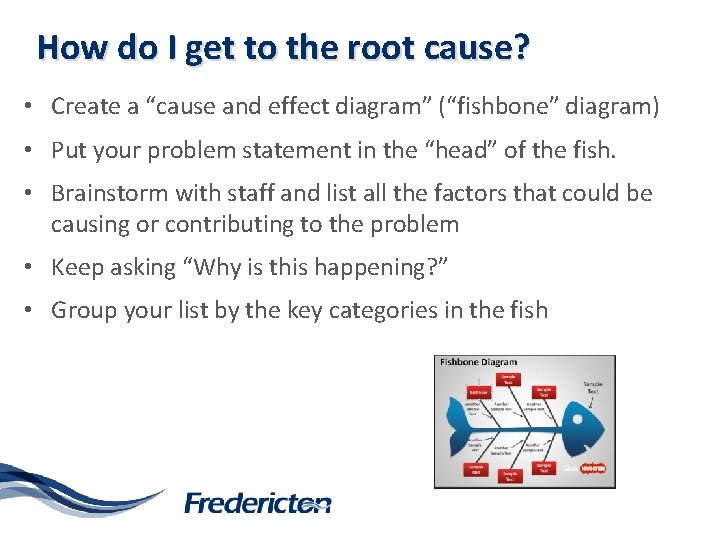
How do I get to the root cause? • Create a “cause and effect diagram” (“fishbone” diagram) • Put your problem statement in the “head” of the fish. • Brainstorm with staff and list all the factors that could be causing or contributing to the problem • Keep asking “Why is this happening? ” • Group your list by the key categories in the fish
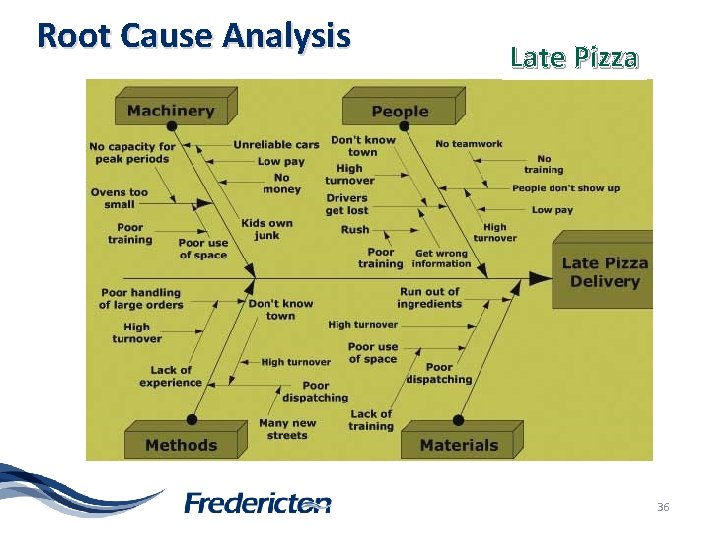
Root Cause Analysis Late Pizza 36
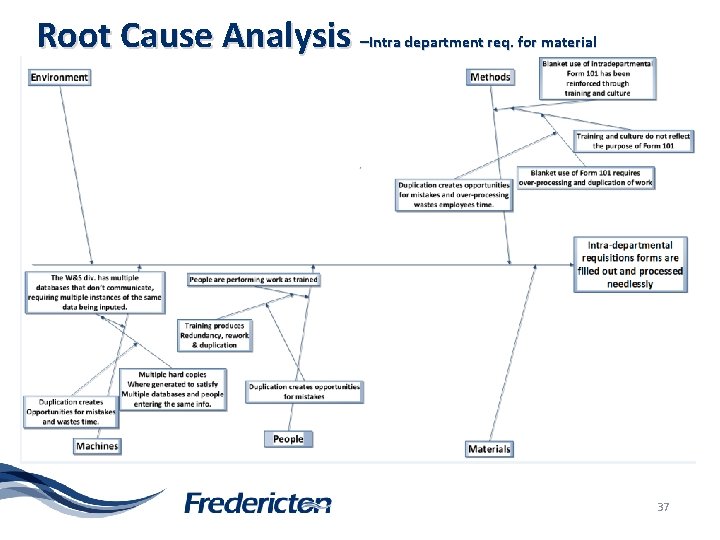
Root Cause Analysis –Intra department req. for material 37
STEP FOUR Set Improvement Goals • Brainstorm with staff: – What do you want the future process to look like? – How do you want the process to flow? – What waste do you want to eliminate? – What savings/efficiencies do you want to achieve? – What risk do you want to reduce? – Do you want to see a change in customer satisfaction? – Do you want to see a timelier turnaround? – What are the important measures…time…errors? ? ? 38
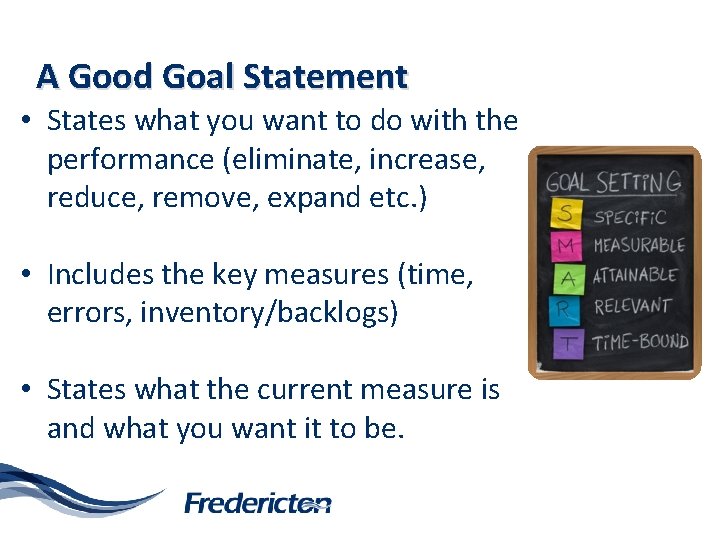
A Good Goal Statement • States what you want to do with the performance (eliminate, increase, reduce, remove, expand etc. ) • Includes the key measures (time, errors, inventory/backlogs) • States what the current measure is and what you want it to be. 39
STEP FIVE Identify Solutions/Corrective Action • • • Brainstorm possible solutions Generate a list Pick the best Use a decision matrix tool to prioritize Select solutions that will eliminate the root cause and achieve your goals
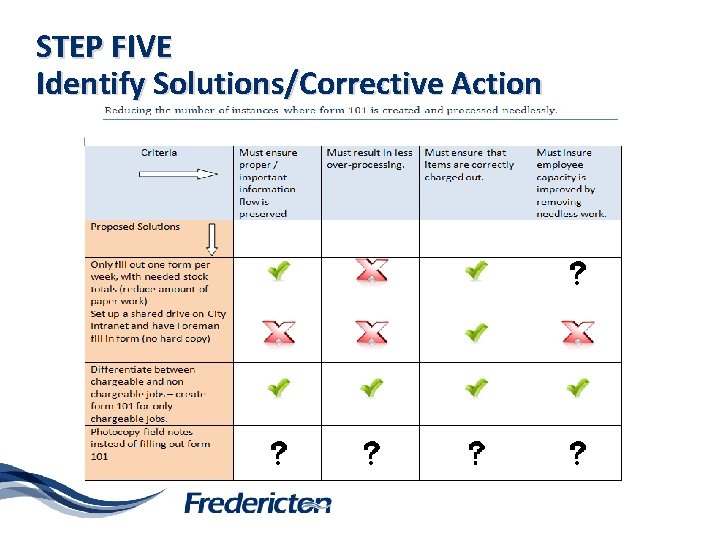
STEP FIVE Identify Solutions/Corrective Action
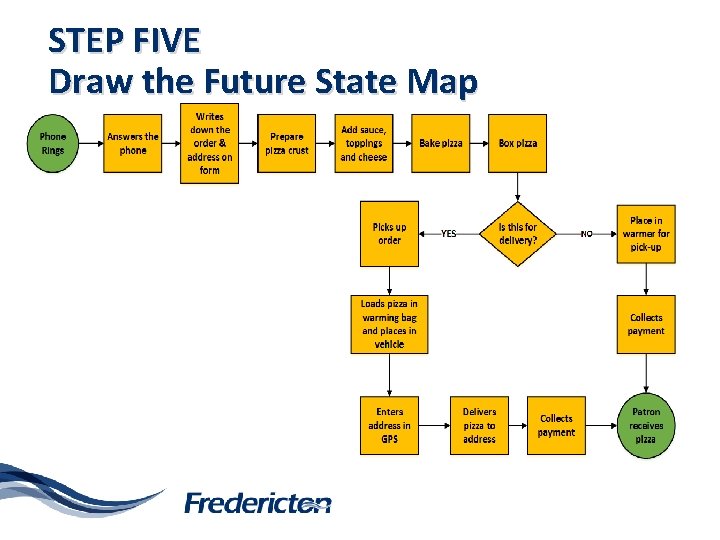
STEP FIVE Draw the Future State Map
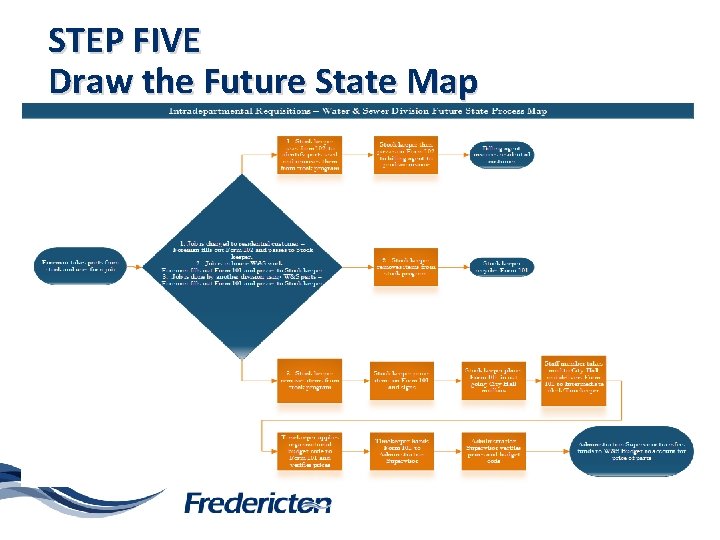
STEP FIVE Draw the Future State Map
Identify Resources Consumed & Savings Hard Savings - Tangible & identifiable savings - Results in reduced expenditures Building Capacity (Soft Savings) - Saves employee time or effort (increased capacity) Cost Avoidance - Reduction or elimination of an identifiable future cost - Money that we would have had to spend if the had not been implemented improvement
STEP SIX Develop Implementation Plan & Implement the Solution • What steps will you take? • When will they be done? • Who will carry them out? • In what order?
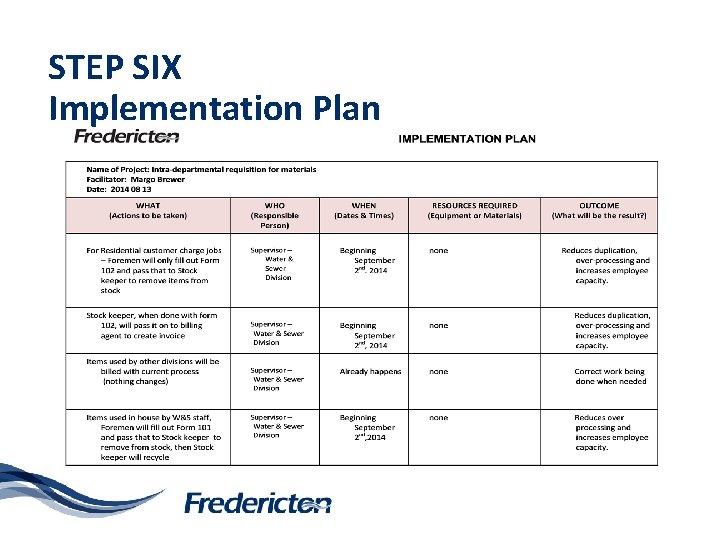
STEP SIX Implementation Plan
STEP SEVEN Conduct Follow-Up • Review the results of the change against future state map and goals/targets • Verify the effectiveness of change • Revise the process as required • Review at 30, 60 and 90 days – keep data • Once improvement is standardized, update quality documents • Continue to monitor the process for issues or required tweaking
How do I select a topic for my waste walk? • Review your processes (procedures and work instructions) – Are there processes that seem to take a long time? – Are there processes that seem to consume a lot of resources? – Are there processes with recurring errors or rework? – Are there processes which are carried out inconsistently, either by the same person or by more than one person – Are there processes that are complicated or clumsy? • Review your service measures…what are they telling you? • Review customer feedback…what are your customers telling you? • Talk to your staff/co-workers. • Where are things not working as well as you think they should?
Questions
- Slides: 49