
Introduction to VSAM for Assembler Programmers Some important

Introduction to VSAM for Assembler Programmers
Some important VSAM file types • ESDS – Entry Sequenced Data Set • Allows sequential processing • RRDS – Relative Record Data Set • Allows sequential or random access by relative record number • KSDS – Key-Sequenced Data Set • Allows sequential, skip sequential, and random processing by key • The most frequently used of the three file types
VSAM • VSAM data sets are known as Clusters • For ESDS or RRDS the cluster consists of a data component • For KSDS the cluster consists of a data component and an index component • VSAM data is stored on DASD in control intervals which are grouped into control areas
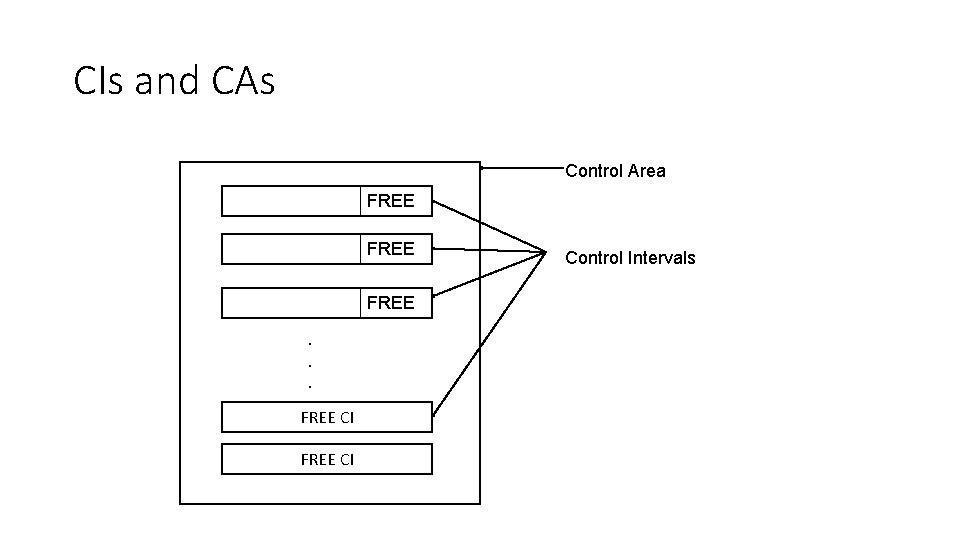
CIs and CAs Control Area FREE. . . FREE CI Control Intervals
VSAM • The Control Interval (CI) is the unit of data that transfers between the disk and virtual storage • CI sizes are multiples of 2 K with 4 k being common • CI’s can be constructed with free space to accommodate additions to the file • Control Areas (CA) can be constructed with free space to accommodate additions
VSAM • VSAM dynamically manages the file by maintaining information in each CI and CA • When a CI becomes too “full” the data it contains is split into two CI’s • When a CA becomes too “full” the data it contains is split into two CA’s • VSAM tries to keep records that are logically close together, physically close as well
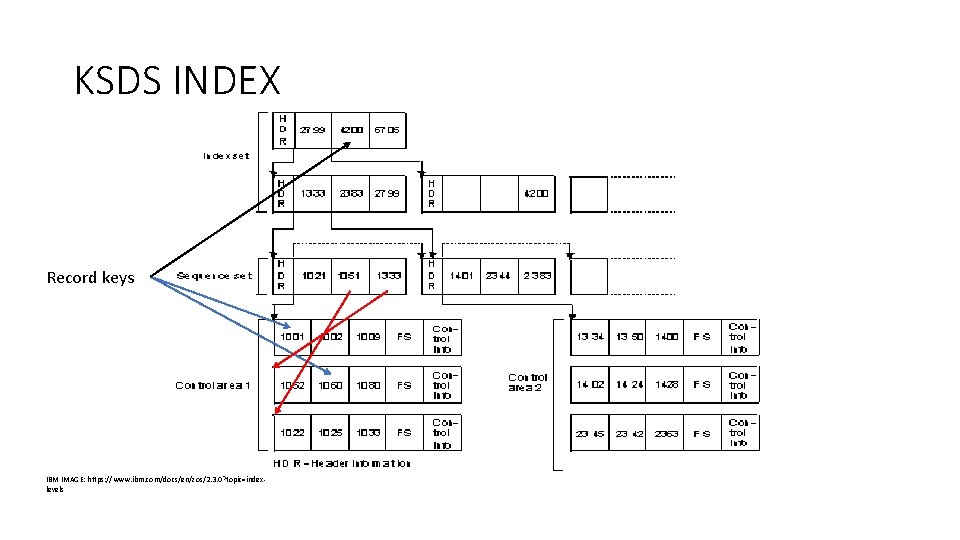
KSDS INDEX Record keys IBM IMAGE: https: //www. ibm. com/docs/en/zos/2. 3. 0? topic=indexlevels
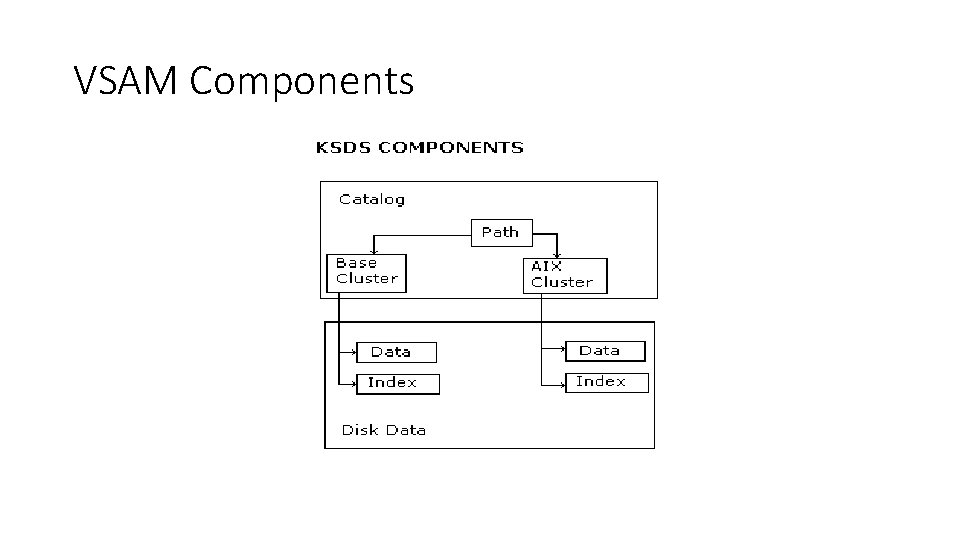
VSAM Components
Access Method Services (AMS) • AMS is a VSAM utility that provides numerous options • • DEFINE CLUSTER PRINT REPRO LISTCAT DELETE DEFINE ALTERNATEINDEX DEFINE PATH BLDINDEX
VSAM JCL • Unlike QSAM files, VSAM files are usually allocated in a separate job step before data can be written to the file • A VSAM cluster is usually created by deleting and then defining the cluster • After the cluster is defined, a job can run which writes data to the file
VSAM JCL • Parameters: • • • INDEXED –KSDS NONINDEXED – ESDS NUMBERED – RRDS KEYS ( len off) – primary key info CISZ (size) – control interval size FREESPACE (ci ca) – free space %’s
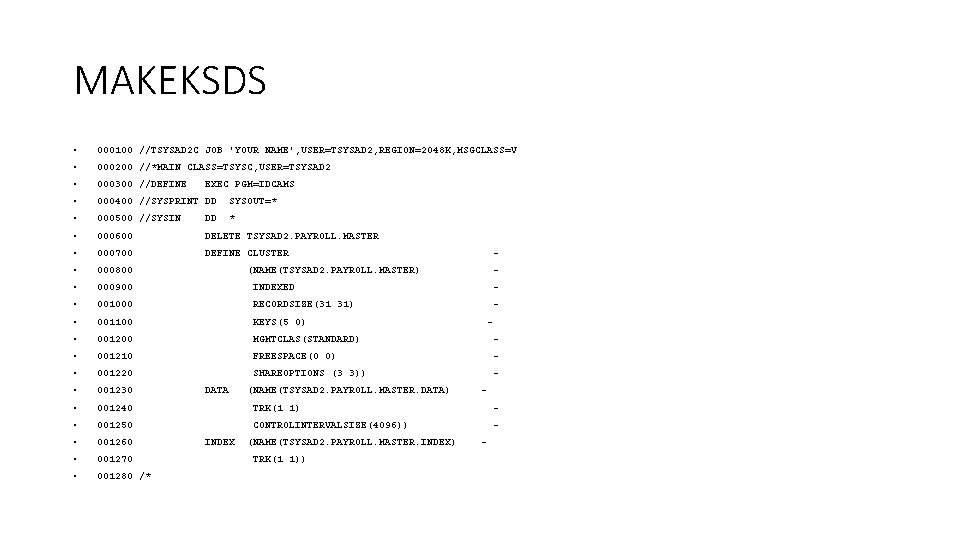
MAKEKSDS • 000100 //TSYSAD 2 C JOB 'YOUR NAME', USER=TSYSAD 2, REGION=2048 K, MSGCLASS=V • 000200 //*MAIN CLASS=TSYSC, USER=TSYSAD 2 • 000300 //DEFINE • 000400 //SYSPRINT DD SYSOUT=* • 000500 //SYSIN DD * • 000600 DELETE TSYSAD 2. PAYROLL. MASTER • 000700 DEFINE CLUSTER • 000800 • 000900 INDEXED - • 001000 RECORDSIZE(31 31) - • 001100 KEYS(5 0) • 001200 MGMTCLAS(STANDARD) - • 001210 FREESPACE(0 0) - • 001220 SHAREOPTIONS (3 3)) - • 001230 • 001240 TRK(1 1) - • 001250 CONTROLINTERVALSIZE(4096)) - • 001260 • 001270 • 001280 /* EXEC PGM=IDCAMS - (NAME(TSYSAD 2. PAYROLL. MASTER) DATA INDEX (NAME(TSYSAD 2. PAYROLL. MASTER. DATA) (NAME(TSYSAD 2. PAYROLL. MASTER. INDEX) TRK(1 1)) - -
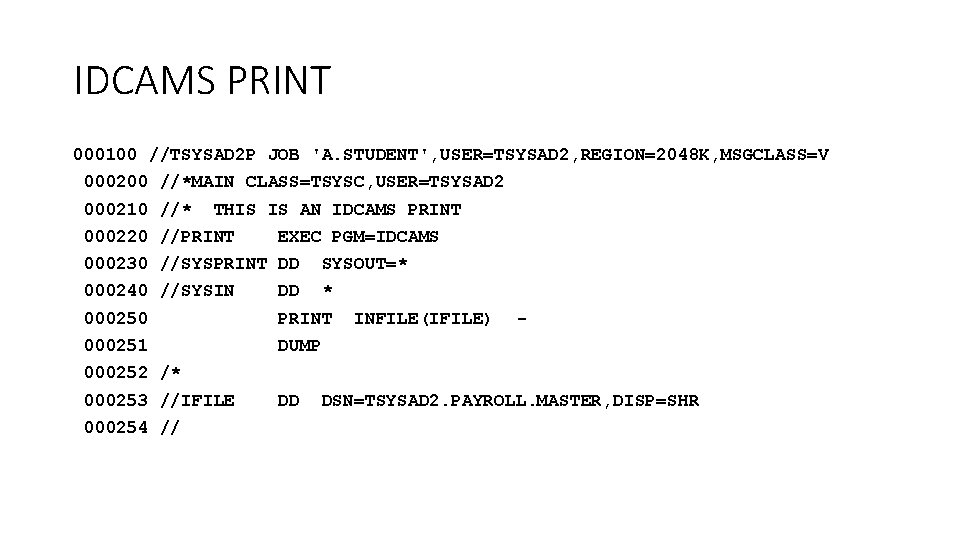
IDCAMS PRINT 000100 //TSYSAD 2 P JOB 'A. STUDENT', USER=TSYSAD 2, REGION=2048 K, MSGCLASS=V 000200 //*MAIN CLASS=TSYSC, USER=TSYSAD 2 000210 //* THIS IS AN IDCAMS PRINT 000220 //PRINT EXEC PGM=IDCAMS 000230 //SYSPRINT DD SYSOUT=* 000240 //SYSIN DD * 000250 PRINT 000251 DUMP INFILE(IFILE) - 000252 /* 000253 //IFILE 000254 // DD DSN=TSYSAD 2. PAYROLL. MASTER, DISP=SHR
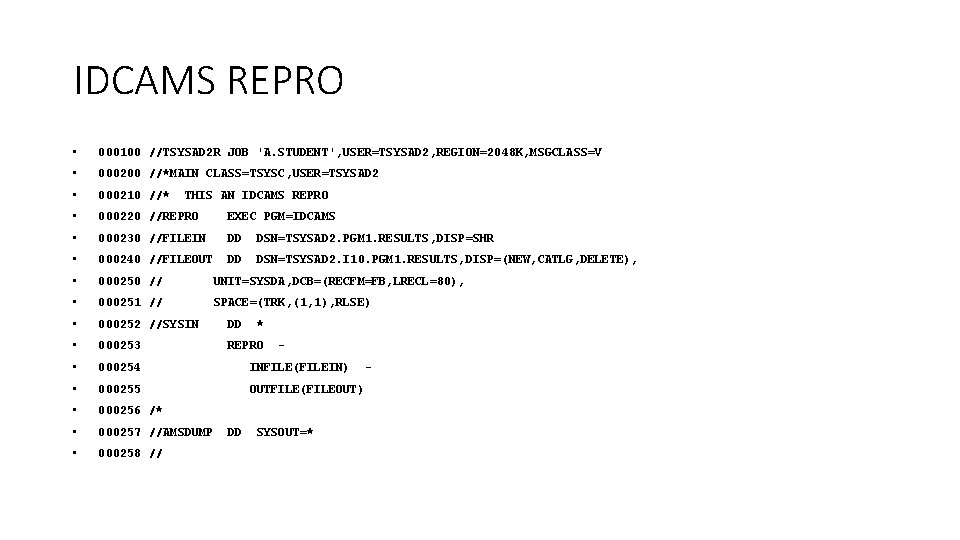
IDCAMS REPRO • 000100 //TSYSAD 2 R JOB 'A. STUDENT', USER=TSYSAD 2, REGION=2048 K, MSGCLASS=V • 000200 //*MAIN CLASS=TSYSC, USER=TSYSAD 2 • 000210 //* • 000220 //REPRO EXEC PGM=IDCAMS • 000230 //FILEIN DD DSN=TSYSAD 2. PGM 1. RESULTS, DISP=SHR • 000240 //FILEOUT DD DSN=TSYSAD 2. I 10. PGM 1. RESULTS, DISP=(NEW, CATLG, DELETE), • 000250 // UNIT=SYSDA, DCB=(RECFM=FB, LRECL=80), • 000251 // SPACE=(TRK, (1, 1), RLSE) • 000252 //SYSIN DD • 000253 REPRO • 000254 INFILE(FILEIN) • 000255 OUTFILE(FILEOUT) • 000256 /* • 000257 //AMSDUMP • 000258 // THIS AN IDCAMS REPRO DD * - SYSOUT=* -
VSAM Assembler Macros • Two types: 1) Control Block – used to define control blocks that contain information about the dataset 2) Request – used to retrieve, update, delete, or insert logical records • These macros reside in the main system macro library, SYS 1. MACLIB
Some basic VSAM control block macros • ACB (Access Method Control Block) - used to create the control block that represents the VSAM file • RPL (Request Parameter List) – used to create a control block that describes a type of request that will be made on the file • EXLST (Exit List) – used to specify the addresses of special processing routines (like end of file)
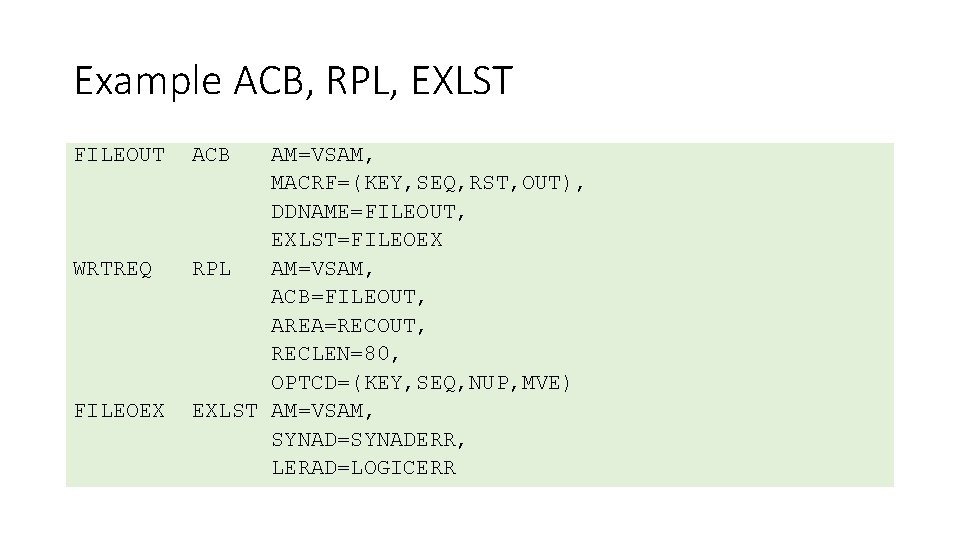
Example ACB, RPL, EXLST FILEOUT WRTREQ FILEOEX ACB AM=VSAM, MACRF=(KEY, SEQ, RST, OUT), DDNAME=FILEOUT, EXLST=FILEOEX RPL AM=VSAM, ACB=FILEOUT, AREA=RECOUT, RECLEN=80, OPTCD=(KEY, SEQ, NUP, MVE) EXLST AM=VSAM, SYNAD=SYNADERR, LERAD=LOGICERR
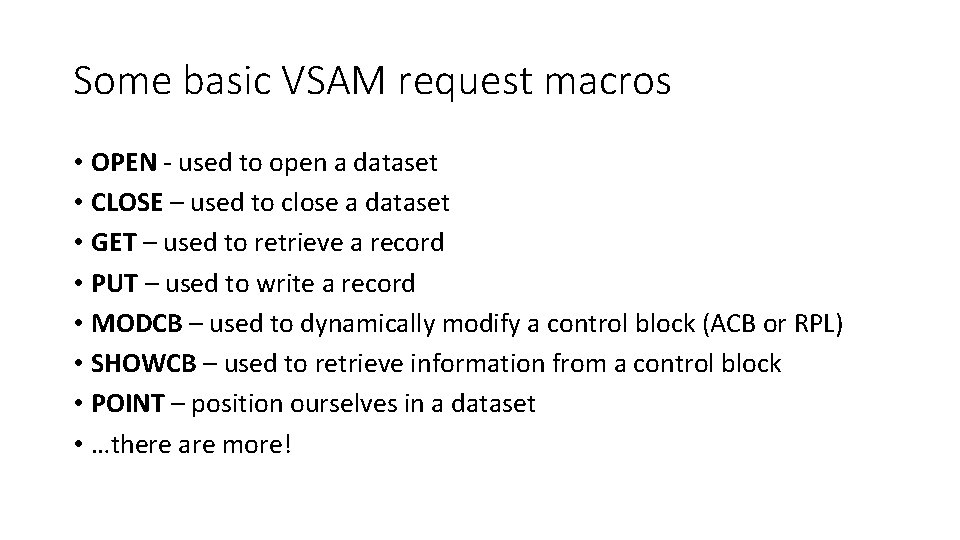
Some basic VSAM request macros • OPEN - used to open a dataset • CLOSE – used to close a dataset • GET – used to retrieve a record • PUT – used to write a record • MODCB – used to dynamically modify a control block (ACB or RPL) • SHOWCB – used to retrieve information from a control block • POINT – position ourselves in a dataset • …there are more!
VSAM Error Strategy • VSAM provides a return code in register 15 after every VSAM operation. • You can check the return code after any VSAM operation to insure that the program is proceeding normally. • Programmers can use their discretion about testing return codes
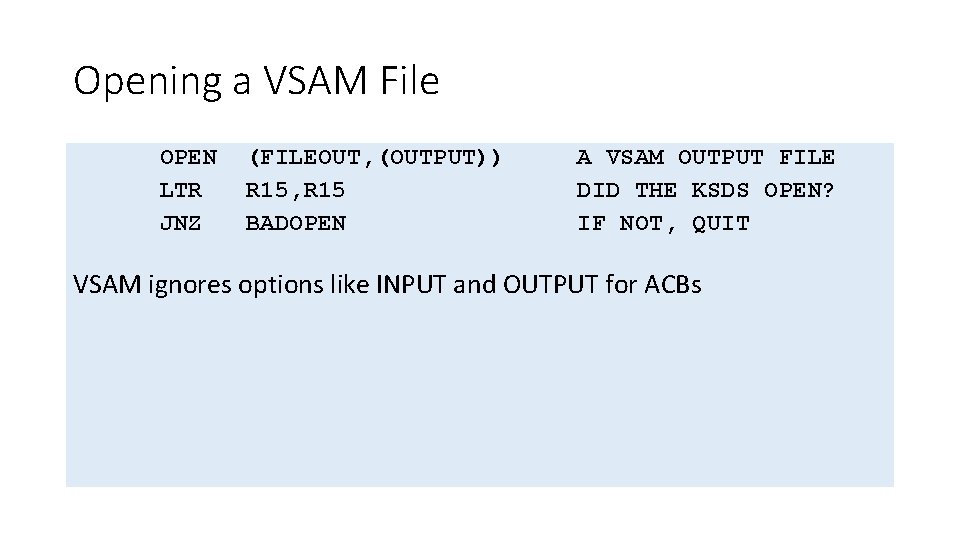
Opening a VSAM File OPEN LTR JNZ (FILEOUT, (OUTPUT)) R 15, R 15 BADOPEN A VSAM OUTPUT FILE DID THE KSDS OPEN? IF NOT, QUIT VSAM ignores options like INPUT and OUTPUT for ACBs
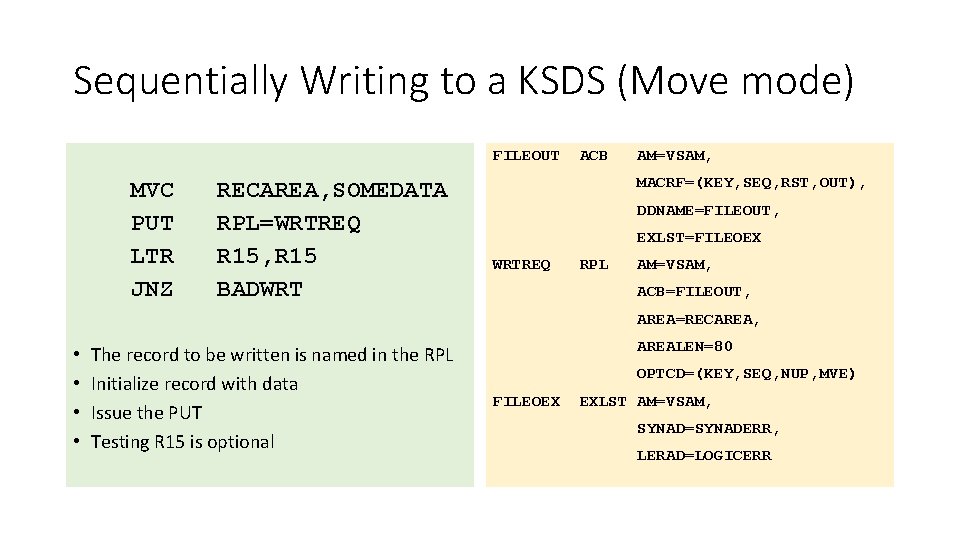
Sequentially Writing to a KSDS (Move mode) FILEOUT MVC PUT LTR JNZ RECAREA, SOMEDATA RPL=WRTREQ R 15, R 15 BADWRT ACB AM=VSAM, MACRF=(KEY, SEQ, RST, OUT), DDNAME=FILEOUT, EXLST=FILEOEX WRTREQ RPL AM=VSAM, ACB=FILEOUT, AREA=RECAREA, • • The record to be written is named in the RPL Initialize record with data Issue the PUT Testing R 15 is optional AREALEN=80 OPTCD=(KEY, SEQ, NUP, MVE) FILEOEX EXLST AM=VSAM, SYNAD=SYNADERR, LERAD=LOGICERR
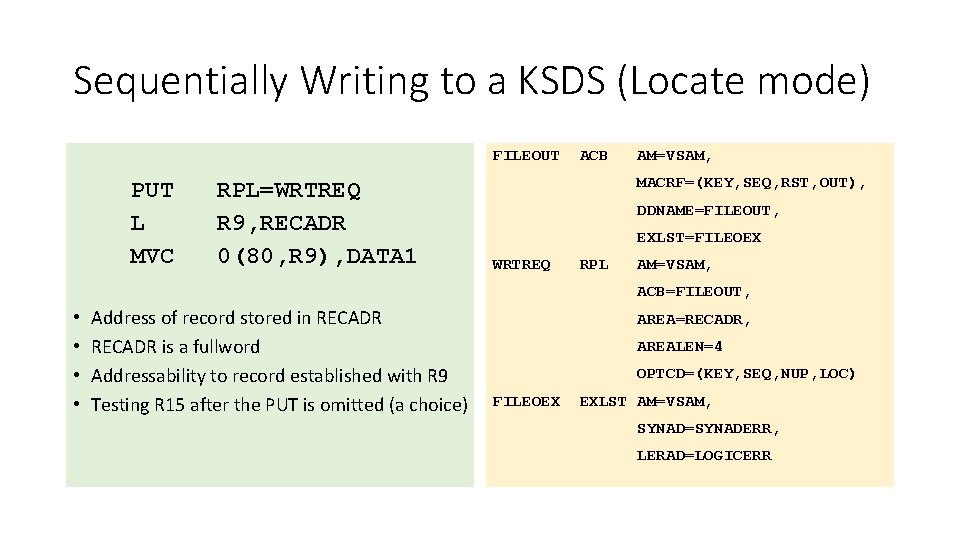
Sequentially Writing to a KSDS (Locate mode) FILEOUT PUT L MVC RPL=WRTREQ R 9, RECADR 0(80, R 9), DATA 1 ACB AM=VSAM, MACRF=(KEY, SEQ, RST, OUT), DDNAME=FILEOUT, EXLST=FILEOEX WRTREQ RPL AM=VSAM, ACB=FILEOUT, • • Address of record stored in RECADR is a fullword Addressability to record established with R 9 Testing R 15 after the PUT is omitted (a choice) AREA=RECADR, AREALEN=4 OPTCD=(KEY, SEQ, NUP, LOC) FILEOEX EXLST AM=VSAM, SYNAD=SYNADERR, LERAD=LOGICERR
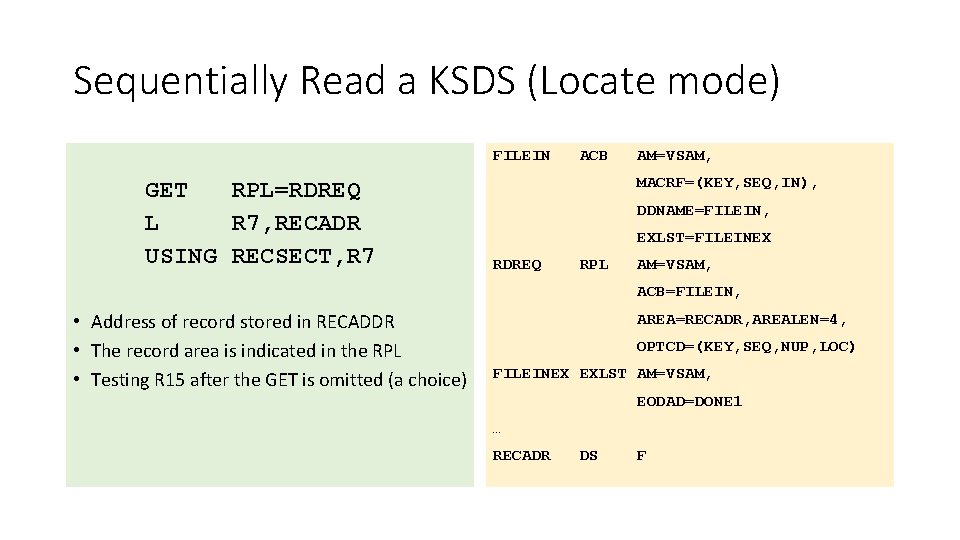
Sequentially Read a KSDS (Locate mode) FILEIN GET RPL=RDREQ L R 7, RECADR USING RECSECT, R 7 ACB AM=VSAM, MACRF=(KEY, SEQ, IN), DDNAME=FILEIN, EXLST=FILEINEX RDREQ RPL AM=VSAM, ACB=FILEIN, • Address of record stored in RECADDR • The record area is indicated in the RPL • Testing R 15 after the GET is omitted (a choice) AREA=RECADR, AREALEN=4, OPTCD=(KEY, SEQ, NUP, LOC) FILEINEX EXLST AM=VSAM, EODAD=DONE 1 … RECADR DS F
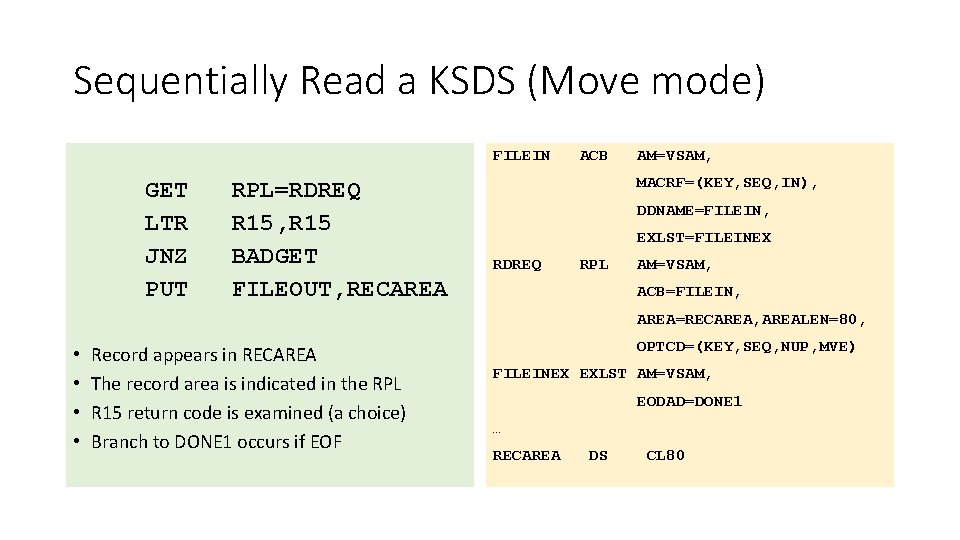
Sequentially Read a KSDS (Move mode) FILEIN GET LTR JNZ PUT RPL=RDREQ R 15, R 15 BADGET FILEOUT, RECAREA ACB AM=VSAM, MACRF=(KEY, SEQ, IN), DDNAME=FILEIN, EXLST=FILEINEX RDREQ RPL AM=VSAM, ACB=FILEIN, AREA=RECAREA, AREALEN=80, • • Record appears in RECAREA The record area is indicated in the RPL R 15 return code is examined (a choice) Branch to DONE 1 occurs if EOF OPTCD=(KEY, SEQ, NUP, MVE) FILEINEX EXLST AM=VSAM, EODAD=DONE 1 … RECAREA DS CL 80
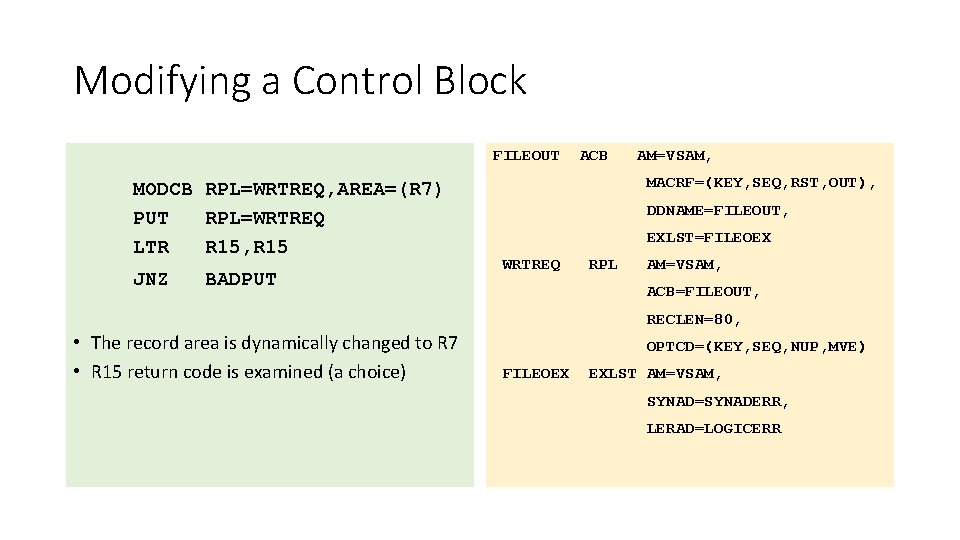
Modifying a Control Block FILEOUT MODCB RPL=WRTREQ, AREA=(R 7) PUT RPL=WRTREQ LTR R 15, R 15 JNZ BADPUT ACB AM=VSAM, MACRF=(KEY, SEQ, RST, OUT), DDNAME=FILEOUT, EXLST=FILEOEX WRTREQ RPL AM=VSAM, ACB=FILEOUT, RECLEN=80, • The record area is dynamically changed to R 7 • R 15 return code is examined (a choice) OPTCD=(KEY, SEQ, NUP, MVE) FILEOEX EXLST AM=VSAM, SYNAD=SYNADERR, LERAD=LOGICERR
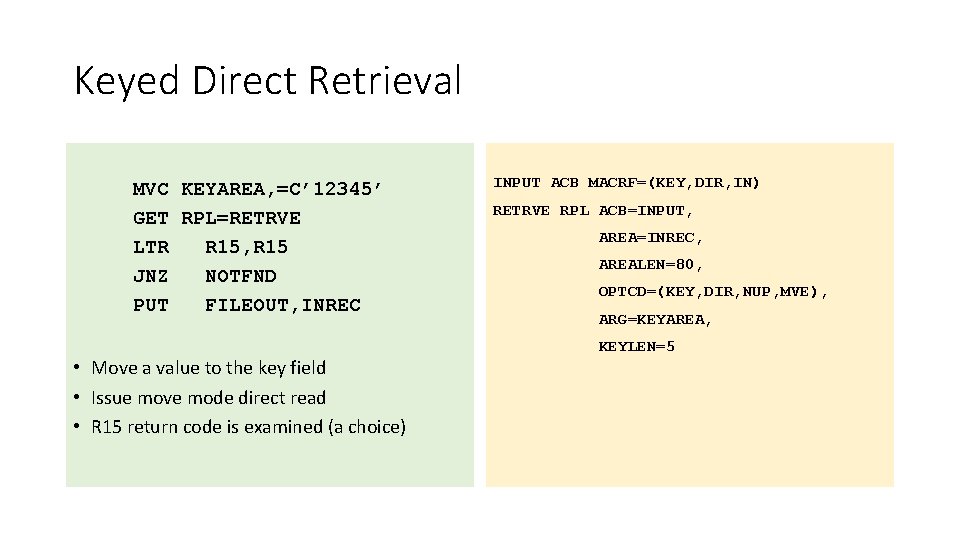
Keyed Direct Retrieval MVC KEYAREA, =C’ 12345’ GET RPL=RETRVE LTR R 15, R 15 JNZ NOTFND PUT FILEOUT, INREC • Move a value to the key field • Issue move mode direct read • R 15 return code is examined (a choice) INPUT ACB MACRF=(KEY, DIR, IN) RETRVE RPL ACB=INPUT, AREA=INREC, AREALEN=80, OPTCD=(KEY, DIR, NUP, MVE), ARG=KEYAREA, KEYLEN=5
- Slides: 26