
Introduction to Virtualization in Education with VMware View

- Slides: 26
Introduction to Virtualization in Education with VMware View Chris Simpson / System Engineer csimpson@vmware. com Craig Stromberg / Account Manager cstromberg@vmware. com
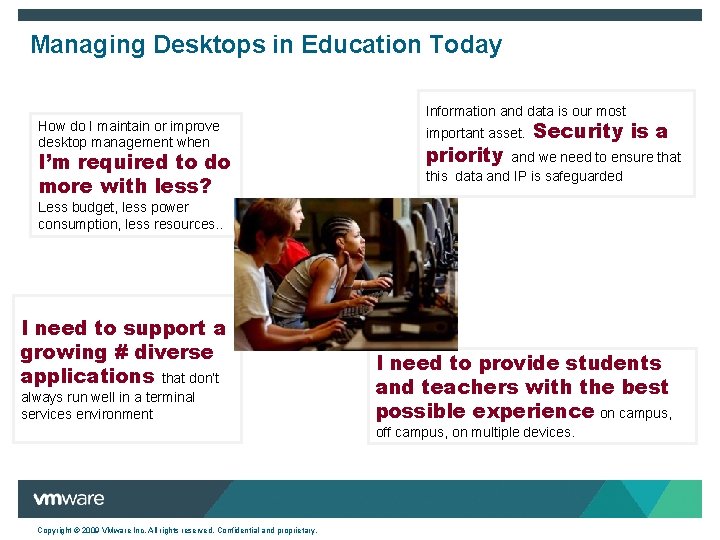
Managing Desktops in Education Today How do I maintain or improve desktop management when I’m required to do more with less? Information and data is our most important asset. priority Security is a and we need to ensure that this data and IP is safeguarded Less budget, less power consumption, less resources. . I need to support a growing # diverse applications that don’t always run well in a terminal services environment I need to provide students and teachers with the best possible experience on campus, off campus, on multiple devices. Copyright © 2009 VMware Inc. All rights reserved. Confidential and proprietary.
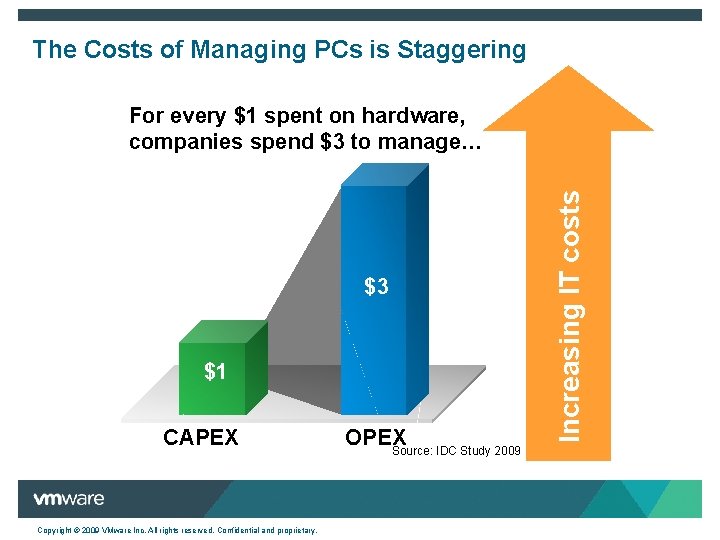
The Costs of Managing PCs is Staggering $3 $3 $1 CAPEX Copyright © 2009 VMware Inc. All rights reserved. Confidential and proprietary. OPEX Source: IDC Study 2009 Increasing IT costs For every $1 spent on hardware, companies spend $3 to manage…
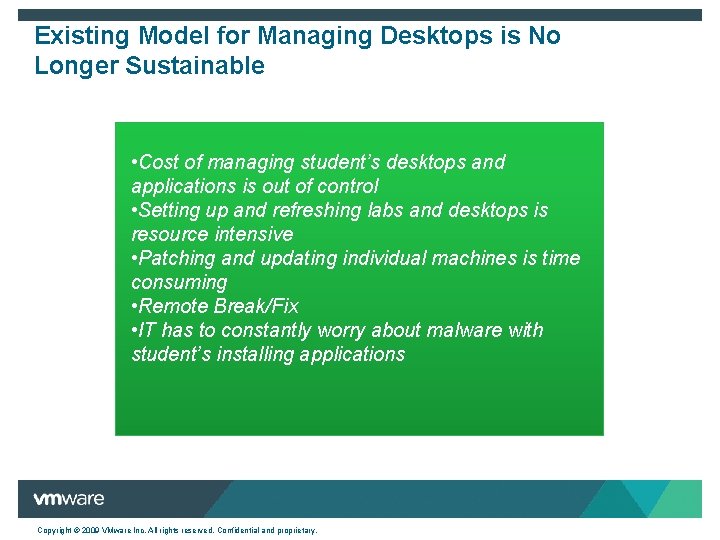
Existing Model for Managing Desktops is No Longer Sustainable • Cost of managing student’s desktops and applications is out of control • Setting up and refreshing labs and desktops is resource intensive • Patching and updating individual machines is time consuming • Remote Break/Fix • IT has to constantly worry about malware with student’s installing applications Copyright © 2009 VMware Inc. All rights reserved. Confidential and proprietary.
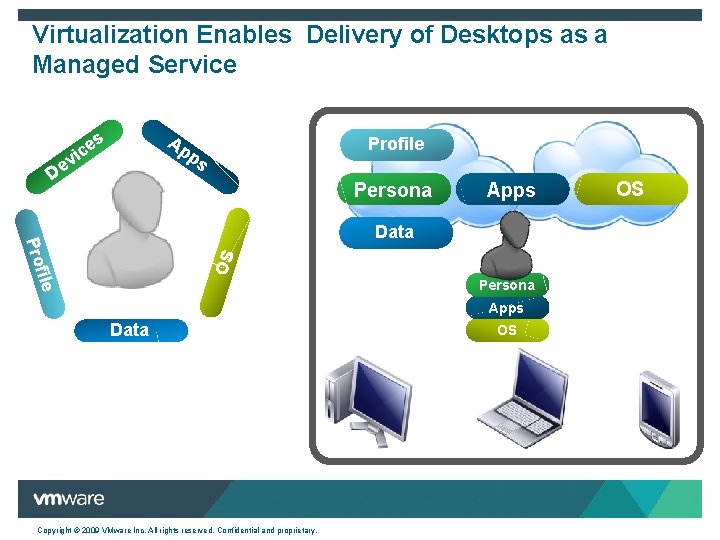
Virtualization Enables Delivery of Desktops as a Managed Service e ic s Ap p Profile s v e D Persona Apps OS OS OS file OS Pro Data Persona Apps Data Copyright © 2009 VMware Inc. All rights reserved. Confidential and proprietary. OS Apps OS
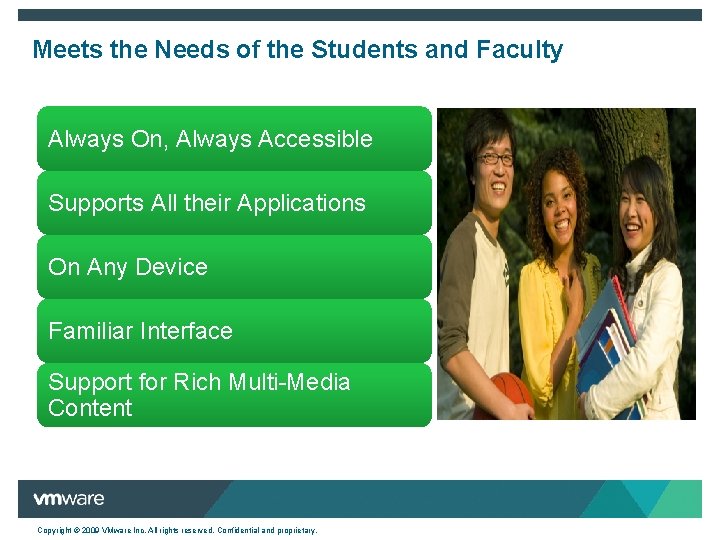
Meets the Needs of the Students and Faculty Always On, Always Accessible Supports All their Applications On Any Device Familiar Interface Support for Rich Multi-Media Content Copyright © 2009 VMware Inc. All rights reserved. Confidential and proprietary.
And the Needs of Education IT Quickly Provision Easily Manage Maintain Security Lower Costs High Availability Copyright © 2009 VMware Inc. All rights reserved. Confidential and proprietary.
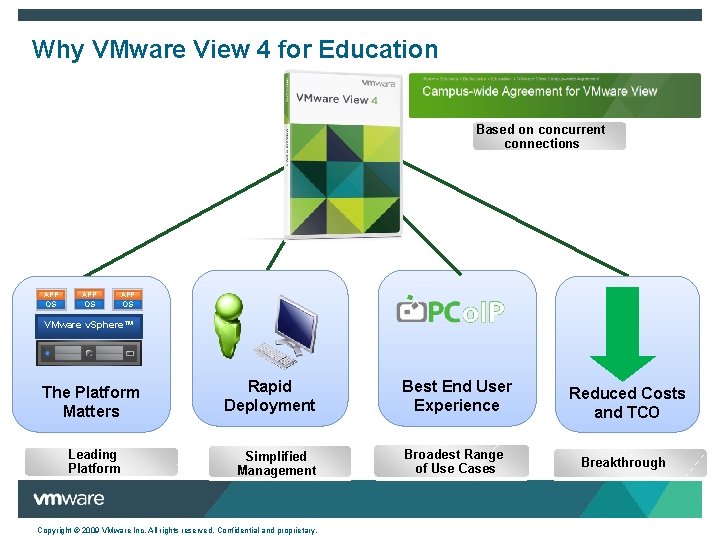
Why VMware View 4 for Education Based on concurrent connections APP APP OS OS OS VMware v. Sphere™ The Platform Matters Leading Platform Rapid Deployment Simplified Management Copyright © 2009 VMware Inc. All rights reserved. Confidential and proprietary. Best End User Experience Broadest Range of Use Cases Reduced Costs and TCO Breakthrough
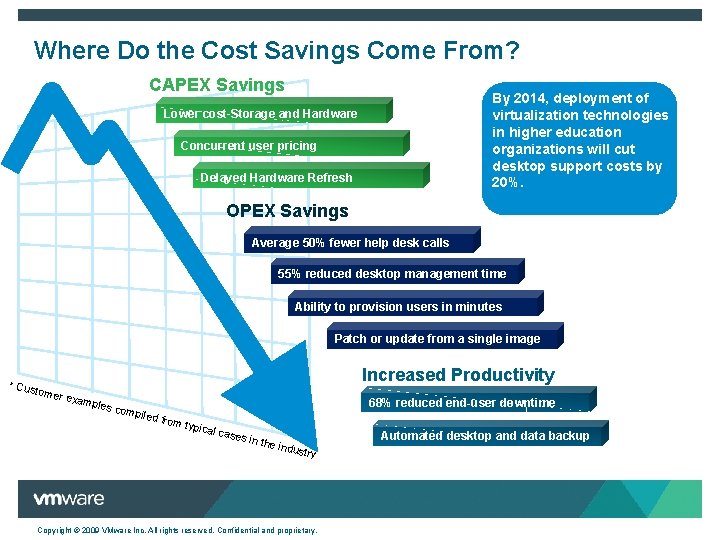
Where Do the Cost Savings Come From? CAPEX Savings By 2014, deployment of virtualization technologies in higher education organizations will cut desktop support costs by 20%. Lower cost Storage and Hardware Concurrent user pricing Delayed Hardware Refresh OPEX Savings Average 50% fewer help desk calls 55% reduced desktop management time Ability to provision users in minutes Patch or update from a single image * Cus tomer Increased Productivity exam ples c 68% reduced end-user downtime ompil ed fro m typ ical c ases in the indus try Copyright © 2009 VMware Inc. All rights reserved. Confidential and proprietary. Automated desktop and data backup
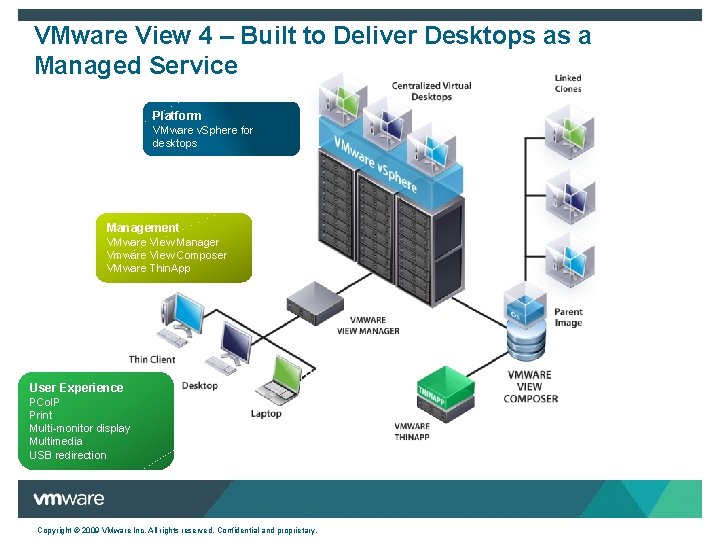
VMware View 4 – Built to Deliver Desktops as a Managed Service Platform VMware v. Sphere for desktops Management VMware View Manager Vmware View Composer VMware Thin. App User Experience PCo. IP Print Multi-monitor display Multimedia USB redirection Copyright © 2009 VMware Inc. All rights reserved. Confidential and proprietary.
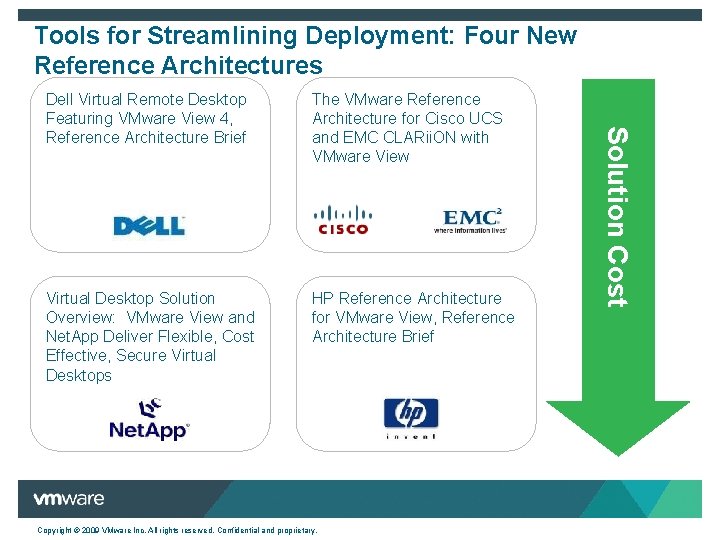
Tools for Streamlining Deployment: Four New Reference Architectures The VMware Reference Architecture for Cisco UCS and EMC CLARii. ON with VMware View Virtual Desktop Solution Overview: VMware View and Net. App Deliver Flexible, Cost Effective, Secure Virtual Desktops HP Reference Architecture for VMware View, Reference Architecture Brief Copyright © 2009 VMware Inc. All rights reserved. Confidential and proprietary. Solution Cost Dell Virtual Remote Desktop Featuring VMware View 4, Reference Architecture Brief
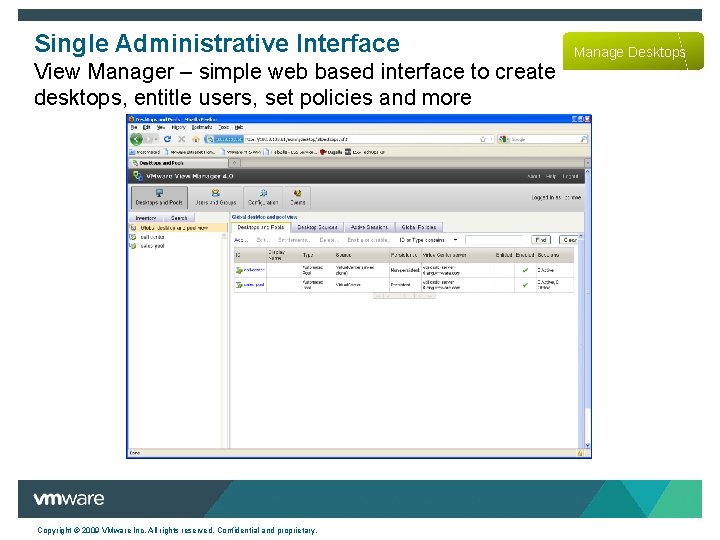
Single Administrative Interface View Manager – simple web based interface to create desktops, entitle users, set policies and more Copyright © 2009 VMware Inc. All rights reserved. Confidential and proprietary. Manage Desktops
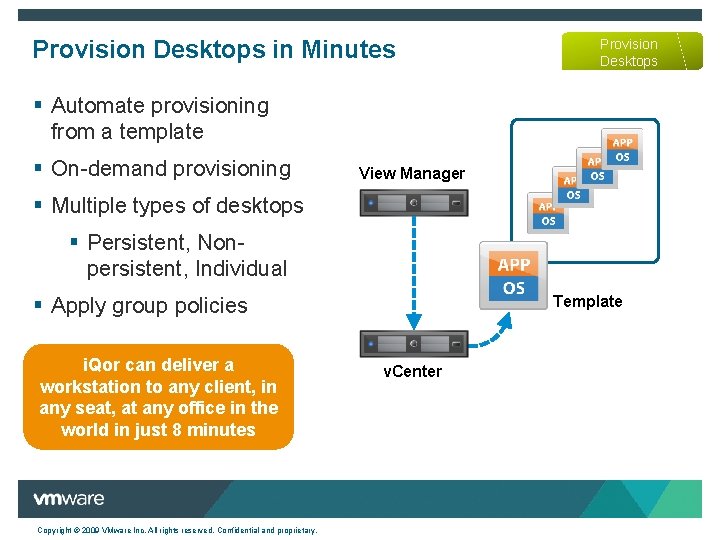
Provision Desktops in Minutes Provision Desktops § Automate provisioning from a template § On-demand provisioning View Manager § Multiple types of desktops § Persistent, Nonpersistent, Individual Template § Apply group policies i. Qor can deliver a workstation to any client, in any seat, at any office in the world in just 8 minutes Copyright © 2009 VMware Inc. All rights reserved. Confidential and proprietary. v. Center
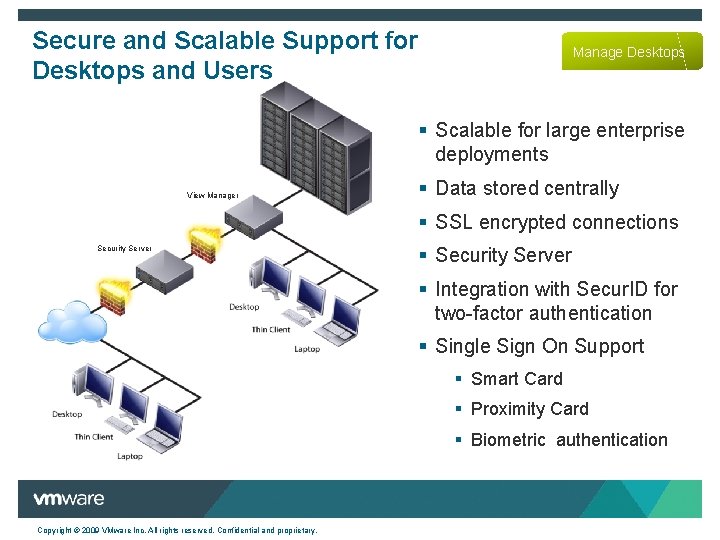
Secure and Scalable Support for Desktops and Users Manage Desktops § Scalable for large enterprise deployments View Manager § Data stored centrally § SSL encrypted connections § Security Server § Integration with Secur. ID for two-factor authentication Cli en t § Single Sign On Support § Smart Card § Proximity Card § Biometric authentication Copyright © 2009 VMware Inc. All rights reserved. Confidential and proprietary.
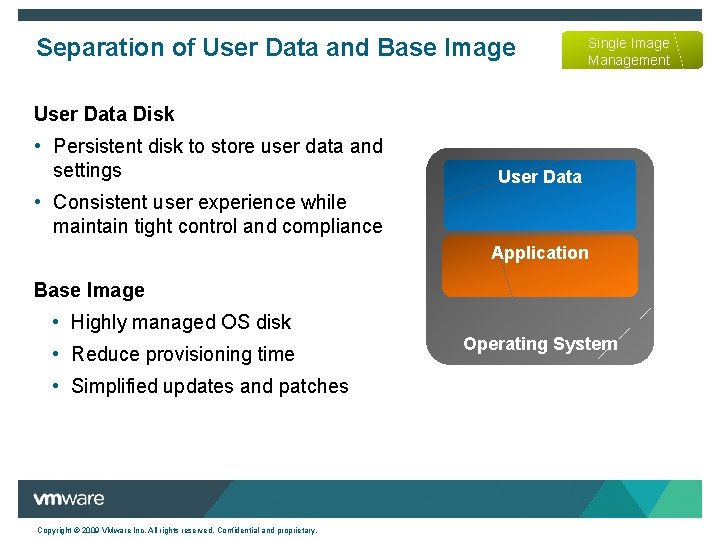
Separation of User Data and Base Image Single Image Management User Data Disk • Persistent disk to store user data and settings User Data • Consistent user experience while maintain tight control and compliance Application Base Image • Highly managed OS disk • Reduce provisioning time • Simplified updates and patches Copyright © 2009 VMware Inc. All rights reserved. Confidential and proprietary. Operating System
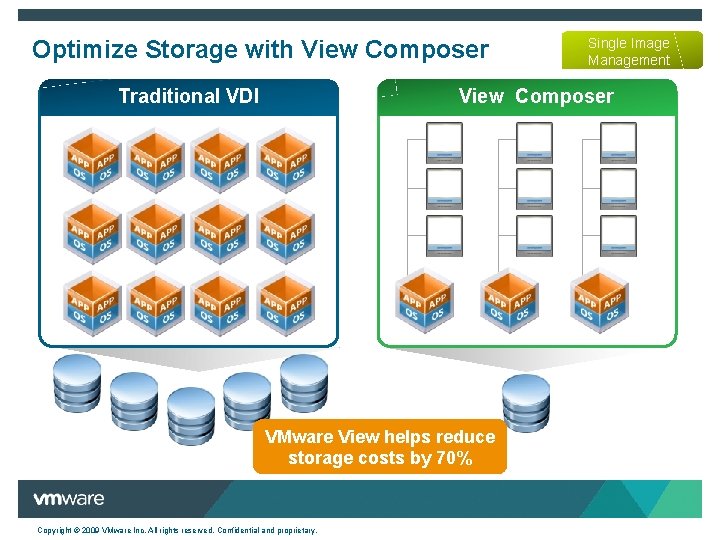
Optimize Storage with View Composer Single Image Management View Composer Traditional VDI VMware View helps reduce storage costs by 70% Copyright © 2009 VMware Inc. All rights reserved. Confidential and proprietary.
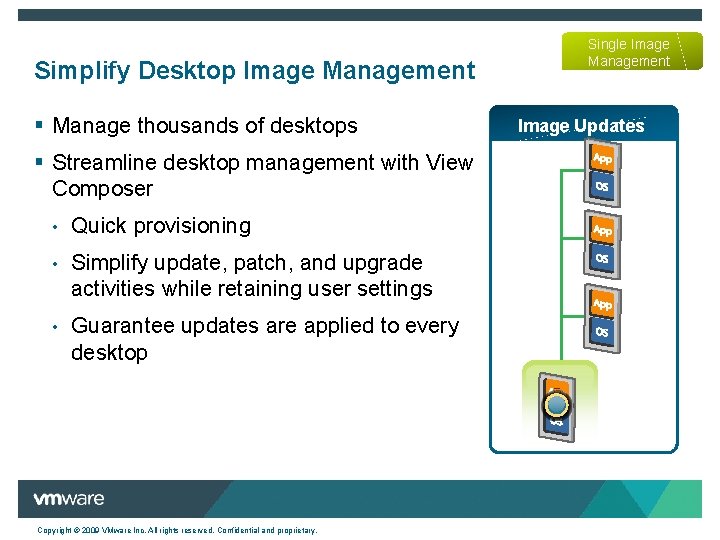
Simplify Desktop Image Management § Manage thousands of desktops § Streamline desktop management with View Composer • Quick provisioning • Simplify update, patch, and upgrade activities while retaining user settings • Guarantee updates are applied to every desktop Copyright © 2009 VMware Inc. All rights reserved. Confidential and proprietary. Single Image Management Image Updates
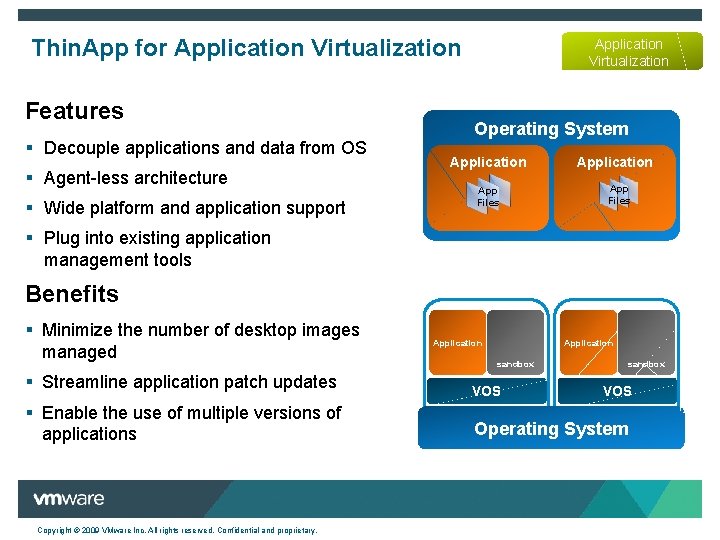
Thin. App for Application Virtualization Features § Decouple applications and data from OS § Agent-less architecture § Wide platform and application support Application Virtualization Operating System Application App Files § Plug into existing application management tools Benefits § Minimize the number of desktop images managed Application sandbox § Streamline application patch updates VOS § Enable the use of multiple versions of applications Operating System Copyright © 2009 VMware Inc. All rights reserved. Confidential and proprietary. VOS
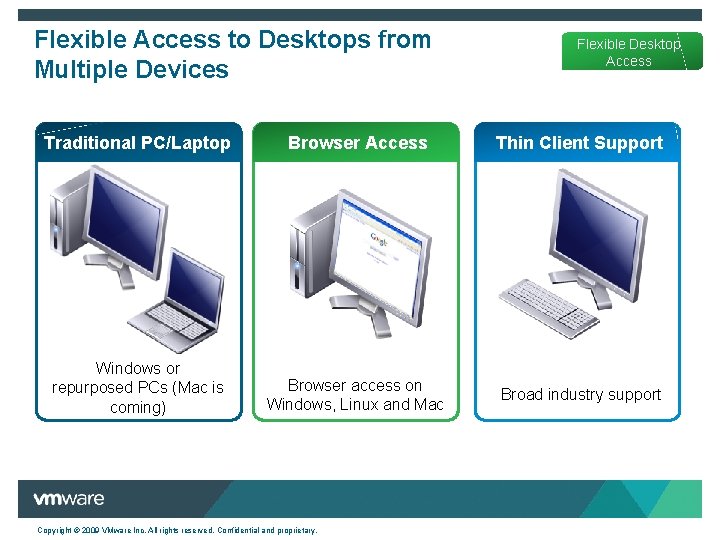
Flexible Access to Desktops from Multiple Devices Flexible Desktop Access Traditional PC/Laptop Browser Access Thin Client Support Windows or repurposed PCs (Mac is coming) Browser access on Windows, Linux and Mac Broad industry support Copyright © 2009 VMware Inc. All rights reserved. Confidential and proprietary.
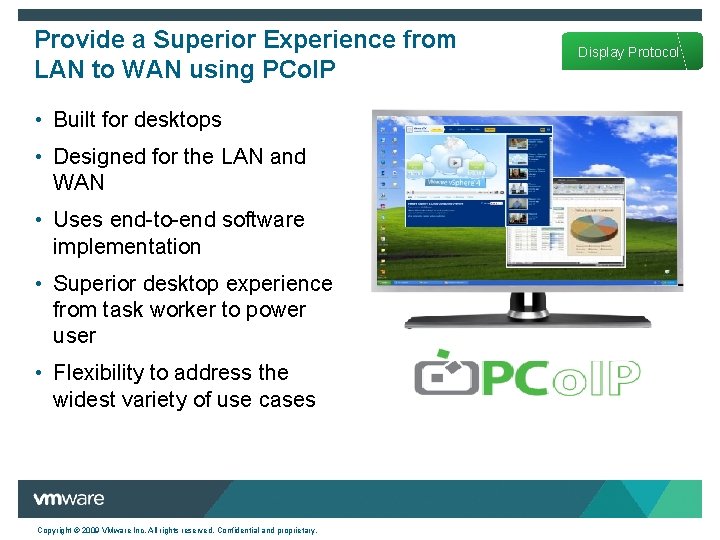
Provide a Superior Experience from LAN to WAN using PCo. IP • Built for desktops • Designed for the LAN and WAN • Uses end-to-end software implementation • Superior desktop experience from task worker to power user • Flexibility to address the widest variety of use cases Copyright © 2009 VMware Inc. All rights reserved. Confidential and proprietary. Display Protocol
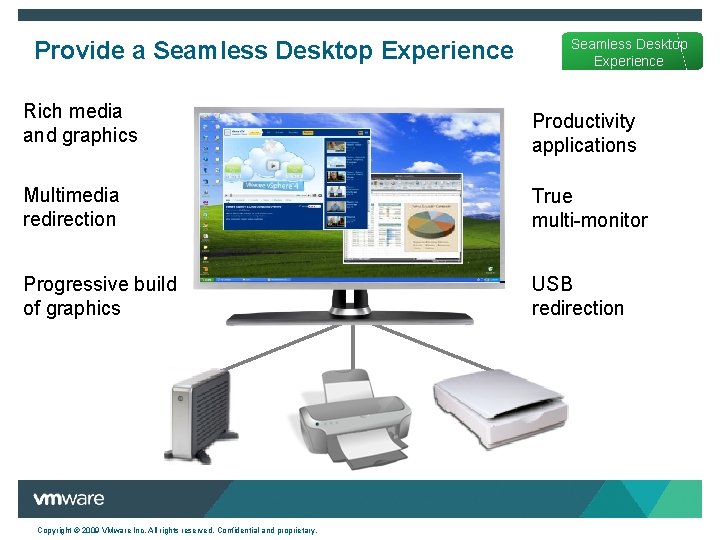
Provide a Seamless Desktop Experience Rich media and graphics Productivity applications Multimedia redirection True multi-monitor Progressive build of graphics USB redirection Copyright © 2009 VMware Inc. All rights reserved. Confidential and proprietary.
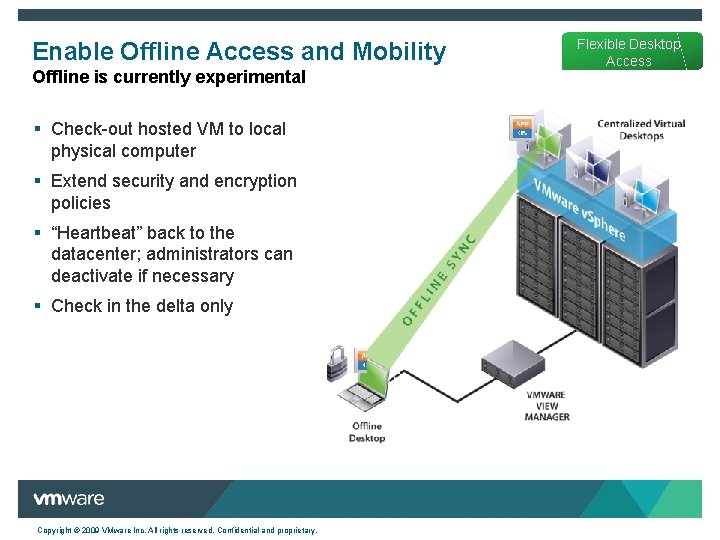
Enable Offline Access and Mobility Offline is currently experimental § Check-out hosted VM to local physical computer § Extend security and encryption policies § “Heartbeat” back to the datacenter; administrators can deactivate if necessary § Check in the delta only Copyright © 2009 VMware Inc. All rights reserved. Confidential and proprietary. Flexible Desktop Access
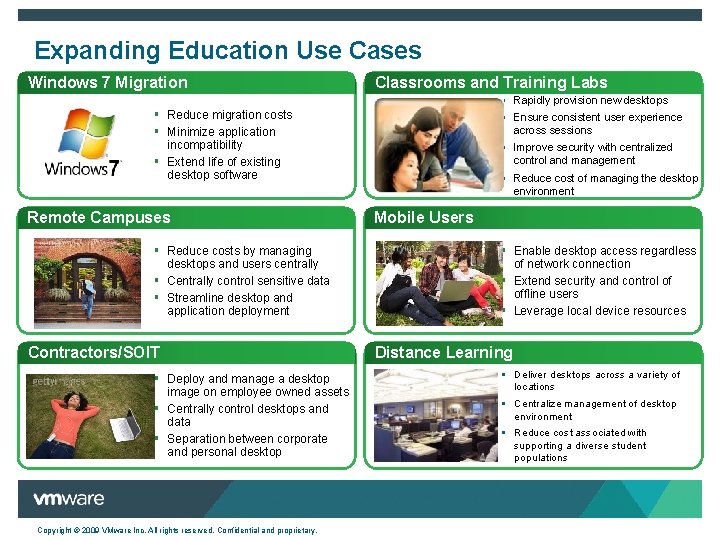
Expanding Education Use Cases Windows 7 Migration Classrooms and Training Labs § Rapidly provision new desktops § Ensure consistent user experience across sessions § Improve security with centralized control and management § Reduce cost of managing the desktop environment § Reduce migration costs § Minimize application incompatibility § Extend life of existing desktop software Remote Campuses § Reduce costs by managing desktops and users centrally § Centrally control sensitive data § Streamline desktop and application deployment Contractors/SOIT § Deploy and manage a desktop image on employee owned assets § Centrally control desktops and data § Separation between corporate and personal desktop Copyright © 2009 VMware Inc. All rights reserved. Confidential and proprietary. Mobile Users § Enable desktop access regardless of network connection § Extend security and control of offline users § Leverage local device resources Distance Learning § Deliver desktops across a variety of locations § Centralize management of desktop environment § Reduce cost associated with supporting a diverse student populations
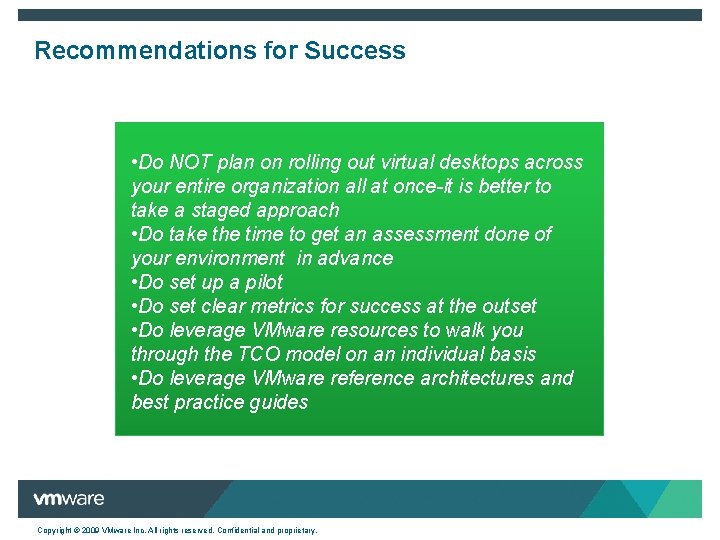
Recommendations for Success • Do NOT plan on rolling out virtual desktops across your entire organization all at once-it is better to take a staged approach • Do take the time to get an assessment done of your environment in advance • Do set up a pilot • Do set clear metrics for success at the outset • Do leverage VMware resources to walk you through the TCO model on an individual basis • Do leverage VMware reference architectures and best practice guides Copyright © 2009 VMware Inc. All rights reserved. Confidential and proprietary.
Learn more about VMware View 4 More information on VMware View: http: //www. vmware. com/products/view/ Download and evaluate VMware View: www. vmware. com/download/view/ Use the VMware View TCO calculator: http: //www. vmware. com/products/vi/calculator. html Copyright © 2009 VMware Inc. All rights reserved. Confidential and proprietary.
Thank You! Copyright © 2009 VMware Inc. All rights reserved. Confidential and proprietary.