
Introduction to Value Options On Track Outcomes Eric
- Slides: 19
Introduction to Value. Options® On Track Outcomes Eric Hamilton, M. S. Vice President of Clinical Informatics, Value. Options Jeb Brown, Ph. D. Director, Center for Clinical Informatics 1
Overview n Benefits of the On Track program n Background on outcomes-informed care n How On Track works n Questions 2
What is On Track Outcomes? n A client-centered outcomes informed care program n Designed to support clinicians as they help clients achieve their goals n Utilizes a standardized, client-completed questionnaire and rapid feedback to provider Disclaimer: The Value. Options On Track Outcomes program does not make recommendations or decisions about appropriate clinical care or service. Any questionnaires, reports, guidelines and other material related to this program are intended as an informational aid to network clinicians. They do not substitute for or limit in any way the use of other resources and the clinician's own professional judgment in the delivery of counseling services. 3
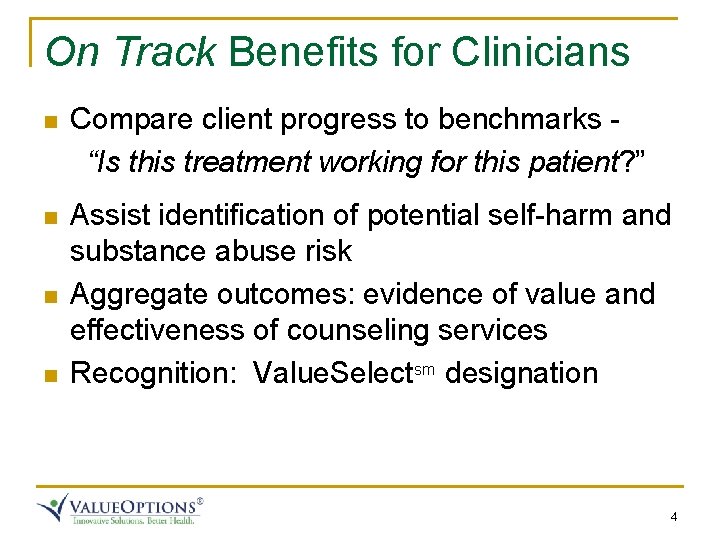
On Track Benefits for Clinicians n Compare client progress to benchmarks “Is this treatment working for this patient? ” n Assist identification of potential self-harm and substance abuse risk Aggregate outcomes: evidence of value and effectiveness of counseling services Recognition: Value. Selectsm designation n n 4
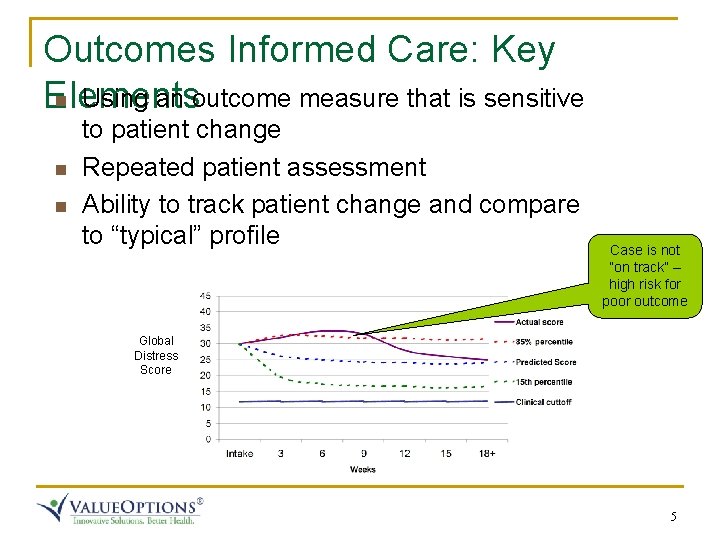
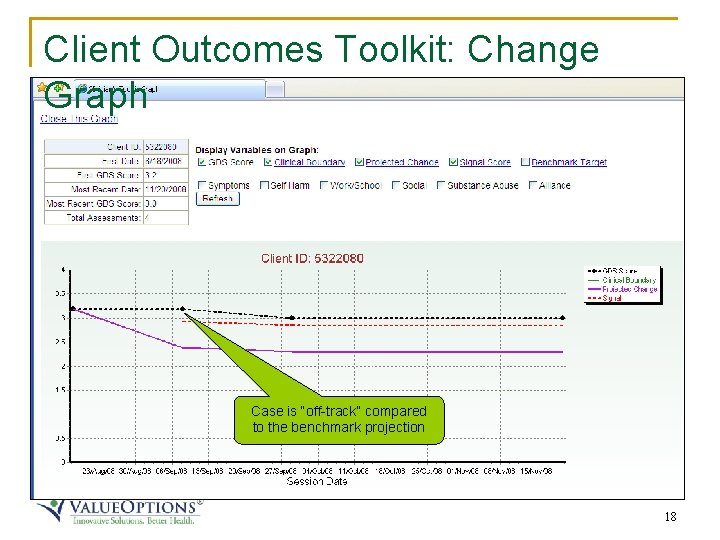
Outcomes Informed Care: Key n Using an outcome measure that is sensitive Elements n n to patient change Repeated patient assessment Ability to track patient change and compare to “typical” profile Case is not “on track” – high risk for poor outcome Global Distress Score 5
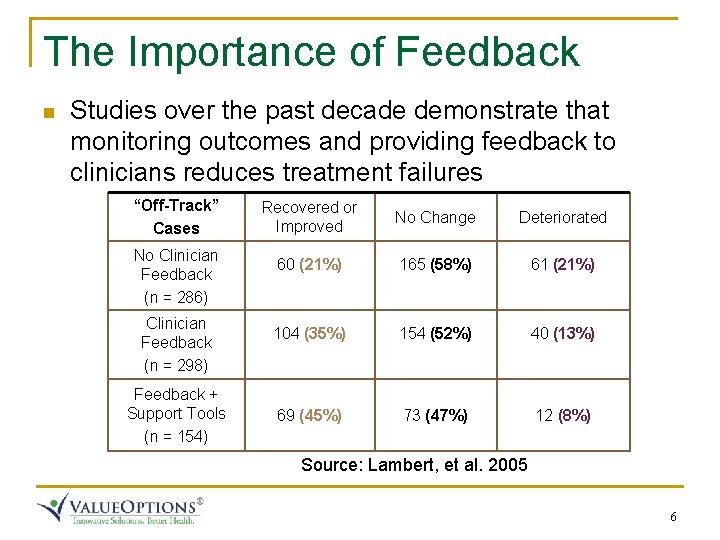
The Importance of Feedback n Studies over the past decade demonstrate that monitoring outcomes and providing feedback to clinicians reduces treatment failures “Off-Track” Cases No Clinician Feedback (n = 286) Clinician Feedback (n = 298) Feedback + Support Tools (n = 154) Recovered or Improved No Change Deteriorated 60 (21%) 165 (58%) 61 (21%) 104 (35%) 154 (52%) 40 (13%) 69 (45%) 73 (47%) 12 (8%) Source: Lambert, et al. 2005 6
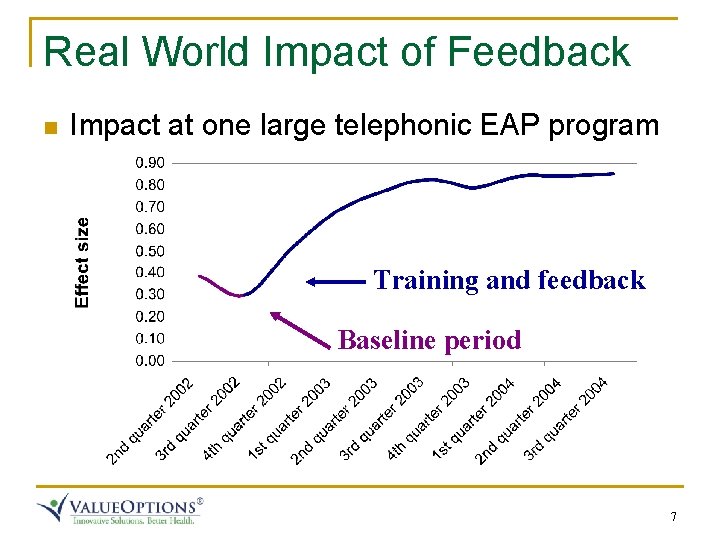
Real World Impact of Feedback n Impact at one large telephonic EAP program Training and feedback Baseline period 7
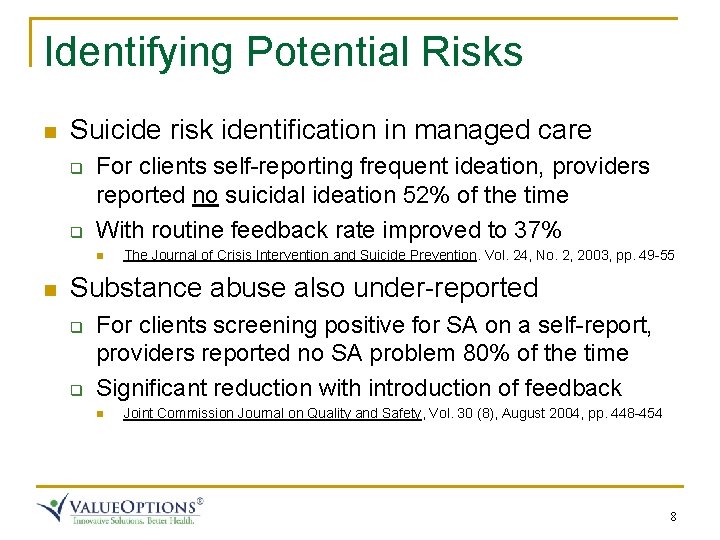
Identifying Potential Risks n Suicide risk identification in managed care q q For clients self-reporting frequent ideation, providers reported no suicidal ideation 52% of the time With routine feedback rate improved to 37% n n The Journal of Crisis Intervention and Suicide Prevention. Vol. 24, No. 2, 2003, pp. 49 -55 Substance abuse also under-reported q q For clients screening positive for SA on a self-report, providers reported no SA problem 80% of the time Significant reduction with introduction of feedback n Joint Commission Journal on Quality and Safety, Vol. 30 (8), August 2004, pp. 448 -454 8
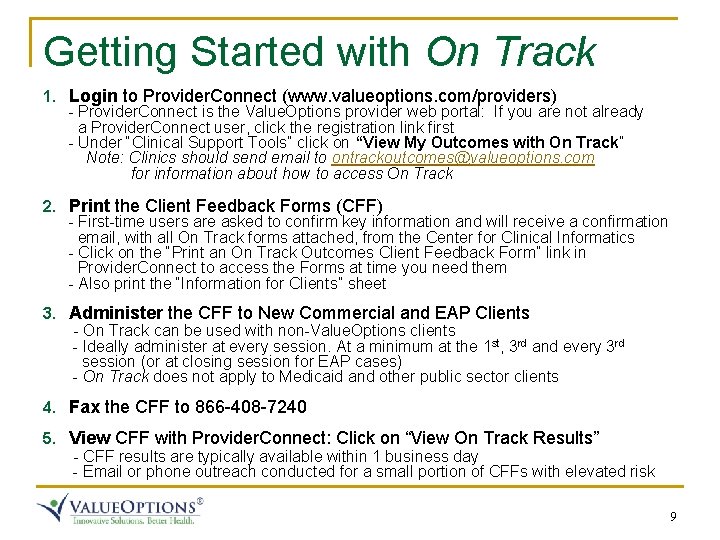
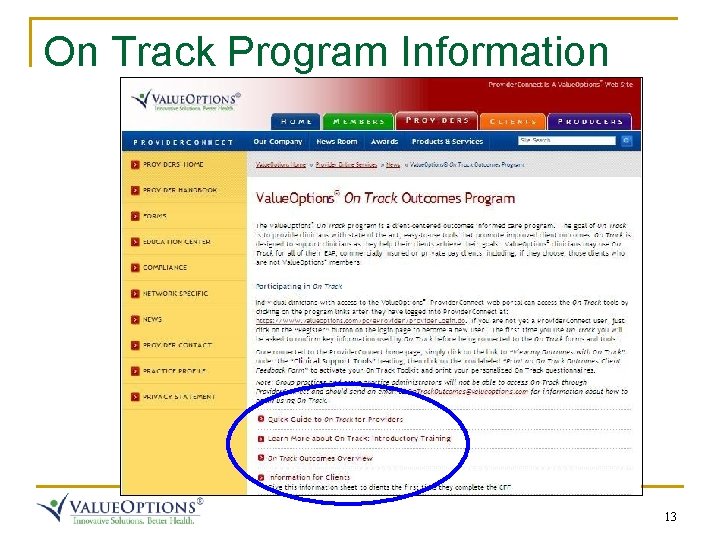
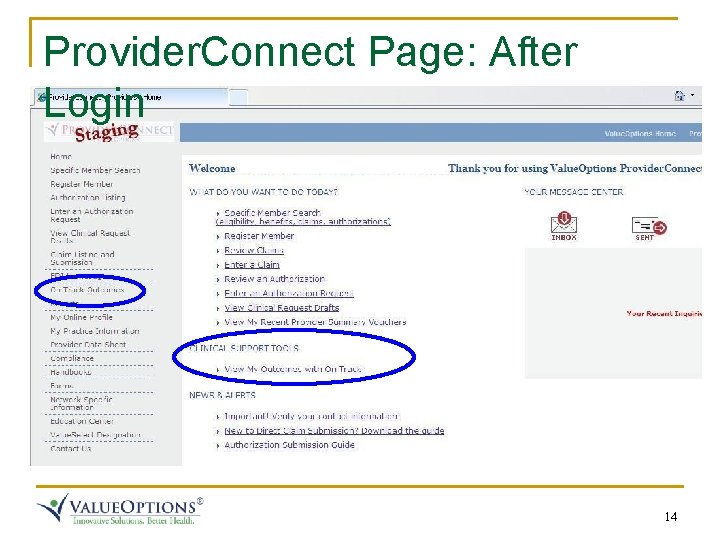
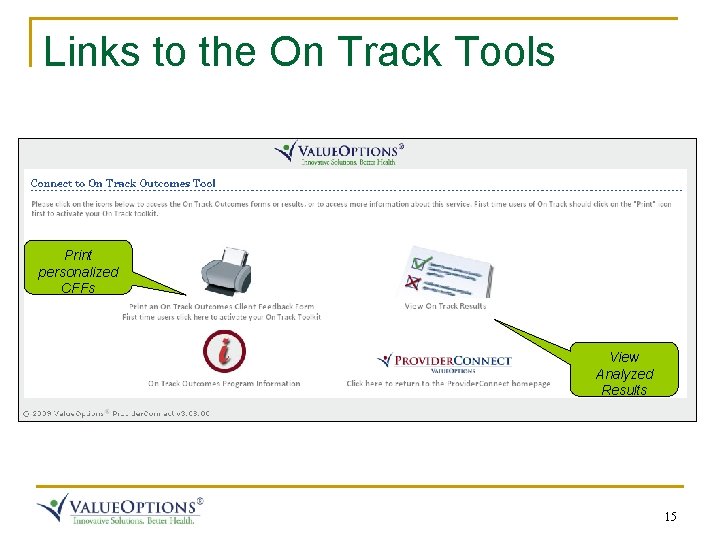
Getting Started with On Track 1. Login to Provider. Connect (www. valueoptions. com/providers) - Provider. Connect is the Value. Options provider web portal: If you are not already a Provider. Connect user, click the registration link first - Under “Clinical Support Tools” click on “View My Outcomes with On Track” Note: Clinics should send email to ontrackoutcomes@valueoptions. com for information about how to access On Track 2. Print the Client Feedback Forms (CFF) - First-time users are asked to confirm key information and will receive a confirmation email, with all On Track forms attached, from the Center for Clinical Informatics - Click on the “Print an On Track Outcomes Client Feedback Form” link in Provider. Connect to access the Forms at time you need them - Also print the “Information for Clients” sheet 3. Administer the CFF to New Commercial and EAP Clients - On Track can be used with non-Value. Options clients - Ideally administer at every session. At a minimum at the 1 st, 3 rd and every 3 rd session (or at closing session for EAP cases) - On Track does not apply to Medicaid and other public sector clients 4. Fax the CFF to 866 -408 -7240 5. View CFF with Provider. Connect: Click on “View On Track Results” - CFF results are typically available within 1 business day - Email or phone outreach conducted for a small portion of CFFs with elevated risk 9
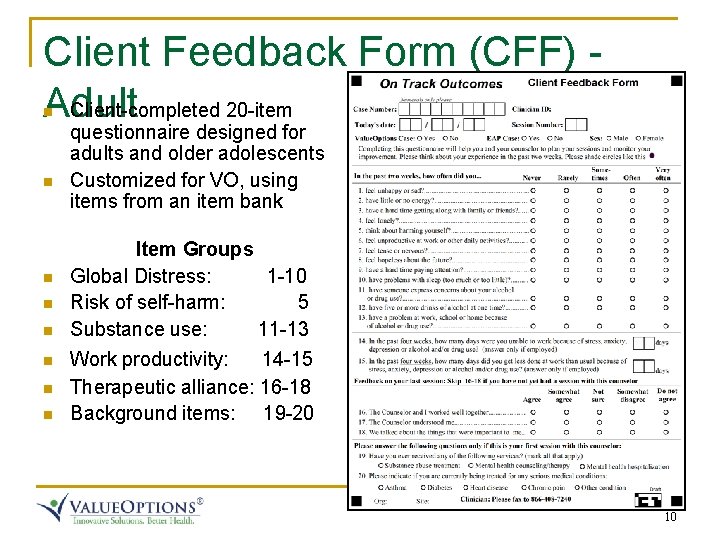
Client Feedback Form (CFF) Adult Client-completed 20 -item n n n n questionnaire designed for adults and older adolescents Customized for VO, using items from an item bank Item Groups Global Distress: 1 -10 Risk of self-harm: 5 Substance use: 11 -13 Work productivity: 14 -15 Therapeutic alliance: 16 -18 Background items: 19 -20 10
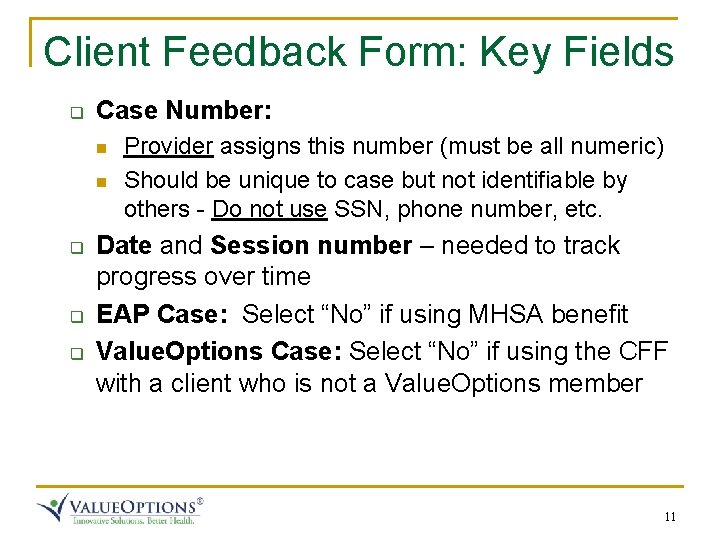
Client Feedback Form: Key Fields q Case Number: n n q q q Provider assigns this number (must be all numeric) Should be unique to case but not identifiable by others - Do not use SSN, phone number, etc. Date and Session number – needed to track progress over time EAP Case: Select “No” if using MHSA benefit Value. Options Case: Select “No” if using the CFF with a client who is not a Value. Options member 11
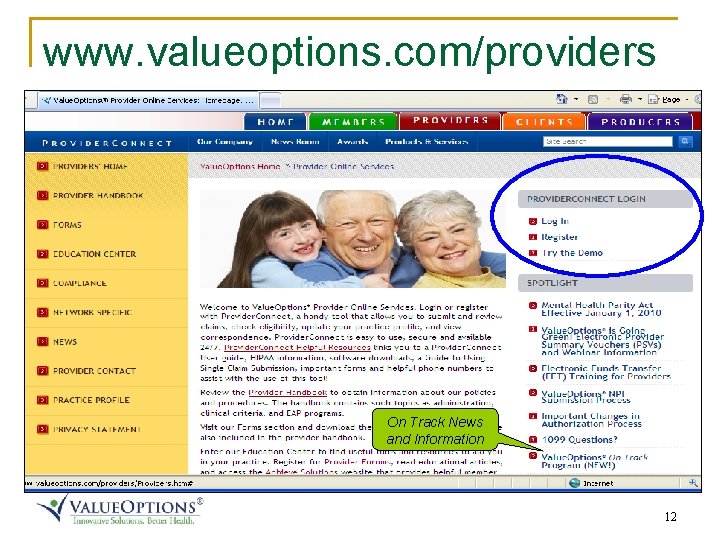
www. valueoptions. com/providers On Track News and Information 12
On Track Program Information 13
Provider. Connect Page: After Login 14
Links to the On Track Tools Print personalized CFFs View Analyzed Results 15
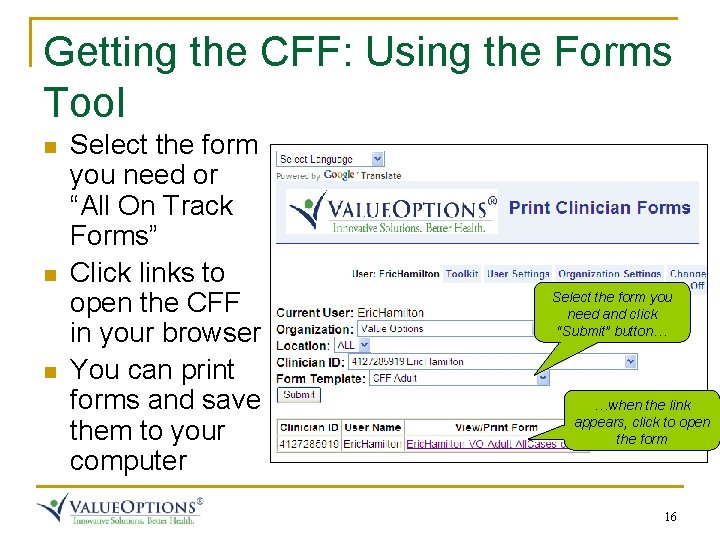
Getting the CFF: Using the Forms Tool n n n Select the form you need or “All On Track Forms” Click links to open the CFF in your browser You can print forms and save them to your computer Select the form you need and click “Submit” button… …when the link appears, click to open the form 16
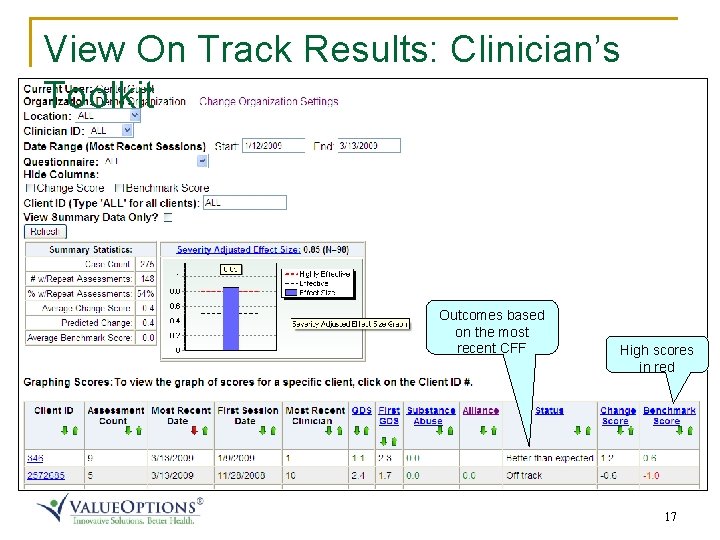
View On Track Results: Clinician’s Toolkit Outcomes based on the most recent CFF High scores in red 17
Client Outcomes Toolkit: Change Graph Case is “off-track” compared to the benchmark projection 18
Questions and Discussion Resources for Questions q Frequently Asked Questions On the web site, near bottom of the Value. Options page q q Technical/Data/Web: Email to datacenter@clinical-informatics. com General comments or questions: Email to On. Track. Outcomes@valueoptions. com 19