
Introduction to the WASP Interface WASP 7 Course
- Slides: 28
Introduction to the WASP Interface WASP 7 Course
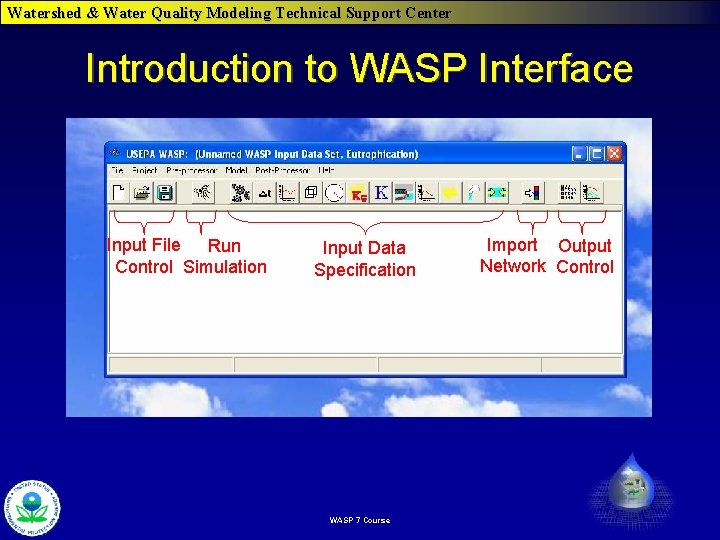
Watershed & Water Quality Modeling Technical Support Center Introduction to WASP Interface Input File Run Control Simulation Input Data Specification WASP 7 Course Import Output Network Control
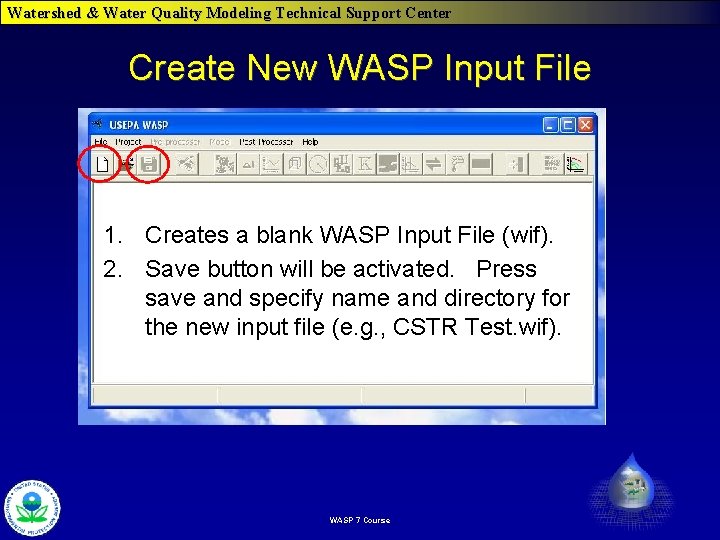
Watershed & Water Quality Modeling Technical Support Center Create New WASP Input File 1. Creates a blank WASP Input File (wif). 2. Save button will be activated. Press save and specify name and directory for the new input file (e. g. , CSTR Test. wif). WASP 7 Course
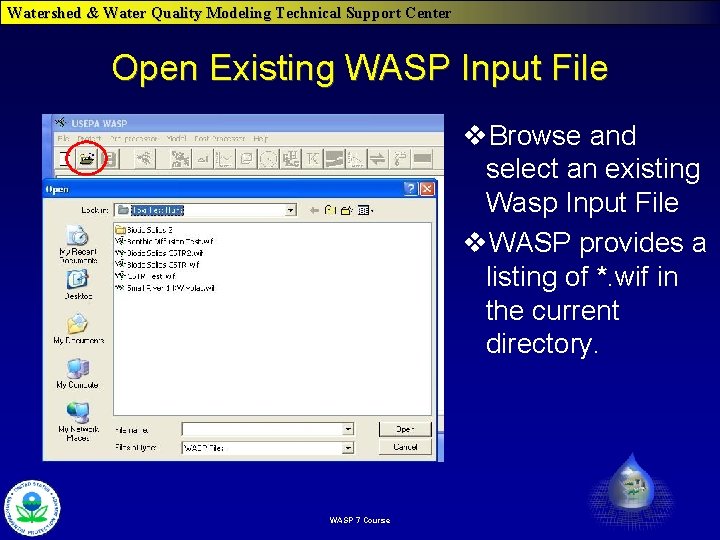
Watershed & Water Quality Modeling Technical Support Center Open Existing WASP Input File v. Browse and select an existing Wasp Input File v. WASP provides a listing of *. wif in the current directory. WASP 7 Course
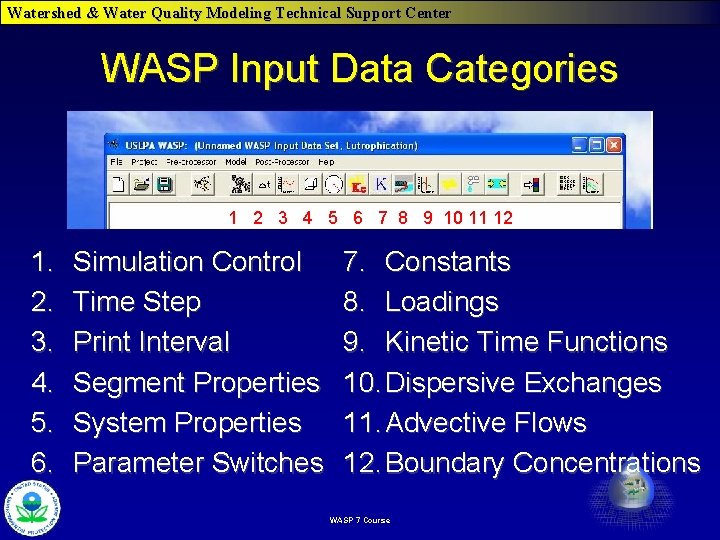
Watershed & Water Quality Modeling Technical Support Center WASP Input Data Categories 1 2 3 4 5 6 7 8 9 10 11 12 1. 2. 3. 4. 5. 6. Simulation Control Time Step Print Interval Segment Properties System Properties Parameter Switches 7. Constants 8. Loadings 9. Kinetic Time Functions 10. Dispersive Exchanges 11. Advective Flows 12. Boundary Concentrations WASP 7 Course
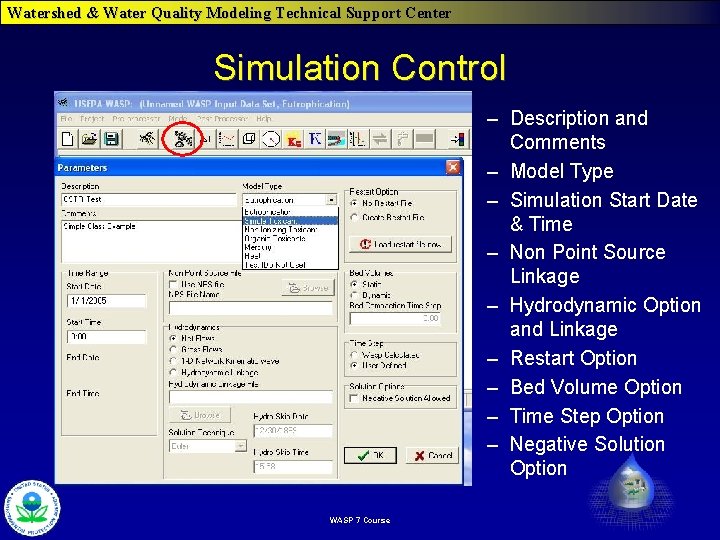
Watershed & Water Quality Modeling Technical Support Center Simulation Control – Description and Comments – Model Type – Simulation Start Date & Time – Non Point Source Linkage – Hydrodynamic Option and Linkage – Restart Option – Bed Volume Option – Time Step Option – Negative Solution Option WASP 7 Course
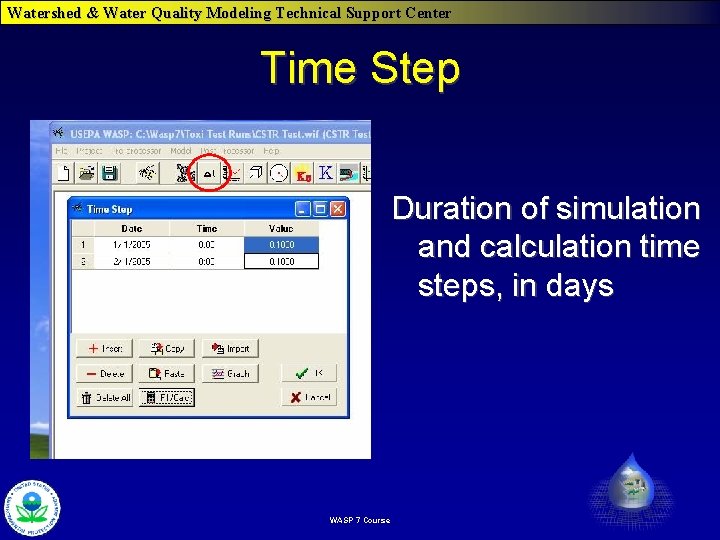
Watershed & Water Quality Modeling Technical Support Center Time Step Duration of simulation and calculation time steps, in days WASP 7 Course
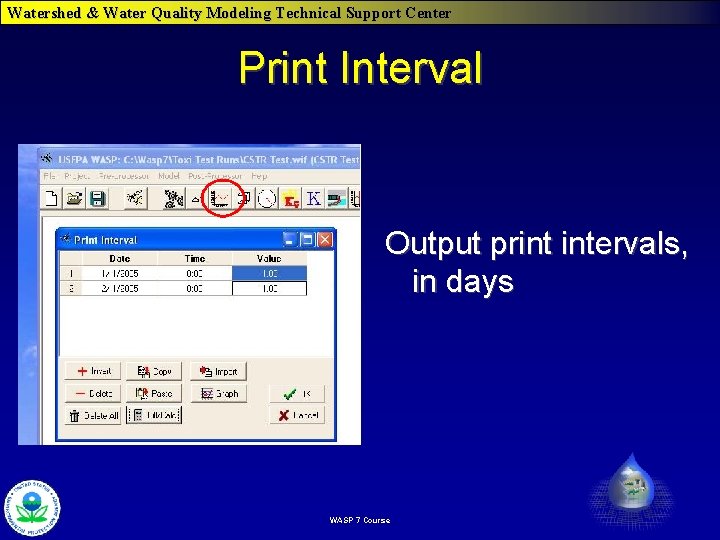
Watershed & Water Quality Modeling Technical Support Center Print Interval Output print intervals, in days WASP 7 Course
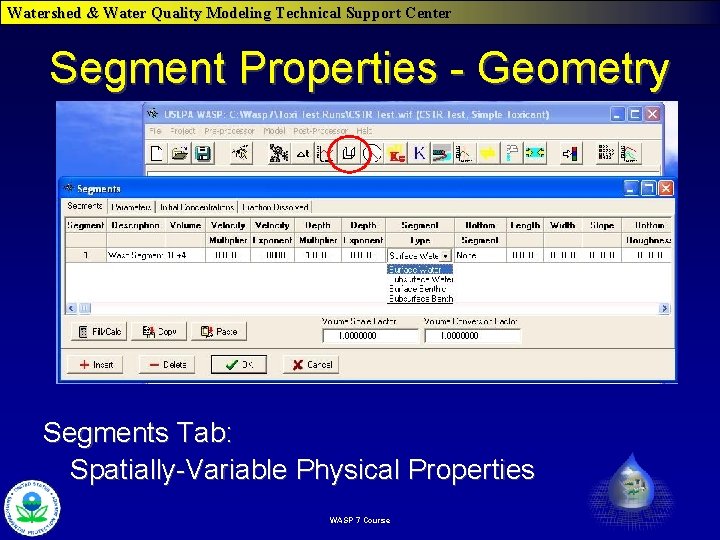
Watershed & Water Quality Modeling Technical Support Center Segment Properties - Geometry Segments Tab: Spatially-Variable Physical Properties WASP 7 Course
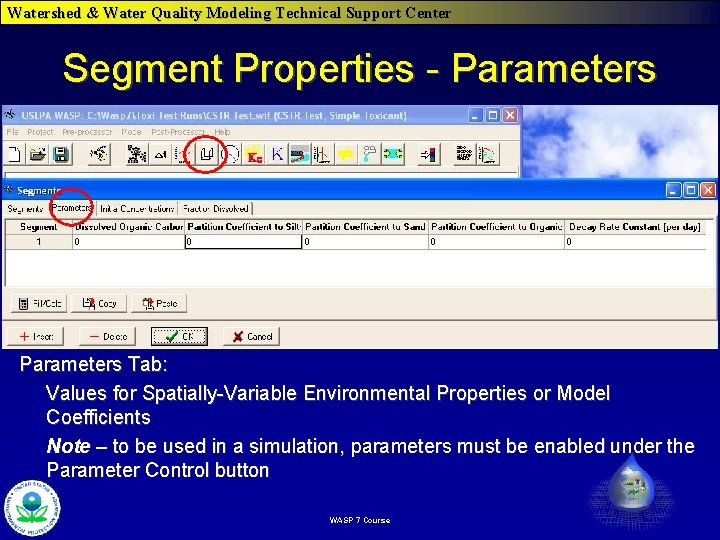
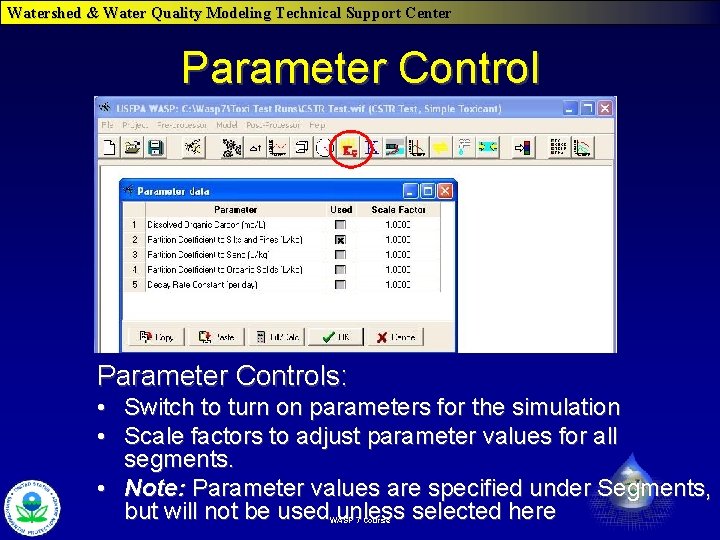
Watershed & Water Quality Modeling Technical Support Center Segment Properties - Parameters Tab: Values for Spatially-Variable Environmental Properties or Model Coefficients Note – to be used in a simulation, parameters must be enabled under the Parameter Control button WASP 7 Course
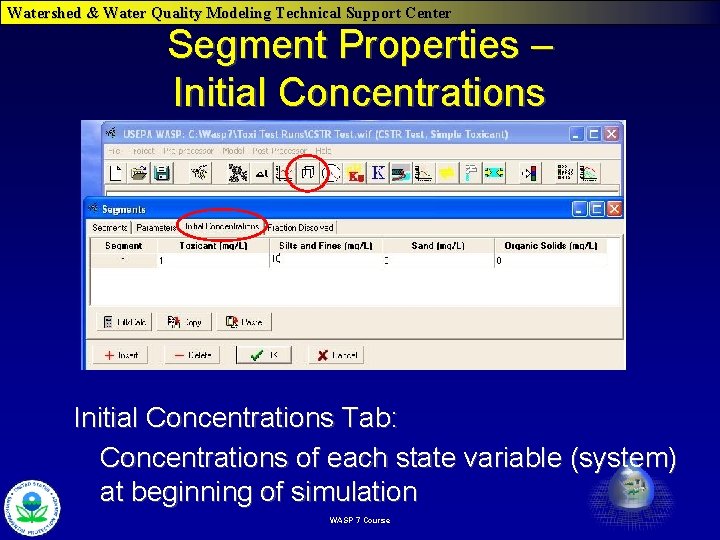
Watershed & Water Quality Modeling Technical Support Center Segment Properties – Initial Concentrations Tab: Concentrations of each state variable (system) at beginning of simulation WASP 7 Course
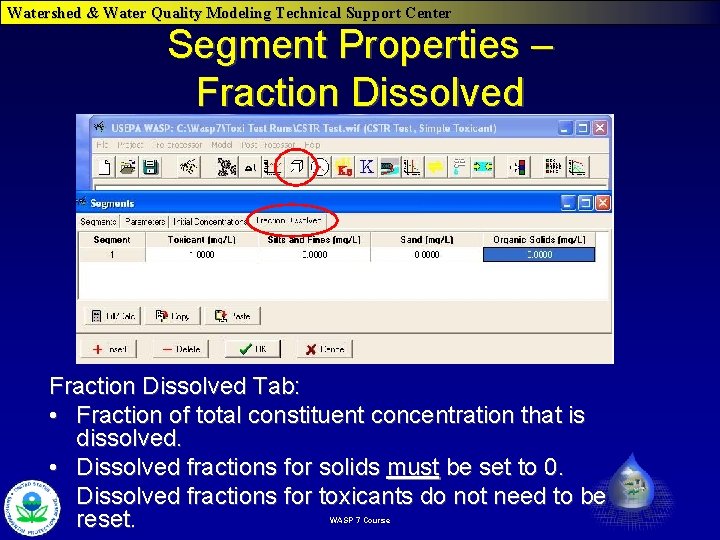
Watershed & Water Quality Modeling Technical Support Center Segment Properties – Fraction Dissolved Tab: • Fraction of total constituent concentration that is dissolved. • Dissolved fractions for solids must be set to 0. • Dissolved fractions for toxicants do not need to be reset. WASP 7 Course
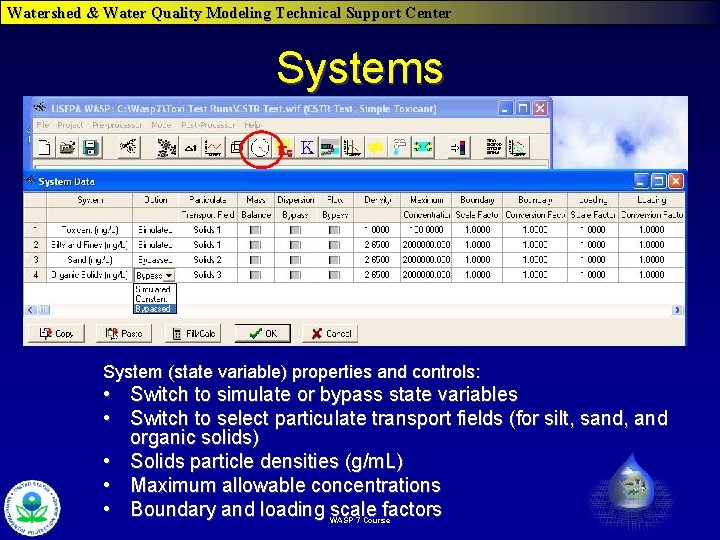
Watershed & Water Quality Modeling Technical Support Center Systems System (state variable) properties and controls: • Switch to simulate or bypass state variables • Switch to select particulate transport fields (for silt, sand, and organic solids) • Solids particle densities (g/m. L) • Maximum allowable concentrations • Boundary and loading scale factors WASP 7 Course
Watershed & Water Quality Modeling Technical Support Center Parameter Controls: • Switch to turn on parameters for the simulation • Scale factors to adjust parameter values for all segments. • Note: Parameter values are specified under Segments, but will not be used unless selected here WASP 7 Course
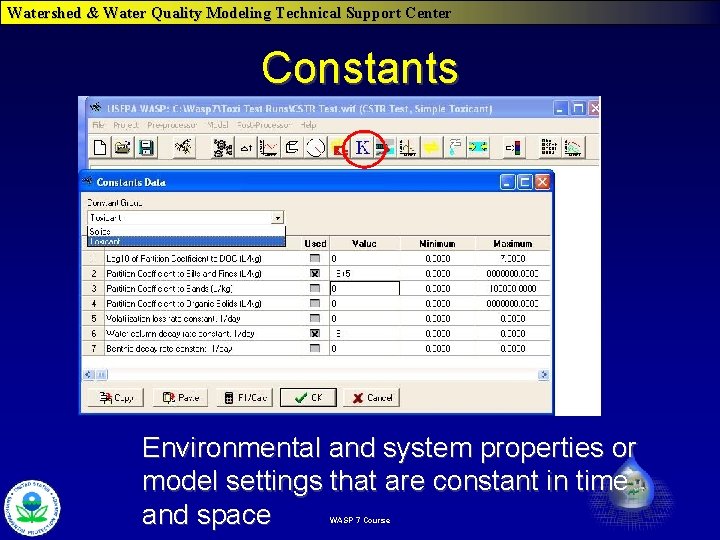
Watershed & Water Quality Modeling Technical Support Center Constants Environmental and system properties or model settings that are constant in time and space WASP 7 Course
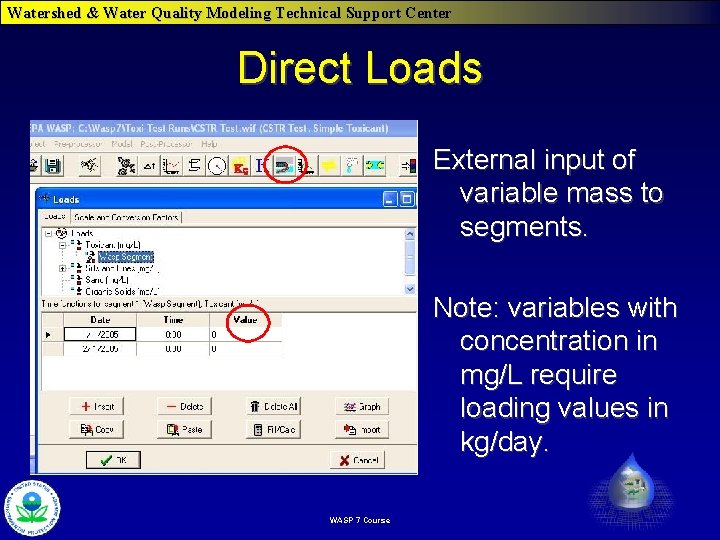
Watershed & Water Quality Modeling Technical Support Center Direct Loads External input of variable mass to segments. Note: variables with concentration in mg/L require loading values in kg/day. WASP 7 Course
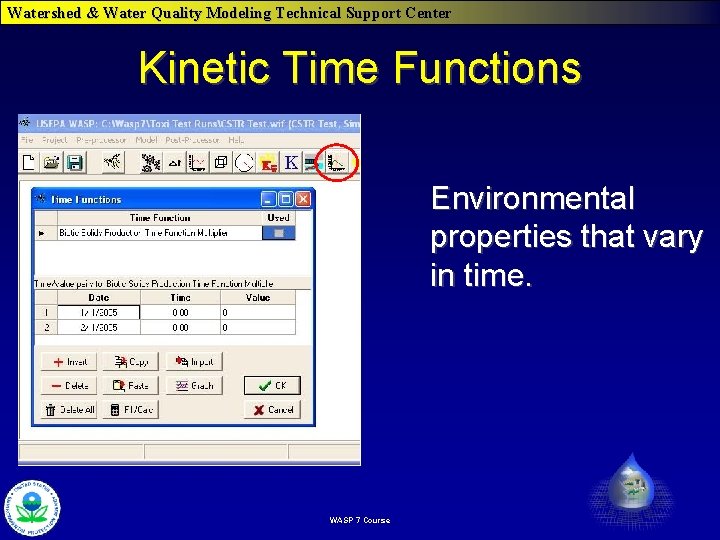
Watershed & Water Quality Modeling Technical Support Center Kinetic Time Functions Environmental properties that vary in time. WASP 7 Course
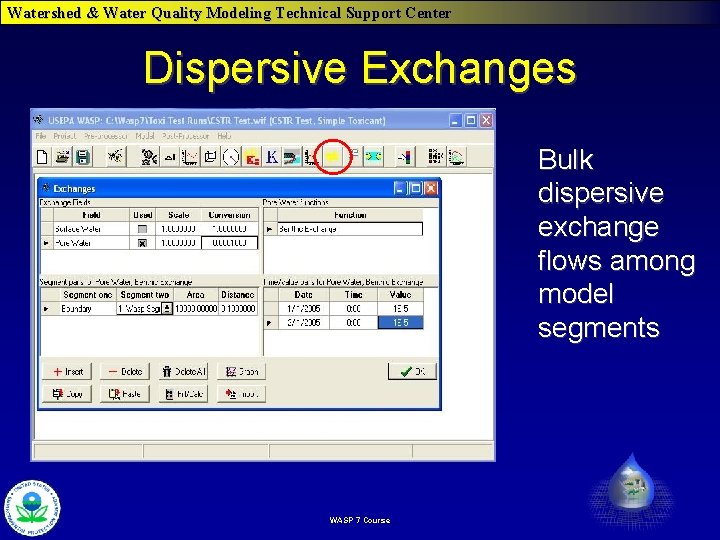
Watershed & Water Quality Modeling Technical Support Center Dispersive Exchanges Bulk dispersive exchange flows among model segments WASP 7 Course
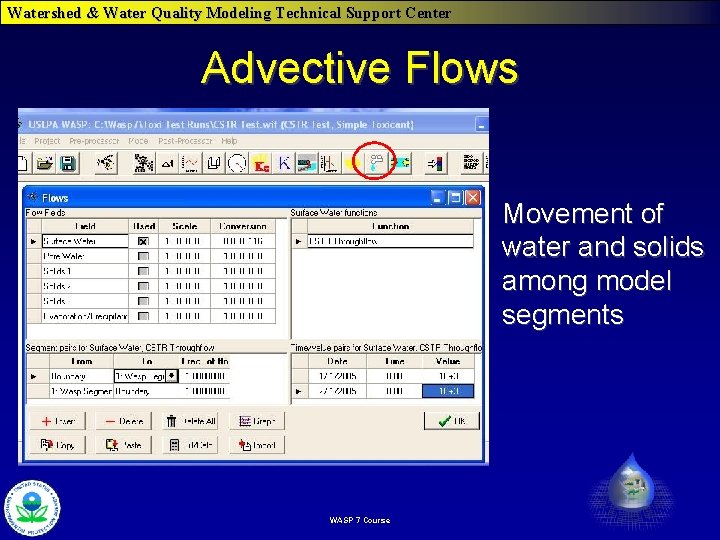
Watershed & Water Quality Modeling Technical Support Center Advective Flows Movement of water and solids among model segments WASP 7 Course
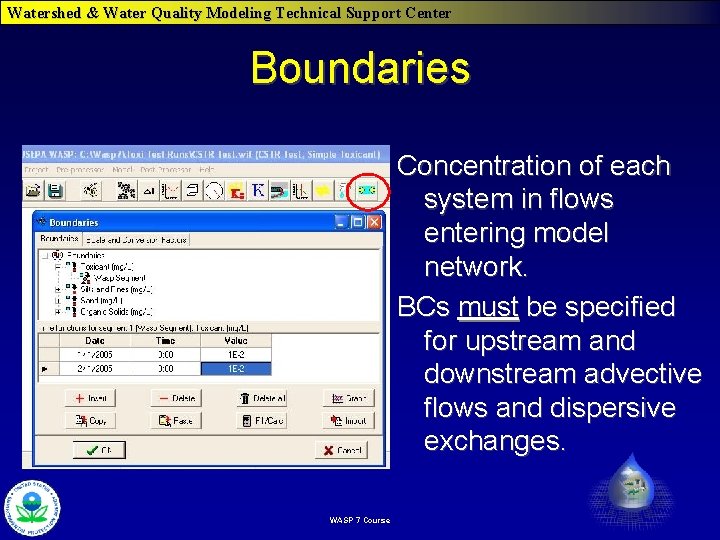
Watershed & Water Quality Modeling Technical Support Center Boundaries Concentration of each system in flows entering model network. BCs must be specified for upstream and downstream advective flows and dispersive exchanges. WASP 7 Course
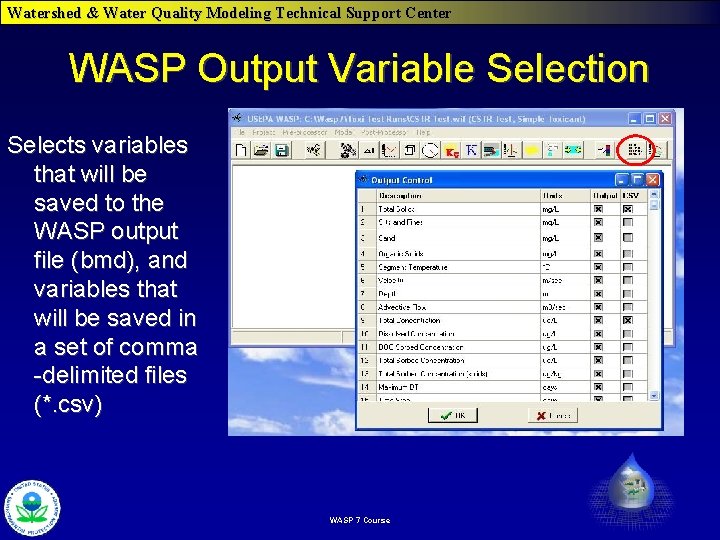
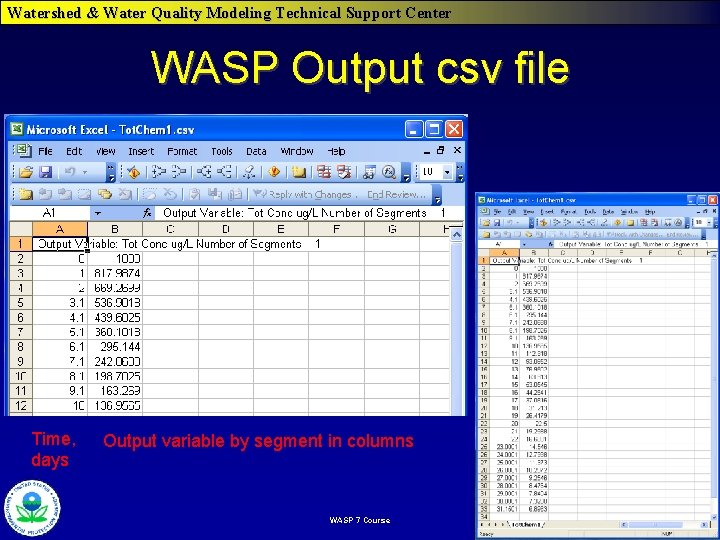
Watershed & Water Quality Modeling Technical Support Center WASP Output Variable Selection Selects variables that will be saved to the WASP output file (bmd), and variables that will be saved in a set of comma -delimited files (*. csv) WASP 7 Course
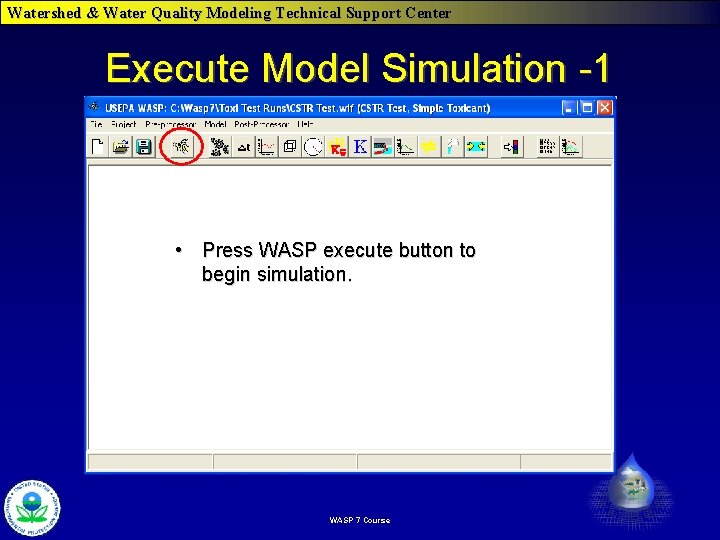
Watershed & Water Quality Modeling Technical Support Center Execute Model Simulation -1 • Press WASP execute button to begin simulation. WASP 7 Course
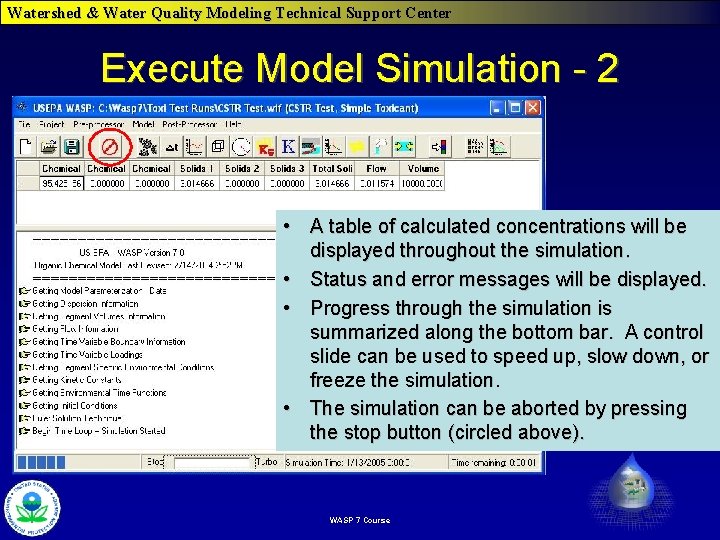
Watershed & Water Quality Modeling Technical Support Center Execute Model Simulation - 2 • A table of calculated concentrations will be displayed throughout the simulation. • Status and error messages will be displayed. • Progress through the simulation is summarized along the bottom bar. A control slide can be used to speed up, slow down, or freeze the simulation. • The simulation can be aborted by pressing the stop button (circled above). WASP 7 Course
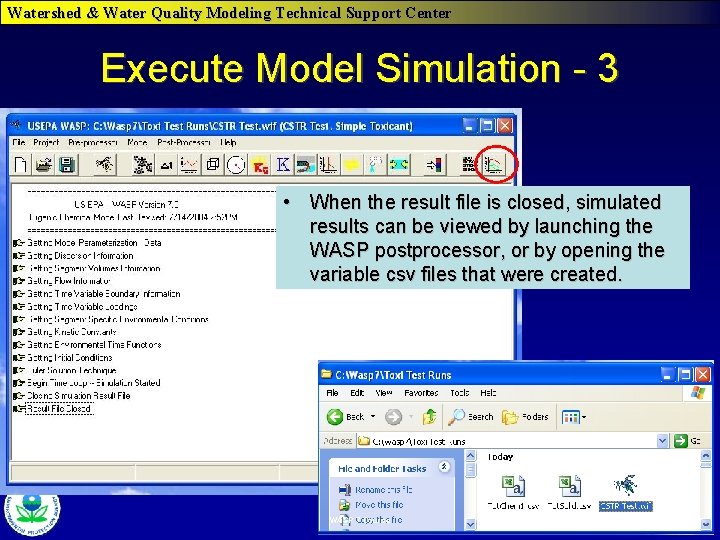
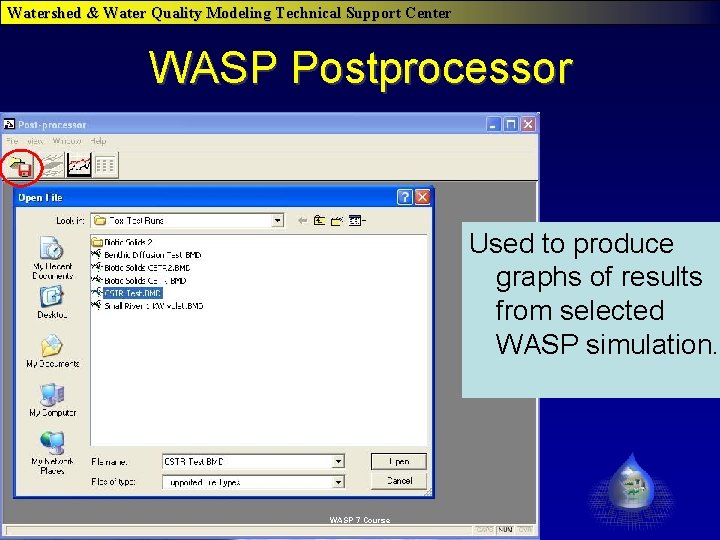
Watershed & Water Quality Modeling Technical Support Center Execute Model Simulation - 3 • When the result file is closed, simulated results can be viewed by launching the WASP postprocessor, or by opening the variable csv files that were created. WASP 7 Course
Watershed & Water Quality Modeling Technical Support Center WASP Output csv file Time, days Output variable by segment in columns WASP 7 Course
Watershed & Water Quality Modeling Technical Support Center WASP Postprocessor Used to produce graphs of results from selected WASP simulation. WASP 7 Course
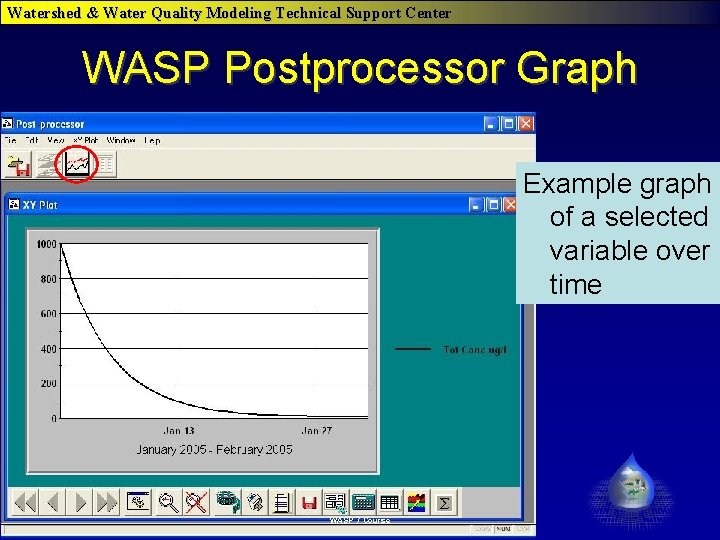
Watershed & Water Quality Modeling Technical Support Center WASP Postprocessor Graph Example graph of a selected variable over time WASP 7 Course
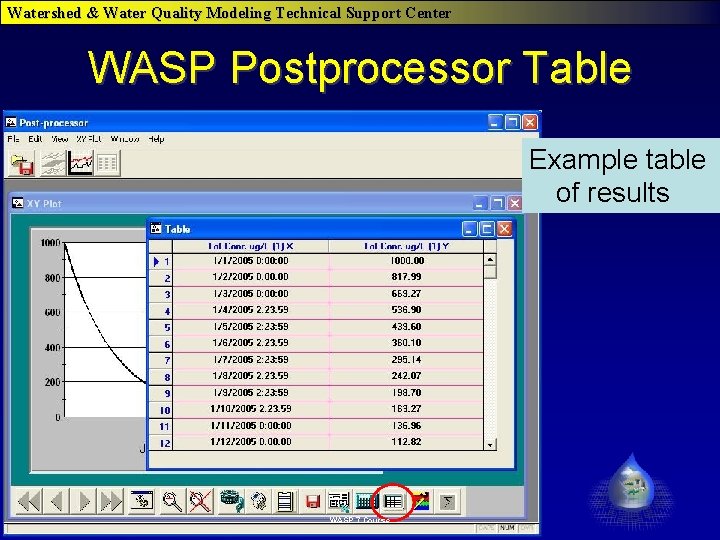
Watershed & Water Quality Modeling Technical Support Center WASP Postprocessor Table Example table of results WASP 7 Course