
Introduction to the User Analysis Facility UAF Patrick
- Slides: 9
Introduction to the User Analysis Facility (UAF) Patrick Gartung - Fermilab Patrick Gartung 1 CMS 101 Mar 2007
What is the UAF? The User Analysis Farm (UAF) is part of the Tier 1 facility at Fermilab. The UAF is a farm running the Linux operating system providing interactive computing for users. Separate interactive and batch computing: Pool of interactive nodes ● ● ● batch farm (shared with production grid ) running condor. ● ● ● Patrick Gartung Network switch provides “round robin” access to 20 nodes through the alias cmsuaf. fnal. gov 5 direct access nodes cmswn 051 ->cmswn 055. fnal. gov 600+ nodes 1000+ batch slots 2 CMS 101 Mar 2007
Benefits of using the UAF Reference Platform. Interactive system. CMS software is available and maintained. System administrators keep the system up. Thursday morning is the slot for system maintenance and upgrades. Fast access to mass storage, plenty of disk space. Fast networking (Giga. Bit Ethernet). Plenty of CPU to do some production projects. Condor batch system to automate these projects Data samples. Basically provide all the things you “don’t” want to do or worry about yourself! Patrick Gartung 3 CMS 101 Mar 2007
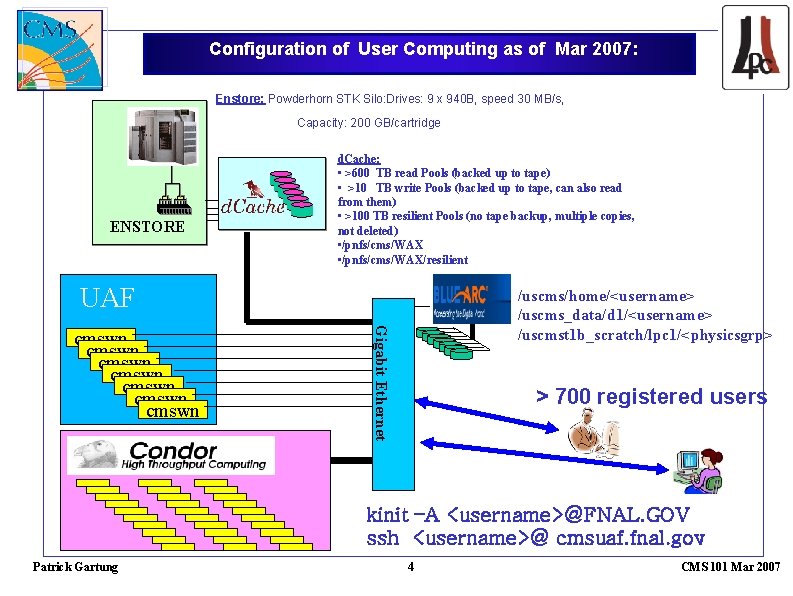
Configuration of User Computing as of Mar 2007: Enstore: Powderhorn STK Silo: Drives: 9 x 940 B, speed 30 MB/s, Capacity: 200 GB/cartridge ENSTORE d. Cache: • >600 TB read Pools (backed up to tape) • >10 TB write Pools (backed up to tape, can also read from them) • >100 TB resilient Pools (no tape backup, multiple copies, not deleted) • /pnfs/cms/WAX/resilient UAF Gigabit Ethernet cmswn cmswn /uscms/home/<username> /uscms_data/d 1/<username> /uscmst 1 b_scratch/lpc 1/<physicsgrp> > 700 registered users kinit –A <username>@FNAL. GOV ssh <username>@ cmsuaf. fnal. gov Patrick Gartung 4 CMS 101 Mar 2007
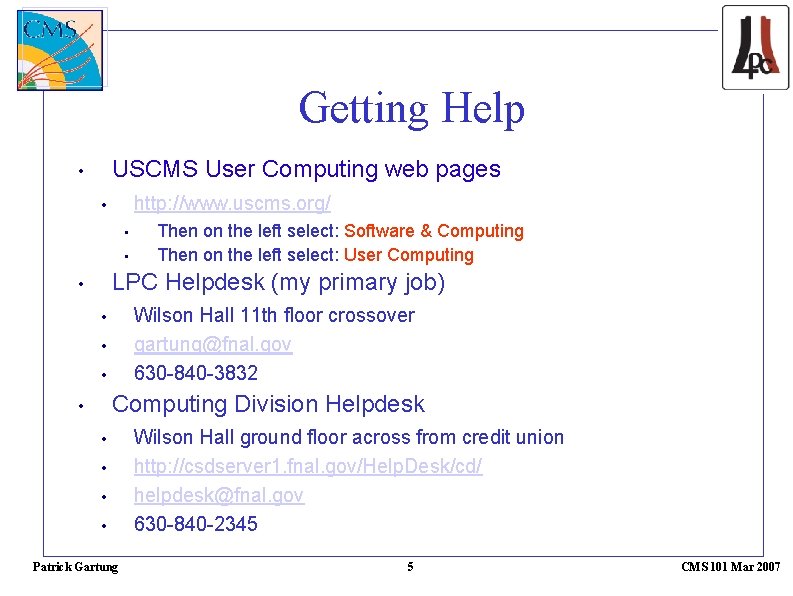
Getting Help USCMS User Computing web pages • http: //www. uscms. org/ • • • Then on the left select: Software & Computing Then on the left select: User Computing LPC Helpdesk (my primary job) • Wilson Hall 11 th floor crossover gartung@fnal. gov 630 -840 -3832 • • • Computing Division Helpdesk • • • Patrick Gartung Wilson Hall ground floor across from credit union http: //csdserver 1. fnal. gov/Help. Desk/cd/ helpdesk@fnal. gov 630 -840 -2345 5 CMS 101 Mar 2007
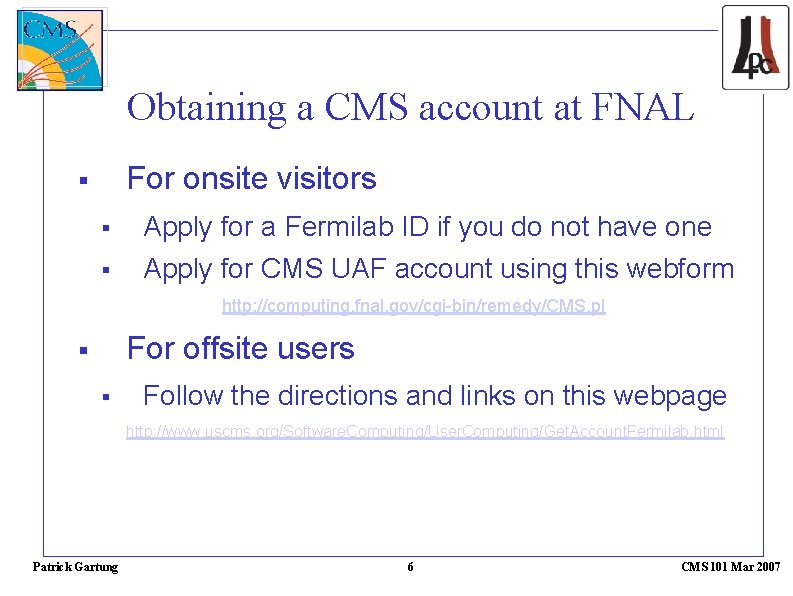
Obtaining a CMS account at FNAL For onsite visitors Apply for a Fermilab ID if you do not have one Apply for CMS UAF account using this webform http: //computing. fnal. gov/cgi-bin/remedy/CMS. pl For offsite users Follow the directions and links on this webpage http: //www. uscms. org/Software. Computing/User. Computing/Get. Account. Fermilab. html Patrick Gartung 6 CMS 101 Mar 2007
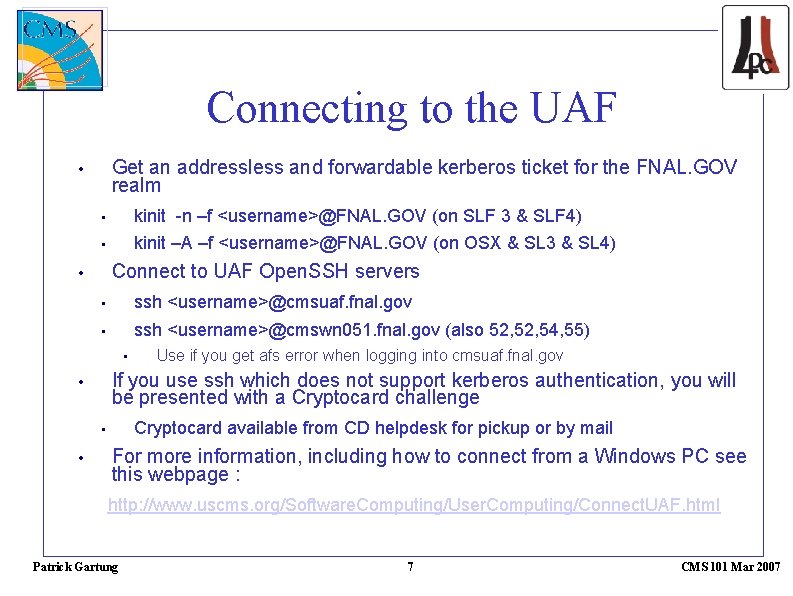
Connecting to the UAF Get an addressless and forwardable kerberos ticket for the FNAL. GOV realm • • kinit -n –f <username>@FNAL. GOV (on SLF 3 & SLF 4) • kinit –A –f <username>@FNAL. GOV (on OSX & SL 3 & SL 4) Connect to UAF Open. SSH servers • • ssh <username>@cmsuaf. fnal. gov • ssh <username>@cmswn 051. fnal. gov (also 52, 54, 55) • If you use ssh which does not support kerberos authentication, you will be presented with a Cryptocard challenge • Cryptocard available from CD helpdesk for pickup or by mail • • Use if you get afs error when logging into cmsuaf. fnal. gov For more information, including how to connect from a Windows PC see this webpage : http: //www. uscms. org/Software. Computing/User. Computing/Connect. UAF. html Patrick Gartung 7 CMS 101 Mar 2007
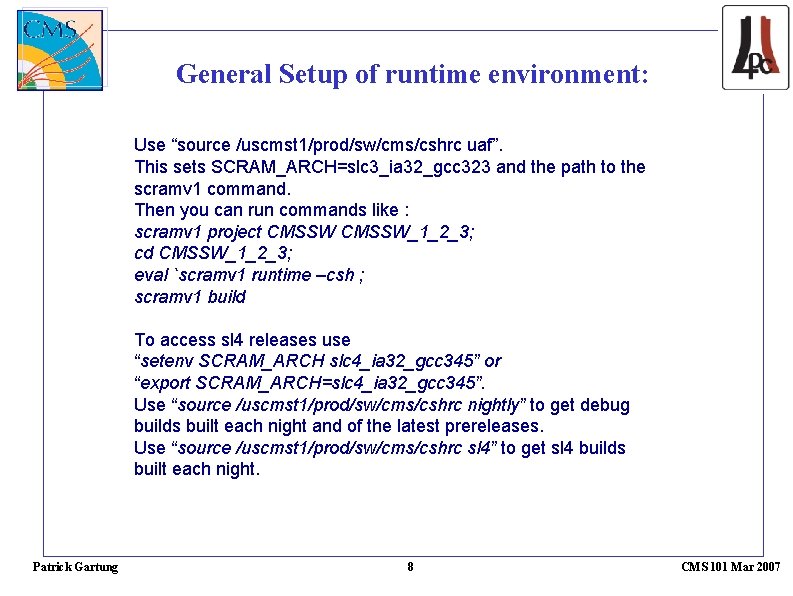
General Setup of runtime environment: Use “source /uscmst 1/prod/sw/cms/cshrc uaf”. This sets SCRAM_ARCH=slc 3_ia 32_gcc 323 and the path to the scramv 1 command. Then you can run commands like : scramv 1 project CMSSW_1_2_3; cd CMSSW_1_2_3; eval `scramv 1 runtime –csh ; scramv 1 build To access sl 4 releases use “setenv SCRAM_ARCH slc 4_ia 32_gcc 345” or “export SCRAM_ARCH=slc 4_ia 32_gcc 345”. Use “source /uscmst 1/prod/sw/cms/cshrc nightly” to get debug builds built each night and of the latest prereleases. Use “source /uscmst 1/prod/sw/cms/cshrc sl 4” to get sl 4 builds built each night. Patrick Gartung 8 CMS 101 Mar 2007
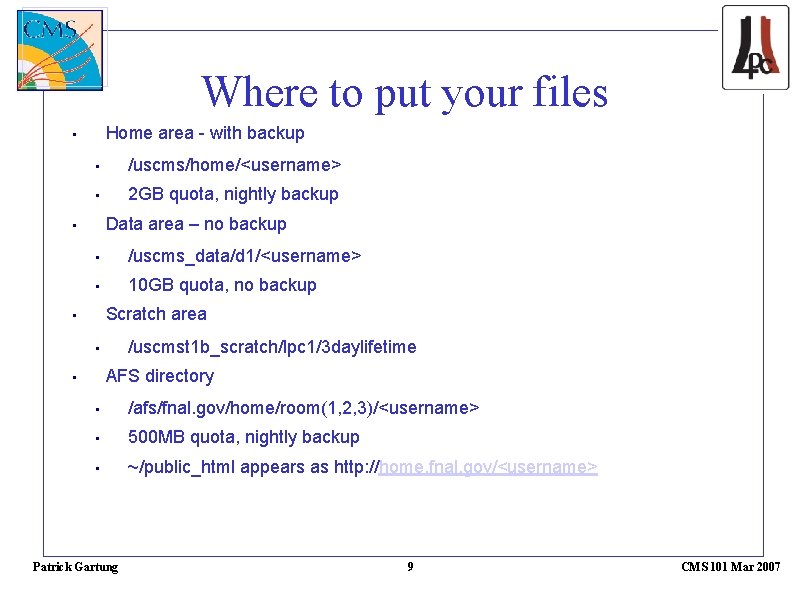
Where to put your files Home area - with backup • • /uscms/home/<username> • 2 GB quota, nightly backup Data area – no backup • • /uscms_data/d 1/<username> • 10 GB quota, no backup Scratch area • /uscmst 1 b_scratch/lpc 1/3 daylifetime • AFS directory • • /afs/fnal. gov/home/room(1, 2, 3)/<username> • 500 MB quota, nightly backup • ~/public_html appears as http: //home. fnal. gov/<username> Patrick Gartung 9 CMS 101 Mar 2007