
Introduction to the Digital Learning Environment DLE Mark
- Slides: 6
Introduction to the Digital Learning Environment (DLE) Mark Lyndon & Ed Bremner Academic Support, Technology & Innovation www. plymouth. ac. uk/asti@plymouth. ac. uk @Plym. Uni. ASTI /Plym. Uni. ASTI
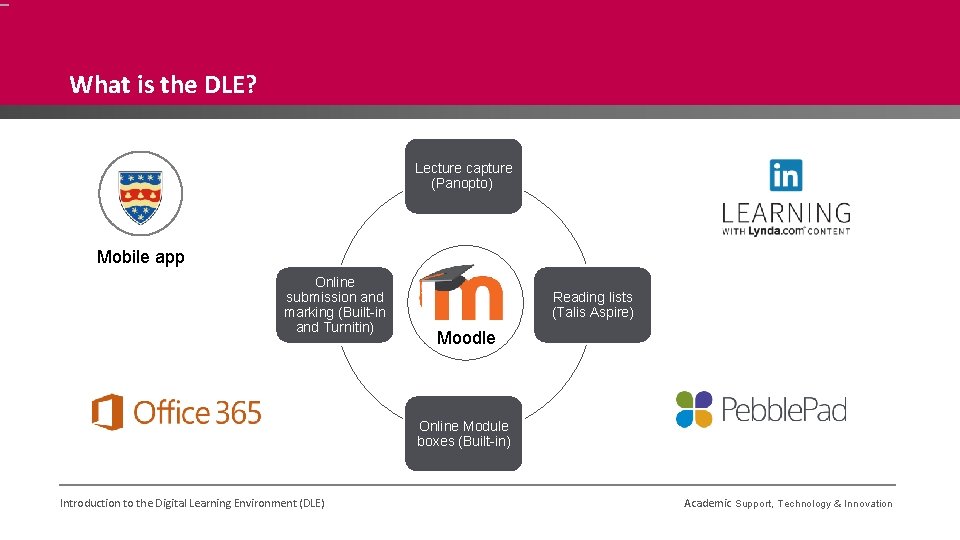
What is the DLE? Lecture capture (Panopto) Mobile app Online submission and marking (Built-in and Turnitin) Reading lists (Talis Aspire) Moodle Online Module boxes (Built-in) Introduction to the Digital Learning Environment (DLE) Academic Support, Technology & Innovation
Accessing the DLE § User account required § Ability to access Moodle and integrated technologies Several ways to access 1. Website - www. plymouth. ac. uk > Login > DLE 2. Direct http: //dle. plymouth. ac. uk 3. or Module Leader/Programme Leader will send a direct link to specific courses Introduction to the Digital Learning Environment (DLE) Academic Support, Technology & Innovation
Not got access yet? § If you have not been given access yet, please contact your University contact. § Most commonly this will be the Module Leader or Programme Leader. § They can liaise with quality to get a user account set up for you. § Module/Programme Leader’s responsibility to provide you access to the courses you need § Enrol onto course as ‘External examiner’ Module/Programme Leader guidance for adding External examiners § Please contact ASTI if you need guidance regarding adding External examiners to Moodle courses Introduction to the Digital Learning Environment (DLE) Academic Support, Technology & Innovation
Demo Introduction to the Digital Learning Environment (DLE) Academic Support, Technology & Innovation
Need guidance or technical support? Guidance Academic Support, Technology & Innovation § asti@plymouth. ac. uk Technical support Technology & Information Service (TIS) § 01752 588588 § servicedesk@plymouth. ac. uk § Raise a ticket via IT Self Service § http: //itselfservice. plymouth. ac. uk Introduction to the Digital Learning Environment (DLE) Academic Support, Technology & Innovation