
INTRODUCTION TO SYSTEM ANALYSIS AND DESIGN SAD SYSTEM
- Slides: 35
INTRODUCTION TO SYSTEM ANALYSIS AND DESIGN (SAD)
SYSTEM ANALYSIS AND DESIGN Systems Analysis: understanding and specifying in detail what an information system should do System Design: specifying in detail how the parts of an information system should be implemented
WHAT IS A SYSTEM? • A collection of parts that work together to achieve a goal/task • Examples • • Digestive systems Public transport system Computer system Information system • A set of objects and relationships among the objects viewed as a whole and designed to achieve a purpose
WHAT IS INFORMATION? ØData that is organized and hence useful to the user. Data are raw facts about the organization and its business transactions. Most data items have little meaning and use by themselves.
WHAT IS AN INFORMATION SYSTEM? Ø Interrelated components working together to collect, process, store and disseminate information to support decision making.
WHAT IS INFORMATION TECHNOLOGY? Is the application of computers to store, study, retrieve, transmit and manipulate data or information
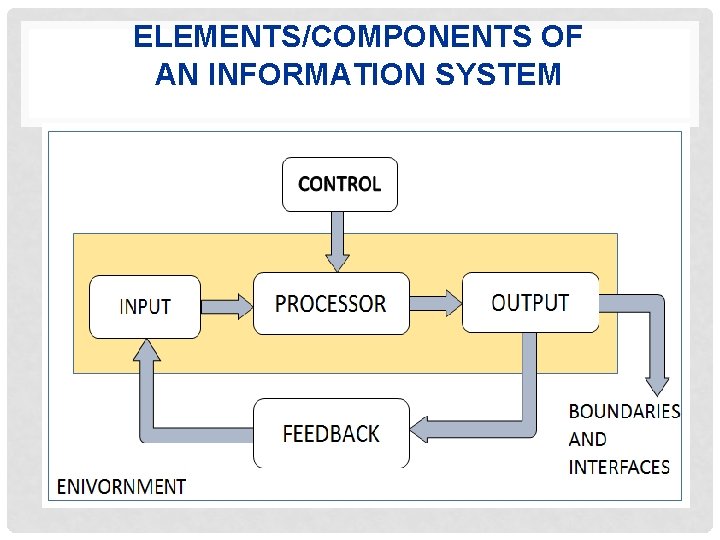
ELEMENTS/COMPONENTS OF AN INFORMATION SYSTEM
OUTPUTS AND INPUTS Ø The main aim of a system is to produce an output which is useful for its user. Ø Inputs are the information that enters into the system for processing. ØOutput is the outcome of processing.
PROCESSOR(S) ØThe processor is the element of a system that involves the actual transformation of input into output. ØIt is the operational component of a system. Processors may modify the input either totally or partially, depending on the output specification.
CONTROL ØThe control element guides the system. Ø It is the decision–making subsystem that controls the pattern of activities Øgoverning input, processing, and output. ØThe behavior of a computer System is controlled by the Operating System and software. In order to keep system in balance, what and how much input is needed is determined by Output Specifications.
FEEDBACK Ø Feedback provides the control in a dynamic system. Ø Positive feedback is routine in nature that encourages the performance of the system. ØNegative feedback is informational in nature that provides the controller with information for action.
ENVIRONMENT ØThe environment is the “supersystem” within which an organization operates. Ø It is the source of external elements that strike on the system. Ø It determines how a system must function. For example, vendors and competitors of organization’s environment, may provide constraints that affect the actual performance of the business.
BOUNDARIES AND INTERFACE ØA system should be defined by its boundaries. Boundaries are the limits that identify its components, processes, and interrelationship when it interfaces with another system. Ø Each system has boundaries that determine its sphere of influence and control. ØThe knowledge of the boundaries of a given system is crucial in determining the nature of its interface with other systems for successful design.
TYPES OF INFORMATION SYSTEMS
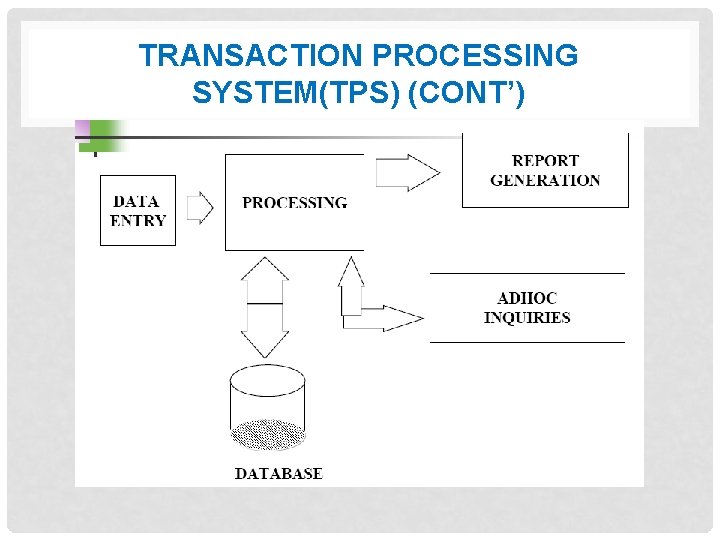
TYPES OF INFORMATION SYSTEMS 1. Transaction Processing System(TPS) A computerized system that performs and records daily routine transactions necessary to conduct business TPSs are information systems that process data resulting from the occurrence of business transactions.
TRANSACTION PROCESSING SYSTEM(TPS) (CONT’) • A transaction processing system provides to collect, store, display, modify or cancel transactions. • The data this system collects is usually stored in a database which can be used to produce reports such as billing, wages, inventory summaries etc. • Examples include: payroll system. Banking system, stock control system etc.
TRANSACTION PROCESSING SYSTEM(TPS) (CONT’)
2. MANAGEMENT INFORMATION SYSTEM (MIS) • A management information system is an information system that uses the data collected by the transaction processing system and uses this data to make routine business decisions in response to problems. Provides information for managing an organization • Extract and summarize data from TPSs • Allow managers to monitor & direct the organization • Provide accurate feedback • Provide pre-specified reports on a scheduled basis
3. DECISION SUPPORT SYSTEM (DSS) • A decision support system helps make decisions by working and analyzing data that can generate statistical projections and data models. • This system gives support rather than replacing a manager’s judgment while improving the quality of the manager’s decision. • DSS help solve problems using external data • Optimization model –determine optimal decisions based on criteria supplied by the user, mathematical search techniques, and constraints
DECISION SUPPORT SYSTEM (DSS) (CONT’) • Online analytical processing (OLAP) : the use of data analysis tools to explore large databases of transaction data • Data mining : the use of analysis tools to find patterns in large transaction databases
4. EXPERT SYSTEMS • An expert system also known as knowledge based system that is designed to analyze and data and produce recommendations, diagnosis and decision that are controlled. • They represent human expertise also called knowledgebased systems • Typically use if-then rules • Used as interactive advisors or as automated tools
5. OFFICE AUTOMATION SYSTEMS (OAS) Help people perform personal record keeping, writing, and calculations efficiently • Main types of tools include: • Spreadsheet programs • Text & image processing systems • Personal database systems and note-taking systems
6. COMMUNICATION SYSTEMS Sharing information in many different forms • Teleconferencing The use of electronic transmission to permit same-time different-place meetings • Audio conferencing a single telephone call involving 3 or more people • Audio-graphic conferencing an extension of audio conferencing, permitting the participants to see graphical material • Videoconferencing meeting involving groups of people that can see each other using display screens E-mail, Voice Mail, and Fax Instant Messaging and Chat
ROLES OF INFORMATION SYSTEMS STAKE HOLDERS • Stakeholders - The Players of an Information System • Any person who has interests in an existing or proposed information system. Stakeholders may include both technical and non-technical workers. They also may be the internal ones or may be the external one.
1. SYSTEMS OWNERS • • •
2. SYSTEMS USERS
3. SYSTEMS ANALYST • They design, and sometimes implement, the software systems required by the users. • They usually work in close collaboration with the Programmers. • Duties. • Analyses the programs following the procedures given by the Programmer. • They code and test all the programs used in the department level.
COMPUTER PROGRAMMERS. Computer Programmers. • These are the people who write computer programs; which make the computer useful. • Duties. • Choosing of a Programming language to be used. • Choosing of System software to be used. • Testing of programs & giving the procedures to be used. • Ensuring that Application programs are properly maintained
DATA ENTRY OPERATORS. Data entry operators. • Are the people responsible for entering data (on disks or cards), to be processed by the computer.
COMPUTER OPERATORS. Computer operators. • Are the people responsible for the day-to-day operation of the computer system.
4. SYSTEMS DESIGNERS
5. SYSTEMS DEVELOPER
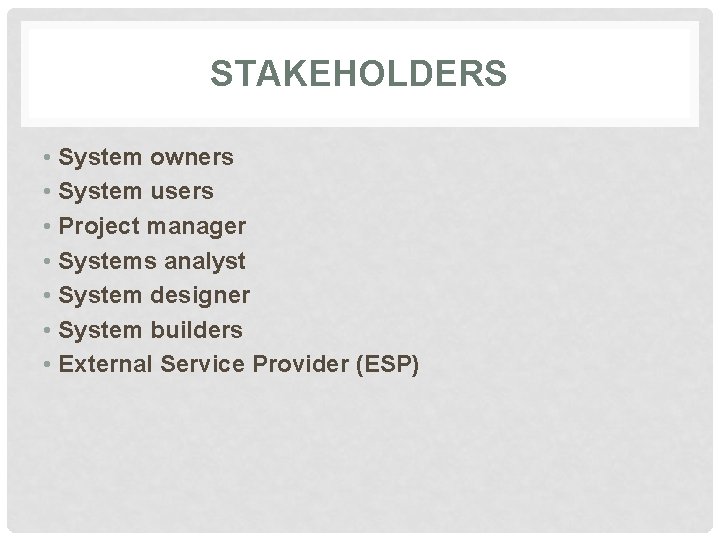
STAKEHOLDERS • System owners • System users • Project manager • Systems analyst • System designer • System builders • External Service Provider (ESP)
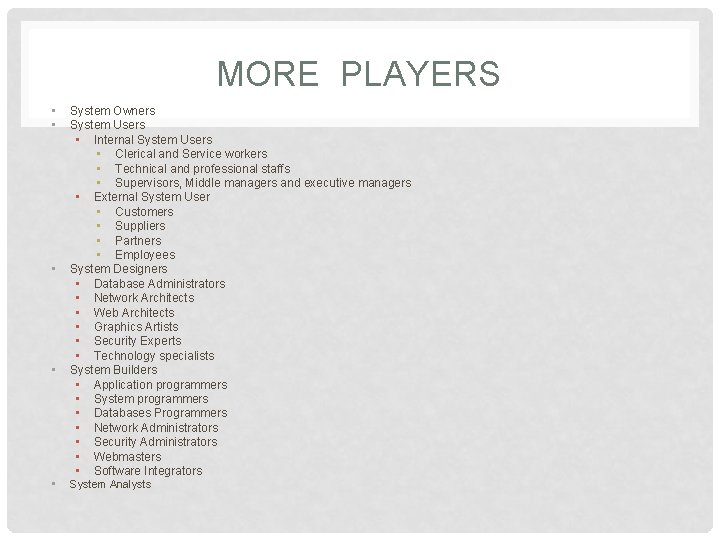
MORE PLAYERS • • • System Owners System Users • Internal System Users • Clerical and Service workers • Technical and professional staffs • Supervisors, Middle managers and executive managers • External System User • Customers • Suppliers • Partners • Employees System Designers • Database Administrators • Network Architects • Web Architects • Graphics Artists • Security Experts • Technology specialists System Builders • Application programmers • System programmers • Databases Programmers • Network Administrators • Security Administrators • Webmasters • Software Integrators System Analysts
TAKE AWAY QUIZ Question: Identify ten stakeholders of information system and explain at least five roles for each stakeholder identified above.