
Introduction to Structured Query Language SQL SWEN 250

- Slides: 25
Introduction to Structured Query Language (SQL) SWEN 250 - PERSONAL SOFTWARE ENGINEERING 1
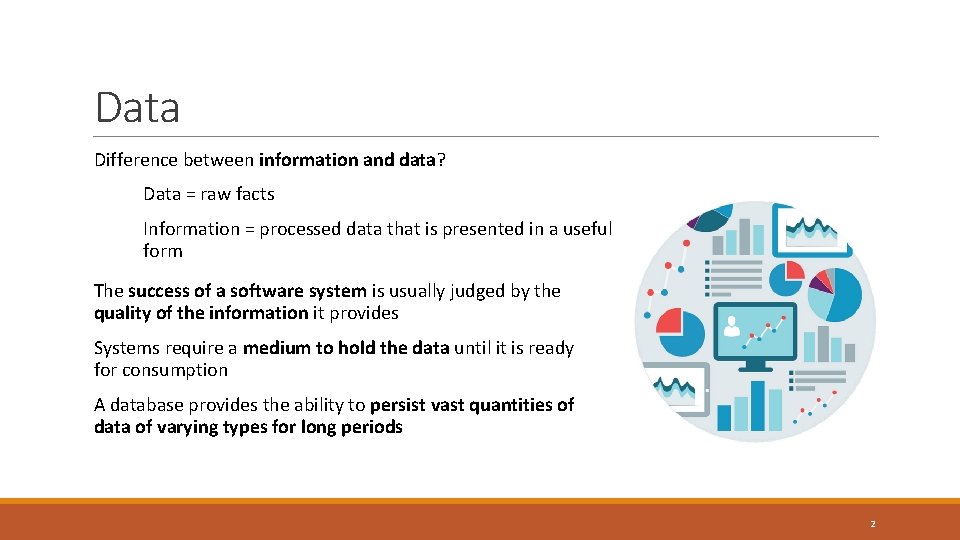
Data Difference between information and data? Data = raw facts Information = processed data that is presented in a useful form The success of a software system is usually judged by the quality of the information it provides Systems require a medium to hold the data until it is ready for consumption A database provides the ability to persist vast quantities of data of varying types for long periods 2
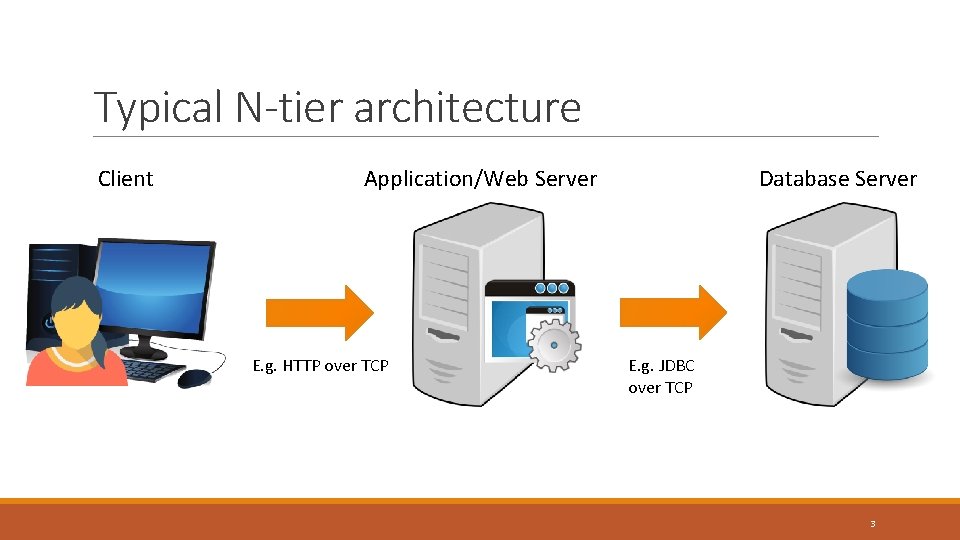
Typical N-tier architecture Client Application/Web Server E. g. HTTP over TCP Database Server E. g. JDBC over TCP 3
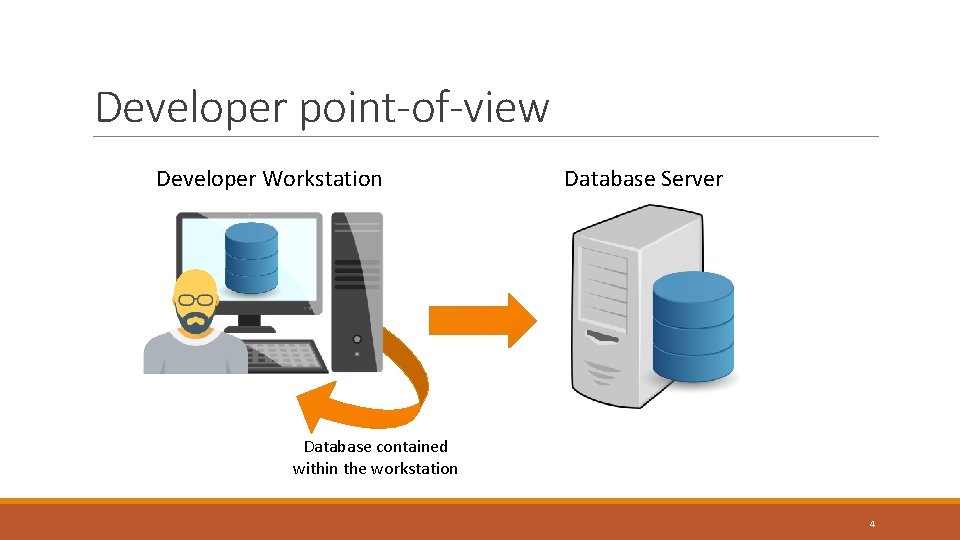
Developer point-of-view Developer Workstation Database Server Database contained within the workstation 4
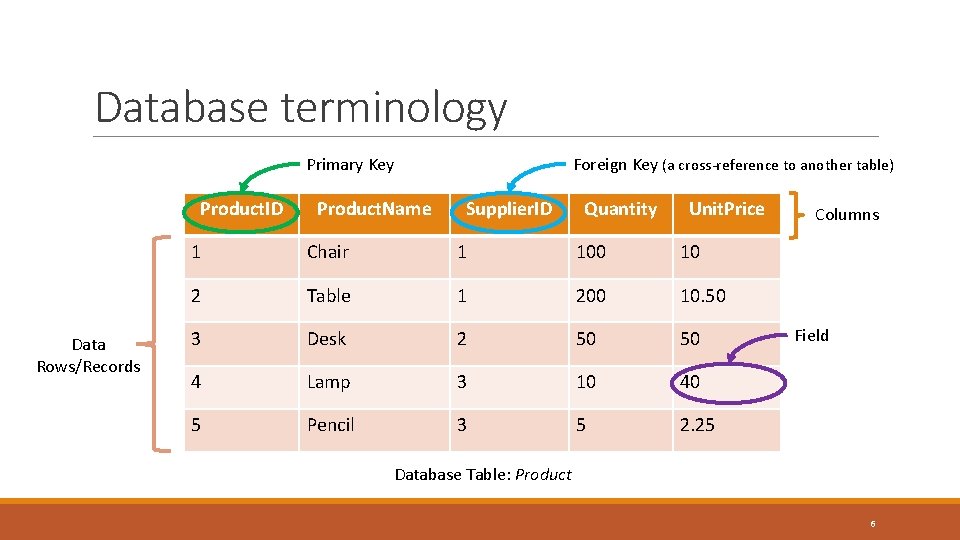
Database terminology • Field: the “smallest” item of stored data • Record: group of related fields and associated values • Columns: the fields of all records form the columns • Primary Key: a unique identifier for a record • Table: collection of related records that are frequently categorized for given purpose • Database: a collection of related tables • Database Management System (DBMS): a system providing control over definition, access and manipulation of the information stored in the database 5
Database terminology Primary Key Product. ID Data Rows/Records Product. Name Foreign Key (a cross-reference to another table) Supplier. ID Quantity Unit. Price 1 Chair 1 100 10 2 Table 1 200 10. 50 3 Desk 2 50 50 4 Lamp 3 10 40 5 Pencil 3 5 2. 25 Columns Field Database Table: Product 6
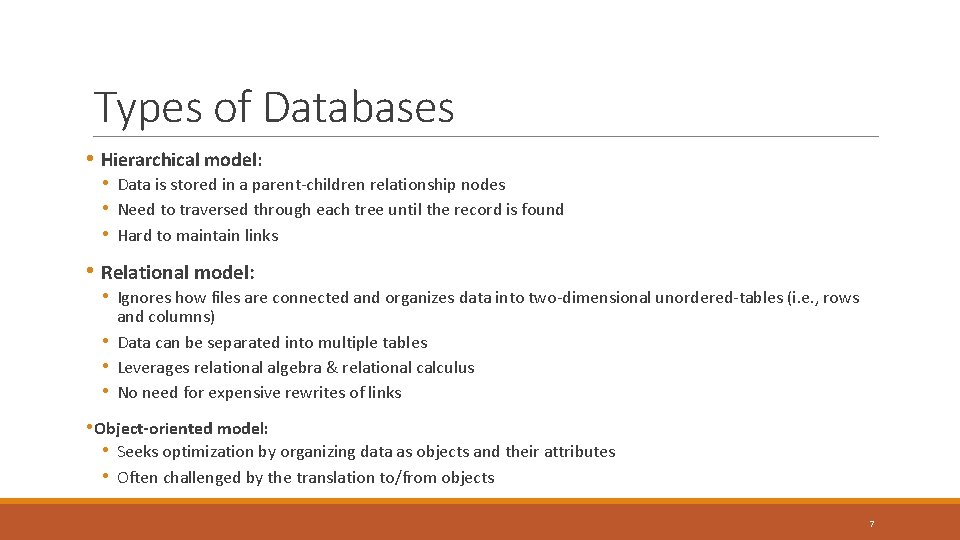
Types of Databases • Hierarchical model: • Data is stored in a parent-children relationship nodes • Need to traversed through each tree until the record is found • Hard to maintain links • Relational model: • Ignores how files are connected and organizes data into two-dimensional unordered-tables (i. e. , rows • • • and columns) Data can be separated into multiple tables Leverages relational algebra & relational calculus No need for expensive rewrites of links • Object-oriented model: • Seeks optimization by organizing data as objects and their attributes • Often challenged by the translation to/from objects 7
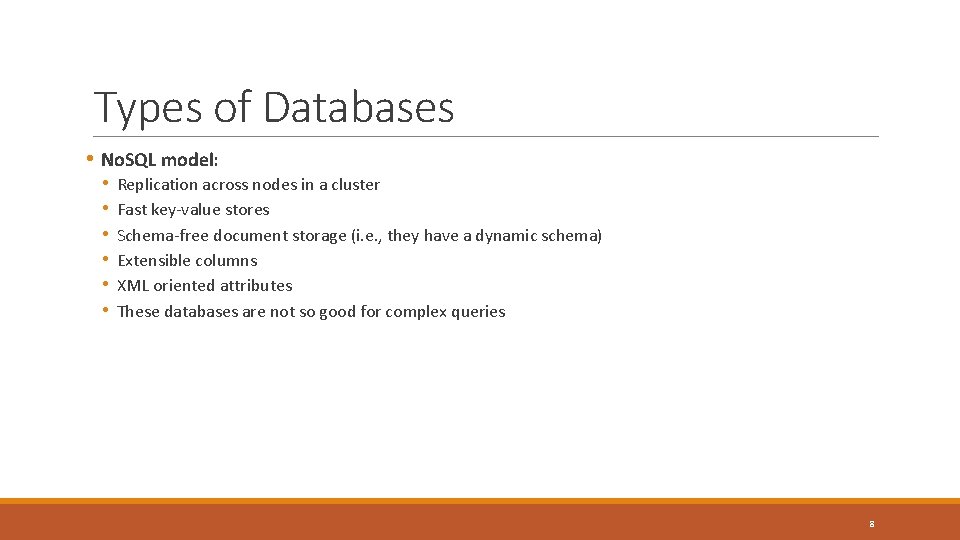
Types of Databases • No. SQL model: • • • Replication across nodes in a cluster Fast key-value stores Schema-free document storage (i. e. , they have a dynamic schema) Extensible columns XML oriented attributes These databases are not so good for complex queries 8
Some database management systems and tools Relational Database Management Systems No. SQL Database Management Systems DBA Tools 9
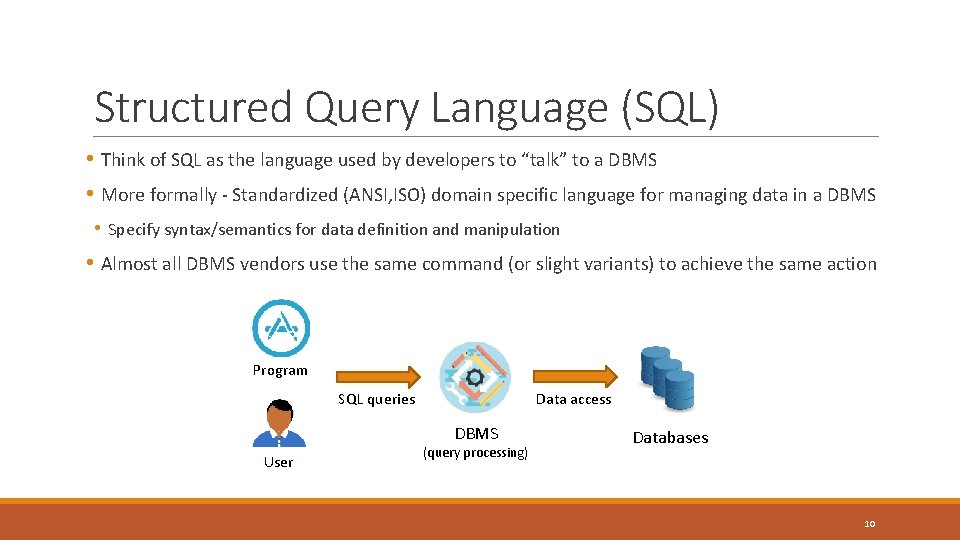
Structured Query Language (SQL) • Think of SQL as the language used by developers to “talk” to a DBMS • More formally - Standardized (ANSI, ISO) domain specific language for managing data in a DBMS • Specify syntax/semantics for data definition and manipulation • Almost all DBMS vendors use the same command (or slight variants) to achieve the same action Program Data access SQL queries DBMS User (query processing) Databases 10
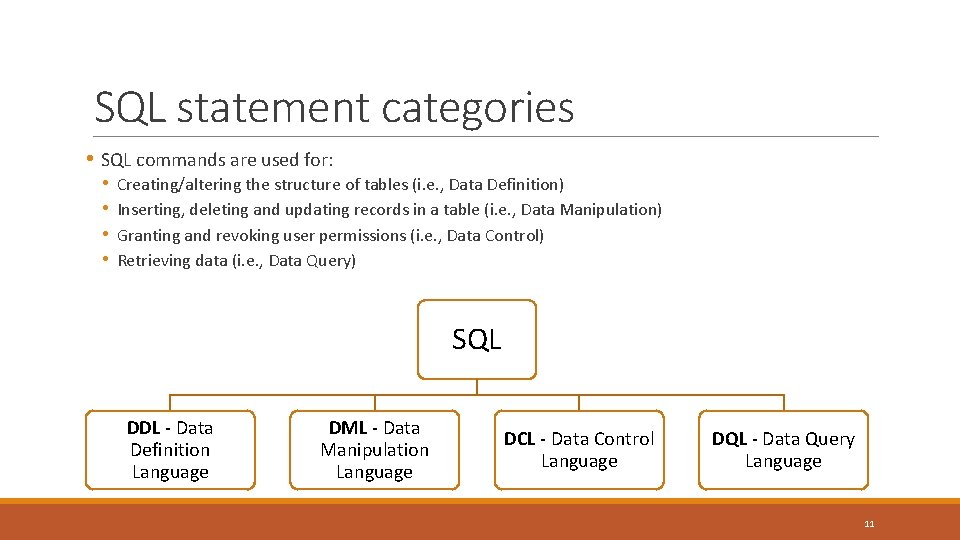
SQL statement categories • SQL commands are used for: • • Creating/altering the structure of tables (i. e. , Data Definition) Inserting, deleting and updating records in a table (i. e. , Data Manipulation) Granting and revoking user permissions (i. e. , Data Control) Retrieving data (i. e. , Data Query) SQL DDL - Data Definition Language DML - Data Manipulation Language DCL - Data Control Language DQL - Data Query Language 11
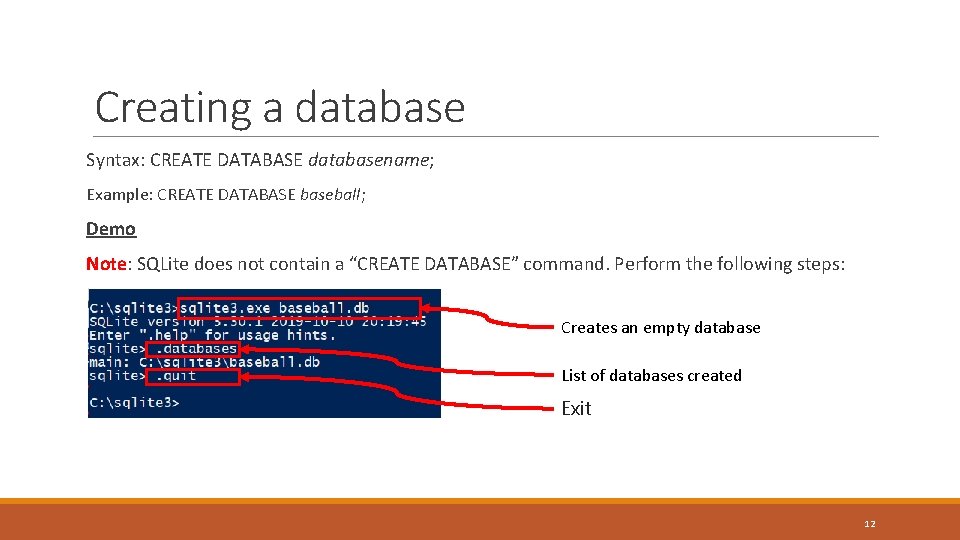
Creating a database Syntax: CREATE DATABASE databasename; Example: CREATE DATABASE baseball; Demo Note: SQLite does not contain a “CREATE DATABASE” command. Perform the following steps: Creates an empty database List of databases created Exit 12
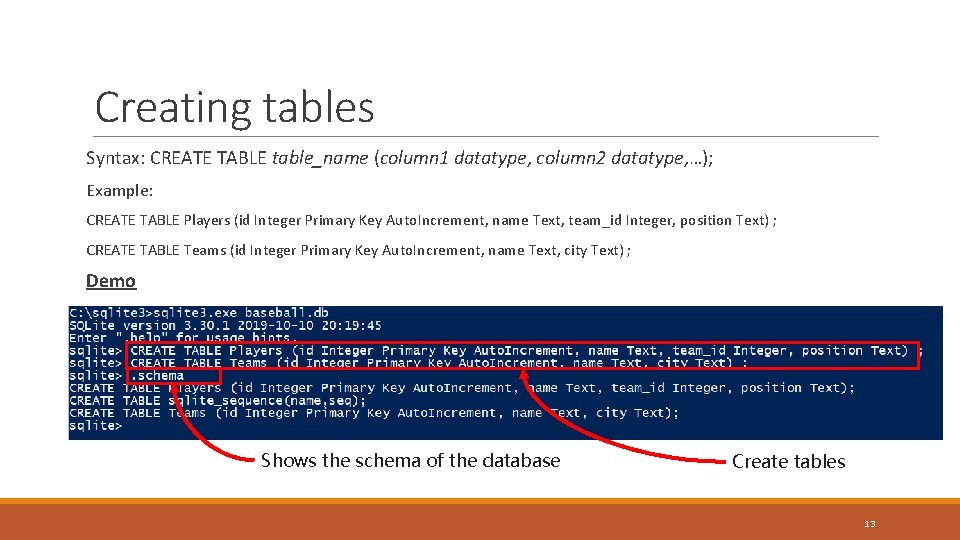
Creating tables Syntax: CREATE TABLE table_name (column 1 datatype, column 2 datatype, …); Example: CREATE TABLE Players (id Integer Primary Key Auto. Increment, name Text, team_id Integer, position Text) ; CREATE TABLE Teams (id Integer Primary Key Auto. Increment, name Text, city Text) ; Demo Shows the schema of the database Create tables 13
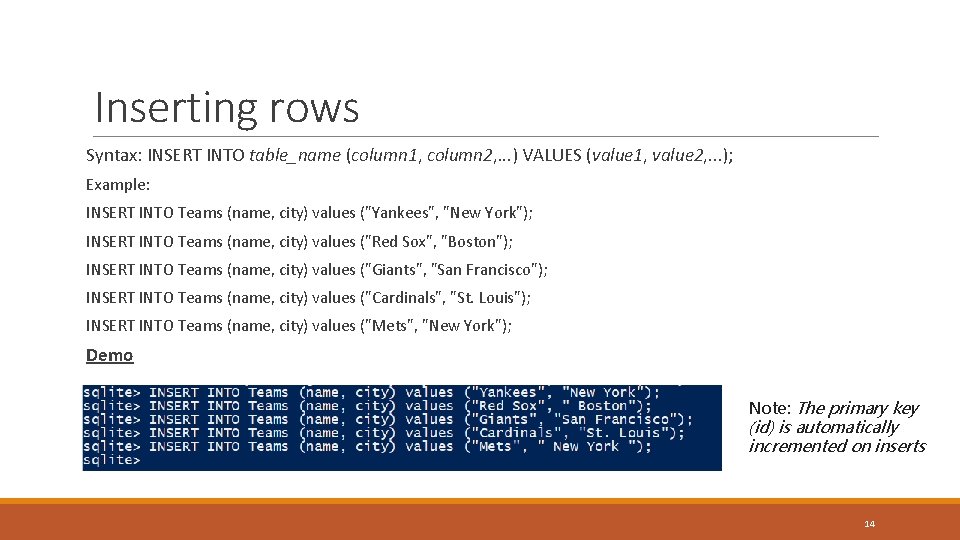
Inserting rows Syntax: INSERT INTO table_name (column 1, column 2, . . . ) VALUES (value 1, value 2, . . . ); Example: INSERT INTO Teams (name, city) values ("Yankees", "New York"); INSERT INTO Teams (name, city) values ("Red Sox", "Boston"); INSERT INTO Teams (name, city) values ("Giants", "San Francisco"); INSERT INTO Teams (name, city) values ("Cardinals", "St. Louis"); INSERT INTO Teams (name, city) values ("Mets", "New York"); Demo Note: The primary key (id) is automatically incremented on inserts 14
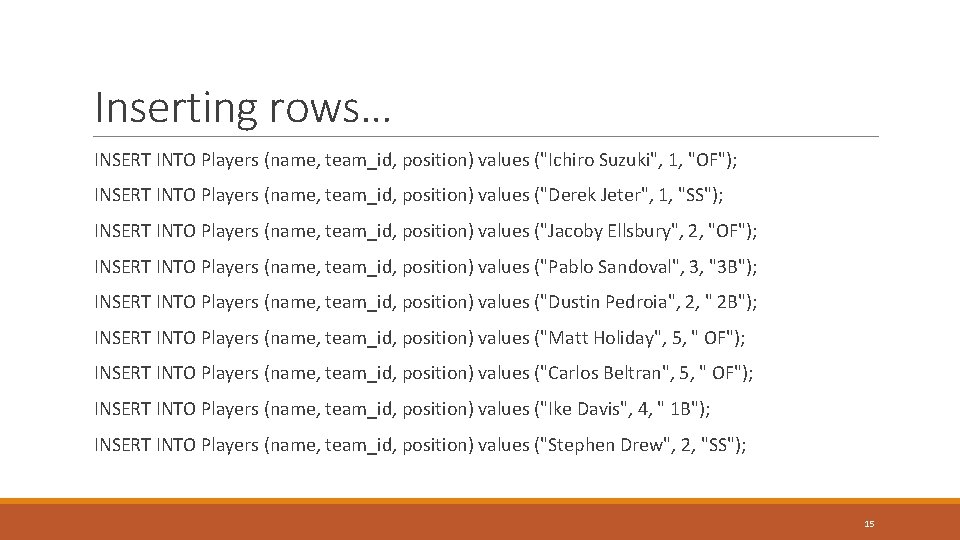
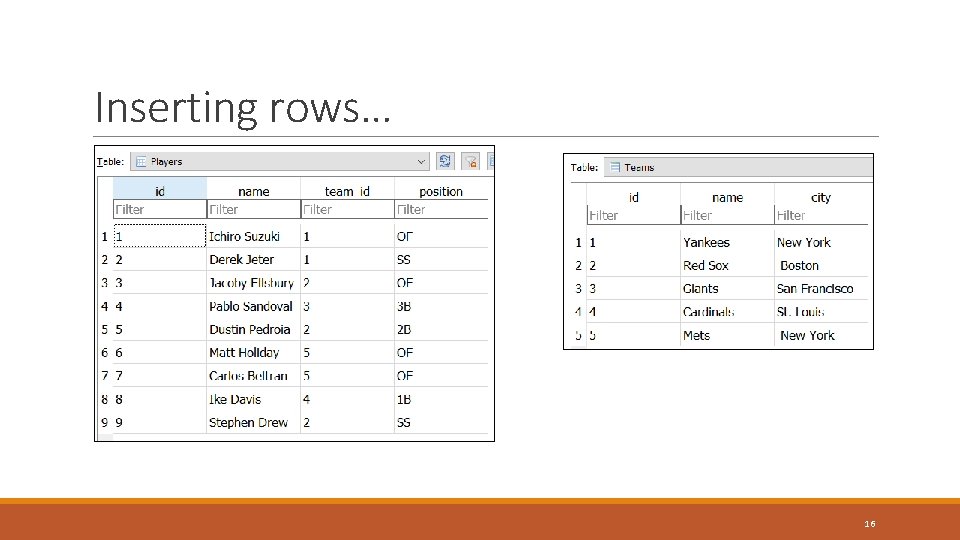
Inserting rows… INSERT INTO Players (name, team_id, position) values ("Ichiro Suzuki", 1, "OF"); INSERT INTO Players (name, team_id, position) values ("Derek Jeter", 1, "SS"); INSERT INTO Players (name, team_id, position) values ("Jacoby Ellsbury", 2, "OF"); INSERT INTO Players (name, team_id, position) values ("Pablo Sandoval", 3, "3 B"); INSERT INTO Players (name, team_id, position) values ("Dustin Pedroia", 2, " 2 B"); INSERT INTO Players (name, team_id, position) values ("Matt Holiday", 5, " OF"); INSERT INTO Players (name, team_id, position) values ("Carlos Beltran", 5, " OF"); INSERT INTO Players (name, team_id, position) values ("Ike Davis", 4, " 1 B"); INSERT INTO Players (name, team_id, position) values ("Stephen Drew", 2, "SS"); 15
Inserting rows… 16
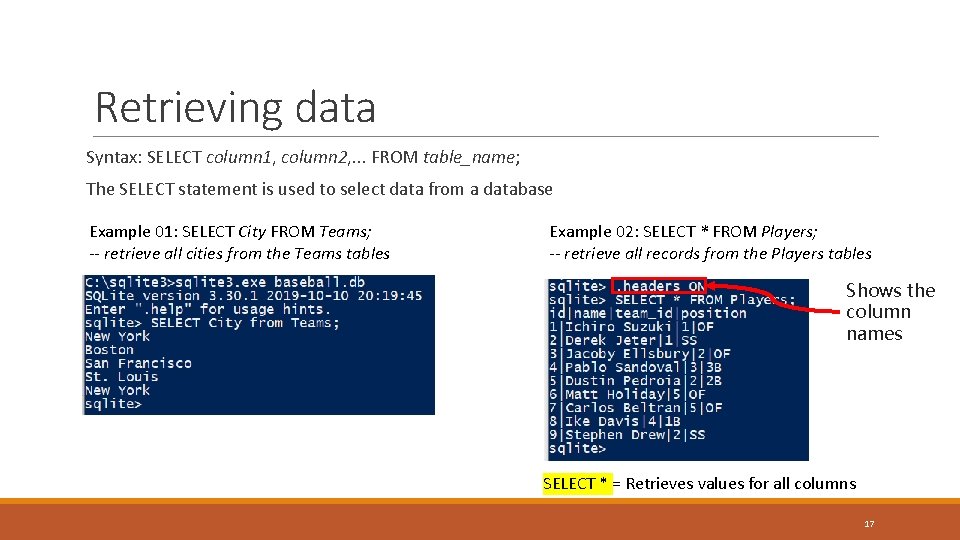
Retrieving data Syntax: SELECT column 1, column 2, . . . FROM table_name; The SELECT statement is used to select data from a database Example 01: SELECT City FROM Teams; -- retrieve all cities from the Teams tables Example 02: SELECT * FROM Players; -- retrieve all records from the Players tables Shows the column names SELECT * = Retrieves values for all columns 17
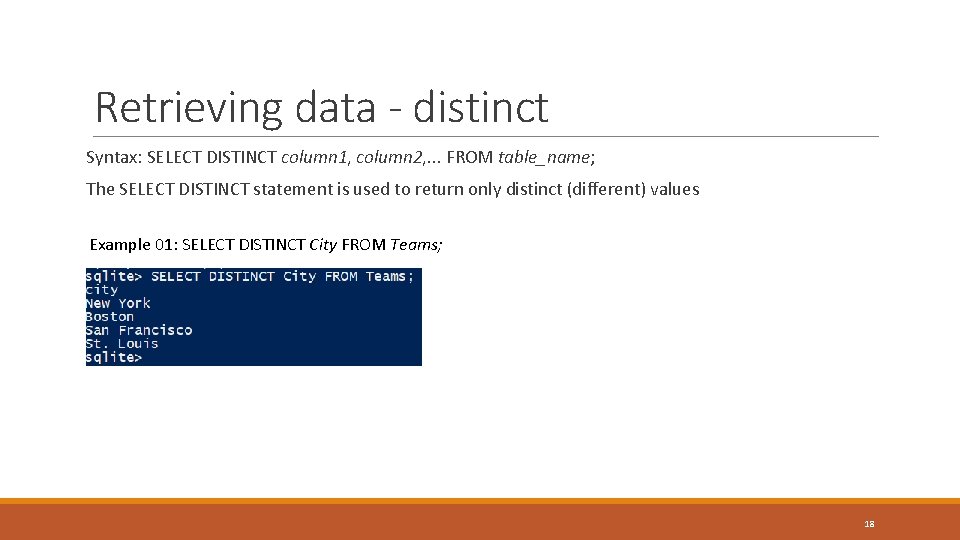
Retrieving data - distinct Syntax: SELECT DISTINCT column 1, column 2, . . . FROM table_name; The SELECT DISTINCT statement is used to return only distinct (different) values Example 01: SELECT DISTINCT City FROM Teams; 18
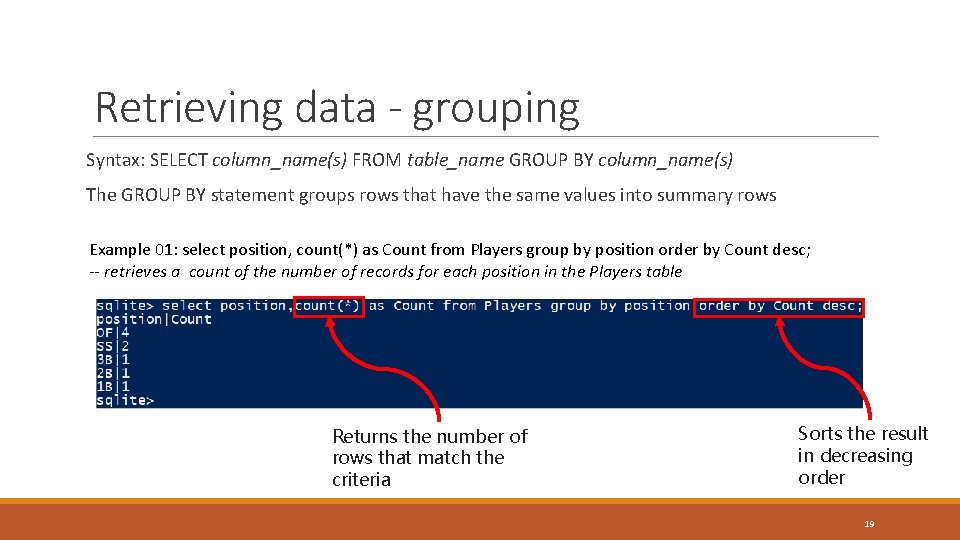
Retrieving data - grouping Syntax: SELECT column_name(s) FROM table_name GROUP BY column_name(s) The GROUP BY statement groups rows that have the same values into summary rows Example 01: select position, count(*) as Count from Players group by position order by Count desc; -- retrieves a count of the number of records for each position in the Players table Returns the number of rows that match the criteria Sorts the result in decreasing order 19
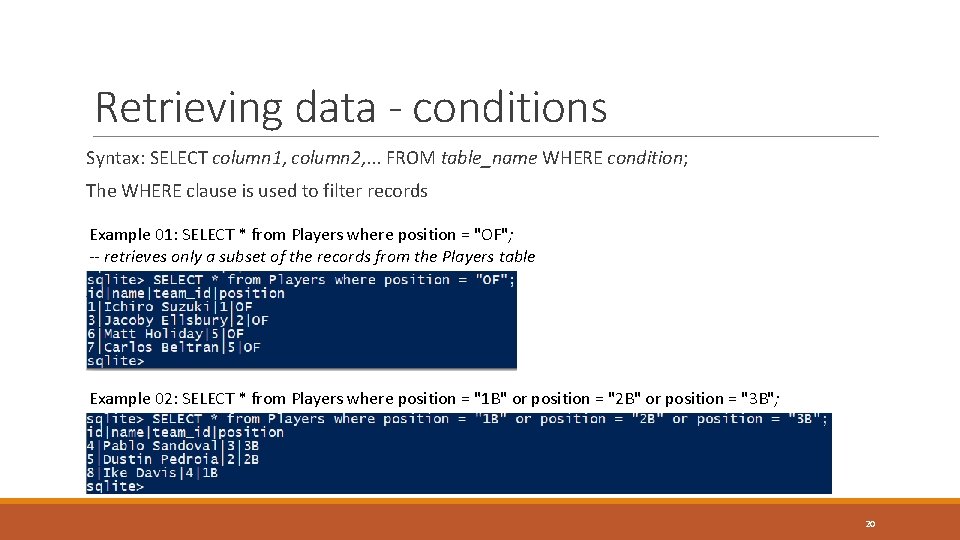
Retrieving data - conditions Syntax: SELECT column 1, column 2, . . . FROM table_name WHERE condition; The WHERE clause is used to filter records Example 01: SELECT * from Players where position = "OF"; -- retrieves only a subset of the records from the Players table Example 02: SELECT * from Players where position = "1 B" or position = "2 B" or position = "3 B"; 20
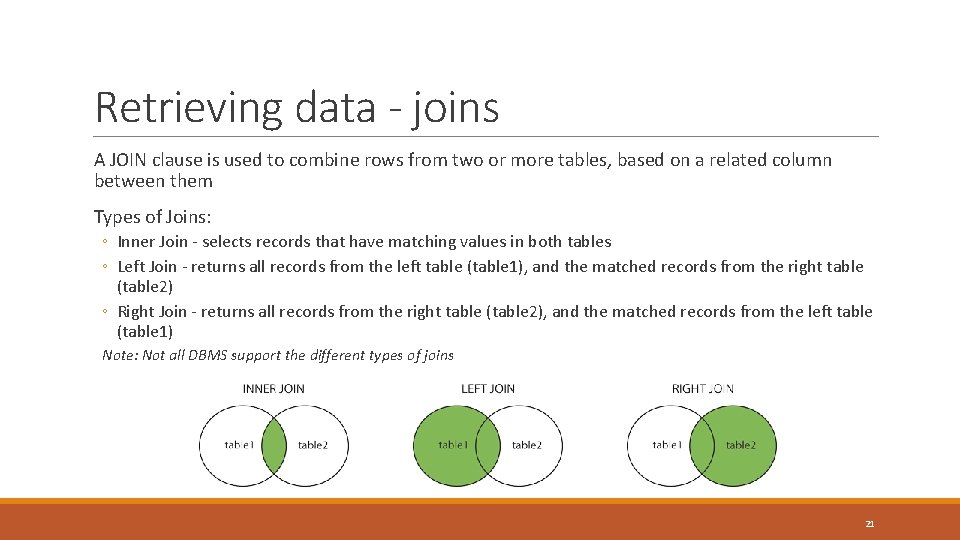
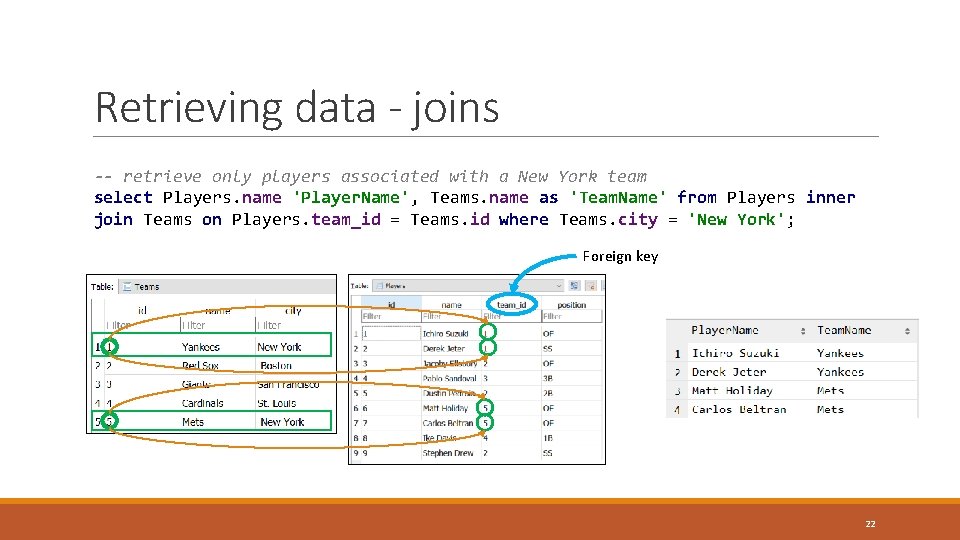
Retrieving data - joins A JOIN clause is used to combine rows from two or more tables, based on a related column between them Types of Joins: ◦ Inner Join - selects records that have matching values in both tables ◦ Left Join - returns all records from the left table (table 1), and the matched records from the right table (table 2) ◦ Right Join - returns all records from the right table (table 2), and the matched records from the left table (table 1) Note: Not all DBMS support the different types of joins 21
Retrieving data - joins -- retrieve only players associated with a New York team select Players. name 'Player. Name', Teams. name as 'Team. Name' from Players inner join Teams on Players. team_id = Teams. id where Teams. city = 'New York'; Foreign key 22
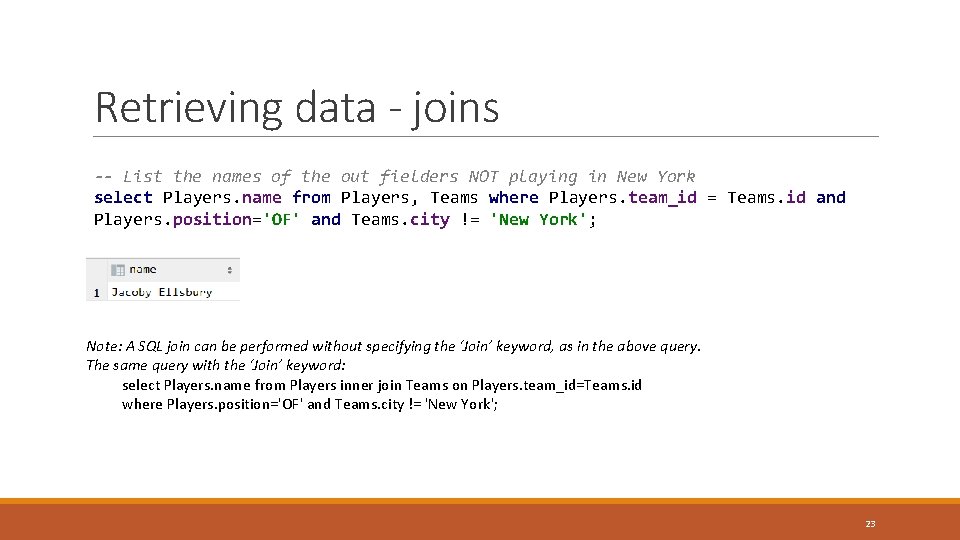
Retrieving data - joins -- List the names of the out fielders NOT playing in New York select Players. name from Players, Teams where Players. team_id = Teams. id and Players. position='OF' and Teams. city != 'New York'; Note: A SQL join can be performed without specifying the ‘Join’ keyword, as in the above query. The same query with the ‘Join’ keyword: select Players. name from Players inner join Teams on Players. team_id=Teams. id where Players. position='OF' and Teams. city != 'New York'; 23
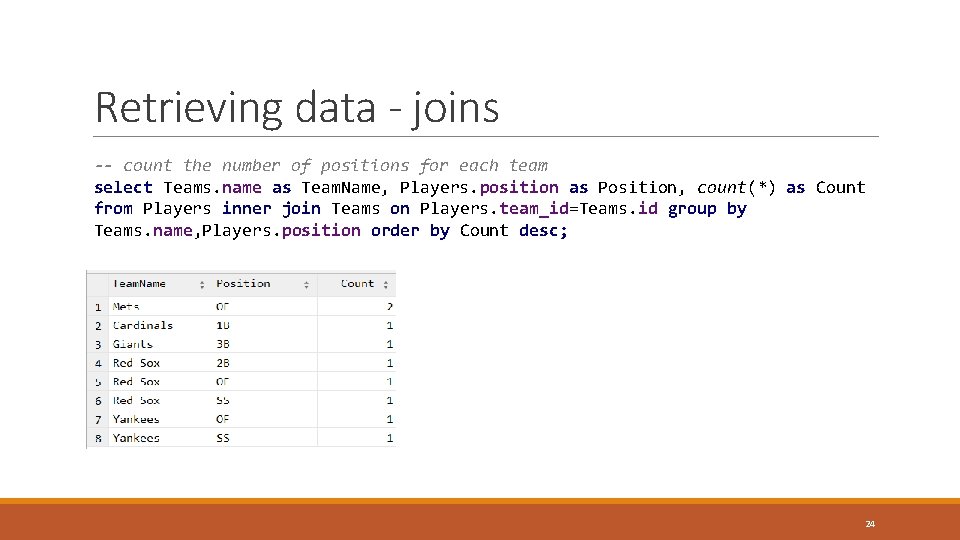
Retrieving data - joins -- count the number of positions for each team select Teams. name as Team. Name, Players. position as Position, count(*) as Count from Players inner join Teams on Players. team_id=Teams. id group by Teams. name, Players. position order by Count desc; 24
Additional resources SQL Tutorial on w 3 schools. com - https: //www. w 3 schools. com/sql/default. asp Data types in SQLite - https: //www. sqlite. org/datatype 3. html Query Plan - https: //en. wikipedia. org/wiki/Query_plan 25