
Introduction to SMR Shingled Magnetic Recording Drives Priya




- Slides: 26
Introduction to SMR (Shingled Magnetic Recording) Drives Priya Poosari
Intro (Clip #1) Hi, my name is Priya Poosari and I’m a FW Applications Engineer supporting the Smart. RAID product line at Microchip Transition to next clip
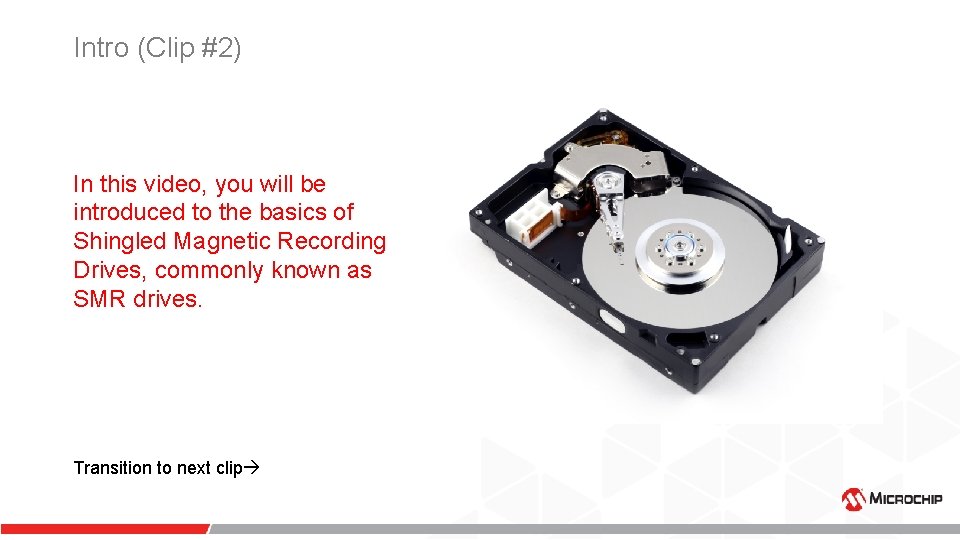
Intro (Clip #2) In this video, you will be introduced to the basics of Shingled Magnetic Recording Drives, commonly known as SMR drives. Transition to next clip
Overview - (Clip #3) Topics that you will learn about SMR drives • • Why? What? Pitfalls Variants Transition to next clip
Why? (Clip #4) Why are SMR drives used? Transition to next clip
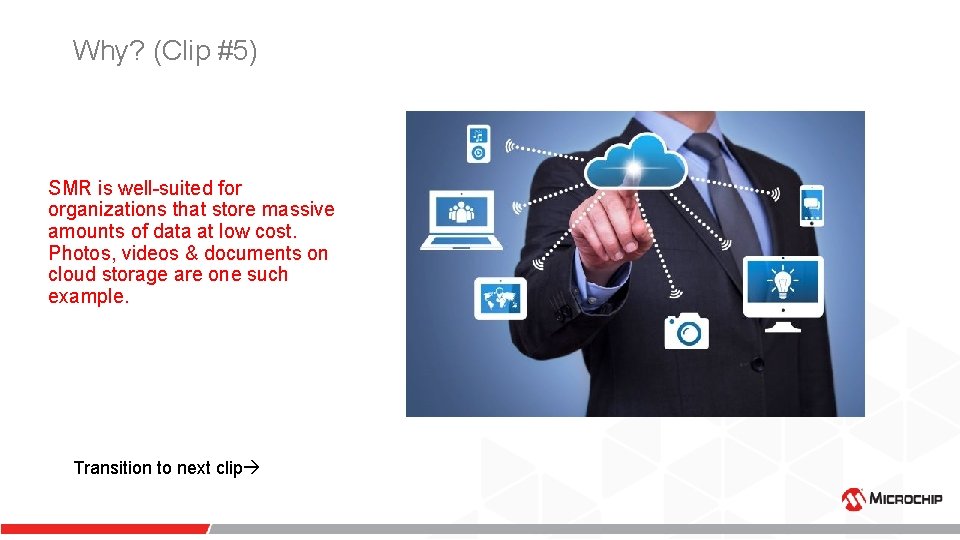
Why? (Clip #5) SMR is well-suited for organizations that store massive amounts of data at low cost. Photos, videos & documents on cloud storage are one such example. Transition to next clip
Why? (Clip #6) Today, millions of SMR drives are used as USB backup drives, as they offer more capacity without increasing the price. SMR HDDs provide unheard of pricing with vendor offerings debuting as low as three cents per gigabyte. Transition to next clip
What? (Clip #7) What is an SMR drive? Transition to next clip
What? (Clip #8) Before we dive into details of SMR drives, let us learn a few basics of drives. What are tracks? Transition to next clip
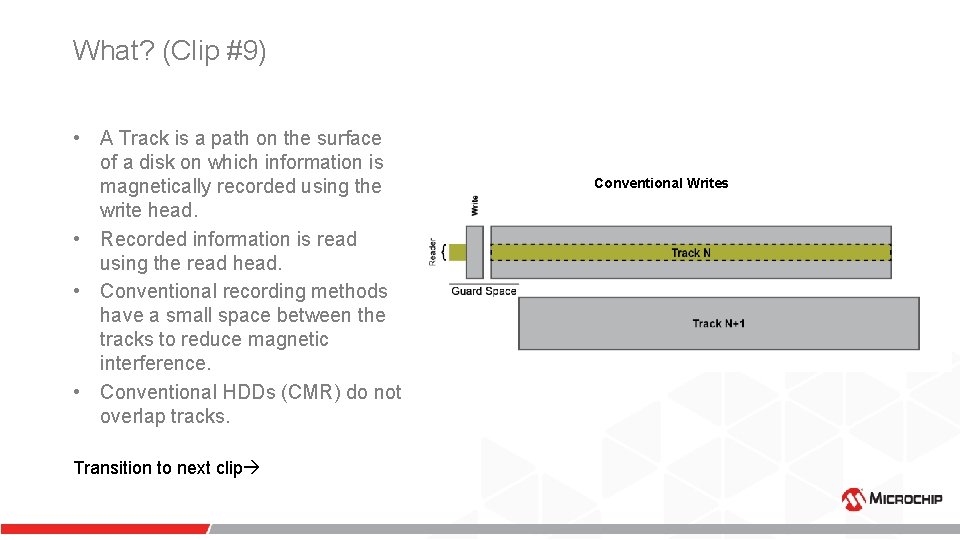
What? (Clip #9) • A Track is a path on the surface of a disk on which information is magnetically recorded using the write head. • Recorded information is read using the read head. • Conventional recording methods have a small space between the tracks to reduce magnetic interference. • Conventional HDDs (CMR) do not overlap tracks. Transition to next clip Conventional Writes
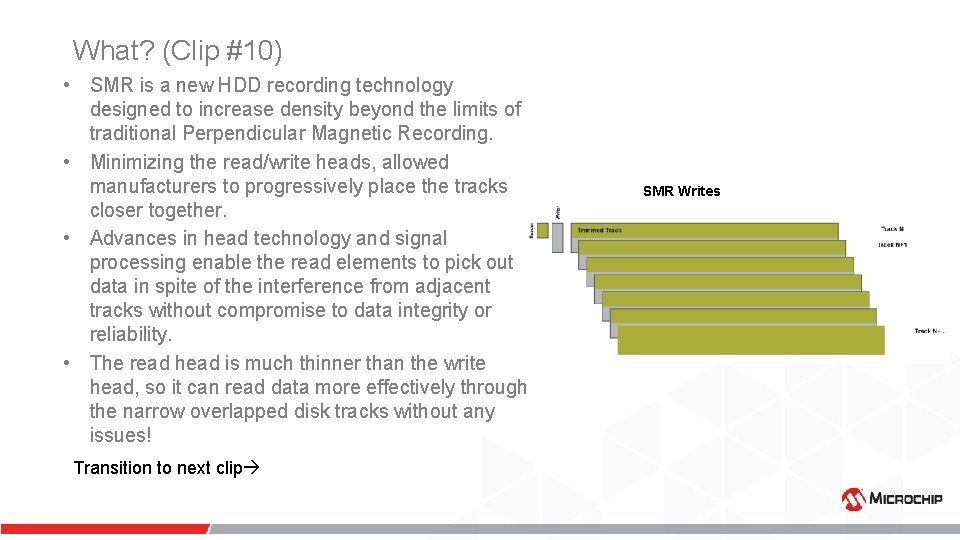
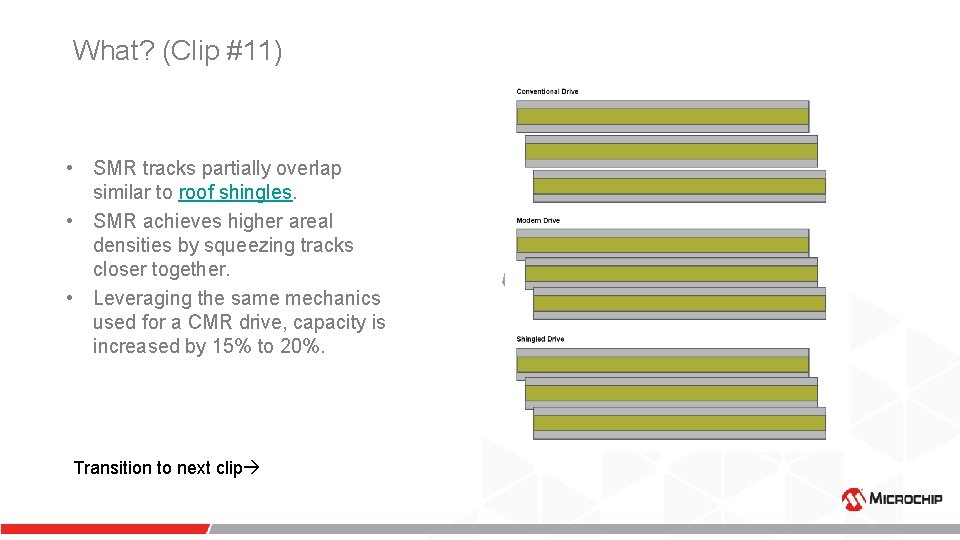
What? (Clip #10) • SMR is a new HDD recording technology designed to increase density beyond the limits of traditional Perpendicular Magnetic Recording. • Minimizing the read/write heads, allowed manufacturers to progressively place the tracks closer together. • Advances in head technology and signal processing enable the read elements to pick out data in spite of the interference from adjacent tracks without compromise to data integrity or reliability. • The read head is much thinner than the write head, so it can read data more effectively through the narrow overlapped disk tracks without any issues! Transition to next clip SMR Writes
What? (Clip #11) • SMR tracks partially overlap similar to roof shingles. • SMR achieves higher areal densities by squeezing tracks closer together. • Leveraging the same mechanics used for a CMR drive, capacity is increased by 15% to 20%. Transition to next clip
Pitfalls (Clip #12) Pitfalls of SMR drives Transition to next clip
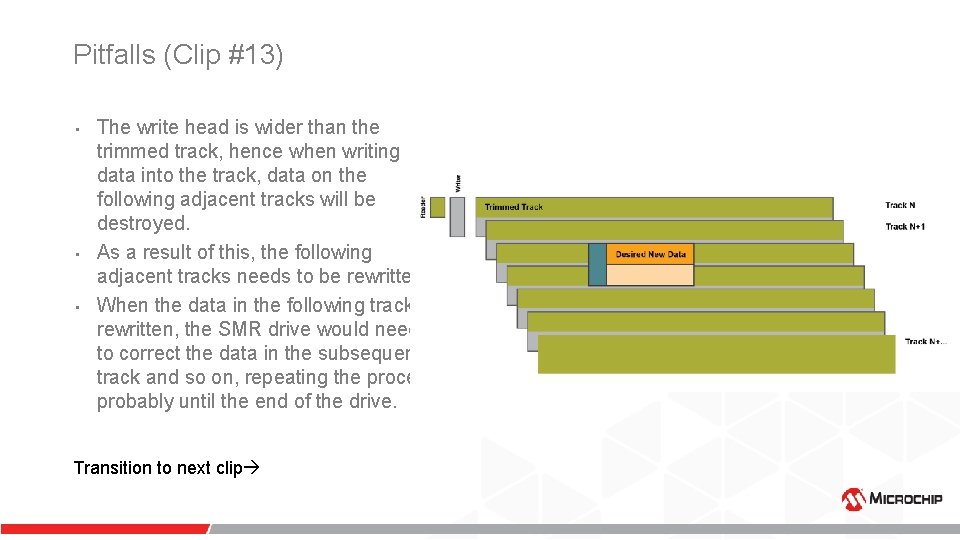
Pitfalls (Clip #13) • • • The write head is wider than the trimmed track, hence when writing data into the track, data on the following adjacent tracks will be destroyed. As a result of this, the following adjacent tracks needs to be rewritten. When the data in the following track is rewritten, the SMR drive would need to correct the data in the subsequent track and so on, repeating the process probably until the end of the drive. Transition to next clip
Pitfalls – How to avoid them (Clip #14) How to avoid the pitfalls Transition to next clip
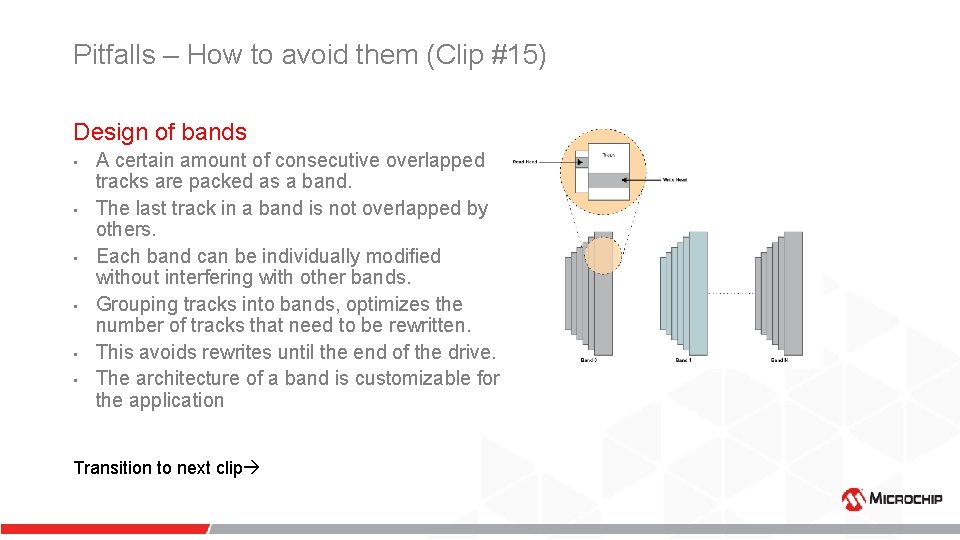
Pitfalls – How to avoid them (Clip #15) Design of bands • • • A certain amount of consecutive overlapped tracks are packed as a band. The last track in a band is not overlapped by others. Each band can be individually modified without interfering with other bands. Grouping tracks into bands, optimizes the number of tracks that need to be rewritten. This avoids rewrites until the end of the drive. The architecture of a band is customizable for the application Transition to next clip
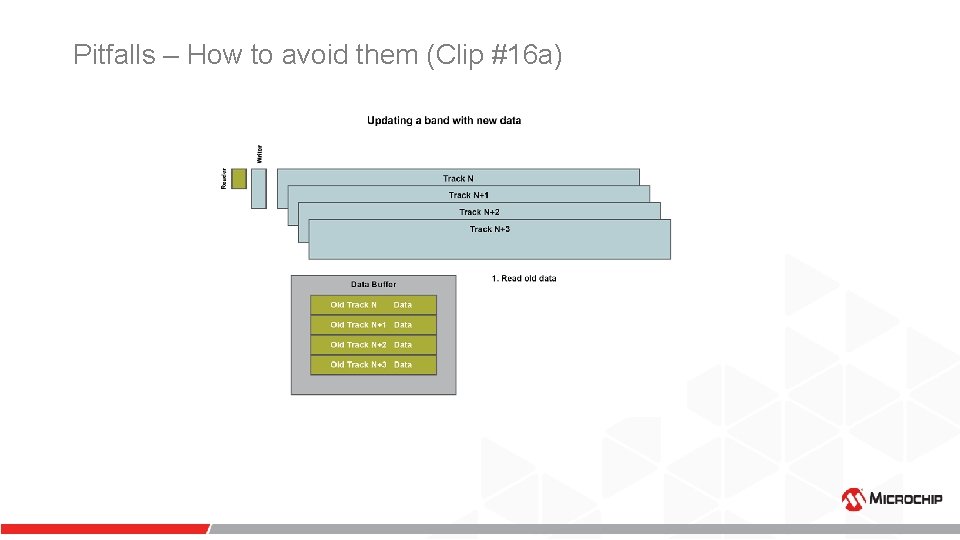
Pitfalls – How to avoid them (Clip #16 a)
Pitfalls – How to avoid them (Clip #16 b)
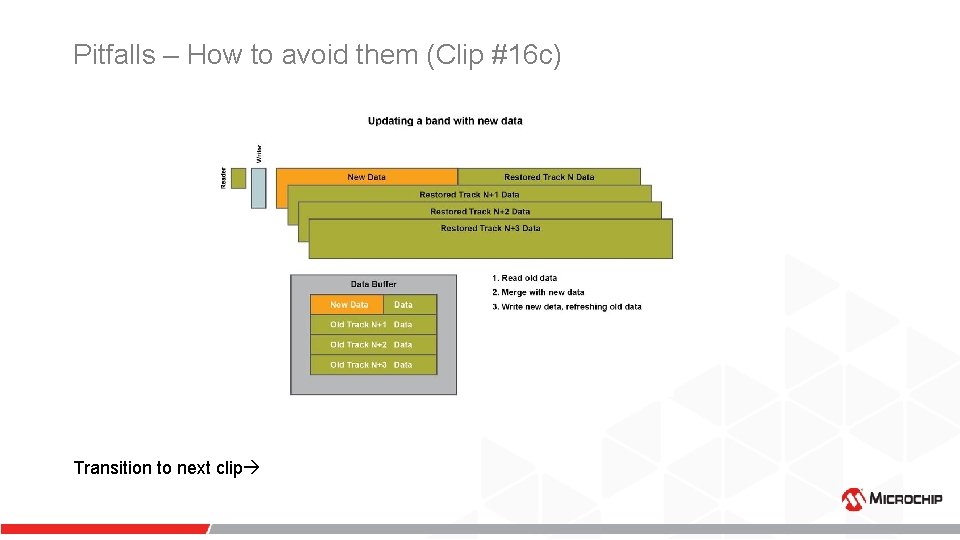
Pitfalls – How to avoid them (Clip #16 c) Transition to next clip
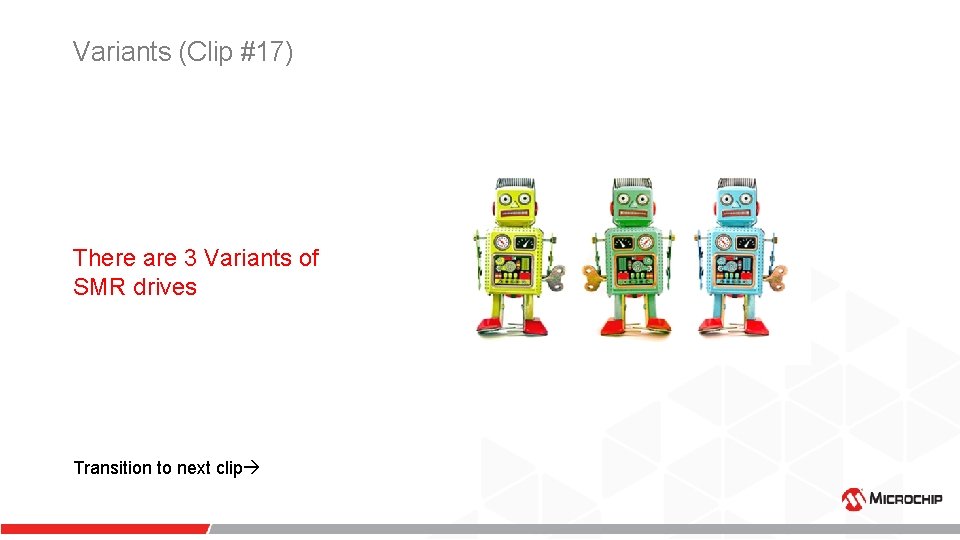
Variants (Clip #17) There are 3 Variants of SMR drives Transition to next clip
Variants (Clip #18) DM - Drive Managed (Autonomous/Transparent) Drives • • Manages all requests from the host, like any traditional HDD today. No host change required Underlying SMR nature is completely hidden from the host. Backward Compatible Most simple to deploy However, the background ‘housekeeping’ tasks that these drives must perform, result in highly unpredictable performance, unfit for enterprise workloads. Extremely effective in Personal Computers Transition to next clip
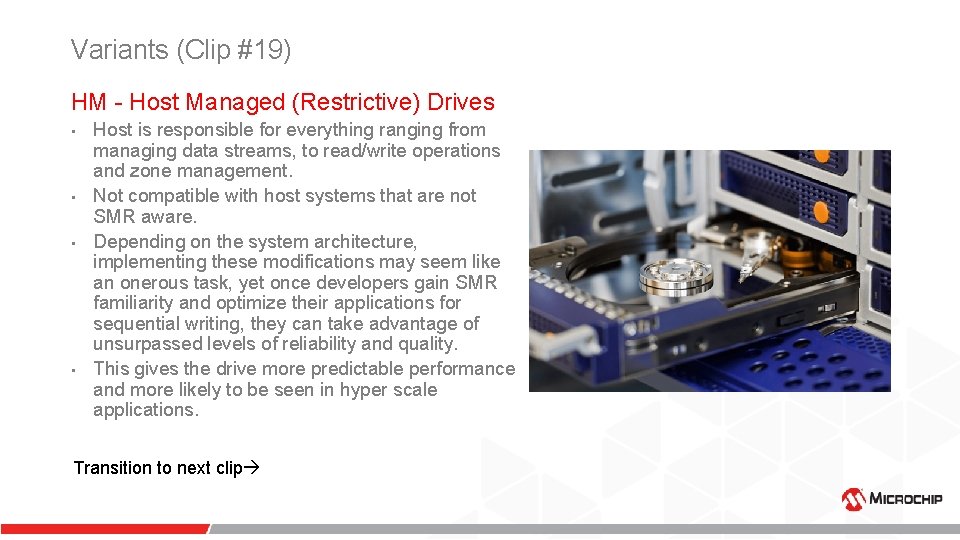
Variants (Clip #19) HM - Host Managed (Restrictive) Drives • • Host is responsible for everything ranging from managing data streams, to read/write operations and zone management. Not compatible with host systems that are not SMR aware. Depending on the system architecture, implementing these modifications may seem like an onerous task, yet once developers gain SMR familiarity and optimize their applications for sequential writing, they can take advantage of unsurpassed levels of reliability and quality. This gives the drive more predictable performance and more likely to be seen in hyper scale applications. Transition to next clip
Variants (Clip #20) HA - Host Aware (Cooperatively. Managed) Drives • • It is a combination of Drive Managed and Host Managed. Backward compatible Gives the host some control Self managed Implements the new ZBC (Zoned Block Commands)/ZAC (Zoned ATA Commands) standards Host uses the new command set to optimize the drive behavior Model of choice for most client and traditional enterprise systems Transition to next clip
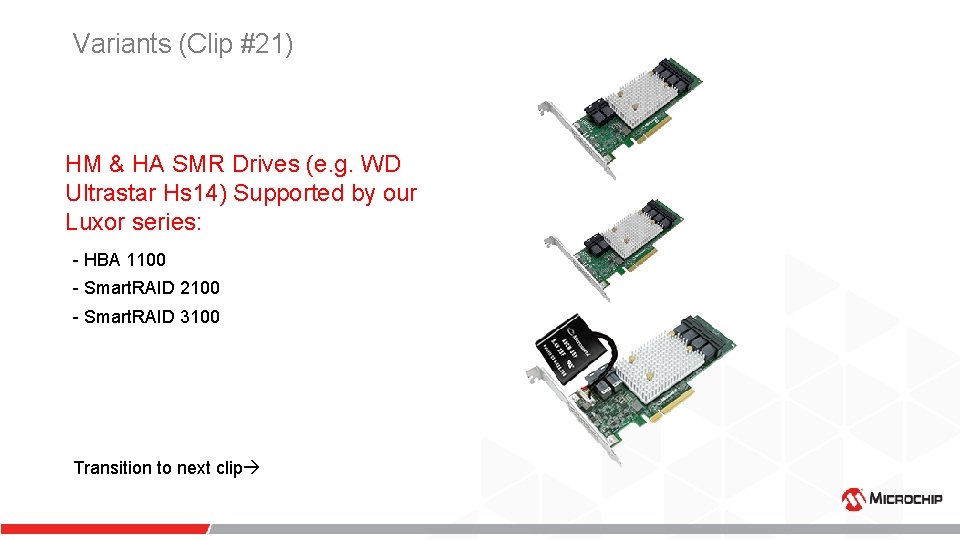
Variants (Clip #21) HM & HA SMR Drives (e. g. WD Ultrastar Hs 14) Supported by our Luxor series: - HBA 1100 - Smart. RAID 2100 - Smart. RAID 3100 Transition to next clip
Review (Clip #22) In this video I introduced you to SMR drives by covering the following aspects: • • Why? What? Pitfalls Variants Transition to next clip
Conclusion (Clip# 23) Thank you for watching!