
Introduction to SIOC By Manuel Vlez Translation by

Introduction to SIOC By Manuel Vélez (Translation by Manuel Hdez-Peña) www. opencockpits. com
Introduction to SIOC n n n Designed to control not only the electronic hardware, but the simulation too. Balance between power and programming simplicity. Simulation linking element (control core). 23/10/2004 Introduction to SIOC
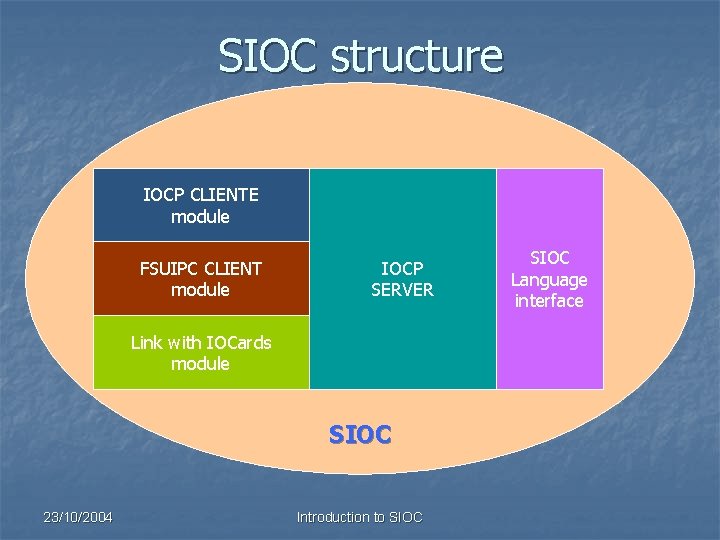
SIOC structure IOCP CLIENTE module FSUIPC CLIENT module IOCP SERVER Link with IOCards module SIOC 23/10/2004 Introduction to SIOC Language interface
SIOC <-> IOCP n n SIOC is based in IOCP protocol. It’s needed to know how IOCP works to understand SIOC is an IOCP server itself. SIOC is based in EVENTS. 23/10/2004 Introduction to SIOC
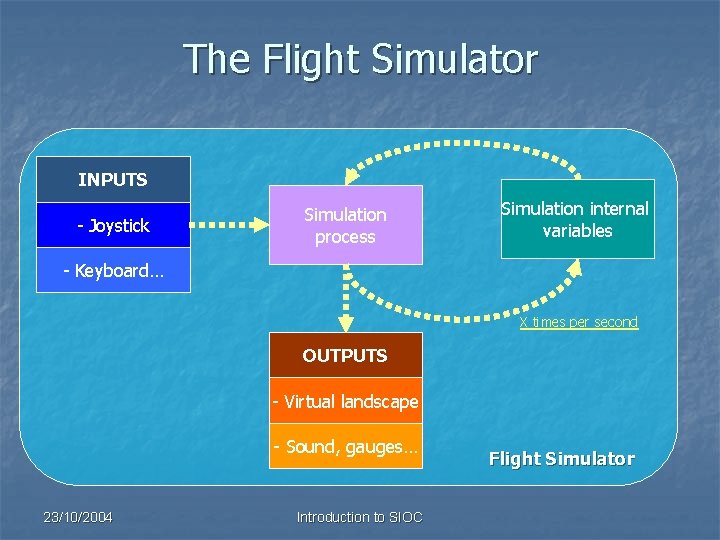
The Flight Simulator INPUTS - Joystick Simulation process Simulation internal variables - Keyboard… X times per second OUTPUTS - Virtual landscape - Sound, gauges… 23/10/2004 Introduction to SIOC Flight Simulator
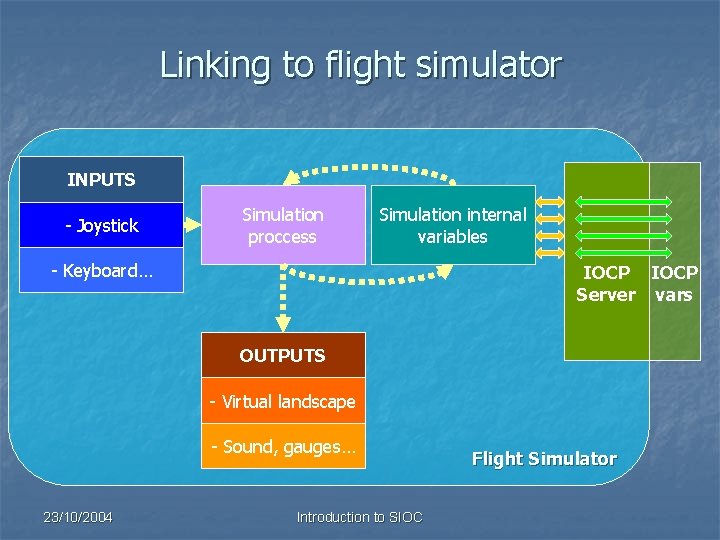
Linking to flight simulator INPUTS - Joystick Simulation proccess Simulation internal variables - Keyboard… IOCP Server vars OUTPUTS - Virtual landscape - Sound, gauges… 23/10/2004 Introduction to SIOC Flight Simulator
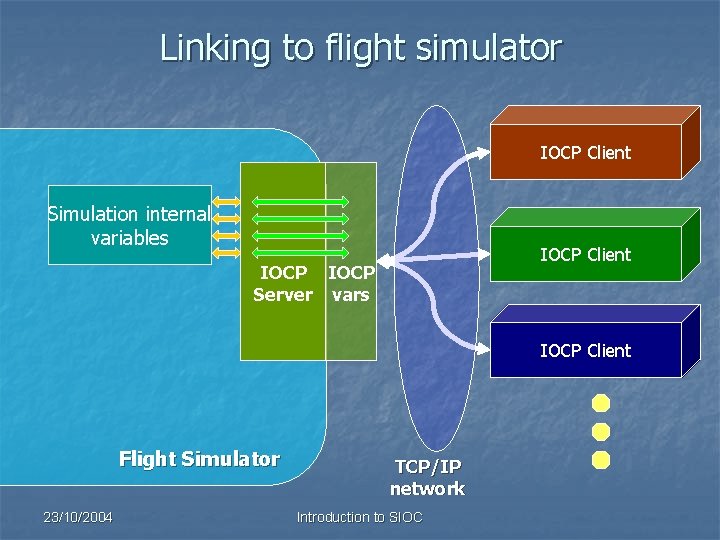
Linking to flight simulator IOCP Client Simulation internal variables IOCP Client IOCP Server vars IOCP Client Flight Simulator 23/10/2004 TCP/IP network Introduction to SIOC
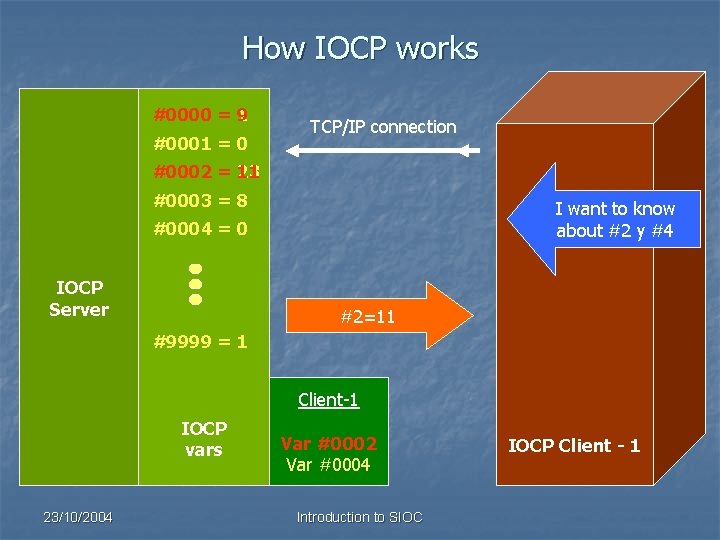
How IOCP works #0000 = 9 1 #0001 = 0 TCP/IP connection #0002 = 11 23 #0003 = 8 I want to know about #2 y #4 #0004 = 0 IOCP Server #2=23, #2=11 #4=0 #9999 = 1 Client-1 IOCP vars 23/10/2004 Var #0002 Var #0004 Introduction to SIOC IOCP Client - 1
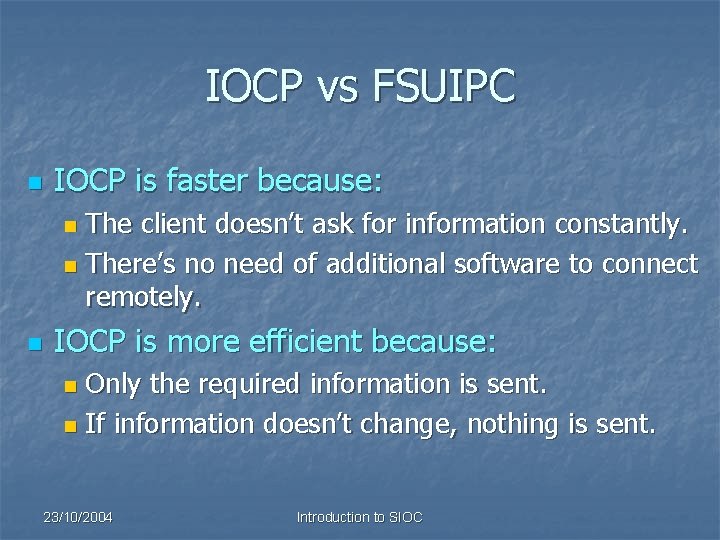
IOCP vs FSUIPC n IOCP is faster because: The client doesn’t ask for information constantly. n There’s no need of additional software to connect remotely. n n IOCP is more efficient because: Only the required information is sent. n If information doesn’t change, nothing is sent. n 23/10/2004 Introduction to SIOC
System based on events n n n SIOC is an IOCP server. SIOC events modify the internal variables (the ones in the internal IOCP server). There are 3 types of events: Due to a variable change (internal or external). n Due to a change in the IOCards inputs (digital or analogic). n Due to a Timer action. n 23/10/2004 Introduction to SIOC
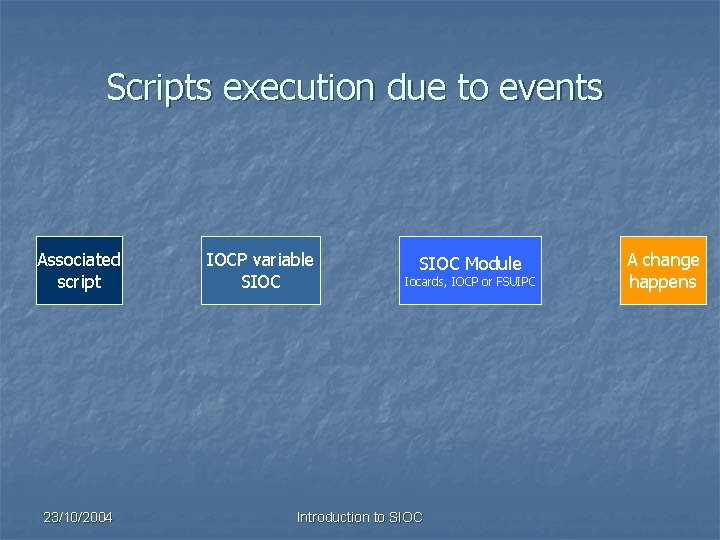
Scripts execution due to events Associated script 23/10/2004 IOCP variable SIOC Module Iocards, IOCP or FSUIPC Introduction to SIOC A change happens
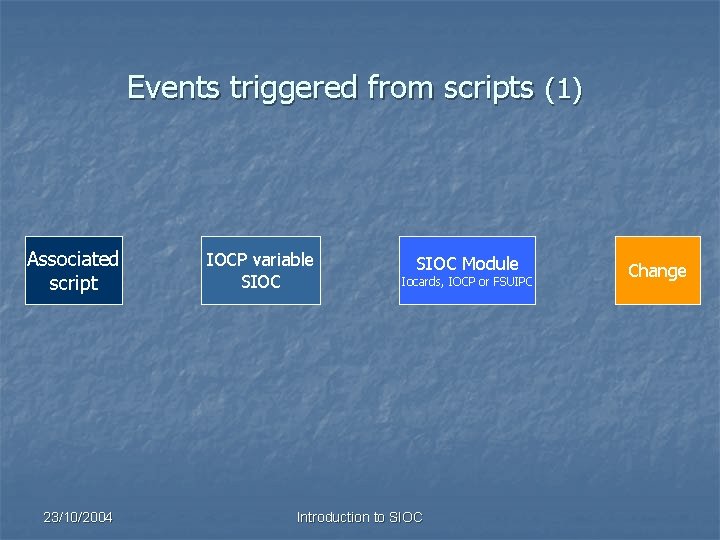
Events triggered from scripts (1) Associated script 23/10/2004 IOCP variable SIOC Module Iocards, IOCP or FSUIPC Introduction to SIOC Change
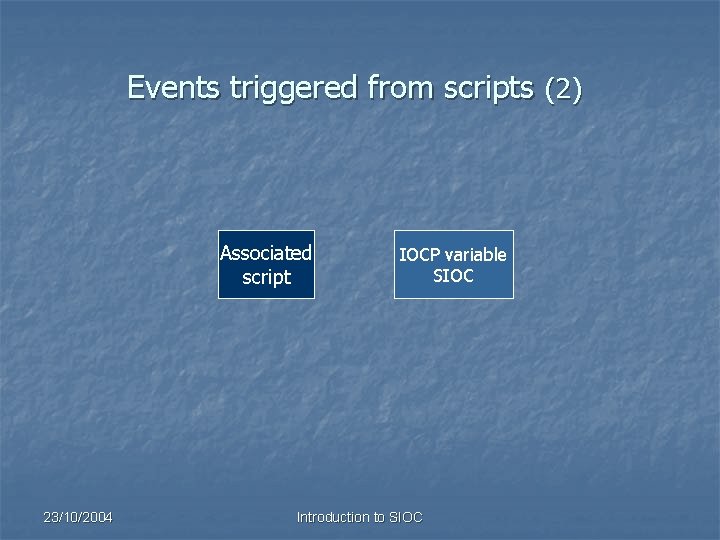
Events triggered from scripts (2) Associated script 23/10/2004 IOCP variable SIOC Introduction to SIOC
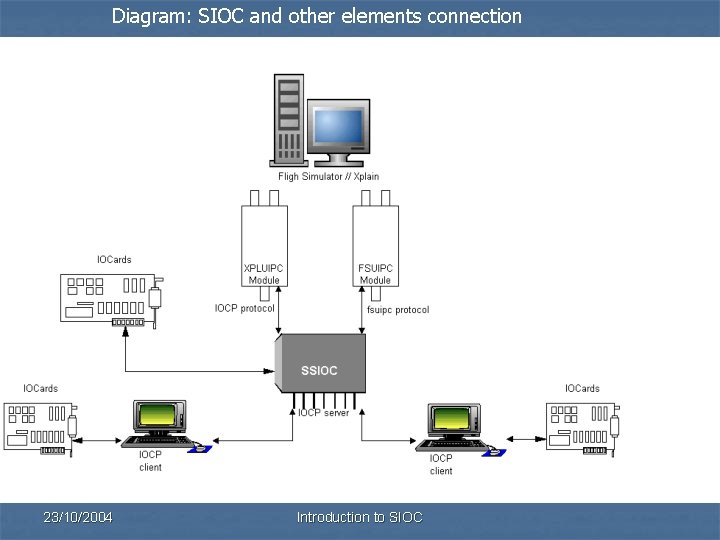
Diagram: SIOC and other elements connection 23/10/2004 Introduction to SIOC
SIOC – The golden rule n n SIOC only run a script associated to a variable IF THIS VARIABLE CHANGES ITS VALUE. The only exception is in the case of special variables named SUBROUTINES, that run the associated script EVERY TIME they take part in an assignment or when the CALL command is executed. 23/10/2004 Introduction to SIOC
SIOC software n There are 2 programs and one configuration file: n Config_SIOC. exe: to define scripts. n SIOC. exe: SIOC core. n SIOC. ini: configuration file. 23/10/2004 Introduction to SIOC
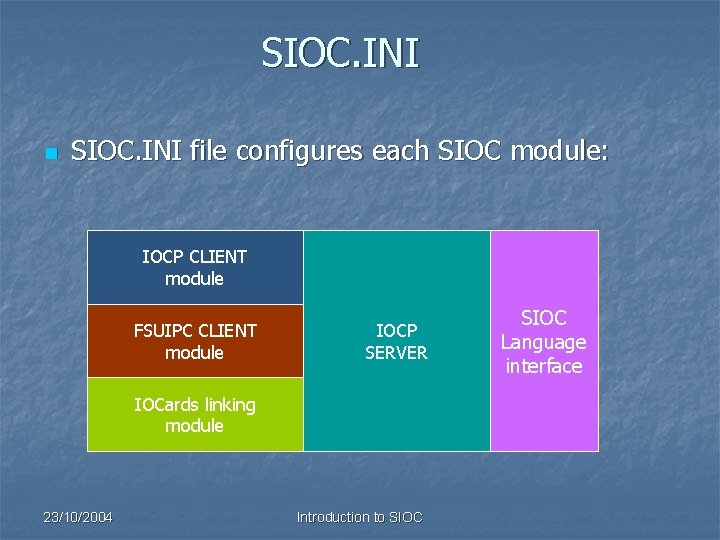
SIOC. INI n SIOC. INI file configures each SIOC module: IOCP CLIENT module FSUIPC CLIENT module IOCP SERVER IOCards linking module 23/10/2004 Introduction to SIOC Language interface
![IOCP CLIENT module [ Desactivar el módulo cliente IOCP ] [ Disable IOCP client](http://slidetodoc.com/presentation_image_h/12319b6e25402d9d8244f8bd54e95f44/image-18.jpg "IOCP CLIENT module [ Desactivar el módulo cliente IOCP ] [ Disable IOCP client")
IOCP CLIENT module [ Desactivar el módulo cliente IOCP ] [ Disable IOCP client module ] IOCPclient_disable=yes [ IP del servidor donde debe de conectar el cliente ] [ IOCP client host name ] IOCPclient_host=localhost [ Puerto de envio del protocolo IOCP cliente ] [ IOCP client port ] IOCPclient_port=8090 23/10/2004 Introduction to SIOC
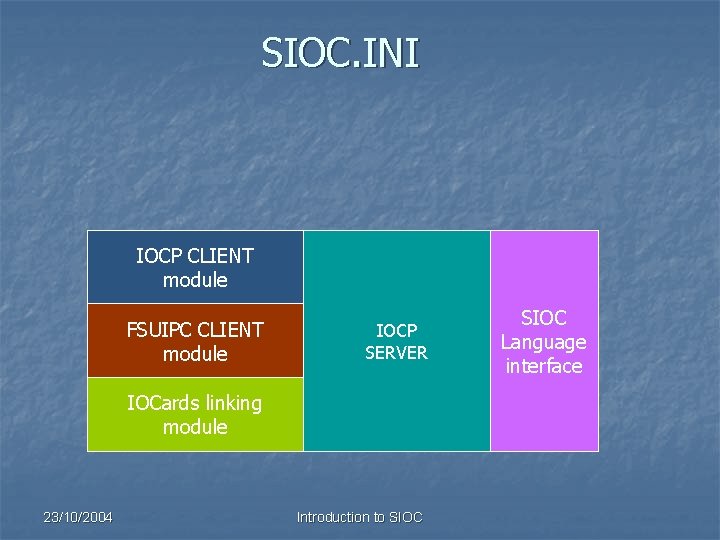
SIOC. INI IOCP CLIENT module FSUIPC CLIENT module IOCP SERVER IOCards linking module 23/10/2004 Introduction to SIOC Language interface
![FSUIPC CLIENT module [ Desabilitar lectura de las FSUIPC ] [ FSUIPC disable mode](http://slidetodoc.com/presentation_image_h/12319b6e25402d9d8244f8bd54e95f44/image-20.jpg "FSUIPC CLIENT module [ Desabilitar lectura de las FSUIPC ] [ FSUIPC disable mode")
FSUIPC CLIENT module [ Desabilitar lectura de las FSUIPC ] [ FSUIPC disable mode yes/no ] FSUipcdisable=No [ Refresco recepción FSUIPC ] [ FSUIPC refresh ] FSUipc. Refresh=100 23/10/2004 Introduction to SIOC
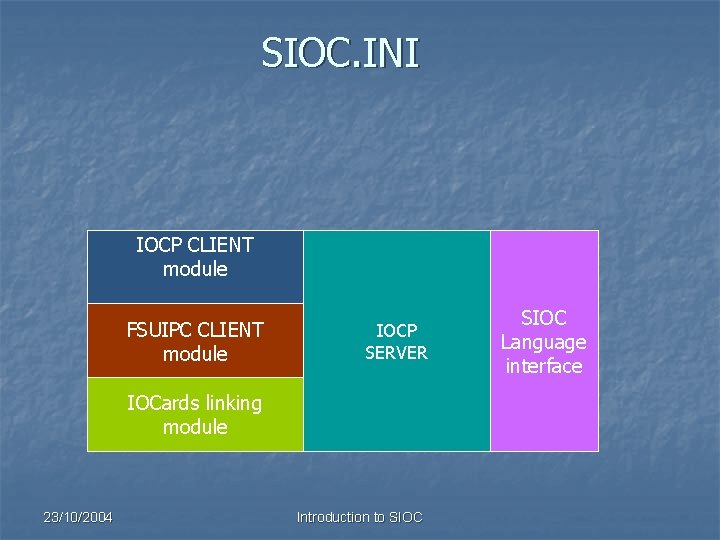
SIOC. INI IOCP CLIENT module FSUIPC CLIENT module IOCP SERVER IOCards linking module 23/10/2004 Introduction to SIOC Language interface
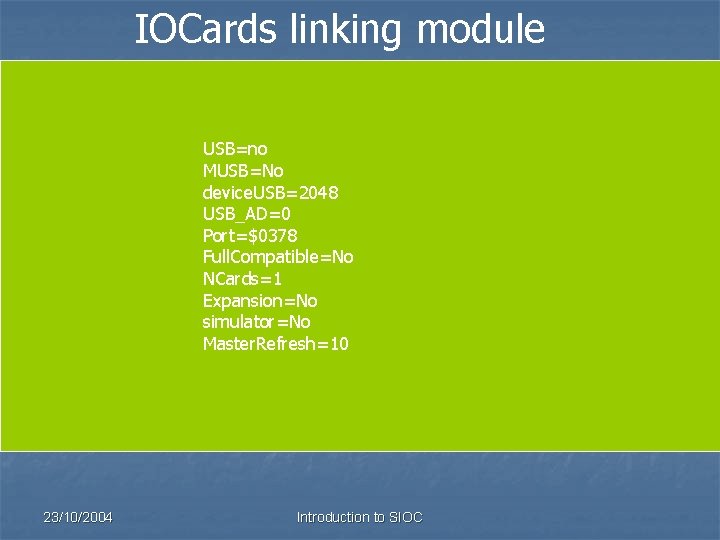
IOCards linking module USB=no MUSB=No device. USB=2048 USB_AD=0 Port=$0378 Full. Compatible=No NCards=1 Expansion=No simulator=No Master. Refresh=10 23/10/2004 Introduction to SIOC
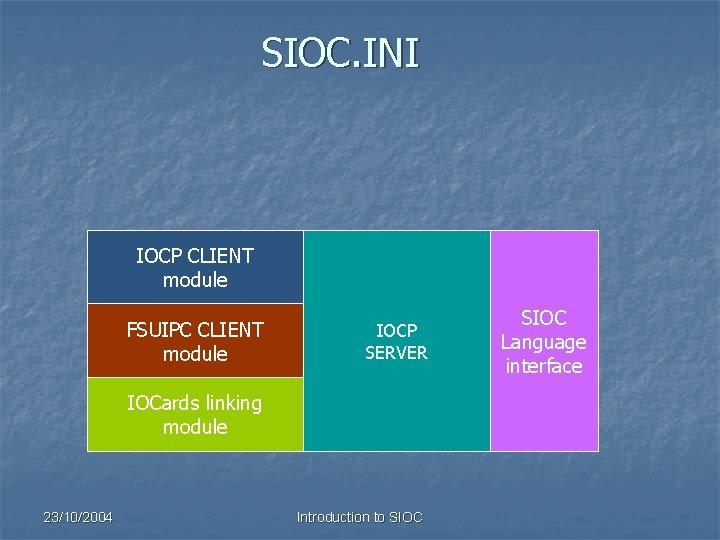
SIOC. INI IOCP CLIENT module FSUIPC CLIENT module IOCP SERVER IOCards linking module 23/10/2004 Introduction to SIOC Language interface
![IOCP server [ Puerto del servidor IOCP ] [ IOCP port ] IOCP_port=8092 [](http://slidetodoc.com/presentation_image_h/12319b6e25402d9d8244f8bd54e95f44/image-24.jpg "IOCP server [ Puerto del servidor IOCP ] [ IOCP port ] IOCP_port=8092 [")
IOCP server [ Puerto del servidor IOCP ] [ IOCP port ] IOCP_port=8092 [ Tiempo de respuesta máximo de los paquetes IOCP ] [ IOCP Timeout ] IOCP_timeout=4000 23/10/2004 Introduction to SIOC
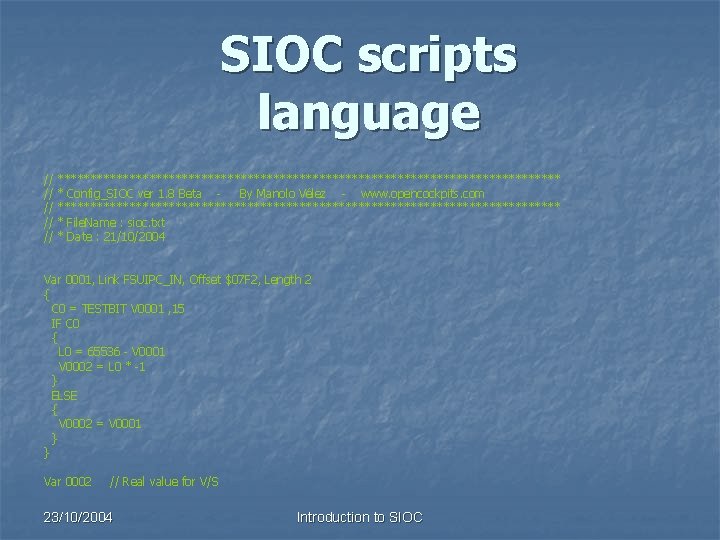
SIOC scripts language // // // *************************************** * Config_SIOC ver 1. 8 Beta By Manolo Vélez - www. opencockpits. com *************************************** * File. Name : sioc. txt * Date : 21/10/2004 Var 0001, Link FSUIPC_IN, Offset $07 F 2, Length 2 { C 0 = TESTBIT V 0001 , 15 IF C 0 { L 0 = 65536 - V 0001 V 0002 = L 0 * -1 } ELSE { V 0002 = V 0001 } } Var 0002 // Real value for V/S 23/10/2004 Introduction to SIOC

SIOC scripts language 1. Variables definition language. Each SIOC variable and its attributes are defined depending on its LINK. 2. Commands execution language. Functions, assignments, conditions and other types of commands executed in sequence. 23/10/2004 Introduction to SIOC
Defining variables in SIOC n n To work with a SIOC module, we have to link our SIOC variable with the module we want to work with, defining the attributes of the module and which particular element in the module we want to control. By this link, when our SIOC variable takes a value, an output will be generated via the defined module, and the variable value will change following the calculations made in the module. 23/10/2004 Introduction to SIOC

Types of LINKS Module LINK definition Description FSUIPC module FSUIPC_OUT Sends data to FSUIPC offsets. FSUIPC_IN Receives data from FSUIPC offsets. IOCP Client module IOCP Sends and receives IOCP variables data. IOCARD_SW Works with IOCards switches (inputs). IOCards module IOCARD_OUT Turns on/off IOCards outputs. IOCARD_DISPLAY Sends data to IOCards displays. IOCARD_ENCODER Receives data from IOCards encoders. IOCARD_ANALOGIC Receives data from IOCards analog inputs. IOCARD_SERVO Moves IOCards servomotors. IOCARD_MOTOR Moves IOCards DC and stepper motors SUBRUTINE Manages a variable as a Subroutine. SIOC 23/10/2004 Introduction to SIOC
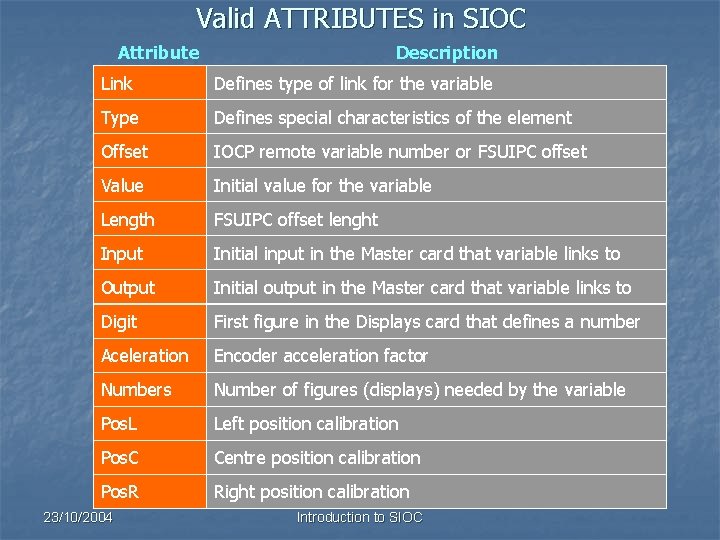
Valid ATTRIBUTES in SIOC Attribute Description Link Defines type of link for the variable Type Defines special characteristics of the element Offset IOCP remote variable number or FSUIPC offset Value Initial value for the variable Length FSUIPC offset lenght Input Initial input in the Master card that variable links to Output Initial output in the Master card that variable links to Digit First figure in the Displays card that defines a number Aceleration Encoder acceleration factor Numbers Number of figures (displays) needed by the variable Pos. L Left position calibration Pos. C Centre position calibration Pos. R Right position calibration 23/10/2004 Introduction to SIOC
Scripts language main characteristics n n n Different identifiers, variables, constants and other elements are always separated by spaces, commas, brackets or tabulators. { and } are used to indicate different levels. // can be used to insert general comments at the beguining of a line or at the end of a command line as a particular comment. n Only one definition or command is allowed in each line. n There’s no difference between uppercase and lowercase. 23/10/2004 Introduction to SIOC
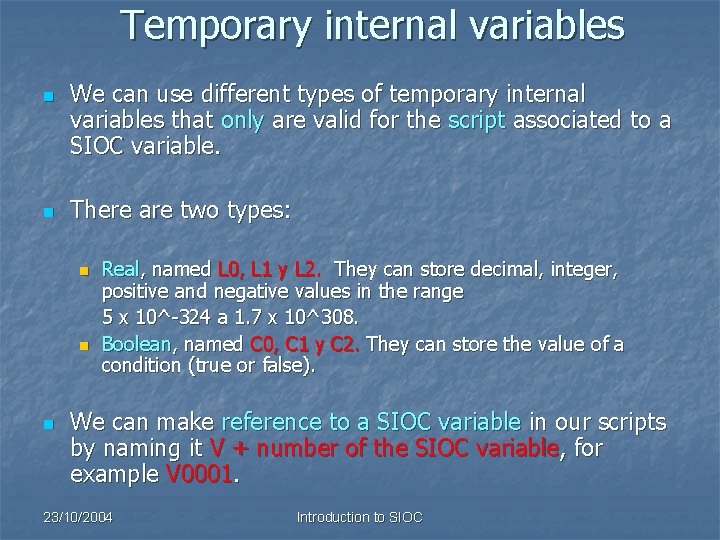
Temporary internal variables n n We can use different types of temporary internal variables that only are valid for the script associated to a SIOC variable. There are two types: n n n Real, named L 0, L 1 y L 2. They can store decimal, integer, positive and negative values in the range 5 x 10^-324 a 1. 7 x 10^308. Boolean, named C 0, C 1 y C 2. They can store the value of a condition (true or false). We can make reference to a SIOC variable in our scripts by naming it V + number of the SIOC variable, for example V 0001. 23/10/2004 Introduction to SIOC

SIOC variables definition using scripts language Var Number 0 -9999 Attribute parameter … Examples : Var 0001, Link FSUIPC_IN, Offset $07 F 2, Length 2 Var 0001, Link IOCARD_ENCODER, Input 0, Acceleration 8, Type 1 // Encoder dec. Var 0006, Link IOCARD_DISPLAY, Digit 0, Numbers 5 Var 9023 23/10/2004 Introduction to SIOC
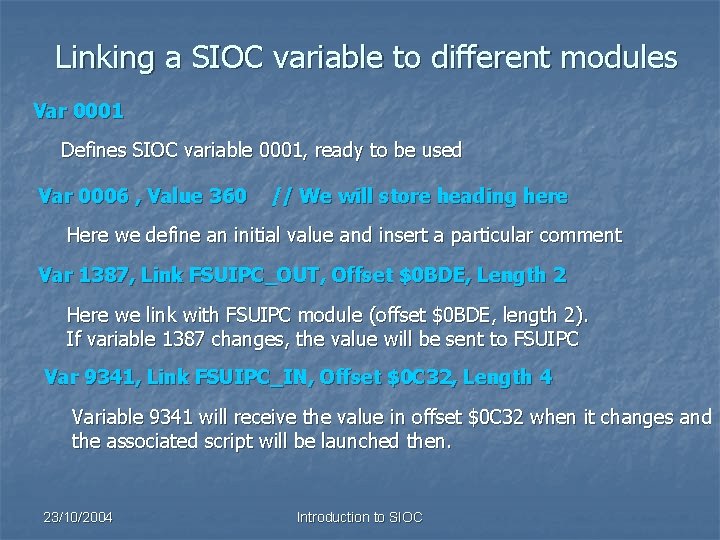
Linking a SIOC variable to different modules Var 0001 Defines SIOC variable 0001, ready to be used Var 0006 , Value 360 // We will store heading here Here we define an initial value and insert a particular comment Var 1387, Link FSUIPC_OUT, Offset $0 BDE, Length 2 Here we link with FSUIPC module (offset $0 BDE, length 2). If variable 1387 changes, the value will be sent to FSUIPC Var 9341, Link FSUIPC_IN, Offset $0 C 32, Length 4 Variable 9341 will receive the value in offset $0 C 32 when it changes and the associated script will be launched then. 23/10/2004 Introduction to SIOC
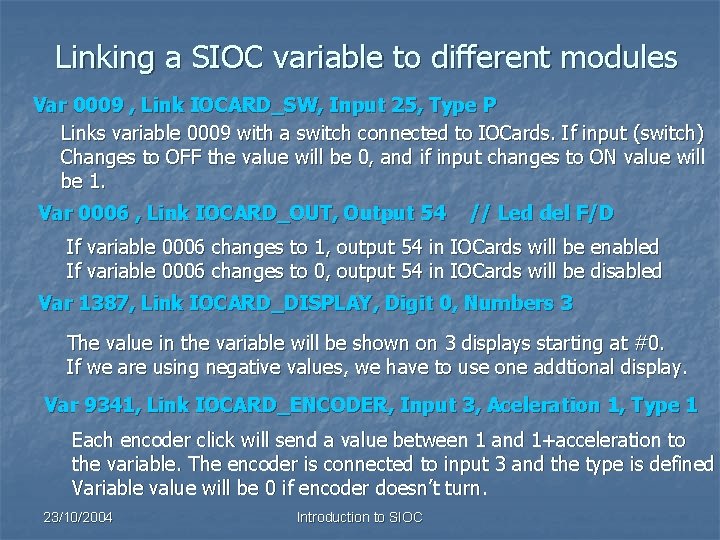
Linking a SIOC variable to different modules Var 0009 , Link IOCARD_SW, Input 25, Type P Links variable 0009 with a switch connected to IOCards. If input (switch) Changes to OFF the value will be 0, and if input changes to ON value will be 1. Var 0006 , Link IOCARD_OUT, Output 54 // Led del F/D If variable 0006 changes to 1, output 54 in IOCards will be enabled If variable 0006 changes to 0, output 54 in IOCards will be disabled Var 1387, Link IOCARD_DISPLAY, Digit 0, Numbers 3 The value in the variable will be shown on 3 displays starting at #0. If we are using negative values, we have to use one addtional display. Var 9341, Link IOCARD_ENCODER, Input 3, Aceleration 1, Type 1 Each encoder click will send a value between 1 and 1+acceleration to the variable. The encoder is connected to input 3 and the type is defined Variable value will be 0 if encoder doesn’t turn. 23/10/2004 Introduction to SIOC
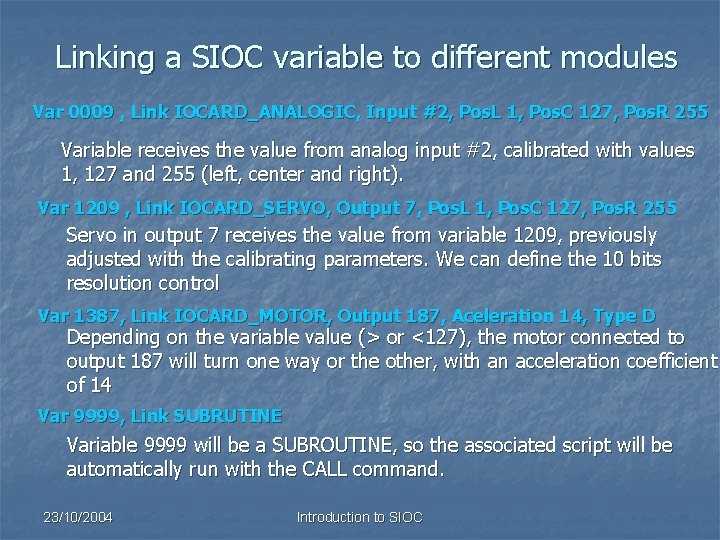
Linking a SIOC variable to different modules Var 0009 , Link IOCARD_ANALOGIC, Input #2, Pos. L 1, Pos. C 127, Pos. R 255 Variable receives the value from analog input #2, calibrated with values 1, 127 and 255 (left, center and right). Var 1209 , Link IOCARD_SERVO, Output 7, Pos. L 1, Pos. C 127, Pos. R 255 Servo in output 7 receives the value from variable 1209, previously adjusted with the calibrating parameters. We can define the 10 bits resolution control Var 1387, Link IOCARD_MOTOR, Output 187, Aceleration 14, Type D Depending on the variable value (> or <127), the motor connected to output 187 will turn one way or the other, with an acceleration coefficient of 14 Var 9999, Link SUBRUTINE Variable 9999 will be a SUBROUTINE, so the associated script will be automatically run with the CALL command. 23/10/2004 Introduction to SIOC
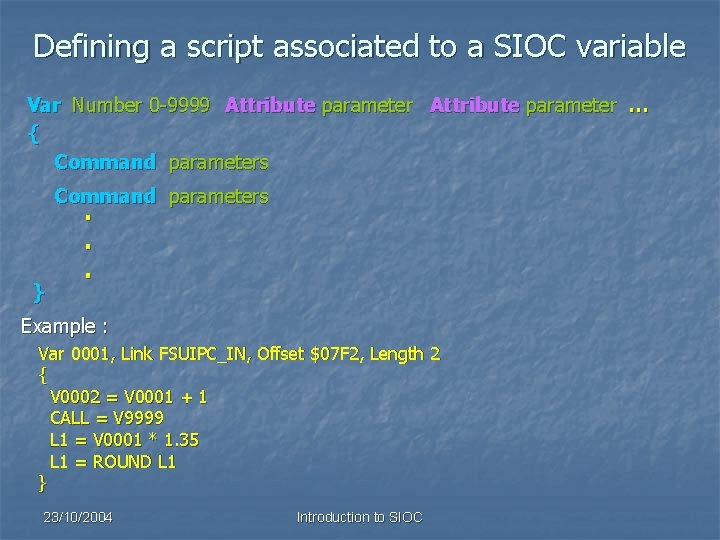
Defining a script associated to a SIOC variable Var Number 0 -9999 Attribute parameter … { Command parameters } . . . Example : Var 0001, Link FSUIPC_IN, Offset $07 F 2, Length 2 { V 0002 = V 0001 + 1 CALL = V 9999 L 1 = V 0001 * 1. 35 L 1 = ROUND L 1 } 23/10/2004 Introduction to SIOC
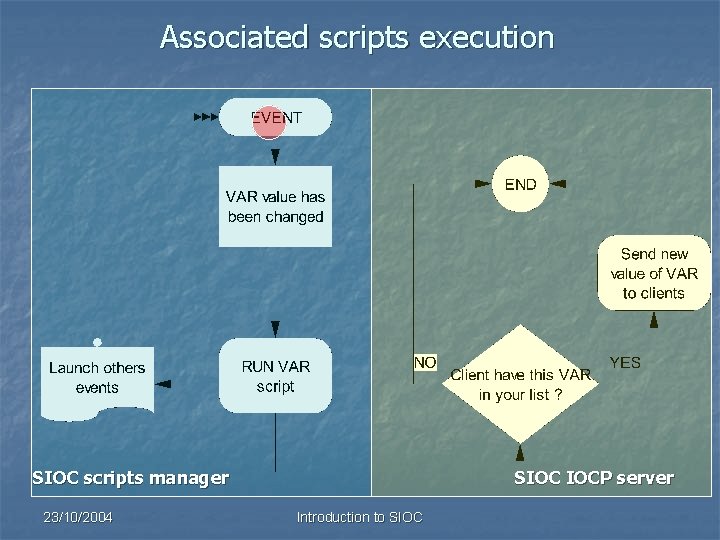
Associated scripts execution SIOC scripts manager 23/10/2004 SIOC IOCP server Introduction to SIOC
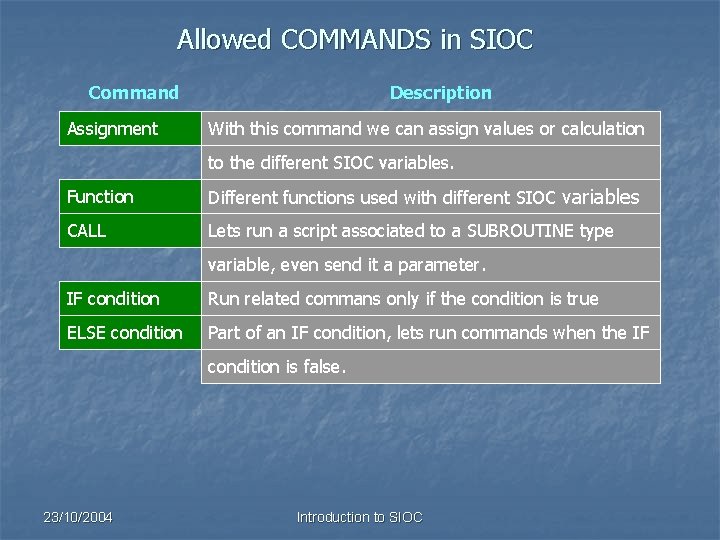
Allowed COMMANDS in SIOC Command Assignment Description With this command we can assign values or calculation to the different SIOC variables. Function Different functions used with different SIOC variables CALL Lets run a script associated to a SUBROUTINE type variable, even send it a parameter. IF condition Run related commans only if the condition is true ELSE condition Part of an IF condition, lets run commands when the IF condition is false. 23/10/2004 Introduction to SIOC
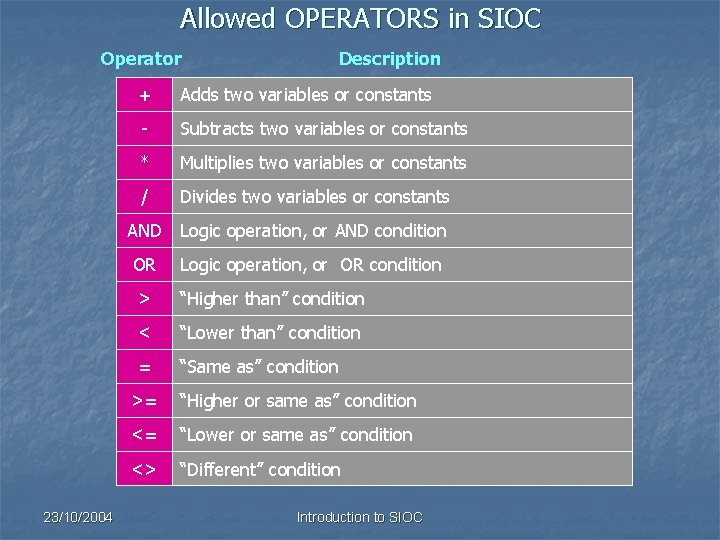
Allowed OPERATORS in SIOC Operator 23/10/2004 Description + Adds two variables or constants - Subtracts two variables or constants * Multiplies two variables or constants / Divides two variables or constants AND Logic operation, or AND condition OR Logic operation, or OR condition > “Higher than” condition < “Lower than” condition = “Same as” condition >= “Higher or same as” condition <= “Lower or same as” condition <> “Different” condition Introduction to SIOC
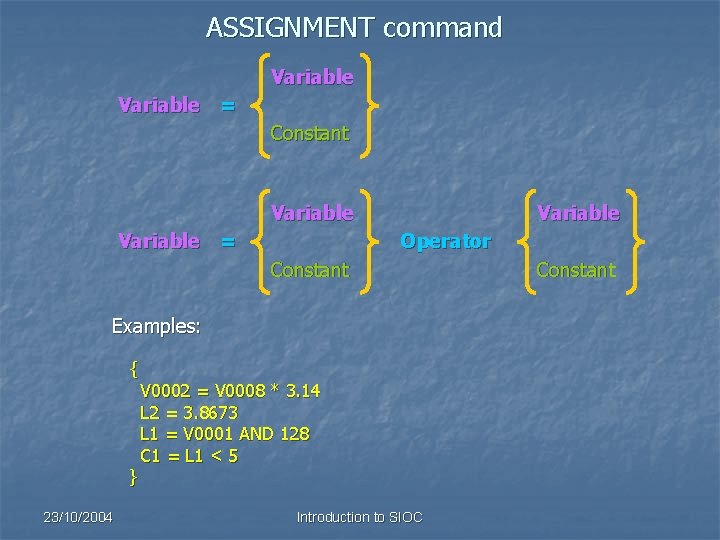
ASSIGNMENT command Variable = Constant Variable = Variable Operator Constant Examples: { } 23/10/2004 V 0002 = V 0008 * 3. 14 L 2 = 3. 8673 L 1 = V 0001 AND 128 C 1 = L 1 < 5 Introduction to SIOC Constant
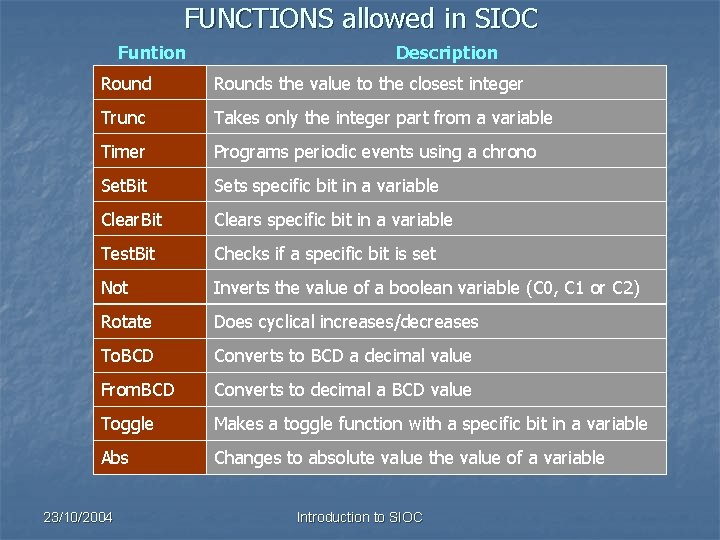
FUNCTIONS allowed in SIOC Funtion Description Rounds the value to the closest integer Trunc Takes only the integer part from a variable Timer Programs periodic events using a chrono Set. Bit Sets specific bit in a variable Clear. Bit Clears specific bit in a variable Test. Bit Checks if a specific bit is set Not Inverts the value of a boolean variable (C 0, C 1 or C 2) Rotate Does cyclical increases/decreases To. BCD Converts to BCD a decimal value From. BCD Converts to decimal a BCD value Toggle Makes a toggle function with a specific bit in a variable Abs Changes to absolute value the value of a variable 23/10/2004 Introduction to SIOC
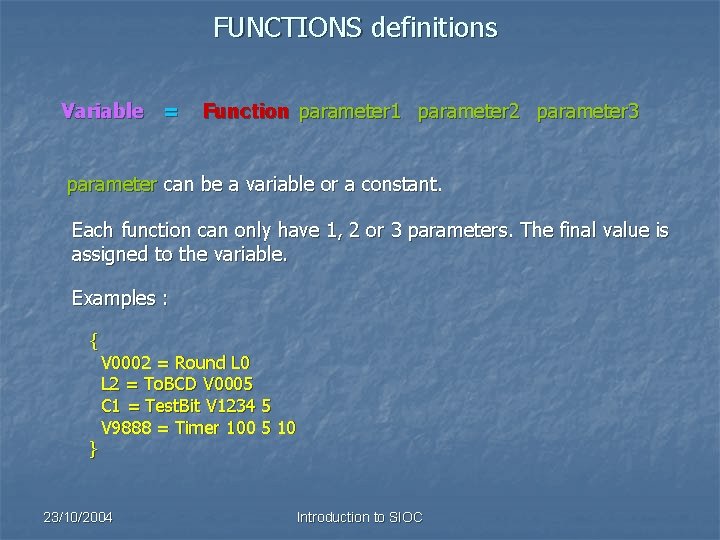
FUNCTIONS definitions Variable = Function parameter 1 parameter 2 parameter 3 parameter can be a variable or a constant. Each function can only have 1, 2 or 3 parameters. The final value is assigned to the variable. Examples : { } V 0002 = Round L 0 L 2 = To. BCD V 0005 C 1 = Test. Bit V 1234 5 V 9888 = Timer 100 5 10 23/10/2004 Introduction to SIOC
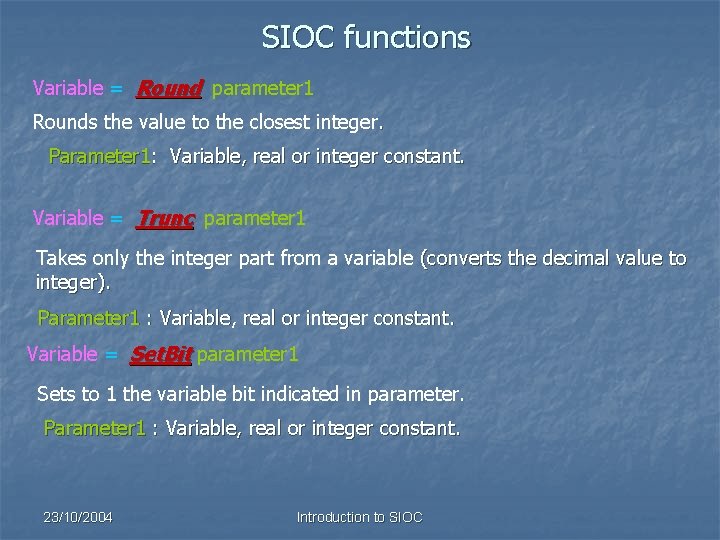
SIOC functions Variable = Round parameter 1 Rounds the value to the closest integer. Parameter 1: Variable, real or integer constant. Variable = Trunc parameter 1 Takes only the integer part from a variable (converts the decimal value to integer). Parameter 1 : Variable, real or integer constant. Variable = Set. Bit parameter 1 Sets to 1 the variable bit indicated in parameter. Parameter 1 : Variable, real or integer constant. 23/10/2004 Introduction to SIOC
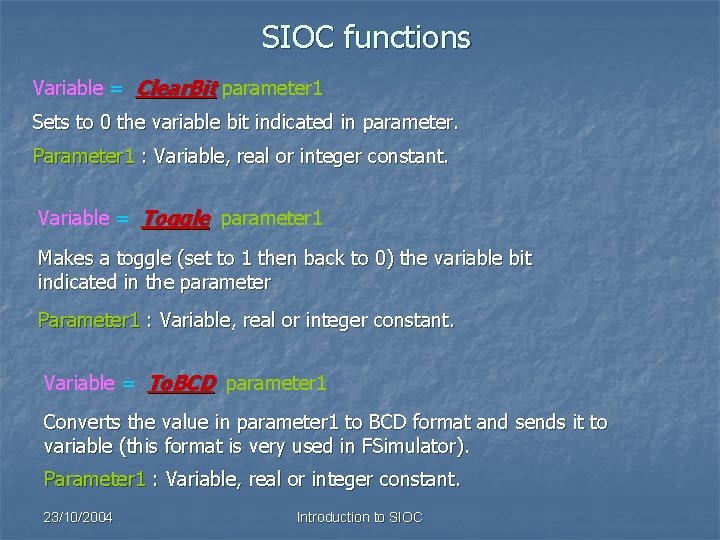
SIOC functions Variable = Clear. Bit parameter 1 Sets to 0 the variable bit indicated in parameter. Parameter 1 : Variable, real or integer constant. Variable = Toggle parameter 1 Makes a toggle (set to 1 then back to 0) the variable bit indicated in the parameter Parameter 1 : Variable, real or integer constant. Variable = To. BCD parameter 1 Converts the value in parameter 1 to BCD format and sends it to variable (this format is very used in FSimulator). Parameter 1 : Variable, real or integer constant. 23/10/2004 Introduction to SIOC
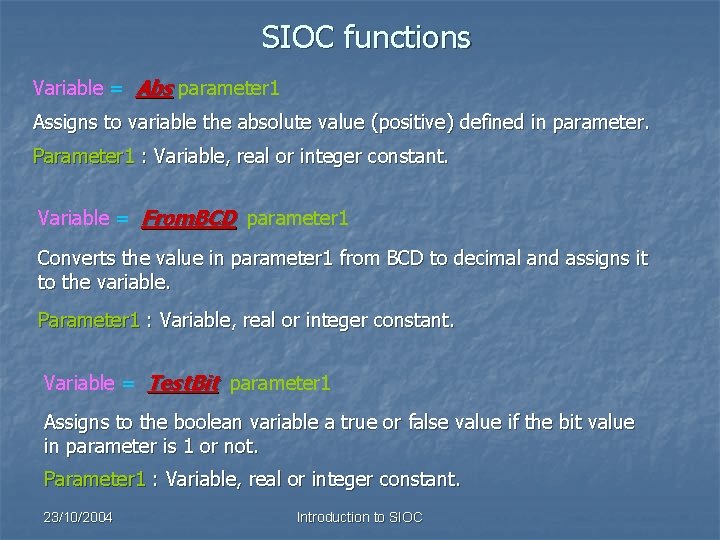
SIOC functions Variable = Abs parameter 1 Assigns to variable the absolute value (positive) defined in parameter. Parameter 1 : Variable, real or integer constant. Variable = From. BCD parameter 1 Converts the value in parameter 1 from BCD to decimal and assigns it to the variable. Parameter 1 : Variable, real or integer constant. Variable = Test. Bit parameter 1 Assigns to the boolean variable a true or false value if the bit value in parameter is 1 or not. Parameter 1 : Variable, real or integer constant. 23/10/2004 Introduction to SIOC
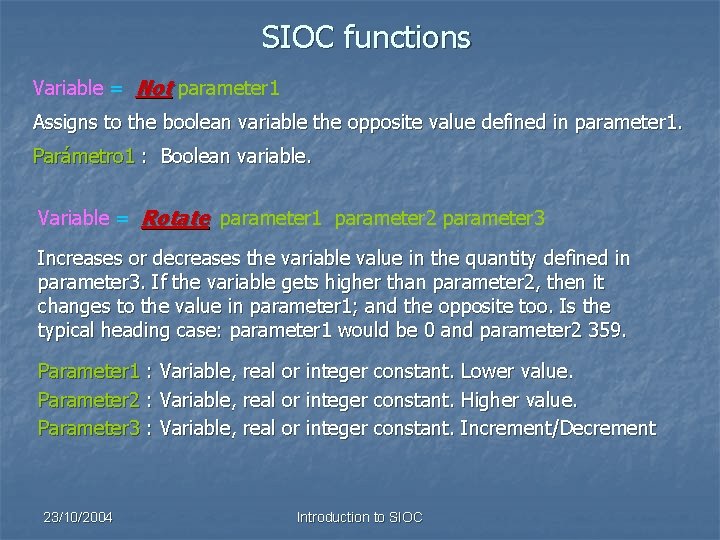
SIOC functions Variable = Not parameter 1 Assigns to the boolean variable the opposite value defined in parameter 1. Parámetro 1 : Boolean variable. Variable = Rotate parameter 1 parameter 2 parameter 3 Increases or decreases the variable value in the quantity defined in parameter 3. If the variable gets higher than parameter 2, then it changes to the value in parameter 1; and the opposite too. Is the typical heading case: parameter 1 would be 0 and parameter 2 359. Parameter 1 : Variable, real or integer constant. Lower value. Parameter 2 : Variable, real or integer constant. Higher value. Parameter 3 : Variable, real or integer constant. Increment/Decrement 23/10/2004 Introduction to SIOC
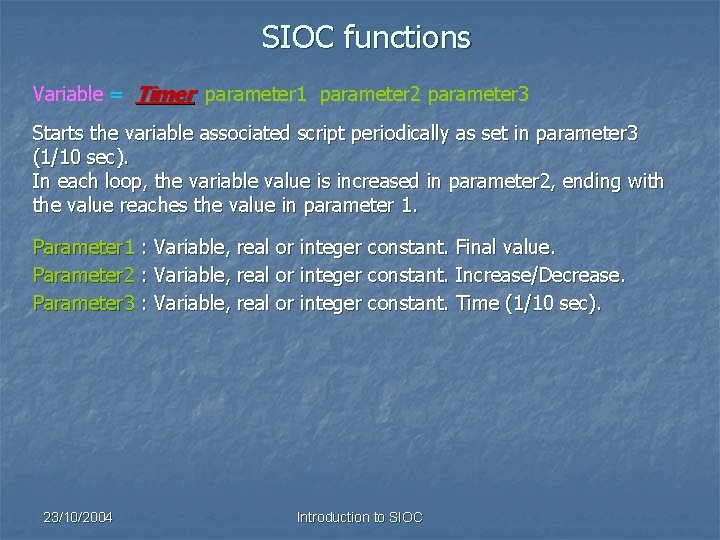
SIOC functions Variable = Timer parameter 1 parameter 2 parameter 3 Starts the variable associated script periodically as set in parameter 3 (1/10 sec). In each loop, the variable value is increased in parameter 2, ending with the value reaches the value in parameter 1. Parameter 1 : Variable, real or integer constant. Final value. Parameter 2 : Variable, real or integer constant. Increase/Decrease. Parameter 3 : Variable, real or integer constant. Time (1/10 sec). 23/10/2004 Introduction to SIOC
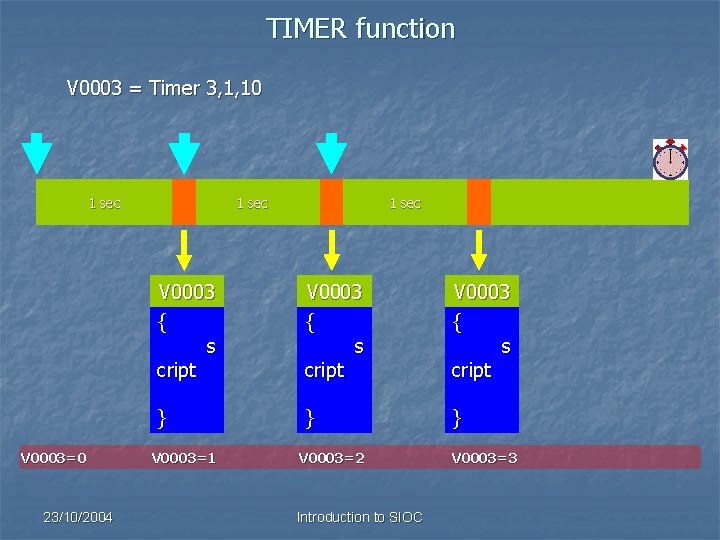
TIMER function V 0003 = Timer 3, 1, 10 1 sec V 0003=0 23/10/2004 1 sec V 0003 { s cript } } } V 0003=1 V 0003=2 Introduction to SIOC V 0003=3
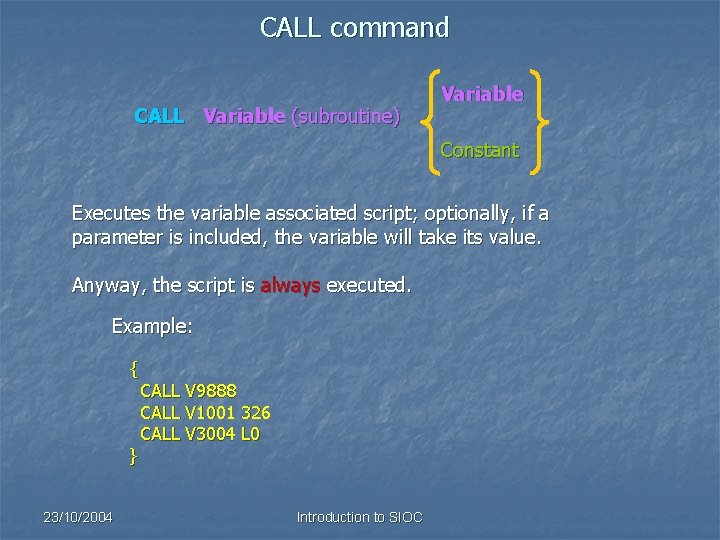
CALL command CALL Variable (subroutine) Variable Constant Executes the variable associated script; optionally, if a parameter is included, the variable will take its value. Anyway, the script is always executed. Example: { } 23/10/2004 CALL V 9888 CALL V 1001 326 CALL V 3004 L 0 Introduction to SIOC
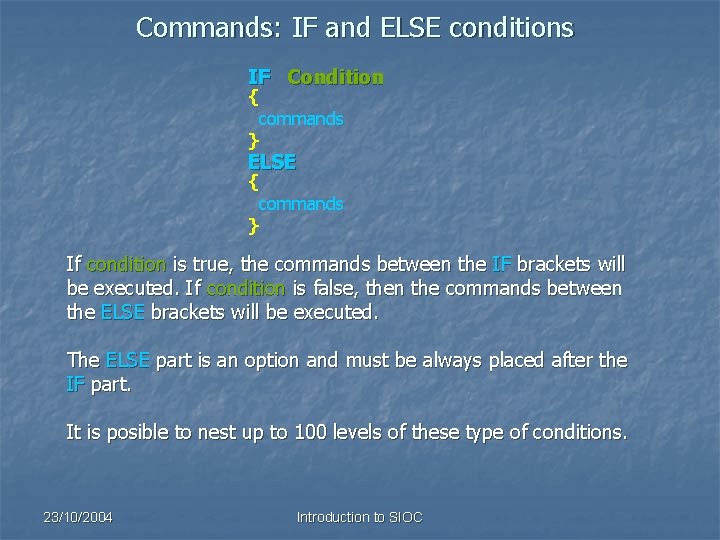
Commands: IF and ELSE conditions IF Condition { commands } ELSE { commands } If condition is true, the commands between the IF brackets will be executed. If condition is false, then the commands between the ELSE brackets will be executed. The ELSE part is an option and must be always placed after the IF part. It is posible to nest up to 100 levels of these type of conditions. 23/10/2004 Introduction to SIOC
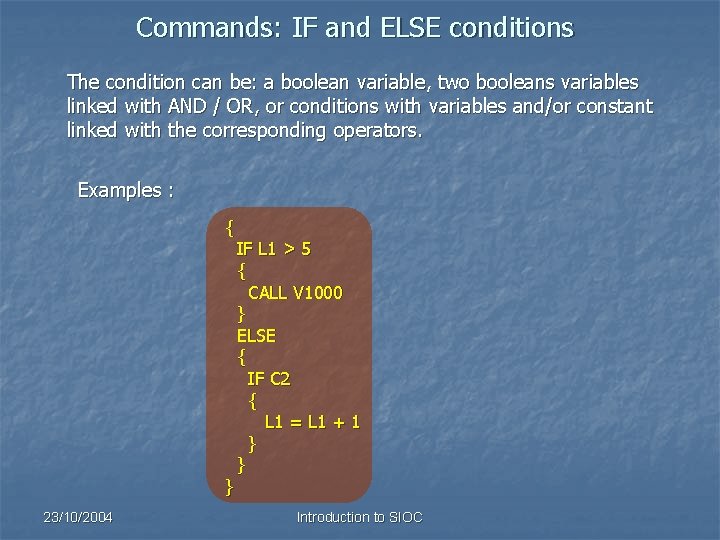
Commands: IF and ELSE conditions The condition can be: a boolean variable, two booleans variables linked with AND / OR, or conditions with variables and/or constant linked with the corresponding operators. Examples : { } 23/10/2004 IF L 1 > 5 { CALL V 1000 } ELSE { IF C 2 { L 1 = L 1 + 1 } } Introduction to SIOC
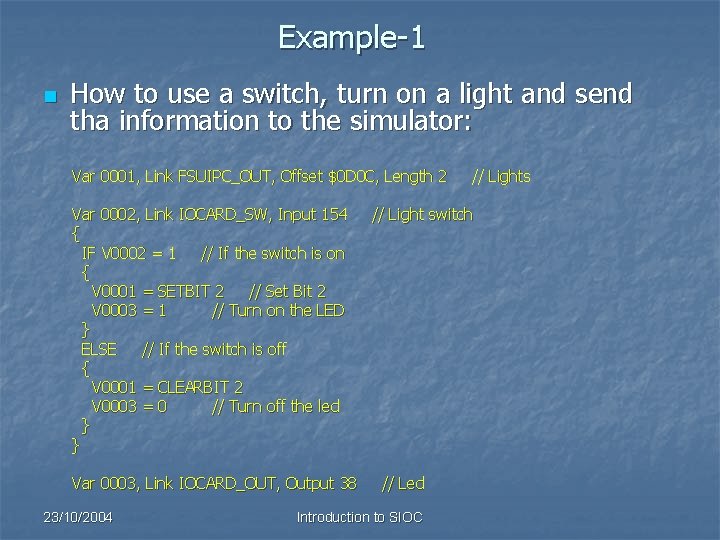
Example-1 n How to use a switch, turn on a light and send tha information to the simulator: Var 0001, Link FSUIPC_OUT, Offset $0 D 0 C, Length 2 Var 0002, Link IOCARD_SW, Input 154 { IF V 0002 = 1 // If the switch is on { V 0001 = SETBIT 2 // Set Bit 2 V 0003 = 1 // Turn on the LED } ELSE // If the switch is off { V 0001 = CLEARBIT 2 V 0003 = 0 // Turn off the led } } Var 0003, Link IOCARD_OUT, Output 38 23/10/2004 // Lights // Light switch // Led Introduction to SIOC
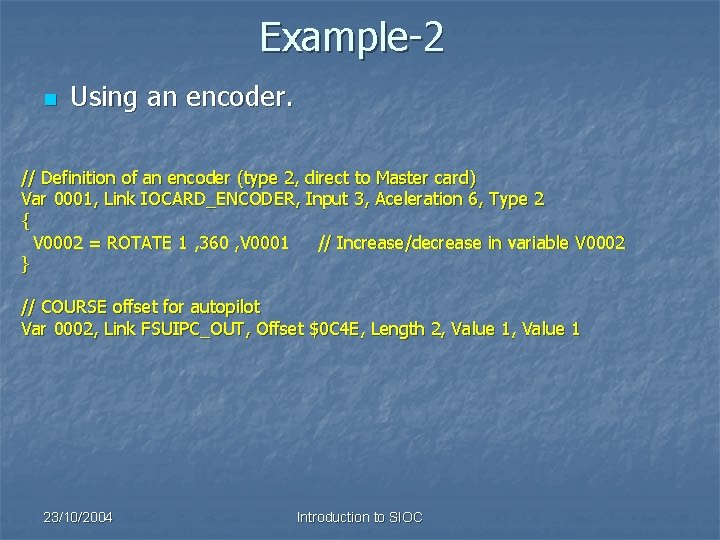
Example-2 n Using an encoder. // Definition of an encoder (type 2, direct to Master card) Var 0001, Link IOCARD_ENCODER, Input 3, Aceleration 6, Type 2 { V 0002 = ROTATE 1 , 360 , V 0001 // Increase/decrease in variable V 0002 } // COURSE offset for autopilot Var 0002, Link FSUIPC_OUT, Offset $0 C 4 E, Length 2, Value 1 23/10/2004 Introduction to SIOC
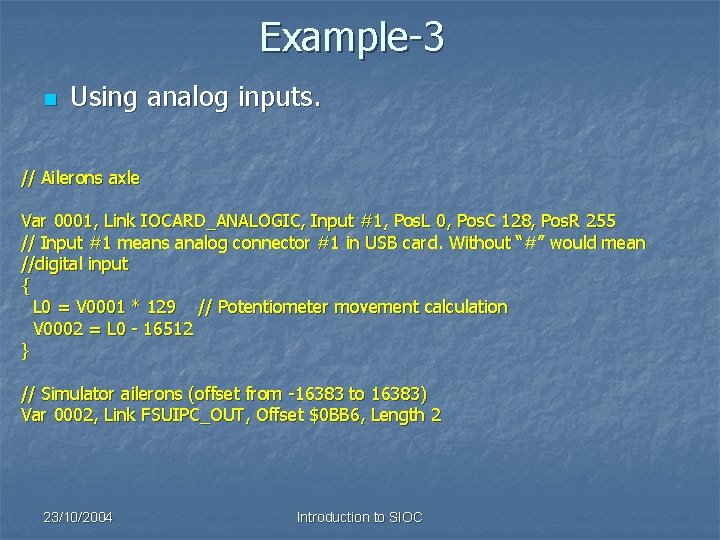
Example-3 n Using analog inputs. // Ailerons axle Var 0001, Link IOCARD_ANALOGIC, Input #1, Pos. L 0, Pos. C 128, Pos. R 255 // Input #1 means analog connector #1 in USB card. Without “#” would mean //digital input { L 0 = V 0001 * 129 // Potentiometer movement calculation V 0002 = L 0 - 16512 } // Simulator ailerons (offset from -16383 to 16383) Var 0002, Link FSUIPC_OUT, Offset $0 BB 6, Length 2 23/10/2004 Introduction to SIOC

Considerations about programming with SIOC 23/10/2004 Introduction to SIOC
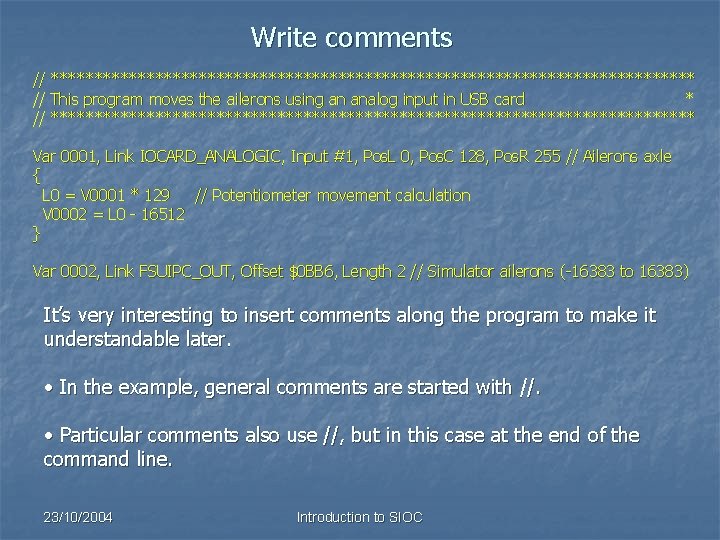
Write comments // ************************************* // This program moves the ailerons using an analog input in USB card * // ************************************* Var 0001, Link IOCARD_ANALOGIC, Input #1, Pos. L 0, Pos. C 128, Pos. R 255 // Ailerons axle { L 0 = V 0001 * 129 // Potentiometer movement calculation V 0002 = L 0 - 16512 } Var 0002, Link FSUIPC_OUT, Offset $0 BB 6, Length 2 // Simulator ailerons (-16383 to 16383) It’s very interesting to insert comments along the program to make it understandable later. • In the example, general comments are started with //. • Particular comments also use //, but in this case at the end of the command line. 23/10/2004 Introduction to SIOC
Initializing variables n n n SIOC variables always are started with a NULL value, so the first value they get always causes an EVENT. The attribute VALUE let us to initialize a SIOC variable. The initialization is made in the same order they are written in the program and always causes an EVENT. Any started script can start many others by using the assignment commands, functions and the CALL command. With the initializations, the programmer can easily loose the script control, so we recommend to use the initializing variable technique for complex programs. 23/10/2004 Introduction to SIOC
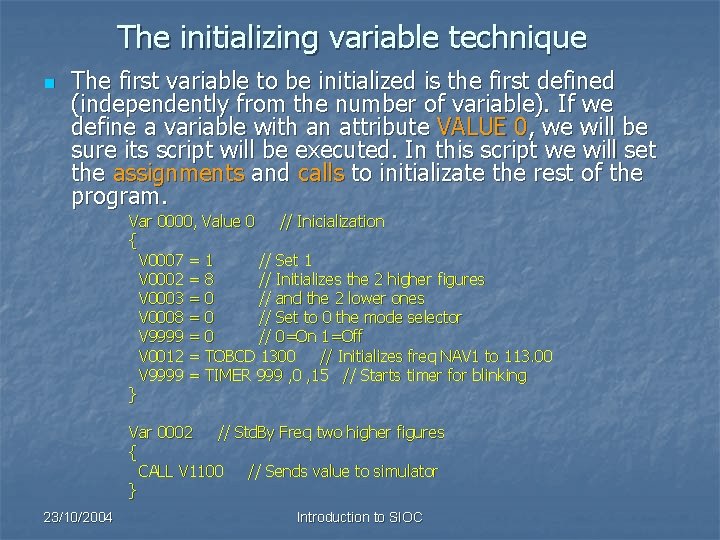
The initializing variable technique n The first variable to be initialized is the first defined (independently from the number of variable). If we define a variable with an attribute VALUE 0, we will be sure its script will be executed. In this script we will set the assignments and calls to initializate the rest of the program. Var 0000, Value 0 // Inicialization { V 0007 = 1 // Set 1 V 0002 = 8 // Initializes the 2 higher figures V 0003 = 0 // and the 2 lower ones V 0008 = 0 // Set to 0 the mode selector V 9999 = 0 // 0=On 1=Off V 0012 = TOBCD 1300 // Initializes freq NAV 1 to 113. 00 V 9999 = TIMER 999 , 0 , 15 // Starts timer for blinking } Var 0002 // Std. By Freq two higher figures { CALL V 1100 // Sends value to simulator } 23/10/2004 Introduction to SIOC
Using the TIMER function n n TIMER function is a powerful tool that let us to make sincronous loops, very important in the simulations design. Examples like starting an APU, retarding a valve opening are easily solved using TIMER function. 23/10/2004 Introduction to SIOC
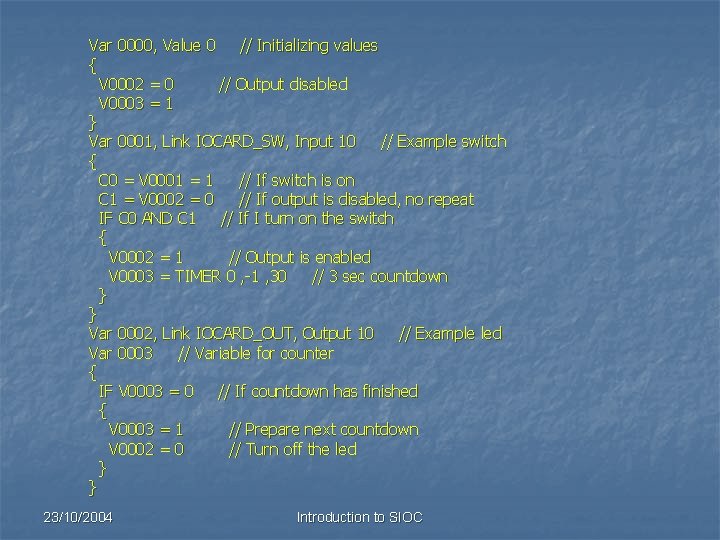
Var 0000, Value 0 // Initializing values { V 0002 = 0 // Output disabled V 0003 = 1 } Var 0001, Link IOCARD_SW, Input 10 // Example switch { C 0 = V 0001 = 1 // If switch is on C 1 = V 0002 = 0 // If output is disabled, no repeat IF C 0 AND C 1 // If I turn on the switch { V 0002 = 1 // Output is enabled V 0003 = TIMER 0 , -1 , 30 // 3 sec countdown } } Var 0002, Link IOCARD_OUT, Output 10 // Example led Var 0003 // Variable for counter { IF V 0003 = 0 // If countdown has finished { V 0003 = 1 // Prepare next countdown V 0002 = 0 // Turn off the led } } 23/10/2004 Introduction to SIOC
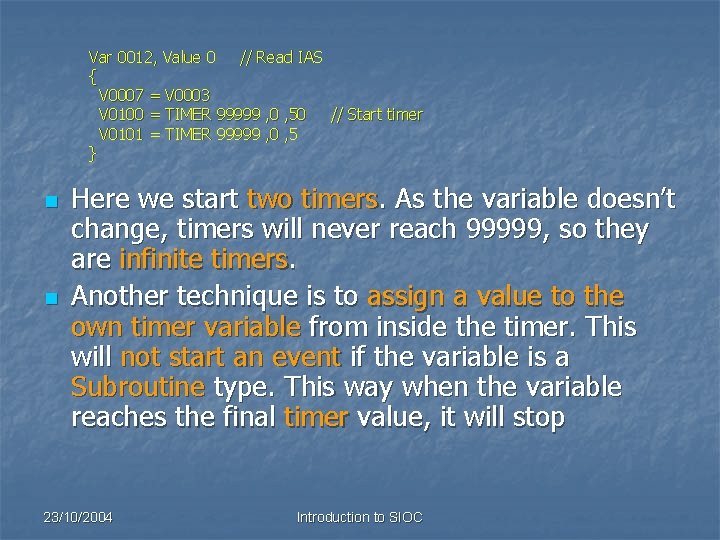
Var 0012, Value 0 // Read IAS { V 0007 = V 0003 V 0100 = TIMER 99999 , 0 , 50 // Start timer V 0101 = TIMER 99999 , 0 , 5 } n n Here we start two timers. As the variable doesn’t change, timers will never reach 99999, so they are infinite timers. Another technique is to assign a value to the own timer variable from inside the timer. This will not start an event if the variable is a Subroutine type. This way when the variable reaches the final timer value, it will stop 23/10/2004 Introduction to SIOC
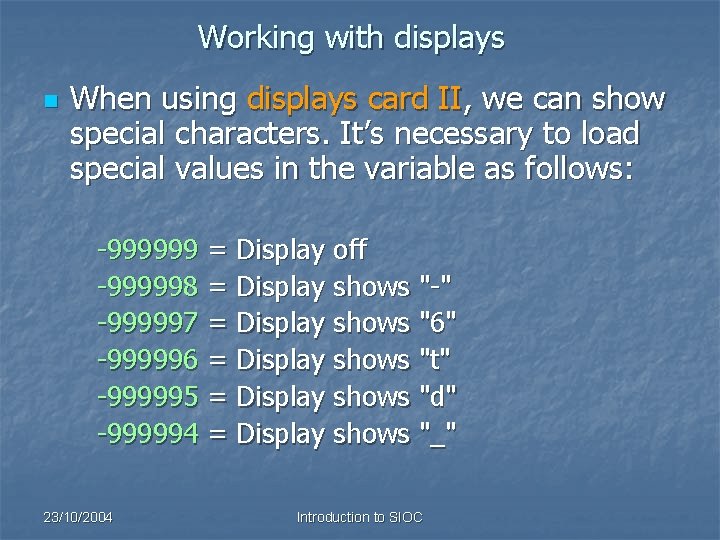
Working with displays n When using displays card II, we can show special characters. It’s necessary to load special values in the variable as follows: -999999 = Display off -999998 = Display shows "-" -999997 = Display shows "6" -999996 = Display shows "t" -999995 = Display shows "d" -999994 = Display shows "_" 23/10/2004 Introduction to SIOC
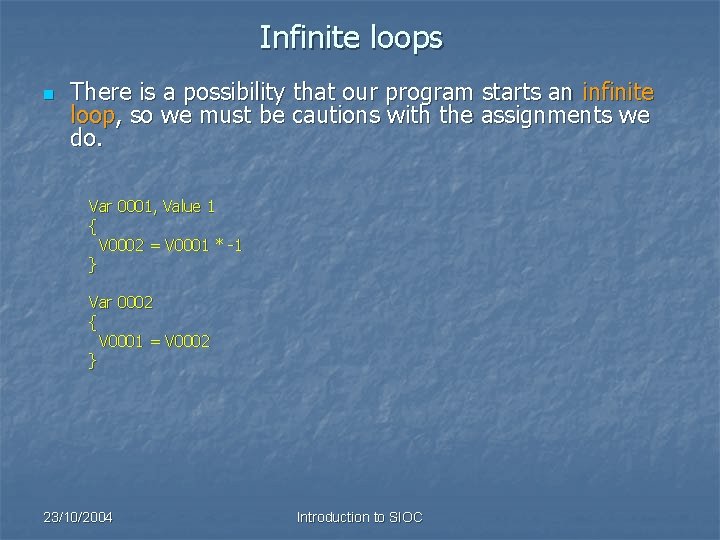
Infinite loops n There is a possibility that our program starts an infinite loop, so we must be cautions with the assignments we do. Var 0001, Value 1 { V 0002 = V 0001 * -1 } Var 0002 { V 0001 = V 0002 } 23/10/2004 Introduction to SIOC
Concurrent processes n n We must be cautious when programming complex scripts because SIOC work with concurrent processes. Concurrent processes are two processes working in parallel (due to TIMERS), so if we are working with the same variable in two different processes we can obtain unexpected results. 23/10/2004 Introduction to SIOC

Power of SIOC n n n The SIOC system can be highly powerful. The system is managed as a virtual neuronal network, changing the general state depending on external or internal changes. The capacity of communication using SIOC enables the parallel proccessing so we can connect several computers in cascade. 23/10/2004 Introduction to SIOC
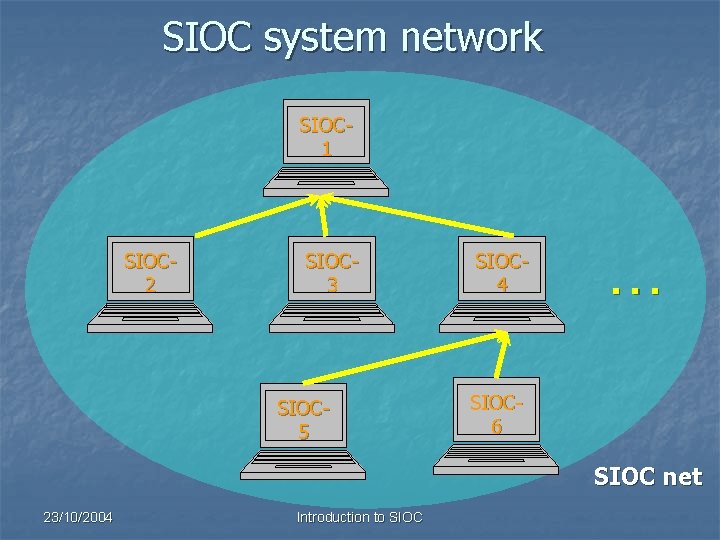
SIOC system network SIOC 1 SIOC 2 SIOC 3 SIOC 5 SIOC 4 . . . SIOC 6 SIOC net 23/10/2004 Introduction to SIOC

The end 23/10/2004 Introduction to SIOC http: //www. opencockpits. com
- Slides: 67