
Introduction to Routing and Packet Forwarding CLI Configuration
![Basic Router Configuration • Configure Passwords: Privilege password: Router(config)# enable secret [password] Console password:](https://slidetodoc.com/presentation_image_h/34ae23252c11f30df1304692a4567460/image-7.jpg "Basic Router Configuration • Configure Passwords: Privilege password: Router(config)# enable secret [password] Console password:")
![Basic Router Configuration • Configure Interfaces: Router(config)# interface [type][number] Router(config-if)# ip address [address] [mask]](https://slidetodoc.com/presentation_image_h/34ae23252c11f30df1304692a4567460/image-9.jpg "Basic Router Configuration • Configure Interfaces: Router(config)# interface [type][number] Router(config-if)# ip address [address] [mask]")
- Slides: 18
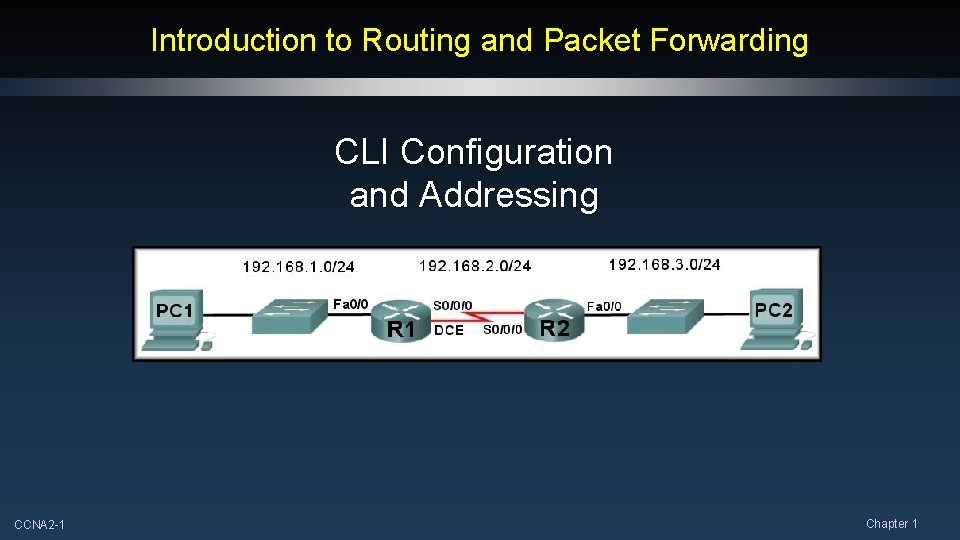
Introduction to Routing and Packet Forwarding CLI Configuration and Addressing CCNA 2 -1 Chapter 1
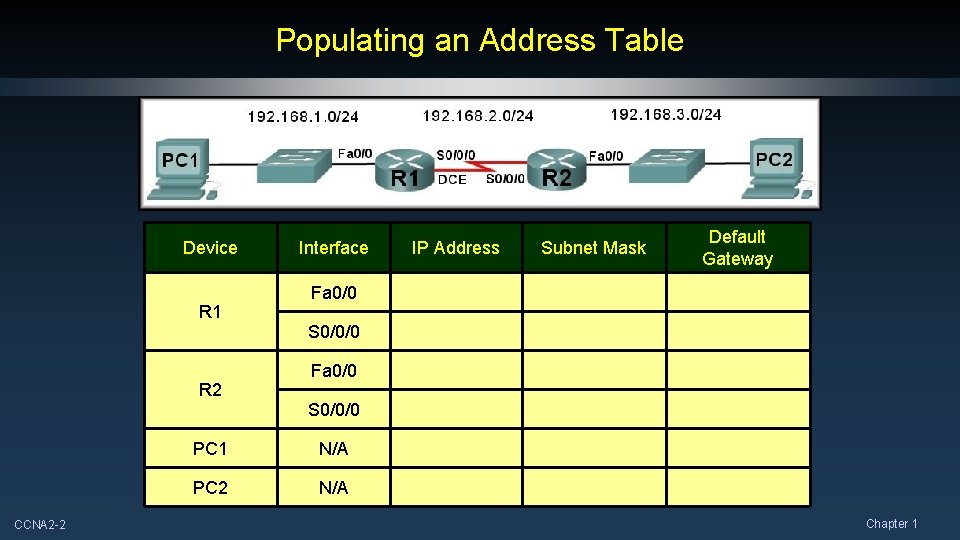
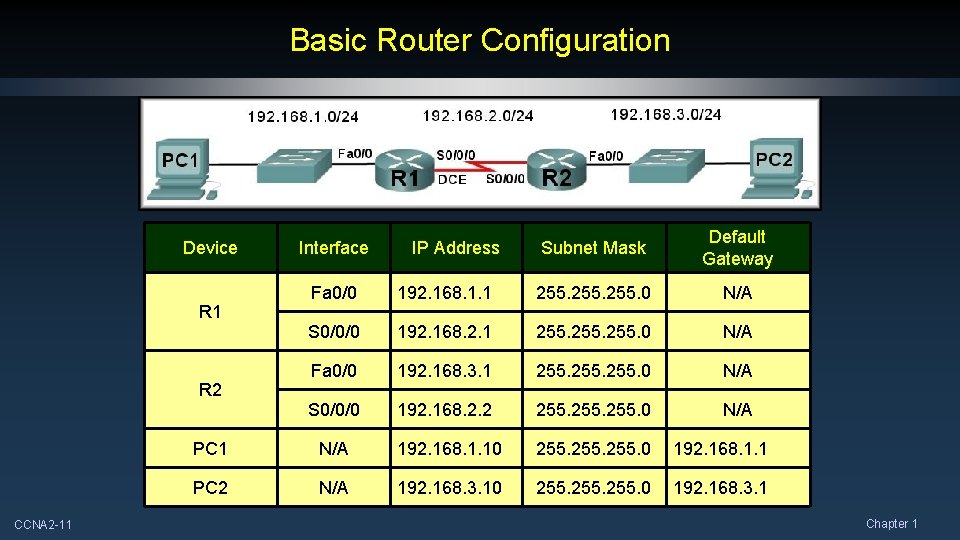
Populating an Address Table Device IP Address Subnet Mask Default Gateway Fa 0/0 192. 168. 1. 1 255. 0 N/A S 0/0/0 192. 168. 2. 1 255. 0 N/A Fa 0/0 192. 168. 3. 1 255. 0 N/A S 0/0/0 192. 168. 2. 2 255. 0 N/A PC 1 N/A 192. 168. 1. 10 255. 0 192. 168. 1. 1 PC 2 N/A 192. 168. 3. 10 255. 0 192. 168. 3. 1 R 2 CCNA 2 -2 Interface Chapter 1
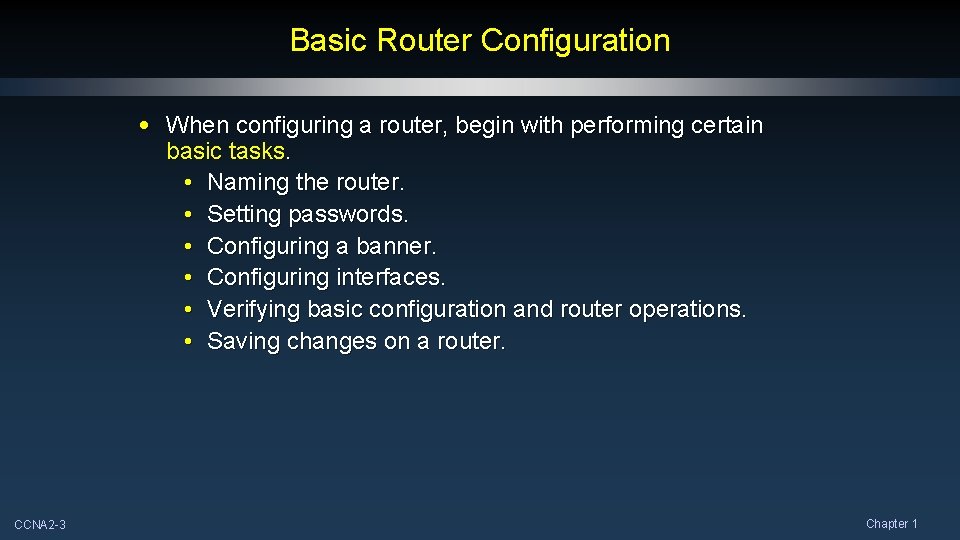
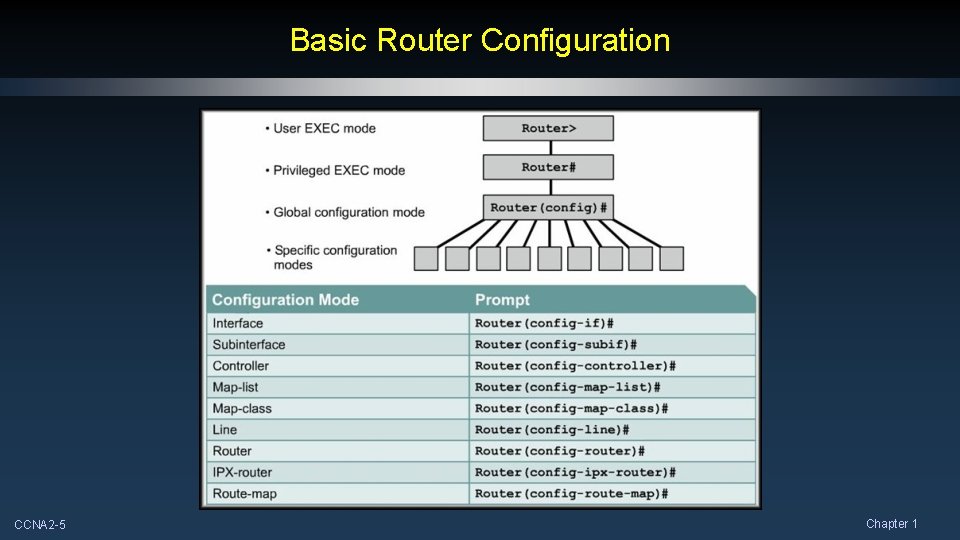
Basic Router Configuration • When configuring a router, begin with performing certain basic tasks. • Naming the router. • Setting passwords. • Configuring a banner. • Configuring interfaces. • Verifying basic configuration and router operations. • Saving changes on a router. CCNA 2 -3 Chapter 1
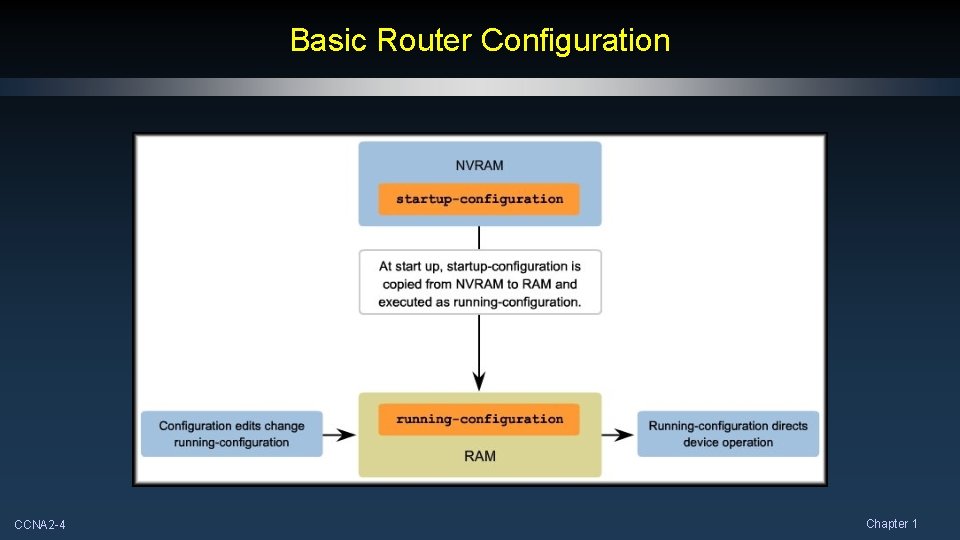
Basic Router Configuration CCNA 2 -4 Chapter 1
Basic Router Configuration CCNA 2 -5 Chapter 1
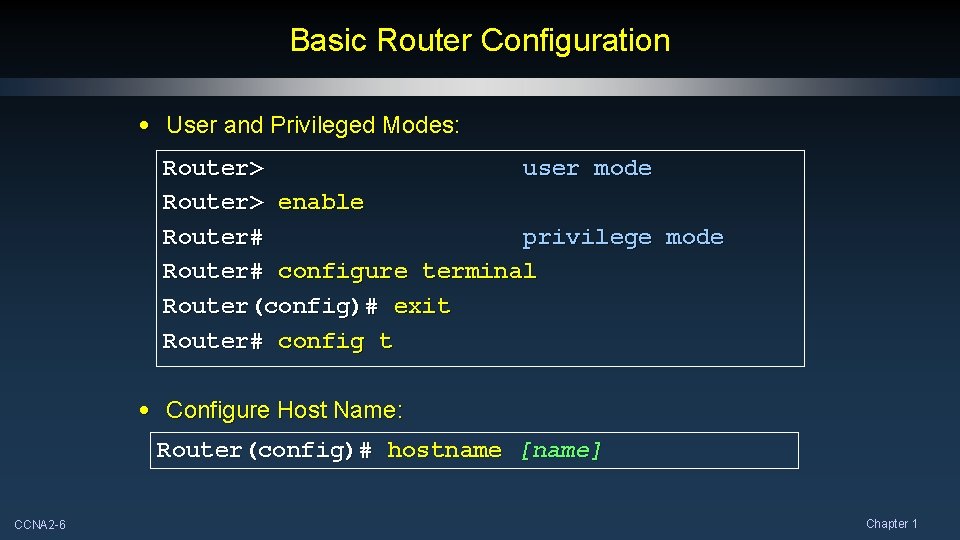
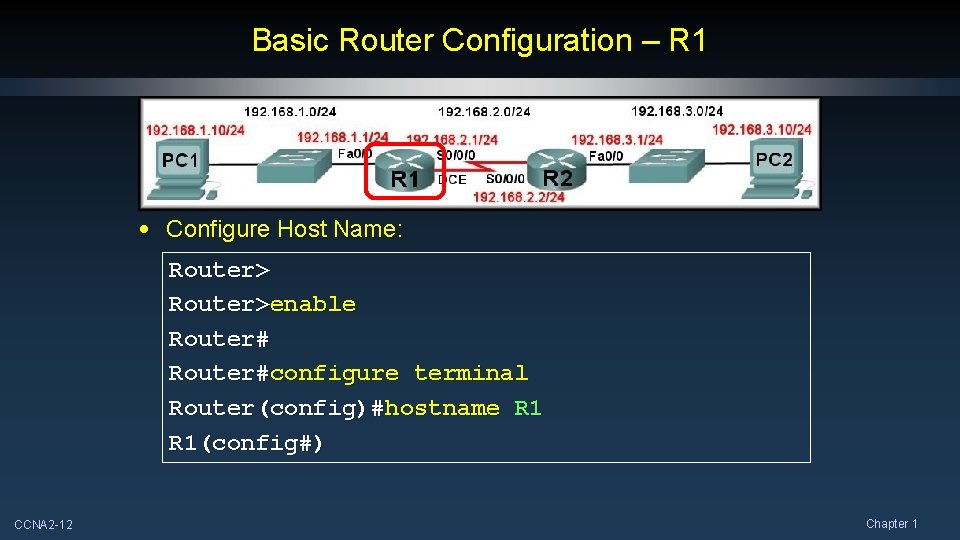
Basic Router Configuration • User and Privileged Modes: Router> user mode Router> enable Router# privilege mode Router# configure terminal Router(config)# exit Router# config t • Configure Host Name: Router(config)# hostname [name] CCNA 2 -6 Chapter 1
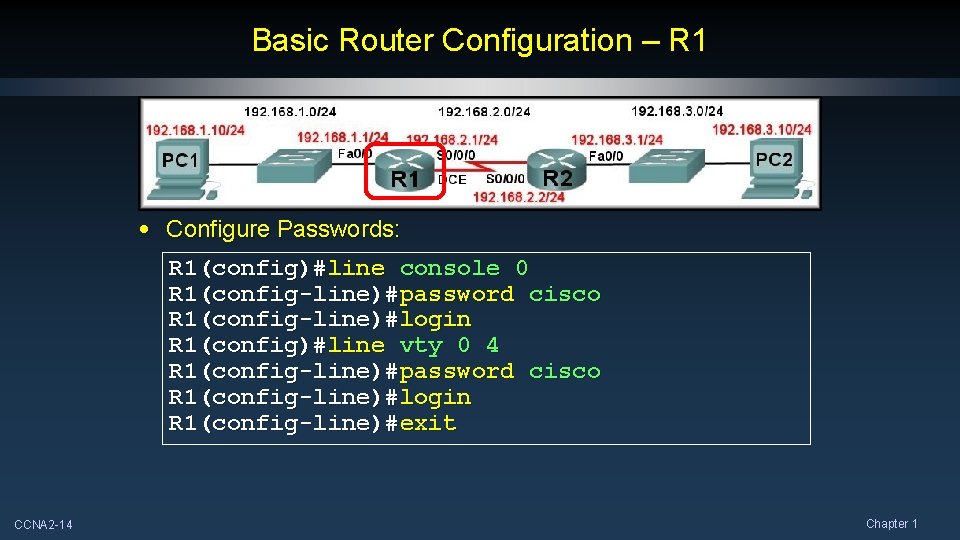
Basic Router Configuration • Configure Passwords: Privilege password: Router(config)# enable secret [password] Console password: Router(config)# line console 0 Router(config-line)# password [password] Router(config-line)# login Telnet password: Router(config)# line Router(config-line)# CCNA 2 -7 vty 0 4 password [password] login Chapter 1
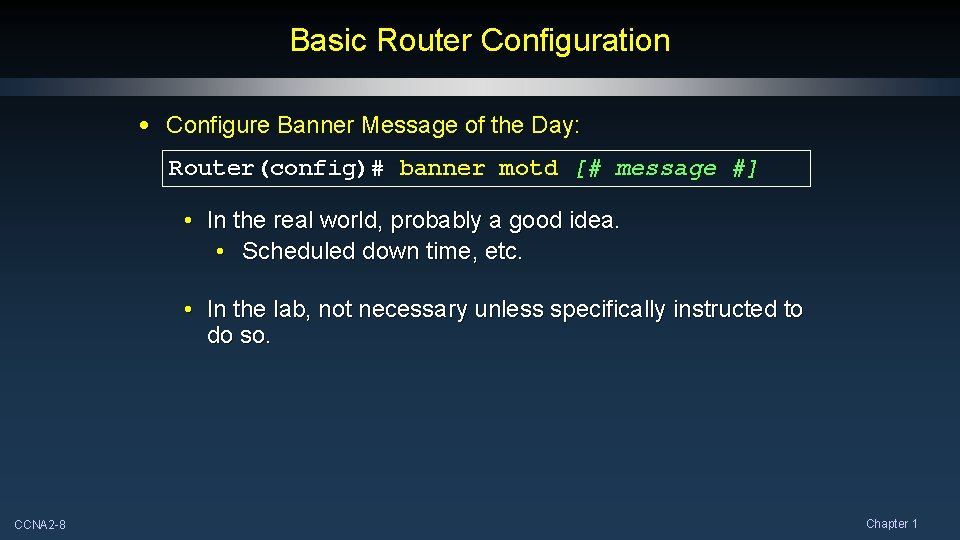
Basic Router Configuration • Configure Banner Message of the Day: Router(config)# banner motd [# message #] • In the real world, probably a good idea. • Scheduled down time, etc. • In the lab, not necessary unless specifically instructed to do so. CCNA 2 -8 Chapter 1
Basic Router Configuration • Configure Interfaces: Router(config)# interface [type][number] Router(config-if)# ip address [address] [mask] Router(config-if)# description [description] Router(config-if)# no shutdown • Each interface MUST belong to a different network. CCNA 2 -9 Chapter 1
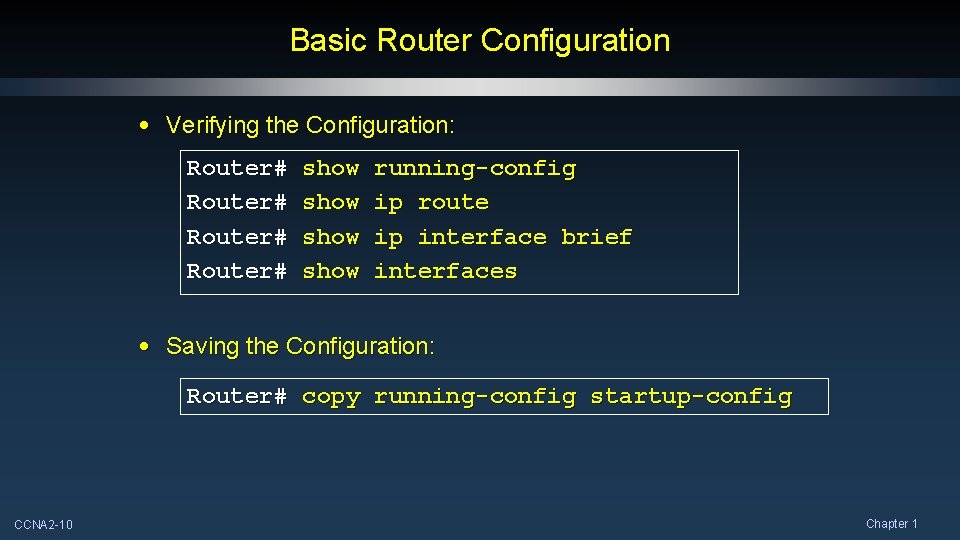
Basic Router Configuration • Verifying the Configuration: Router# show running-config ip route ip interface brief interfaces • Saving the Configuration: Router# copy running-config startup-config CCNA 2 -10 Chapter 1
Basic Router Configuration Device IP Address Subnet Mask Default Gateway Fa 0/0 192. 168. 1. 1 255. 0 N/A S 0/0/0 192. 168. 2. 1 255. 0 N/A Fa 0/0 192. 168. 3. 1 255. 0 N/A S 0/0/0 192. 168. 2. 2 255. 0 N/A PC 1 N/A 192. 168. 1. 10 255. 0 192. 168. 1. 1 PC 2 N/A 192. 168. 3. 10 255. 0 192. 168. 3. 1 R 2 CCNA 2 -11 Interface Chapter 1
Basic Router Configuration – R 1 • Configure Host Name: Router>enable Router#configure terminal Router(config)#hostname R 1(config#) CCNA 2 -12 Chapter 1
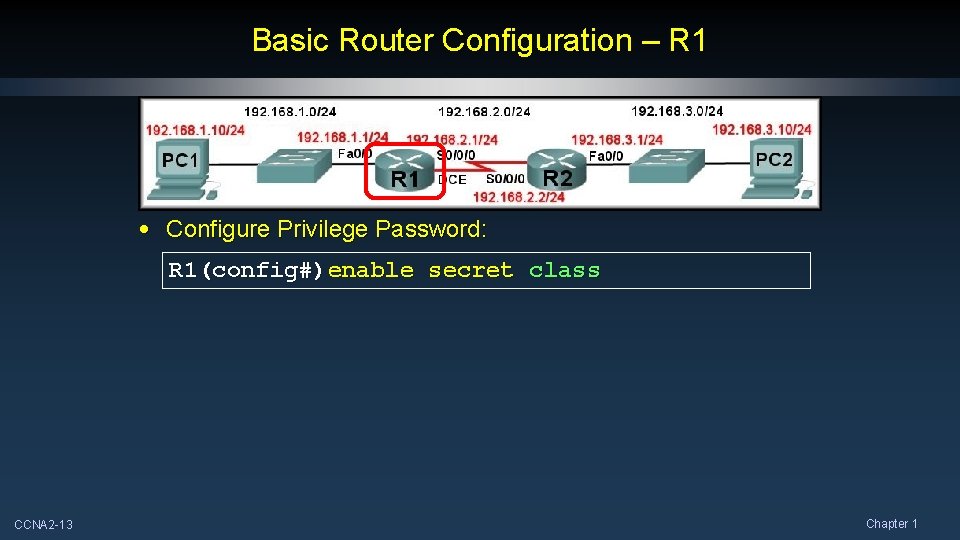
Basic Router Configuration – R 1 • Configure Privilege Password: R 1(config#)enable secret class CCNA 2 -13 Chapter 1
Basic Router Configuration – R 1 • Configure Passwords: R 1(config)#line console 0 R 1(config-line)#password cisco R 1(config-line)#login R 1(config)#line vty 0 4 R 1(config-line)#password cisco R 1(config-line)#login R 1(config-line)#exit CCNA 2 -14 Chapter 1
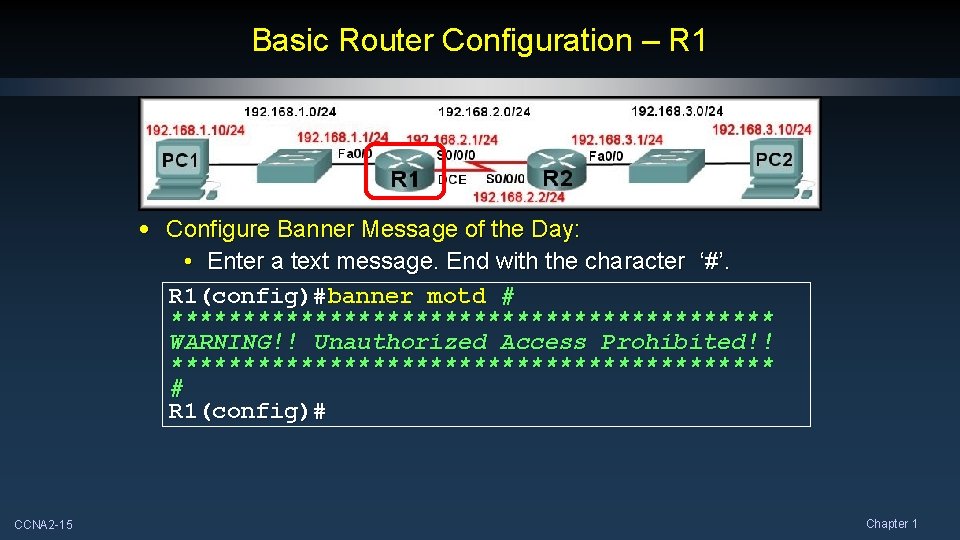
Basic Router Configuration – R 1 • Configure Banner Message of the Day: • Enter a text message. End with the character ‘#’. R 1(config)#banner motd # ********************* WARNING!! Unauthorized Access Prohibited!! ********************* # R 1(config)# CCNA 2 -15 Chapter 1
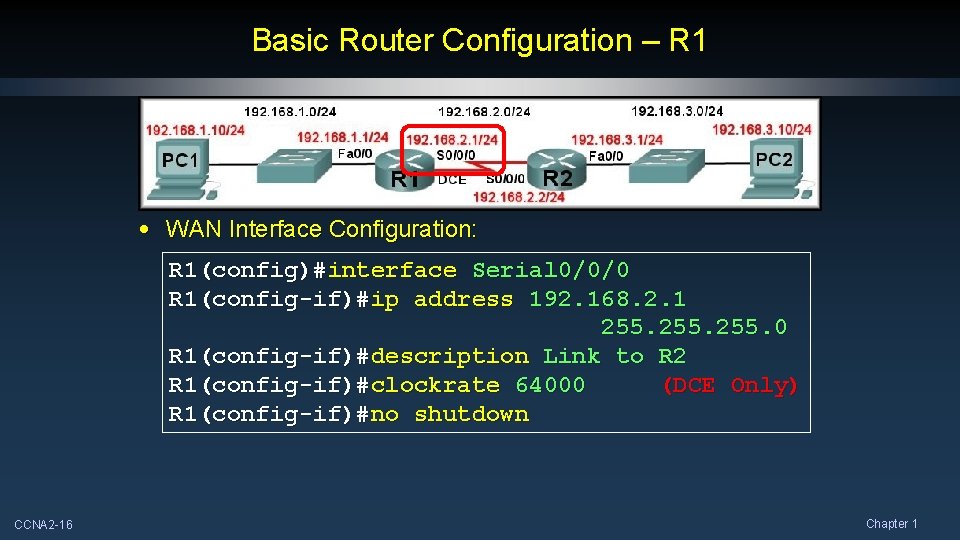
Basic Router Configuration – R 1 • WAN Interface Configuration: R 1(config)#interface Serial 0/0/0 R 1(config-if)#ip address 192. 168. 2. 1 255. 0 R 1(config-if)#description Link to R 2 R 1(config-if)#clockrate 64000 (DCE Only) R 1(config-if)#no shutdown CCNA 2 -16 Chapter 1
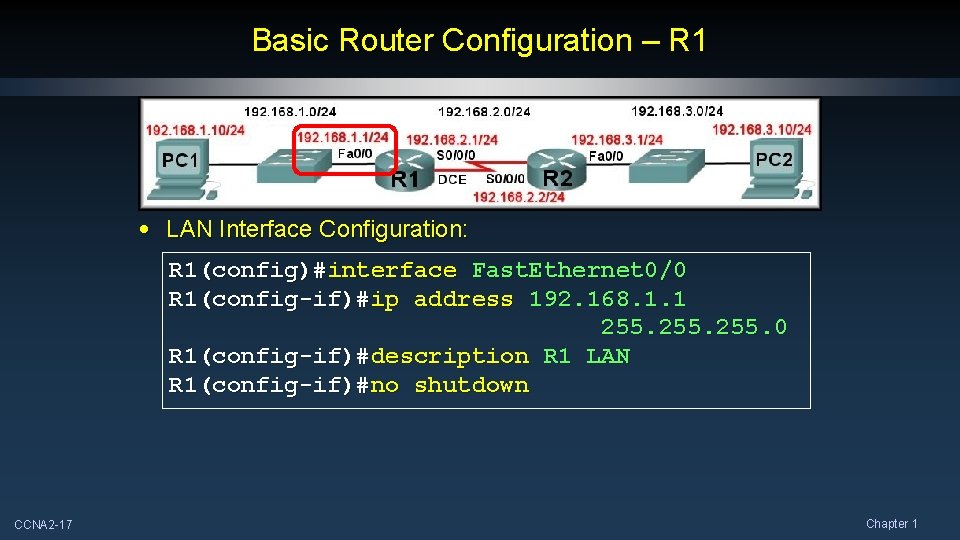
Basic Router Configuration – R 1 • LAN Interface Configuration: R 1(config)#interface Fast. Ethernet 0/0 R 1(config-if)#ip address 192. 168. 1. 1 255. 0 R 1(config-if)#description R 1 LAN R 1(config-if)#no shutdown CCNA 2 -17 Chapter 1
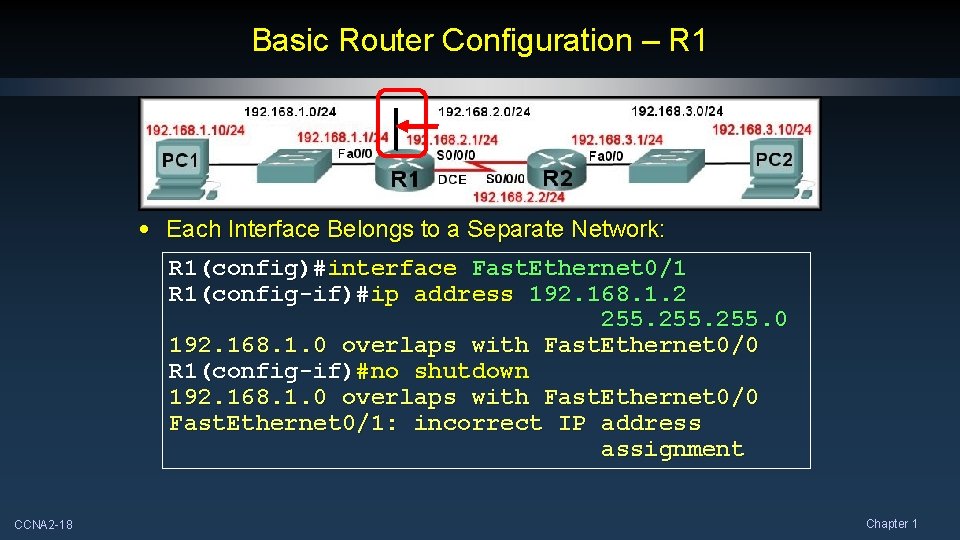
Basic Router Configuration – R 1 • Each Interface Belongs to a Separate Network: R 1(config)#interface Fast. Ethernet 0/1 R 1(config-if)#ip address 192. 168. 1. 2 255. 0 192. 168. 1. 0 overlaps with Fast. Ethernet 0/0 R 1(config-if)#no shutdown 192. 168. 1. 0 overlaps with Fast. Ethernet 0/0 Fast. Ethernet 0/1: incorrect IP address assignment CCNA 2 -18 Chapter 1