
Introduction to RDBMS and SQL Ashish Raghute IT
Introduction to RDBMS and SQL Ashish Raghute, IT Director, Fleetwood Enterprises
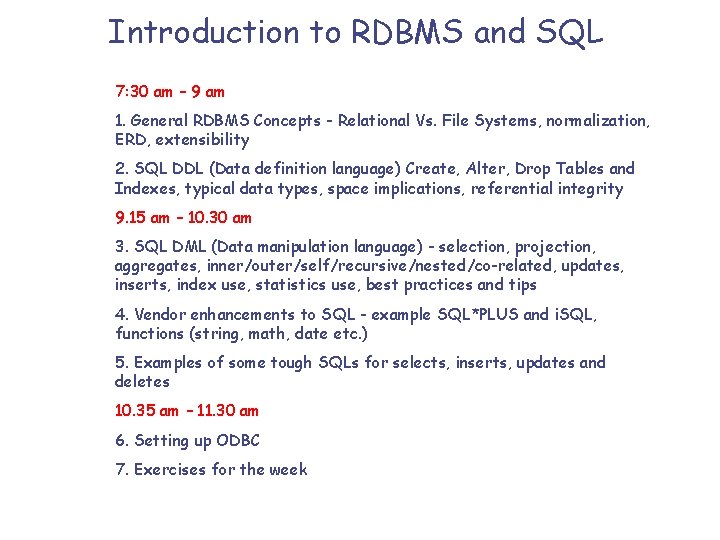
Introduction to RDBMS and SQL 7: 30 am – 9 am 1. General RDBMS Concepts - Relational Vs. File Systems, normalization, ERD, extensibility 2. SQL DDL (Data definition language) Create, Alter, Drop Tables and Indexes, typical data types, space implications, referential integrity 9. 15 am – 10. 30 am 3. SQL DML (Data manipulation language) - selection, projection, aggregates, inner/outer/self/recursive/nested/co-related, updates, inserts, index use, statistics use, best practices and tips 4. Vendor enhancements to SQL - example SQL*PLUS and i. SQL, functions (string, math, date etc. ) 5. Examples of some tough SQLs for selects, inserts, updates and deletes 10. 35 am – 11. 30 am 6. Setting up ODBC 7. Exercises for the week
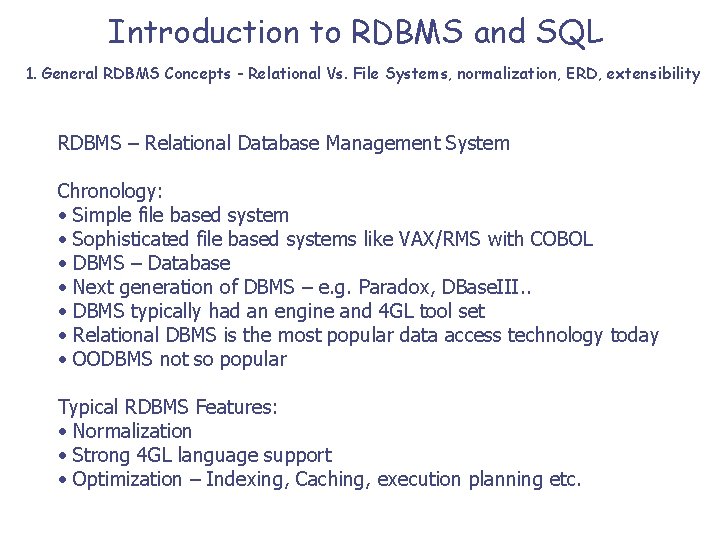
Introduction to RDBMS and SQL 1. General RDBMS Concepts - Relational Vs. File Systems, normalization, ERD, extensibility RDBMS – Relational Database Management System Chronology: • Simple file based system • Sophisticated file based systems like VAX/RMS with COBOL • DBMS – Database • Next generation of DBMS – e. g. Paradox, DBase. III. . • DBMS typically had an engine and 4 GL tool set • Relational DBMS is the most popular data access technology today • OODBMS not so popular Typical RDBMS Features: • Normalization • Strong 4 GL language support • Optimization – Indexing, Caching, execution planning etc.
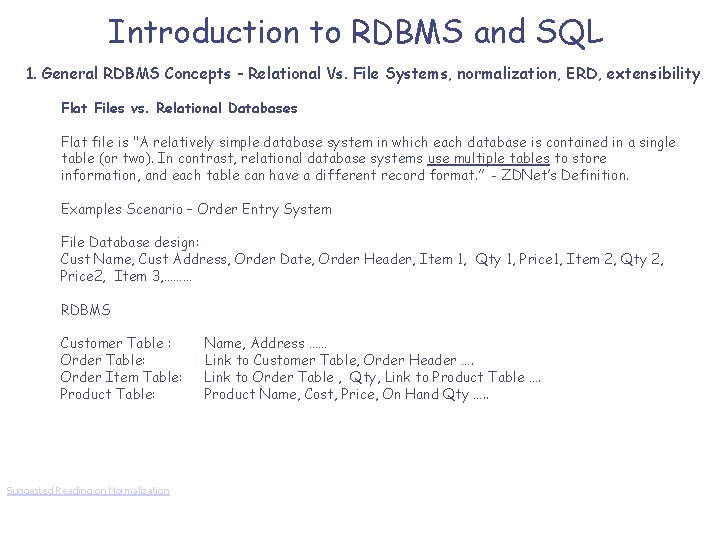
Introduction to RDBMS and SQL 1. General RDBMS Concepts - Relational Vs. File Systems, normalization, ERD, extensibility Flat Files vs. Relational Databases Flat file is "A relatively simple database system in which each database is contained in a single table (or two). In contrast, relational database systems use multiple tables to store information, and each table can have a different record format. ” - ZDNet’s Definition. Examples Scenario – Order Entry System File Database design: Cust Name, Cust Address, Order Date, Order Header, Item 1, Qty 1, Price 1, Item 2, Qty 2, Price 2, Item 3, ……… RDBMS Customer Table : Order Table: Order Item Table: Product Table: Suggested Reading on Normalization Name, Address …… Link to Customer Table, Order Header …. Link to Order Table , Qty, Link to Product Table …. Product Name, Cost, Price, On Hand Qty …. .
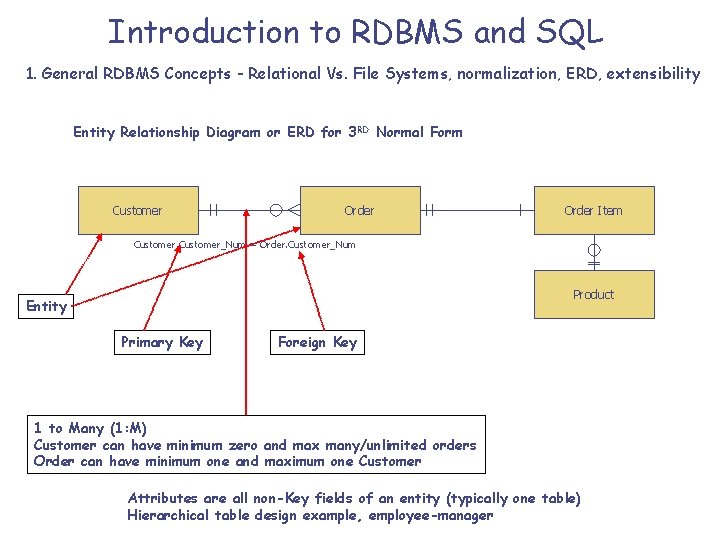
Introduction to RDBMS and SQL 1. General RDBMS Concepts - Relational Vs. File Systems, normalization, ERD, extensibility Entity Relationship Diagram or ERD for 3 RD Normal Form Customer Order Item Customer_Num = Order. Customer_Num Product Entity Primary Key Foreign Key 1 to Many (1: M) Customer can have minimum zero and max many/unlimited orders Order can have minimum one and maximum one Customer Attributes are all non-Key fields of an entity (typically one table) Hierarchical table design example, employee-manager

Introduction to RDBMS and SQL 1. General RDBMS Concepts - Relational Vs. File Systems, normalization, ERD, extensibility What is Normalization ? • • Arranging data into logical groupings such that each group describes a small part of the whole; minimizing the amount of duplicate data stored in a database; organizing the data such that, when you modify it, you make the change in only one place; building a database in which you can access and manipulate the data quickly and efficiently without compromising the integrity of the data in storage.
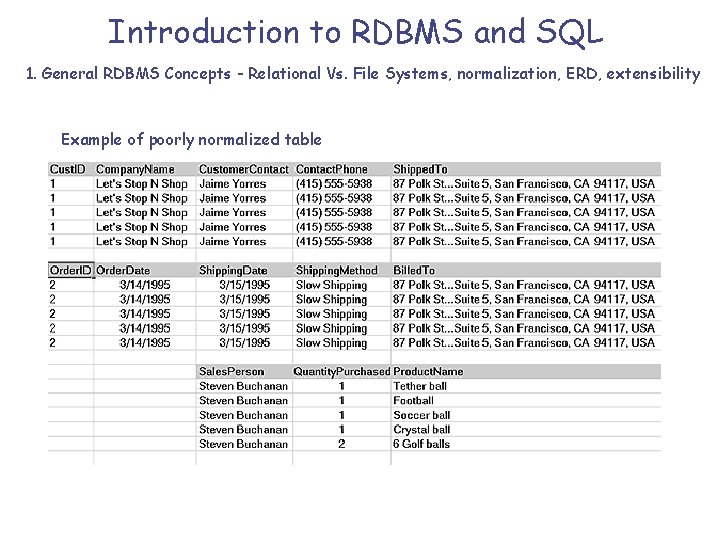
Introduction to RDBMS and SQL 1. General RDBMS Concepts - Relational Vs. File Systems, normalization, ERD, extensibility Example of poorly normalized table
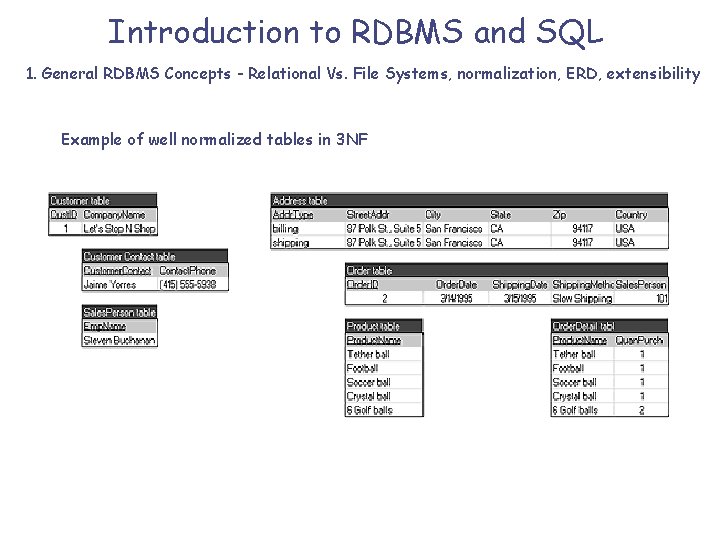
Introduction to RDBMS and SQL 1. General RDBMS Concepts - Relational Vs. File Systems, normalization, ERD, extensibility Example of well normalized tables in 3 NF
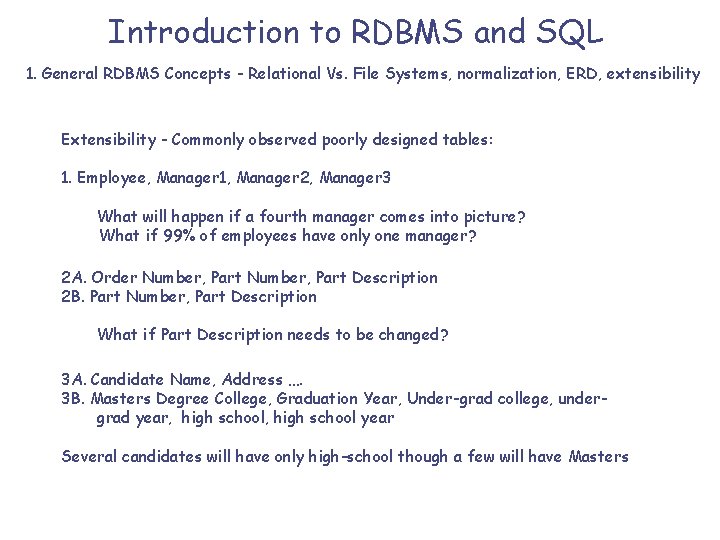
Introduction to RDBMS and SQL 1. General RDBMS Concepts - Relational Vs. File Systems, normalization, ERD, extensibility Extensibility - Commonly observed poorly designed tables: 1. Employee, Manager 1, Manager 2, Manager 3 What will happen if a fourth manager comes into picture? What if 99% of employees have only one manager? 2 A. Order Number, Part Description 2 B. Part Number, Part Description What if Part Description needs to be changed? 3 A. Candidate Name, Address …. 3 B. Masters Degree College, Graduation Year, Under-grad college, undergrad year, high school year Several candidates will have only high-school though a few will have Masters
Introduction to RDBMS and SQL 1. General RDBMS Concepts - Relational Vs. File Systems, normalization, ERD, extensibility Getting started quickly on SQL: SQL*Plus is the most commonly used program to work with Oracle Database Another commonly used program is SQLPLUS Worksheet We will use SQL*Plus for this session
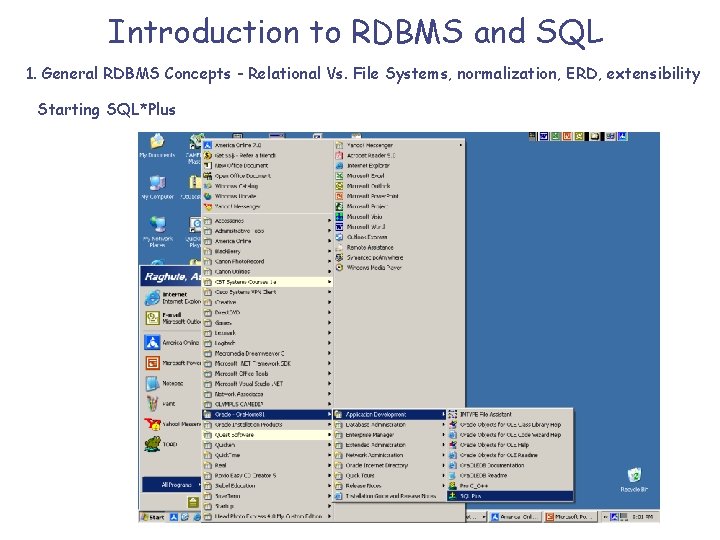
Introduction to RDBMS and SQL 1. General RDBMS Concepts - Relational Vs. File Systems, normalization, ERD, extensibility Starting SQL*Plus
Introduction to RDBMS and SQL 2. SQL DDL Before we begin, common, useful commands for Oracle (NON-ANSI): • Select * from tab; • Describe <Table. Name> • Select sysdate from DUAL;
Introduction to RDBMS and SQL 2. SQL DDL Data Definition Language is used to create Tables, Indexes, Views, Sequences, DB Links, Tablespaces etc. . • Creating a table (click here for suggested reading): Create table Table. Name ( Column. Name 1 int, Column. Name 2 char(10), Column. Name 3 varchar 2(20), Column. Name 4 Long); Create table Table. Name as Select Column. Name 1, Column. Name 2…. . from Existing. Table; Suggested Reading click (here) Exercise – Create a set of tables in 3 rd Normal Form (3 or 4 tables). Use as many data -types as you can. Note that only one Long field is allowed per table (how will you solve this problem, if you need more than 1? ).
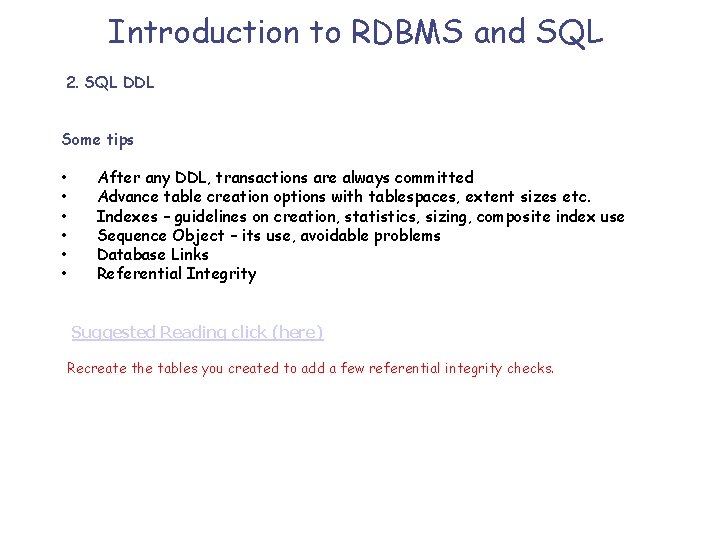
Introduction to RDBMS and SQL 2. SQL DDL Some tips • • • After any DDL, transactions are always committed Advance table creation options with tablespaces, extent sizes etc. Indexes – guidelines on creation, statistics, sizing, composite index use Sequence Object – its use, avoidable problems Database Links Referential Integrity Suggested Reading click (here) Recreate the tables you created to add a few referential integrity checks.
Introduction to RDBMS and SQL 9. 15 am – 10. 30 am 3. SQL DML (Data manipulation language) - selection, projection, aggregates, inner/outer/self/recursive/nested/co-related, updates, inserts, index use, statistics use, best practices and tips 4. Vendor enhancements to SQL - example SQL*PLUS and i. SQL, functions (string, math, date etc. ) 5. Examples of some tough SQLs for selects, inserts, updates and deletes
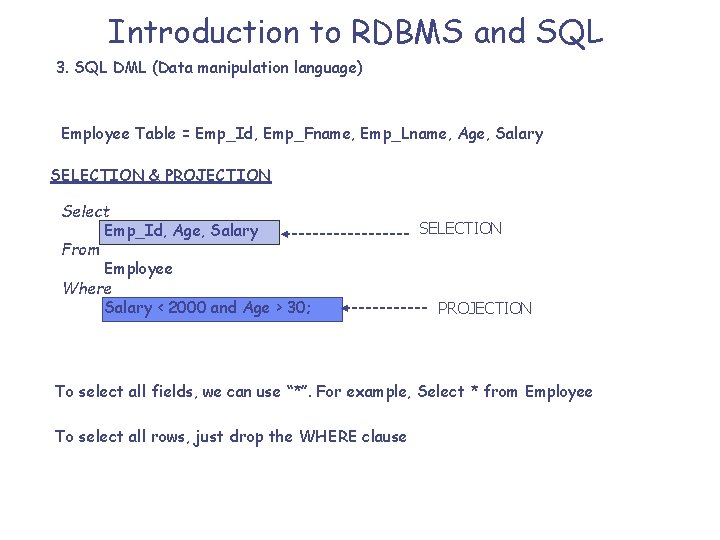
Introduction to RDBMS and SQL 3. SQL DML (Data manipulation language) Employee Table = Emp_Id, Emp_Fname, Emp_Lname, Age, Salary SELECTION & PROJECTION Select Emp_Id, Age, Salary From Employee Where Salary < 2000 and Age > 30; SELECTION PROJECTION To select all fields, we can use “*”. For example, Select * from Employee To select all rows, just drop the WHERE clause
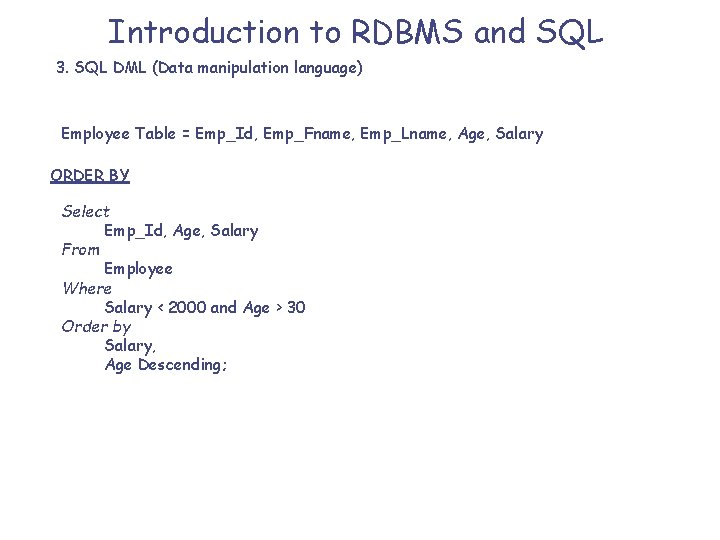
Introduction to RDBMS and SQL 3. SQL DML (Data manipulation language) Employee Table = Emp_Id, Emp_Fname, Emp_Lname, Age, Salary ORDER BY Select Emp_Id, Age, Salary From Employee Where Salary < 2000 and Age > 30 Order by Salary, Age Descending;
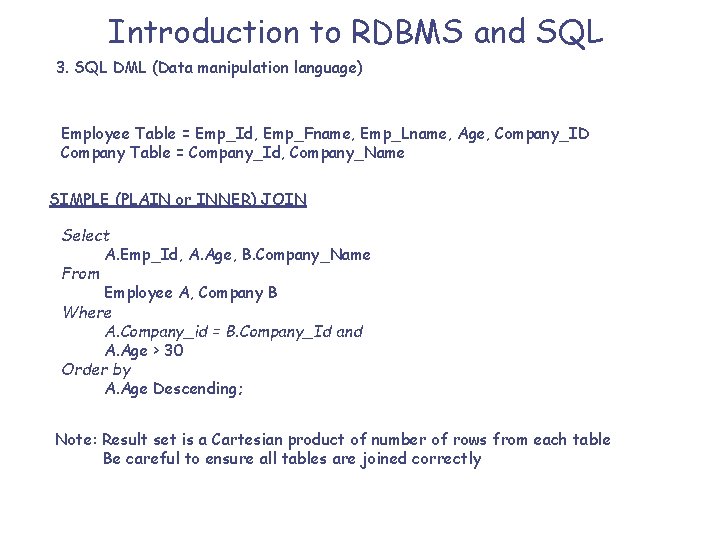
Introduction to RDBMS and SQL 3. SQL DML (Data manipulation language) Employee Table = Emp_Id, Emp_Fname, Emp_Lname, Age, Company_ID Company Table = Company_Id, Company_Name SIMPLE (PLAIN or INNER) JOIN Select A. Emp_Id, A. Age, B. Company_Name From Employee A, Company B Where A. Company_id = B. Company_Id and A. Age > 30 Order by A. Age Descending; Note: Result set is a Cartesian product of number of rows from each table Be careful to ensure all tables are joined correctly
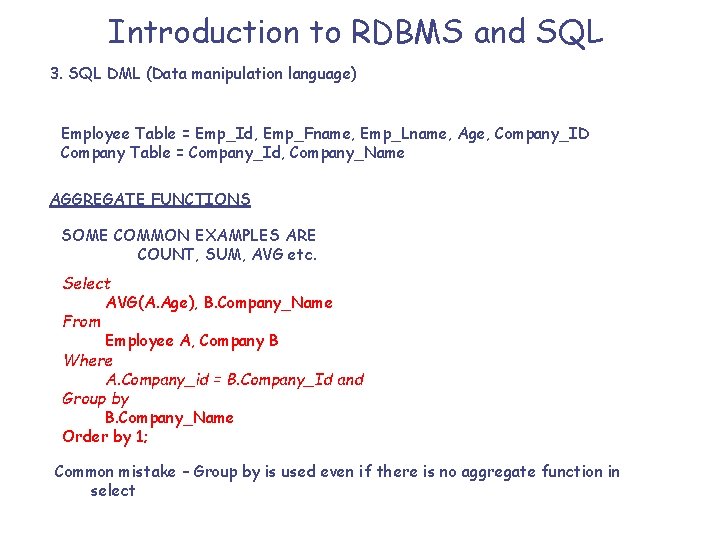
Introduction to RDBMS and SQL 3. SQL DML (Data manipulation language) Employee Table = Emp_Id, Emp_Fname, Emp_Lname, Age, Company_ID Company Table = Company_Id, Company_Name AGGREGATE FUNCTIONS SOME COMMON EXAMPLES ARE COUNT, SUM, AVG etc. Select AVG(A. Age), B. Company_Name From Employee A, Company B Where A. Company_id = B. Company_Id and Group by B. Company_Name Order by 1; Common mistake – Group by is used even if there is no aggregate function in select
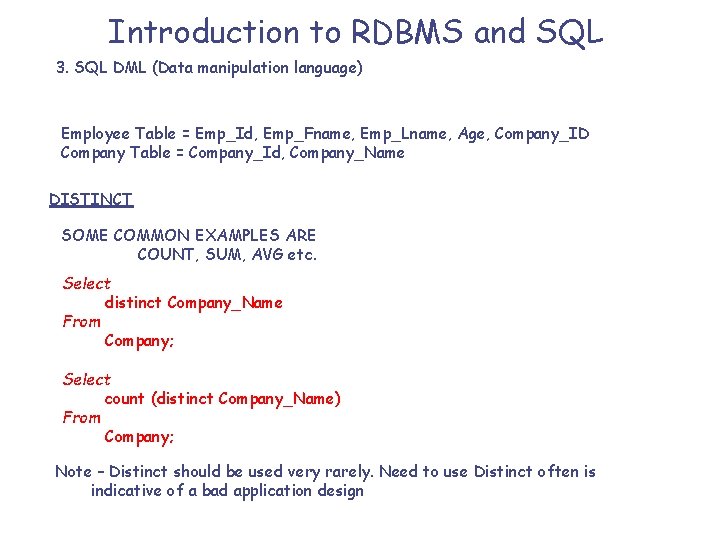
Introduction to RDBMS and SQL 3. SQL DML (Data manipulation language) Employee Table = Emp_Id, Emp_Fname, Emp_Lname, Age, Company_ID Company Table = Company_Id, Company_Name DISTINCT SOME COMMON EXAMPLES ARE COUNT, SUM, AVG etc. Select distinct Company_Name From Company; Select count (distinct Company_Name) From Company; Note – Distinct should be used very rarely. Need to use Distinct often is indicative of a bad application design
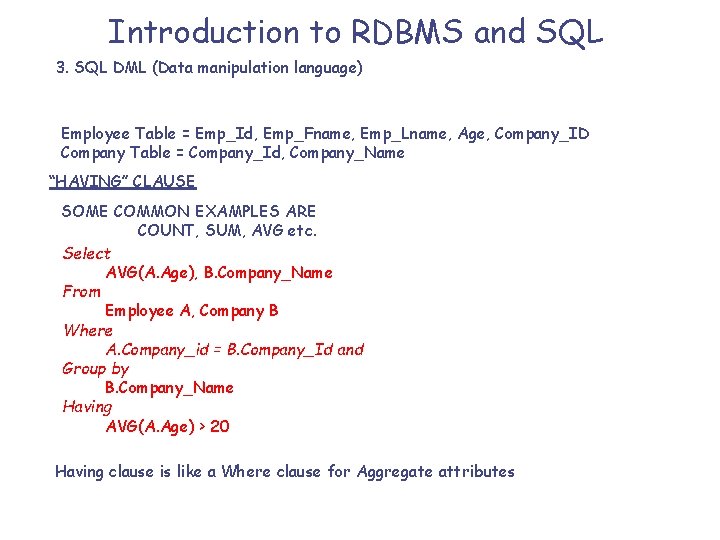
Introduction to RDBMS and SQL 3. SQL DML (Data manipulation language) Employee Table = Emp_Id, Emp_Fname, Emp_Lname, Age, Company_ID Company Table = Company_Id, Company_Name “HAVING” CLAUSE SOME COMMON EXAMPLES ARE COUNT, SUM, AVG etc. Select AVG(A. Age), B. Company_Name From Employee A, Company B Where A. Company_id = B. Company_Id and Group by B. Company_Name Having AVG(A. Age) > 20 Having clause is like a Where clause for Aggregate attributes
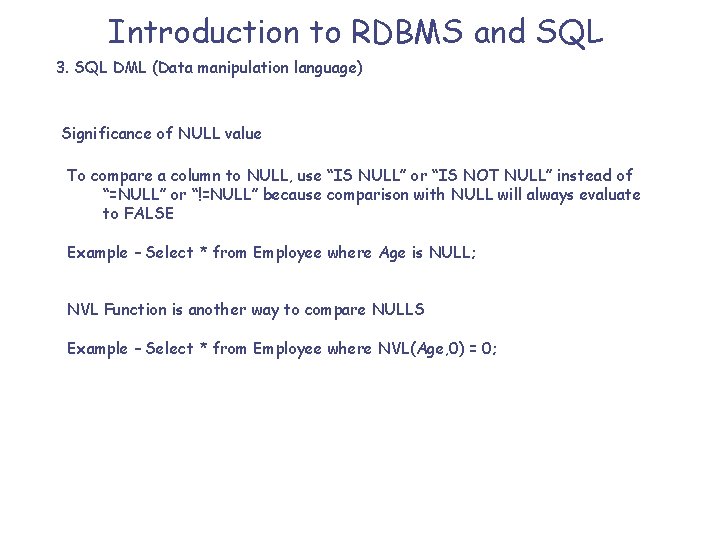
Introduction to RDBMS and SQL 3. SQL DML (Data manipulation language) Significance of NULL value To compare a column to NULL, use “IS NULL” or “IS NOT NULL” instead of “=NULL” or “!=NULL” because comparison with NULL will always evaluate to FALSE Example – Select * from Employee where Age is NULL; NVL Function is another way to compare NULLS Example – Select * from Employee where NVL(Age, 0) = 0;
Introduction to RDBMS and SQL 3. SQL DML (Data manipulation language) Operators and Expressions in SQL Suggested Reading
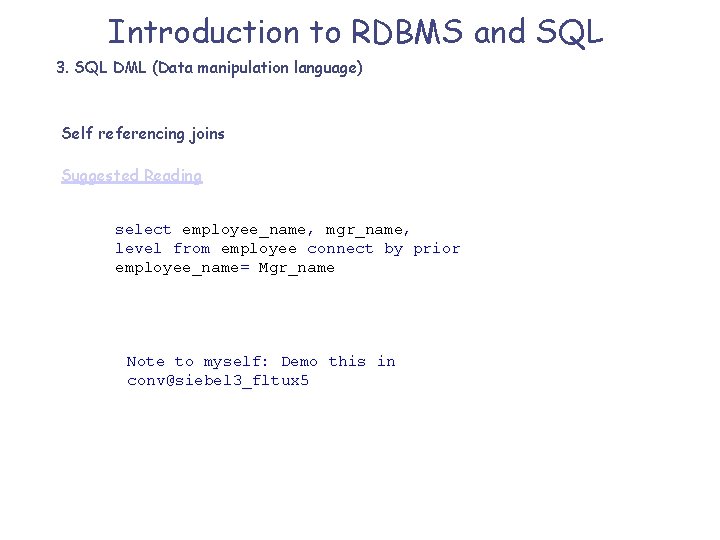
Introduction to RDBMS and SQL 3. SQL DML (Data manipulation language) Self referencing joins Suggested Reading select employee_name, mgr_name, level from employee connect by prior employee_name= Mgr_name Note to myself: Demo this in conv@siebel 3_fltux 5
Introduction to RDBMS and SQL 3. SQL DML (Data manipulation language) Standard ANSI SQL and Oracle Compliance Suggested Reading
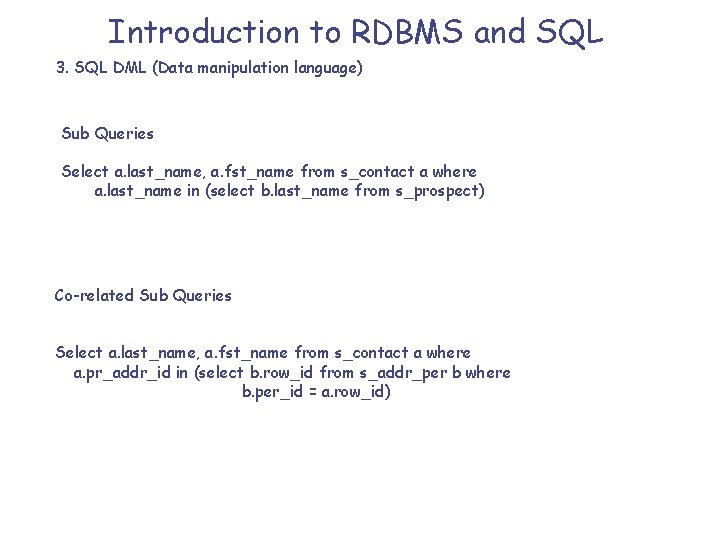
Introduction to RDBMS and SQL 3. SQL DML (Data manipulation language) Sub Queries Select a. last_name, a. fst_name from s_contact a where a. last_name in (select b. last_name from s_prospect) Co-related Sub Queries Select a. last_name, a. fst_name from s_contact a where a. pr_addr_id in (select b. row_id from s_addr_per b where b. per_id = a. row_id)
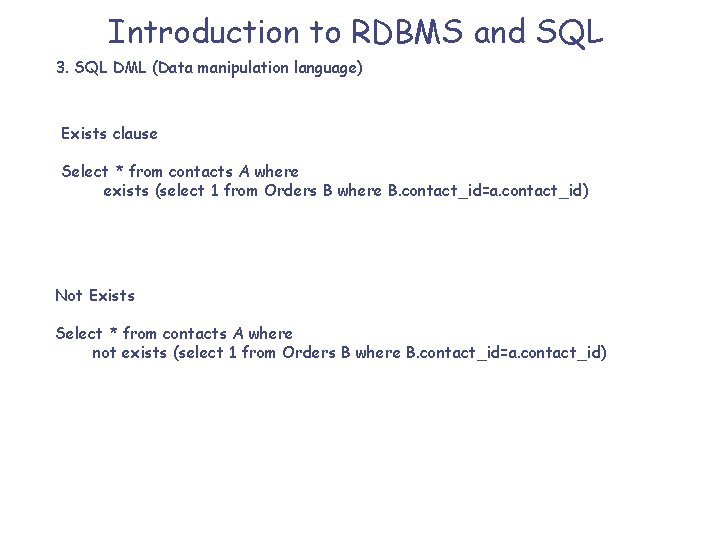
Introduction to RDBMS and SQL 3. SQL DML (Data manipulation language) Exists clause Select * from contacts A where exists (select 1 from Orders B where B. contact_id=a. contact_id) Not Exists Select * from contacts A where not exists (select 1 from Orders B where B. contact_id=a. contact_id)
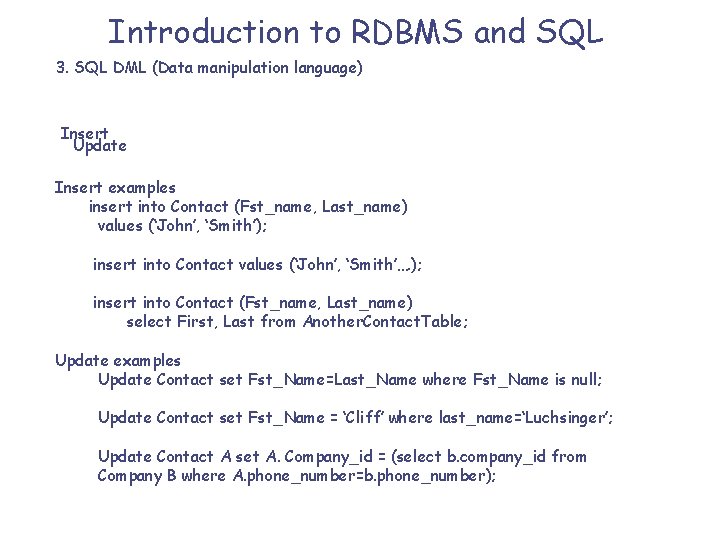
Introduction to RDBMS and SQL 3. SQL DML (Data manipulation language) Insert Update Insert examples insert into Contact (Fst_name, Last_name) values (‘John’, ‘Smith’); insert into Contact values (‘John’, ‘Smith’…. ); insert into Contact (Fst_name, Last_name) select First, Last from Another. Contact. Table; Update examples Update Contact set Fst_Name=Last_Name where Fst_Name is null; Update Contact set Fst_Name = ‘Cliff’ where last_name=‘Luchsinger’; Update Contact A set A. Company_id = (select b. company_id from Company B where A. phone_number=b. phone_number);
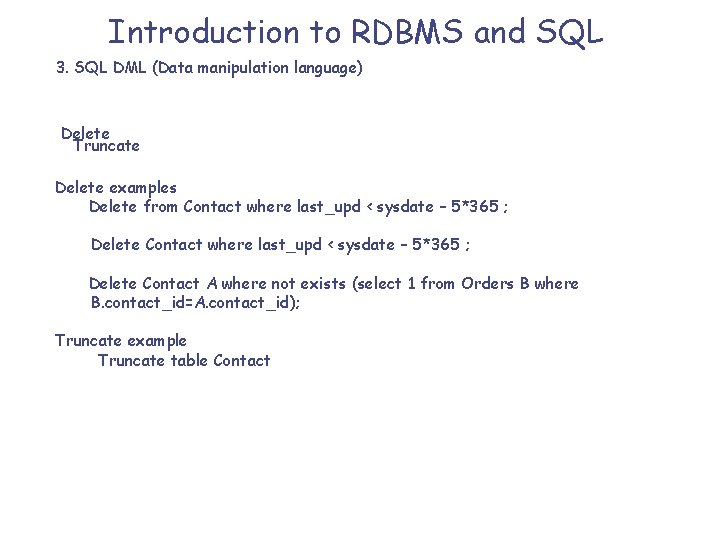
Introduction to RDBMS and SQL 3. SQL DML (Data manipulation language) Delete Truncate Delete examples Delete from Contact where last_upd < sysdate – 5*365 ; Delete Contact A where not exists (select 1 from Orders B where B. contact_id=A. contact_id); Truncate example Truncate table Contact
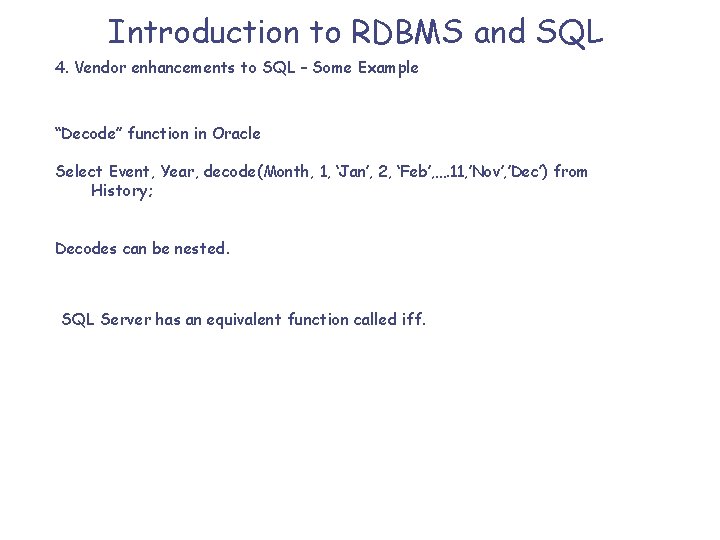
Introduction to RDBMS and SQL 4. Vendor enhancements to SQL – Some Example “Decode” function in Oracle Select Event, Year, decode(Month, 1, ‘Jan’, 2, ‘Feb’, …. 11, ’Nov’, ’Dec’) from History; Decodes can be nested. SQL Server has an equivalent function called iff.
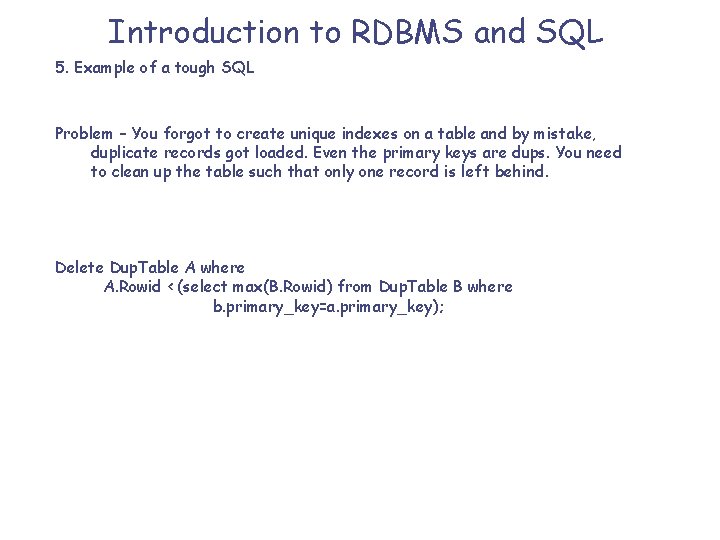
Introduction to RDBMS and SQL 5. Example of a tough SQL Problem – You forgot to create unique indexes on a table and by mistake, duplicate records got loaded. Even the primary keys are dups. You need to clean up the table such that only one record is left behind. Delete Dup. Table A where A. Rowid < (select max(B. Rowid) from Dup. Table B where b. primary_key=a. primary_key);
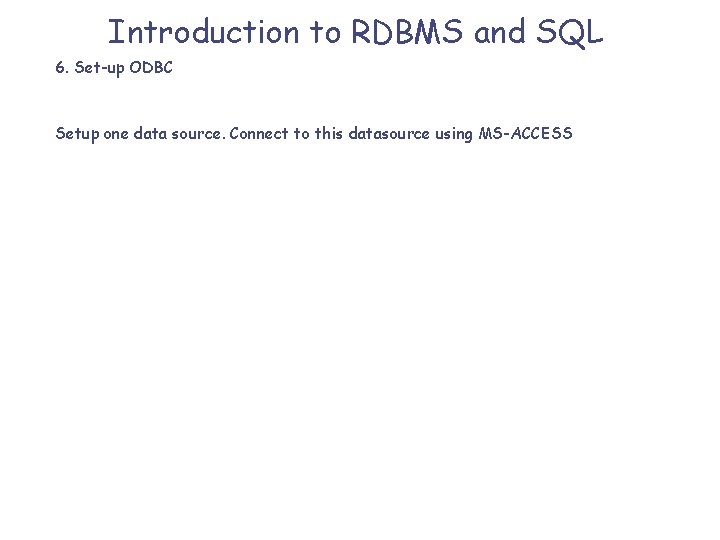
Introduction to RDBMS and SQL 6. Set-up ODBC Setup one data source. Connect to this datasource using MS-ACCESS
Introduction to RDBMS and SQL 7. Exercises See your training folder for the “exercises-RDBMS, SQL, PLSQL. ppt”
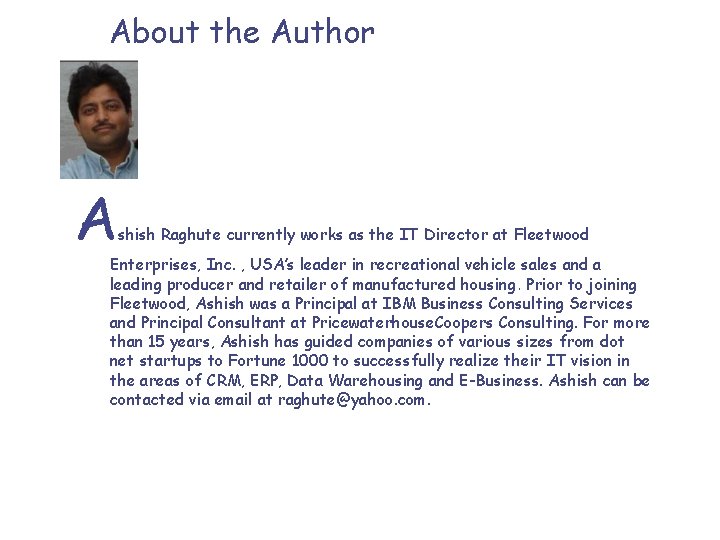
About the Author A shish Raghute currently works as the IT Director at Fleetwood Enterprises, Inc. , USA’s leader in recreational vehicle sales and a leading producer and retailer of manufactured housing. Prior to joining Fleetwood, Ashish was a Principal at IBM Business Consulting Services and Principal Consultant at Pricewaterhouse. Coopers Consulting. For more than 15 years, Ashish has guided companies of various sizes from dot net startups to Fortune 1000 to successfully realize their IT vision in the areas of CRM, ERP, Data Warehousing and E-Business. Ashish can be contacted via email at raghute@yahoo. com.
- Slides: 34