
Introduction to Python Part 1 v 0 6
- Slides: 64
Introduction to Python Part 1 v 0. 6 Research Computing Services Information Services & Technology
RCS Team and Expertise § Our Team § Scientific Programmers § Systems Administrators § Graphics/Visualization Specialists § Account/Project Managers § Special Initiatives (Grants) § Maintains and administers the Shared Computing Cluster § Consulting Focus: § § § Bioinformatics Data Analysis / Statistics Molecular modeling Geographic Information Systems Scientific / Engineering Simulation Visualization § Located in Holyoke, MA § ~19, 000 CPUs running Linux § CONTACT US: help@scc. bu. edu
SCC Python Tutorials § § § Introduction to Python, Part one Introduction to Python, Part two Numerical and Scientific Computing in Python for Data Analysis Data Visualization in Python Introduction to Python Scikit-learn
About You § Working with Python already? § Have you used any other programming languages? § Why do you want to learn Python?
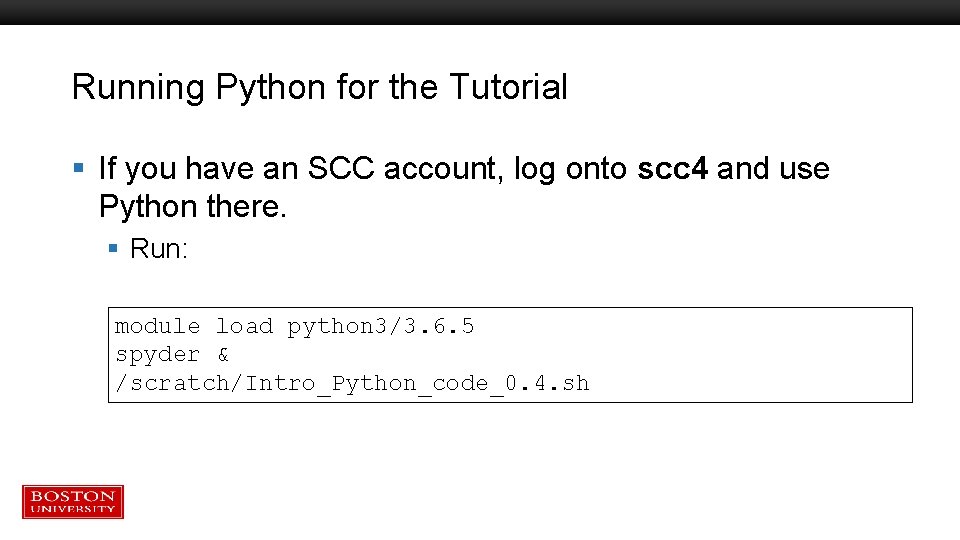
Running Python for the Tutorial § If you have an SCC account, log onto scc 4 and use Python there. § Run: module load python 3/3. 6. 5 spyder & /scratch/Intro_Python_code_0. 4. sh
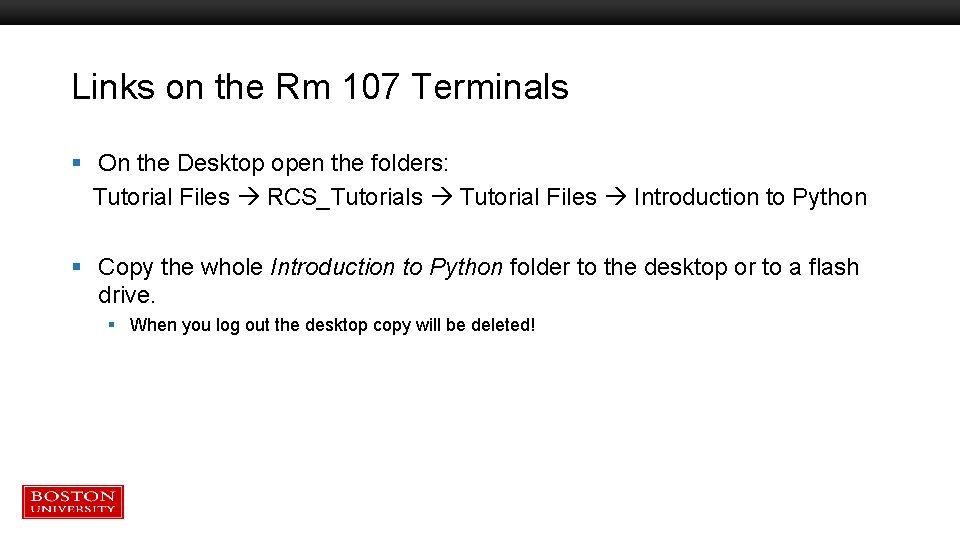
Links on the Rm 107 Terminals § On the Desktop open the folders: Tutorial Files RCS_Tutorials Tutorial Files Introduction to Python § Copy the whole Introduction to Python folder to the desktop or to a flash drive. § When you log out the desktop copy will be deleted!
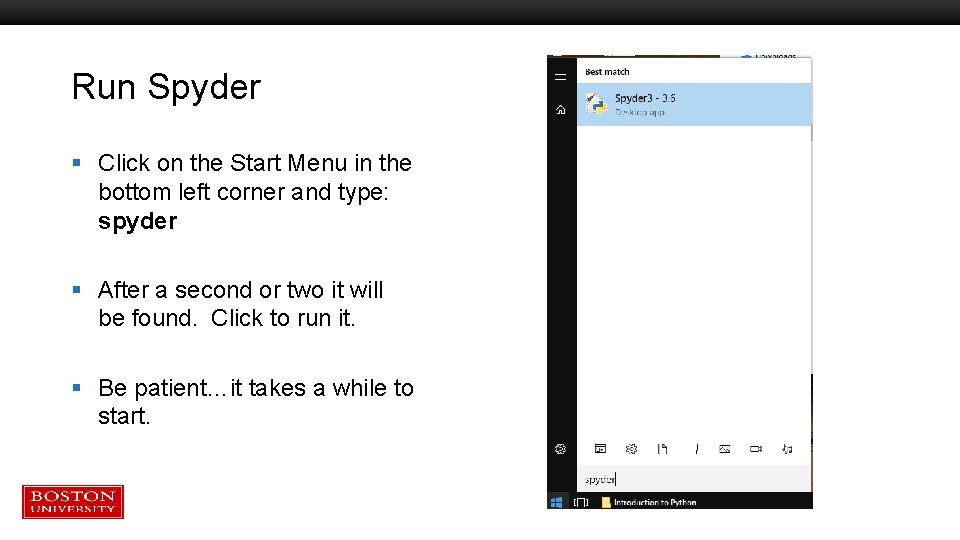
Run Spyder § Click on the Start Menu in the bottom left corner and type: spyder § After a second or two it will be found. Click to run it. § Be patient…it takes a while to start.
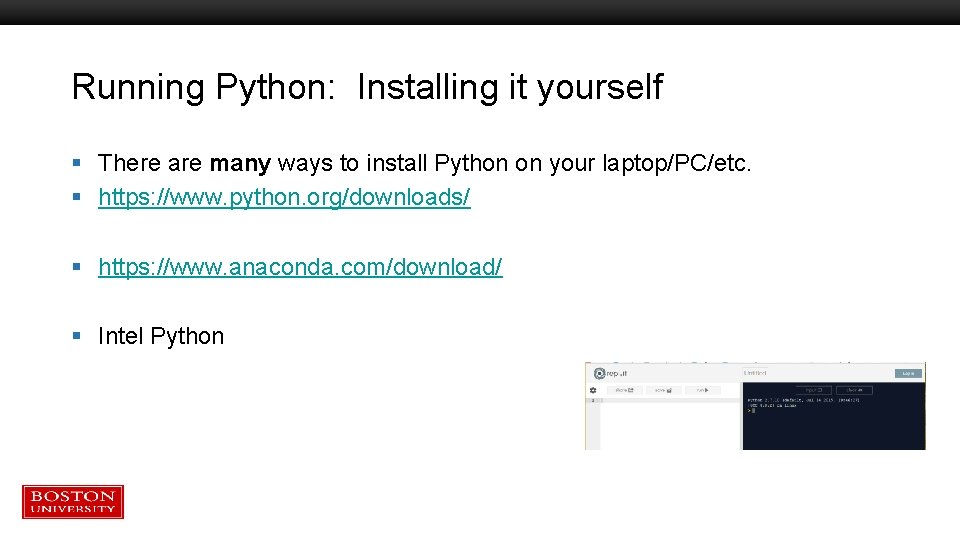
Running Python: Installing it yourself § There are many ways to install Python on your laptop/PC/etc. § https: //www. python. org/downloads/ § https: //www. anaconda. com/download/ § Intel Python
BU’s most popular option: Anaconda § https: //www. anaconda. com/download/ § Anaconda is a packaged set of programs including the Python language, a huge number of libraries, and several tools. § These include the Spyder development environment and Jupyter notebooks. § Anaconda can be used on the SCC, with some caveats.
Python 2 vs. 3 § Python 2: released in 2000, Python 3 released in 2008 § Python 2 is in “end-of-life” mode – no new releases or patches after Dec 31, 2019 § No library support (e. g. pandas, numpy, etc. ) after that date § Py 3 is not completely compatible with Py 2 § For learning Python these differences are almost negligible § Which one to learn? § Python 3 § If your research group / advisor / boss / friends all use one version that’s probably the best one for you to choose. § If you have a compelling reason to focus on one vs the other
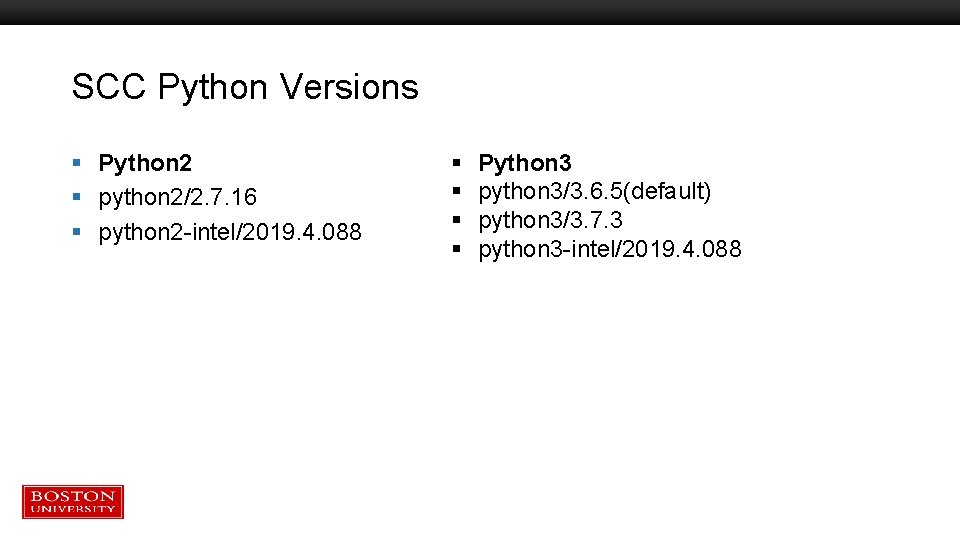
SCC Python Versions § Python 2 § python 2/2. 7. 16 § python 2 -intel/2019. 4. 088 § § Python 3 python 3/3. 6. 5(default) python 3/3. 7. 3 python 3 -intel/2019. 4. 088
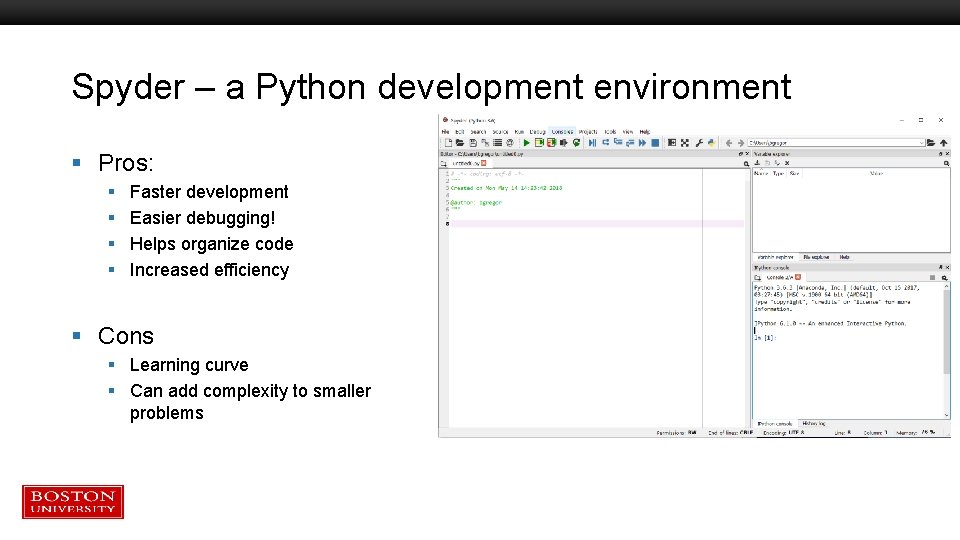
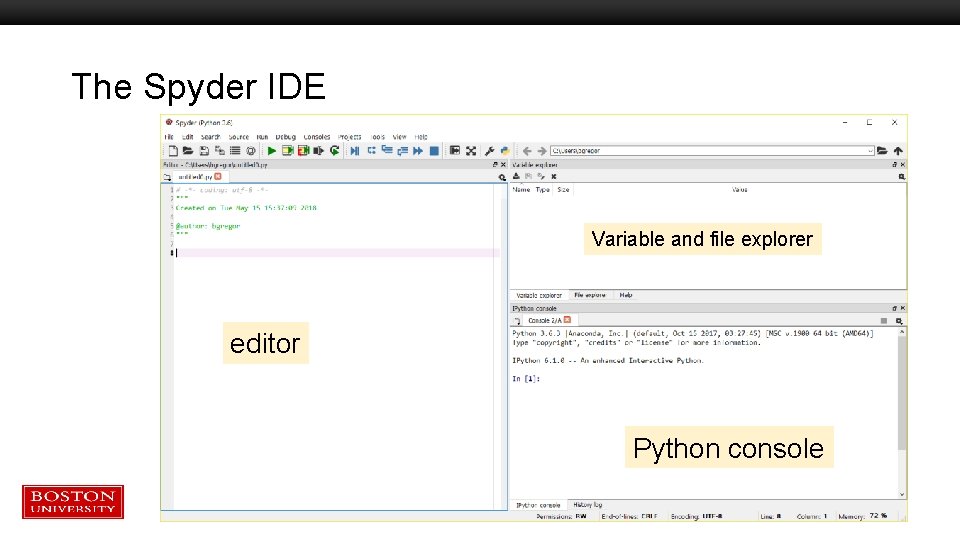
Spyder – a Python development environment § Pros: § § Faster development Easier debugging! Helps organize code Increased efficiency § Cons § Learning curve § Can add complexity to smaller problems
The Spyder IDE Variable and file explorer editor Python console
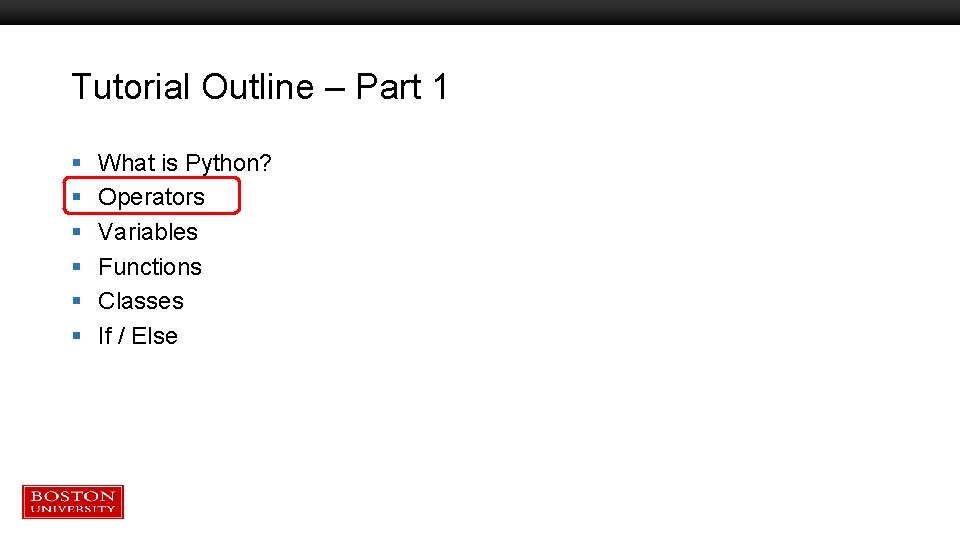
Tutorial Outline – Part 1 § § § What is Python? Operators Variables Functions Classes If / Else
Tutorial Outline – Part 2 § § § Lists Tuples and dictionaries Modules numpy and matplotlib modules Script setup Development notes
Tutorial Outline – Part 1 § § § What is Python? Operators Variables Functions Classes If / Else
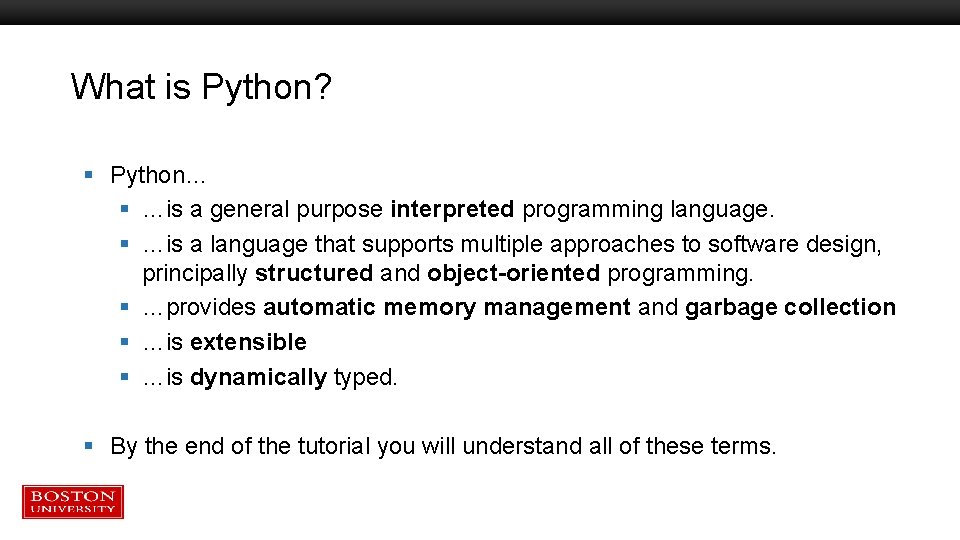
What is Python? § Python… § …is a general purpose interpreted programming language. § …is a language that supports multiple approaches to software design, principally structured and object-oriented programming. § …provides automatic memory management and garbage collection § …is extensible § …is dynamically typed. § By the end of the tutorial you will understand all of these terms.
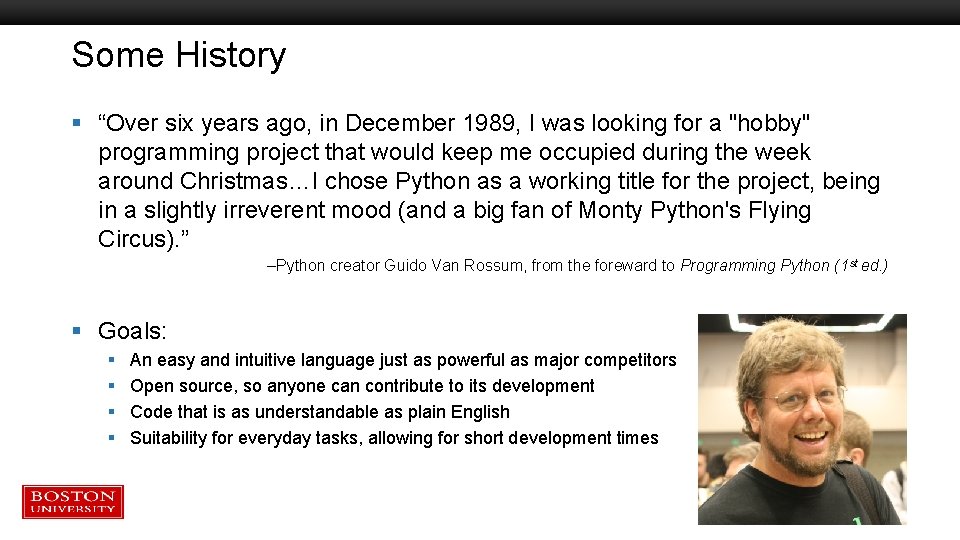
Some History § “Over six years ago, in December 1989, I was looking for a "hobby" programming project that would keep me occupied during the week around Christmas…I chose Python as a working title for the project, being in a slightly irreverent mood (and a big fan of Monty Python's Flying Circus). ” –Python creator Guido Van Rossum, from the foreward to Programming Python (1 st ed. ) § Goals: § § An easy and intuitive language just as powerful as major competitors Open source, so anyone can contribute to its development Code that is as understandable as plain English Suitability for everyday tasks, allowing for short development times
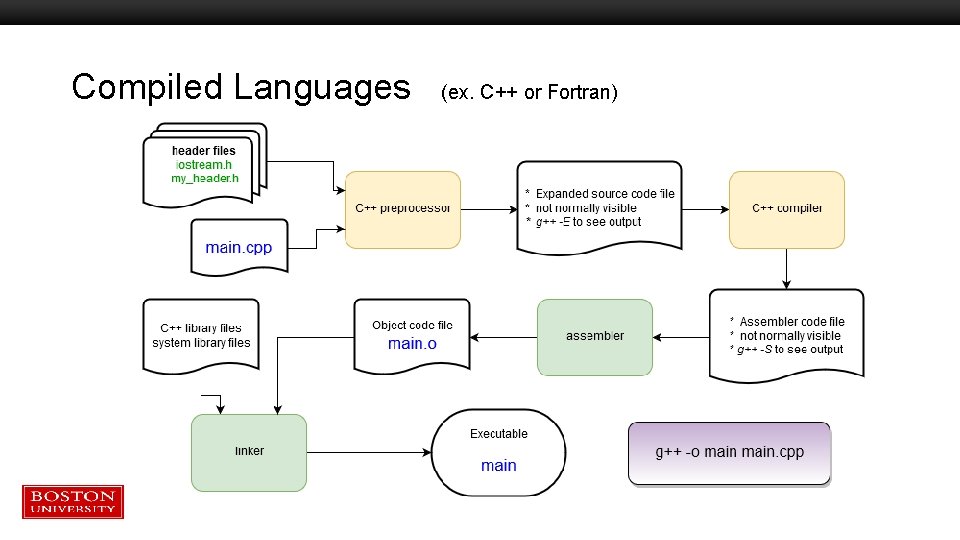
Compiled Languages (ex. C++ or Fortran)
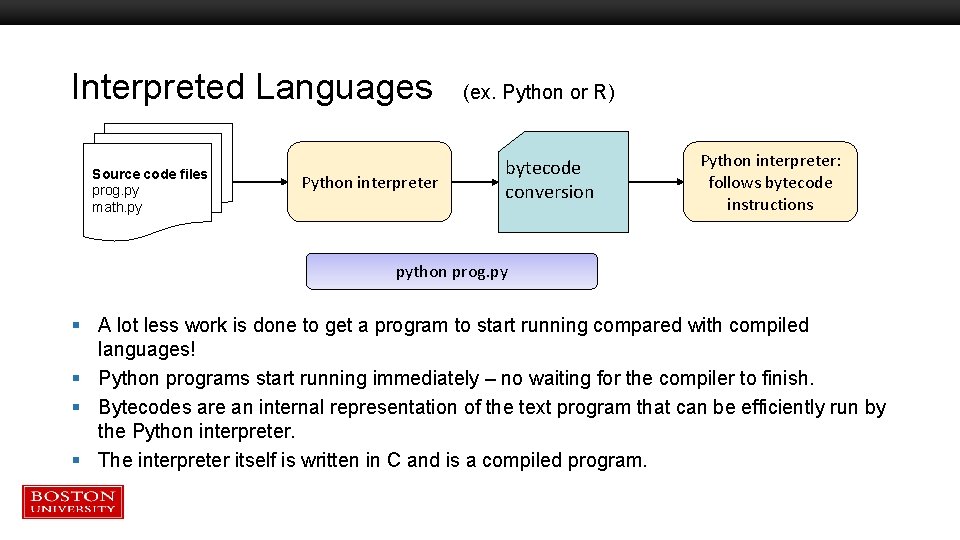
Interpreted Languages (ex. Python or R) Source code files prog. py math. py Python interpreter bytecode conversion Python interpreter: follows bytecode instructions python prog. py § A lot less work is done to get a program to start running compared with compiled languages! § Python programs start running immediately – no waiting for the compiler to finish. § Bytecodes are an internal representation of the text program that can be efficiently run by the Python interpreter. § The interpreter itself is written in C and is a compiled program.
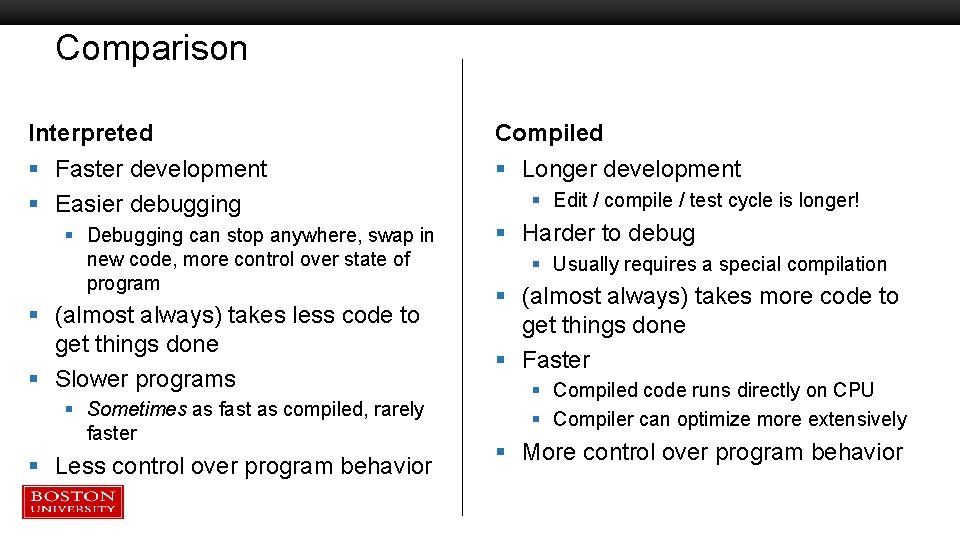
Comparison Interpreted Compiled § Faster development § Easier debugging § Longer development § Debugging can stop anywhere, swap in new code, more control over state of program § (almost always) takes less code to get things done § Slower programs § Sometimes as fast as compiled, rarely faster § Less control over program behavior § Edit / compile / test cycle is longer! § Harder to debug § Usually requires a special compilation § (almost always) takes more code to get things done § Faster § Compiled code runs directly on CPU § Compiler can optimize more extensively § More control over program behavior
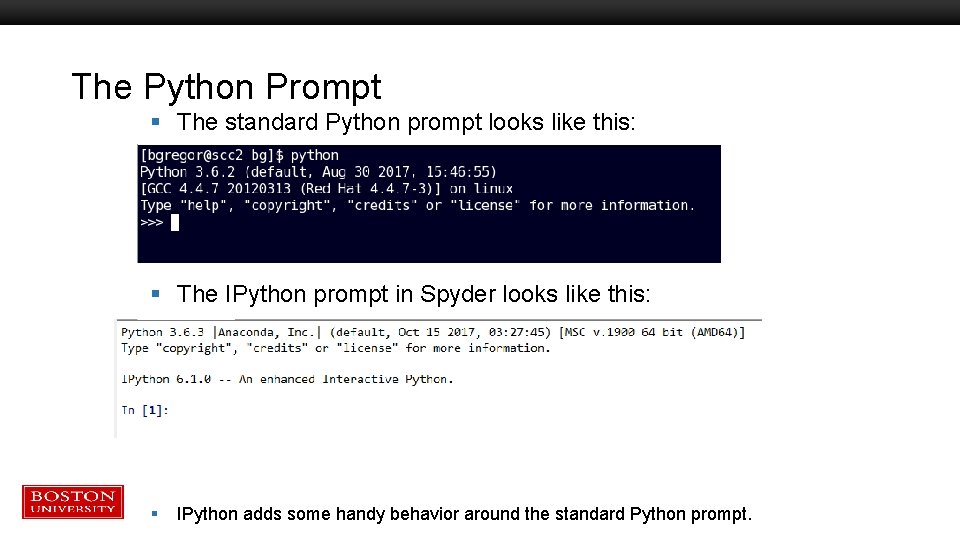
The Python Prompt § The standard Python prompt looks like this: § The IPython prompt in Spyder looks like this: § IPython adds some handy behavior around the standard Python prompt.
Tutorial Outline – Part 1 § § § What is Python? Operators Variables Functions Classes If / Else
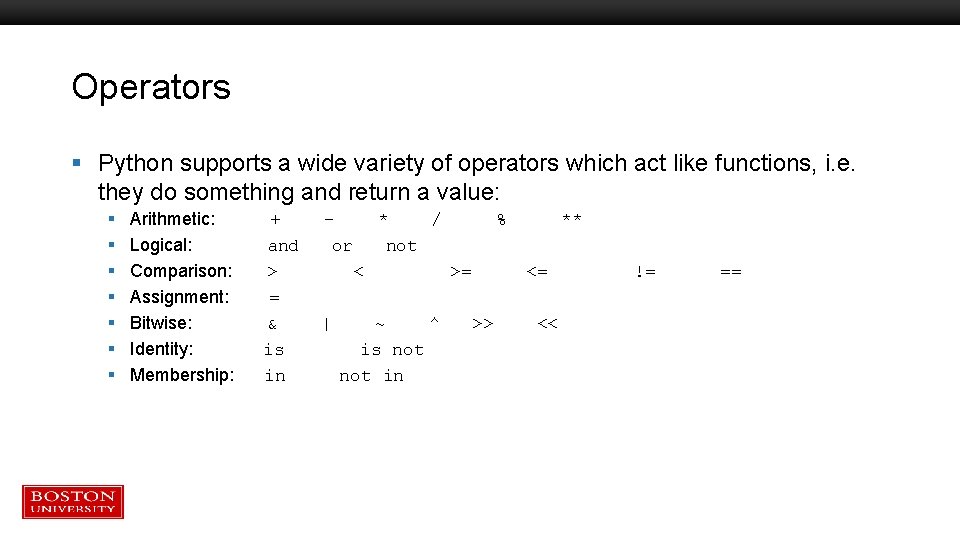
Operators § Python supports a wide variety of operators which act like functions, i. e. they do something and return a value: § § § § Arithmetic: + Logical: and Comparison: > Assignment: = Bitwise: & Identity: is Membership: in * / or not < >= | ~ ^ is not in >> % ** <= << != ==
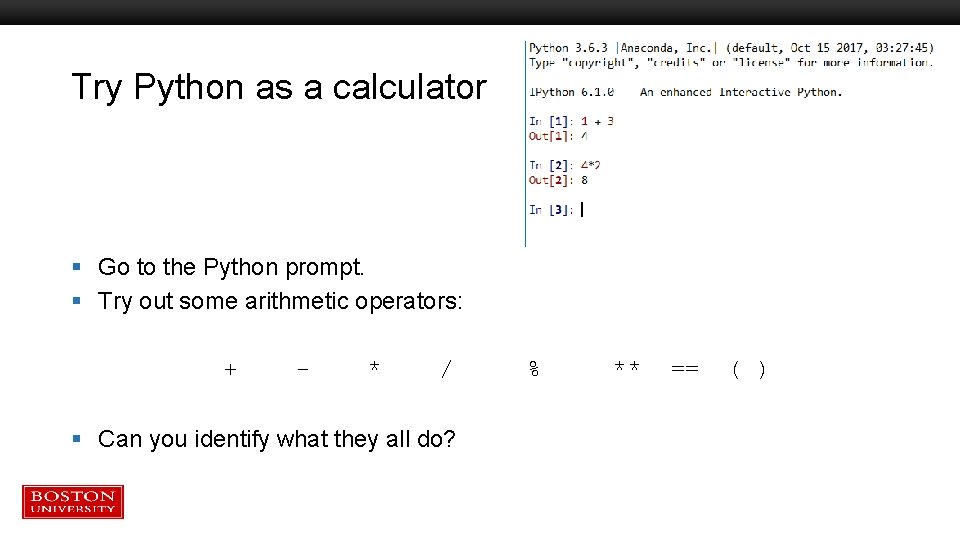
Try Python as a calculator § Go to the Python prompt. § Try out some arithmetic operators: + - * / § Can you identify what they all do? % ** == ( )
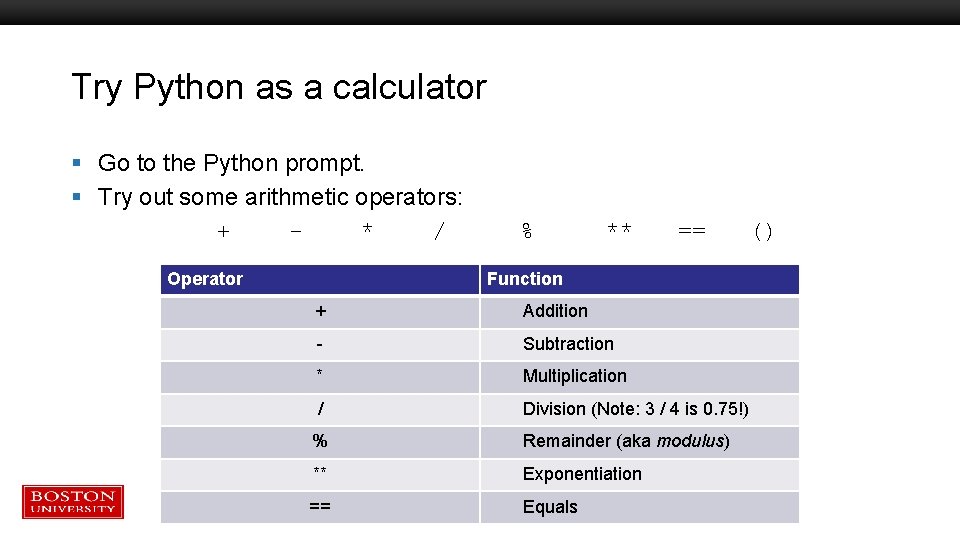
Try Python as a calculator § Go to the Python prompt. § Try out some arithmetic operators: + * / Operator % ** == Function + Addition - Subtraction * Multiplication / Division (Note: 3 / 4 is 0. 75!) % Remainder (aka modulus) ** Exponentiation == Equals ()
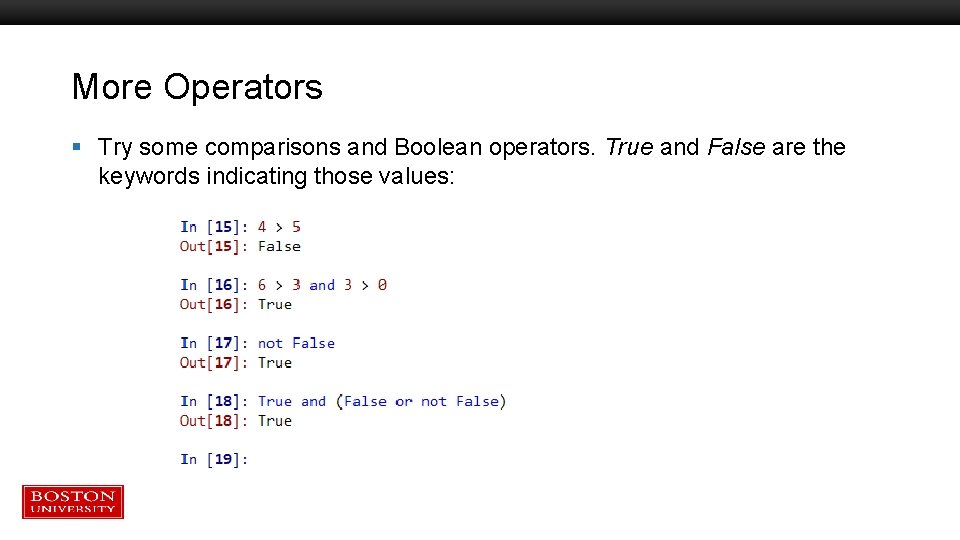
More Operators § Try some comparisons and Boolean operators. True and False are the keywords indicating those values:
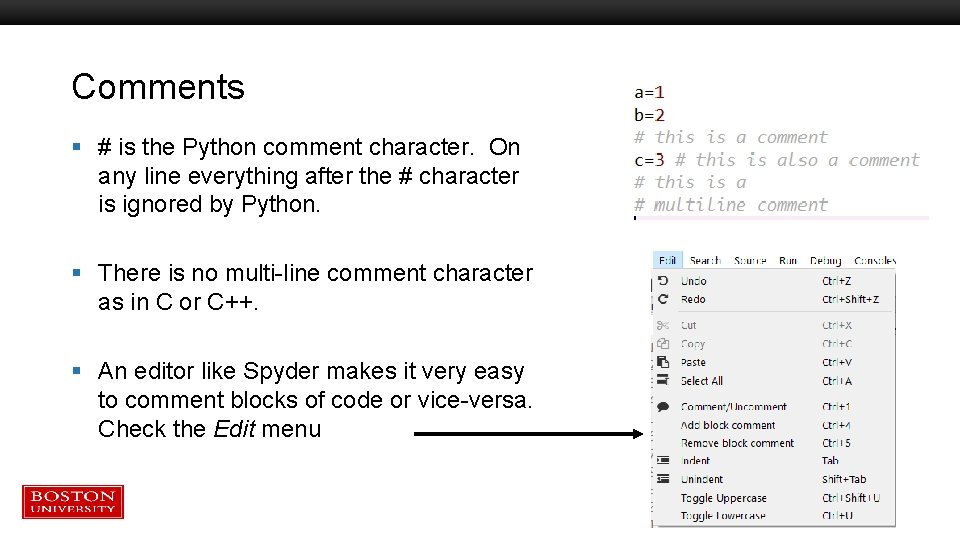
Comments § # is the Python comment character. On any line everything after the # character is ignored by Python. § There is no multi-line comment character as in C or C++. § An editor like Spyder makes it very easy to comment blocks of code or vice-versa. Check the Edit menu
Tutorial Outline – Part 1 § § § What is Python? Operators Variables Functions Classes If / Else
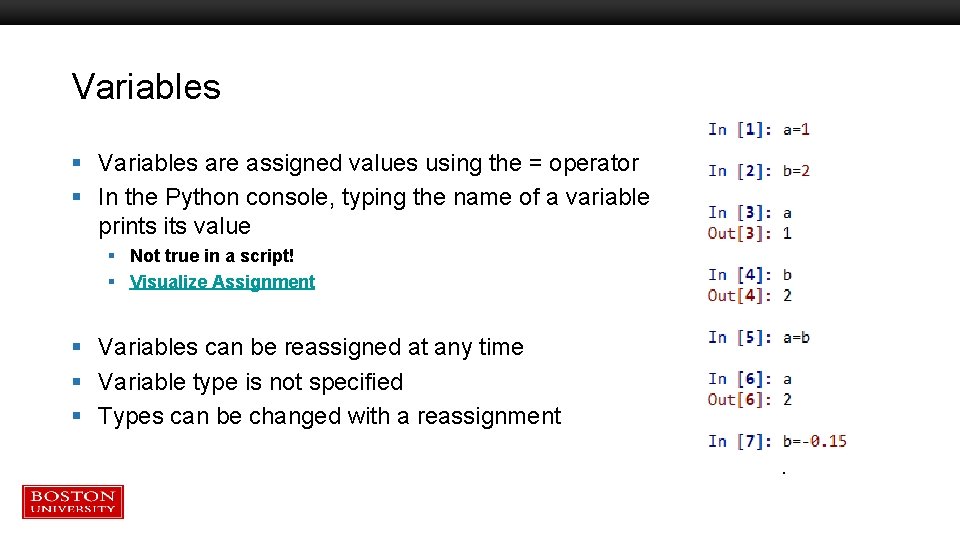
Variables § Variables are assigned values using the = operator § In the Python console, typing the name of a variable prints its value § Not true in a script! § Visualize Assignment § Variables can be reassigned at any time § Variable type is not specified § Types can be changed with a reassignment
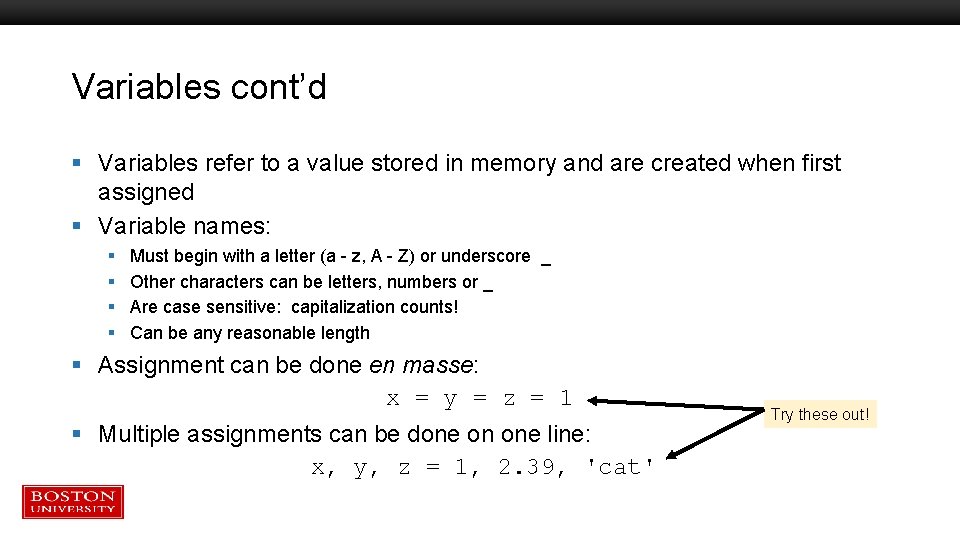
Variables cont’d § Variables refer to a value stored in memory and are created when first assigned § Variable names: § § Must begin with a letter (a - z, A - Z) or underscore _ Other characters can be letters, numbers or _ Are case sensitive: capitalization counts! Can be any reasonable length § Assignment can be done en masse: x = y = z = 1 § Multiple assignments can be done on one line: x, y, z = 1, 2. 39, 'cat' Try these out!
Variable Data Types § Python determines data types for variables based on the context § The type is identified when the program runs, called dynamic typing § Compare with compiled languages like C++ or Fortran, where types are identified by the programmer and by the compiler before the program is run. § Run-time typing is very convenient and helps with rapid code development…but requires the programmer to do more code testing for reliability. § The larger the program, the more significant the burden this is!
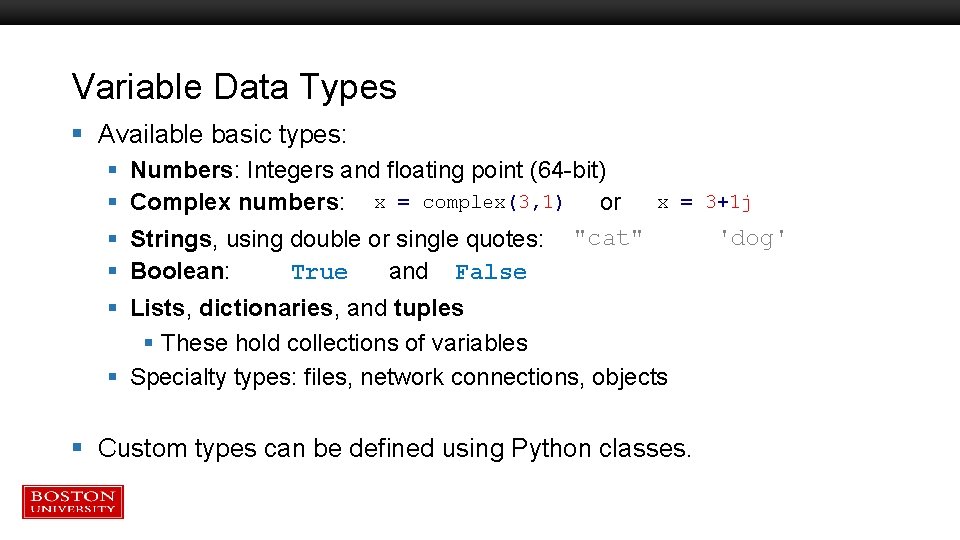
Variable Data Types § Available basic types: § § § Numbers: Integers and floating point (64 -bit) x = complex(3, 1) Complex numbers: or x = 3+1 j 'dog' Strings, using double or single quotes: "cat" Boolean: True and False Lists, dictionaries, and tuples § These hold collections of variables § Specialty types: files, network connections, objects § Custom types can be defined using Python classes.
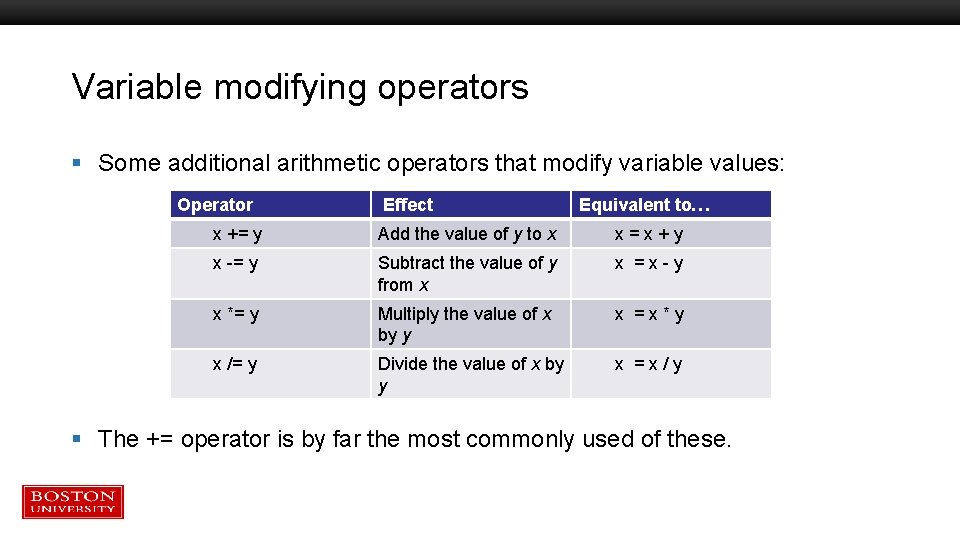
Variable modifying operators § Some additional arithmetic operators that modify variable values: Operator Effect Equivalent to… x += y Add the value of y to x x = x + y x -= y Subtract the value of y from x x = x - y x *= y Multiply the value of x by y x = x * y x /= y Divide the value of x by y x = x / y § The += operator is by far the most commonly used of these.
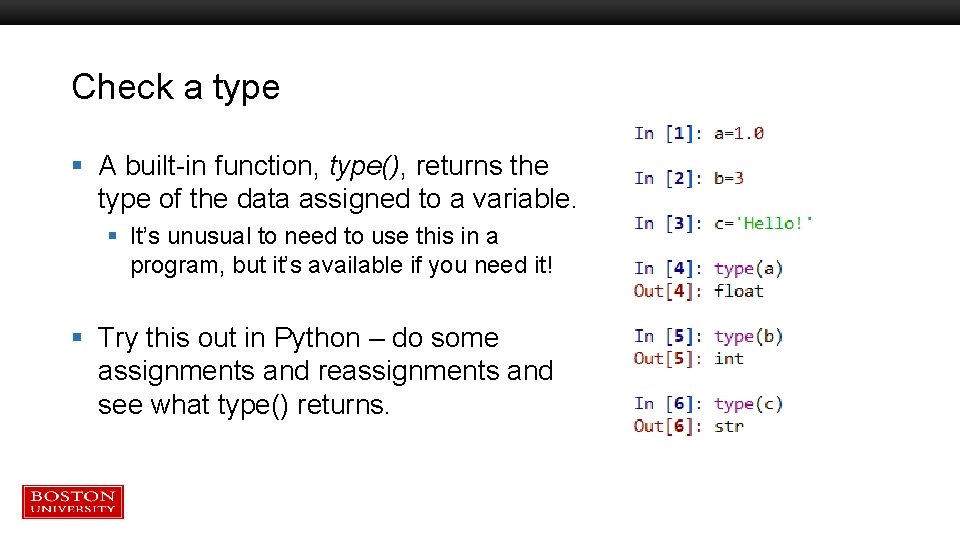
Check a type § A built-in function, type(), returns the type of the data assigned to a variable. § It’s unusual to need to use this in a program, but it’s available if you need it! § Try this out in Python – do some assignments and reassignments and see what type() returns.
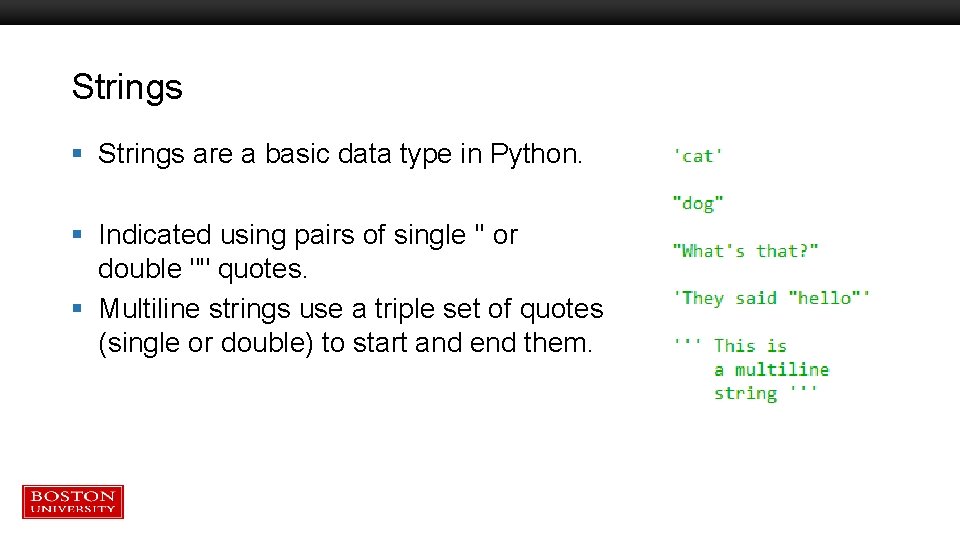
Strings § Strings are a basic data type in Python. § Indicated using pairs of single '' or double "" quotes. § Multiline strings use a triple set of quotes (single or double) to start and end them.
Tutorial Outline – Part 1 § § § What is Python? Operators Variables Functions Classes If / Else
Functions § Functions are used to create code that can be used in a program or in other programs. § The use of functions to logically separate the program into discrete computational steps. § Programs that make heavy use of function definitions tend to be easier to develop, debug, maintain, and understand.
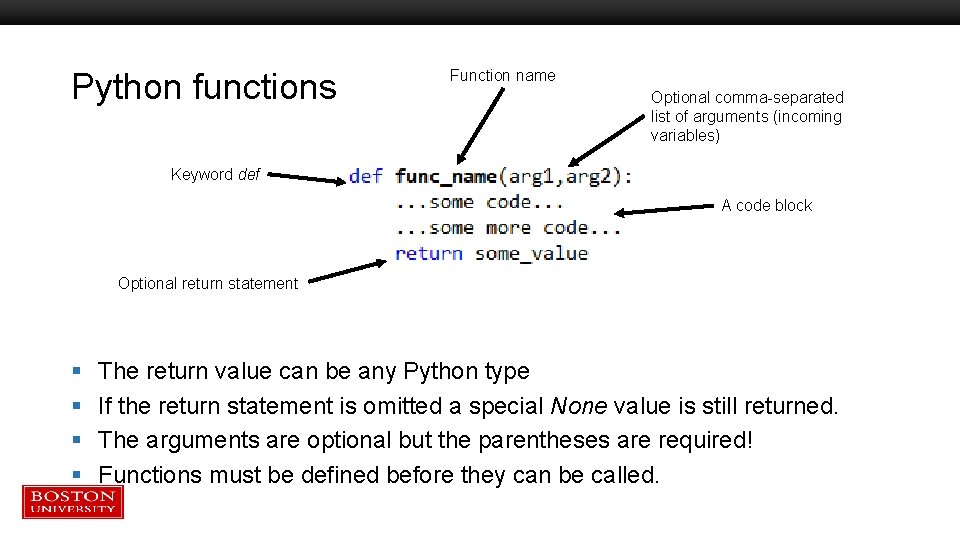
Python functions Function name Optional comma-separated list of arguments (incoming variables) Keyword def A code block Optional return statement § § The return value can be any Python type If the return statement is omitted a special None value is still returned. The arguments are optional but the parentheses are required! Functions must be defined before they can be called.
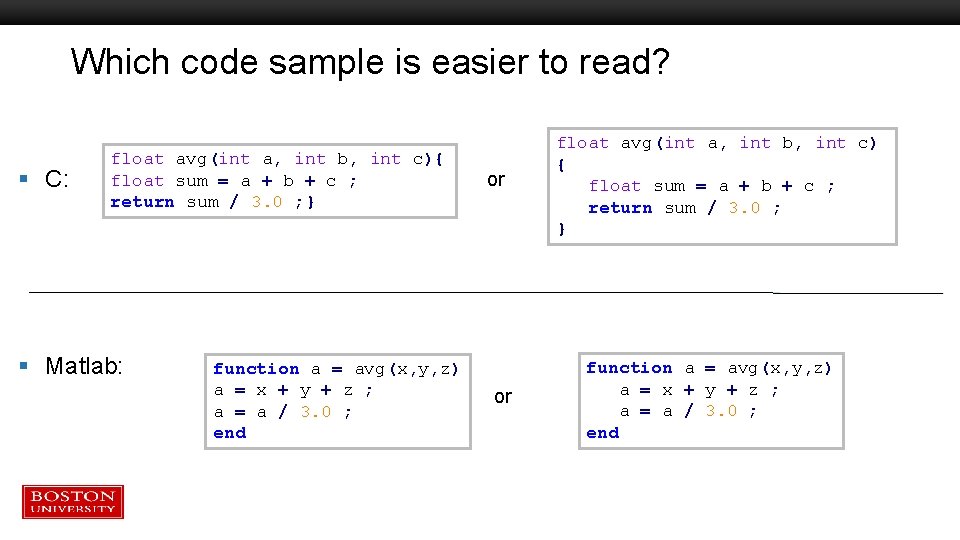
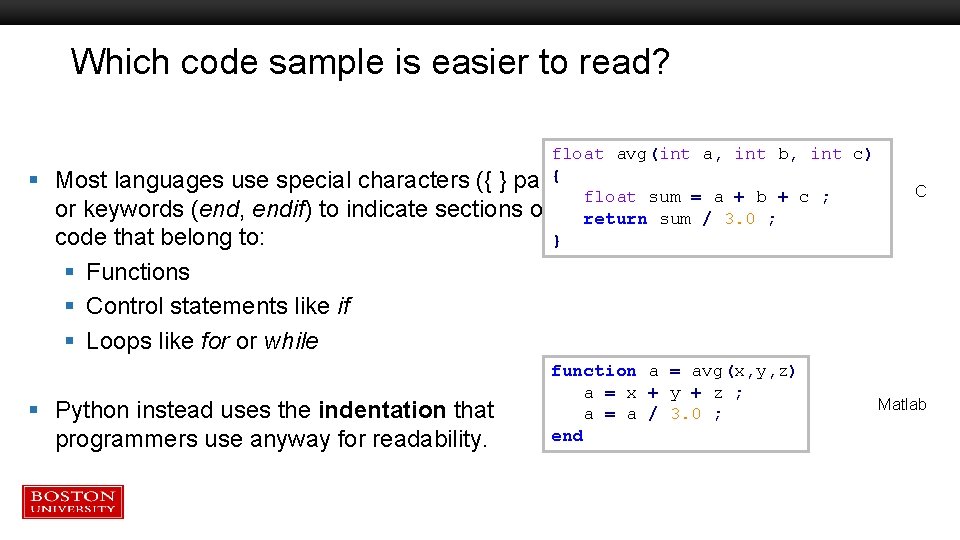
Which code sample is easier to read? § C: float avg(int a, int b, int c){ float sum = a + b + c ; return sum / 3. 0 ; } § Matlab: function a = avg(x, y, z) a = x + y + z ; a = a / 3. 0 ; end or or float avg(int a, int b, int c) { float sum = a + b + c ; return sum / 3. 0 ; } function a = avg(x, y, z) a = x + y + z ; a = a / 3. 0 ; end
Which code sample is easier to read? § float avg(int a, int b, int c) { Most languages use special characters ({ } pairs) float sum = a + b + c ; or keywords (end, endif) to indicate sections of return sum / 3. 0 ; code that belong to: } C § Functions § Control statements like if § Loops like for or while § Python instead uses the indentation that programmers use anyway for readability. function a = avg(x, y, z) a = x + y + z ; a = a / 3. 0 ; end Matlab
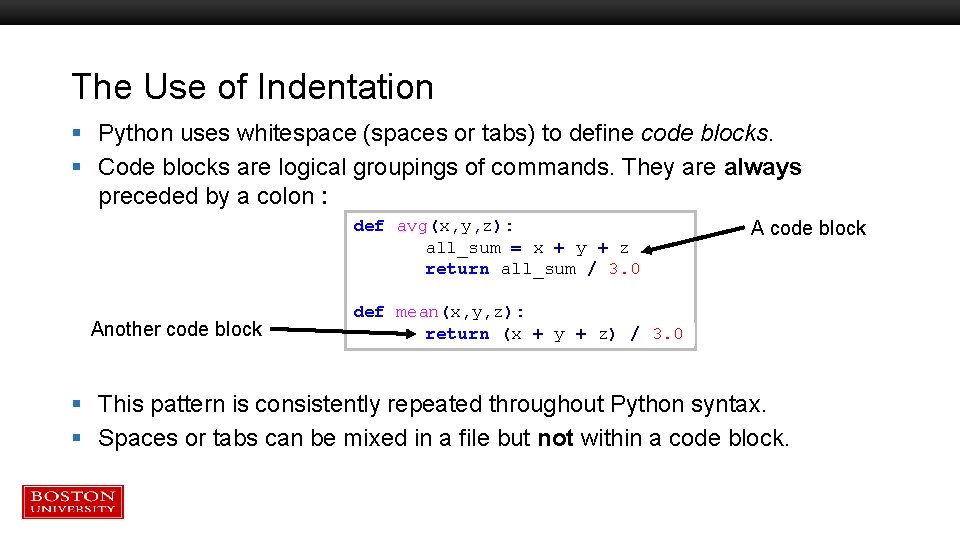
The Use of Indentation § Python uses whitespace (spaces or tabs) to define code blocks. § Code blocks are logical groupings of commands. They are always preceded by a colon : def avg(x, y, z): all_sum = x + y + z return all_sum / 3. 0 Another code block A code block def mean(x, y, z): return (x + y + z) / 3. 0 § This pattern is consistently repeated throughout Python syntax. § Spaces or tabs can be mixed in a file but not within a code block.
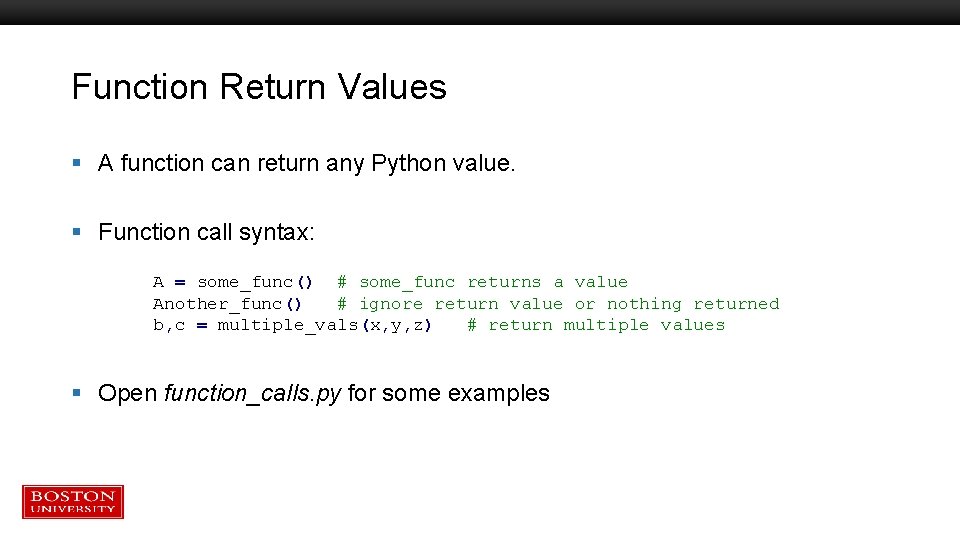
Function Return Values § A function can return any Python value. § Function call syntax: A = some_func() # some_func returns a value Another_func() # ignore return value or nothing returned b, c = multiple_vals(x, y, z) # return multiple values § Open function_calls. py for some examples
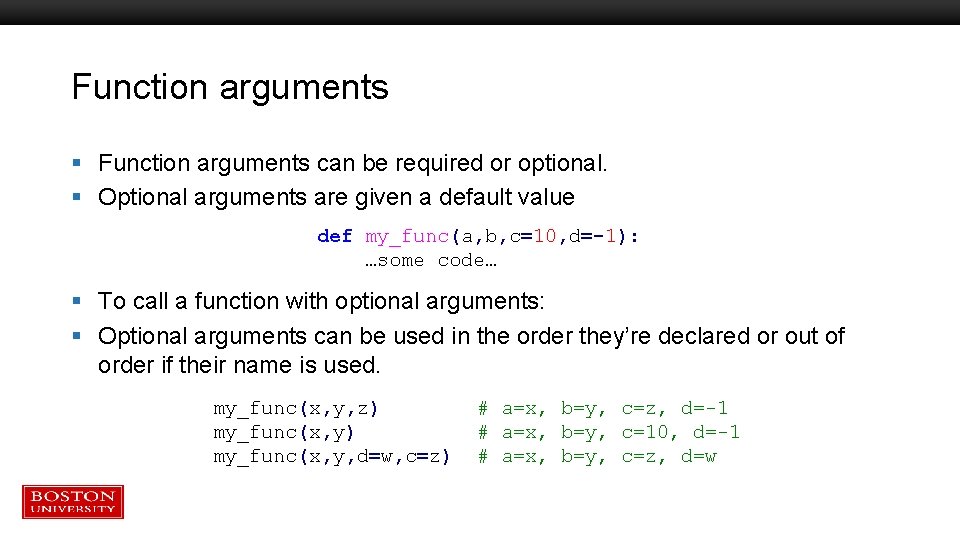
Function arguments § Function arguments can be required or optional. § Optional arguments are given a default value def my_func(a, b, c=10, d=-1): …some code… § To call a function with optional arguments: § Optional arguments can be used in the order they’re declared or out of order if their name is used. my_func(x, y, z) my_func(x, y, d=w, c=z) # a=x, b=y, c=z, d=-1 # a=x, b=y, c=10, d=-1 # a=x, b=y, c=z, d=w
Garbage collection § Variables defined in a function (or in any code block) no longer have any “live” references to them once the function returns. § These variables become garbage § Python’s garbage collection operates to remove them from the computer’s memory, freeing up the memory to be re-used. § There is no need to explicitly destroy or release most variables. § Some complex data types provide. close(), . clean(), etc. type functions. Use these where available.
When does garbage collection occur? § It happens when Python thinks it should. § For the great majority of programs this is not an issue. § Programs using very large quantities of memory or allocating large chunks of memory in repeated function calls can use more memory than expected. § If you are having trouble with memory usage contact RCS for help!
Tutorial Outline – Part 1 § § § What is Python? Operators Variables Functions Classes If / Else
Classes § OOP: Object Oriented Programming § In OOP a class is a data structure that combines data with functions that operate on that data. § An object is a variable whose type is a class § Also called an instance of a class § Classes provide a lot of power to help organize a program and can improve your ability to re-use your own code.
Object-oriented programming § Python is a fully object oriented programming (OOP) language. § Object-oriented programming (OOP) seeks to define a program in terms of the things in the problem (files, molecules, buildings, cars, people, etc. ), what they need, and what they can do. § Some familiarity with OOP is needed to understand Python data structures and libraries. § You can write your own Python classes to define custom data types.
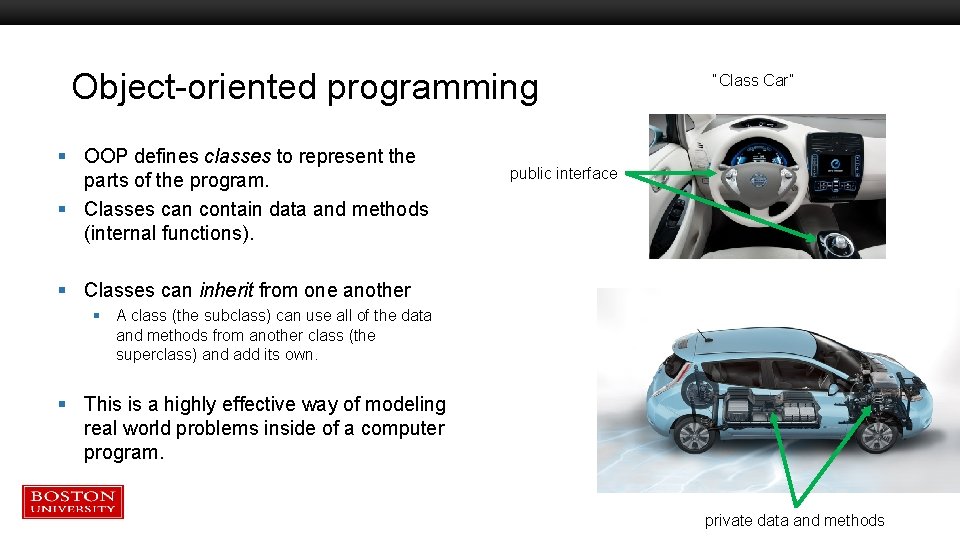
Object-oriented programming § OOP defines classes to represent the parts of the program. § Classes can contain data and methods (internal functions). “Class Car” public interface § Classes can inherit from one another § A class (the subclass) can use all of the data and methods from another class (the superclass) and add its own. § This is a highly effective way of modeling real world problems inside of a computer program. private data and methods
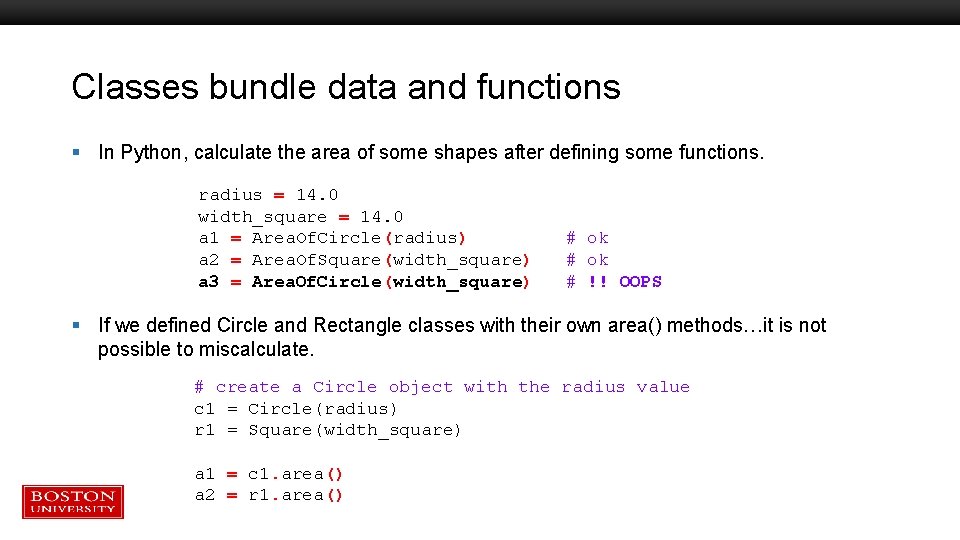
Classes bundle data and functions § In Python, calculate the area of some shapes after defining some functions. radius = 14. 0 width_square = 14. 0 a 1 = Area. Of. Circle(radius) a 2 = Area. Of. Square(width_square) a 3 = Area. Of. Circle(width_square) # ok # !! OOPS § If we defined Circle and Rectangle classes with their own area() methods…it is not possible to miscalculate. # create a Circle object with the radius value c 1 = Circle(radius) r 1 = Square(width_square) a 1 = c 1. area() a 2 = r 1. area()
Strings in Python § Python defines a string class – all strings in Python are objects. § This means strings have: § Their own internal (hidden) memory management to handle storage of the characters. § A variety of functions accessible once you have a string object in memory. § You can’t access string functions without a string – in Python the string provides its own functions. § No “strcat” / “strcmp” / etc as in C § No “strlength” / “isletter” / etc as in Matlab § No “nchar” / “toupper” /etc as in R
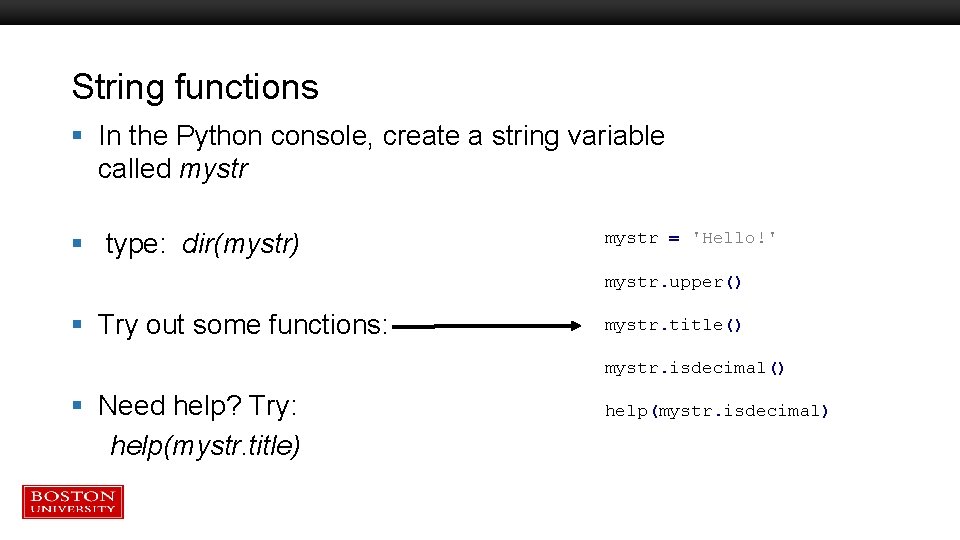
String functions § In the Python console, create a string variable called mystr § type: dir(mystr) mystr = 'Hello!' mystr. upper() § Try out some functions: mystr. title() mystr. isdecimal() § Need help? Try: help(mystr. title) help(mystr. isdecimal)
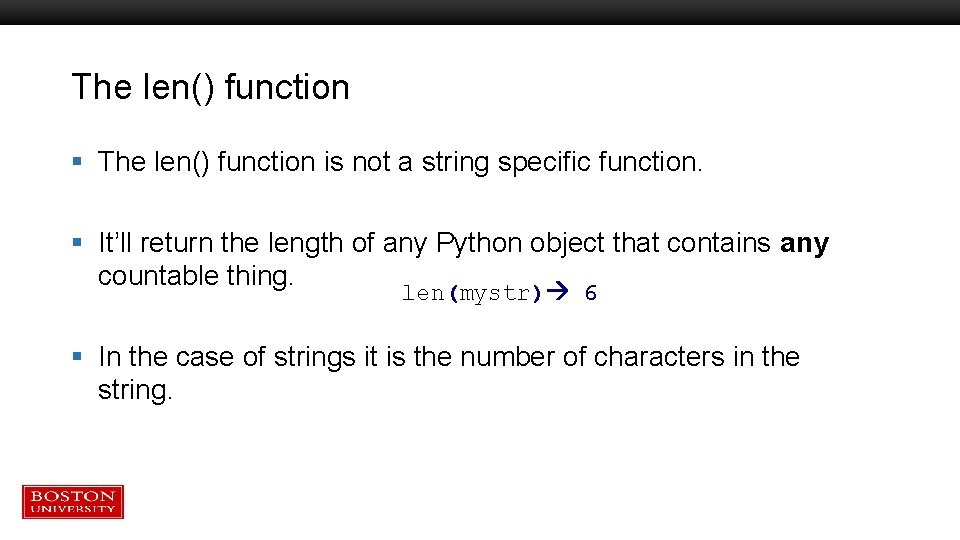
The len() function § The len() function is not a string specific function. § It’ll return the length of any Python object that contains any countable thing. len(mystr) 6 § In the case of strings it is the number of characters in the string.
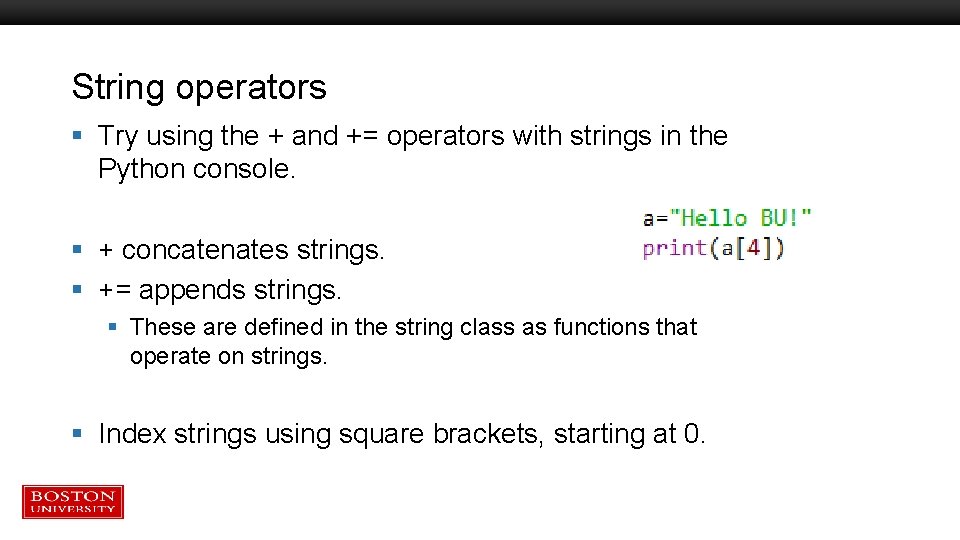
String operators § Try using the + and += operators with strings in the Python console. § + concatenates strings. § += appends strings. § These are defined in the string class as functions that operate on strings. § Index strings using square brackets, starting at 0.
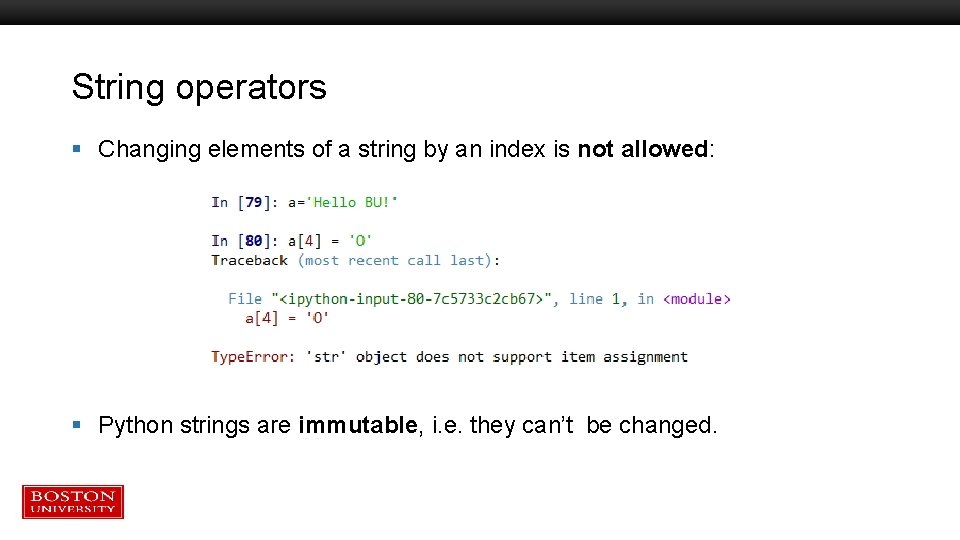
String operators § Changing elements of a string by an index is not allowed: § Python strings are immutable, i. e. they can’t be changed.
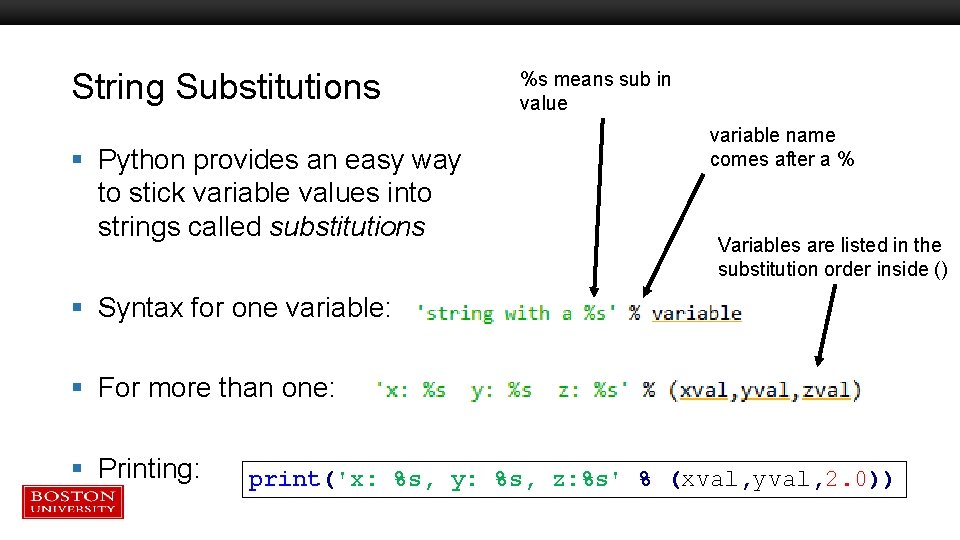
String Substitutions § Python provides an easy way to stick variable values into strings called substitutions %s means sub in value variable name comes after a % Variables are listed in the substitution order inside () § Syntax for one variable: § For more than one: § Printing: print('x: %s, y: %s, z: %s' % (xval, yval, 2. 0))
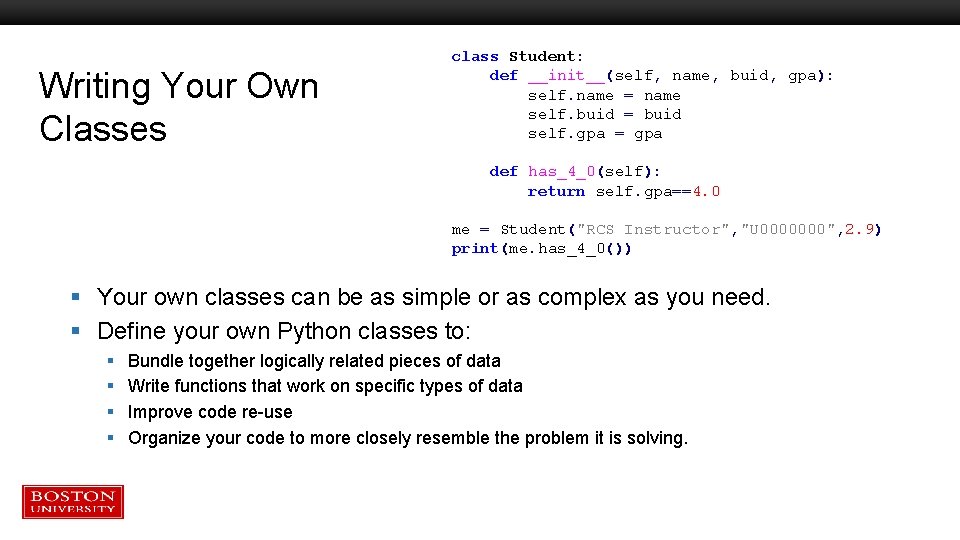
Writing Your Own Classes class Student: def __init__(self, name, buid, gpa): self. name = name self. buid = buid self. gpa = gpa def has_4_0(self): return self. gpa==4. 0 me = Student("RCS Instructor", "U 0000000", 2. 9) print(me. has_4_0()) § Your own classes can be as simple or as complex as you need. § Define your own Python classes to: § § Bundle together logically related pieces of data Write functions that work on specific types of data Improve code re-use Organize your code to more closely resemble the problem it is solving.
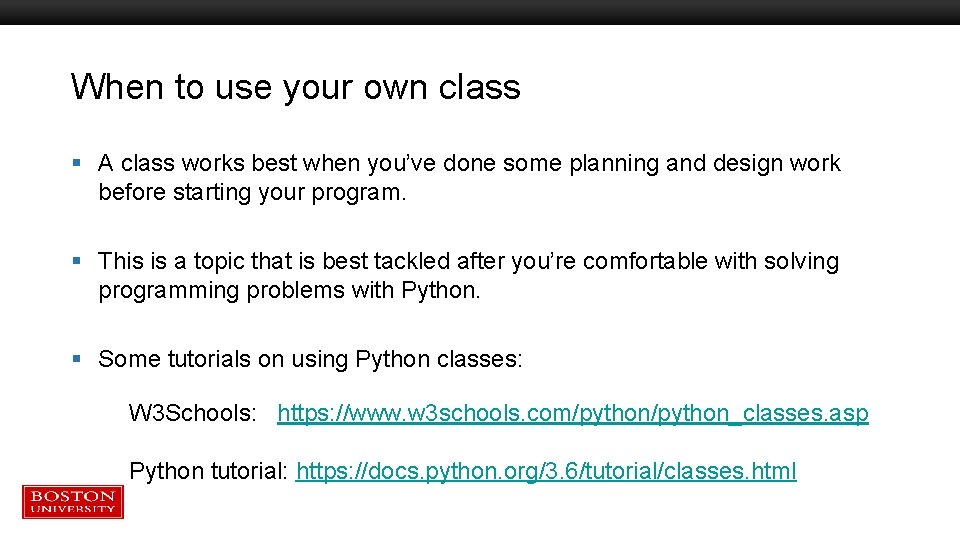
When to use your own class § A class works best when you’ve done some planning and design work before starting your program. § This is a topic that is best tackled after you’re comfortable with solving programming problems with Python. § Some tutorials on using Python classes: W 3 Schools: https: //www. w 3 schools. com/python_classes. asp Python tutorial: https: //docs. python. org/3. 6/tutorial/classes. html
Tutorial Outline – Part 1 § § § What is Python? Operators Variables Functions Classes If / Else
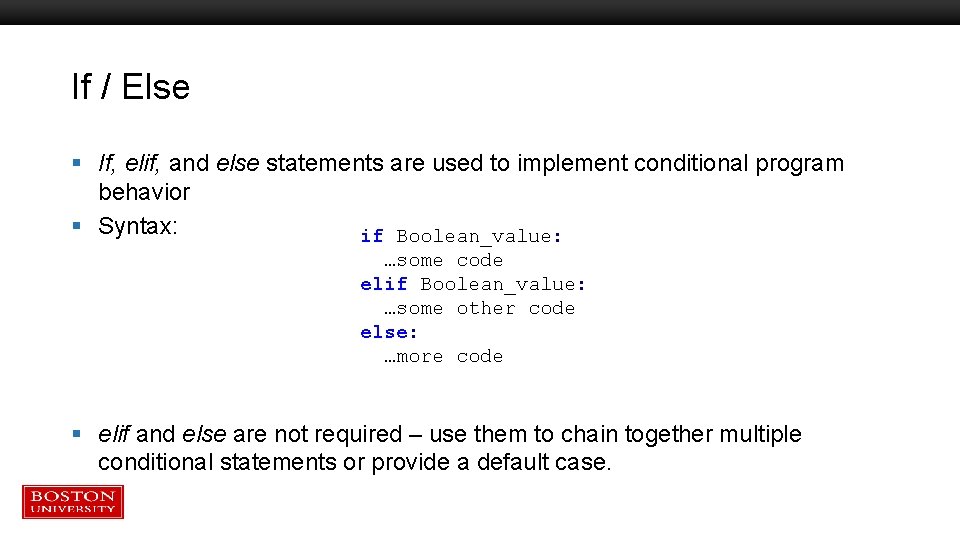
If / Else § If, elif, and else statements are used to implement conditional program behavior § Syntax: if Boolean_value: …some code elif Boolean_value: …some other code else: …more code § elif and else are not required – use them to chain together multiple conditional statements or provide a default case.
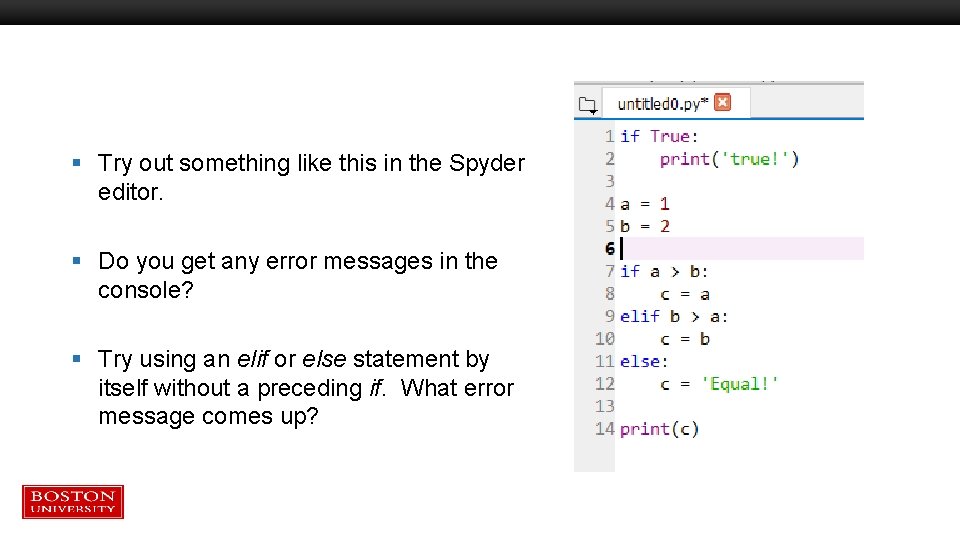
§ Try out something like this in the Spyder editor. § Do you get any error messages in the console? § Try using an elif or else statement by itself without a preceding if. What error message comes up?
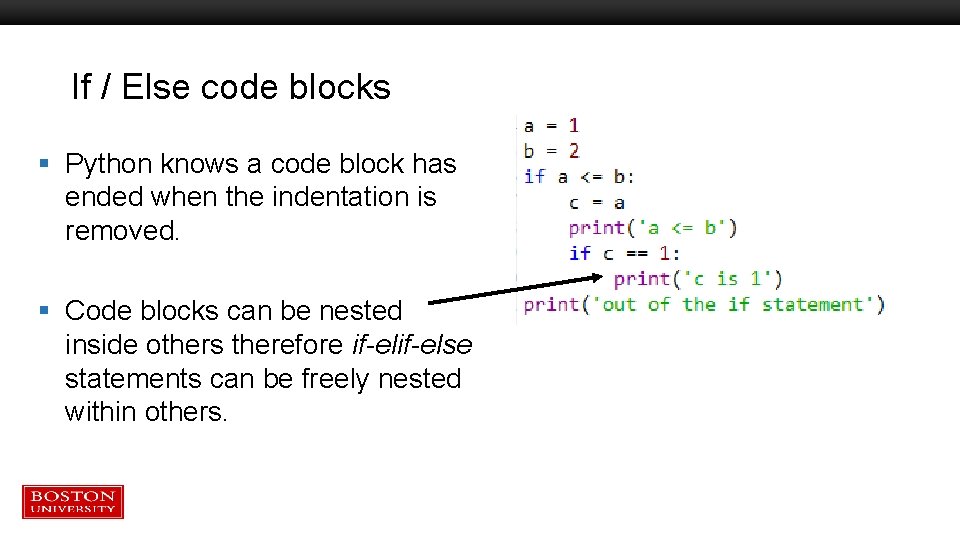
If / Else code blocks § Python knows a code block has ended when the indentation is removed. § Code blocks can be nested inside others therefore if-else statements can be freely nested within others.
File vs. Console Code Blocks § Python knows a code block has ended when the indentation is removed. § EXCEPT when typing code into the Python console. There an empty line indicates the end of a code block. § This sometimes causes confusion when pasting code into the console. § Solution: try to avoid pasting more than a few lines into the Python console.