
Introduction to Python Module 4 Comments Programming concepts
![check to see if current character matches position i in alphabet (alphabet[i]) 09_subsitution_simple](https://slidetodoc.com/presentation_image_h2/c3156d7ec86453304bc8f398ed895d84/image-50.jpg "check to see if current character matches position i in alphabet (alphabet[i]) 09_subsitution_simple")
![if yes … concatenate scramble[i] to the encrypted message we are building 09_subsitution_simple](https://slidetodoc.com/presentation_image_h2/c3156d7ec86453304bc8f398ed895d84/image-51.jpg "if yes … concatenate scramble[i] to the encrypted message we are building 09_subsitution_simple")
- Slides: 80
Introduction to Python Module #4 Comments, Programming concepts, Conditional statements Lois Delcambre a little discussion a little more Python encryption and decryption programs
Plan • making your programs more readable: – comments – coding style • booleans – if else while in Python • additional Python instruction: – Python console (aka Python interpreter) – subscripts and decryption/encryption
Who is going to read code? When? How often?
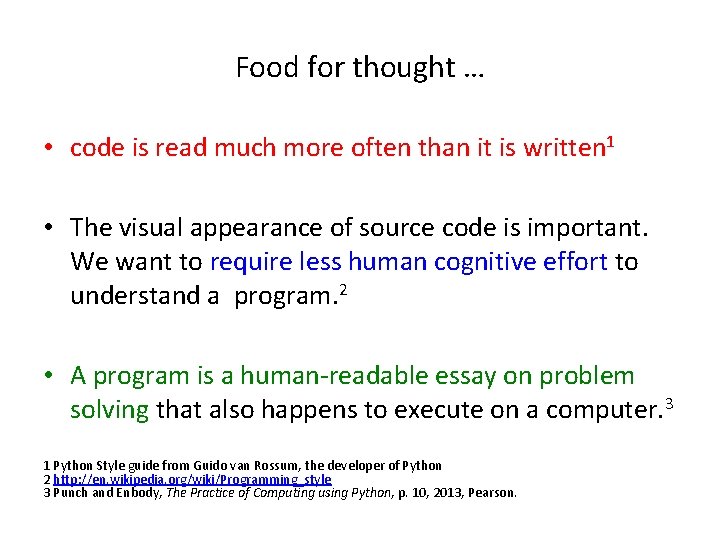
Food for thought … • code is read much more often than it is written 1 • The visual appearance of source code is important. We want to require less human cognitive effort to understand a program. 2 • A program is a human-readable essay on problem solving that also happens to execute on a computer. 3 1 Python Style guide from Guido van Rossum, the developer of Python 2 http: //en. wikipedia. org/wiki/Programming_style 3 Punch and Enbody, The Practice of Computing using Python, p. 10, 2013, Pearson.
You can add comments to your program • use the “#” symbol for simple comments • You put comments in to your program so that the next programmer can read your code more easily. • Python interpreter ignores all comments.
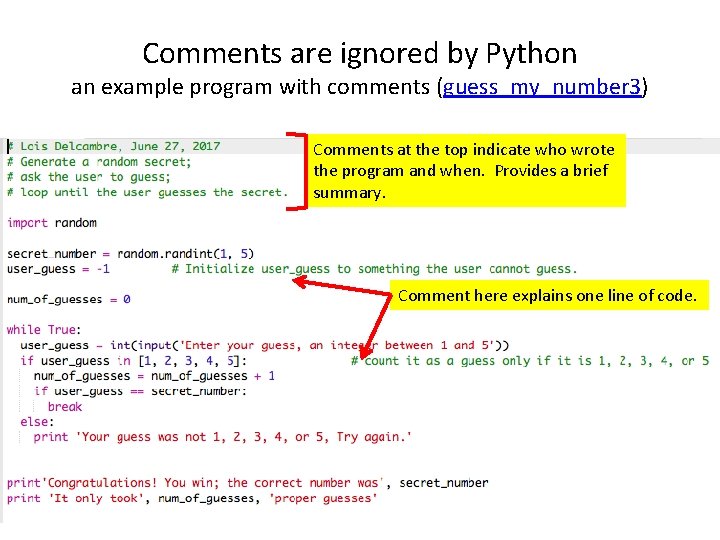
Comments are ignored by Python an example program with comments (guess_my_number 3) Comments at the top indicate who wrote the program and when. Provides a brief summary. Comment here explains one line of code.
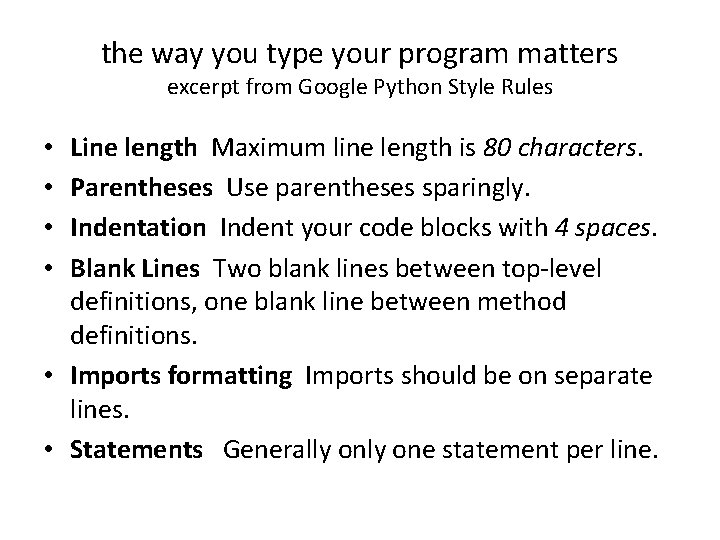
the way you type your program matters excerpt from Google Python Style Rules Line length Maximum line length is 80 characters. Parentheses Use parentheses sparingly. Indentation Indent your code blocks with 4 spaces. Blank Lines Two blank lines between top-level definitions, one blank line between method definitions. • Imports formatting Imports should be on separate lines. • Statements Generally one statement per line. • •
Programming concept #1: Simplicity • If something is less complicated, it’s less likely to have problems and easier to troubleshoot and fix. easier to read! easier to maintain! easier to test! therefore it is more likely to work as intended and it is much more likely to be secure.
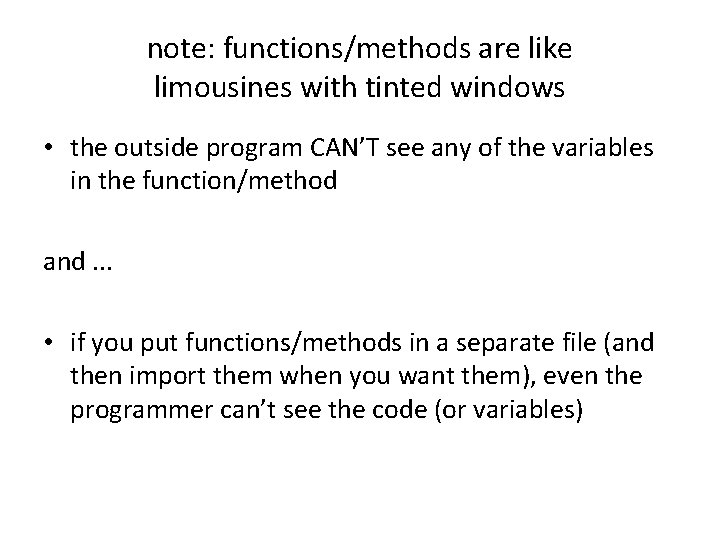
note: functions/methods are like limousines with tinted windows • the outside program CAN’T see any of the variables in the function/method and. . . • if you put functions/methods in a separate file (and then import them when you want them), even the programmer can’t see the code (or variables)
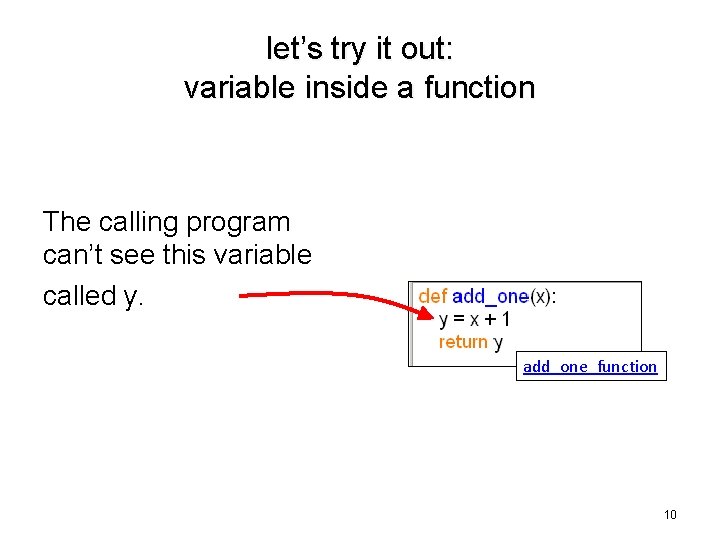
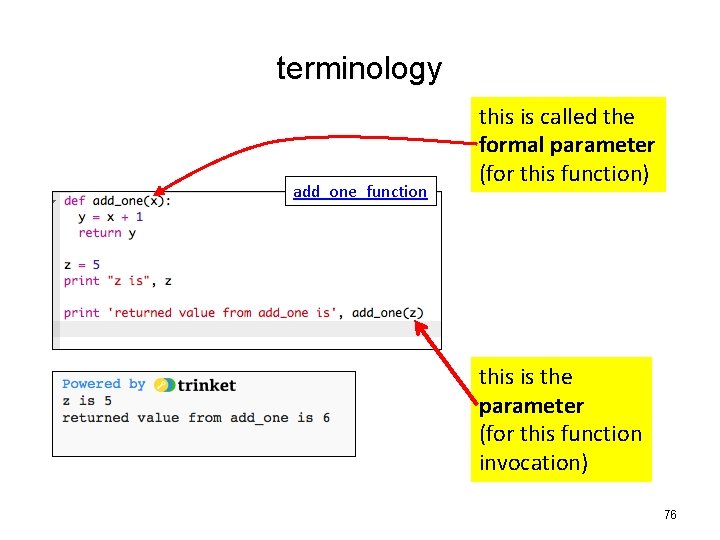
let’s try it out: variable inside a function The calling program can’t see this variable called y. add_one_function 10
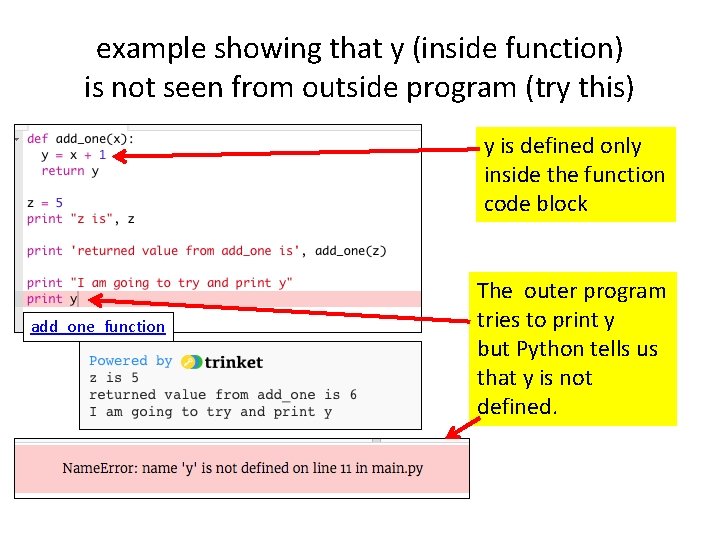
example showing that y (inside function) is not seen from outside program (try this) y is defined only inside the function code block add_one_function The outer program tries to print y but Python tells us that y is not defined.
Programming concept #2: Abstraction Each function/method introduces an abstraction This is what Chris Bosh explained to us. The function name/parameters gives you all that you need to know. all that you are allowed to know. The implementation details are hidden inside. You should introduce nice abstractions (functions) in your programs.
Programming concept #3: Modularity • Modules can be inserted or removed from a project; each module code blocks can be changed to make it run faster, to make it more readable, and so on. Just make sure that the module still performs the same task. • a function/method introduces modularity • a group of functions/methods in a Python module is a module (e. g. , the turtle module, the random module)
Programming concept #4: Information Hiding • Information hiding is any attempt to prevent people from being able to see information. The code for functions and methods are not visible to the program that invokes them. • The code inside a module (that is imported in Python) is not visible even to the programmer.
Plan • making your programs more readable: – comments – coding style • booleans – if else while in Python • additional Python instruction: – Python console (aka Python interpreter) – subscripts and decryption/encryption
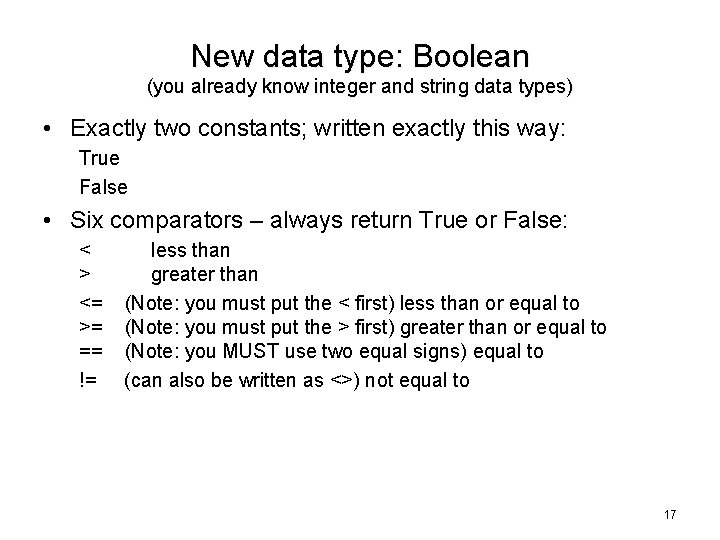
New data type: Boolean (you already know integer and string data types) • Exactly two constants; written exactly this way: True False • Six comparators – always return True or False: < > <= >= == != less than greater than (Note: you must put the < first) less than or equal to (Note: you must put the > first) greater than or equal to (Note: you MUST use two equal signs) equal to (can also be written as <>) not equal to 17
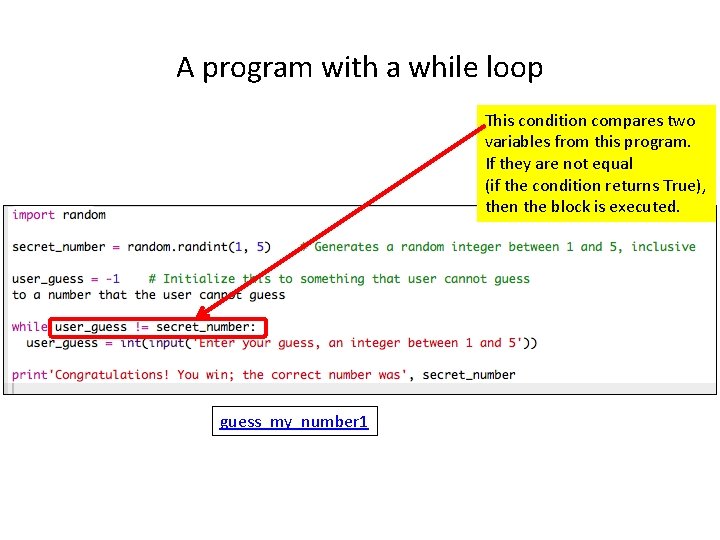
A program with a while loop This condition compares two variables from this program. If they are not equal (if the condition returns True), then the block is executed. guess_my_number 1
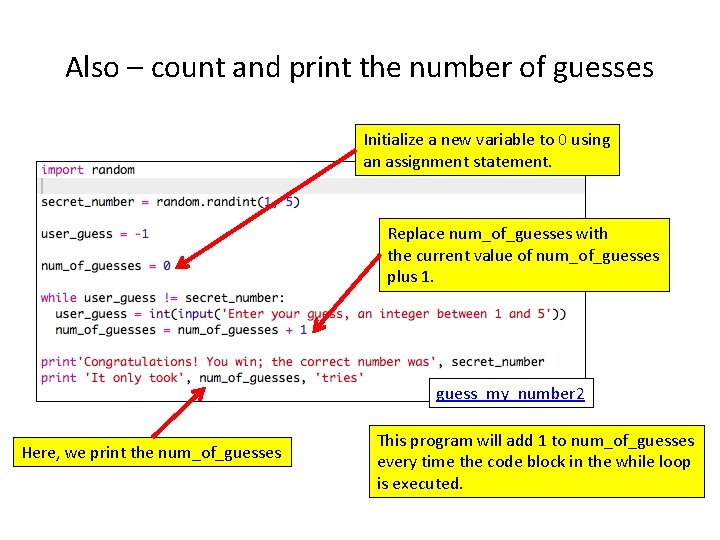
Also – count and print the number of guesses Initialize a new variable to 0 using an assignment statement. Replace num_of_guesses with the current value of num_of_guesses plus 1. guess_my_number 2 Here, we print the num_of_guesses This program will add 1 to num_of_guesses every time the code block in the while loop is executed.
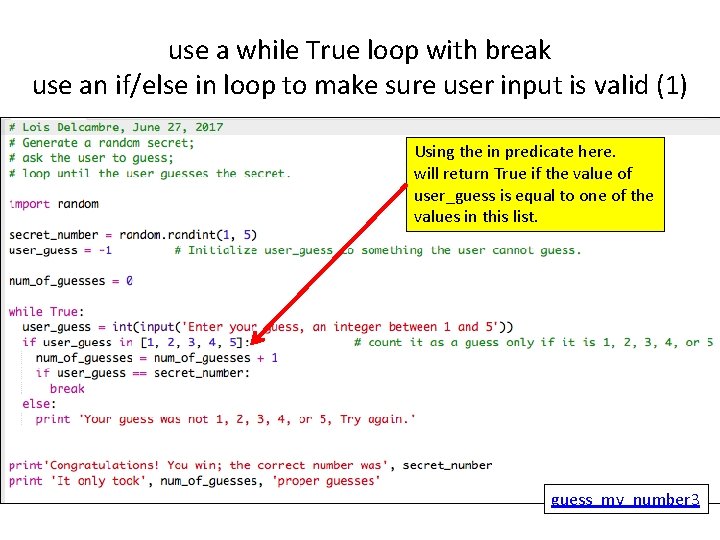
use a while True loop with break use an if/else in loop to make sure user input is valid (1) Using the in predicate here. will return True if the value of user_guess is equal to one of the values in this list. guess_my_number 3
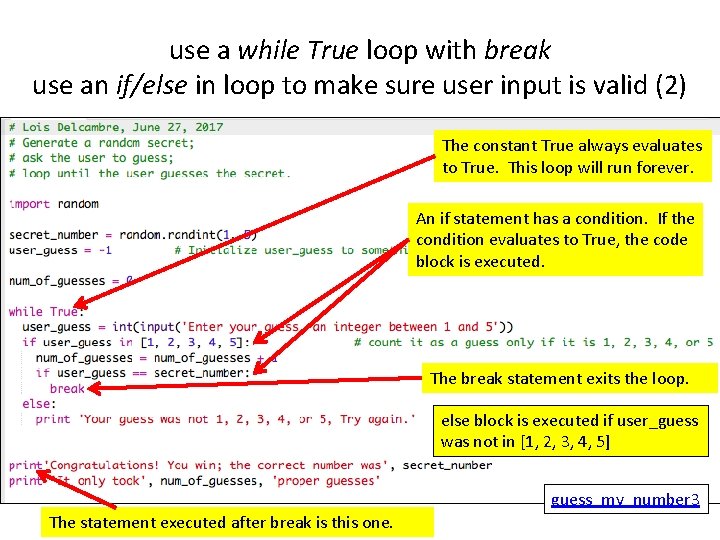
use a while True loop with break use an if/else in loop to make sure user input is valid (2) The constant True always evaluates to True. This loop will run forever. An if statement has a condition. If the condition evaluates to True, the code block is executed. The break statement exits the loop. else block is executed if user_guess was not in [1, 2, 3, 4, 5] guess_my_number 3 The statement executed after break is this one.
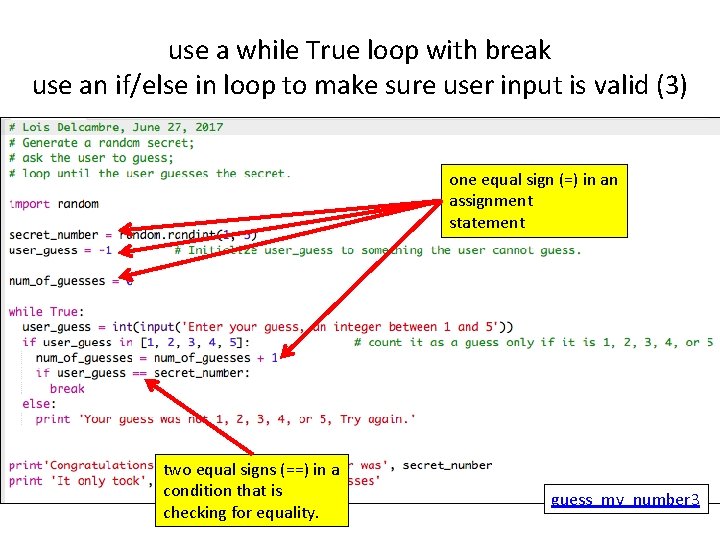
use a while True loop with break use an if/else in loop to make sure user input is valid (3) one equal sign (=) in an assignment statement two equal signs (==) in a condition that is checking for equality. guess_my_number 3
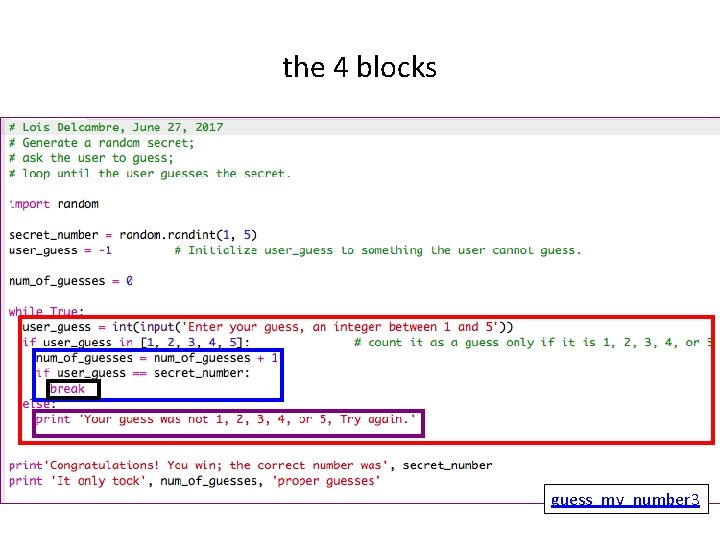
the 4 blocks guess_my_number 3
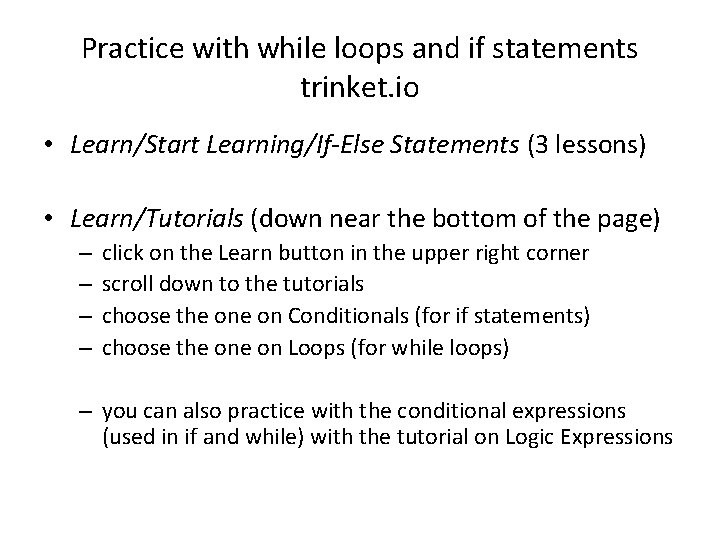
Practice with while loops and if statements trinket. io • Learn/Start Learning/If-Else Statements (3 lessons) • Learn/Tutorials (down near the bottom of the page) – – click on the Learn button in the upper right corner scroll down to the tutorials choose the on Conditionals (for if statements) choose the on Loops (for while loops) – you can also practice with the conditional expressions (used in if and while) with the tutorial on Logic Expressions
Plan for Day 4 • making your programs more readable: – comments – coding style – cybersecurity first principles • booleans – if else while in Python • additional Python instruction: – Python console (aka Python interpreter) – subscripts and decryption/encryption
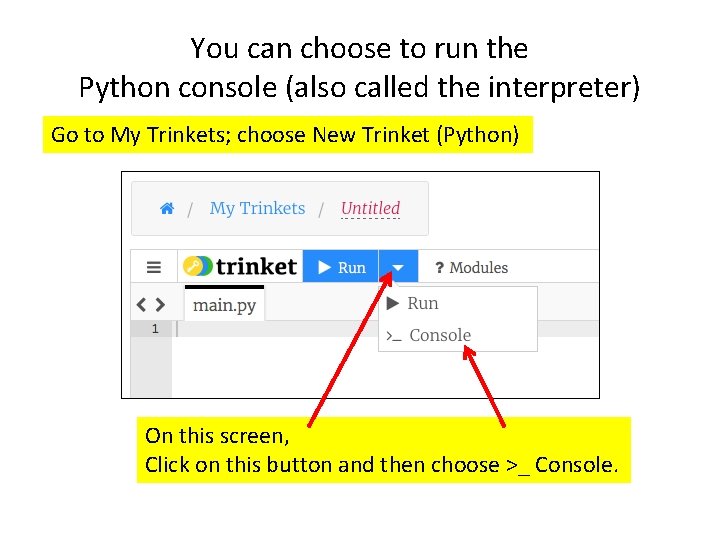
You can choose to run the Python console (also called the interpreter) Go to My Trinkets; choose New Trinket (Python) On this screen, Click on this button and then choose >_ Console.
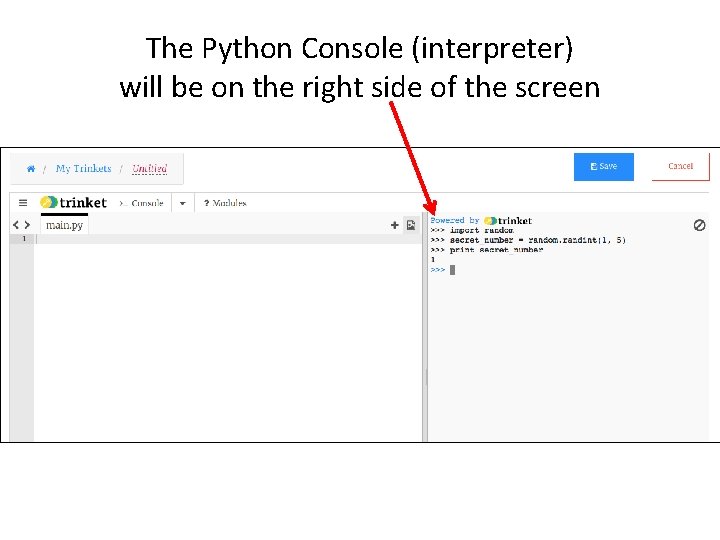
The Python Console (interpreter) will be on the right side of the screen
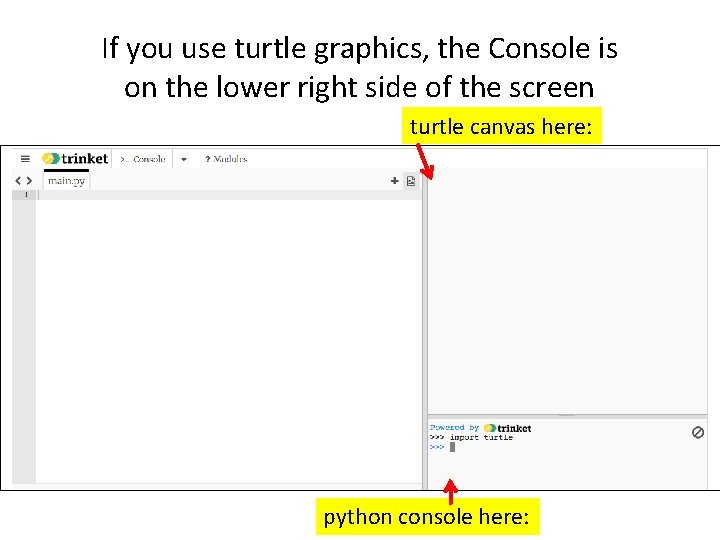
If you use turtle graphics, the Console is on the lower right side of the screen turtle canvas here: python console here:
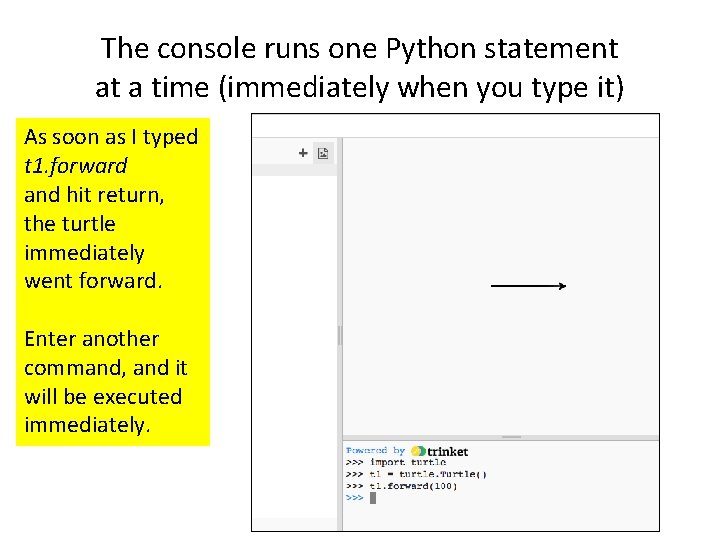
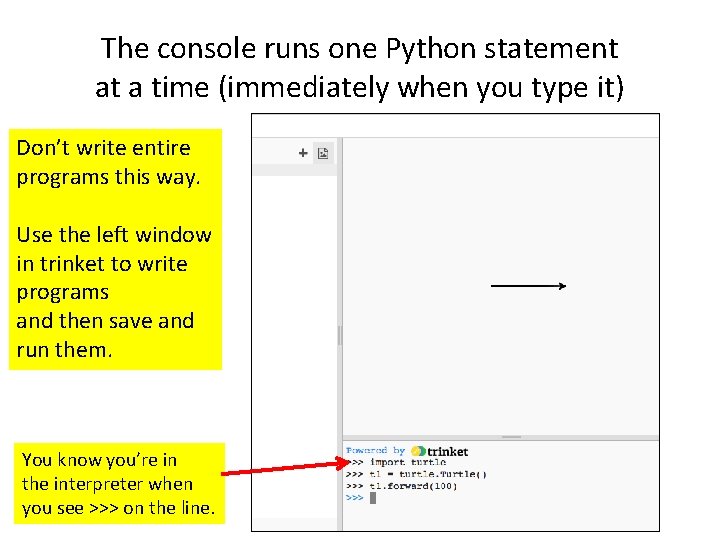
The console runs one Python statement at a time (immediately when you type it) As soon as I typed t 1. forward and hit return, the turtle immediately went forward. Enter another command, and it will be executed immediately.
The console runs one Python statement at a time (immediately when you type it) Don’t write entire programs this way. Use the left window in trinket to write programs and then save and run them. You know you’re in the interpreter when you see >>> on the line.
Encrypting in Python Simplified versions of code that Dr. Wu-chang Feng used to generate the crypto puzzles.
Demo of transposition encoding (09_SUBSTITUTION_simple on trinket)
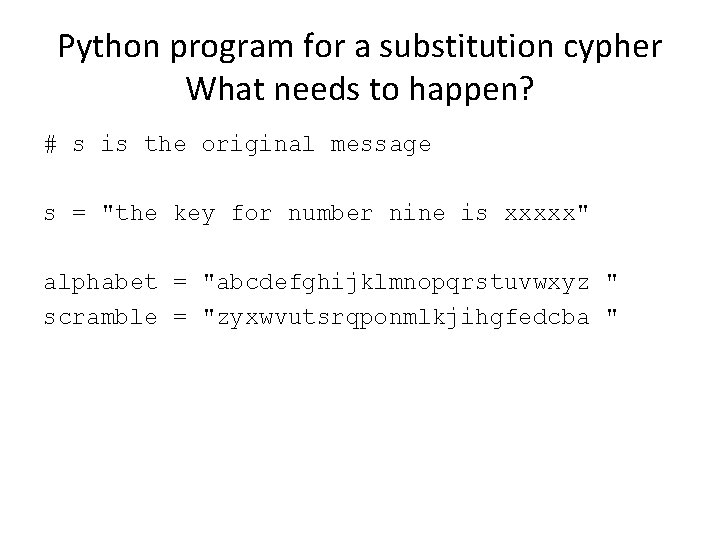
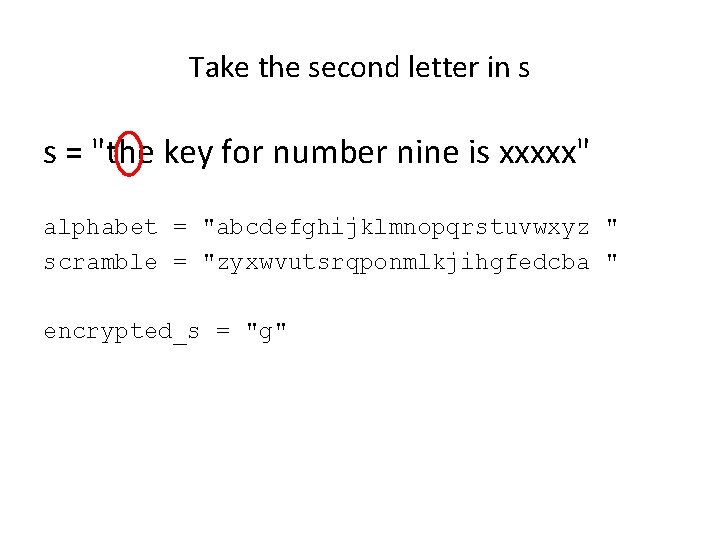
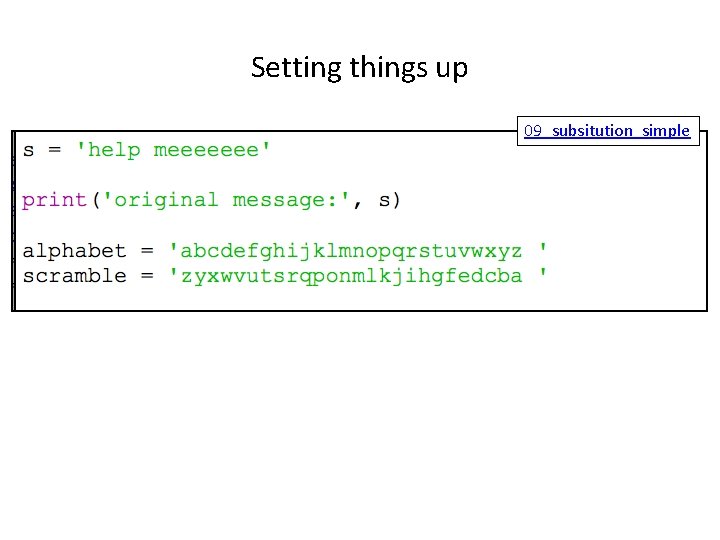
Python program for a substitution cypher What needs to happen? # s is the original message s = "the key for number nine is xxxxx" alphabet = "abcdefghijklmnopqrstuvwxyz " scramble = "zyxwvutsrqponmlkjihgfedcba "
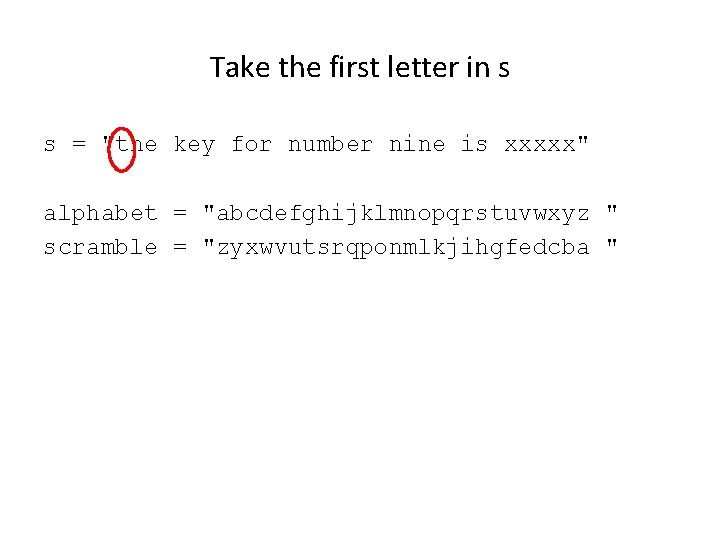
Take the first letter in s s = "the key for number nine is xxxxx" alphabet = "abcdefghijklmnopqrstuvwxyz " scramble = "zyxwvutsrqponmlkjihgfedcba "
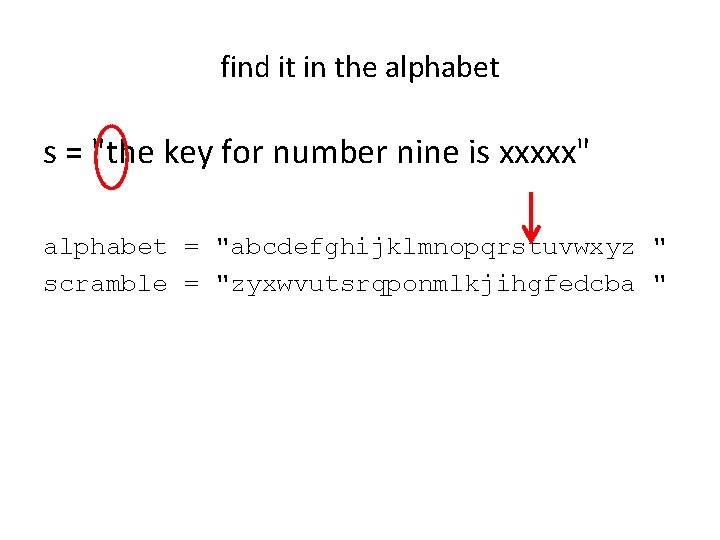
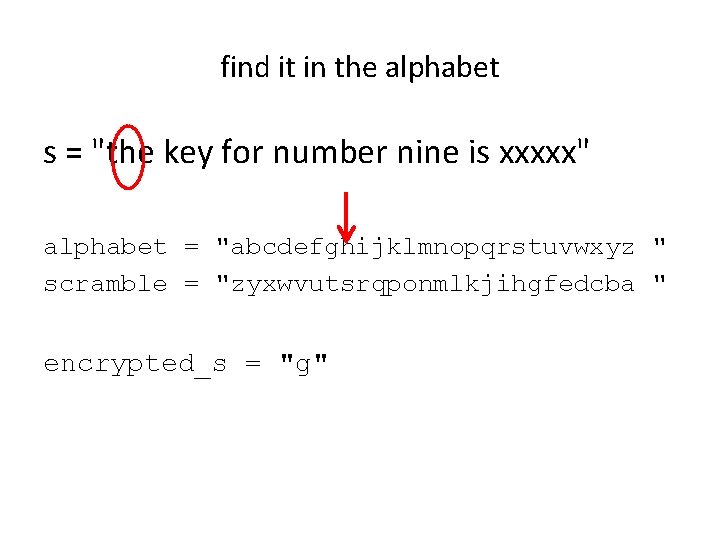
find it in the alphabet s = "the key for number nine is xxxxx" alphabet = "abcdefghijklmnopqrstuvwxyz " scramble = "zyxwvutsrqponmlkjihgfedcba "
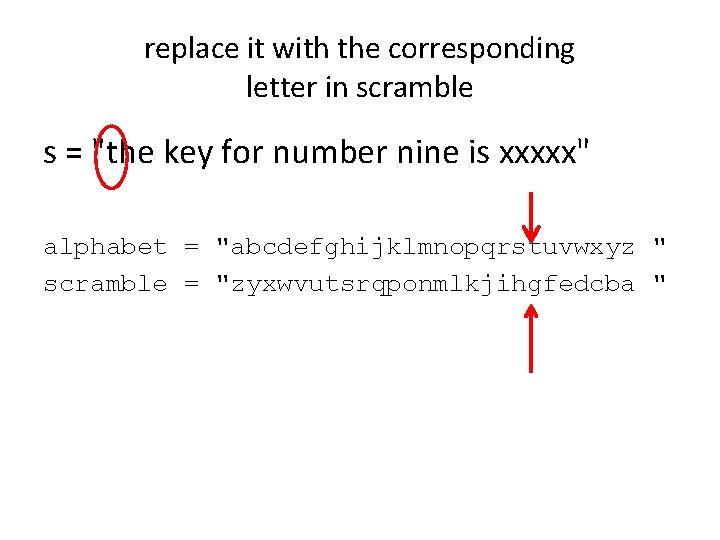
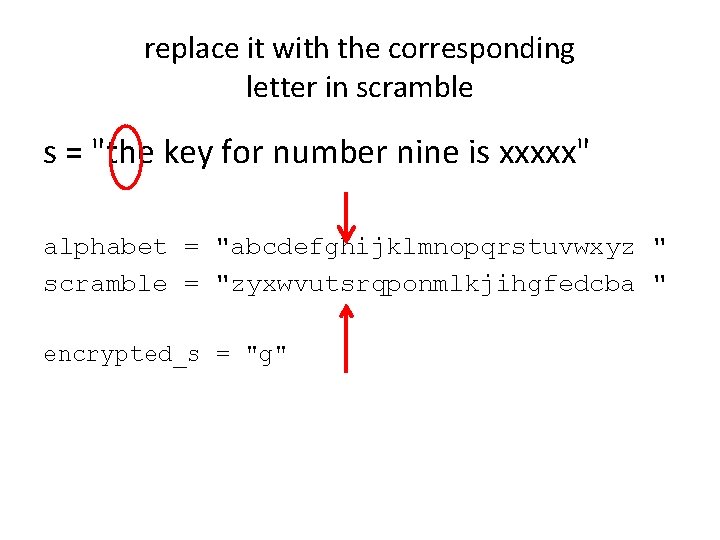
replace it with the corresponding letter in scramble s = "the key for number nine is xxxxx" alphabet = "abcdefghijklmnopqrstuvwxyz " scramble = "zyxwvutsrqponmlkjihgfedcba "
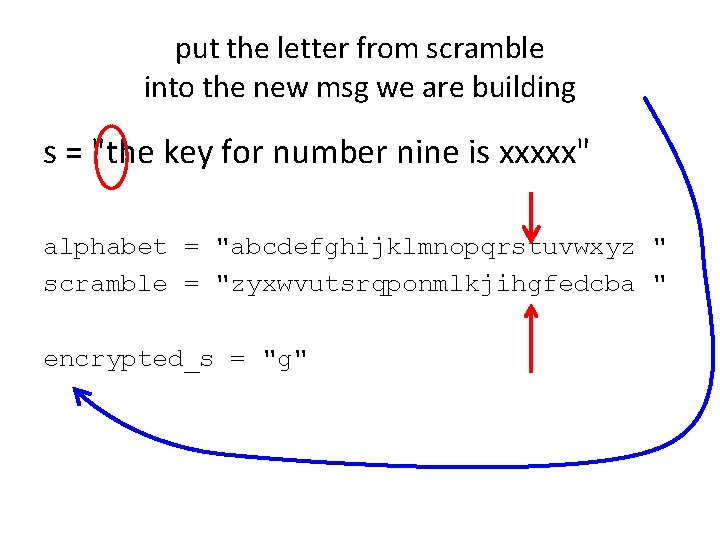
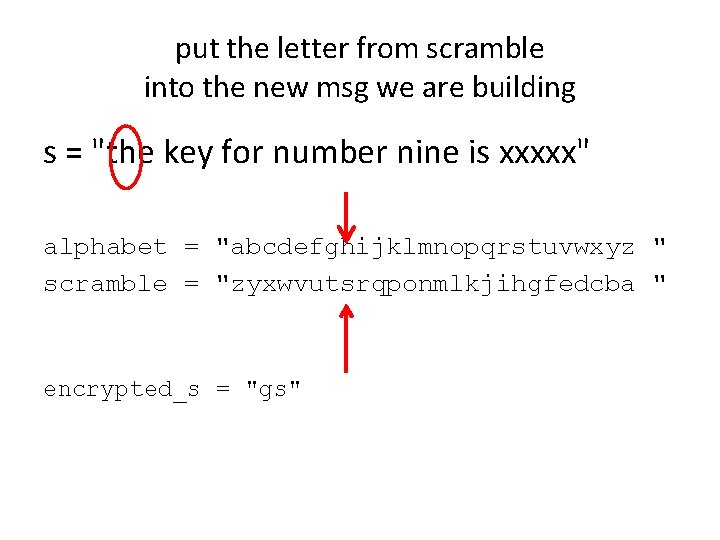
put the letter from scramble into the new msg we are building s = "the key for number nine is xxxxx" alphabet = "abcdefghijklmnopqrstuvwxyz " scramble = "zyxwvutsrqponmlkjihgfedcba " encrypted_s = "g"
Take the second letter in s s = "the key for number nine is xxxxx" alphabet = "abcdefghijklmnopqrstuvwxyz " scramble = "zyxwvutsrqponmlkjihgfedcba " encrypted_s = "g"
find it in the alphabet s = "the key for number nine is xxxxx" alphabet = "abcdefghijklmnopqrstuvwxyz " scramble = "zyxwvutsrqponmlkjihgfedcba " encrypted_s = "g"
replace it with the corresponding letter in scramble s = "the key for number nine is xxxxx" alphabet = "abcdefghijklmnopqrstuvwxyz " scramble = "zyxwvutsrqponmlkjihgfedcba " encrypted_s = "g"
put the letter from scramble into the new msg we are building s = "the key for number nine is xxxxx" alphabet = "abcdefghijklmnopqrstuvwxyz " scramble = "zyxwvutsrqponmlkjihgfedcba " encrypted_s = "gs"
continue through all letters
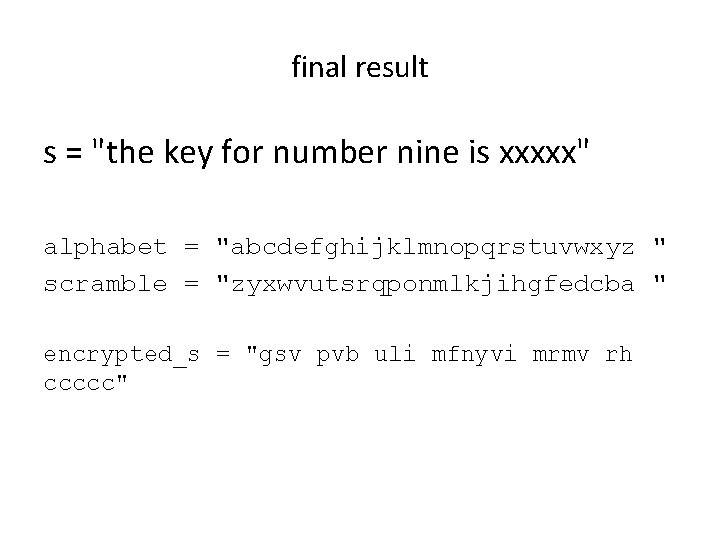
final result s = "the key for number nine is xxxxx" alphabet = "abcdefghijklmnopqrstuvwxyz " scramble = "zyxwvutsrqponmlkjihgfedcba " encrypted_s = "gsv pvb uli mfnyvi mrmv rh ccccc"
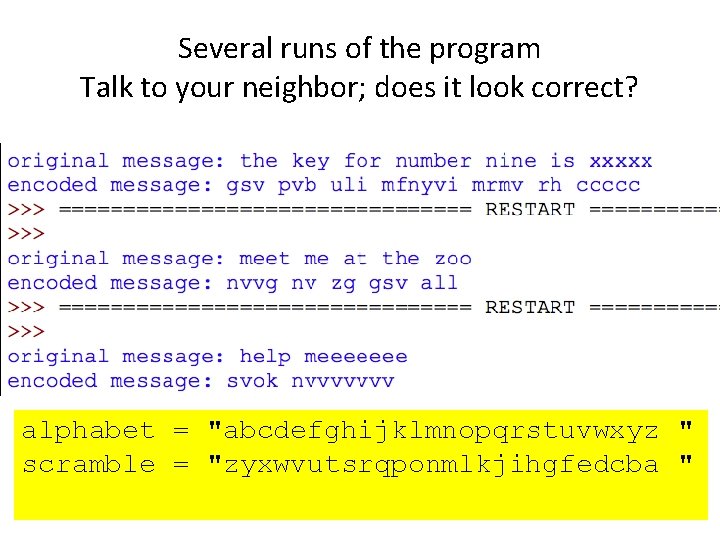
Several runs of the program Talk to your neighbor; does it look correct? alphabet = "abcdefghijklmnopqrstuvwxyz " scramble = "zyxwvutsrqponmlkjihgfedcba "
LET'S WRITE THE PROGRAM
Setting things up 09_subsitution_simple
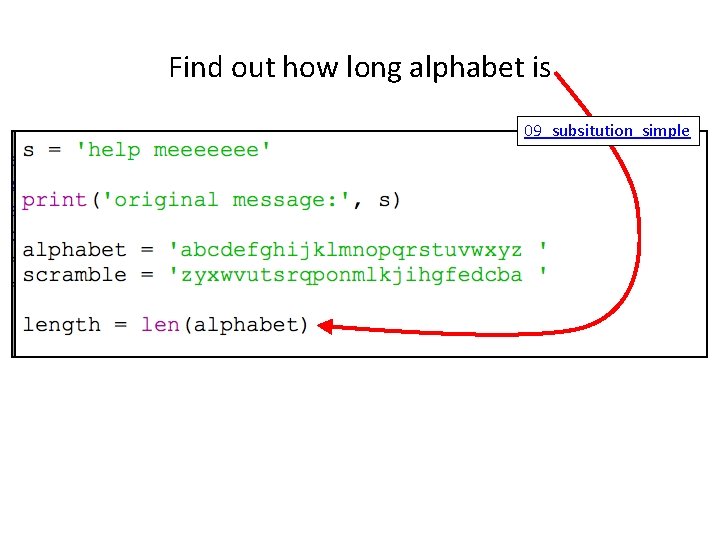
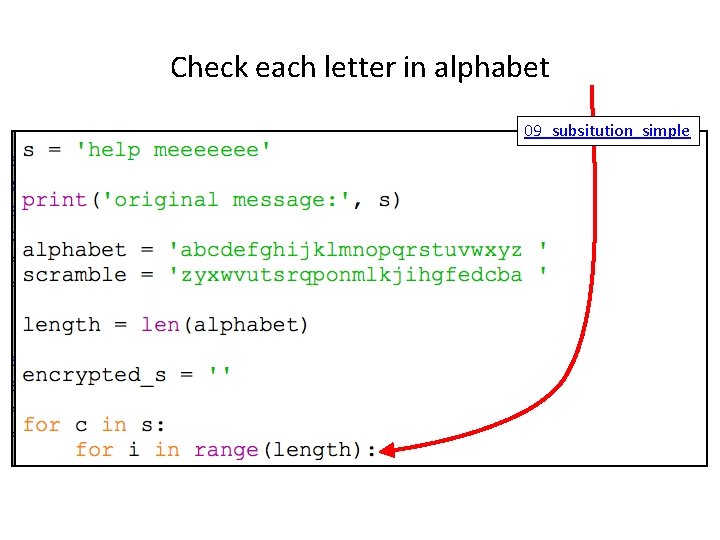
Find out how long alphabet is 09_subsitution_simple
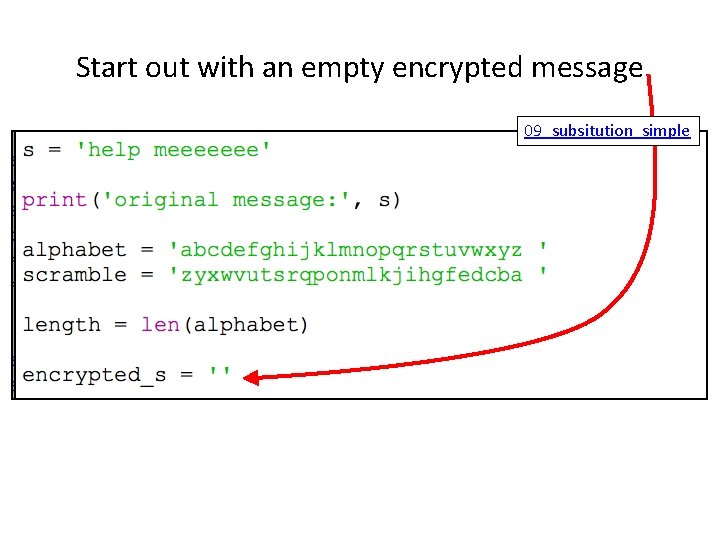
Start out with an empty encrypted message 09_subsitution_simple
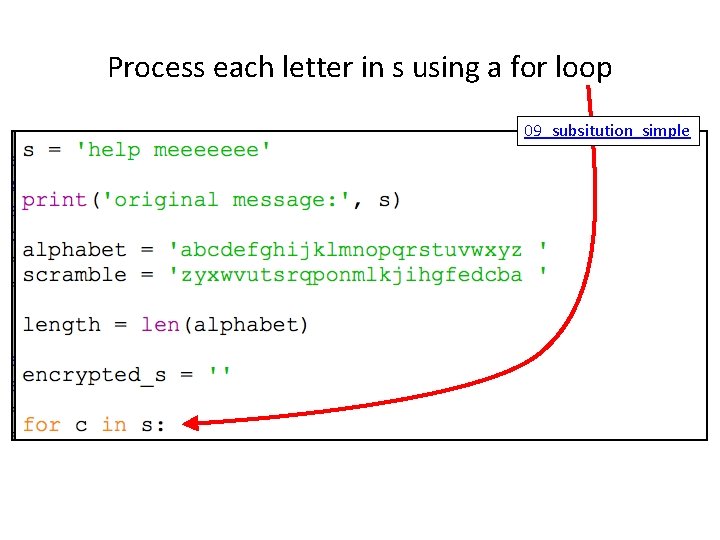
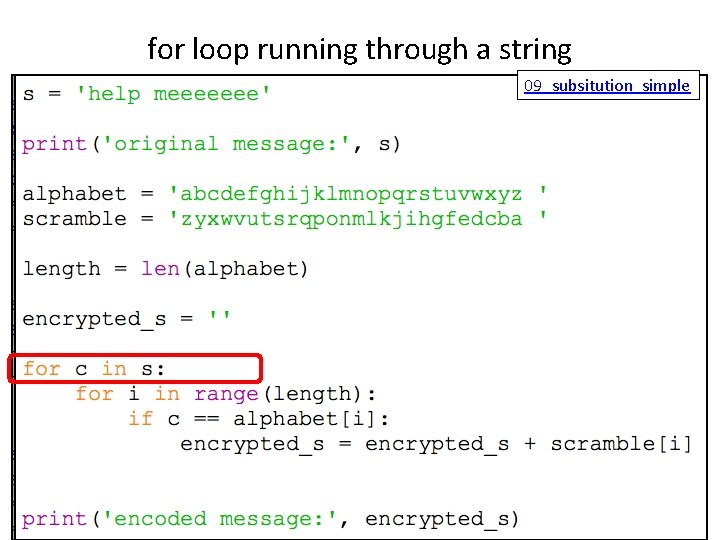
Process each letter in s using a for loop 09_subsitution_simple
Check each letter in alphabet 09_subsitution_simple
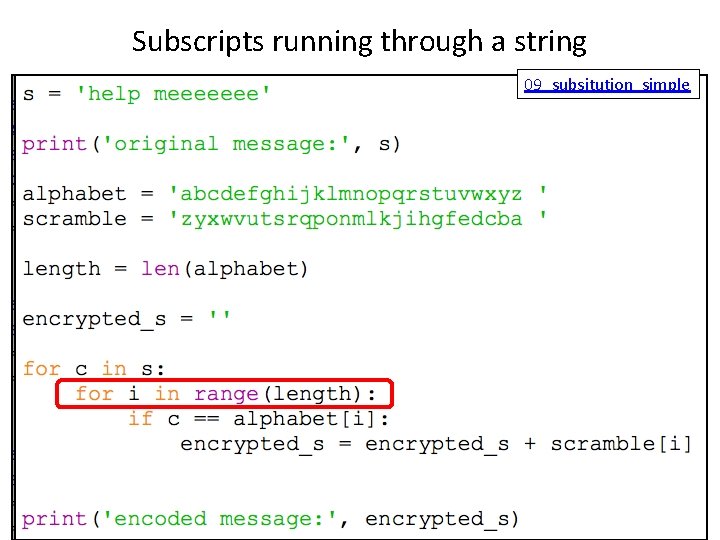
check to see if current character matches position i in alphabet (alphabet[i]) 09_subsitution_simple
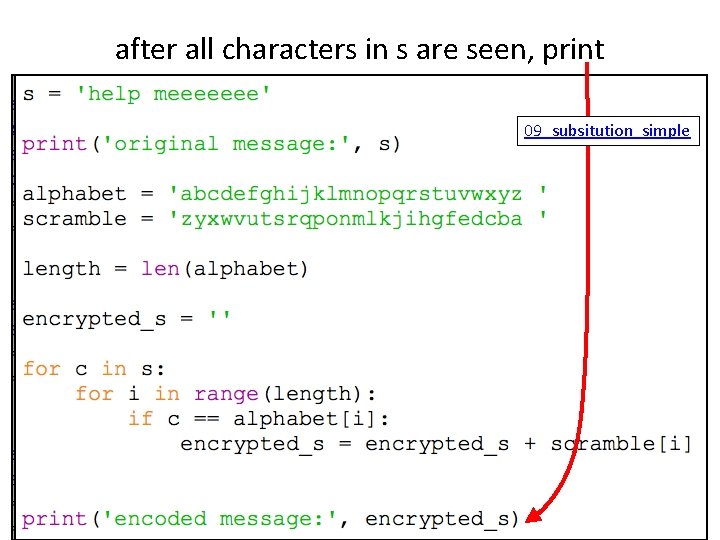
if yes … concatenate scramble[i] to the encrypted message we are building 09_subsitution_simple
after all characters in s are seen, print 09_subsitution_simple
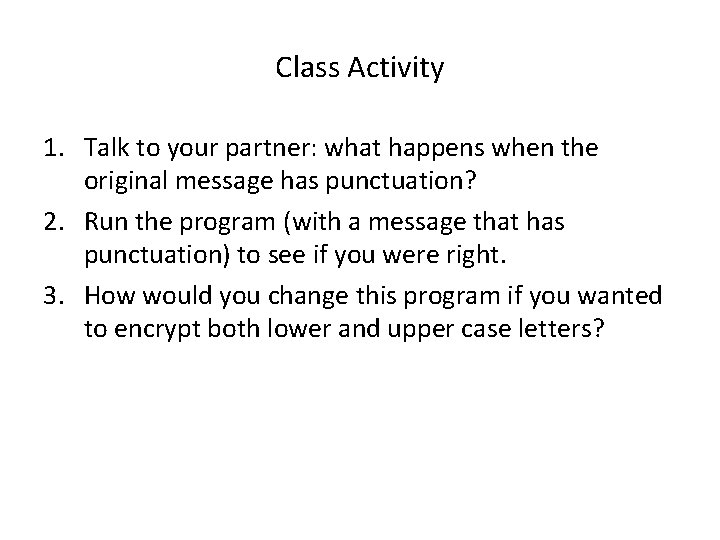
Class Activity 1. Talk to your partner: what happens when the original message has punctuation? 2. Run the program (with a message that has punctuation) to see if you were right. 3. How would you change this program if you wanted to encrypt both lower and upper case letters?
Note: these examples are run using the Python console – where each statement is run immediately when typed in. You can recognize that because the beginning of the line has the >>> symbols. PYTHON CONSTRUCTS USED IN THE SUBSTITUTION PROGRAM
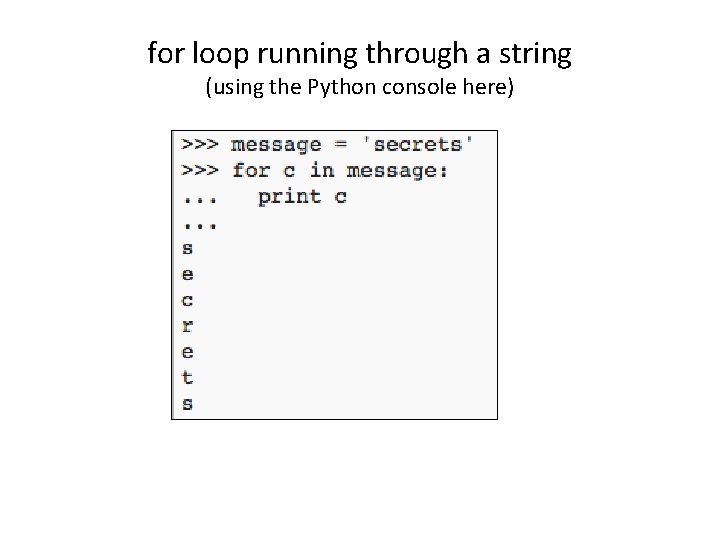
for loop running through a string (using the Python console here)
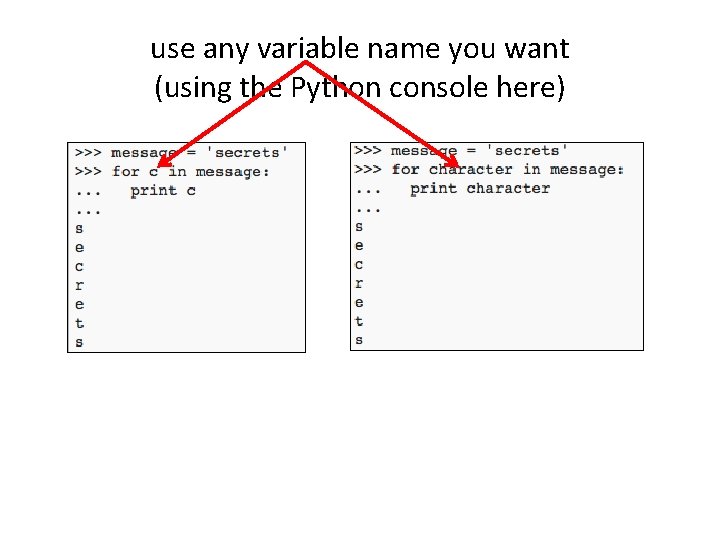
use any variable name you want (using the Python console here)
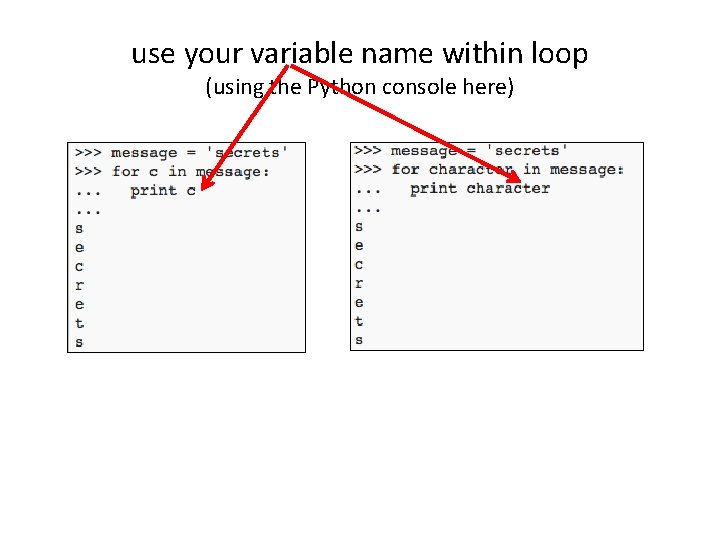
use your variable name within loop (using the Python console here)
for loop running through a string 09_subsitution_simple
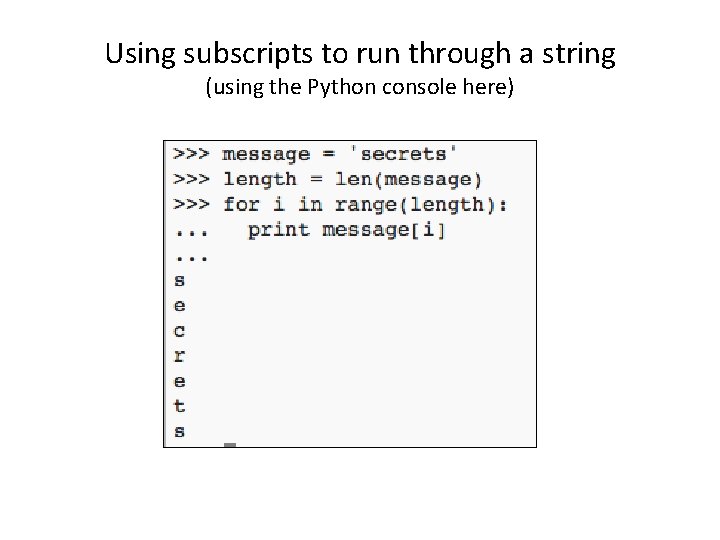
Using subscripts to run through a string (using the Python console here)
Subscripts running through a string 09_subsitution_simple
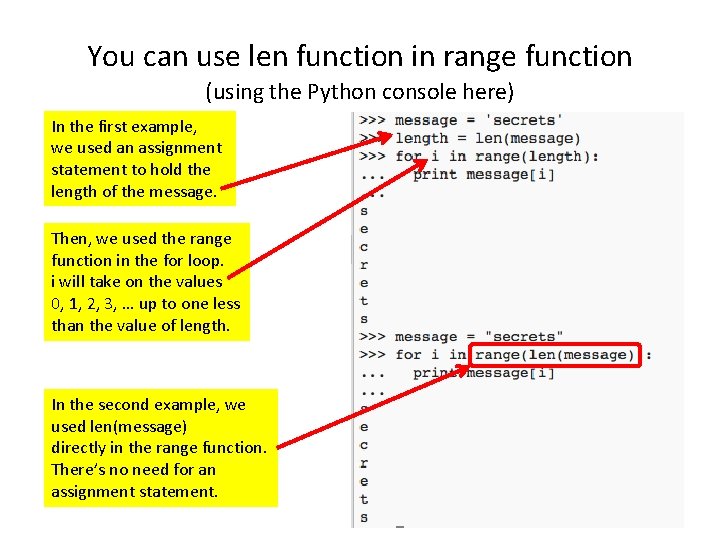
You can use len function in range function (using the Python console here) In the first example, we used an assignment statement to hold the length of the message. Then, we used the range function in the for loop. i will take on the values 0, 1, 2, 3, … up to one less than the value of length. In the second example, we used len(message) directly in the range function. There’s no need for an assignment statement.
Practice Activity 09_subsitution_simple 1. Modify the 09_substitution_simple. py program so that the spaces between words in the original message do NOT show up in the encrypted message. 2. Modify the 09_substitution_simple. py program so that a period, a comma, and a question mark are placed into the encrypted message unchanged.
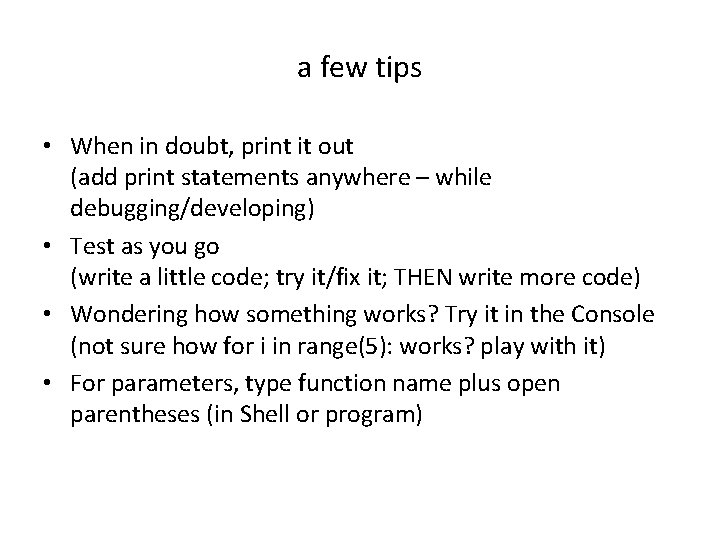
a few tips • When in doubt, print it out (add print statements anywhere – while debugging/developing) • Test as you go (write a little code; try it/fix it; THEN write more code) • Wondering how something works? Try it in the Console (not sure how for i in range(5): works? play with it) • For parameters, type function name plus open parentheses (in Shell or program)
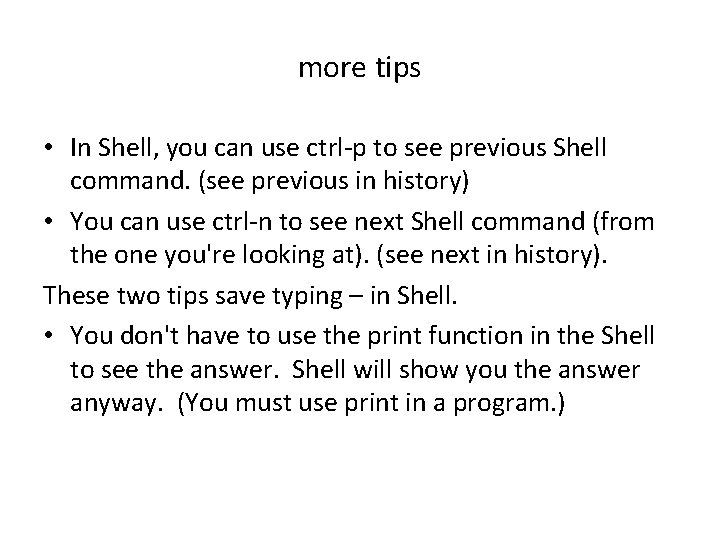
more tips • In Shell, you can use ctrl-p to see previous Shell command. (see previous in history) • You can use ctrl-n to see next Shell command (from the one you're looking at). (see next in history). These two tips save typing – in Shell. • You don't have to use the print function in the Shell to see the answer. Shell will show you the answer anyway. (You must use print in a program. )
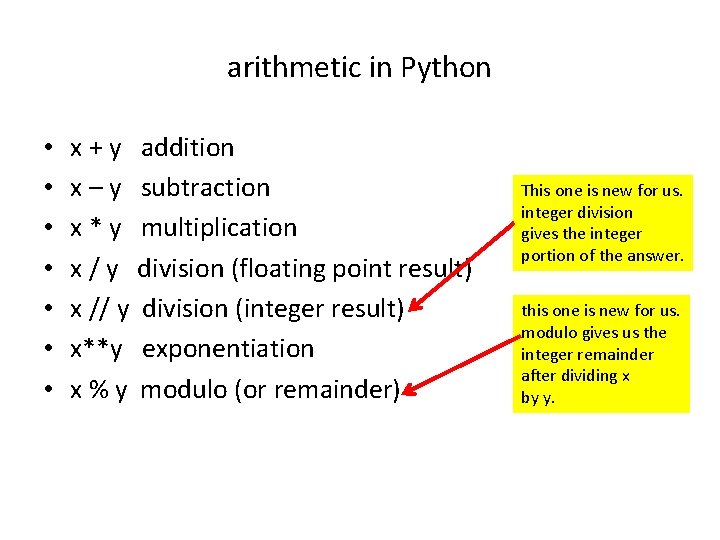
arithmetic in Python • • x + y addition x – y subtraction x * y multiplication x / y division (floating point result) x // y division (integer result) x**y exponentiation x % y modulo (or remainder) This one is new for us. integer division gives the integer portion of the answer. this one is new for us. modulo gives us the integer remainder after dividing x by y.
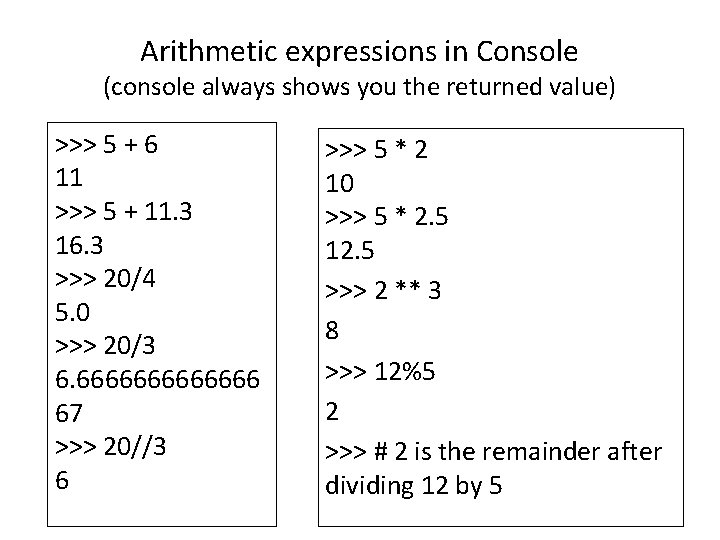
Arithmetic expressions in Console (console always shows you the returned value) >>> 5 + 6 11 >>> 5 + 11. 3 16. 3 >>> 20/4 5. 0 >>> 20/3 6. 6666666 67 >>> 20//3 6 >>> 5 * 2 10 >>> 5 * 2. 5 12. 5 >>> 2 ** 3 8 >>> 12%5 2 >>> # 2 is the remainder after dividing 12 by 5
PYTHON PROGRAM FOR STRING TO ASCII REPRESENTATION
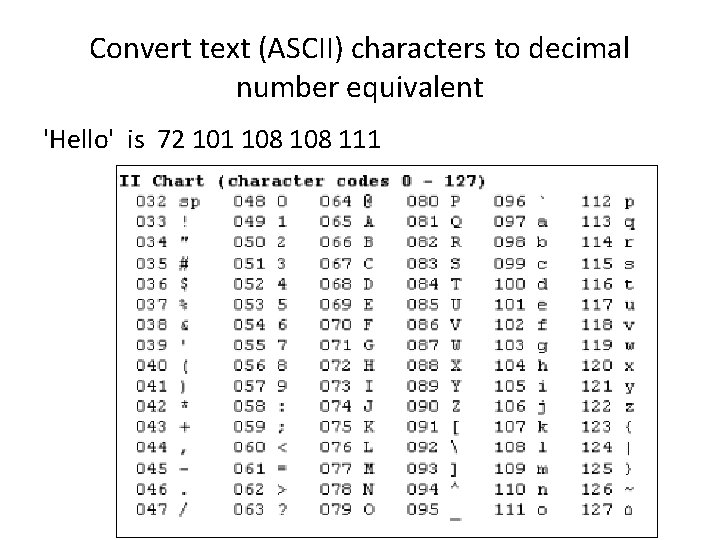
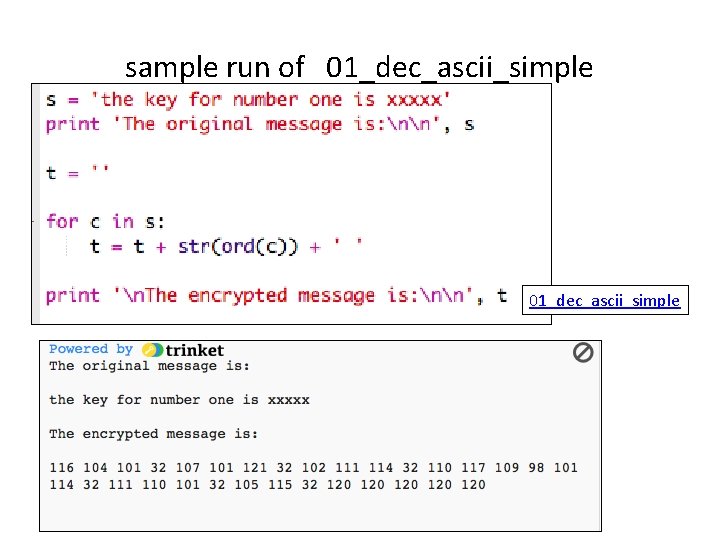
Convert text (ASCII) characters to decimal number equivalent 'Hello' is 72 101 108 111
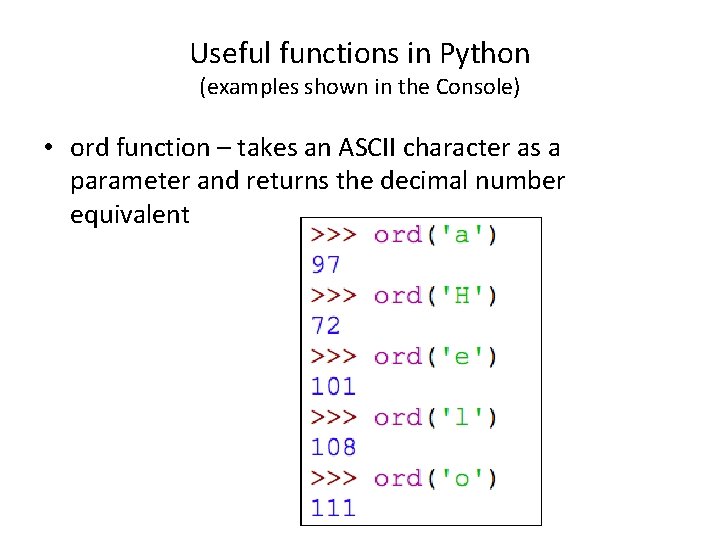
Useful functions in Python (examples shown in the Console) • ord function – takes an ASCII character as a parameter and returns the decimal number equivalent
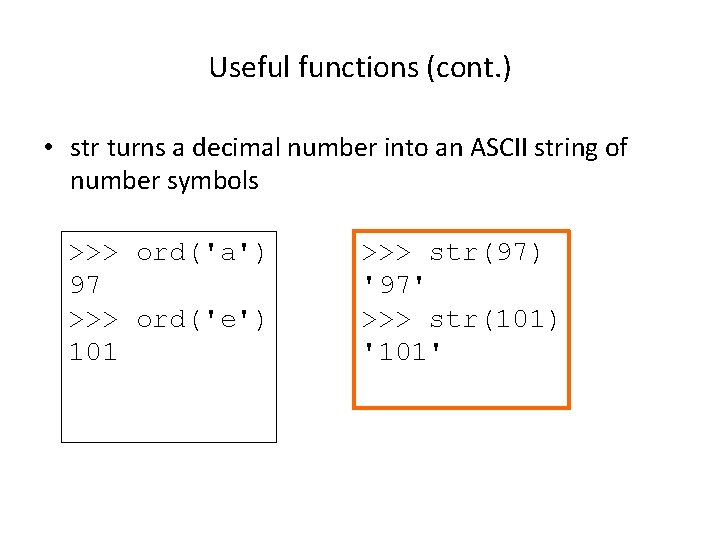
Useful functions (cont. ) • str turns a decimal number into an ASCII string of number symbols >>> ord('a') 97 >>> ord('e') 101 >>> str(97) '97' >>> str(101) '101'
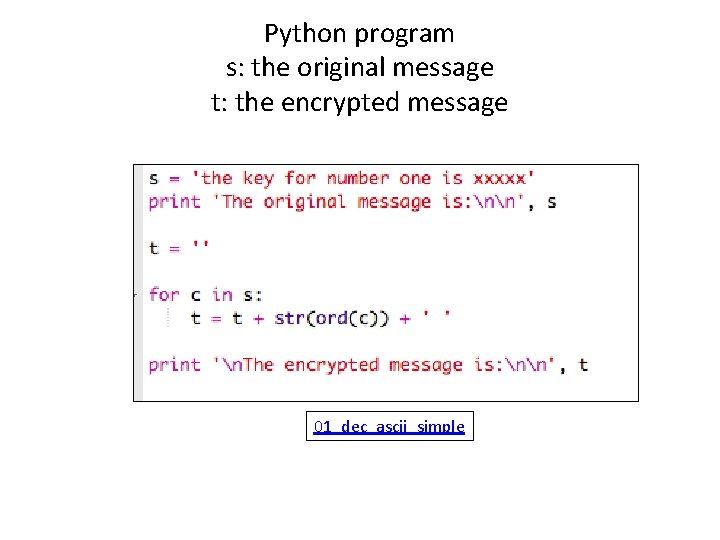
Python program s: the original message t: the encrypted message 01_dec_ascii_simple
sample run of 01_dec_ascii_simple
You are invited to write decryption programs the correspond to these encryption programs for the programming showcase • 01_dec_ascii_simple • 02_HEX_ASCII_simple • 06_COL_XPOSE_simple • 07_SCYTALE_simple • 08_CAESAR_simple • 09_subsitution_simple These are all linked to the code. cyberpdx. org site and linked here. Remix any of these; then you’ll have a copy of the code in your trinkets to change as you like.
Extra material: More detail about parameters for functions/methods
terminology add_one_function this is called the formal parameter (for this function) this is the parameter (for this function invocation) 76
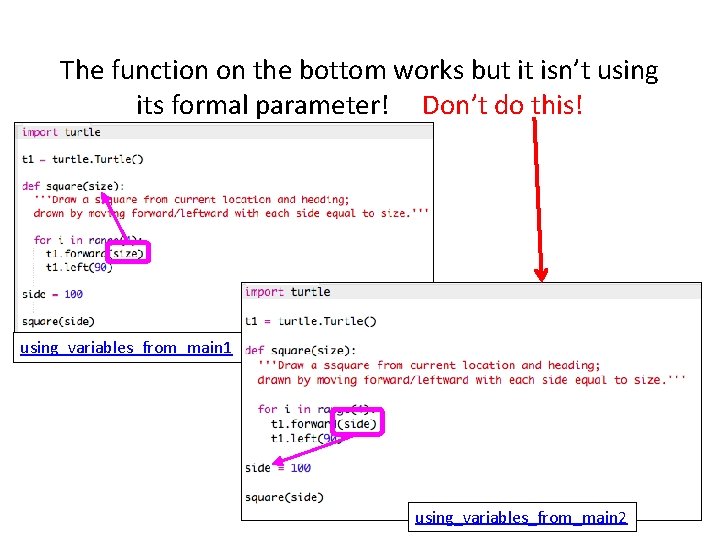
The function on the bottom works but it isn’t using its formal parameter! Don’t do this! using_variables_from_main 1 using_variables_from_main 2
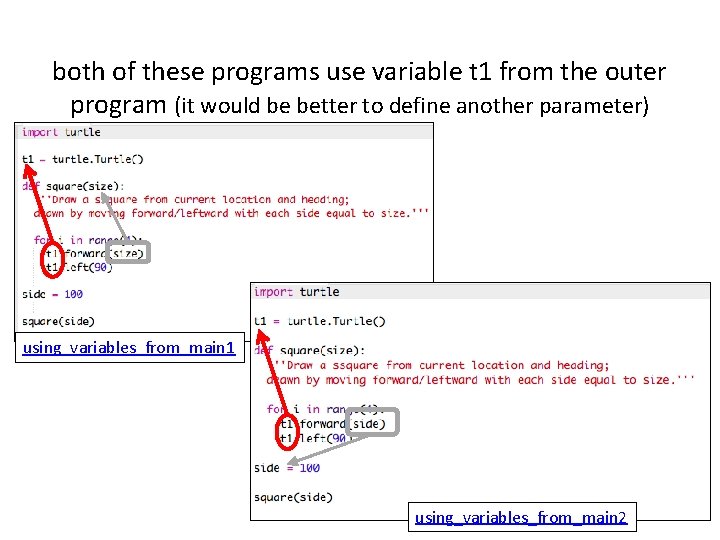
both of these programs use variable t 1 from the outer program (it would be better to define another parameter) using_variables_from_main 1 using_variables_from_main 2
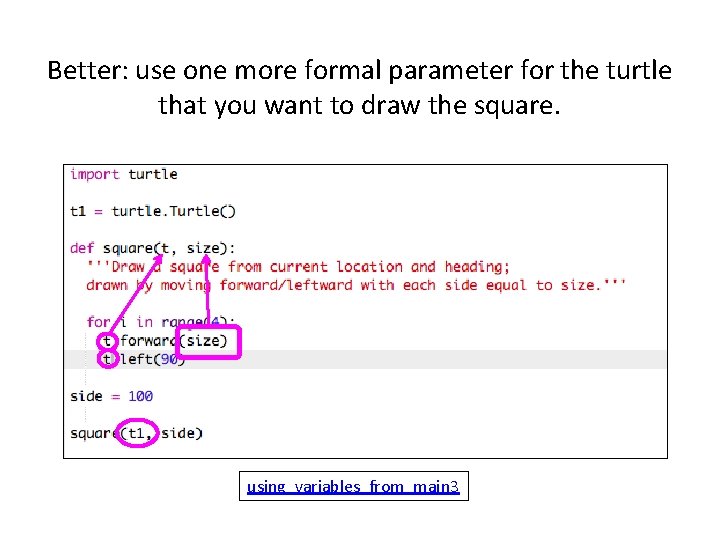
Better: use one more formal parameter for the turtle that you want to draw the square. using_variables_from_main 3
Practice activity • Access these programs: – using_variables_from_main 1 – using_variables_from_main 2 – using_variables_from_main 3 • Remix them (to have a local copy of them – in your trinkets), run them; try to break them
No Show and Tell for Day 4 • Ask for help – whenever you need it • Get ready for the Programming Showcase on Friday afternoon. Each team needs to select two subteams to present their program. – one subteam with previously inexperienced programmers – one other subteam • The program must be either: – turtle art – decryption (of any of the message types from crypto)