
Introduction to Python Based on material for the
Introduction to Python Based on material for the course Programming with Python by Chad Haynes. Modified at Kasetsart University by Chaiporn Jaokaew and James Brucker.
Outline q Overview q Built-in objects q Functions and scopes q Object-oriented programming q Functional programming q Exercise
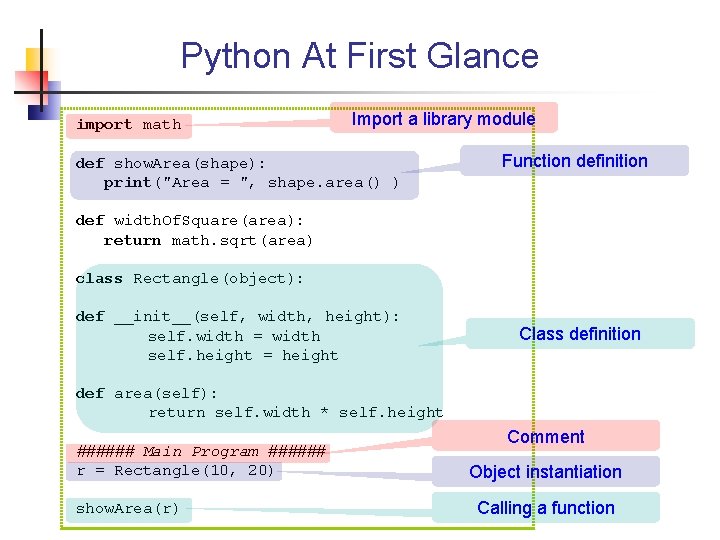
Python At First Glance import math Import a library module def show. Area(shape): print("Area = ", shape. area() ) Function definition def width. Of. Square(area): return math. sqrt(area) class Rectangle(object): def __init__(self, width, height): self. width = width self. height = height Class definition def area(self): return self. width * self. height ###### Main Program ###### r = Rectangle(10, 20) show. Area(r) Comment Object instantiation Calling a function
Why use Python? q Simple syntax: easy to learn and remember q Portable q Flexible q Large standard library q Short development time q Lots of 3 rd party tools/add-ons q Many good implementations: CPython, Py. Py, Iron. Python, Jython q Active open-source community

Similarities to Java q Everything inherits from "object" n Has numbers, functions, classes, … n Everything is first-class q Large standard library q Garbage collection q Introspection, serialization, threads, net, …
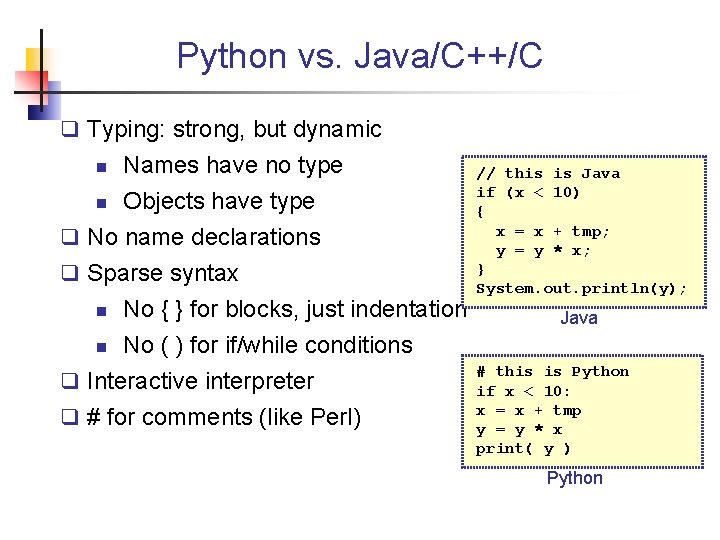
Python vs. Java/C++/C q Typing: strong, but dynamic n Names have no type n Objects have type q No name declarations q Sparse syntax No { } for blocks, just indentation n No ( ) for if/while conditions q Interactive interpreter n q # for comments (like Perl) // this is Java if (x < 10) { x = x + tmp; y = y * x; } System. out. println(y); Java # this is Python if x < 10: x = x + tmp y = y * x print( y ) Python
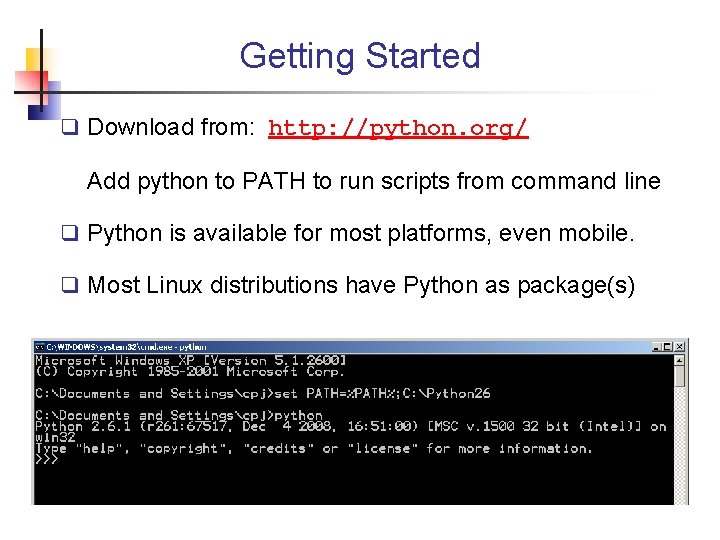
Getting Started q Download from: http: //python. org/ Add python to PATH to run scripts from command line q Python is available for most platforms, even mobile. q Most Linux distributions have Python as package(s)
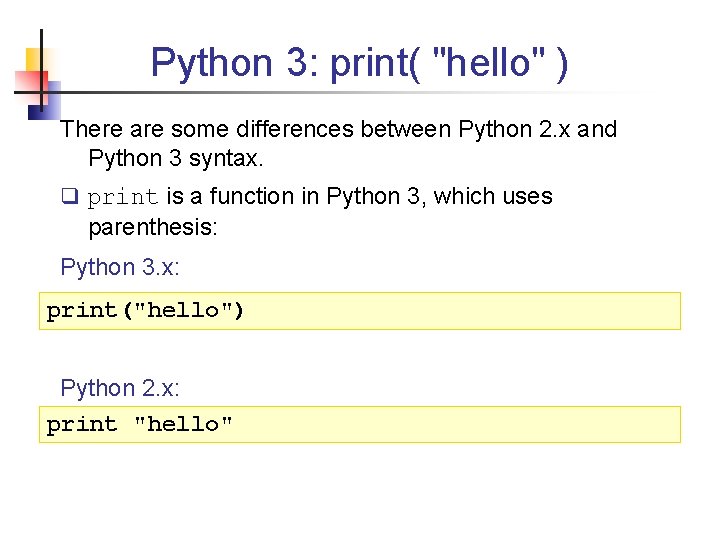
Python 3: print( "hello" ) There are some differences between Python 2. x and Python 3 syntax. q print is a function in Python 3, which uses parenthesis: Python 3. x: print("hello") Python 2. x: print "hello"
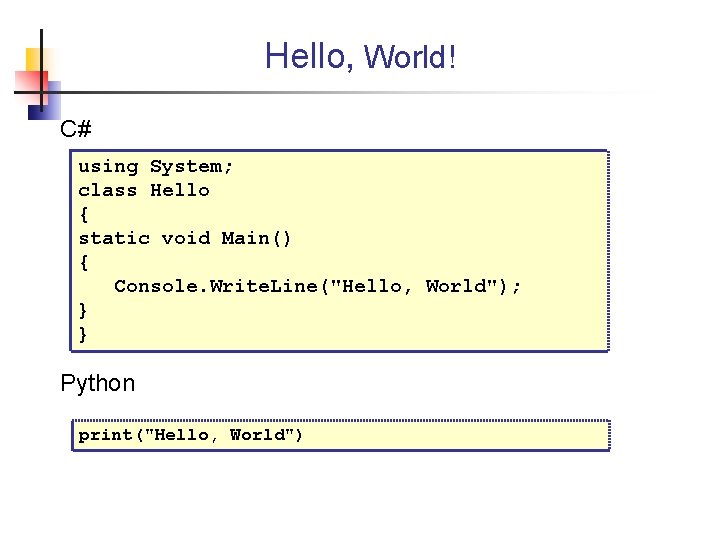
Hello, World! C# using System; class Hello { static void Main() { Console. Write. Line("Hello, World"); } } Python print("Hello, World")
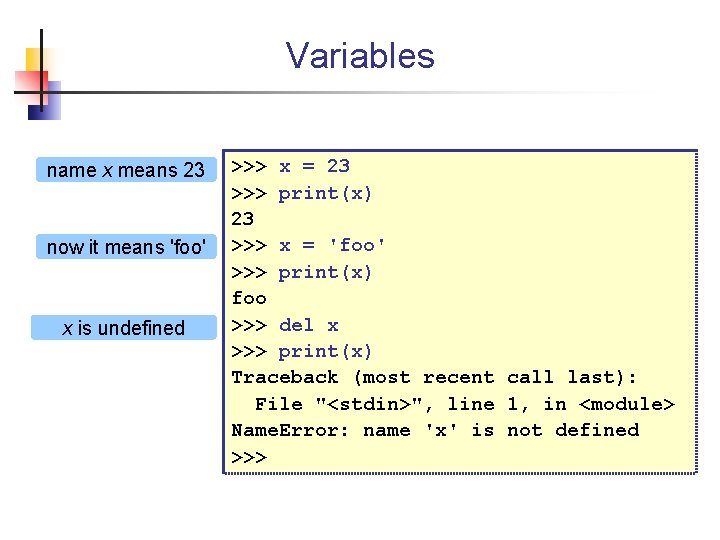
Variables name x means 23 now it means 'foo' x is undefined >>> x = 23 >>> print(x) 23 >>> x = 'foo' >>> print(x) foo >>> del x >>> print(x) Traceback (most recent call last): File "<stdin>", line 1, in <module> Name. Error: name 'x' is not defined >>>
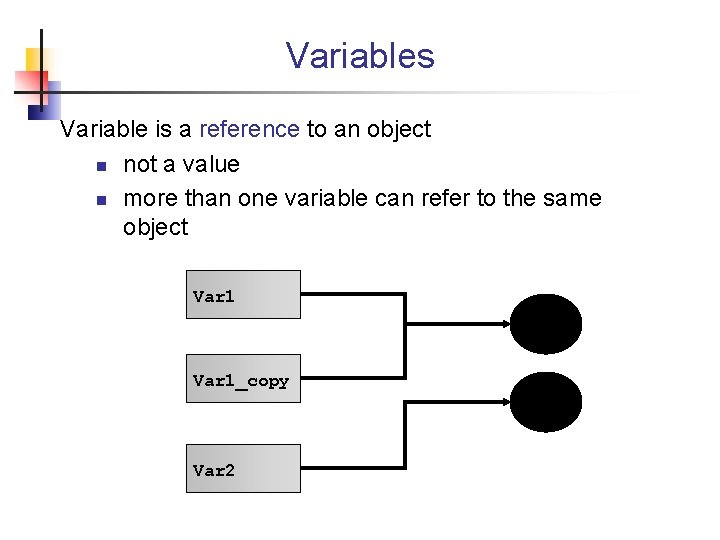
Variables Variable is a reference to an object n not a value n more than one variable can refer to the same object Var 1_copy Var 2
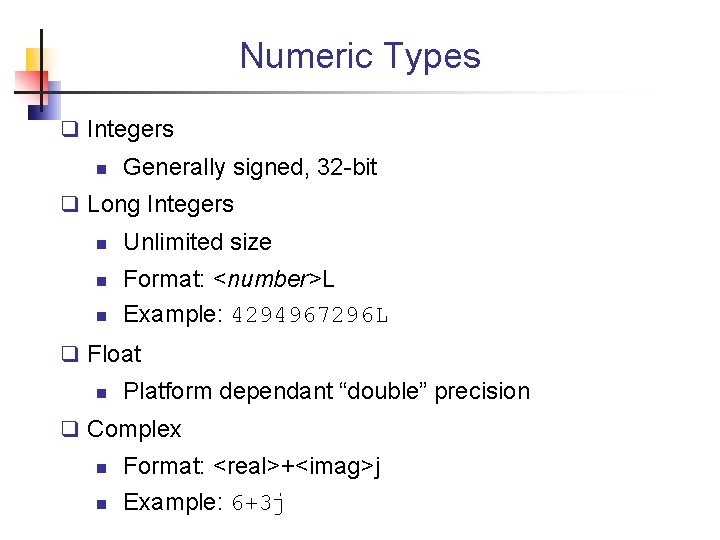
Numeric Types q Integers n Generally signed, 32 -bit q Long Integers n n n Unlimited size Format: <number>L Example: 4294967296 L q Float n Platform dependant “double” precision q Complex n n Format: <real>+<imag>j Example: 6+3 j

Strings A sequence of characters enclosed in quotes 3 ways to quote strings: 'Single Quotes' "Double Quotes" """Triple Quotes""" or '''triple quotes''' – Triple quotes can span multiple lines Examples >>> print('This string may contain a "') This string may contain a " >>> print("A ' is allowed") A ' is allowed >>> print("""Either " or ' are OK""") Either " or ' are OK
![raw_input for reading input raw_input( [prompt] ) n n Print prompt and return user's](http://slidetodoc.com/presentation_image_h2/a3fac6bd63b2efbf4f7dc558e552be02/image-14.jpg "raw_input for reading input raw_input( [prompt] ) n n Print prompt and return user's")
raw_input for reading input raw_input( [prompt] ) n n Print prompt and return user's input as a string a built-in function Example >>> reply = raw_input('Are you awake? ') Are you awake? not sure >>> print( reply ) not sure
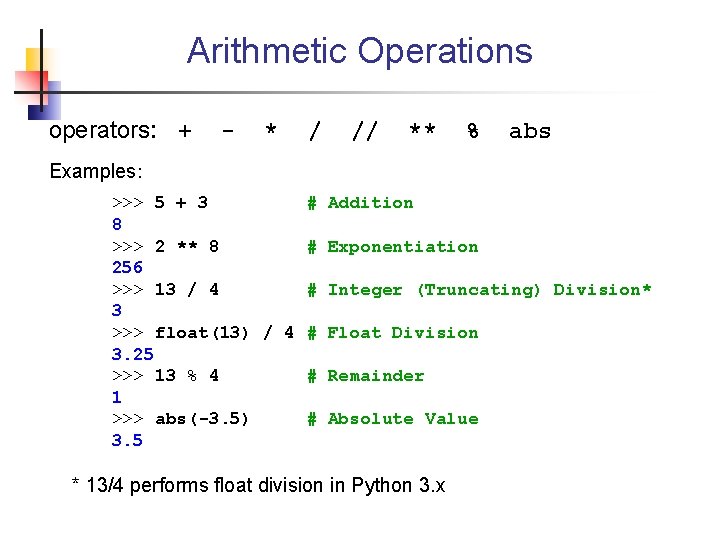
Arithmetic Operations operators: + - * / // ** % abs Examples: >>> 5 + 3 # Addition 8 >>> 2 ** 8 # Exponentiation 256 >>> 13 / 4 # Integer (Truncating) Division* 3 >>> float(13) / 4 # Float Division 3. 25 >>> 13 % 4 # Remainder 1 >>> abs(-3. 5) # Absolute Value 3. 5 * 13/4 performs float division in Python 3. x
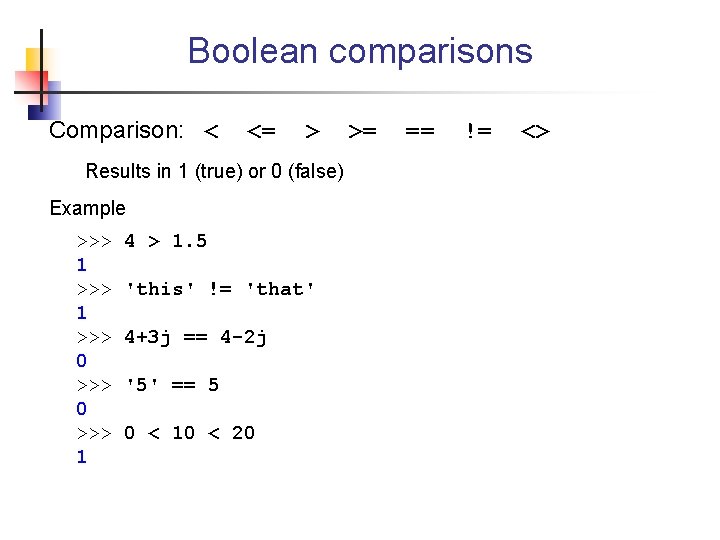
Boolean comparisons Comparison: < <= > Results in 1 (true) or 0 (false) Example >>> 1 >>> 0 >>> 1 4 > 1. 5 'this' != 'that' 4+3 j == 4 -2 j '5' == 5 0 < 10 < 20 >= == != <>
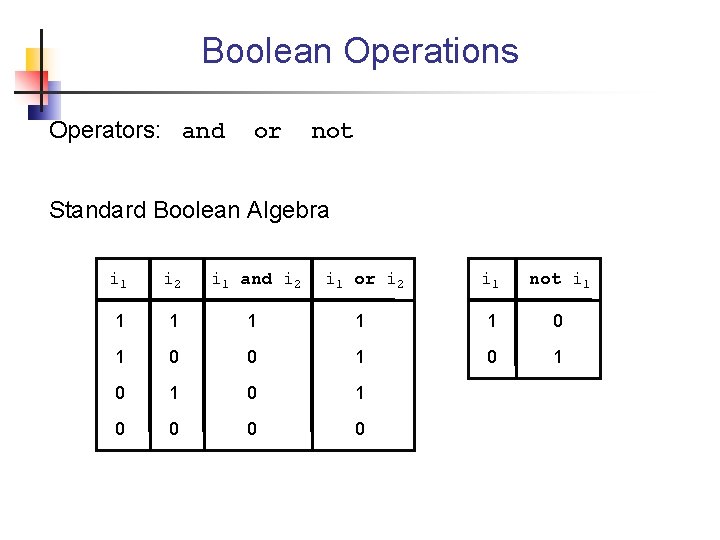
Boolean Operations Operators: and or not Standard Boolean Algebra i 1 i 2 i 1 and i 2 i 1 or i 2 i 1 not i 1 1 1 0 1 0 0
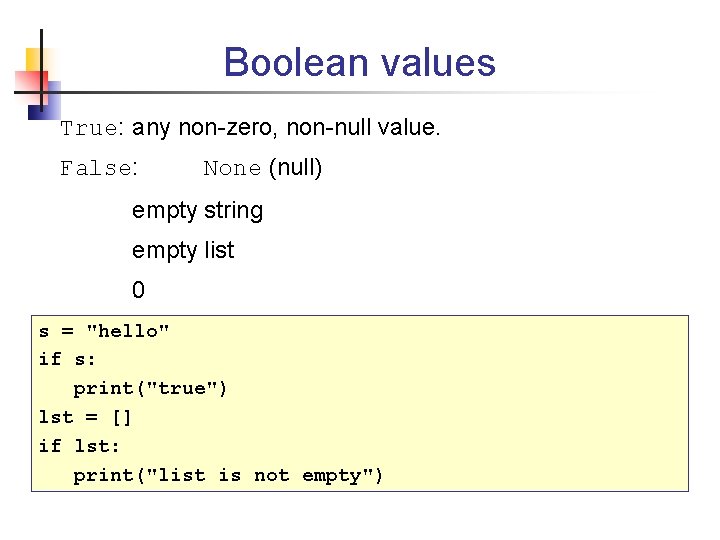
Boolean values True: any non-zero, non-null value. False: None (null) empty string empty list 0 s = "hello" if s: print("true") lst = [] if lst: print("list is not empty")
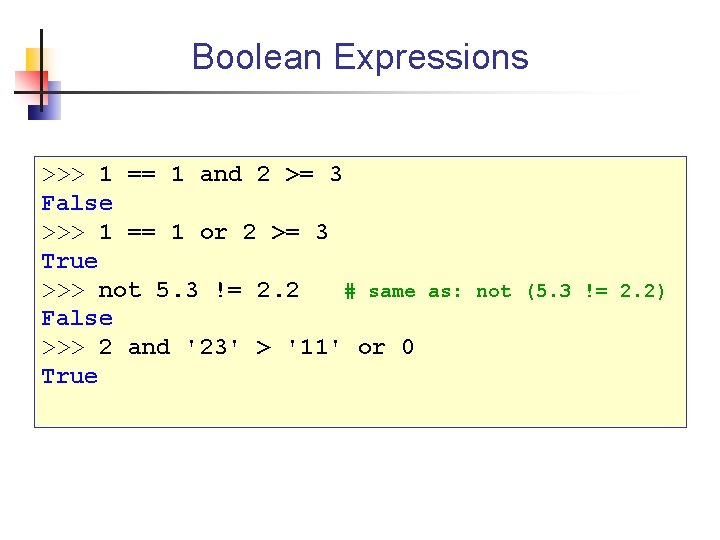
Boolean Expressions >>> 1 == 1 and 2 >= 3 False >>> 1 == 1 or 2 >= 3 True >>> not 5. 3 != 2. 2 # same as: not (5. 3 != 2. 2) False >>> 2 and '23' > '11' or 0 True
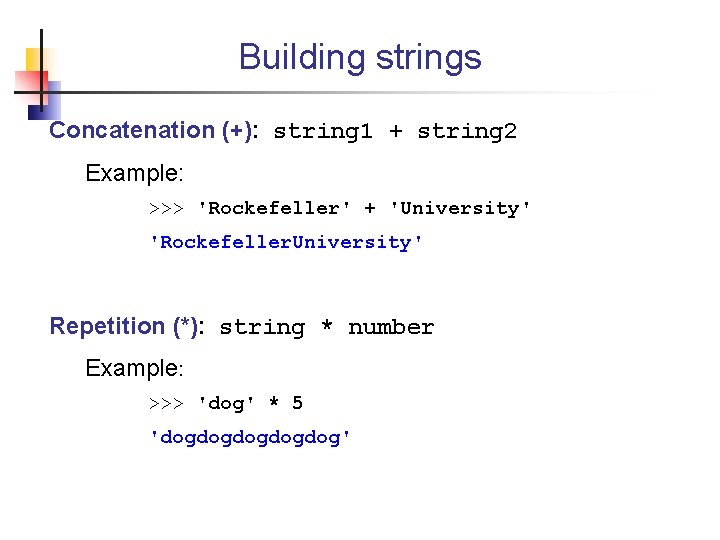
Building strings Concatenation (+): string 1 + string 2 Example: >>> 'Rockefeller' + 'University' 'Rockefeller. University' Repetition (*): string * number Example: >>> 'dog' * 5 'dogdogdog'
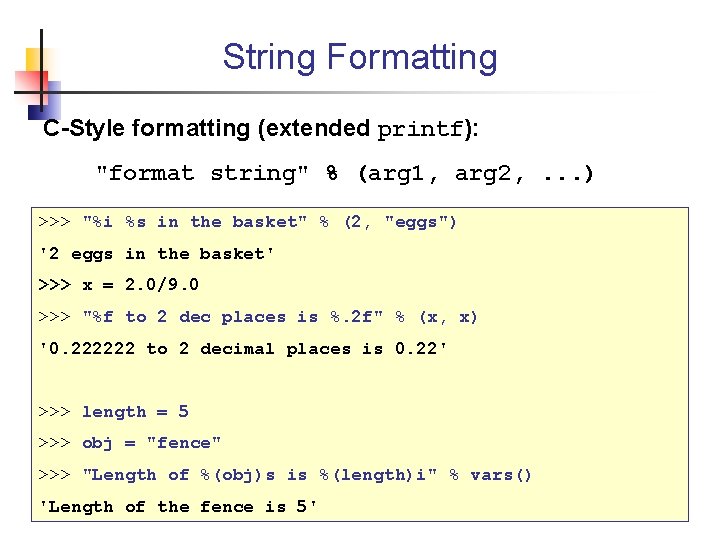
String Formatting C-Style formatting (extended printf): "format string" % (arg 1, arg 2, . . . ) >>> "%i %s in the basket" % (2, "eggs") '2 eggs in the basket' >>> x = 2. 0/9. 0 >>> "%f to 2 dec places is %. 2 f" % (x, x) '0. 222222 to 2 decimal places is 0. 22' >>> length = 5 >>> obj = "fence" >>> "Length of %(obj)s is %(length)i" % vars() 'Length of the fence is 5'
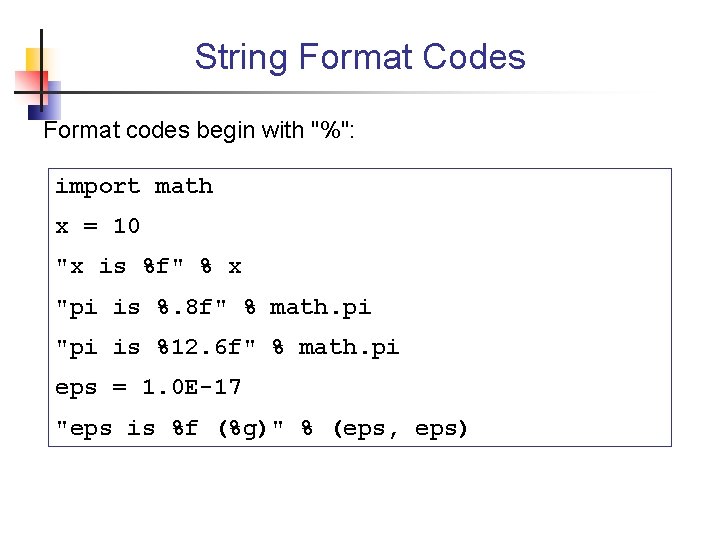
String Format Codes Format codes begin with "%": import math x = 10 "x is %f" % x "pi is %. 8 f" % math. pi "pi is %12. 6 f" % math. pi eps = 1. 0 E-17 "eps is %f (%g)" % (eps, eps)
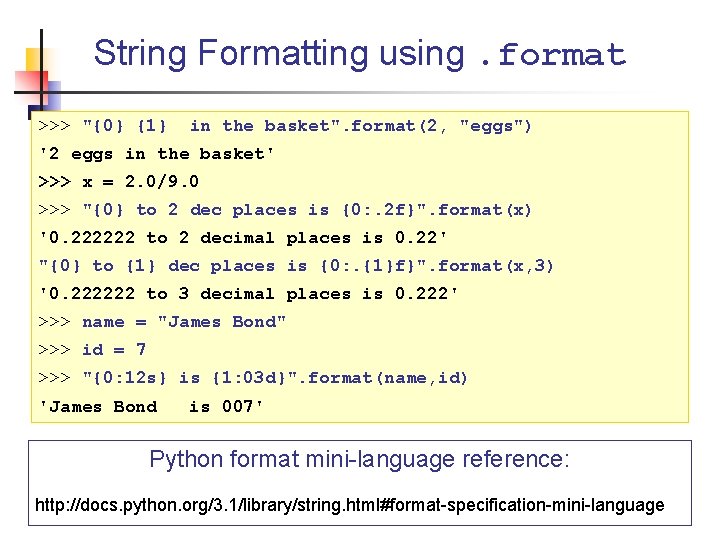
String Formatting using. format >>> "{0} {1} in the basket". format(2, "eggs") '2 eggs in the basket' >>> x = 2. 0/9. 0 >>> "{0} to 2 dec places is {0: . 2 f}". format(x) '0. 222222 to 2 decimal places is 0. 22' "{0} to {1} dec places is {0: . {1}f}". format(x, 3) '0. 222222 to 3 decimal places is 0. 222' >>> name = "James Bond" >>> id = 7 >>> "{0: 12 s} is {1: 03 d}". format(name, id) 'James Bond is 007' Python format mini-language reference: http: //docs. python. org/3. 1/library/string. html#format-specification-mini-language
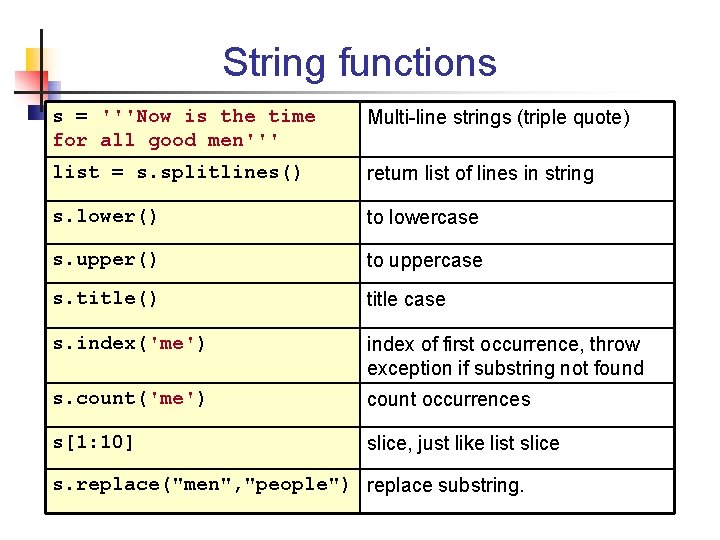
String functions s = '''Now is the time for all good men''' Multi-line strings (triple quote) list = s. splitlines() return list of lines in string s. lower() to lowercase s. upper() to uppercase s. title() title case s. index('me') index of first occurrence, throw exception if substring not found s. count('me') count occurrences s[1: 10] slice, just like list slice s. replace("men", "people") replace substring.
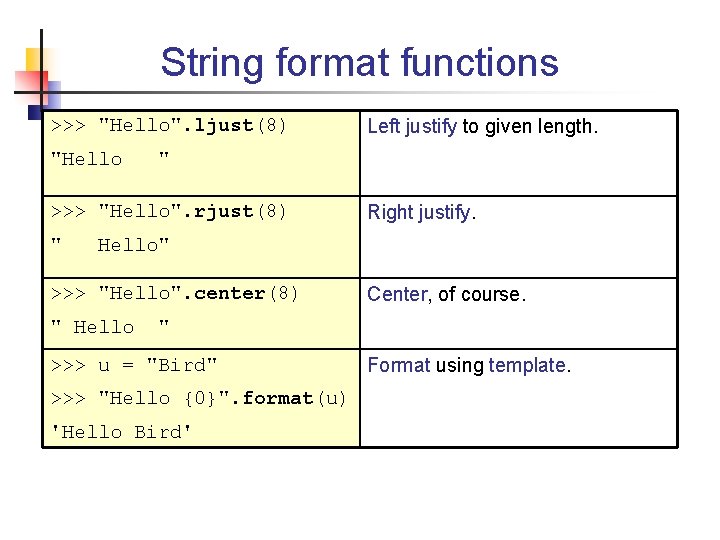
String format functions >>> "Hello". ljust(8) "Hello " >>> "Hello". rjust(8) " Left justify to given length. Right justify. Hello" >>> "Hello". center(8) " Hello Center, of course. " >>> u = "Bird" >>> "Hello {0}". format(u) 'Hello Bird' Format using template.
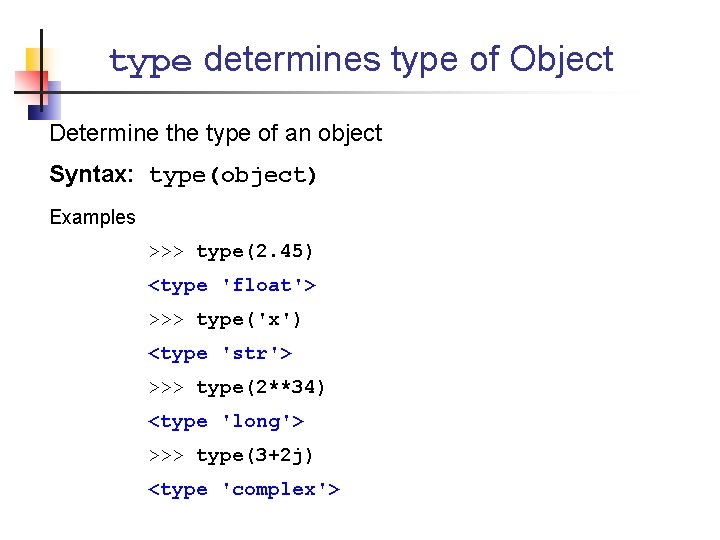
type determines type of Object Determine the type of an object Syntax: type(object) Examples >>> type(2. 45) <type 'float'> >>> type('x') <type 'str'> >>> type(2**34) <type 'long'> >>> type(3+2 j) <type 'complex'>
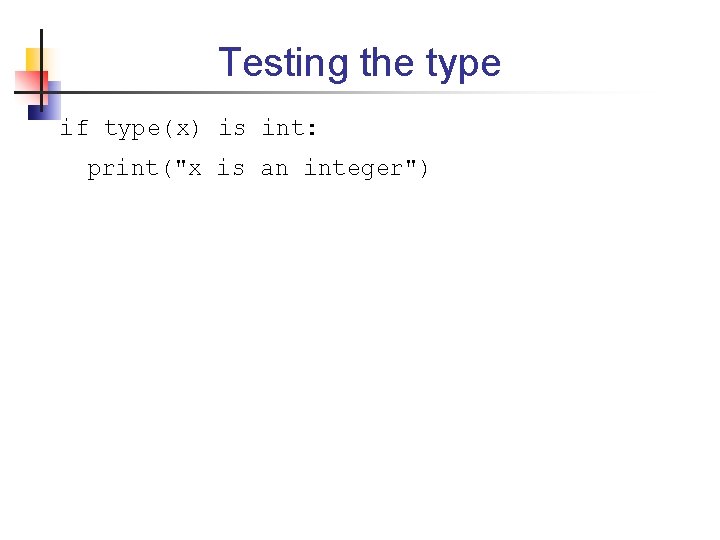
Testing the type if type(x) is int: print("x is an integer")
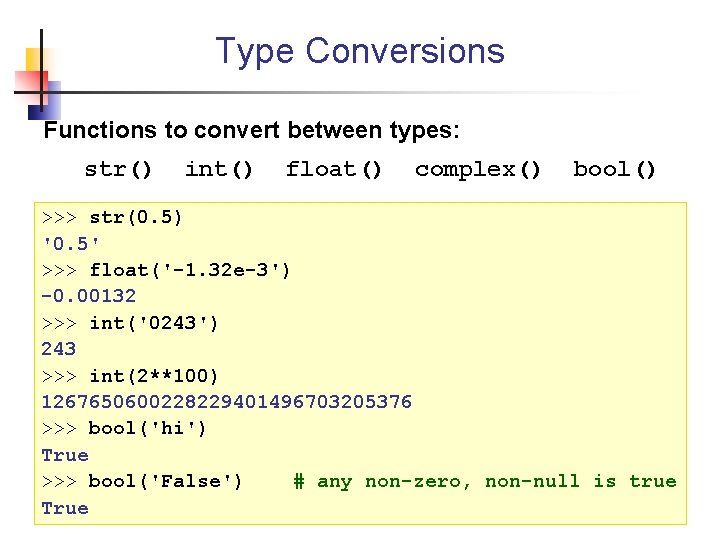
Type Conversions Functions to convert between types: str() int() float() complex() bool() >>> str(0. 5) '0. 5' >>> float('-1. 32 e-3') -0. 00132 >>> int('0243') 243 >>> int(2**100) 1267650600228229401496703205376 >>> bool('hi') True >>> bool('False') # any non-zero, non-null is true True
![Built-in Data Structures § List l = [ 2, 3, 5, 8 ] §](http://slidetodoc.com/presentation_image_h2/a3fac6bd63b2efbf4f7dc558e552be02/image-29.jpg "Built-in Data Structures § List l = [ 2, 3, 5, 8 ] §")
Built-in Data Structures § List l = [ 2, 3, 5, 8 ] § Tuple (read-only list) t = ( 2, 3, 5, 8 ) § Set s = { 2, 5, 3, 8 } § Dictionary (key-value map) d = {"two": 2, "three": 3, . . . }
![Lists Syntax: [elem 1, elem 2, . . . ] § Ordered sequence of](http://slidetodoc.com/presentation_image_h2/a3fac6bd63b2efbf4f7dc558e552be02/image-30.jpg "Lists Syntax: [elem 1, elem 2, . . . ] § Ordered sequence of")
Lists Syntax: [elem 1, elem 2, . . . ] § Ordered sequence of any type (mixed types ok) § Mutable >>> list 1 = [1, 'hello', 4+2 j, 123. 12] >>> list 1 [1, 'hello', (4+2 j), 123. 12] >>> list 1[0] = 'a' >>> list 1 ['a', 'hello', (4+2 j), 123. 12]
![Joining and Repeating Lists Concatenation: list 1 + list 2 >>> [1, 'a', 'b']](http://slidetodoc.com/presentation_image_h2/a3fac6bd63b2efbf4f7dc558e552be02/image-31.jpg "Joining and Repeating Lists Concatenation: list 1 + list 2 >>> [1, 'a', 'b']")
Joining and Repeating Lists Concatenation: list 1 + list 2 >>> [1, 'a', 'b'] + [3, 4, 5] [1, 'a', 'b', 3, 4, 5] Repetition: list * count >>> [23, 'x'] * 4 [23, 'x', 23, 'x']
![Adding Elements to a List >>> list = [ "apple", "banana" ] Append item](http://slidetodoc.com/presentation_image_h2/a3fac6bd63b2efbf4f7dc558e552be02/image-32.jpg "Adding Elements to a List >>> list = [ \"apple\", \"banana\" ] Append item")
Adding Elements to a List >>> list = [ "apple", "banana" ] Append item to end >>> list. append( "durian" ) Append another list >>> list. extend( list 2 ) - Same as list + list 2 Insert item anywhere >>> list. insert( 0, "artichoke" ) >>> list. insert( 2, "carrot" ) Like Java list. add( n, item)
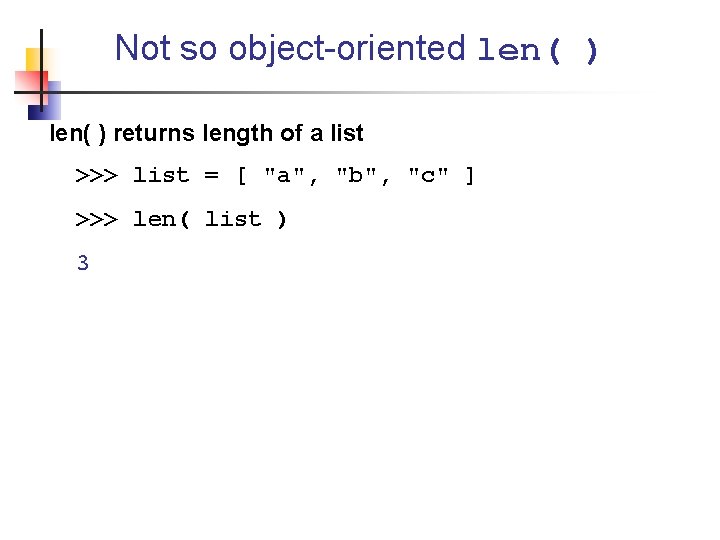
Not so object-oriented len( ) returns length of a list >>> list = [ "a", "b", "c" ] >>> len( list ) 3
![Removing Elements from a List >>> list = [ "a" "b", "c", "b" ]](http://slidetodoc.com/presentation_image_h2/a3fac6bd63b2efbf4f7dc558e552be02/image-34.jpg "Removing Elements from a List >>> list = [ \"a\" \"b\", \"c\", \"b\" ]")
Removing Elements from a List >>> list = [ "a" "b", "c", "b" ] • Remove a matching element (w/o returning it) >>> list. remove( "b" ) Throws exception if argument is not in the list • Remove last element and return it >>> list. pop( ) 'b' • Remove by position >>> list. pop( 1 ) 'c' # 'b' removed already
![Indexing Syntax: list[n] • Positive indices count from the left: list[0] • Negative indices](http://slidetodoc.com/presentation_image_h2/a3fac6bd63b2efbf4f7dc558e552be02/image-35.jpg "Indexing Syntax: list[n] • Positive indices count from the left: list[0] • Negative indices")
Indexing Syntax: list[n] • Positive indices count from the left: list[0] • Negative indices count from the right: list[-1] 0 1 2 3 4 5 6 a b c d e f g -7 -6 -5 -4 -3 -2 -1 list[0] == a sequence[-1] == g list[2] == c sequence[-2] == f list[6] == g sequence[-7] == a
![List Slicing: get a sublist[m: n] return elements m up to n (exclusive) syntax](http://slidetodoc.com/presentation_image_h2/a3fac6bd63b2efbf4f7dc558e552be02/image-36.jpg "List Slicing: get a sublist[m: n] return elements m up to n (exclusive) syntax")
List Slicing: get a sublist[m: n] return elements m up to n (exclusive) syntax for both strings and lists >>> x = [0, 1, 2, 3, 4, 5, 6, 7] >>> x[1: 4] [1, 2, 3] >>> x[2: -1] [2, 3, 4, 5, 6] # Missing Index means start or end of list >>> x[: 2] [0, 1] >>> "Hello nerd"[3: ] lo Nerd
![Sorting a list List. sort( [comparator] ) Sort List in place. Result is applied](http://slidetodoc.com/presentation_image_h2/a3fac6bd63b2efbf4f7dc558e552be02/image-37.jpg "Sorting a list List. sort( [comparator] ) Sort List in place. Result is applied")
Sorting a list List. sort( [comparator] ) Sort List in place. Result is applied to the list! Example: >>> list 3 = [4, 12, 3, 9] >>> list 3. sort() >>> list 3 [3, 4, 9, 12]
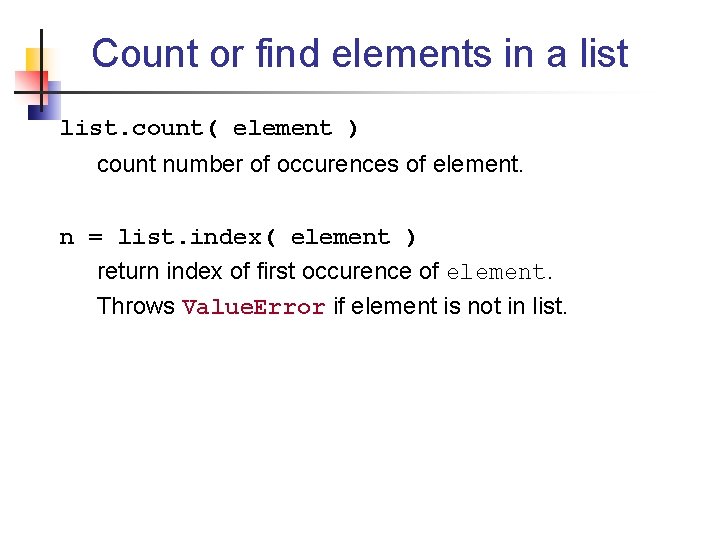
Count or find elements in a list. count( element ) count number of occurences of element. n = list. index( element ) return index of first occurence of element. Throws Value. Error if element is not in list.
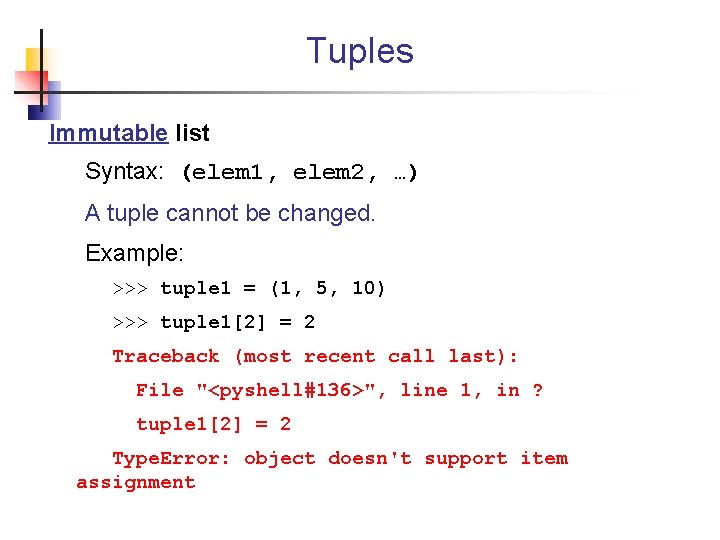
Tuples Immutable list Syntax: (elem 1, elem 2, …) A tuple cannot be changed. Example: >>> tuple 1 = (1, 5, 10) >>> tuple 1[2] = 2 Traceback (most recent call last): File "<pyshell#136>", line 1, in ? tuple 1[2] = 2 Type. Error: object doesn't support item assignment
![Converting between list and tuple >>> list 1 = ['a', 'b', 'c'] >>> tuple](http://slidetodoc.com/presentation_image_h2/a3fac6bd63b2efbf4f7dc558e552be02/image-40.jpg "Converting between list and tuple >>> list 1 = ['a', 'b', 'c'] >>> tuple")
Converting between list and tuple >>> list 1 = ['a', 'b', 'c'] >>> tuple 1 = tuple( list 1 ) >>> type( tuple 1 ) <class 'tuple'> >>> tuple 2 = ('cat', 'dog') >>> list 2 = list(tuple 2)
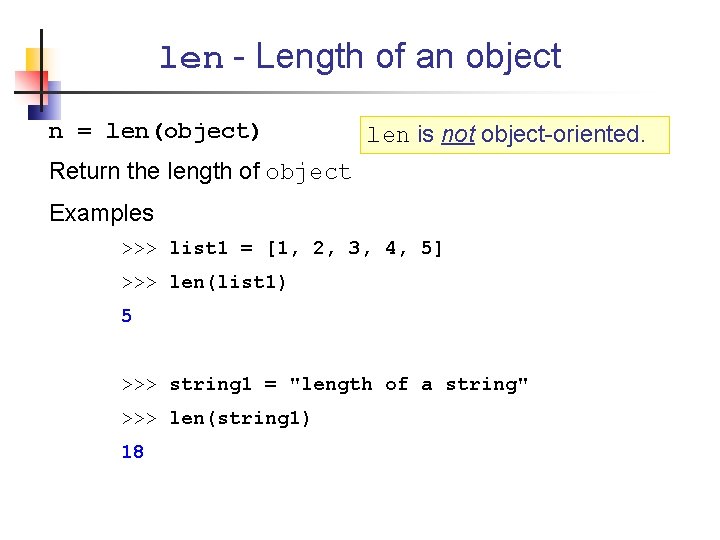
len - Length of an object n = len(object) len is not object-oriented. Return the length of object Examples >>> list 1 = [1, 2, 3, 4, 5] >>> len(list 1) 5 >>> string 1 = "length of a string" >>> len(string 1) 18
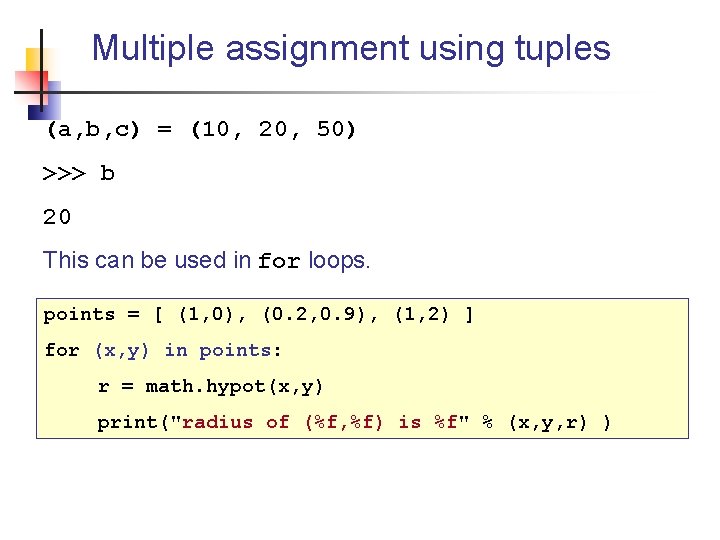
Multiple assignment using tuples (a, b, c) = (10, 20, 50) >>> b 20 This can be used in for loops. points = [ (1, 0), (0. 2, 0. 9), (1, 2) ] for (x, y) in points: r = math. hypot(x, y) print("radius of (%f, %f) is %f" % (x, y, r) )
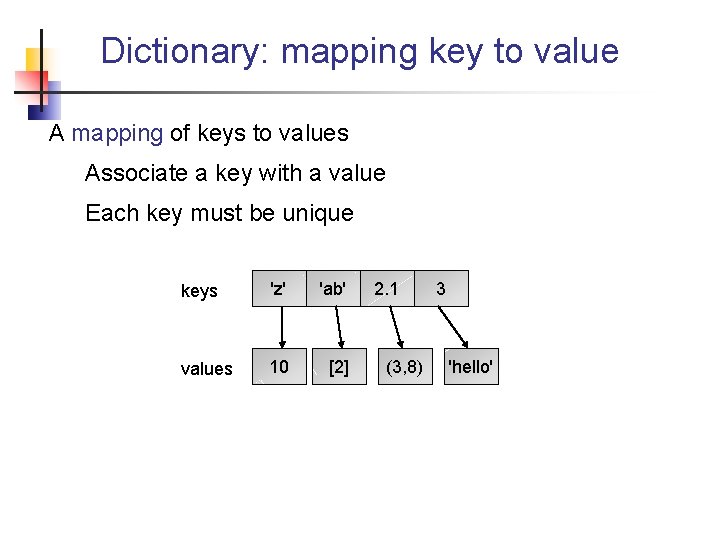
Dictionary: mapping key to value A mapping of keys to values Associate a key with a value Each key must be unique keys 'z' 'ab' values 10 [2] 2. 1 (3, 8) 3 'hello'
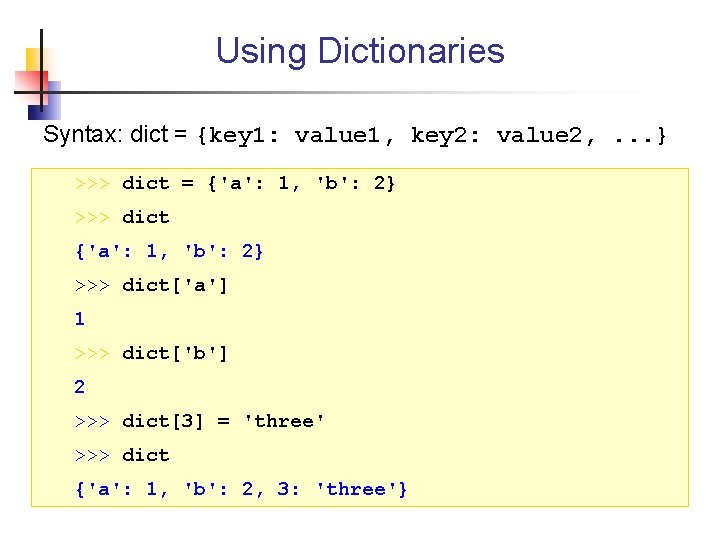
Using Dictionaries Syntax: dict = {key 1: value 1, key 2: value 2, . . . } >>> dict = {'a': 1, 'b': 2} >>> dict['a'] 1 >>> dict['b'] 2 >>> dict[3] = 'three' >>> dict {'a': 1, 'b': 2, 3: 'three'}
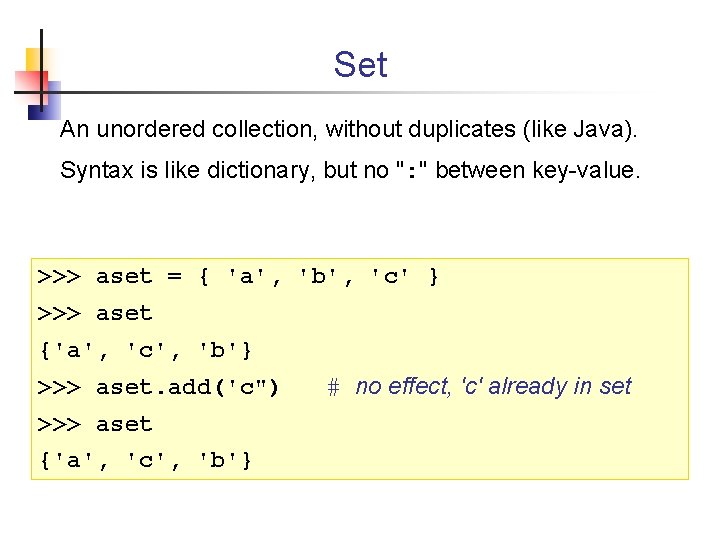
Set An unordered collection, without duplicates (like Java). Syntax is like dictionary, but no ": " between key-value. >>> aset = { 'a', 'b', 'c' } >>> aset {'a', 'c', 'b'} >>> aset. add('c") >>> aset {'a', 'c', 'b'} # no effect, 'c' already in set
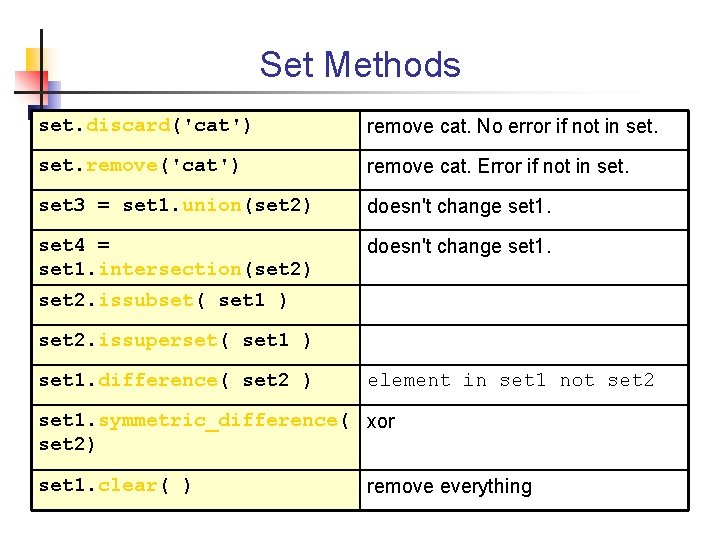
Set Methods set. discard('cat') remove cat. No error if not in set. remove('cat') remove cat. Error if not in set 3 = set 1. union(set 2) doesn't change set 1. set 4 = set 1. intersection(set 2) doesn't change set 1. set 2. issubset( set 1 ) set 2. issuperset( set 1 ) set 1. difference( set 2 ) element in set 1 not set 2 set 1. symmetric_difference( xor set 2) set 1. clear( ) remove everything
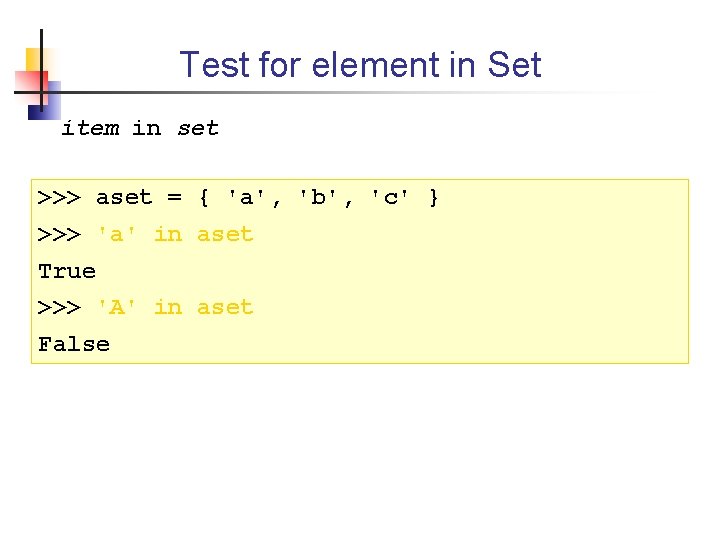
Test for element in Set item in set >>> aset = { 'a', 'b', 'c' } >>> 'a' in aset True >>> 'A' in aset False
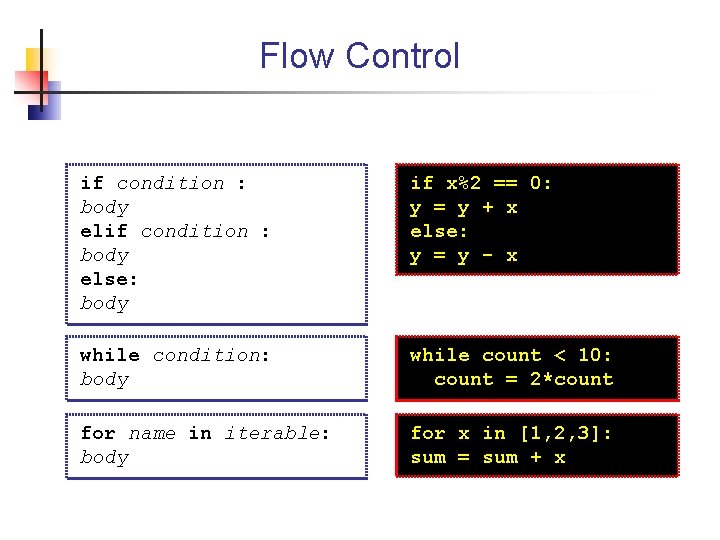
Flow Control if condition : body else: body if x%2 == 0: y = y + x else: y = y - x while condition: body while count < 10: count = 2*count for name in iterable: body for x in [1, 2, 3]: sum = sum + x
![range: create a sequence range([start, ] stop[, step]) Generate a list of numbers from](http://slidetodoc.com/presentation_image_h2/a3fac6bd63b2efbf4f7dc558e552be02/image-49.jpg "range: create a sequence range([start, ] stop[, step]) Generate a list of numbers from")
range: create a sequence range([start, ] stop[, step]) Generate a list of numbers from start to stop stepping every step start defaults to 0, step defaults to 1 Example >>> range(5) [0, 1, 2, 3, 4] >>> range(1, 9) [1, 2, 3, 4, 5, 6, 7, 8] >>> range(2, 20, 5) [2, 7, 12, 17]
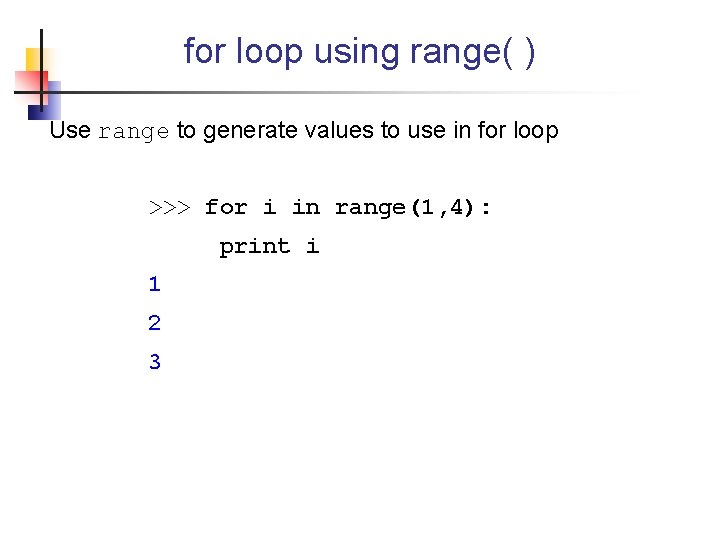
for loop using range( ) Use range to generate values to use in for loop >>> for i in range(1, 4): print i 1 2 3
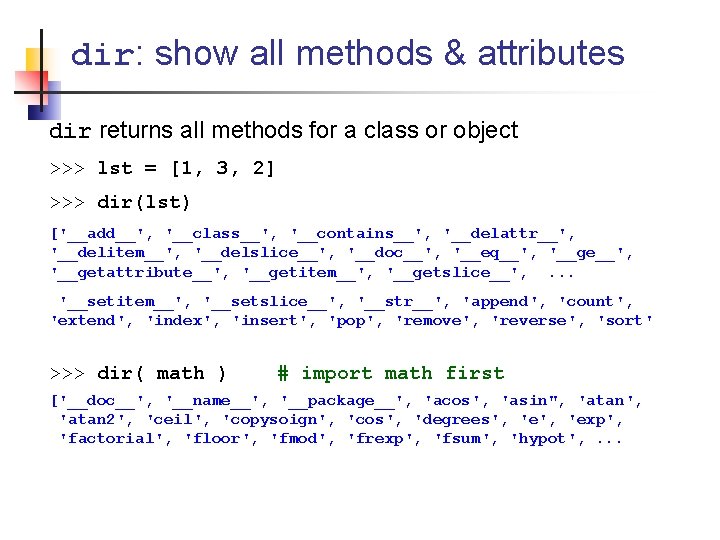
dir: show all methods & attributes dir returns all methods for a class or object >>> lst = [1, 3, 2] >>> dir(lst) ['__add__', '__class__', '__contains__', '__delattr__', '__delitem__', '__delslice__', '__doc__', '__eq__', '__getattribute__', '__getitem__', '__getslice__', . . . '__setitem__', '__setslice__', '__str__', 'append', 'count', 'extend', 'index', 'insert', 'pop', 'remove', 'reverse', 'sort' >>> dir( math ) # import math first ['__doc__', '__name__', '__package__', 'acos', 'asin", 'atan', 'atan 2', 'ceil', 'copysoign', 'cos', 'degrees', 'exp', 'factorial', 'floor', 'fmod', 'frexp', 'fsum', 'hypot', . . .
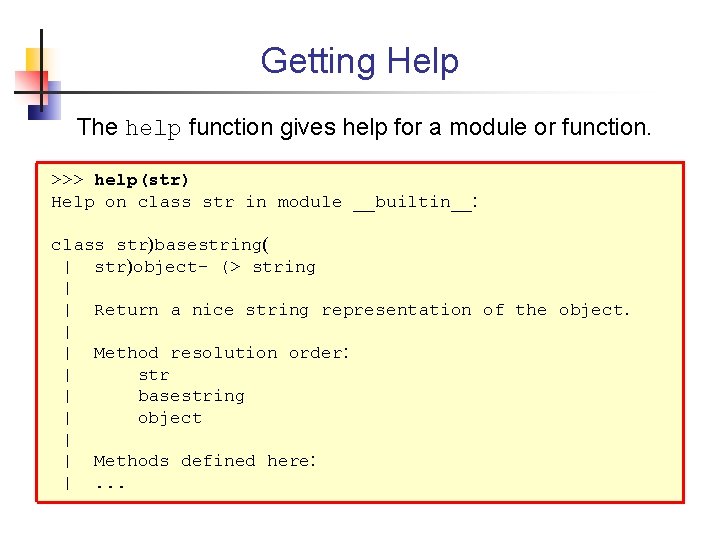
Getting Help The help function gives help for a module or function. >>> help(str) Help on class str in module __builtin__: class str)basestring( | str)object- (> string | | Return a nice string representation of the object. | | Method resolution order: | str | basestring | object | | Methods defined here: |. . .
Functions and Scope
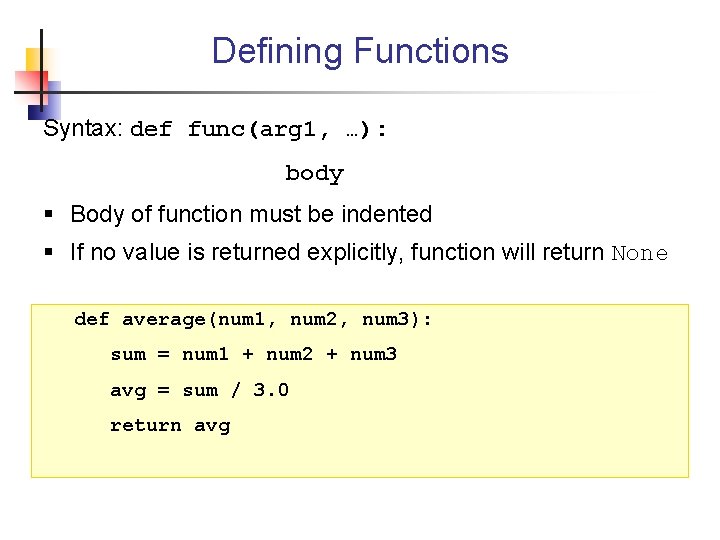
Defining Functions Syntax: def func(arg 1, …): body § Body of function must be indented § If no value is returned explicitly, function will return None def average(num 1, num 2, num 3): sum = num 1 + num 2 + num 3 avg = sum / 3. 0 return avg
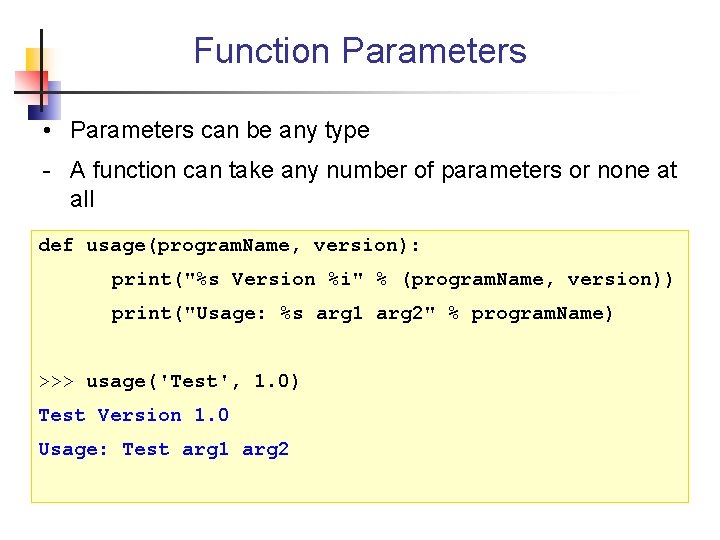
Function Parameters • Parameters can be any type - A function can take any number of parameters or none at all def usage(program. Name, version): print("%s Version %i" % (program. Name, version)) print("Usage: %s arg 1 arg 2" % program. Name) >>> usage('Test', 1. 0) Test Version 1. 0 Usage: Test arg 1 arg 2
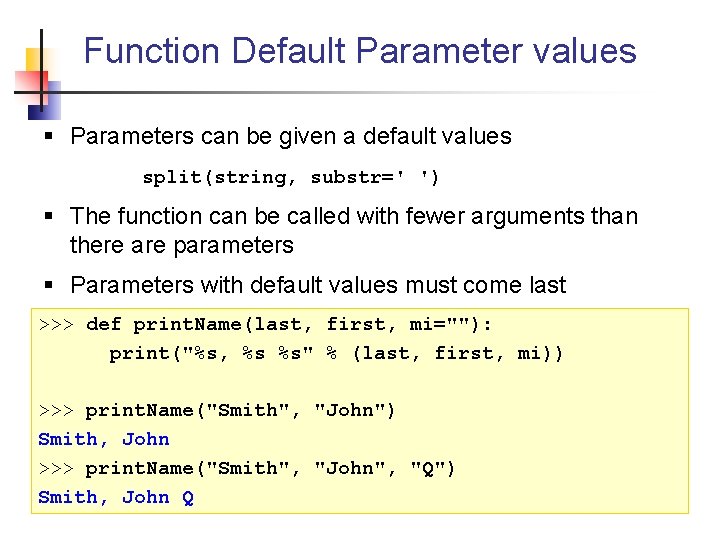
Function Default Parameter values § Parameters can be given a default values split(string, substr=' ') § The function can be called with fewer arguments than there are parameters § Parameters with default values must come last >>> def print. Name(last, first, mi=""): print("%s, %s %s" % (last, first, mi)) >>> print. Name("Smith", "John") Smith, John >>> print. Name("Smith", "John", "Q") Smith, John Q
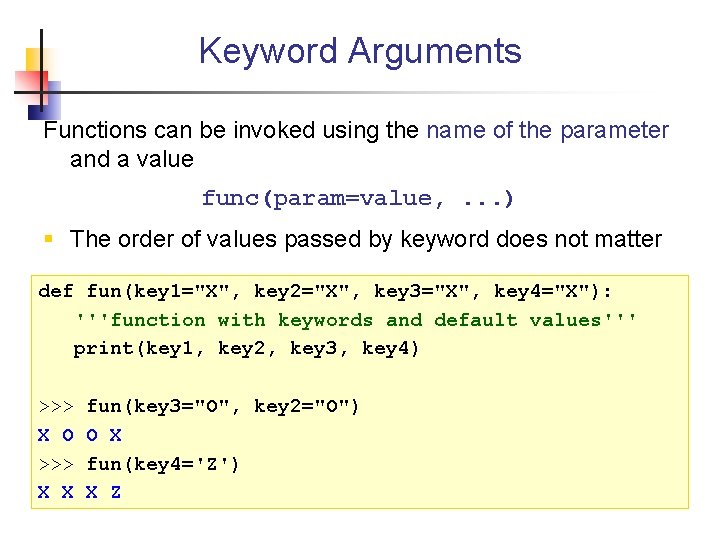
Keyword Arguments Functions can be invoked using the name of the parameter and a value func(param=value, . . . ) § The order of values passed by keyword does not matter def fun(key 1="X", key 2="X", key 3="X", key 4="X"): '''function with keywords and default values''' print(key 1, key 2, key 3, key 4) >>> X O >>> X X fun(key 3="O", key 2="O") O X fun(key 4='Z') X Z
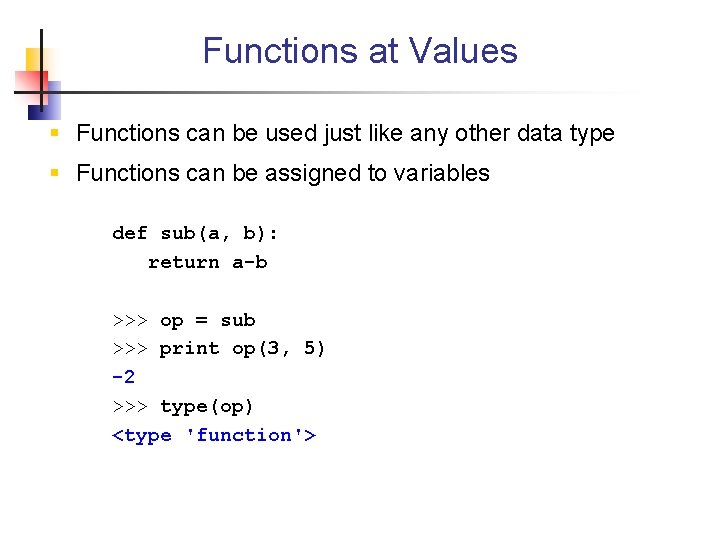
Functions at Values § Functions can be used just like any other data type § Functions can be assigned to variables def sub(a, b): return a-b >>> op = sub >>> print op(3, 5) -2 >>> type(op) <type 'function'>
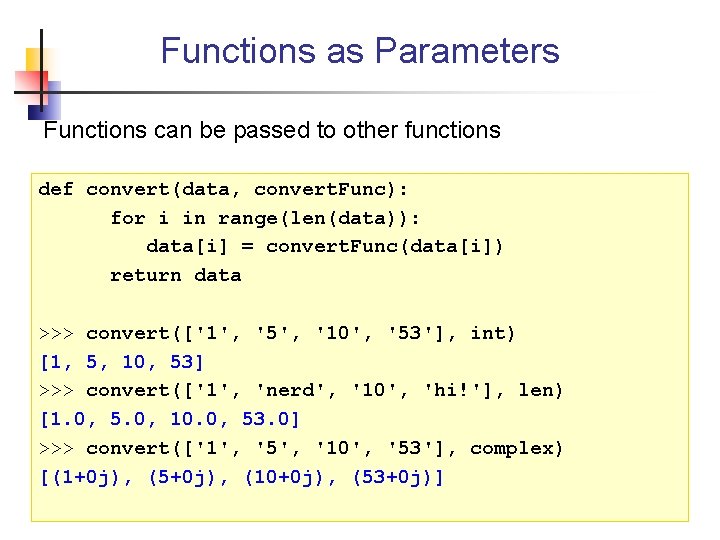
Functions as Parameters Functions can be passed to other functions def convert(data, convert. Func): for i in range(len(data)): data[i] = convert. Func(data[i]) return data >>> convert(['1', '5', '10', '53'], int) [1, 5, 10, 53] >>> convert(['1', 'nerd', '10', 'hi!'], len) [1. 0, 5. 0, 10. 0, 53. 0] >>> convert(['1', '5', '10', '53'], complex) [(1+0 j), (5+0 j), (10+0 j), (53+0 j)]
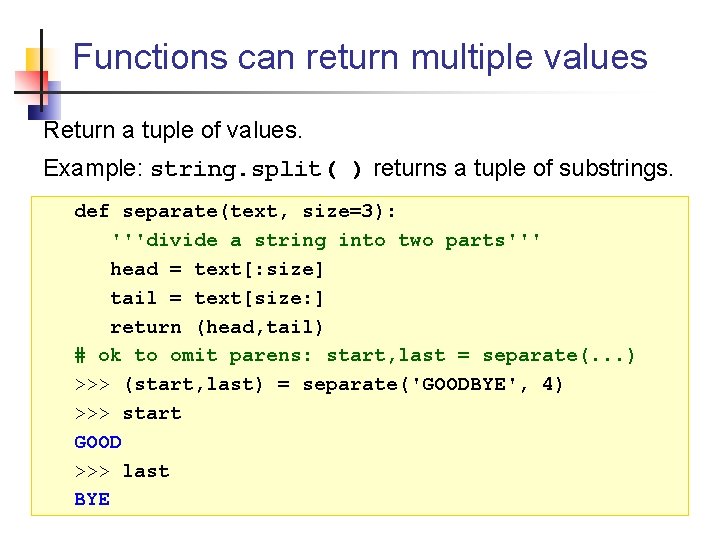
Functions can return multiple values Return a tuple of values. Example: string. split( ) returns a tuple of substrings. def separate(text, size=3): '''divide a string into two parts''' head = text[: size] tail = text[size: ] return (head, tail) # ok to omit parens: start, last = separate(. . . ) >>> (start, last) = separate('GOODBYE', 4) >>> start GOOD >>> last BYE
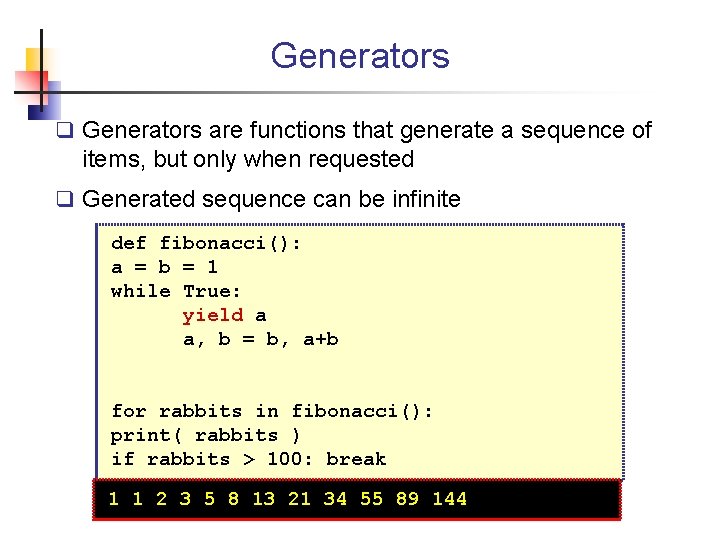
Generators q Generators are functions that generate a sequence of items, but only when requested q Generated sequence can be infinite def fibonacci(): a = b = 1 while True: yield a a, b = b, a+b for rabbits in fibonacci(): print( rabbits ) if rabbits > 100: break 1 1 2 3 5 8 13 21 34 55 89 144
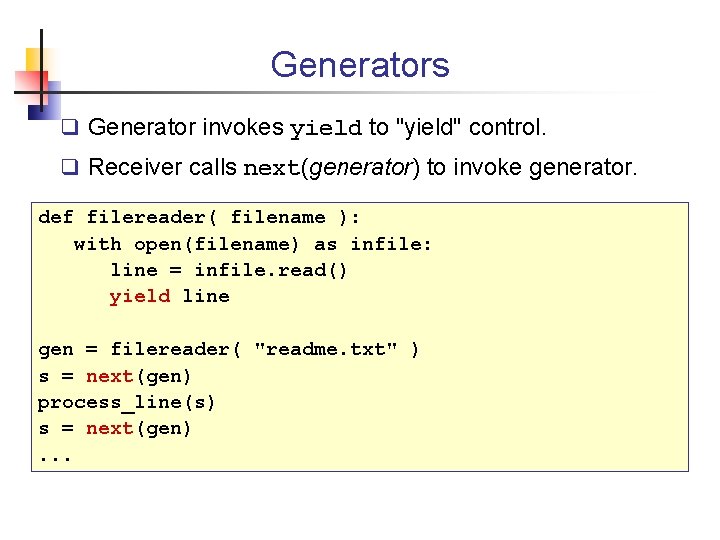
Generators q Generator invokes yield to "yield" control. q Receiver calls next(generator) to invoke generator. def filereader( filename ): with open(filename) as infile: line = infile. read() yield line gen = filereader( "readme. txt" ) s = next(gen) process_line(s) s = next(gen). . .
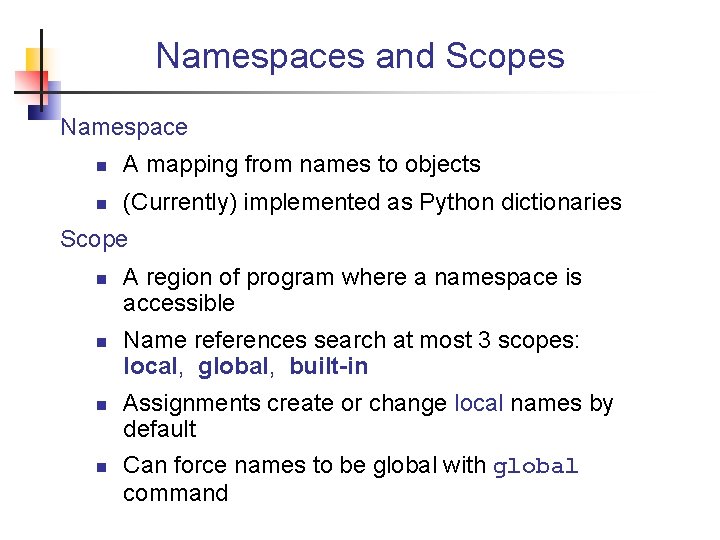
Namespaces and Scopes Namespace n A mapping from names to objects n (Currently) implemented as Python dictionaries Scope n n A region of program where a namespace is accessible Name references search at most 3 scopes: local, global, built-in Assignments create or change local names by default Can force names to be global with global command
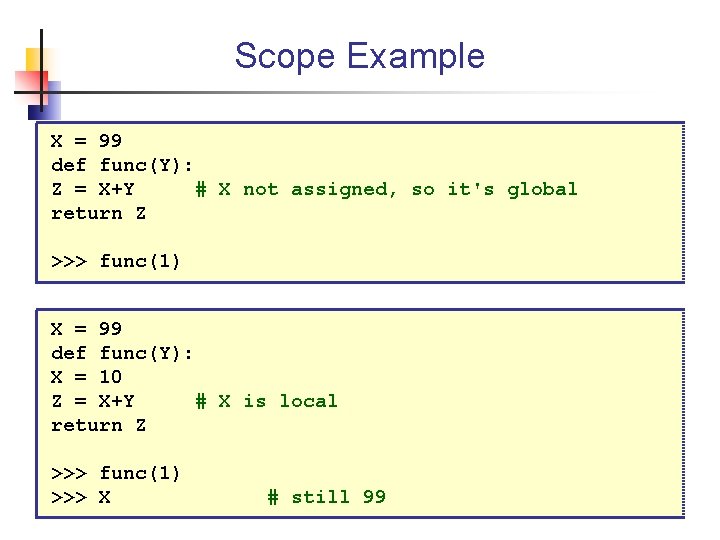
Scope Example X = 99 def func(Y): Z = X+Y # X not assigned, so it's global return Z >>> func(1) X = 99 def func(Y): X = 10 Z = X+Y # X is local return Z >>> func(1) >>> X # still 99
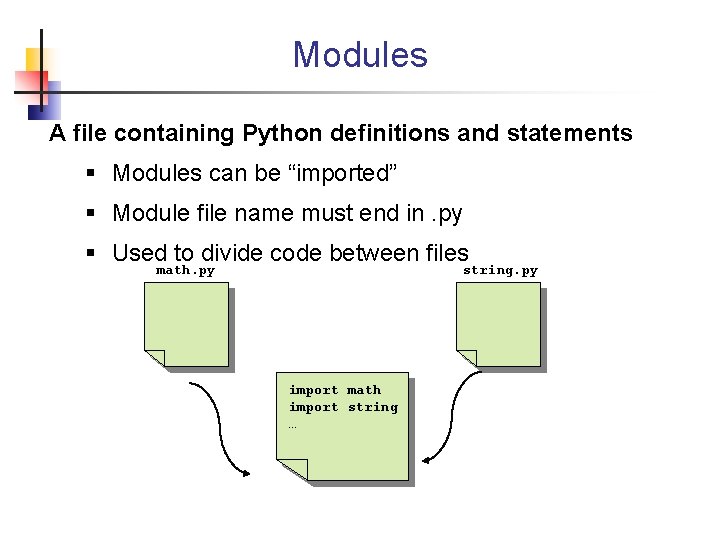
Modules A file containing Python definitions and statements § Modules can be “imported” § Module file name must end in. py § Used to divide code between files math. py string. py import math import string …
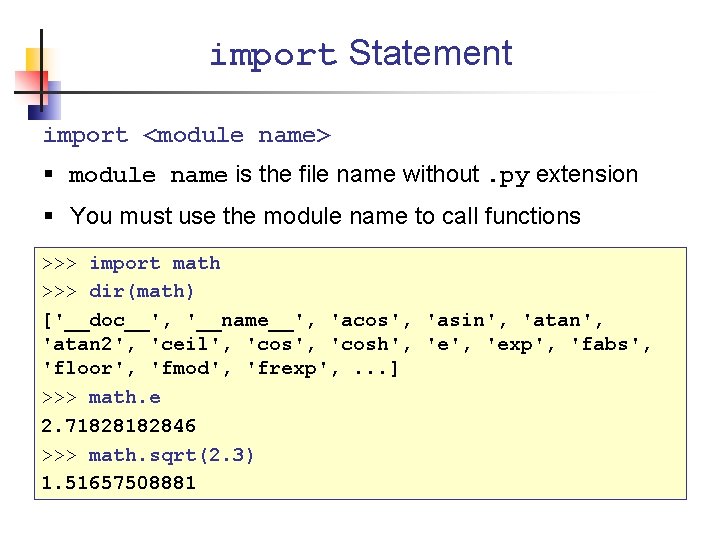
import Statement import <module name> § module name is the file name without. py extension § You must use the module name to call functions >>> import math >>> dir(math) ['__doc__', '__name__', 'acos', 'asin', 'atan 2', 'ceil', 'cosh', 'exp', 'fabs', 'floor', 'fmod', 'frexp', . . . ] >>> math. e 2. 7182846 >>> math. sqrt(2. 3) 1. 51657508881
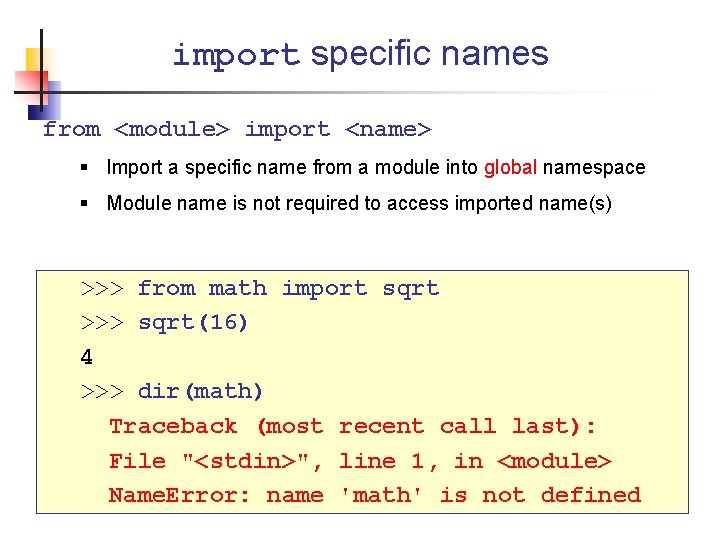
import specific names from <module> import <name> § Import a specific name from a module into global namespace § Module name is not required to access imported name(s) >>> from math import sqrt >>> sqrt(16) 4 >>> dir(math) Traceback (most recent call last): File "<stdin>", line 1, in <module> Name. Error: name 'math' is not defined
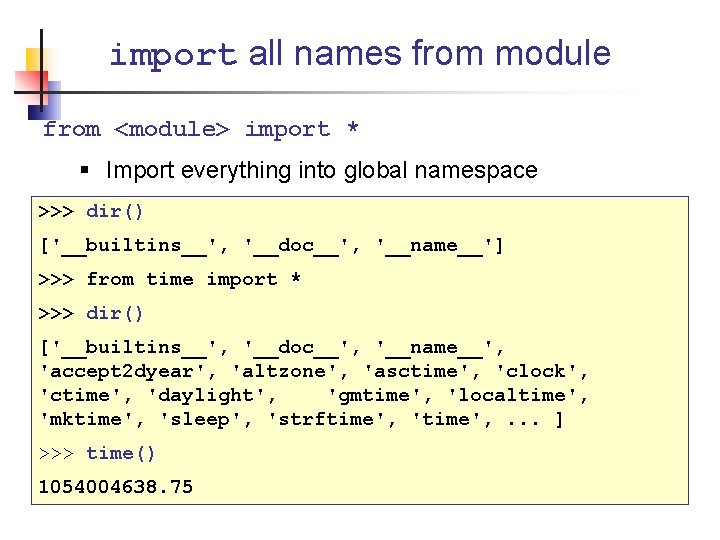
import all names from module from <module> import * § Import everything into global namespace >>> dir() ['__builtins__', '__doc__', '__name__'] >>> from time import * >>> dir() ['__builtins__', '__doc__', '__name__', 'accept 2 dyear', 'altzone', 'asctime', 'clock', 'ctime', 'daylight', 'gmtime', 'localtime', 'mktime', 'sleep', 'strftime', 'time', . . . ] >>> time() 1054004638. 75
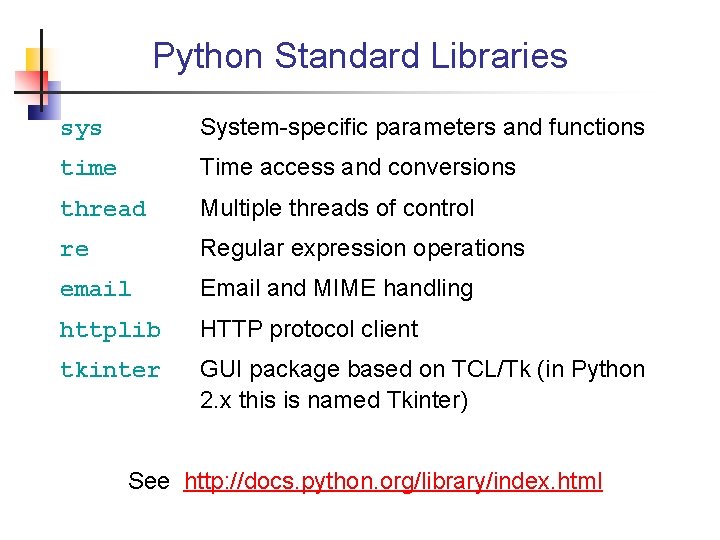
Python Standard Libraries sys System-specific parameters and functions time Time access and conversions thread Multiple threads of control re Regular expression operations email Email and MIME handling httplib HTTP protocol client tkinter GUI package based on TCL/Tk (in Python 2. x this is named Tkinter) See http: //docs. python. org/library/index. html
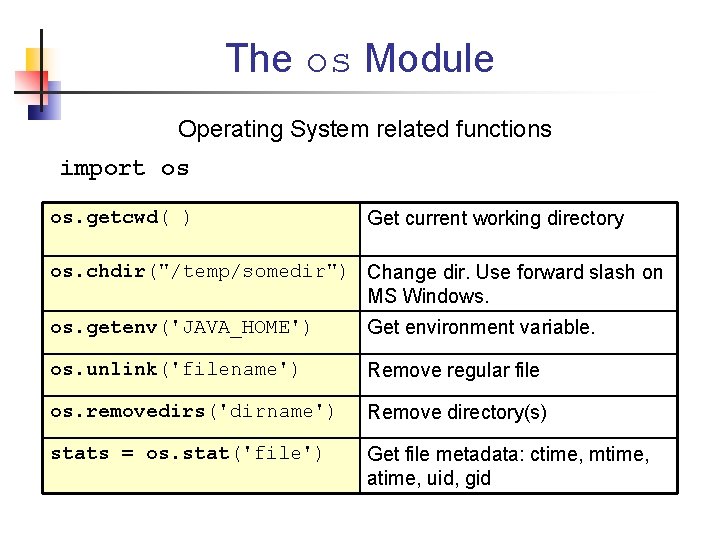
The os Module Operating System related functions import os os. getcwd( ) Get current working directory os. chdir("/temp/somedir") Change dir. Use forward slash on MS Windows. os. getenv('JAVA_HOME') Get environment variable. os. unlink('filename') Remove regular file os. removedirs('dirname') Remove directory(s) stats = os. stat('file') Get file metadata: ctime, mtime, atime, uid, gid
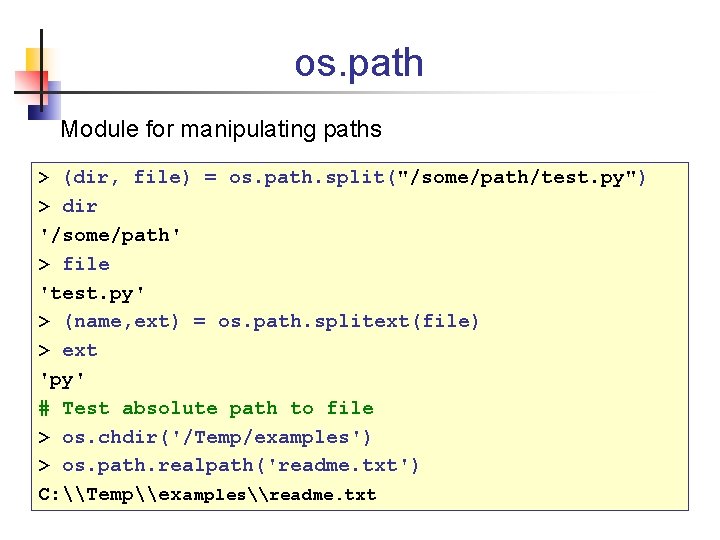
os. path Module for manipulating paths > (dir, file) = os. path. split("/some/path/test. py") > dir '/some/path' > file 'test. py' > (name, ext) = os. path. splitext(file) > ext 'py' # Test absolute path to file > os. chdir('/Temp/examples') > os. path. realpath('readme. txt') C: \Temp\examples\readme. txt
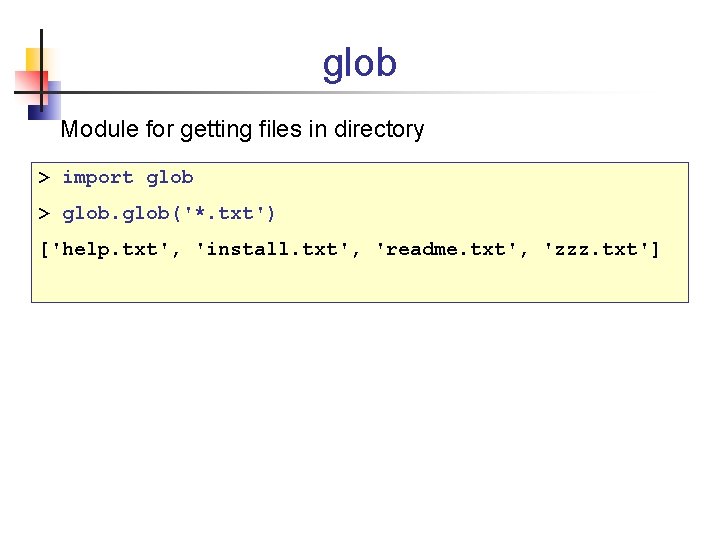
glob Module for getting files in directory > import glob > glob('*. txt') ['help. txt', 'install. txt', 'readme. txt', 'zzz. txt']
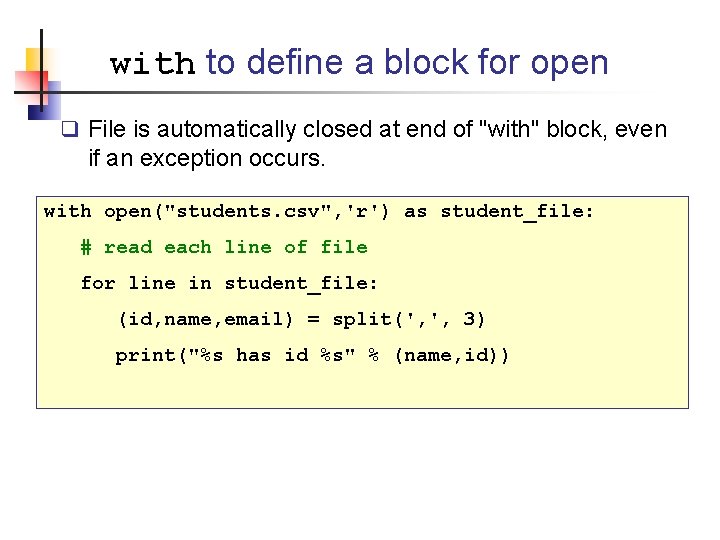
with to define a block for open q File is automatically closed at end of "with" block, even if an exception occurs. with open("students. csv", 'r') as student_file: # read each line of file for line in student_file: (id, name, email) = split(', ', 3) print("%s has id %s" % (name, id))
![List Comprehensions [ expression for var in list ] Apply an expression to every](http://slidetodoc.com/presentation_image_h2/a3fac6bd63b2efbf4f7dc558e552be02/image-74.jpg "List Comprehensions [ expression for var in list ] Apply an expression to every")
List Comprehensions [ expression for var in list ] Apply an expression to every element of a list § Can simultaneously map and filter >>> import math >>> [math. pow(2, x) for x in range(1, 7)] [2. 0, 4. 0, 8. 0, 16. 0, 32. 0, 64. 0]
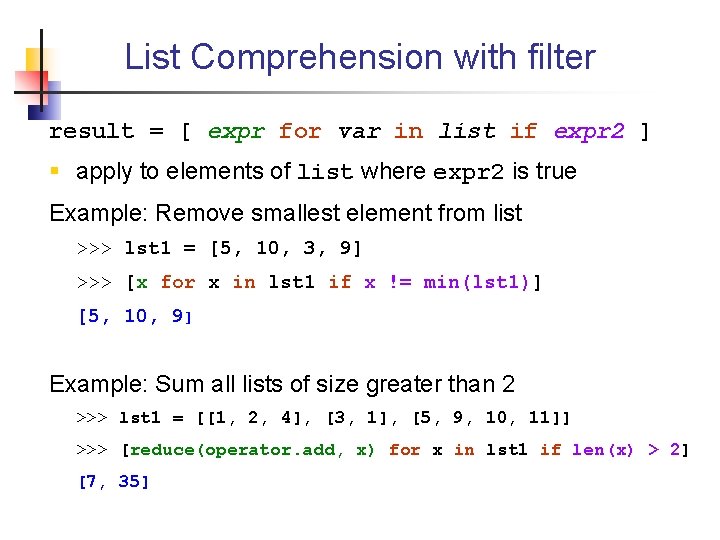
List Comprehension with filter result = [ expr for var in list if expr 2 ] § apply to elements of list where expr 2 is true Example: Remove smallest element from list >>> lst 1 = [5, 10, 3, 9] >>> [x for x in lst 1 if x != min(lst 1)] [5, 10, 9] Example: Sum all lists of size greater than 2 >>> lst 1 = [[1, 2, 4], [3, 1], [5, 9, 10, 11]] >>> [reduce(operator. add, x) for x in lst 1 if len(x) > 2] [7, 35]
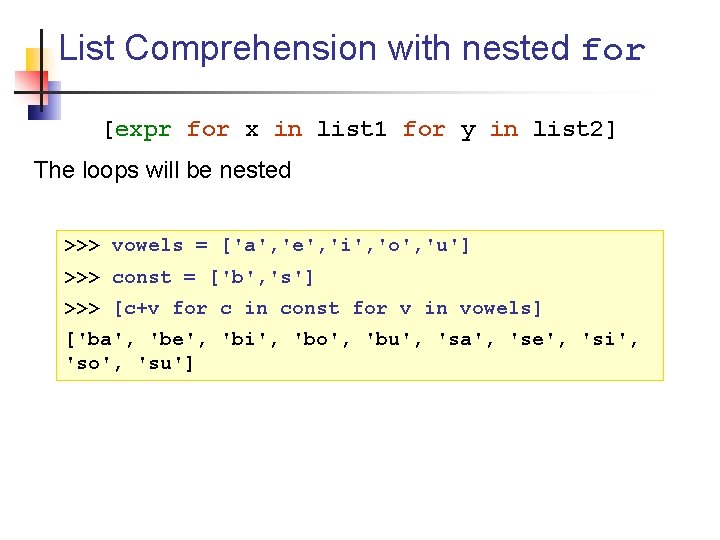
List Comprehension with nested for [expr for x in list 1 for y in list 2] The loops will be nested >>> vowels = ['a', 'e', 'i', 'o', 'u'] >>> const = ['b', 's'] >>> [c+v for c in const for v in vowels] ['ba', 'be', 'bi', 'bo', 'bu', 'sa', 'se', 'si', 'so', 'su']
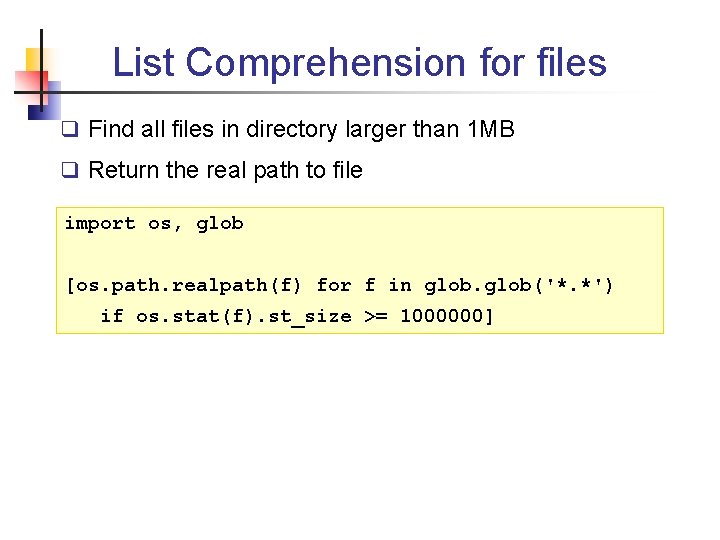
List Comprehension for files q Find all files in directory larger than 1 MB q Return the real path to file import os, glob [os. path. realpath(f) for f in glob('*. *') if os. stat(f). st_size >= 1000000]
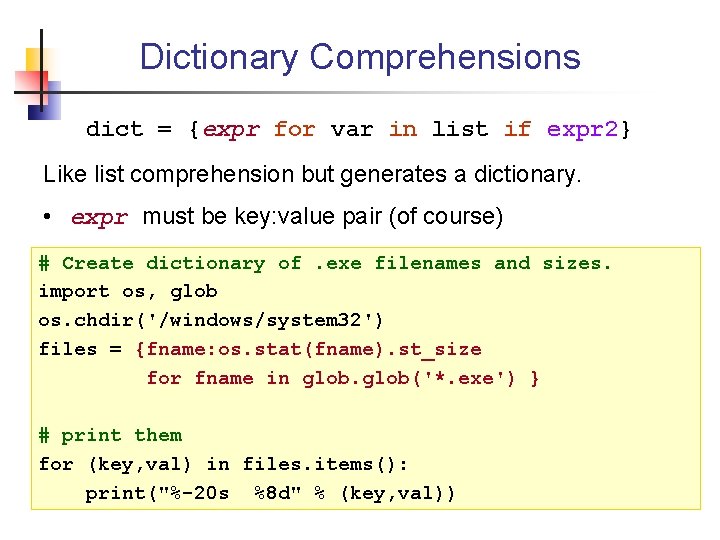
Dictionary Comprehensions dict = {expr for var in list if expr 2} Like list comprehension but generates a dictionary. • expr must be key: value pair (of course) # Create dictionary of. exe filenames and sizes. import os, glob os. chdir('/windows/system 32') files = {fname: os. stat(fname). st_size for fname in glob('*. exe') } # print them for (key, val) in files. items(): print("%-20 s %8 d" % (key, val))
OO Programming
![Defining a Class Syntax: class name[(base_class)]: body Create a class with default superclass #](http://slidetodoc.com/presentation_image_h2/a3fac6bd63b2efbf4f7dc558e552be02/image-80.jpg "Defining a Class Syntax: class name[(base_class)]: body Create a class with default superclass #")
Defining a Class Syntax: class name[(base_class)]: body Create a class with default superclass # old style class name: body # new style class name(object): body class My. Class(object): myvar = 30 >>> My. Class. myvar 30
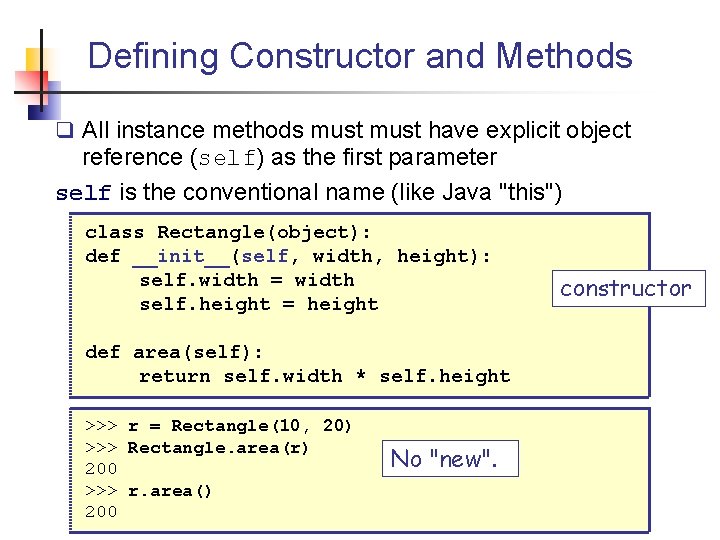
Defining Constructor and Methods q All instance methods must have explicit object reference (self) as the first parameter self is the conventional name (like Java "this") class Rectangle(object): def __init__(self, width, height): self. width = width self. height = height def area(self): return self. width * self. height >>> r = Rectangle(10, 20) >>> Rectangle. area(r) 200 >>> r. area() 200 No "new". constructor
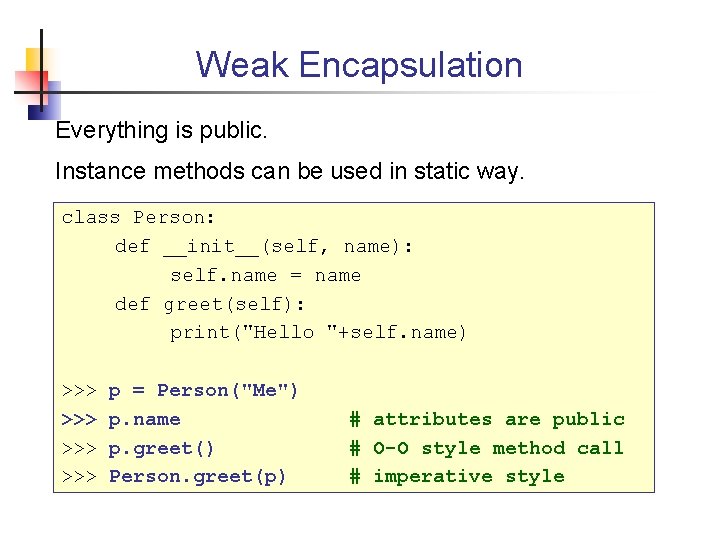
Weak Encapsulation Everything is public. Instance methods can be used in static way. class Person: def __init__(self, name): self. name = name def greet(self): print("Hello "+self. name) >>> >>> p = Person("Me") p. name p. greet() Person. greet(p) # attributes are public # O-O style method call # imperative style
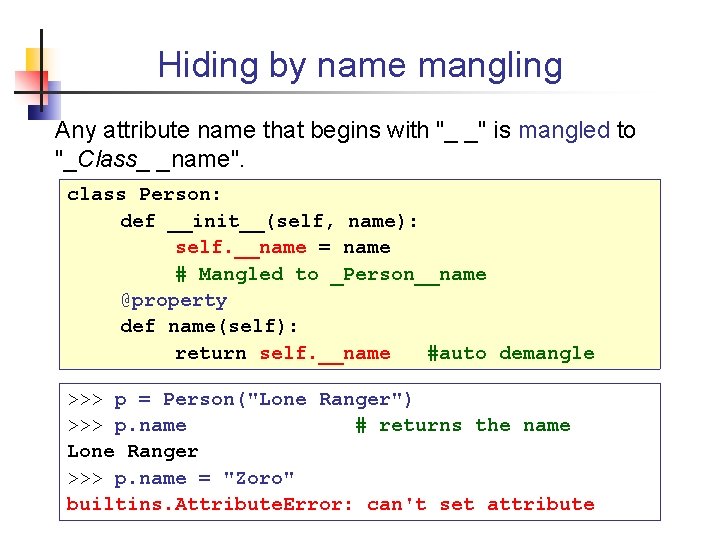
Hiding by name mangling Any attribute name that begins with "_ _" is mangled to "_Class_ _name". class Person: def __init__(self, name): self. __name = name # Mangled to _Person__name @property def name(self): return self. __name #auto demangle >>> p = Person("Lone Ranger") >>> p. name # returns the name Lone Ranger >>> p. name = "Zoro" builtins. Attribute. Error: can't set attribute
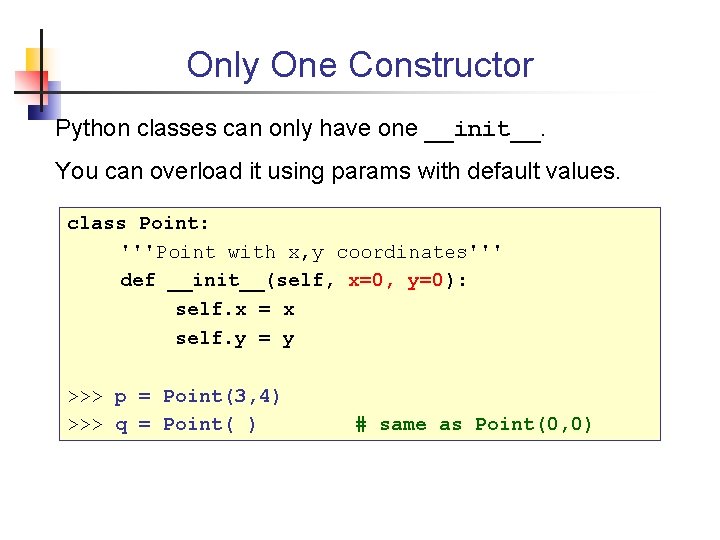
Only One Constructor Python classes can only have one __init__. You can overload it using params with default values. class Point: '''Point with x, y coordinates''' def __init__(self, x=0, y=0): self. x = x self. y = y >>> p = Point(3, 4) >>> q = Point( ) # same as Point(0, 0)
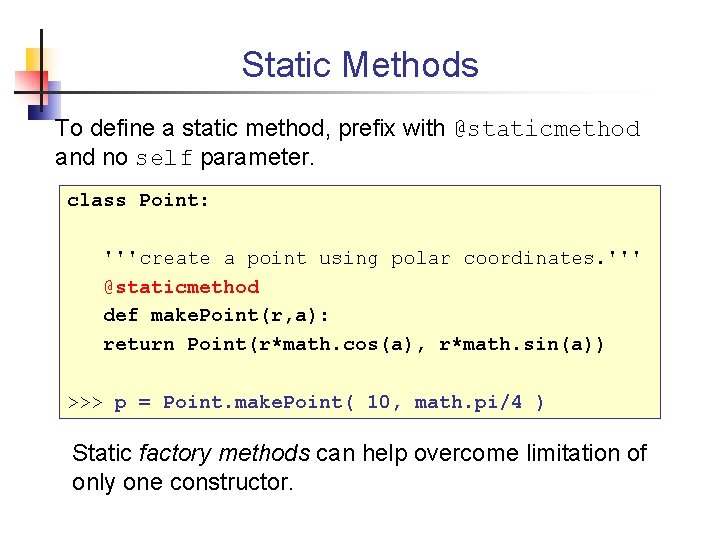
Static Methods To define a static method, prefix with @staticmethod and no self parameter. class Point: '''create a point using polar coordinates. ''' @staticmethod def make. Point(r, a): return Point(r*math. cos(a), r*math. sin(a)) >>> p = Point. make. Point( 10, math. pi/4 ) Static factory methods can help overcome limitation of only one constructor.
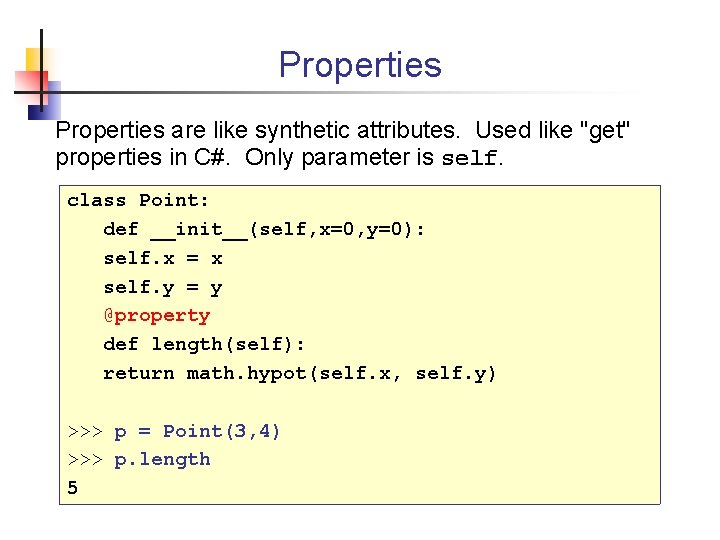
Properties are like synthetic attributes. Used like "get" properties in C#. Only parameter is self. class Point: def __init__(self, x=0, y=0): self. x = x self. y = y @property def length(self): return math. hypot(self. x, self. y) >>> p = Point(3, 4) >>> p. length 5
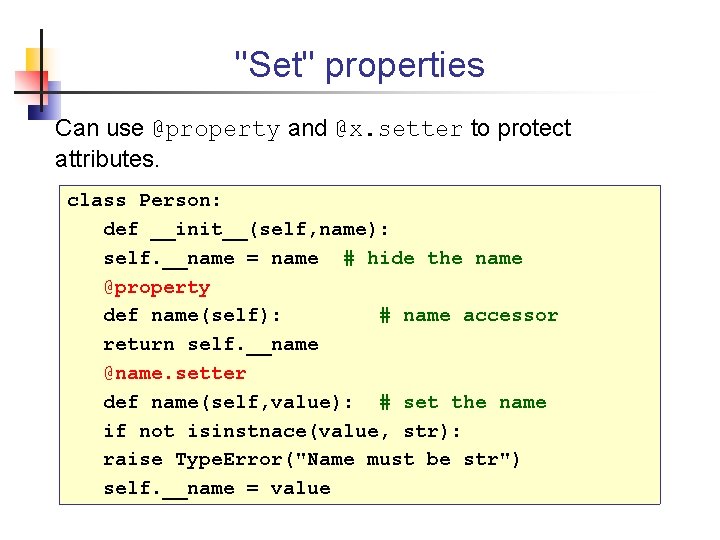
"Set" properties Can use @property and @x. setter to protect attributes. class Person: def __init__(self, name): self. __name = name # hide the name @property def name(self): # name accessor return self. __name @name. setter def name(self, value): # set the name if not isinstnace(value, str): raise Type. Error("Name must be str") self. __name = value
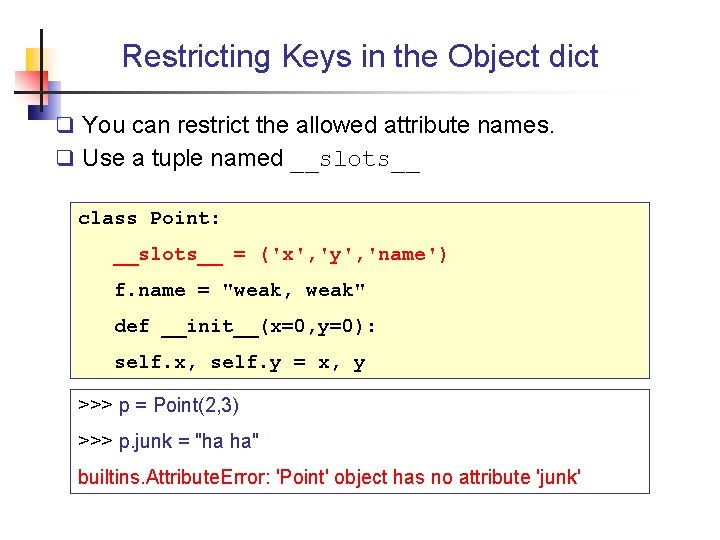
Restricting Keys in the Object dict q You can restrict the allowed attribute names. q Use a tuple named __slots__ class Point: __slots__ = ('x', 'y', 'name') f. name = "weak, weak" def __init__(x=0, y=0): self. x, self. y = x, y >>> p = Point(2, 3) >>> p. junk = "ha ha" builtins. Attribute. Error: 'Point' object has no attribute 'junk'
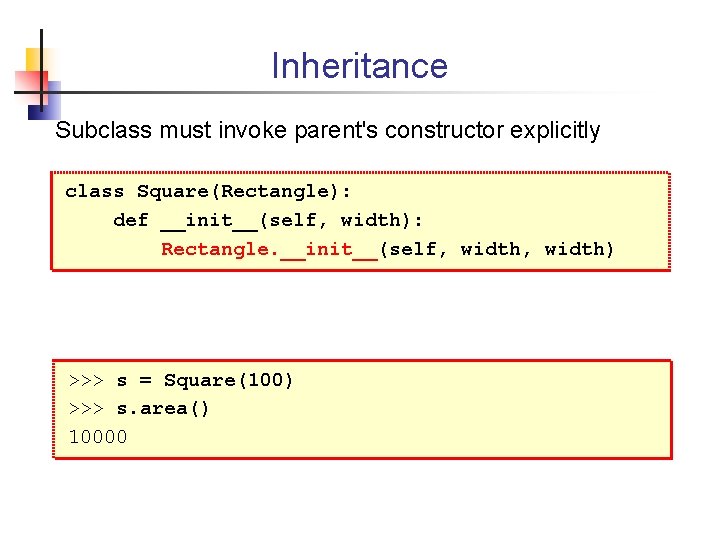
Inheritance Subclass must invoke parent's constructor explicitly class Square(Rectangle): def __init__(self, width): Rectangle. __init__(self, width) >>> s = Square(100) >>> s. area() 10000
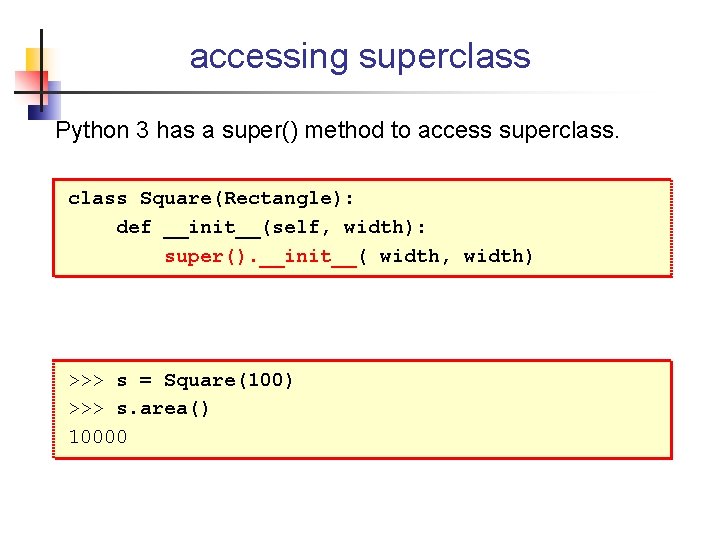
accessing superclass Python 3 has a super() method to access superclass Square(Rectangle): def __init__(self, width): super(). __init__( width, width) >>> s = Square(100) >>> s. area() 10000
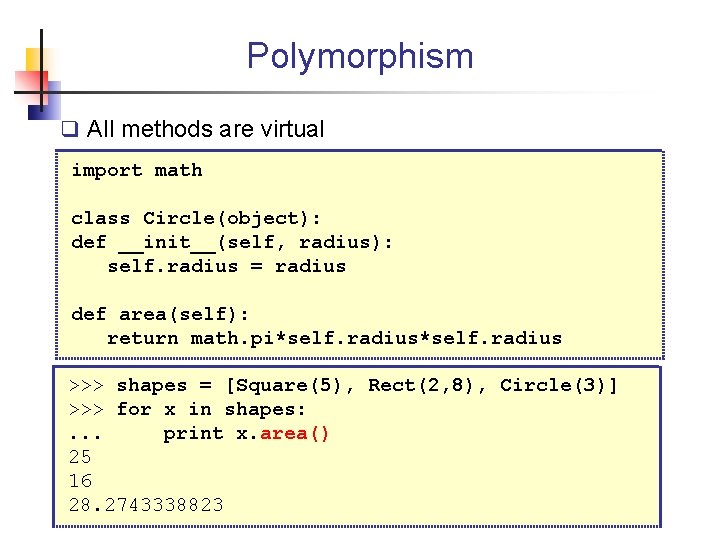
Polymorphism q All methods are virtual import math class Circle(object): def __init__(self, radius): self. radius = radius def area(self): return math. pi*self. radius >>> shapes = [Square(5), Rect(2, 8), Circle(3)] >>> for x in shapes: . . . print x. area() 25 16 28. 2743338823
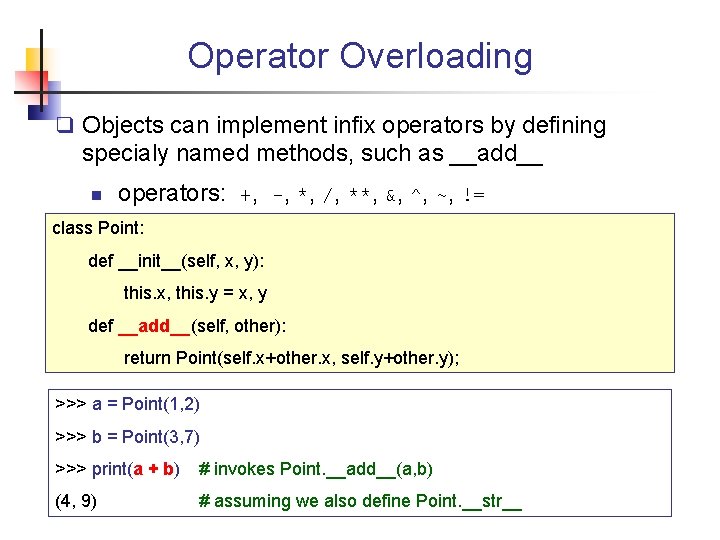
Operator Overloading q Objects can implement infix operators by defining specialy named methods, such as __add__ n operators: +, -, *, /, **, &, ^, ~, != class Point: def __init__(self, x, y): this. x, this. y = x, y def __add__(self, other): return Point(self. x+other. x, self. y+other. y); >>> a = Point(1, 2) >>> b = Point(3, 7) >>> print(a + b) # invokes Point. __add__(a, b) (4, 9) # assuming we also define Point. __str__
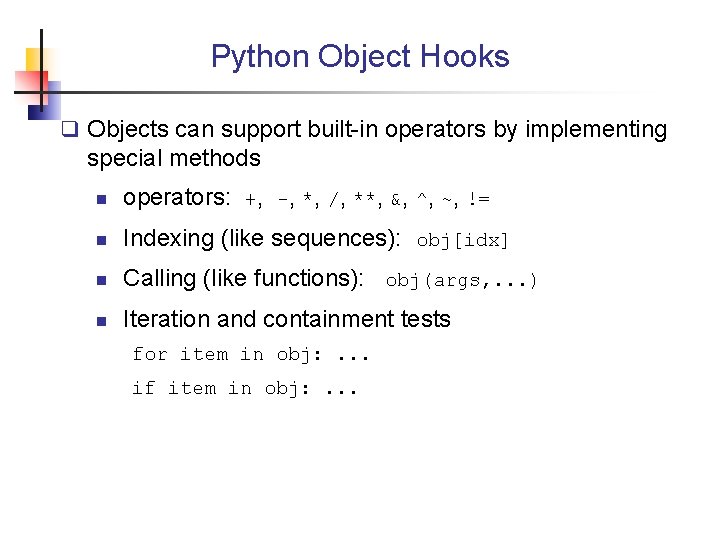
Python Object Hooks q Objects can support built-in operators by implementing special methods n operators: +, -, *, /, **, &, ^, ~, != n Indexing (like sequences): obj[idx] n Calling (like functions): obj(args, . . . ) n Iteration and containment tests for item in obj: . . . if item in obj: . . .
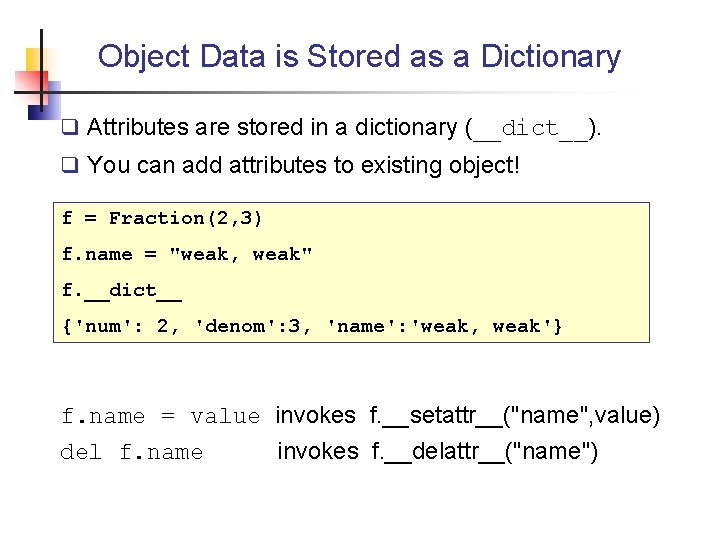
Object Data is Stored as a Dictionary q Attributes are stored in a dictionary (__dict__). q You can add attributes to existing object! f = Fraction(2, 3) f. name = "weak, weak" f. __dict__ {'num': 2, 'denom': 3, 'name': 'weak, weak'} f. name = value invokes f. __setattr__("name", value) del f. name invokes f. __delattr__("name")
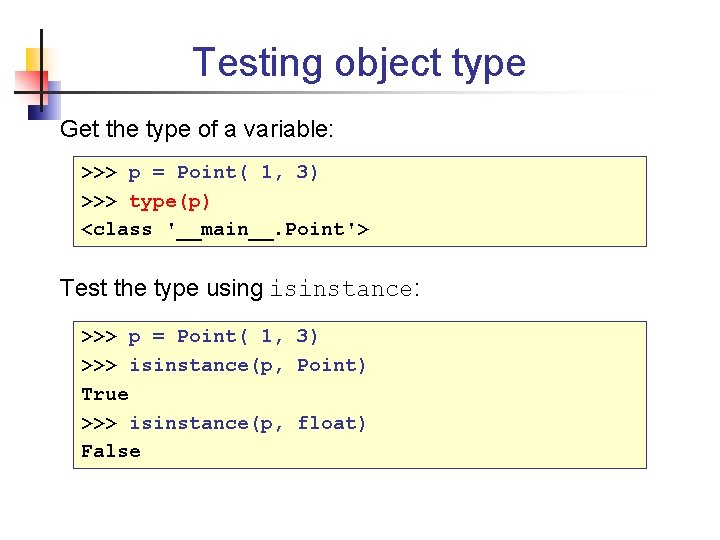
Testing object type Get the type of a variable: >>> p = Point( 1, 3) >>> type(p) <class '__main__. Point'> Test the type using isinstance: >>> p = Point( 1, 3) >>> isinstance(p, Point) True >>> isinstance(p, float) False
Functional Programming
Functional Approaches • In Function Programming, functions can be used in the same way as other data types. • Python borrows from functional languages: Lisp/Scheme Haskell • Python built-in functions for functional style: map() filter() reduce() zip()
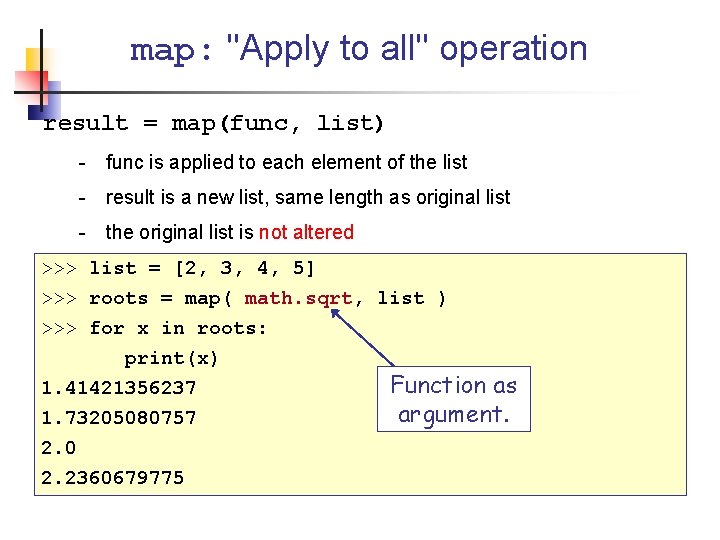
map: "Apply to all" operation result = map(func, list) - func is applied to each element of the list - result is a new list, same length as original list - the original list is not altered >>> list = [2, 3, 4, 5] >>> roots = map( math. sqrt, list ) >>> for x in roots: print(x) 1. 41421356237 1. 73205080757 2. 0 2. 2360679775 Function as argument.
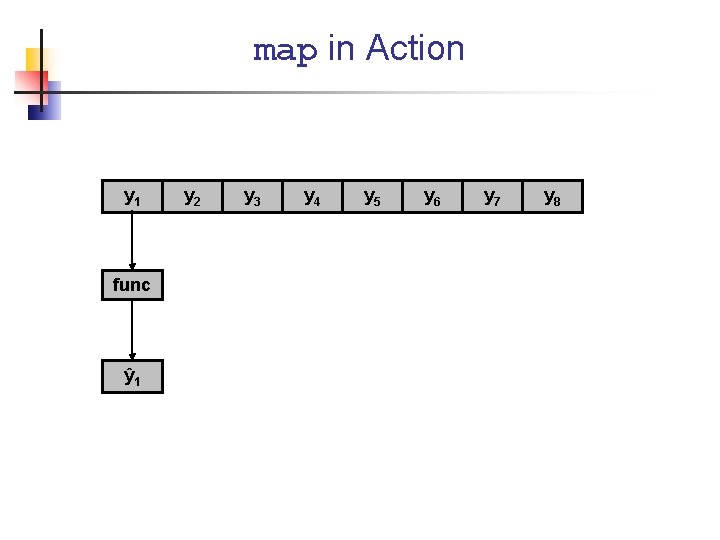
map in Action y 1 func ŷ 1 y 2 y 3 y 4 y 5 y 6 y 7 y 8
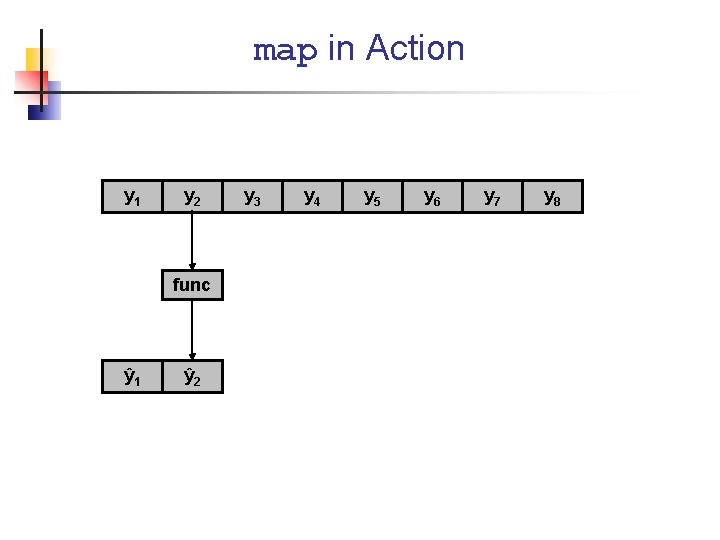
map in Action y 1 y 2 func ŷ 1 ŷ 2 y 3 y 4 y 5 y 6 y 7 y 8
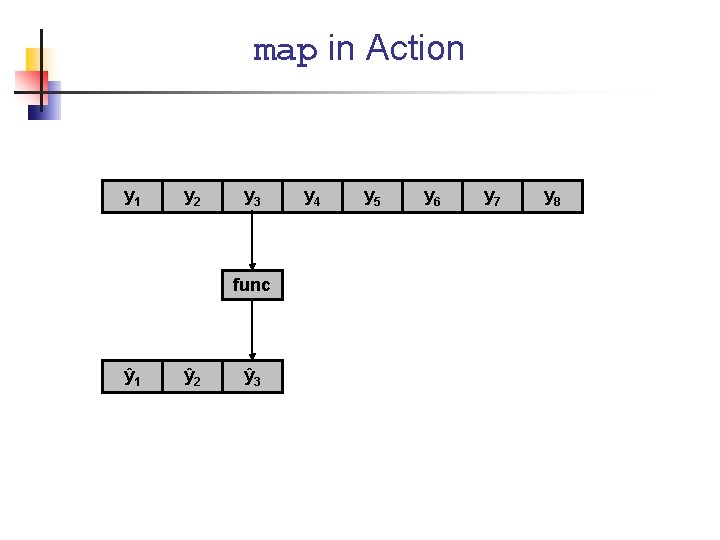
map in Action y 1 y 2 y 3 func ŷ 1 ŷ 2 ŷ 3 y 4 y 5 y 6 y 7 y 8
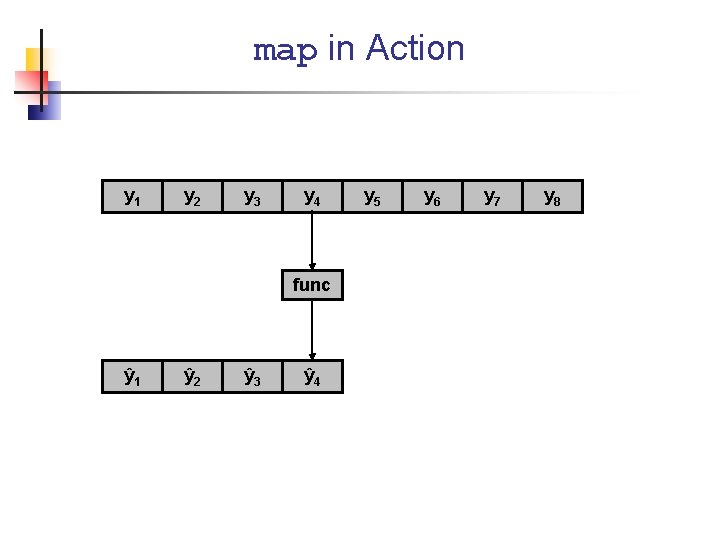
map in Action y 1 y 2 y 3 y 4 func ŷ 1 ŷ 2 ŷ 3 ŷ 4 y 5 y 6 y 7 y 8
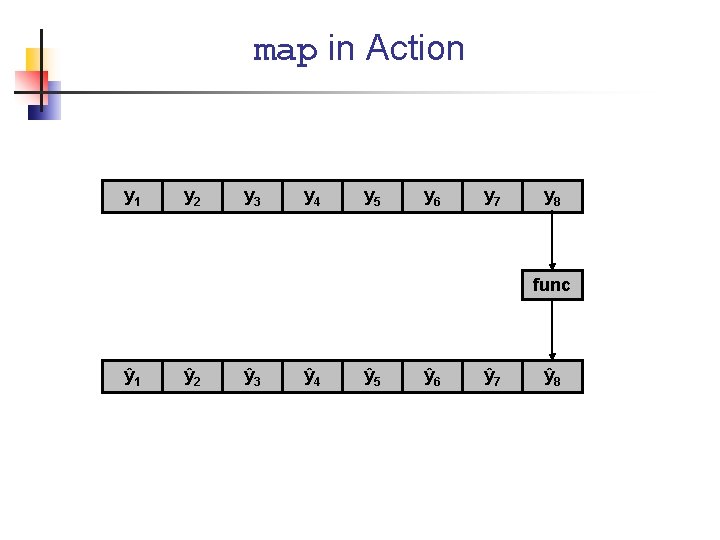
map in Action y 1 y 2 y 3 y 4 y 5 y 6 y 7 y 8 func ŷ 1 ŷ 2 ŷ 3 ŷ 4 ŷ 5 ŷ 6 ŷ 7 ŷ 8
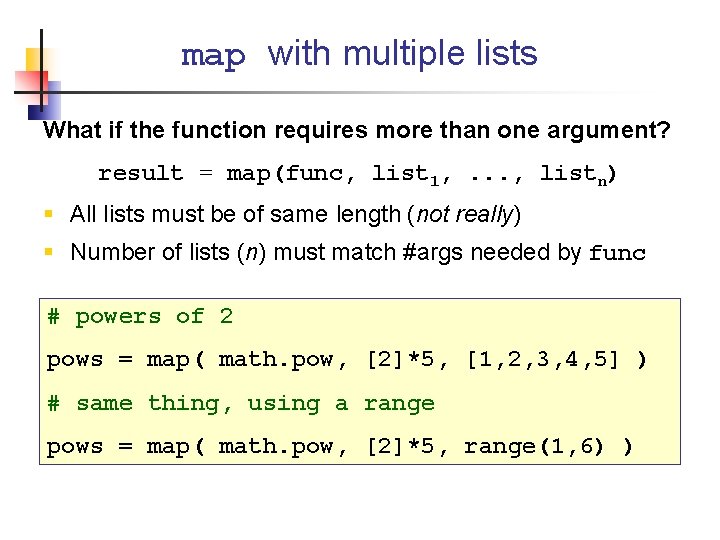
map with multiple lists What if the function requires more than one argument? result = map(func, list 1, . . . , listn) § All lists must be of same length (not really) § Number of lists (n) must match #args needed by func # powers of 2 pows = map( math. pow, [2]*5, [1, 2, 3, 4, 5] ) # same thing, using a range pows = map( math. pow, [2]*5, range(1, 6) )
![Use map to reduce coding lst 1 = [0, 1, 2, 3] lst 2](http://slidetodoc.com/presentation_image_h2/a3fac6bd63b2efbf4f7dc558e552be02/image-105.jpg "Use map to reduce coding lst 1 = [0, 1, 2, 3] lst 2")
Use map to reduce coding lst 1 = [0, 1, 2, 3] lst 2 = [4, 5, 6, 7] lst 3 = [] for k in range(len(lst 1)): lst 3. append( add 2(lst 1[k], lst 2[k]) ) lst 1 = [0, 1, 2, 3] lst 2 = [4, 5, 6, 7] lst 3 = map(add 2, lst 1, lst 2)
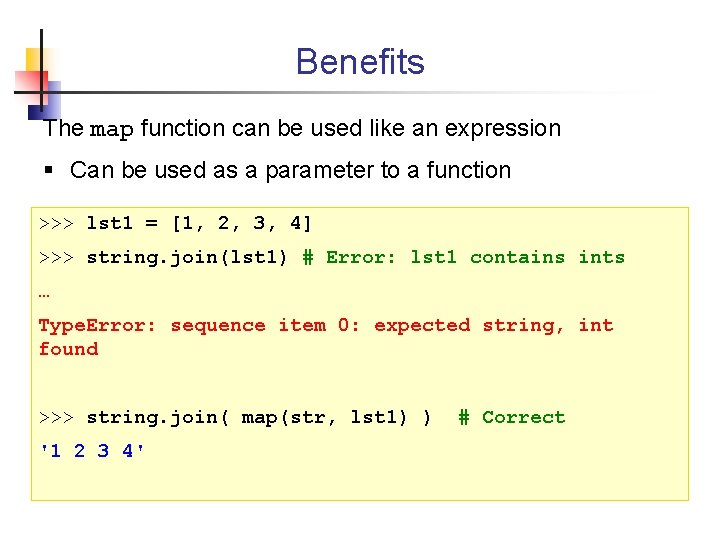
Benefits The map function can be used like an expression § Can be used as a parameter to a function >>> lst 1 = [1, 2, 3, 4] >>> string. join(lst 1) # Error: lst 1 contains ints … Type. Error: sequence item 0: expected string, int found >>> string. join( map(str, lst 1) ) '1 2 3 4' # Correct
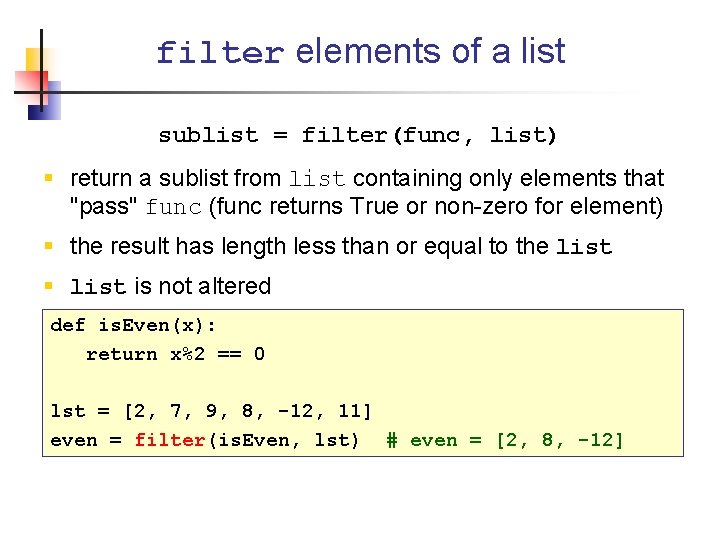
filter elements of a list sublist = filter(func, list) § return a sublist from list containing only elements that "pass" func (func returns True or non-zero for element) § the result has length less than or equal to the list § list is not altered def is. Even(x): return x%2 == 0 lst = [2, 7, 9, 8, -12, 11] even = filter(is. Even, lst) # even = [2, 8, -12]
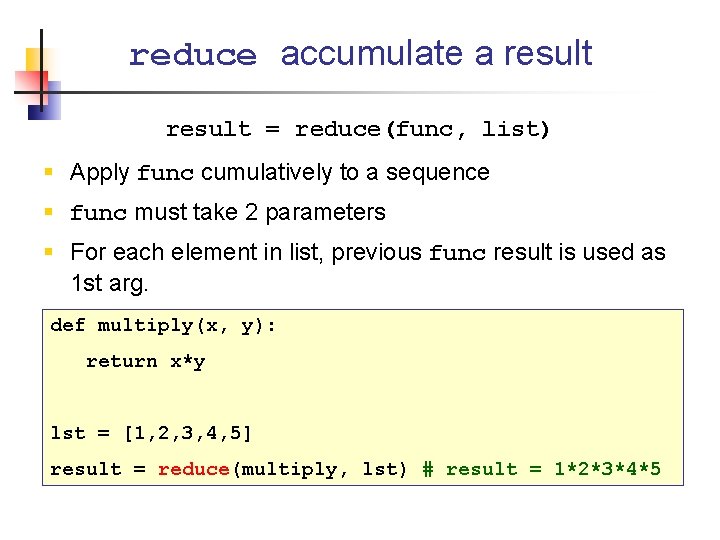
reduce accumulate a result = reduce(func, list) § Apply func cumulatively to a sequence § func must take 2 parameters § For each element in list, previous func result is used as 1 st arg. def multiply(x, y): return x*y lst = [1, 2, 3, 4, 5] result = reduce(multiply, lst) # result = 1*2*3*4*5
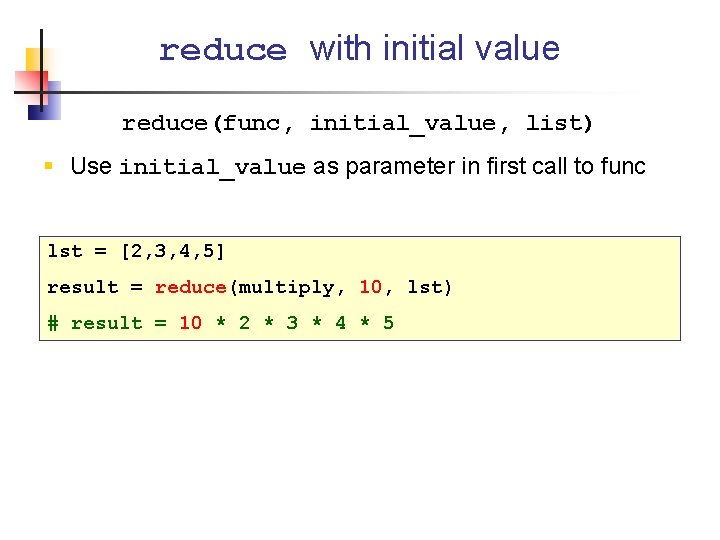
reduce with initial value reduce(func, initial_value, list) § Use initial_value as parameter in first call to func lst = [2, 3, 4, 5] result = reduce(multiply, 10, lst) # result = 10 * 2 * 3 * 4 * 5
![Code Comparison lst 1 = [ [2, 4], [5, 9], [1, 7] ] result](http://slidetodoc.com/presentation_image_h2/a3fac6bd63b2efbf4f7dc558e552be02/image-110.jpg "Code Comparison lst 1 = [ [2, 4], [5, 9], [1, 7] ] result")
Code Comparison lst 1 = [ [2, 4], [5, 9], [1, 7] ] result = operator. add([100], lst 1[0]) for element in lst 1[1: ]: result = operator. add(sum, element) lst 1 = [ [2, 4], [5, 9], [1, 7] ] result = reduce(operator. add, lst 1, [100])
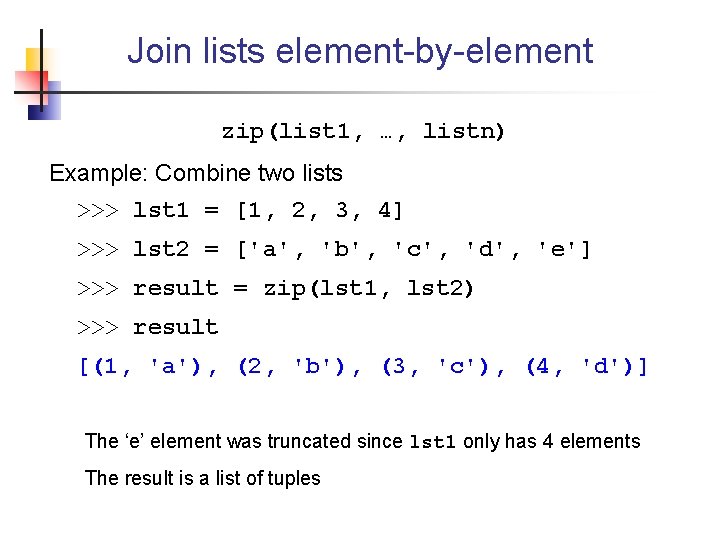
Join lists element-by-element zip(list 1, …, listn) Example: Combine two lists >>> lst 1 = [1, 2, 3, 4] >>> lst 2 = ['a', 'b', 'c', 'd', 'e'] >>> result = zip(lst 1, lst 2) >>> result [(1, 'a'), (2, 'b'), (3, 'c'), (4, 'd')] The ‘e’ element was truncated since lst 1 only has 4 elements The result is a list of tuples
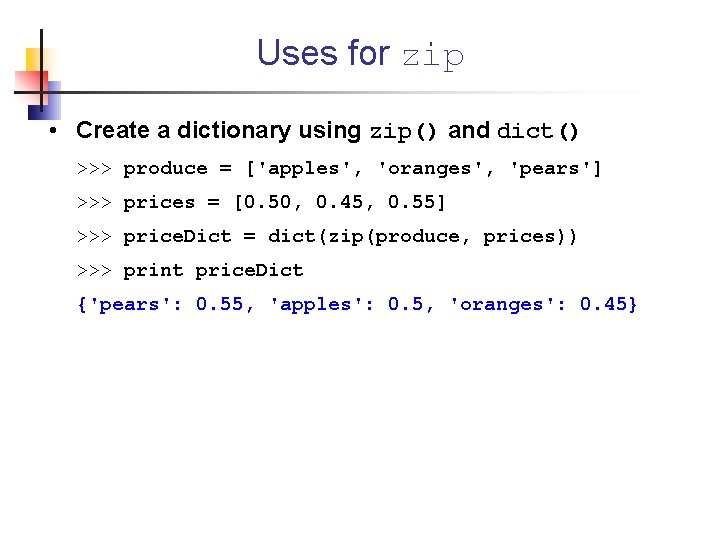
Uses for zip • Create a dictionary using zip() and dict() >>> produce = ['apples', 'oranges', 'pears'] >>> prices = [0. 50, 0. 45, 0. 55] >>> price. Dict = dict(zip(produce, prices)) >>> print price. Dict {'pears': 0. 55, 'apples': 0. 5, 'oranges': 0. 45}
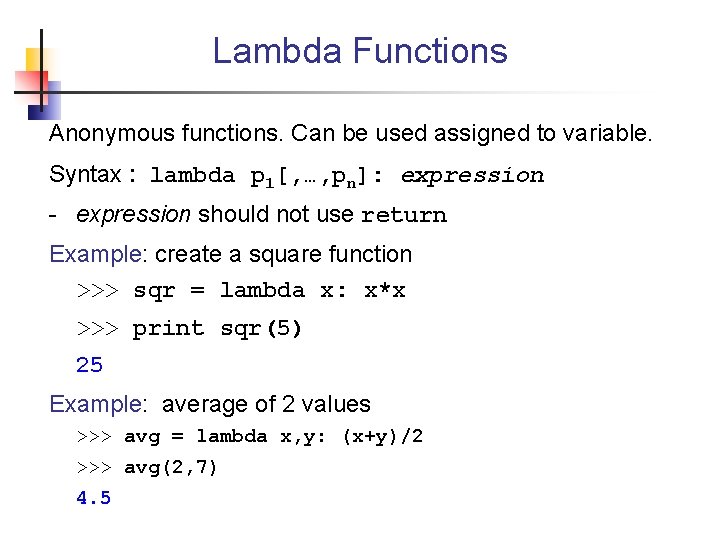
Lambda Functions Anonymous functions. Can be used assigned to variable. Syntax : lambda p 1[, …, pn]: expression - expression should not use return Example: create a square function >>> sqr = lambda x: x*x >>> print sqr(5) 25 Example: average of 2 values >>> avg = lambda x, y: (x+y)/2 >>> avg(2, 7) 4. 5
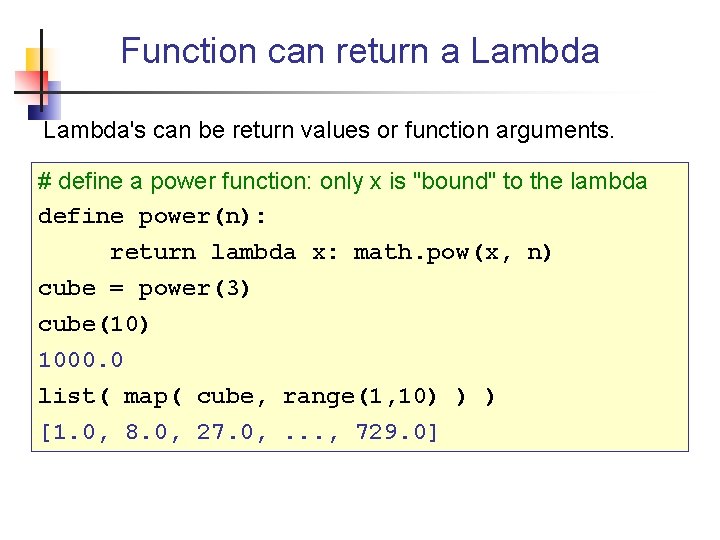
Function can return a Lambda's can be return values or function arguments. # define a power function: only x is "bound" to the lambda define power(n): return lambda x: math. pow(x, n) cube = power(3) cube(10) 1000. 0 list( map( cube, range(1, 10) ) ) [1. 0, 8. 0, 27. 0, . . . , 729. 0]
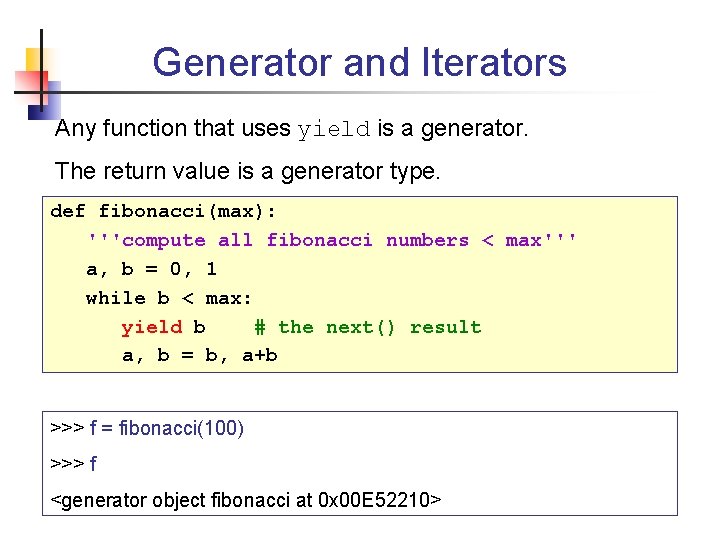
Generator and Iterators Any function that uses yield is a generator. The return value is a generator type. def fibonacci(max): '''compute all fibonacci numbers < max''' a, b = 0, 1 while b < max: yield b # the next() result a, b = b, a+b >>> f = fibonacci(100) >>> f <generator object fibonacci at 0 x 00 E 52210>
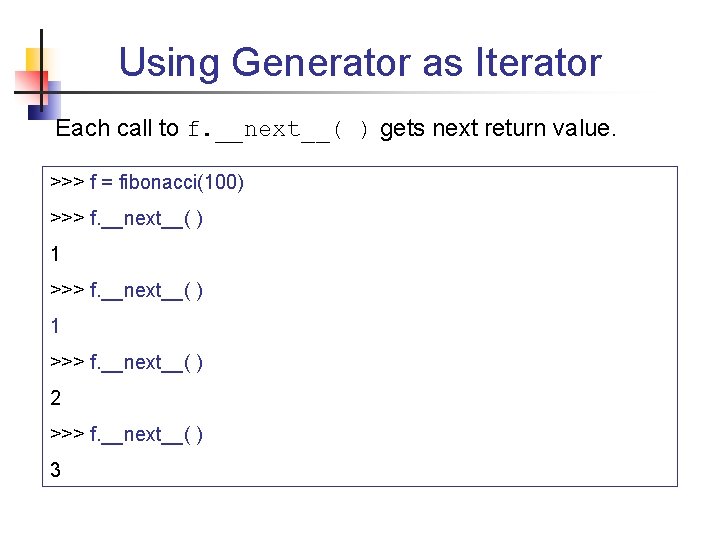
Using Generator as Iterator Each call to f. __next__( ) gets next return value. >>> f = fibonacci(100) >>> f. __next__( ) 1 >>> f. __next__( ) 2 >>> f. __next__( ) 3
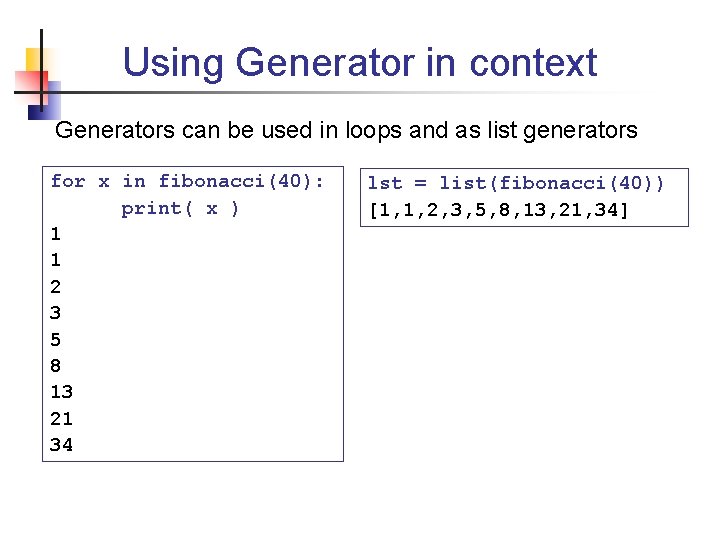
Using Generator in context Generators can be used in loops and as list generators for x in fibonacci(40): print( x ) 1 1 2 3 5 8 13 21 34 lst = list(fibonacci(40)) [1, 1, 2, 3, 5, 8, 13, 21, 34]
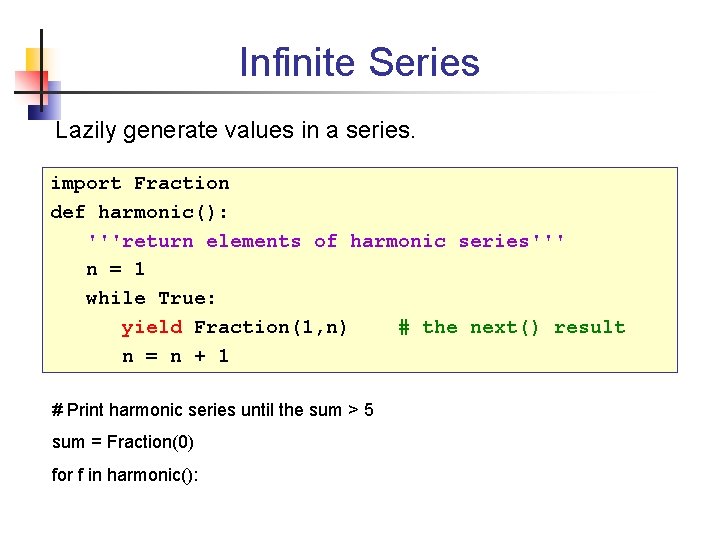
Infinite Series Lazily generate values in a series. import Fraction def harmonic(): '''return elements of harmonic series''' n = 1 while True: yield Fraction(1, n) # the next() result n = n + 1 # Print harmonic series until the sum > 5 sum = Fraction(0) for f in harmonic():
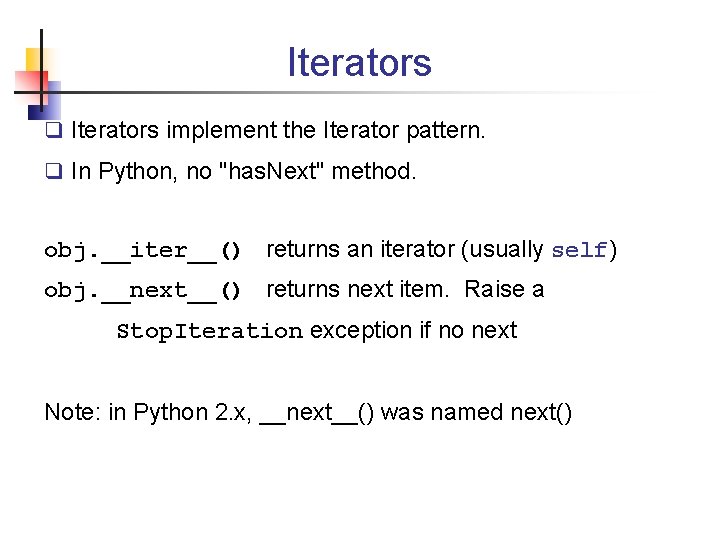
Iterators q Iterators implement the Iterator pattern. q In Python, no "has. Next" method. obj. __iter__() returns an iterator (usually self) obj. __next__() returns next item. Raise a Stop. Iteration exception if no next Note: in Python 2. x, __next__() was named next()
References Python Documentation http: //docs. python. org Videos q Python for Programmers by Alex Martelli http: //video. google. com/videoplay? docid=1135114630744003385 q Advanced Python (Understanding Python) by Thomas Wouters http: //video. google. com/videoplay? docid=7760178035196894549
References Books q Practical Programming: an Introduction. . . by Jennifer Campbell, et al. (Pragmatic Programmers, 2009) Good book for novice programmer. q Python Essential Reference, 4 E. (Addison Wesley) Recommended by CPE/SKE students. Has tutorial and language description. More than just a reference.
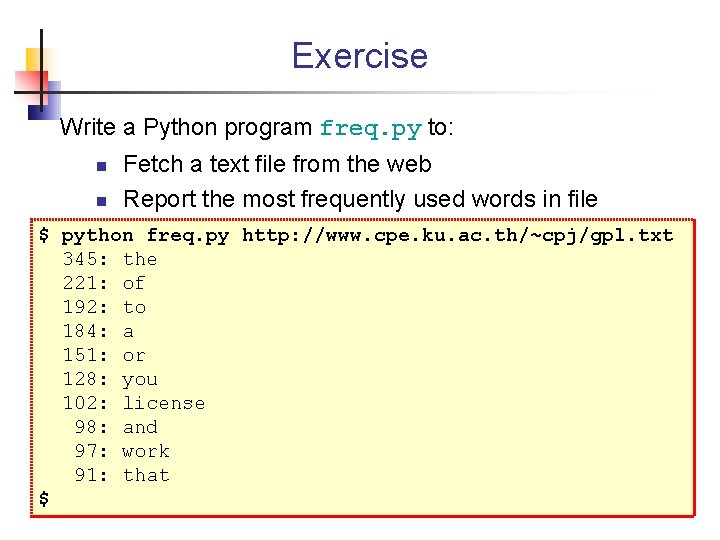
Exercise Write a Python program freq. py to: n n Fetch a text file from the web Report the most frequently used words in file $ python freq. py http: //www. cpe. ku. ac. th/~cpj/gpl. txt 345: the 221: of 192: to 184: a 151: or 128: you 102: license 98: and 97: work 91: that $
![Exercise Hints q Accessing command-line arguments import sys url = sys. argv[1] q Read](http://slidetodoc.com/presentation_image_h2/a3fac6bd63b2efbf4f7dc558e552be02/image-123.jpg "Exercise Hints q Accessing command-line arguments import sys url = sys. argv[1] q Read")
Exercise Hints q Accessing command-line arguments import sys url = sys. argv[1] q Read a webpage - don't do this, use an iterator import urllib contents = urllib. openurl(url). readlines() q Extracting all English words from text import re words = re. findall('[A-Za-z]+', text)
- Slides: 123