
Introduction to Programming Department of Computer Science and
- Slides: 20
Introduction to Programming Department of Computer Science and Information Systems Lecturer: Steve Maybank sjmaybank@dcs. bbk. ac. uk Autumn 2019 and Spring 2020 Week 4: More Arithmetic and Input PFE Appendix B 1
Recall Operators and Expressions § Operators: +, -, *, /, %, //, ** § Example of an expression: (p+4)*5 where 4, 5 are number literals and p is a variable § If p is assigned a numerical value then the expression can be evaluated to yield a number PFE Section 2. 2. 5 2
Recall Precedence of Operators § In order of decreasing precedence exponentiation ** multiplication and division * addition and subtraction + / - // % § If in any doubt then use brackets, 3 -5 -6 = (3 -5)-6 PFE Appendix B 3
Recall Built-in Functions The following functions are always available § abs(-5) § § § # returns 5 round(3. 4) § # returns 3 round(3. 452, 2) § # returns 3. 45 max(1, 5, 2, 9, 3) § # returns 9 min(1, 5, 2, 9, 3) § # returns 1 PFE Section 2. 2. 4 4
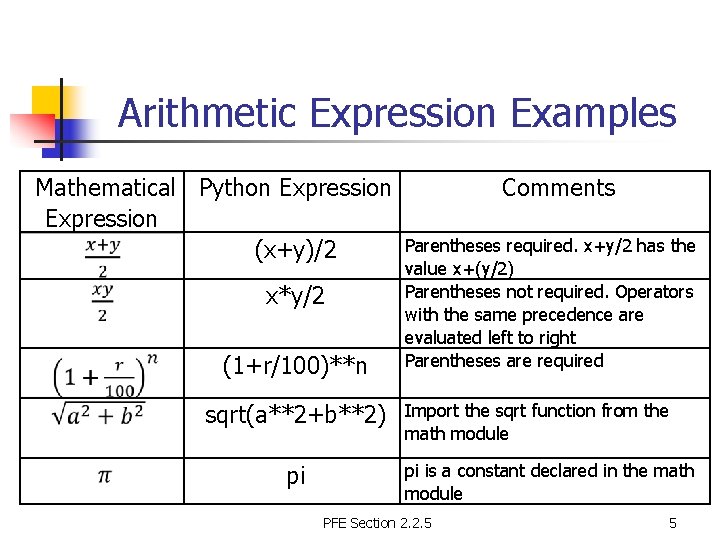
Arithmetic Expression Examples Mathematical Python Expression (x+y)/2 x*y/2 (1+r/100)**n sqrt(a**2+b**2) pi Comments Parentheses required. x+y/2 has the value x+(y/2) Parentheses not required. Operators with the same precedence are evaluated left to right Parentheses are required Import the sqrt function from the math module pi is a constant declared in the math module PFE Section 2. 2. 5 5
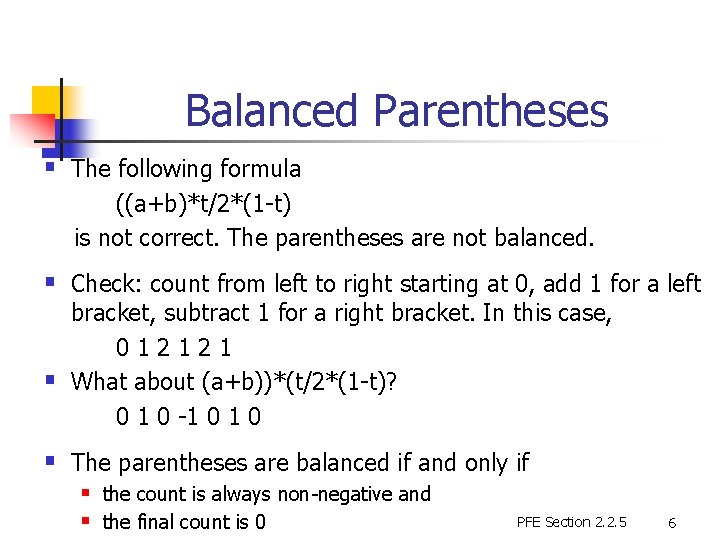
Balanced Parentheses § The following formula ((a+b)*t/2*(1 -t) is not correct. The parentheses are not balanced. § Check: count from left to right starting at 0, add 1 for a left § bracket, subtract 1 for a right bracket. In this case, 012121 What about (a+b))*(t/2*(1 -t)? 0 1 0 -1 0 § The parentheses are balanced if and only if § the count is always non-negative and § the final count is 0 PFE Section 2. 2. 5 6
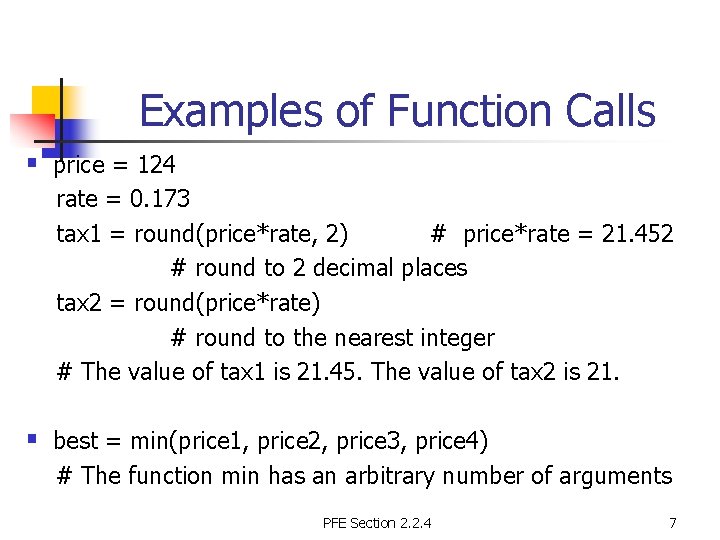
Examples of Function Calls § price = 124 rate = 0. 173 tax 1 = round(price*rate, 2) # price*rate = 21. 452 # round to 2 decimal places tax 2 = round(price*rate) # round to the nearest integer # The value of tax 1 is 21. 45. The value of tax 2 is 21. § best = min(price 1, price 2, price 3, price 4) # The function min has an arbitrary number of arguments PFE Section 2. 2. 4 7
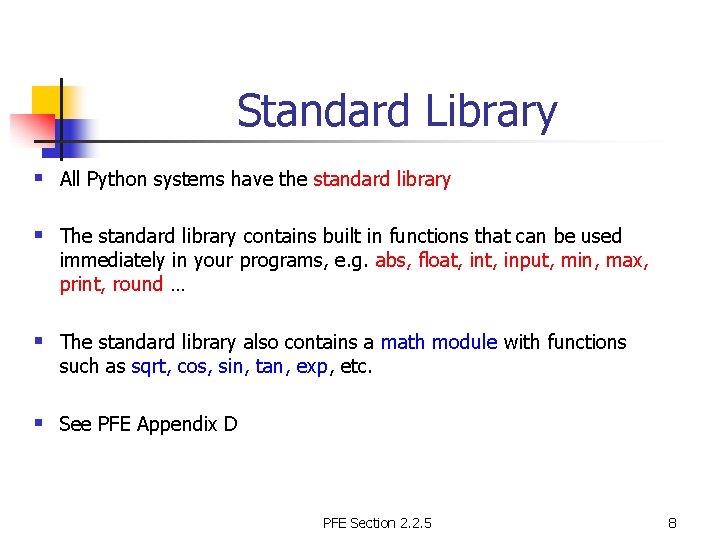
Standard Library § All Python systems have the standard library § The standard library contains built in functions that can be used immediately in your programs, e. g. abs, float, input, min, max, print, round … § The standard library also contains a math module with functions such as sqrt, cos, sin, tan, exp, etc. § See PFE Appendix D PFE Section 2. 2. 5 8
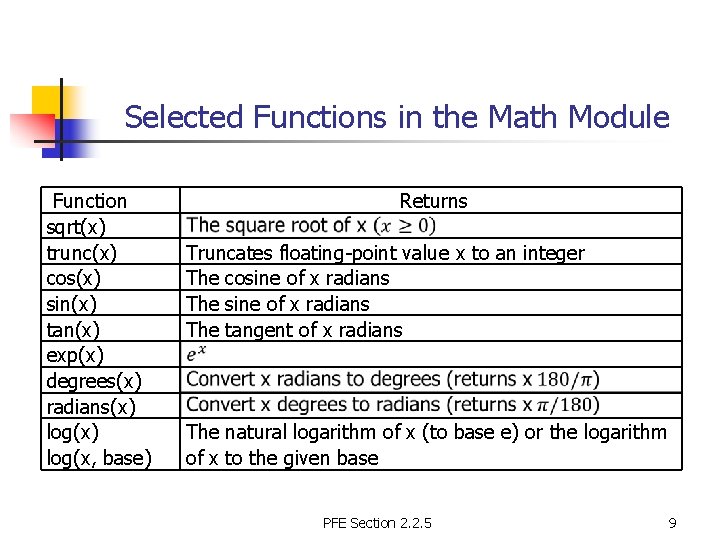
Selected Functions in the Math Module Function sqrt(x) trunc(x) cos(x) sin(x) tan(x) exp(x) degrees(x) radians(x) log(x, base) Returns Truncates floating-point value x to an integer The cosine of x radians The tangent of x radians The natural logarithm of x (to base e) or the logarithm of x to the given base PFE Section 2. 2. 5 9
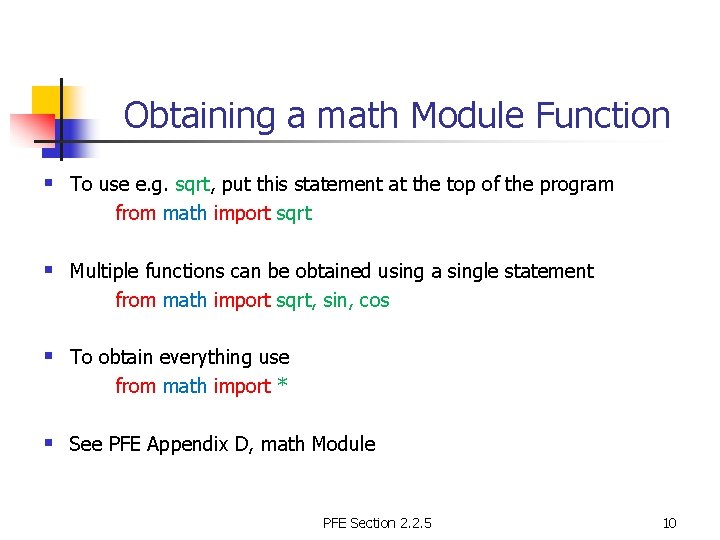
Obtaining a math Module Function § To use e. g. sqrt, put this statement at the top of the program from math import sqrt § Multiple functions can be obtained using a single statement from math import sqrt, sin, cos § To obtain everything use from math import * § See PFE Appendix D, math Module PFE Section 2. 2. 5 10
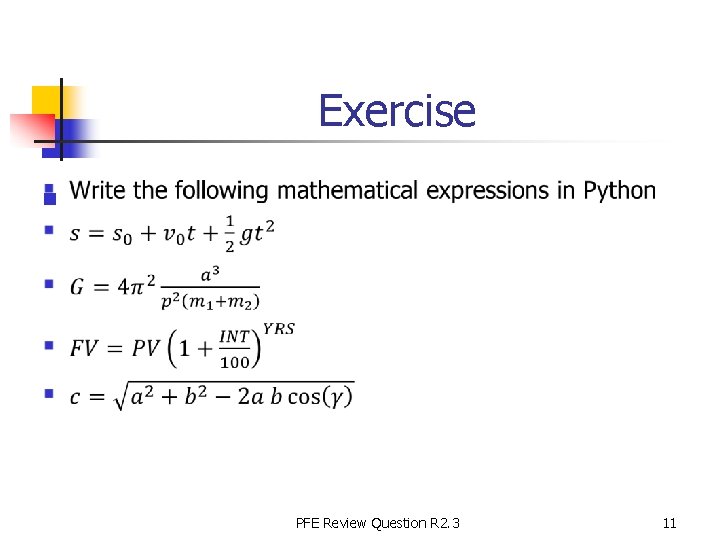
Exercise n PFE Review Question R 2. 3 11
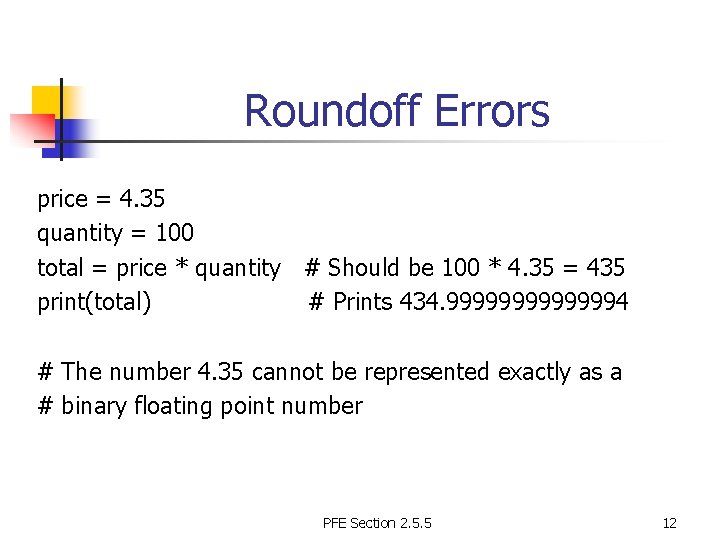
Roundoff Errors price = 4. 35 quantity = 100 total = price * quantity # Should be 100 * 4. 35 = 435 print(total) # Prints 434. 99999994 # The number 4. 35 cannot be represented exactly as a # binary floating point number PFE Section 2. 5. 5 12
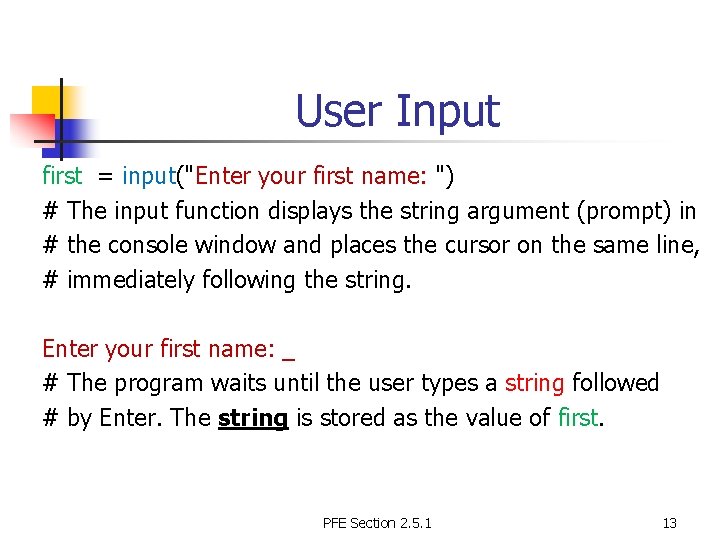
User Input first = input("Enter your first name: ") # The input function displays the string argument (prompt) in # the console window and places the cursor on the same line, # immediately following the string. Enter your first name: _ # The program waits until the user types a string followed # by Enter. The string is stored as the value of first. PFE Section 2. 5. 1 13
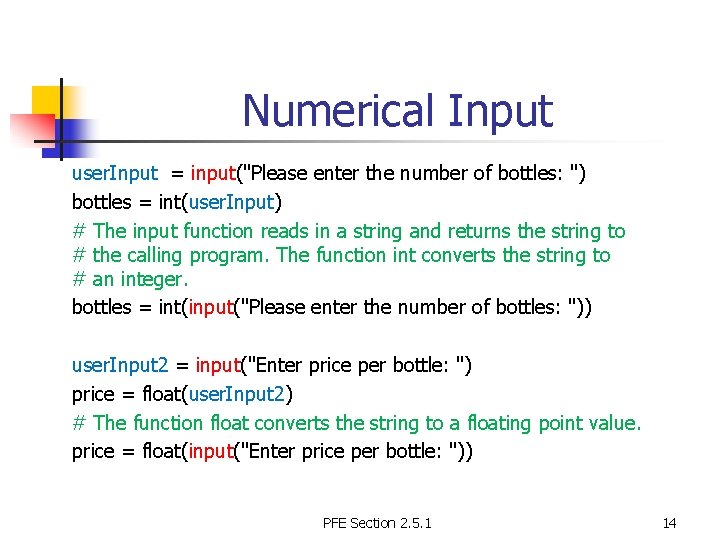
Numerical Input user. Input = input("Please enter the number of bottles: ") bottles = int(user. Input) # The input function reads in a string and returns the string to # the calling program. The function int converts the string to # an integer. bottles = int(input("Please enter the number of bottles: ")) user. Input 2 = input("Enter price per bottle: ") price = float(user. Input 2) # The function float converts the string to a floating point value. price = float(input("Enter price per bottle: ")) PFE Section 2. 5. 1 14
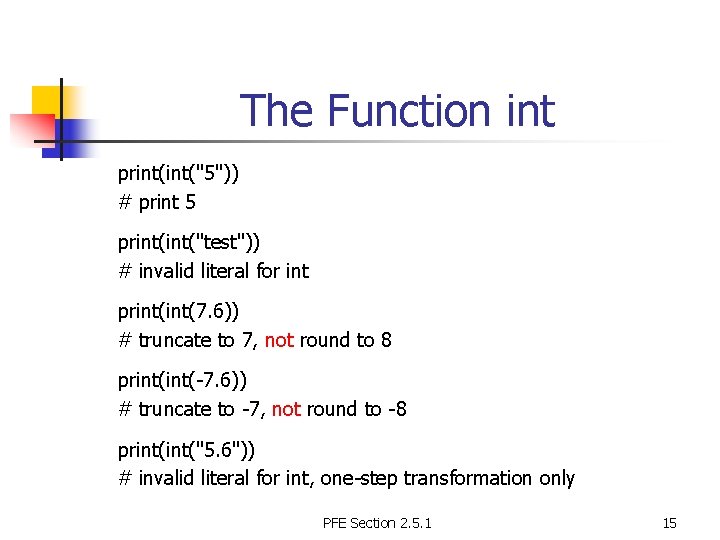
The Function int print("5")) # print 5 print("test")) # invalid literal for int print(7. 6)) # truncate to 7, not round to 8 print(-7. 6)) # truncate to -7, not round to -8 print("5. 6")) # invalid literal for int, one-step transformation only PFE Section 2. 5. 1 15
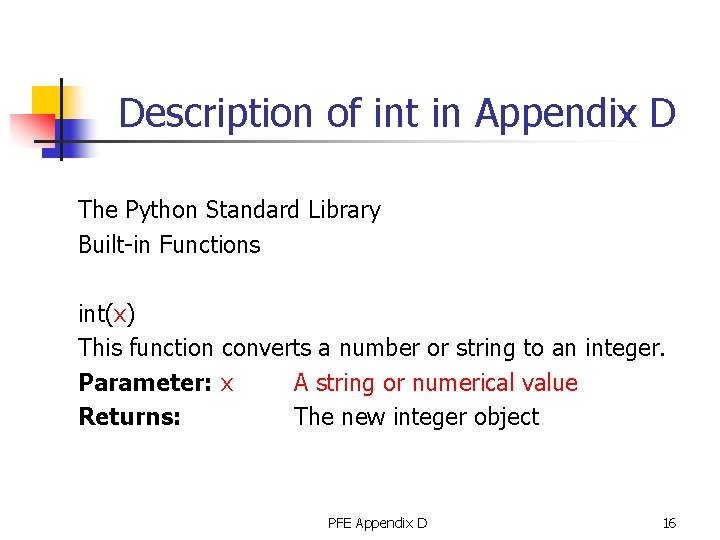
Description of int in Appendix D The Python Standard Library Built-in Functions int(x) This function converts a number or string to an integer. Parameter: x A string or numerical value Returns: The new integer object PFE Appendix D 16
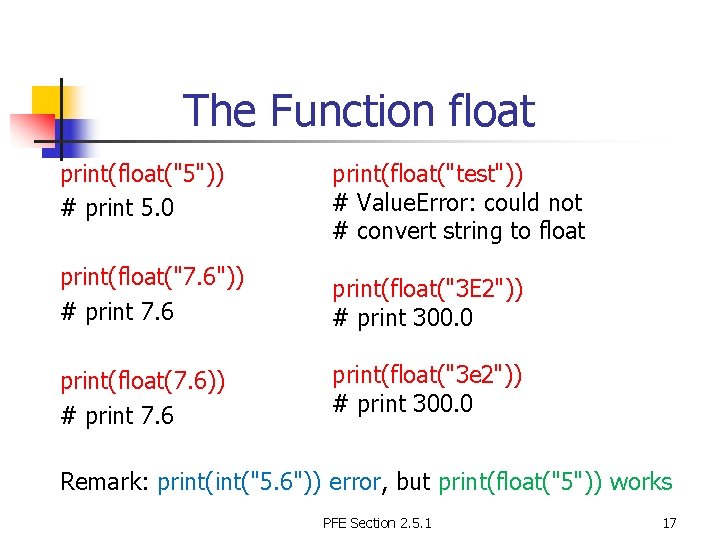
The Function float print(float("5")) # print 5. 0 print(float("test")) # Value. Error: could not # convert string to float print(float("7. 6")) # print 7. 6 print(float("3 E 2")) # print 300. 0 print(float(7. 6)) # print 7. 6 print(float("3 e 2")) # print 300. 0 Remark: print("5. 6")) error, but print(float("5")) works PFE Section 2. 5. 1 17
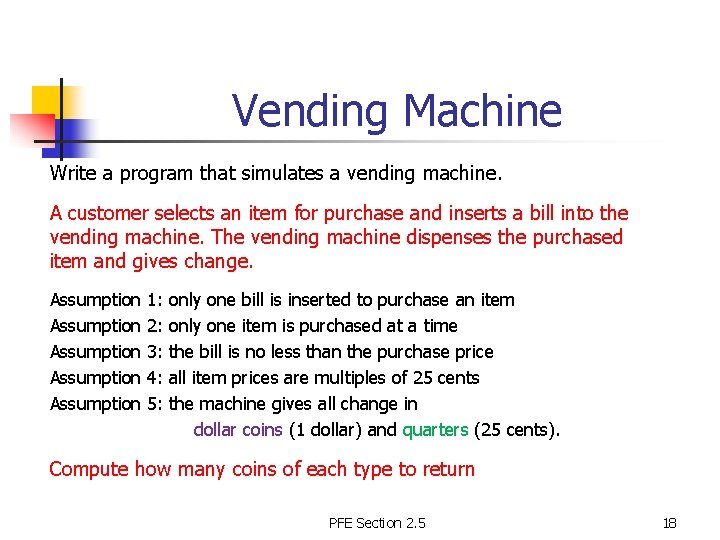
Vending Machine Write a program that simulates a vending machine. A customer selects an item for purchase and inserts a bill into the vending machine. The vending machine dispenses the purchased item and gives change. Assumption Assumption 1: 2: 3: 4: 5: only one bill is inserted to purchase an item only one item is purchased at a time the bill is no less than the purchase price all item prices are multiples of 25 cents the machine gives all change in dollar coins (1 dollar) and quarters (25 cents). Compute how many coins of each type to return PFE Section 2. 5 18
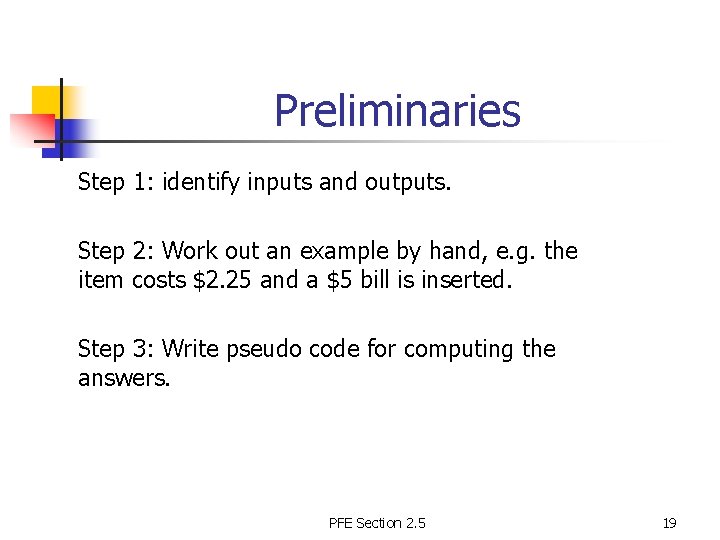
Preliminaries Step 1: identify inputs and outputs. Step 2: Work out an example by hand, e. g. the item costs $2. 25 and a $5 bill is inserted. Step 3: Write pseudo code for computing the answers. PFE Section 2. 5 19
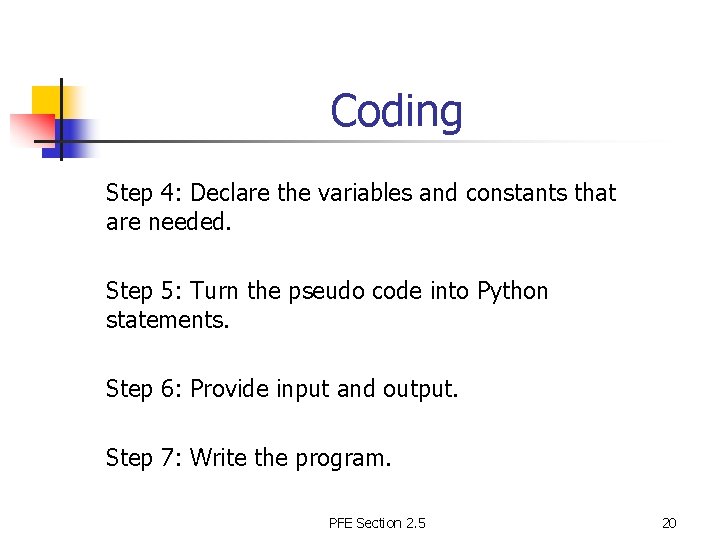
Coding Step 4: Declare the variables and constants that are needed. Step 5: Turn the pseudo code into Python statements. Step 6: Provide input and output. Step 7: Write the program. PFE Section 2. 5 20