
Introduction to Processing Digital Sounds part 3 Barb
Introduction to Processing Digital Sounds part 3 Barb Ericson Georgia Institute of Technology Sept 2005 Georgia Institute of Technology
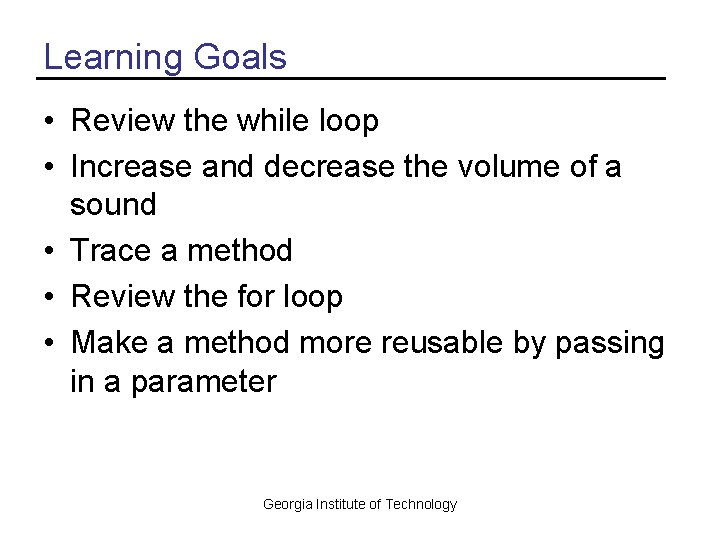
Learning Goals • Review the while loop • Increase and decrease the volume of a sound • Trace a method • Review the for loop • Make a method more reusable by passing in a parameter Georgia Institute of Technology
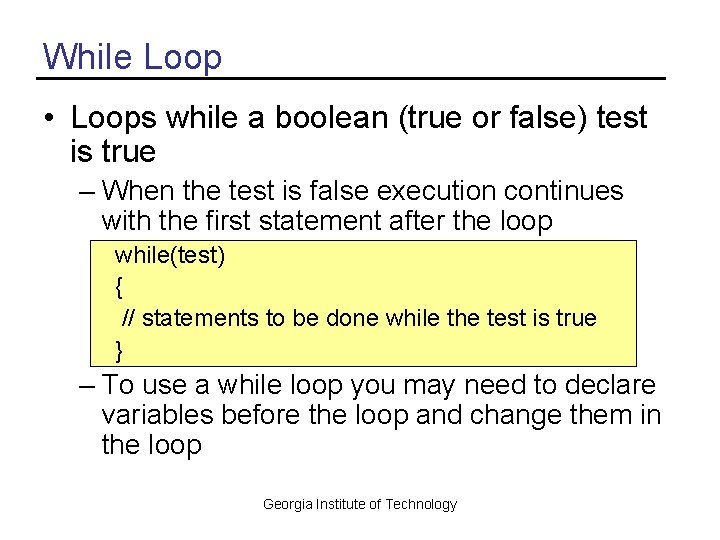
While Loop • Loops while a boolean (true or false) test is true – When the test is false execution continues with the first statement after the loop while(test) { // statements to be done while the test is true } – To use a while loop you may need to declare variables before the loop and change them in the loop Georgia Institute of Technology
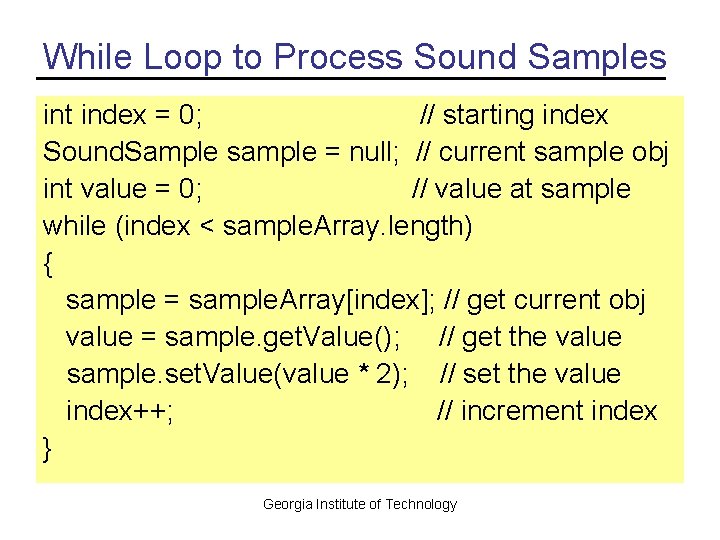
While Loop to Process Sound Samples int index = 0; // starting index Sound. Sample sample = null; // current sample obj int value = 0; // value at sample while (index < sample. Array. length) { sample = sample. Array[index]; // get current obj value = sample. get. Value(); // get the value sample. set. Value(value * 2); // set the value index++; // increment index } Georgia Institute of Technology
![Increase Volume with While Loop public void increase. Volume() { Sound. Sample[] sample. Array](http://slidetodoc.com/presentation_image_h2/a236aa197d9e8a7d88e0305082232f12/image-5.jpg "Increase Volume with While Loop public void increase. Volume() { Sound. Sample[] sample. Array")
Increase Volume with While Loop public void increase. Volume() { Sound. Sample[] sample. Array = this. get. Samples(); // get array int index = 0; // starting index Sound. Sample sample = null; // current sample obj int value = 0; // value at sample // loop through Sound. Sample objects while (index < sample. Array. length) { sample = sample. Array[index]; // get current obj value = sample. get. Value(); // get the value sample. set. Value(value * 2); // set the value index++; // increment index } } Georgia Institute of Technology
Testing increase. Volume • String file = File. Chooser. get. Media. Path(“gettysburg 10. wav“); • • • Sound sound. Obj = new Sound(file); sound. Obj. play(); sound. Obj. explore(); sound. Obj. increase. Volume(); sound. Obj. play(); sound. Obj. explore(); Georgia Institute of Technology
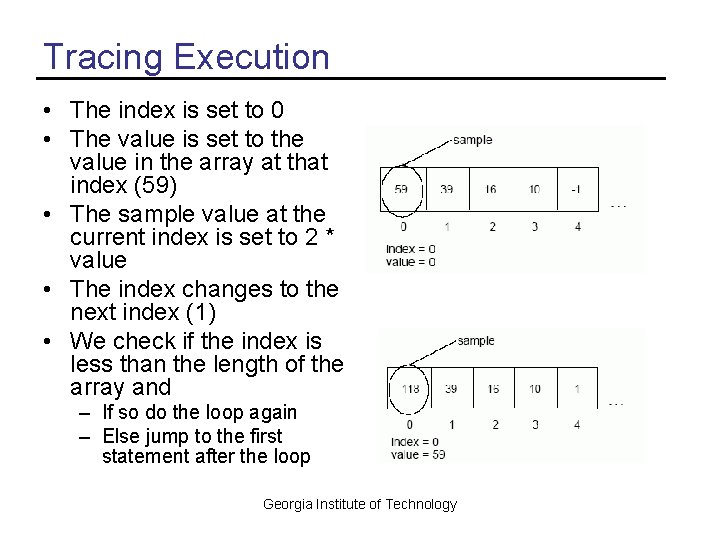
Tracing Execution • The index is set to 0 • The value is set to the value in the array at that index (59) • The sample value at the current index is set to 2 * value • The index changes to the next index (1) • We check if the index is less than the length of the array and – If so do the loop again – Else jump to the first statement after the loop Georgia Institute of Technology
Memory versus Disk • When we read from a file we read from disk into memory – Computers only do calculations on memory • We change the values in memory • The file on the disk hasn’t changed • To save our new sound we need to write a file to the disk – sound. Obj. write(file. Name); Georgia Institute of Technology
Decrease Volume Exercise • Write a method to decrease the volume of the sound – decrease. Volume() – Multiply each value by 0. 5 • What parts need to change from the last method? – Only the calculation of the new value • Try it: Sound s = new Sound( File. Chooser. get. Media. Path(“ gettysburg 10. wav”)); s. explore(); s. decrease. Volulme(); s. explore(); Georgia Institute of Technology
While Loop versus For Loop • It is easy to make mistakes when you use a while loop for looping a set number of times – Forget to declare variables before the loop – Forget to increment the variables in the loop before the next test • Programmers use a For loop when the number of times to loop is known – And a while loop when you don’t know Georgia Institute of Technology
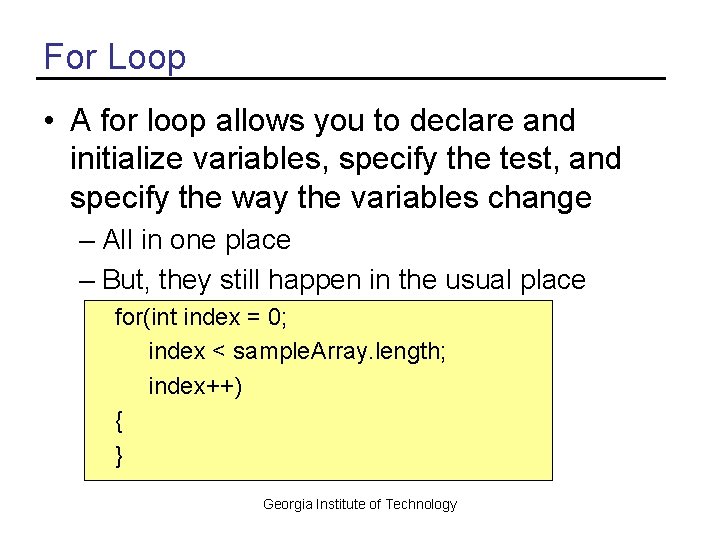
For Loop • A for loop allows you to declare and initialize variables, specify the test, and specify the way the variables change – All in one place – But, they still happen in the usual place for(int index = 0; index < sample. Array. length; index++) { } Georgia Institute of Technology
![Increase Volume with a For Loop public void increase. Volume() { Sound. Sample[] sample.](http://slidetodoc.com/presentation_image_h2/a236aa197d9e8a7d88e0305082232f12/image-12.jpg "Increase Volume with a For Loop public void increase. Volume() { Sound. Sample[] sample.")
Increase Volume with a For Loop public void increase. Volume() { Sound. Sample[] sample. Array = this. get. Samples(); Sound. Sample sample = null; int value = 0; // loop through all the samples in the array for (int index = 0; index < sample. Array. length; index++) { sample = sample. Array[index]; value = sample. get. Value(); sample. set. Value(value * 2); } } Georgia Institute of Technology
Modify decrease. Volume Exercise • Change decrease. Volume to use a for loop – Comment out declaration of the index – Comment out the increment of the index at the end of the loop – Comment out the while and put in a for loop • Test it to make sure it still works – – – String file = File. Chooser. get. Media. Path(“gettysburg 10. wav“); Sound sound. Obj = new Sound(file); sound. Obj. explore(); sound. Obj. decrease. Volume(); sound. Obj. explore(); Georgia Institute of Technology
General Change Volume Method • The methods increase. Volume and decrease. Volume are very similar – They multiply the current sound values by a given amount • To change this you would need to modify the method and compile – The methods would be more reusable if we pass in the amount to multiply the current sound values by • As a parameter to the method Georgia Institute of Technology
![General change. Volume method public void change. Volume(double factor) { Sound. Sample[] sample. Array](http://slidetodoc.com/presentation_image_h2/a236aa197d9e8a7d88e0305082232f12/image-15.jpg "General change. Volume method public void change. Volume(double factor) { Sound. Sample[] sample. Array")
General change. Volume method public void change. Volume(double factor) { Sound. Sample[] sample. Array = this. get. Samples(); Sound. Sample sample = null; int value = 0; // loop through all the samples in the array for (int i = 0; i < sample. Array. length; i++) { sample = sample. Array[i]; value = sample. get. Value(); sample. set. Value((int) (value * factor)); } } Georgia Institute of Technology
Methods calling Methods • One method can call another – Change decrease. Volume and increase. Volume to call change. Volume • You can use – this. change. Volume • To invoke the method on the current object • Or you can use – change. Volume • The this is implicit and will be added by the compiler Georgia Institute of Technology
Summary • Use a while loop to execute a statement or block of statements while a boolean test is true – Often declare and initialize variables before the loop – And modify variables in the loop • Use a for loop to execute a statement or block of statements while a boolean test is true – And specify how to initialize loop variables and change them after each loop in one place • Use parameters to make methods more reusable Georgia Institute of Technology
- Slides: 17