
Introduction to PHP Martin Kruli by Martin Kruli
Introduction to PHP Martin Kruliš by Martin Kruliš (v 1. 3) 6. 12. 2018 1
About PHP � PHP: Hypertext Preprocessor ◦ A powerful scripting language based on Perl syntax ◦ It was designed specifically for creating web pages � History ◦ 1994 Rasmus Lerdorf created set of scripts for maintaining his home page (which used CGI) �Designed in Perl, re-written in C for performance �Denoted “Personal Home Page/Forms Interpreter” �Released for public usage in 1995, community formed ◦ 1997 PHP/FI 2. 0 released by Martin Kruliš (v 1. 3) 6. 12. 2018 2
About PHP � History ◦ 1997 Zeev Suraski and Andi Gutmans �Rewrote entire PHP parser (base for PHP 3) �Rebranded to “PHP: Hypertext Preprocessor” ◦ 1999 PHP core rewritten to Zend Engine ◦ 2000 PHP 4 released (based on Zend Engine 1. 0) �OOP first introduced to PHP (in a bad way) ◦ 2004 PHP 5 released (Zend Engine II) �OOP completely redesigned ◦ 2015 PHP 7 released (Zend Engine III, AST-based) �Current version 7. 1 (2016) by Martin Kruliš (v 1. 3) 6. 12. 2018 3
PHP Scripts � HTML Interleaving ◦ PHP script file is treated as text (HTML) document ◦ Contents between <? php and ? > is treated as script �When the file is processed, the interpret removes script parts executes them and replaces them by their output �Script output is generated by echo or print() �Script controls prevail the HTML code �Short hand mark <? is equivalent of <? php and shorthand mark <? = is the same as <? php echo … � Pure PHP Scripts ◦ Must also start with <? php, but no ending mark is required (nor recommended) by Martin Kruliš (v 1. 3) 6. 12. 2018 4
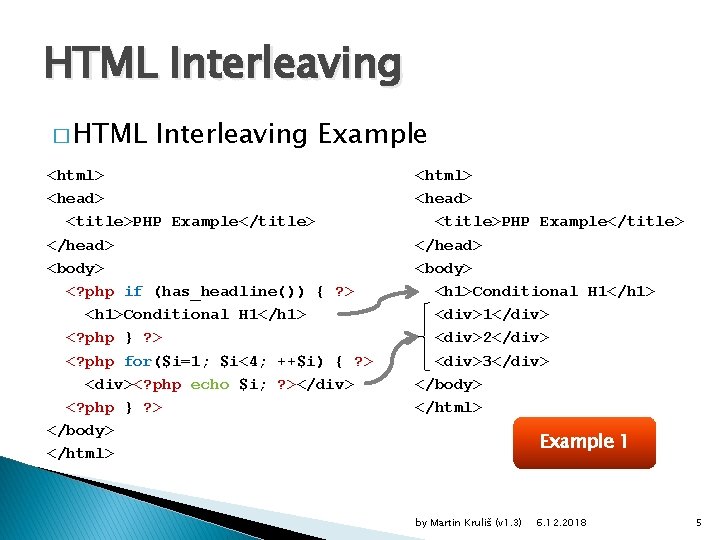
HTML Interleaving � HTML Interleaving Example <html> <head> <title>PHP Example</title> </head> <body> <? php if (has_headline()) { ? > <h 1>Conditional H 1</h 1> <? php } ? > <? php for($i=1; $i<4; ++$i) { ? > <div><? php echo $i; ? ></div> <? php } ? > </body> </html> <head> <title>PHP Example</title> </head> <body> <h 1>Conditional H 1</h 1> <div>1</div> <div>2</div> <div>3</div> </body> </html> Example 1 by Martin Kruliš (v 1. 3) 6. 12. 2018 5
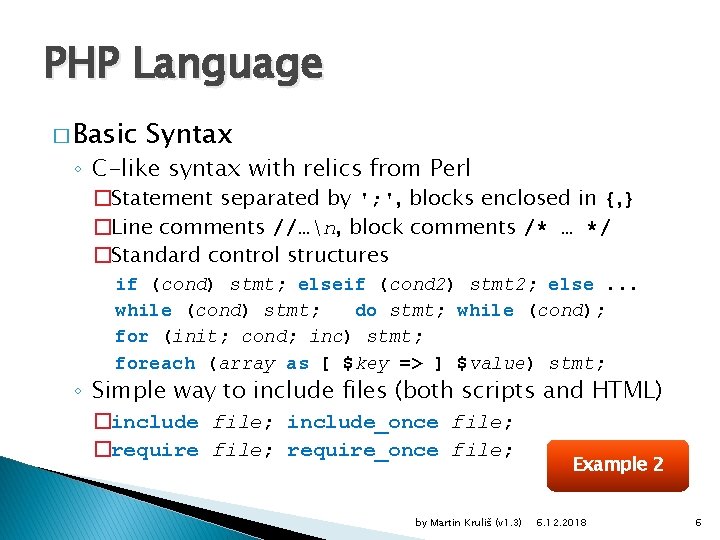
PHP Language � Basic Syntax ◦ C-like syntax with relics from Perl �Statement separated by '; ', blocks enclosed in {, } �Line comments //…n, block comments /* … */ �Standard control structures if (cond) stmt; elseif (cond 2) stmt 2; else. . . while (cond) stmt; do stmt; while (cond); for (init; cond; inc) stmt; foreach (array as [ $key => ] $value) stmt; ◦ Simple way to include files (both scripts and HTML) �include file; include_once file; �require file; require_once file; by Martin Kruliš (v 1. 3) Example 2 6. 12. 2018 6
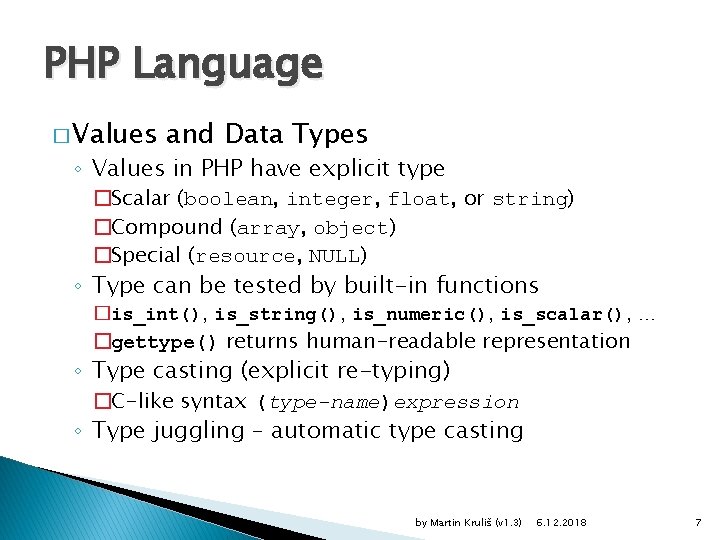
PHP Language � Values and Data Types ◦ Values in PHP have explicit type �Scalar (boolean, integer, float, or string) �Compound (array, object) �Special (resource, NULL) ◦ Type can be tested by built-in functions �is_int(), is_string(), is_numeric(), is_scalar(), … �gettype() returns human-readable representation ◦ Type casting (explicit re-typing) �C-like syntax (type-name)expression ◦ Type juggling – automatic type casting by Martin Kruliš (v 1. 3) 6. 12. 2018 7
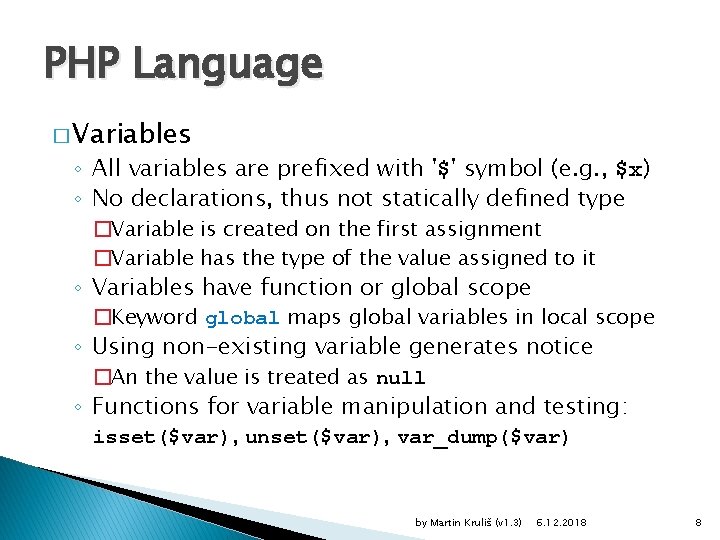
PHP Language � Variables ◦ All variables are prefixed with '$' symbol (e. g. , $x) ◦ No declarations, thus not statically defined type �Variable is created on the first assignment �Variable has the type of the value assigned to it ◦ Variables have function or global scope �Keyword global maps global variables in local scope ◦ Using non-existing variable generates notice �An the value is treated as null ◦ Functions for variable manipulation and testing: isset($var), unset($var), var_dump($var) by Martin Kruliš (v 1. 3) 6. 12. 2018 8
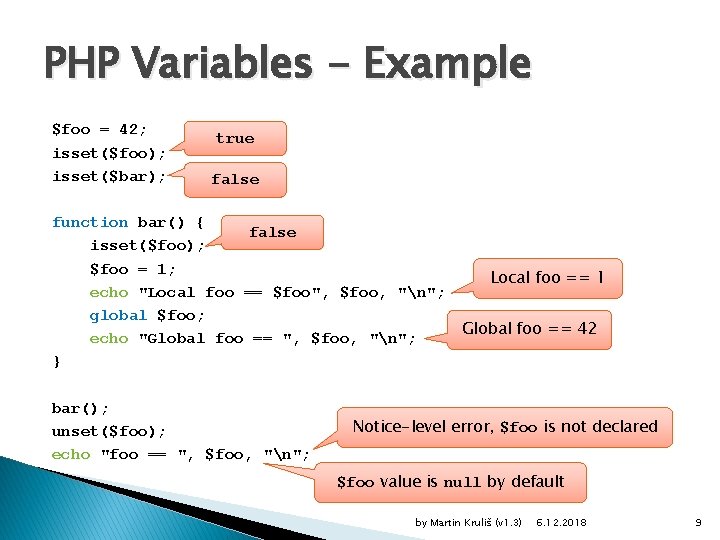
PHP Variables - Example $foo = 42; isset($foo); isset($bar); true false function bar() { false isset($foo); $foo = 1; echo "Local foo == $foo", $foo, "n"; global $foo; echo "Global foo == ", $foo, "n"; } bar(); unset($foo); echo "foo == ", $foo, "n"; Local foo == 1 Global foo == 42 Notice-level error, $foo is not declared $foo value is null by default by Martin Kruliš (v 1. 3) 6. 12. 2018 9
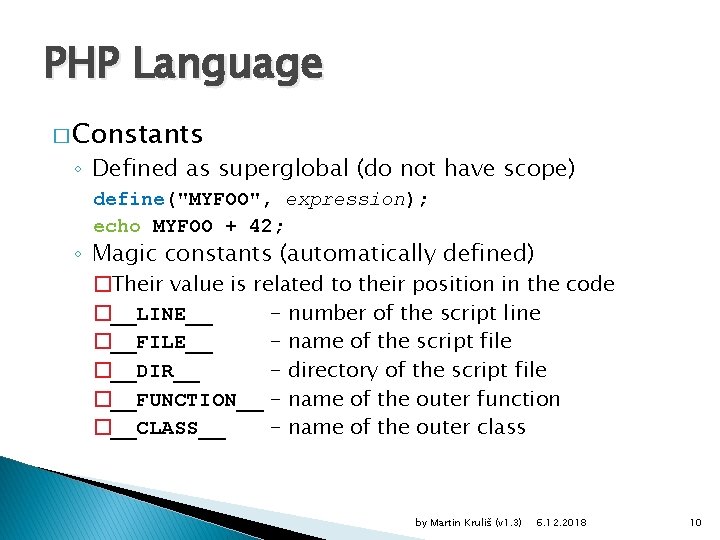
PHP Language � Constants ◦ Defined as superglobal (do not have scope) define("MYFOO", expression); echo MYFOO + 42; ◦ Magic constants (automatically defined) �Their value is related to their position in the code �__LINE__ - number of the script line �__FILE__ - name of the script file �__DIR__ - directory of the script file �__FUNCTION__ - name of the outer function �__CLASS__ - name of the outer class by Martin Kruliš (v 1. 3) 6. 12. 2018 10
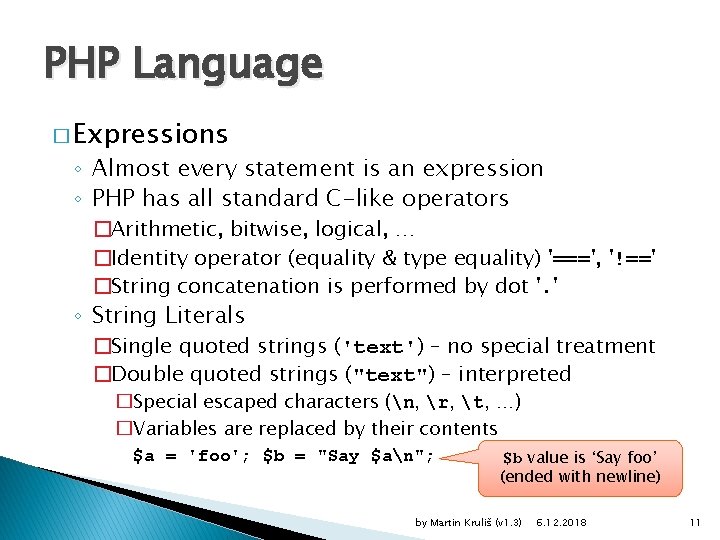
PHP Language � Expressions ◦ Almost every statement is an expression ◦ PHP has all standard C-like operators �Arithmetic, bitwise, logical, … �Identity operator (equality & type equality) '===', '!==' �String concatenation is performed by dot '. ' ◦ String Literals �Single quoted strings ('text') – no special treatment �Double quoted strings ("text") – interpreted �Special escaped characters (n, r, t, …) �Variables are replaced by their contents $a = 'foo'; $b = "Say $an"; $b value is ‘Say foo’ (ended with newline) by Martin Kruliš (v 1. 3) 6. 12. 2018 11
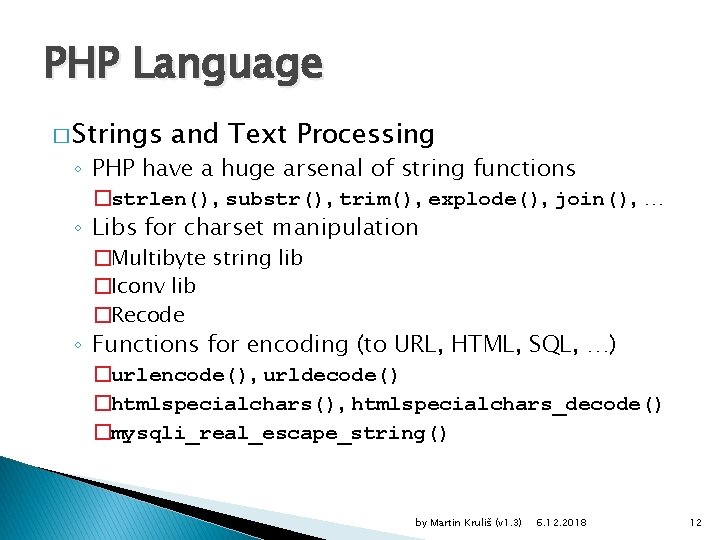
PHP Language � Strings and Text Processing ◦ PHP have a huge arsenal of string functions �strlen(), substr(), trim(), explode(), join(), … ◦ Libs for charset manipulation �Multibyte string lib �Iconv lib �Recode ◦ Functions for encoding (to URL, HTML, SQL, …) �urlencode(), urldecode() �htmlspecialchars(), htmlspecialchars_decode() �mysqli_real_escape_string() by Martin Kruliš (v 1. 3) 6. 12. 2018 12
PHP Language � Regular Expressions ◦ String search patterns based on regular automata �Used for pattern matching, replacement, splitting, … ◦ POSIX syntax �Same syntax as in unix tools (grep, sed, …) �Deprecated as of PHP 5. 3 ◦ Perl (PCRE) syntax �Similar to POSIX syntax, but with more features �Separate set of functions in PHP ◦ Regular expression evaluation is implemented in C �May be faster than implementing string parsing in PHP by Martin Kruliš (v 1. 3) 6. 12. 2018 13
Regular Expression Syntax � Expression ◦ <separator>expr<separator>modifiers ◦ Separator is a single character (usually /, #, %, …) ◦ Pattern modifiers are flags that affect the evaluation � Base Syntax ◦ Sequence of atoms ◦ Atom could be �Simple (non-meta) character (letter, number, …) �Dot (. ) represents any character �A list of characters in [] ([abc], [0 -9 a-z_], …) by Martin Kruliš (v 1. 3) 6. 12. 2018 14
Regular Expression Syntax � Important Meta-characters ◦ - an escaping character for other meta-characters ◦ Anchors ^, $ marking start/end of a string/line �^ in character class definition inverts the set ◦ [, ] – character class definition ◦ {, } – min/max quantifier atom{n}, atom{min, max} �[0 -9]{8} (8 -digit number), . {1, 9} (1 -9 chars) ◦ (, ) – subpattern (treated like an atom) ◦ *, +, ? – repetitions, shorthand notations of {0, }, {1, }, and {0, 1} respectively ◦ | - branches (ptrn 1|ptrn 2) by Martin Kruliš (v 1. 3) 6. 12. 2018 15
Regular Expression Syntax � Character Classes ◦ Pre-defined classes identified by names [: name: ] ◦ ◦ ◦ ◦ �For example [ab[: digit: ]] matches a, b, and 0 -9 alpha – letters digit – decimal digits alnum – letters and digits blank – horizontal whitespace (space and tab) space – any whitespace (including line breaks) lower, upper – lowercase/uppercase letters cntrl – control characters xdigit – hexadecimal digits by Martin Kruliš (v 1. 3) 6. 12. 2018 16
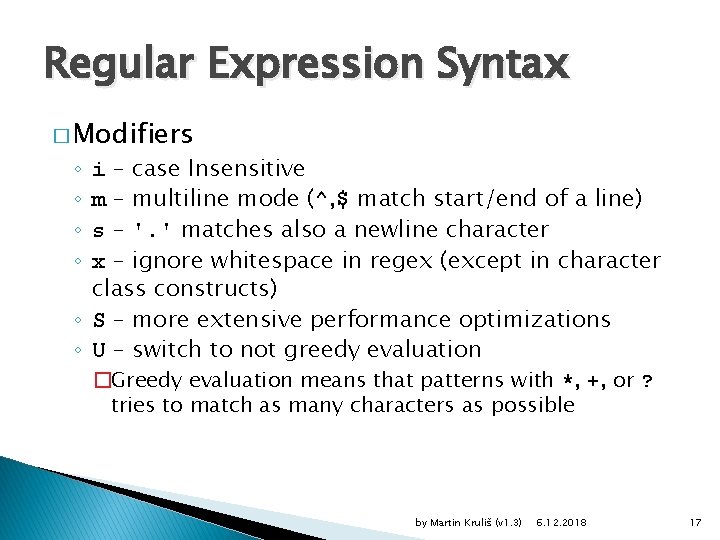
Regular Expression Syntax � Modifiers i – case Insensitive m – multiline mode (^, $ match start/end of a line) s – '. ' matches also a newline character x – ignore whitespace in regex (except in character class constructs) ◦ S – more extensive performance optimizations ◦ U – switch to not greedy evaluation ◦ ◦ �Greedy evaluation means that patterns with *, +, or ? tries to match as many characters as possible by Martin Kruliš (v 1. 3) 6. 12. 2018 17
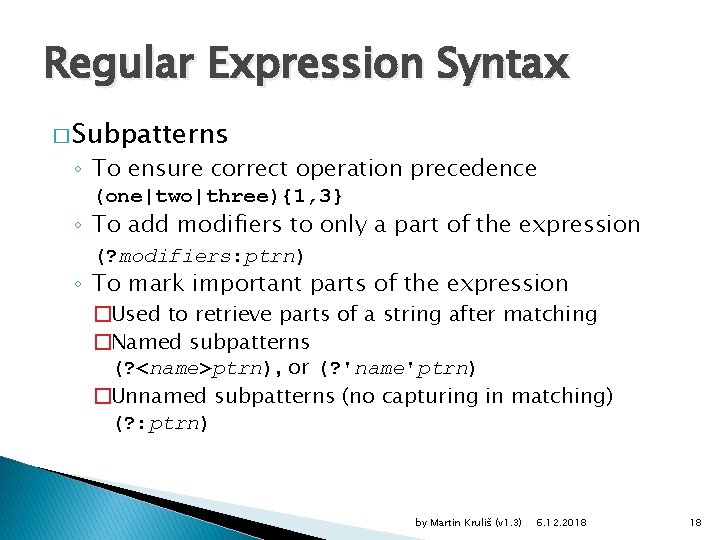
Regular Expression Syntax � Subpatterns ◦ To ensure correct operation precedence (one|two|three){1, 3} ◦ To add modifiers to only a part of the expression (? modifiers: ptrn) ◦ To mark important parts of the expression �Used to retrieve parts of a string after matching �Named subpatterns (? <name>ptrn), or (? 'name'ptrn) �Unnamed subpatterns (no capturing in matching) (? : ptrn) by Martin Kruliš (v 1. 3) 6. 12. 2018 18
![Regular Expression Functions � preg_match($ptrn, $subj [, &$matches]) ◦ Searches given string by a](http://slidetodoc.com/presentation_image_h2/b6351f2d92caaec2f373f31592d7bd7b/image-19.jpg "Regular Expression Functions � preg_match($ptrn, $subj [, &$matches]) ◦ Searches given string by a")
Regular Expression Functions � preg_match($ptrn, $subj [, &$matches]) ◦ Searches given string by a regex ◦ Returns true if the pattern matches the subject ◦ The $matches array gathers the matched substrings of subject with respect to the expression and subpatterns �Subpatterns are indexed from 1 �At index 0 is the entire expression �Named patterns are indexed associatively by their names "6 eggs, 3 spoons of oil, 250 g of flower" ~ /[[: digit: ]]+/ array(1) { [0] => string("6") } by Martin Kruliš (v 1. 3) 6. 12. 2018 19
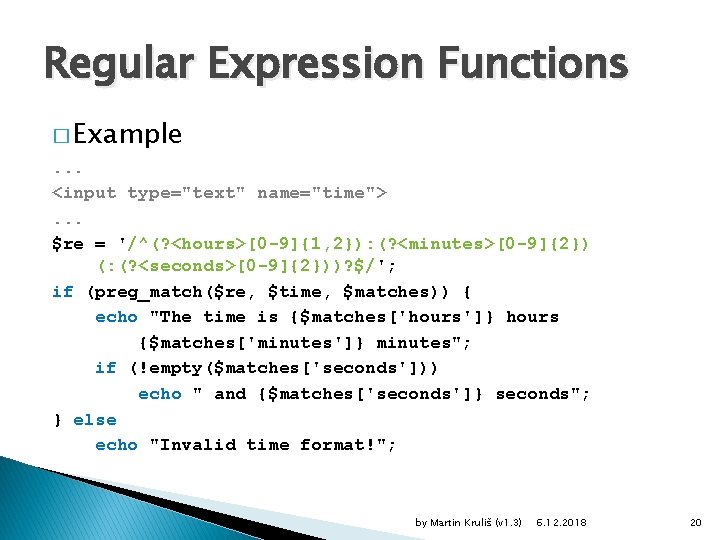
Regular Expression Functions � Example. . . <input type="text" name="time">. . . $re = '/^(? <hours>[0 -9]{1, 2}): (? <minutes>[0 -9]{2}) (: (? <seconds>[0 -9]{2}))? $/'; if (preg_match($re, $time, $matches)) { echo "The time is {$matches['hours']} hours {$matches['minutes']} minutes"; if (!empty($matches['seconds'])) echo " and {$matches['seconds']} seconds"; } else echo "Invalid time format!"; by Martin Kruliš (v 1. 3) 6. 12. 2018 20
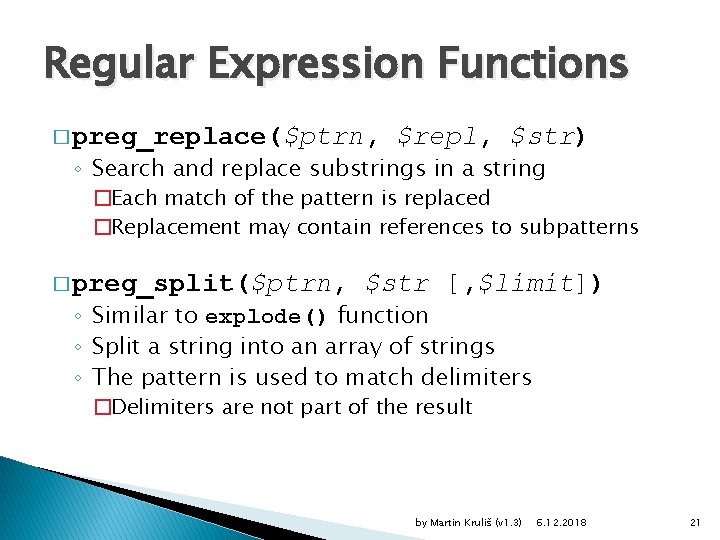
Regular Expression Functions � preg_replace($ptrn, $repl, $str) ◦ Search and replace substrings in a string �Each match of the pattern is replaced �Replacement may contain references to subpatterns � preg_split($ptrn, $str [, $limit]) ◦ Similar to explode() function ◦ Split a string into an array of strings ◦ The pattern is used to match delimiters �Delimiters are not part of the result by Martin Kruliš (v 1. 3) 6. 12. 2018 21
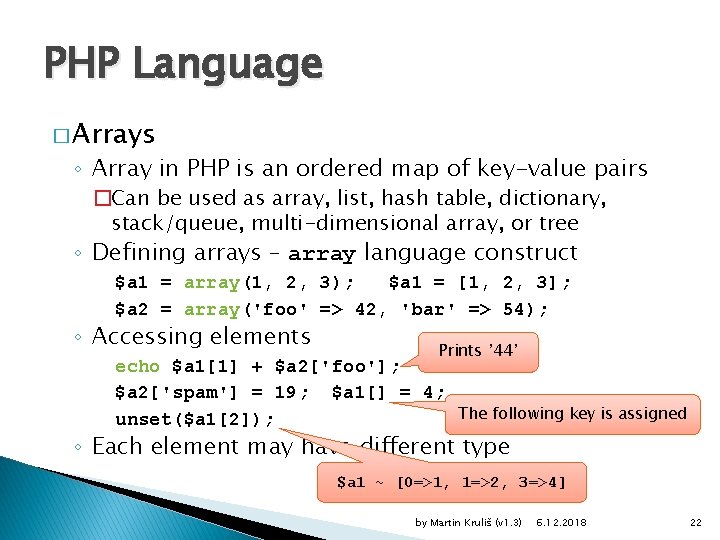
PHP Language � Arrays ◦ Array in PHP is an ordered map of key-value pairs �Can be used as array, list, hash table, dictionary, stack/queue, multi-dimensional array, or tree ◦ Defining arrays – array language construct $a 1 = array(1, 2, 3); $a 1 = [1, 2, 3]; $a 2 = array('foo' => 42, 'bar' => 54); ◦ Accessing elements Prints ’ 44’ echo $a 1[1] + $a 2['foo']; $a 2['spam'] = 19; $a 1[] = 4; The following key is assigned unset($a 1[2]); ◦ Each element may have different type $a 1 ~ [0=>1, 1=>2, 3=>4] by Martin Kruliš (v 1. 3) 6. 12. 2018 22
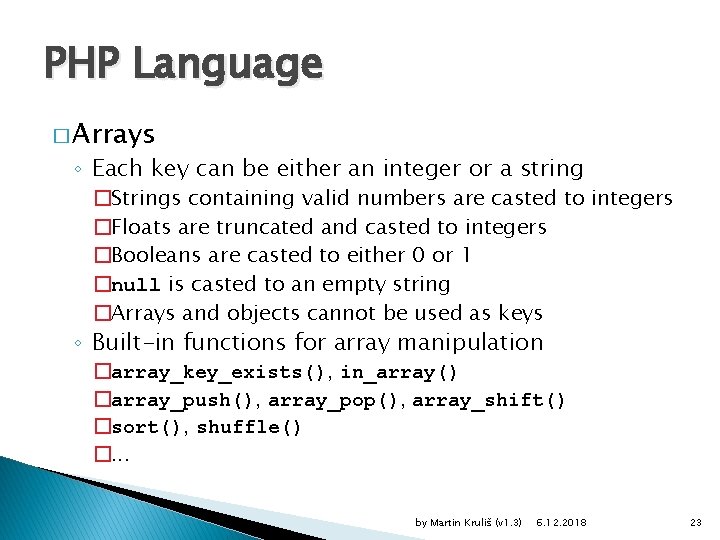
PHP Language � Arrays ◦ Each key can be either an integer or a string �Strings containing valid numbers are casted to integers �Floats are truncated and casted to integers �Booleans are casted to either 0 or 1 �null is casted to an empty string �Arrays and objects cannot be used as keys ◦ Built-in functions for array manipulation �array_key_exists(), in_array() �array_push(), array_pop(), array_shift() �sort(), shuffle() �. . . by Martin Kruliš (v 1. 3) 6. 12. 2018 23
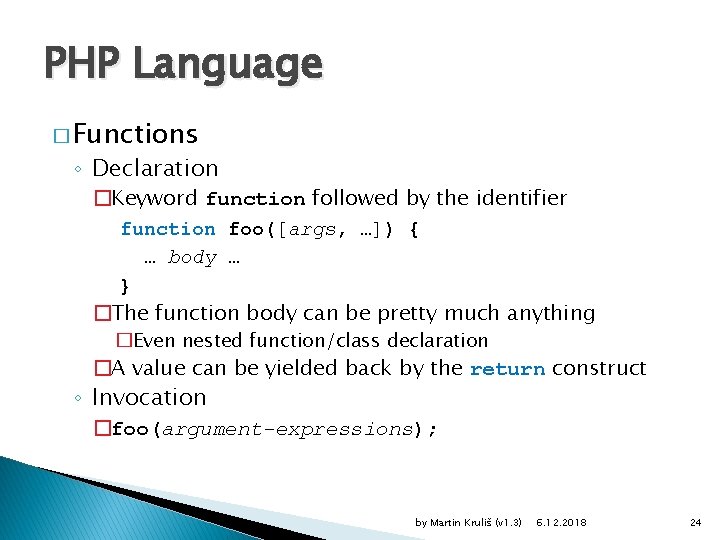
PHP Language � Functions ◦ Declaration �Keyword function followed by the identifier function foo([args, …]) { … body … } �The function body can be pretty much anything �Even nested function/class declaration �A value can be yielded back by the return construct ◦ Invocation �foo(argument-expressions); by Martin Kruliš (v 1. 3) 6. 12. 2018 24
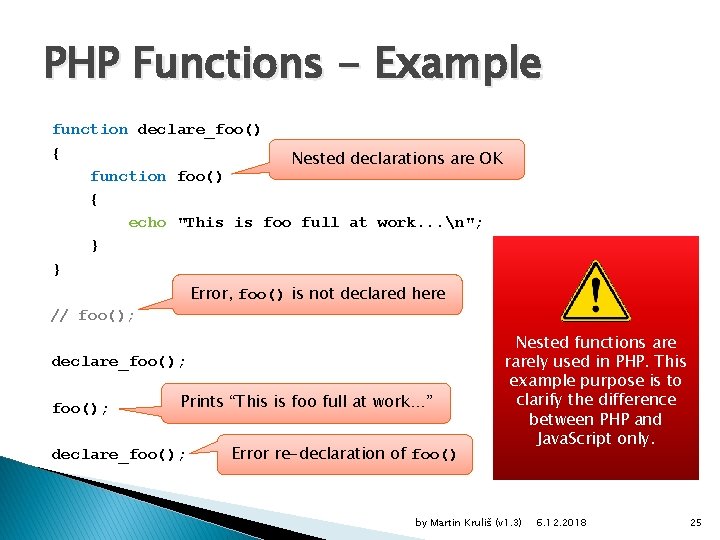
PHP Functions - Example function declare_foo() { Nested declarations are OK function foo() { echo "This is foo full at work. . . n"; } } Error, foo() is not declared here // foo(); declare_foo(); Prints “This is foo full at work…” declare_foo(); Error re-declaration of foo() Nested functions are rarely used in PHP. This example purpose is to clarify the difference between PHP and Java. Script only. by Martin Kruliš (v 1. 3) 6. 12. 2018 25
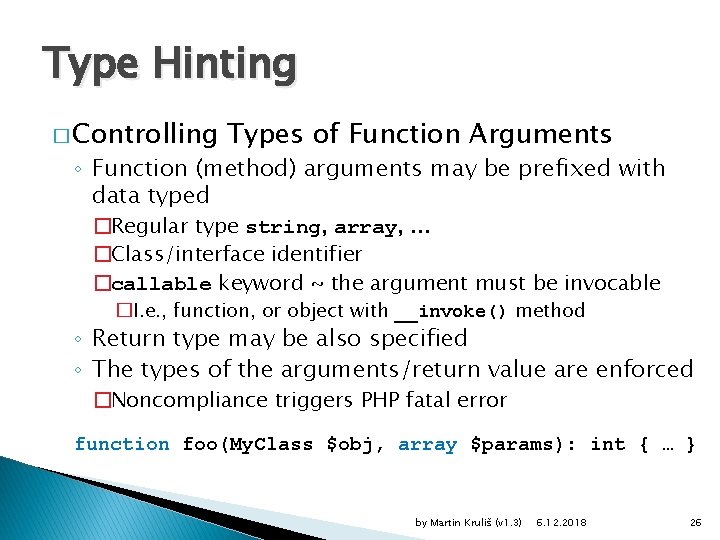
Type Hinting � Controlling Types of Function Arguments ◦ Function (method) arguments may be prefixed with data typed �Regular type string, array, . . . �Class/interface identifier �callable keyword ~ the argument must be invocable �I. e. , function, or object with __invoke() method ◦ Return type may be also specified ◦ The types of the arguments/return value are enforced �Noncompliance triggers PHP fatal error function foo(My. Class $obj, array $params): int { … } by Martin Kruliš (v 1. 3) 6. 12. 2018 26
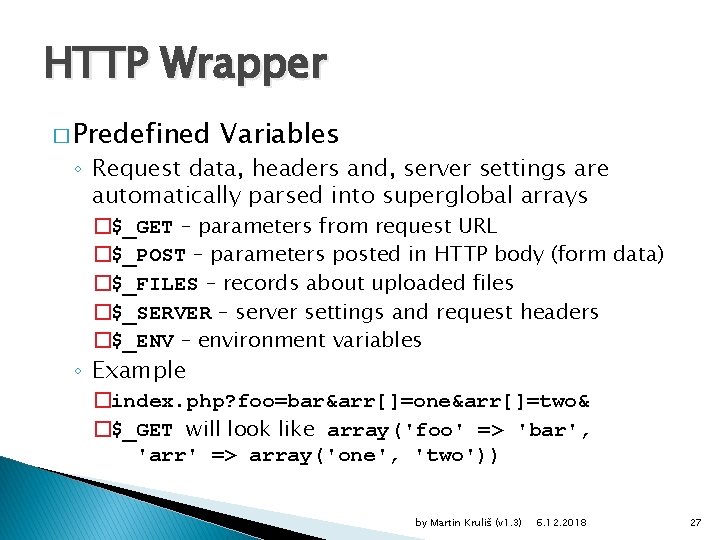
HTTP Wrapper � Predefined Variables ◦ Request data, headers and, server settings are automatically parsed into superglobal arrays �$_GET – parameters from request URL �$_POST – parameters posted in HTTP body (form data) �$_FILES – records about uploaded files �$_SERVER – server settings and request headers �$_ENV – environment variables ◦ Example �index. php? foo=bar&arr[]=one&arr[]=two& �$_GET will look like array('foo' => 'bar', 'arr' => array('one', 'two')) by Martin Kruliš (v 1. 3) 6. 12. 2018 27
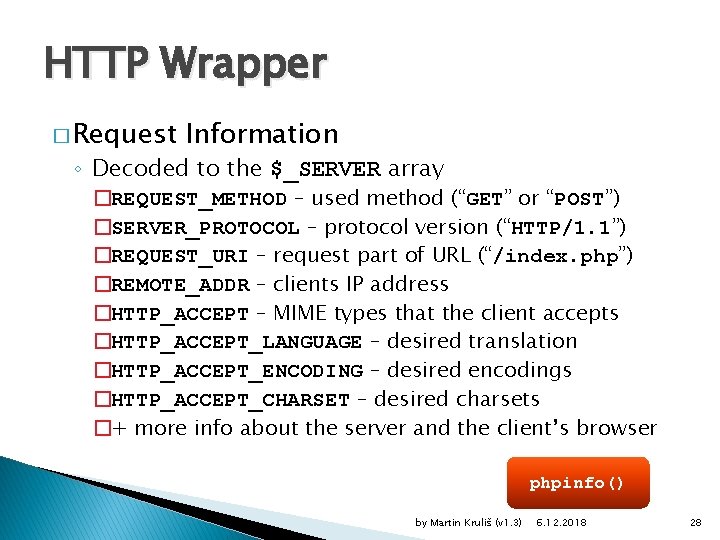
HTTP Wrapper � Request Information ◦ Decoded to the $_SERVER array �REQUEST_METHOD – used method (“GET” or “POST”) �SERVER_PROTOCOL – protocol version (“HTTP/1. 1”) �REQUEST_URI – request part of URL (“/index. php”) �REMOTE_ADDR – clients IP address �HTTP_ACCEPT – MIME types that the client accepts �HTTP_ACCEPT_LANGUAGE – desired translation �HTTP_ACCEPT_ENCODING – desired encodings �HTTP_ACCEPT_CHARSET – desired charsets �+ more info about the server and the client’s browser phpinfo() by Martin Kruliš (v 1. 3) 6. 12. 2018 28
HTTP Wrapper � HTTP Response ◦ Any output from the script is considered a response �Text outside <? php ? > script marks �Data written by echo or print() ◦ Headers may be modified by a function �header('header-line'); �The modifications are parsed and moderated by the web server �Headers may be sent as soon as any output is made �Beware the BOM signatures of unicode files by Martin Kruliš (v 1. 3) 6. 12. 2018 29
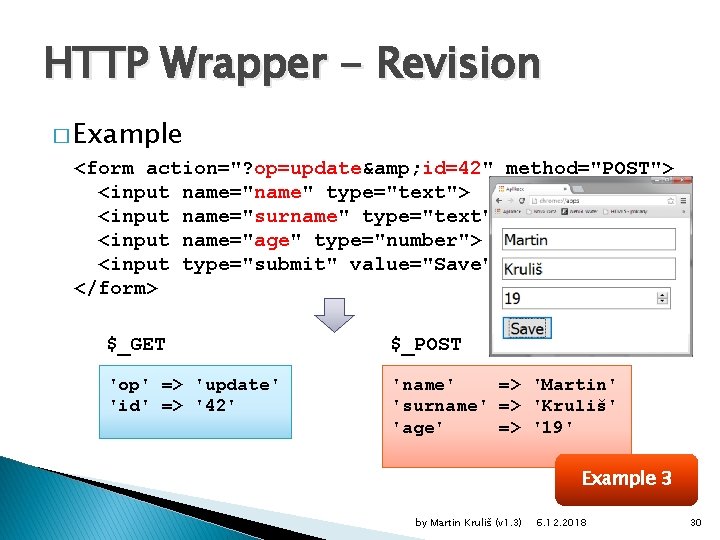
HTTP Wrapper - Revision � Example <form action="? op=update& id=42" method="POST"> <input name="name" type="text"> <input name="surname" type="text"> <input name="age" type="number"> <input type="submit" value="Save"> </form> $_GET $_POST 'op' => 'update' 'id' => '42' 'name' => 'Martin' 'surname' => 'Kruliš' 'age' => '19' Example 3 by Martin Kruliš (v 1. 3) 6. 12. 2018 30

Discussion by Martin Kruliš (v 1. 3) 6. 12. 2018 31
- Slides: 31