
Introduction to OSPF Dev Jeenia Routing and Forwarding


![Configuration modes in OSPFv 3 Entering router mode [no] ipv 6 router ospf <process](https://slidetodoc.com/presentation_image_h2/d4d8732a0e79f9f0823c7c46097f797e/image-36.jpg "Configuration modes in OSPFv 3 Entering router mode [no] ipv 6 router ospf <process")
![OSPFv 3 Specific Attributes – IOS Configuring area range [no] area <area ID> range](https://slidetodoc.com/presentation_image_h2/d4d8732a0e79f9f0823c7c46097f797e/image-37.jpg "OSPFv 3 Specific Attributes – IOS Configuring area range [no] area <area ID> range")
- Slides: 41
Introduction to OSPF Dev Jeenia
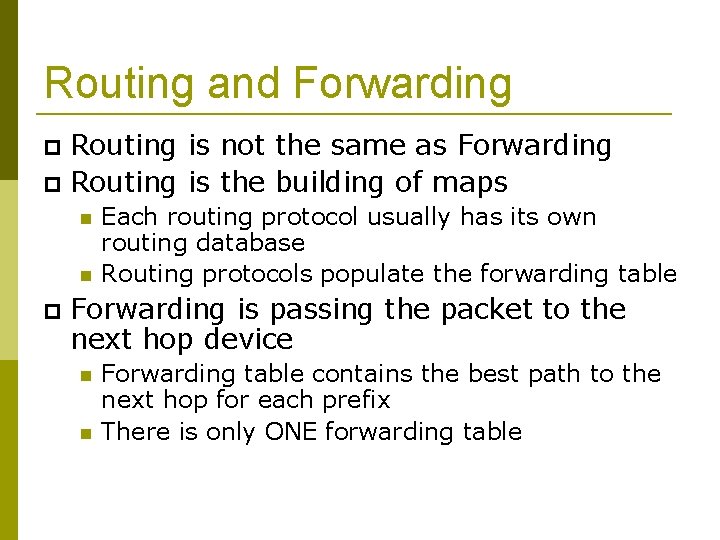
Routing and Forwarding Routing is not the same as Forwarding Routing is the building of maps Each routing protocol usually has its own routing database Routing protocols populate the forwarding table Forwarding is passing the packet to the next hop device Forwarding table contains the best path to the next hop for each prefix There is only ONE forwarding table
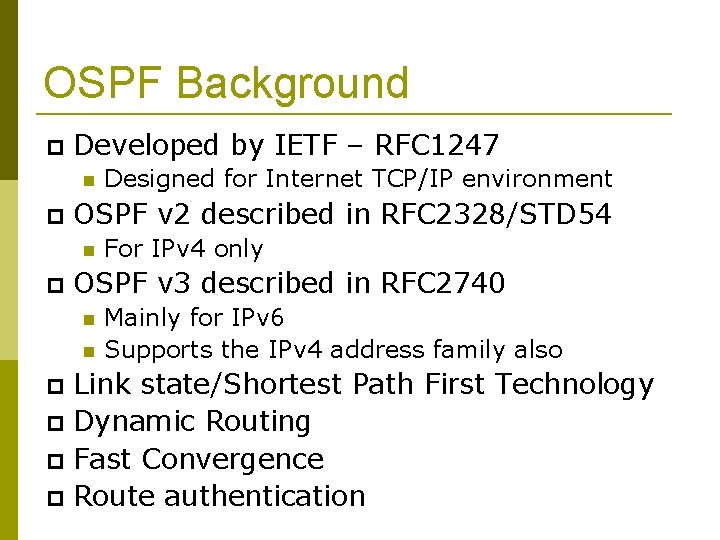
OSPF Background Developed by IETF – RFC 1247 OSPF v 2 described in RFC 2328/STD 54 Designed for Internet TCP/IP environment For IPv 4 only OSPF v 3 described in RFC 2740 Mainly for IPv 6 Supports the IPv 4 address family also Link state/Shortest Path First Technology Dynamic Routing Fast Convergence Route authentication
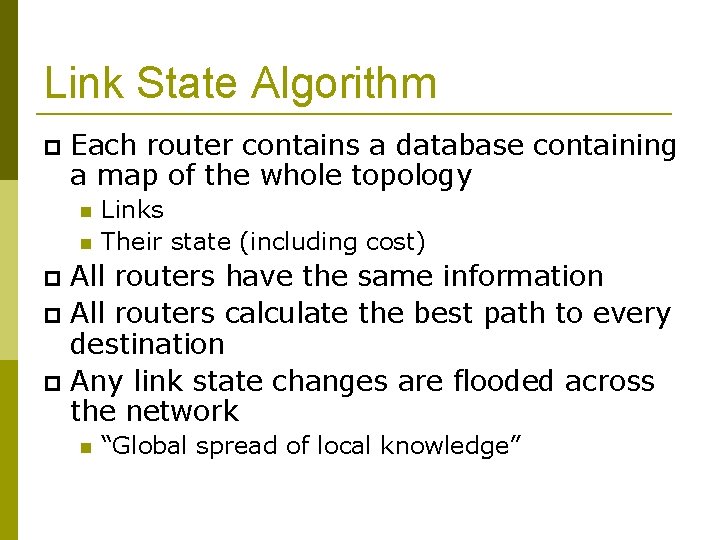
Link State Algorithm Each router contains a database containing a map of the whole topology Links Their state (including cost) All routers have the same information All routers calculate the best path to every destination Any link state changes are flooded across the network “Global spread of local knowledge”
Link State Routing Automatic neighbour discovery Each router constructs a Link State Packet (LSP) Neighbours are physically connected routers OSPF runs over IP Distributes the LSP to neighbours… …using an LSA (Link State Advertisements) Each router computes its best path to every destination On network failure New LSPs are flooded All routers recompute routing table
Low Bandwidth Requirements Only changes are propagated Multicast used on multi-access broadcast networks 224. 0. 0. 5 used for all OSPF speakers 224. 0. 0. 6 used for DR and BDR routers
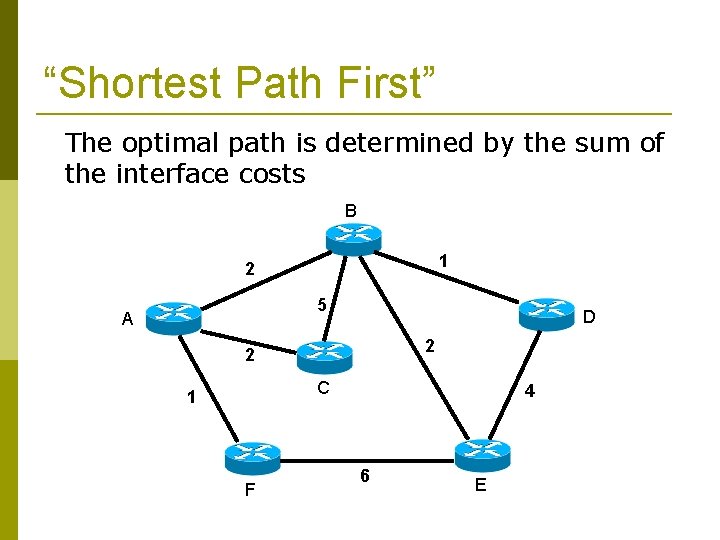
“Shortest Path First” The optimal path is determined by the sum of the interface costs B 1 2 5 A D 2 2 C 1 F 4 6 E
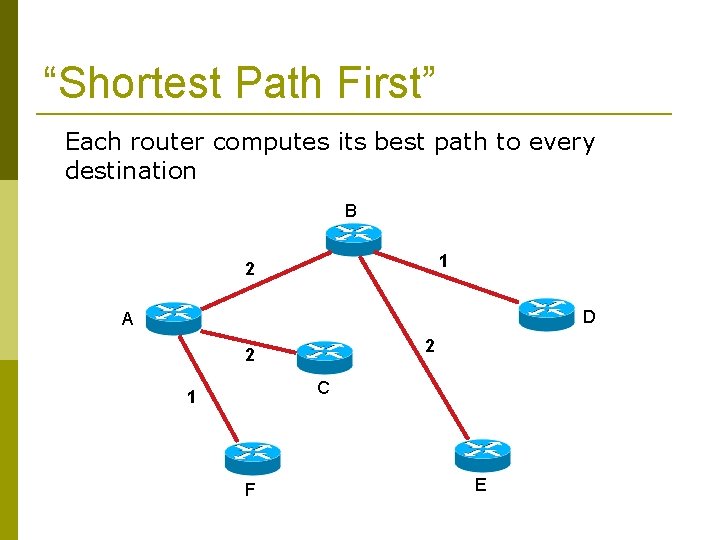
“Shortest Path First” Each router computes its best path to every destination B 1 2 D A 2 2 C 1 F E
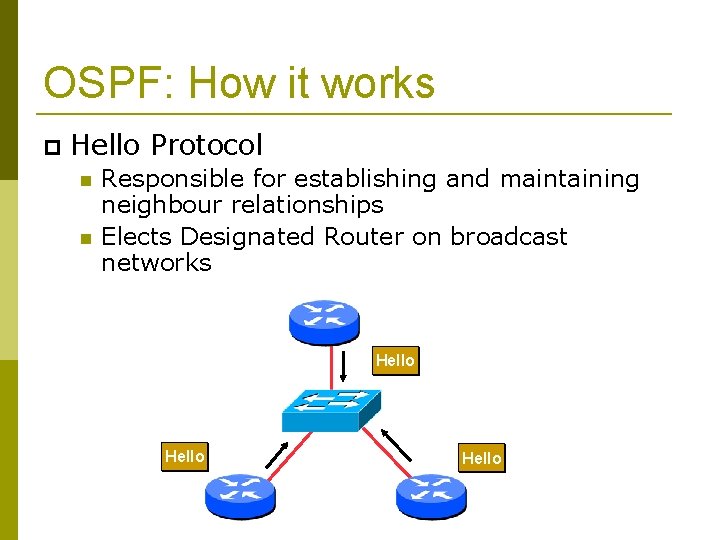
OSPF: How it works Hello Protocol Responsible for establishing and maintaining neighbour relationships Elects Designated Router on broadcast networks Hello
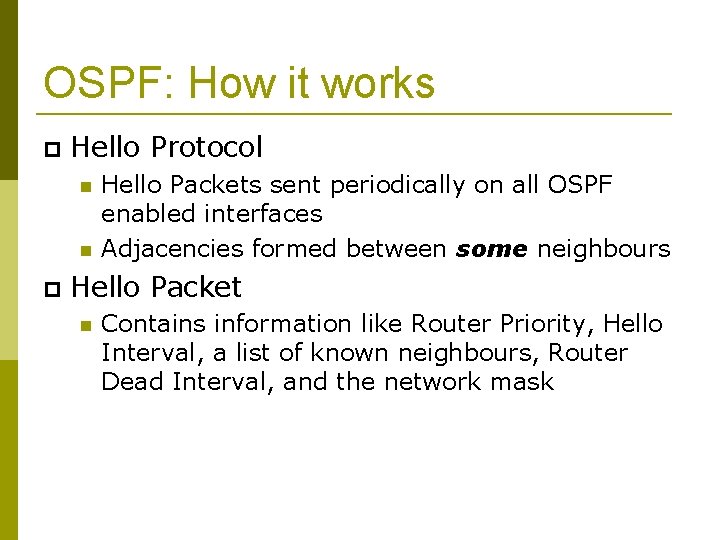
OSPF: How it works Hello Protocol Hello Packets sent periodically on all OSPF enabled interfaces Adjacencies formed between some neighbours Hello Packet Contains information like Router Priority, Hello Interval, a list of known neighbours, Router Dead Interval, and the network mask
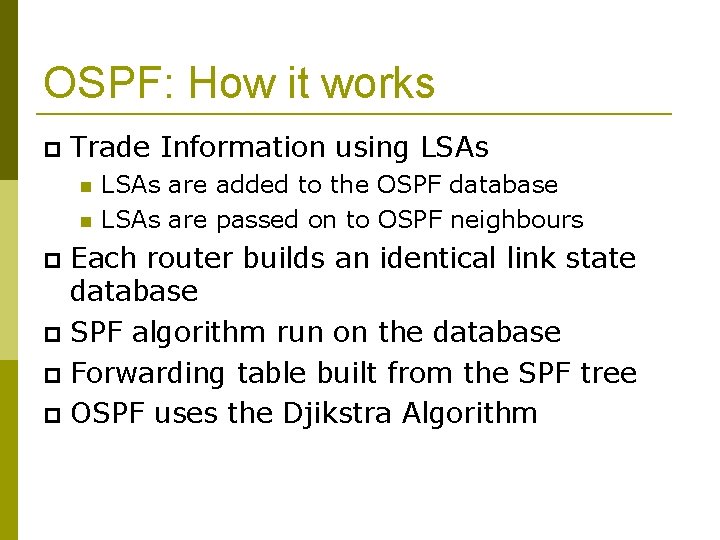
OSPF: How it works Trade Information using LSAs are added to the OSPF database LSAs are passed on to OSPF neighbours Each router builds an identical link state database SPF algorithm run on the database Forwarding table built from the SPF tree OSPF uses the Djikstra Algorithm
OSPF: How it works When change occurs: Announce the change to all OSPF neighbours All routers run the SPF algorithm on the revised database Install any change in the forwarding table
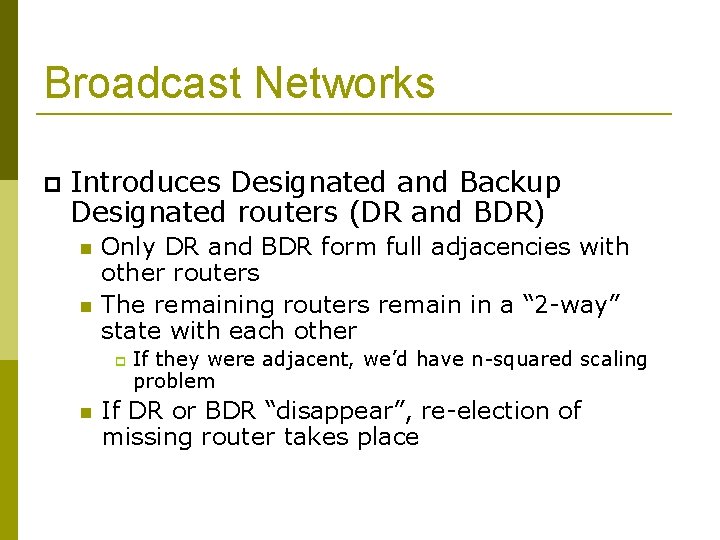
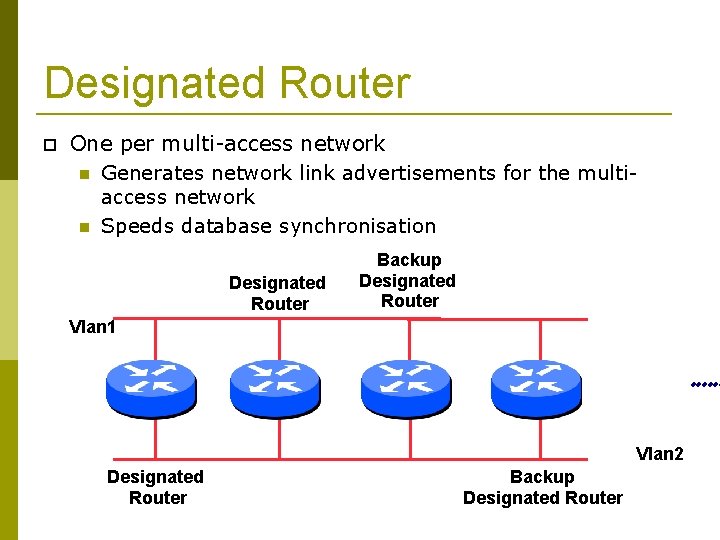
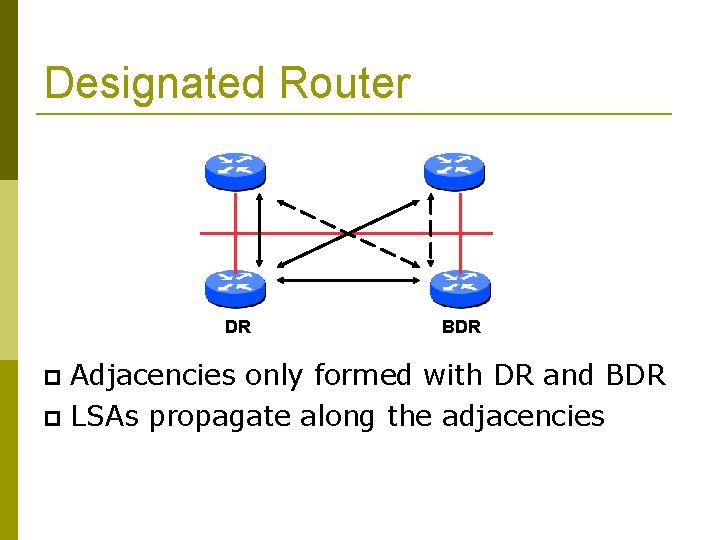
Broadcast Networks Introduces Designated and Backup Designated routers (DR and BDR) Only DR and BDR form full adjacencies with other routers The remaining routers remain in a “ 2 -way” state with each other If they were adjacent, we’d have n-squared scaling problem If DR or BDR “disappear”, re-election of missing router takes place
Designated Router One per multi-access network Generates network link advertisements for the multiaccess network Speeds database synchronisation Designated Router Backup Designated Router Vlan 1 Vlan 2 Designated Router Backup Designated Router
Designated Router All routers are adjacent to the DR All routers exchange routing information with the BDR DR updates the database of all its neighbours All routers are adjacent to the BDR also BDR updates the database of all its neighbours This scales! 2 n problem rather than having an nsquared problem.
Designated Router DR BDR Adjacencies only formed with DR and BDR LSAs propagate along the adjacencies
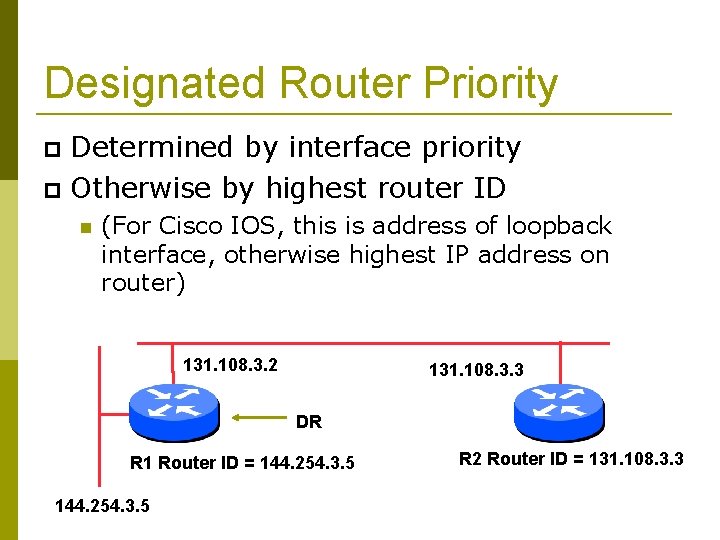
Designated Router Priority Determined by interface priority Otherwise by highest router ID (For Cisco IOS, this is address of loopback interface, otherwise highest IP address on router) 131. 108. 3. 2 131. 108. 3. 3 DR R 1 Router ID = 144. 254. 3. 5 R 2 Router ID = 131. 108. 3. 3
More Advanced OSPF Areas Router Classification OSPF route types Route authentication Equal cost multipath
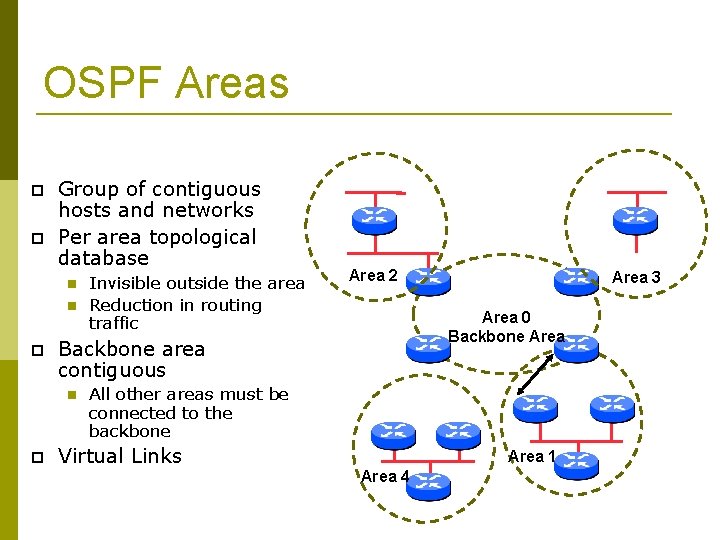
OSPF Areas Group of contiguous hosts and networks Per area topological database Area 2 Area 3 Area 0 Backbone Area Backbone area contiguous Invisible outside the area Reduction in routing traffic All other areas must be connected to the backbone Virtual Links Area 1 Area 4
OSPF Areas Reduces routing traffic in area 0 Consider subdividing network into areas Once area 0 is more than 30+ routers (though areas with 200+ routers in an area are known to work fine) Once area 0 topology starts getting complex Less often today but when a group of routers is over an expensive small link e. g vsat Area design often mimics typical ISP core network design Virtual links are used for “awkward” connectivity topologies (…) please do not
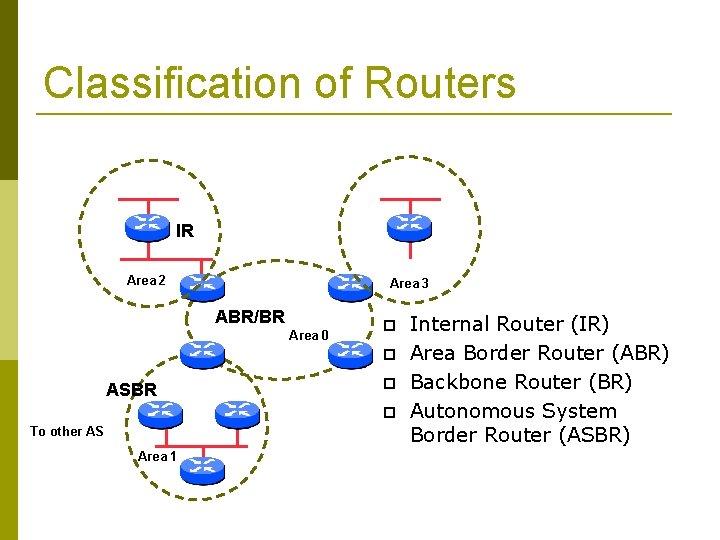
Classification of Routers IR Area 2 Area 3 ABR/BR Area 0 ASBR To other AS Area 1 Internal Router (IR) Area Border Router (ABR) Backbone Router (BR) Autonomous System Border Router (ASBR)
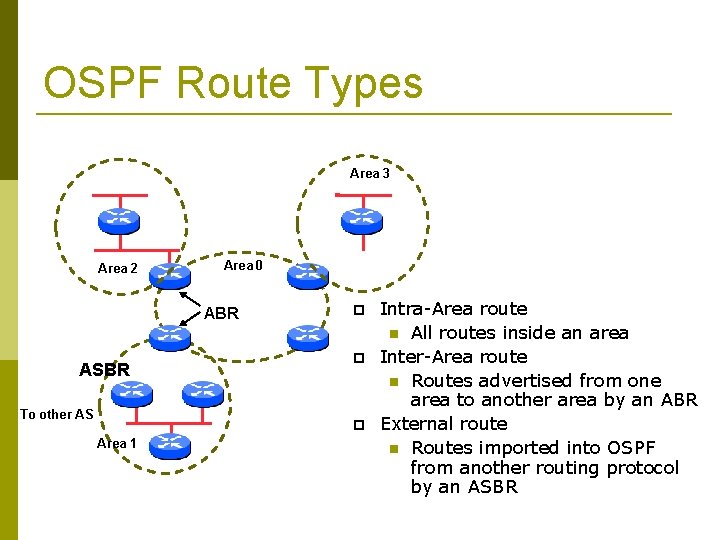
OSPF Route Types Area 3 Area 2 Area 0 ABR ASBR To other AS Area 1 Intra-Area route All routes inside an area Inter-Area route Routes advertised from one area to another area by an ABR External route Routes imported into OSPF from another routing protocol by an ASBR
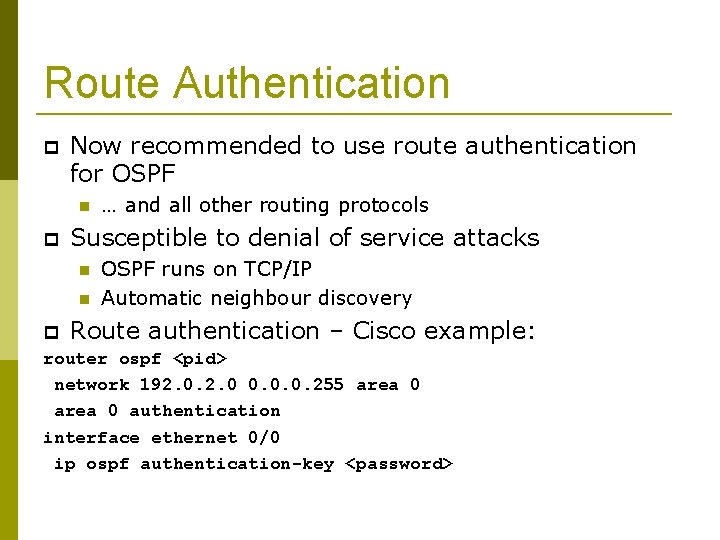
Route Authentication Now recommended to use route authentication for OSPF … and all other routing protocols Susceptible to denial of service attacks OSPF runs on TCP/IP Automatic neighbour discovery Route authentication – Cisco example: router ospf <pid> network 192. 0 0. 0. 0. 255 area 0 authentication interface ethernet 0/0 ip ospf authentication-key <password>
Equal Cost Multipath If n paths to same destination have equal cost, OSPF will install n entries in the forwarding table Loadsharing over the n paths Useful for expanding links across an ISP backbone Don’t need to use hardware multiplexors Don’t need to use static routing
Summary Link State Protocol Shortest Path First OSPF operation Broadcast networks Designated and Backup Designated Router Advanced Topics Areas, router classification, external networks, authentication, multipath
OSPFv 3
OSPFv 3 overview OSPF for IPv 6 Based on OSPFv 2, with enhancements Distributes IPv 6 prefixes Runs directly over IPv 6 “Ships in the night” with OSPFv 2 Can distribute IPv 4 prefixes (if supported)
OSPFv 3 / OSPFv 2 Similarities Basic packet types Hello, DBD, LSR, LSU, LSA Mechanisms for neighbor discovery and adjacency formation Interface types P 2 P, P 2 MP, Broadcast, NBMA, Virtual LSA flooding and ageing Nearly identical LSA types
v 2, v 3 Differences OSPFv 3 runs on a Link instead of per IP Subnet A link by definition is a medium over which two nodes can communicate at link layer In IPv 6 multiple IP subnets can be assigned to a link and two nodes in different subnets can communicate over this link. Therefore, OSPFv 3 runs per link instead of per IP subnet.
v 2, v 3 Differences (Cont. ) Separation of prefix & topology information OSPFv 2 carries IP address information in Type 1 & Type 2 LSA’s. Makes routers announce both their IP addresses and topology information in the same LSA’s. A change in an IP address means a Type 1 LSA is originated. But because Type 1 LSA’s also carry topology information, a full SPF is run in the local OSPF area – unnecessary; only IP address is affected. So only Type 3, 4, 5 and 7 LSA’s trigger PRC in OSPFv 2, as their only purpose is to signal prefix information (external areas).
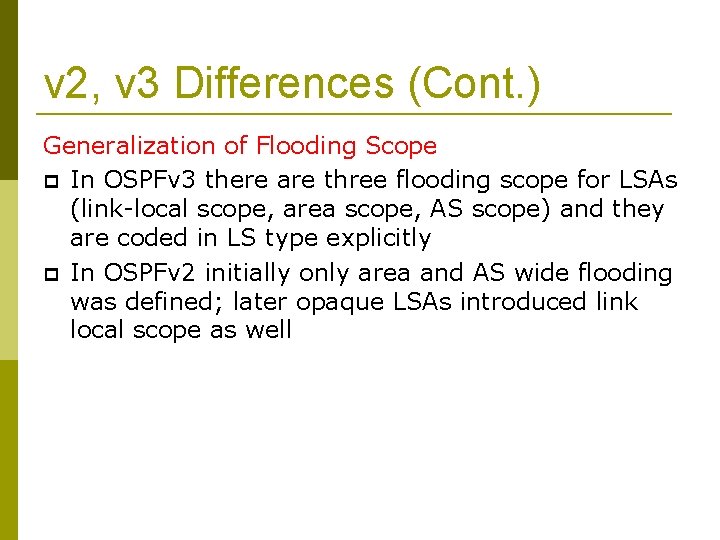
v 2, v 3 Differences (Cont. ) Generalization of Flooding Scope In OSPFv 3 there are three flooding scope for LSAs (link-local scope, area scope, AS scope) and they are coded in LS type explicitly In OSPFv 2 initially only area and AS wide flooding was defined; later opaque LSAs introduced link local scope as well
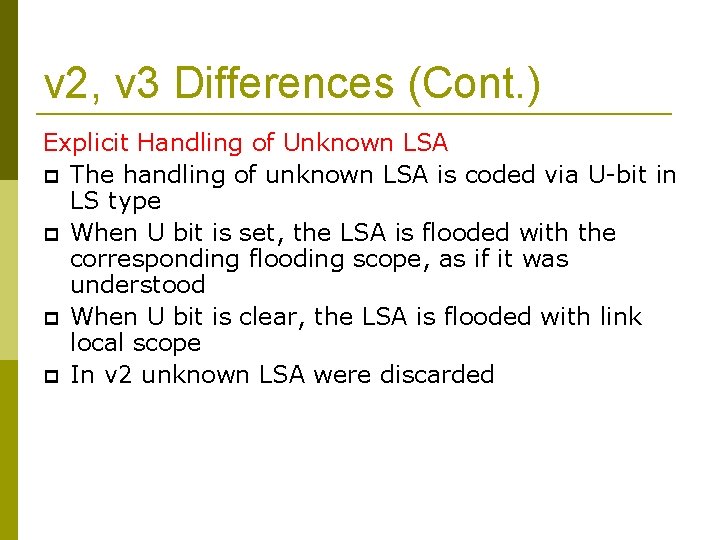
v 2, v 3 Differences (Cont. ) Explicit Handling of Unknown LSA The handling of unknown LSA is coded via U-bit in LS type When U bit is set, the LSA is flooded with the corresponding flooding scope, as if it was understood When U bit is clear, the LSA is flooded with link local scope In v 2 unknown LSA were discarded
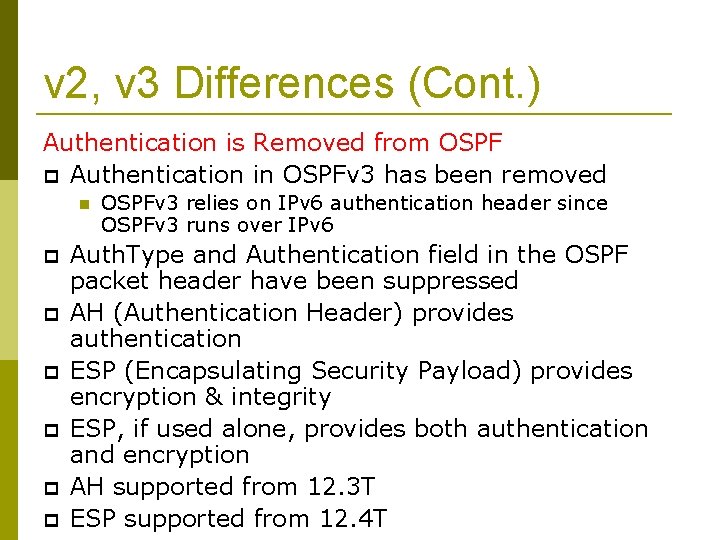
v 2, v 3 Differences (Cont. ) Authentication is Removed from OSPF Authentication in OSPFv 3 has been removed OSPFv 3 relies on IPv 6 authentication header since OSPFv 3 runs over IPv 6 Auth. Type and Authentication field in the OSPF packet header have been suppressed AH (Authentication Header) provides authentication ESP (Encapsulating Security Payload) provides encryption & integrity ESP, if used alone, provides both authentication and encryption AH supported from 12. 3 T ESP supported from 12. 4 T
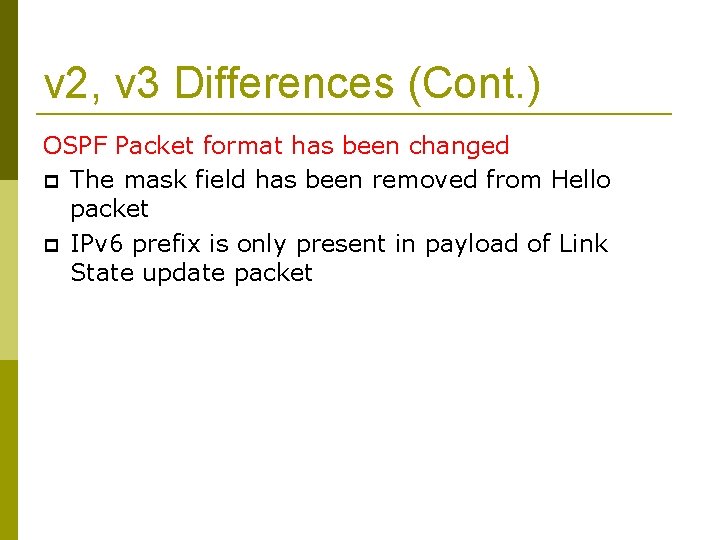
v 2, v 3 Differences (Cont. ) OSPF Packet format has been changed The mask field has been removed from Hello packet IPv 6 prefix is only present in payload of Link State update packet
Configuring OSPFv 3 in Cisco IOS Similar to OSPFv 2 Interfaces configured directly Replaces network command (Also available in OSPFv 2 from IOS 12. 4 and most recent 12. 0 S and 12. 2 SB, 12. 2 SR releases). (Called the “Area Command in Interface Mode for OSPFv 2” feature). Prefixing existing Interface and Exec mode commands with “ipv 6” “Native” IPv 6 router mode Not a sub-mode of router ospf
Configuration modes in OSPFv 3 Entering router mode [no] ipv 6 router ospf <process ID> Entering interface mode [no] ipv 6 ospf <process ID> area <area ID> Exec mode show ipv 6 ospf [<process ID>] clear ipv 6 ospf [<process ID>]
OSPFv 3 Specific Attributes – IOS Configuring area range [no] area <area ID> range <prefix>/<prefix length> Showing new LSA show ipv 6 ospf [<process ID>] database link show ipv 6 ospf [<process ID>] database prefix Configuring authentication Under ipv 6 router ospf: area 0 authentication ipsec spi 256 md 5 <passwd> Under interface: ipv 6 ospf authentication ipsec spi 256 md 5 <passwd>
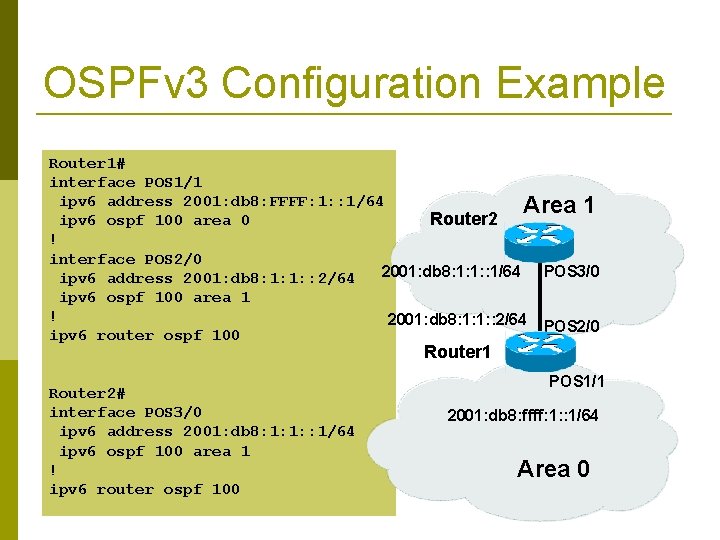
OSPFv 3 Configuration Example Router 1# interface POS 1/1 ipv 6 address 2001: db 8: FFFF: 1: : 1/64 Area 1 Router 2 ipv 6 ospf 100 area 0 ! interface POS 2/0 2001: db 8: 1: 1: : 1/64 POS 3/0 ipv 6 address 2001: db 8: 1: 1: : 2/64 ipv 6 ospf 100 area 1 ! 2001: db 8: 1: 1: : 2/64 POS 2/0 ipv 6 router ospf 100 Router 1 Router 2# interface POS 3/0 ipv 6 address 2001: db 8: 1: 1: : 1/64 ipv 6 ospf 100 area 1 ! ipv 6 router ospf 100 POS 1/1 2001: db 8: ffff: 1: : 1/64 Area 0
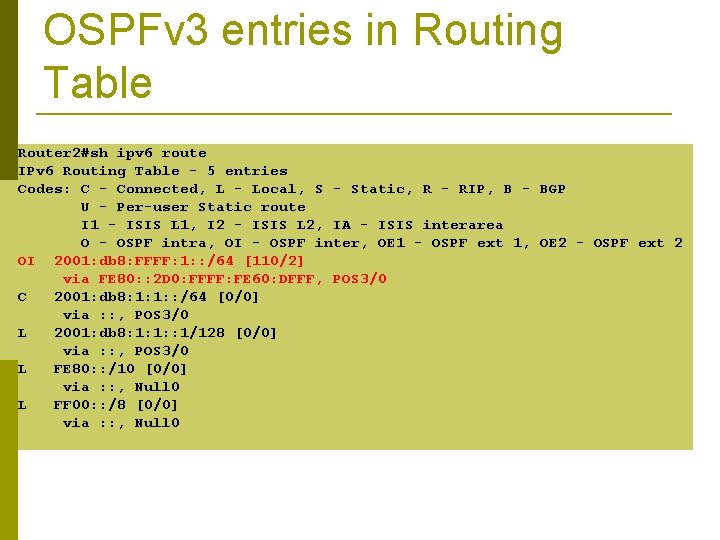
OSPFv 3 entries in Routing Table Router 2#sh ipv 6 route IPv 6 Routing Table - 5 entries Codes: C - Connected, L - Local, S - Static, R - RIP, B - BGP U - Per-user Static route I 1 - ISIS L 1, I 2 - ISIS L 2, IA - ISIS interarea O - OSPF intra, OI - OSPF inter, OE 1 - OSPF ext 1, OE 2 - OSPF ext 2 OI 2001: db 8: FFFF: 1: : /64 [110/2] via FE 80: : 2 D 0: FFFF: FE 60: DFFF, POS 3/0 C 2001: db 8: 1: 1: : /64 [0/0] via : : , POS 3/0 L 2001: db 8: 1: 1: : 1/128 [0/0] via : : , POS 3/0 L FE 80: : /10 [0/0] via : : , Null 0 L FF 00: : /8 [0/0] via : : , Null 0
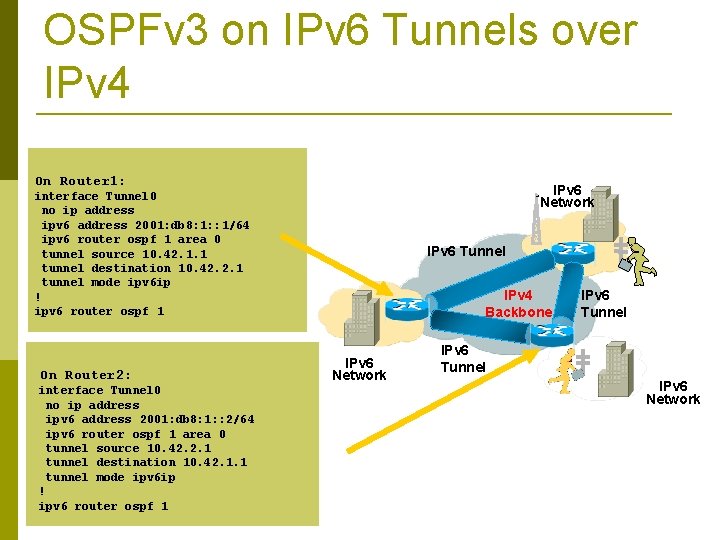
OSPFv 3 on IPv 6 Tunnels over IPv 4 On Router 1: IPv 6 Network interface Tunnel 0 no ip address ipv 6 address 2001: db 8: 1: : 1/64 ipv 6 router ospf 1 area 0 tunnel source 10. 42. 1. 1 tunnel destination 10. 42. 2. 1 tunnel mode ipv 6 ip ! ipv 6 router ospf 1 On Router 2: interface Tunnel 0 no ip address ipv 6 address 2001: db 8: 1: : 2/64 ipv 6 router ospf 1 area 0 tunnel source 10. 42. 2. 1 tunnel destination 10. 42. 1. 1 tunnel mode ipv 6 ip ! ipv 6 router ospf 1 IPv 6 Tunnel IPv 4 Backbone IPv 6 Network IPv 6 Tunnel IPv 6 Network
Introduction to OSPF Questions?