
Introduction to Open CV David Stavens Stanford Artificial
![Step 6: Run Shi and Tomasi Cv. Point 2 D 32 f frame 1_features[N];](https://slidetodoc.com/presentation_image_h2/becf4933b397d178e5d18abbdd978316/image-24.jpg "Step 6: Run Shi and Tomasi Cv. Point 2 D 32 f frame 1_features[N];")
![Step 7: Run Optical Flow char optical_flow_found_feature[]; float optical_flow_feature_error[]; Cv. Term. Criteria term =](https://slidetodoc.com/presentation_image_h2/becf4933b397d178e5d18abbdd978316/image-25.jpg "Step 7: Run Optical Flow char optical_flow_found_feature[]; float optical_flow_feature_error[]; Cv. Term. Criteria term =")
- Slides: 34
Introduction to Open. CV David Stavens Stanford Artificial Intelligence Lab
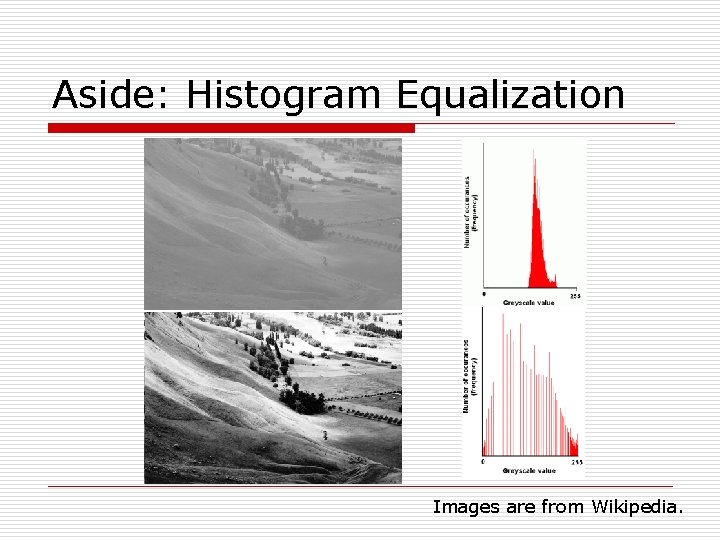
Aside: Histogram Equalization Images are from Wikipedia.
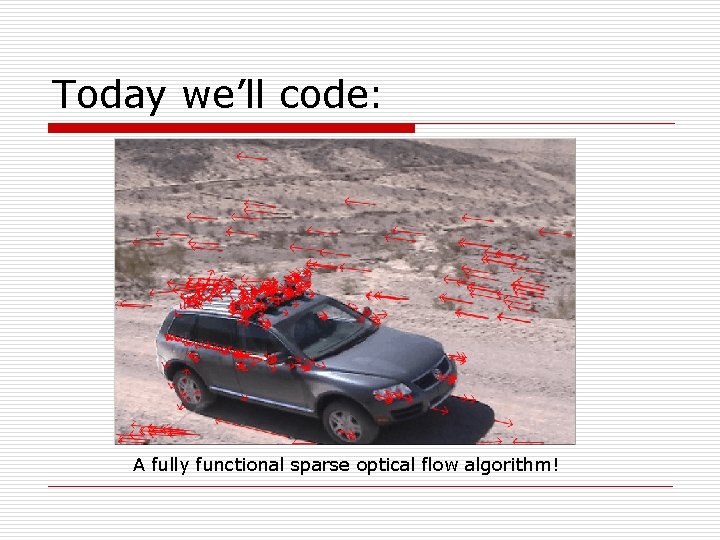
Today we’ll code: A fully functional sparse optical flow algorithm!
Plan o Open. CV Basics n n o Feature Finding and Optical Flow n o What is it? How do you get started with it? A brief mathematical discussion. Open. CV Implementation of Optical Flow n Step by step.
What is Open. CV? o o Created/Maintained by Intel. Really four libraries in one: n n o “CV” – Computer Vision Algorithms o All the vision algorithms. “CVAUX” – Experimental/Beta “CXCORE” – Linear Algebra o Raw matrix support, etc. “HIGHGUI” – Media/Window Handling o Read/write AVIs, window displays, etc. Check out the samples directory!
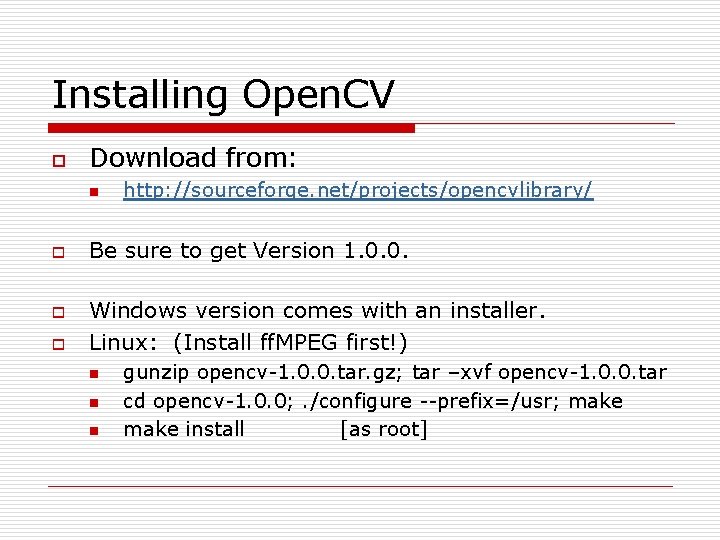
Installing Open. CV o Download from: n o o o http: //sourceforge. net/projects/opencvlibrary/ Be sure to get Version 1. 0. 0. Windows version comes with an installer. Linux: (Install ff. MPEG first!) n n n gunzip opencv-1. 0. 0. tar. gz; tar –xvf opencv-1. 0. 0. tar cd opencv-1. 0. 0; . /configure --prefix=/usr; make install [as root]
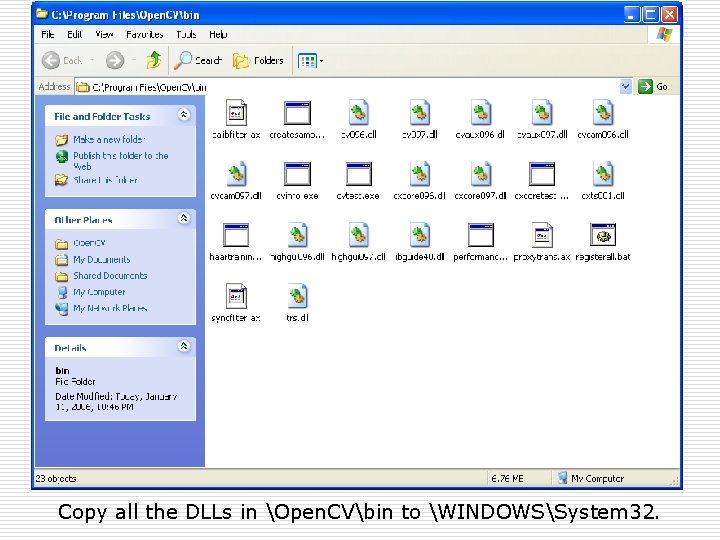
Copy all the DLLs in Open. CVbin to WINDOWSSystem 32.
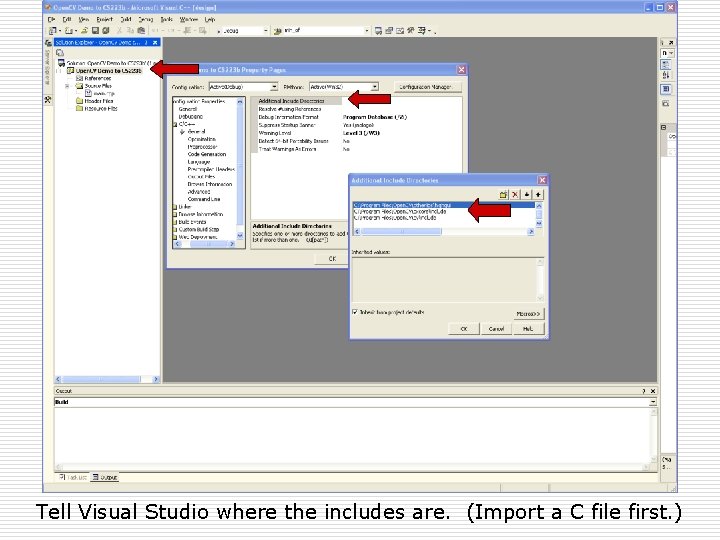
Tell Visual Studio where the includes are. (Import a C file first. )
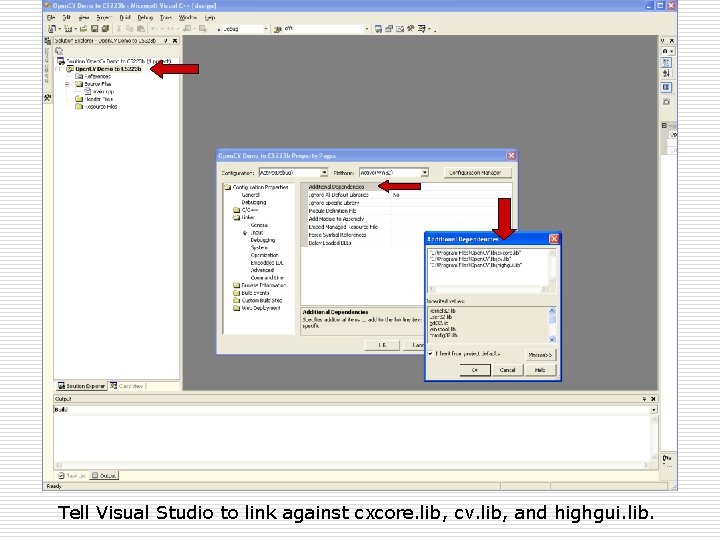
Tell Visual Studio to link against cxcore. lib, cv. lib, and highgui. lib.
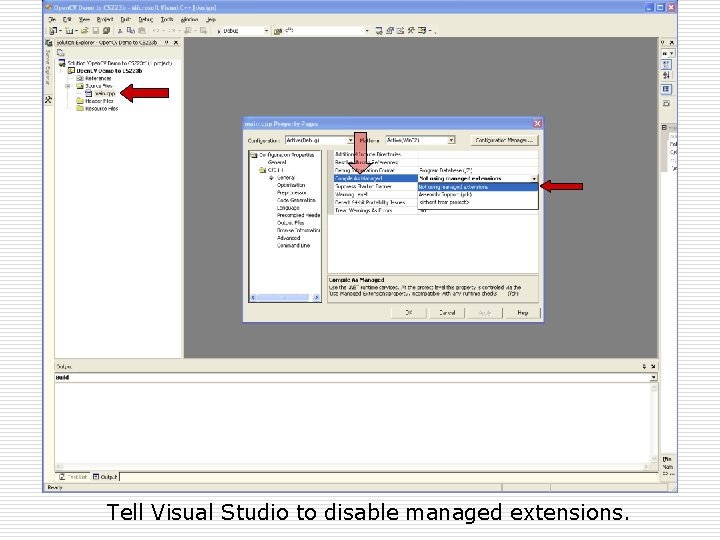
Tell Visual Studio to disable managed extensions.
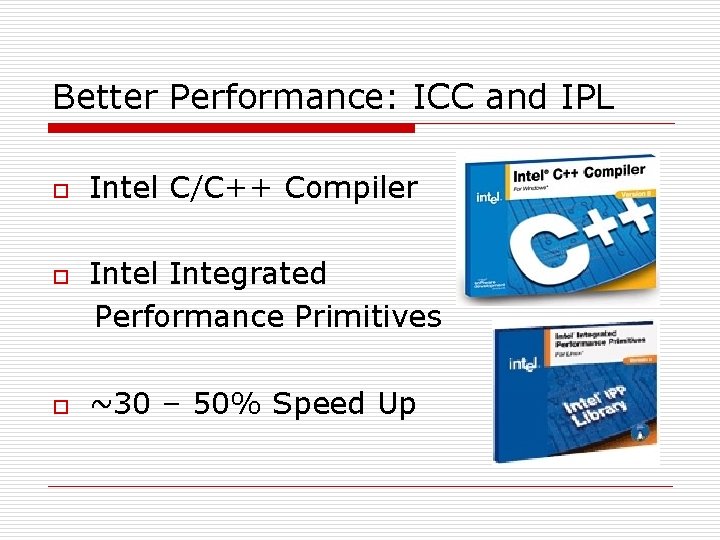
Better Performance: ICC and IPL o o o Intel C/C++ Compiler Intel Integrated Performance Primitives ~30 – 50% Speed Up
Plan ü Open. CV Basics ü ü o Feature Finding and Optical Flow n o What is it? How do you get started with it? A brief mathematical discussion. Open. CV Implementation of Optical Flow n Step by step.
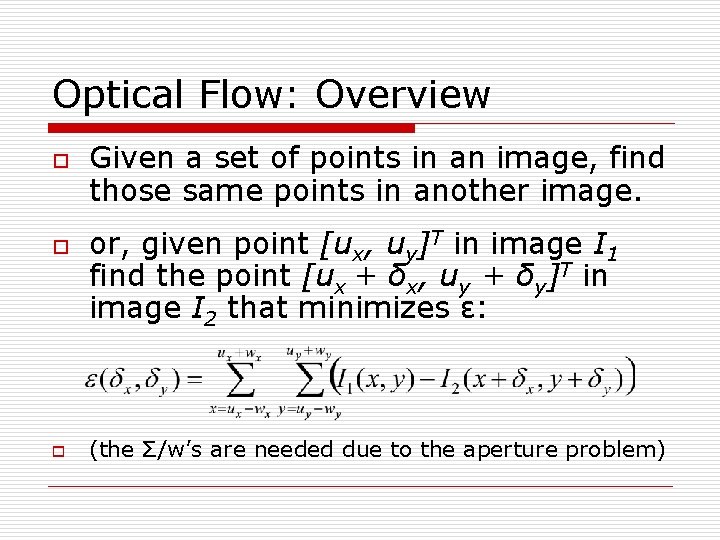
Optical Flow: Overview o o o Given a set of points in an image, find those same points in another image. or, given point [ux, uy]T in image I 1 find the point [ux + δx, uy + δy]T in image I 2 that minimizes ε: (the Σ/w’s are needed due to the aperture problem)
Optical Flow: Utility o Tracking points (“features”) across multiple images is a fundamental operation in many computer vision applications: n n n o Very useful for the 223 b competition. n o To find an object from one image in another. To determine how an object/camera moved. To resolve depth from a single camera. Determine motion. Estimate speed. But what are good features to track?
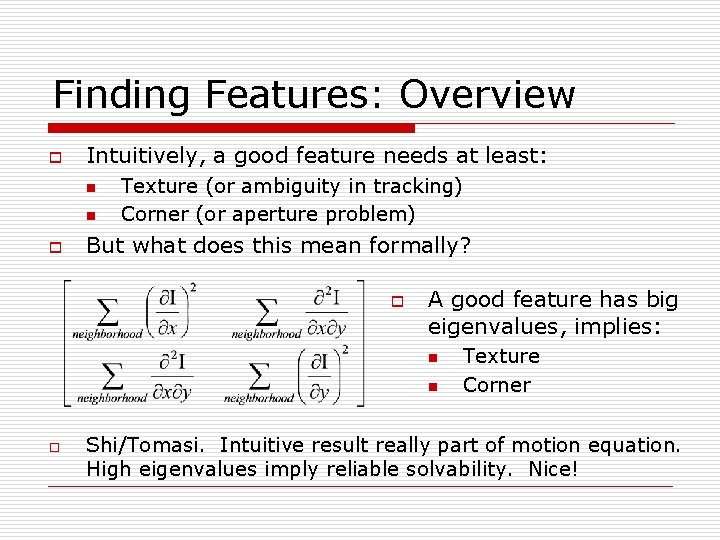
Finding Features: Overview o Intuitively, a good feature needs at least: n n o Texture (or ambiguity in tracking) Corner (or aperture problem) But what does this mean formally? o A good feature has big eigenvalues, implies: n n o Texture Corner Shi/Tomasi. Intuitive result really part of motion equation. High eigenvalues imply reliable solvability. Nice!
Plan ü Open. CV Basics ü ü ü Feature Finding and Optical Flow ü o What is it? How do you get started with it? A brief mathematical discussion. Open. CV Implementation of Optical Flow n Step by step.
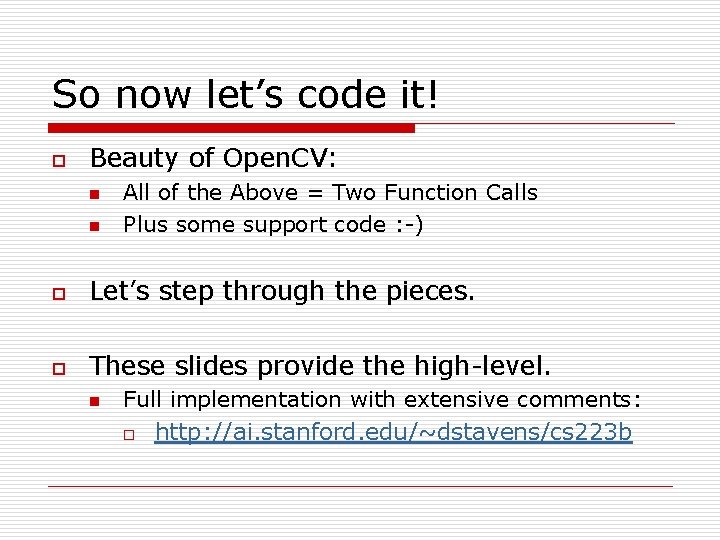
So now let’s code it! o Beauty of Open. CV: n n All of the Above = Two Function Calls Plus some support code : -) o Let’s step through the pieces. o These slides provide the high-level. n Full implementation with extensive comments: o http: //ai. stanford. edu/~dstavens/cs 223 b
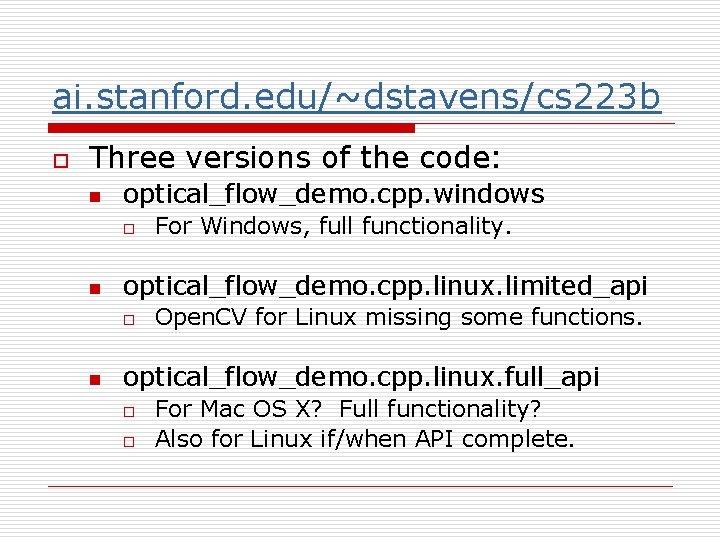
ai. stanford. edu/~dstavens/cs 223 b o Three versions of the code: n optical_flow_demo. cpp. windows o n optical_flow_demo. cpp. linux. limited_api o n For Windows, full functionality. Open. CV for Linux missing some functions. optical_flow_demo. cpp. linux. full_api o o For Mac OS X? Full functionality? Also for Linux if/when API complete.
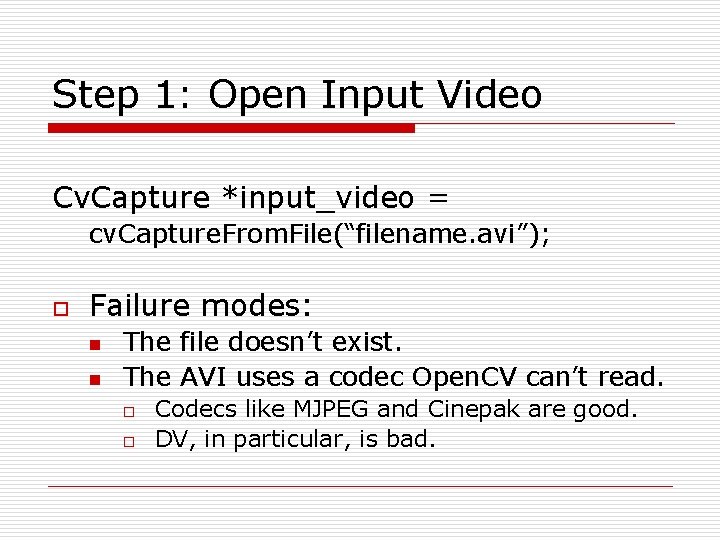
Step 1: Open Input Video Cv. Capture *input_video = cv. Capture. From. File(“filename. avi”); o Failure modes: n n The file doesn’t exist. The AVI uses a codec Open. CV can’t read. o o Codecs like MJPEG and Cinepak are good. DV, in particular, is bad.
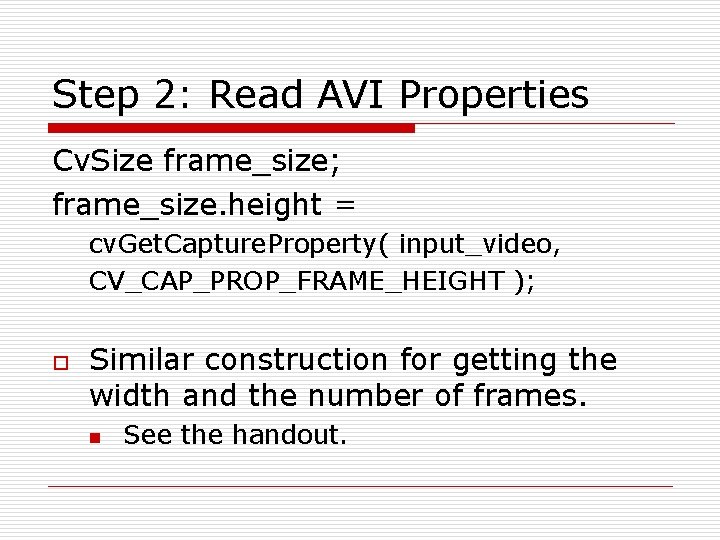
Step 2: Read AVI Properties Cv. Size frame_size; frame_size. height = cv. Get. Capture. Property( input_video, CV_CAP_PROP_FRAME_HEIGHT ); o Similar construction for getting the width and the number of frames. n See the handout.
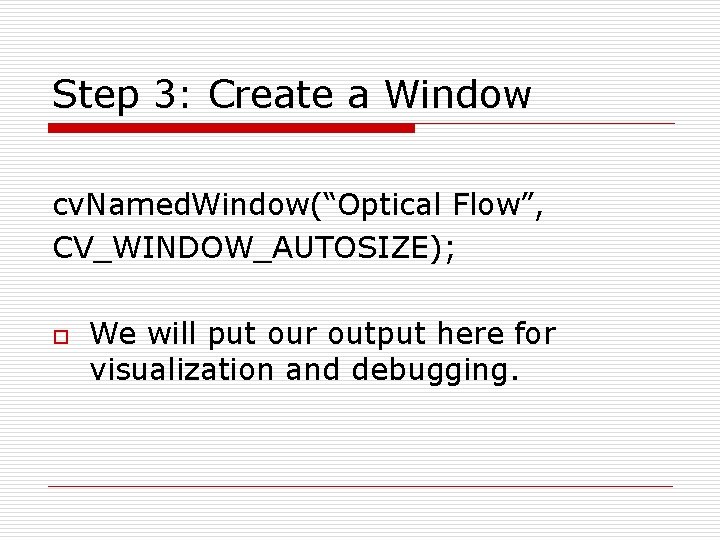
Step 3: Create a Window cv. Named. Window(“Optical Flow”, CV_WINDOW_AUTOSIZE); o We will put our output here for visualization and debugging.
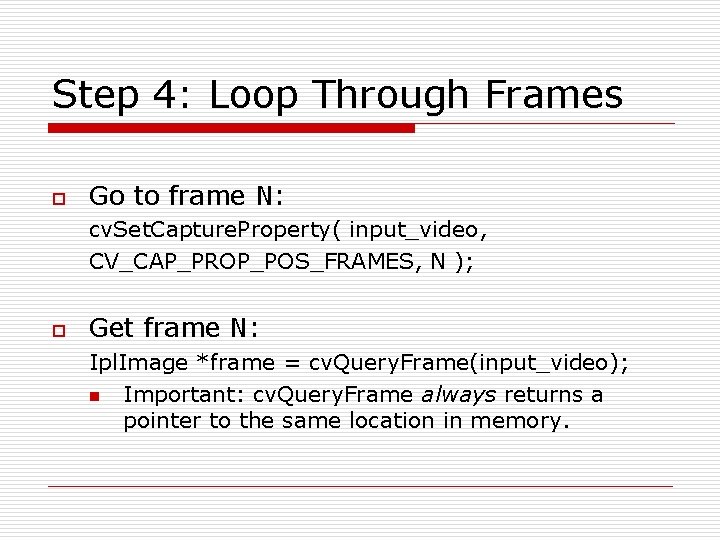
Step 4: Loop Through Frames o Go to frame N: cv. Set. Capture. Property( input_video, CV_CAP_PROP_POS_FRAMES, N ); o Get frame N: Ipl. Image *frame = cv. Query. Frame(input_video); n Important: cv. Query. Frame always returns a pointer to the same location in memory.
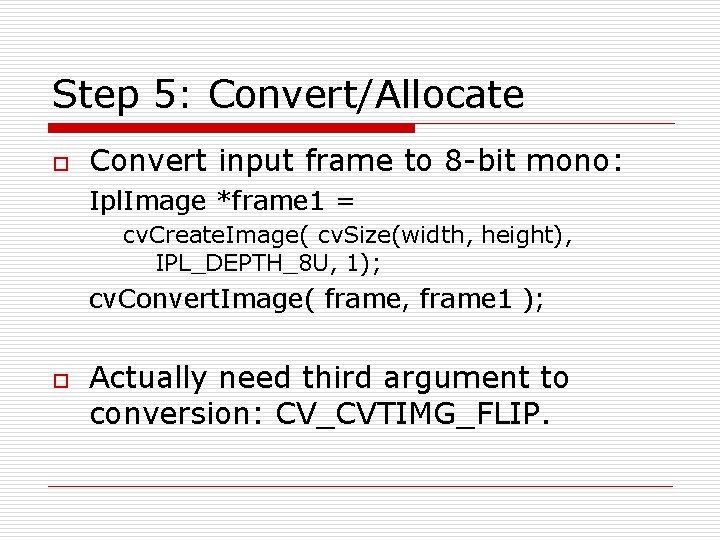
Step 5: Convert/Allocate o Convert input frame to 8 -bit mono: Ipl. Image *frame 1 = cv. Create. Image( cv. Size(width, height), IPL_DEPTH_8 U, 1); cv. Convert. Image( frame, frame 1 ); o Actually need third argument to conversion: CV_CVTIMG_FLIP.
Step 6: Run Shi and Tomasi Cv. Point 2 D 32 f frame 1_features[N]; cv. Good. Features. To. Track( frame 1, eig_image, temp_image, frame 1_features, &N, . 01, NULL); o o Allocate eig, temp as in handout. On return frame 1_features is full and N is the number of features found.
Step 7: Run Optical Flow char optical_flow_found_feature[]; float optical_flow_feature_error[]; Cv. Term. Criteria term = cv. Term. Criteria( CV_TERMCRIT_ITER | CV_TERMCRIT_EPS, 20, . 3 ); cv. Calc. Optical. Flow. Pyr. LK( … ); n n 13 arguments total. All of the above. o Both frames, both feature arrays, etc. See full implementation in handout.
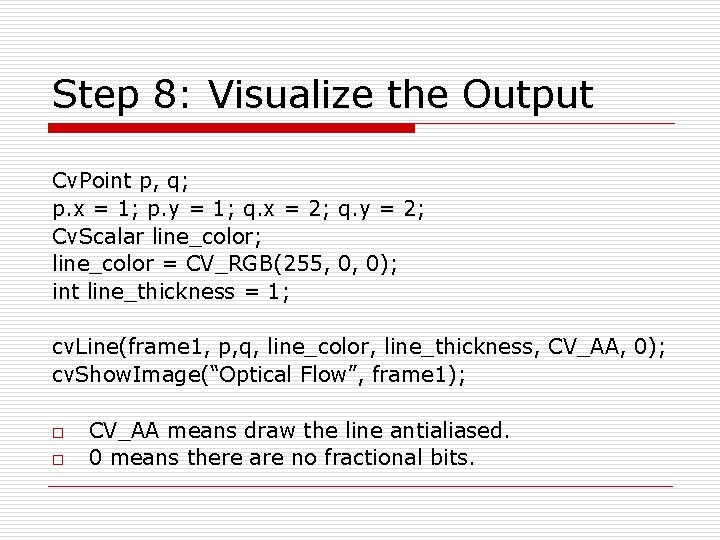
Step 8: Visualize the Output Cv. Point p, q; p. x = 1; p. y = 1; q. x = 2; q. y = 2; Cv. Scalar line_color; line_color = CV_RGB(255, 0, 0); int line_thickness = 1; cv. Line(frame 1, p, q, line_color, line_thickness, CV_AA, 0); cv. Show. Image(“Optical Flow”, frame 1); o o CV_AA means draw the line antialiased. 0 means there are no fractional bits.
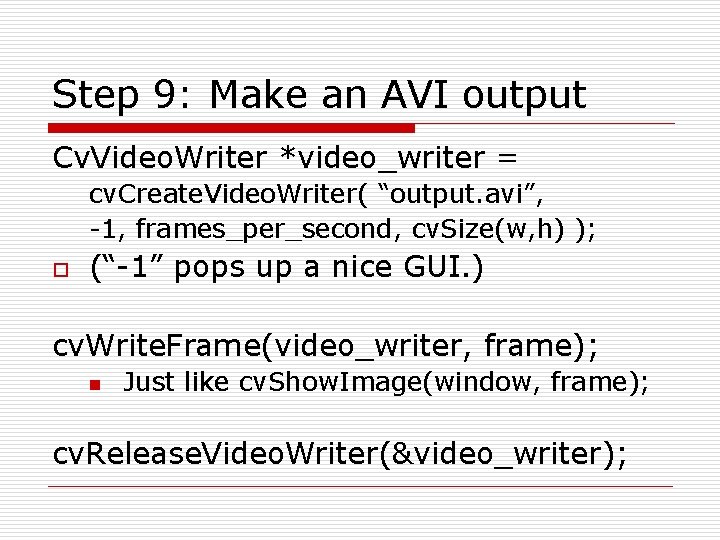
Step 9: Make an AVI output Cv. Video. Writer *video_writer = cv. Create. Video. Writer( “output. avi”, -1, frames_per_second, cv. Size(w, h) ); o (“-1” pops up a nice GUI. ) cv. Write. Frame(video_writer, frame); n Just like cv. Show. Image(window, frame); cv. Release. Video. Writer(&video_writer);
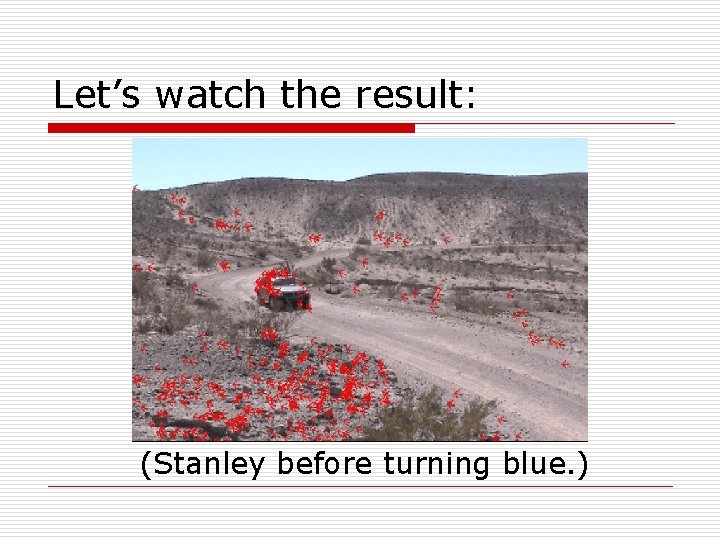
Let’s watch the result: (Stanley before turning blue. )
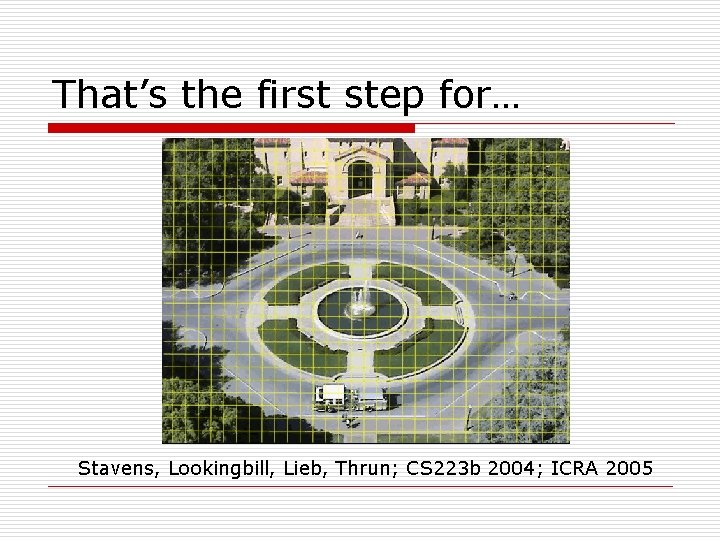
That’s the first step for… Stavens, Lookingbill, Lieb, Thrun; CS 223 b 2004; ICRA 2005
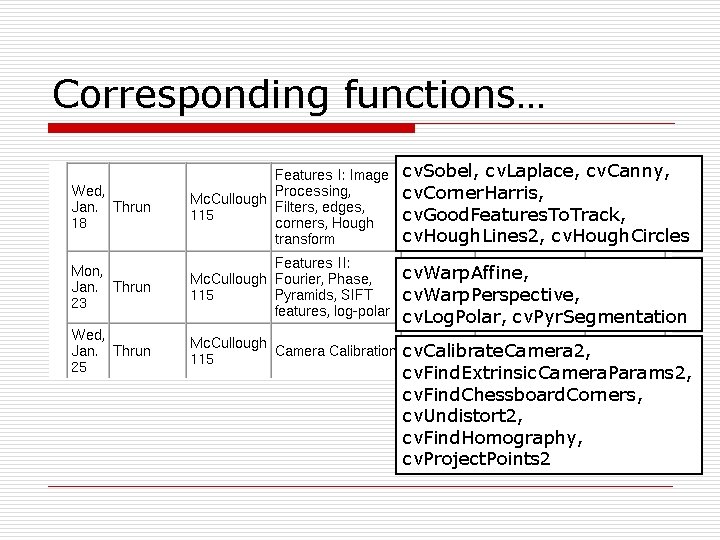
Corresponding functions… cv. Sobel, cv. Laplace, cv. Canny, cv. Corner. Harris, cv. Good. Features. To. Track, cv. Hough. Lines 2, cv. Hough. Circles cv. Warp. Affine, cv. Warp. Perspective, cv. Log. Polar, cv. Pyr. Segmentation cv. Calibrate. Camera 2, cv. Find. Extrinsic. Camera. Params 2, cv. Find. Chessboard. Corners, cv. Undistort 2, cv. Find. Homography, cv. Project. Points 2
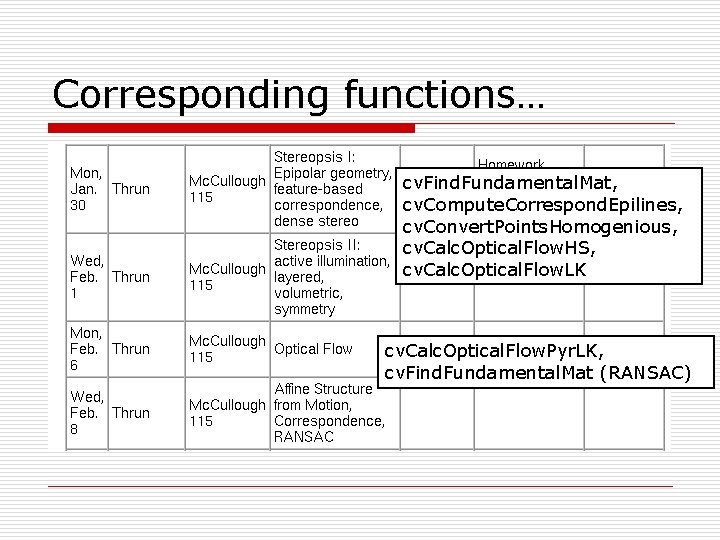
Corresponding functions… cv. Find. Fundamental. Mat, cv. Compute. Correspond. Epilines, cv. Convert. Points. Homogenious, cv. Calc. Optical. Flow. HS, cv. Calc. Optical. Flow. LK cv. Calc. Optical. Flow. Pyr. LK, cv. Find. Fundamental. Mat (RANSAC)
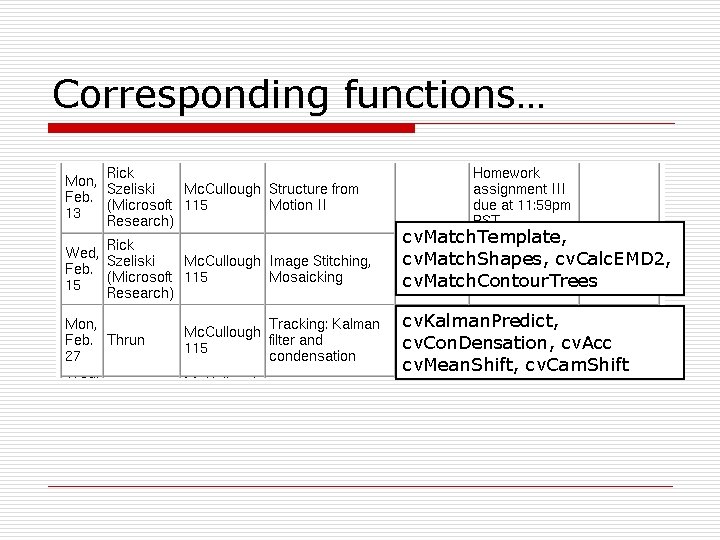
Corresponding functions… cv. Match. Template, cv. Match. Shapes, cv. Calc. EMD 2, cv. Match. Contour. Trees cv. Kalman. Predict, cv. Con. Densation, cv. Acc cv. Mean. Shift, cv. Cam. Shift
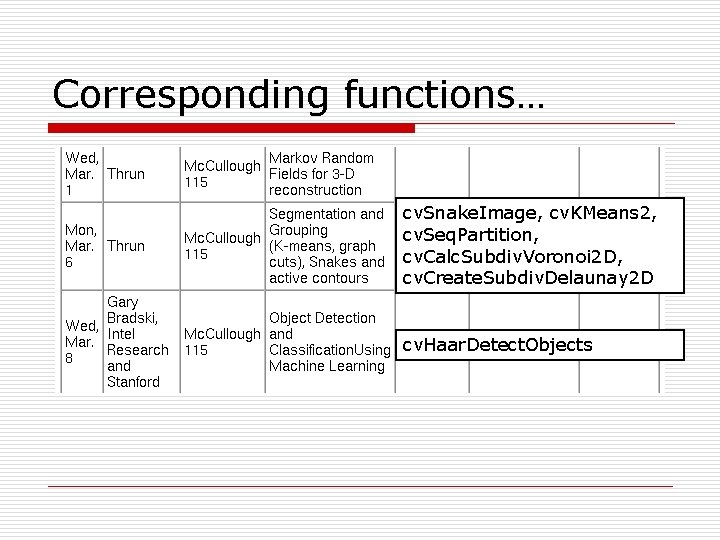
Corresponding functions… cv. Snake. Image, cv. KMeans 2, cv. Seq. Partition, cv. Calc. Subdiv. Voronoi 2 D, cv. Create. Subdiv. Delaunay 2 D cv. Haar. Detect. Objects
A few closing thoughts… o o Feel free to ask questions! n david. stavens@ai. stanford. edu n My office: Gates 254 Good luck!! 223 b is fun!! : -)