
Introduction to Objects and Object Oriented Programming 2212006
Introduction to Objects and Object. Oriented Programming 2/21/2006 M. Q. Azhar
Agendas – Introduction to Objects and Object. Oriented Programming • Class – Data – Methods • Objects – new • Static 2/21/2006 M. Q. Azhar 2
Objects • An object is a "thing, ” a “gizmo, " a "gadget, ” … an object. • For example, a car, a soda machine, a dog, a person, a house, a bank account, a pair of dice, a deck of cards, a point in the plane, a TV, a VCR, an ATM machine, an elevator, a square, a circle, a flea, an elephant, a camera, a movie star, a computer mouse, a live mouse, a phone, an airplane, a song, . . . just about anything is an object. • In computing, a window is an object, so is a mouse, a menu, a textbox, and a button. • Objects come in all shapes, sizes, and colors. An object may be physical, like a radio, or intangible, like a song. • For our purposes, however, objects are entities that have 1. attributes, (characteristics or properties), and 2. methods, (actions or behaviors of an object ). 2/21/2006 M. Q. Azhar 3
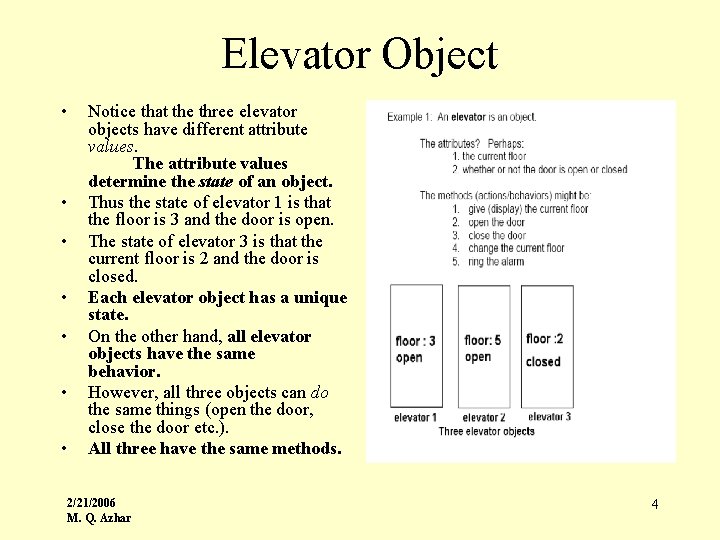
Elevator Object • • Notice that the three elevator objects have different attribute values. The attribute values determine the state of an object. Thus the state of elevator 1 is that the floor is 3 and the door is open. The state of elevator 3 is that the current floor is 2 and the door is closed. Each elevator object has a unique state. On the other hand, all elevator objects have the same behavior. However, all three objects can do the same things (open the door, close the door etc. ). All three have the same methods. 2/21/2006 M. Q. Azhar 4

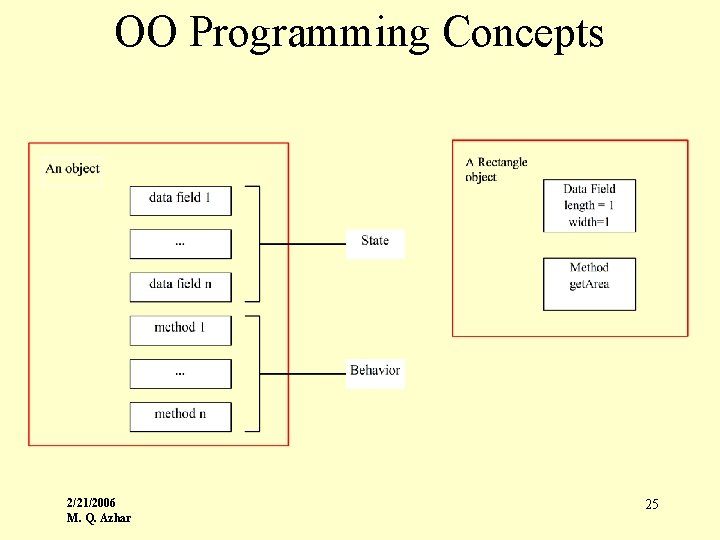
Rectangle Object • A rectangle is an object • Some possible properties or attributes of a rectangle are: 1. length and 2. width • Some possible methods are: 1. get the length 2. get the width 3. change the length 4. change the width 5. get the area 6. get the perimeter 2/21/2006 M. Q. Azhar Here are two rectangle objects: • The state of the first rectangle object is {length = 7, width = 5} ; • The state of the second rectangle is {length = 2, width = 8}. 5
Computer Widow Object! • A computer window is an object Ø Some of the (many) attributes include: 1. length 2. width 3. background color 4. font style 5. font color 6. state – maximized, minimized or downscaled Ø Some of the (many) methods include: 1. resize the window ( change length and width) 2. maximize 3. minimize 4. change background color 5. change font etc. 2/21/2006 M. Q. Azhar 6
Defining Object • In the context of a computer program, you might think of an object as a representation, model or abstraction of some entity consisting of 1. data (attributes) and 2. functions (methods) which use or manipulate the data • An object’s data determines its state. For example, the data for the first elevator (above) specifies that the “floor” attribute has value 3 and the door is open. The current state of the first rectangle indicates that the length of the rectangle is 7 and the width is 5. • The methods/functions specify what an object does, i. e. , the behavior of an object. 2/21/2006 M. Q. Azhar 7
How do you define Object? • The attributes and methods of an object depend on our specific use and view of an object. • For example, in one application, a rectangle object might be a simple geometrical figure with just two attributes, length and width. • Another, perhaps graphical, view of a rectangle might include color and location (x and y coordinates) among the attributes. • Similarly, an elevator has many potential attributes (carpet color, number of passengers, maximum weight, , date of last inspection) but only a few attributes are of interest in any application. 2/21/2006 M. Q. Azhar 8
Object has Object! • Some attributes themselves might be other objects. • For example, a light object may have: – attributes: • number of watts • current state (on or off) – methods: • turn light on • turn light off • Now a light object may be part of (an attribute of) an elevator object. 2/21/2006 M. Q. Azhar 9
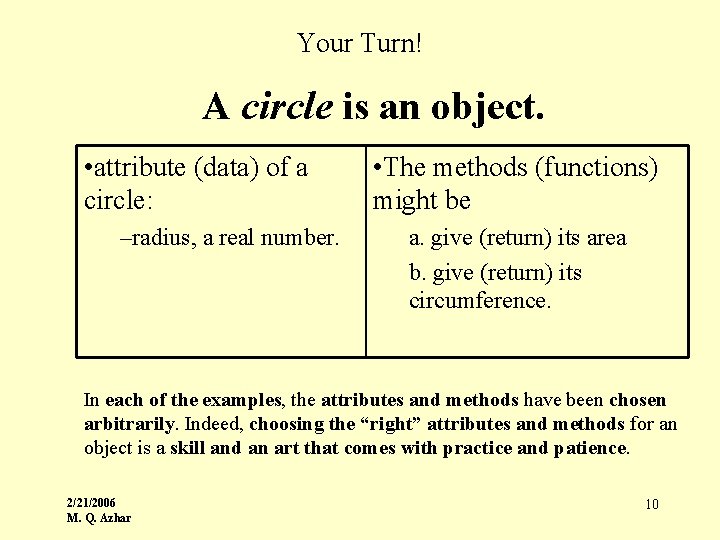
Your Turn! A circle is an object. • attribute (data) of a circle: –radius, a real number. • The methods (functions) might be a. give (return) its area b. give (return) its circumference. In each of the examples, the attributes and methods have been chosen arbitrarily. Indeed, choosing the “right” attributes and methods for an object is a skill and an art that comes with practice and patience. 2/21/2006 M. Q. Azhar 10
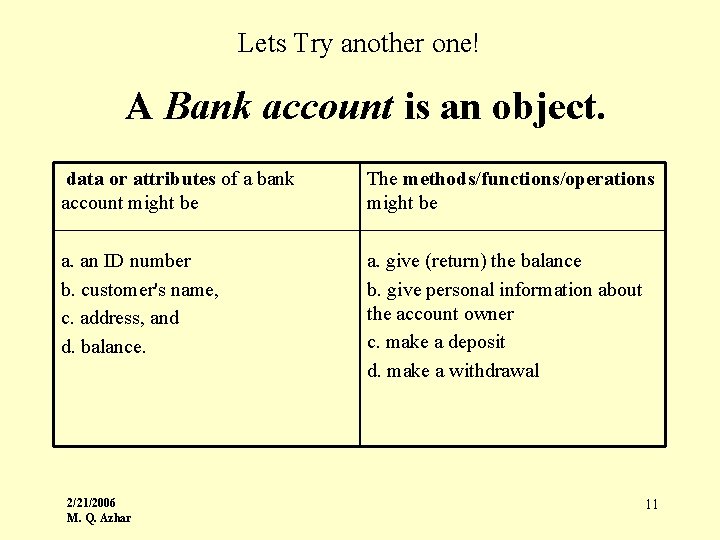
Lets Try another one! A Bank account is an object. data or attributes of a bank account might be The methods/functions/operations might be a. an ID number b. customer's name, c. address, and d. balance. a. give (return) the balance b. give personal information about the account owner c. make a deposit d. make a withdrawal 2/21/2006 M. Q. Azhar 11
What is Classes? • A class is a template, blueprint, or description of a group of objects. • Every object is described by some class. For example, • An elevator class specifies the characteristics and behaviors of all elevator objects. The elevator class is a general description of an elevator. An elevator class is not an elevator. • A rectangle class describes the attributes and methods of all rectangle objects. A rectangle class may specify that every rectangle object has both a length and a width. However, a rectangle class is not a rectangle. 2/21/2006 M. Q. Azhar 12
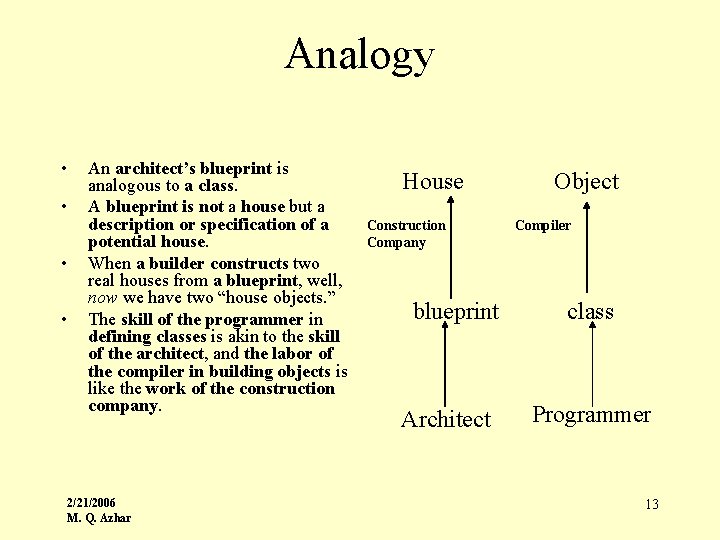
Analogy • • An architect’s blueprint is analogous to a class. A blueprint is not a house but a description or specification of a potential house. When a builder constructs two real houses from a blueprint, well, now we have two “house objects. ” The skill of the programmer in defining classes is akin to the skill of the architect, and the labor of the compiler in building objects is like the work of the construction company. 2/21/2006 M. Q. Azhar House Construction Company blueprint Architect Object Compiler class Programmer 13
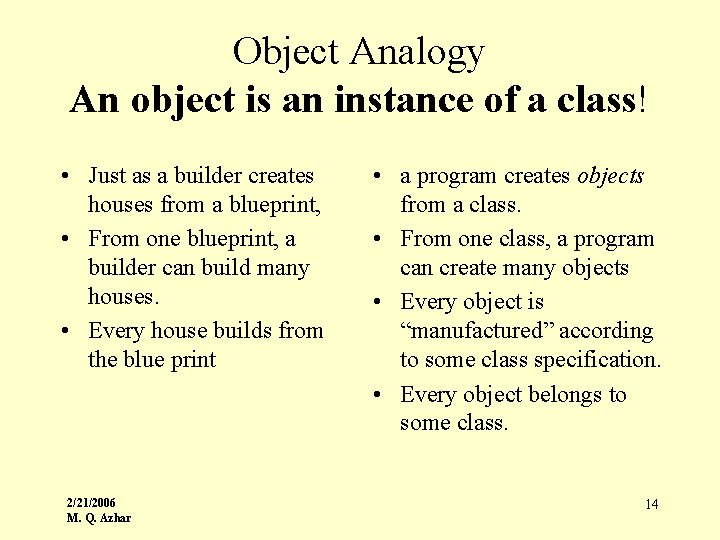
Object Analogy An object is an instance of a class! • Just as a builder creates houses from a blueprint, • From one blueprint, a builder can build many houses. • Every house builds from the blue print 2/21/2006 M. Q. Azhar • a program creates objects from a class. • From one class, a program can create many objects • Every object is “manufactured” according to some class specification. • Every object belongs to some class. 14
Class Example • Let us look at an example of a Rectangle class in Java. • The class is a description (in Java) of the attributes and behaviors of a rectangle object. • For now, don’t be concerned with the syntax or any of the Java particulars. 2/21/2006 M. Q. Azhar 15
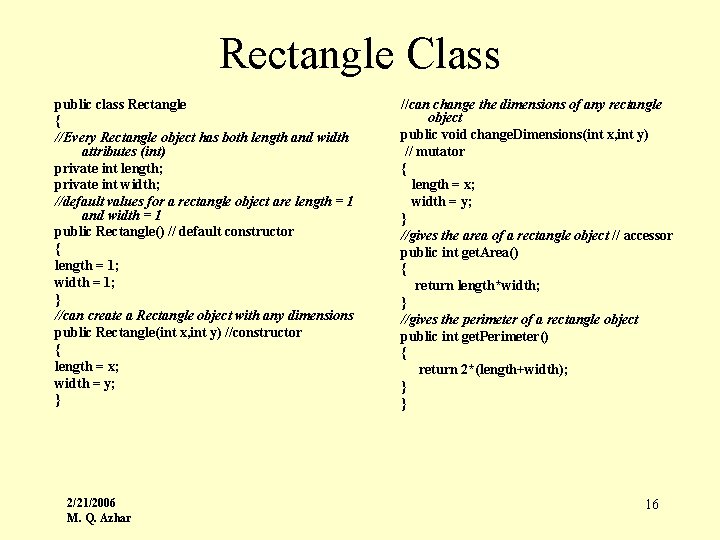
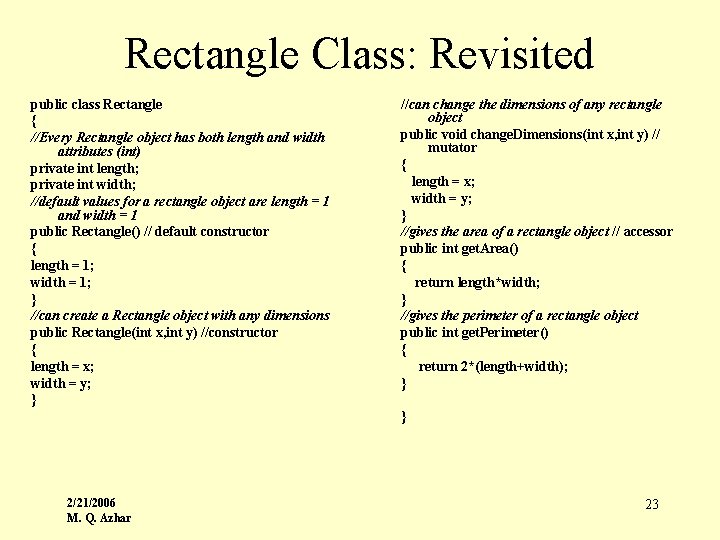
Rectangle Class public class Rectangle { //Every Rectangle object has both length and width attributes (int) private int length; private int width; //default values for a rectangle object are length = 1 and width = 1 public Rectangle() // default constructor { length = 1; width = 1; } //can create a Rectangle object with any dimensions public Rectangle(int x, int y) //constructor { length = x; width = y; } 2/21/2006 M. Q. Azhar //can change the dimensions of any rectangle object public void change. Dimensions(int x, int y) // mutator { length = x; width = y; } //gives the area of a rectangle object // accessor public int get. Area() { return length*width; } //gives the perimeter of a rectangle object public int get. Perimeter() { return 2*(length+width); } } 16
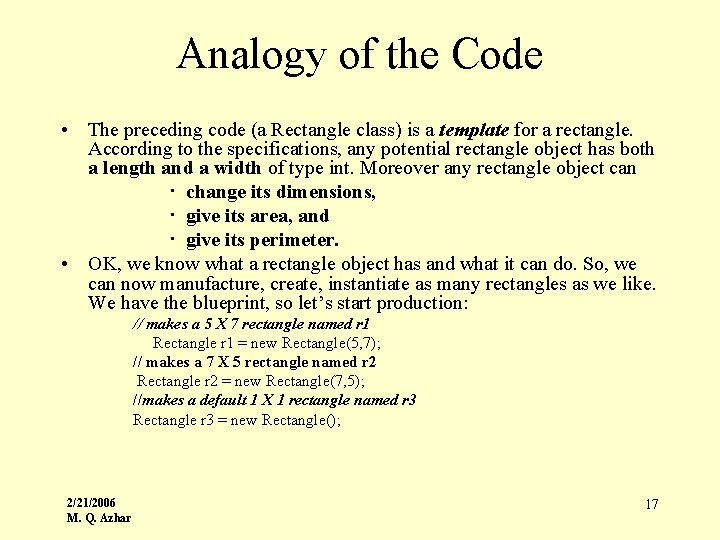
Analogy of the Code • The preceding code (a Rectangle class) is a template for a rectangle. According to the specifications, any potential rectangle object has both a length and a width of type int. Moreover any rectangle object can · change its dimensions, · give its area, and · give its perimeter. • OK, we know what a rectangle object has and what it can do. So, we can now manufacture, create, instantiate as many rectangles as we like. We have the blueprint, so let’s start production: // makes a 5 X 7 rectangle named r 1 Rectangle r 1 = new Rectangle(5, 7); // makes a 7 X 5 rectangle named r 2 Rectangle r 2 = new Rectangle(7, 5); //makes a default 1 X 1 rectangle named r 3 Rectangle r 3 = new Rectangle(); 2/21/2006 M. Q. Azhar 17
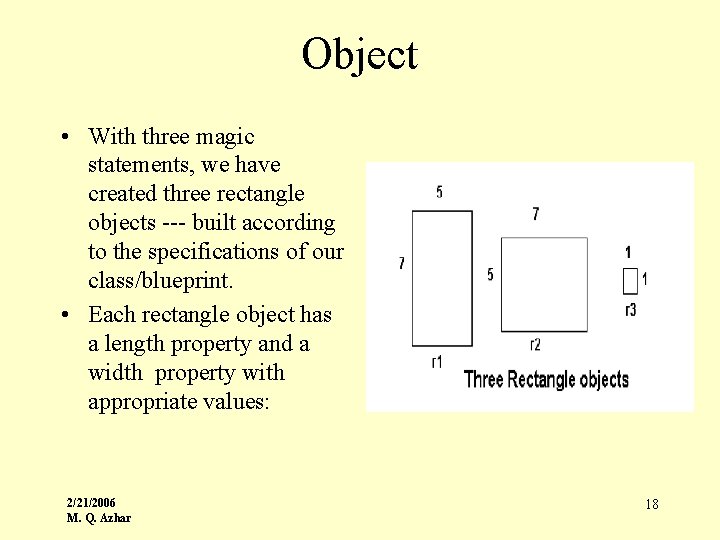
Object • With three magic statements, we have created three rectangle objects --- built according to the specifications of our class/blueprint. • Each rectangle object has a length property and a width property with appropriate values: 2/21/2006 M. Q. Azhar 18
OOP Concept: Encapsulation • Webster defines encapsulation as being “enclosed by a capsule. ” • Real world examples of encapsulation surround us: • A computer is an example of real world encapsulation. The chips, boards, and wires of a computer are never exposed to a user. Like the TV viewer, a computer user operates a computer via an interface -- a keyboard, screen, and pointing device. 2/21/2006 M. Q. Azhar 19
Example: Encapsulation • A cabinet hides (encapsulates) the “guts” of a television, concealing from TV viewers the internal apparatus of the TV. • Moreover, the television manufacturer provides users with an interface --the buttons on the TV or perhaps a remote control unit. • To operate the TV and watch The Simpsons or Masterpiece Theatre, viewers utilize this interface. The inner circuitry of a TV is of no concern to most TV viewers. • Cameras, vending machines, slot machines, DVD players, lamps, cars, video games, clocks, and even hourglasses are all physical examples of encapsulation. 2/21/2006 M. Q. Azhar 20
Encapsulation: Explained • Each of the devices enumerated above supplies the user with an interface — switches, buttons, remote controls, whatever -- for operation. • Technical details are tucked away and hidden from users. • Each encapsulated item functions perfectly well as a “black box. ” • Certainly, Joe User need not understand how his Radio Shack gadget is constructed in order to operate it correctly. • A user-friendly interface and perhaps an instruction manual will suffice. 2/21/2006 M. Q. Azhar 21
Encapsulation: Explained • Encapsulation has a similar (though somewhat expanded) meaning when applied to software development and object oriented programming: The ability to provide users with a well-defined interface to a set of functions in a way which hides their internal workings. In object-oriented programming, the technique of keeping together data structures and the methods (procedures) which act on them. – The Online Dictionary of Computing • Java provides encapsulation, as defined above, via classes and objects. • As we have already seen, classes bundle data and methods into a single unit. Classes encapsulate. 2/21/2006 M. Q. Azhar 22
Rectangle Class: Revisited public class Rectangle { //Every Rectangle object has both length and width attributes (int) private int length; private int width; //default values for a rectangle object are length = 1 and width = 1 public Rectangle() // default constructor { length = 1; width = 1; } //can create a Rectangle object with any dimensions public Rectangle(int x, int y) //constructor { length = x; width = y; } //can change the dimensions of any rectangle object public void change. Dimensions(int x, int y) // mutator { length = x; width = y; } //gives the area of a rectangle object // accessor public int get. Area() { return length*width; } //gives the perimeter of a rectangle object public int get. Perimeter() { return 2*(length+width); } } 2/21/2006 M. Q. Azhar 23
![Rectangle: Test Driver! public Test. Rectangle{ public static void main(String args[]) {// makes a](http://slidetodoc.com/presentation_image_h2/8b76474500c2effe11f64b104b3af398/image-24.jpg "Rectangle: Test Driver! public Test. Rectangle{ public static void main(String args[]) {// makes a")
Rectangle: Test Driver! public Test. Rectangle{ public static void main(String args[]) {// makes a 5 X 7 rectangle named r 1 Rectangle r 1 = new Rectangle(5, 7); // makes a 7 X 5 rectangle named r 2 Rectangle r 2 = new Rectangle(7, 5); //makes a default 1 X 1 rectangle named r 3 Rectangle r 3 = new Rectangle(); System. out. println(r 1. get. Perimeter() ); double area = r 2. get. Area(); r 3. change. Dimensions(7, 3); } } 2/21/2006 M. Q. Azhar 24
OO Programming Concepts 2/21/2006 M. Q. Azhar 25
Encapsulation • The Rectangle class provides a simple example of encapsulation – data and methods, attributes and functionality, are combined into a single unit, a single class. • Furthermore, all data are accessed not directly but through the class methods, i. e. via an interface /Test. Rectangle. • The user of Rectangle – the client -- need not know how the class is implemented – only how to use the class. • Variable names are of no concern to the client. If the client wishes to know the perimeter of a Rectangle object, the interface provides an accessor method. 2/21/2006 M. Q. Azhar 26
Encapsulation • If the client wants to dimension the size of a Rectangle object, the client simply uses the mutator method available through the interface. • That the length of the sides of a square is held in a variable called dimension is irrelevant to the client. • Further, if the implementation of the class is modified, programs utilizing the Rectangle class will not be affected provided the interface remains unchanged. • Like a TV or a camera, the inner workings of the Rectangle class are encapsulated and hidden from the client. • Public methods provide the interface just as the remote control unit provides the interface for a TV viewer. 2/21/2006 M. Q. Azhar 27
Encapsulation: Information Hiding • Another term that is often associated with encapsulation is information hiding. • Many authors regard encapsulation and information hiding as synonyms. • However OO purists might define encapsulation as the language feature allowing the bundling of data and methods into one unit • and information hiding as the design principle that restricts clients from the inner workings of a class. • With this distinction, programs can have encapsulation without information hiding. • Regardless of how you define your terms, classes should be designed with a well-defined interface in which implementation decisions and details are hidden from the client. 2/21/2006 M. Q. Azhar 28
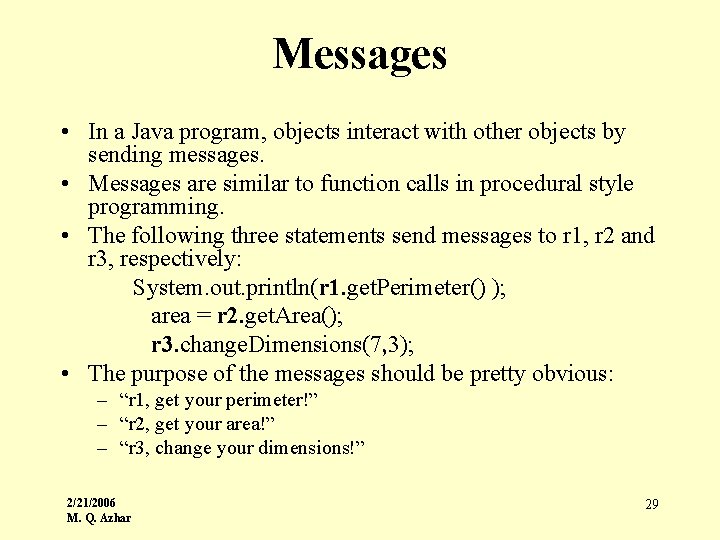
Messages • In a Java program, objects interact with other objects by sending messages. • Messages are similar to function calls in procedural style programming. • The following three statements send messages to r 1, r 2 and r 3, respectively: System. out. println(r 1. get. Perimeter() ); area = r 2. get. Area(); r 3. change. Dimensions(7, 3); • The purpose of the messages should be pretty obvious: – “r 1, get your perimeter!” – “r 2, get your area!” – “r 3, change your dimensions!” 2/21/2006 M. Q. Azhar 29
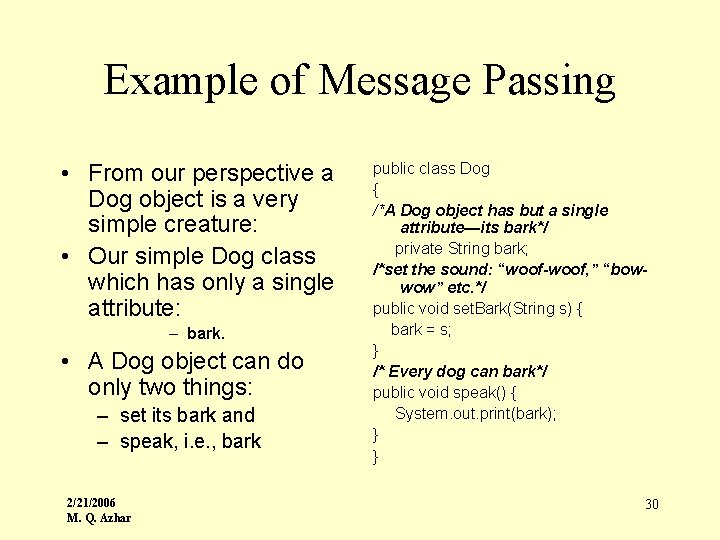
Example of Message Passing • From our perspective a Dog object is a very simple creature: • Our simple Dog class which has only a single attribute: – bark. • A Dog object can do only two things: – set its bark and – speak, i. e. , bark 2/21/2006 M. Q. Azhar public class Dog { /*A Dog object has but a single attribute—its bark*/ private String bark; /*set the sound: “woof-woof, ” “bowwow” etc. */ public void set. Bark(String s) { bark = s; } /* Every dog can bark*/ public void speak() { System. out. print(bark); } } 30
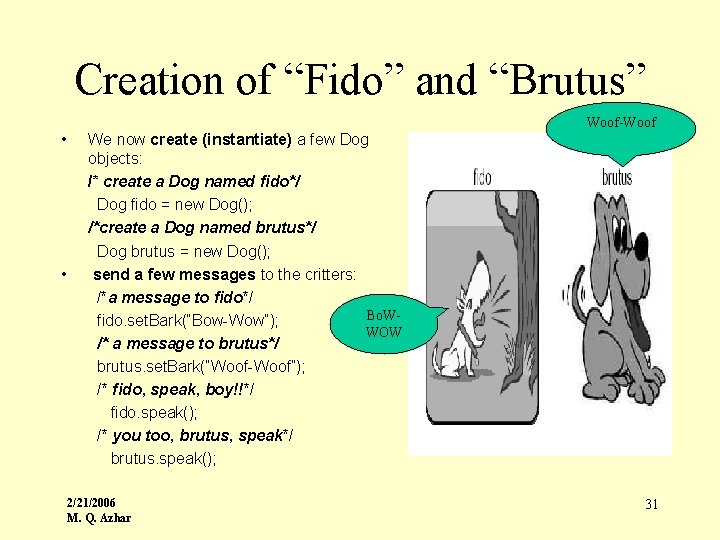
Creation of “Fido” and “Brutus” Woof-Woof • • We now create (instantiate) a few Dog objects: /* create a Dog named fido*/ Dog fido = new Dog(); /*create a Dog named brutus*/ Dog brutus = new Dog(); send a few messages to the critters: /*a message to fido*/ Bo. Wfido. set. Bark(“Bow-Wow”); WOW /* a message to brutus*/ brutus. set. Bark(“Woof-Woof”); /* fido, speak, boy!!*/ fido. speak(); /* you too, brutus, speak*/ brutus. speak(); 2/21/2006 M. Q. Azhar 31
Java Data Types • Reference Types • Primitive Data Types 2/21/2006 M. Q. Azhar 32
Primitive Data Types • The usual suspects: – byte, short, int, long – char – boolean – float, double • The usual operators and rules apply mostly 2/21/2006 M. Q. Azhar 33
Reference Types (1) • Can't write about objects without referring to them • Reference value: the only way to refer to an object • Java has: – reference values (or just references) – reference expressions – reference variables – assignment of references 2/21/2006 M. Q. Azhar 34
Declarations, Variables, Assignments • C-like rules apply for the most part • Type specifier followed by identifier list 2/21/2006 M. Q. Azhar 35
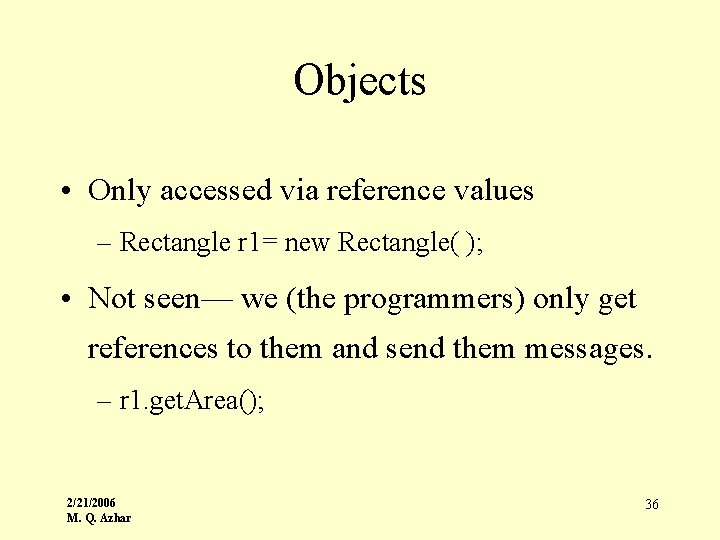
Objects • Only accessed via reference values – Rectangle r 1= new Rectangle( ); • Not seen— we (the programmers) only get references to them and send them messages. – r 1. get. Area(); 2/21/2006 M. Q. Azhar 36
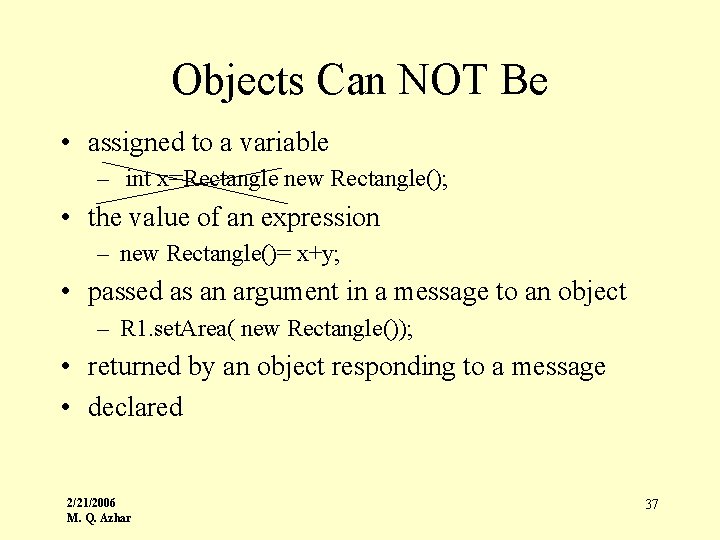
Objects Can NOT Be • assigned to a variable – int x=Rectangle new Rectangle(); • the value of an expression – new Rectangle()= x+y; • passed as an argument in a message to an object – R 1. set. Area( new Rectangle()); • returned by an object responding to a message • declared 2/21/2006 M. Q. Azhar 37
But References Can Be • assigned to a variable • the value of an expression • passed as an argument in a message to an object • returned by an object responding to a message • declared 2/21/2006 M. Q. Azhar 38
Different Reference Types • References to objects of different classes are different types • Every class implicitly defines a distinct reference type 2/21/2006 M. Q. Azhar 39
References Are Not Pointers • can't take "address" of object— can not refer to object without reference • can’t do arithmetic with references • Java has no pointers 2/21/2006 M. Q. Azhar 40
What's The Use Of References? • only way to access an object • only way to send a message to an object 2/21/2006 M. Q. Azhar 41
Messages: Sending • Message Form: method. Name(argument 1, argument 2, …, argument. N) • Sending a Message (Form): . reference message 2/21/2006 M. Q. Azhar 42
Messages: Response From Receiver • value – send message form can be used in expression • often the right side of an assignment statement – can be primitive data OR a reference to an object • void 2/21/2006 M. Q. Azhar 43
Java Pre-defined Classes • Huge number of predefined classes – utlity, I/O, GUI, network, time/day, database, math, etc. • Print. Stream class: – println(string), print(string) • String class: – to. Upper. Case, trim, substring, index. Of, etc. • File class – delete, rename. To 2/21/2006 M. Q. Azhar 44
Java Pre-defined Objects • System. out, System. err, System. in • String constants 2/21/2006 M. Q. Azhar 45
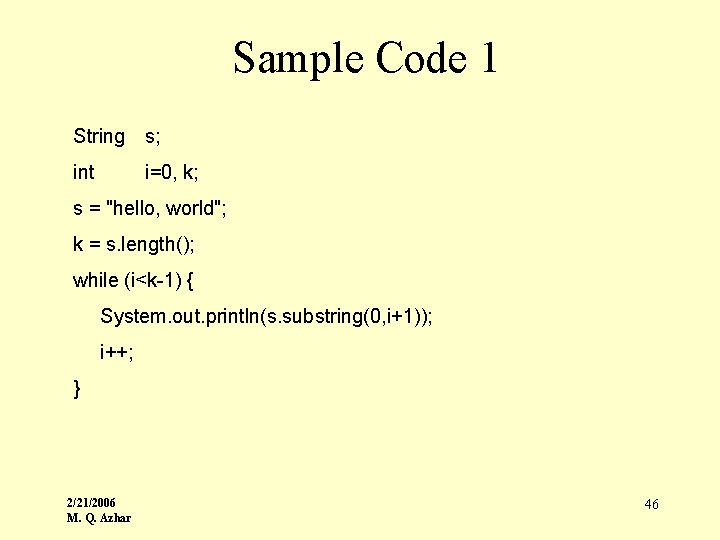
Sample Code 1 String s; int i=0, k; s = "hello, world"; k = s. length(); while (i<k-1) { System. out. println(s. substring(0, i+1)); i++; } 2/21/2006 M. Q. Azhar 46
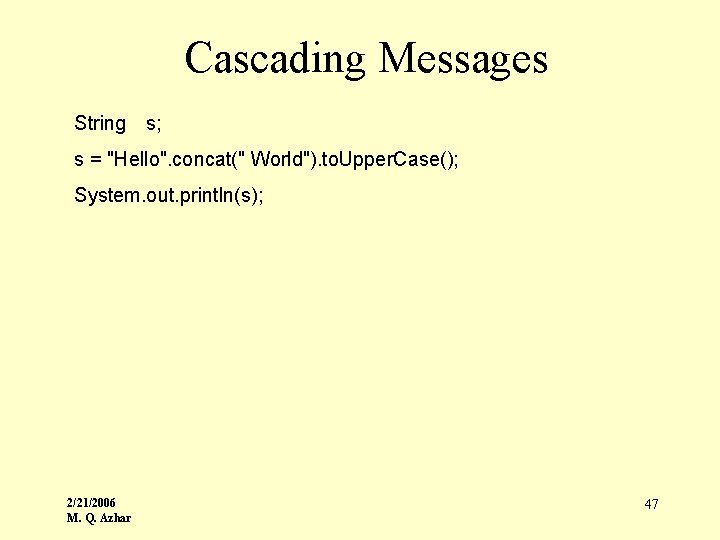
Cascading Messages String s; s = "Hello". concat(" World"). to. Upper. Case(); System. out. println(s); 2/21/2006 M. Q. Azhar 47
Creating Objects • new keyword • constructor + arguments • expression's value is reference to create object 2/21/2006 M. Q. Azhar 48
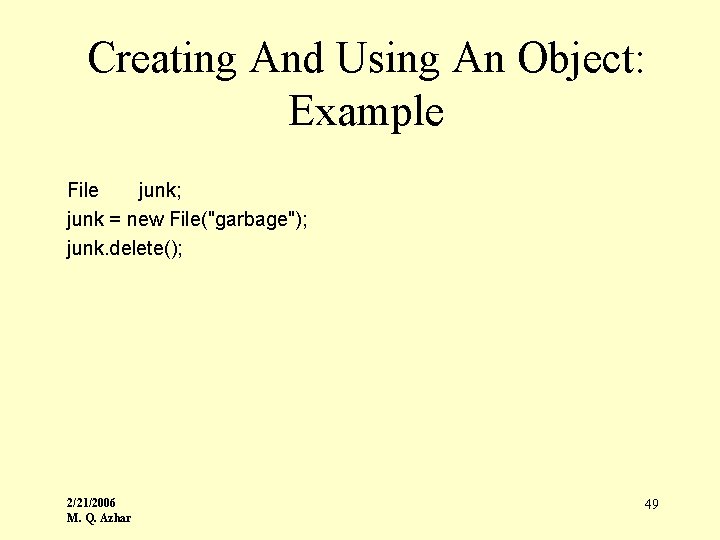
Creating And Using An Object: Example File junk; junk = new File("garbage"); junk. delete(); 2/21/2006 M. Q. Azhar 49
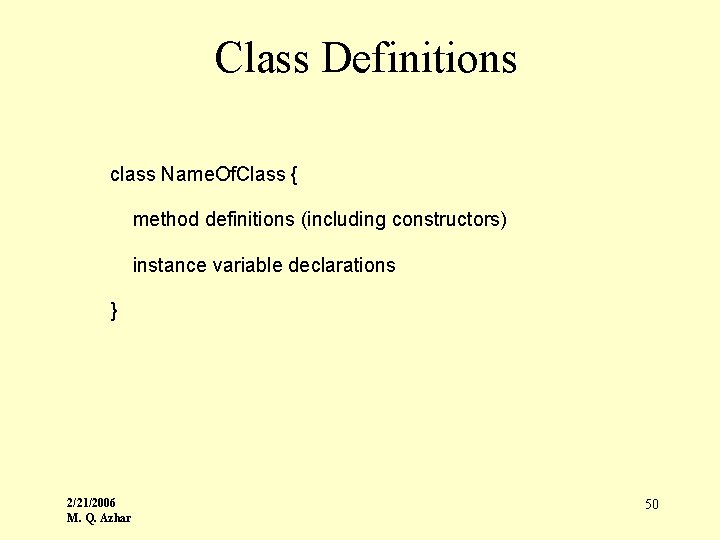
Class Definitions class Name. Of. Class { method definitions (including constructors) instance variable declarations } 2/21/2006 M. Q. Azhar 50
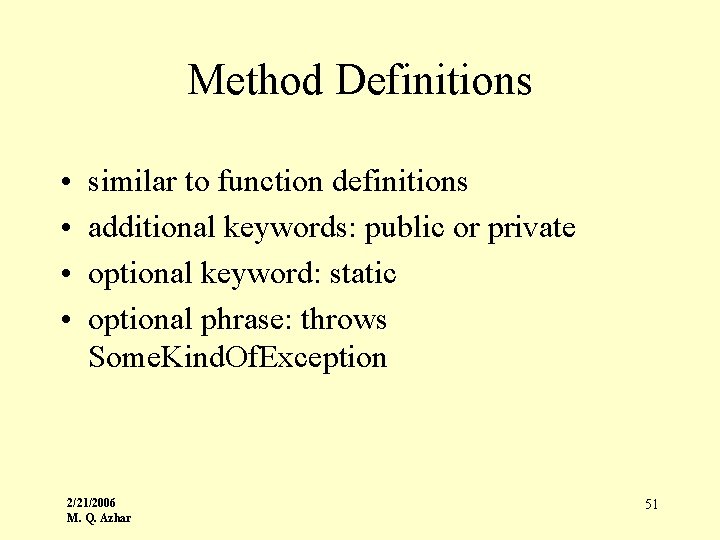
Method Definitions • • similar to function definitions additional keywords: public or private optional keyword: static optional phrase: throws Some. Kind. Of. Exception 2/21/2006 M. Q. Azhar 51
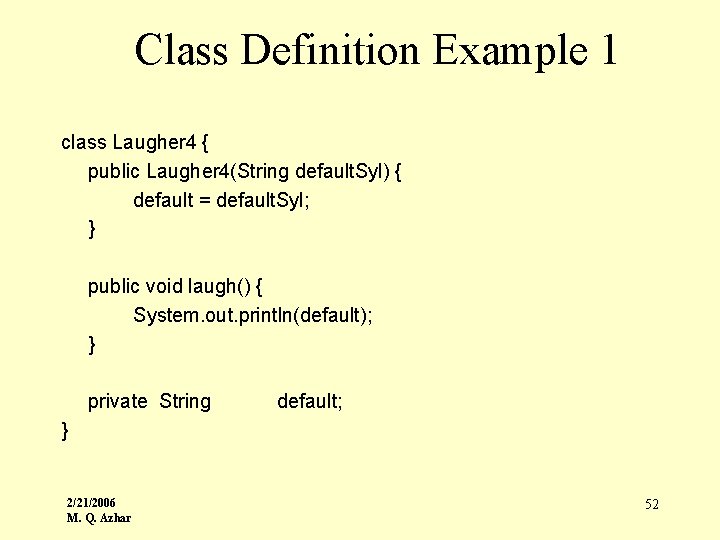
Class Definition Example 1 class Laugher 4 { public Laugher 4(String default. Syl) { default = default. Syl; } public void laugh() { System. out. println(default); } private String default; } 2/21/2006 M. Q. Azhar 52
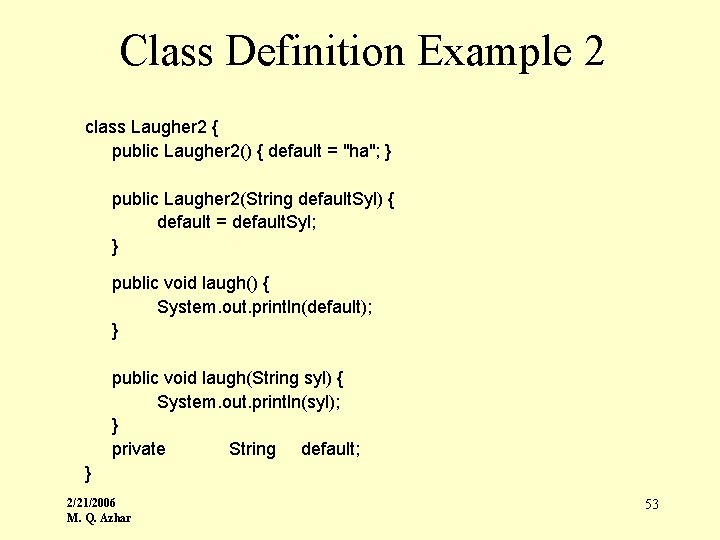
Class Definition Example 2 class Laugher 2 { public Laugher 2() { default = "ha"; } public Laugher 2(String default. Syl) { default = default. Syl; } public void laugh() { System. out. println(default); } public void laugh(String syl) { System. out. println(syl); } private String default; } 2/21/2006 M. Q. Azhar 53
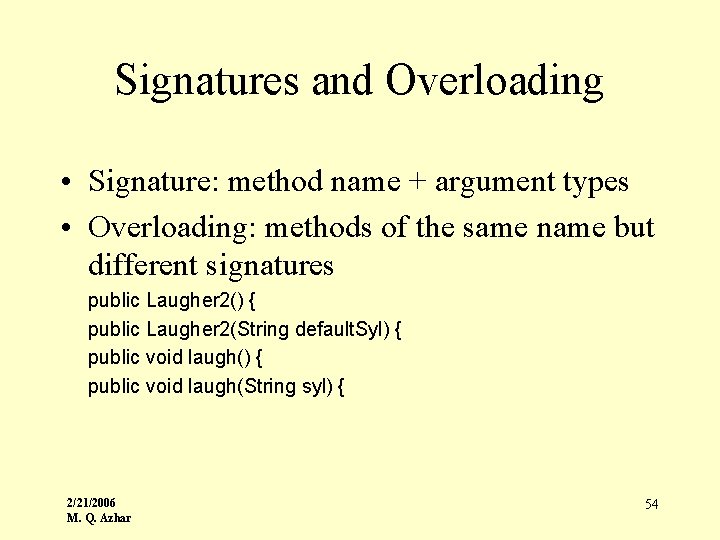
Signatures and Overloading • Signature: method name + argument types • Overloading: methods of the same name but different signatures public Laugher 2() { public Laugher 2(String default. Syl) { public void laugh(String syl) { 2/21/2006 M. Q. Azhar 54
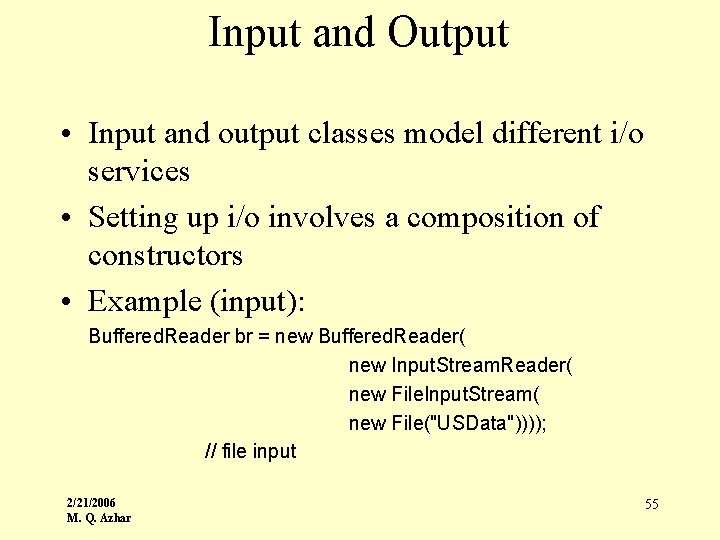
Input and Output • Input and output classes model different i/o services • Setting up i/o involves a composition of constructors • Example (input): Buffered. Reader br = new Buffered. Reader( new Input. Stream. Reader( new File. Input. Stream( new File("USData")))); // file input 2/21/2006 M. Q. Azhar 55
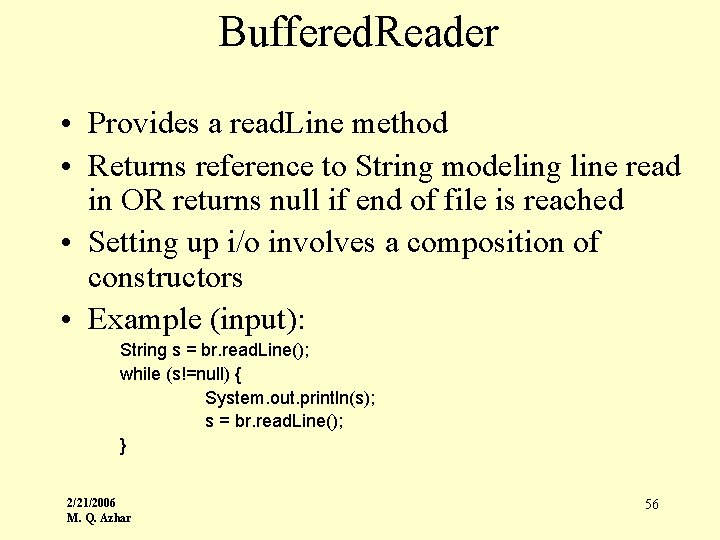
Buffered. Reader • Provides a read. Line method • Returns reference to String modeling line read in OR returns null if end of file is reached • Setting up i/o involves a composition of constructors • Example (input): String s = br. read. Line(); while (s!=null) { System. out. println(s); s = br. read. Line(); } 2/21/2006 M. Q. Azhar 56
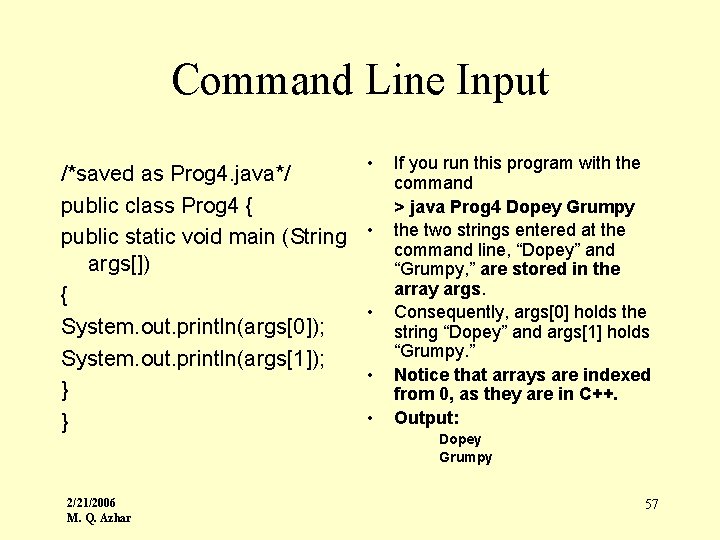
Command Line Input /*saved as Prog 4. java*/ public class Prog 4 { public static void main (String args[]) { System. out. println(args[0]); System. out. println(args[1]); } } 2/21/2006 M. Q. Azhar • • • If you run this program with the command > java Prog 4 Dopey Grumpy the two strings entered at the command line, “Dopey” and “Grumpy, ” are stored in the array args. Consequently, args[0] holds the string “Dopey” and args[1] holds “Grumpy. ” Notice that arrays are indexed from 0, as they are in C++. Output: Dopey Grumpy 57
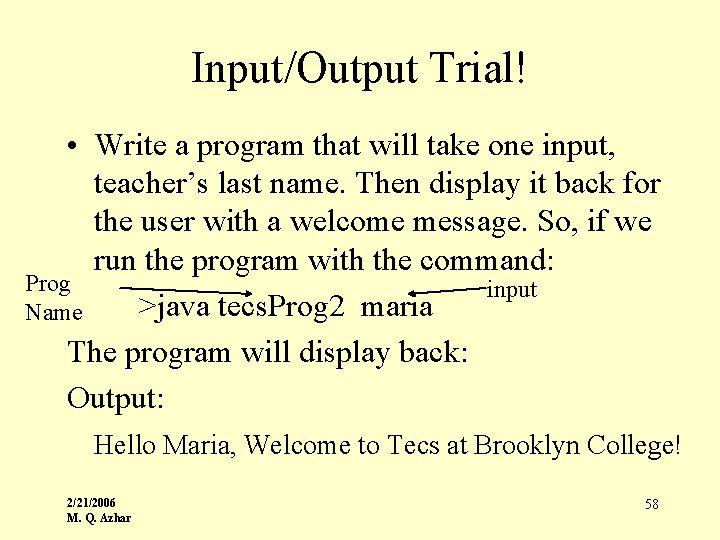
Input/Output Trial! • Write a program that will take one input, teacher’s last name. Then display it back for the user with a welcome message. So, if we run the program with the command: Prog input >java tecs. Prog 2 maria Name The program will display back: Output: Hello Maria, Welcome to Tecs at Brooklyn College! 2/21/2006 M. Q. Azhar 58
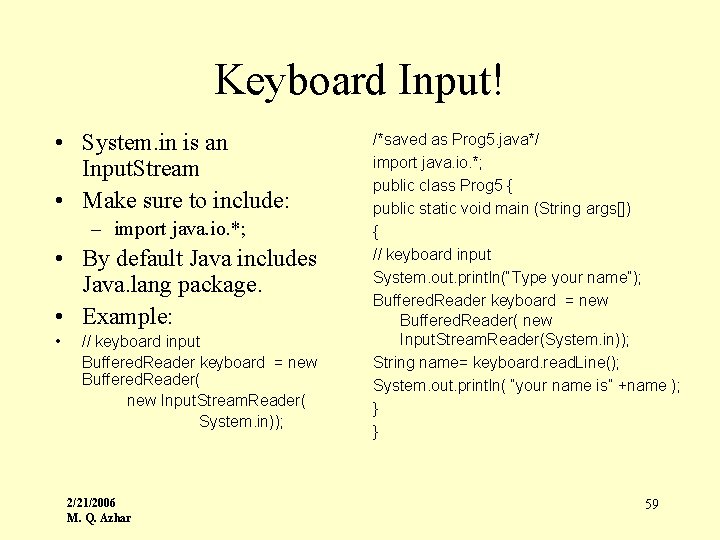
Keyboard Input! • System. in is an Input. Stream • Make sure to include: – import java. io. *; • By default Java includes Java. lang package. • Example: • // keyboard input Buffered. Reader keyboard = new Buffered. Reader( new Input. Stream. Reader( System. in)); 2/21/2006 M. Q. Azhar /*saved as Prog 5. java*/ import java. io. *; public class Prog 5 { public static void main (String args[]) { // keyboard input System. out. println(“Type your name”); Buffered. Reader keyboard = new Buffered. Reader( new Input. Stream. Reader(System. in)); String name= keyboard. read. Line(); System. out. println( “your name is” +name ); } } 59
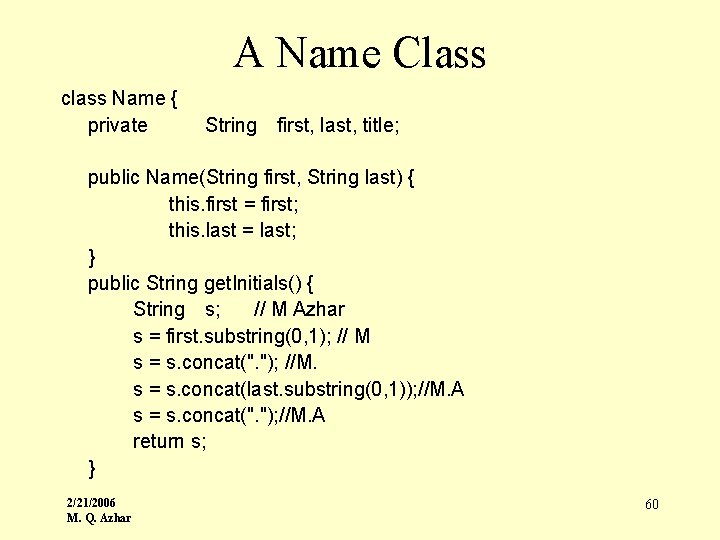
A Name Class class Name { private String first, last, title; public Name(String first, String last) { this. first = first; this. last = last; } public String get. Initials() { String s; // M Azhar s = first. substring(0, 1); // M s = s. concat(". "); //M. s = s. concat(last. substring(0, 1)); //M. A s = s. concat(". "); //M. A return s; } 2/21/2006 M. Q. Azhar 60
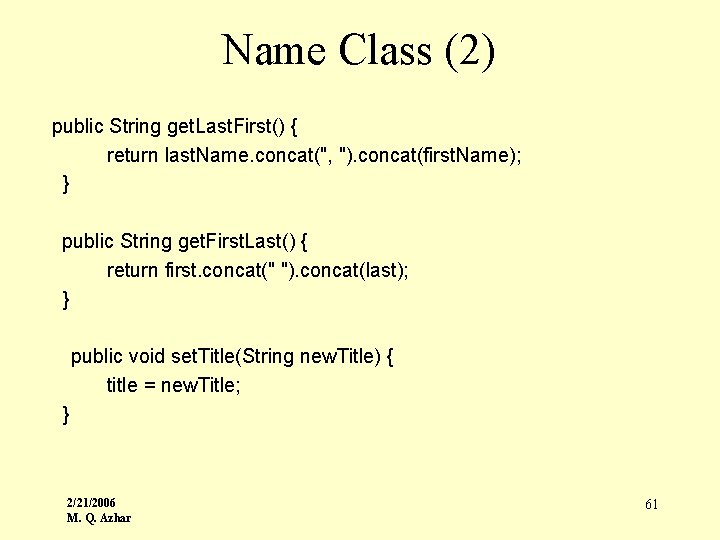
Name Class (2) public String get. Last. First() { return last. Name. concat(", "). concat(first. Name); } public String get. First. Last() { return first. concat(" "). concat(last); } public void set. Title(String new. Title) { title = new. Title; } 2/21/2006 M. Q. Azhar 61
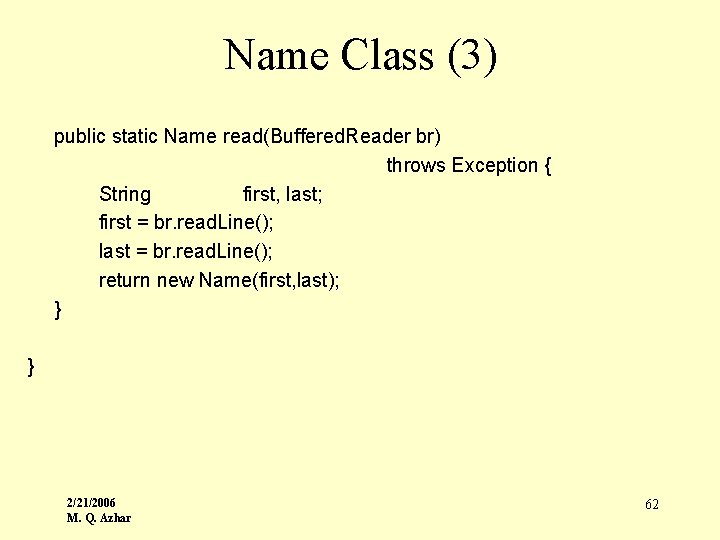
Name Class (3) public static Name read(Buffered. Reader br) throws Exception { String first, last; first = br. read. Line(); last = br. read. Line(); return new Name(first, last); } } 2/21/2006 M. Q. Azhar 62
![Using The Name Class public class Test. Name{ public static void main(String [] args)](http://slidetodoc.com/presentation_image_h2/8b76474500c2effe11f64b104b3af398/image-63.jpg "Using The Name Class public class Test. Name{ public static void main(String [] args)")
Using The Name Class public class Test. Name{ public static void main(String [] args) { Buffered. Reader br = new Buffered. Reader( new Input. Stream. Reader( System. in)); Name n; n = Name. read(br); System. out. println(n. get. Initials()); } } 2/21/2006 M. Q. Azhar 63
Class Variables: Static • Although a class is not an object, a class can have both class variables and class methods. • Class variables and class methods can exist whether or not any object is created. • Class variables and class methods are indicated with the keyword static. 2/21/2006 M. Q. Azhar 64
Static (Class) Methods A class/static method, as we have already seen, is a method that: · exists as a member of a class, · may be invoked using either the class name or the name of an object, · may not access instance variables, (Since class methods may be invoked regardless of whether or not any object have been created, object/instance variables cannot be accessed by static methods. ) · is often used when it is important to know how many class instances exist or to restrict the number of instances of a class. 2/21/2006 M. Q. Azhar 65
Static (Class) Variables If a class contains a static variable then: • · All objects/instances of the class share that variable. • · There is only one version of the variable defined for the whole class. • · The variable belongs to the class. • · The variable exists regardless of whether or not any objects have been created. • · The variable may be accessed using either the class name or an object name, if an object has been created. Example: • Static or class variables are often used for constants. The Math class contains two class constants: Math. PI and Math. E ( approximate value: 2. 71828). 2/21/2006 M. Q. Azhar 66
Static • The Java System library contains many class/static methods. The methods of Math are all static as are the (final) variables. • Of course, allowing static methods and variables is contrary to the principles of object -oriented programming since Java is providing a mechanism for what amounts to global variables and methods! 2/21/2006 M. Q. Azhar 67
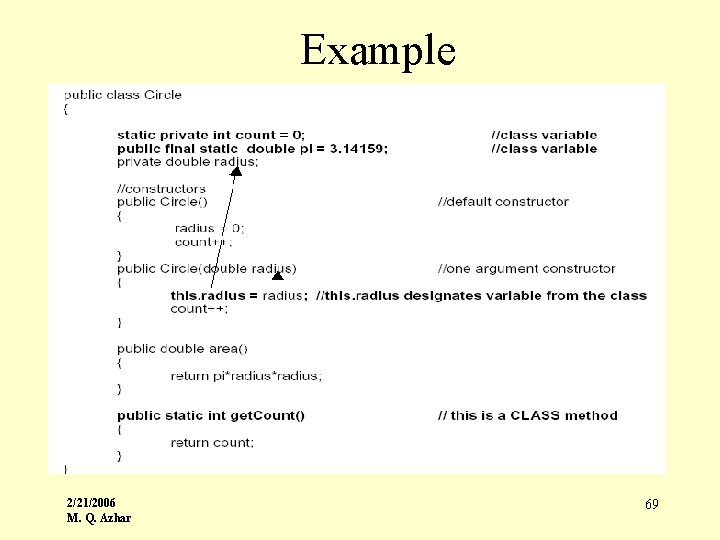
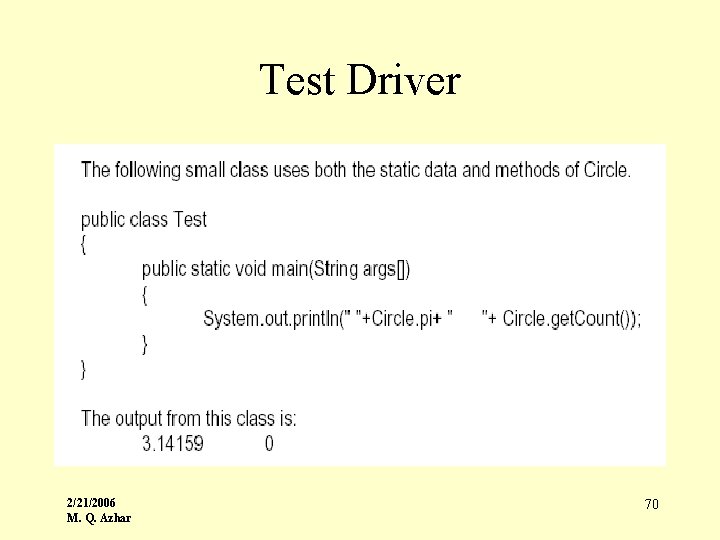
Static • The following simple class contains two class/static variables: · The variable count keeps track of the number of Circle objects that have been created. One version of count exists for the entire class. All objects access this same variable. · The static variable pi is a constant. Notice the keyword final. Also note that pi is declared public so that any other class may access it as Circle. pi. 2/21/2006 M. Q. Azhar 68
Example 2/21/2006 M. Q. Azhar 69
Test Driver 2/21/2006 M. Q. Azhar 70
Explanation • The class method, get. Count(), returns the number of Circle objects that have been created. • Notice that get. Count() accesses count – a class/static variable. Remember: a static method cannot access an instance variable, since instance variables may not even exist. • The example also illustrates use of the keyword this. Sometimes the parameter has the same name as one of the instance variables. • To differentiate between the parameter and the private variable, use the keyword this. As in C++, this is a reference to the invoking object. 2/21/2006 M. Q. Azhar 71
Scope and Lifetimes • • objects local (method) variables and parameters instance variables class variables 2/21/2006 M. Q. Azhar 72
![Arrays • Superficially Similar To C: – [ ] syntax – start from 0](http://slidetodoc.com/presentation_image_h2/8b76474500c2effe11f64b104b3af398/image-73.jpg "Arrays • Superficially Similar To C: – [ ] syntax – start from 0")
Arrays • Superficially Similar To C: – [ ] syntax – start from 0 • Actually they are classless objects • An array variable holds a reference to an array object • Has length field— read-only 2/21/2006 M. Q. Azhar 73
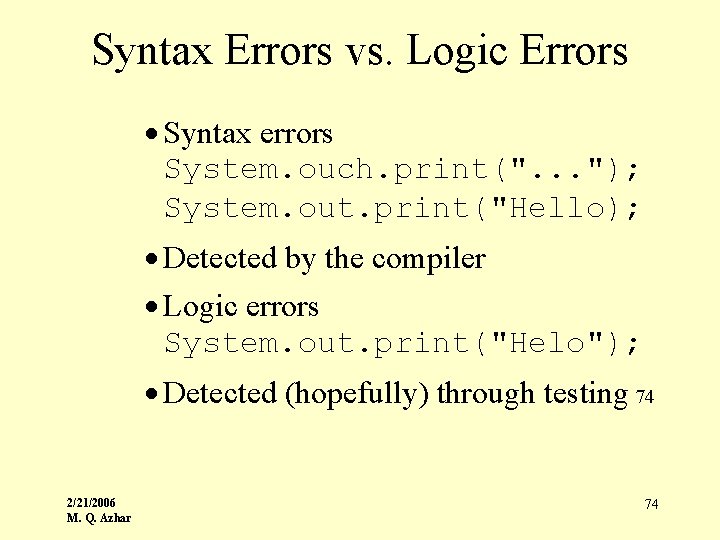
Syntax Errors vs. Logic Errors · Syntax errors System. ouch. print(". . . "); System. out. print("Hello); · Detected by the compiler · Logic errors System. out. print("Helo"); · Detected (hopefully) through testing 74 2/21/2006 M. Q. Azhar 74
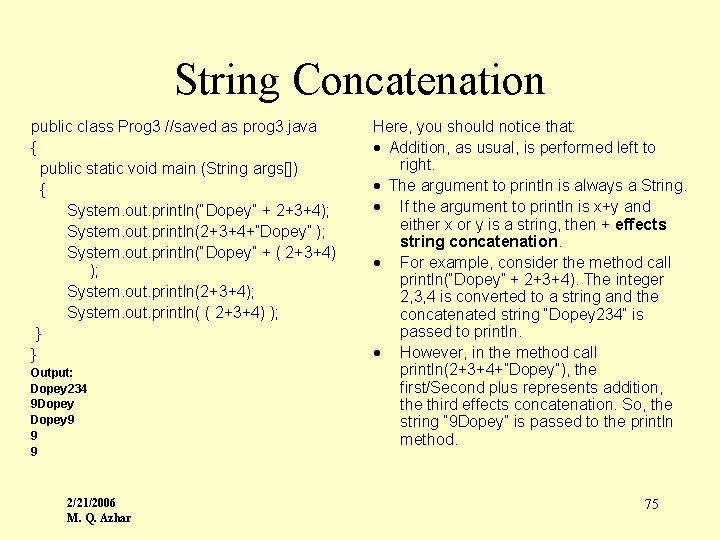
String Concatenation public class Prog 3 //saved as prog 3. java { public static void main (String args[]) { System. out. println(“Dopey” + 2+3+4); System. out. println(2+3+4+”Dopey” ); System. out. println(“Dopey” + ( 2+3+4) ); System. out. println(2+3+4); System. out. println( ( 2+3+4) ); } } Output: Dopey 234 9 Dopey 9 9 9 2/21/2006 M. Q. Azhar Here, you should notice that: · Addition, as usual, is performed left to right. · The argument to println is always a String. · If the argument to println is x+y and either x or y is a string, then + effects string concatenation. · For example, consider the method call println(“Dopey” + 2+3+4). The integer 2, 3, 4 is converted to a string and the concatenated string “Dopey 234” is passed to println. · However, in the method call println(2+3+4+”Dopey”), the first/Second plus represents addition, the third effects concatenation. So, the string “ 9 Dopey” is passed to the println method. 75
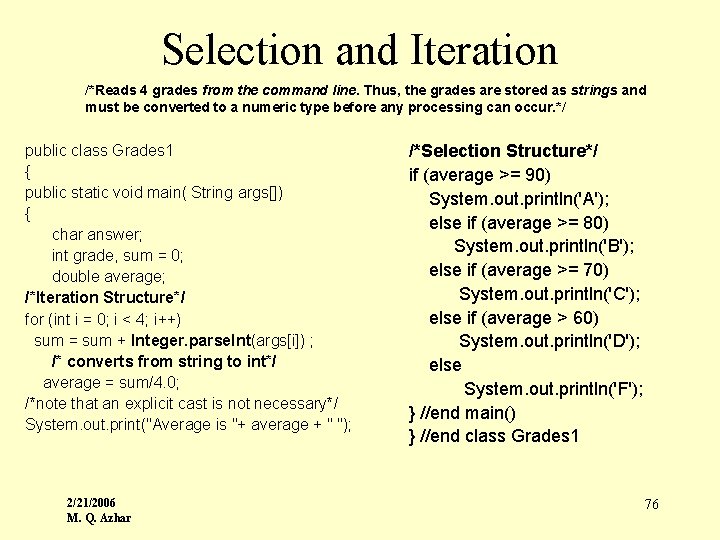
Selection and Iteration /*Reads 4 grades from the command line. Thus, the grades are stored as strings and must be converted to a numeric type before any processing can occur. */ public class Grades 1 { public static void main( String args[]) { char answer; int grade, sum = 0; double average; /*Iteration Structure*/ for (int i = 0; i < 4; i++) sum = sum + Integer. parse. Int(args[i]) ; /* converts from string to int*/ average = sum/4. 0; /*note that an explicit cast is not necessary*/ System. out. print("Average is "+ average + " "); 2/21/2006 M. Q. Azhar /*Selection Structure*/ if (average >= 90) System. out. println('A'); else if (average >= 80) System. out. println('B'); else if (average >= 70) System. out. println('C'); else if (average > 60) System. out. println('D'); else System. out. println('F'); } //end main() } //end class Grades 1 76
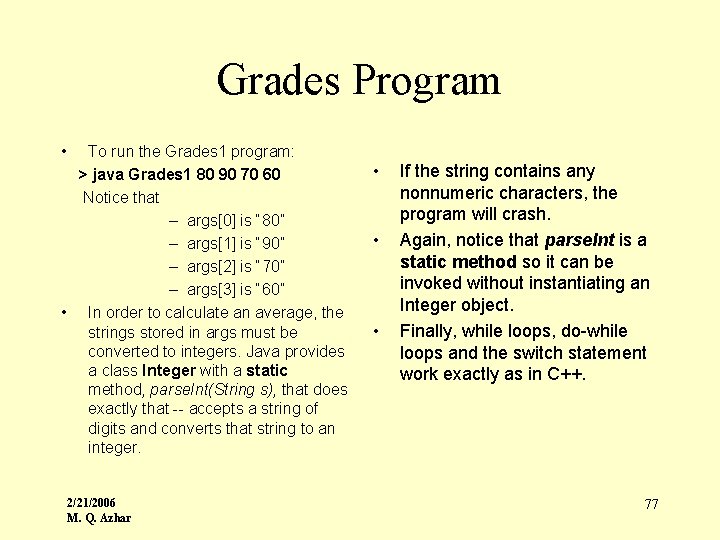
Grades Program • To run the Grades 1 program: > java Grades 1 80 90 70 60 Notice that – args[0] is “ 80” – args[1] is “ 90” – args[2] is “ 70” – args[3] is “ 60” • In order to calculate an average, the strings stored in args must be converted to integers. Java provides a class Integer with a static method, parse. Int(String s), that does exactly that -- accepts a string of digits and converts that string to an integer. 2/21/2006 M. Q. Azhar • • • If the string contains any nonnumeric characters, the program will crash. Again, notice that parse. Int is a static method so it can be invoked without instantiating an Integer object. Finally, while loops, do-while loops and the switch statement work exactly as in C++. 77

Topic 3: Inheritance 2/21/2006 M. Q. Azhar
Inheritance and Polymorphism – Inheritance • Software reusability • Classes are created from existing ones – Absorbing attributes and behaviors – Adding new capabilities – Convertible inherits from Automobile – Polymorphism • Enables developers to write programs in general fashion – Handle variety of existing and yet-to-be-specified classes • Helps add new capabilities to system 2/21/2006 M. Q. Azhar 79
Inheritance • Inheritance makes it possible to build new classes from existing classes thus facilitating the reuse of methods and data from one class in another. • Moreover, inheritance allows data of one type to be treated as data of a more general type. Subclass inherits from superclass – Subclass usually adds instance variables and methods • Single vs. multiple inheritance – Java does not support multiple inheritance » Interfaces (discussed later) achieve the same effect • “Is a” relationship • Composition • “Has a” relationship 2/21/2006 M. Q. Azhar 80
Superclasses and Subclasses • “Is a” Relationship – Object “is an” object of another class • Rectangle “is a” quadrilateral – Class Rectangle inherits from class Quadrilateral – Form tree-like hierarchical structures 2/21/2006 M. Q. Azhar 81
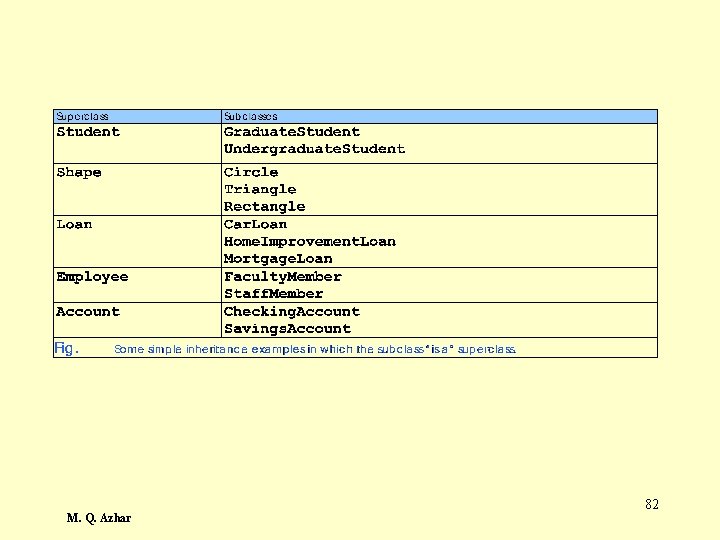
2/21/2006 M. Q. Azhar 82
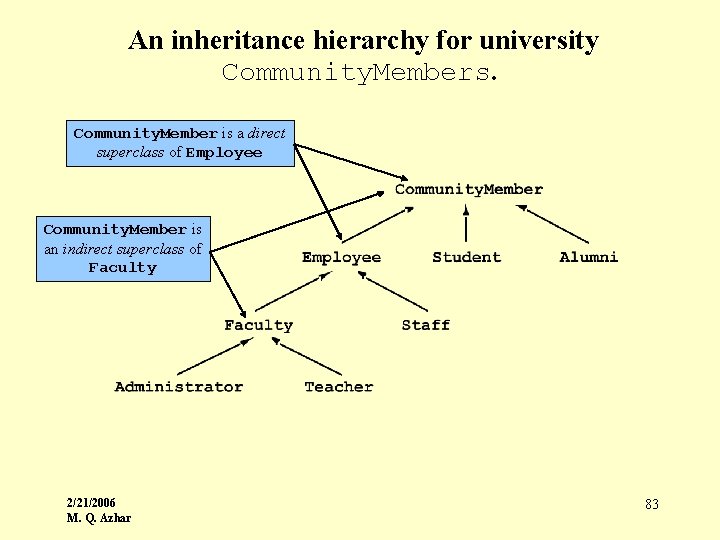
An inheritance hierarchy for university Community. Members. Community. Member is a direct superclass of Employee Community. Member is an indirect superclass of Faculty 2/21/2006 M. Q. Azhar 83
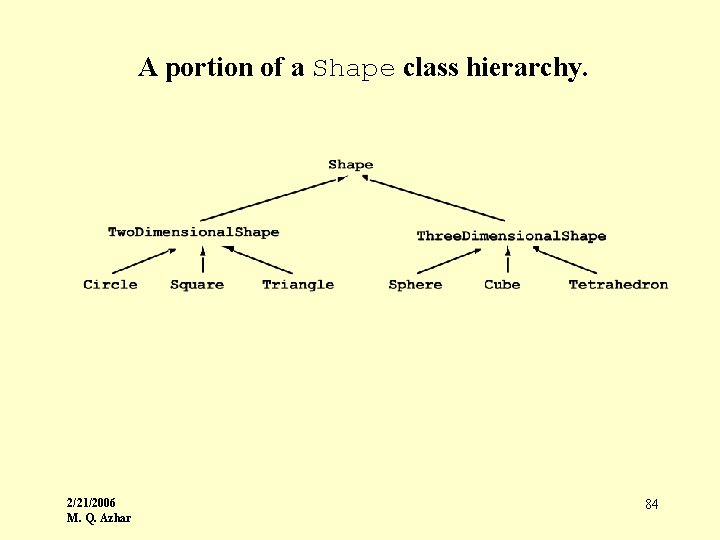
A portion of a Shape class hierarchy. 2/21/2006 M. Q. Azhar 84
protected Members • protected access members – Between public and private in protection – Accessed only by • Superclass methods • Subclass methods • Methods of classes in same package – package access 2/21/2006 M. Q. Azhar 85
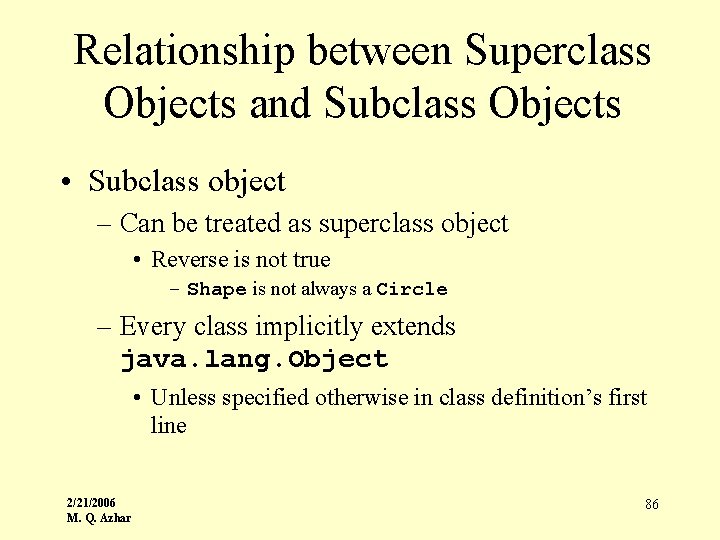
Relationship between Superclass Objects and Subclass Objects • Subclass object – Can be treated as superclass object • Reverse is not true – Shape is not always a Circle – Every class implicitly extends java. lang. Object • Unless specified otherwise in class definition’s first line 2/21/2006 M. Q. Azhar 86
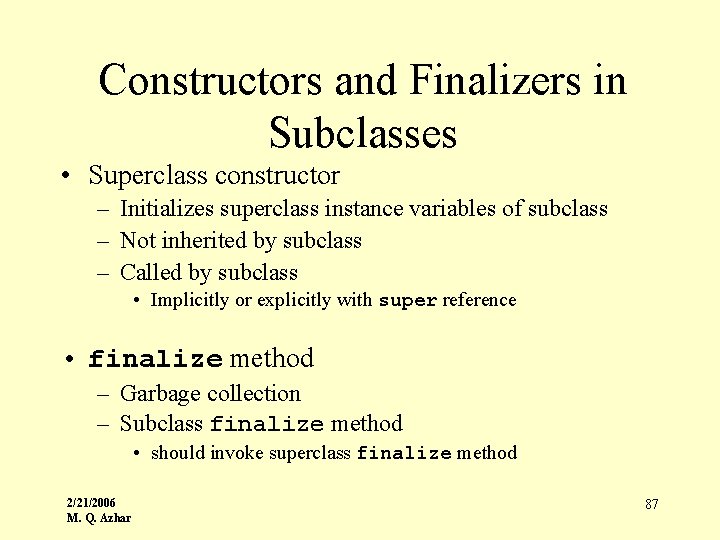
Constructors and Finalizers in Subclasses • Superclass constructor – Initializes superclass instance variables of subclass – Not inherited by subclass – Called by subclass • Implicitly or explicitly with super reference • finalize method – Garbage collection – Subclass finalize method • should invoke superclass finalize method 2/21/2006 M. Q. Azhar 87
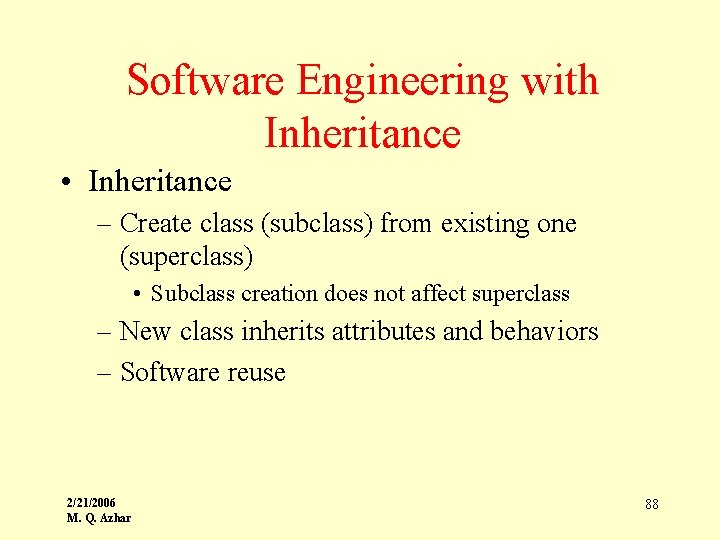
Software Engineering with Inheritance • Inheritance – Create class (subclass) from existing one (superclass) • Subclass creation does not affect superclass – New class inherits attributes and behaviors – Software reuse 2/21/2006 M. Q. Azhar 88
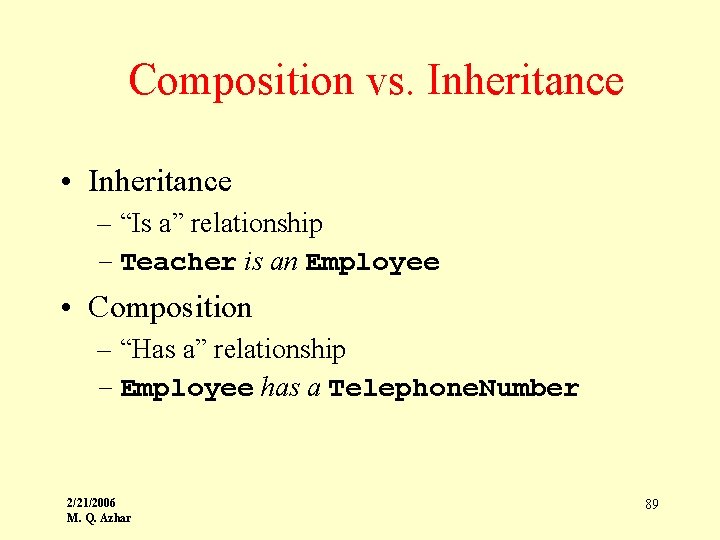
Composition vs. Inheritance • Inheritance – “Is a” relationship – Teacher is an Employee • Composition – “Has a” relationship – Employee has a Telephone. Number 2/21/2006 M. Q. Azhar 89
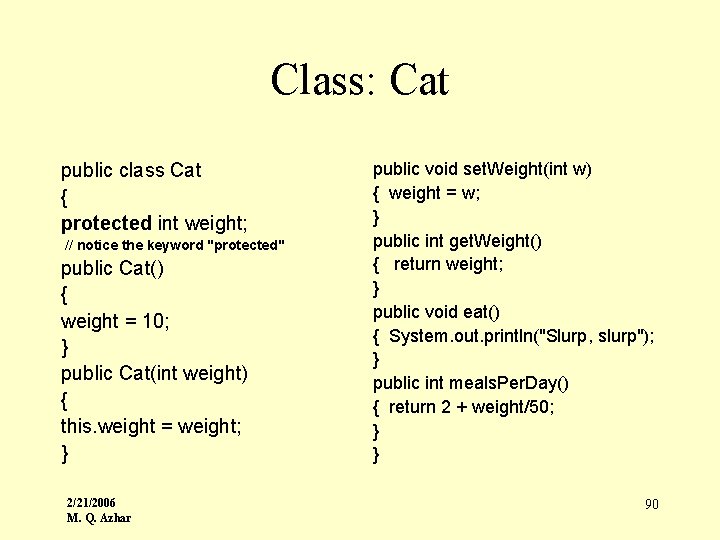
Class: Cat public class Cat { protected int weight; // notice the keyword "protected" public Cat() { weight = 10; } public Cat(int weight) { this. weight = weight; } 2/21/2006 M. Q. Azhar public void set. Weight(int w) { weight = w; } public int get. Weight() { return weight; } public void eat() { System. out. println("Slurp, slurp"); } public int meals. Per. Day() { return 2 + weight/50; } } 90
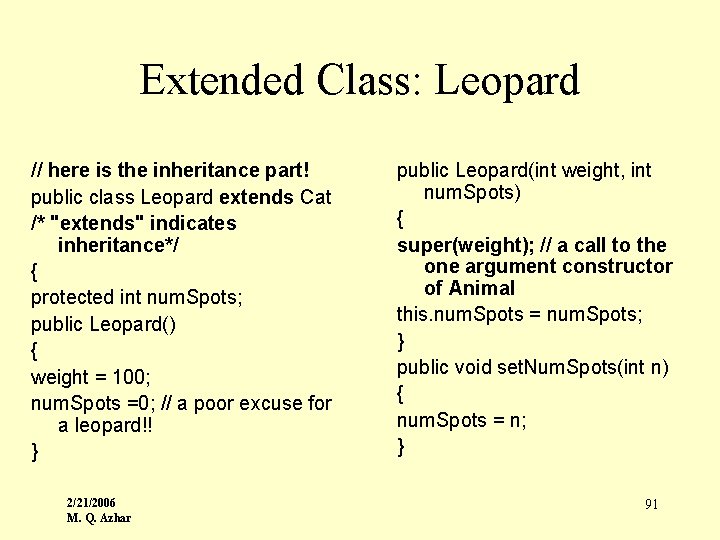
Extended Class: Leopard // here is the inheritance part! public class Leopard extends Cat /* "extends" indicates inheritance*/ { protected int num. Spots; public Leopard() { weight = 100; num. Spots =0; // a poor excuse for a leopard!! } 2/21/2006 M. Q. Azhar public Leopard(int weight, int num. Spots) { super(weight); // a call to the one argument constructor of Animal this. num. Spots = num. Spots; } public void set. Num. Spots(int n) { num. Spots = n; } 91
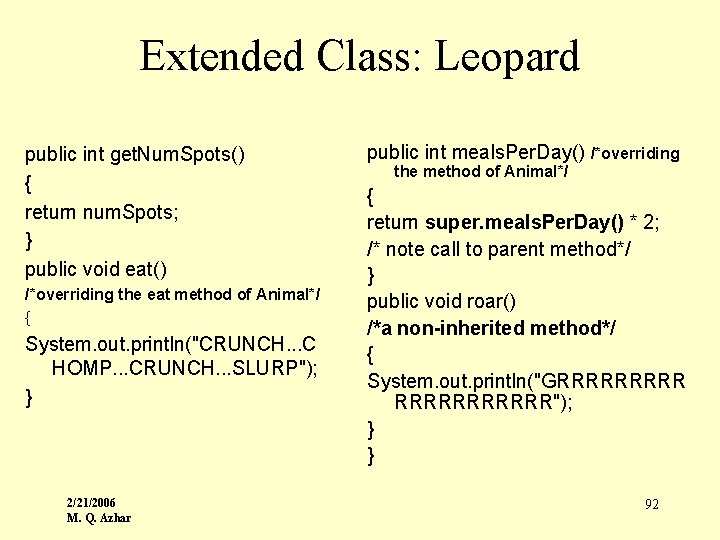
Extended Class: Leopard public int get. Num. Spots() { return num. Spots; } public void eat() /*overriding the eat method of Animal*/ { System. out. println("CRUNCH. . . C HOMP. . . CRUNCH. . . SLURP"); } 2/21/2006 M. Q. Azhar public int meals. Per. Day() /*overriding the method of Animal*/ { return super. meals. Per. Day() * 2; /* note call to parent method*/ } public void roar() /*a non-inherited method*/ { System. out. println("GRRRRRR"); } } 92
A Leopard is-a Cat • Inheritance allows the creation of a more specialized class from a parent class. • The derived class extends the attributes and/or functionality of the base class. • A derived class has everything that the base class has, and more. • The relationship between the base class and a derived class is often called an is-a relationship because every derived class is a (kind of) superclass. 2/21/2006 M. Q. Azhar 93
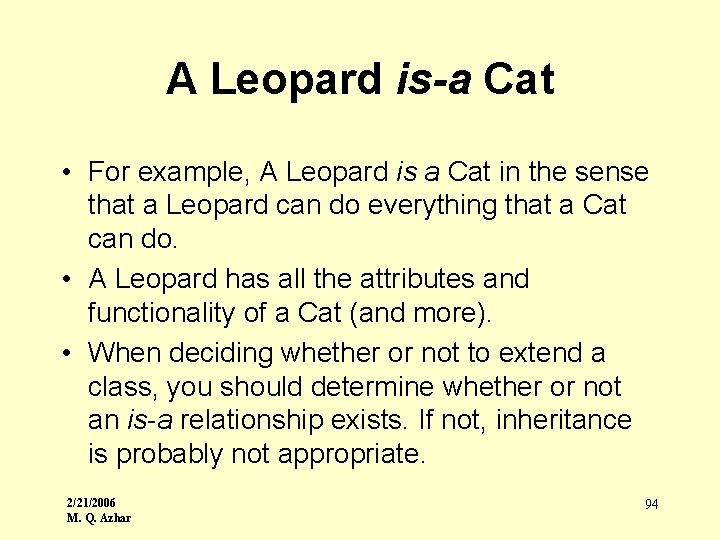
A Leopard is-a Cat • For example, A Leopard is a Cat in the sense that a Leopard can do everything that a Cat can do. • A Leopard has all the attributes and functionality of a Cat (and more). • When deciding whether or not to extend a class, you should determine whether or not an is-a relationship exists. If not, inheritance is probably not appropriate. 2/21/2006 M. Q. Azhar 94
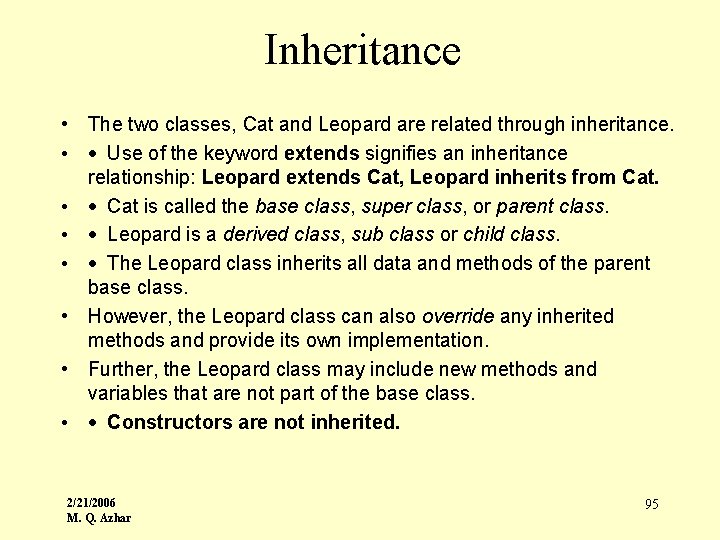
Inheritance • The two classes, Cat and Leopard are related through inheritance. • · Use of the keyword extends signifies an inheritance relationship: Leopard extends Cat, Leopard inherits from Cat. • · Cat is called the base class, super class, or parent class. • · Leopard is a derived class, sub class or child class. • · The Leopard class inherits all data and methods of the parent base class. • However, the Leopard class can also override any inherited methods and provide its own implementation. • Further, the Leopard class may include new methods and variables that are not part of the base class. • · Constructors are not inherited. 2/21/2006 M. Q. Azhar 95
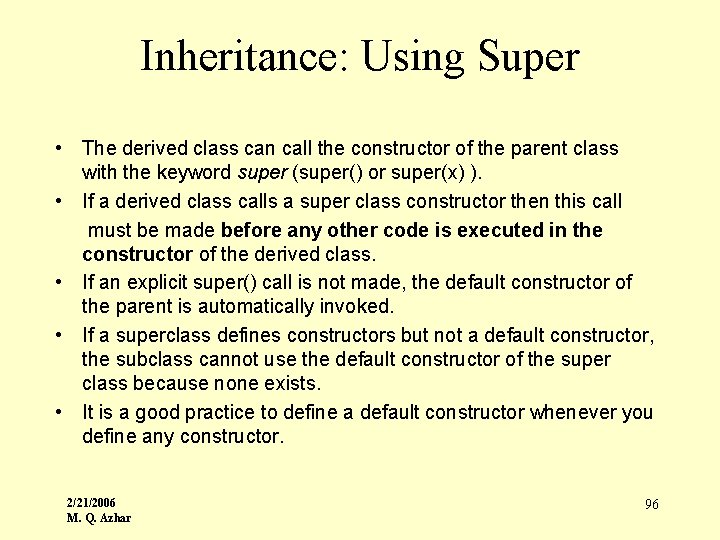
Inheritance: Using Super • The derived class can call the constructor of the parent class with the keyword super (super() or super(x) ). • If a derived class calls a super class constructor then this call must be made before any other code is executed in the constructor of the derived class. • If an explicit super() call is not made, the default constructor of the parent is automatically invoked. • If a superclass defines constructors but not a default constructor, the subclass cannot use the default constructor of the super class because none exists. • It is a good practice to define a default constructor whenever you define any constructor. 2/21/2006 M. Q. Azhar 96
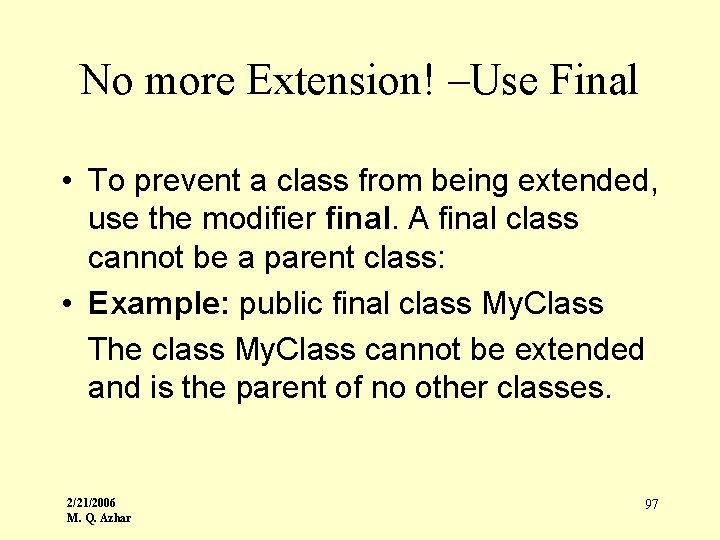
No more Extension! –Use Final • To prevent a class from being extended, use the modifier final. A final class cannot be a parent class: • Example: public final class My. Class The class My. Class cannot be extended and is the parent of no other classes. 2/21/2006 M. Q. Azhar 97
Inheritance: Access • The access modifier protected is used in the parent. A protected variable or method in a public class My. Class can be accessed by any subclass of My. Class. 2/21/2006 M. Q. Azhar 98
Topic 4: Object Oriented Analysis and Design 2/21/2006 M. Q. Azhar
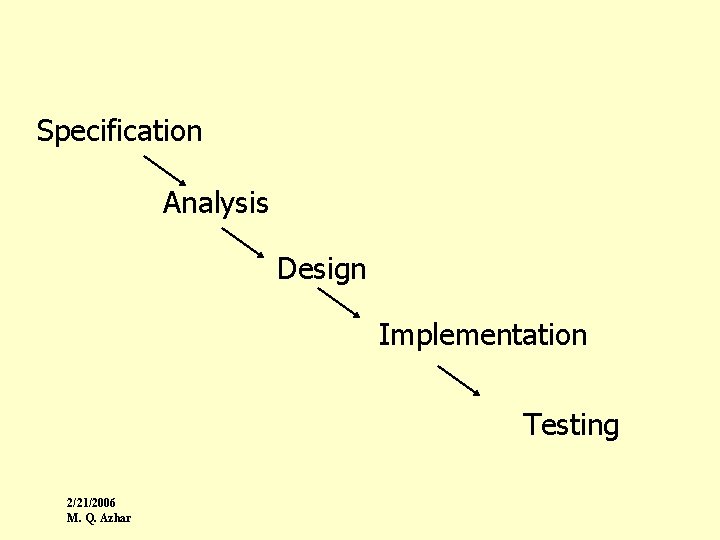
Specification Analysis Design Implementation Testing 2/21/2006 M. Q. Azhar
Basic Concepts • A Class: – A class is a description used to instantiate objects • An Object: – Is an instance of a class, it has a name, attributes and their values, and methods – An object models an idea found in reality, (tangible or abstract) 2/21/2006 M. Q. Azhar 101
Basic Concepts (cont’d) • Attributes • Methods (Services, Messages) • Information hiding and Encapsulation: A technique in which an object reveals as little as possible about its inner workings. • Inheritance • Polymorphism, Overloading, Templates 2/21/2006 M. Q. Azhar 102
Identifying the Object • Identifying Objects (and Classes) • Identify the nouns (objects) in the problem description. • Identify more objects in your developing problem solution. (Design is incremental and iterative! -- Grady Booch) • From these objects, determine what new types (classes) you need. 2/21/2006 M. Q. Azhar 103
Example • Example: Black. Jack Program – – cards a deck a dealer player(s) • Sample Design Questions: – Do different cards represent different types? Or are suit and rank attributes of a single card type? – Are the dealer and player instances of the same class? I. e. , objects of the same type? – Should there be a separate Hand class? 2/21/2006 M. Q. Azhar 104
Identifying Operations • Identify what can be done to objects. or • Identify what objects can do for themselves. or • Identify who is responsible for doing what. • Terminology: operations, responsibilities, contracts, message passing, encapsulation, data hiding 2/21/2006 M. Q. Azhar 105
Example • Example: Black. Jack Program – Card: display, report value (report suit? maybe internally) (modify value/suit? or set these in constructor only? ) – Deck: shuffle, deal next card, report how many cards left in deck – Dealer: deal cards, add card to hand, show (sometimes partial) hand, calculate (partial) hand value, number of cards in hand, hit? , determine winner, reset hand – Player: add card to hand, show hand, calculate hand value, number of cards in hand, hit? , reset hand 2/21/2006 M. Q. Azhar 106
Identify Relationships • Identify object relationships, e. g. what objects need to know about what other objects, what objects are part of other objects. • Terminology: collaboration; aggregation/has-a relationships; knows-about relationships (Note: is-a relationships are class relationships, not object relationships. They should be handled separately, usually by inheritance. ) 2/21/2006 M. Q. Azhar 107
Example • • Example: Black. Jack Program Card: Deck: has cards Dealer: has deck, has cards (or hand, which has cards), knows about player(s) • Player: has cards (or has hand, which has cards) 2/21/2006 M. Q. Azhar 108
Developing Scenarios • Develop scenarios of how the objects interact to see if you have identified the right objects, the right operations, and the right relationships. • Develop common scenarios (this is how the thing should usually work). • Remember to also develop uncommon scenarios, "weird cases, " boundary conditions. • Scenarios are similar to, but more informal than, designbased test cases. • Developing scenarios will often cause you to recognize new design requirements. Remember that design is incremental and iterative! 2/21/2006 M. Q. Azhar 109
Implementing an Object-Oriented Design • Design public interfaces (public member function declarations) for the classes and operations you identified in the design. • Design the internal data representation (private data members). Include information about relationships. • Implement the public member functions. Identify useful internal helper functions (private member functions). • Test individual objects and member functions before putting everything together. 2/21/2006 M. Q. Azhar 110
Summary • Identify Objects and Classes Operations Relationships • Strive for Well-defined Responsibilities, Strong Cohesion, Weak Coupling • Develop Scenarios • Remember: Design is incremental and iterative! 2/21/2006 M. Q. Azhar 111
Graphics: Applets 2/21/2006 M. Q. Azhar
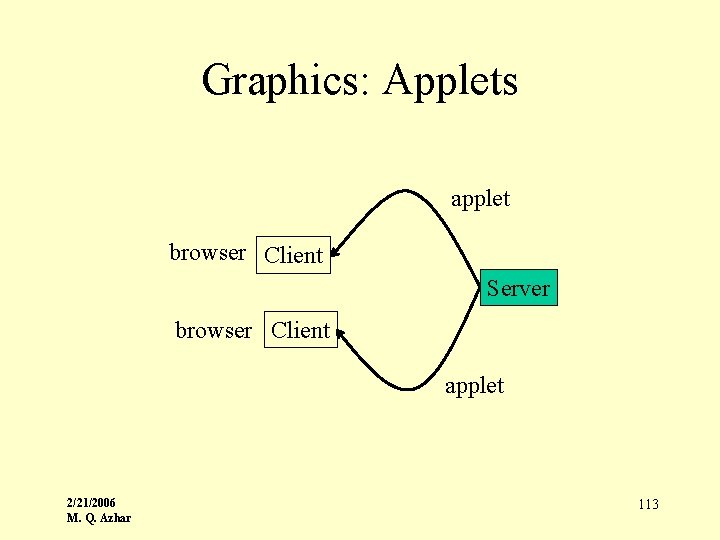
Graphics: Applets applet browser Client Server browser Client applet 2/21/2006 M. Q. Azhar 113
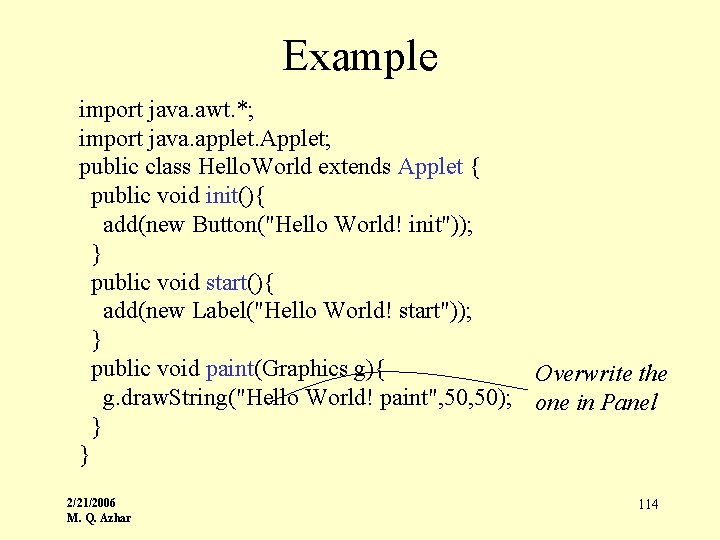
Example import java. awt. *; import java. applet. Applet; public class Hello. World extends Applet { public void init(){ add(new Button("Hello World! init")); } public void start(){ add(new Label("Hello World! start")); } public void paint(Graphics g){ Overwrite the g. draw. String("Hello World! paint", 50); one in Panel } } 2/21/2006 M. Q. Azhar 114
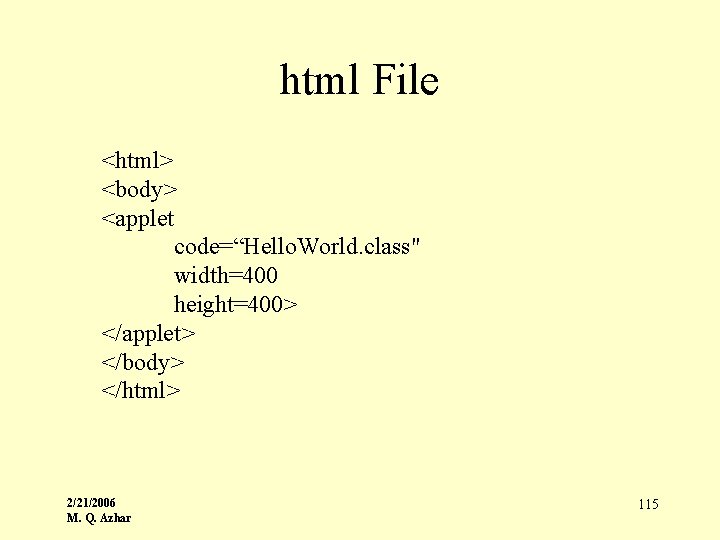
html File <html> <body> <applet code=“Hello. World. class" width=400 height=400> </applet> </body> </html> 2/21/2006 M. Q. Azhar 115
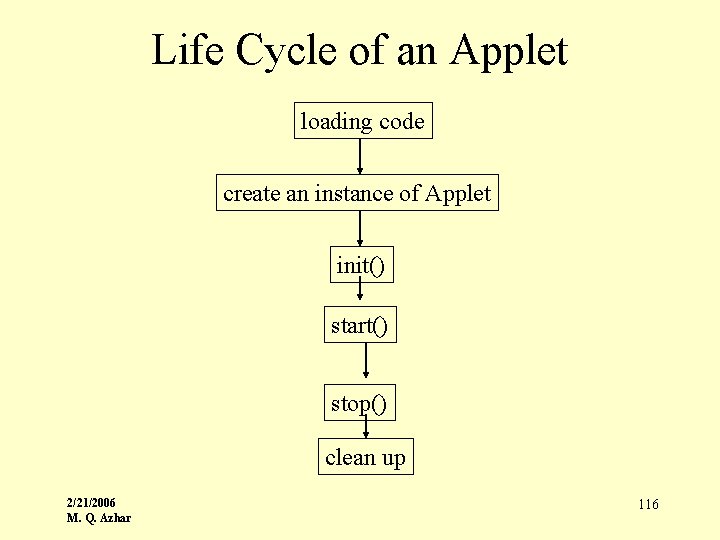
Life Cycle of an Applet loading code create an instance of Applet init() start() stop() clean up 2/21/2006 M. Q. Azhar 116
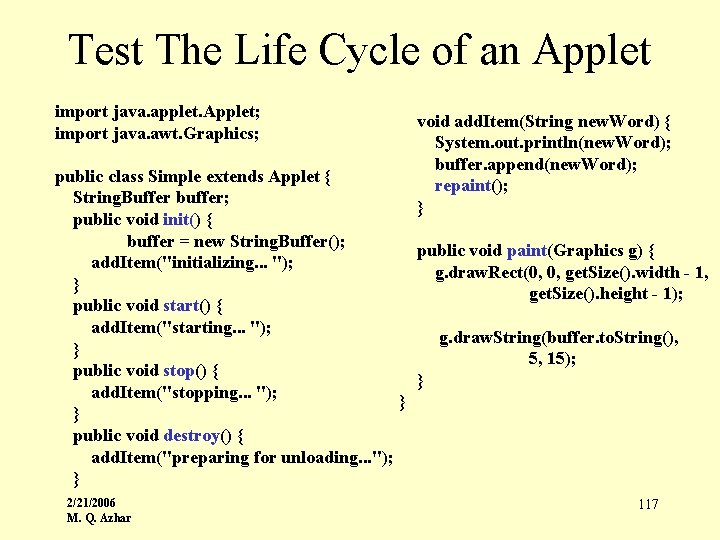
Test The Life Cycle of an Applet import java. applet. Applet; import java. awt. Graphics; void add. Item(String new. Word) { System. out. println(new. Word); buffer. append(new. Word); repaint(); } public class Simple extends Applet { String. Buffer buffer; public void init() { buffer = new String. Buffer(); public void paint(Graphics g) { add. Item("initializing. . . "); g. draw. Rect(0, 0, get. Size(). width - 1, } get. Size(). height - 1); public void start() { add. Item("starting. . . "); g. draw. String(buffer. to. String(), } 5, 15); public void stop() { } add. Item("stopping. . . "); } } public void destroy() { add. Item("preparing for unloading. . . "); } 2/21/2006 M. Q. Azhar 117
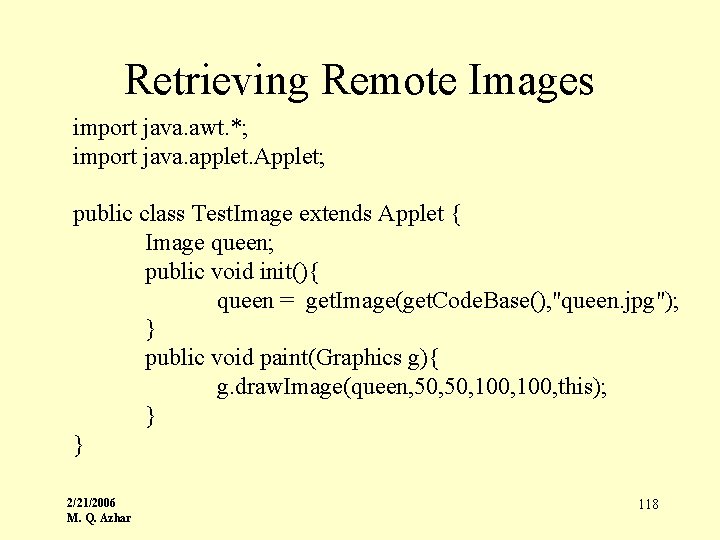
Retrieving Remote Images import java. awt. *; import java. applet. Applet; public class Test. Image extends Applet { Image queen; public void init(){ queen = get. Image(get. Code. Base(), "queen. jpg"); } public void paint(Graphics g){ g. draw. Image(queen, 50, 100, this); } } 2/21/2006 M. Q. Azhar 118
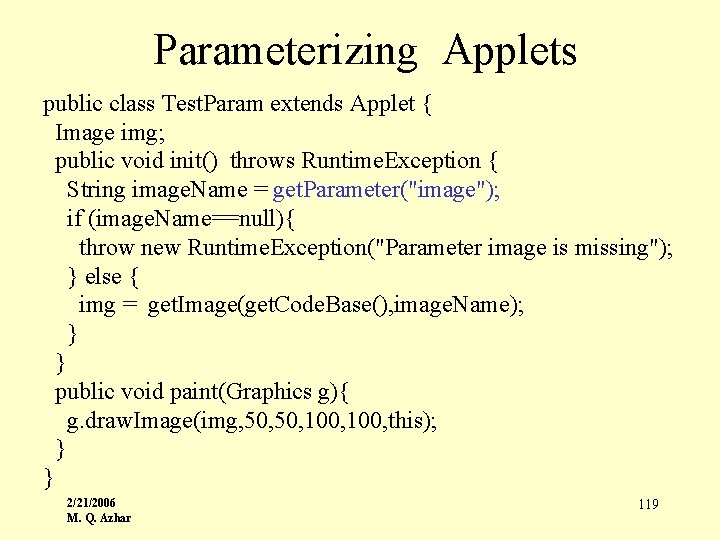
Parameterizing Applets public class Test. Param extends Applet { Image img; public void init() throws Runtime. Exception { String image. Name = get. Parameter("image"); if (image. Name==null){ throw new Runtime. Exception("Parameter image is missing"); } else { img = get. Image(get. Code. Base(), image. Name); } } public void paint(Graphics g){ g. draw. Image(img, 50, 100, this); } } 2/21/2006 M. Q. Azhar 119
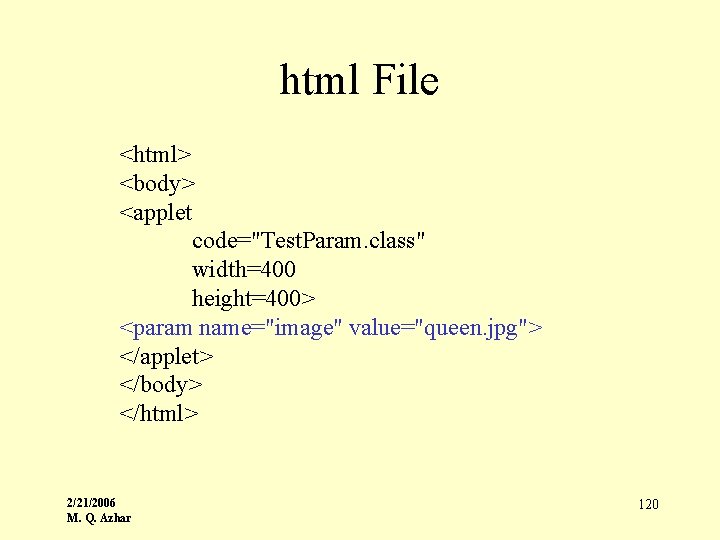
html File <html> <body> <applet code="Test. Param. class" width=400 height=400> <param name="image" value="queen. jpg"> </applet> </body> </html> 2/21/2006 M. Q. Azhar 120
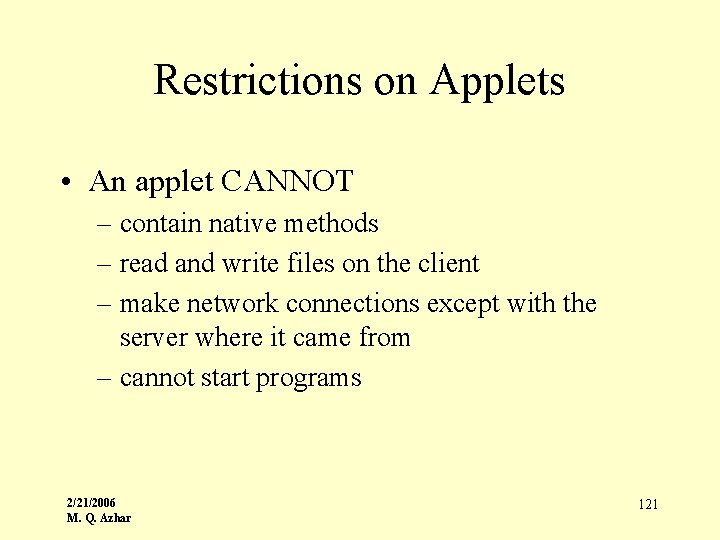
Restrictions on Applets • An applet CANNOT – contain native methods – read and write files on the client – make network connections except with the server where it came from – cannot start programs 2/21/2006 M. Q. Azhar 121
References • Tecs Resources: – http: //tecs. acm. org/resources • Project Net. Day – http: //www. netday. org • OOP using Java with Lego Mindstorms – http: //www. sci. brooklyn. cuny. edu/~mqazhar/ja va 2/21/2006 M. Q. Azhar 122
More References • College Board Website with various Free-response questions: – http: //www. collegeboard. com/student/testing/ap/prep_free. html • AP computer Scinece Links: – It has pointer to various good website – http: //www. cs. cmu. edu/~mjs/apcs. html • AP Computer Science Resources: – http: //www. cs. duke. edu/csed/ap/ • Advanced Placement Unofficial Website: – http: //cs. colgate. edu/APCS/ • Marine Biology – http: //max. cs. kzoo. edu/AP/MBS/ 2/21/2006 M. Q. Azhar 123
References • Appropriate Lab Materials: – http: //max. cs. kzoo. edu/AP/Java/A_Materials. html • Marine Biology Case Study in C++ – http: //max. cs. kzoo. edu/AP/Fish/index. html • Marine Biology Case study in OOP – http: //max. cs. kzoo. edu/AP/ • Cool Website with Marine Biology Picture Diagram – http: //max. cs. kzoo. edu/AP/MBS/Object. Diagrams/ 2/21/2006 M. Q. Azhar 124
- Slides: 124