
Introduction to ObjectOriented Programming in Java Barb Ericson
Introduction to Object-Oriented Programming in Java Barb Ericson Georgia Institute of Technology Sept 2009 04 -Intro-Object-Oriented-In-Java 1
Learning Goals • • Introduce Dr. Java Create objects in Java Introduce variables as object references Invoke methods on objects in Java Create a method in Java Pass a parameter to a method in Java Introduce subclasses 04 -Intro-Object-Oriented-In-Java 2
Using Turtles in Java • We will work with Turtles in a World in Java • We have to define what we mean by a Turtle to the computer – We do this by writing a Turtle class definition • Turtle. java – We compile it to convert it into something the computer can understand • Bytes codes for a virtual machine • Turtle. class 04 -Intro-Object-Oriented-In-Java 3
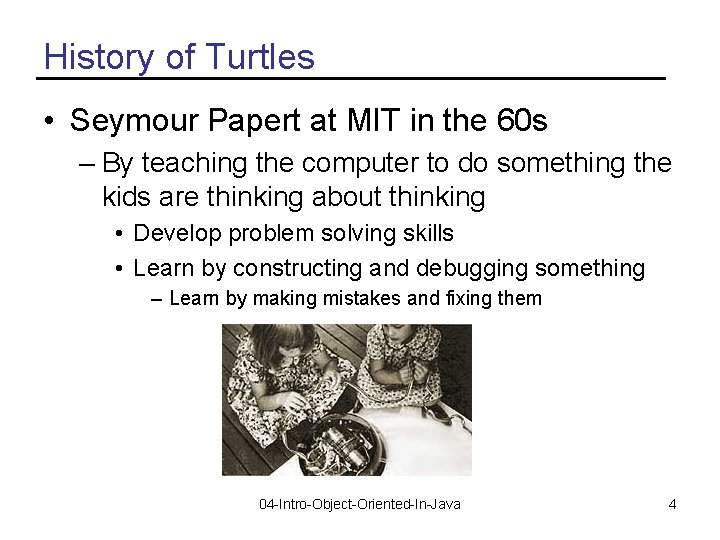
History of Turtles • Seymour Papert at MIT in the 60 s – By teaching the computer to do something the kids are thinking about thinking • Develop problem solving skills • Learn by constructing and debugging something – Learn by making mistakes and fixing them 04 -Intro-Object-Oriented-In-Java 4

Using Turtles • The Turtle Class was is part of several classes created at Georgia Tech – As part of an undergraduate class • Add book. Classes to your classpath to use these classes 04 -Intro-Object-Oriented-In-Java 5
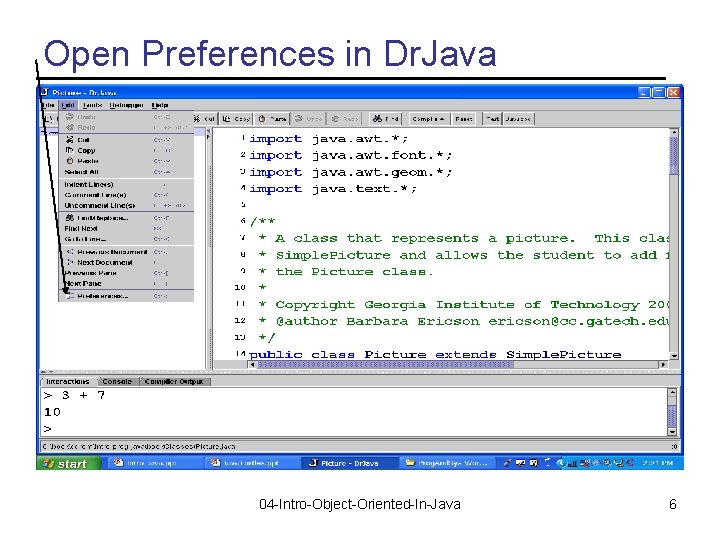
Open Preferences in Dr. Java 04 -Intro-Object-Oriented-In-Java 6
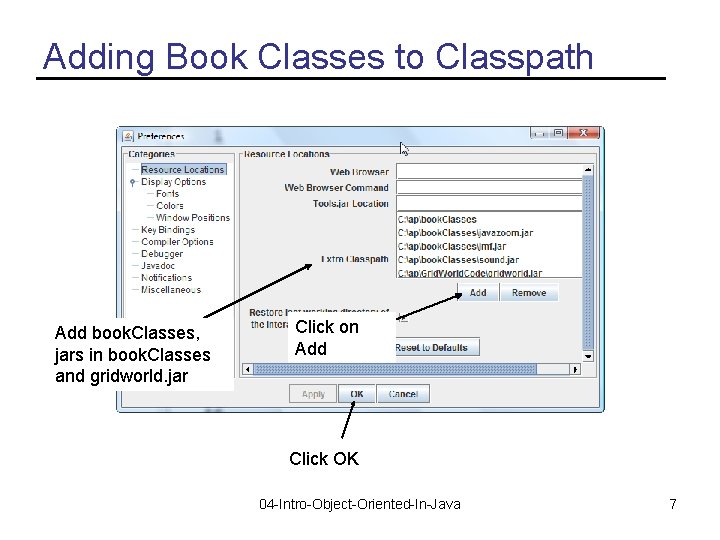
Adding Book Classes to Classpath Add book. Classes, jars in book. Classes and gridworld. jar Click on Add Click OK 04 -Intro-Object-Oriented-In-Java 7
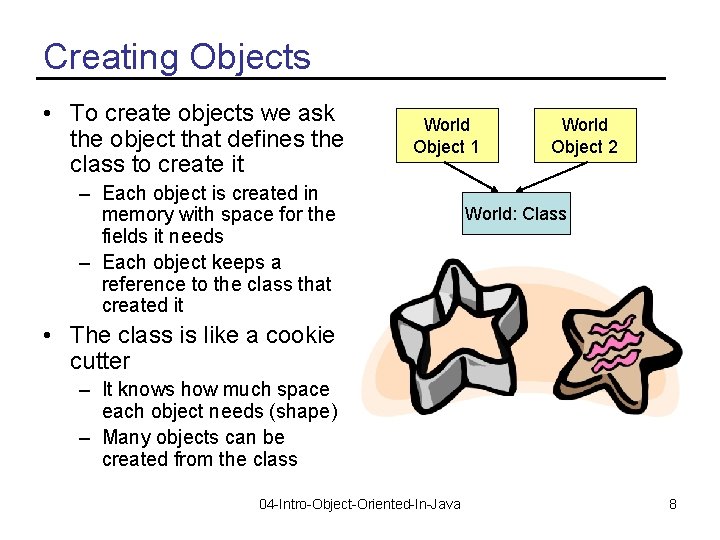
Creating Objects • To create objects we ask the object that defines the class to create it World Object 1 – Each object is created in memory with space for the fields it needs – Each object keeps a reference to the class that created it World Object 2 World: Class • The class is like a cookie cutter – It knows how much space each object needs (shape) – Many objects can be created from the class 04 -Intro-Object-Oriented-In-Java 8
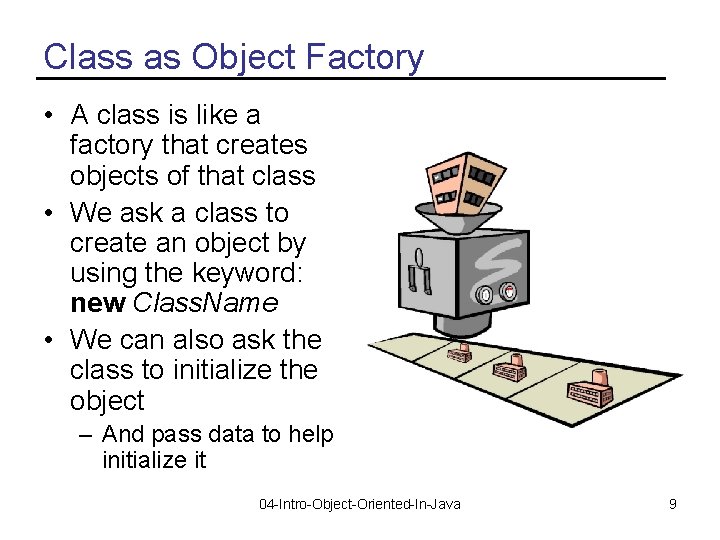
Class as Object Factory • A class is like a factory that creates objects of that class • We ask a class to create an object by using the keyword: new Class. Name • We can also ask the class to initialize the object – And pass data to help initialize it 04 -Intro-Object-Oriented-In-Java 9
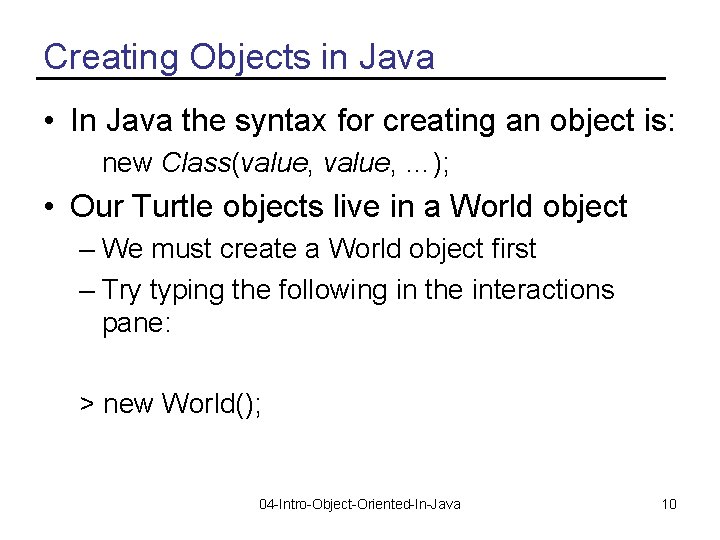
Creating Objects in Java • In Java the syntax for creating an object is: new Class(value, …); • Our Turtle objects live in a World object – We must create a World object first – Try typing the following in the interactions pane: > new World(); 04 -Intro-Object-Oriented-In-Java 10
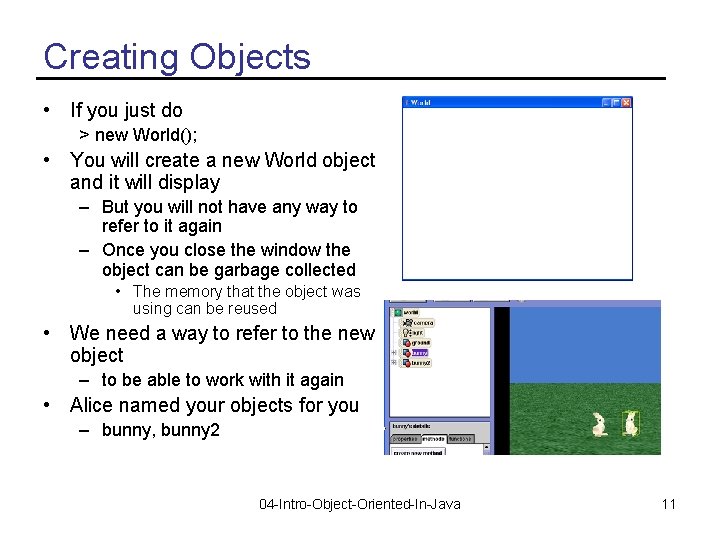
Creating Objects • If you just do > new World(); • You will create a new World object and it will display – But you will not have any way to refer to it again – Once you close the window the object can be garbage collected • The memory that the object was using can be reused • We need a way to refer to the new object – to be able to work with it again • Alice named your objects for you – bunny, bunny 2 04 -Intro-Object-Oriented-In-Java 11
Naming is Important • If you create a new contact in your cell phone you enter a phone number and a name – Later you use the name to find the phone number • In programming we name things we want to refer to again – Gives us a way to work with them – Like the World object • In programming this is called declaring a variable 04 -Intro-Object-Oriented-In-Java 12
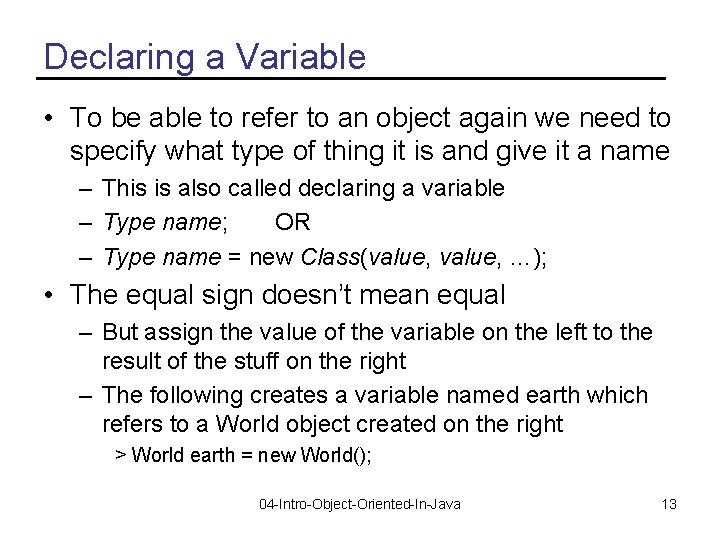
Declaring a Variable • To be able to refer to an object again we need to specify what type of thing it is and give it a name – This is also called declaring a variable – Type name; OR – Type name = new Class(value, …); • The equal sign doesn’t mean equal – But assign the value of the variable on the left to the result of the stuff on the right – The following creates a variable named earth which refers to a World object created on the right > World earth = new World(); 04 -Intro-Object-Oriented-In-Java 13
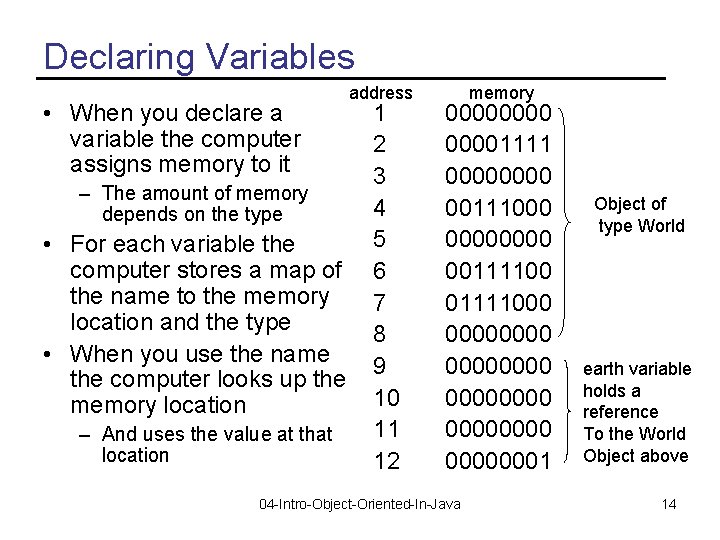
Declaring Variables • When you declare a variable the computer assigns memory to it – The amount of memory depends on the type • For each variable the computer stores a map of the name to the memory location and the type • When you use the name the computer looks up the memory location – And uses the value at that location address 1 2 3 4 5 6 7 8 9 10 11 12 memory 00001111 0000 00111000 0000 001111000 00000000 00000001 04 -Intro-Object-Oriented-In-Java Object of type World earth variable holds a reference To the World Object above 14
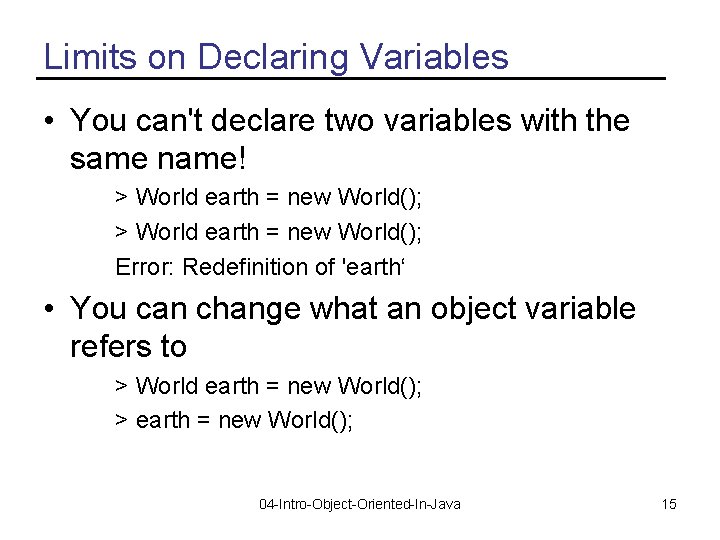
Limits on Declaring Variables • You can't declare two variables with the same name! > World earth = new World(); Error: Redefinition of 'earth‘ • You can change what an object variable refers to > World earth = new World(); > earth = new World(); 04 -Intro-Object-Oriented-In-Java 15
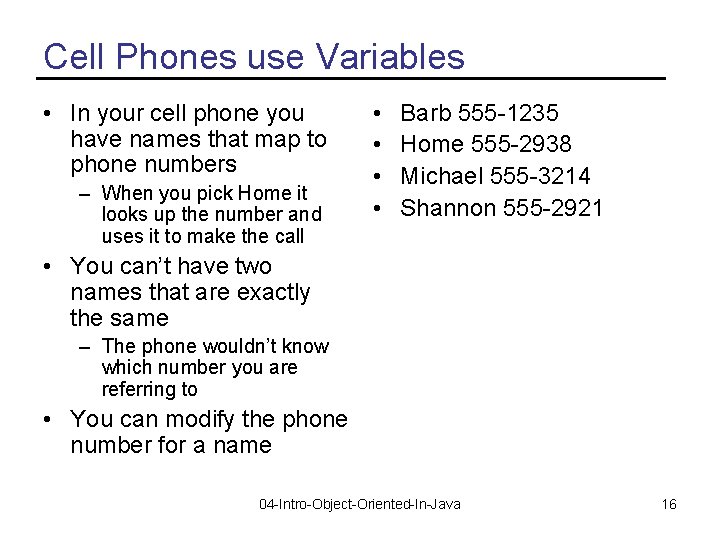
Cell Phones use Variables • In your cell phone you have names that map to phone numbers – When you pick Home it looks up the number and uses it to make the call • • Barb 555 -1235 Home 555 -2938 Michael 555 -3214 Shannon 555 -2921 • You can’t have two names that are exactly the same – The phone wouldn’t know which number you are referring to • You can modify the phone number for a name 04 -Intro-Object-Oriented-In-Java 16
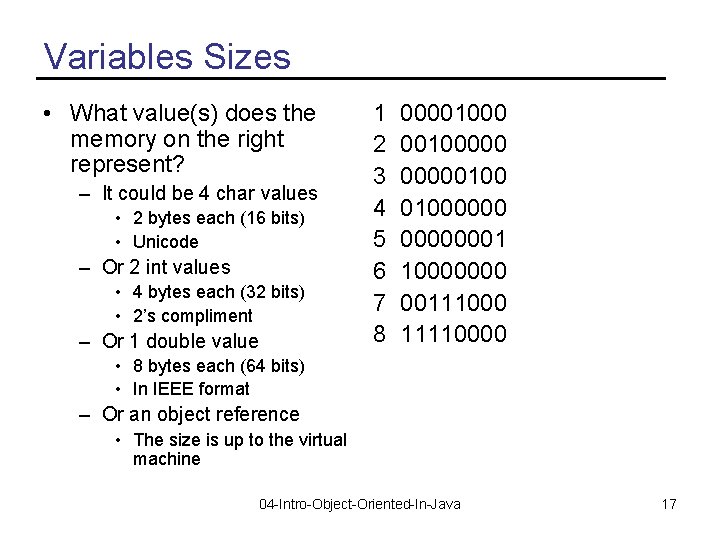
Variables Sizes • What value(s) does the memory on the right represent? – It could be 4 char values • 2 bytes each (16 bits) • Unicode – Or 2 int values • 4 bytes each (32 bits) • 2’s compliment – Or 1 double value 1 2 3 4 5 6 7 8 0000100000 0000010000000001 10000000 00111000 11110000 • 8 bytes each (64 bits) • In IEEE format – Or an object reference • The size is up to the virtual machine 04 -Intro-Object-Oriented-In-Java 17
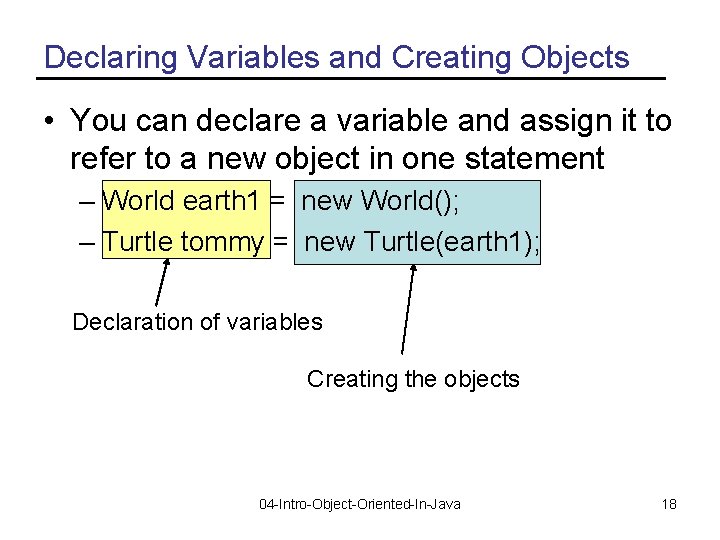
Declaring Variables and Creating Objects • You can declare a variable and assign it to refer to a new object in one statement – World earth 1 = new World(); – Turtle tommy = new Turtle(earth 1); Declaration of variables Creating the objects 04 -Intro-Object-Oriented-In-Java 18
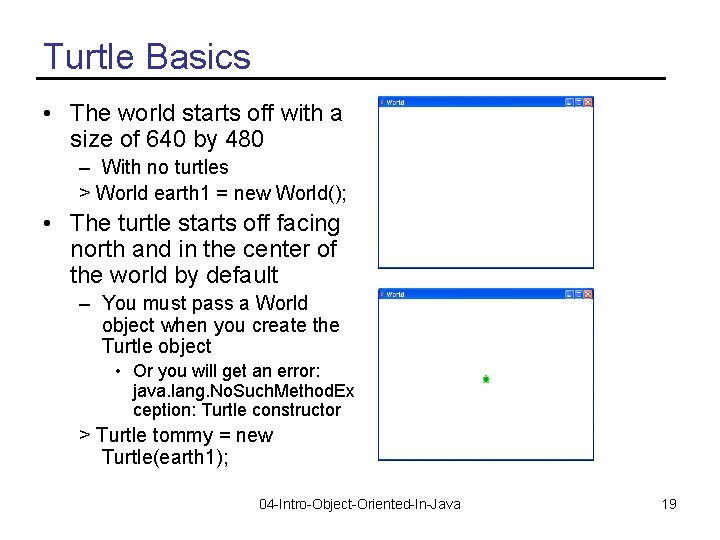
Turtle Basics • The world starts off with a size of 640 by 480 – With no turtles > World earth 1 = new World(); • The turtle starts off facing north and in the center of the world by default – You must pass a World object when you create the Turtle object • Or you will get an error: java. lang. No. Such. Method. Ex ception: Turtle constructor > Turtle tommy = new Turtle(earth 1); 04 -Intro-Object-Oriented-In-Java 19
Java Naming Conventions • Notice that we capitalize the names of the classes, but not the variable names – World earth 1 = new World(); – This is different than English • Capitalize proper nouns (the names of things) • Not the type of thing – Earth is a world. – Tommy is a turtle. • In Java it is the class names that are the most important – Not the variable or method names 04 -Intro-Object-Oriented-In-Java 20
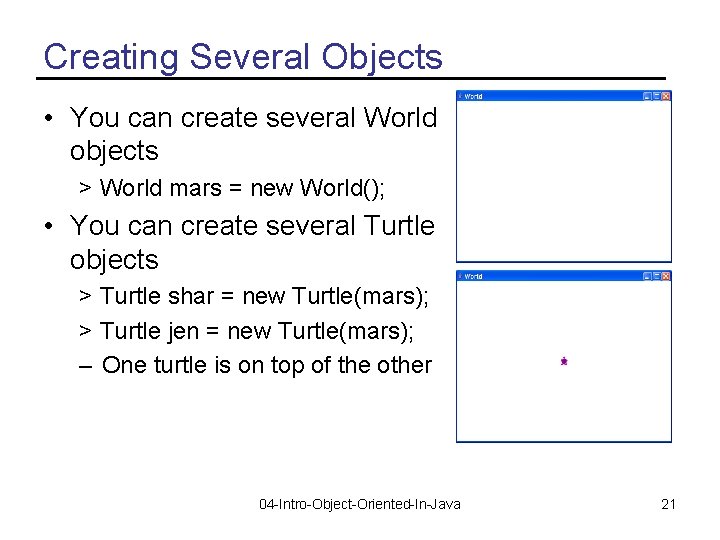
Creating Several Objects • You can create several World objects > World mars = new World(); • You can create several Turtle objects > Turtle shar = new Turtle(mars); > Turtle jen = new Turtle(mars); – One turtle is on top of the other 04 -Intro-Object-Oriented-In-Java 21
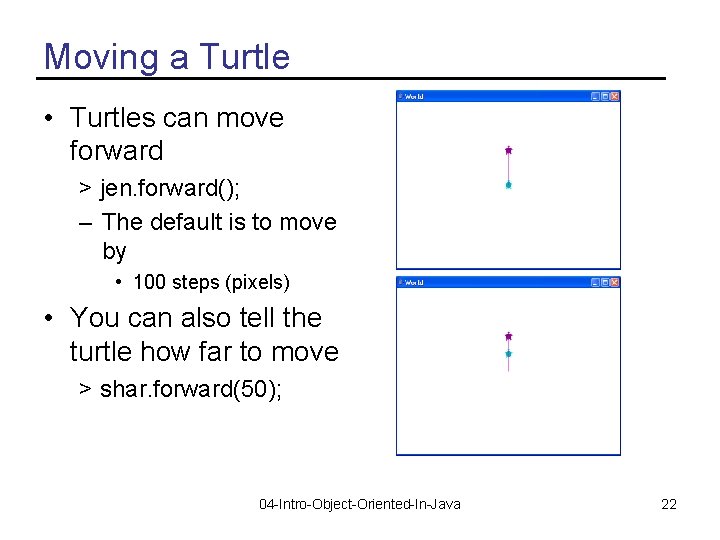
Moving a Turtle • Turtles can move forward > jen. forward(); – The default is to move by • 100 steps (pixels) • You can also tell the turtle how far to move > shar. forward(50); 04 -Intro-Object-Oriented-In-Java 22
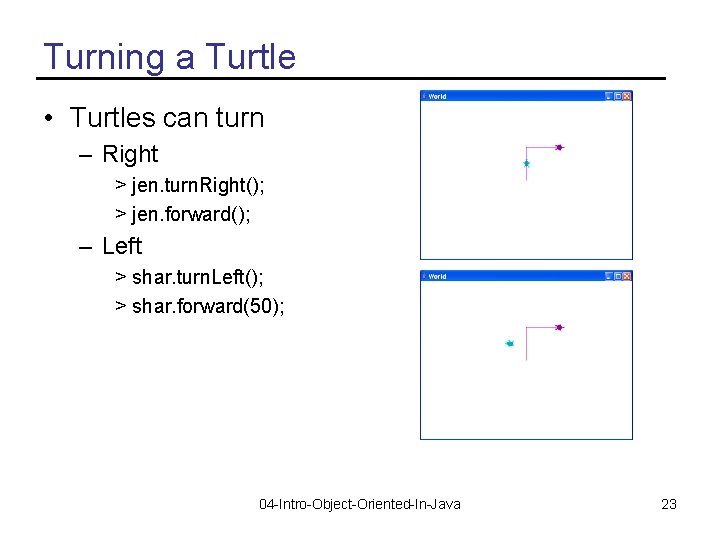
Turning a Turtle • Turtles can turn – Right > jen. turn. Right(); > jen. forward(); – Left > shar. turn. Left(); > shar. forward(50); 04 -Intro-Object-Oriented-In-Java 23
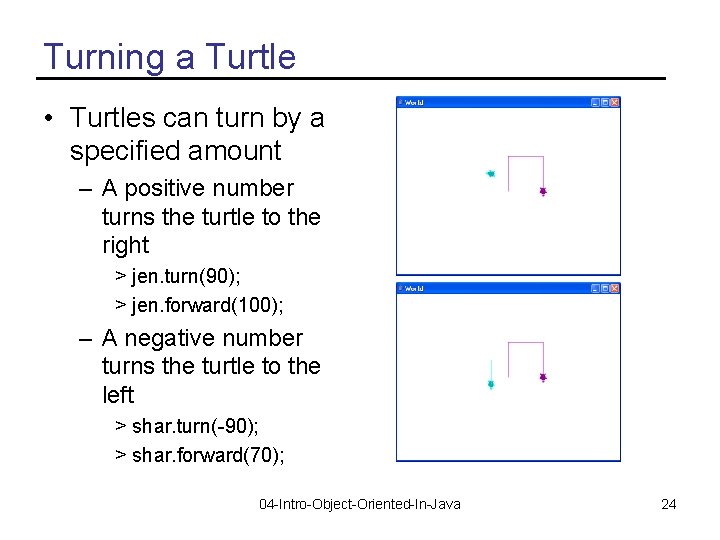
Turning a Turtle • Turtles can turn by a specified amount – A positive number turns the turtle to the right > jen. turn(90); > jen. forward(100); – A negative number turns the turtle to the left > shar. turn(-90); > shar. forward(70); 04 -Intro-Object-Oriented-In-Java 24
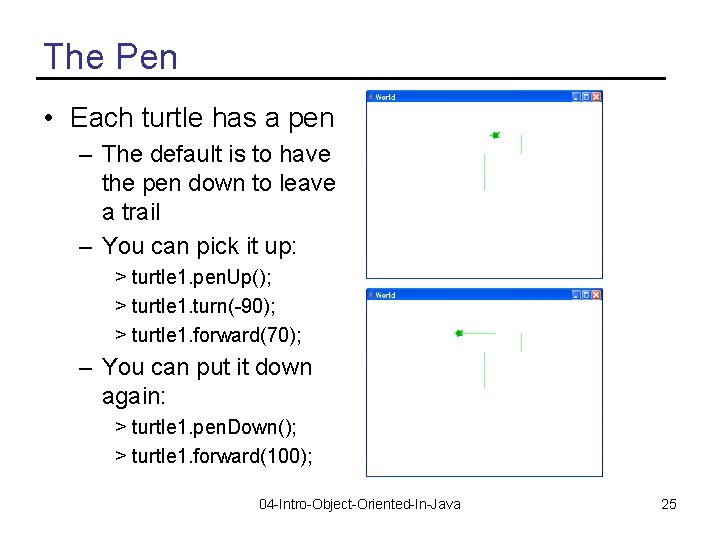
The Pen • Each turtle has a pen – The default is to have the pen down to leave a trail – You can pick it up: > turtle 1. pen. Up(); > turtle 1. turn(-90); > turtle 1. forward(70); – You can put it down again: > turtle 1. pen. Down(); > turtle 1. forward(100); 04 -Intro-Object-Oriented-In-Java 25
Drawing a Letter • How would you use a turtle to draw a large letter T? • Process – Create a World variable and a World object and a Turtle variable and object. – Ask the Turtle object to go forward 100 – Ask the Turtle object to pick up the pen – Ask the Turtle object to turn left – Ask the Turtle object to go forward 25 – Ask the Turtle object to turn 180 degrees – Ask the Turtle object to put down the pen – Ask the Turtle object to go forward 50 04 -Intro-Object-Oriented-In-Java 26
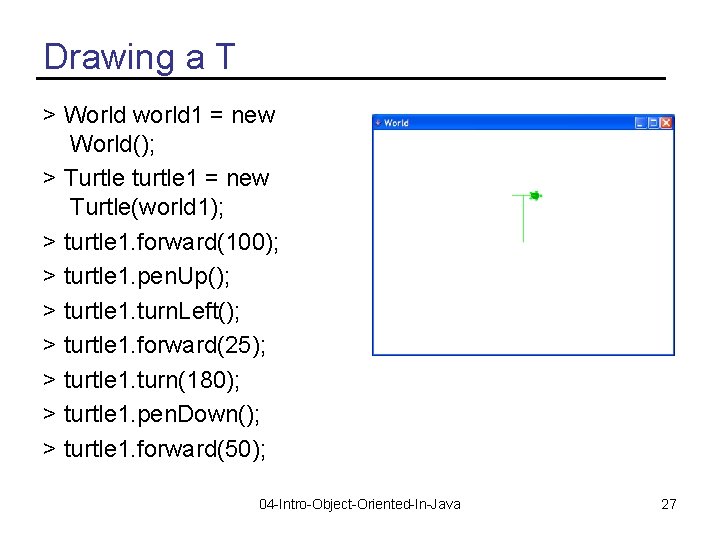
Drawing a T > World world 1 = new World(); > Turtle turtle 1 = new Turtle(world 1); > turtle 1. forward(100); > turtle 1. pen. Up(); > turtle 1. turn. Left(); > turtle 1. forward(25); > turtle 1. turn(180); > turtle 1. pen. Down(); > turtle 1. forward(50); 04 -Intro-Object-Oriented-In-Java 27
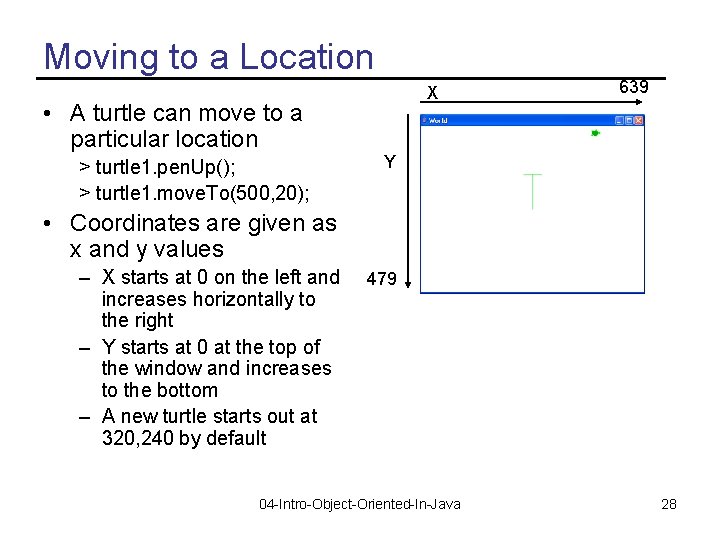
Moving to a Location X • A turtle can move to a particular location > turtle 1. pen. Up(); > turtle 1. move. To(500, 20); 639 Y • Coordinates are given as x and y values – X starts at 0 on the left and increases horizontally to the right – Y starts at 0 at the top of the window and increases to the bottom – A new turtle starts out at 320, 240 by default 479 04 -Intro-Object-Oriented-In-Java 28
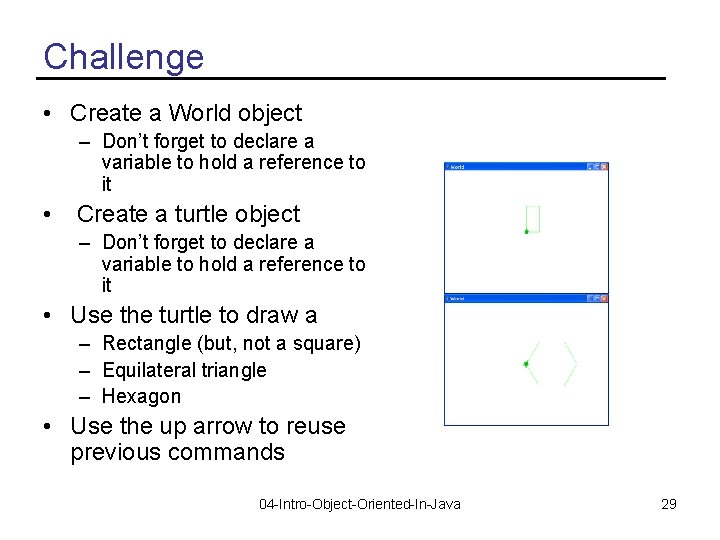
Challenge • Create a World object – Don’t forget to declare a variable to hold a reference to it • Create a turtle object – Don’t forget to declare a variable to hold a reference to it • Use the turtle to draw a – Rectangle (but, not a square) – Equilateral triangle – Hexagon • Use the up arrow to reuse previous commands 04 -Intro-Object-Oriented-In-Java 29
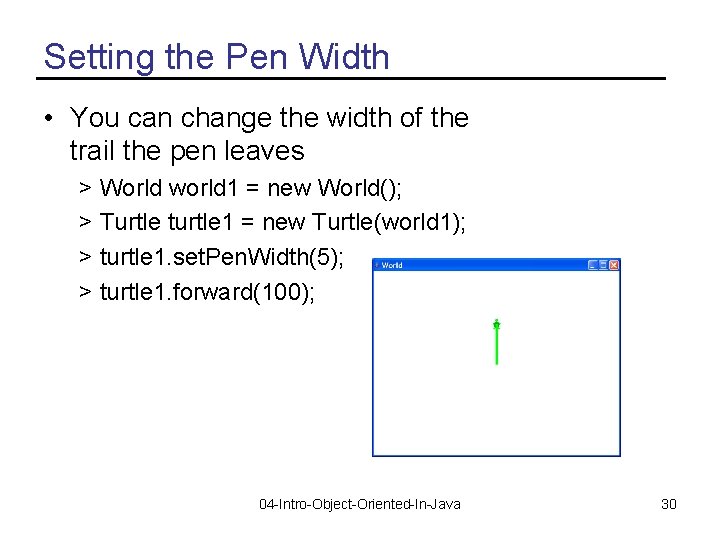
Setting the Pen Width • You can change the width of the trail the pen leaves > World world 1 = new World(); > Turtle turtle 1 = new Turtle(world 1); > turtle 1. set. Pen. Width(5); > turtle 1. forward(100); 04 -Intro-Object-Oriented-In-Java 30
Setting the Pen Color • Use set. Pen. Color to set the color of the pen > turtle 1. set. Pen. Color(java. awt. Color. RED); • There are several predefined colors – In the package java. awt • A package is a group of related classes – In the class Color • To use them you can use the full name – java. awt. Color. RED 04 -Intro-Object-Oriented-In-Java 31
Setting Colors • You can change the pen color > turtle. set. Pen. Color(java. awt. Color. RED); • You can change the turtle color > turtle 1. set. Color(java. awt. Color. BLUE); • You can change the turtle’s body color > turtle 1. set. Body. Color(java. awt. Color. CYAN); • You can change the turtle’s shell color > turtle 1. set. Shell. Color(java. awt. Color. RED); 04 -Intro-Object-Oriented-In-Java 32
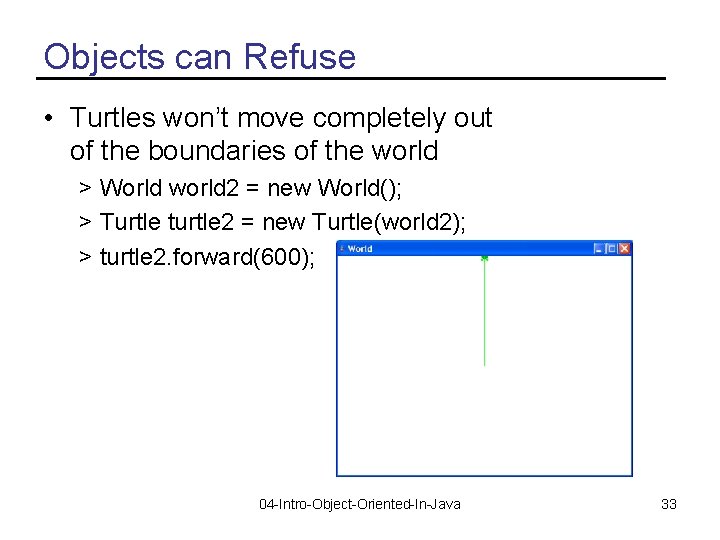
Objects can Refuse • Turtles won’t move completely out of the boundaries of the world > World world 2 = new World(); > Turtle turtle 2 = new Turtle(world 2); > turtle 2. forward(600); 04 -Intro-Object-Oriented-In-Java 33
Objects send Messages • Objects don’t “tell” each other what to do – They “ask” each other to do things • Objects can refuse to do what they are asked – The object must protect it’s data • Not let it get into an incorrect state • A bank account object shouldn’t let you withdraw more money that you have in the account 04 -Intro-Object-Oriented-In-Java 34
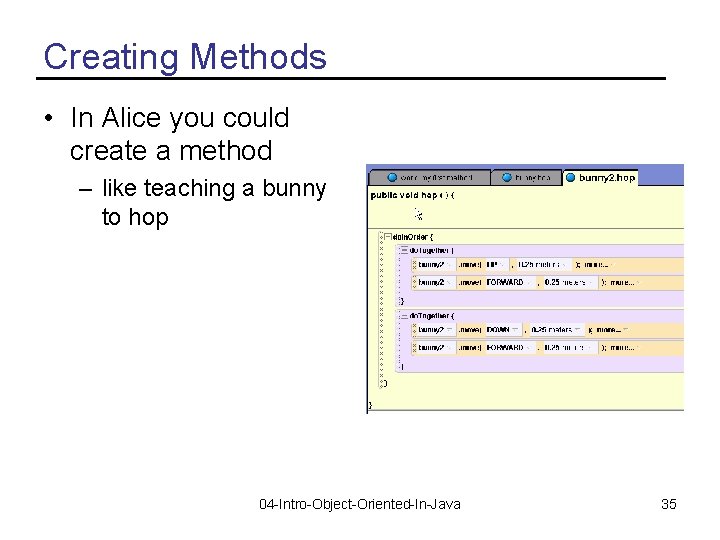
Creating Methods • In Alice you could create a method – like teaching a bunny to hop 04 -Intro-Object-Oriented-In-Java 35
Creating a Method • We can name a block of Java statements and then execute them again – By declaring a method in a class • The syntax for declaring a method is – visibility return. Type name(parameter. List) – Visibility determines access • Usually public or private • The return type is the type of thing returned • If nothing is returned use the keyword void – Name the method starting with a lowercase word and uppercasing the first letter of each additional word 04 -Intro-Object-Oriented-In-Java 36
Example Method public void draw. Square() { this. turn. Right(); this. forward(30); } • The visibility is public • The keyword void means this method doesn’t return a value • The method name is draw. Square • There are no parameters – Notice that the parentheses are still required • The keyword this means the object this method was invoked on 04 -Intro-Object-Oriented-In-Java 37
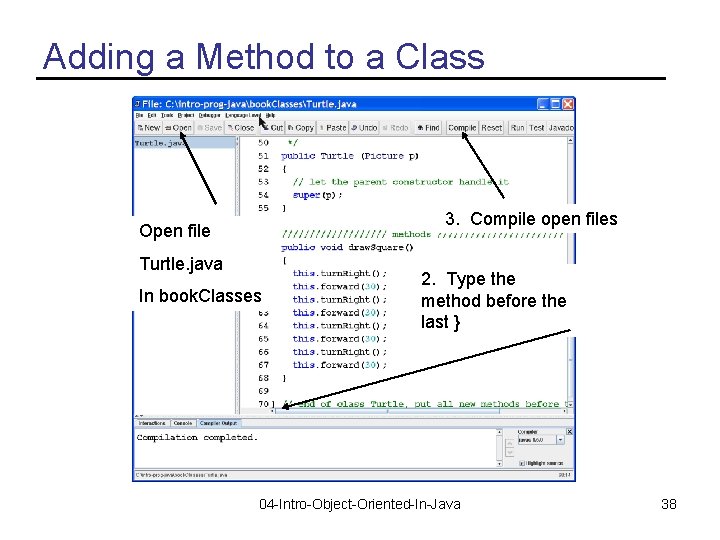
Adding a Method to a Class 3. Compile open files Open file Turtle. java In book. Classes 2. Type the method before the last } 04 -Intro-Object-Oriented-In-Java 38
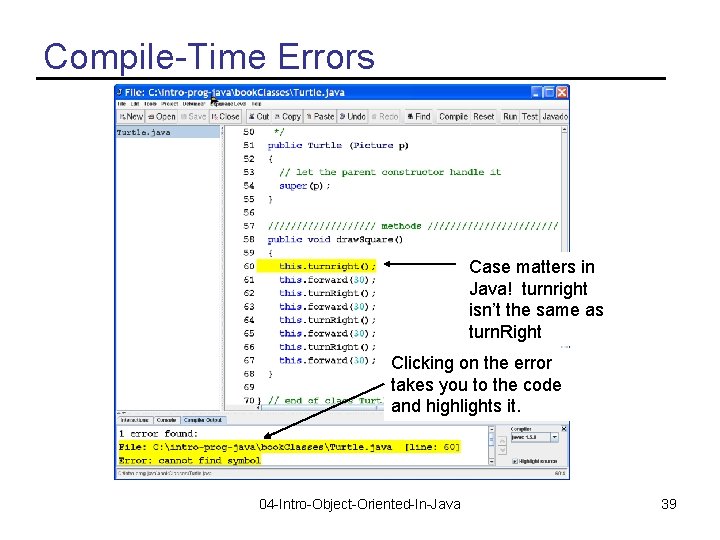
Compile-Time Errors Case matters in Java! turnright isn’t the same as turn. Right Clicking on the error takes you to the code and highlights it. 04 -Intro-Object-Oriented-In-Java 39
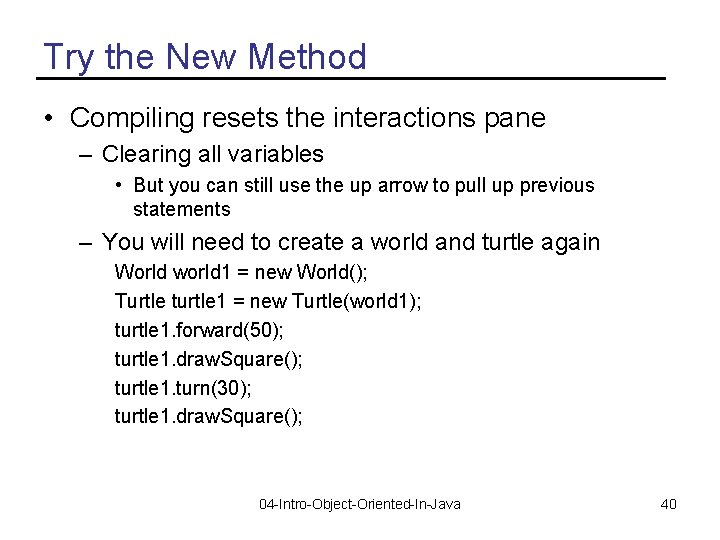
Try the New Method • Compiling resets the interactions pane – Clearing all variables • But you can still use the up arrow to pull up previous statements – You will need to create a world and turtle again World world 1 = new World(); Turtle turtle 1 = new Turtle(world 1); turtle 1. forward(50); turtle 1. draw. Square(); turtle 1. turn(30); turtle 1. draw. Square(); 04 -Intro-Object-Oriented-In-Java 40
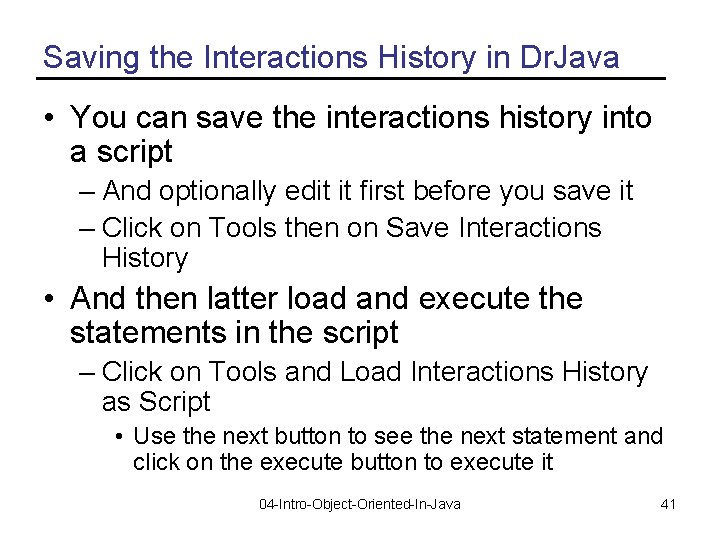
Saving the Interactions History in Dr. Java • You can save the interactions history into a script – And optionally edit it first before you save it – Click on Tools then on Save Interactions History • And then latter load and execute the statements in the script – Click on Tools and Load Interactions History as Script • Use the next button to see the next statement and click on the execute button to execute it 04 -Intro-Object-Oriented-In-Java 41
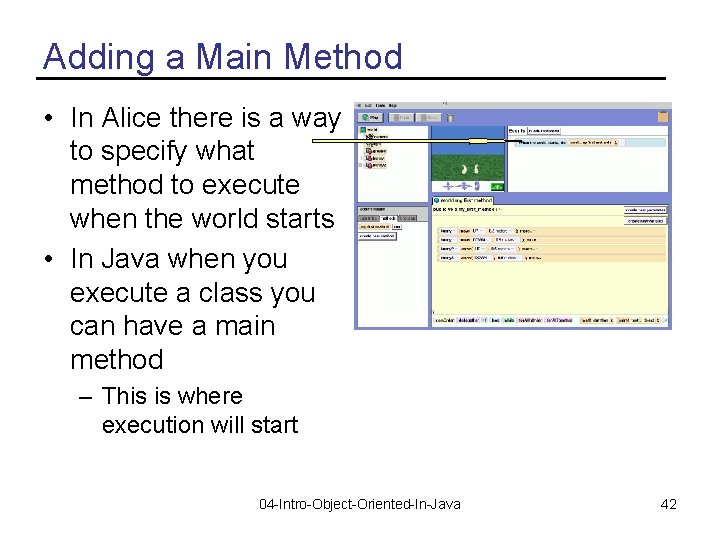
Adding a Main Method • In Alice there is a way to specify what method to execute when the world starts • In Java when you execute a class you can have a main method – This is where execution will start 04 -Intro-Object-Oriented-In-Java 42
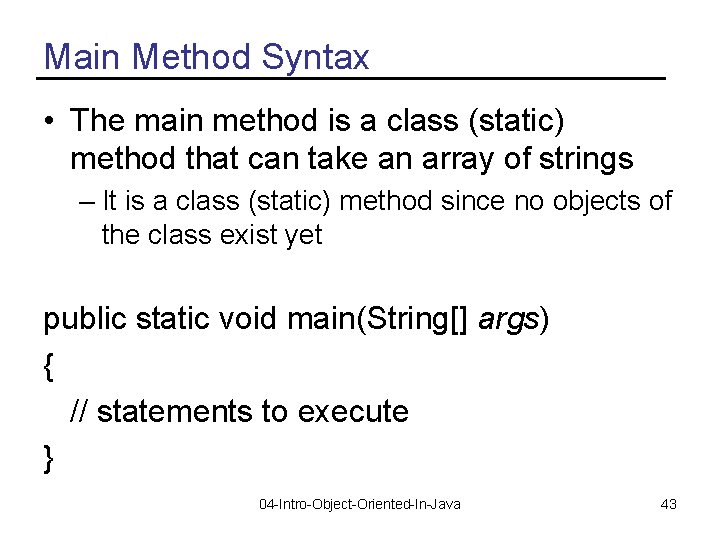
Main Method Syntax • The main method is a class (static) method that can take an array of strings – It is a class (static) method since no objects of the class exist yet public static void main(String[] args) { // statements to execute } 04 -Intro-Object-Oriented-In-Java 43
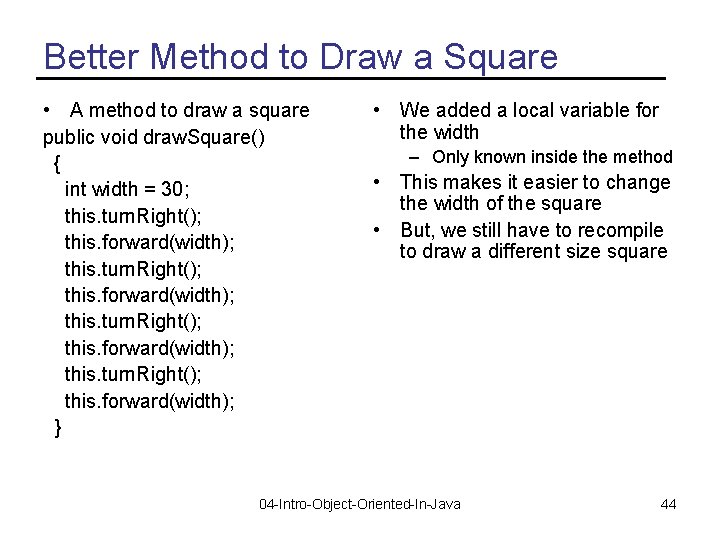
Better Method to Draw a Square • A method to draw a square public void draw. Square() { int width = 30; this. turn. Right(); this. forward(width); } • We added a local variable for the width – Only known inside the method • This makes it easier to change the width of the square • But, we still have to recompile to draw a different size square 04 -Intro-Object-Oriented-In-Java 44
![Testing the Better Method • Test with: public static void main(String[] args) { World](http://slidetodoc.com/presentation_image_h/a9f612cf5fd06185ad518a6cf8a252a4/image-45.jpg "Testing the Better Method • Test with: public static void main(String[] args) { World")
Testing the Better Method • Test with: public static void main(String[] args) { World world 1 = new World(); Turtle turtle 1 = new Turtle(world 1); turtle 1. forward(50); turtle 1. draw. Square(); turtle 1. turn(30); turtle 1. draw. Square(); } 04 -Intro-Object-Oriented-In-Java 45
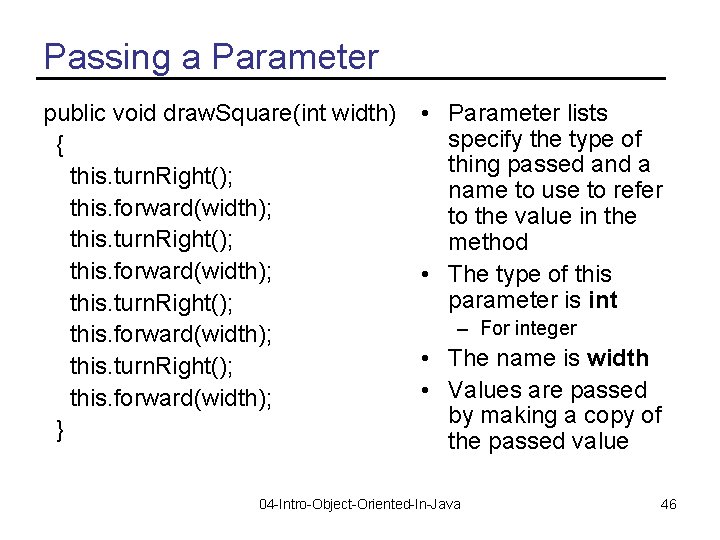
Passing a Parameter public void draw. Square(int width) { this. turn. Right(); this. forward(width); } • Parameter lists specify the type of thing passed and a name to use to refer to the value in the method • The type of this parameter is int – For integer • The name is width • Values are passed by making a copy of the passed value 04 -Intro-Object-Oriented-In-Java 46
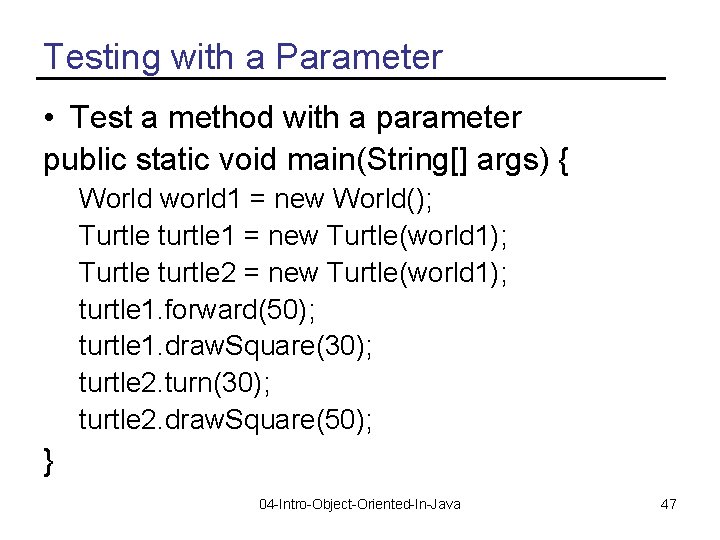
Testing with a Parameter • Test a method with a parameter public static void main(String[] args) { World world 1 = new World(); Turtle turtle 1 = new Turtle(world 1); Turtle turtle 2 = new Turtle(world 1); turtle 1. forward(50); turtle 1. draw. Square(30); turtle 2. turn(30); turtle 2. draw. Square(50); } 04 -Intro-Object-Oriented-In-Java 47
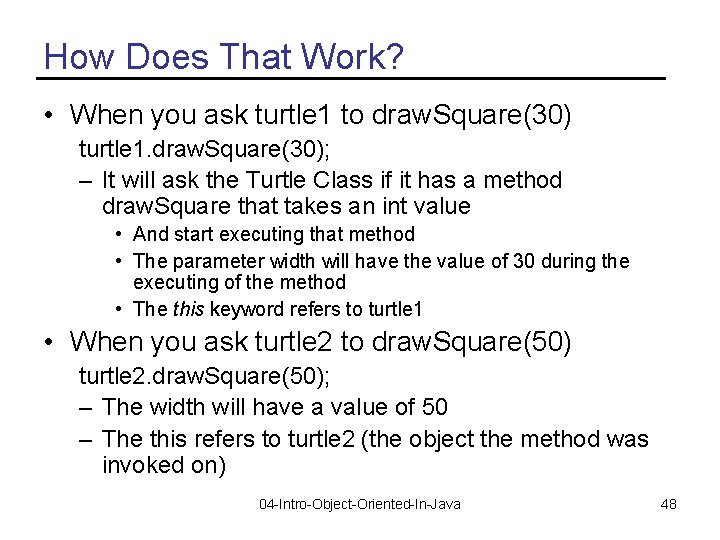
How Does That Work? • When you ask turtle 1 to draw. Square(30) turtle 1. draw. Square(30); – It will ask the Turtle Class if it has a method draw. Square that takes an int value • And start executing that method • The parameter width will have the value of 30 during the executing of the method • The this keyword refers to turtle 1 • When you ask turtle 2 to draw. Square(50) turtle 2. draw. Square(50); – The width will have a value of 50 – The this refers to turtle 2 (the object the method was invoked on) 04 -Intro-Object-Oriented-In-Java 48
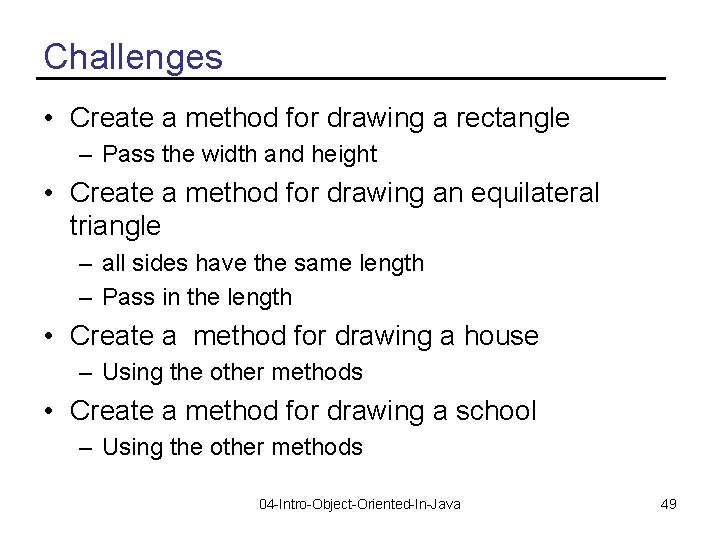
Challenges • Create a method for drawing a rectangle – Pass the width and height • Create a method for drawing an equilateral triangle – all sides have the same length – Pass in the length • Create a method for drawing a house – Using the other methods • Create a method for drawing a school – Using the other methods 04 -Intro-Object-Oriented-In-Java 49
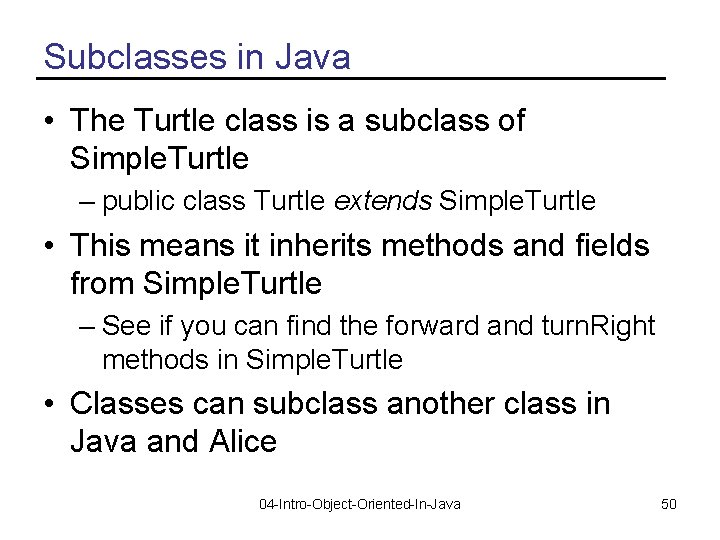
Subclasses in Java • The Turtle class is a subclass of Simple. Turtle – public class Turtle extends Simple. Turtle • This means it inherits methods and fields from Simple. Turtle – See if you can find the forward and turn. Right methods in Simple. Turtle • Classes can subclass another class in Java and Alice 04 -Intro-Object-Oriented-In-Java 50
Summary • You can create objects from classes in Java • Each object needs a unique way to refer to it – In Java we call this declaring a variable • You can create new methods – visibility return. Type name(Type name, …) – Let’s you reuse a block of statements • You can pass parameters to methods – To make them more flexible and reusable • You can create subclasses of other classes – They will inherit fields and methods from the parent class 04 -Intro-Object-Oriented-In-Java 51
- Slides: 51