
Introduction to Networking Concepts Lesson 1 Introduction Name

- Slides: 37
Introduction to Networking Concepts Lesson 1
Introduction • Name: Williams Obinkyereh MSc. IT, Post Masters Software Engineering DSC (Doctor of Computer Science) Student. • Contacts: • Email: obinkytt@yahoo. co. uk
Introduction • Class introduction • Introduction of Course Syllabus. – Course Summary – Course Plan – Evaluation – Academic integrity • Discussion and questions about syllabus.
TCP/IP Protocol Suite • Network protocols provide the logical “language” for communication over the network. • The most common networking protocol in use today is Transmission Control Protocol/Internet Protocol (TCP/IP).
IP Addressing • By subdividing TCP/IP networks into smaller groupings called subnets, the administration of a TCP/IP network can be as centralized or as decentralized as the needs of a particular organization might dictate. • The largest TCP/IP network in the world, which is “owned” and administered by hundreds and thousands of separate entities, is the Internet.
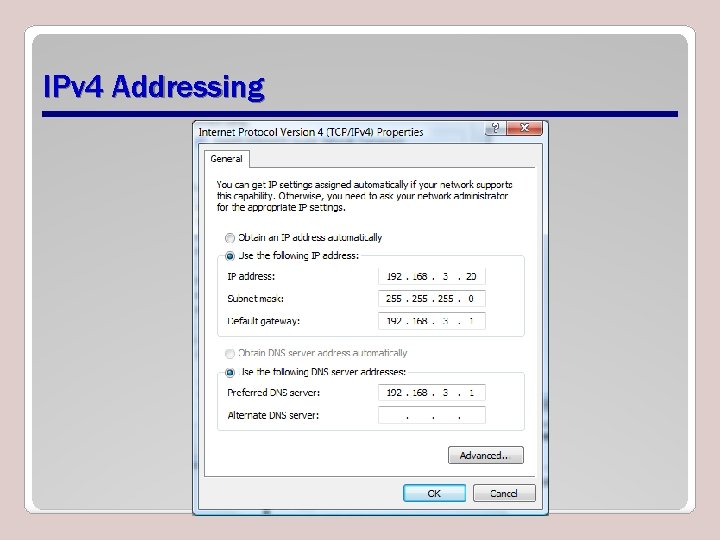
IPv 4 Addressing
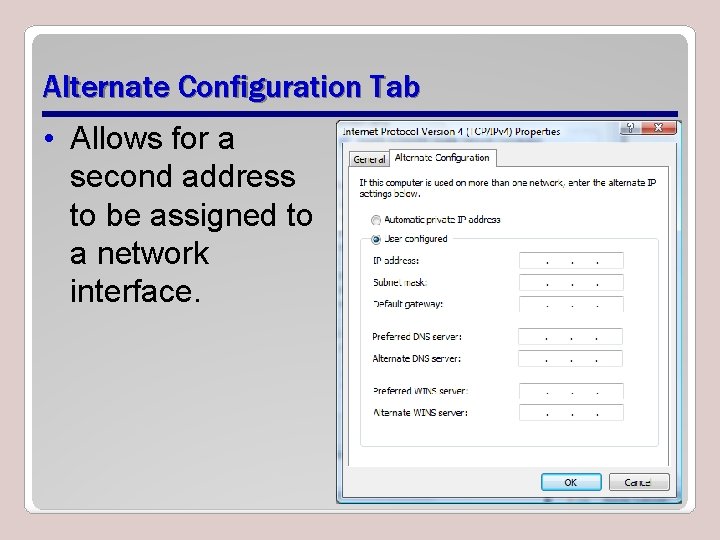
Alternate Configuration Tab • Allows for a second address to be assigned to a network interface.
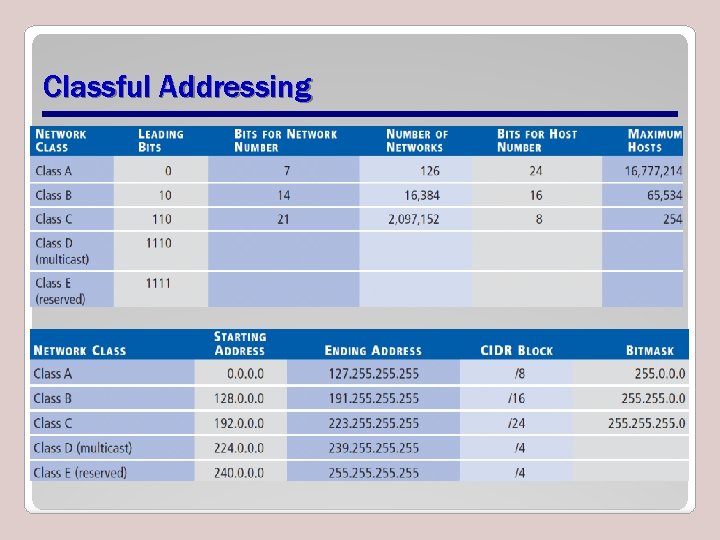
Classful Addressing
Subnetting • Logical partitioning of an organization’s network address range into smaller blocks.
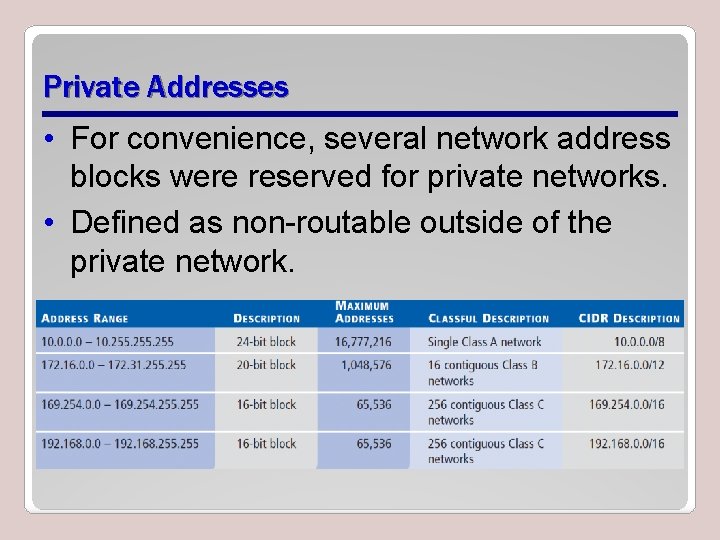
Private Addresses • For convenience, several network address blocks were reserved for private networks. • Defined as non-routable outside of the private network.
Network Address Translation (NAT) • Hosts using private network addresses can communicate with public networks only by using network address translation (NAT), • Enables routing by mapping their private network address to a different, routable network address.
Loopback Address • Specifies itself at address 127. 0. 0. 1
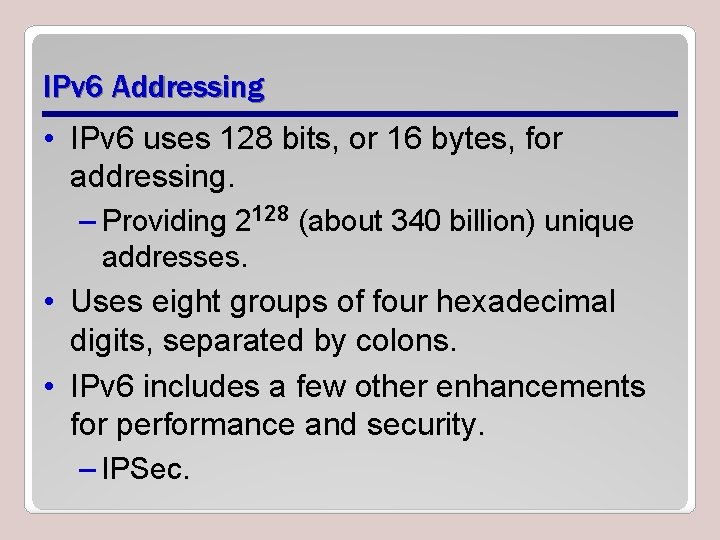
IPv 6 Addressing • IPv 6 uses 128 bits, or 16 bytes, for addressing. – Providing 2128 (about 340 billion) unique addresses. • Uses eight groups of four hexadecimal digits, separated by colons. • IPv 6 includes a few other enhancements for performance and security. – IPSec.
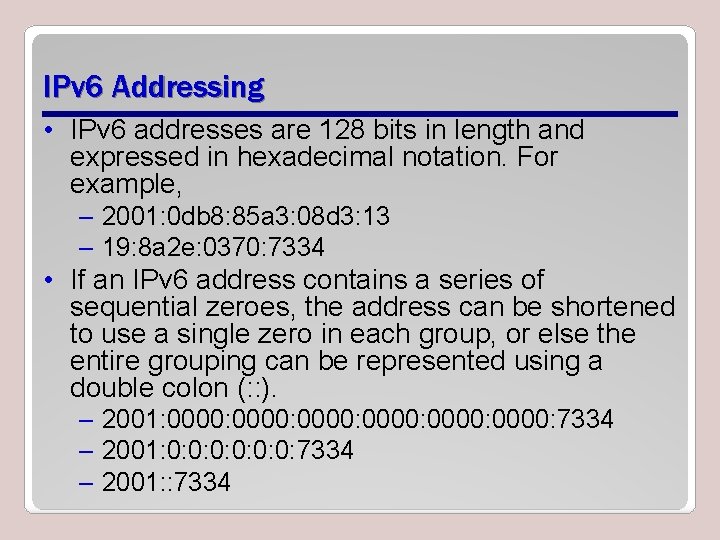
IPv 6 Addressing • IPv 6 addresses are 128 bits in length and expressed in hexadecimal notation. For example, – 2001: 0 db 8: 85 a 3: 08 d 3: 13 – 19: 8 a 2 e: 0370: 7334 • If an IPv 6 address contains a series of sequential zeroes, the address can be shortened to use a single zero in each group, or else the entire grouping can be represented using a double colon (: : ). – 2001: 0000: 0000: 7334 – 2001: 0: 0: 0: 7334 – 2001: : 7334
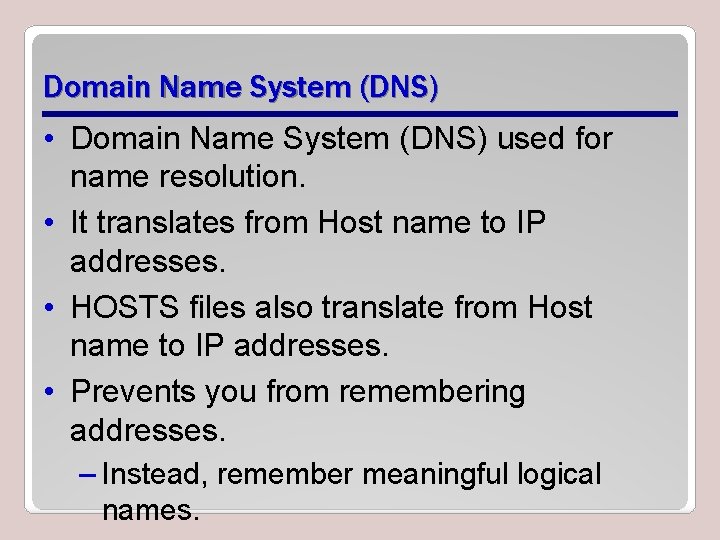
Domain Name System (DNS) • Domain Name System (DNS) used for name resolution. • It translates from Host name to IP addresses. • HOSTS files also translate from Host name to IP addresses. • Prevents you from remembering addresses. – Instead, remember meaningful logical names.
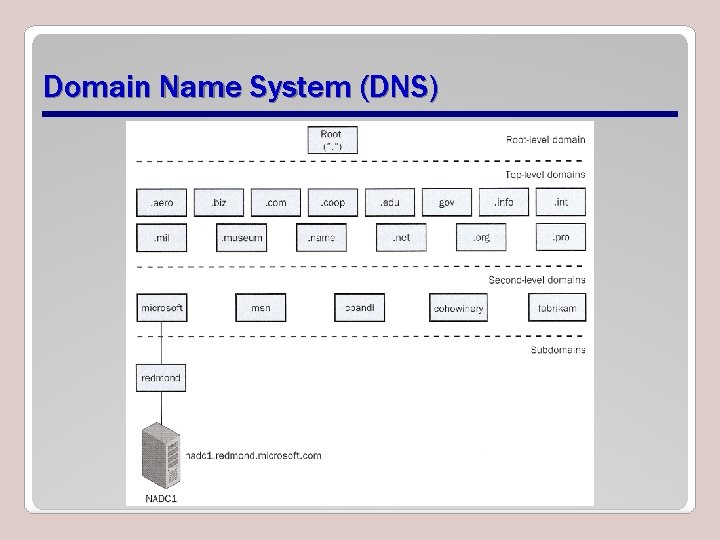
Domain Name System (DNS)
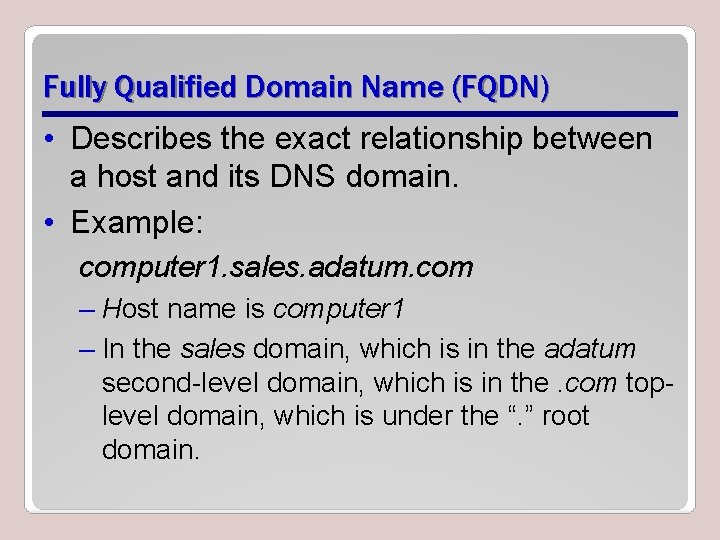
Fully Qualified Domain Name (FQDN) • Describes the exact relationship between a host and its DNS domain. • Example: computer 1. sales. adatum. com – Host name is computer 1 – In the sales domain, which is in the adatum second-level domain, which is in the. com toplevel domain, which is under the “. ” root domain.
Static Addresses • When administering TCP/IP hosts, you can assign static IP addresses. – Must be configured and maintained manually. – This can become a daunting, tedious task as the number of systems grows to larger numbers.
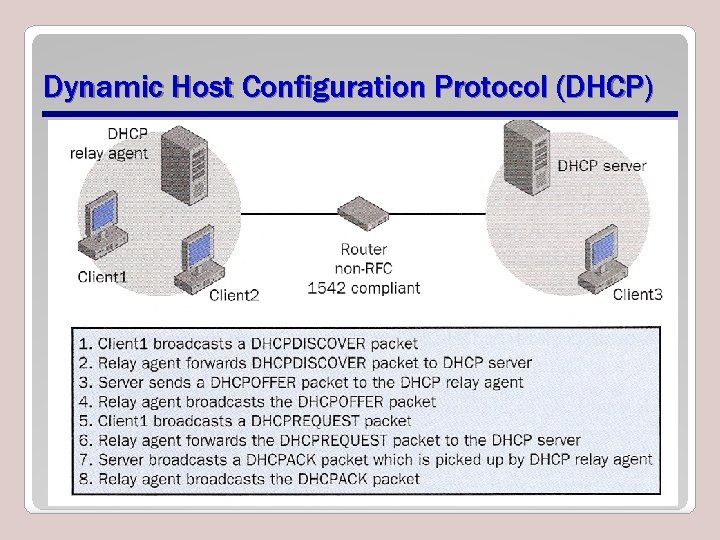
Dynamic Host Configuration Protocol (DHCP) • Simplifies the problem by automating the assigning, tracking, and reassigning of IP addresses. • Also to provide other important settings such as the default gateway, subnet mask, DNS, and so on.
Dynamic Host Configuration Protocol (DHCP)
Installing Microsoft Windows Server 2008 Lesson 2
Installing Windows Server 2008 • Insert a bootable Windows Server 2008 media and power on the physical or virtual server.
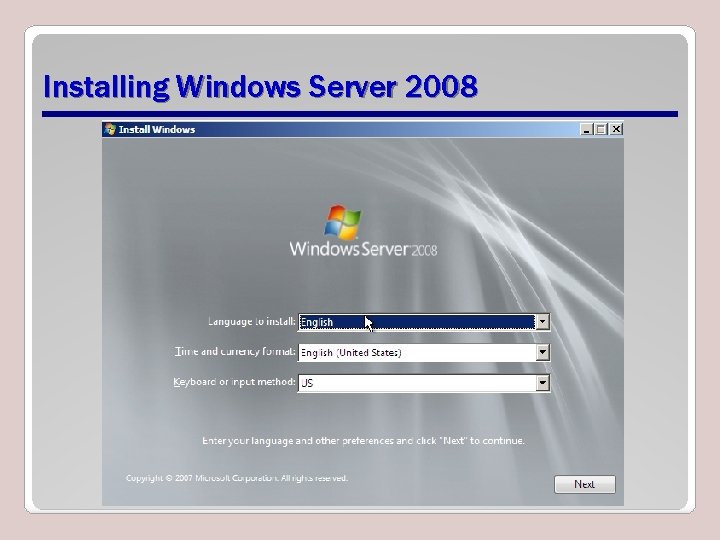
Installing Windows Server 2008
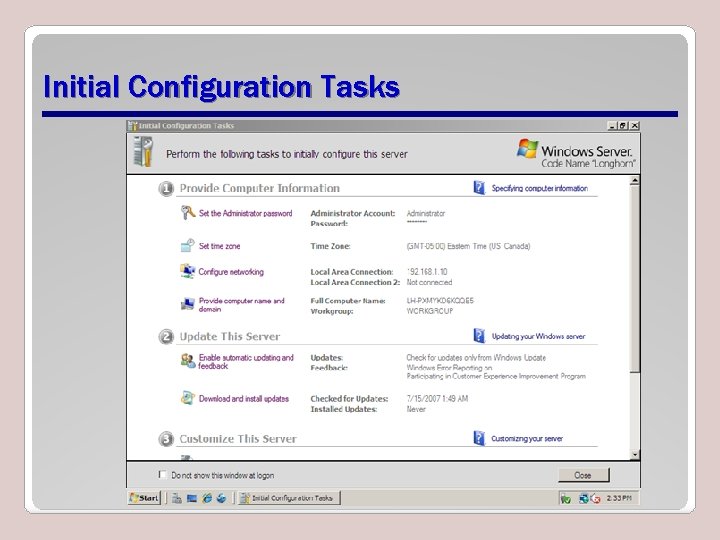
Initial Configuration Tasks
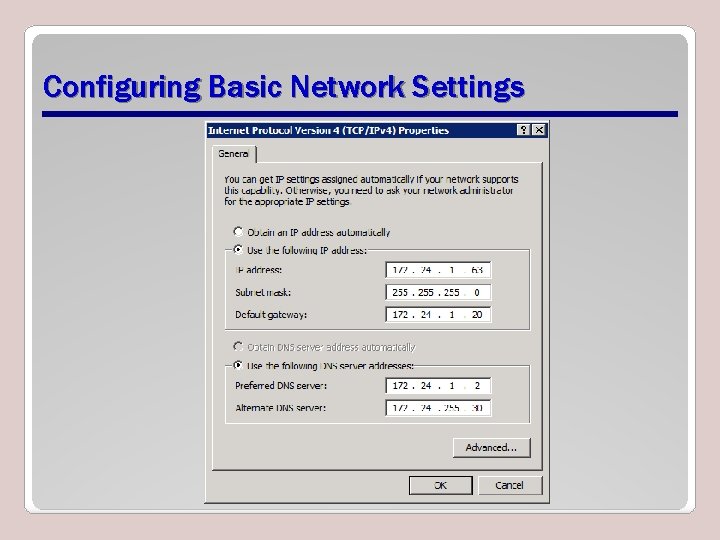
Configuring Basic Network Settings
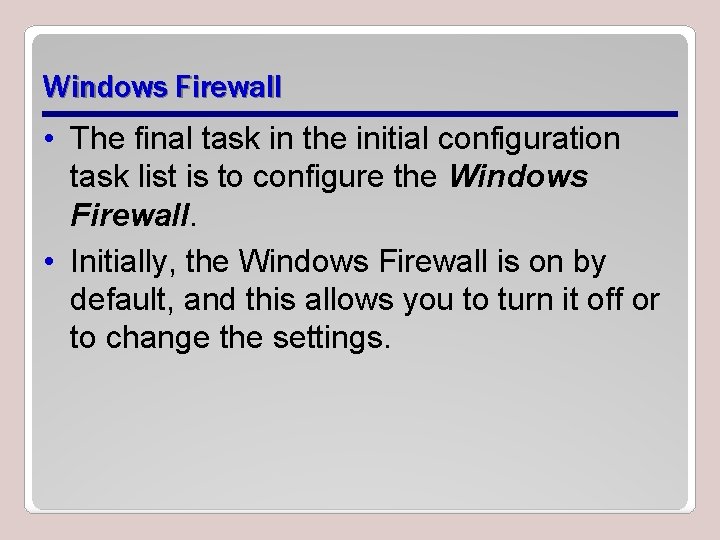
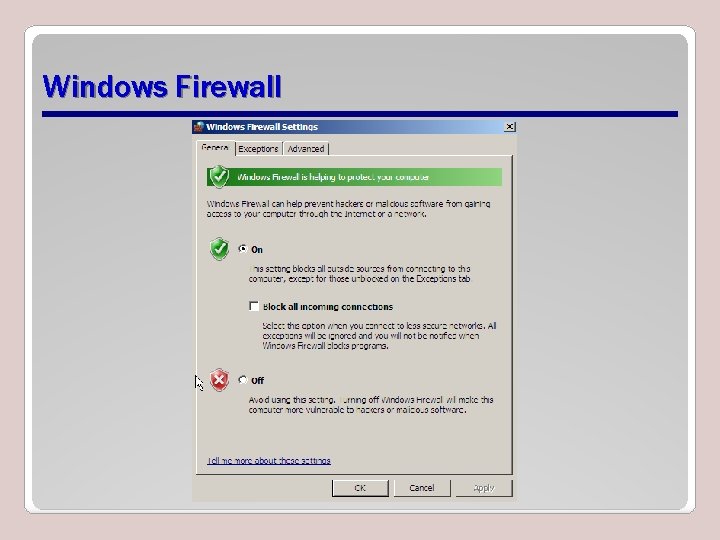
Windows Firewall • The final task in the initial configuration task list is to configure the Windows Firewall. • Initially, the Windows Firewall is on by default, and this allows you to turn it off or to change the settings.
Windows Firewall
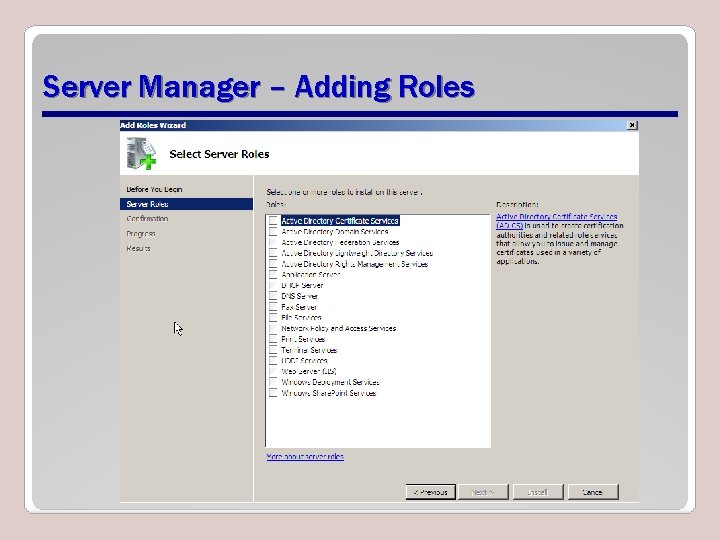
Server Roles • Server roles define a particular duty that a server might perform on a 2008 network. • Server roles improve security and manageability of Windows Server 2008 computers. – Reduces the attack surface. • You can use the Server Manager console to install one or multiple Server Roles.
Server Manager – Adding Roles
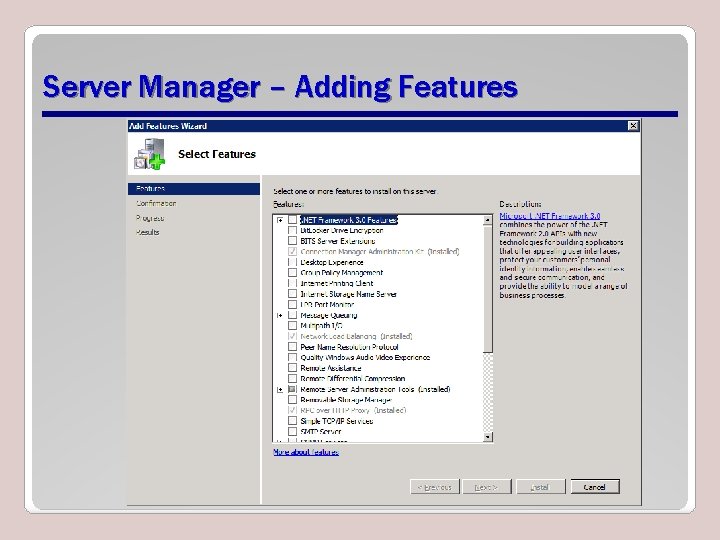
Features • The Add features option allows adding various features and facilities that may be useful or necessary, depending on your network environment and requirements.
Server Manager – Adding Features
Basic Disks • Use partition tables that are recognized and supported by older operating systems, such as MS-DOS, Windows 95, Windows 98, and Windows Me. • Basic disks do not support advanced storage options, such as striped volumes, spanned volumes, and RAID-5 volumes. • All disk drives in a Windows Server 2008 computer begin as basic disks until they are converted to dynamic disks.
Volume • Describes a logical unit of disk space that is made up of space contained on one or more physical disks. Volumes on a dynamic disk can be configured as simple, spanned, mirrored, striped, or RAID-5 volumes.
Server Core • A server installation that possesses an extremely small installation footprint. • Provides only the services required to perform specific roles, such as the DHCP, DNS, file server, or domain controller roles.
Windows Activation • Microsoft offers two types of software keys for a Windows Vista or Windows Server 2008 network, depending on the needs of your specific situation: – Multiple Activation Key – Key Management Service (KMS)
Unit 1 Assgnment • Unit 1. Assignment 1. Windows 2008 Network Services • Unit 1. Exercise 1. IP Addressing Scenario
Unit 1 Lab • Unit 1. Lab 1. Preparing a Virtual Workstation Image