
Introduction to Naviance What is Naviance How do

- Slides: 15
Introduction to Naviance What is Naviance? How do I login into Naviance? Why are we using Naviance? How can Naviance help guide student postsecondary planning?
What is Naviance? �A web-based resource for students and parents that encourages and supports post high school career and college planning � Family Connection is linked with Naviance Succeed, a service that is used in the counseling office to track and analyze data about college and career plans � Family Connection is specific to Prairie View High School
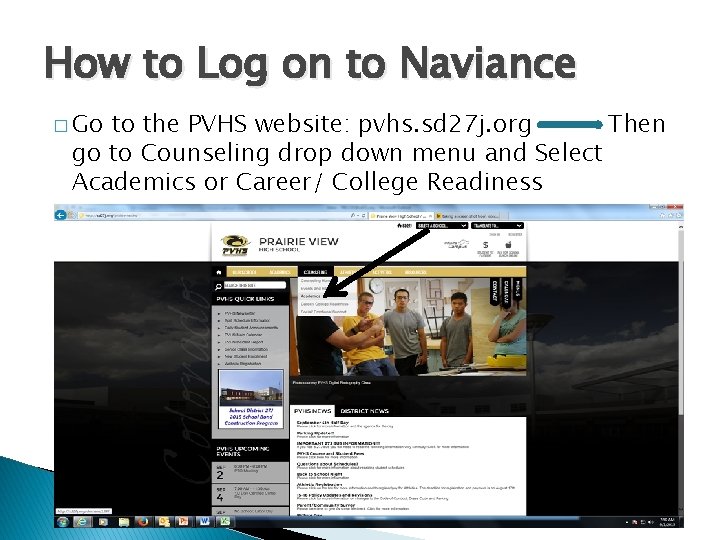
How to Log on to Naviance � Go to the PVHS website: pvhs. sd 27 j. org Then go to Counseling drop down menu and Select Academics or Career/ College Readiness
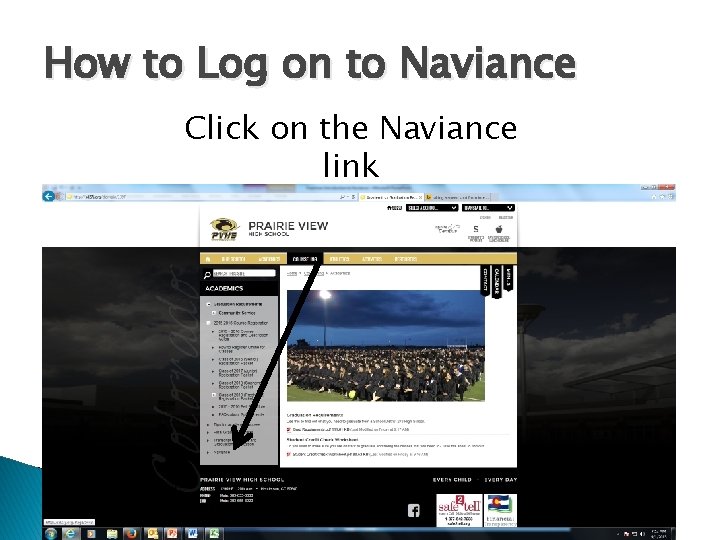
How to Log on to Naviance Click on the Naviance link
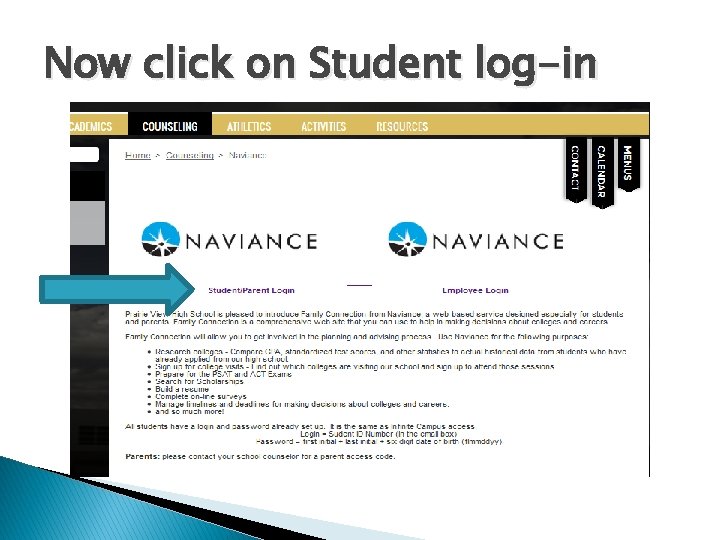
Now click on Student log-in
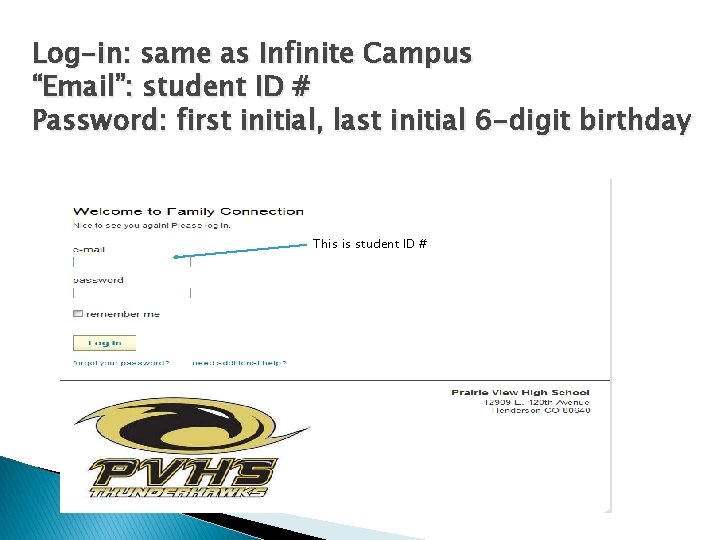
Log-in: same as Infinite Campus “Email”: student ID # Password: first initial, last initial 6 -digit birthday This is student ID #
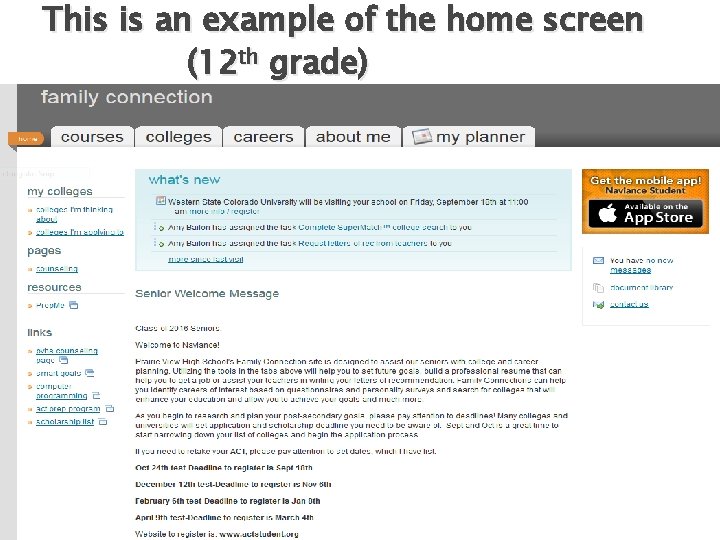
This is an example of the home screen (12 th grade)
Why do we use Naviance? � We want students to explore their interests and begin to connect those interests in order to build post-secondary plans/goals! Examples:
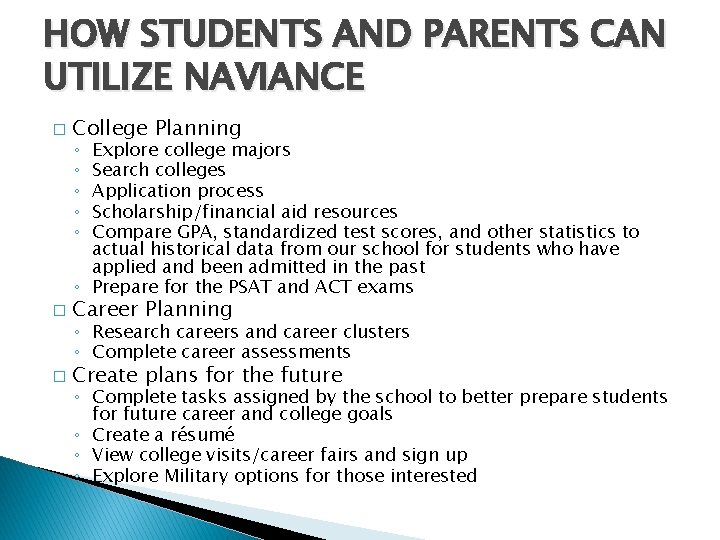
HOW STUDENTS AND PARENTS CAN UTILIZE NAVIANCE � College Planning Explore college majors Search colleges Application process Scholarship/financial aid resources Compare GPA, standardized test scores, and other statistics to actual historical data from our school for students who have applied and been admitted in the past ◦ Prepare for the PSAT and ACT exams ◦ ◦ ◦ � Career Planning � Create plans for the future ◦ Research careers and career clusters ◦ Complete career assessments ◦ Complete tasks assigned by the school to better prepare students for future career and college goals ◦ Create a résumé ◦ View college visits/career fairs and sign up ◦ Explore Military options for those interested
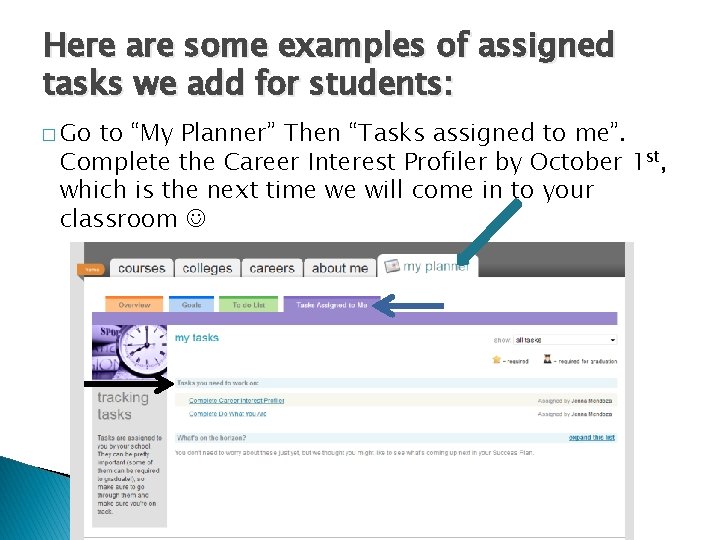
Here are some examples of assigned tasks we add for students: � Go to “My Planner” Then “Tasks assigned to me”. Complete the Career Interest Profiler by October 1 st, which is the next time we will come in to your classroom
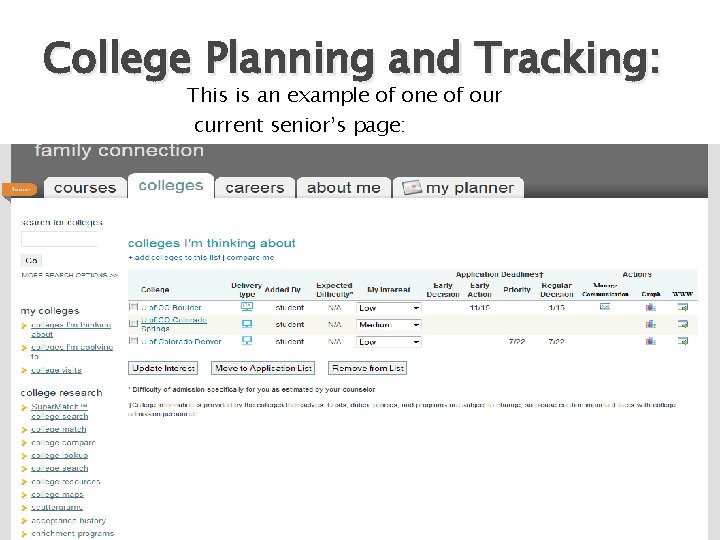
College Planning and Tracking: This is an example of one of our current senior’s page:
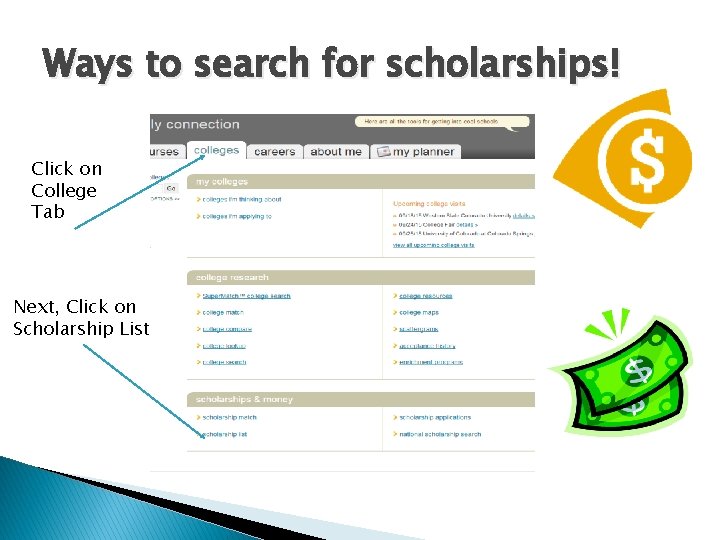
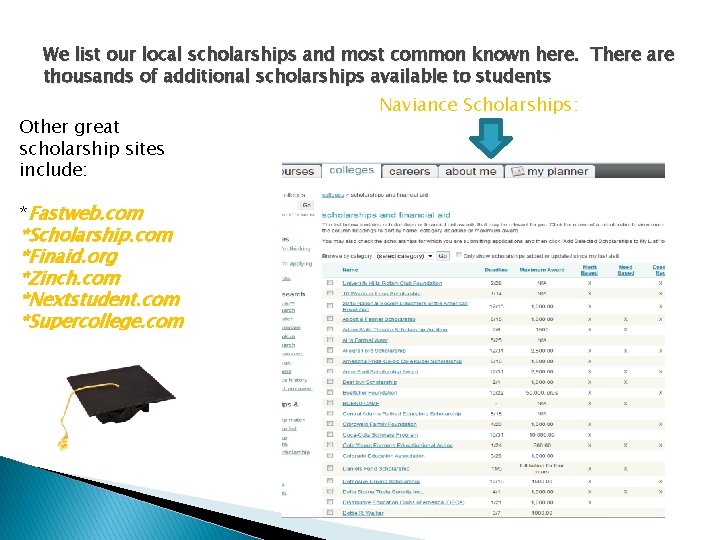
Ways to search for scholarships! Click on College Tab Next, Click on Scholarship List
We list our local scholarships and most common known here. There are thousands of additional scholarships available to students Other great scholarship sites include: *Fastweb. com *Scholarship. com *Finaid. org *Zinch. com *Nextstudent. com *Supercollege. com Naviance Scholarships:
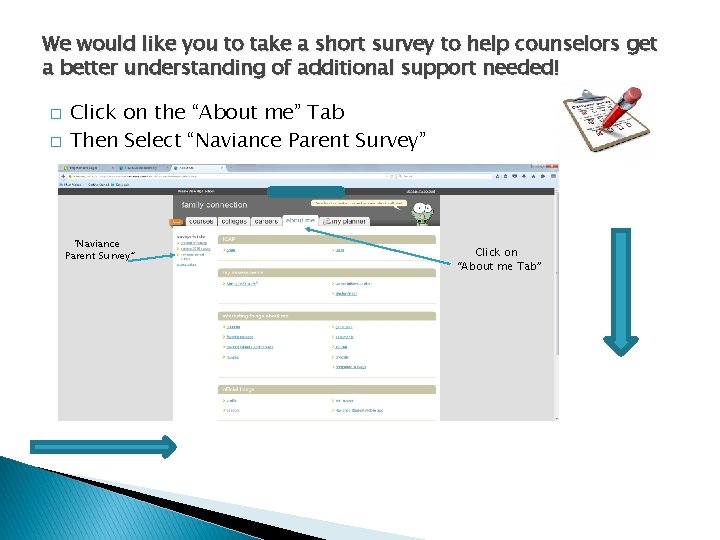
We would like you to take a short survey to help counselors get a better understanding of additional support needed! � � Click on the “About me” Tab Then Select “Naviance Parent Survey” Click on “About me Tab”
Questions?