
Introduction to Naviance For Students and Parents Created
- Slides: 12
Introduction to Naviance For Students and Parents Created by your Cobra Counselors Follow us on Twitter @counselorstech
What is Naviance? • Naviance is a comprehensive and widely used college planning software program that will assist our students, their families and their school counselor in different areas of the college application process. • Naviance includes self-discovery assessments, goal-setting, college research tools, and career exploration resources. • Each year, the school counselors will meet with each grade level and have the students explore the different aspects of Naviance.
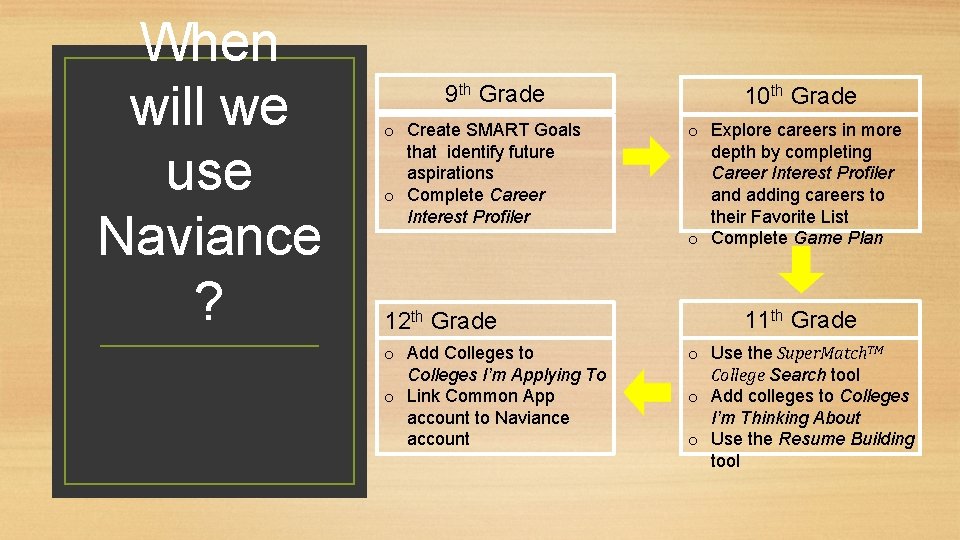
When will we use Naviance ? 9 th Grade o Create SMART Goals that identify future aspirations o Complete Career Interest Profiler 12 th Grade o Add Colleges to Colleges I’m Applying To o Link Common App account to Naviance account 10 th Grade o Explore careers in more depth by completing Career Interest Profiler and adding careers to their Favorite List o Complete Game Plan 11 th Grade o Use the Super. Match. TM College Search tool o Add colleges to Colleges I’m Thinking About o Use the Resume Building tool
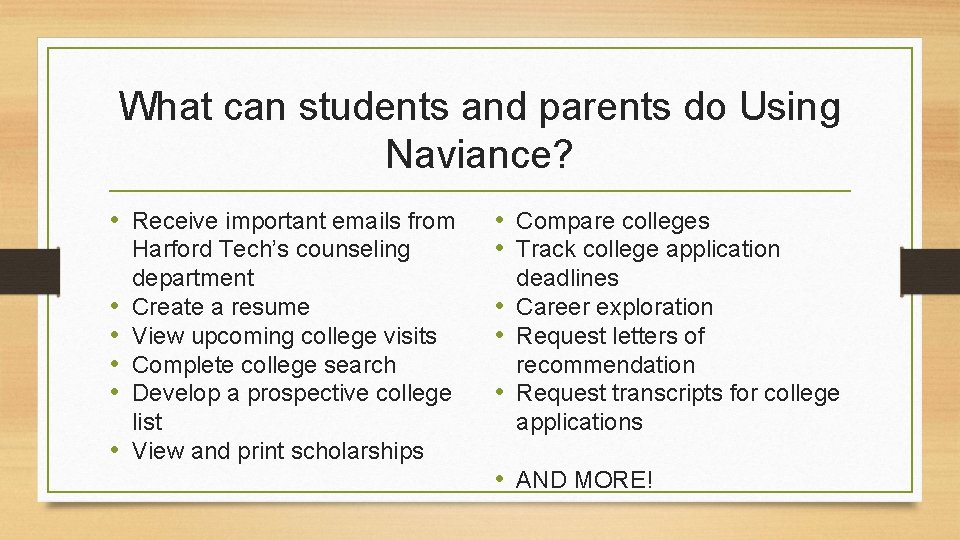
What can students and parents do Using Naviance? • Receive important emails from • • • Harford Tech’s counseling department Create a resume View upcoming college visits Complete college search Develop a prospective college list View and print scholarships • Compare colleges • Track college application deadlines • Career exploration • Request letters of recommendation • Request transcripts for college applications • AND MORE!
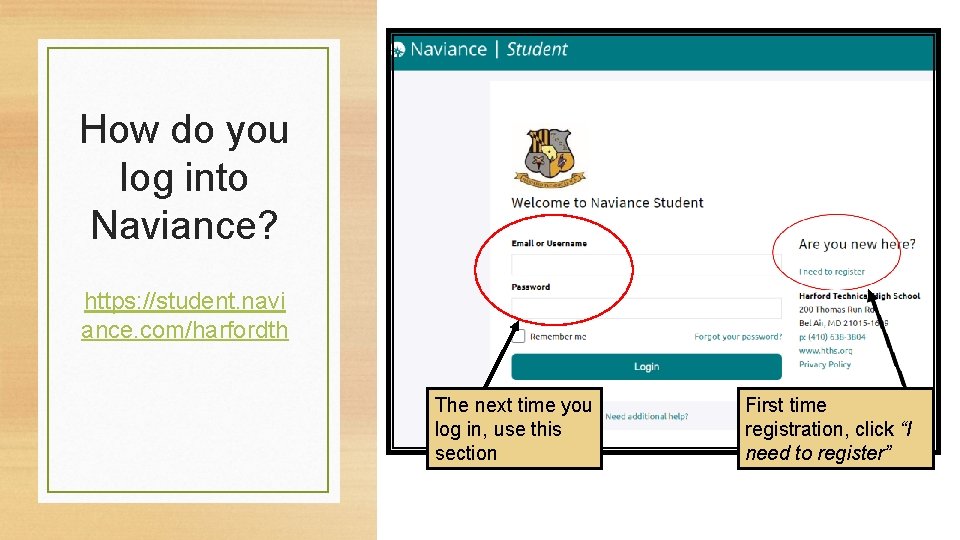
How do you log into Naviance? https: //student. navi ance. com/harfordth The next time you log in, use this section First time registration, click “I need to register”
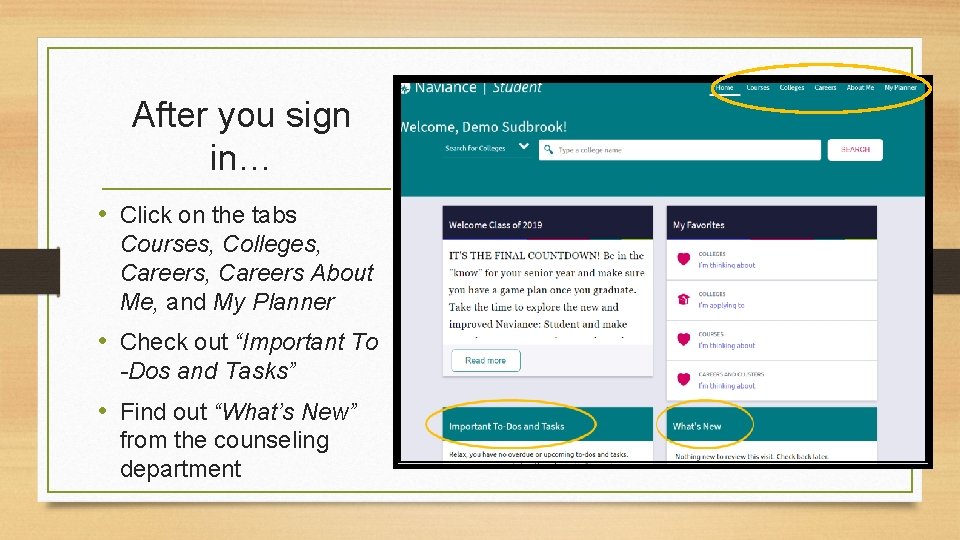
After you sign in… • Click on the tabs Courses, Colleges, Careers About Me, and My Planner • Check out “Important To -Dos and Tasks” • Find out “What’s New” from the counseling department
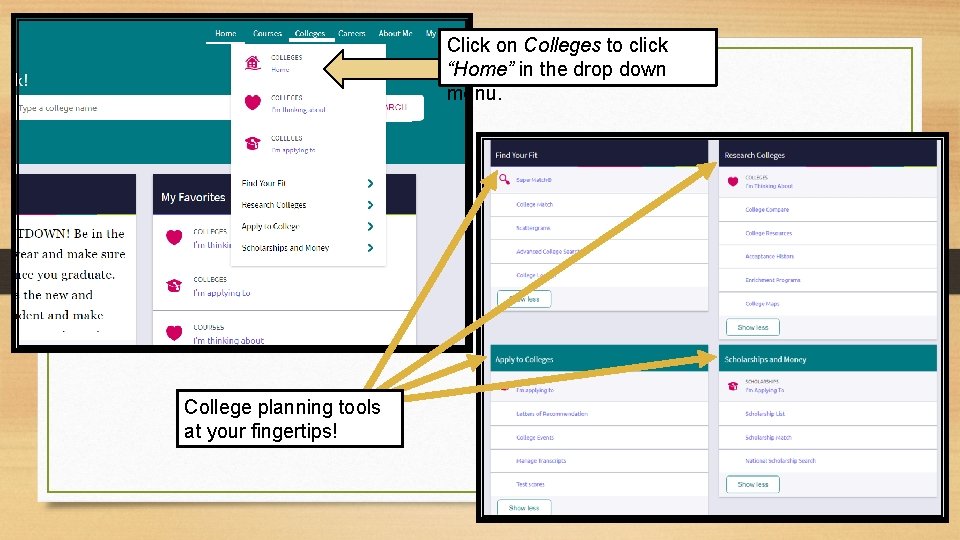
Click on Colleges to click “Home” in the drop down menu. College planning tools at your fingertips!
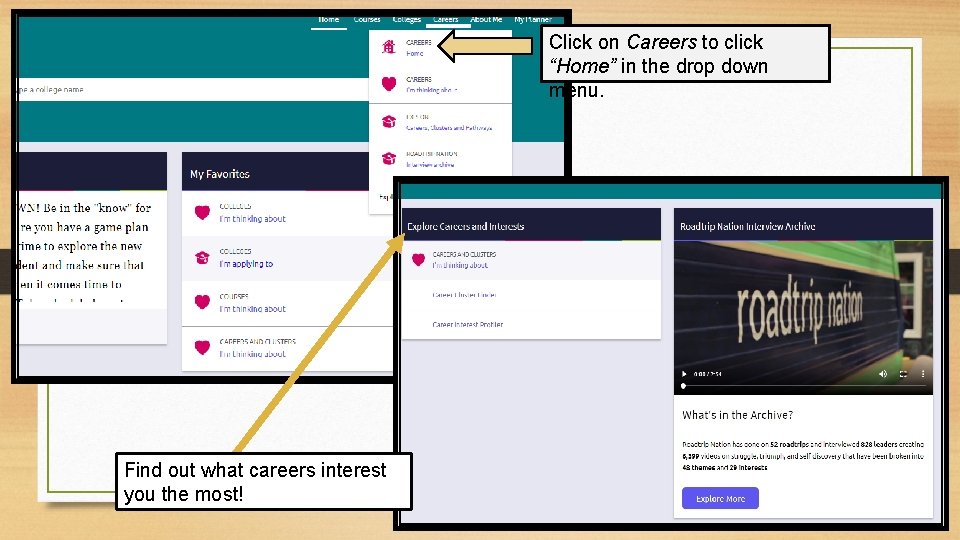
Click on Careers to click “Home” in the drop down menu. Find out what careers interest you the most!
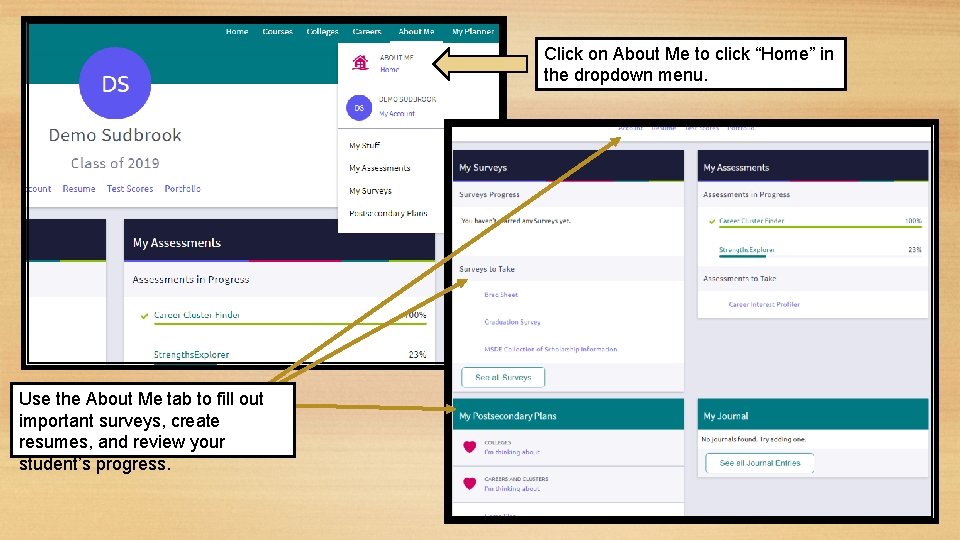
Click on About Me to click “Home” in the dropdown menu. Use the About Me tab to fill out important surveys, create resumes, and review your student’s progress.
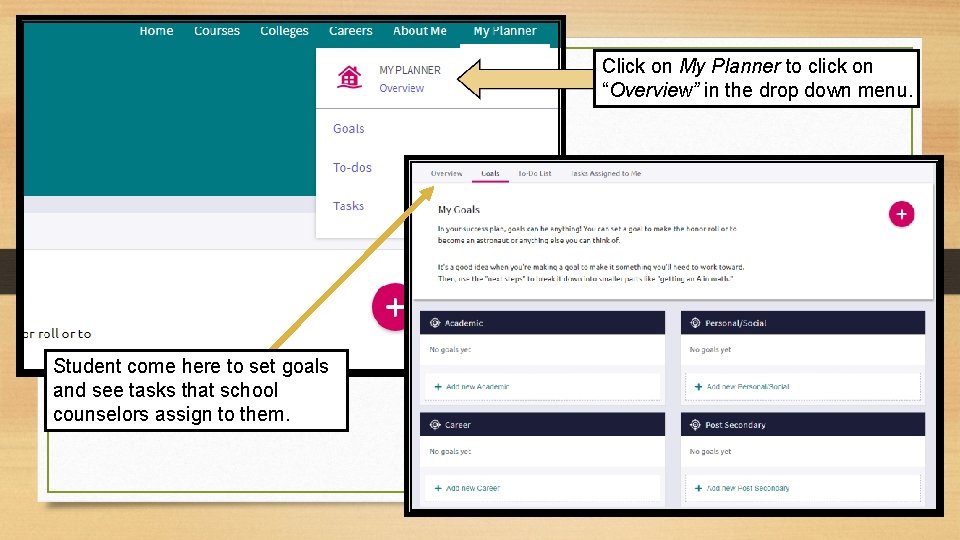
Click on My Planner to click on “Overview” in the drop down menu. Student come here to set goals and see tasks that school counselors assign to them.
Have questions or concerns? • Contact your student’s school counselor… Matthew Berg matthew. berg@hcps. org A–G Rae Czawlytko joy. czawlytko@hcps. org H–N Steph Sudbrook stephanie. sudbrook@hcps. org O–Z
Have Fun Exploring! • Parents & Guardians: We encourage you to spend time with your student exploring the site together. • Students: Visit often! Naviance is a useful, free tool to help you plan for life after high school! The best way to get to know Naviance is to log-on and see it for yourself! Have fun!