
Introduction to Multimedia Lecture 8 Animation Instructors Mohamed














- Slides: 50
Introduction to Multimedia Lecture #8 Animation Instructors: Mohamed MAGANGA
Today’s Agenda 4 Lectures Left • Video (2) • Sound (1) • Review (1) 1. 2. 3. Announcements Warm Up Today’s Lecture #7 (finish history) Lect # 8: Animation Lect 9: Video part 1 (hopefully start)
Overview of Today’s Topics n n n n Announcements What is animation? Types of animation File types of animation Using Flash to build your animation and animation terminology History of animation Review
Announcements n n n Student needing notes, please help out Assignment 2 s should all be marked by now. You have two weeks to complain about your mark. Assignment 3 (due Friday, March 19) Assignment 4 (due Wednesday April 7) n n n They will take you longer than you think, give yourself LOTS of time to do them. Check that your P: drive works! Final Exam: Wednesday April 14 2: 00 PM Location: Thames Hall Gym n n n 2 hour exam All multiple choice questions About 150 questions
Announcements Final Exam Note: you must get a weighted average of at least 45% on the final exam and major assignment http: //www. csd. uwo. ca/courses/CS 1033/ And go to Course Outline Note that weighted average = (total of weighted marks / sum of weights) and weighted mark = (weight * mark) For example, if you received 60% on the final exam (weighted at 40 % of your final mark) 80% on the major assignment (weighted at 20% of your final mark), Your weighted average would be ((60*. 4)+(80*. 2)) / (0. 4+0. 2) = (24+16) / 0. 6 = 40/0. 6 = 66% WHICH IS ABOVE THE REQUIRED 45% TO PASS. NOTE though, if you did not hand in the major project and received 50% on the final exam, your weighted mark would be 33% and you would NOT pass the course, even if your overall grade for your labs, assignments and final exam was greater than 50%.
Warm up Questions: n n n Question: What is the Page. Rank algorithm? Question: Name the most popular search directory web site? Question: Name the most popular search engine website? What % of the market does it currently have? Question: What are the 3 components you must address to get your page a higher ranking? Question: Who started Yahoo, who started Google? Question: Name one search tool that predates Google and Yahoo
Warm Up Questions If you want a table in your webpage to automatically resize as the user resizes the window, then you should define it in terms of pixels not percentages a) True b) False Which of the following is the most important in terms of getting your website ranked highly in Google. a) b) c) d) A domain name with good keywords in it The number of links from your page to other pages The number of links from other pages to your page Having good keywords in the title e) Have good meta tag keywords.
Today’s Agenda 1. 2. 3. 4. 5. 6. Introduction to Animation What is Animation Types of Animation File Types of animation Using Flash to build you animation Animation terminology 3 D Animation, Morphing, Tweening, Onion Skinning etc. 7. 8. 9. 10. Animated GIFs History of Animation in Movies LOTS OF VIDEOS TODAY Sit back and enjoy
Intro to Animation n What is animation? n n n A drawing that moves, bringing the drawing to “life” A _________that create the illusion of movement when played in succession. Animation is a powerful tool capable of communicating complex ideas How the heart beats http: //www. smm. org/heart/top. html n Easier to show somebody how something works then to try and explain it http: //www. youtube. com/watch? v=8 SBf. N 9 lt. F 8 c
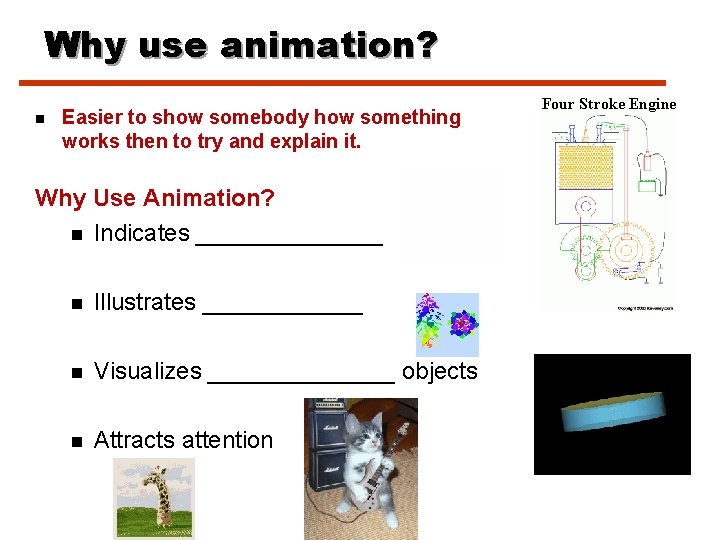
Why use animation? n Easier to show somebody how something works then to try and explain it. Why Use Animation? n Indicates _______ n Illustrates ______ n Visualizes _______ objects n Attracts attention Four Stroke Engine
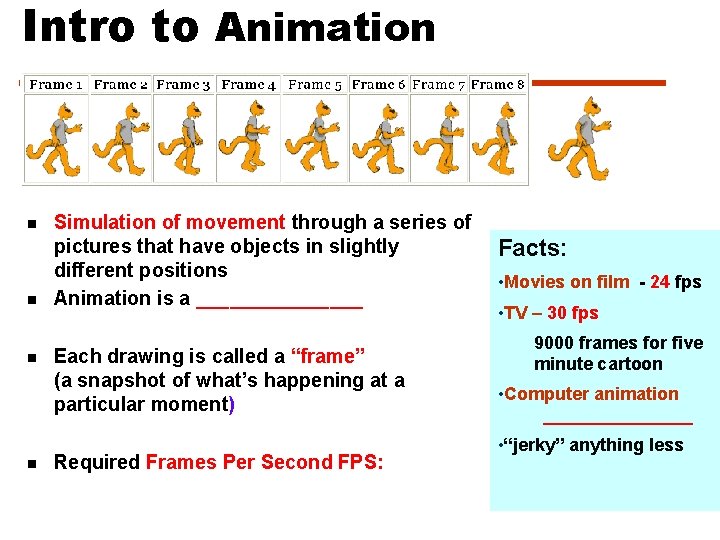
Intro to Animation n n Simulation of movement through a series of pictures that have objects in slightly different positions Animation is a ________ Each drawing is called a “frame” (a snapshot of what’s happening at a particular moment) Required Frames Per Second FPS: Facts: • Movies on film - 24 fps • TV – 30 fps 9000 frames for five minute cartoon • Computer animation ________ • “jerky” anything less
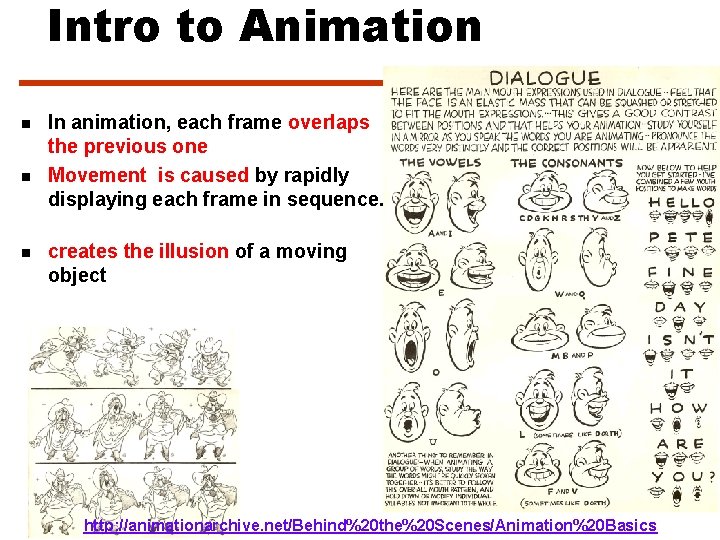
Intro to Animation n In animation, each frame overlaps the previous one Movement is caused by rapidly displaying each frame in sequence. creates the illusion of a moving object http: //animationarchive. net/Behind%20 the%20 Scenes/Animation%20 Basics
Sampling and Quantizing of Motion n Since each frame is just an image n Sampling process – process of collecting information pieces from a general population Each image consists of pixels We know that n n Remember: n 10 pixels by 10 pixels vs 200 pixels by 200 pixels n More samples means better quality n More samples means bigger file sizes Question: What else can we “Sample” with MOTION?
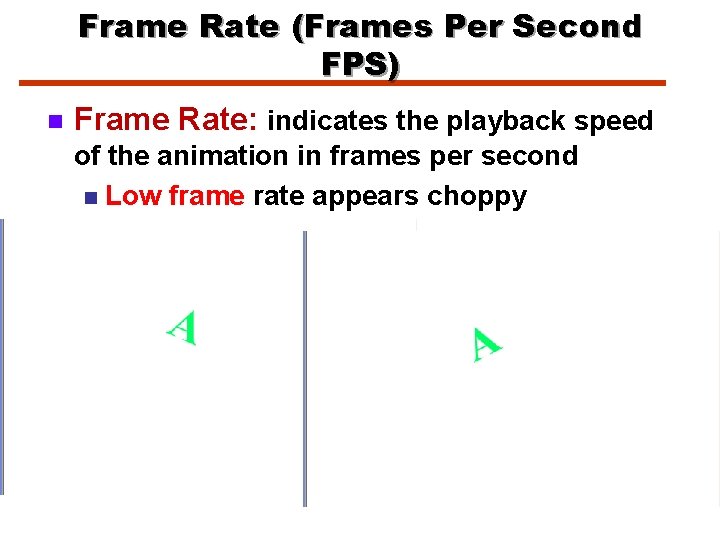
Frame Rate (Frames Per Second FPS) n Frame Rate: indicates the playback speed of the animation in frames per second n Low frame rate appears choppy Question: BUT high frame rate can also appear choppy, WHY? n Answer: if the computer playing the animation is not fast enough to process and display the frames. n
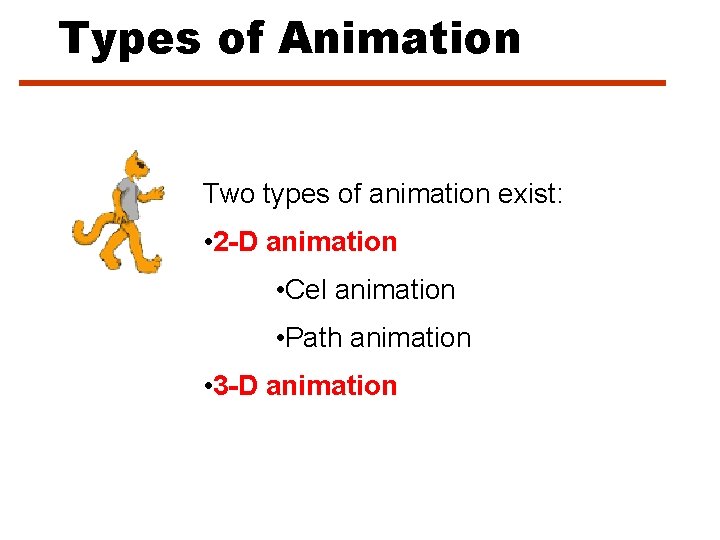
Types of Animation Two types of animation exist: • 2 -D animation • Cel animation • Path animation • 3 -D animation
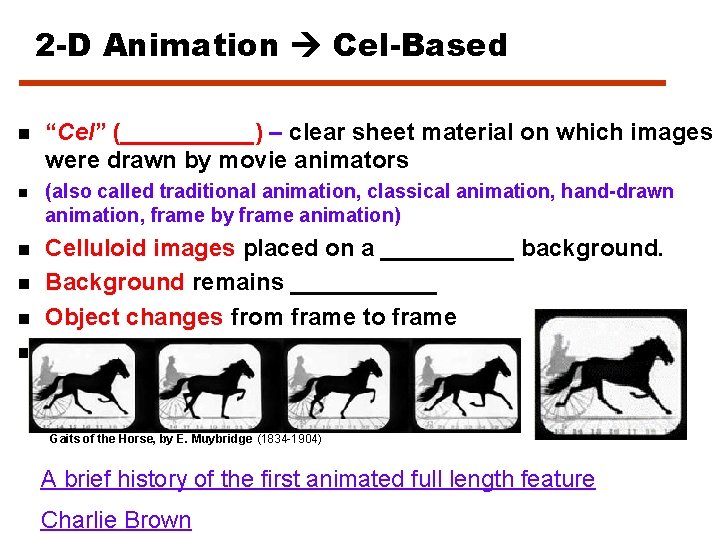
2 -D Animation Cel-Based n “Cel” (_____) – clear sheet material on which images were drawn by movie animators n (also called traditional animation, classical animation, hand-drawn animation, frame by frame animation) n Celluloid images placed on a _____ background. Background remains ______ Object changes from frame to frame Ex. Toonz software n n n Gaits of the Horse, by E. Muybridge (1834 -1904) A brief history of the first animated full length feature Charlie Brown
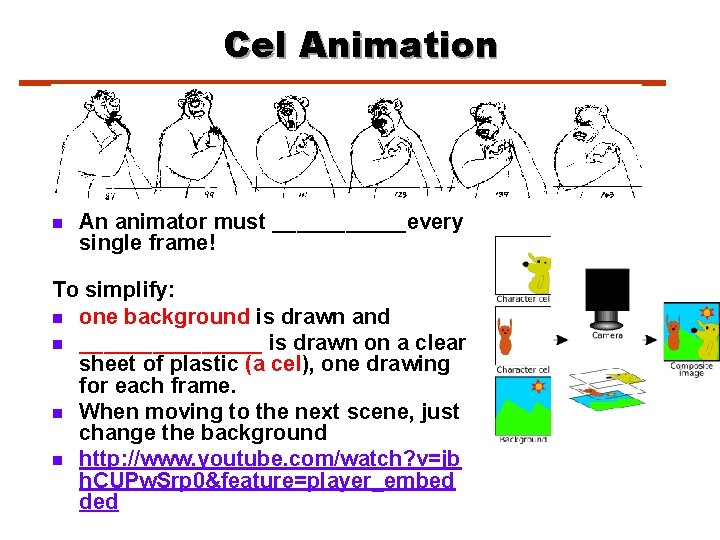
Cel Animation n An animator must ______every single frame! To simplify: n one background is drawn and n ________ is drawn on a clear sheet of plastic (a cel), one drawing for each frame. n When moving to the next scene, just change the background n http: //www. youtube. com/watch? v=jb h. CUPw. Srp 0&feature=player_embed ded
Cel Animation n n Question: What was the first full length cel based animated movie? Hints: n n n Debuted in 1937 Over 350, 000 frames Over 1, 500, 000 pen and ink drawings Stars seven rather short guys and one pasty brunette Other examples: n Charlie Brown
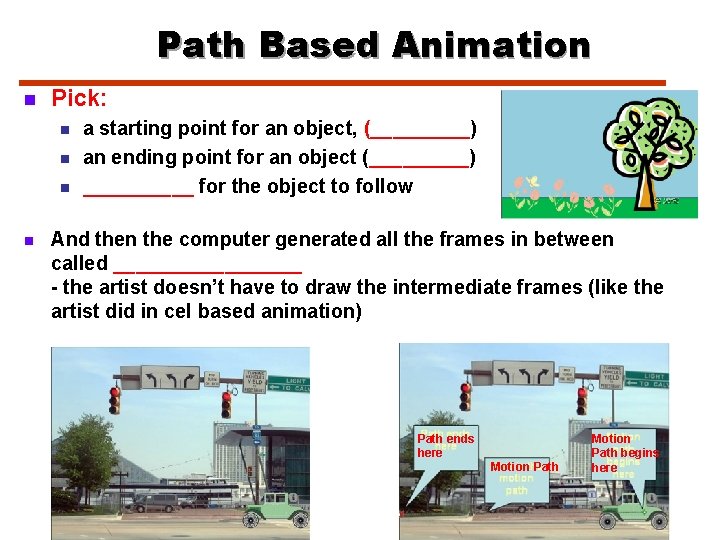
Path Based Animation n Pick: n n a starting point for an object, (_____) an ending point for an object (_____) _____ for the object to follow And then the computer generated all the frames in between called _________ - the artist doesn’t have to draw the intermediate frames (like the artist did in cel based animation) Path ends here Motion Path begins here
Path Based Animation n n Question: What name do we give to the start frame and the end frame? (not the frames that are computer generated, rather the frames drawn by us? ) Question: Why is the act of generating the frames in between the first frame and the last frame called tweening? Question: The path the object follows have to be a straight line, TRUE or FALSE? Question: What software allows us to do path based animation?
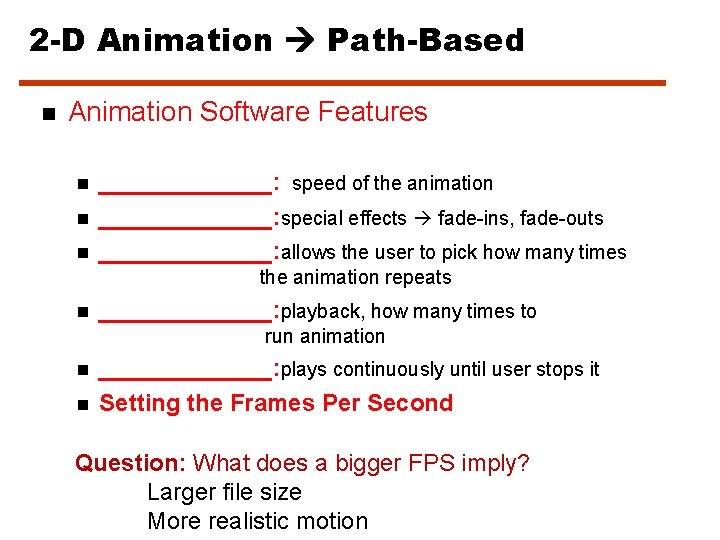
2 -D Animation Path-Based n Animation Software Features n n n _______: speed of the animation _______: special effects fade-ins, fade-outs _______: allows the user to pick how many times the animation repeats n _______: playback, how many times to run animation n n _______: plays continuously until user stops it Setting the Frames Per Second Question: What does a bigger FPS imply? Larger file size More realistic motion
What can we do to change the motion? n If the animation appears too slow, we can speed up the motion by: n Reduce the _______ n Increase the _______
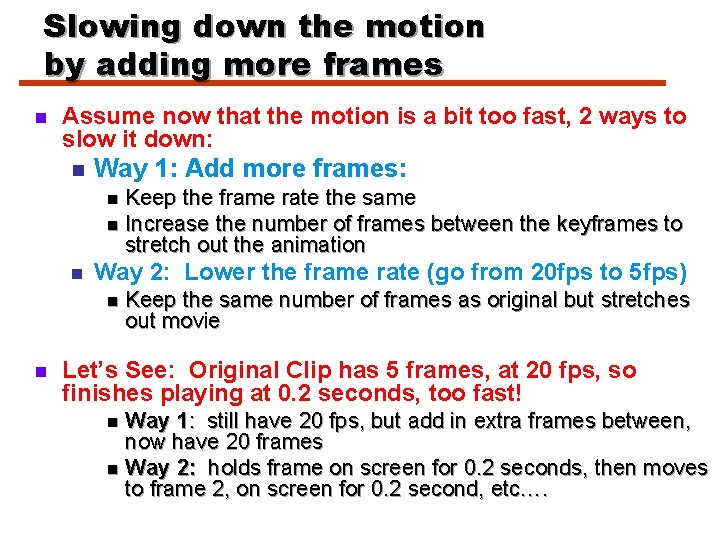
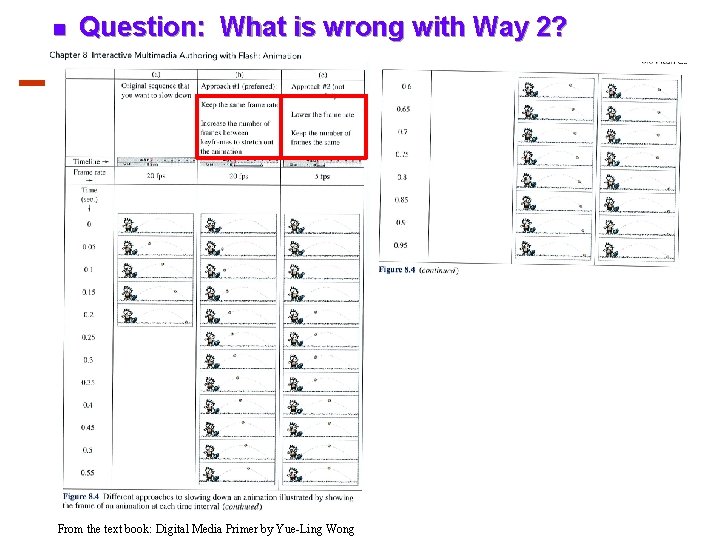
Slowing down the motion by adding more frames n Assume now that the motion is a bit too fast, 2 ways to slow it down: n Way 1: Add more frames: Keep the frame rate the same n Increase the number of frames between the keyframes to stretch out the animation n n Way 2: Lower the frame rate (go from 20 fps to 5 fps) n n Keep the same number of frames as original but stretches out movie Let’s See: Original Clip has 5 frames, at 20 fps, so finishes playing at 0. 2 seconds, too fast! Way 1: still have 20 fps, but add in extra frames between, now have 20 frames n Way 2: holds frame on screen for 0. 2 seconds, then moves to frame 2, on screen for 0. 2 second, etc…. n
n Question: What is wrong with Way 2? From the text book: Digital Media Primer by Yue-Ling Wong
Animation Some Terminology n n n Keyframe Tweening Onion Skinning
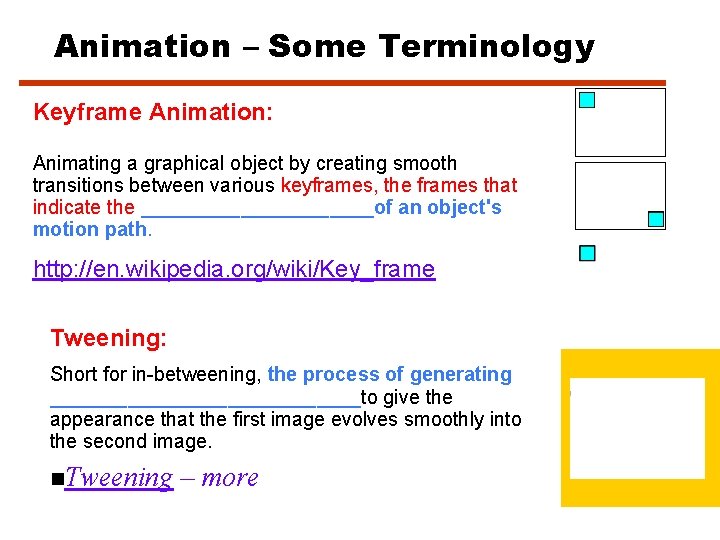
Animation – Some Terminology Keyframe Animation: Animating a graphical object by creating smooth transitions between various keyframes, the frames that indicate the ___________of an object's motion path. http: //en. wikipedia. org/wiki/Key_frame Tweening: Short for in-betweening, the process of generating ______________to give the appearance that the first image evolves smoothly into the second image. n. Tweening – more
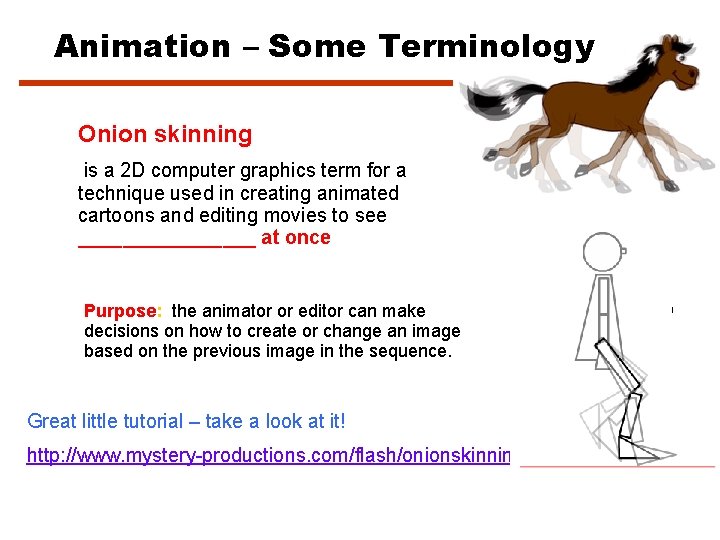
Animation – Some Terminology Onion skinning is a 2 D computer graphics term for a technique used in creating animated cartoons and editing movies to see ________ at once Purpose: the animator or editor can make decisions on how to create or change an image based on the previous image in the sequence. Great little tutorial – take a look at it! http: //www. mystery-productions. com/flash/onionskinning. html
3 -D Animation – Process n 3 -Dimensional animation involves 3 steps: n Modelling n Animating n Rendering
3 -D Animation - Process • Modelling: • ___________ • Process of creating broad contours and structure of 3 D objects and scenes (draw views – top, side, cross section • Animating: • Process of defining _______ • Defining lighting and perspective views to create change during animation • Rendering: • Give _________ color, surface textures, amounts of transparency Sample Demo
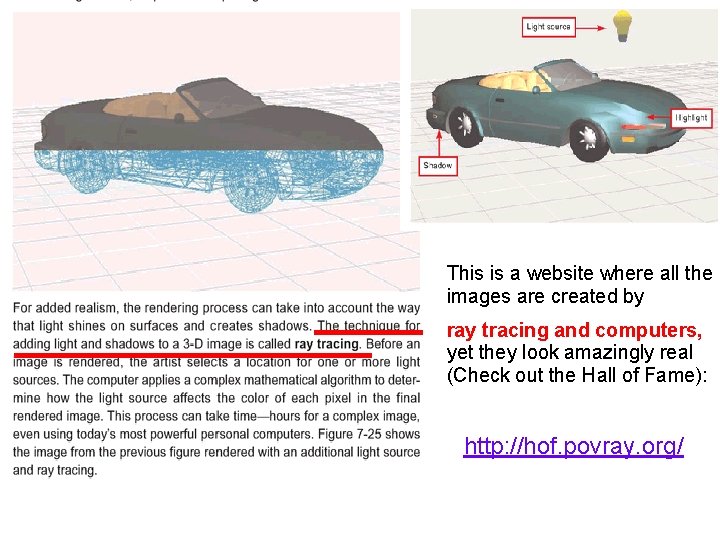
This is a website where all the images are created by ray tracing and computers, yet they look amazingly real (Check out the Hall of Fame): http: //hof. povray. org/
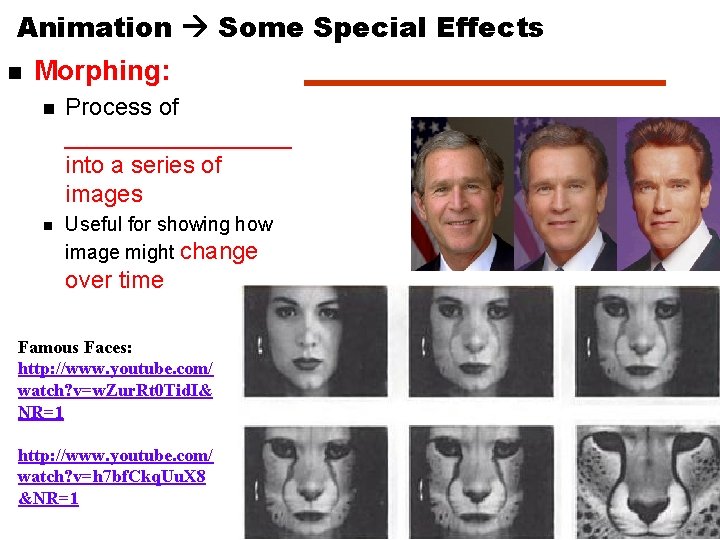
Animation Some Special Effects n Morphing: n Process of _________ into a series of images n Useful for showing how image might change over time Famous Faces: http: //www. youtube. com/ watch? v=w. Zur. Rt 0 Tid. I& NR=1 http: //www. youtube. com/ watch? v=h 7 bf. Ckq. Uu. X 8 &NR=1
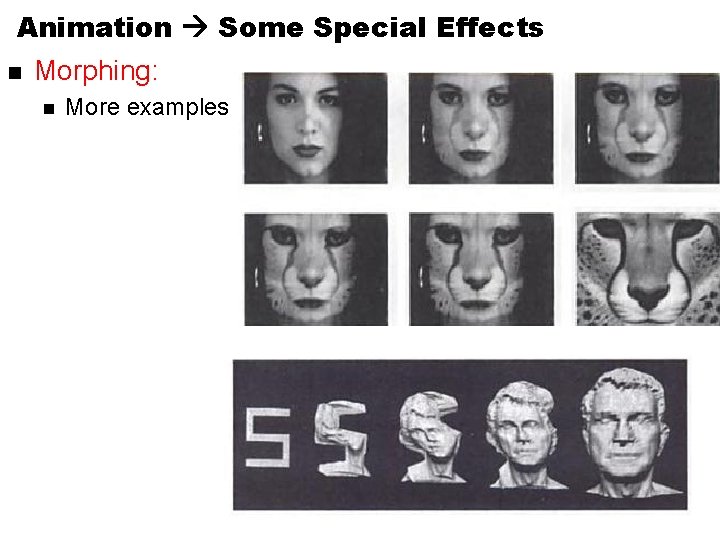
Animation Some Special Effects n Morphing: n More examples
Animation Some Special Effects n Warping: n Distorts a _______ n Warp frown into smile http: //www. cise. ufl. edu/~anand/students/ chui/img/eg_face_warp_anim. gif
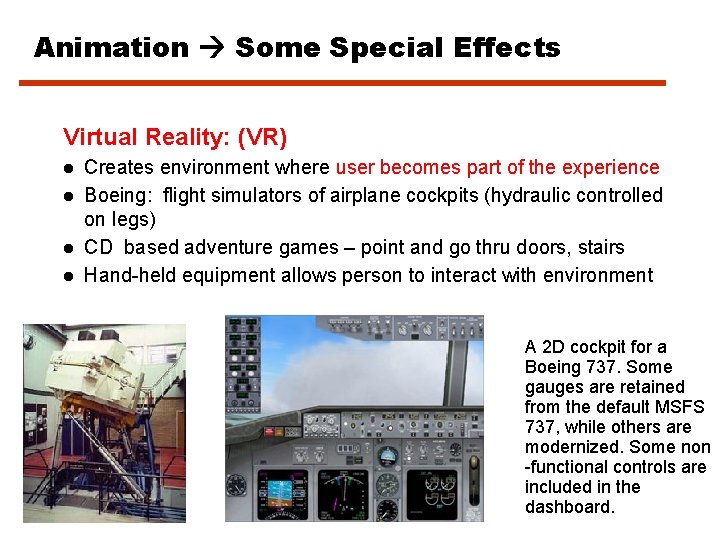
Animation Some Special Effects Virtual Reality: (VR) Creates environment where user becomes part of the experience Boeing: flight simulators of airplane cockpits (hydraulic controlled on legs) CD based adventure games – point and go thru doors, stairs Hand-held equipment allows person to interact with environment A 2 D cockpit for a Boeing 737. Some gauges are retained from the default MSFS 737, while others are modernized. Some non -functional controls are included in the dashboard.
Animated GIFS n For simple animations use. GIF format n Special type of GIF file known as an animated GIF/GIF 89 a that provides the animation you need. n Animated GIFs are formally called multi-block GIFs n A series (blocks) of still GIF images within ________GIF file. n When the GIF document is viewed, the multiple images display, quickly and in succession, and produce a streaming animation world_tsunami. gif (contains a sequence of frames in the file) monkeypoo. gif (contains by Laura’s sister in Photoshop!)
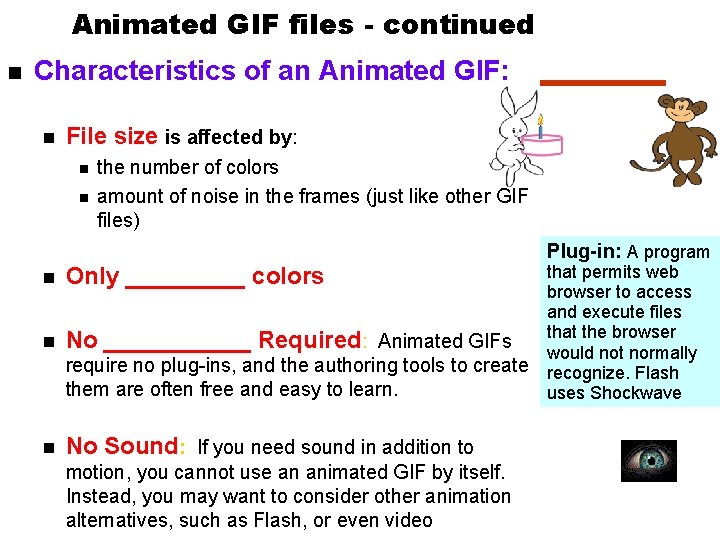
Animated GIF files - continued n Characteristics of an Animated GIF: n File size is affected by: n n the number of colors amount of noise in the frames (just like other GIF files) Plug-in: A program that permits web browser to access and execute files that the browser n No ______ Required: Animated GIFs would not normally require no plug-ins, and the authoring tools to create recognize. Flash them are often free and easy to learn. uses Shockwave n Only _____ colors n No Sound: If you need sound in addition to motion, you cannot use an animated GIF by itself. Instead, you may want to consider other animation alternatives, such as Flash, or even video
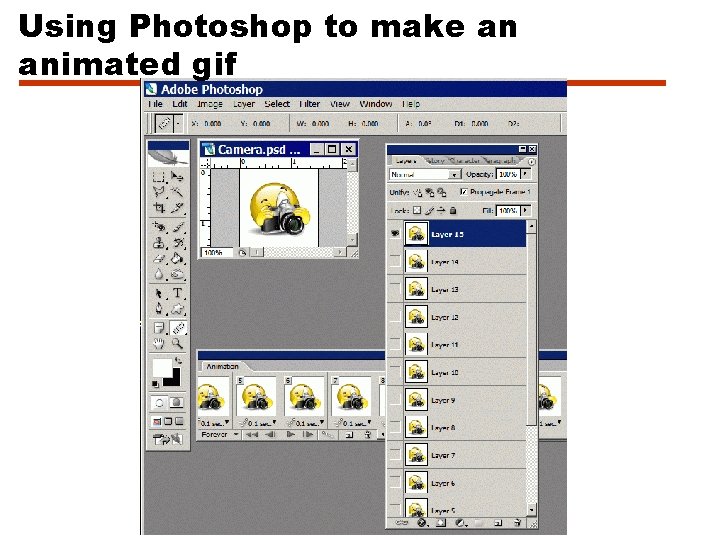
Using Photoshop to make an animated gif
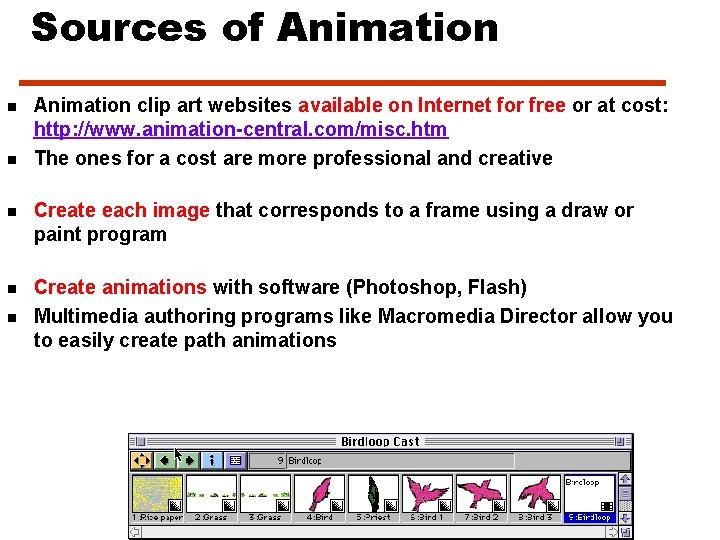
Sources of Animation n n Animation clip art websites available on Internet for free or at cost: http: //www. animation-central. com/misc. htm The ones for a cost are more professional and creative n Create each image that corresponds to a frame using a draw or paint program n Create animations with software (Photoshop, Flash) Multimedia authoring programs like Macromedia Director allow you to easily create path animations n
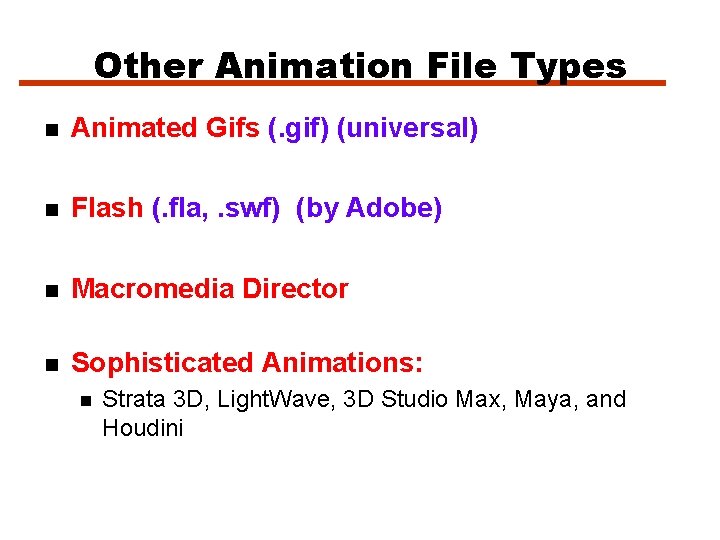
Other Animation File Types n Animated Gifs (. gif) (universal) n Flash (. fla, . swf) (by Adobe) n Macromedia Director n Sophisticated Animations: n Strata 3 D, Light. Wave, 3 D Studio Max, Maya, and Houdini
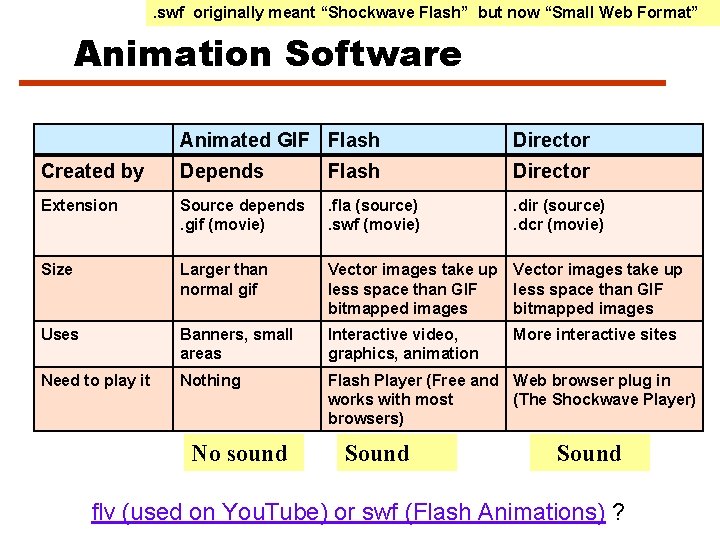
Animation File Types Flash Software • Flash uses the. FLA file extension for source files Animation is choreographed • . SWF extension for the Flash movie that is created and played. using one or more • . swf originally meant “Shockwave Flash” but now “Small Web Format” sequential • Animation is choreographed using one or more sequential timelines in which actions and interactions are defined
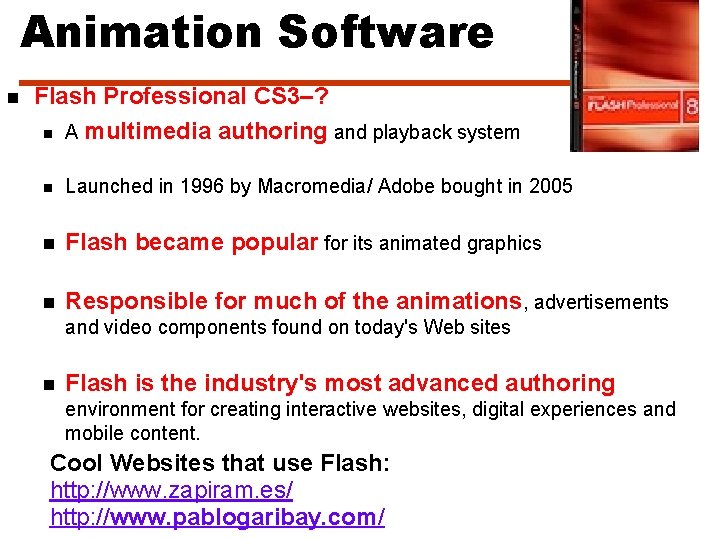
Animation Software n Flash Professional CS 3–? n A multimedia authoring and playback system n Launched in 1996 by Macromedia/ Adobe bought in 2005 n Flash became popular for its animated graphics n Responsible for much of the animations, advertisements and video components found on today's Web sites n Flash is the industry's most advanced authoring environment for creating interactive websites, digital experiences and mobile content. Cool Websites that use Flash: http: //www. zapiram. es/ http: //www. pablogaribay. com/
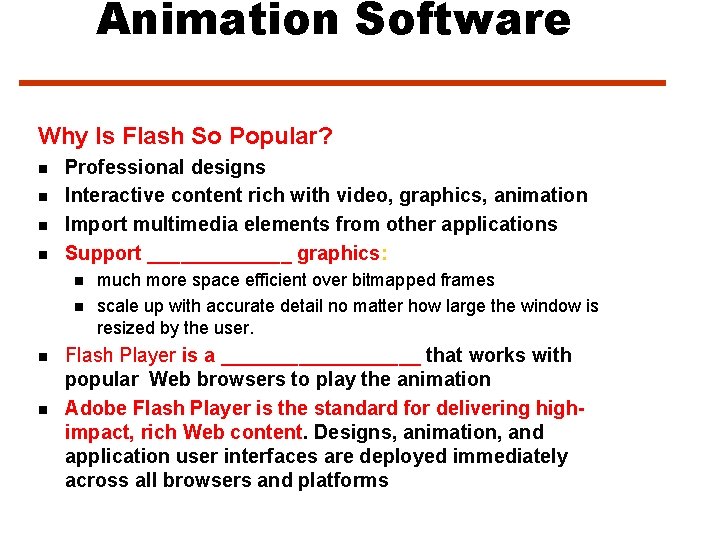
Animation Software Why Is Flash So Popular? n n Professional designs Interactive content rich with video, graphics, animation Import multimedia elements from other applications Support _______ graphics: n n much more space efficient over bitmapped frames scale up with accurate detail no matter how large the window is resized by the user. Flash Player is a _________ that works with popular Web browsers to play the animation Adobe Flash Player is the standard for delivering highimpact, rich Web content. Designs, animation, and application user interfaces are deployed immediately across all browsers and platforms
. swf originally meant “Shockwave Flash” but now “Small Web Format” Animation Software Animated GIF Flash Director Created by Depends Flash Director Extension Source depends. gif (movie) . fla (source). swf (movie) . dir (source). dcr (movie) Size Larger than normal gif Vector images take up less space than GIF bitmapped images Uses Banners, small areas Interactive video, graphics, animation Need to play it Nothing Flash Player (Free and Web browser plug in works with most (The Shockwave Player) browsers) No sound Sound More interactive sites Sound flv (used on You. Tube) or swf (Flash Animations) ?
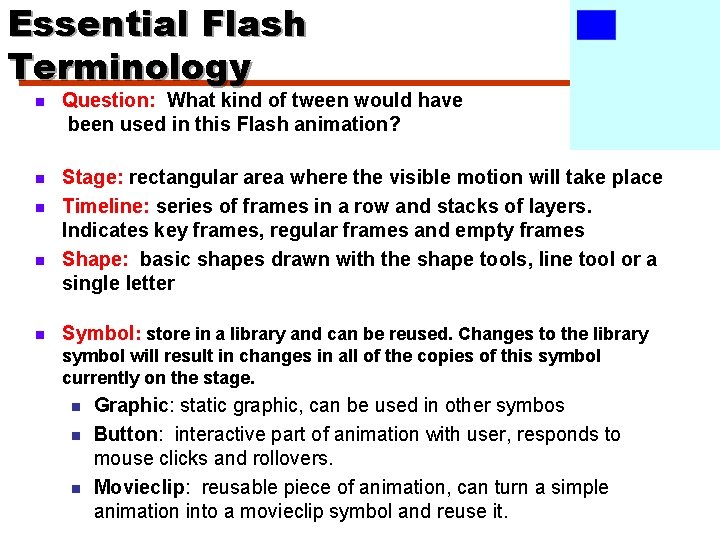
Essential Flash Terminology n Question: What kind of tween would have been used in this Flash animation? n Stage: rectangular area where the visible motion will take place Timeline: series of frames in a row and stacks of layers. Indicates key frames, regular frames and empty frames Shape: basic shapes drawn with the shape tools, line tool or a single letter n n n Symbol: store in a library and can be reused. Changes to the library symbol will result in changes in all of the copies of this symbol currently on the stage. n n n Graphic: static graphic, can be used in other symbos Button: interactive part of animation with user, responds to mouse clicks and rollovers. Movieclip: reusable piece of animation, can turn a simple animation into a movieclip symbol and reuse it.
Essential Flash Terminology n n Tweening: Creating the intermediate frames based on the starting keyframe and ending keyframe. There are 2 types of tweens: Motion Tween Shape Tween Works with symbols only Works with shapes only Can’t morph (only movement) Can morph shapes Only one symbol per layer if the symbol will have a motion tween Can have more than one shape per layer but be careful, depends on what you want to morph Can be used with motion guide Can’t use motion guide Motion Guide: lets you animation an object along a path that you draw yourself. Only works with symbols
Animation in the Movies n Digital Video n n n 1983 Star Trek the Wrath of Khan – dead planet transformed to lush earth-like habitat http: //en. wikipedia. org/wiki/TWOK#Ef fects Animation History: http: //www. yo utube. com/wat ch? v=Sa. Jxn. Tf 44 eg&feature= related Digital Animation n n What was the first full length film that was created entirely with digital animation. What year did it come out? 1995
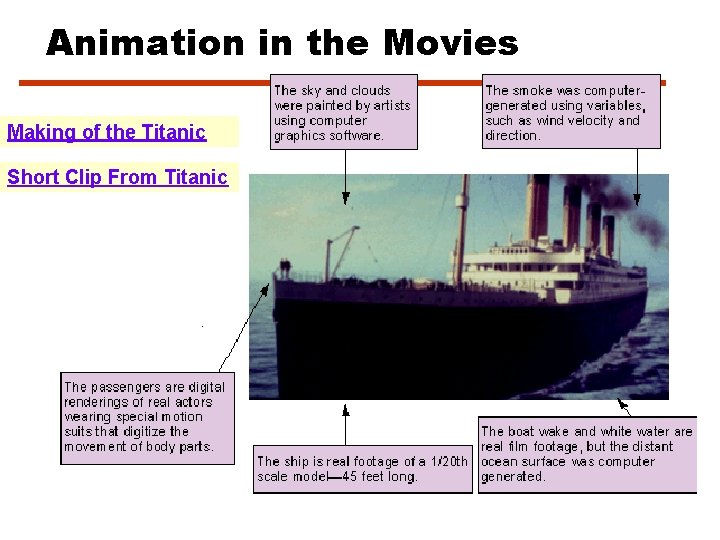
Animation in the Movies Making of the Titanic Short Clip From Titanic
Animation in the Movies n Movies - Visual effects: Terminator II liquid metal cyborg n Jurassic Park dinosaurs n Titanic n Star Wars n
Animation in the Movies 12 Highest Gross Earnings made so far by Computer Generated Animations worldwide at of 2007. 01: $881 million - Shrek 2 (Dreamworks) 02: $865 million - Finding Nemo (Pixar) 03: $624 million - The Incredibles(Pixar) 04: $624 million - Ice Age 2 (Bluesky) 05: $529 million - Monster Inc. (Pixar) 06: $486 million - Toy Story 2 (Pixar) 07: $455 million - Shrek (Dreamworks) 08: $455 million - Cars (Pixar) 09: $406 million - Madagascar (Dreamworks) 10: $378 million - Ice Age (Bluesky) 11: $358 million - Toy Story (Pixar) 12: $358 million - A bug's life (Pixar) Can anyone guess what was the highest grossing computer generated film?
Let’s Review n n Name two types of 2 -D animation. What is the term for the computer generated frames between the starting frame and ending frame?