
Introduction to MPI Paul Tymann Computer Science Department
![Parallel. Monte. c void sender( int num. Darts ) { int answer[ 1 ];](https://slidetodoc.com/presentation_image/3ff3540d2eefbfb9bb45659974fbe86d/image-28.jpg "Parallel. Monte. c void sender( int num. Darts ) { int answer[ 1 ];")
- Slides: 33
Introduction to MPI Paul Tymann Computer Science Department Rochester Institute of Technology ptt@cs. rit. edu 364 - Introduction to MPI
Communication • Communication is vital in any kind of distributed application. • Initially most people wrote their own protocols. – Tower of Babel effect. • Eventually standards appeared. – Parallel Virtual Machine (PVM). – Message Passing Interface (MPI). 9/17/2020 364 - Introduction to MPI 2
What is MPI? • A message passing library specification – Message-passing model – Not a compiler specification (i. e. not a language) – Not a specific product • Designed for parallel computers, clusters, and heterogeneous networks • Lets users, tool writers, library developers concentrate on their code as opposed to the low level communication code 9/17/2020 364 - Introduction to MPI 3
The MPI Process • Development began in early 1992 • Open process/Broad participation – IBM, Intel, TMC, Meiko, Cray, Convex, Ncube – PVM, p 4, Express, Linda, … – Laboratories, Universities, Government • Final version of draft in May 1994 • Public and vendor implementations are now widely available 9/17/2020 364 - Introduction to MPI 4
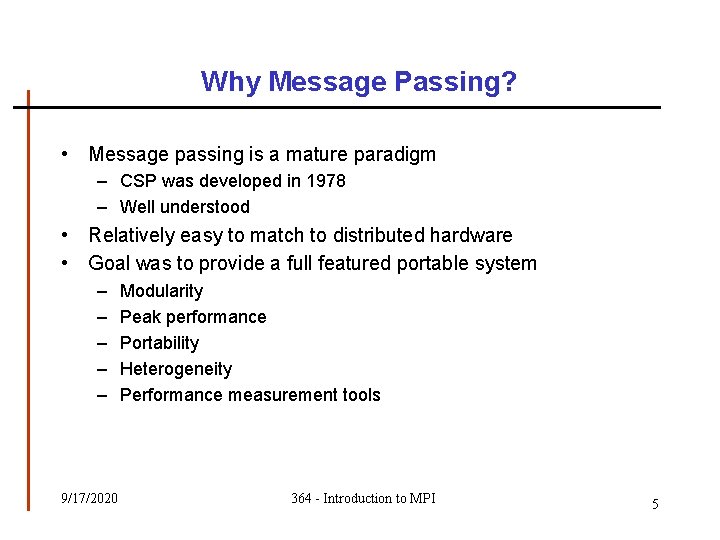
Why Message Passing? • Message passing is a mature paradigm – CSP was developed in 1978 – Well understood • Relatively easy to match to distributed hardware • Goal was to provide a full featured portable system – – – 9/17/2020 Modularity Peak performance Portability Heterogeneity Performance measurement tools 364 - Introduction to MPI 5
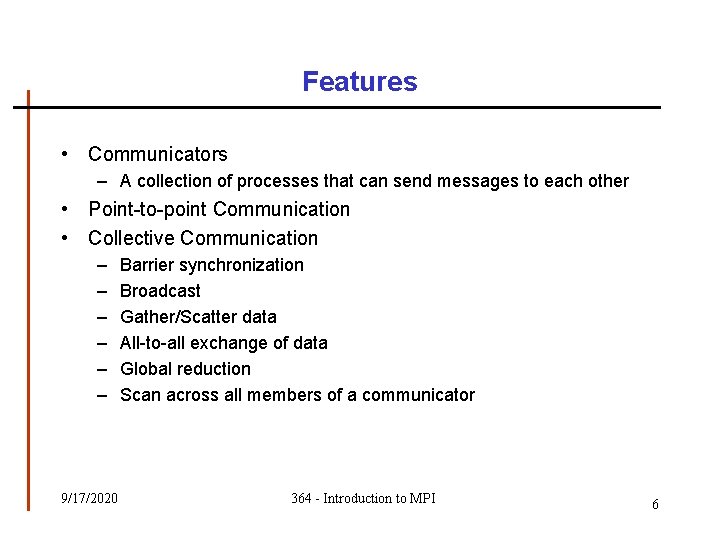
Features • Communicators – A collection of processes that can send messages to each other • Point-to-point Communication • Collective Communication – – – 9/17/2020 Barrier synchronization Broadcast Gather/Scatter data All-to-all exchange of data Global reduction Scan across all members of a communicator 364 - Introduction to MPI 6
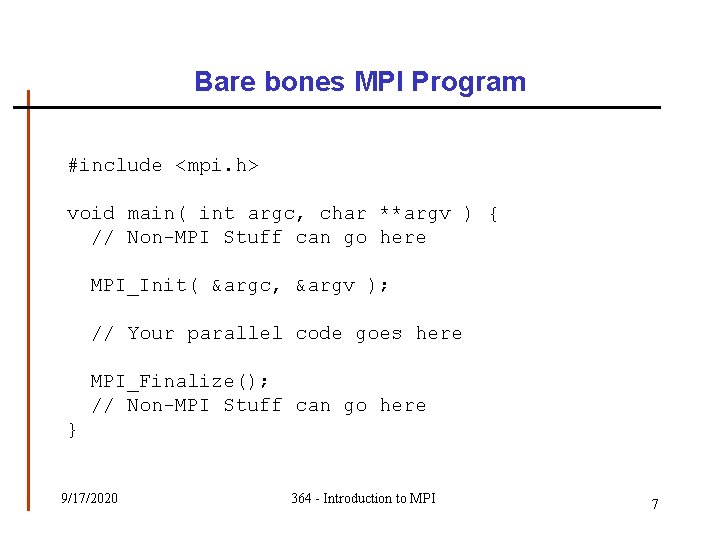
Bare bones MPI Program #include <mpi. h> void main( int argc, char **argv ) { // Non-MPI Stuff can go here MPI_Init( &argc, &argv ); // Your parallel code goes here MPI_Finalize(); // Non-MPI Stuff can go here } 9/17/2020 364 - Introduction to MPI 7
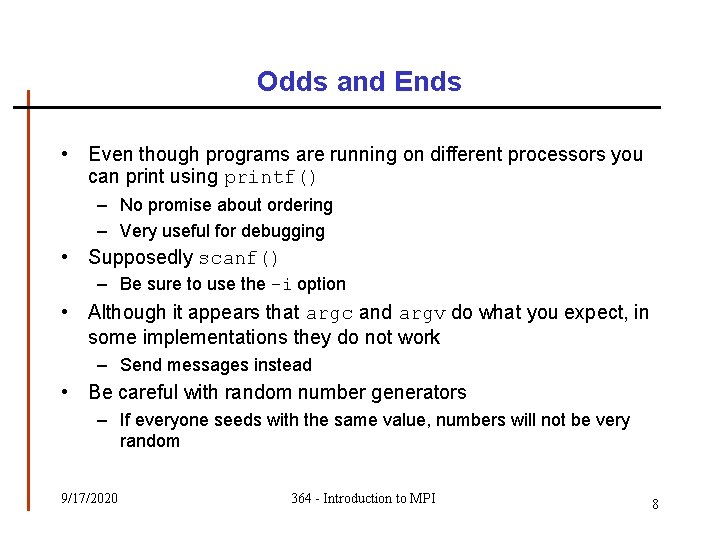
Odds and Ends • Even though programs are running on different processors you can print using printf() – No promise about ordering – Very useful for debugging • Supposedly scanf() – Be sure to use the –i option • Although it appears that argc and argv do what you expect, in some implementations they do not work – Send messages instead • Be careful with random number generators – If everyone seeds with the same value, numbers will not be very random 9/17/2020 364 - Introduction to MPI 8
Communicators • May MPI calls require a communicator • A communicator is a collection of processes that can send messages to each other • Only processes in the same communicator can communicate • Allows you to segment your communication traffic • Every process belongs to the MPI_COMM_WORLD communicator 9/17/2020 364 - Introduction to MPI 9
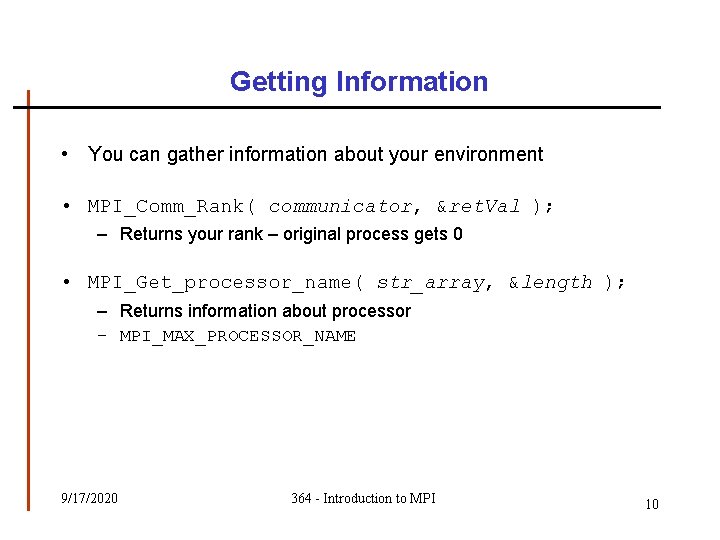
Getting Information • You can gather information about your environment • MPI_Comm_Rank( communicator, &ret. Val ); – Returns your rank – original process gets 0 • MPI_Get_processor_name( str_array, &length ); – Returns information about processor – MPI_MAX_PROCESSOR_NAME 9/17/2020 364 - Introduction to MPI 10
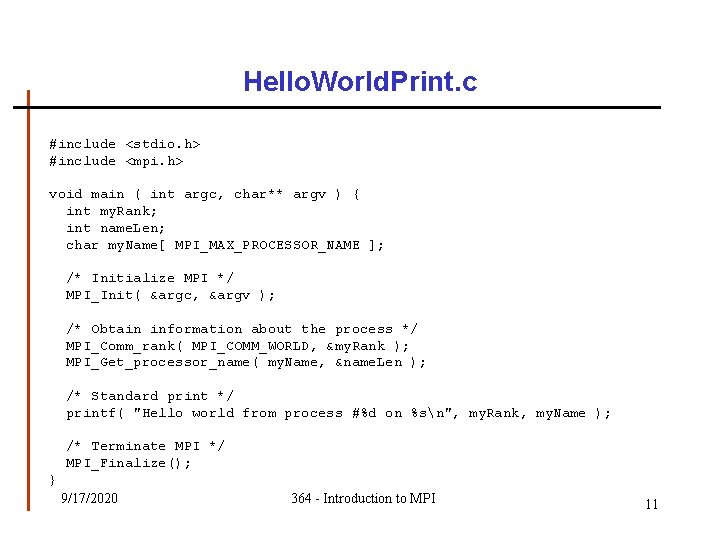
Hello. World. Print. c #include <stdio. h> #include <mpi. h> void main ( int argc, char** argv ) { int my. Rank; int name. Len; char my. Name[ MPI_MAX_PROCESSOR_NAME ]; /* Initialize MPI */ MPI_Init( &argc, &argv ); /* Obtain information about the process */ MPI_Comm_rank( MPI_COMM_WORLD, &my. Rank ); MPI_Get_processor_name( my. Name, &name. Len ); /* Standard print */ printf( "Hello world from process #%d on %sn", my. Rank, my. Name ); /* Terminate MPI */ MPI_Finalize(); } 9/17/2020 364 - Introduction to MPI 11
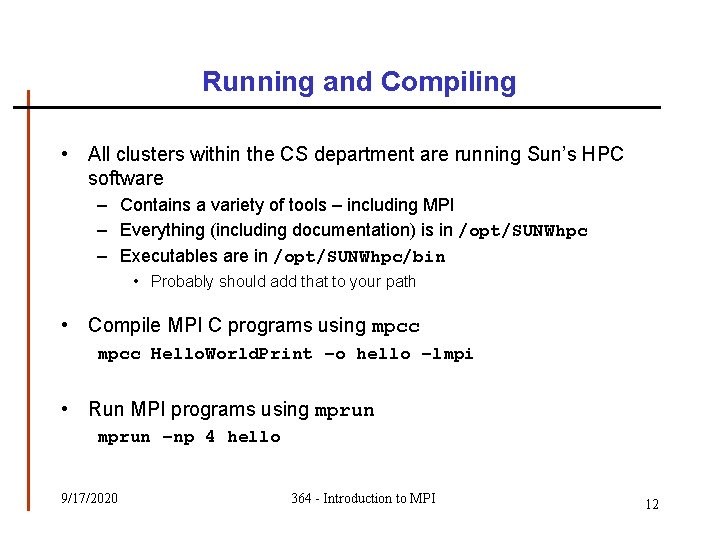
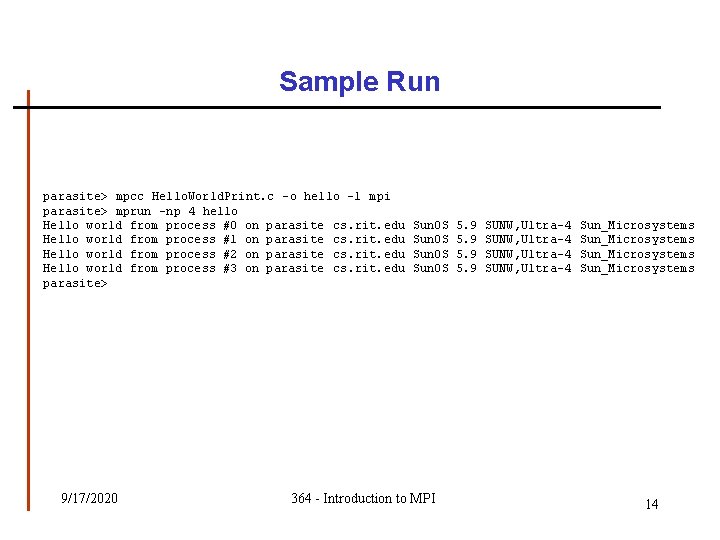
Running and Compiling • All clusters within the CS department are running Sun’s HPC software – Contains a variety of tools – including MPI – Everything (including documentation) is in /opt/SUNWhpc – Executables are in /opt/SUNWhpc/bin • Probably should add that to your path • Compile MPI C programs using mpcc Hello. World. Print –o hello –lmpi • Run MPI programs using mprun –np 4 hello 9/17/2020 364 - Introduction to MPI 12
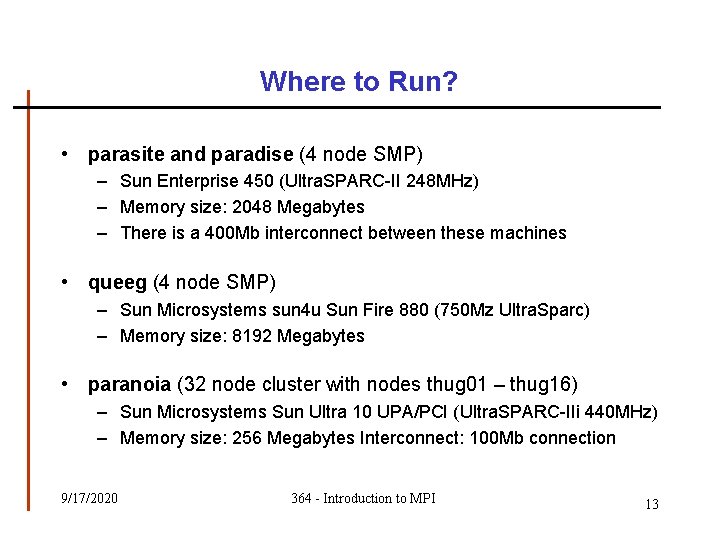
Where to Run? • parasite and paradise (4 node SMP) – Sun Enterprise 450 (Ultra. SPARC-II 248 MHz) – Memory size: 2048 Megabytes – There is a 400 Mb interconnect between these machines • queeg (4 node SMP) – Sun Microsystems sun 4 u Sun Fire 880 (750 Mz Ultra. Sparc) – Memory size: 8192 Megabytes • paranoia (32 node cluster with nodes thug 01 – thug 16) – Sun Microsystems Sun Ultra 10 UPA/PCI (Ultra. SPARC-IIi 440 MHz) – Memory size: 256 Megabytes Interconnect: 100 Mb connection 9/17/2020 364 - Introduction to MPI 13
Sample Run parasite> mpcc Hello. World. Print. c -o hello -l mpi parasite> mprun -np 4 hello Hello world from process #0 on parasite cs. rit. edu Hello world from process #1 on parasite cs. rit. edu Hello world from process #2 on parasite cs. rit. edu Hello world from process #3 on parasite cs. rit. edu parasite> 9/17/2020 Sun. OS 364 - Introduction to MPI 5. 9 SUNW, Ultra-4 Sun_Microsystems 14
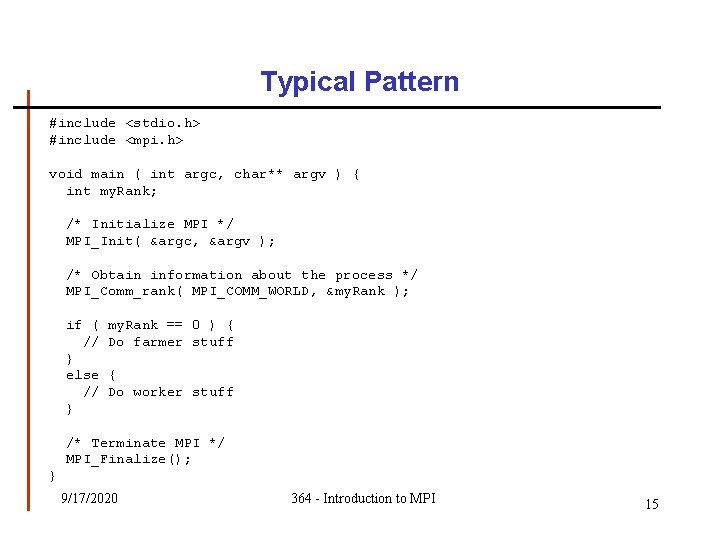
Typical Pattern #include <stdio. h> #include <mpi. h> void main ( int argc, char** argv ) { int my. Rank; /* Initialize MPI */ MPI_Init( &argc, &argv ); /* Obtain information about the process */ MPI_Comm_rank( MPI_COMM_WORLD, &my. Rank ); if ( // } else // } my. Rank == 0 ) { Do farmer stuff { Do worker stuff /* Terminate MPI */ MPI_Finalize(); } 9/17/2020 364 - Introduction to MPI 15
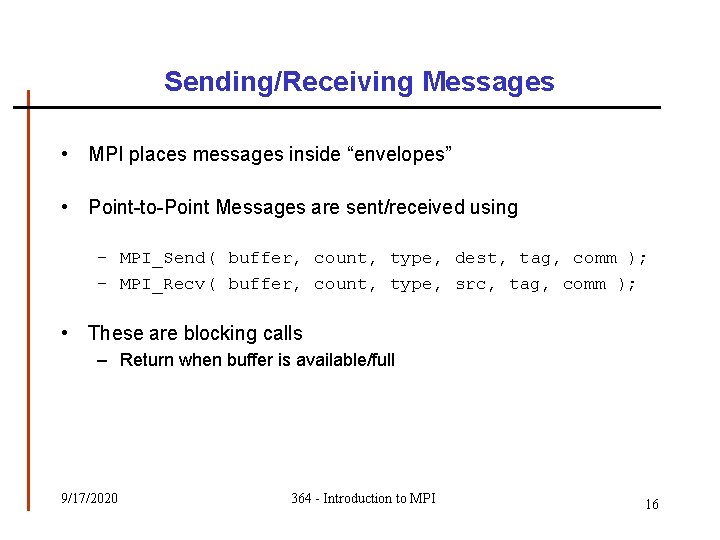
Sending/Receiving Messages • MPI places messages inside “envelopes” • Point-to-Point Messages are sent/received using – MPI_Send( buffer, count, type, dest, tag, comm ); – MPI_Recv( buffer, count, type, src, tag, comm ); • These are blocking calls – Return when buffer is available/full 9/17/2020 364 - Introduction to MPI 16
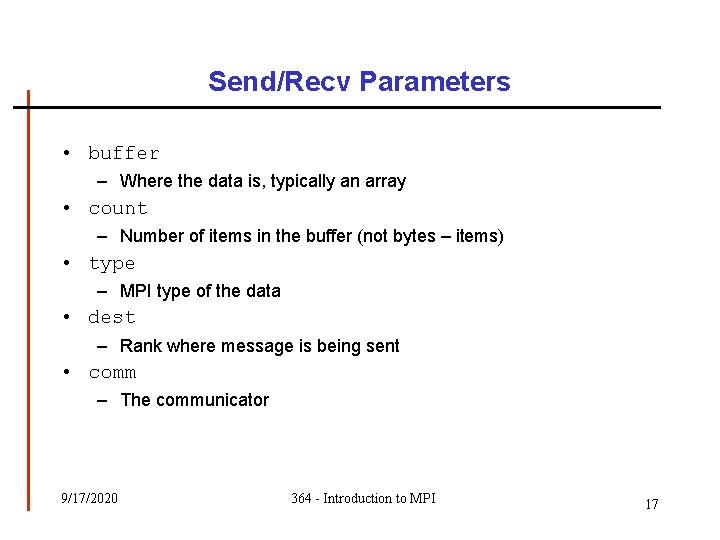
Send/Recv Parameters • buffer – Where the data is, typically an array • count – Number of items in the buffer (not bytes – items) • type – MPI type of the data • dest – Rank where message is being sent • comm – The communicator 9/17/2020 364 - Introduction to MPI 17
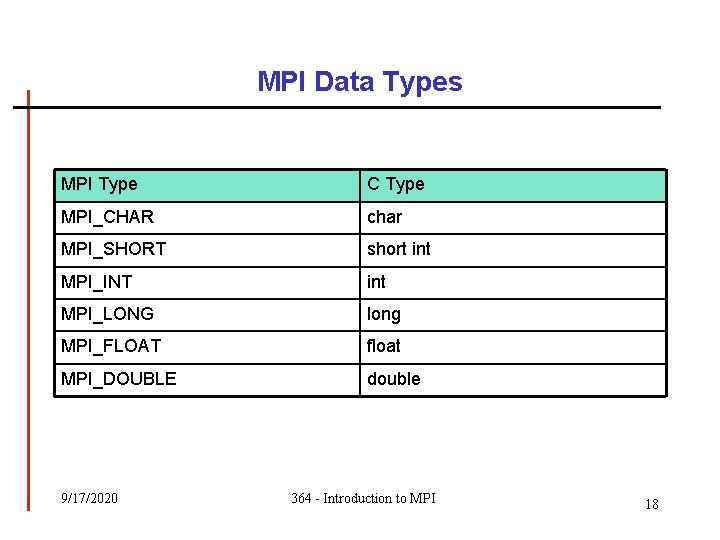
MPI Data Types MPI Type C Type MPI_CHAR char MPI_SHORT short int MPI_INT int MPI_LONG long MPI_FLOAT float MPI_DOUBLE double 9/17/2020 364 - Introduction to MPI 18
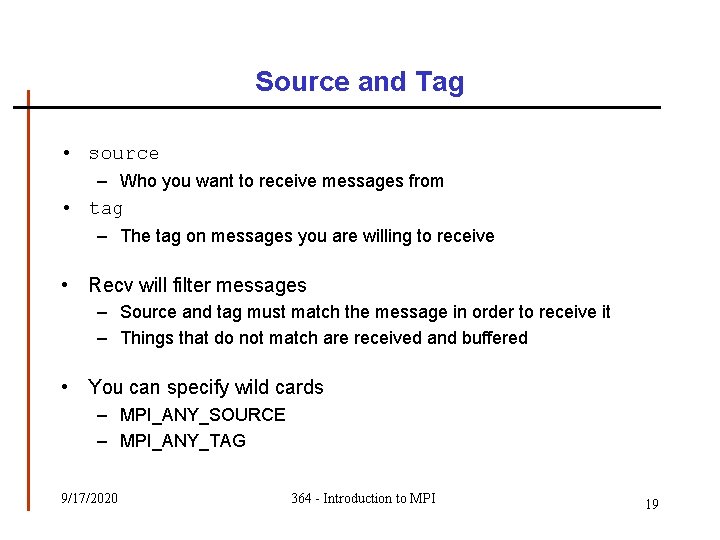
Source and Tag • source – Who you want to receive messages from • tag – The tag on messages you are willing to receive • Recv will filter messages – Source and tag must match the message in order to receive it – Things that do not match are received and buffered • You can specify wild cards – MPI_ANY_SOURCE – MPI_ANY_TAG 9/17/2020 364 - Introduction to MPI 19
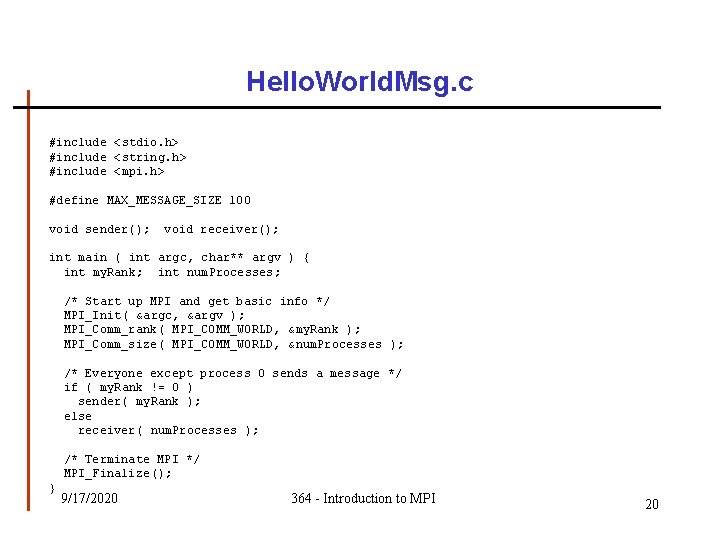
Hello. World. Msg. c #include <stdio. h> #include <string. h> #include <mpi. h> #define MAX_MESSAGE_SIZE 100 void sender(); void receiver(); int main ( int argc, char** argv ) { int my. Rank; int num. Processes; /* Start up MPI and get basic info */ MPI_Init( &argc, &argv ); MPI_Comm_rank( MPI_COMM_WORLD, &my. Rank ); MPI_Comm_size( MPI_COMM_WORLD, &num. Processes ); /* Everyone except process 0 sends a message */ if ( my. Rank != 0 ) sender( my. Rank ); else receiver( num. Processes ); /* Terminate MPI */ MPI_Finalize(); } 9/17/2020 364 - Introduction to MPI 20
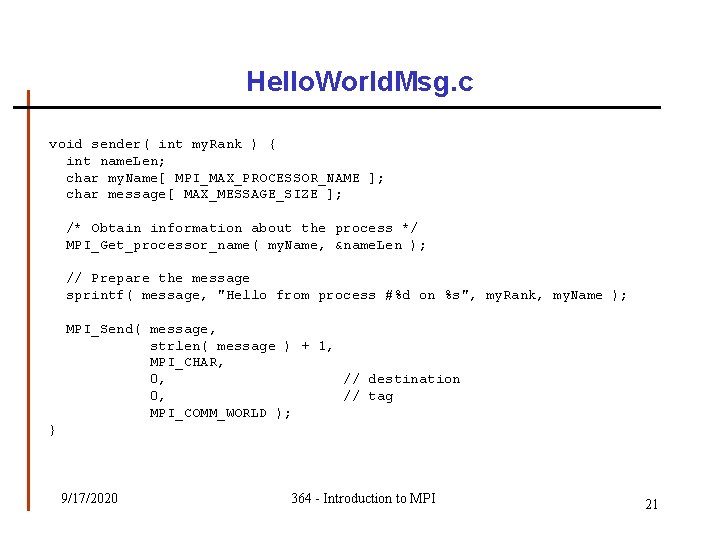
Hello. World. Msg. c void sender( int my. Rank ) { int name. Len; char my. Name[ MPI_MAX_PROCESSOR_NAME ]; char message[ MAX_MESSAGE_SIZE ]; /* Obtain information about the process */ MPI_Get_processor_name( my. Name, &name. Len ); // Prepare the message sprintf( message, "Hello from process #%d on %s", my. Rank, my. Name ); MPI_Send( message, strlen( message ) + 1, MPI_CHAR, 0, // destination 0, // tag MPI_COMM_WORLD ); } 9/17/2020 364 - Introduction to MPI 21
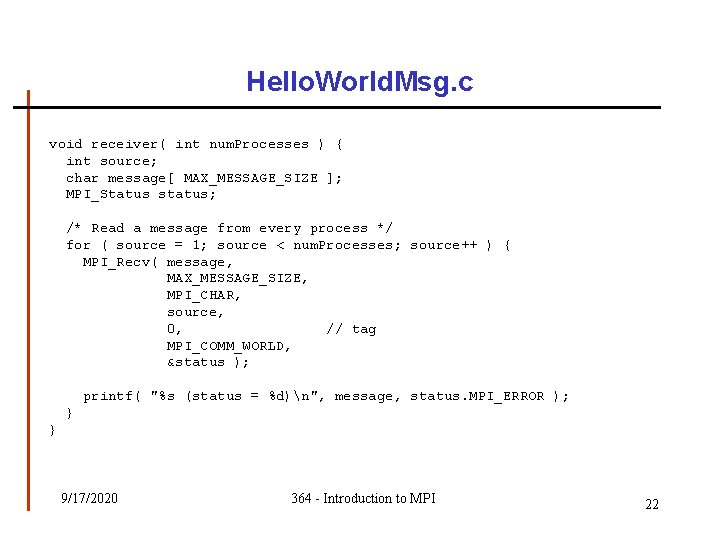
Hello. World. Msg. c void receiver( int num. Processes ) { int source; char message[ MAX_MESSAGE_SIZE ]; MPI_Status status; /* Read a message from every process */ for ( source = 1; source < num. Processes; source++ ) { MPI_Recv( message, MAX_MESSAGE_SIZE, MPI_CHAR, source, 0, // tag MPI_COMM_WORLD, &status ); printf( "%s (status = %d)n", message, status. MPI_ERROR ); } } 9/17/2020 364 - Introduction to MPI 22
Monte Carlo Methods • Techniques that utilize the use of random selections in calculations • Each calculation is independent of the others which means that it is embarrassingly parallel 9/17/2020 364 - Introduction to MPI 23
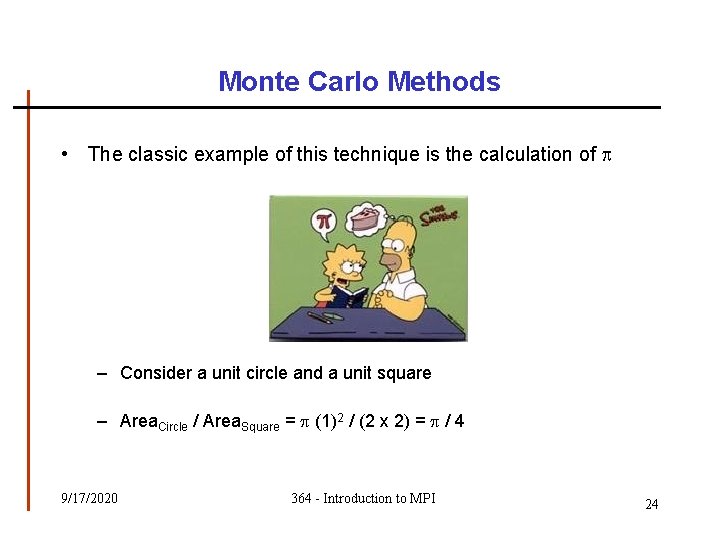
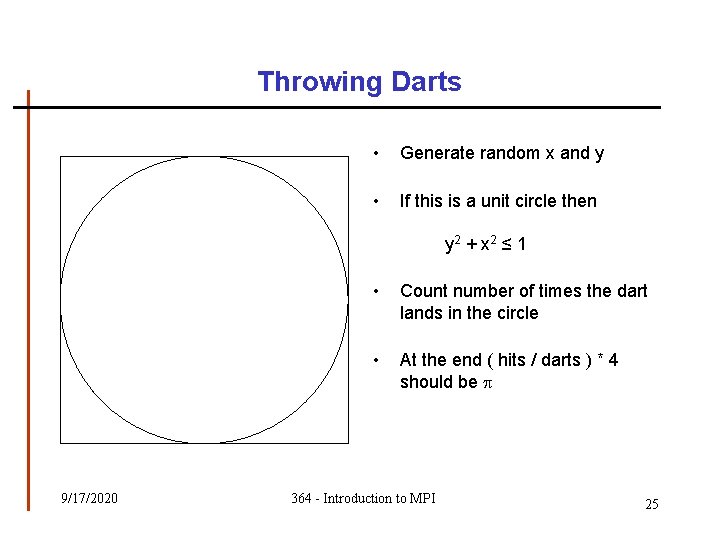
Monte Carlo Methods • The classic example of this technique is the calculation of – Consider a unit circle and a unit square – Area. Circle / Area. Square = (1)2 / (2 x 2) = / 4 9/17/2020 364 - Introduction to MPI 24
Throwing Darts • Generate random x and y • If this is a unit circle then y 2 + x 2 ≤ 1 9/17/2020 • Count number of times the dart lands in the circle • At the end ( hits / darts ) * 4 should be 364 - Introduction to MPI 25
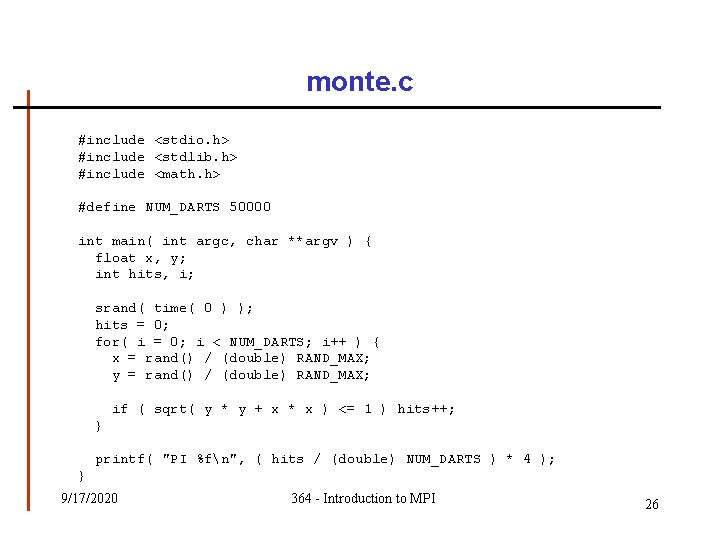
monte. c #include <stdio. h> #include <stdlib. h> #include <math. h> #define NUM_DARTS 50000 int main( int argc, char **argv ) { float x, y; int hits, i; srand( time( 0 ) ); hits = 0; for( i = 0; i < NUM_DARTS; i++ ) { x = rand() / (double) RAND_MAX; y = rand() / (double) RAND_MAX; if ( sqrt( y * y + x * x ) <= 1 ) hits++; } printf( "PI %fn", ( hits / (double) NUM_DARTS ) * 4 ); } 9/17/2020 364 - Introduction to MPI 26
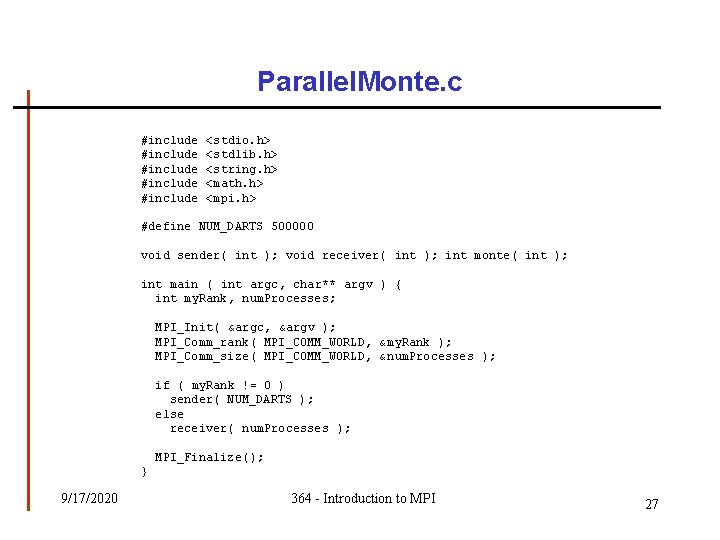
Parallel. Monte. c #include #include <stdio. h> <stdlib. h> <string. h> <math. h> <mpi. h> #define NUM_DARTS 500000 void sender( int ); void receiver( int ); int monte( int ); int main ( int argc, char** argv ) { int my. Rank, num. Processes; MPI_Init( &argc, &argv ); MPI_Comm_rank( MPI_COMM_WORLD, &my. Rank ); MPI_Comm_size( MPI_COMM_WORLD, &num. Processes ); if ( my. Rank != 0 ) sender( NUM_DARTS ); else receiver( num. Processes ); MPI_Finalize(); } 9/17/2020 364 - Introduction to MPI 27
Parallel. Monte. c void sender( int num. Darts ) { int answer[ 1 ]; // Calculate hits answer[ 0 ] = monte( num. Darts ); // Send the answer MPI_Send( answer, 1, MPI_INT, 0, 0, MPI_COMM_WORLD ); // destination // tag } 9/17/2020 364 - Introduction to MPI 28
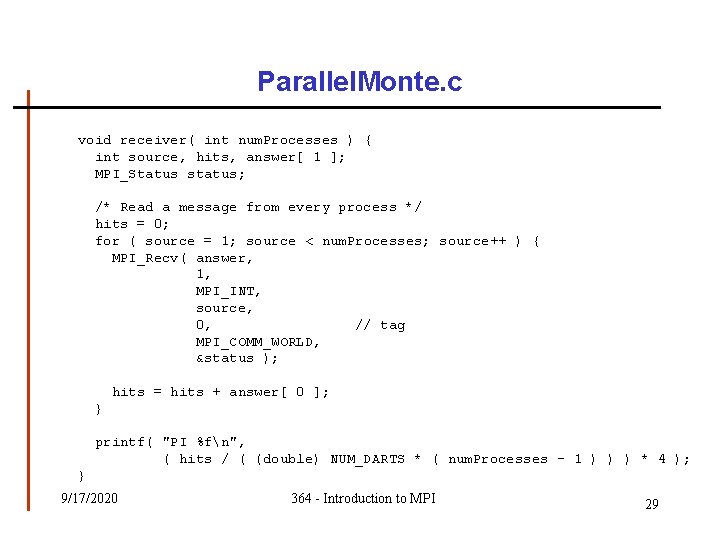
Parallel. Monte. c void receiver( int num. Processes ) { int source, hits, answer[ 1 ]; MPI_Status status; /* Read a message from every process */ hits = 0; for ( source = 1; source < num. Processes; source++ ) { MPI_Recv( answer, 1, MPI_INT, source, 0, // tag MPI_COMM_WORLD, &status ); hits = hits + answer[ 0 ]; } printf( "PI %fn", ( hits / ( (double) NUM_DARTS * ( num. Processes - 1 ) ) ) * 4 ); } 9/17/2020 364 - Introduction to MPI 29
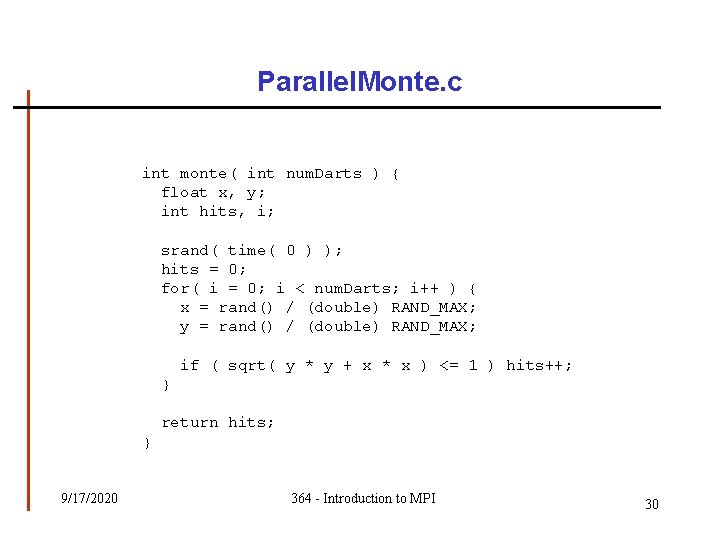
Parallel. Monte. c int monte( int num. Darts ) { float x, y; int hits, i; srand( time( 0 ) ); hits = 0; for( i = 0; i < num. Darts; i++ ) { x = rand() / (double) RAND_MAX; y = rand() / (double) RAND_MAX; if ( sqrt( y * y + x * x ) <= 1 ) hits++; } return hits; } 9/17/2020 364 - Introduction to MPI 30
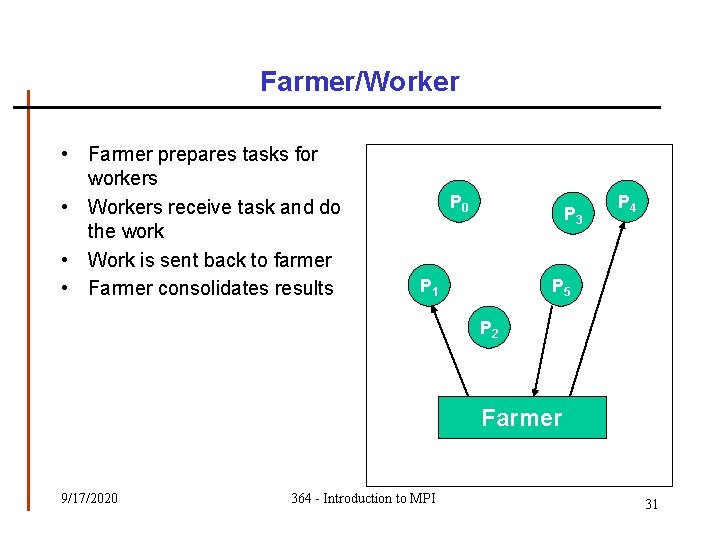
Farmer/Worker • Farmer prepares tasks for workers • Workers receive task and do the work • Work is sent back to farmer • Farmer consolidates results P 0 P 3 P 1 P 4 P 5 P 2 Farmer 9/17/2020 364 - Introduction to MPI 31
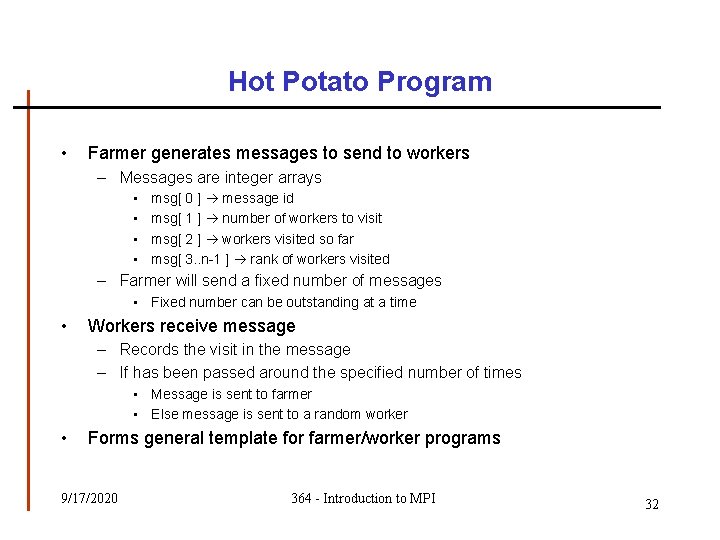
Hot Potato Program • Farmer generates messages to send to workers – Messages are integer arrays • • msg[ 0 ] message id msg[ 1 ] number of workers to visit msg[ 2 ] workers visited so far msg[ 3. . n-1 ] rank of workers visited – Farmer will send a fixed number of messages • Fixed number can be outstanding at a time • Workers receive message – Records the visit in the message – If has been passed around the specified number of times • Message is sent to farmer • Else message is sent to a random worker • Forms general template for farmer/worker programs 9/17/2020 364 - Introduction to MPI 32
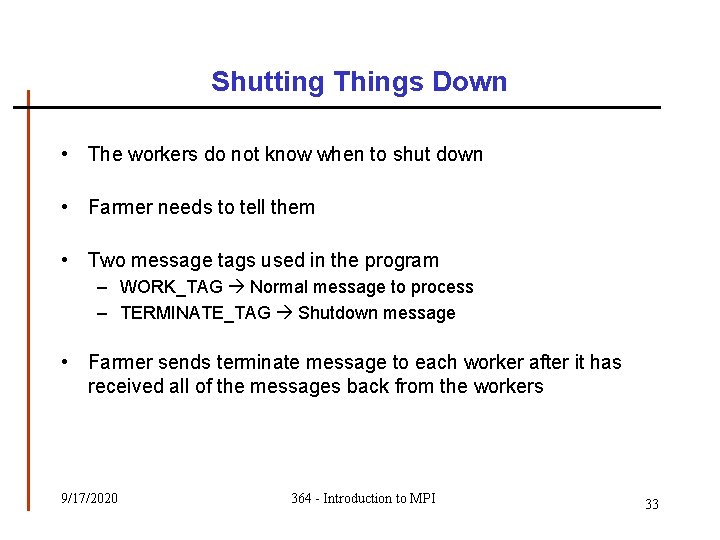
Shutting Things Down • The workers do not know when to shut down • Farmer needs to tell them • Two message tags used in the program – WORK_TAG Normal message to process – TERMINATE_TAG Shutdown message • Farmer sends terminate message to each worker after it has received all of the messages back from the workers 9/17/2020 364 - Introduction to MPI 33