
Introduction to Mobile Apps CSE 5236 Mobile Application
Introduction to Mobile Apps CSE 5236: Mobile Application Development Instructor: Adam C. Champion, Ph. D. Course Coordinator: Dr. Rajiv Ramnath Reading: Big Nerd Ranch Guide, Chapter 1 1
Info About Me • Adam Champion • Ph. D. , OSU, 2017 • Research interests: – Mobile systems, networks, security, analytics – Computer networking, wireless communications – Parallel and distributed systems • More: – http: //www. cse. ohio-state. edu/~champion. 17 2
More about you? • Which OS do you prefer: i. OS or Android? • What’s your favorite mobile app? – What do you like most about it? • What’s your least favorite mobile app? – What do you dislike about it? • How do mobile apps connect to Internet-based services for end users? (Cost implications) • How to capture data from on-device sensors (e. g. , GPS, accelerometer)? 3
Course Objectives • Understand characteristics of mobile apps • Understand frameworks for mobile app dev. – Deep dive: Android framework – Device programming: Java, Kotlin – App components: design mobile UI, connect to Internet services, use on-device sensors • Understand design principles for mobile apps – Design apps for ease of maintenance – Make apps fast, responsive (60 frames/sec goal) 4
Essence of A Mobile Device • (Potentially) available to serve everywhere, any time. • Interwoven into daily life – live, work, play, study • Represents and intimately “knows” the user – Much more than just a small computer, it represents the user • Brings in outside world: sensing, location, communication • Now the dominant end-user device – See: http: //www. nytimes. com/2013/01/08/business/mobile-appsdrive-rapid-changes-in-search-technology. html? ref=technology – 81% of Americans own a smartphone (Feb. 2019): https: //www. pewinternet. org/fact-sheet/mobile/ 5
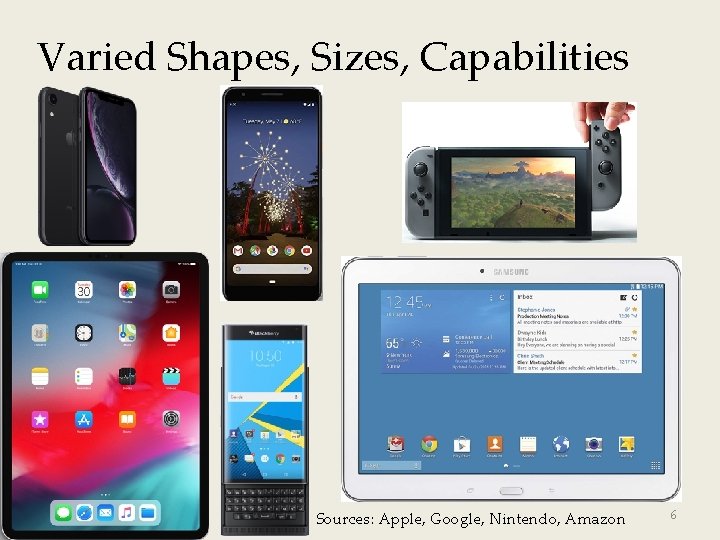
Varied Shapes, Sizes, Capabilities Sources: Apple, Google, Nintendo, Amazon 6
Mobile App. Development Challenges • Competitive, fluid vendor landscape (Apple, Android consortium incl. Amazon, RIM, HP) means apps need to be multi-platform for wide adoption • No “standard” device (i. OS, Windows Phone devices? ) • Low bandwidth input (in most cases; what about tablets? ) • Limited screen size (tablets? ) • Unreliability in connectivity and device (network access, power, ambient light, noise, at least for now) • Integration tradeoffs with cloud and enterprise services 7
Application Development Support • Object-Oriented Languages – i. OS: Swift – Android: Java/Kotlin • Cross-platform frameworks: – Flutter, Xamarin, Titanium, Phone. Gap, … – Scripting languages (Java. Script, Ruby) • C and C++ (native code) • Integrated into mobile app dev. frameworks 8
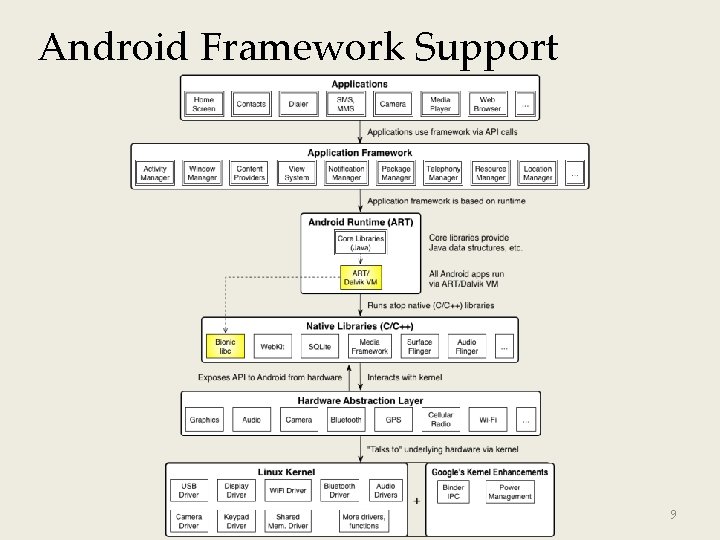
Android Framework Support 9
Framework Capabilities, Add-Ons • Built-in Services: – – – GUI OS services (file I/O, threads, device mgmt. ) Graphics Device access (GPS, camera, media players, sensors) Networking Standard language libraries (Java, Kotlin) • Add-ons: – Google Play services (e. g. Google Maps, etc. ) – Database support (SQLite) – Chromium Web. View 10
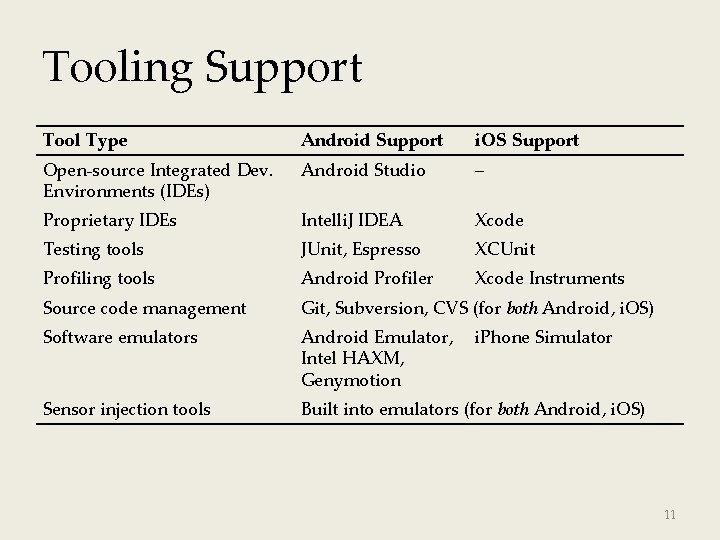
Tooling Support Tool Type Android Support i. OS Support Open-source Integrated Dev. Environments (IDEs) Android Studio – Proprietary IDEs Intelli. J IDEA Xcode Testing tools JUnit, Espresso XCUnit Profiling tools Android Profiler Xcode Instruments Source code management Git, Subversion, CVS (for both Android, i. OS) Software emulators Android Emulator, Intel HAXM, Genymotion Sensor injection tools Built into emulators (for both Android, i. OS) i. Phone Simulator 11
IDE Support • Open IDEs –Android Studio (Android) • Proprietary (Xcode for i. OS) • Testing tools (unit tests, UI tests, test harnesses) • Performance profiling tools • SCM integration (Git, SVN, CVS) • Software emulators • Sensor injection (GPS, accelerometer) 12
Thank You Questions and comments? 13
- Slides: 13