
Introduction to MIS Chapter 3 Networks and Telecommunications







- Slides: 40
Introduction to MIS Chapter 3 Networks and Telecommunications Copyright © 1998 -2002 by Jerry Post Introduction to MIS 1
Internal Teamwork Communication Scheduling Sharing Networks Internet External Suppliers Customers Banks Introduction to MIS 2
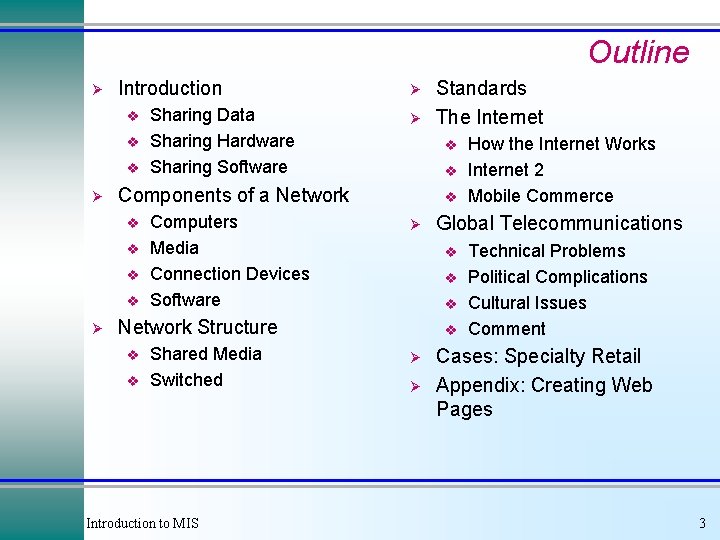
Outline Ø Introduction v v v Ø Ø v v v Computers Media Connection Devices Software v v Ø v Shared Media Switched v v Introduction to MIS v Ø Ø How the Internet Works Internet 2 Mobile Commerce Global Telecommunications v Network Structure v Standards The Internet v Components of a Network v Ø Sharing Data Sharing Hardware Sharing Software Ø Technical Problems Political Complications Cultural Issues Comment Cases: Specialty Retail Appendix: Creating Web Pages 3
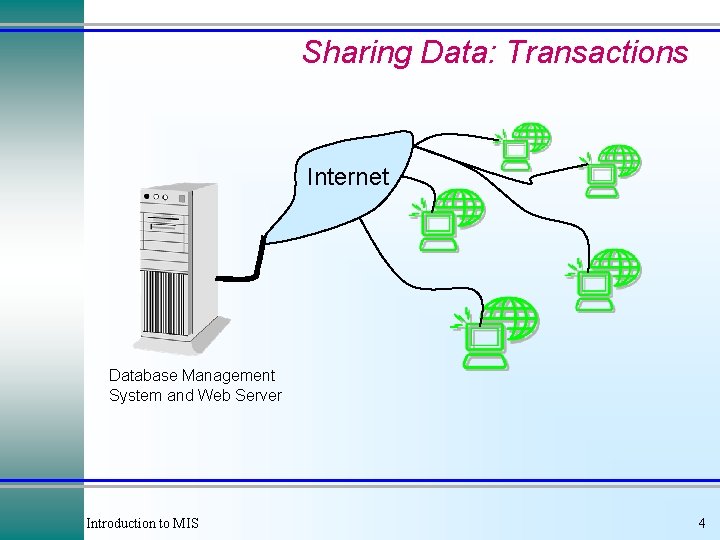
Sharing Data: Transactions Internet Database Management System and Web Server Introduction to MIS 4
Sharing Data: Decisions & Searches Ø Ø Decisions & searches Teamwork & joint authorship Team Document File Server and Database Data and Tools Report and Comments Introduction to MIS 5
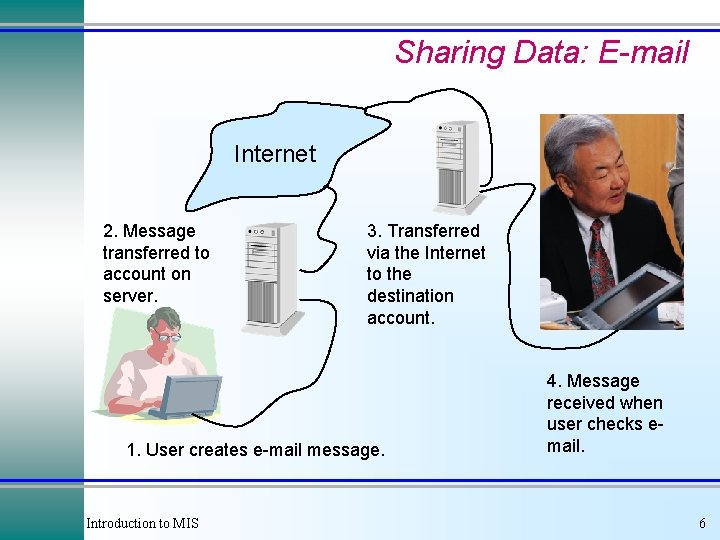
Sharing Data: E-mail Internet 2. Message transferred to account on server. 3. Transferred via the Internet to the destination account. 1. User creates e-mail message. Introduction to MIS 4. Message received when user checks email. 6
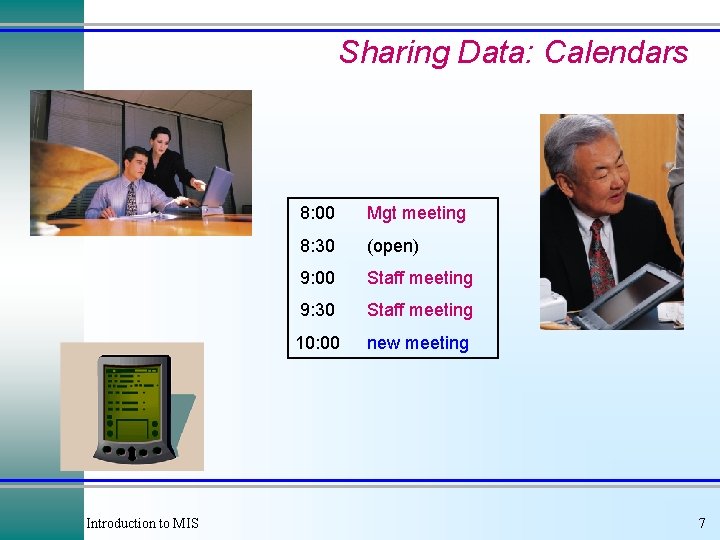
Sharing Data: Calendars Introduction to MIS 8: 00 Mgt meeting 8: 30 (open) 9: 00 Staff meeting 9: 30 Staff meeting 10: 00 new meeting 7
Hardware Sharing Printers Storage Processors Ø Ø Ø tape drive (backup) Corporate or external computer access Workstations Shared Printer Ø Ø Ø Server Files are transferred from workstations to the server. Software automatically copies files to tapes. LAN administrator can restore files if needed. Introduction to MIS 8
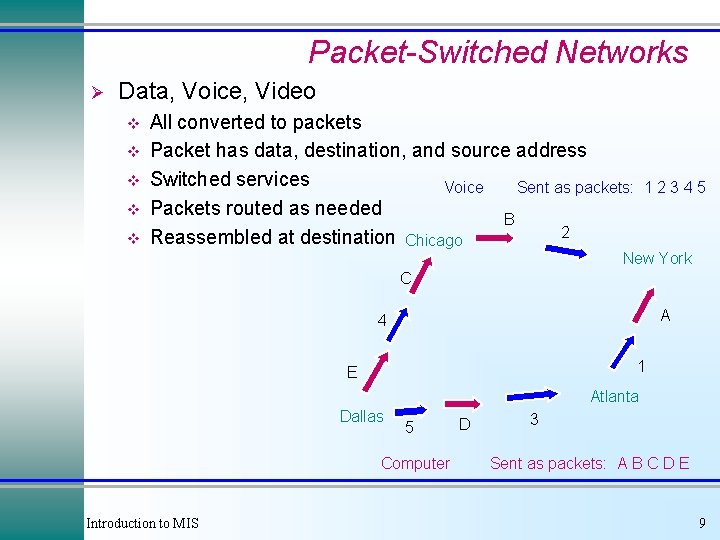
Packet-Switched Networks Ø Data, Voice, Video v v v All converted to packets Packet has data, destination, and source address Switched services Sent as packets: Voice Packets routed as needed B 2 Reassembled at destination Chicago 12345 New York C A 4 1 E Atlanta Dallas 5 Computer Introduction to MIS D 3 Sent as packets: A B C D E 9
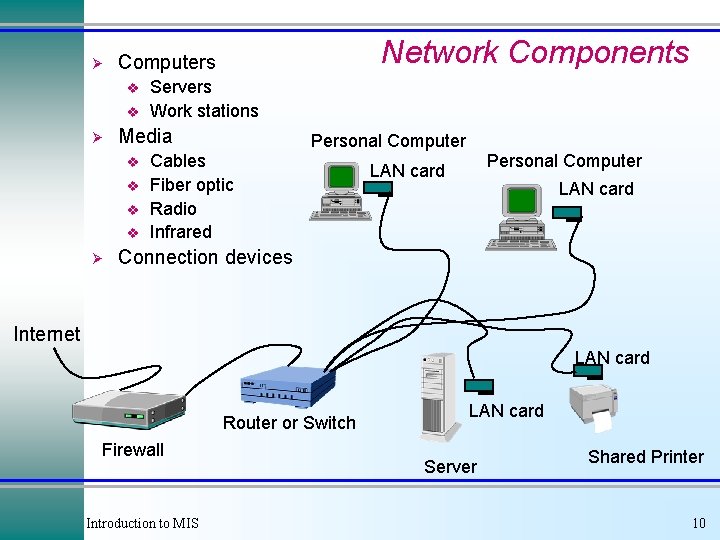
Ø v v Ø Servers Work stations Media v v Ø Network Components Computers Personal Computer Cables Fiber optic Radio Infrared Personal Computer LAN card Connection devices Internet LAN card Router or Switch Firewall Introduction to MIS LAN card Server Shared Printer 10
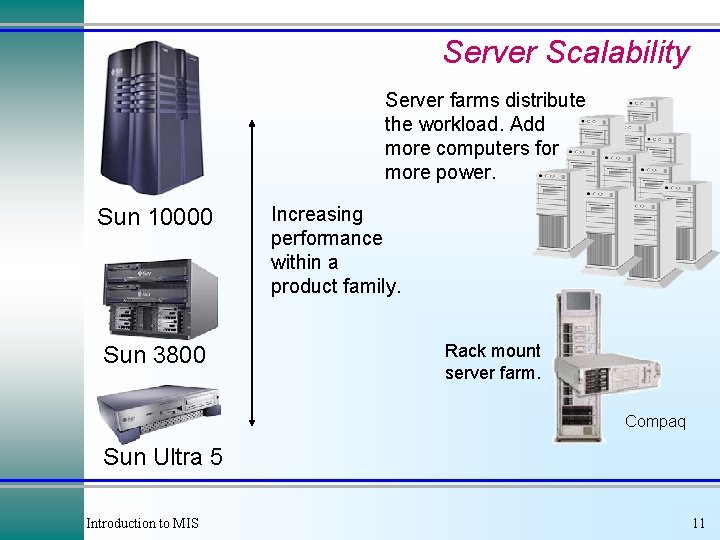
Server Scalability Server farms distribute the workload. Add more computers for more power. Sun 10000 Sun 3800 Increasing performance within a product family. Rack mount server farm. Compaq Sun Ultra 5 Introduction to MIS 11
Network Transmission Media Ø Ø Ø Electricity Fiber optics Radio waves Fiber Optic Cable Example: Long distance phone lines reflective cladding Twisted Pair Example: Local phone lines glass or plastic Radio or Micro Waves Example: Cellular phones Coaxial Example: Cable TV antenna Shield Introduction to MIS 12
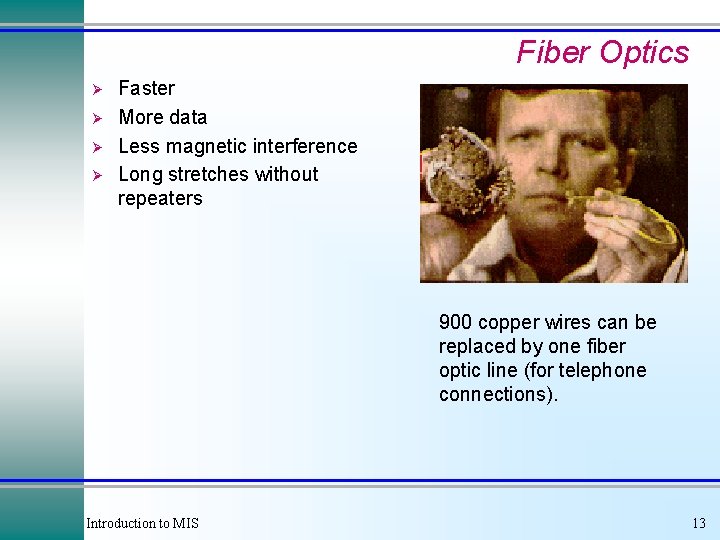
Fiber Optics Ø Ø Faster More data Less magnetic interference Long stretches without repeaters 900 copper wires can be replaced by one fiber optic line (for telephone connections). Introduction to MIS 13
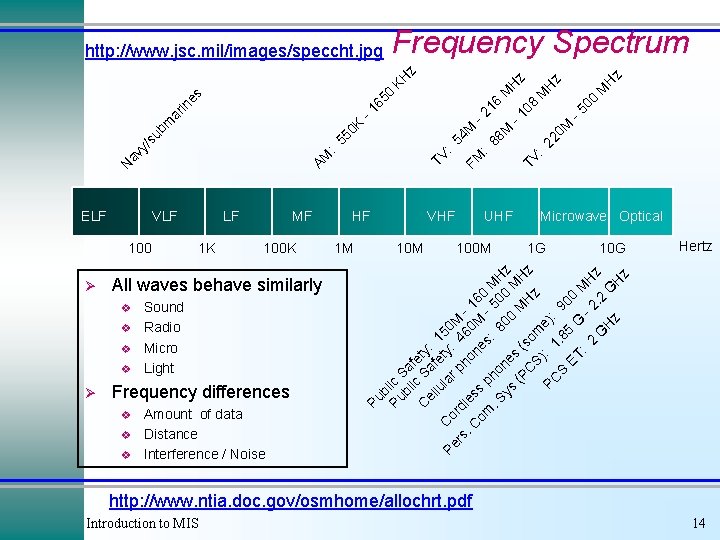
Frequency Spectrum 1 K MF 100 K v v Sound Radio Micro Light Frequency differences v v v Amount of data Distance Interference / Noise 1 M z H z M 00 -5 08 M H H M TV : 22 M 0 M -1 -2 : FM VHF 10 M 88 54 : TV HF UHF 100 M Microwave Optical 1 G 10 G Hertz Pu b Pu lic bl Sa i f C c S ety: el a lu fet 15 la y: 0 Pe Co r r ph 46 M rs dl. C es on 0 M 16 om s p es -5 0 M : . S ho 80 00 Hz ys ne 0 s M MH (P ( s H C z z S) om PC : 1 e): . 8 9 S ET 5 G 00 : - 2 MH 2 z. G H 2 G z H z v Ø LF All waves behave similarly v M 0 K 55 : AM VLF 100 Ø 16 65 0 -1 ar in es bm su y/ av N ELF z KH z http: //www. jsc. mil/images/speccht. jpg http: //www. ntia. doc. gov/osmhome/allochrt. pdf Introduction to MIS 14
Transmission Capacity Introduction to MIS A thin fiber optic cable can carry as much data as 900 single copper wires, with minimal interference, and superior tensile strength. 15
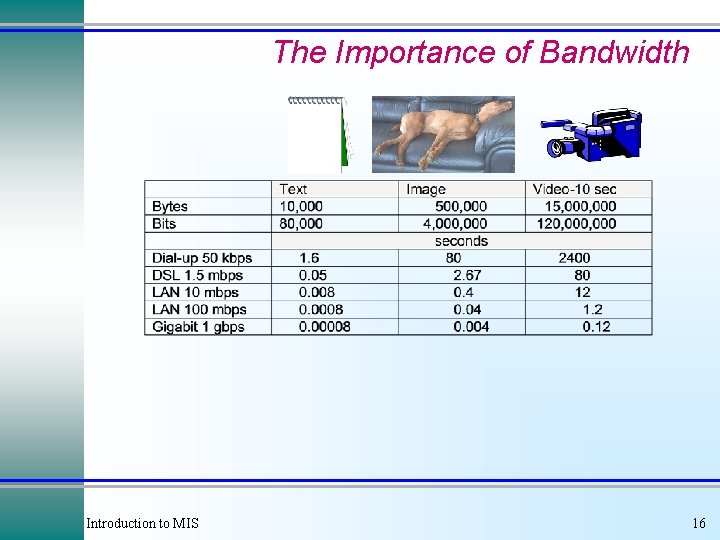
The Importance of Bandwidth Introduction to MIS 16
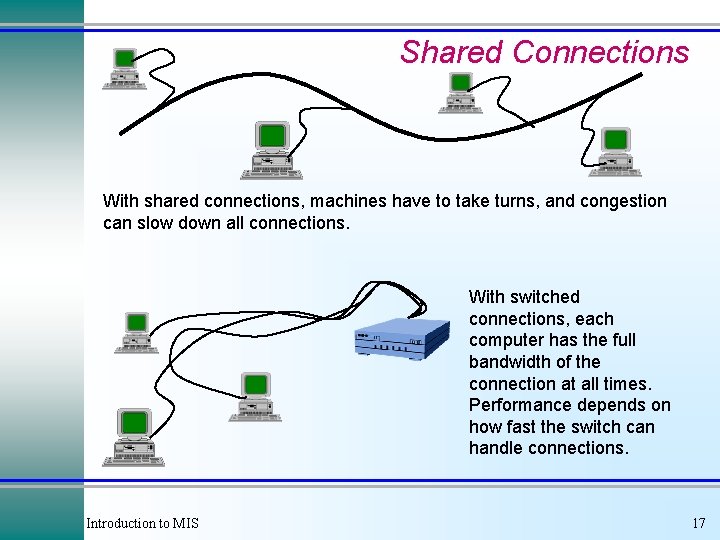
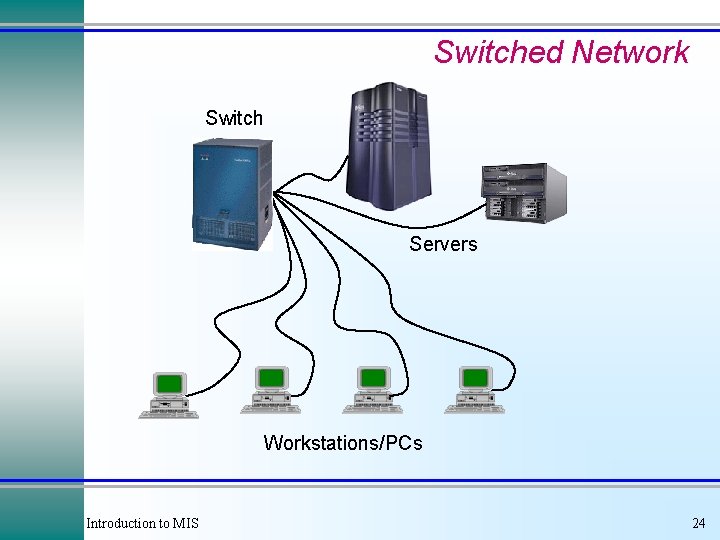
Shared Connections With shared connections, machines have to take turns, and congestion can slow down all connections. With switched connections, each computer has the full bandwidth of the connection at all times. Performance depends on how fast the switch can handle connections. Introduction to MIS 17
Time Division A B A C C A time D Computers A and B split their messages into packets and share the transmission medium by taking turns sending the data. Introduction to MIS 18
A B frequency Frequency Division A 3500 Hz C C D Computers A and B split the frequency: A uses a higher spectrum. By listening only to the assigned frequency, multiple transmissions can occur at the same time. Introduction to MIS 19
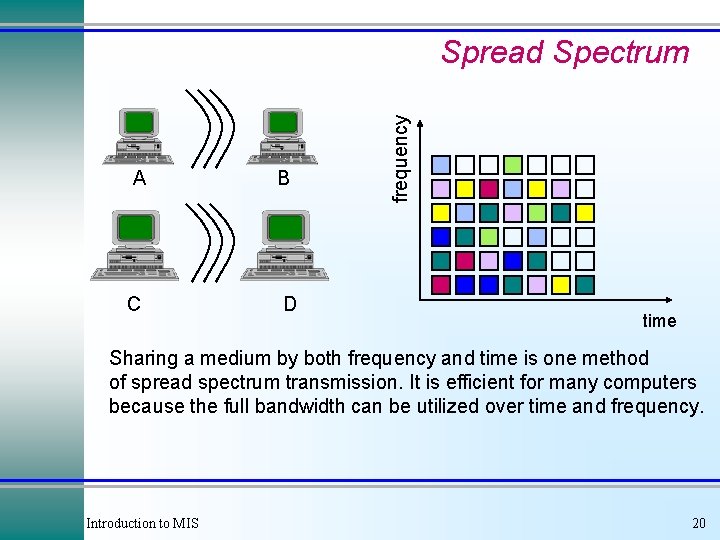
A C B D frequency Spread Spectrum time Sharing a medium by both frequency and time is one method of spread spectrum transmission. It is efficient for many computers because the full bandwidth can be utilized over time and frequency. Introduction to MIS 20
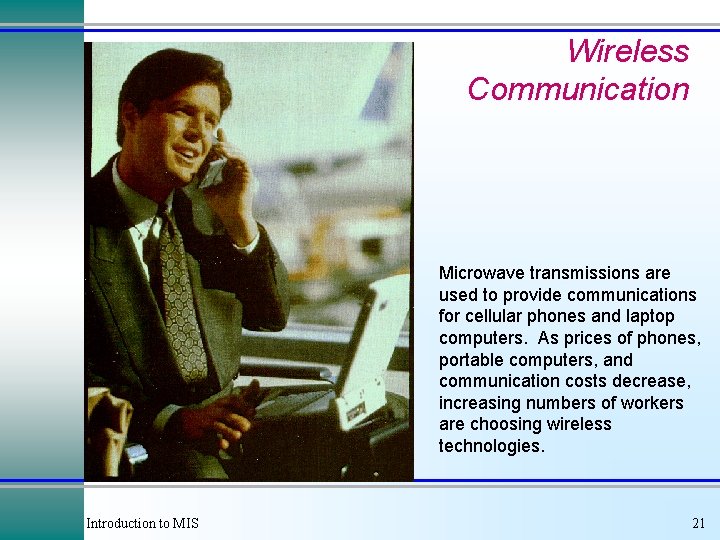
Wireless Communication Microwave transmissions are used to provide communications for cellular phones and laptop computers. As prices of phones, portable computers, and communication costs decrease, increasing numbers of workers are choosing wireless technologies. Introduction to MIS 21
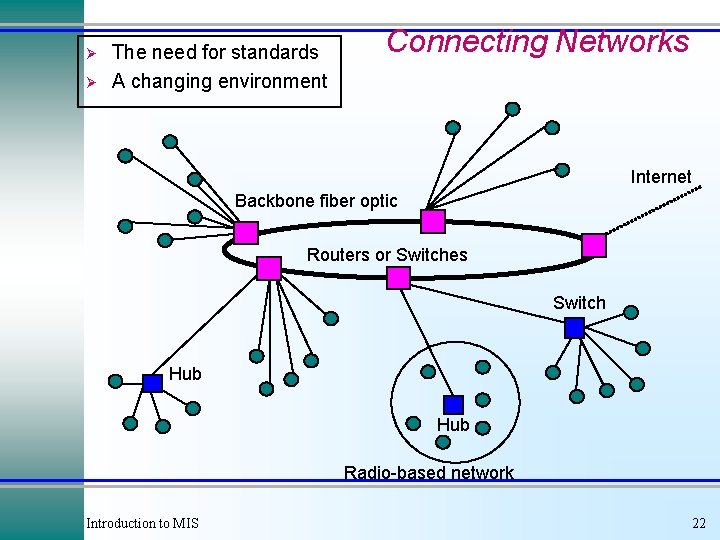
Ø Ø The need for standards A changing environment Connecting Networks Internet Backbone fiber optic Routers or Switches Switch Hub Radio-based network Introduction to MIS 22
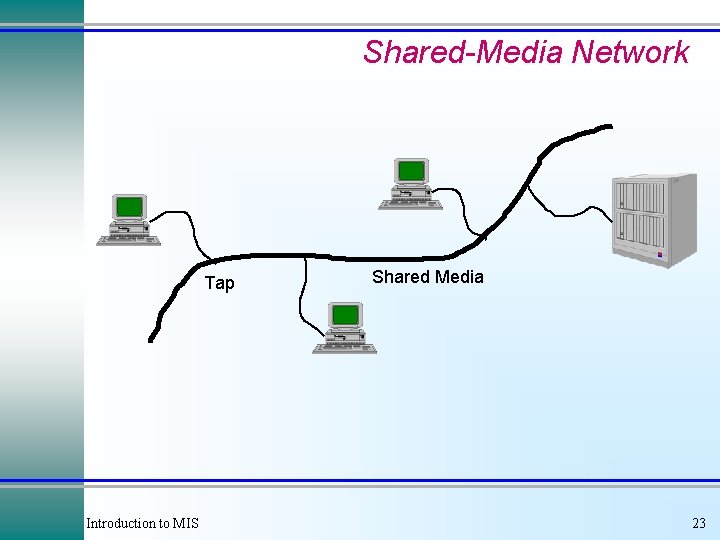
Shared-Media Network Tap Introduction to MIS Shared Media 23
Switched Network Switch Servers Workstations/PCs Introduction to MIS 24
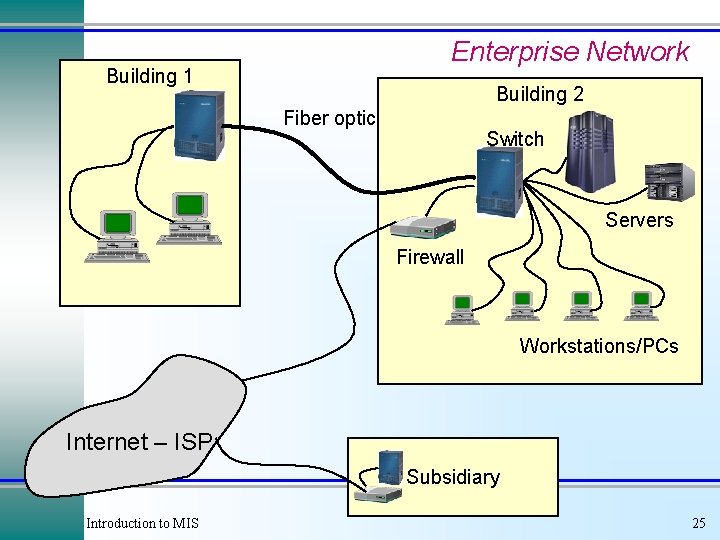
Enterprise Network Building 1 Building 2 Fiber optic Switch Servers Firewall Workstations/PCs Internet – ISP Subsidiary Introduction to MIS 25
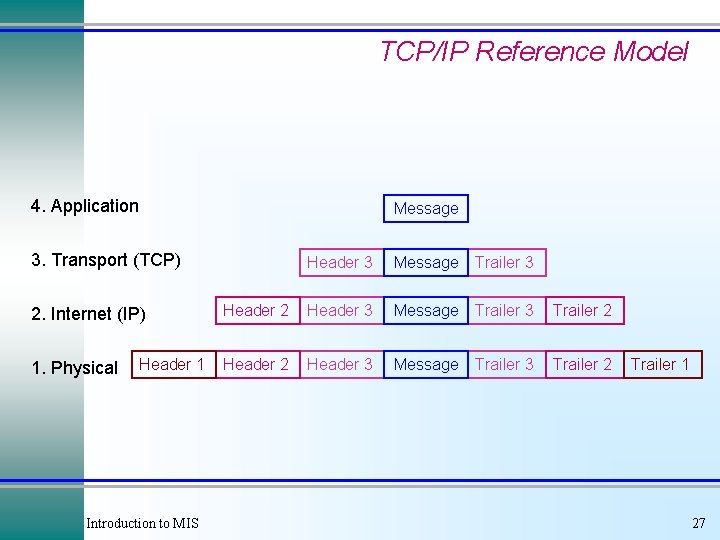
TCP/IP Reference Model 4. Application Message 3. Transport (TCP) 2. Internet (IP) 1. Physical Header 1 Introduction to MIS Header 3 Message Trailer 3 Header 2 Header 3 Message Trailer 3 Trailer 2 Trailer 1 27
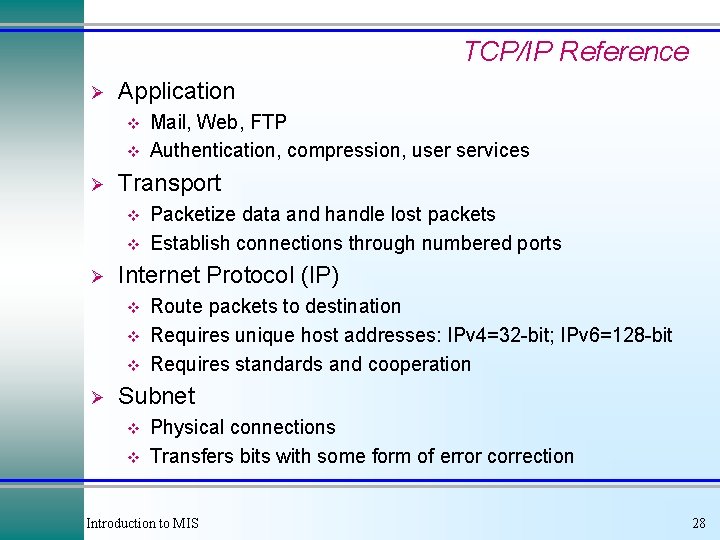
TCP/IP Reference Ø Application v v Ø Transport v v Ø Packetize data and handle lost packets Establish connections through numbered ports Internet Protocol (IP) v v v Ø Mail, Web, FTP Authentication, compression, user services Route packets to destination Requires unique host addresses: IPv 4=32 -bit; IPv 6=128 -bit Requires standards and cooperation Subnet v v Physical connections Transfers bits with some form of error correction Introduction to MIS 28
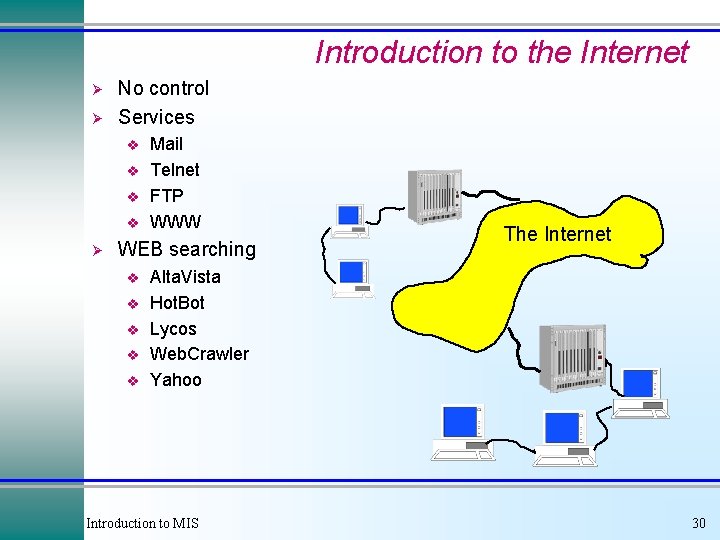
Introduction to the Internet Ø Ø No control Services v v Ø Mail Telnet FTP WWW WEB searching v v v The Internet Alta. Vista Hot. Bot Lycos Web. Crawler Yahoo Introduction to MIS 30
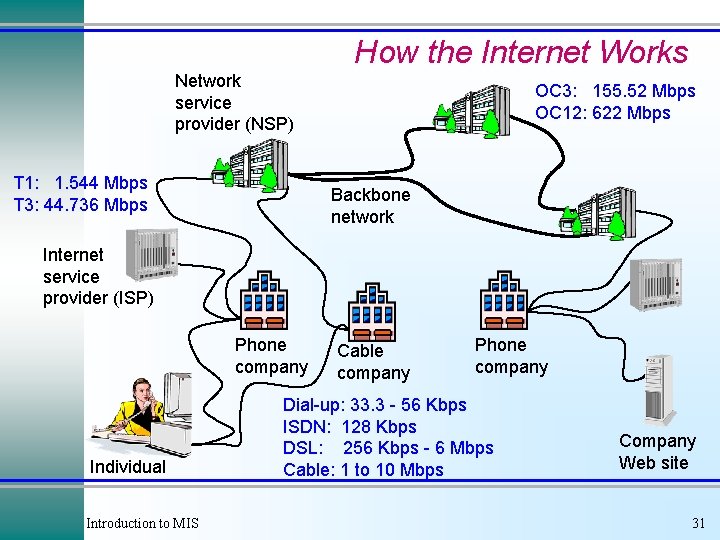
How the Internet Works Network service provider (NSP) T 1: 1. 544 Mbps T 3: 44. 736 Mbps OC 3: 155. 52 Mbps OC 12: 622 Mbps Backbone network Internet service provider (ISP) Phone company Individual Introduction to MIS Cable company Phone company Dial-up: 33. 3 - 56 Kbps ISDN: 128 Kbps DSL: 256 Kbps - 6 Mbps Cable: 1 to 10 Mbps Company Web site 31
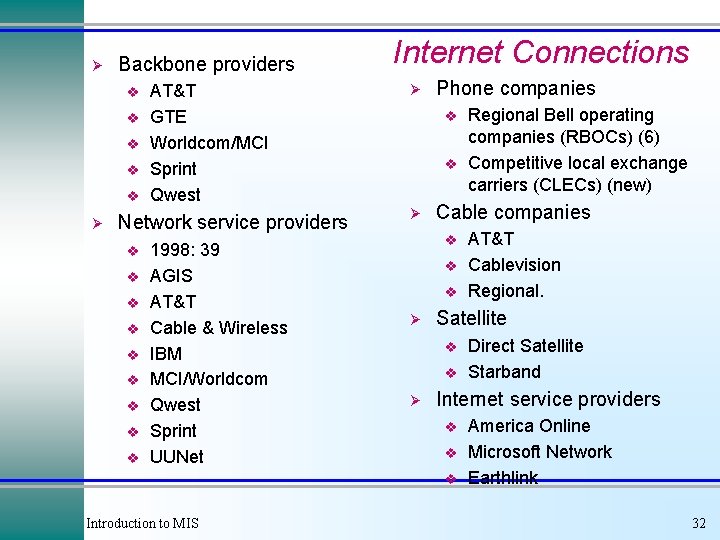
Ø Backbone providers v v v Ø AT&T GTE Worldcom/MCI Sprint Qwest Network service providers v v v v v 1998: 39 AGIS AT&T Cable & Wireless IBM MCI/Worldcom Qwest Sprint UUNet Internet Connections Ø Phone companies v v Ø Cable companies v v v Ø v Direct Satellite Starband Internet service providers v v v Introduction to MIS AT&T Cablevision Regional. Satellite v Ø Regional Bell operating companies (RBOCs) (6) Competitive local exchange carriers (CLECs) (new) America Online Microsoft Network Earthlink 32
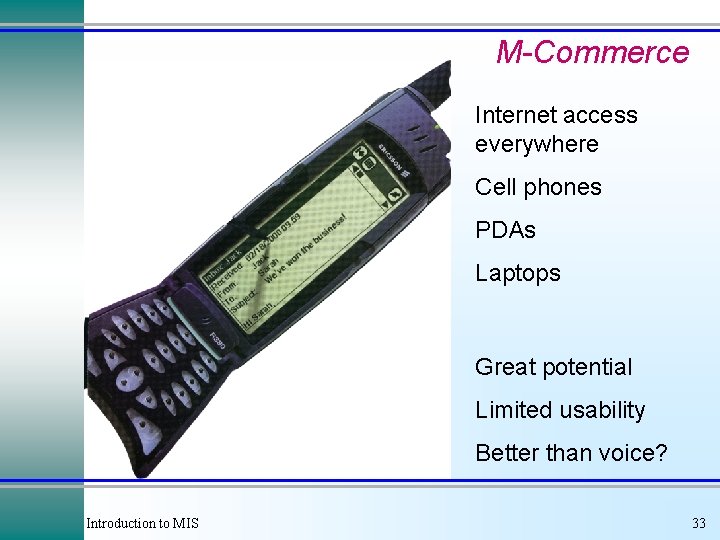
M-Commerce Internet access everywhere Cell phones PDAs Laptops Great potential Limited usability Better than voice? Introduction to MIS 33
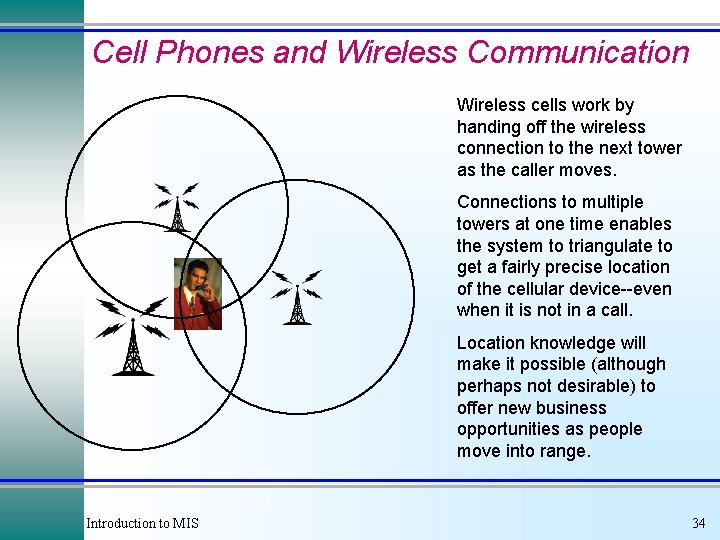
Cell Phones and Wireless Communication Wireless cells work by handing off the wireless connection to the next tower as the caller moves. Connections to multiple towers at one time enables the system to triangulate to get a fairly precise location of the cellular device--even when it is not in a call. Location knowledge will make it possible (although perhaps not desirable) to offer new business opportunities as people move into range. Introduction to MIS 34
Global Telecommunications Ø Technical problems v v v Ø Political complications v v Ø Multiple standards Language Developing nations Time zones Limits to space & waves Transborder data flows Taxes Privacy Accessibility Cultural issues v v What is an object? Management & control Introduction to MIS 35
Cases: Specialty Retail Introduction to MIS 36
Cases: Ben & Jerry’s Introduction to MIS 37
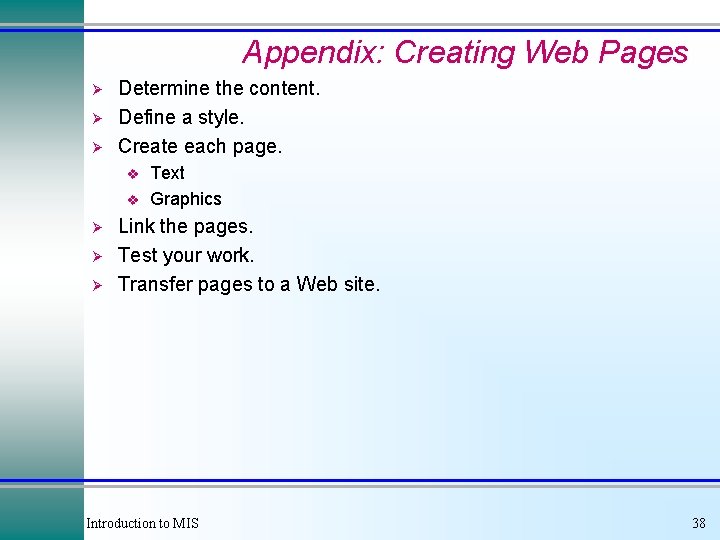
Appendix: Creating Web Pages Ø Ø Ø Determine the content. Define a style. Create each page. v v Ø Ø Ø Text Graphics Link the pages. Test your work. Transfer pages to a Web site. Introduction to MIS 38
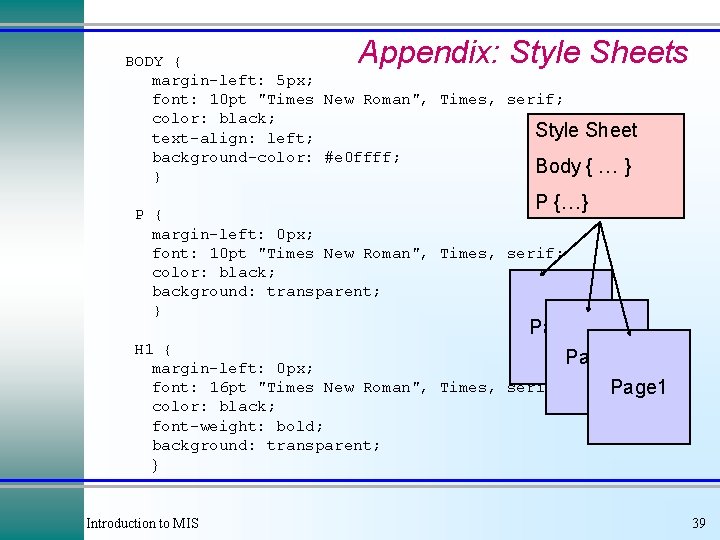
Appendix: Style Sheets BODY { margin-left: 5 px; font: 10 pt "Times New Roman", Times, serif; color: black; Style Sheet text-align: left; background-color: #e 0 ffff; Body { … } } P {…} P { margin-left: 0 px; font: 10 pt "Times New Roman", Times, serif; color: black; background: transparent; } H 1 { margin-left: 0 px; font: 16 pt "Times New Roman", Times, color: black; font-weight: bold; background: transparent; } Introduction to MIS Page 3 Page 2 serif; Page 1 39
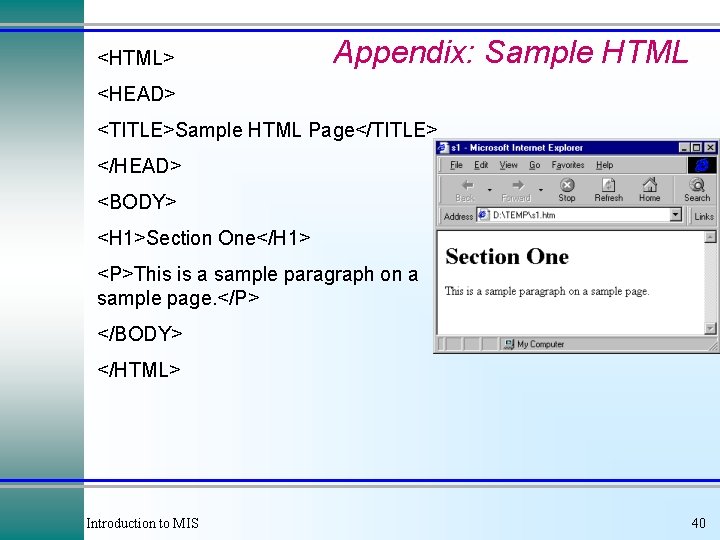
<HTML> Appendix: Sample HTML <HEAD> <TITLE>Sample HTML Page</TITLE> </HEAD> <BODY> <H 1>Section One</H 1> <P>This is a sample paragraph on a sample page. </P> </BODY> </HTML> Introduction to MIS 40
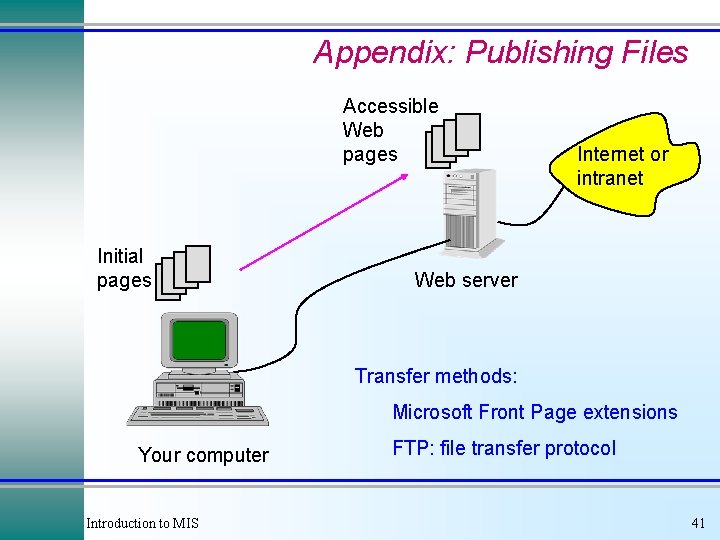
Appendix: Publishing Files Accessible Web pages Initial pages Internet or intranet Web server Transfer methods: Microsoft Front Page extensions Your computer Introduction to MIS FTP: file transfer protocol 41
Web Development Hints Ø Ø Ø Start with a tool like Microsoft Word (or Front Page, etc. ). Get a good graphics package Keep page size small v Ø First develop the pages on your own computer. v v Ø Test all links. Transfer later. Use style sheets. v v Ø 30, 000 - 50, 000 bytes typically takes 8 - 15 seconds Consistency. Ease of change. Study design elements and art. v v v Formal training/art classes. Study other sites. Watch for and create trends. Introduction to MIS 42