
Introduction to Microsoft Word Start the Presentation from
- Slides: 63
Introduction to Microsoft Word Start the Presentation from the Current Slide. The arrows will take you to the next page. Follow instructions carefully. Next
Microsoft Word What is it? �Document Processing Program � Microsoft Office, Google Docs and Pages (from Mac) are examples of Word Processing Programs What can you make with a Word Processing Program? �Memos �Reports �Business Cards �Posters �Business Documents �Letters �Notes 2
Default Settings What does DEFAULT mean? – The settings when you open a program. Word’s default settings are: v. Font: Calibri v. Size: 11 pt. v. Color: Black v. Alignment: Left v. Spacing: 1. 15 v. Orientation: Portrait Next 3
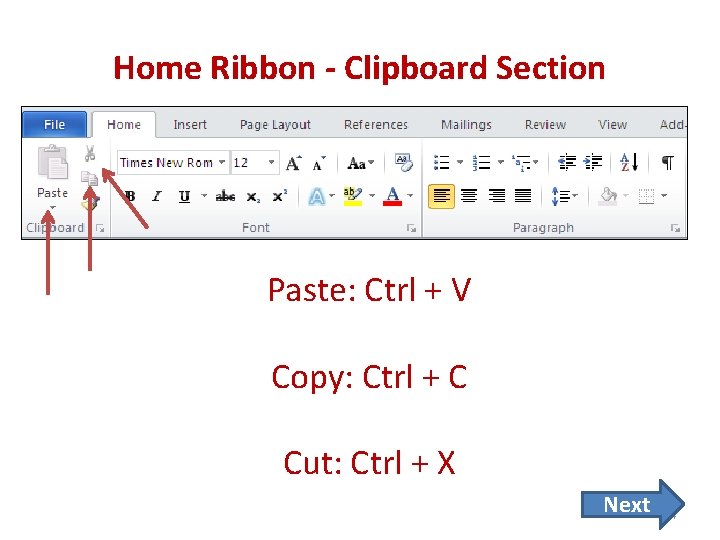
Home Ribbon - Clipboard Section Paste: Ctrl + V Copy: Ctrl + C Cut: Ctrl + X Next 4
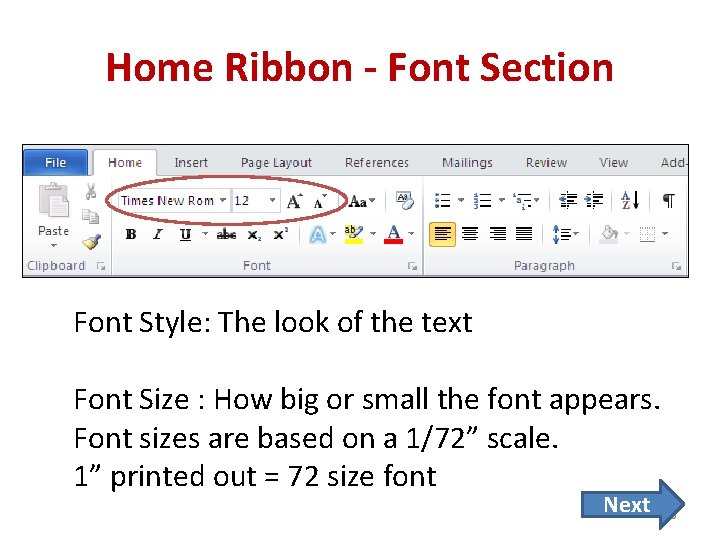
Home Ribbon - Font Section Font Style: The look of the text Font Size : How big or small the font appears. Font sizes are based on a 1/72” scale. 1” printed out = 72 size font Next 5
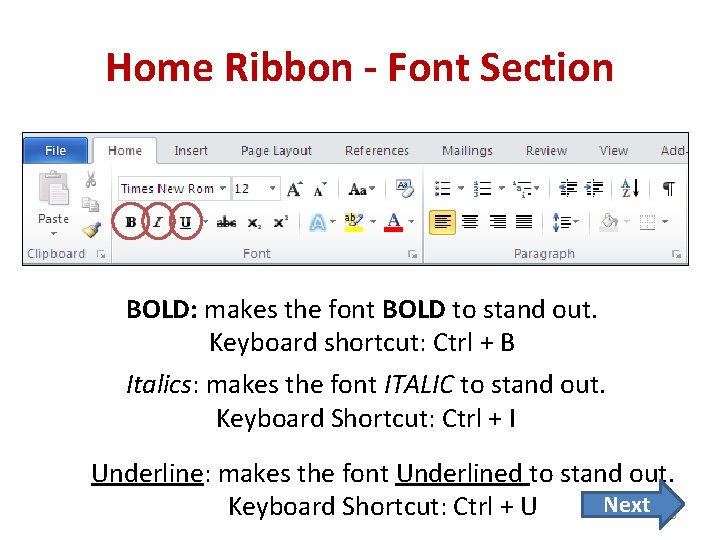
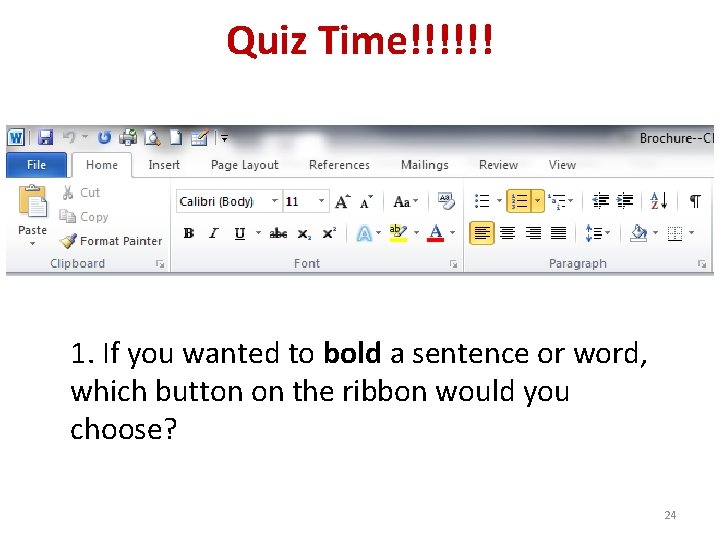
Home Ribbon - Font Section BOLD: makes the font BOLD to stand out. Keyboard shortcut: Ctrl + B Italics: makes the font ITALIC to stand out. Keyboard Shortcut: Ctrl + I Underline: makes the font Underlined to stand out. Next 6 Keyboard Shortcut: Ctrl + U
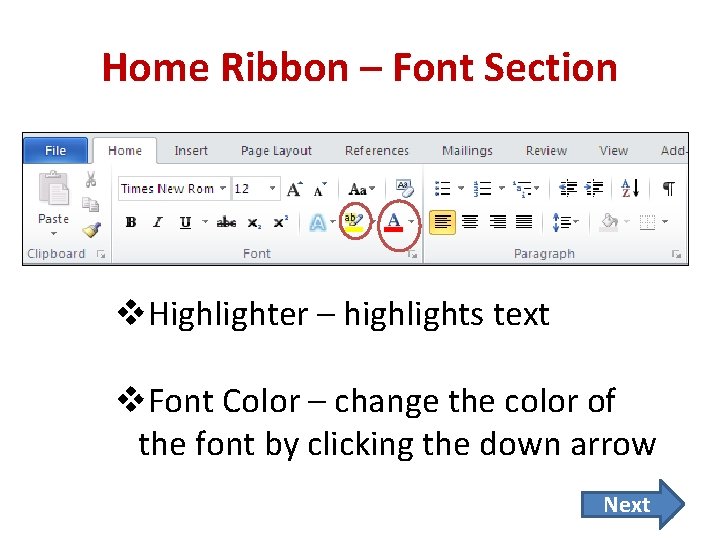
Home Ribbon – Font Section v. Highlighter – highlights text v. Font Color – change the color of the font by clicking the down arrow Next 7
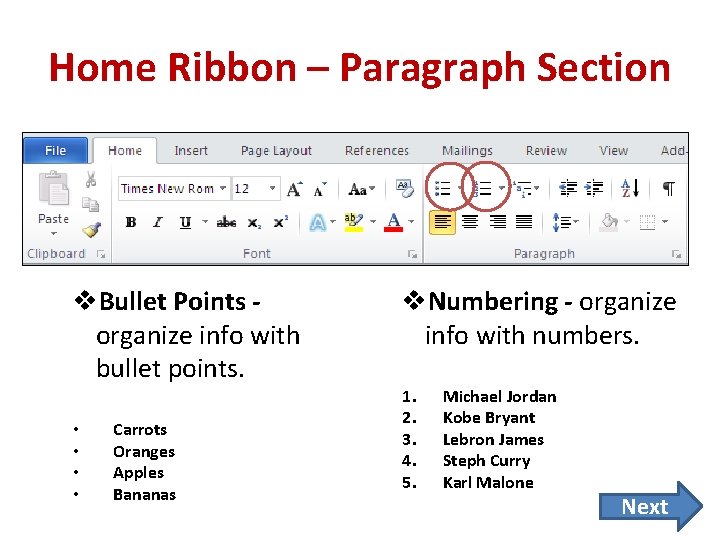
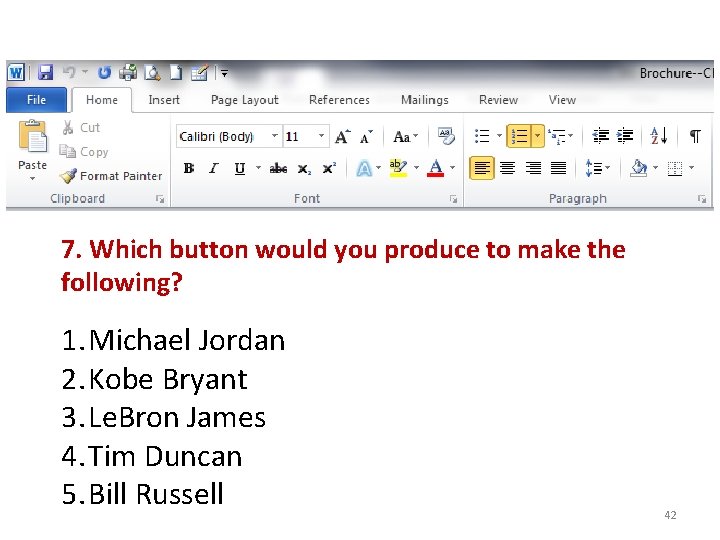
Home Ribbon – Paragraph Section v. Bullet Points organize info with bullet points. • • Carrots Oranges Apples Bananas v. Numbering - organize info with numbers. 1. 2. 3. 4. 5. Michael Jordan Kobe Bryant Lebron James Steph Curry Karl Malone Next 8
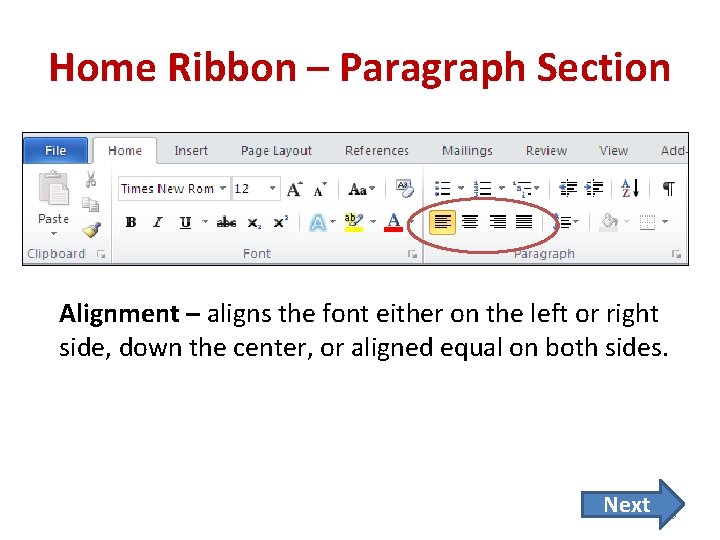
Home Ribbon – Paragraph Section Alignment – aligns the font either on the left or right side, down the center, or aligned equal on both sides. Next 9
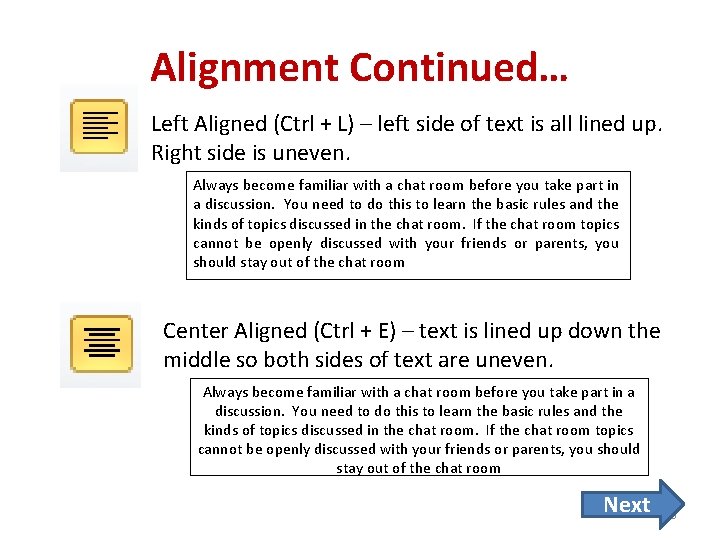
Alignment Continued… Left Aligned (Ctrl + L) – left side of text is all lined up. Right side is uneven. Always become familiar with a chat room before you take part in a discussion. You need to do this to learn the basic rules and the kinds of topics discussed in the chat room. If the chat room topics cannot be openly discussed with your friends or parents, you should stay out of the chat room Center Aligned (Ctrl + E) – text is lined up down the middle so both sides of text are uneven. Always become familiar with a chat room before you take part in a discussion. You need to do this to learn the basic rules and the kinds of topics discussed in the chat room. If the chat room topics cannot be openly discussed with your friends or parents, you should stay out of the chat room Next 10
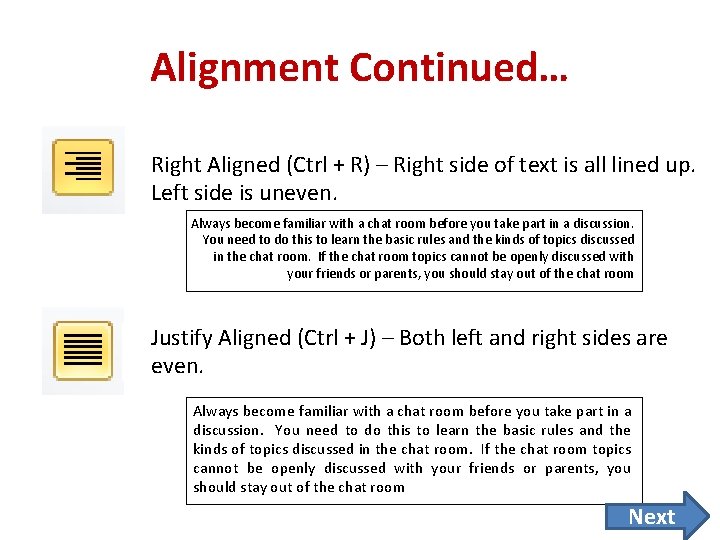
Alignment Continued… Right Aligned (Ctrl + R) – Right side of text is all lined up. Left side is uneven. Always become familiar with a chat room before you take part in a discussion. You need to do this to learn the basic rules and the kinds of topics discussed in the chat room. If the chat room topics cannot be openly discussed with your friends or parents, you should stay out of the chat room Justify Aligned (Ctrl + J) – Both left and right sides are even. Always become familiar with a chat room before you take part in a discussion. You need to do this to learn the basic rules and the kinds of topics discussed in the chat room. If the chat room topics cannot be openly discussed with your friends or parents, you should stay out of the chat room Next 11
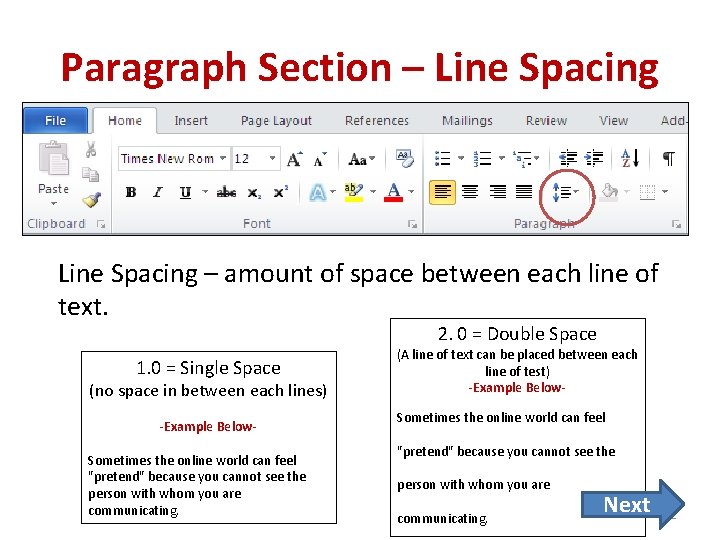
Paragraph Section – Line Spacing – amount of space between each line of text. 2. 0 = Double Space 1. 0 = Single Space (no space in between each lines) -Example Below. Sometimes the online world can feel "pretend" because you cannot see the person with whom you are communicating. (A line of text can be placed between each line of test) -Example Below. Sometimes the online world can feel "pretend" because you cannot see the person with whom you are communicating. Next 12
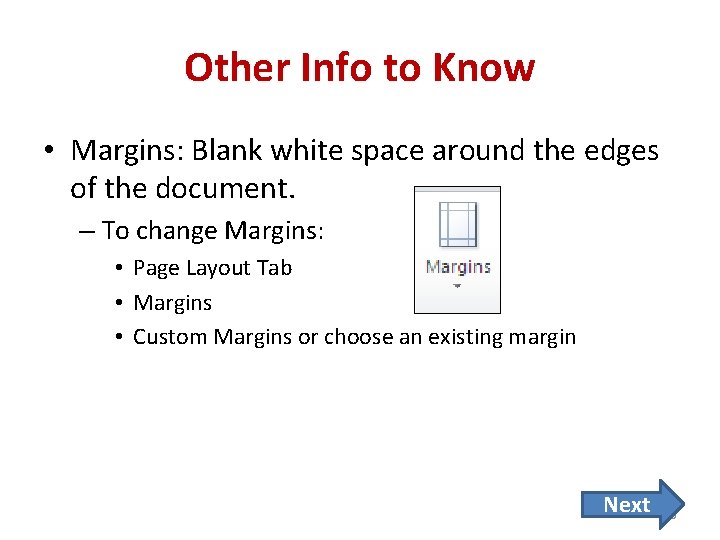
Other Info to Know • Margins: Blank white space around the edges of the document. – To change Margins: • Page Layout Tab • Margins • Custom Margins or choose an existing margin Next 13
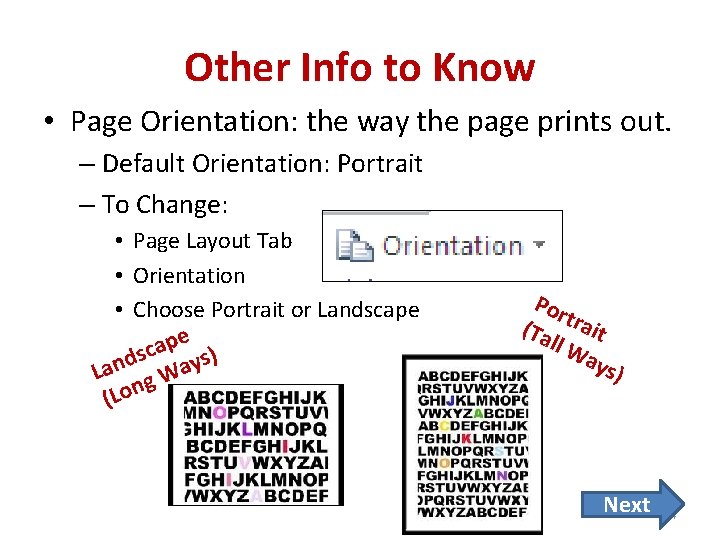
Other Info to Know • Page Orientation: the way the page prints out. – Default Orientation: Portrait – To Change: • Page Layout Tab • Orientation • Choose Portrait or Landscape pe a c s ) s d y n a La g W (Lon Por (Ta trait ll W ays ) Next 14
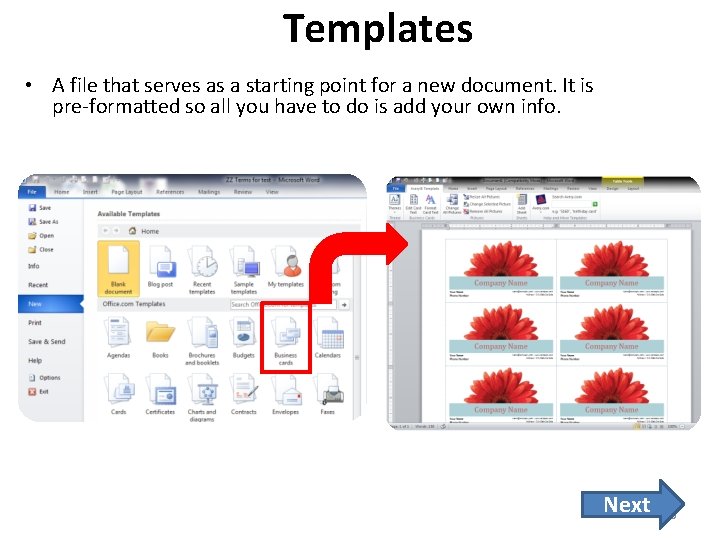
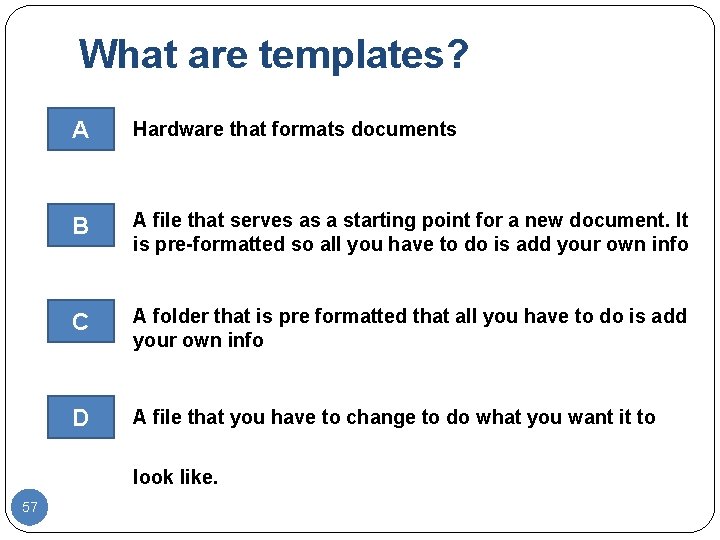
Templates • A file that serves as a starting point for a new document. It is pre-formatted so all you have to do is add your own info. Next 15
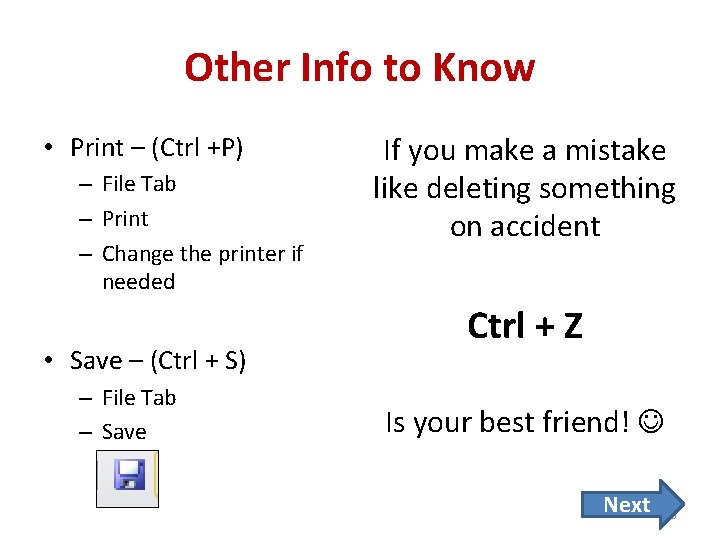
Other Info to Know • Print – (Ctrl +P) – File Tab – Print – Change the printer if needed • Save – (Ctrl + S) – File Tab – Save If you make a mistake like deleting something on accident Ctrl + Z Is your best friend! Next 16
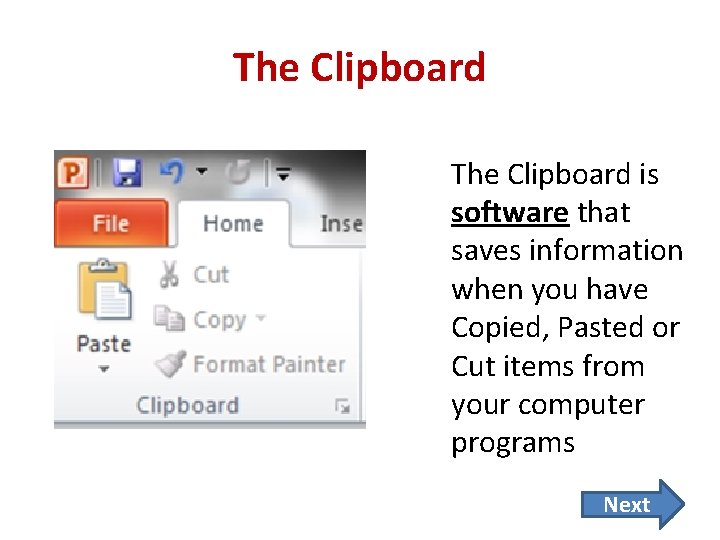
The Clipboard is software that saves information when you have Copied, Pasted or Cut items from your computer programs Next 17
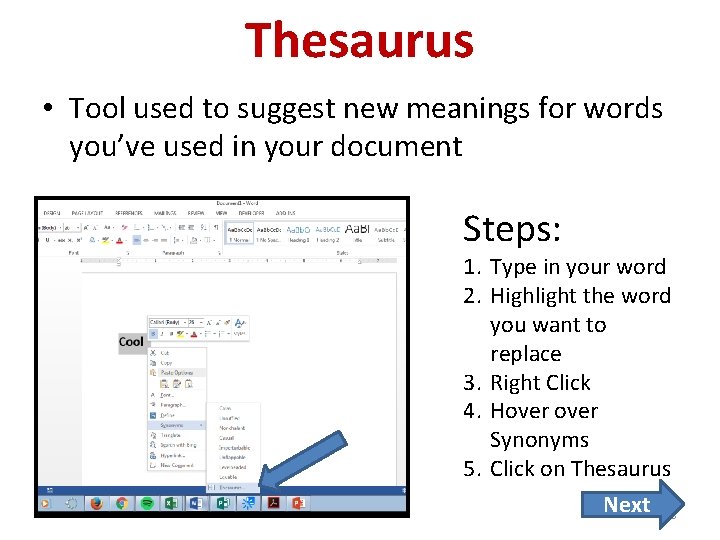
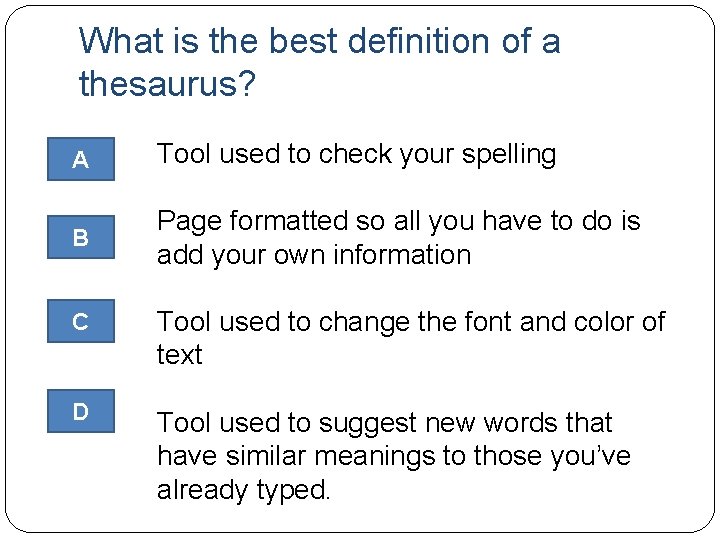
Thesaurus • Tool used to suggest new meanings for words you’ve used in your document Steps: 1. Type in your word 2. Highlight the word you want to replace 3. Right Click 4. Hover Synonyms 5. Click on Thesaurus Next 18
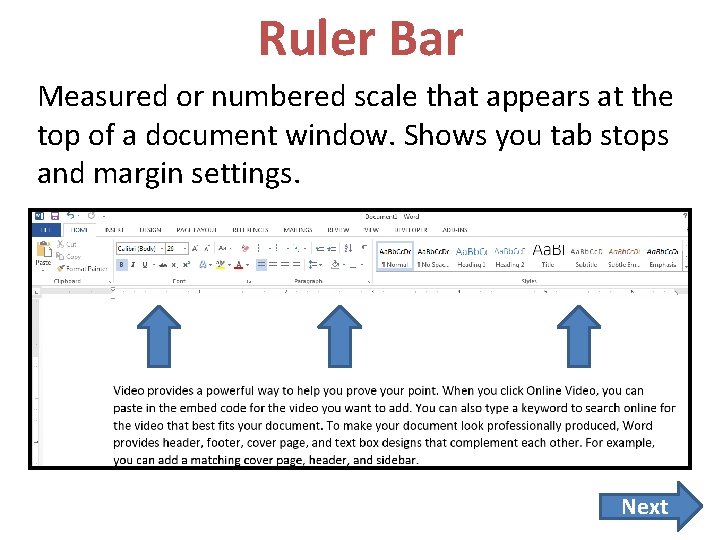
Ruler Bar Measured or numbered scale that appears at the top of a document window. Shows you tab stops and margin settings. Next 19
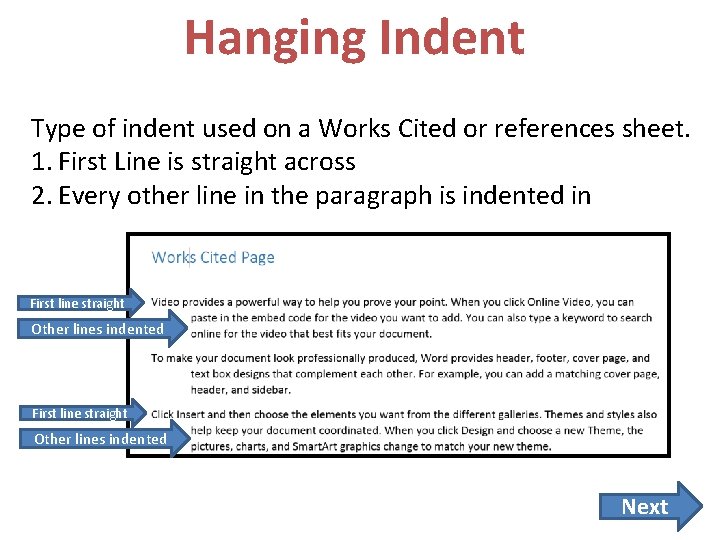
Hanging Indent Type of indent used on a Works Cited or references sheet. 1. First Line is straight across 2. Every other line in the paragraph is indented in First line straight Other lines indented Next 20
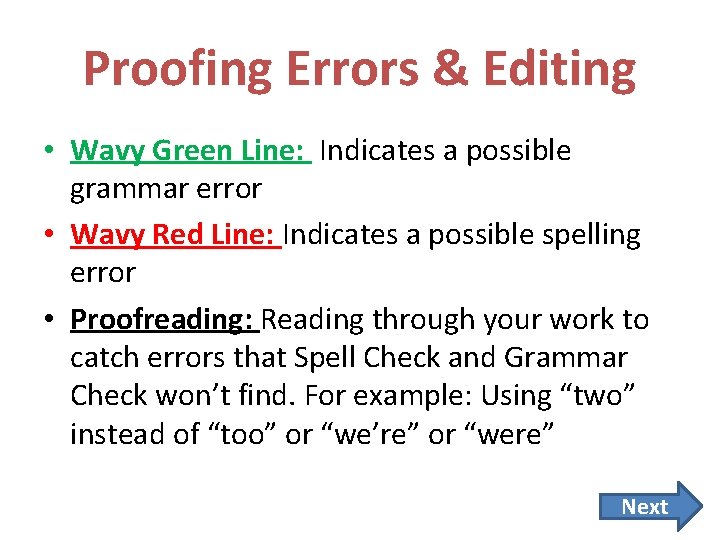
Proofing Errors & Editing • Wavy Green Line: Indicates a possible grammar error • Wavy Red Line: Indicates a possible spelling error • Proofreading: Reading through your work to catch errors that Spell Check and Grammar Check won’t find. For example: Using “two” instead of “too” or “we’re” or “were” Next 21
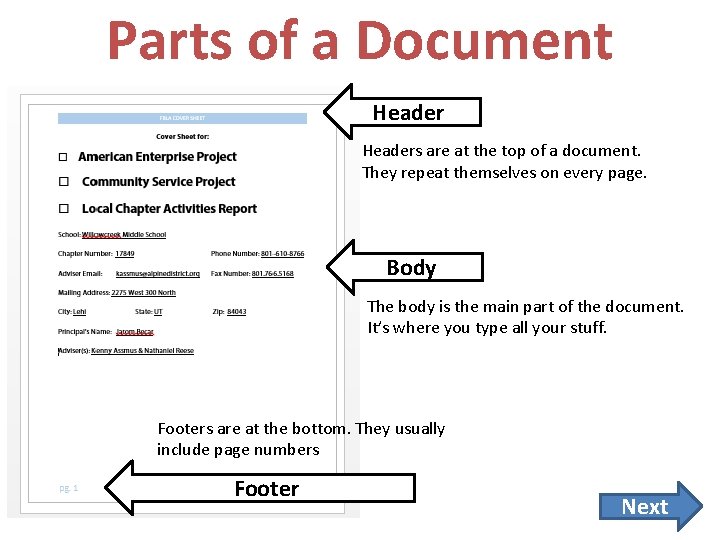
Parts of a Document Headers are at the top of a document. They repeat themselves on every page. Body The body is the main part of the document. It’s where you type all your stuff. Footers are at the bottom. They usually include page numbers Footer Next 22
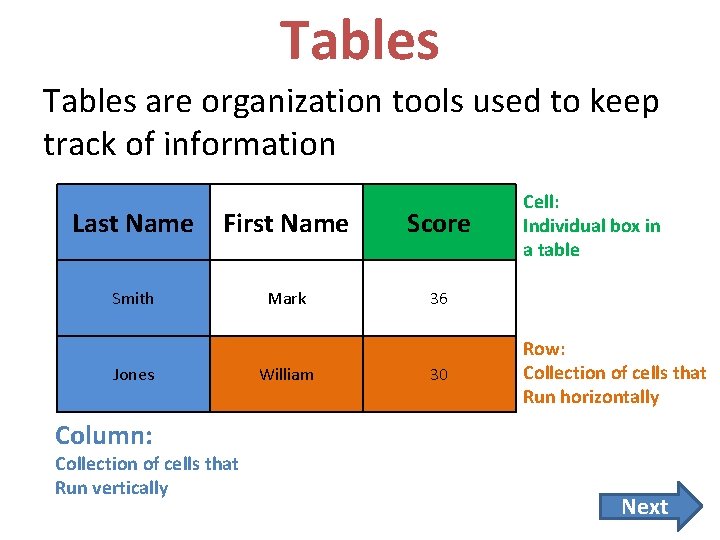
Tables are organization tools used to keep track of information Last Name First Name Score Smith Mark 36 Jones William 30 Cell: Individual box in a table Row: Collection of cells that Run horizontally Column: Collection of cells that Run vertically Next
Quiz Time!!!!!! 1. If you wanted to bold a sentence or word, which button on the ribbon would you choose? 24
That is not correct. Please try again. Go Back 25
Excellent Job! NEXT QUESTION 26
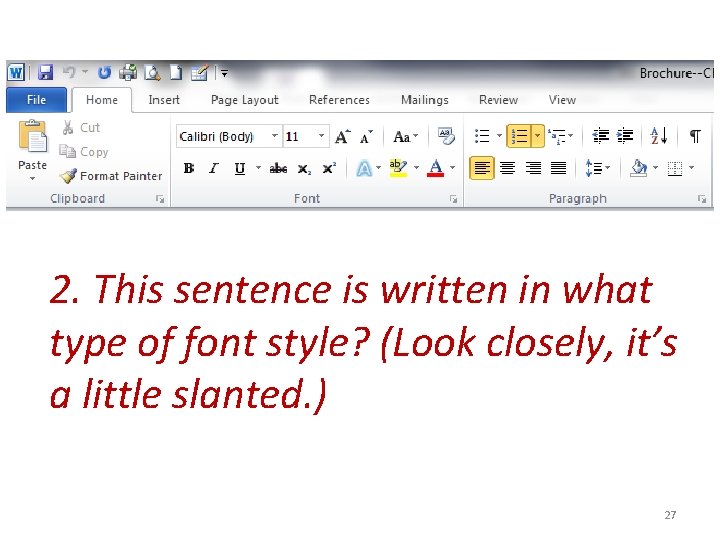
2. This sentence is written in what type of font style? (Look closely, it’s a little slanted. ) 27
That is not correct. Please try again. Go Back 28
Excellent Job! NEXT QUESTION 29
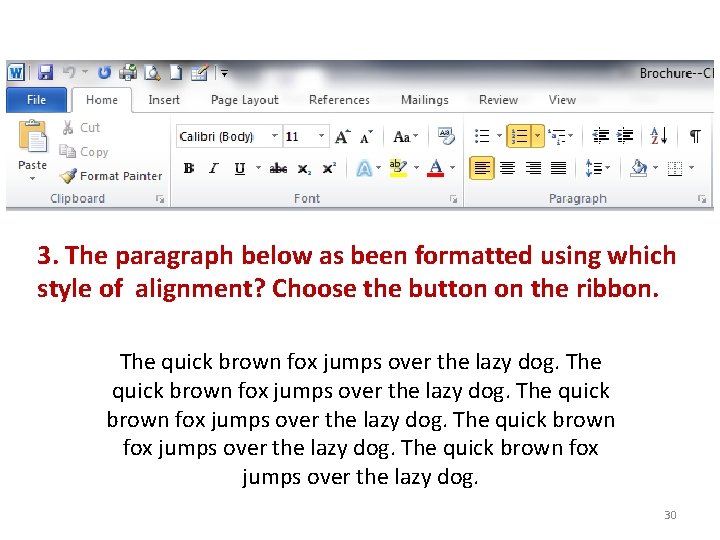
3. The paragraph below as been formatted using which style of alignment? Choose the button on the ribbon. The quick brown fox jumps over the lazy dog. 30
That is not correct. Please try again. Go Back 31
Excellent Job! NEXT QUESTION 32
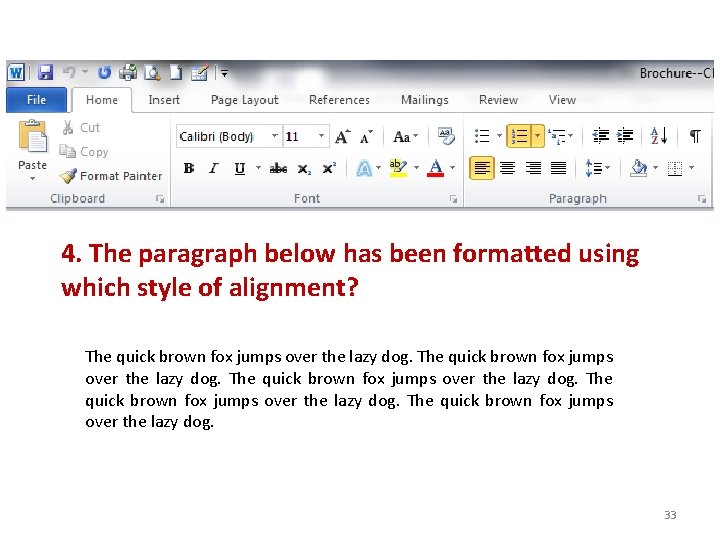
4. The paragraph below has been formatted using which style of alignment? The quick brown fox jumps over the lazy dog. 33
That is not correct. Please try again. Go back to question 34
Excellent Job! NEXT QUESTION 35
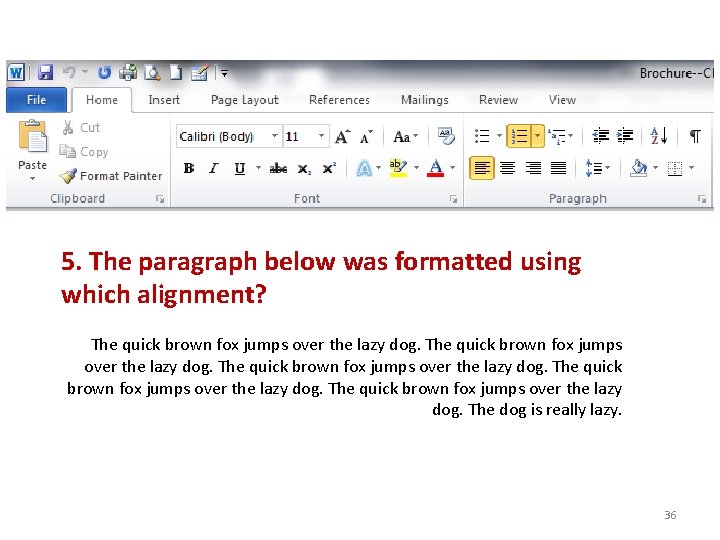
5. The paragraph below was formatted using which alignment? The quick brown fox jumps over the lazy dog. The dog is really lazy. 36
That is not correct. Please try again. Go back to question 37
Excellent Job! NEXT QUESTION 38
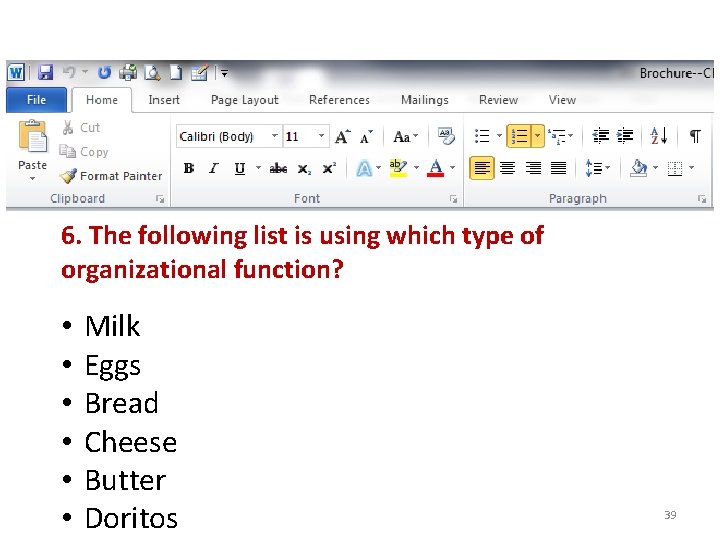
6. The following list is using which type of organizational function? • • • Milk Eggs Bread Cheese Butter Doritos 39
That is not correct. Please try again. Go back to question 40
Excellent Job! NEXT QUESTION 41
7. Which button would you produce to make the following? 1. Michael Jordan 2. Kobe Bryant 3. Le. Bron James 4. Tim Duncan 5. Bill Russell 42
That is not correct. Please try again. Go back to question 43
Excellent Job! NEXT QUESTION 44
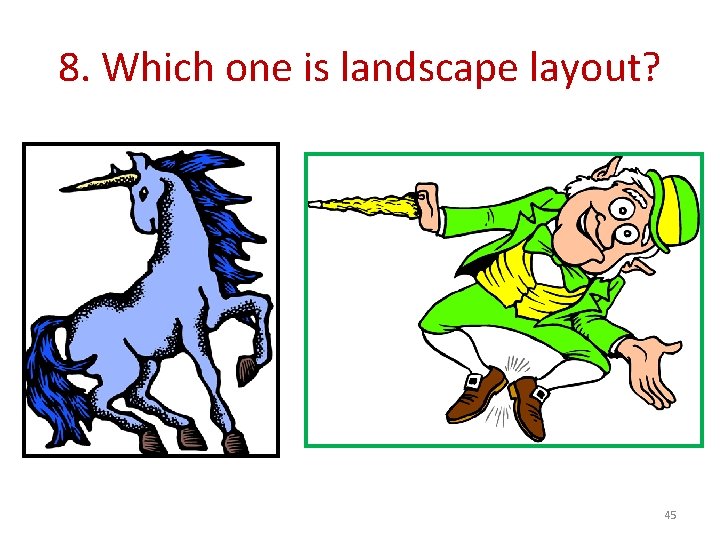
8. Which one is landscape layout? 45
That’s not correct. Please try again Go back to question 46
Excellent Job. NEXT QUESTION 47
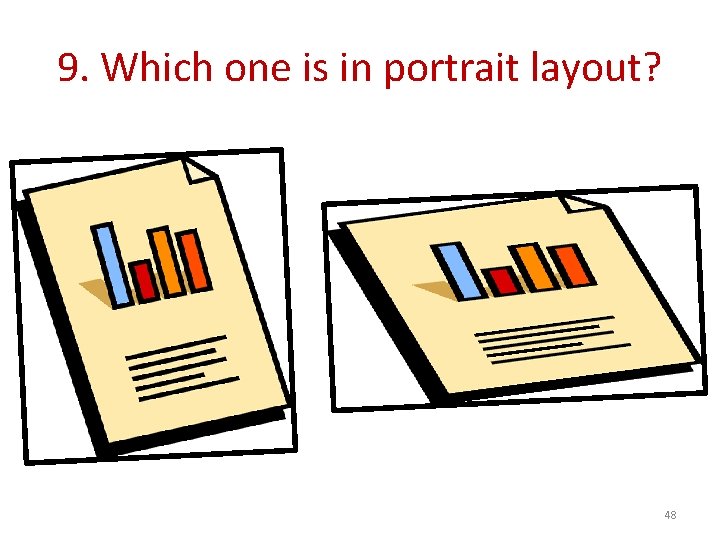
9. Which one is in portrait layout? 48
That’s not correct. Please try again Go back to question 49
Excellent Job. NEXT QUESTION 50
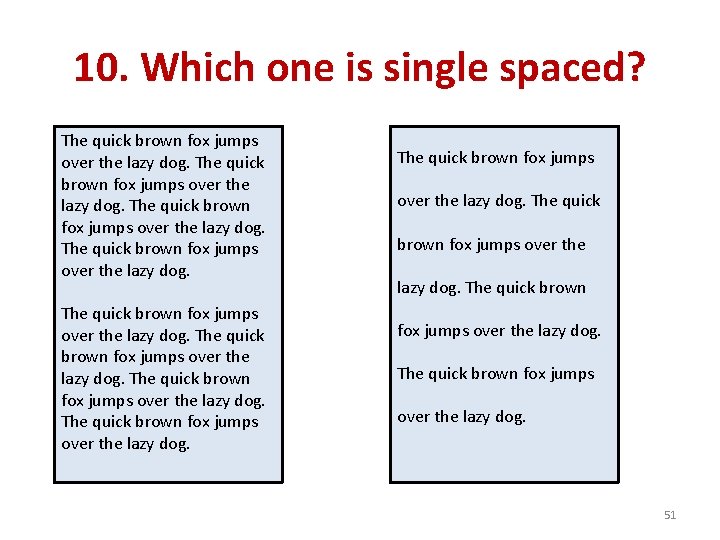
10. Which one is single spaced? The quick brown fox jumps over the lazy dog. The quick brown fox jumps over the lazy dog. 51
That is not correct, please try again. Go back to question 52
Excellent, Job. NEXT QUESTION 53
What is the clipboard? A Something that holds your papers with a fancy clip at the top B Where you put your food to store it C Hardware that stores all of the information like pictures, words, paragraphs you have copied, pasted or cut from D Software that stores all of the information like pictures, words, paragraphs you have copied, pasted or cut from 54
Excellent Job! NEXT QUESTION 55
That is not correct, please try again. Go back to question 56
What are templates? A Hardware that formats documents B A file that serves as a starting point for a new document. It is pre-formatted so all you have to do is add your own info C A folder that is pre formatted that all you have to do is add your own info D A file that you have to change to do what you want it to look like. 57
Excellent Job! 58 NEXT
That is not correct, please try again. Go back to question 59
What is the best definition of a thesaurus? A Tool used to check your spelling B Page formatted so all you have to do is add your own information C Tool used to change the font and color of text D Tool used to suggest new words that have similar meanings to those you’ve already typed.
Excellent Job!!!!
This is not correct, please try again. Go back to question
Congratulations! Press ESC on your keyboard to quit 63